@hyzyn/dsh-docker 0.7.2 → 0.8.0
This diff represents the content of publicly available package versions that have been released to one of the supported registries. The information contained in this diff is provided for informational purposes only and reflects changes between package versions as they appear in their respective public registries.
- package/README.en.md +20 -5
- package/README.md +31 -13
- package/client-src/docker.css +13 -13
- package/client-src/index.js +466 -246
- package/client-src/log-buffer.js +205 -0
- package/client-src/log-stream.js +143 -0
- package/client.js +37 -36
- package/lib/docker.d.ts +18 -3
- package/lib/docker.js +54 -7
- package/lib/docker.js.map +1 -1
- package/lib/index.d.ts +13 -2
- package/lib/index.js +149 -37
- package/lib/index.js.map +1 -1
- package/package.json +14 -6
- package/scripts/client-smoke.mjs +261 -0
- package/scripts/log-perf.mjs +206 -0
- package/scripts/route-smoke.mjs +51 -19
- package/scripts/smoke.mjs +59 -1
package/README.en.md
CHANGED
|
@@ -250,12 +250,17 @@ Inside the panel:
|
|
|
250
250
|
**SSE push** (`GET /api/dsh-docker/logs/stream`, where the server runs
|
|
251
251
|
`docker logs --follow`) — new log lines are appended as they arrive and polling stops; `FOLLOW` and
|
|
252
252
|
`AUTO REFRESH` are mutually exclusive (opening the stream stops polling and greys out the switch), and closing it
|
|
253
|
-
returns to snapshots with an immediate refresh. Streaming logs keep the last **5000 lines** (a ring buffer that
|
|
253
|
+
returns to snapshots with an immediate refresh. Streaming logs keep the last **5000 lines / 4MB** (a ring buffer that drops the oldest on either cap; newline-free oversized output is force-split so memory stays bounded). Chunks render at most every **150ms** (no per-chunk re-render on chatty containers) and rows carry stable ids, so sliding the buffer only mounts/unmounts boundary nodes — the view no longer truncates: whatever `LINES` selects is rendered and exported (bounded by the buffer and the host output cap). Auto-scroll to bottom,
|
|
254
254
|
drops the oldest and hints once); filtering / level colouring share exactly the same rendering as snapshots. It
|
|
255
255
|
auto-scrolls to the bottom, pauses when the user scrolls up and floats a
|
|
256
|
-
"back to bottom" button; a status line in the top right shows the connection state, a
|
|
257
|
-
auto-reconnected by EventSource (updating only the status, without an error banner), and a stream that ends
|
|
256
|
+
"back to bottom" button; a status line in the top right shows the connection state, and a stream that ends
|
|
258
257
|
naturally because the container exited switches back to snapshot refresh automatically.
|
|
258
|
+
**Reconnection is managed by the plugin itself** (not by EventSource auto-reconnect): the first connection
|
|
259
|
+
carries `tail` to backfill history, while every reconnect uses `tail=0` — new lines only, **never replaying
|
|
260
|
+
history** (auto-reconnect reuses the URL with its `tail`, so the server pushes the last `tail` lines again as
|
|
261
|
+
if they were new, and the log grows a duplicated block). When the host-side backpressure queue (8MB)
|
|
262
|
+
overflows it first sends an `end` frame with `reason: output-limit` and then closes, so the UI says
|
|
263
|
+
"host-side backlog" and reconnects.
|
|
259
264
|
Connecting / switching pages / closing the panel all close the `EventSource`.
|
|
260
265
|
- **Overview**: `docker inspect`'s authoritative data — state and health, exit code, restart count and policy,
|
|
261
266
|
port mappings, mounts (including read-only flags), networks and IPs, entrypoint and command, and the latest
|
|
@@ -491,7 +496,7 @@ and reconnect". The record list can be deleted / reset in the settings card (del
|
|
|
491
496
|
| Tool | Registration | Parameters | Purpose / typical use |
|
|
492
497
|
| --- | --- | --- | --- |
|
|
493
498
|
| `docker_targets` | always registered | `probe?: boolean` | lists targets (name / kind / label); `probe:true` probes the docker version and daemon reachability for each one (SSH targets open connections, so it is slower). Other tools take their `target` from here |
|
|
494
|
-
| `docker_ps` | always registered | `target?` (**pass `*` = all targets**), `all?: boolean` | lists containers (name / state / health / image / ports / compose project and service / short ID); by default only running ones, `all:true` includes stopped. With `target:'*'` it returns results grouped by target, and **one unreachable target does not affect the others** (that group carries `error`). The first step of troubleshooting |
|
|
499
|
+
| `docker_ps` | always registered | `target?` (**pass `*` = all targets**), `all?: boolean` | lists containers (name / state / health / image / ports / compose project and service / short ID); by default only running ones, `all:true` includes stopped. With `target:'*'` it returns results grouped by target, and **one unreachable target does not affect the others** (that group carries `error`). Ports are merged across the IPv4/IPv6 dual-stack expansion (one `-p` no longer shows twice, D130); an empty `ports` does **not** mean "nothing exposed" — host-network containers publish on the host itself, and that case now carries a `net` field (D131). The first step of troubleshooting |
|
|
495
500
|
| `docker_attention` | always registered | `target?` (supports `*`), `limit?: number` | a **needs-attention summary**: unhealthy / repeatedly restarting / OOM-killed / non-zero exit / zombie; every item carries `reasons`, `exitCode`, `oomKilled`, `restartCount`. OOM and the real exit code come from one `docker inspect` (a ps summary cannot distinguish a manual kill from 137). The troubleshooting entry point: call it first when you are unsure which machine or container to look at |
|
|
496
501
|
| `docker_inspect` | always registered | `target?`, `id` (required) | `docker inspect`'s authoritative details: state / health check / exit code / restart count / ports / mounts / networks / startup command |
|
|
497
502
|
| `docker_logs` | always registered | `target?`, `id`, `tail?` (1–5000, default `logTailDefault`), `timestamps?`, `since?` | the tail from `docker logs --tail`; `since` uses docker syntax (such as `10m`, `2026-09-09T10:00:00`); over the cap it is marked `truncated` |
|
|
@@ -545,7 +550,7 @@ headers and will hit it (normal browser use is unaffected). Read-only routes do
|
|
|
545
550
|
| `/inspect` | POST | `{target?, id}` | `{ok:true, details: ContainerDetail[]}` |
|
|
546
551
|
| `/stats` | POST | `{target?, ids?: string[]}` | `{ok:true, stats: ContainerStats[]}` |
|
|
547
552
|
| `/logs` | POST | `{target?, id, tail?, timestamps?, since?}` | `{ok:true, logs:{id, text, truncated}}` |
|
|
548
|
-
| `/logs/stream` | GET | query: `target?`, `id` (required), `tail?` (
|
|
553
|
+
| `/logs/stream` | GET | query: `target?`, `id` (required), `tail?` (**0**–5000; `0` = follow only, no history backfill, used on client reconnect), `timestamps?` (`1`/`true`), `since?` | `200 text/event-stream` long connection, event protocol below; bad parameters / unknown target / non-loopback return ordinary JSON errors |
|
|
549
554
|
| `/stats/stream` | GET | query: `target?`, `ids?` (comma-separated; omitted = all running) | `200 text/event-stream`: one `stats` frame per second (ContainerStats, same shape as the /stats snapshot); it does not end naturally and is finished off by the client disconnecting |
|
|
550
555
|
| `/events/stream` | GET | query: `target?` | `200 text/event-stream`: one container event per `event` frame (already through the server-side allowlist, with missing-value fields omitted); it does not end naturally and is finished off by the client disconnecting |
|
|
551
556
|
| `/images` | POST | `{target?}` | `{ok:true, images: ImageSummary[]}` |
|
|
@@ -669,6 +674,16 @@ read-only first:
|
|
|
669
674
|
A long SSH stream holds that connection in the pool (busy) while other commands on the same host still reuse the
|
|
670
675
|
same connection without affecting each other. **The stats stream does not end naturally**, so closing it must be
|
|
671
676
|
the frontend actively aborting the `EventSource`.
|
|
677
|
+
- **The SSH channel budget is shared per target (`MaxSessions`)**: a target keeps only **one** TCP connection, and
|
|
678
|
+
every long stream and short command shares that connection's channels — while OpenSSH's `MaxSessions` defaults to
|
|
679
|
+
just 10. Long streams (logs / stats / events) hold a channel until the user closes the panel, and merged logs can
|
|
680
|
+
take 8 at once, which uses the budget up exactly; the next "refresh list" (a short command) is then rejected by the
|
|
681
|
+
far end with `(SSH) Channel open failure: open failed`. The plugin therefore caps each SSH target at **8 concurrent
|
|
682
|
+
long streams** (= 10 − 2, leaving two for short commands such as refresh / inspect), and the merged-log selection
|
|
683
|
+
cap on an **SSH target** drops from 8 to 6 (local targets go through subprocesses and are unaffected). Going over
|
|
684
|
+
the cap, and the far end refusing a channel, both produce pointed messages rather than ssh2's raw text. If your sshd
|
|
685
|
+
tunes `MaxSessions` (`sshd -T | grep maxsessions`), the current cap is a compile-time constant — file an issue if it
|
|
686
|
+
needs to follow.
|
|
672
687
|
- **Docker CLI version differences**: parsing goes through `--format '{{json .}}'`, and fields come and go between
|
|
673
688
|
versions; the parser always degrades instead of throwing (for example, a missing `State` has the state derived from
|
|
674
689
|
`Status`, and health is extracted from `(healthy)` / `(unhealthy)`); with fields missing the corresponding columns
|
package/README.md
CHANGED
|
@@ -216,23 +216,31 @@ add。装完重启 `dsh web`,侧边栏出现「容器」入口;设置 →
|
|
|
216
216
|
第二行管**内容**——而第二行与聚合日志**完全同一套**:同一个级别内核、同一个导出构建器、
|
|
217
217
|
同一份计数文案(`N 行`,有过滤时 `N / M 行`)。级别门槛的语义是「无级别前缀的行是上一条的
|
|
218
218
|
续行,跟随其级别」,否则 `ERROR+` 会把堆栈拦腰截断。输入框宽度与位置恒定,输入 / 清空都不会挤动这一行。日志正文按级别着色(`[INFO]` 与 `|INFO` 两种常见前缀
|
|
219
|
-
|
|
219
|
+
都能识别),时间戳压暗,过滤命中高亮;显示与导出取**同一集合**(`LINES` 选多少就多少),不再有「只显示最近 N 行」的截断。
|
|
220
220
|
详情视图下不再叠加列表工具条与面板头,每屏只有一个刷新入口。
|
|
221
221
|
- **FOLLOW 实时日志流**:日志页 `FOLLOW` 开关打开后,界面从「定时拉快照」切换
|
|
222
222
|
为 **SSE 推送**(`GET /api/dsh-docker/logs/stream`,服务端跑
|
|
223
223
|
`docker logs --follow`)——新日志到达即追加,不再轮询;`FOLLOW` 与
|
|
224
224
|
`AUTO REFRESH` 互斥(开流自动停轮询、开关置灰),关闭即回到快照并立即刷新。
|
|
225
|
-
流式日志保留最近 **5000
|
|
226
|
-
|
|
227
|
-
|
|
228
|
-
|
|
225
|
+
流式日志保留最近 **5000 行 / 4MB**(环形缓冲,行数或字节超限都丢最旧并提示
|
|
226
|
+
一次;没有换行符的超长输出会被强制分片,内存恒有界);分片到达按 **150ms 合帧**
|
|
227
|
+
渲染(话痨容器也不再逐条重绘),行 key 用单调 id,缓冲滑动只挂载/卸载边界节点。
|
|
228
|
+
显示层**不再另设截断**:`LINES` 选多少就渲染 / 导出多少(真正的闸是缓冲与宿主的
|
|
229
|
+
「输出上限(KB)」)。自动滚动到底部,用户向上滚动时暂停并浮出
|
|
230
|
+
「回到底部」按钮;右上状态行显示连接状态,容器退出导致流自然结束时自动切回快照刷新。**断线重连由插件自己管**(不依赖
|
|
231
|
+
EventSource 的自动重连):首连带 tail 补历史,重连一律 tail=0——只补新行、**不
|
|
232
|
+
重放历史**(自动重连会复用带 tail 的 URL,服务端就会把最后 tail 行当新行重推一遍,
|
|
233
|
+
日志里凭空多出一段重复)。宿主侧背压队列(8MB)溢出时会先发一条 end 帧
|
|
234
|
+
(reason = output-limit)再收尾,界面明说「主机侧积压」并自动重连。
|
|
229
235
|
连接 / 切页 / 关面板都会关闭 `EventSource`。
|
|
230
236
|
- **概览**:`docker inspect` 的权威数据——状态与健康、退出码、重启次数与策略、
|
|
231
237
|
端口映射、挂载(含只读标记)、网络与 IP、entrypoint 与命令、最近一次健康
|
|
232
238
|
检查输出;下方可执行一次性 `docker exec`(需 `allowExec`)。
|
|
233
|
-
- **日志**:`docker logs --tail`
|
|
234
|
-
|
|
235
|
-
|
|
239
|
+
- **日志**:`docker logs --tail` 的尾部快照(`LINES` 默认取设置卡片的「日志
|
|
240
|
+
默认行数」),可切时间戳与 `--since`。**两个闸要分清**:`LINES` 是**行数**上限,
|
|
241
|
+
设置卡片的「输出上限(KB)」是**字节**上限——两者取小,字节先超就截断并给出横幅
|
|
242
|
+
(所以 `LINES` 选了 5000 也可能只回来一部分)。要持续观察新日志就打开上面的
|
|
243
|
+
`FOLLOW`(同一份 argv 加 `--follow`,无总超时、不受该字节上限约束,靠连接
|
|
236
244
|
生命周期收尾)。
|
|
237
245
|
|
|
238
246
|
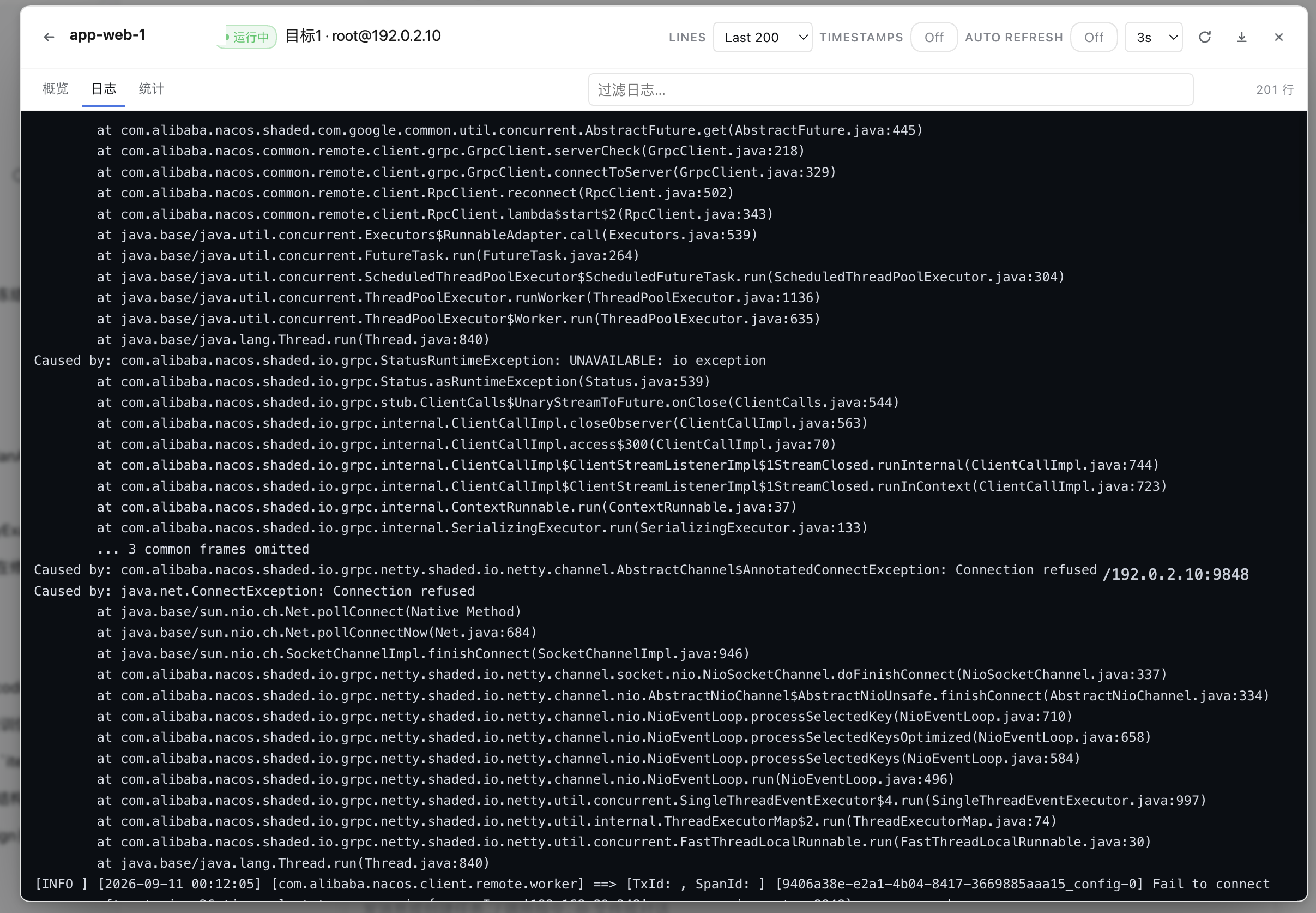
|
|
@@ -444,7 +452,7 @@ add。装完重启 `dsh web`,侧边栏出现「容器」入口;设置 →
|
|
|
444
452
|
| 工具 | 注册条件 | 参数 | 作用 / 典型用法 |
|
|
445
453
|
| --- | --- | --- | --- |
|
|
446
454
|
| `docker_targets` | 恒注册 | `probe?: boolean` | 列出目标(name / kind / label);`probe:true` 逐个探测 docker 版本与 daemon 可达性(SSH 目标会建连接,较慢)。其他工具的 `target` 取自这里 |
|
|
447
|
-
| `docker_ps` | 恒注册 | `target?`(**传 `*` = 全部目标**)、`all?: boolean` | 列容器(名称 / 状态 / 健康 / 镜像 / 端口 / compose 项目与服务 / 短 ID);默认只列运行中,`all:true` 含已停止。`target:'*'` 时按目标分组返回,**单个目标不可达不影响其他目标**(该组带 `error
|
|
455
|
+
| `docker_ps` | 恒注册 | `target?`(**传 `*` = 全部目标**)、`all?: boolean` | 列容器(名称 / 状态 / 健康 / 镜像 / 端口 / compose 项目与服务 / 短 ID);默认只列运行中,`all:true` 含已停止。`target:'*'` 时按目标分组返回,**单个目标不可达不影响其他目标**(该组带 `error`)。端口是 IPv4/IPv6 双栈归并后的映射(同一次 `-p` 不再出现两遍,D130);`ports` 为空**不等于**没暴露端口——host 网络容器的端口即宿主机端口,这种情况会给 `net` 字段(D131)。排障第一步 |
|
|
448
456
|
| `docker_attention` | 恒注册 | `target?`(支持 `*`)、`limit?: number` | **需关注汇总**:不健康 / 反复重启 / 被 OOM 杀 / 非零退出 / 僵死;每条带 `reasons`、`exitCode`、`oomKilled`、`restartCount`。OOM 与真实退出码来自一次 `docker inspect`(ps 摘要里 137 无法区分手动 kill)。排障入口:不确定从哪台/哪个容器看起时先调它 |
|
|
449
457
|
| `docker_inspect` | 恒注册 | `target?`、`id`(必填) | `docker inspect` 的权威详情:状态 / 健康检查 / 退出码 / 重启次数 / 端口 / 挂载 / 网络 / 启动命令 |
|
|
450
458
|
| `docker_logs` | 恒注册 | `target?`、`id`、`tail?`(1~5000,默认 `logTailDefault`)、`timestamps?`、`since?` | `docker logs --tail` 尾部;`since` 用 docker 语法(如 `10m`、`2026-09-09T10:00:00`);超上限标记 `truncated` |
|
|
@@ -495,7 +503,7 @@ add。装完重启 `dsh web`,侧边栏出现「容器」入口;设置 →
|
|
|
495
503
|
| `/inspect` | POST | `{target?, id}` | `{ok:true, details: ContainerDetail[]}` |
|
|
496
504
|
| `/stats` | POST | `{target?, ids?: string[]}` | `{ok:true, stats: ContainerStats[]}` |
|
|
497
505
|
| `/logs` | POST | `{target?, id, tail?, timestamps?, since?}` | `{ok:true, logs:{id, text, truncated}}` |
|
|
498
|
-
| `/logs/stream` | GET | query:`target?`、`id`(必填)、`tail
|
|
506
|
+
| `/logs/stream` | GET | query:`target?`、`id`(必填)、`tail?`(**0**~5000;`0` = 不补历史只跟随,客户端重连用)、`timestamps?`(`1`/`true`)、`since?` | `200 text/event-stream` 长连接,事件协议见下;参数错误 / 未知目标 / 非 loopback 返回常规 JSON 错误 |
|
|
499
507
|
| `/stats/stream` | GET | query:`target?`、`ids?`(逗号分隔;省略 = 全部运行中) | `200 text/event-stream`:每秒一帧 `stats`(ContainerStats,形状与 /stats 快照一致);不会自然结束,靠客户端断连收尾 |
|
|
500
508
|
| `/events/stream` | GET | query:`target?` | `200 text/event-stream`:一帧 `event` 一个容器事件(服务端已过白名单,值缺失的字段省略);不会自然结束,靠客户端断连收尾 |
|
|
501
509
|
| `/images` | POST | `{target?}` | `{ok:true, images: ImageSummary[]}` |
|
|
@@ -697,7 +705,8 @@ abort)、客户端断开静默中止。各自只差执行器与结束原因:
|
|
|
697
705
|
│ (面板不收起;折叠/拖拽只改尺寸,会话不中断;✕ 或关面板才 dispose,
|
|
698
706
|
│ 有活动会话时关面板先确认 → tty 那边结束会话并拆 DOM)
|
|
699
707
|
│ ├─ fetch → /api/dsh-docker/*(loopback 围栏)
|
|
700
|
-
│ ├─ FOLLOW → EventSource /logs/stream(SSE:5000
|
|
708
|
+
│ ├─ FOLLOW → EventSource /logs/stream(SSE:5000 行 / 4MB 环形缓冲、150ms 合帧、
|
|
709
|
+
│ │ 行 id 稳定 key、显示不截断 / 自动贴底 /
|
|
701
710
|
│ │ 回到底部 / 断线自动重连 / 容器退出自动回快照)
|
|
702
711
|
│ ├─ 统计 FOLLOW → EventSource /stats/stream(SSE:60 点环形缓冲画
|
|
703
712
|
│ │ CPU / 内存 sparkline;**前端主动断**,docker stats 自己退出才收流)
|
|
@@ -796,11 +805,18 @@ loopback 403(含三条流路由)、容器名 / 镜像引用注入尝试被
|
|
|
796
805
|
卡片 key 等于命名空间 `docker`、找不到宿主侧边栏时安静降级且卸载可重复调用,ttyConnbar 集成的四条路径(连接簿名命中 / host:port 命中 / 未配置主机不加按钮 / tty 未安装静默跳过),FOLLOW 的 SSE 订阅与「回到底部」交互(静态断言),**镜像详情 / 拉取流 / 删除 / prune 入口**、**统计 FOLLOW + sparkline 钩子**、**Compose 分组与聚合日志**、**「活动」条装配 + 事件环形缓冲 / 动作标签 / 防抖**(纯逻辑经 `__events` 测试缝),以及侧边栏折叠态(`data-sidebar-collapsed`)隐藏入口标签的样式规则。
|
|
797
806
|
需要真 daemon 的验证走下面的手工清单。
|
|
798
807
|
|
|
799
|
-
`test/logs-stream.test.ts`(
|
|
808
|
+
`test/logs-stream.test.ts`(30 例,随根 `pnpm test` 跑)覆盖日志实时流的四层:
|
|
800
809
|
`logsStream` 的 argv 构造与 `assertRef` 白名单、SSE 帧的单行 JSON 封装(换行 /
|
|
801
810
|
多字节)、本地流生命周期(假 spawn:跨 chunk 多字节、SIGTERM→SIGKILL 阶梯、
|
|
802
811
|
close resolve、spawn error)与 SSH 长流的 busy 计数配对 / sweeper 跳过、以及
|
|
803
|
-
路由层的事件序列 / 心跳 / 客户端断开静默中止 /
|
|
812
|
+
路由层的事件序列 / 心跳 / 客户端断开静默中止 / 插件禁用统一收尾,以及
|
|
813
|
+
**`tail=0` 只跟随不补历史**与**背压队列溢出补发 `end{reason:output-limit}`**(D133)。
|
|
814
|
+
|
|
815
|
+
`pnpm --filter @hyzyn/dsh-docker perf:logs`(`scripts/log-perf.mjs`)是**日志页的浏览器侧
|
|
816
|
+
性能门禁**:用真 Chrome 量「5000 行首屏耗时 / DOM 规模」与「FOLLOW 突发 20000 行时的处理
|
|
817
|
+
耗时与事件循环最大延迟」,超预算即非零退出(当前实测约 234ms / 10000 节点、突发 930ms /
|
|
818
|
+
最大延迟 55ms)。它依赖 tty 的预览夹具(`node packages/tty/scripts/preview.mjs` 生成),
|
|
819
|
+
夹具或 Chrome 缺失时**跳过并 exit 0** —— 它是 npm script,不是 vitest 必跑项。
|
|
804
820
|
|
|
805
821
|
`test/streams.test.ts`(33 例)覆盖**统计流 / 事件流 / 拉取流 / 网络卷 / 通用 SSE 基建**:
|
|
806
822
|
`statsStream` 不带 `--no-stream`(与快照同一构造点)、`pullStream` 的
|
|
@@ -835,6 +851,8 @@ network / volume 的 ls·inspect 解析容错(字符串布尔、缺 `Mountpoin
|
|
|
835
851
|
5. **FOLLOW 实时日志流**:日志页打开 `FOLLOW` → 状态行先「正在连接」后
|
|
836
852
|
「实时跟随中」,`docker logs -f` 的新行即时出现(`docker run --rm alpine sh
|
|
837
853
|
-c 'i=0; while :; do echo line-$i; i=$((i+1)); sleep 1; done'` 可观察);
|
|
854
|
+
高吞吐护栏:换成长行快速打印(如 `head -c 2000 /dev/zero | tr "\\0" x; echo` 循环)
|
|
855
|
+
页面应保持可交互、内存平稳,行数 / 字节超限时出现「已丢弃最早内容」提示;
|
|
838
856
|
开 FOLLOW 时 `AUTO REFRESH` 置灰、轮询停止;向上滚动出现「回到底部」、
|
|
839
857
|
点击回到底部并恢复自动贴底;关闭 FOLLOW 立即回到快照。停掉容器 → 流收到
|
|
840
858
|
`end` 提示「容器已退出(退出码 N)」并自动补一次快照。杀掉 `dsh web` 再拉起
|
package/client-src/docker.css
CHANGED
|
@@ -896,7 +896,7 @@
|
|
|
896
896
|
align-items: center;
|
|
897
897
|
gap: var(--dk-gap-md);
|
|
898
898
|
flex: 1 1 auto;
|
|
899
|
-
flex-wrap: wrap; /* LINES + 三个 pill + 级别 +
|
|
899
|
+
flex-wrap: wrap; /* LINES + 三个 pill + 级别 + 导出(已合并成一个菜单按钮,D137)+ 计数槽放不下时换行(D60) */
|
|
900
900
|
min-width: 0;
|
|
901
901
|
/* 右侧给计数留固定槽(92px ≈ 4 位数 + 「行匹配」),输入框宽度因此恒定 */
|
|
902
902
|
padding: var(--dk-gap-xs) 92px var(--dk-gap-xs) 0;
|
|
@@ -1117,20 +1117,20 @@
|
|
|
1117
1117
|
white-space: pre-wrap;
|
|
1118
1118
|
word-break: break-word;
|
|
1119
1119
|
/*
|
|
1120
|
-
* 这里**刻意不用** content-visibility / contain-intrinsic-size(D91
|
|
1120
|
+
* 这里**刻意不用** content-visibility / contain-intrinsic-size(D91,结论维持)。
|
|
1121
1121
|
*
|
|
1122
|
-
* D63
|
|
1123
|
-
* 给未渲染的行兜一个估算高度(19px);代价是
|
|
1124
|
-
*
|
|
1125
|
-
*
|
|
1126
|
-
*
|
|
1127
|
-
*
|
|
1128
|
-
* 结果是贴底到不了底、自动跟随被误判成「用户上滚了」而静默停止、「回到底部」也回不到底 ——
|
|
1129
|
-
* FOLLOW 的全部价值(贴着看最新行)直接归零,单容器与聚合两条路径同时中招。
|
|
1122
|
+
* D63 第一轮曾用 content-visibility 跳过视口外行的布局绘制,并用
|
|
1123
|
+
* contain-intrinsic-size 给未渲染的行兜一个估算高度(19px);代价是 scrollHeight
|
|
1124
|
+
* 从此变成**估算值**——未渲染行按 19px 算,而折长的行实际 38px 起。FOLLOW 的整套
|
|
1125
|
+
* 贴底判定都建立在精确高度上(贴底 scrollTop=scrollHeight、上滚判定
|
|
1126
|
+
* scrollHeight-scrollTop-clientHeight<24、「回到底部」),估算高度让三者全数失灵,
|
|
1127
|
+
* 单容器与聚合两条路径同时中招,于是被整个移除。
|
|
1130
1128
|
*
|
|
1131
|
-
*
|
|
1132
|
-
*
|
|
1133
|
-
*
|
|
1129
|
+
* D63 根治(第二轮)走了另一条路:行 key 用单调 id + 缓冲行数/字节双限 +
|
|
1130
|
+
* 150ms 合帧(见 index.js 与 log-buffer.js)——渲染频率与 chunk 速率解耦、
|
|
1131
|
+
* 内存有界,DOM 按 LINES 全量渲染(显示层不截断,D129),精确 scrollHeight
|
|
1132
|
+
* 保住了贴底判定。content-visibility 依旧没有开的理由;再想压 DOM 就做真
|
|
1133
|
+
* 虚拟化(DEFECTS.md 待办),别走估算高度的回头路。
|
|
1134
1134
|
*/
|
|
1135
1135
|
}
|
|
1136
1136
|
|