@harry-kp/vortix 0.1.4
This diff represents the content of publicly available package versions that have been released to one of the supported registries. The information contained in this diff is provided for informational purposes only and reflects changes between package versions as they appear in their respective public registries.
- package/.gitignore +2 -0
- package/CHANGELOG.md +115 -0
- package/LICENSE +21 -0
- package/README.md +343 -0
- package/binary-install.js +212 -0
- package/binary.js +126 -0
- package/install.js +4 -0
- package/npm-shrinkwrap.json +519 -0
- package/package.json +108 -0
- package/run-vortix.js +4 -0
package/.gitignore
ADDED
package/CHANGELOG.md
ADDED
|
@@ -0,0 +1,115 @@
|
|
|
1
|
+
# Changelog
|
|
2
|
+
|
|
3
|
+
All notable changes to this project will be documented in this file.
|
|
4
|
+
|
|
5
|
+
The format is based on [Keep a Changelog](https://keepachangelog.com/en/1.1.0/),
|
|
6
|
+
and this project adheres to [Semantic Versioning](https://semver.org/spec/v2.0.0.html).
|
|
7
|
+
|
|
8
|
+
## [Unreleased]
|
|
9
|
+
|
|
10
|
+
## [0.1.4] - 2026-02-12
|
|
11
|
+
|
|
12
|
+
### Documentation
|
|
13
|
+
|
|
14
|
+
- Add sudo PATH troubleshooting for cargo install on Linux
|
|
15
|
+
- Restructure README for clarity and fix misleading info
|
|
16
|
+
- Move sudo PATH fix to prominent section after installation
|
|
17
|
+
|
|
18
|
+
### Features
|
|
19
|
+
|
|
20
|
+
- Add Homebrew and npm package manager support
|
|
21
|
+
|
|
22
|
+
|
|
23
|
+
|
|
24
|
+
## [0.1.3] - 2026-02-11
|
|
25
|
+
|
|
26
|
+
### Bug Fixes
|
|
27
|
+
|
|
28
|
+
- Prevent TUI freeze when no network connection is available
|
|
29
|
+
- **ci:** Gate macOS-only symbols behind cfg to resolve Linux dead_code errors
|
|
30
|
+
- Prevent UTF-8 panic when truncating log messages in TUI
|
|
31
|
+
|
|
32
|
+
### Documentation
|
|
33
|
+
|
|
34
|
+
- **readme:** Add installation for arch linux ([#27](https://github.com/Harry-kp/vortix/pull/27))
|
|
35
|
+
- Add directory structure and configuration guide to README
|
|
36
|
+
- Clarify file ownership and permissions in README
|
|
37
|
+
- Update configuration reference with all configurable settings
|
|
38
|
+
|
|
39
|
+
### Features
|
|
40
|
+
|
|
41
|
+
- Configurable config directory with settings, migration, and sudo ownership
|
|
42
|
+
- Harden VPN lifecycle, structured logging, and configurable settings
|
|
43
|
+
- Startup dependency check with toast warning for missing tools
|
|
44
|
+
|
|
45
|
+
|
|
46
|
+
|
|
47
|
+
## [0.1.2] - 2026-02-07
|
|
48
|
+
|
|
49
|
+
### Bug Fixes
|
|
50
|
+
|
|
51
|
+
- Resolve clippy errors on Linux CI (Rust 1.93)
|
|
52
|
+
|
|
53
|
+
### Documentation
|
|
54
|
+
|
|
55
|
+
- Add star history graph to README
|
|
56
|
+
- Add ROADMAP and GitHub Sponsors funding
|
|
57
|
+
- Add downloads and stars badges to README
|
|
58
|
+
- Add Terminal Trove feature mention
|
|
59
|
+
- Fix roadmap links to point to feature requests
|
|
60
|
+
- Add comparison table, CONTRIBUTING.md, and issue/PR templates
|
|
61
|
+
- Add macOS, Rust, Sponsors, and PRs Welcome badges
|
|
62
|
+
|
|
63
|
+
### Features
|
|
64
|
+
|
|
65
|
+
- Add Linux platform support with cross-platform abstraction layer
|
|
66
|
+
- Robust VPN state machine and strict config import validation
|
|
67
|
+
- OpenVPN credential management and UX improvements
|
|
68
|
+
|
|
69
|
+
### Miscellaneous
|
|
70
|
+
|
|
71
|
+
- **deps:** Bump clap from 4.5.54 to 4.5.56 in the rust-minor group ([#23](https://github.com/Harry-kp/vortix/pull/23))
|
|
72
|
+
|
|
73
|
+
|
|
74
|
+
|
|
75
|
+
## [0.1.1] - 2026-01-14
|
|
76
|
+
|
|
77
|
+
### Bug Fixes
|
|
78
|
+
|
|
79
|
+
- Address Clippy and Copilot review comments
|
|
80
|
+
|
|
81
|
+
### Miscellaneous
|
|
82
|
+
|
|
83
|
+
- **deps:** Bump nix from 0.29.0 to 0.30.1 ([#7](https://github.com/Harry-kp/vortix/pull/7))
|
|
84
|
+
- **deps:** Bump libc from 0.2.179 to 0.2.180 in the rust-minor group ([#9](https://github.com/Harry-kp/vortix/pull/9))
|
|
85
|
+
|
|
86
|
+
### Refactor
|
|
87
|
+
|
|
88
|
+
- Centralized logging, optimized deps, improved UI
|
|
89
|
+
|
|
90
|
+
|
|
91
|
+
|
|
92
|
+
## [0.1.0] - 2026-01-02
|
|
93
|
+
|
|
94
|
+
### Added
|
|
95
|
+
- Initial release of Vortix VPN Manager
|
|
96
|
+
- TUI dashboard with real-time network telemetry
|
|
97
|
+
- WireGuard profile support (.conf files)
|
|
98
|
+
- OpenVPN profile support (.ovpn files)
|
|
99
|
+
- Quick slots (1-5) for favorite connections
|
|
100
|
+
- Profile import via TUI (`i` key) and CLI (`vortix import`)
|
|
101
|
+
- Self-update command (`vortix update`)
|
|
102
|
+
- IPv6 leak detection
|
|
103
|
+
- DNS leak detection
|
|
104
|
+
- Insecure protocol detection (HTTP, FTP, Telnet)
|
|
105
|
+
- Live throughput monitoring (upload/download speeds)
|
|
106
|
+
- Connection uptime tracking
|
|
107
|
+
- Nordic Frost color theme
|
|
108
|
+
- Keyboard-driven interface with help overlay (`?` key)
|
|
109
|
+
|
|
110
|
+
### Security
|
|
111
|
+
- Config files stored with 600 permissions
|
|
112
|
+
- Root privilege requirement for network interface management
|
|
113
|
+
|
|
114
|
+
[Unreleased]: https://github.com/Harry-kp/vortix/compare/v0.1.0...HEAD
|
|
115
|
+
[0.1.0]: https://github.com/Harry-kp/vortix/releases/tag/v0.1.0
|
package/LICENSE
ADDED
|
@@ -0,0 +1,21 @@
|
|
|
1
|
+
MIT License
|
|
2
|
+
|
|
3
|
+
Copyright (c) 2026 Vortix Contributors
|
|
4
|
+
|
|
5
|
+
Permission is hereby granted, free of charge, to any person obtaining a copy
|
|
6
|
+
of this software and associated documentation files (the "Software"), to deal
|
|
7
|
+
in the Software without restriction, including without limitation the rights
|
|
8
|
+
to use, copy, modify, merge, publish, distribute, sublicense, and/or sell
|
|
9
|
+
copies of the Software, and to permit persons to whom the Software is
|
|
10
|
+
furnished to do so, subject to the following conditions:
|
|
11
|
+
|
|
12
|
+
The above copyright notice and this permission notice shall be included in all
|
|
13
|
+
copies or substantial portions of the Software.
|
|
14
|
+
|
|
15
|
+
THE SOFTWARE IS PROVIDED "AS IS", WITHOUT WARRANTY OF ANY KIND, EXPRESS OR
|
|
16
|
+
IMPLIED, INCLUDING BUT NOT LIMITED TO THE WARRANTIES OF MERCHANTABILITY,
|
|
17
|
+
FITNESS FOR A PARTICULAR PURPOSE AND NONINFRINGEMENT. IN NO EVENT SHALL THE
|
|
18
|
+
AUTHORS OR COPYRIGHT HOLDERS BE LIABLE FOR ANY CLAIM, DAMAGES OR OTHER
|
|
19
|
+
LIABILITY, WHETHER IN AN ACTION OF CONTRACT, TORT OR OTHERWISE, ARISING FROM,
|
|
20
|
+
OUT OF OR IN CONNECTION WITH THE SOFTWARE OR THE USE OR OTHER DEALINGS IN THE
|
|
21
|
+
SOFTWARE.
|
package/README.md
ADDED
|
@@ -0,0 +1,343 @@
|
|
|
1
|
+
# Vortix
|
|
2
|
+
|
|
3
|
+
[](https://crates.io/crates/vortix)
|
|
4
|
+
[](https://crates.io/crates/vortix)
|
|
5
|
+
[](https://github.com/Harry-kp/vortix/actions/workflows/ci.yml)
|
|
6
|
+
[](LICENSE)
|
|
7
|
+
[](https://github.com/Harry-kp/vortix)
|
|
8
|
+
[](https://github.com/Harry-kp/vortix)
|
|
9
|
+
[](https://www.rust-lang.org/)
|
|
10
|
+
[](https://github.com/sponsors/Harry-kp)
|
|
11
|
+
[](https://github.com/Harry-kp/homebrew-tap)
|
|
12
|
+
[](https://www.npmjs.com/package/@harry-kp/vortix)
|
|
13
|
+
[](CONTRIBUTING.md)
|
|
14
|
+
[](https://github.com/Harry-kp/vortix)
|
|
15
|
+
|
|
16
|
+
Terminal UI for WireGuard and OpenVPN with real-time telemetry and leak guarding.
|
|
17
|
+
|
|
18
|
+

|
|
19
|
+
|
|
20
|
+
## Why Vortix?
|
|
21
|
+
|
|
22
|
+
I wanted a single interface to:
|
|
23
|
+
- See connection status, throughput, and latency at a glance
|
|
24
|
+
- Detect IPv6/DNS leaks without running separate tools
|
|
25
|
+
- Switch between VPN profiles without remembering CLI flags
|
|
26
|
+
|
|
27
|
+
Existing options (`wg show`, NetworkManager, Tunnelblick) either lack real-time telemetry or require a GUI.
|
|
28
|
+
|
|
29
|
+
| Feature | Vortix | GUI Clients | CLI-only |
|
|
30
|
+
|---------|:------:|:-----------:|:--------:|
|
|
31
|
+
| Memory usage | ~15MB | 200-500MB | ~5MB |
|
|
32
|
+
| Startup time | <100ms | 2-5s | Instant |
|
|
33
|
+
| Real-time telemetry | ✅ | ✅ | ❌ |
|
|
34
|
+
| Leak detection | ✅ | Some | ❌ |
|
|
35
|
+
| Kill switch | ✅ | ✅ | Manual |
|
|
36
|
+
| Keyboard-driven | ✅ | ❌ | ✅ |
|
|
37
|
+
| Works over SSH | ✅ | ❌ | ✅ |
|
|
38
|
+
|
|
39
|
+
## Features
|
|
40
|
+
|
|
41
|
+
- **WireGuard & OpenVPN** — Auto-detects `.conf` and `.ovpn` files
|
|
42
|
+
- **Advanced Telemetry** — Real-time throughput, latency, **jitter**, and **packet loss**
|
|
43
|
+
- **Geo-Location** — Instant detection of your exit IP's city and country
|
|
44
|
+
- **Leak detection** — Monitors for IPv6 leaks and DNS leaks in real-time
|
|
45
|
+
- **Kill Switch** — Built-in firewall management for maximum security
|
|
46
|
+
- **Interactive Import** — Easily add new profiles directly within the TUI
|
|
47
|
+
- **Config Viewer** — Inspect profile configurations directly within the TUI
|
|
48
|
+
- **Keyboard-driven** — No mouse required
|
|
49
|
+
|
|
50
|
+
## Requirements
|
|
51
|
+
|
|
52
|
+
### Runtime dependencies
|
|
53
|
+
|
|
54
|
+
| Dependency | macOS | Linux | Purpose |
|
|
55
|
+
|------------|-------|-------|---------|
|
|
56
|
+
| `curl` | Pre-installed | `apt install curl` | Telemetry and IP detection |
|
|
57
|
+
| `openvpn` | `brew install openvpn` | `apt install openvpn` | OpenVPN sessions |
|
|
58
|
+
| `wireguard-tools` | `brew install wireguard-tools` | `apt install wireguard-tools` | WireGuard sessions |
|
|
59
|
+
| `iptables` or `nftables` | N/A (uses `pfctl`) | Pre-installed | Kill switch |
|
|
60
|
+
| `iproute2` | N/A (uses `ifconfig`) | Pre-installed | Interface detection |
|
|
61
|
+
|
|
62
|
+
> Vortix checks for missing tools at startup and shows a warning toast with install instructions.
|
|
63
|
+
|
|
64
|
+
### Build dependencies (source installs only)
|
|
65
|
+
|
|
66
|
+
- Rust 1.75+
|
|
67
|
+
- macOS 12+ or Linux kernel 3.10+ (5.6+ recommended for native WireGuard)
|
|
68
|
+
|
|
69
|
+
### Quick install commands
|
|
70
|
+
|
|
71
|
+
**Ubuntu/Debian:**
|
|
72
|
+
```bash
|
|
73
|
+
sudo apt install curl wireguard-tools openvpn iptables iproute2
|
|
74
|
+
```
|
|
75
|
+
|
|
76
|
+
**Fedora/RHEL:**
|
|
77
|
+
```bash
|
|
78
|
+
sudo dnf install curl wireguard-tools openvpn iptables iproute
|
|
79
|
+
```
|
|
80
|
+
|
|
81
|
+
**Arch Linux** (only needed for source builds — `pacman -S vortix` handles deps automatically):
|
|
82
|
+
```bash
|
|
83
|
+
sudo pacman -S curl wireguard-tools openvpn iptables iproute2
|
|
84
|
+
```
|
|
85
|
+
|
|
86
|
+
> **DNS detection** uses `resolvectl` (systemd-resolved) as the primary method, with `nmcli` (NetworkManager) and `/etc/resolv.conf` as fallbacks. Non-systemd distros (Alpine, Void, Gentoo OpenRC) will use the `/etc/resolv.conf` fallback automatically.
|
|
87
|
+
|
|
88
|
+
## Installation
|
|
89
|
+
|
|
90
|
+
**Homebrew (macOS/Linux):**
|
|
91
|
+
```bash
|
|
92
|
+
brew install Harry-kp/tap/vortix
|
|
93
|
+
```
|
|
94
|
+
|
|
95
|
+
**npm/npx:**
|
|
96
|
+
```bash
|
|
97
|
+
npm install -g @harry-kp/vortix
|
|
98
|
+
# or run directly without installing:
|
|
99
|
+
npx @harry-kp/vortix
|
|
100
|
+
```
|
|
101
|
+
|
|
102
|
+
**From crates.io:**
|
|
103
|
+
```bash
|
|
104
|
+
cargo install vortix
|
|
105
|
+
```
|
|
106
|
+
|
|
107
|
+
**Arch Linux ([extra repo](https://archlinux.org/packages/extra/x86_64/vortix/)):**
|
|
108
|
+
```bash
|
|
109
|
+
pacman -S vortix
|
|
110
|
+
```
|
|
111
|
+
|
|
112
|
+
**Quick install (Binary):**
|
|
113
|
+
```bash
|
|
114
|
+
curl --proto '=https' --tlsv1.2 -LsSf https://github.com/Harry-kp/vortix/releases/latest/download/vortix-installer.sh | sh
|
|
115
|
+
```
|
|
116
|
+
|
|
117
|
+
**Static binary (Linux):**
|
|
118
|
+
|
|
119
|
+
Download the `x86_64-unknown-linux-musl` release from the [releases page](https://github.com/Harry-kp/vortix/releases). This is a statically linked binary (no glibc needed), but you still need the runtime dependencies above (curl, openvpn/wireguard-tools, etc.).
|
|
120
|
+
|
|
121
|
+
**From source:**
|
|
122
|
+
```bash
|
|
123
|
+
git clone https://github.com/Harry-kp/vortix.git
|
|
124
|
+
cd vortix
|
|
125
|
+
cargo install --path .
|
|
126
|
+
```
|
|
127
|
+
|
|
128
|
+
### Linux: setting up sudo access
|
|
129
|
+
|
|
130
|
+
Vortix needs root to manage VPN connections and firewall rules. On Linux, `sudo` uses a restricted PATH (`secure_path` in `/etc/sudoers`) that **does not include** `~/.cargo/bin/` — so `sudo vortix` will fail with `command not found`.
|
|
131
|
+
|
|
132
|
+
**Fix (one-time):**
|
|
133
|
+
```bash
|
|
134
|
+
sudo ln -s ~/.cargo/bin/vortix /usr/local/bin/vortix
|
|
135
|
+
```
|
|
136
|
+
|
|
137
|
+
After this, `sudo vortix` works as expected.
|
|
138
|
+
|
|
139
|
+
**Who is affected:**
|
|
140
|
+
- `cargo install vortix` — yes
|
|
141
|
+
- Shell installer (`curl | sh`) — yes
|
|
142
|
+
- From source (`cargo install --path .`) — yes
|
|
143
|
+
- `pacman -S vortix` (Arch) — **no**, installs to `/usr/bin/`
|
|
144
|
+
- `brew install` (Homebrew) — **no**, installs to Homebrew prefix
|
|
145
|
+
- `npm install -g` (npm) — **no**, installs to npm global bin
|
|
146
|
+
- macOS — **no**, sudo preserves user PATH
|
|
147
|
+
|
|
148
|
+
## Usage
|
|
149
|
+
|
|
150
|
+
```bash
|
|
151
|
+
sudo vortix # Launch TUI (requires root for VPN operations)
|
|
152
|
+
vortix import <file> # Import a .conf or .ovpn profile
|
|
153
|
+
vortix info # Show config directory and version
|
|
154
|
+
vortix update # Self-update to latest release
|
|
155
|
+
```
|
|
156
|
+
|
|
157
|
+
### Keybindings
|
|
158
|
+
|
|
159
|
+
| Key | Action |
|
|
160
|
+
|-----|--------|
|
|
161
|
+
| `Tab` | Cycle Focus (All Panels) |
|
|
162
|
+
| `1-9` | Connect to Quick-Slot 1-9 |
|
|
163
|
+
| `Enter` | Connect / Toggle Profile |
|
|
164
|
+
| `d` | Disconnect Active Session |
|
|
165
|
+
| `r` | Reconnect Active Session |
|
|
166
|
+
| `i` | Import Profile (Direct) |
|
|
167
|
+
| `v` | View Profile Configuration |
|
|
168
|
+
| `y` | Copy Public IP to Clipboard |
|
|
169
|
+
| `K` | Toggle Kill Switch (Shift+K) |
|
|
170
|
+
| `z` | Toggle Zoom View (Panel) |
|
|
171
|
+
| `x` | Open Action Menu (Contextual) |
|
|
172
|
+
| `b` | Open Bulk Menu |
|
|
173
|
+
| `Del` | Delete Profile (Sidebar) |
|
|
174
|
+
| `q` | Quit Application |
|
|
175
|
+
|
|
176
|
+
## Configuration
|
|
177
|
+
|
|
178
|
+
### Config directory
|
|
179
|
+
|
|
180
|
+
By default, vortix stores profiles, auth credentials, and logs in `~/.config/vortix/`.
|
|
181
|
+
|
|
182
|
+
Override via CLI flag or environment variable:
|
|
183
|
+
|
|
184
|
+
```bash
|
|
185
|
+
sudo vortix --config-dir /path/to/custom/dir
|
|
186
|
+
# or
|
|
187
|
+
export VORTIX_CONFIG_DIR=/path/to/custom/dir
|
|
188
|
+
sudo vortix
|
|
189
|
+
```
|
|
190
|
+
|
|
191
|
+
Precedence: `--config-dir` flag > `VORTIX_CONFIG_DIR` env var > default path.
|
|
192
|
+
|
|
193
|
+
When running with `sudo`, vortix automatically resolves the invoking user's home directory (via `SUDO_USER`), so config files live in *your* home, not `/root/`.
|
|
194
|
+
|
|
195
|
+
### Directory structure
|
|
196
|
+
|
|
197
|
+
```
|
|
198
|
+
~/.config/vortix/
|
|
199
|
+
├── profiles/ VPN configuration files
|
|
200
|
+
│ ├── work.conf WireGuard profile
|
|
201
|
+
│ └── office.ovpn OpenVPN profile
|
|
202
|
+
├── auth/ Saved OpenVPN credentials
|
|
203
|
+
│ └── office Username + password for "office" profile
|
|
204
|
+
├── run/ OpenVPN runtime files (temporary)
|
|
205
|
+
│ ├── office.pid Daemon PID (source of truth for disconnect)
|
|
206
|
+
│ └── office.log Raw daemon output (monitors connect/failure)
|
|
207
|
+
├── logs/ Application logs (daily rotation)
|
|
208
|
+
│ └── 2026-02-09.log Same content as the TUI Logs panel
|
|
209
|
+
├── config.toml User settings (optional, see below)
|
|
210
|
+
├── metadata.json Profile metadata (last used, sort order)
|
|
211
|
+
└── killswitch.state Kill switch state for crash recovery
|
|
212
|
+
```
|
|
213
|
+
|
|
214
|
+
All files and directories are owned by your user account, even when vortix runs under `sudo`. You can read, modify, or delete anything here without elevated privileges.
|
|
215
|
+
|
|
216
|
+
| Path | Mode | Description |
|
|
217
|
+
|------|:----:|-------------|
|
|
218
|
+
| `profiles/` | `600` | Your `.conf` and `.ovpn` files. Added via `vortix import` or the TUI. |
|
|
219
|
+
| `auth/` | `600` | Saved OpenVPN username/password pairs. One file per profile. |
|
|
220
|
+
| `run/` | `644` | **OpenVPN only.** PID and log files created during a VPN session. The `.pid` file identifies which daemon to kill; the `.log` is polled for success/failure. Cleaned up on disconnect. WireGuard doesn't use this. |
|
|
221
|
+
| `logs/` | `644` | Application session logs (daily rotation, configurable size/retention). Not the raw OpenVPN output in `run/`. |
|
|
222
|
+
| `config.toml` | `644` | Optional user settings. Only exists if you create it manually (see below). |
|
|
223
|
+
| `metadata.json` | `644` | Internal bookkeeping (last used, sort order). Auto-managed. |
|
|
224
|
+
| `killswitch.state` | `644` | Persists kill switch mode across crashes. Auto-managed. |
|
|
225
|
+
|
|
226
|
+
### Config file
|
|
227
|
+
|
|
228
|
+
Create `~/.config/vortix/config.toml` to customize settings. All fields are optional -- missing fields use defaults:
|
|
229
|
+
|
|
230
|
+
```toml
|
|
231
|
+
# --- Timing ---
|
|
232
|
+
|
|
233
|
+
# UI refresh rate in milliseconds (default: 1000)
|
|
234
|
+
tick_rate = 1000
|
|
235
|
+
|
|
236
|
+
# Telemetry polling interval in seconds (default: 30)
|
|
237
|
+
telemetry_poll_rate = 30
|
|
238
|
+
|
|
239
|
+
# HTTP API timeout in seconds (default: 5)
|
|
240
|
+
api_timeout = 5
|
|
241
|
+
|
|
242
|
+
# Ping timeout in seconds (default: 2)
|
|
243
|
+
ping_timeout = 2
|
|
244
|
+
|
|
245
|
+
# OpenVPN connection timeout in seconds (default: 20)
|
|
246
|
+
connect_timeout = 20
|
|
247
|
+
|
|
248
|
+
# Max seconds to wait for a VPN disconnect before force-killing (default: 30)
|
|
249
|
+
disconnect_timeout = 30
|
|
250
|
+
|
|
251
|
+
# --- Logging ---
|
|
252
|
+
|
|
253
|
+
# Minimum log level shown in the TUI event log: "debug", "info", "warning", "error" (default: "info")
|
|
254
|
+
log_level = "info"
|
|
255
|
+
|
|
256
|
+
# Maximum log entries kept in the TUI event log (default: 1000)
|
|
257
|
+
max_log_entries = 1000
|
|
258
|
+
|
|
259
|
+
# Log file rotation size in bytes (default: 5242880 = 5 MB)
|
|
260
|
+
log_rotation_size = 5242880
|
|
261
|
+
|
|
262
|
+
# Days to retain old log files (default: 7)
|
|
263
|
+
log_retention_days = 7
|
|
264
|
+
|
|
265
|
+
# --- OpenVPN ---
|
|
266
|
+
|
|
267
|
+
# OpenVPN daemon verbosity level, --verb flag, range 0-11 (default: "3")
|
|
268
|
+
openvpn_verbosity = "3"
|
|
269
|
+
|
|
270
|
+
# --- Telemetry endpoints ---
|
|
271
|
+
|
|
272
|
+
# Ping targets for latency measurement (tried in order)
|
|
273
|
+
ping_targets = ["1.1.1.1", "8.8.8.8", "9.9.9.9", "208.67.222.222"]
|
|
274
|
+
|
|
275
|
+
# IPv6 leak detection endpoints
|
|
276
|
+
ipv6_check_apis = ["https://ipv6.icanhazip.com", "https://v6.ident.me", "https://api6.ipify.org"]
|
|
277
|
+
|
|
278
|
+
# Primary IP/ISP API
|
|
279
|
+
ip_api_primary = "https://ipinfo.io/json"
|
|
280
|
+
|
|
281
|
+
# Fallback IP APIs
|
|
282
|
+
ip_api_fallbacks = ["https://api.ipify.org", "https://icanhazip.com", "https://ifconfig.me/ip"]
|
|
283
|
+
```
|
|
284
|
+
|
|
285
|
+
## How It Works
|
|
286
|
+
|
|
287
|
+
**Telemetry:** A background thread polls system network stats every second for throughput (macOS: `netstat -ib`, Linux: `/proc/net/dev`). Network quality (latency, jitter, loss) is calculated using multi-packet ICMP probes. Public IP, ISP, and Geo-location data are fetched via `ipinfo.io/json`.
|
|
288
|
+
|
|
289
|
+
**Security (Kill Switch & Leak Detection):**
|
|
290
|
+
- **Kill Switch:** Platform-native firewall integration. macOS uses PF (Packet Filter) via `pfctl`. Linux supports both `iptables` (with a dedicated `VORTIX_KILLSWITCH` chain) and `nftables` (with an atomic `vortix_killswitch` table) for clean teardown. Automatically blocks all non-VPN traffic when connection drops.
|
|
291
|
+
- **IPv6 Leak:** Active monitoring via `api6.ipify.org`. Any IPv6 traffic detected while VPN is active triggers a leak warning.
|
|
292
|
+
- **DNS Leak:** Monitors DNS configuration to ensure nameservers align with the secure tunnel (macOS: `scutil --dns` / `networksetup`, Linux: `resolvectl` / `nmcli` / `/etc/resolv.conf`).
|
|
293
|
+
|
|
294
|
+
**WireGuard Integration:** macOS resolves interface names via `/var/run/wireguard/*.name`. Linux uses kernel WireGuard interfaces directly (`wg0`, `wg1`, etc.). Both platforms parse `wg show` for handshake timing, transfer stats, and endpoint metadata.
|
|
295
|
+
|
|
296
|
+
**OpenVPN Integration:** Tracks session uptime and connection status via `ps` proc parsing. Interface detection uses `ifconfig` on macOS and `ip addr` on Linux.
|
|
297
|
+
|
|
298
|
+
### Platform Notes
|
|
299
|
+
|
|
300
|
+
| Feature | macOS | Linux |
|
|
301
|
+
|---------|-------|-------|
|
|
302
|
+
| Kill switch | `pfctl` (PF) | `iptables` or `nftables` |
|
|
303
|
+
| Network stats | `netstat -ib` | `/proc/net/dev` |
|
|
304
|
+
| Interface detection | `ifconfig` + `/var/run/wireguard/` | `ip addr` + `wg show` |
|
|
305
|
+
| DNS detection | `scutil --dns`, `networksetup` | `resolvectl`, `nmcli`, `/etc/resolv.conf` |
|
|
306
|
+
| Default VPN iface | `utun0` | `wg0` |
|
|
307
|
+
| Tested distros | macOS 12+ | Ubuntu, Fedora, Arch |
|
|
308
|
+
|
|
309
|
+
## Troubleshooting
|
|
310
|
+
|
|
311
|
+
**Profiles missing after upgrade (Linux)**
|
|
312
|
+
|
|
313
|
+
If you previously ran vortix with `sudo` and profiles were stored in `/root/.config/vortix/`, the app will offer a one-time migration prompt. Accept it to move your data to `~/.config/vortix/` under your real user account.
|
|
314
|
+
|
|
315
|
+
If you declined migration and want to keep using the old path:
|
|
316
|
+
|
|
317
|
+
```bash
|
|
318
|
+
sudo vortix --config-dir /root/.config/vortix
|
|
319
|
+
```
|
|
320
|
+
|
|
321
|
+
**Permission denied errors**
|
|
322
|
+
|
|
323
|
+
If config files are owned by root, fix ownership:
|
|
324
|
+
|
|
325
|
+
```bash
|
|
326
|
+
sudo chown -R $(whoami) ~/.config/vortix/
|
|
327
|
+
```
|
|
328
|
+
|
|
329
|
+
## Development
|
|
330
|
+
|
|
331
|
+
```bash
|
|
332
|
+
cargo build # Build binary
|
|
333
|
+
cargo test # Run unit/integration tests
|
|
334
|
+
cargo clippy # Enforce code quality (Fail-fast via pre-commit)
|
|
335
|
+
```
|
|
336
|
+
|
|
337
|
+
## Featured In
|
|
338
|
+
|
|
339
|
+
- [Terminal Trove](https://terminaltrove.com/vortix/) — The $HOME of all things in the terminal
|
|
340
|
+
|
|
341
|
+
## Star History
|
|
342
|
+
|
|
343
|
+
[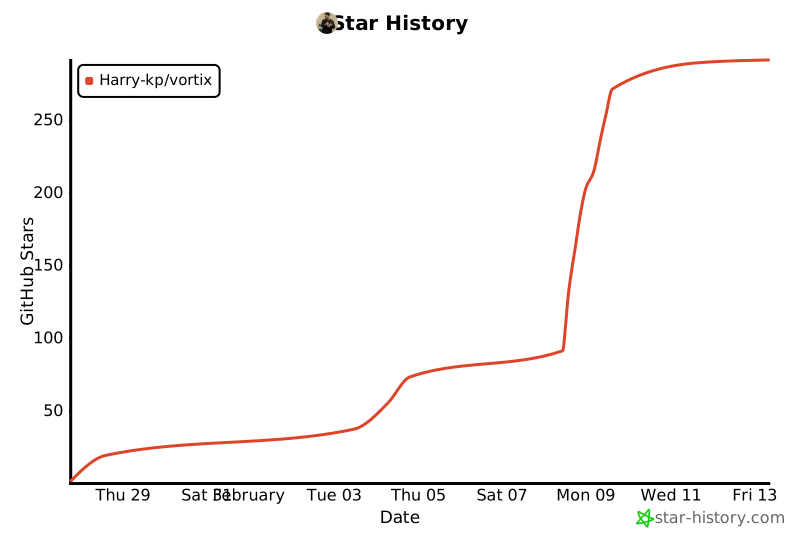](https://star-history.com/#Harry-kp/vortix&Date)
|
|
@@ -0,0 +1,212 @@
|
|
|
1
|
+
const { createWriteStream, existsSync, mkdirSync, mkdtemp } = require("fs");
|
|
2
|
+
const { join, sep } = require("path");
|
|
3
|
+
const { spawnSync } = require("child_process");
|
|
4
|
+
const { tmpdir } = require("os");
|
|
5
|
+
|
|
6
|
+
const axios = require("axios");
|
|
7
|
+
const rimraf = require("rimraf");
|
|
8
|
+
const tmpDir = tmpdir();
|
|
9
|
+
|
|
10
|
+
const error = (msg) => {
|
|
11
|
+
console.error(msg);
|
|
12
|
+
process.exit(1);
|
|
13
|
+
};
|
|
14
|
+
|
|
15
|
+
class Package {
|
|
16
|
+
constructor(platform, name, url, filename, zipExt, binaries) {
|
|
17
|
+
let errors = [];
|
|
18
|
+
if (typeof url !== "string") {
|
|
19
|
+
errors.push("url must be a string");
|
|
20
|
+
} else {
|
|
21
|
+
try {
|
|
22
|
+
new URL(url);
|
|
23
|
+
} catch (e) {
|
|
24
|
+
errors.push(e);
|
|
25
|
+
}
|
|
26
|
+
}
|
|
27
|
+
if (name && typeof name !== "string") {
|
|
28
|
+
errors.push("package name must be a string");
|
|
29
|
+
}
|
|
30
|
+
if (!name) {
|
|
31
|
+
errors.push("You must specify the name of your package");
|
|
32
|
+
}
|
|
33
|
+
if (binaries && typeof binaries !== "object") {
|
|
34
|
+
errors.push("binaries must be a string => string map");
|
|
35
|
+
}
|
|
36
|
+
if (!binaries) {
|
|
37
|
+
errors.push("You must specify the binaries in the package");
|
|
38
|
+
}
|
|
39
|
+
|
|
40
|
+
if (errors.length > 0) {
|
|
41
|
+
let errorMsg =
|
|
42
|
+
"One or more of the parameters you passed to the Binary constructor are invalid:\n";
|
|
43
|
+
errors.forEach((error) => {
|
|
44
|
+
errorMsg += error;
|
|
45
|
+
});
|
|
46
|
+
errorMsg +=
|
|
47
|
+
'\n\nCorrect usage: new Package("my-binary", "https://example.com/binary/download.tar.gz", {"my-binary": "my-binary"})';
|
|
48
|
+
error(errorMsg);
|
|
49
|
+
}
|
|
50
|
+
|
|
51
|
+
this.platform = platform;
|
|
52
|
+
this.url = url;
|
|
53
|
+
this.name = name;
|
|
54
|
+
this.filename = filename;
|
|
55
|
+
this.zipExt = zipExt;
|
|
56
|
+
this.installDirectory = join(__dirname, "node_modules", ".bin_real");
|
|
57
|
+
this.binaries = binaries;
|
|
58
|
+
|
|
59
|
+
if (!existsSync(this.installDirectory)) {
|
|
60
|
+
mkdirSync(this.installDirectory, { recursive: true });
|
|
61
|
+
}
|
|
62
|
+
}
|
|
63
|
+
|
|
64
|
+
exists() {
|
|
65
|
+
for (const binaryName in this.binaries) {
|
|
66
|
+
const binRelPath = this.binaries[binaryName];
|
|
67
|
+
const binPath = join(this.installDirectory, binRelPath);
|
|
68
|
+
if (!existsSync(binPath)) {
|
|
69
|
+
return false;
|
|
70
|
+
}
|
|
71
|
+
}
|
|
72
|
+
return true;
|
|
73
|
+
}
|
|
74
|
+
|
|
75
|
+
install(fetchOptions, suppressLogs = false) {
|
|
76
|
+
if (this.exists()) {
|
|
77
|
+
if (!suppressLogs) {
|
|
78
|
+
console.error(
|
|
79
|
+
`${this.name} is already installed, skipping installation.`,
|
|
80
|
+
);
|
|
81
|
+
}
|
|
82
|
+
return Promise.resolve();
|
|
83
|
+
}
|
|
84
|
+
|
|
85
|
+
if (existsSync(this.installDirectory)) {
|
|
86
|
+
rimraf.sync(this.installDirectory);
|
|
87
|
+
}
|
|
88
|
+
|
|
89
|
+
mkdirSync(this.installDirectory, { recursive: true });
|
|
90
|
+
|
|
91
|
+
if (!suppressLogs) {
|
|
92
|
+
console.error(`Downloading release from ${this.url}`);
|
|
93
|
+
}
|
|
94
|
+
|
|
95
|
+
return axios({ ...fetchOptions, url: this.url, responseType: "stream" })
|
|
96
|
+
.then((res) => {
|
|
97
|
+
return new Promise((resolve, reject) => {
|
|
98
|
+
mkdtemp(`${tmpDir}${sep}`, (err, directory) => {
|
|
99
|
+
let tempFile = join(directory, this.filename);
|
|
100
|
+
const sink = res.data.pipe(createWriteStream(tempFile));
|
|
101
|
+
sink.on("error", (err) => reject(err));
|
|
102
|
+
sink.on("close", () => {
|
|
103
|
+
if (/\.tar\.*/.test(this.zipExt)) {
|
|
104
|
+
const result = spawnSync("tar", [
|
|
105
|
+
"xf",
|
|
106
|
+
tempFile,
|
|
107
|
+
// The tarballs are stored with a leading directory
|
|
108
|
+
// component; we strip one component in the
|
|
109
|
+
// shell installers too.
|
|
110
|
+
"--strip-components",
|
|
111
|
+
"1",
|
|
112
|
+
"-C",
|
|
113
|
+
this.installDirectory,
|
|
114
|
+
]);
|
|
115
|
+
if (result.status == 0) {
|
|
116
|
+
resolve();
|
|
117
|
+
} else if (result.error) {
|
|
118
|
+
reject(result.error);
|
|
119
|
+
} else {
|
|
120
|
+
reject(
|
|
121
|
+
new Error(
|
|
122
|
+
`An error occurred untarring the artifact: stdout: ${result.stdout}; stderr: ${result.stderr}`,
|
|
123
|
+
),
|
|
124
|
+
);
|
|
125
|
+
}
|
|
126
|
+
} else if (this.zipExt == ".zip") {
|
|
127
|
+
let result;
|
|
128
|
+
if (this.platform.artifactName.includes("windows")) {
|
|
129
|
+
// Windows does not have "unzip" by default on many installations, instead
|
|
130
|
+
// we use Expand-Archive from powershell
|
|
131
|
+
result = spawnSync("powershell.exe", [
|
|
132
|
+
"-NoProfile",
|
|
133
|
+
"-NonInteractive",
|
|
134
|
+
"-Command",
|
|
135
|
+
`& {
|
|
136
|
+
param([string]$LiteralPath, [string]$DestinationPath)
|
|
137
|
+
Expand-Archive -LiteralPath $LiteralPath -DestinationPath $DestinationPath -Force
|
|
138
|
+
}`,
|
|
139
|
+
tempFile,
|
|
140
|
+
this.installDirectory,
|
|
141
|
+
]);
|
|
142
|
+
} else {
|
|
143
|
+
result = spawnSync("unzip", [
|
|
144
|
+
"-q",
|
|
145
|
+
tempFile,
|
|
146
|
+
"-d",
|
|
147
|
+
this.installDirectory,
|
|
148
|
+
]);
|
|
149
|
+
}
|
|
150
|
+
|
|
151
|
+
if (result.status == 0) {
|
|
152
|
+
resolve();
|
|
153
|
+
} else if (result.error) {
|
|
154
|
+
reject(result.error);
|
|
155
|
+
} else {
|
|
156
|
+
reject(
|
|
157
|
+
new Error(
|
|
158
|
+
`An error occurred unzipping the artifact: stdout: ${result.stdout}; stderr: ${result.stderr}`,
|
|
159
|
+
),
|
|
160
|
+
);
|
|
161
|
+
}
|
|
162
|
+
} else {
|
|
163
|
+
reject(
|
|
164
|
+
new Error(`Unrecognized file extension: ${this.zipExt}`),
|
|
165
|
+
);
|
|
166
|
+
}
|
|
167
|
+
});
|
|
168
|
+
});
|
|
169
|
+
});
|
|
170
|
+
})
|
|
171
|
+
.then(() => {
|
|
172
|
+
if (!suppressLogs) {
|
|
173
|
+
console.error(`${this.name} has been installed!`);
|
|
174
|
+
}
|
|
175
|
+
})
|
|
176
|
+
.catch((e) => {
|
|
177
|
+
error(`Error fetching release: ${e.message}`);
|
|
178
|
+
});
|
|
179
|
+
}
|
|
180
|
+
|
|
181
|
+
run(binaryName, fetchOptions) {
|
|
182
|
+
const promise = !this.exists()
|
|
183
|
+
? this.install(fetchOptions, true)
|
|
184
|
+
: Promise.resolve();
|
|
185
|
+
|
|
186
|
+
promise
|
|
187
|
+
.then(() => {
|
|
188
|
+
const [, , ...args] = process.argv;
|
|
189
|
+
|
|
190
|
+
const options = { cwd: process.cwd(), stdio: "inherit" };
|
|
191
|
+
|
|
192
|
+
const binRelPath = this.binaries[binaryName];
|
|
193
|
+
if (!binRelPath) {
|
|
194
|
+
error(`${binaryName} is not a known binary in ${this.name}`);
|
|
195
|
+
}
|
|
196
|
+
const binPath = join(this.installDirectory, binRelPath);
|
|
197
|
+
const result = spawnSync(binPath, args, options);
|
|
198
|
+
|
|
199
|
+
if (result.error) {
|
|
200
|
+
error(result.error);
|
|
201
|
+
}
|
|
202
|
+
|
|
203
|
+
process.exit(result.status);
|
|
204
|
+
})
|
|
205
|
+
.catch((e) => {
|
|
206
|
+
error(e.message);
|
|
207
|
+
process.exit(1);
|
|
208
|
+
});
|
|
209
|
+
}
|
|
210
|
+
}
|
|
211
|
+
|
|
212
|
+
module.exports.Package = Package;
|