@gtkx/react 0.19.0 → 0.20.0
This diff represents the content of publicly available package versions that have been released to one of the supported registries. The information contained in this diff is provided for informational purposes only and reflects changes between package versions as they appear in their respective public registries.
- package/dist/components/list.d.ts +35 -0
- package/dist/components/list.d.ts.map +1 -0
- package/dist/components/list.js +40 -0
- package/dist/components/list.js.map +1 -0
- package/dist/generated/internal.d.ts +5 -6
- package/dist/generated/internal.d.ts.map +1 -1
- package/dist/generated/internal.js +3473 -260
- package/dist/generated/internal.js.map +1 -1
- package/dist/generated/jsx.d.ts +0 -324
- package/dist/generated/jsx.d.ts.map +1 -1
- package/dist/generated/jsx.js +0 -324
- package/dist/generated/jsx.js.map +1 -1
- package/dist/host-config.d.ts.map +1 -1
- package/dist/host-config.js +2 -0
- package/dist/host-config.js.map +1 -1
- package/dist/jsx.d.ts +42 -105
- package/dist/jsx.d.ts.map +1 -1
- package/dist/jsx.js +2 -66
- package/dist/jsx.js.map +1 -1
- package/dist/metadata.d.ts.map +1 -1
- package/dist/metadata.js +7 -3
- package/dist/metadata.js.map +1 -1
- package/dist/node.d.ts +0 -4
- package/dist/node.d.ts.map +1 -1
- package/dist/node.js +19 -41
- package/dist/node.js.map +1 -1
- package/dist/nodes/application.d.ts.map +1 -1
- package/dist/nodes/application.js +4 -0
- package/dist/nodes/application.js.map +1 -1
- package/dist/nodes/column-view-column.d.ts +19 -19
- package/dist/nodes/column-view-column.d.ts.map +1 -1
- package/dist/nodes/column-view-column.js +130 -119
- package/dist/nodes/column-view-column.js.map +1 -1
- package/dist/nodes/event-controller.d.ts.map +1 -1
- package/dist/nodes/event-controller.js +3 -9
- package/dist/nodes/event-controller.js.map +1 -1
- package/dist/nodes/internal/accessible.d.ts.map +1 -1
- package/dist/nodes/internal/accessible.js.map +1 -1
- package/dist/nodes/internal/bound-item.d.ts +4 -0
- package/dist/nodes/internal/bound-item.d.ts.map +1 -0
- package/dist/nodes/internal/bound-item.js +2 -0
- package/dist/nodes/internal/bound-item.js.map +1 -0
- package/dist/nodes/internal/construct.d.ts +1 -8
- package/dist/nodes/internal/construct.d.ts.map +1 -1
- package/dist/nodes/internal/construct.js +30 -54
- package/dist/nodes/internal/construct.js.map +1 -1
- package/dist/nodes/internal/widget.d.ts.map +1 -1
- package/dist/nodes/internal/widget.js +4 -1
- package/dist/nodes/internal/widget.js.map +1 -1
- package/dist/nodes/list-item-node.d.ts +12 -0
- package/dist/nodes/list-item-node.d.ts.map +1 -0
- package/dist/nodes/list-item-node.js +23 -0
- package/dist/nodes/list-item-node.js.map +1 -0
- package/dist/nodes/list.d.ts +100 -0
- package/dist/nodes/list.d.ts.map +1 -0
- package/dist/nodes/list.js +950 -0
- package/dist/nodes/list.js.map +1 -0
- package/dist/nodes/notebook-page.d.ts.map +1 -1
- package/dist/nodes/notebook-page.js +4 -0
- package/dist/nodes/notebook-page.js.map +1 -1
- package/dist/nodes/widget.d.ts.map +1 -1
- package/dist/nodes/widget.js +9 -8
- package/dist/nodes/widget.js.map +1 -1
- package/dist/nodes/window.d.ts.map +1 -1
- package/dist/nodes/window.js +2 -2
- package/dist/nodes/window.js.map +1 -1
- package/dist/registry.d.ts +0 -2
- package/dist/registry.d.ts.map +1 -1
- package/dist/registry.js +4 -13
- package/dist/registry.js.map +1 -1
- package/dist/types.d.ts +2 -2
- package/dist/types.d.ts.map +1 -1
- package/package.json +5 -4
- package/src/components/list.tsx +83 -0
- package/src/generated/internal.ts +3479 -258
- package/src/generated/jsx.ts +0 -324
- package/src/host-config.ts +2 -0
- package/src/jsx.ts +49 -141
- package/src/metadata.ts +6 -3
- package/src/node.ts +23 -39
- package/src/nodes/application.ts +5 -0
- package/src/nodes/column-view-column.ts +125 -128
- package/src/nodes/event-controller.ts +3 -11
- package/src/nodes/internal/accessible.ts +0 -1
- package/src/nodes/internal/bound-item.ts +4 -0
- package/src/nodes/internal/construct.ts +38 -68
- package/src/nodes/internal/widget.ts +3 -1
- package/src/nodes/list-item-node.ts +29 -0
- package/src/nodes/list.ts +1082 -0
- package/src/nodes/notebook-page.ts +4 -0
- package/src/nodes/widget.ts +8 -13
- package/src/nodes/window.ts +2 -2
- package/src/registry.ts +11 -19
- package/src/types.ts +7 -2
- package/dist/fiber-root.d.ts +0 -4
- package/dist/fiber-root.d.ts.map +0 -1
- package/dist/fiber-root.js +0 -6
- package/dist/fiber-root.js.map +0 -1
- package/dist/nodes/column-view.d.ts +0 -37
- package/dist/nodes/column-view.d.ts.map +0 -1
- package/dist/nodes/column-view.js +0 -205
- package/dist/nodes/column-view.js.map +0 -1
- package/dist/nodes/drop-down.d.ts +0 -37
- package/dist/nodes/drop-down.d.ts.map +0 -1
- package/dist/nodes/drop-down.js +0 -231
- package/dist/nodes/drop-down.js.map +0 -1
- package/dist/nodes/grid-view.d.ts +0 -30
- package/dist/nodes/grid-view.d.ts.map +0 -1
- package/dist/nodes/grid-view.js +0 -90
- package/dist/nodes/grid-view.js.map +0 -1
- package/dist/nodes/internal/base-item-renderer.d.ts +0 -28
- package/dist/nodes/internal/base-item-renderer.d.ts.map +0 -1
- package/dist/nodes/internal/base-item-renderer.js +0 -85
- package/dist/nodes/internal/base-item-renderer.js.map +0 -1
- package/dist/nodes/internal/grid-item-renderer.d.ts +0 -20
- package/dist/nodes/internal/grid-item-renderer.d.ts.map +0 -1
- package/dist/nodes/internal/grid-item-renderer.js +0 -66
- package/dist/nodes/internal/grid-item-renderer.js.map +0 -1
- package/dist/nodes/internal/header-item-renderer.d.ts +0 -23
- package/dist/nodes/internal/header-item-renderer.d.ts.map +0 -1
- package/dist/nodes/internal/header-item-renderer.js +0 -87
- package/dist/nodes/internal/header-item-renderer.js.map +0 -1
- package/dist/nodes/internal/header-renderer-manager.d.ts +0 -13
- package/dist/nodes/internal/header-renderer-manager.d.ts.map +0 -1
- package/dist/nodes/internal/header-renderer-manager.js +0 -20
- package/dist/nodes/internal/header-renderer-manager.js.map +0 -1
- package/dist/nodes/internal/list-item-renderer.d.ts +0 -27
- package/dist/nodes/internal/list-item-renderer.d.ts.map +0 -1
- package/dist/nodes/internal/list-item-renderer.js +0 -131
- package/dist/nodes/internal/list-item-renderer.js.map +0 -1
- package/dist/nodes/internal/list-store.d.ts +0 -21
- package/dist/nodes/internal/list-store.d.ts.map +0 -1
- package/dist/nodes/internal/list-store.js +0 -90
- package/dist/nodes/internal/list-store.js.map +0 -1
- package/dist/nodes/internal/sectioned-list-store.d.ts +0 -50
- package/dist/nodes/internal/sectioned-list-store.d.ts.map +0 -1
- package/dist/nodes/internal/sectioned-list-store.js +0 -250
- package/dist/nodes/internal/sectioned-list-store.js.map +0 -1
- package/dist/nodes/internal/selection-helpers.d.ts +0 -12
- package/dist/nodes/internal/selection-helpers.d.ts.map +0 -1
- package/dist/nodes/internal/selection-helpers.js +0 -25
- package/dist/nodes/internal/selection-helpers.js.map +0 -1
- package/dist/nodes/internal/selection-model-controller.d.ts +0 -26
- package/dist/nodes/internal/selection-model-controller.d.ts.map +0 -1
- package/dist/nodes/internal/selection-model-controller.js +0 -82
- package/dist/nodes/internal/selection-model-controller.js.map +0 -1
- package/dist/nodes/internal/simple-list-store.d.ts +0 -15
- package/dist/nodes/internal/simple-list-store.d.ts.map +0 -1
- package/dist/nodes/internal/simple-list-store.js +0 -110
- package/dist/nodes/internal/simple-list-store.js.map +0 -1
- package/dist/nodes/internal/tree-store.d.ts +0 -37
- package/dist/nodes/internal/tree-store.d.ts.map +0 -1
- package/dist/nodes/internal/tree-store.js +0 -253
- package/dist/nodes/internal/tree-store.js.map +0 -1
- package/dist/nodes/list-item.d.ts +0 -24
- package/dist/nodes/list-item.d.ts.map +0 -1
- package/dist/nodes/list-item.js +0 -83
- package/dist/nodes/list-item.js.map +0 -1
- package/dist/nodes/list-section.d.ts +0 -27
- package/dist/nodes/list-section.d.ts.map +0 -1
- package/dist/nodes/list-section.js +0 -43
- package/dist/nodes/list-section.js.map +0 -1
- package/dist/nodes/list-view.d.ts +0 -32
- package/dist/nodes/list-view.d.ts.map +0 -1
- package/dist/nodes/list-view.js +0 -123
- package/dist/nodes/list-view.js.map +0 -1
- package/dist/nodes/models/list.d.ts +0 -39
- package/dist/nodes/models/list.d.ts.map +0 -1
- package/dist/nodes/models/list.js +0 -207
- package/dist/nodes/models/list.js.map +0 -1
- package/src/fiber-root.ts +0 -20
- package/src/nodes/column-view.ts +0 -262
- package/src/nodes/drop-down.ts +0 -284
- package/src/nodes/grid-view.ts +0 -119
- package/src/nodes/internal/base-item-renderer.ts +0 -107
- package/src/nodes/internal/grid-item-renderer.ts +0 -78
- package/src/nodes/internal/header-item-renderer.ts +0 -105
- package/src/nodes/internal/header-renderer-manager.ts +0 -33
- package/src/nodes/internal/list-item-renderer.ts +0 -162
- package/src/nodes/internal/list-store.ts +0 -107
- package/src/nodes/internal/sectioned-list-store.ts +0 -287
- package/src/nodes/internal/selection-helpers.ts +0 -35
- package/src/nodes/internal/selection-model-controller.ts +0 -119
- package/src/nodes/internal/simple-list-store.ts +0 -116
- package/src/nodes/internal/tree-store.ts +0 -289
- package/src/nodes/list-item.ts +0 -107
- package/src/nodes/list-section.ts +0 -64
- package/src/nodes/list-view.ts +0 -164
- package/src/nodes/models/list.ts +0 -250
package/dist/generated/jsx.d.ts
CHANGED
|
@@ -12300,73 +12300,6 @@ export declare const GtkColorChooserWidget: "GtkColorChooserWidget";
|
|
|
12300
12300
|
* it gets the .color style class.
|
|
12301
12301
|
*/
|
|
12302
12302
|
export declare const GtkColorDialogButton: "GtkColorDialogButton";
|
|
12303
|
-
/**
|
|
12304
|
-
* Presents a large dynamic list of items using multiple columns with headers.
|
|
12305
|
-
*
|
|
12306
|
-
* `GtkColumnView` uses the factories of its columns to generate a cell widget for
|
|
12307
|
-
* each column, for each visible item and displays them together as the row for
|
|
12308
|
-
* this item.
|
|
12309
|
-
*
|
|
12310
|
-
* The {@link Gtk.ColumnView.show-row-separators} and
|
|
12311
|
-
* {@link Gtk.ColumnView.show-column-separators} properties offer a simple way
|
|
12312
|
-
* to display separators between the rows or columns.
|
|
12313
|
-
*
|
|
12314
|
-
* `GtkColumnView` allows the user to select items according to the selection
|
|
12315
|
-
* characteristics of the model. For models that allow multiple selected items,
|
|
12316
|
-
* it is possible to turn on *rubberband selection*, using
|
|
12317
|
-
* {@link Gtk.ColumnView.enable-rubberband}.
|
|
12318
|
-
*
|
|
12319
|
-
* The column view supports sorting that can be customized by the user by
|
|
12320
|
-
* clicking on column headers. To set this up, the `GtkSorter` returned by
|
|
12321
|
-
* {@link Gtk.ColumnView.get_sorter} must be attached to a sort model for the
|
|
12322
|
-
* data that the view is showing, and the columns must have sorters attached to
|
|
12323
|
-
* them by calling {@link Gtk.ColumnViewColumn.set_sorter}. The initial sort
|
|
12324
|
-
* order can be set with {@link Gtk.ColumnView.sort_by_column}.
|
|
12325
|
-
*
|
|
12326
|
-
* The column view also supports interactive resizing and reordering of
|
|
12327
|
-
* columns, via Drag-and-Drop of the column headers. This can be enabled or
|
|
12328
|
-
* disabled with the {@link Gtk.ColumnView.reorderable} and
|
|
12329
|
-
* {@link Gtk.ColumnViewColumn.resizable} properties.
|
|
12330
|
-
*
|
|
12331
|
-
* To learn more about the list widget framework, see the
|
|
12332
|
-
* overview.
|
|
12333
|
-
*
|
|
12334
|
-
* # CSS nodes
|
|
12335
|
-
*
|
|
12336
|
-
* ```
|
|
12337
|
-
* columnview[.column-separators][.rich-list][.navigation-sidebar][.data-table]
|
|
12338
|
-
* ├── header
|
|
12339
|
-
* │ ├── <column header>
|
|
12340
|
-
* ┊ ┊
|
|
12341
|
-
* │ ╰── <column header>
|
|
12342
|
-
* │
|
|
12343
|
-
* ├── listview
|
|
12344
|
-
* │
|
|
12345
|
-
* ┊
|
|
12346
|
-
* ╰── [rubberband]
|
|
12347
|
-
* ```
|
|
12348
|
-
*
|
|
12349
|
-
* `GtkColumnView` uses a single CSS node named columnview. It may carry the
|
|
12350
|
-
* .column-separators style class, when {@link Gtk.ColumnView.show-column-separators}
|
|
12351
|
-
* property is set. Header widgets appear below a node with name header.
|
|
12352
|
-
* The rows are contained in a `GtkListView` widget, so there is a listview
|
|
12353
|
-
* node with the same structure as for a standalone `GtkListView` widget.
|
|
12354
|
-
* If {@link Gtk.ColumnView.show-row-separators} is set, it will be passed
|
|
12355
|
-
* on to the list view, causing its CSS node to carry the .separators style class.
|
|
12356
|
-
* For rubberband selection, a node with name rubberband is used.
|
|
12357
|
-
*
|
|
12358
|
-
* The main columnview node may also carry style classes to select
|
|
12359
|
-
* the style of list presentation:
|
|
12360
|
-
* .rich-list, .navigation-sidebar or .data-table.
|
|
12361
|
-
*
|
|
12362
|
-
* # Accessibility
|
|
12363
|
-
*
|
|
12364
|
-
* `GtkColumnView` uses the {@link Gtk.AccessibleRole.tree_grid} role, header title
|
|
12365
|
-
* widgets are using the {@link Gtk.AccessibleRole.column_header} role. The row widgets
|
|
12366
|
-
* are using the {@link Gtk.AccessibleRole.row} role, and individual cells are using
|
|
12367
|
-
* the {@link Gtk.AccessibleRole.grid_cell} role
|
|
12368
|
-
*/
|
|
12369
|
-
export declare const GtkColumnView: "GtkColumnView";
|
|
12370
12303
|
/**
|
|
12371
12304
|
* A `GtkComboBox` is a widget that allows the user to choose from a list of
|
|
12372
12305
|
* valid choices.
|
|
@@ -12488,53 +12421,6 @@ export declare const GtkComboBox: "GtkComboBox";
|
|
|
12488
12421
|
* children, and the .linked class to the node of its internal box.
|
|
12489
12422
|
*/
|
|
12490
12423
|
export declare const GtkComboBoxText: "GtkComboBoxText";
|
|
12491
|
-
/**
|
|
12492
|
-
* A {@link Gtk.ListBoxRow} used to choose from a list of items.
|
|
12493
|
-
*
|
|
12494
|
-
* 
|
|
12495
|
-
*
|
|
12496
|
-
* The `AdwComboRow` widget allows the user to choose from a list of valid
|
|
12497
|
-
* choices. The row displays the selected choice. When activated, the row
|
|
12498
|
-
* displays a popover which allows the user to make a new choice.
|
|
12499
|
-
*
|
|
12500
|
-
* Example of an `AdwComboRow` UI definition:
|
|
12501
|
-
* ```xml
|
|
12502
|
-
* <object class="AdwComboRow">
|
|
12503
|
-
* <property name="title" translatable="yes">Combo Row</property>
|
|
12504
|
-
* <property name="model">
|
|
12505
|
-
* <object class="GtkStringList">
|
|
12506
|
-
* <items>
|
|
12507
|
-
* <item translatable="yes">Foo</item>
|
|
12508
|
-
* <item translatable="yes">Bar</item>
|
|
12509
|
-
* <item translatable="yes">Baz</item>
|
|
12510
|
-
* </items>
|
|
12511
|
-
* </object>
|
|
12512
|
-
* </property>
|
|
12513
|
-
* </object>
|
|
12514
|
-
* ```
|
|
12515
|
-
*
|
|
12516
|
-
* The {@link ComboRow.selected} and {@link ComboRow.selected-item}
|
|
12517
|
-
* properties can be used to keep track of the selected item and react to their
|
|
12518
|
-
* changes.
|
|
12519
|
-
*
|
|
12520
|
-
* `AdwComboRow` mirrors {@link Gtk.DropDown}, see that widget for details.
|
|
12521
|
-
*
|
|
12522
|
-
* `AdwComboRow` is {@link Gtk.ListBoxRow.activatable} if a model is set.
|
|
12523
|
-
*
|
|
12524
|
-
* ## CSS nodes
|
|
12525
|
-
*
|
|
12526
|
-
* `AdwComboRow` has a main CSS node with name `row` and the `.combo` style
|
|
12527
|
-
* class.
|
|
12528
|
-
*
|
|
12529
|
-
* Its popover has the node named `popover` with the `.menu` style class, it
|
|
12530
|
-
* contains a {@link Gtk.ScrolledWindow}, which in turn contains a
|
|
12531
|
-
* {@link Gtk.ListView}, both are accessible via their regular nodes.
|
|
12532
|
-
*
|
|
12533
|
-
* ## Accessibility
|
|
12534
|
-
*
|
|
12535
|
-
* `AdwComboRow` uses the `GTK_ACCESSIBLE_ROLE_COMBO_BOX` role.
|
|
12536
|
-
*/
|
|
12537
|
-
export declare const AdwComboRow: "AdwComboRow";
|
|
12538
12424
|
/**
|
|
12539
12425
|
* Widget for single cell of completion proposal.
|
|
12540
12426
|
*
|
|
@@ -12826,64 +12712,6 @@ export declare const GtkDragIcon: "GtkDragIcon";
|
|
|
12826
12712
|
* creating your own `GtkWidget` subclass.
|
|
12827
12713
|
*/
|
|
12828
12714
|
export declare const GtkDrawingArea: "GtkDrawingArea";
|
|
12829
|
-
/**
|
|
12830
|
-
* Allows the user to choose an item from a list of options.
|
|
12831
|
-
*
|
|
12832
|
-
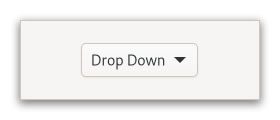
* 
|
|
12833
|
-
*
|
|
12834
|
-
* The `GtkDropDown` displays the [selected]{@link Gtk.DropDown.selected}
|
|
12835
|
-
* choice.
|
|
12836
|
-
*
|
|
12837
|
-
* The options are given to `GtkDropDown` in the form of `GListModel`
|
|
12838
|
-
* and how the individual options are represented is determined by
|
|
12839
|
-
* a {@link Gtk.ListItemFactory}. The default factory displays simple strings,
|
|
12840
|
-
* and adds a checkmark to the selected item in the popup.
|
|
12841
|
-
*
|
|
12842
|
-
* To set your own factory, use {@link Gtk.DropDown.set_factory}. It is
|
|
12843
|
-
* possible to use a separate factory for the items in the popup, with
|
|
12844
|
-
* {@link Gtk.DropDown.set_list_factory}.
|
|
12845
|
-
*
|
|
12846
|
-
* `GtkDropDown` knows how to obtain strings from the items in a
|
|
12847
|
-
* {@link Gtk.StringList}; for other models, you have to provide an expression
|
|
12848
|
-
* to find the strings via {@link Gtk.DropDown.set_expression}.
|
|
12849
|
-
*
|
|
12850
|
-
* `GtkDropDown` can optionally allow search in the popup, which is
|
|
12851
|
-
* useful if the list of options is long. To enable the search entry,
|
|
12852
|
-
* use {@link Gtk.DropDown.set_enable_search}.
|
|
12853
|
-
*
|
|
12854
|
-
* Here is a UI definition example for `GtkDropDown` with a simple model:
|
|
12855
|
-
*
|
|
12856
|
-
* ```xml
|
|
12857
|
-
* <object class="GtkDropDown">
|
|
12858
|
-
* <property name="model">
|
|
12859
|
-
* <object class="GtkStringList">
|
|
12860
|
-
* <items>
|
|
12861
|
-
* <item translatable="yes">Factory</item>
|
|
12862
|
-
* <item translatable="yes">Home</item>
|
|
12863
|
-
* <item translatable="yes">Subway</item>
|
|
12864
|
-
* </items>
|
|
12865
|
-
* </object>
|
|
12866
|
-
* </property>
|
|
12867
|
-
* </object>
|
|
12868
|
-
* ```
|
|
12869
|
-
*
|
|
12870
|
-
* If a `GtkDropDown` is created in this manner, or with
|
|
12871
|
-
* {@link Gtk.DropDown.new_from_strings}, for instance, the object returned from
|
|
12872
|
-
* {@link Gtk.DropDown.get_selected_item} will be a {@link Gtk.StringObject}.
|
|
12873
|
-
*
|
|
12874
|
-
* To learn more about the list widget framework, see the
|
|
12875
|
-
* overview.
|
|
12876
|
-
*
|
|
12877
|
-
* ## CSS nodes
|
|
12878
|
-
*
|
|
12879
|
-
* `GtkDropDown` has a single CSS node with name dropdown,
|
|
12880
|
-
* with the button and popover nodes as children.
|
|
12881
|
-
*
|
|
12882
|
-
* ## Accessibility
|
|
12883
|
-
*
|
|
12884
|
-
* `GtkDropDown` uses the {@link Gtk.AccessibleRole.combo_box} role.
|
|
12885
|
-
*/
|
|
12886
|
-
export declare const GtkDropDown: "GtkDropDown";
|
|
12887
12715
|
/**
|
|
12888
12716
|
* Allows users to edit the displayed text by switching to an “edit mode”.
|
|
12889
12717
|
*
|
|
@@ -13955,51 +13783,6 @@ export declare const GtkGraphicsOffload: "GtkGraphicsOffload";
|
|
|
13955
13783
|
* Starting from GTK 4.12, `GtkGrid` uses the {@link Gtk.AccessibleRole.generic} role.
|
|
13956
13784
|
*/
|
|
13957
13785
|
export declare const GtkGrid: "GtkGrid";
|
|
13958
|
-
/**
|
|
13959
|
-
* Presents a large dynamic grid of items.
|
|
13960
|
-
*
|
|
13961
|
-
* `GtkGridView` uses its factory to generate one child widget for each
|
|
13962
|
-
* visible item and shows them in a grid. The orientation of the grid view
|
|
13963
|
-
* determines if the grid reflows vertically or horizontally.
|
|
13964
|
-
*
|
|
13965
|
-
* `GtkGridView` allows the user to select items according to the selection
|
|
13966
|
-
* characteristics of the model. For models that allow multiple selected items,
|
|
13967
|
-
* it is possible to turn on _rubberband selection_, using
|
|
13968
|
-
* {@link Gtk.GridView.enable-rubberband}.
|
|
13969
|
-
*
|
|
13970
|
-
* To learn more about the list widget framework, see the
|
|
13971
|
-
* overview.
|
|
13972
|
-
*
|
|
13973
|
-
* # Actions
|
|
13974
|
-
*
|
|
13975
|
-
* `GtkGridView` defines a set of built-in actions:
|
|
13976
|
-
*
|
|
13977
|
-
* - `list.activate-item` activates the item at given position by emitting the
|
|
13978
|
-
* the {@link Gtk.GridView.:activate} signal.
|
|
13979
|
-
*
|
|
13980
|
-
* # CSS nodes
|
|
13981
|
-
*
|
|
13982
|
-
* ```
|
|
13983
|
-
* gridview
|
|
13984
|
-
* ├── child[.activatable]
|
|
13985
|
-
* │
|
|
13986
|
-
* ├── child[.activatable]
|
|
13987
|
-
* │
|
|
13988
|
-
* ┊
|
|
13989
|
-
* ╰── [rubberband]
|
|
13990
|
-
* ```
|
|
13991
|
-
*
|
|
13992
|
-
* `GtkGridView` uses a single CSS node with name `gridview`. Each child uses
|
|
13993
|
-
* a single CSS node with name `child`. If the {@link Gtk.ListItem.activatable}
|
|
13994
|
-
* property is set, the corresponding row will have the `.activatable` style
|
|
13995
|
-
* class. For rubberband selection, a subnode with name `rubberband` is used.
|
|
13996
|
-
*
|
|
13997
|
-
* # Accessibility
|
|
13998
|
-
*
|
|
13999
|
-
* `GtkGridView` uses the {@link Gtk.AccessibleRole.grid} role, and the items
|
|
14000
|
-
* use the {@link Gtk.AccessibleRole.grid_cell} role.
|
|
14001
|
-
*/
|
|
14002
|
-
export declare const GtkGridView: "GtkGridView";
|
|
14003
13786
|
/**
|
|
14004
13787
|
* Gutter object for {@link View}.
|
|
14005
13788
|
*
|
|
@@ -14960,113 +14743,6 @@ export declare const GtkListBox: "GtkListBox";
|
|
|
14960
14743
|
* when necessary.
|
|
14961
14744
|
*/
|
|
14962
14745
|
export declare const GtkListBoxRow: "GtkListBoxRow";
|
|
14963
|
-
/**
|
|
14964
|
-
* Presents a large dynamic list of items.
|
|
14965
|
-
*
|
|
14966
|
-
* `GtkListView` uses its factory to generate one row widget for each visible
|
|
14967
|
-
* item and shows them in a linear display, either vertically or horizontally.
|
|
14968
|
-
*
|
|
14969
|
-
* The {@link Gtk.ListView.show-separators} property offers a simple way to
|
|
14970
|
-
* display separators between the rows.
|
|
14971
|
-
*
|
|
14972
|
-
* `GtkListView` allows the user to select items according to the selection
|
|
14973
|
-
* characteristics of the model. For models that allow multiple selected items,
|
|
14974
|
-
* it is possible to turn on _rubberband selection_, using
|
|
14975
|
-
* {@link Gtk.ListView.enable-rubberband}.
|
|
14976
|
-
*
|
|
14977
|
-
* If you need multiple columns with headers, see {@link Gtk.ColumnView}.
|
|
14978
|
-
*
|
|
14979
|
-
* To learn more about the list widget framework, see the
|
|
14980
|
-
* overview.
|
|
14981
|
-
*
|
|
14982
|
-
* An example of using `GtkListView`:
|
|
14983
|
-
* ```c
|
|
14984
|
-
* static void
|
|
14985
|
-
* setup_listitem_cb (GtkListItemFactory *factory,
|
|
14986
|
-
* GtkListItem *list_item)
|
|
14987
|
-
* {
|
|
14988
|
-
* GtkWidget *image;
|
|
14989
|
-
*
|
|
14990
|
-
* image = gtk_image_new ();
|
|
14991
|
-
* gtk_image_set_icon_size (GTK_IMAGE (image), GTK_ICON_SIZE_LARGE);
|
|
14992
|
-
* gtk_list_item_set_child (list_item, image);
|
|
14993
|
-
* }
|
|
14994
|
-
*
|
|
14995
|
-
* static void
|
|
14996
|
-
* bind_listitem_cb (GtkListItemFactory *factory,
|
|
14997
|
-
* GtkListItem *list_item)
|
|
14998
|
-
* {
|
|
14999
|
-
* GtkWidget *image;
|
|
15000
|
-
* GAppInfo *app_info;
|
|
15001
|
-
*
|
|
15002
|
-
* image = gtk_list_item_get_child (list_item);
|
|
15003
|
-
* app_info = gtk_list_item_get_item (list_item);
|
|
15004
|
-
* gtk_image_set_from_gicon (GTK_IMAGE (image), g_app_info_get_icon (app_info));
|
|
15005
|
-
* }
|
|
15006
|
-
*
|
|
15007
|
-
* static void
|
|
15008
|
-
* activate_cb (GtkListView *list,
|
|
15009
|
-
* guint position,
|
|
15010
|
-
* gpointer unused)
|
|
15011
|
-
* {
|
|
15012
|
-
* GAppInfo *app_info;
|
|
15013
|
-
*
|
|
15014
|
-
* app_info = g_list_model_get_item (G_LIST_MODEL (gtk_list_view_get_model (list)), position);
|
|
15015
|
-
* g_app_info_launch (app_info, NULL, NULL, NULL);
|
|
15016
|
-
* g_object_unref (app_info);
|
|
15017
|
-
* }
|
|
15018
|
-
*
|
|
15019
|
-
* ...
|
|
15020
|
-
*
|
|
15021
|
-
* model = create_application_list ();
|
|
15022
|
-
*
|
|
15023
|
-
* factory = gtk_signal_list_item_factory_new ();
|
|
15024
|
-
* g_signal_connect (factory, "setup", G_CALLBACK (setup_listitem_cb), NULL);
|
|
15025
|
-
* g_signal_connect (factory, "bind", G_CALLBACK (bind_listitem_cb), NULL);
|
|
15026
|
-
*
|
|
15027
|
-
* list = gtk_list_view_new (GTK_SELECTION_MODEL (gtk_single_selection_new (model)), factory);
|
|
15028
|
-
*
|
|
15029
|
-
* g_signal_connect (list, "activate", G_CALLBACK (activate_cb), NULL);
|
|
15030
|
-
*
|
|
15031
|
-
* gtk_scrolled_window_set_child (GTK_SCROLLED_WINDOW (sw), list);
|
|
15032
|
-
* ```
|
|
15033
|
-
*
|
|
15034
|
-
* # Actions
|
|
15035
|
-
*
|
|
15036
|
-
* `GtkListView` defines a set of built-in actions:
|
|
15037
|
-
*
|
|
15038
|
-
* - `list.activate-item` activates the item at given position by emitting
|
|
15039
|
-
* the {@link Gtk.ListView.:activate} signal.
|
|
15040
|
-
*
|
|
15041
|
-
* # CSS nodes
|
|
15042
|
-
*
|
|
15043
|
-
* ```
|
|
15044
|
-
* listview[.separators][.rich-list][.navigation-sidebar][.data-table]
|
|
15045
|
-
* ├── row[.activatable]
|
|
15046
|
-
* │
|
|
15047
|
-
* ├── row[.activatable]
|
|
15048
|
-
* │
|
|
15049
|
-
* ┊
|
|
15050
|
-
* ╰── [rubberband]
|
|
15051
|
-
* ```
|
|
15052
|
-
*
|
|
15053
|
-
* `GtkListView` uses a single CSS node named `listview`. It may carry the
|
|
15054
|
-
* `.separators` style class, when {@link Gtk.ListView.show-separators}
|
|
15055
|
-
* property is set. Each child widget uses a single CSS node named `row`.
|
|
15056
|
-
* If the {@link Gtk.ListItem.activatable} property is set, the
|
|
15057
|
-
* corresponding row will have the `.activatable` style class. For
|
|
15058
|
-
* rubberband selection, a node with name `rubberband` is used.
|
|
15059
|
-
*
|
|
15060
|
-
* The main listview node may also carry style classes to select
|
|
15061
|
-
* the style of list presentation:
|
|
15062
|
-
* .rich-list, .navigation-sidebar or .data-table.
|
|
15063
|
-
*
|
|
15064
|
-
* # Accessibility
|
|
15065
|
-
*
|
|
15066
|
-
* `GtkListView` uses the {@link Gtk.AccessibleRole.list} role, and the list
|
|
15067
|
-
* items use the {@link Gtk.AccessibleRole.list_item} role.
|
|
15068
|
-
*/
|
|
15069
|
-
export declare const GtkListView: "GtkListView";
|
|
15070
14746
|
/**
|
|
15071
14747
|
* `GtkLockButton` is a widget to obtain and revoke authorizations
|
|
15072
14748
|
* needed to operate the controls.
|