@google-apps/chat 0.2.0 → 0.3.0
This diff represents the content of publicly available package versions that have been released to one of the supported registries. The information contained in this diff is provided for informational purposes only and reflects changes between package versions as they appear in their respective public registries.
- package/CHANGELOG.md +7 -0
- package/README.md +1 -0
- package/build/protos/google/apps/card/v1/card.proto +242 -160
- package/build/protos/google/chat/v1/action_status.proto +1 -1
- package/build/protos/google/chat/v1/annotation.proto +2 -2
- package/build/protos/google/chat/v1/attachment.proto +9 -0
- package/build/protos/google/chat/v1/chat_service.proto +92 -80
- package/build/protos/google/chat/v1/contextual_addon.proto +1 -1
- package/build/protos/google/chat/v1/membership.proto +33 -11
- package/build/protos/google/chat/v1/message.proto +71 -113
- package/build/protos/google/chat/v1/reaction.proto +4 -2
- package/build/protos/google/chat/v1/slash_command.proto +3 -2
- package/build/protos/google/chat/v1/space.proto +28 -17
- package/build/protos/google/chat/v1/space_setup.proto +1 -0
- package/build/protos/google/chat/v1/user.proto +3 -2
- package/build/protos/google/chat/v1/widgets.proto +4 -4
- package/build/protos/protos.d.ts +320 -75
- package/build/protos/protos.js +826 -248
- package/build/protos/protos.json +73 -10
- package/build/src/v1/chat_service_client.d.ts +173 -134
- package/build/src/v1/chat_service_client.js +48 -24
- package/build/src/v1/chat_service_client.js.map +1 -1
- package/build/src/v1/chat_service_client_config.json +5 -0
- package/package.json +1 -1
|
@@ -61,14 +61,14 @@ message Message {
|
|
|
61
61
|
// from the `clientAssignedMessageId` field. For example,
|
|
62
62
|
// `spaces/AAAAAAAAAAA/messages/client-custom-name`. For details, see [Name
|
|
63
63
|
// a
|
|
64
|
-
// message](https://developers.google.com/chat/
|
|
64
|
+
// message](https://developers.google.com/workspace/chat/create-messages#name_a_created_message).
|
|
65
65
|
string name = 1;
|
|
66
66
|
|
|
67
67
|
// Output only. The user who created the message.
|
|
68
68
|
// If your Chat app [authenticates as a
|
|
69
|
-
// user](https://developers.google.com/chat/
|
|
70
|
-
// populates the
|
|
71
|
-
// [user](https://developers.google.com/chat/api/reference/rest/v1/User)
|
|
69
|
+
// user](https://developers.google.com/workspace/chat/authenticate-authorize-chat-user),
|
|
70
|
+
// the output populates the
|
|
71
|
+
// [user](https://developers.google.com/workspace/chat/api/reference/rest/v1/User)
|
|
72
72
|
// `name` and `type`.
|
|
73
73
|
User sender = 2 [(google.api.field_behavior) = OUTPUT_ONLY];
|
|
74
74
|
|
|
@@ -96,13 +96,13 @@ message Message {
|
|
|
96
96
|
|
|
97
97
|
// Plain-text body of the message. The first link to an image, video, or web
|
|
98
98
|
// page generates a
|
|
99
|
-
// [preview chip](https://developers.google.com/chat/
|
|
99
|
+
// [preview chip](https://developers.google.com/workspace/chat/preview-links).
|
|
100
100
|
// You can also [@mention a Google Chat
|
|
101
|
-
// user](https://developers.google.com/chat/format-messages#messages-@mention),
|
|
101
|
+
// user](https://developers.google.com/workspace/chat/format-messages#messages-@mention),
|
|
102
102
|
// or everyone in the space.
|
|
103
103
|
//
|
|
104
104
|
// To learn about creating text messages, see [Send a text
|
|
105
|
-
// message](https://developers.google.com/chat/
|
|
105
|
+
// message](https://developers.google.com/workspace/chat/create-messages#create-text-messages).
|
|
106
106
|
string text = 4;
|
|
107
107
|
|
|
108
108
|
// Output only. Contains the message `text` with markups added to communicate
|
|
@@ -110,23 +110,24 @@ message Message {
|
|
|
110
110
|
// but includes the following:
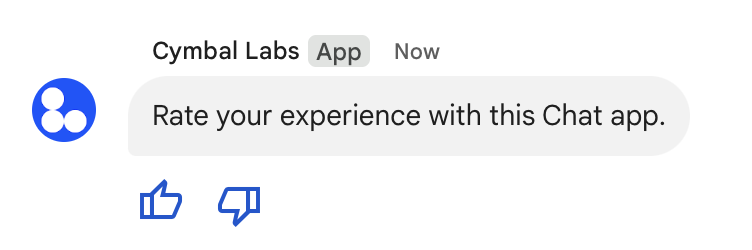
|
|
111
111
|
//
|
|
112
112
|
// * [Markup
|
|
113
|
-
//
|
|
114
|
-
//
|
|
113
|
+
// syntax](https://developers.google.com/workspace/chat/format-messages)
|
|
114
|
+
// for bold, italic, strikethrough, monospace, monospace block, and bulleted
|
|
115
|
+
// list.
|
|
115
116
|
//
|
|
116
117
|
// * [User
|
|
117
|
-
//
|
|
118
|
-
//
|
|
118
|
+
// mentions](https://developers.google.com/workspace/chat/format-messages#messages-@mention)
|
|
119
|
+
// using the format `<users/{user}>`.
|
|
119
120
|
//
|
|
120
121
|
// * Custom hyperlinks using the format `<{url}|{rendered_text}>` where the
|
|
121
|
-
//
|
|
122
|
-
//
|
|
122
|
+
// first string is the URL and the second is the rendered text—for example,
|
|
123
|
+
// `<http://example.com|custom text>`.
|
|
123
124
|
//
|
|
124
125
|
// * Custom emoji using the format `:{emoji_name}:`—for example, `:smile:`.
|
|
125
|
-
//
|
|
126
|
+
// This doesn't apply to Unicode emoji, such as `U+1F600` for a grinning
|
|
126
127
|
// face emoji.
|
|
127
128
|
//
|
|
128
129
|
// For more information, see [View text formatting sent in a
|
|
129
|
-
// message](https://developers.google.com/chat/format-messages#view_text_formatting_sent_in_a_message)
|
|
130
|
+
// message](https://developers.google.com/workspace/chat/format-messages#view_text_formatting_sent_in_a_message)
|
|
130
131
|
string formatted_text = 43 [(google.api.field_behavior) = OUTPUT_ONLY];
|
|
131
132
|
|
|
132
133
|
// Deprecated: Use `cards_v2` instead.
|
|
@@ -138,15 +139,14 @@ message Message {
|
|
|
138
139
|
repeated ContextualAddOnMarkup.Card cards = 5 [deprecated = true];
|
|
139
140
|
|
|
140
141
|
// An array of
|
|
141
|
-
// [cards](https://developers.google.com/chat/api/reference/rest/v1/cards).
|
|
142
|
+
// [cards](https://developers.google.com/workspace/chat/api/reference/rest/v1/cards).
|
|
142
143
|
//
|
|
143
144
|
// Only Chat apps can create cards. If your Chat app [authenticates as a
|
|
144
|
-
// user](https://developers.google.com/chat/
|
|
145
|
-
// messages can't contain cards.
|
|
145
|
+
// user](https://developers.google.com/workspace/chat/authenticate-authorize-chat-user),
|
|
146
|
+
// the messages can't contain cards.
|
|
146
147
|
//
|
|
147
|
-
// To learn about cards and how to create them, see [
|
|
148
|
-
//
|
|
149
|
-
// cards](https://developers.google.com/chat/ui).
|
|
148
|
+
// To learn about cards and how to create them, see [Send card
|
|
149
|
+
// messages](https://developers.google.com/workspace/chat/create-messages#create).
|
|
150
150
|
//
|
|
151
151
|
// [Card builder](https://addons.gsuite.google.com/uikit/builder)
|
|
152
152
|
repeated CardWithId cards_v2 = 22;
|
|
@@ -157,13 +157,13 @@ message Message {
|
|
|
157
157
|
|
|
158
158
|
// The thread the message belongs to. For example usage, see
|
|
159
159
|
// [Start or reply to a message
|
|
160
|
-
// thread](https://developers.google.com/chat/
|
|
160
|
+
// thread](https://developers.google.com/workspace/chat/create-messages#create-message-thread).
|
|
161
161
|
Thread thread = 11;
|
|
162
162
|
|
|
163
163
|
// If your Chat app [authenticates as a
|
|
164
|
-
// user](https://developers.google.com/chat/
|
|
165
|
-
// populates the
|
|
166
|
-
// [space](https://developers.google.com/chat/api/reference/rest/v1/spaces)
|
|
164
|
+
// user](https://developers.google.com/workspace/chat/authenticate-authorize-chat-user),
|
|
165
|
+
// the output populates the
|
|
166
|
+
// [space](https://developers.google.com/workspace/chat/api/reference/rest/v1/spaces)
|
|
167
167
|
// `name`.
|
|
168
168
|
Space space = 12;
|
|
169
169
|
|
|
@@ -188,7 +188,7 @@ message Message {
|
|
|
188
188
|
|
|
189
189
|
// Output only. A URL in `spaces.messages.text` that matches a link preview
|
|
190
190
|
// pattern. For more information, see [Preview
|
|
191
|
-
// links](https://developers.google.com/chat/
|
|
191
|
+
// links](https://developers.google.com/workspace/chat/preview-links).
|
|
192
192
|
MatchedUrl matched_url = 20 [(google.api.field_behavior) = OUTPUT_ONLY];
|
|
193
193
|
|
|
194
194
|
// Output only. When `true`, the message is a response in a reply thread. When
|
|
@@ -202,9 +202,9 @@ message Message {
|
|
|
202
202
|
// Optional. A custom ID for the message. You can use field to identify a
|
|
203
203
|
// message, or to get, delete, or update a message. To set a custom ID,
|
|
204
204
|
// specify the
|
|
205
|
-
// [`messageId`](https://developers.google.com/chat/api/reference/rest/v1/spaces.messages/create#body.QUERY_PARAMETERS.message_id)
|
|
205
|
+
// [`messageId`](https://developers.google.com/workspace/chat/api/reference/rest/v1/spaces.messages/create#body.QUERY_PARAMETERS.message_id)
|
|
206
206
|
// field when you create the message. For details, see [Name a
|
|
207
|
-
// message](https://developers.google.com/chat/
|
|
207
|
+
// message](https://developers.google.com/workspace/chat/create-messages#name_a_created_message).
|
|
208
208
|
string client_assigned_message_id = 32;
|
|
209
209
|
|
|
210
210
|
// Output only. The list of emoji reaction summaries on the message.
|
|
@@ -217,11 +217,12 @@ message Message {
|
|
|
217
217
|
// attachments aren't supported for private messages.
|
|
218
218
|
//
|
|
219
219
|
// Only Chat apps can send private messages. If your Chat app [authenticates
|
|
220
|
-
// as a
|
|
221
|
-
//
|
|
220
|
+
// as a
|
|
221
|
+
// user](https://developers.google.com/workspace/chat/authenticate-authorize-chat-user)
|
|
222
|
+
// to send a message, the message can't be private and must omit this field.
|
|
222
223
|
//
|
|
223
224
|
// For details, see [Send private messages to Google Chat
|
|
224
|
-
// users](https://developers.google.com/chat/
|
|
225
|
+
// users](https://developers.google.com/workspace/chat/private-messages).
|
|
225
226
|
User private_message_viewer = 36 [(google.api.field_behavior) = IMMUTABLE];
|
|
226
227
|
|
|
227
228
|
// Output only. Information about a deleted message. A message is deleted when
|
|
@@ -240,67 +241,13 @@ message Message {
|
|
|
240
241
|
|
|
241
242
|
// One or more interactive widgets that appear at the bottom of a message.
|
|
242
243
|
// You can add accessory widgets to messages that contain text, cards, or both
|
|
243
|
-
// text and cards. Not supported for messages that contain dialogs.
|
|
244
|
+
// text and cards. Not supported for messages that contain dialogs. For
|
|
245
|
+
// details, see [Add interactive widgets at the bottom of a
|
|
246
|
+
// message](https://developers.google.com/workspace/chat/create-messages#add-accessory-widgets).
|
|
244
247
|
//
|
|
245
248
|
// Creating a message with accessory widgets requires [app
|
|
246
249
|
// authentication]
|
|
247
|
-
// (https://developers.google.com/chat/
|
|
248
|
-
//
|
|
249
|
-
// The following example shows a Chat app that uses accessory widgets (thumbs
|
|
250
|
-
// up and thumbs down buttons) in a text message:
|
|
251
|
-
//
|
|
252
|
-
// 
|
|
254
|
-
//
|
|
255
|
-
// The JSON for this example message is the following:
|
|
256
|
-
//
|
|
257
|
-
// ```
|
|
258
|
-
// {
|
|
259
|
-
// "text": "Rate your experience with this Chat app.",
|
|
260
|
-
// "accessoryWidgets": [
|
|
261
|
-
// {
|
|
262
|
-
// "buttonList": {
|
|
263
|
-
// "buttons": [
|
|
264
|
-
// {
|
|
265
|
-
// "icon": {
|
|
266
|
-
// "material_icon": {
|
|
267
|
-
// "name": "thumb_up"
|
|
268
|
-
// }
|
|
269
|
-
// },
|
|
270
|
-
// "color": {
|
|
271
|
-
// "red": 0,
|
|
272
|
-
// "blue": 255,
|
|
273
|
-
// "green": 0
|
|
274
|
-
// },
|
|
275
|
-
// "onClick": {
|
|
276
|
-
// "action": {
|
|
277
|
-
// "function": "doUpvote",
|
|
278
|
-
// }
|
|
279
|
-
// }
|
|
280
|
-
// },
|
|
281
|
-
// {
|
|
282
|
-
// "icon": {
|
|
283
|
-
// "material_icon": {
|
|
284
|
-
// "name": "thumb_down"
|
|
285
|
-
// }
|
|
286
|
-
// },
|
|
287
|
-
// "color": {
|
|
288
|
-
// "red": 0,
|
|
289
|
-
// "blue": 255,
|
|
290
|
-
// "green": 0
|
|
291
|
-
// },
|
|
292
|
-
// "onClick": {
|
|
293
|
-
// "action": {
|
|
294
|
-
// "function": "doDownvote",
|
|
295
|
-
// }
|
|
296
|
-
// }
|
|
297
|
-
// }
|
|
298
|
-
// ]
|
|
299
|
-
// }
|
|
300
|
-
// }
|
|
301
|
-
// ]
|
|
302
|
-
// }
|
|
303
|
-
// ```
|
|
250
|
+
// (https://developers.google.com/workspace/chat/authenticate-authorize-chat-app).
|
|
304
251
|
repeated AccessoryWidget accessory_widgets = 44;
|
|
305
252
|
}
|
|
306
253
|
|
|
@@ -333,10 +280,10 @@ message QuotedMessageMetadata {
|
|
|
333
280
|
|
|
334
281
|
// A thread in a Google Chat space. For example usage, see
|
|
335
282
|
// [Start or reply to a message
|
|
336
|
-
// thread](https://developers.google.com/chat/
|
|
283
|
+
// thread](https://developers.google.com/workspace/chat/create-messages#create-message-thread).
|
|
337
284
|
//
|
|
338
285
|
// If you specify a thread when creating a message, you can set the
|
|
339
|
-
// [`messageReplyOption`](https://developers.google.com/chat/api/reference/rest/v1/spaces.messages/create#messagereplyoption)
|
|
286
|
+
// [`messageReplyOption`](https://developers.google.com/workspace/chat/api/reference/rest/v1/spaces.messages/create#messagereplyoption)
|
|
340
287
|
// field to determine what happens if no matching thread is found.
|
|
341
288
|
message Thread {
|
|
342
289
|
option (google.api.resource) = {
|
|
@@ -383,7 +330,7 @@ message ActionResponse {
|
|
|
383
330
|
REQUEST_CONFIG = 3;
|
|
384
331
|
|
|
385
332
|
// Presents a
|
|
386
|
-
// [dialog](https://developers.google.com/chat/
|
|
333
|
+
// [dialog](https://developers.google.com/workspace/chat/dialogs).
|
|
387
334
|
DIALOG = 4;
|
|
388
335
|
|
|
389
336
|
// Widget text autocomplete options query.
|
|
@@ -399,6 +346,7 @@ message ActionResponse {
|
|
|
399
346
|
// The response of the updated widget.
|
|
400
347
|
// Used to provide autocomplete options for a widget.
|
|
401
348
|
message UpdatedWidget {
|
|
349
|
+
// The widget updated in response to a user action.
|
|
402
350
|
oneof updated_widget {
|
|
403
351
|
// List of widget autocomplete results
|
|
404
352
|
SelectionItems suggestions = 1;
|
|
@@ -417,7 +365,7 @@ message ActionResponse {
|
|
|
417
365
|
string url = 2 [(google.api.field_behavior) = INPUT_ONLY];
|
|
418
366
|
|
|
419
367
|
// Input only. A response to an interaction event related to a
|
|
420
|
-
// [dialog](https://developers.google.com/chat/
|
|
368
|
+
// [dialog](https://developers.google.com/workspace/chat/dialogs). Must be
|
|
421
369
|
// accompanied by `ResponseType.Dialog`.
|
|
422
370
|
DialogAction dialog_action = 3 [(google.api.field_behavior) = INPUT_ONLY];
|
|
423
371
|
|
|
@@ -425,14 +373,18 @@ message ActionResponse {
|
|
|
425
373
|
UpdatedWidget updated_widget = 4 [(google.api.field_behavior) = INPUT_ONLY];
|
|
426
374
|
}
|
|
427
375
|
|
|
428
|
-
//
|
|
376
|
+
// One or more interactive widgets that appear at the bottom of a message. For
|
|
377
|
+
// details, see [Add interactive widgets at the bottom of a
|
|
378
|
+
// message](https://developers.google.com/workspace/chat/create-messages#add-accessory-widgets).
|
|
429
379
|
message AccessoryWidget {
|
|
380
|
+
// The type of action.
|
|
430
381
|
oneof action {
|
|
431
|
-
// A list of buttons
|
|
382
|
+
// A list of buttons.
|
|
432
383
|
google.apps.card.v1.ButtonList button_list = 1;
|
|
433
384
|
}
|
|
434
385
|
}
|
|
435
386
|
|
|
387
|
+
// Request to get a message.
|
|
436
388
|
message GetMessageRequest {
|
|
437
389
|
// Required. Resource name of the message.
|
|
438
390
|
//
|
|
@@ -441,13 +393,14 @@ message GetMessageRequest {
|
|
|
441
393
|
// If you've set a custom ID for your message, you can use the value from the
|
|
442
394
|
// `clientAssignedMessageId` field for `{message}`. For details, see [Name a
|
|
443
395
|
// message]
|
|
444
|
-
// (https://developers.google.com/chat/
|
|
396
|
+
// (https://developers.google.com/workspace/chat/create-messages#name_a_created_message).
|
|
445
397
|
string name = 1 [
|
|
446
398
|
(google.api.field_behavior) = REQUIRED,
|
|
447
399
|
(google.api.resource_reference) = { type: "chat.googleapis.com/Message" }
|
|
448
400
|
];
|
|
449
401
|
}
|
|
450
402
|
|
|
403
|
+
// Request to delete a message.
|
|
451
404
|
message DeleteMessageRequest {
|
|
452
405
|
// Required. Resource name of the message.
|
|
453
406
|
//
|
|
@@ -456,7 +409,7 @@ message DeleteMessageRequest {
|
|
|
456
409
|
// If you've set a custom ID for your message, you can use the value from the
|
|
457
410
|
// `clientAssignedMessageId` field for `{message}`. For details, see [Name a
|
|
458
411
|
// message]
|
|
459
|
-
// (https://developers.google.com/chat/
|
|
412
|
+
// (https://developers.google.com/workspace/chat/create-messages#name_a_created_message).
|
|
460
413
|
string name = 1 [
|
|
461
414
|
(google.api.field_behavior) = REQUIRED,
|
|
462
415
|
(google.api.resource_reference) = { type: "chat.googleapis.com/Message" }
|
|
@@ -466,12 +419,13 @@ message DeleteMessageRequest {
|
|
|
466
419
|
// `false`, if a message has threaded replies, deletion fails.
|
|
467
420
|
//
|
|
468
421
|
// Only applies when [authenticating as a
|
|
469
|
-
// user](https://developers.google.com/chat/
|
|
470
|
-
// effect when [authenticating as a Chat app]
|
|
471
|
-
// (https://developers.google.com/chat/
|
|
422
|
+
// user](https://developers.google.com/workspace/chat/authenticate-authorize-chat-user).
|
|
423
|
+
// Has no effect when [authenticating as a Chat app]
|
|
424
|
+
// (https://developers.google.com/workspace/chat/authenticate-authorize-chat-app).
|
|
472
425
|
bool force = 2;
|
|
473
426
|
}
|
|
474
427
|
|
|
428
|
+
// Request to update a message.
|
|
475
429
|
message UpdateMessageRequest {
|
|
476
430
|
// Required. Message with fields updated.
|
|
477
431
|
Message message = 1 [(google.api.field_behavior) = REQUIRED];
|
|
@@ -497,7 +451,7 @@ message UpdateMessageRequest {
|
|
|
497
451
|
|
|
498
452
|
// Optional. If `true` and the message isn't found, a new message is created
|
|
499
453
|
// and `updateMask` is ignored. The specified message ID must be
|
|
500
|
-
// [client-assigned](https://developers.google.com/chat/
|
|
454
|
+
// [client-assigned](https://developers.google.com/workspace/chat/create-messages#name_a_created_message)
|
|
501
455
|
// or the request fails.
|
|
502
456
|
bool allow_missing = 4 [(google.api.field_behavior) = OPTIONAL];
|
|
503
457
|
}
|
|
@@ -545,7 +499,7 @@ message CreateMessageRequest {
|
|
|
545
499
|
// a message and specify a `threadKey` or the
|
|
546
500
|
// [thread.name][google.chat.v1.Thread.name]. For example usage, see [Start or
|
|
547
501
|
// reply to a message
|
|
548
|
-
// thread](https://developers.google.com/chat/
|
|
502
|
+
// thread](https://developers.google.com/workspace/chat/create-messages#create-message-thread).
|
|
549
503
|
string thread_key = 6
|
|
550
504
|
[deprecated = true, (google.api.field_behavior) = OPTIONAL];
|
|
551
505
|
|
|
@@ -573,7 +527,7 @@ message CreateMessageRequest {
|
|
|
573
527
|
// different messages.
|
|
574
528
|
//
|
|
575
529
|
// For details, see [Name a
|
|
576
|
-
// message](https://developers.google.com/chat/
|
|
530
|
+
// message](https://developers.google.com/workspace/chat/create-messages#name_a_created_message).
|
|
577
531
|
string message_id = 9 [(google.api.field_behavior) = OPTIONAL];
|
|
578
532
|
}
|
|
579
533
|
|
|
@@ -594,8 +548,8 @@ message ListMessagesRequest {
|
|
|
594
548
|
//
|
|
595
549
|
// If unspecified, at most 25 are returned.
|
|
596
550
|
//
|
|
597
|
-
// The maximum value is
|
|
598
|
-
// automatically changed to
|
|
551
|
+
// The maximum value is 1000. If you use a value more than 1000, it's
|
|
552
|
+
// automatically changed to 1000.
|
|
599
553
|
//
|
|
600
554
|
// Negative values return an `INVALID_ARGUMENT` error.
|
|
601
555
|
int32 page_size = 2;
|
|
@@ -666,6 +620,7 @@ message ListMessagesRequest {
|
|
|
666
620
|
bool show_deleted = 6;
|
|
667
621
|
}
|
|
668
622
|
|
|
623
|
+
// Response message for listing messages.
|
|
669
624
|
message ListMessagesResponse {
|
|
670
625
|
// List of messages.
|
|
671
626
|
repeated Message messages = 1;
|
|
@@ -676,17 +631,19 @@ message ListMessagesResponse {
|
|
|
676
631
|
}
|
|
677
632
|
|
|
678
633
|
// Contains a
|
|
679
|
-
// [dialog](https://developers.google.com/chat/
|
|
634
|
+
// [dialog](https://developers.google.com/workspace/chat/dialogs) and request
|
|
680
635
|
// status code.
|
|
681
636
|
message DialogAction {
|
|
637
|
+
// Action to perform.
|
|
682
638
|
oneof action {
|
|
683
|
-
// Input only.
|
|
684
|
-
// for the
|
|
639
|
+
// Input only.
|
|
640
|
+
// [Dialog](https://developers.google.com/workspace/chat/dialogs) for the
|
|
641
|
+
// request.
|
|
685
642
|
Dialog dialog = 1 [(google.api.field_behavior) = INPUT_ONLY];
|
|
686
643
|
}
|
|
687
644
|
|
|
688
645
|
// Input only. Status for a request to either invoke or submit a
|
|
689
|
-
// [dialog](https://developers.google.com/chat/
|
|
646
|
+
// [dialog](https://developers.google.com/workspace/chat/dialogs). Displays
|
|
690
647
|
// a status and message to users, if necessary.
|
|
691
648
|
// For example, in case of an error or success.
|
|
692
649
|
ActionStatus action_status = 2 [(google.api.field_behavior) = INPUT_ONLY];
|
|
@@ -700,12 +657,13 @@ message Dialog {
|
|
|
700
657
|
google.apps.card.v1.Card body = 1 [(google.api.field_behavior) = INPUT_ONLY];
|
|
701
658
|
}
|
|
702
659
|
|
|
703
|
-
// A
|
|
704
|
-
//
|
|
660
|
+
// A
|
|
661
|
+
// [card](https://developers.google.com/workspace/chat/api/reference/rest/v1/cards)
|
|
662
|
+
// in a Google Chat message.
|
|
705
663
|
//
|
|
706
664
|
// Only Chat apps can create cards. If your Chat app [authenticates as a
|
|
707
|
-
// user](https://developers.google.com/chat/
|
|
708
|
-
// can't contain cards.
|
|
665
|
+
// user](https://developers.google.com/workspace/chat/authenticate-authorize-chat-user),
|
|
666
|
+
// the message can't contain cards.
|
|
709
667
|
//
|
|
710
668
|
// [Card builder](https://addons.gsuite.google.com/uikit/builder)
|
|
711
669
|
message CardWithId {
|
|
@@ -49,6 +49,7 @@ message Reaction {
|
|
|
49
49
|
|
|
50
50
|
// An emoji that is used as a reaction to a message.
|
|
51
51
|
message Emoji {
|
|
52
|
+
// The content of the emoji.
|
|
52
53
|
oneof content {
|
|
53
54
|
// A basic emoji represented by a unicode string.
|
|
54
55
|
string unicode = 1;
|
|
@@ -118,9 +119,9 @@ message ListReactionsRequest {
|
|
|
118
119
|
// Optional. A query filter.
|
|
119
120
|
//
|
|
120
121
|
// You can filter reactions by
|
|
121
|
-
// [emoji](https://developers.google.com/chat/api/reference/rest/v1/Emoji)
|
|
122
|
+
// [emoji](https://developers.google.com/workspace/chat/api/reference/rest/v1/Emoji)
|
|
122
123
|
// (either `emoji.unicode` or `emoji.custom_emoji.uid`) and
|
|
123
|
-
// [user](https://developers.google.com/chat/api/reference/rest/v1/User)
|
|
124
|
+
// [user](https://developers.google.com/workspace/chat/api/reference/rest/v1/User)
|
|
124
125
|
// (`user.name`).
|
|
125
126
|
//
|
|
126
127
|
// To filter reactions for multiple emojis or users, join similar fields
|
|
@@ -162,6 +163,7 @@ message ListReactionsRequest {
|
|
|
162
163
|
string filter = 4 [(google.api.field_behavior) = OPTIONAL];
|
|
163
164
|
}
|
|
164
165
|
|
|
166
|
+
// Response to a list reactions request.
|
|
165
167
|
message ListReactionsResponse {
|
|
166
168
|
// List of reactions in the requested (or first) page.
|
|
167
169
|
repeated Reaction reactions = 1;
|
|
@@ -24,8 +24,9 @@ option java_package = "com.google.chat.v1";
|
|
|
24
24
|
option php_namespace = "Google\\Apps\\Chat\\V1";
|
|
25
25
|
option ruby_package = "Google::Apps::Chat::V1";
|
|
26
26
|
|
|
27
|
-
// A [slash
|
|
28
|
-
// in
|
|
27
|
+
// A [slash
|
|
28
|
+
// command](https://developers.google.com/workspace/chat/slash-commands) in
|
|
29
|
+
// Google Chat.
|
|
29
30
|
message SlashCommand {
|
|
30
31
|
// The ID of the slash command invoked.
|
|
31
32
|
int64 command_id = 1;
|
|
@@ -40,6 +40,7 @@ message Space {
|
|
|
40
40
|
|
|
41
41
|
// Deprecated: Use `SpaceType` instead.
|
|
42
42
|
enum Type {
|
|
43
|
+
// Reserved.
|
|
43
44
|
TYPE_UNSPECIFIED = 0;
|
|
44
45
|
|
|
45
46
|
// Conversations between two or more humans.
|
|
@@ -124,7 +125,7 @@ message Space {
|
|
|
124
125
|
[deprecated = true, (google.api.field_behavior) = OUTPUT_ONLY];
|
|
125
126
|
|
|
126
127
|
// The space's display name. Required when [creating a
|
|
127
|
-
// space](https://developers.google.com/chat/api/reference/rest/v1/spaces/create).
|
|
128
|
+
// space](https://developers.google.com/workspace/chat/api/reference/rest/v1/spaces/create).
|
|
128
129
|
// If you receive the error message `ALREADY_EXISTS` when creating a space or
|
|
129
130
|
// updating the `displayName`, try a different `displayName`. An
|
|
130
131
|
// existing space within the Google Workspace organization might already use
|
|
@@ -139,13 +140,18 @@ message Space {
|
|
|
139
140
|
// Input when creating a space in a Google Workspace organization. Omit this
|
|
140
141
|
// field when creating spaces in the following conditions:
|
|
141
142
|
//
|
|
142
|
-
// * The authenticated user uses a
|
|
143
|
-
//
|
|
143
|
+
// * The authenticated user uses a consumer account (unmanaged user
|
|
144
|
+
// account). By default, a space created by a consumer account permits any
|
|
145
|
+
// Google Chat user.
|
|
144
146
|
//
|
|
145
147
|
// * The space is used to [import data to Google Chat]
|
|
146
|
-
// (https://developers.google.com/chat/api/guides/import-data-overview)
|
|
147
|
-
//
|
|
148
|
-
// Workspace organization.
|
|
148
|
+
// (https://developers.google.com/chat/api/guides/import-data-overview)
|
|
149
|
+
// because import mode spaces must only permit members from the same
|
|
150
|
+
// Google Workspace organization. However, as part of the [Google
|
|
151
|
+
// Workspace Developer Preview
|
|
152
|
+
// Program](https://developers.google.com/workspace/preview), import mode
|
|
153
|
+
// spaces can permit any Google Chat user so this field can then be set
|
|
154
|
+
// for import mode spaces.
|
|
149
155
|
//
|
|
150
156
|
// For existing spaces, this field is output only.
|
|
151
157
|
bool external_user_allowed = 8 [(google.api.field_behavior) = IMMUTABLE];
|
|
@@ -188,6 +194,7 @@ message Space {
|
|
|
188
194
|
bool admin_installed = 19 [(google.api.field_behavior) = OUTPUT_ONLY];
|
|
189
195
|
}
|
|
190
196
|
|
|
197
|
+
// A request to create a named space.
|
|
191
198
|
message CreateSpaceRequest {
|
|
192
199
|
// Required. The `displayName` and `spaceType` fields must be populated. Only
|
|
193
200
|
// `SpaceType.SPACE` is supported.
|
|
@@ -216,8 +223,8 @@ message ListSpacesRequest {
|
|
|
216
223
|
//
|
|
217
224
|
// If unspecified, at most 100 spaces are returned.
|
|
218
225
|
//
|
|
219
|
-
// The maximum value is
|
|
220
|
-
// automatically changed to
|
|
226
|
+
// The maximum value is 1000. If you use a value more than 1000, it's
|
|
227
|
+
// automatically changed to 1000.
|
|
221
228
|
//
|
|
222
229
|
// Negative values return an `INVALID_ARGUMENT` error.
|
|
223
230
|
int32 page_size = 1 [(google.api.field_behavior) = OPTIONAL];
|
|
@@ -232,7 +239,7 @@ message ListSpacesRequest {
|
|
|
232
239
|
// Optional. A query filter.
|
|
233
240
|
//
|
|
234
241
|
// You can filter spaces by the space type
|
|
235
|
-
// ([`space_type`](https://developers.google.com/chat/api/reference/rest/v1/spaces#spacetype)).
|
|
242
|
+
// ([`space_type`](https://developers.google.com/workspace/chat/api/reference/rest/v1/spaces#spacetype)).
|
|
236
243
|
//
|
|
237
244
|
// To filter by space type, you must specify valid enum value, such as
|
|
238
245
|
// `SPACE` or `GROUP_CHAT` (the `space_type` can't be
|
|
@@ -251,6 +258,7 @@ message ListSpacesRequest {
|
|
|
251
258
|
string filter = 3 [(google.api.field_behavior) = OPTIONAL];
|
|
252
259
|
}
|
|
253
260
|
|
|
261
|
+
// The response for a list spaces request.
|
|
254
262
|
message ListSpacesResponse {
|
|
255
263
|
// List of spaces in the requested (or first) page.
|
|
256
264
|
repeated Space spaces = 1;
|
|
@@ -282,8 +290,8 @@ message FindDirectMessageRequest {
|
|
|
282
290
|
// in the Directory API. For example, if the People API profile ID is
|
|
283
291
|
// `123456789`, you can find a direct message with that person by using
|
|
284
292
|
// `users/123456789` as the `name`. When [authenticated as a
|
|
285
|
-
// user](https://developers.google.com/chat/
|
|
286
|
-
// use the email as an alias for `{user}`. For example,
|
|
293
|
+
// user](https://developers.google.com/workspace/chat/authenticate-authorize-chat-user),
|
|
294
|
+
// you can use the email as an alias for `{user}`. For example,
|
|
287
295
|
// `users/example@gmail.com` where `example@gmail.com` is the email of the
|
|
288
296
|
// Google Chat user.
|
|
289
297
|
string name = 1 [(google.api.field_behavior) = REQUIRED];
|
|
@@ -310,12 +318,13 @@ message UpdateSpaceRequest {
|
|
|
310
318
|
// Google Workspace organization might already use this display name.)
|
|
311
319
|
//
|
|
312
320
|
// - `space_type` (Only supports changing a `GROUP_CHAT` space type to
|
|
313
|
-
// `SPACE`. Include `display_name` together
|
|
314
|
-
// mask and ensure that the specified space
|
|
315
|
-
// the `SPACE` space type. Including the
|
|
316
|
-
// type in the specified space when updating
|
|
317
|
-
// the existing space already has the `SPACE`
|
|
318
|
-
// space type in other ways results in an invalid
|
|
321
|
+
// `SPACE`. Include `display_name` together
|
|
322
|
+
// with `space_type` in the update mask and ensure that the specified space
|
|
323
|
+
// has a non-empty display name and the `SPACE` space type. Including the
|
|
324
|
+
// `space_type` mask and the `SPACE` type in the specified space when updating
|
|
325
|
+
// the display name is optional if the existing space already has the `SPACE`
|
|
326
|
+
// type. Trying to update the space type in other ways results in an invalid
|
|
327
|
+
// argument error).
|
|
319
328
|
//
|
|
320
329
|
// - `space_details`
|
|
321
330
|
//
|
|
@@ -324,6 +333,7 @@ message UpdateSpaceRequest {
|
|
|
324
333
|
// allows users to change their history
|
|
325
334
|
// setting](https://support.google.com/a/answer/7664184).
|
|
326
335
|
// Warning: mutually exclusive with all other field paths.)
|
|
336
|
+
//
|
|
327
337
|
// - Developer Preview: `access_settings.audience` (Supports changing the
|
|
328
338
|
// [access setting](https://support.google.com/chat/answer/11971020) of a
|
|
329
339
|
// space. If no audience is specified in the access setting, the space's
|
|
@@ -354,6 +364,7 @@ message CompleteImportSpaceRequest {
|
|
|
354
364
|
];
|
|
355
365
|
}
|
|
356
366
|
|
|
367
|
+
// Response message for completing the import process for a space.
|
|
357
368
|
message CompleteImportSpaceResponse {
|
|
358
369
|
// The import mode space.
|
|
359
370
|
Space space = 1;
|
|
@@ -28,6 +28,7 @@ option java_package = "com.google.chat.v1";
|
|
|
28
28
|
option php_namespace = "Google\\Apps\\Chat\\V1";
|
|
29
29
|
option ruby_package = "Google::Apps::Chat::V1";
|
|
30
30
|
|
|
31
|
+
// Request to create a space and add specified users to it.
|
|
31
32
|
message SetUpSpaceRequest {
|
|
32
33
|
// Required. The `Space.spaceType` field is required.
|
|
33
34
|
//
|
|
@@ -29,8 +29,9 @@ option ruby_package = "Google::Apps::Chat::V1";
|
|
|
29
29
|
|
|
30
30
|
// A user in Google Chat.
|
|
31
31
|
// When returned as an output from a request, if your Chat app [authenticates as
|
|
32
|
-
// a
|
|
33
|
-
//
|
|
32
|
+
// a
|
|
33
|
+
// user](https://developers.google.com/workspace/chat/authenticate-authorize-chat-user),
|
|
34
|
+
// the output for a `User` resource only populates the user's `name` and `type`.
|
|
34
35
|
message User {
|
|
35
36
|
enum Type {
|
|
36
37
|
// Default value for the enum. DO NOT USE.
|
|
@@ -29,7 +29,7 @@ message WidgetMarkup {
|
|
|
29
29
|
// A paragraph of text. Formatted text supported. For more information
|
|
30
30
|
// about formatting text, see
|
|
31
31
|
// [Formatting text in Google Chat
|
|
32
|
-
// apps](https://developers.google.com/chat/format-messages#card-formatting)
|
|
32
|
+
// apps](https://developers.google.com/workspace/chat/format-messages#card-formatting)
|
|
33
33
|
// and
|
|
34
34
|
// [Formatting
|
|
35
35
|
// text in Google Workspace
|
|
@@ -139,7 +139,7 @@ message WidgetMarkup {
|
|
|
139
139
|
// The text of the top label. Formatted text supported. For more information
|
|
140
140
|
// about formatting text, see
|
|
141
141
|
// [Formatting text in Google Chat
|
|
142
|
-
// apps](https://developers.google.com/chat/format-messages#card-formatting)
|
|
142
|
+
// apps](https://developers.google.com/workspace/chat/format-messages#card-formatting)
|
|
143
143
|
// and
|
|
144
144
|
// [Formatting
|
|
145
145
|
// text in Google Workspace
|
|
@@ -150,7 +150,7 @@ message WidgetMarkup {
|
|
|
150
150
|
// For more information
|
|
151
151
|
// about formatting text, see
|
|
152
152
|
// [Formatting text in Google Chat
|
|
153
|
-
// apps](https://developers.google.com/chat/format-messages#card-formatting)
|
|
153
|
+
// apps](https://developers.google.com/workspace/chat/format-messages#card-formatting)
|
|
154
154
|
// and
|
|
155
155
|
// [Formatting
|
|
156
156
|
// text in Google Workspace
|
|
@@ -162,7 +162,7 @@ message WidgetMarkup {
|
|
|
162
162
|
|
|
163
163
|
// The text of the bottom label. Formatted text supported. For more
|
|
164
164
|
// information about formatting text, see [Formatting text in Google Chat
|
|
165
|
-
// apps](https://developers.google.com/chat/format-messages#card-formatting)
|
|
165
|
+
// apps](https://developers.google.com/workspace/chat/format-messages#card-formatting)
|
|
166
166
|
// and
|
|
167
167
|
// [Formatting
|
|
168
168
|
// text in Google Workspace
|