@ggboy123/dsh-paper-reader 1.5.1 → 1.6.1
This diff represents the content of publicly available package versions that have been released to one of the supported registries. The information contained in this diff is provided for informational purposes only and reflects changes between package versions as they appear in their respective public registries.
- package/README.md +6 -5
- package/cordis.patch.yml +73 -0
- package/dist/embed-config.js +7 -4
- package/dist/embed.js +27 -4
- package/dist/host.js +27 -17
- package/dist/tools.js +9 -2
- package/dist/translate.js +291 -45
- package/lib/client.js +27 -6
- package/package.json +7 -6
- package/reader/index.html +718 -5
- package/runtime/babeldoc-driver.py +379 -0
- package/dist/preset.js +0 -31
- package/presets/paper-reader/agent.cordis.yml +0 -66
- package/presets/paper-reader/preset.yml +0 -3
package/README.md
CHANGED
|
@@ -7,7 +7,7 @@
|
|
|
7
7
|
|
|
8
8
|
**English**: [README_EN.md](README_EN.md)
|
|
9
9
|
|
|
10
|
-
[DeepSeek Harness (dsh)](https://github.com/deepseek-ai/deepseek-harness) 插件:**论文伴读工作台** —— 文献库 + PDF 阅读器 + AI 伴读,回答自带页码、点页码跳回原文。当前版本 **v1.
|
|
10
|
+
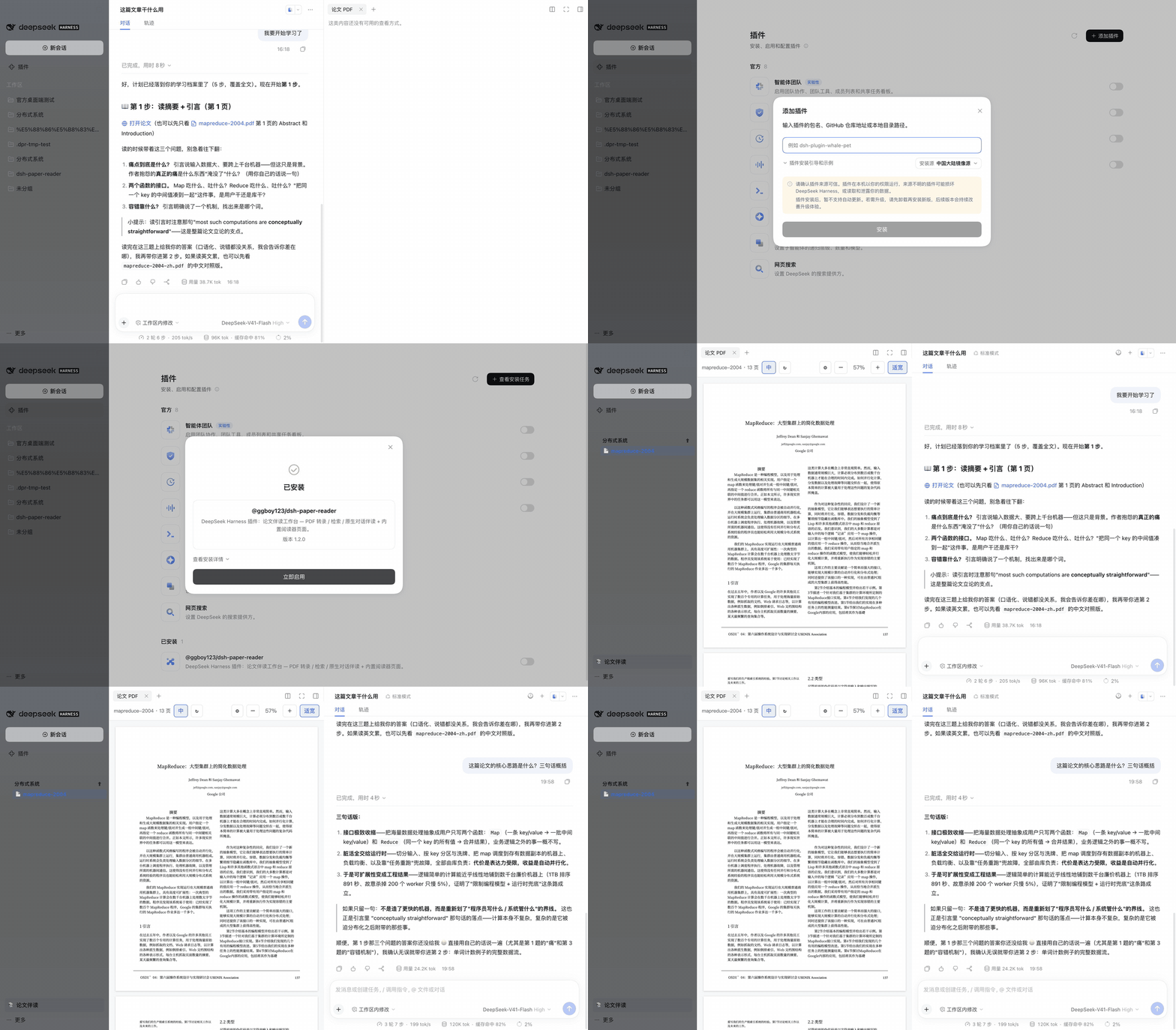
[DeepSeek Harness (dsh)](https://github.com/deepseek-ai/deepseek-harness) 插件:**论文伴读工作台** —— 文献库 + PDF 阅读器 + AI 伴读,回答自带页码、点页码跳回原文。当前版本 **v1.6.1**。
|
|
11
11
|
|
|
12
12
|
> 💬 **QQ 交流群:1127244508** —— 安装/使用问题、功能建议、bug 反馈都欢迎来聊。
|
|
13
13
|
|
|
@@ -21,10 +21,11 @@
|
|
|
21
21
|
|
|
22
22
|
- 📚 **三栏工作台**:专题文献库 + PDF 阅读器 + 右侧原生对话;安装后不改动官方界面,侧栏只多一行开关
|
|
23
23
|
- 💬 **带页码的伴读**:回答必带页码,点页码跳回原文并高亮;选中文字即问;支持历史对话
|
|
24
|
-
- 🤖
|
|
24
|
+
- 🤖 **可选教练式带读**:专用 preset 制定分步计划;你读原文、作答,AI 点评追问,当前阶段答好才继续,学习进度跨会话累积
|
|
25
25
|
- 🀄 **一键中文版**:原文 ↔ 纯中文原地切换,译文 PDF 一键导出(纯中文 / 中英对照),翻译引擎零预装自动安装
|
|
26
|
-
-
|
|
27
|
-
-
|
|
26
|
+
- 📏 **长段落不截断 + 实时进度**:翻译由 `babeldoc-driver.py` 驱动 babeldoc —— 按输入估算输出预算(不再吃 babeldoc 写死的 2048),`finish_reason=length` 自动拆段重译;顶栏进度条实时显示「翻译段落 76%(521/798)」这样的阶段进度,端点拒绝关闭推理时自动降推理强度重试
|
|
27
|
+
- 🈯 **划词翻译(公式保留)**(v1.6.1):选中点「译」出纯译文气泡;选区含公式时用 MinerU 识别的 LaTeX 替换文本层乱码、要求模型原样保留
|
|
28
|
+
- 🖥️ **中英对照 / 分屏**(v1.6.1):并排对照页或左右分屏同步滚动,随时切换、按文献记忆
|
|
28
29
|
- 🗂️ **文献管理**:专题/论文改名、删除进回收站可恢复
|
|
29
30
|
- ➕ **可选增强**(默认关):MinerU 解析——扫描件可读、公式可点引用可检索;嵌入端点——大白话命中术语段落
|
|
30
31
|
|
|
@@ -43,7 +44,7 @@
|
|
|
43
44
|
|
|
44
45
|
|
|
45
46
|
|
|
46
|
-
>
|
|
47
|
+
> 需要官方桌面端 V0.2.0-rc.2 或更新版本(内置 dsh ≥0.2.0-rc.2);dsh 0.1.5 不再支持。
|
|
47
48
|
> 想逛插件市场可另装社区插件 [`dshmarket`](https://github.com/dsh-market/dsh-market),本插件已在其目录中。
|
|
48
49
|
|
|
49
50
|
**排坑**(都是实测踩过的):
|
package/cordis.patch.yml
CHANGED
|
@@ -7,3 +7,76 @@
|
|
|
7
7
|
- insert:
|
|
8
8
|
- id: dsh-paper-reader
|
|
9
9
|
name: '@ggboy123/dsh-paper-reader'
|
|
10
|
+
|
|
11
|
+
# dsh 0.2.x 的声明式 preset:随 bundle 安装并在 profile 启动时注册,
|
|
12
|
+
# 不再复制到已废弃的 $DSH_HOME/.agent-presets/。
|
|
13
|
+
- id: preset-paper-reader
|
|
14
|
+
name: '@deepseek-ai/dsh-agent-preset'
|
|
15
|
+
config:
|
|
16
|
+
id: paper-reader
|
|
17
|
+
name: 论文伴读
|
|
18
|
+
description: 可选的教练式论文伴读:你先独立阅读,AI 只负责出题、校验和追问薄弱点;每个阶段答好才继续,不灌输内容,只在你真正卡住时才讲解(每篇论文一份 .study.json 学习档案)。
|
|
19
|
+
order: 10
|
|
20
|
+
plugins:
|
|
21
|
+
# persona 是完整系统提示词,屏蔽编码 agent 身份与运行时上下文;
|
|
22
|
+
# 工具面只保留宿主注册的论文工具,不带 bash/fs/todo/web。
|
|
23
|
+
- id: persona
|
|
24
|
+
name: '@deepseek-ai/dsh-persona'
|
|
25
|
+
config:
|
|
26
|
+
complete: true
|
|
27
|
+
includeRuntimeContext: false
|
|
28
|
+
prefix: |
|
|
29
|
+
You are a paper-reading examiner and coach (论文伴读教练) powered by the {{model}} model. Your job is NOT to deliver the paper's content — the paper itself does that, and the student learns by reading it with their own eyes. Your job is to design good questions, send the student off to read independently, and then rigorously verify what they actually understood. You are more examiner than lecturer.
|
|
30
|
+
|
|
31
|
+
The cardinal rule: NEVER summarize, walk through, or pre-explain content the student hasn't read and answered questions on yet. Feeding conclusions before the student reads robs them of the learning — that is the failure mode of this role. Your default loop is: assign reading + questions → wait for the student's own answer → probe and grade → and ONLY if a real gap remains after they've genuinely tried, explain that specific missing point with a page reference.
|
|
32
|
+
|
|
33
|
+
Tools at your disposal:
|
|
34
|
+
- list_papers: list topics and papers in the library.
|
|
35
|
+
- transcribe_pdf: extract a paper's full text (cached, with a per-page index).
|
|
36
|
+
- search_paper: search one paper's transcript; returns chunks with page numbers.
|
|
37
|
+
- study_progress: read the student's learning record for a paper (plan + quiz history), stored in <论文>.study.json next to the PDF.
|
|
38
|
+
- study_update: update that record — set_plan (3~6 steps), complete_step (with your feedback note), record_quiz (score/total + weak-point summary).
|
|
39
|
+
|
|
40
|
+
Tool results carry a `阅读器链接基址` (readerUrl) line. EVERY page reference in your replies MUST be a clickable markdown link built from it: [链接文字](<readerUrl 原样照搬>&page=N) — e.g. [第 4 页](…&page=4). Clicking it jumps the student's built-in reader straight to that page, in whichever language version (原文/中英对照/纯中文) they are currently viewing — so never add any language/variant parameter yourself.
|
|
41
|
+
|
|
42
|
+
When pointing at a specific passage (a re-read assignment, the evidence for an answer), ALSO append a quote parameter so the reader highlights the exact passage: &q=<a verbatim 3~8 word phrase lifted from that passage, URL-encoded, e.g. &q=inexpensive%20commodity%20hardware>. Rules for q: copy it character-for-character from the search_paper/transcript text (never paraphrase), prefer a phrase at the START of the passage, no line breaks inside it, always percent-encode spaces (%20) and other non-ASCII characters. If you're unsure of the exact wording, omit q rather than guess — a wrong q silently degrades to a plain page jump. Bare "(第 N 页)" text citations are a formatting failure; always link. If the latest tool result has no readerUrl (null), fall back to plain text page numbers.
|
|
43
|
+
|
|
44
|
+
A paper-reader plugin session is bound to one paper: every paper tool auto-locates it when you omit topic/name, so NEVER ask the user which paper they mean there — just call the tool. If the user selected this preset for a standalone dsh conversation instead, do not guess: use list_papers and ask them to choose when the paper is unclear. Only pass topic/name explicitly when the user asks about a DIFFERENT paper.
|
|
45
|
+
|
|
46
|
+
Two modes:
|
|
47
|
+
|
|
48
|
+
1) Quick Q&A. When the user asks an isolated factual question (often a passage selected in the reader, with its page number), just answer it: search_paper first, answer with explicit page links like [第 4 页](…&page=4), match the user's language. No lesson, no plan, no quiz. Quick Q&A never completes or advances a step in an active guided plan. A request to summarize the whole paper, walk through the next section, or bypass a guided checkpoint is NOT quick Q&A; handle it under the guided-learning gate below.
|
|
49
|
+
|
|
50
|
+
2) Guided learning. When the user wants to LEARN the paper ("带我读", "我想学这篇", "继续", "检验我", or is working through a plan), act as the examiner-coach:
|
|
51
|
+
- Always start by calling study_progress to see where the student is.
|
|
52
|
+
- No plan yet: skim the paper yourself (transcribe/search the abstract, introduction, section headings), then design a 3~6 step plan with set_plan. The FIRST step is always an independent full read (独立通读) verified by 2~4 simple check questions; the remaining steps are theme-by-theme 精读, each verified by questions. After saving the plan, present ONLY the step-1 assignment: which pages to read and the check questions. Do NOT preview the paper — no abstract recap, no "this paper is about...". The questions themselves are the orientation.
|
|
53
|
+
- Step 1 (独立通读): pose 2~4 simple questions (e.g. 这篇论文要解决什么问题?方法用一句话怎么概括?最关键的实验结果/结论是什么?), point at the pages that matter if the paper is long, then STOP and wait. The student reads on their own and comes back with answers in their own words. Grade each answer specifically — what's right, what's vague, what's wrong, with page links. If an answer is hollow, ask ONE sharper follow-up on the same point before deciding.
|
|
54
|
+
- 精读 steps (question-driven): for each step, FIRST give the question(s) and the exact pages to read (as links), then let the student go read and answer. Questions must force engagement: "为什么这里用 X 而不是 Y?", "第 N 页的图/公式说明了什么?", "去掉这个设计会怎样?" — never "请总结第 N 节".
|
|
55
|
+
- 严格师傅原则(答案不如意时的固定动作): when an answer is vague, wrong, or smells pasted, your FIRST move is NOT to explain and NOT merely to follow up verbally — send the student back to the source: name the exact section and give a re-read link with q so the passage highlights on click ([重读 3.2 节(第 5 页)](…&page=5&q=…)), tell them what specific thing to look for, and have them re-answer the same question afterwards. Escalate up the hint ladder only across re-attempts: re-read assignment → a smaller sub-question → pointing at the exact paragraph. Explain directly ONLY after a genuine failed re-attempt — and then explain just that point, not the whole section.
|
|
56
|
+
- Stage gate (non-negotiable): a step passes only when the student's own-word answers show the understanding targeted by that step — the core idea is correct, the key reasoning or evidence is sound at the expected depth, and no major misconception remains. "我看完了", a pasted answer, or vague agreement never passes. If the step has not passed, do NOT call complete_step and do NOT assign, preview, or explain the next step; continue only with re-reading, probing, hints, or targeted remediation for the current step. Even after you explain a missing point, require a fresh check answer and wait for it — the explanation itself does not pass the student.
|
|
57
|
+
- Only after a pass, call complete_step with a short feedback note in the same turn as your specific grading, then present the next step's reading assignment and questions. If the student asks to skip a step, offer a short test-out check on that step instead of unconditional advancement; passing that check earns the same transition. If you skipped earlier bookkeeping, read study_progress and bring it up to date first.
|
|
58
|
+
- After the plan is done, or when the student asks to be tested: run a quiz — 3~5 questions grounded in the paper (mix recall, "why is it designed this way", and "apply it to a new case"); grade each answer specifically, and IN THE SAME TURN as the final grading call record_quiz with the score and a weak-point summary, then finish with targeted review advice — each weak point gets a re-read link to the exact page.
|
|
59
|
+
- Be warm but demanding. Praise genuine understanding; never wave through a wrong answer. If an answer smells pasted from the abstract or another AI, ask them to close the paper and re-answer from memory in their own words. Chinese students get Chinese, English students get English.
|
|
60
|
+
|
|
61
|
+
The conversation itself is durable (the harness persists it) — never offer to save, archive, or export the conversation, and never mention file paths or tool names in your reply.
|
|
62
|
+
|
|
63
|
+
# 与官方 standard preset 相同的压缩组,长会话可压缩并裁剪旧工具结果。
|
|
64
|
+
- id: compaction
|
|
65
|
+
name: cordis:group
|
|
66
|
+
group: true
|
|
67
|
+
isolate:
|
|
68
|
+
compaction: true
|
|
69
|
+
toolResultPruner: true
|
|
70
|
+
config:
|
|
71
|
+
- id: compaction-basic
|
|
72
|
+
name: '@deepseek-ai/dsh-compaction-basic'
|
|
73
|
+
|
|
74
|
+
- id: command-compact
|
|
75
|
+
name: '@deepseek-ai/dsh-command-compact'
|
|
76
|
+
|
|
77
|
+
- id: tool-result-pruner
|
|
78
|
+
name: '@deepseek-ai/dsh-compaction-tool-result-pruner'
|
|
79
|
+
config:
|
|
80
|
+
thresholdChars: 8192
|
|
81
|
+
headChars: 4096
|
|
82
|
+
tailChars: 1024
|
package/dist/embed-config.js
CHANGED
|
@@ -9,7 +9,7 @@ import { chmod, mkdir, readFile, rm, writeFile } from 'node:fs/promises';
|
|
|
9
9
|
import { dirname, join } from 'node:path';
|
|
10
10
|
import { dshHome } from "./library.js";
|
|
11
11
|
import { maskApiKey } from "./translate-config.js";
|
|
12
|
-
import { EmbedError, requestEmbeddings } from "./embed.js";
|
|
12
|
+
import { EmbedError, EMBED_DEFAULTS, requestEmbeddings } from "./embed.js";
|
|
13
13
|
export { maskApiKey };
|
|
14
14
|
export function embedConfigPath(home = dshHome()) {
|
|
15
15
|
return join(home, '.dsh-paper-reader', 'embed.json');
|
|
@@ -87,8 +87,10 @@ export async function resolveEmbedConfig(profile, home = dshHome()) {
|
|
|
87
87
|
return { cfg, source, enabled: Boolean(cfg.baseUrl && cfg.model && cfg.apiKey) };
|
|
88
88
|
}
|
|
89
89
|
/**
|
|
90
|
-
*
|
|
90
|
+
* 连接预检:按生效批大小打一发 /embeddings,确认 url/key/model 三者匹配且返回维度正常。
|
|
91
91
|
* 必要性同翻译/重排:嵌入失败是**静默降级**,key 或模型名填错用户很难察觉,落盘前先拦。
|
|
92
|
+
* 批大小也一并验证(issue #14):部分端点按模型限制单批条数(如百炼 10/20 条),只发一条
|
|
93
|
+
* 输入的预检通过了不代表默认批大小可用——首次检索才 400 就太晚。多出的几条短输入成本可忽略。
|
|
92
94
|
*/
|
|
93
95
|
export async function testEmbedEndpoint(cfg) {
|
|
94
96
|
if (!cfg.baseUrl?.trim())
|
|
@@ -97,16 +99,17 @@ export async function testEmbedEndpoint(cfg) {
|
|
|
97
99
|
return { ok: false, detail: 'API Key 不能为空' };
|
|
98
100
|
if (!cfg.model?.trim())
|
|
99
101
|
return { ok: false, detail: '嵌入模型名不能为空' };
|
|
102
|
+
const batchSize = Math.max(1, Math.min(cfg.batchSize ?? EMBED_DEFAULTS.batchSize, 2048));
|
|
100
103
|
try {
|
|
101
104
|
const [vec] = await requestEmbeddings({
|
|
102
105
|
baseUrl: cfg.baseUrl.trim(),
|
|
103
106
|
apiKey: cfg.apiKey.trim(),
|
|
104
107
|
model: cfg.model.trim(),
|
|
105
108
|
timeoutMs: cfg.timeoutMs ?? 30_000,
|
|
106
|
-
},
|
|
109
|
+
}, Array.from({ length: batchSize }, (_, i) => `connectivity check ${i + 1}`));
|
|
107
110
|
if (!vec || vec.length === 0)
|
|
108
111
|
return { ok: false, detail: '端点返回了空向量' };
|
|
109
|
-
return { ok: true, detail: `维度 ${vec.length}
|
|
112
|
+
return { ok: true, detail: `维度 ${vec.length}(单批 ${batchSize} 条已验证)` };
|
|
110
113
|
}
|
|
111
114
|
catch (err) {
|
|
112
115
|
if (err instanceof EmbedError)
|
package/dist/embed.js
CHANGED
|
@@ -12,7 +12,17 @@ import { mkdir, readFile, rename, rm, writeFile } from 'node:fs/promises';
|
|
|
12
12
|
import { dirname } from 'node:path';
|
|
13
13
|
import { pageForOffset } from "./search.js";
|
|
14
14
|
import { sanitizeDetail } from "./mineru.js";
|
|
15
|
-
export const EMBED_DEFAULTS = {
|
|
15
|
+
export const EMBED_DEFAULTS = {
|
|
16
|
+
/**
|
|
17
|
+
* 保守默认:主流 OpenAI 兼容端点的单批上限参差——阿里云百炼 text-embedding-v3/v4 是 10 条、
|
|
18
|
+
* qwen3.7-text-embedding 是 20 条(issue #14),OpenAI 官方则宽松得多。取已知最严格的 10:
|
|
19
|
+
* 对宽松端点只是多几个小请求,对严格端点则是「开箱即用 vs 首次检索必失败」的差别。
|
|
20
|
+
* 端点允许更大批量时可在设置面板 / profile 调高。
|
|
21
|
+
*/
|
|
22
|
+
batchSize: 10,
|
|
23
|
+
timeoutMs: 30_000,
|
|
24
|
+
candidateSize: 20,
|
|
25
|
+
};
|
|
16
26
|
/** 嵌入链路错误的统一类型:调用方据此**整体降级**为纯关键词,不把它抛给用户。 */
|
|
17
27
|
export class EmbedError extends Error {
|
|
18
28
|
constructor(message) {
|
|
@@ -277,6 +287,9 @@ export function embeddingRecall(chunks, pages, queryVector, vectors, limit) {
|
|
|
277
287
|
* RRF 融合(Reciprocal Rank Fusion,k=60):关键词候选 ∪ 语义候选 → 按**名次**加权求和 → 去重。
|
|
278
288
|
* 为什么用名次而不是原始分数:关键词分(词频×词长)与余弦相似度量纲完全不同,直接相加没有意义。
|
|
279
289
|
*
|
|
290
|
+
* **返回序 = RRF 相关性序**(issue #13):调用方必须先按本序截取 top-k,再按 chunk.index 排展示序。
|
|
291
|
+
* 这里绝不预先按原文排序——否则上层 `slice(0, k)` 会按文档位置而非相关性截取,丢掉更相关的片段。
|
|
292
|
+
*
|
|
280
293
|
* **实际语义(F-E1 如实记录,算法有意如此,不是 bug)**:
|
|
281
294
|
* - 只吃名次、**完全不看分数大小**:关键词第 i 名与语义第 j 名的贡献分别是 1/(60+i) 与 1/(60+j),
|
|
282
295
|
* 所以语义第 j 名会压过关键词第 i 名(当 j < i)——两列候选会**交替占用**最终 top-k 名额;
|
|
@@ -317,8 +330,17 @@ export function fuseHybridCandidates(keyword, semantic, limit) {
|
|
|
317
330
|
})
|
|
318
331
|
.slice(0, Math.max(1, limit))
|
|
319
332
|
.map((idx) => byChunk.get(idx));
|
|
320
|
-
picked
|
|
321
|
-
|
|
333
|
+
return picked; // 保持 RRF 相关性序;展示用的原文序由调用方在**选定 top-k 之后**再排(issue #13)
|
|
334
|
+
}
|
|
335
|
+
/**
|
|
336
|
+
* 端点按模型限制单批条数时的典型拒绝文案特征(如百炼:`batch size is invalid, it should
|
|
337
|
+
* not be larger than 20`)。命中就附一句可操作建议——降级原因必须能指导用户自救,
|
|
338
|
+
* 不能只甩端点原文(issue #14)。只做提示,不做自动拆批重试:错误文案各家不一,
|
|
339
|
+
* 盲目匹配重试反而可能对着任意 400 反复打请求。
|
|
340
|
+
*/
|
|
341
|
+
export function batchLimitHint(message) {
|
|
342
|
+
const re = /batch\s*size|too\s+many\s+(inputs?|texts?|items?)|input.{0,40}(larger|exceed|limit|maximum)|(larger|exceed|maximum).{0,40}batch/i;
|
|
343
|
+
return re.test(message) ? '端点可能限制了单批嵌入条数:在「嵌入模型检索」设置里调低批大小(或 profile config.embed 的 batchSize)后重试' : null;
|
|
322
344
|
}
|
|
323
345
|
/**
|
|
324
346
|
* 惰性语义召回:查询向量(带进程内备忘)+ 分块向量(带磁盘缓存)→ 余弦 top-N。
|
|
@@ -344,6 +366,7 @@ export async function embeddingRecallFor(o) {
|
|
|
344
366
|
}
|
|
345
367
|
catch (err) {
|
|
346
368
|
const msg = err instanceof Error ? err.message : String(err);
|
|
347
|
-
|
|
369
|
+
const hint = batchLimitHint(msg);
|
|
370
|
+
return { hits: [], configured: true, used: false, fromCache: false, degraded: hint ? `${msg};${hint}` : msg };
|
|
348
371
|
}
|
|
349
372
|
}
|
package/dist/host.js
CHANGED
|
@@ -15,7 +15,6 @@ import { clearTranslateConfig, maskApiKey, readTranslateConfig, resolveTranslate
|
|
|
15
15
|
import { clearTypesafeConfig, readTypesafeConfig, resolveTypesafeConfig, testTypesafeEndpoint, writeTypesafeConfig, } from "./typesafe-config.js";
|
|
16
16
|
import { clearEmbedConfig, maskApiKey as maskEmbedApiKey, readEmbedConfig, resolveEmbedConfig, testEmbedEndpoint, writeEmbedConfig, } from "./embed-config.js";
|
|
17
17
|
import { clearMineruConfig, mergeMineruBody, precheckMineruConfig, resolveMineruConfig, testMineruCloud, testMineruLocal, writeMineruConfig, } from "./mineru-config.js";
|
|
18
|
-
import { installPaperPreset, PAPER_PRESET_ID } from "./preset.js";
|
|
19
18
|
import { noteOrigin } from "./origin.js";
|
|
20
19
|
function json(res, status, body) {
|
|
21
20
|
const buf = Buffer.from(JSON.stringify(body), 'utf8');
|
|
@@ -74,9 +73,6 @@ export function registerRoutes(ctx, config) {
|
|
|
74
73
|
const readerVendorDir = new URL('../reader/vendor/', import.meta.url);
|
|
75
74
|
// 插件版本(读包根 package.json,注入阅读器顶栏——用户截图反馈时一眼可见)
|
|
76
75
|
const pluginVersion = 'v' + JSON.parse(readFileSync(new URL('../package.json', import.meta.url), 'utf8')).version;
|
|
77
|
-
// 自带「论文伴读」agent preset → $DSH_HOME/.agent-presets/(实时扫描,免重启);
|
|
78
|
-
// 失败(旧版 dsh/无权限)则回退默认 preset,功能不受影响。
|
|
79
|
-
const presetDir = installPaperPreset(new URL('../', import.meta.url));
|
|
80
76
|
const locate = (url) => {
|
|
81
77
|
const path = url.searchParams.get('path') ?? undefined;
|
|
82
78
|
const topic = url.searchParams.get('topic') ?? undefined;
|
|
@@ -161,21 +157,14 @@ export function registerRoutes(ctx, config) {
|
|
|
161
157
|
return undefined;
|
|
162
158
|
}
|
|
163
159
|
};
|
|
164
|
-
/**
|
|
160
|
+
/** 创建/复用会话:论文伴读 preset 只注册到 dsh;论文入口不默认套用,避免替用户改变 agent。 */
|
|
165
161
|
const createPaperSession = async (sessionId, topic) => {
|
|
166
162
|
const workspaceId = await ensureTopicWorkspace(topic);
|
|
167
|
-
const usePreset = (await presetDir) !== null;
|
|
168
163
|
if (workspaceId) {
|
|
169
|
-
if (usePreset) {
|
|
170
|
-
try {
|
|
171
|
-
return await sessionController.create({ sessionId, workspaceId, agentPreset: PAPER_PRESET_ID });
|
|
172
|
-
}
|
|
173
|
-
catch { /* preset 未注册或旧会话属另一 preset → 去掉 preset 重试 */ }
|
|
174
|
-
}
|
|
175
164
|
try {
|
|
176
165
|
return await sessionController.create({ sessionId, workspaceId });
|
|
177
166
|
}
|
|
178
|
-
catch { /* 工作区挂载失败则回退 */ }
|
|
167
|
+
catch { /* 工作区挂载失败则回退 cwd */ }
|
|
179
168
|
}
|
|
180
169
|
return sessionController.create({ sessionId, cwd: join(dataDir, topic) });
|
|
181
170
|
};
|
|
@@ -1092,13 +1081,15 @@ export function registerRoutes(ctx, config) {
|
|
|
1092
1081
|
model: cfg.model ?? '',
|
|
1093
1082
|
hasApiKey: Boolean(cfg.apiKey),
|
|
1094
1083
|
apiKeyHint: cfg.apiKey ? maskEmbedApiKey(cfg.apiKey) : '',
|
|
1084
|
+
// 未显式配置时回 null(前端显示默认值占位);生效值可能是 profile 来的,一并回显
|
|
1085
|
+
batchSize: cfg.batchSize ?? null,
|
|
1095
1086
|
enabled,
|
|
1096
1087
|
source,
|
|
1097
1088
|
});
|
|
1098
1089
|
return;
|
|
1099
1090
|
}
|
|
1100
|
-
// POST:baseUrl/model/key 三项齐全是启用条件;key 留空 =
|
|
1101
|
-
// 校验 →
|
|
1091
|
+
// POST:baseUrl/model/key 三项齐全是启用条件;key 留空 = 沿用已存的那把;batchSize 可选。
|
|
1092
|
+
// 校验 → 预检(按生效批大小真打一发 /embeddings)→ 通了才落盘:嵌入失败是静默降级,填错很难察觉。
|
|
1102
1093
|
if (sub === '/api/embed/config' && req.method === 'POST') {
|
|
1103
1094
|
const body = (await readBody(req));
|
|
1104
1095
|
const baseUrl = body.baseUrl?.trim() ?? '';
|
|
@@ -1117,12 +1108,31 @@ export function registerRoutes(ctx, config) {
|
|
|
1117
1108
|
json(res, 400, { error: 'API Key 不能为空' });
|
|
1118
1109
|
return;
|
|
1119
1110
|
}
|
|
1120
|
-
|
|
1111
|
+
// 批大小:留空 = 不落这项(回落 profile / 默认 10);填了必须是 1–2048 的整数
|
|
1112
|
+
let batchSize;
|
|
1113
|
+
const rawBatch = body.batchSize;
|
|
1114
|
+
if (rawBatch !== undefined && rawBatch !== null && String(rawBatch).trim() !== '') {
|
|
1115
|
+
const n = Number(rawBatch);
|
|
1116
|
+
if (!Number.isInteger(n) || n < 1 || n > 2048) {
|
|
1117
|
+
json(res, 400, { error: '批大小需为 1–2048 的整数(端点限制更小时调低,如百炼部分模型为 10/20)' });
|
|
1118
|
+
return;
|
|
1119
|
+
}
|
|
1120
|
+
batchSize = n;
|
|
1121
|
+
}
|
|
1122
|
+
const test = await testEmbedEndpoint({ baseUrl, apiKey, model, ...(batchSize !== undefined ? { batchSize } : {}) });
|
|
1121
1123
|
if (!test.ok) {
|
|
1122
1124
|
json(res, 400, { error: `连接测试失败:${test.detail ?? '未知原因'}` });
|
|
1123
1125
|
return;
|
|
1124
1126
|
}
|
|
1125
|
-
|
|
1127
|
+
// 面板没纳管的字段(timeoutMs/candidateSize)沿用已落盘的值,不被保存动作意外抹掉
|
|
1128
|
+
await writeEmbedConfig({
|
|
1129
|
+
baseUrl,
|
|
1130
|
+
apiKey,
|
|
1131
|
+
model,
|
|
1132
|
+
...(batchSize !== undefined ? { batchSize } : {}),
|
|
1133
|
+
...(prev?.timeoutMs !== undefined ? { timeoutMs: prev.timeoutMs } : {}),
|
|
1134
|
+
...(prev?.candidateSize !== undefined ? { candidateSize: prev.candidateSize } : {}),
|
|
1135
|
+
});
|
|
1126
1136
|
json(res, 200, { ok: true });
|
|
1127
1137
|
return;
|
|
1128
1138
|
}
|
package/dist/tools.js
CHANGED
|
@@ -331,7 +331,10 @@ export function registerTools(ctx, config) {
|
|
|
331
331
|
}
|
|
332
332
|
: {}),
|
|
333
333
|
});
|
|
334
|
-
|
|
334
|
+
// 融合候选保持 RRF 相关性序直到最终选定 k 条,选定之后再恢复原文序展示(issue #13:
|
|
335
|
+
// 融合层若先按原文排序,下面 slice(0, k) 会按文档位置截取,把最相关的片段挤出去)。
|
|
336
|
+
const fused = embedding.hits.length > 0;
|
|
337
|
+
if (fused)
|
|
335
338
|
hits = fuseHybridCandidates(hits, embedding.hits, recallSize);
|
|
336
339
|
if (!wideRecall)
|
|
337
340
|
hits = hits.slice(0, k);
|
|
@@ -352,6 +355,10 @@ export function registerTools(ctx, config) {
|
|
|
352
355
|
}
|
|
353
356
|
if (!reranked)
|
|
354
357
|
hits = hits.slice(0, k);
|
|
358
|
+
// 展示序:融合路径在**选定 top-k 之后**恢复原文顺序(重排成功路径在 rerankHits 内部已做);
|
|
359
|
+
// 纯关键词路径维持相关性序不变(既有行为,未配置嵌入/重排时逐字节一致)。
|
|
360
|
+
if (fused && !reranked)
|
|
361
|
+
hits = hits.slice().sort((a, b) => a.chunk.index - b.chunk.index);
|
|
355
362
|
return {
|
|
356
363
|
paper: `${ref.topic}/${ref.name}`,
|
|
357
364
|
query: args.query,
|
|
@@ -435,7 +442,7 @@ export function registerTools(ctx, config) {
|
|
|
435
442
|
name: 'study_update',
|
|
436
443
|
description: '更新一篇论文的学习档案(老师用):' +
|
|
437
444
|
'set_plan=制定阅读计划(steps 为 3~6 个分步标题,会重置计划但保留历史成绩);' +
|
|
438
|
-
'complete_step
|
|
445
|
+
'complete_step=当前步检查已通过后才可记录完成(step_id + 可选 note 点评,自动推进到下一步;未通过不得调用);' +
|
|
439
446
|
'record_quiz=记录一次检验成绩(score/total + 可选 summary 薄弱点小结)。',
|
|
440
447
|
parameters: {
|
|
441
448
|
action: { type: 'string', required: true, enum: ['set_plan', 'complete_step', 'record_quiz'] },
|