@gfazioli/mantine-video 1.0.0
This diff represents the content of publicly available package versions that have been released to one of the supported registries. The information contained in this diff is provided for informational purposes only and reflects changes between package versions as they appear in their respective public registries.
- package/CODE_OF_CONDUCT.md +128 -0
- package/CONTRIBUTING.md +18 -0
- package/LICENSE +21 -0
- package/README.md +179 -0
- package/dist/cjs/Video.cjs +301 -0
- package/dist/cjs/Video.cjs.map +1 -0
- package/dist/cjs/Video.context.cjs +21 -0
- package/dist/cjs/Video.context.cjs.map +1 -0
- package/dist/cjs/Video.module.css.cjs +7 -0
- package/dist/cjs/Video.module.css.cjs.map +1 -0
- package/dist/cjs/components/VideoCaptionsButton.cjs +75 -0
- package/dist/cjs/components/VideoCaptionsButton.cjs.map +1 -0
- package/dist/cjs/components/VideoControls.cjs +34 -0
- package/dist/cjs/components/VideoControls.cjs.map +1 -0
- package/dist/cjs/components/VideoFullscreenButton.cjs +35 -0
- package/dist/cjs/components/VideoFullscreenButton.cjs.map +1 -0
- package/dist/cjs/components/VideoMuteButton.cjs +36 -0
- package/dist/cjs/components/VideoMuteButton.cjs.map +1 -0
- package/dist/cjs/components/VideoPiPButton.cjs +34 -0
- package/dist/cjs/components/VideoPiPButton.cjs.map +1 -0
- package/dist/cjs/components/VideoPlayButton.cjs +33 -0
- package/dist/cjs/components/VideoPlayButton.cjs.map +1 -0
- package/dist/cjs/components/VideoSkipButton.cjs +34 -0
- package/dist/cjs/components/VideoSkipButton.cjs.map +1 -0
- package/dist/cjs/components/VideoTimeDisplay.cjs +55 -0
- package/dist/cjs/components/VideoTimeDisplay.cjs.map +1 -0
- package/dist/cjs/components/VideoTimeline.cjs +112 -0
- package/dist/cjs/components/VideoTimeline.cjs.map +1 -0
- package/dist/cjs/index.cjs +33 -0
- package/dist/cjs/index.cjs.map +1 -0
- package/dist/cjs/use-video.cjs +332 -0
- package/dist/cjs/use-video.cjs.map +1 -0
- package/dist/esm/Video.context.mjs +17 -0
- package/dist/esm/Video.context.mjs.map +1 -0
- package/dist/esm/Video.mjs +299 -0
- package/dist/esm/Video.mjs.map +1 -0
- package/dist/esm/Video.module.css.mjs +5 -0
- package/dist/esm/Video.module.css.mjs.map +1 -0
- package/dist/esm/components/VideoCaptionsButton.mjs +73 -0
- package/dist/esm/components/VideoCaptionsButton.mjs.map +1 -0
- package/dist/esm/components/VideoControls.mjs +32 -0
- package/dist/esm/components/VideoControls.mjs.map +1 -0
- package/dist/esm/components/VideoFullscreenButton.mjs +33 -0
- package/dist/esm/components/VideoFullscreenButton.mjs.map +1 -0
- package/dist/esm/components/VideoMuteButton.mjs +34 -0
- package/dist/esm/components/VideoMuteButton.mjs.map +1 -0
- package/dist/esm/components/VideoPiPButton.mjs +32 -0
- package/dist/esm/components/VideoPiPButton.mjs.map +1 -0
- package/dist/esm/components/VideoPlayButton.mjs +31 -0
- package/dist/esm/components/VideoPlayButton.mjs.map +1 -0
- package/dist/esm/components/VideoSkipButton.mjs +32 -0
- package/dist/esm/components/VideoSkipButton.mjs.map +1 -0
- package/dist/esm/components/VideoTimeDisplay.mjs +53 -0
- package/dist/esm/components/VideoTimeDisplay.mjs.map +1 -0
- package/dist/esm/components/VideoTimeline.mjs +110 -0
- package/dist/esm/components/VideoTimeline.mjs.map +1 -0
- package/dist/esm/index.mjs +13 -0
- package/dist/esm/index.mjs.map +1 -0
- package/dist/esm/use-video.mjs +330 -0
- package/dist/esm/use-video.mjs.map +1 -0
- package/dist/styles.css +1 -0
- package/dist/styles.layer.css +1 -0
- package/dist/types/Video.context.d.ts +11 -0
- package/dist/types/Video.d.ts +136 -0
- package/dist/types/components/VideoCaptionsButton.d.ts +7 -0
- package/dist/types/components/VideoControls.d.ts +7 -0
- package/dist/types/components/VideoFullscreenButton.d.ts +7 -0
- package/dist/types/components/VideoMuteButton.d.ts +7 -0
- package/dist/types/components/VideoPiPButton.d.ts +6 -0
- package/dist/types/components/VideoPlayButton.d.ts +7 -0
- package/dist/types/components/VideoSkipButton.d.ts +11 -0
- package/dist/types/components/VideoTimeDisplay.d.ts +8 -0
- package/dist/types/components/VideoTimeline.d.ts +14 -0
- package/dist/types/components/index.d.ts +9 -0
- package/dist/types/index.d.mts +8 -0
- package/dist/types/index.d.ts +8 -0
- package/dist/types/use-video.d.ts +57 -0
- package/package.json +61 -0
|
@@ -0,0 +1,128 @@
|
|
|
1
|
+
# Contributor Covenant Code of Conduct
|
|
2
|
+
|
|
3
|
+
## Our Pledge
|
|
4
|
+
|
|
5
|
+
We as members, contributors, and leaders pledge to make participation in our
|
|
6
|
+
community a harassment-free experience for everyone, regardless of age, body
|
|
7
|
+
size, visible or invisible disability, ethnicity, sex characteristics, gender
|
|
8
|
+
identity and expression, level of experience, education, socio-economic status,
|
|
9
|
+
nationality, personal appearance, race, religion, or sexual identity
|
|
10
|
+
and orientation.
|
|
11
|
+
|
|
12
|
+
We pledge to act and interact in ways that contribute to an open, welcoming,
|
|
13
|
+
diverse, inclusive, and healthy community.
|
|
14
|
+
|
|
15
|
+
## Our Standards
|
|
16
|
+
|
|
17
|
+
Examples of behavior that contributes to a positive environment for our
|
|
18
|
+
community include:
|
|
19
|
+
|
|
20
|
+
- Demonstrating empathy and kindness toward other people
|
|
21
|
+
- Being respectful of differing opinions, viewpoints, and experiences
|
|
22
|
+
- Giving and gracefully accepting constructive feedback
|
|
23
|
+
- Accepting responsibility and apologizing to those affected by our mistakes,
|
|
24
|
+
and learning from the experience
|
|
25
|
+
- Focusing on what is best not just for us as individuals, but for the
|
|
26
|
+
overall community
|
|
27
|
+
|
|
28
|
+
Examples of unacceptable behavior include:
|
|
29
|
+
|
|
30
|
+
- The use of sexualized language or imagery, and sexual attention or
|
|
31
|
+
advances of any kind
|
|
32
|
+
- Trolling, insulting or derogatory comments, and personal or political attacks
|
|
33
|
+
- Public or private harassment
|
|
34
|
+
- Publishing others' private information, such as a physical or email
|
|
35
|
+
address, without their explicit permission
|
|
36
|
+
- Other conduct which could reasonably be considered inappropriate in a
|
|
37
|
+
professional setting
|
|
38
|
+
|
|
39
|
+
## Enforcement Responsibilities
|
|
40
|
+
|
|
41
|
+
Community leaders are responsible for clarifying and enforcing our standards of
|
|
42
|
+
acceptable behavior and will take appropriate and fair corrective action in
|
|
43
|
+
response to any behavior that they deem inappropriate, threatening, offensive,
|
|
44
|
+
or harmful.
|
|
45
|
+
|
|
46
|
+
Community leaders have the right and responsibility to remove, edit, or reject
|
|
47
|
+
comments, commits, code, wiki edits, issues, and other contributions that are
|
|
48
|
+
not aligned to this Code of Conduct, and will communicate reasons for moderation
|
|
49
|
+
decisions when appropriate.
|
|
50
|
+
|
|
51
|
+
## Scope
|
|
52
|
+
|
|
53
|
+
This Code of Conduct applies within all community spaces, and also applies when
|
|
54
|
+
an individual is officially representing the community in public spaces.
|
|
55
|
+
Examples of representing our community include using an official e-mail address,
|
|
56
|
+
posting via an official social media account, or acting as an appointed
|
|
57
|
+
representative at an online or offline event.
|
|
58
|
+
|
|
59
|
+
## Enforcement
|
|
60
|
+
|
|
61
|
+
Instances of abusive, harassing, or otherwise unacceptable behavior may be
|
|
62
|
+
reported to the community leaders responsible for enforcement at
|
|
63
|
+
giovambattista.fazioli@gmail.com.
|
|
64
|
+
All complaints will be reviewed and investigated promptly and fairly.
|
|
65
|
+
|
|
66
|
+
All community leaders are obligated to respect the privacy and security of the
|
|
67
|
+
reporter of any incident.
|
|
68
|
+
|
|
69
|
+
## Enforcement Guidelines
|
|
70
|
+
|
|
71
|
+
Community leaders will follow these Community Impact Guidelines in determining
|
|
72
|
+
the consequences for any action they deem in violation of this Code of Conduct:
|
|
73
|
+
|
|
74
|
+
### 1. Correction
|
|
75
|
+
|
|
76
|
+
**Community Impact**: Use of inappropriate language or other behavior deemed
|
|
77
|
+
unprofessional or unwelcome in the community.
|
|
78
|
+
|
|
79
|
+
**Consequence**: A private, written warning from community leaders, providing
|
|
80
|
+
clarity around the nature of the violation and an explanation of why the
|
|
81
|
+
behavior was inappropriate. A public apology may be requested.
|
|
82
|
+
|
|
83
|
+
### 2. Warning
|
|
84
|
+
|
|
85
|
+
**Community Impact**: A violation through a single incident or series
|
|
86
|
+
of actions.
|
|
87
|
+
|
|
88
|
+
**Consequence**: A warning with consequences for continued behavior. No
|
|
89
|
+
interaction with the people involved, including unsolicited interaction with
|
|
90
|
+
those enforcing the Code of Conduct, for a specified period of time. This
|
|
91
|
+
includes avoiding interactions in community spaces as well as external channels
|
|
92
|
+
like social media. Violating these terms may lead to a temporary or
|
|
93
|
+
permanent ban.
|
|
94
|
+
|
|
95
|
+
### 3. Temporary Ban
|
|
96
|
+
|
|
97
|
+
**Community Impact**: A serious violation of community standards, including
|
|
98
|
+
sustained inappropriate behavior.
|
|
99
|
+
|
|
100
|
+
**Consequence**: A temporary ban from any sort of interaction or public
|
|
101
|
+
communication with the community for a specified period of time. No public or
|
|
102
|
+
private interaction with the people involved, including unsolicited interaction
|
|
103
|
+
with those enforcing the Code of Conduct, is allowed during this period.
|
|
104
|
+
Violating these terms may lead to a permanent ban.
|
|
105
|
+
|
|
106
|
+
### 4. Permanent Ban
|
|
107
|
+
|
|
108
|
+
**Community Impact**: Demonstrating a pattern of violation of community
|
|
109
|
+
standards, including sustained inappropriate behavior, harassment of an
|
|
110
|
+
individual, or aggression toward or disparagement of classes of individuals.
|
|
111
|
+
|
|
112
|
+
**Consequence**: A permanent ban from any sort of public interaction within
|
|
113
|
+
the community.
|
|
114
|
+
|
|
115
|
+
## Attribution
|
|
116
|
+
|
|
117
|
+
This Code of Conduct is adapted from the [Contributor Covenant][homepage],
|
|
118
|
+
version 2.0, available at
|
|
119
|
+
https://www.contributor-covenant.org/version/2/0/code_of_conduct.html.
|
|
120
|
+
|
|
121
|
+
Community Impact Guidelines were inspired by [Mozilla's code of conduct
|
|
122
|
+
enforcement ladder](https://github.com/mozilla/diversity).
|
|
123
|
+
|
|
124
|
+
[homepage]: https://www.contributor-covenant.org
|
|
125
|
+
|
|
126
|
+
For answers to common questions about this code of conduct, see the FAQ at
|
|
127
|
+
https://www.contributor-covenant.org/faq. Translations are available at
|
|
128
|
+
https://www.contributor-covenant.org/translations.
|
package/CONTRIBUTING.md
ADDED
|
@@ -0,0 +1,18 @@
|
|
|
1
|
+
# Contributing
|
|
2
|
+
|
|
3
|
+
👏 Thank you for considering contributing to this project.
|
|
4
|
+
|
|
5
|
+
## Bug Reports
|
|
6
|
+
|
|
7
|
+
When encountering issues with software or applications, submitting a detailed bug report can significantly help developers in understanding and resolving the problem efficiently. A well-written bug report should include clear steps to reproduce the issue, the expected behavior, and the actual outcome.
|
|
8
|
+
|
|
9
|
+
Furthermore, providing information such as system specifications, error messages, and screenshots can aid in pinpointing the root cause of the bug. By utilizing platforms like GitHub, users can create issue tickets with relevant details, facilitating effective communication between users and developers. Remember, a comprehensive bug report not only assists in bug resolution but also improves the overall quality of the software.
|
|
10
|
+
|
|
11
|
+
🐛 [GitHub issue](https://github.com/gfazioli/mantine-video/issues)
|
|
12
|
+
|
|
13
|
+
|
|
14
|
+
## Code contributors
|
|
15
|
+
|
|
16
|
+
Here's a list of all the people who have contributed to the codebase of this project so far:
|
|
17
|
+
|
|
18
|
+
[](https://github.com/gfazioli/mantine-video/graphs/contributors)
|
package/LICENSE
ADDED
|
@@ -0,0 +1,21 @@
|
|
|
1
|
+
MIT License
|
|
2
|
+
|
|
3
|
+
Copyright (c) 2024 Giovambattista Fazioli
|
|
4
|
+
|
|
5
|
+
Permission is hereby granted, free of charge, to any person obtaining a copy
|
|
6
|
+
of this software and associated documentation files (the "Software"), to deal
|
|
7
|
+
in the Software without restriction, including without limitation the rights
|
|
8
|
+
to use, copy, modify, merge, publish, distribute, sublicense, and/or sell
|
|
9
|
+
copies of the Software, and to permit persons to whom the Software is
|
|
10
|
+
furnished to do so, subject to the following conditions:
|
|
11
|
+
|
|
12
|
+
The above copyright notice and this permission notice shall be included in all
|
|
13
|
+
copies or substantial portions of the Software.
|
|
14
|
+
|
|
15
|
+
THE SOFTWARE IS PROVIDED "AS IS", WITHOUT WARRANTY OF ANY KIND, EXPRESS OR
|
|
16
|
+
IMPLIED, INCLUDING BUT NOT LIMITED TO THE WARRANTIES OF MERCHANTABILITY,
|
|
17
|
+
FITNESS FOR A PARTICULAR PURPOSE AND NONINFRINGEMENT. IN NO EVENT SHALL THE
|
|
18
|
+
AUTHORS OR COPYRIGHT HOLDERS BE LIABLE FOR ANY CLAIM, DAMAGES OR OTHER
|
|
19
|
+
LIABILITY, WHETHER IN AN ACTION OF CONTRACT, TORT OR OTHERWISE, ARISING FROM,
|
|
20
|
+
OUT OF OR IN CONNECTION WITH THE SOFTWARE OR THE USE OR OTHER DEALINGS IN THE
|
|
21
|
+
SOFTWARE.
|
package/README.md
ADDED
|
@@ -0,0 +1,179 @@
|
|
|
1
|
+
# Mantine Video Component
|
|
2
|
+
|
|
3
|
+
<img alt="Mantine Video" src="https://github.com/gfazioli/mantine-video/blob/master/logo.jpeg" />
|
|
4
|
+
|
|
5
|
+
<div align="center">
|
|
6
|
+
|
|
7
|
+
[](https://www.npmjs.com/package/@gfazioli/mantine-video)
|
|
8
|
+
[](https://www.npmjs.com/package/@gfazioli/mantine-video)
|
|
9
|
+
[](https://www.npmjs.com/package/@gfazioli/mantine-video)
|
|
10
|
+

|
|
11
|
+
|
|
12
|
+
---
|
|
13
|
+
|
|
14
|
+
[<kbd> <br/> ❤️ If this component has been useful to you or your team, please consider becoming a sponsor <br/> </kbd>](https://github.com/sponsors/gfazioli?o=esc)
|
|
15
|
+
|
|
16
|
+
</div>
|
|
17
|
+
|
|
18
|
+
## Overview
|
|
19
|
+
|
|
20
|
+
This component is created on top of the [Mantine](https://mantine.dev/) library.
|
|
21
|
+
It requires **Mantine 9.x** and **React 19**.
|
|
22
|
+
|
|
23
|
+
[Mantine Video](https://gfazioli.github.io/mantine-video/) is a Mantine‑native video player built on top of the standard HTML `<video>` element. It pairs a polymorphic root component with a complete **compound API** (`Video.Controls`, `Video.PlayButton`, `Video.Timeline`, `Video.MuteButton`, `Video.CaptionsButton`, `Video.PiPButton`, `Video.FullscreenButton`, `Video.SkipButton`, `Video.TimeDisplay`) and a fully **headless `useVideo` hook** so you can either use the batteries‑included control bar, compose your own with Mantine sub‑components, or build a 100% custom UI on top of the underlying state. Every part is theme‑aware (color scheme, theme colors, radii, sizes), accessible (ARIA labels, keyboard shortcuts, focus management), and customizable through the full Mantine **Styles API** (`classNames`, `styles`, `vars`, `unstyled`). Four built‑in `variant`s — `overlay`, `minimal`, `floating`, `bordered` — cover the most common layouts out of the box. Fullscreen and **Picture‑in‑Picture** are wired in for browsers that support the standard APIs, with capability‑aware sub‑components that self‑hide when not supported (so you never see a broken button on Firefox).
|
|
24
|
+
|
|
25
|
+
## Features
|
|
26
|
+
|
|
27
|
+
- 🎬 **Compound API** — `Video.Controls`, `Video.PlayButton`, `Video.SkipButton`, `Video.Timeline`, `Video.TimeDisplay`, `Video.MuteButton`, `Video.CaptionsButton`, `Video.PiPButton`, `Video.FullscreenButton`
|
|
28
|
+
- 🪝 **Headless `useVideo` hook** — full state (`playing`, `currentTime`, `duration`, `buffered`, `volume`, `muted`, `playbackRate`, `fullscreen`, `pip`, `canPlay`, `canFullscreen`, `canPiP`, `isLoading`, `error`) and actions (`play`, `pause`, `toggle`, `seek`, `seekBy`, `setVolume`, `toggleMute`, `setPlaybackRate`, `toggleFullscreen`, `togglePiP`)
|
|
29
|
+
- 🎭 **Four variants** — `overlay` (default, YouTube‑style), `minimal`, `floating`, `bordered`
|
|
30
|
+
- 🎨 **Mantine theme integration** — `color`, `radius`, `size` props plus full color‑scheme awareness
|
|
31
|
+
- 🎨 **Styles API** — `classNames`, `styles`, `vars`, `unstyled` on every part
|
|
32
|
+
- ⌨️ **Keyboard shortcuts** — Space / K (play/pause), J / L (±10s), ←/→ (±5s), ↑/↓ (volume), M (mute), F (fullscreen), P (PiP)
|
|
33
|
+
- 🖥️ **Fullscreen + Picture‑in‑Picture** out of the box, capability‑aware
|
|
34
|
+
- 🗣️ **Captions / subtitles** via native `<track>` — toggle button auto‑hides when no tracks present
|
|
35
|
+
- 🎛️ **Controlled + uncontrolled** for `playing`, `currentTime`, `volume`, `playbackRate`
|
|
36
|
+
- ♿ **Accessibility** — ARIA labels, `aria-pressed` toggles, focus‑visible outlines
|
|
37
|
+
- 📦 **TypeScript** — full type safety, every prop documented
|
|
38
|
+
|
|
39
|
+
> [!note]
|
|
40
|
+
>
|
|
41
|
+
> → [Demo and Documentation](https://gfazioli.github.io/mantine-video/) → [Youtube Video](https://www.youtube.com/playlist?list=PL85tTROKkZrWyqCcmNCdWajpx05-cTal4) → [More Mantine Components](https://mantine-extensions.vercel.app/)
|
|
42
|
+
|
|
43
|
+
## Installation
|
|
44
|
+
|
|
45
|
+
```sh
|
|
46
|
+
npm install @gfazioli/mantine-video
|
|
47
|
+
```
|
|
48
|
+
or
|
|
49
|
+
|
|
50
|
+
```sh
|
|
51
|
+
yarn add @gfazioli/mantine-video
|
|
52
|
+
```
|
|
53
|
+
|
|
54
|
+
After installation import package styles at the root of your application:
|
|
55
|
+
|
|
56
|
+
```tsx
|
|
57
|
+
import '@gfazioli/mantine-video/styles.css';
|
|
58
|
+
```
|
|
59
|
+
|
|
60
|
+
Or use the layered version inside `@layer mantine-video`:
|
|
61
|
+
|
|
62
|
+
```tsx
|
|
63
|
+
import '@gfazioli/mantine-video/styles.layer.css';
|
|
64
|
+
```
|
|
65
|
+
|
|
66
|
+
## Usage
|
|
67
|
+
|
|
68
|
+
The simplest usage — pass `src`, optionally `poster` and `aspectRatio`, and you get a fully themed player with play / pause, seekable timeline, time display, volume, captions, picture‑in‑picture and fullscreen out of the box:
|
|
69
|
+
|
|
70
|
+
```tsx
|
|
71
|
+
import { Video } from '@gfazioli/mantine-video';
|
|
72
|
+
|
|
73
|
+
function Demo() {
|
|
74
|
+
return (
|
|
75
|
+
<Video
|
|
76
|
+
src="https://example.com/video.mp4"
|
|
77
|
+
poster="https://example.com/poster.jpg"
|
|
78
|
+
aspectRatio={16 / 9}
|
|
79
|
+
/>
|
|
80
|
+
);
|
|
81
|
+
}
|
|
82
|
+
```
|
|
83
|
+
|
|
84
|
+
### Custom controls
|
|
85
|
+
|
|
86
|
+
The default control bar is just a sensible composition of compound sub‑components. Pass `controls={false}` and provide your own `<Video.Controls>` children to fully customize the layout — reorder, drop, add or theme any part:
|
|
87
|
+
|
|
88
|
+
```tsx
|
|
89
|
+
import { Video } from '@gfazioli/mantine-video';
|
|
90
|
+
|
|
91
|
+
function Demo() {
|
|
92
|
+
return (
|
|
93
|
+
<Video src="https://example.com/video.mp4" aspectRatio={16 / 9} controls={false}>
|
|
94
|
+
<Video.Controls>
|
|
95
|
+
<Video.PlayButton />
|
|
96
|
+
<Video.SkipButton seconds={-10} />
|
|
97
|
+
<Video.SkipButton seconds={10} />
|
|
98
|
+
<Video.Timeline />
|
|
99
|
+
<Video.TimeDisplay format="current/-remaining" />
|
|
100
|
+
<Video.MuteButton />
|
|
101
|
+
<Video.CaptionsButton />
|
|
102
|
+
<Video.PiPButton />
|
|
103
|
+
<Video.FullscreenButton />
|
|
104
|
+
</Video.Controls>
|
|
105
|
+
</Video>
|
|
106
|
+
);
|
|
107
|
+
}
|
|
108
|
+
```
|
|
109
|
+
|
|
110
|
+
### Headless with `useVideo`
|
|
111
|
+
|
|
112
|
+
If you need a completely custom UI, skip `<Video>` and use the `useVideo` hook directly. It returns the video state and a full set of actions; just bind the `videoRef` to a native `<video>` element:
|
|
113
|
+
|
|
114
|
+
```tsx
|
|
115
|
+
import { ActionIcon, Slider } from '@mantine/core';
|
|
116
|
+
import { IconPlayerPauseFilled, IconPlayerPlayFilled } from '@tabler/icons-react';
|
|
117
|
+
import { useVideo } from '@gfazioli/mantine-video';
|
|
118
|
+
|
|
119
|
+
function Demo() {
|
|
120
|
+
const video = useVideo();
|
|
121
|
+
|
|
122
|
+
return (
|
|
123
|
+
<div>
|
|
124
|
+
<video ref={video.videoRef} src="https://example.com/video.mp4" />
|
|
125
|
+
<ActionIcon onClick={video.toggle}>
|
|
126
|
+
{video.playing ? <IconPlayerPauseFilled /> : <IconPlayerPlayFilled />}
|
|
127
|
+
</ActionIcon>
|
|
128
|
+
<Slider value={video.currentTime} max={video.duration} onChange={video.seek} />
|
|
129
|
+
</div>
|
|
130
|
+
);
|
|
131
|
+
}
|
|
132
|
+
```
|
|
133
|
+
|
|
134
|
+
### Picture-in-Picture lifecycle
|
|
135
|
+
|
|
136
|
+
Hook into the user popping the video in and out — for example to dim a sidebar or show a "playing in PiP" indicator elsewhere on the page:
|
|
137
|
+
|
|
138
|
+
```tsx
|
|
139
|
+
<Video
|
|
140
|
+
src="..."
|
|
141
|
+
onEnterPictureInPicture={() => console.log('entered PiP')}
|
|
142
|
+
onLeavePictureInPicture={() => console.log('left PiP')}
|
|
143
|
+
/>
|
|
144
|
+
```
|
|
145
|
+
|
|
146
|
+
## Variants
|
|
147
|
+
|
|
148
|
+
| Variant | Description |
|
|
149
|
+
|---------|-------------|
|
|
150
|
+
| `overlay` *(default)* | Controls float over the bottom of the video with a gradient backdrop, fade in on hover, auto‑hide while playing |
|
|
151
|
+
| `minimal` | Controls placed below the video in the page flow, no overlay |
|
|
152
|
+
| `floating` | Like `overlay` but the bar is a rounded floating card with a blurred backdrop |
|
|
153
|
+
| `bordered` | Bordered container wraps both video and controls below, ideal for cards / lists |
|
|
154
|
+
|
|
155
|
+
## Sponsor
|
|
156
|
+
|
|
157
|
+
<div align="center">
|
|
158
|
+
|
|
159
|
+
[<kbd> <br/> ❤️ If this component has been useful to you or your team, please consider becoming a sponsor <br/> </kbd>](https://github.com/sponsors/gfazioli?o=esc)
|
|
160
|
+
|
|
161
|
+
</div>
|
|
162
|
+
|
|
163
|
+
Your support helps me:
|
|
164
|
+
|
|
165
|
+
- Keep the project actively maintained with timely bug fixes and security updates
|
|
166
|
+
- Add new features, improve performance, and refine the developer experience
|
|
167
|
+
- Expand test coverage and documentation for smoother adoption
|
|
168
|
+
- Ensure long‑term sustainability without relying on ad hoc free time
|
|
169
|
+
- Prioritize community requests and roadmap items that matter most
|
|
170
|
+
|
|
171
|
+
Open source thrives when those who benefit can give back—even a small monthly contribution makes a real difference. Sponsorships help cover maintenance time, infrastructure, and the countless invisible tasks that keep a project healthy.
|
|
172
|
+
|
|
173
|
+
Your help truly matters.
|
|
174
|
+
|
|
175
|
+
💚 [Become a sponsor](https://github.com/sponsors/gfazioli?o=esc) today and help me keep this project reliable, up‑to‑date, and growing for everyone.
|
|
176
|
+
|
|
177
|
+
---
|
|
178
|
+
|
|
179
|
+
[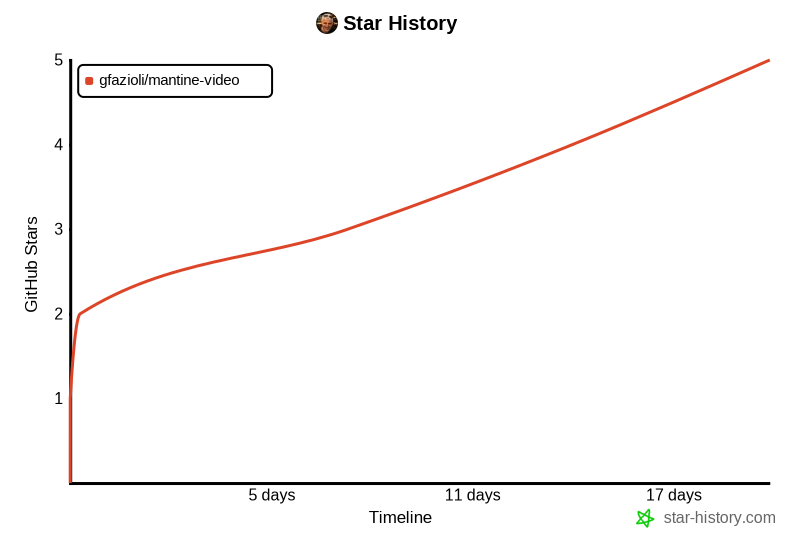](https://www.star-history.com/#gfazioli/mantine-video&Timeline)
|
|
@@ -0,0 +1,301 @@
|
|
|
1
|
+
'use client';
|
|
2
|
+
'use strict';
|
|
3
|
+
|
|
4
|
+
var React = require('react');
|
|
5
|
+
var core = require('@mantine/core');
|
|
6
|
+
var VideoCaptionsButton = require('./components/VideoCaptionsButton.cjs');
|
|
7
|
+
var VideoControls = require('./components/VideoControls.cjs');
|
|
8
|
+
var VideoFullscreenButton = require('./components/VideoFullscreenButton.cjs');
|
|
9
|
+
var VideoMuteButton = require('./components/VideoMuteButton.cjs');
|
|
10
|
+
var VideoPiPButton = require('./components/VideoPiPButton.cjs');
|
|
11
|
+
var VideoPlayButton = require('./components/VideoPlayButton.cjs');
|
|
12
|
+
var VideoSkipButton = require('./components/VideoSkipButton.cjs');
|
|
13
|
+
var VideoTimeDisplay = require('./components/VideoTimeDisplay.cjs');
|
|
14
|
+
var VideoTimeline = require('./components/VideoTimeline.cjs');
|
|
15
|
+
var useVideo = require('./use-video.cjs');
|
|
16
|
+
var Video_context = require('./Video.context.cjs');
|
|
17
|
+
var Video_module = require('./Video.module.css.cjs');
|
|
18
|
+
|
|
19
|
+
const defaultProps = {
|
|
20
|
+
color: "blue",
|
|
21
|
+
radius: "md",
|
|
22
|
+
size: "md",
|
|
23
|
+
variant: "overlay",
|
|
24
|
+
preload: "metadata",
|
|
25
|
+
playsInline: true,
|
|
26
|
+
fit: "contain",
|
|
27
|
+
backgroundMuteButton: true
|
|
28
|
+
};
|
|
29
|
+
const varsResolver = core.createVarsResolver(
|
|
30
|
+
(theme, { color, radius, fit, asBackground }) => {
|
|
31
|
+
const themeColor = core.getThemeColor(color, theme);
|
|
32
|
+
return {
|
|
33
|
+
root: {
|
|
34
|
+
"--video-color": themeColor,
|
|
35
|
+
"--video-radius": radius === void 0 ? void 0 : core.getRadius(radius),
|
|
36
|
+
"--video-bg": "black",
|
|
37
|
+
"--video-controls-bg": "linear-gradient(to top, rgba(0, 0, 0, 0.85) 0%, rgba(0, 0, 0, 0.35) 60%, transparent 100%)",
|
|
38
|
+
"--video-controls-height": "44px",
|
|
39
|
+
"--video-controls-text-color": "white",
|
|
40
|
+
"--video-timeline-color": themeColor,
|
|
41
|
+
"--video-timeline-thumb-color": themeColor,
|
|
42
|
+
"--video-object-fit": asBackground ? "cover" : fit ?? "contain"
|
|
43
|
+
}
|
|
44
|
+
};
|
|
45
|
+
}
|
|
46
|
+
);
|
|
47
|
+
const Video = core.factory((_props) => {
|
|
48
|
+
const props = core.useProps("Video", defaultProps, _props);
|
|
49
|
+
const {
|
|
50
|
+
ref,
|
|
51
|
+
src,
|
|
52
|
+
poster,
|
|
53
|
+
controls: _controls,
|
|
54
|
+
autoPlay,
|
|
55
|
+
muted,
|
|
56
|
+
loop,
|
|
57
|
+
playsInline,
|
|
58
|
+
preload,
|
|
59
|
+
playing: controlledPlaying,
|
|
60
|
+
onPlayChange,
|
|
61
|
+
currentTime: controlledCurrentTime,
|
|
62
|
+
onCurrentTimeChange,
|
|
63
|
+
volume: controlledVolume,
|
|
64
|
+
onVolumeChange,
|
|
65
|
+
playbackRate: controlledPlaybackRate,
|
|
66
|
+
onPlaybackRateChange,
|
|
67
|
+
color: _color,
|
|
68
|
+
radius: _radius,
|
|
69
|
+
aspectRatio,
|
|
70
|
+
size,
|
|
71
|
+
variant,
|
|
72
|
+
onEnded,
|
|
73
|
+
onError,
|
|
74
|
+
onEnterPictureInPicture,
|
|
75
|
+
onLeavePictureInPicture,
|
|
76
|
+
onFullscreenChange,
|
|
77
|
+
fit: _fit,
|
|
78
|
+
asBackground,
|
|
79
|
+
backgroundMuteButton,
|
|
80
|
+
children,
|
|
81
|
+
classNames,
|
|
82
|
+
style,
|
|
83
|
+
styles,
|
|
84
|
+
unstyled,
|
|
85
|
+
vars,
|
|
86
|
+
className,
|
|
87
|
+
mod,
|
|
88
|
+
...others
|
|
89
|
+
} = props;
|
|
90
|
+
const controls = _props.controls ?? !asBackground;
|
|
91
|
+
const shortcuts = _props.shortcuts ?? !asBackground;
|
|
92
|
+
const clickToToggle = _props.clickToToggle ?? !asBackground;
|
|
93
|
+
const doubleClickToFullscreen = _props.doubleClickToFullscreen ?? !asBackground;
|
|
94
|
+
const autoHideControls = _props.autoHideControls ?? (asBackground ? 0 : 3e3);
|
|
95
|
+
const getStyles = core.useStyles({
|
|
96
|
+
name: "Video",
|
|
97
|
+
props,
|
|
98
|
+
classes: Video_module,
|
|
99
|
+
className,
|
|
100
|
+
style,
|
|
101
|
+
classNames,
|
|
102
|
+
styles,
|
|
103
|
+
unstyled,
|
|
104
|
+
vars,
|
|
105
|
+
varsResolver
|
|
106
|
+
});
|
|
107
|
+
const video = useVideo.useVideo({
|
|
108
|
+
src,
|
|
109
|
+
autoPlay,
|
|
110
|
+
muted,
|
|
111
|
+
loop,
|
|
112
|
+
playing: controlledPlaying,
|
|
113
|
+
onPlayChange,
|
|
114
|
+
currentTime: controlledCurrentTime,
|
|
115
|
+
onCurrentTimeChange,
|
|
116
|
+
volume: controlledVolume,
|
|
117
|
+
onVolumeChange,
|
|
118
|
+
playbackRate: controlledPlaybackRate,
|
|
119
|
+
onPlaybackRateChange,
|
|
120
|
+
onEnded,
|
|
121
|
+
onError,
|
|
122
|
+
onEnterPictureInPicture,
|
|
123
|
+
onLeavePictureInPicture,
|
|
124
|
+
onFullscreenChange
|
|
125
|
+
});
|
|
126
|
+
const [controlsVisible, setControlsVisible] = React.useState(true);
|
|
127
|
+
const hideTimerRef = React.useRef(null);
|
|
128
|
+
const showControls = React.useCallback(() => {
|
|
129
|
+
setControlsVisible(true);
|
|
130
|
+
if (hideTimerRef.current) clearTimeout(hideTimerRef.current);
|
|
131
|
+
if (autoHideControls && autoHideControls > 0 && video.playing) {
|
|
132
|
+
hideTimerRef.current = setTimeout(() => setControlsVisible(false), autoHideControls);
|
|
133
|
+
}
|
|
134
|
+
}, [autoHideControls, video.playing]);
|
|
135
|
+
React.useEffect(() => {
|
|
136
|
+
showControls();
|
|
137
|
+
return () => {
|
|
138
|
+
if (hideTimerRef.current) clearTimeout(hideTimerRef.current);
|
|
139
|
+
};
|
|
140
|
+
}, [showControls, video.playing]);
|
|
141
|
+
const lastClickAtRef = React.useRef(0);
|
|
142
|
+
const handleClick = React.useCallback(
|
|
143
|
+
(event) => {
|
|
144
|
+
if (event.target !== event.currentTarget && event.target.tagName !== "VIDEO") {
|
|
145
|
+
return;
|
|
146
|
+
}
|
|
147
|
+
const now = Date.now();
|
|
148
|
+
const isDouble = now - lastClickAtRef.current < 300;
|
|
149
|
+
lastClickAtRef.current = now;
|
|
150
|
+
if (isDouble && doubleClickToFullscreen) {
|
|
151
|
+
video.toggleFullscreen();
|
|
152
|
+
return;
|
|
153
|
+
}
|
|
154
|
+
if (clickToToggle && !isDouble) {
|
|
155
|
+
setTimeout(() => {
|
|
156
|
+
if (Date.now() - lastClickAtRef.current >= 250) {
|
|
157
|
+
video.toggle();
|
|
158
|
+
}
|
|
159
|
+
}, 260);
|
|
160
|
+
}
|
|
161
|
+
},
|
|
162
|
+
[clickToToggle, doubleClickToFullscreen, video]
|
|
163
|
+
);
|
|
164
|
+
const handleKeyDown = React.useCallback(
|
|
165
|
+
(event) => {
|
|
166
|
+
if (!shortcuts) return;
|
|
167
|
+
const target = event.target;
|
|
168
|
+
if (target.tagName === "INPUT" || target.tagName === "TEXTAREA") return;
|
|
169
|
+
switch (event.key) {
|
|
170
|
+
case " ":
|
|
171
|
+
case "k":
|
|
172
|
+
case "K":
|
|
173
|
+
event.preventDefault();
|
|
174
|
+
video.toggle();
|
|
175
|
+
break;
|
|
176
|
+
case "ArrowLeft":
|
|
177
|
+
case "j":
|
|
178
|
+
case "J":
|
|
179
|
+
event.preventDefault();
|
|
180
|
+
video.seekBy(event.key === "ArrowLeft" ? -5 : -10);
|
|
181
|
+
break;
|
|
182
|
+
case "ArrowRight":
|
|
183
|
+
case "l":
|
|
184
|
+
case "L":
|
|
185
|
+
event.preventDefault();
|
|
186
|
+
video.seekBy(event.key === "ArrowRight" ? 5 : 10);
|
|
187
|
+
break;
|
|
188
|
+
case "ArrowUp":
|
|
189
|
+
event.preventDefault();
|
|
190
|
+
video.setVolume(Math.min(1, video.volume + 0.05));
|
|
191
|
+
break;
|
|
192
|
+
case "ArrowDown":
|
|
193
|
+
event.preventDefault();
|
|
194
|
+
video.setVolume(Math.max(0, video.volume - 0.05));
|
|
195
|
+
break;
|
|
196
|
+
case "m":
|
|
197
|
+
case "M":
|
|
198
|
+
event.preventDefault();
|
|
199
|
+
video.toggleMute();
|
|
200
|
+
break;
|
|
201
|
+
case "f":
|
|
202
|
+
case "F":
|
|
203
|
+
event.preventDefault();
|
|
204
|
+
video.toggleFullscreen();
|
|
205
|
+
break;
|
|
206
|
+
case "p":
|
|
207
|
+
case "P":
|
|
208
|
+
event.preventDefault();
|
|
209
|
+
video.togglePiP();
|
|
210
|
+
break;
|
|
211
|
+
}
|
|
212
|
+
},
|
|
213
|
+
[shortcuts, video]
|
|
214
|
+
);
|
|
215
|
+
const flowControls = variant === "minimal" || variant === "bordered";
|
|
216
|
+
return /* @__PURE__ */ React.createElement(
|
|
217
|
+
Video_context.VideoProvider,
|
|
218
|
+
{
|
|
219
|
+
value: {
|
|
220
|
+
...video,
|
|
221
|
+
getStyles,
|
|
222
|
+
controlsVisible,
|
|
223
|
+
showControls
|
|
224
|
+
}
|
|
225
|
+
},
|
|
226
|
+
/* @__PURE__ */ React.createElement(
|
|
227
|
+
core.Box,
|
|
228
|
+
{
|
|
229
|
+
...getStyles("root", {
|
|
230
|
+
style: [
|
|
231
|
+
aspectRatio && !flowControls ? { aspectRatio: String(aspectRatio) } : void 0,
|
|
232
|
+
style
|
|
233
|
+
]
|
|
234
|
+
}),
|
|
235
|
+
...others,
|
|
236
|
+
ref: (node) => {
|
|
237
|
+
video.containerRef.current = node;
|
|
238
|
+
if (typeof ref === "function") {
|
|
239
|
+
ref(node);
|
|
240
|
+
} else if (ref && typeof ref === "object") {
|
|
241
|
+
ref.current = node;
|
|
242
|
+
}
|
|
243
|
+
},
|
|
244
|
+
mod: [
|
|
245
|
+
{
|
|
246
|
+
variant,
|
|
247
|
+
size,
|
|
248
|
+
playing: video.playing,
|
|
249
|
+
paused: video.paused && !video.ended,
|
|
250
|
+
ended: video.ended,
|
|
251
|
+
fullscreen: video.fullscreen,
|
|
252
|
+
"controls-visible": controlsVisible,
|
|
253
|
+
"as-background": asBackground
|
|
254
|
+
},
|
|
255
|
+
mod
|
|
256
|
+
],
|
|
257
|
+
tabIndex: shortcuts ? 0 : void 0,
|
|
258
|
+
onMouseMove: showControls,
|
|
259
|
+
onMouseLeave: () => {
|
|
260
|
+
if (autoHideControls && autoHideControls > 0 && video.playing) {
|
|
261
|
+
setControlsVisible(false);
|
|
262
|
+
}
|
|
263
|
+
},
|
|
264
|
+
onClick: handleClick,
|
|
265
|
+
onKeyDown: handleKeyDown
|
|
266
|
+
},
|
|
267
|
+
/* @__PURE__ */ React.createElement(
|
|
268
|
+
"video",
|
|
269
|
+
{
|
|
270
|
+
...getStyles("video", {
|
|
271
|
+
style: aspectRatio && flowControls ? { aspectRatio: String(aspectRatio) } : void 0
|
|
272
|
+
}),
|
|
273
|
+
ref: video.videoRef,
|
|
274
|
+
src,
|
|
275
|
+
poster,
|
|
276
|
+
autoPlay,
|
|
277
|
+
muted,
|
|
278
|
+
loop,
|
|
279
|
+
playsInline,
|
|
280
|
+
preload
|
|
281
|
+
}
|
|
282
|
+
),
|
|
283
|
+
asBackground && backgroundMuteButton && /* @__PURE__ */ React.createElement(VideoMuteButton.VideoMuteButton, { ...getStyles("backgroundMuteButton") }),
|
|
284
|
+
children ?? (controls && /* @__PURE__ */ React.createElement(VideoControls.VideoControls, null))
|
|
285
|
+
)
|
|
286
|
+
);
|
|
287
|
+
});
|
|
288
|
+
Video.classes = Video_module;
|
|
289
|
+
Video.displayName = "Video";
|
|
290
|
+
Video.Controls = VideoControls.VideoControls;
|
|
291
|
+
Video.PlayButton = VideoPlayButton.VideoPlayButton;
|
|
292
|
+
Video.Timeline = VideoTimeline.VideoTimeline;
|
|
293
|
+
Video.TimeDisplay = VideoTimeDisplay.VideoTimeDisplay;
|
|
294
|
+
Video.MuteButton = VideoMuteButton.VideoMuteButton;
|
|
295
|
+
Video.FullscreenButton = VideoFullscreenButton.VideoFullscreenButton;
|
|
296
|
+
Video.PiPButton = VideoPiPButton.VideoPiPButton;
|
|
297
|
+
Video.CaptionsButton = VideoCaptionsButton.VideoCaptionsButton;
|
|
298
|
+
Video.SkipButton = VideoSkipButton.VideoSkipButton;
|
|
299
|
+
|
|
300
|
+
exports.Video = Video;
|
|
301
|
+
//# sourceMappingURL=Video.cjs.map
|