@frigade/react 2.0.0-alpha.8 → 2.0.0
This diff represents the content of publicly available package versions that have been released to one of the supported registries. The information contained in this diff is provided for informational purposes only and reflects changes between package versions as they appear in their respective public registries.
- package/README.md +48 -513
- package/dist/index.cjs +47 -13
- package/dist/index.cjs.map +1 -1
- package/dist/index.d.ts +1100 -83
- package/dist/index.js +15 -7
- package/dist/index.js.map +1 -1
- package/package.json +20 -4
package/README.md
CHANGED
|
@@ -1,546 +1,81 @@
|
|
|
1
|
-
|
|
1
|
+
[](https://www.npmjs.com/package/@frigade/react)
|
|
2
|
+
[](https://www.npmjs.com/package/@frigade/react)
|
|
3
|
+
[](https://github.com/FrigadeHQ/javascript/actions/workflows/tests.yml)
|
|
4
|
+
[](https://github.com/prettier/prettier)
|
|
2
5
|
|
|
3
|
-
|
|
6
|
+
<H3 align="center"><strong>Frigade React SDK</strong></H3>
|
|
7
|
+
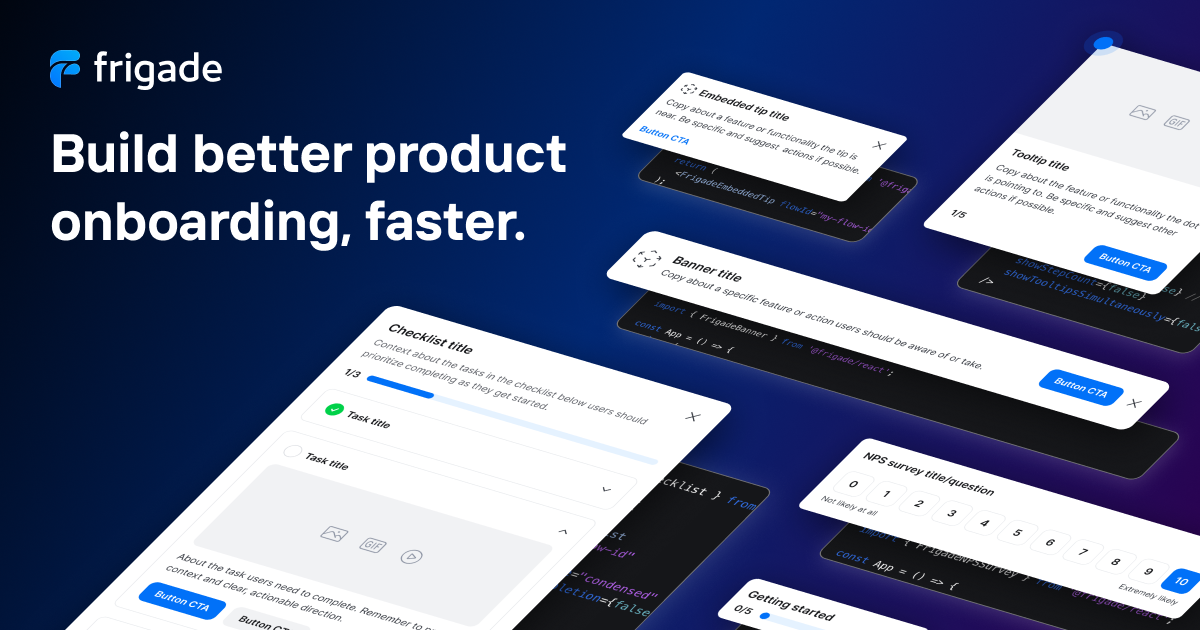
<div align="center">The easiest way for developers to build high-quality product onboarding and education.</div>
|
|
8
|
+
<br />
|
|
9
|
+
<div align="center">
|
|
10
|
+
<a href="https://frigade.com">Website</a>
|
|
11
|
+
<span> · </span>
|
|
12
|
+
<a href="https://demo.frigade.com">Demo</a>
|
|
13
|
+
<span> · </span>
|
|
14
|
+
<a href="https://github.com/FrigadeHQ">GitHub</a>
|
|
15
|
+
<span> · </span>
|
|
16
|
+
<a href="https://docs.frigade.com">Docs</a></div>
|
|
4
17
|
|
|
5
|
-
|
|
18
|
+
<br />
|
|
6
19
|
|
|
7
|
-
|
|
20
|
+
|
|
8
21
|
|
|
9
|
-
|
|
22
|
+
## Install
|
|
10
23
|
|
|
11
|
-
|
|
24
|
+
Install the package from your command line.
|
|
12
25
|
|
|
13
|
-
|
|
26
|
+
#### With yarn
|
|
14
27
|
|
|
15
|
-
|
|
16
|
-
|
|
17
|
-
In order to run both versions of the Frigade React SDK at the same time, add V2 to your package.json with an alias:
|
|
18
|
-
|
|
19
|
-
```json
|
|
20
|
-
"dependencies": [
|
|
21
|
-
"@frigade/react": "1.38.17",
|
|
22
|
-
"@frigade/react/v2": "npm:@frigade/react@2.0.0-alpha.8",
|
|
23
|
-
]
|
|
28
|
+
```bash
|
|
29
|
+
yarn add @frigade/react
|
|
24
30
|
```
|
|
25
31
|
|
|
26
|
-
|
|
27
|
-
|
|
28
|
-
```ts
|
|
29
|
-
import { FrigadeProvider } from '@frigade/react'
|
|
30
|
-
import * as Frigade from '@frigade/react/v2'
|
|
32
|
+
#### With npm
|
|
31
33
|
|
|
32
|
-
|
|
33
|
-
|
|
34
|
-
export const App = () => {
|
|
35
|
-
const userId = '...'
|
|
36
|
-
|
|
37
|
-
return (
|
|
38
|
-
<Frigade.Provider apiKey={FRIGADE_API_KEY} config={{ userId }}>
|
|
39
|
-
<FrigadeProvider publicApiKey={FRIGADE_API_KEY} userId={userId}>
|
|
40
|
-
{/* ... */}
|
|
41
|
-
</FrigadeProvider>
|
|
42
|
-
</Frigade.Provider>
|
|
43
|
-
)
|
|
44
|
-
}
|
|
34
|
+
```bash
|
|
35
|
+
npm install @frigade/react
|
|
45
36
|
```
|
|
46
37
|
|
|
47
|
-
|
|
48
|
-
|
|
49
|
-
```ts
|
|
50
|
-
import * as Frigade from '@frigade/react/v2'
|
|
51
|
-
|
|
52
|
-
export const DemoComponent = () => {
|
|
53
|
-
return <Frigade.Tour flowId="flow_abcd1234" />
|
|
54
|
-
}
|
|
55
|
-
```
|
|
56
|
-
|
|
57
|
-
|
|
58
|
-
|
|
59
|
-
# Components
|
|
60
|
-
|
|
61
|
-
### Provider
|
|
38
|
+
#### With pnpm
|
|
62
39
|
|
|
63
|
-
|
|
64
|
-
|
|
65
|
-
You should place this as high in your component tree as possible.
|
|
66
|
-
|
|
67
|
-
```tsx
|
|
68
|
-
<Frigade.Provider
|
|
69
|
-
apiKey="Your public API key"
|
|
70
|
-
userId="External user id"
|
|
71
|
-
navigate={(primaryButtonUri: string, primaryButtonUriTarget: string) => {
|
|
72
|
-
/*
|
|
73
|
-
Called in default onPrimary and onSecondary event handlers
|
|
74
|
-
when a Flow/Step has a primaryButtonUri or secondaryButtonUri.
|
|
75
|
-
|
|
76
|
-
Override this function to add custom routing behavior for URIs in Flows.
|
|
77
|
-
*/
|
|
78
|
-
}}
|
|
79
|
-
// See "Appendix: Default theme" below for full theme spec
|
|
80
|
-
theme={{
|
|
81
|
-
colors: {
|
|
82
|
-
primary: {
|
|
83
|
-
foreground: '#f00',
|
|
84
|
-
},
|
|
85
|
-
},
|
|
86
|
-
}}
|
|
87
|
-
>
|
|
88
|
-
{/* ... */}
|
|
89
|
-
</Frigade.Provider>
|
|
40
|
+
```bash
|
|
41
|
+
pnpm install @frigade/react
|
|
90
42
|
```
|
|
91
43
|
|
|
92
|
-
###
|
|
93
|
-
|
|
94
|
-
By popular demand, the first Component we ported to V2!
|
|
95
|
-
|
|
96
|
-
This one has a doozy of a type def so let's just link to that and explain it briefly:
|
|
97
|
-
|
|
98
|
-
https://github.com/FrigadeHQ/javascript/blob/main/packages/reactv2/src/components/Tour/index.tsx
|
|
44
|
+
### About Frigade
|
|
45
|
+
[Frigade](<https://frigade.com>) is a developer-first platform for building quality product onboarding. A powerful, flexible API and native SDKs allow you to build onboarding 10x faster, experiment more easily, and drive customer success.
|
|
99
46
|
|
|
100
|
-
|
|
47
|
+
Frigade supports a series of use cases such as:
|
|
101
48
|
|
|
102
|
-
|
|
103
|
-
|
|
104
|
-
|
|
49
|
+
- **Registration**: Maximize the number of users getting through your sign up flows with beautiful explainers, progress bars, and forms.
|
|
50
|
+
- **Activation**: Convert more customers by taking them through a series of key onboarding items specific to their role, permissions, or goals.
|
|
51
|
+
- **Adoption**: Introduce audiences to specific features that deliver value with native hotspots, tooltips, tours, and interactive product guides.
|
|
52
|
+
- **Engagement**: Keep active customers engaged, announce new product features, and create lifecycle specific re-onboarding flows for dormant or churned customers.
|
|
53
|
+
- **Retention**: Increase retention by delivering the right content at the right time, and by asking your users for feedback on the product.
|
|
105
54
|
|
|
106
|
-
// The Flow ID of the Tour in Frigade
|
|
107
|
-
flowId="flow_1234abcd"
|
|
108
55
|
|
|
109
|
-
|
|
110
|
-
onComplete={(flow: Flow) => boolean | void}
|
|
56
|
+
# Features
|
|
111
57
|
|
|
112
|
-
|
|
113
|
-
onDismiss={(flow: Flow, event?: MouseEvent<unknown>) => boolean | void}
|
|
58
|
+
**Component Library**
|
|
114
59
|
|
|
115
|
-
|
|
116
|
-
onPrimary={(step: FlowStep, event?: MouseEvent<unknown>) => boolean | void}
|
|
60
|
+
Unstyled, ready-made components for building high‑quality user onboarding, faster. Onboarding checklists, tooltips, product walkthroughs, and much more. [See components](https://frigade.com/components)
|
|
117
61
|
|
|
118
|
-
|
|
119
|
-
onSecondary={(step: FlowStep, event?: MouseEvent<unknown>) => boolean | void}
|
|
62
|
+
**Integrations**
|
|
120
63
|
|
|
121
|
-
|
|
122
|
-
spotlight={true}
|
|
64
|
+
Integrations with Segment, Mixpanel, Posthog, and more to power targeting, analytics, and communications.
|
|
123
65
|
|
|
124
|
-
|
|
66
|
+
**Content Management**
|
|
125
67
|
|
|
126
|
-
|
|
68
|
+
Lightweight CMS built-in to update and test onboarding copy and content.
|
|
127
69
|
|
|
128
|
-
|
|
129
|
-
Passed to Popover.Content: Omit<Popover.PopoverContentProps, 'align' | 'asChild'>
|
|
130
|
-
|
|
131
|
-
One important note is that we add "before" and "after" as align options, in addition to the stock Radix options of "start", "center", and "end":
|
|
132
|
-
|
|
133
|
-
align={Popover.PopoverContentProps['align'] | 'before' | 'after'}
|
|
134
|
-
|
|
135
|
-
For the full reference, see: https://www.radix-ui.com/primitives/docs/components/popover
|
|
136
|
-
|
|
137
|
-
*/
|
|
138
|
-
/>
|
|
139
|
-
```
|
|
70
|
+
**Versioning**
|
|
140
71
|
|
|
141
|
-
|
|
72
|
+
Frigade makes it easy to manage multiple versions of onboarding across staging and production. Revisit previous versions of onboarding to see how they performed and make improvements.
|
|
142
73
|
|
|
143
|
-
|
|
74
|
+
**Customer Journeys**
|
|
144
75
|
|
|
145
|
-
|
|
76
|
+
Frigade automatically tracks state management and onboarding progress. Give your team full observability into the customer journey, and use Frigade to kick off automated workflows.
|
|
146
77
|
|
|
147
|
-
We use [Emotion's css prop](https://emotion.sh/docs/css-prop#use-the-css-prop) under the hood on our components. You can pass a `css` object in at the top level of any of our components to create scoped styles for that specific instance of that component.
|
|
148
78
|
|
|
149
|
-
|
|
79
|
+
To learn more, visit [frigade.com](<https://frigade.com>)
|
|
150
80
|
|
|
151
|
-
```tsx
|
|
152
|
-
<Frigade.Tour
|
|
153
|
-
css={{
|
|
154
|
-
'.fr-tooltip-content .fr-tooltip-close': {
|
|
155
|
-
backgroundColor: 'pink',
|
|
156
|
-
},
|
|
157
|
-
'.fr-button-primary': {
|
|
158
|
-
backgroundColor: 'fuchsia',
|
|
159
|
-
},
|
|
160
|
-
}}
|
|
161
|
-
/>
|
|
162
|
-
```
|
|
163
|
-
|
|
164
|
-
To find the stable class names for any given component, you can either:
|
|
165
|
-
|
|
166
|
-
1. Inspect the component in your browser's dev tools and look for classes prefixed with `fr-`
|
|
167
|
-
2. [Read the source](https://github.com/FrigadeHQ/javascript/tree/main/packages/reactv2/src/components) for the component and use the value of the `part` prop (class name will always be `fr-${part}`)
|
|
168
|
-
|
|
169
|
-
|
|
170
|
-
|
|
171
|
-
### Default theme
|
|
172
|
-
|
|
173
|
-
Frigade components are built on our internal design system and come pre-wired with a full set of themeable design tokens.
|
|
174
|
-
|
|
175
|
-
The object passed to the `theme` prop in `Provider` will be merged with our defaults, so you only need to override the tokens that you want to change.
|
|
176
|
-
|
|
177
|
-
See the **CSS Variables** appendix below for the default values of each `--fr` CSS property.
|
|
178
|
-
|
|
179
|
-
<details>
|
|
180
|
-
<summary>View full theme object</summary>
|
|
181
|
-
|
|
182
|
-
```json
|
|
183
|
-
{
|
|
184
|
-
"borders": { "md": "var(--fr-borders-md)" },
|
|
185
|
-
"borderWidths": {
|
|
186
|
-
"0": "var(--fr-borderWidths-0)",
|
|
187
|
-
"md": "var(--fr-borderWidths-md)"
|
|
188
|
-
},
|
|
189
|
-
"colors": {
|
|
190
|
-
"black": "var(--fr-colors-black)",
|
|
191
|
-
"gray100": "var(--fr-colors-gray100)",
|
|
192
|
-
"gray200": "var(--fr-colors-gray200)",
|
|
193
|
-
"gray300": "var(--fr-colors-gray300)",
|
|
194
|
-
"gray400": "var(--fr-colors-gray400)",
|
|
195
|
-
"gray500": "var(--fr-colors-gray500)",
|
|
196
|
-
"gray600": "var(--fr-colors-gray600)",
|
|
197
|
-
"gray700": "var(--fr-colors-gray700)",
|
|
198
|
-
"gray800": "var(--fr-colors-gray800)",
|
|
199
|
-
"gray900": "var(--fr-colors-gray900)",
|
|
200
|
-
"white": "var(--fr-colors-white)",
|
|
201
|
-
"blue400": "var(--fr-colors-blue400)",
|
|
202
|
-
"blue500": "var(--fr-colors-blue500)",
|
|
203
|
-
"blue800": "var(--fr-colors-blue800)",
|
|
204
|
-
"blue900": "var(--fr-colors-blue900)",
|
|
205
|
-
"green400": "var(--fr-colors-green400)",
|
|
206
|
-
"green500": "var(--fr-colors-green500)",
|
|
207
|
-
"green800": "var(--fr-colors-green800)",
|
|
208
|
-
"transparent": "var(--fr-colors-transparent)",
|
|
209
|
-
"inherit": "var(--fr-colors-inherit)",
|
|
210
|
-
"red500": "var(--fr-colors-red500)",
|
|
211
|
-
"neutral": {
|
|
212
|
-
"background": "var(--fr-colors-neutral-background)",
|
|
213
|
-
"border": "var(--fr-colors-neutral-border)",
|
|
214
|
-
"foreground": "var(--fr-colors-neutral-foreground)",
|
|
215
|
-
"surface": "var(--fr-colors-neutral-surface)",
|
|
216
|
-
"active": {
|
|
217
|
-
"background": "var(--fr-colors-neutral-active-background)",
|
|
218
|
-
"border": "var(--fr-colors-neutral-active-border)",
|
|
219
|
-
"foreground": "var(--fr-colors-neutral-active-foreground)",
|
|
220
|
-
"surface": "var(--fr-colors-neutral-active-surface)"
|
|
221
|
-
},
|
|
222
|
-
"focus": {
|
|
223
|
-
"background": "var(--fr-colors-neutral-focus-background)",
|
|
224
|
-
"border": "var(--fr-colors-neutral-focus-border)",
|
|
225
|
-
"foreground": "var(--fr-colors-neutral-focus-foreground)",
|
|
226
|
-
"surface": "var(--fr-colors-neutral-focus-surface)"
|
|
227
|
-
},
|
|
228
|
-
"hover": {
|
|
229
|
-
"background": "var(--fr-colors-neutral-hover-background)",
|
|
230
|
-
"border": "var(--fr-colors-neutral-hover-border)",
|
|
231
|
-
"foreground": "var(--fr-colors-neutral-hover-foreground)",
|
|
232
|
-
"surface": "var(--fr-colors-neutral-hover-surface)"
|
|
233
|
-
}
|
|
234
|
-
},
|
|
235
|
-
"primary": {
|
|
236
|
-
"background": "var(--fr-colors-primary-background)",
|
|
237
|
-
"border": "var(--fr-colors-primary-border)",
|
|
238
|
-
"foreground": "var(--fr-colors-primary-foreground)",
|
|
239
|
-
"surface": "var(--fr-colors-primary-surface)",
|
|
240
|
-
"active": {
|
|
241
|
-
"background": "var(--fr-colors-primary-active-background)",
|
|
242
|
-
"border": "var(--fr-colors-primary-active-border)",
|
|
243
|
-
"foreground": "var(--fr-colors-primary-active-foreground)",
|
|
244
|
-
"surface": "var(--fr-colors-primary-active-surface)"
|
|
245
|
-
},
|
|
246
|
-
"focus": {
|
|
247
|
-
"background": "var(--fr-colors-primary-focus-background)",
|
|
248
|
-
"border": "var(--fr-colors-primary-focus-border)",
|
|
249
|
-
"foreground": "var(--fr-colors-primary-focus-foreground)",
|
|
250
|
-
"surface": "var(--fr-colors-primary-focus-surface)"
|
|
251
|
-
},
|
|
252
|
-
"hover": {
|
|
253
|
-
"background": "var(--fr-colors-primary-hover-background)",
|
|
254
|
-
"border": "var(--fr-colors-primary-hover-border)",
|
|
255
|
-
"foreground": "var(--fr-colors-primary-hover-foreground)",
|
|
256
|
-
"surface": "var(--fr-colors-primary-hover-surface)"
|
|
257
|
-
}
|
|
258
|
-
},
|
|
259
|
-
"secondary": {
|
|
260
|
-
"background": "var(--fr-colors-secondary-background)",
|
|
261
|
-
"border": "var(--fr-colors-secondary-border)",
|
|
262
|
-
"foreground": "var(--fr-colors-secondary-foreground)",
|
|
263
|
-
"surface": "var(--fr-colors-secondary-surface)",
|
|
264
|
-
"active": {
|
|
265
|
-
"background": "var(--fr-colors-secondary-active-background)",
|
|
266
|
-
"border": "var(--fr-colors-secondary-active-border)",
|
|
267
|
-
"foreground": "var(--fr-colors-secondary-active-foreground)",
|
|
268
|
-
"surface": "var(--fr-colors-secondary-active-surface)"
|
|
269
|
-
},
|
|
270
|
-
"focus": {
|
|
271
|
-
"background": "var(--fr-colors-secondary-focus-background)",
|
|
272
|
-
"border": "var(--fr-colors-secondary-focus-border)",
|
|
273
|
-
"foreground": "var(--fr-colors-secondary-focus-foreground)",
|
|
274
|
-
"surface": "var(--fr-colors-secondary-focus-surface)"
|
|
275
|
-
},
|
|
276
|
-
"hover": {
|
|
277
|
-
"background": "var(--fr-colors-secondary-hover-background)",
|
|
278
|
-
"border": "var(--fr-colors-secondary-hover-border)",
|
|
279
|
-
"foreground": "var(--fr-colors-secondary-hover-foreground)",
|
|
280
|
-
"surface": "var(--fr-colors-secondary-hover-surface)"
|
|
281
|
-
}
|
|
282
|
-
}
|
|
283
|
-
},
|
|
284
|
-
"fontFamilies": { "default": "var(--fr-fontFamilies-default)" },
|
|
285
|
-
"fontSizes": {
|
|
286
|
-
"xs": "var(--fr-fontSizes-xs)",
|
|
287
|
-
"sm": "var(--fr-fontSizes-sm)",
|
|
288
|
-
"md": "var(--fr-fontSizes-md)",
|
|
289
|
-
"lg": "var(--fr-fontSizes-lg)",
|
|
290
|
-
"xl": "var(--fr-fontSizes-xl)",
|
|
291
|
-
"2xl": "var(--fr-fontSizes-2xl)",
|
|
292
|
-
"3xl": "var(--fr-fontSizes-3xl)",
|
|
293
|
-
"4xl": "var(--fr-fontSizes-4xl)",
|
|
294
|
-
"5xl": "var(--fr-fontSizes-5xl)"
|
|
295
|
-
},
|
|
296
|
-
"fontWeights": {
|
|
297
|
-
"thin": "var(--fr-fontWeights-thin)",
|
|
298
|
-
"extralight": "var(--fr-fontWeights-extralight)",
|
|
299
|
-
"light": "var(--fr-fontWeights-light)",
|
|
300
|
-
"regular": "var(--fr-fontWeights-regular)",
|
|
301
|
-
"medium": "var(--fr-fontWeights-medium)",
|
|
302
|
-
"demibold": "var(--fr-fontWeights-demibold)",
|
|
303
|
-
"bold": "var(--fr-fontWeights-bold)",
|
|
304
|
-
"extrabold": "var(--fr-fontWeights-extrabold)",
|
|
305
|
-
"black": "var(--fr-fontWeights-black)"
|
|
306
|
-
},
|
|
307
|
-
"letterSpacings": { "md": "var(--fr-letterSpacings-md)" },
|
|
308
|
-
"lineHeights": {
|
|
309
|
-
"xs": "var(--fr-lineHeights-xs)",
|
|
310
|
-
"sm": "var(--fr-lineHeights-sm)",
|
|
311
|
-
"md": "var(--fr-lineHeights-md)",
|
|
312
|
-
"lg": "var(--fr-lineHeights-lg)",
|
|
313
|
-
"xl": "var(--fr-lineHeights-xl)",
|
|
314
|
-
"2xl": "var(--fr-lineHeights-2xl)",
|
|
315
|
-
"3xl": "var(--fr-lineHeights-3xl)",
|
|
316
|
-
"4xl": "var(--fr-lineHeights-4xl)"
|
|
317
|
-
},
|
|
318
|
-
"radii": {
|
|
319
|
-
"md": "var(--fr-radii-md)",
|
|
320
|
-
"lg": "var(--fr-radii-lg)",
|
|
321
|
-
"round": "var(--fr-radii-round)"
|
|
322
|
-
},
|
|
323
|
-
"shadows": { "md": "var(--fr-shadows-md)" },
|
|
324
|
-
"space": {
|
|
325
|
-
"0": "var(--fr-space-0)",
|
|
326
|
-
"1": "var(--fr-space-1)",
|
|
327
|
-
"2": "var(--fr-space-2)",
|
|
328
|
-
"3": "var(--fr-space-3)",
|
|
329
|
-
"4": "var(--fr-space-4)",
|
|
330
|
-
"5": "var(--fr-space-5)",
|
|
331
|
-
"6": "var(--fr-space-6)",
|
|
332
|
-
"7": "var(--fr-space-7)",
|
|
333
|
-
"8": "var(--fr-space-8)",
|
|
334
|
-
"9": "var(--fr-space-9)",
|
|
335
|
-
"10": "var(--fr-space-10)",
|
|
336
|
-
"11": "var(--fr-space-11)",
|
|
337
|
-
"12": "var(--fr-space-12)",
|
|
338
|
-
"13": "var(--fr-space-13)",
|
|
339
|
-
"14": "var(--fr-space-14)",
|
|
340
|
-
"15": "var(--fr-space-15)",
|
|
341
|
-
"16": "var(--fr-space-16)",
|
|
342
|
-
"17": "var(--fr-space-17)",
|
|
343
|
-
"18": "var(--fr-space-18)",
|
|
344
|
-
"19": "var(--fr-space-19)",
|
|
345
|
-
"20": "var(--fr-space-20)",
|
|
346
|
-
"-20": "var(--fr-space--20)",
|
|
347
|
-
"-19": "var(--fr-space--19)",
|
|
348
|
-
"-18": "var(--fr-space--18)",
|
|
349
|
-
"-17": "var(--fr-space--17)",
|
|
350
|
-
"-16": "var(--fr-space--16)",
|
|
351
|
-
"-15": "var(--fr-space--15)",
|
|
352
|
-
"-14": "var(--fr-space--14)",
|
|
353
|
-
"-13": "var(--fr-space--13)",
|
|
354
|
-
"-12": "var(--fr-space--12)",
|
|
355
|
-
"-11": "var(--fr-space--11)",
|
|
356
|
-
"-10": "var(--fr-space--10)",
|
|
357
|
-
"-9": "var(--fr-space--9)",
|
|
358
|
-
"-8": "var(--fr-space--8)",
|
|
359
|
-
"-7": "var(--fr-space--7)",
|
|
360
|
-
"-6": "var(--fr-space--6)",
|
|
361
|
-
"-5": "var(--fr-space--5)",
|
|
362
|
-
"-4": "var(--fr-space--4)",
|
|
363
|
-
"-3": "var(--fr-space--3)",
|
|
364
|
-
"-2": "var(--fr-space--2)",
|
|
365
|
-
"-1": "var(--fr-space--1)",
|
|
366
|
-
"-0.5": "var(--fr-space--0.5)",
|
|
367
|
-
"0.5": "var(--fr-space-0.5)",
|
|
368
|
-
"auto": "var(--fr-space-auto)"
|
|
369
|
-
}
|
|
370
|
-
}
|
|
371
|
-
```
|
|
372
|
-
|
|
373
|
-
</details>
|
|
374
|
-
|
|
375
|
-
|
|
376
|
-
|
|
377
|
-
### CSS Variables
|
|
378
|
-
|
|
379
|
-
Our theme runs on a set of [CSS custom properties](https://developer.mozilla.org/en-US/docs/Web/CSS/Using_CSS_custom_properties) that map 1:1 to the properties in the theme. For any part of the theme, you can override the related CSS var and any themed value in that CSS scope will be changed accordingly.
|
|
380
|
-
|
|
381
|
-
This is especially useful in conjunction with the `css` prop, as it allows you to create temporary sub-themes that apply only to one Component, e.g.:
|
|
382
|
-
|
|
383
|
-
```tsx
|
|
384
|
-
<Frigade.Tour
|
|
385
|
-
css={{
|
|
386
|
-
// Change primary elements (i.e. buttons) in this Tour to be black
|
|
387
|
-
'--fr-color-primary-surface': 'var(--fr-colors-black)',
|
|
388
|
-
}}
|
|
389
|
-
/>
|
|
390
|
-
```
|
|
391
|
-
|
|
392
|
-
<details>
|
|
393
|
-
<summary>View full list of CSS properties</summary>
|
|
394
|
-
|
|
395
|
-
```css
|
|
396
|
-
--fr-borders-md: 1px solid;
|
|
397
|
-
--fr-borderWidths-0: 0;
|
|
398
|
-
--fr-borderWidths-md: 1px;
|
|
399
|
-
--fr-colors-black: #000000;
|
|
400
|
-
--fr-colors-gray100: #14161a;
|
|
401
|
-
--fr-colors-gray200: #181b20;
|
|
402
|
-
--fr-colors-gray300: #1f2329;
|
|
403
|
-
--fr-colors-gray400: #2e343d;
|
|
404
|
-
--fr-colors-gray500: #4c5766;
|
|
405
|
-
--fr-colors-gray600: #5a6472;
|
|
406
|
-
--fr-colors-gray700: #c5cbd3;
|
|
407
|
-
--fr-colors-gray800: #e2e5e9;
|
|
408
|
-
--fr-colors-gray900: #f1f2f4;
|
|
409
|
-
--fr-colors-white: #ffffff;
|
|
410
|
-
--fr-colors-blue400: #015ac6;
|
|
411
|
-
--fr-colors-blue500: #0171f8;
|
|
412
|
-
--fr-colors-blue800: #dbecff;
|
|
413
|
-
--fr-colors-blue900: #f5f9ff;
|
|
414
|
-
--fr-colors-green400: #009e37;
|
|
415
|
-
--fr-colors-green500: #00d149;
|
|
416
|
-
--fr-colors-green800: #dbffe8;
|
|
417
|
-
--fr-colors-transparent: #ffffff00;
|
|
418
|
-
--fr-colors-inherit: inherit;
|
|
419
|
-
--fr-colors-red500: #c00000;
|
|
420
|
-
--fr-colors-neutral-background: var(--fr-colors-white);
|
|
421
|
-
--fr-colors-neutral-border: var(--fr-colors-gray500);
|
|
422
|
-
--fr-colors-neutral-foreground: var(--fr-colors-black);
|
|
423
|
-
--fr-colors-neutral-surface: var(--fr-colors-gray700);
|
|
424
|
-
--fr-colors-neutral-active-background: var(--fr-colors-white);
|
|
425
|
-
--fr-colors-neutral-active-border: var(--fr-colors-gray900);
|
|
426
|
-
--fr-colors-neutral-active-foreground: var(--fr-colors-black);
|
|
427
|
-
--fr-colors-neutral-active-surface: var(--fr-colors-gray700);
|
|
428
|
-
--fr-colors-neutral-focus-background: var(--fr-colors-white);
|
|
429
|
-
--fr-colors-neutral-focus-border: var(--fr-colors-gray900);
|
|
430
|
-
--fr-colors-neutral-focus-foreground: var(--fr-colors-black);
|
|
431
|
-
--fr-colors-neutral-focus-surface: var(--fr-colors-gray700);
|
|
432
|
-
--fr-colors-neutral-hover-background: var(--fr-colors-white);
|
|
433
|
-
--fr-colors-neutral-hover-border: var(--fr-colors-gray900);
|
|
434
|
-
--fr-colors-neutral-hover-foreground: var(--fr-colors-black);
|
|
435
|
-
--fr-colors-neutral-hover-surface: var(--fr-colors-gray700);
|
|
436
|
-
--fr-colors-primary-background: var(--fr-colors-blue500);
|
|
437
|
-
--fr-colors-primary-border: var(--fr-colors-blue500);
|
|
438
|
-
--fr-colors-primary-foreground: var(--fr-colors-white);
|
|
439
|
-
--fr-colors-primary-surface: var(--fr-colors-blue500);
|
|
440
|
-
--fr-colors-primary-active-background: var(--fr-colors-blue400);
|
|
441
|
-
--fr-colors-primary-active-border: var(--fr-colors-blue400);
|
|
442
|
-
--fr-colors-primary-active-foreground: var(--fr-colors-white);
|
|
443
|
-
--fr-colors-primary-active-surface: var(--fr-colors-blue400);
|
|
444
|
-
--fr-colors-primary-focus-background: var(--fr-colors-blue500);
|
|
445
|
-
--fr-colors-primary-focus-border: var(--fr-colors-blue500);
|
|
446
|
-
--fr-colors-primary-focus-foreground: var(--fr-colors-white);
|
|
447
|
-
--fr-colors-primary-focus-surface: var(--fr-colors-blue500);
|
|
448
|
-
--fr-colors-primary-hover-background: var(--fr-colors-blue400);
|
|
449
|
-
--fr-colors-primary-hover-border: var(--fr-colors-blue400);
|
|
450
|
-
--fr-colors-primary-hover-foreground: var(--fr-colors-white);
|
|
451
|
-
--fr-colors-primary-hover-surface: var(--fr-colors-blue400);
|
|
452
|
-
--fr-colors-secondary-background: var(--fr-colors-gray900);
|
|
453
|
-
--fr-colors-secondary-border: var(--fr-colors-gray900);
|
|
454
|
-
--fr-colors-secondary-foreground: var(--fr-colors-black);
|
|
455
|
-
--fr-colors-secondary-surface: var(--fr-colors-gray900);
|
|
456
|
-
--fr-colors-secondary-active-background: var(--fr-colors-gray800);
|
|
457
|
-
--fr-colors-secondary-active-border: var(--fr-colors-gray800);
|
|
458
|
-
--fr-colors-secondary-active-foreground: var(--fr-colors-black);
|
|
459
|
-
--fr-colors-secondary-active-surface: var(--fr-colors-gray800);
|
|
460
|
-
--fr-colors-secondary-focus-background: var(--fr-colors-gray900);
|
|
461
|
-
--fr-colors-secondary-focus-border: var(--fr-colors-gray900);
|
|
462
|
-
--fr-colors-secondary-focus-foreground: var(--fr-colors-black);
|
|
463
|
-
--fr-colors-secondary-focus-surface: var(--fr-colors-gray900);
|
|
464
|
-
--fr-colors-secondary-hover-background: var(--fr-colors-gray800);
|
|
465
|
-
--fr-colors-secondary-hover-border: var(--fr-colors-gray800);
|
|
466
|
-
--fr-colors-secondary-hover-foreground: var(--fr-colors-black);
|
|
467
|
-
--fr-colors-secondary-hover-surface: var(--fr-colors-gray800);
|
|
468
|
-
--fr-fontFamilies-default: TT Interphases Pro, sans-serif;
|
|
469
|
-
--fr-fontSizes-xs: 12px;
|
|
470
|
-
--fr-fontSizes-sm: 14px;
|
|
471
|
-
--fr-fontSizes-md: 16px;
|
|
472
|
-
--fr-fontSizes-lg: 18px;
|
|
473
|
-
--fr-fontSizes-xl: 20px;
|
|
474
|
-
--fr-fontSizes-2xl: 24px;
|
|
475
|
-
--fr-fontSizes-3xl: 30px;
|
|
476
|
-
--fr-fontSizes-4xl: 36px;
|
|
477
|
-
--fr-fontSizes-5xl: 48px;
|
|
478
|
-
--fr-fontWeights-thin: 100;
|
|
479
|
-
--fr-fontWeights-extralight: 200;
|
|
480
|
-
--fr-fontWeights-light: 300;
|
|
481
|
-
--fr-fontWeights-regular: 400;
|
|
482
|
-
--fr-fontWeights-medium: 500;
|
|
483
|
-
--fr-fontWeights-demibold: 600;
|
|
484
|
-
--fr-fontWeights-bold: 700;
|
|
485
|
-
--fr-fontWeights-extrabold: 800;
|
|
486
|
-
--fr-fontWeights-black: 900;
|
|
487
|
-
--fr-letterSpacings-md: 0.02em;
|
|
488
|
-
--fr-lineHeights-xs: 18px;
|
|
489
|
-
--fr-lineHeights-sm: 22px;
|
|
490
|
-
--fr-lineHeights-md: 24px;
|
|
491
|
-
--fr-lineHeights-lg: 26px;
|
|
492
|
-
--fr-lineHeights-xl: 30px;
|
|
493
|
-
--fr-lineHeights-2xl: 38px;
|
|
494
|
-
--fr-lineHeights-3xl: 46px;
|
|
495
|
-
--fr-lineHeights-4xl: 60px;
|
|
496
|
-
--fr-radii-md: 10px;
|
|
497
|
-
--fr-radii-lg: 20px;
|
|
498
|
-
--fr-radii-round: 50%;
|
|
499
|
-
--fr-shadows-md: 0px 4px 20px rgba(0, 0, 0, 0.1);
|
|
500
|
-
--fr-space-0: 0px;
|
|
501
|
-
--fr-space-1: 4px;
|
|
502
|
-
--fr-space-2: 8px;
|
|
503
|
-
--fr-space-3: 12px;
|
|
504
|
-
--fr-space-4: 16px;
|
|
505
|
-
--fr-space-5: 20px;
|
|
506
|
-
--fr-space-6: 24px;
|
|
507
|
-
--fr-space-7: 28px;
|
|
508
|
-
--fr-space-8: 32px;
|
|
509
|
-
--fr-space-9: 36px;
|
|
510
|
-
--fr-space-10: 40px;
|
|
511
|
-
--fr-space-11: 44px;
|
|
512
|
-
--fr-space-12: 48px;
|
|
513
|
-
--fr-space-13: 52px;
|
|
514
|
-
--fr-space-14: 56px;
|
|
515
|
-
--fr-space-15: 60px;
|
|
516
|
-
--fr-space-16: 64px;
|
|
517
|
-
--fr-space-17: 68px;
|
|
518
|
-
--fr-space-18: 72px;
|
|
519
|
-
--fr-space-19: 76px;
|
|
520
|
-
--fr-space-20: 80px;
|
|
521
|
-
--fr-space--20: -80px;
|
|
522
|
-
--fr-space--19: -76px;
|
|
523
|
-
--fr-space--18: -72px;
|
|
524
|
-
--fr-space--17: -68px;
|
|
525
|
-
--fr-space--16: -64px;
|
|
526
|
-
--fr-space--15: -60px;
|
|
527
|
-
--fr-space--14: -56px;
|
|
528
|
-
--fr-space--13: -52px;
|
|
529
|
-
--fr-space--12: -48px;
|
|
530
|
-
--fr-space--11: -44px;
|
|
531
|
-
--fr-space--10: -40px;
|
|
532
|
-
--fr-space--9: -36px;
|
|
533
|
-
--fr-space--8: -32px;
|
|
534
|
-
--fr-space--7: -28px;
|
|
535
|
-
--fr-space--6: -24px;
|
|
536
|
-
--fr-space--5: -20px;
|
|
537
|
-
--fr-space--4: -16px;
|
|
538
|
-
--fr-space--3: -12px;
|
|
539
|
-
--fr-space--2: -8px;
|
|
540
|
-
--fr-space--1: -4px;
|
|
541
|
-
--fr-space--0.5: -2px;
|
|
542
|
-
--fr-space-0.5: 2px;
|
|
543
|
-
--fr-space-auto: auto;
|
|
544
|
-
```
|
|
545
81
|
|
|
546
|
-
</details>
|