@flyfish-group/file-viewer 1.0.6 → 1.0.7
This diff represents the content of publicly available package versions that have been released to one of the supported registries. The information contained in this diff is provided for informational purposes only and reflects changes between package versions as they appear in their respective public registries.
- package/README.md +54 -21
- package/dist/components/CadViewer.js +1 -1
- package/dist/components/CodeViewer.js +1 -1
- package/dist/components/ImageViewer.js +1 -1
- package/dist/components/MarkdownViewer.js +1 -1
- package/dist/components/OfdViewer.js +1 -1
- package/dist/components/PdfView.js +1 -1
- package/dist/components/PptxRender.js +1 -1
- package/dist/components/XlsxTable.js +1 -1
- package/dist/components/_commonjsHelpers.js +1 -1
- package/dist/components/docx-preview.js +2 -2
- package/dist/components/index.js +1 -1
- package/dist/components/index2.js +1 -1
- package/dist/components/jszip.min.js +1 -1
- package/dist/components/ofd.js +1 -1
- package/dist/components/worker-ref.js +1 -1
- package/dist/index.d.ts +33 -2
- package/dist/index.mjs +1 -1
- package/dist/index.umd.js +2 -2
- package/dist/package/index.d.ts +4 -1
- package/dist/style.css +2 -2
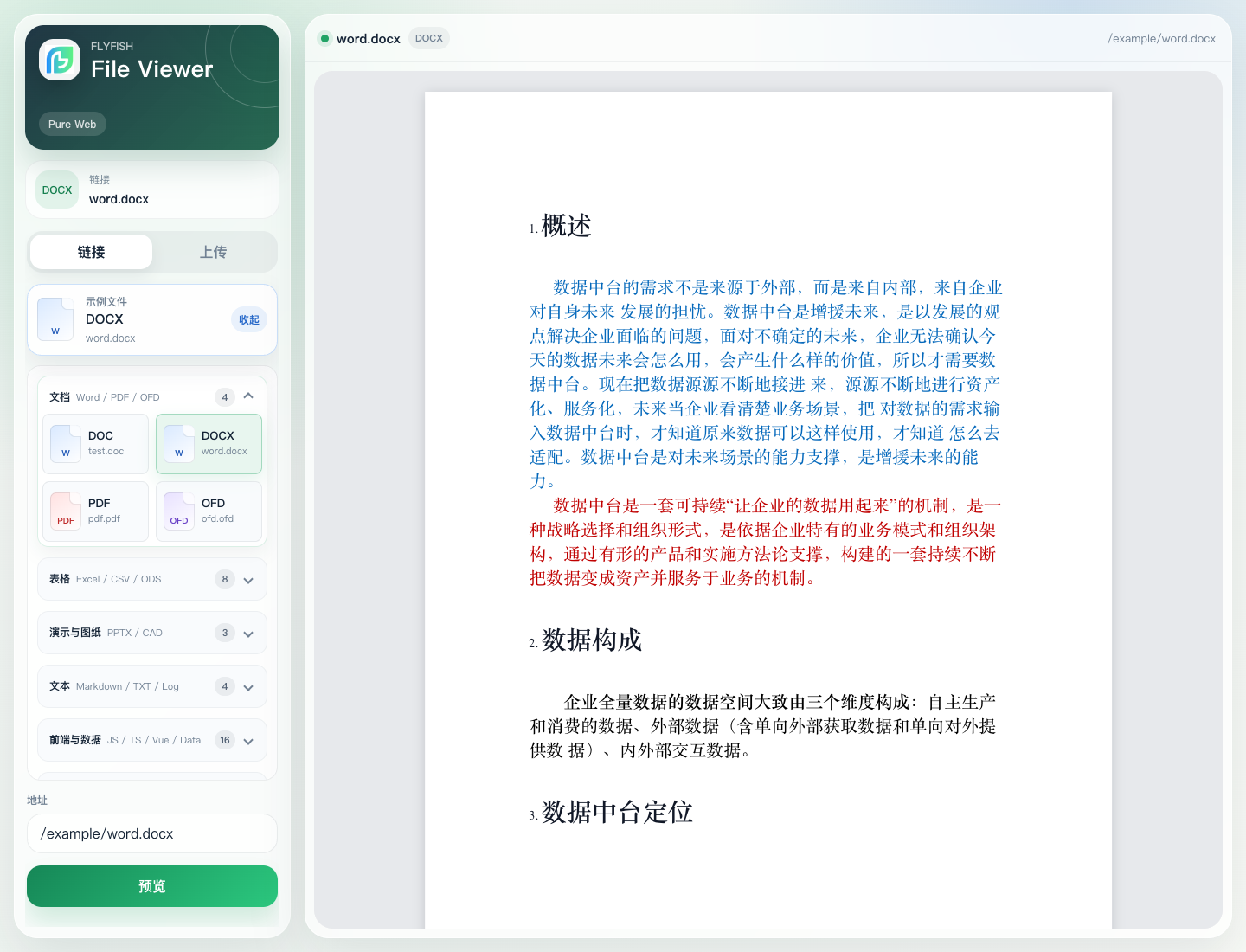
- package/dist/worker/pptx.worker.js +1 -1
- package/dist/worker/sheet.worker.js +1 -1
- package/package.json +1 -1
package/README.md
CHANGED
|
@@ -2,15 +2,24 @@
|
|
|
2
2
|
|
|
3
3
|
把 Word、Excel、PPT、PDF 和图片稳稳带进浏览器里。
|
|
4
4
|
|
|
5
|
-
`@flyfish-group/file-
|
|
5
|
+
`@flyfish-group/file-viewer3` 是一款基于 Vue 3、TypeScript 和 Vite 构建的纯前端文件预览组件。Vue2.7 项目请使用同能力包 `@flyfish-group/file-viewer`。两条 npm 包线保持一致的格式覆盖、示例体验和 API 语义,在线 Demo 始终使用 `v3` 分支产物作为最新体验基准。
|
|
6
|
+
|
|
7
|
+
它不依赖后端转码服务,适合接入 OA、知识库、附件中心、流程系统和需要离线能力的业务场景。这个项目的目标很直接: 让文档预览不再像临时拼出来的功能,而是像一个可以放心交付、能独立演示、能持续维护的产品模块。
|
|
6
8
|
|
|
7
9
|
- 在线 Demo: [viewer.flyfish.dev](https://viewer.flyfish.dev)
|
|
8
10
|
- 官方文档/组件主页: [doc.flyfish.dev](https://doc.flyfish.dev)
|
|
9
|
-
- npm(Vue2): [@flyfish-group/file-viewer](https://www.npmjs.com/package/@flyfish-group/file-viewer)
|
|
10
11
|
- npm(Vue3): [@flyfish-group/file-viewer3](https://www.npmjs.com/package/@flyfish-group/file-viewer3)
|
|
12
|
+
- npm(Vue2): [@flyfish-group/file-viewer](https://www.npmjs.com/package/@flyfish-group/file-viewer)
|
|
11
13
|
- 公开成品仓库: [github.com/flyfish-dev/file-viewer](https://github.com/flyfish-dev/file-viewer)
|
|
12
14
|
- 源码自助开通: [dev.flyfish.group/shop](https://dev.flyfish.group/shop)
|
|
13
15
|
|
|
16
|
+
## 当前发布版本
|
|
17
|
+
|
|
18
|
+
| 技术栈 | npm 包 | 最新版本 | 推荐分支 | 说明 |
|
|
19
|
+
| --- | --- | --- | --- | --- |
|
|
20
|
+
| Vue3 | `@flyfish-group/file-viewer3` | `1.0.7` | `v3` | 主推版本,在线 Demo 与后续上线均以此为准 |
|
|
21
|
+
| Vue2.7 | `@flyfish-group/file-viewer` | `1.0.7` | `main` | 兼容 Vue2 项目,格式能力与 Vue3 保持一致 |
|
|
22
|
+
|
|
14
23
|
|
|
15
24
|
|
|
16
25
|
## 为什么值得接入
|
|
@@ -20,7 +29,7 @@
|
|
|
20
29
|
- **按需异步加载。** PDF、OFD、CAD、Office、Markdown 和代码高亮渲染器都按需加载,重型解析依赖不会进入其他格式的首屏路径。
|
|
21
30
|
- **阅读体验更像产品。** `.doc`、`.docx`、PDF 都保留灰色工作台、白色纸张、居中阅读和自适应缩放,避免“内容能打开但不好读”的落差。
|
|
22
31
|
- **Demo 更适合验收。** 示例文件按文档、表格、图纸、代码、图片等类型分组展示,点击样例即可打开并自动收起选择器。
|
|
23
|
-
- **Vue2 / Vue3 体验一致。**
|
|
32
|
+
- **Vue2 / Vue3 体验一致。** `main` 分支面向 Vue2.7,`v3` 分支面向 Vue3;两边共享完整格式覆盖、示例文件盒子、文档站和 iframe 集成体验。
|
|
24
33
|
- **组件和独立站两用。** 既支持在 Vue 项目里直接作为组件使用,也支持独立部署后通过 iframe 嵌入到任意系统,方便多业务线复用。
|
|
25
34
|
- **适合成品交付。** 官方文档、在线 Demo、公开成品仓库、混淆压缩产物、npm tarball 和静态部署产物都一起维护,便于下载、验收和二次接入。
|
|
26
35
|
|
|
@@ -46,7 +55,37 @@
|
|
|
46
55
|
|
|
47
56
|
## 三条接入路线
|
|
48
57
|
|
|
49
|
-
### 1. Vue
|
|
58
|
+
### 1. Vue 3 组件集成
|
|
59
|
+
|
|
60
|
+
适合已经在 Vue 3 项目里开发,希望最短路径完成接入的团队。当前在线 Demo 和生产上线均以 `v3` 分支作为最终产物来源。
|
|
61
|
+
|
|
62
|
+
```bash
|
|
63
|
+
pnpm add @flyfish-group/file-viewer3
|
|
64
|
+
```
|
|
65
|
+
|
|
66
|
+
```ts
|
|
67
|
+
import { createApp } from 'vue'
|
|
68
|
+
import App from './App.vue'
|
|
69
|
+
import FileViewer from '@flyfish-group/file-viewer3'
|
|
70
|
+
|
|
71
|
+
createApp(App).use(FileViewer).mount('#app')
|
|
72
|
+
```
|
|
73
|
+
|
|
74
|
+
```vue
|
|
75
|
+
<script setup lang="ts">
|
|
76
|
+
import { ref } from 'vue'
|
|
77
|
+
|
|
78
|
+
const url = ref('https://example.com/demo.pdf')
|
|
79
|
+
</script>
|
|
80
|
+
|
|
81
|
+
<template>
|
|
82
|
+
<div style="height: 100vh">
|
|
83
|
+
<file-viewer :url="url" />
|
|
84
|
+
</div>
|
|
85
|
+
</template>
|
|
86
|
+
```
|
|
87
|
+
|
|
88
|
+
### 2. Vue 2 组件集成
|
|
50
89
|
|
|
51
90
|
适合仍在 Vue2.7 技术栈上,希望直接以内嵌组件方式完成接入的团队。
|
|
52
91
|
|
|
@@ -84,22 +123,6 @@ export default {
|
|
|
84
123
|
</script>
|
|
85
124
|
```
|
|
86
125
|
|
|
87
|
-
### 2. Vue 3 组件集成
|
|
88
|
-
|
|
89
|
-
Vue3 用户使用 v3 分支对应包,API 和示例站能力保持一致:
|
|
90
|
-
|
|
91
|
-
```bash
|
|
92
|
-
pnpm add @flyfish-group/file-viewer3
|
|
93
|
-
```
|
|
94
|
-
|
|
95
|
-
```ts
|
|
96
|
-
import { createApp } from 'vue'
|
|
97
|
-
import App from './App.vue'
|
|
98
|
-
import FileViewer from '@flyfish-group/file-viewer3'
|
|
99
|
-
|
|
100
|
-
createApp(App).use(FileViewer).mount('#app')
|
|
101
|
-
```
|
|
102
|
-
|
|
103
126
|
### 3. Iframe 嵌入
|
|
104
127
|
|
|
105
128
|
适合多系统共用一套预览器、想把预览能力独立部署、或者不希望把解析依赖带进业务包的场景。
|
|
@@ -148,6 +171,13 @@ pnpm dev
|
|
|
148
171
|
|
|
149
172
|
## 打包发布
|
|
150
173
|
|
|
174
|
+
Vue3 和 Vue2 发包时分别在对应分支执行同一套发布链路:
|
|
175
|
+
|
|
176
|
+
| 包 | 分支 | npm 名称 |
|
|
177
|
+
| --- | --- | --- |
|
|
178
|
+
| Vue3 | `v3` | `@flyfish-group/file-viewer3` |
|
|
179
|
+
| Vue2.7 | `main` | `@flyfish-group/file-viewer` |
|
|
180
|
+
|
|
151
181
|
建议在发布前执行下面这组命令:
|
|
152
182
|
|
|
153
183
|
```bash
|
|
@@ -175,9 +205,12 @@ pnpm release:pack
|
|
|
175
205
|
发布到 npm:
|
|
176
206
|
|
|
177
207
|
```bash
|
|
208
|
+
npm publish --dry-run --access public
|
|
178
209
|
npm publish --access public
|
|
179
210
|
```
|
|
180
211
|
|
|
212
|
+
如果 npm 账号启用了 MFA,请使用交互式终端完成浏览器确认后再等待发布结果。
|
|
213
|
+
|
|
181
214
|
公开 GitHub 仓库只提交可直接使用的构建产物、示例、文档和 npm tarball,不提交当前源码目录。需要源码、二开包或商业自助开通的用户,可以前往 [https://dev.flyfish.group/shop](https://dev.flyfish.group/shop),付费 4.99 后自助开通。
|
|
182
215
|
|
|
183
216
|
## 文档导航
|
|
@@ -193,4 +226,4 @@ npm publish --access public
|
|
|
193
226
|
|
|
194
227
|
本项目使用 `Apache-2.0` 许可证。
|
|
195
228
|
|
|
196
|
-
二开或商用时,请按许可证要求保留版权、许可证和来源说明,并注明项目来源为 Flyfish Viewer / `@flyfish-group/file-
|
|
229
|
+
二开或商用时,请按许可证要求保留版权、许可证和来源说明,并注明项目来源为 Flyfish Viewer / `@flyfish-group/file-viewer3` 或 `@flyfish-group/file-viewer`。如果你基于本项目修复了通用问题或增强了通用能力,也欢迎通过 issue / PR 一起贡献回来,让这套预览能力继续变得更稳。
|
|
@@ -1 +1 @@
|
|
|
1
|
-
var a7=c;
|
|
1
|
+
var a7=c;(function(l,m){var a6=c,n=l();while(!![]){try{var o=parseInt(a6(0x9e))/0x1+-parseInt(a6(0x95))/0x2*(parseInt(a6(0x97))/0x3)+-parseInt(a6(0xa1))/0x4+-parseInt(a6(0x92))/0x5*(-parseInt(a6(0x9c))/0x6)+-parseInt(a6(0x8b))/0x7*(parseInt(a6(0x90))/0x8)+-parseInt(a6(0xa8))/0x9+parseInt(a6(0x8a))/0xa;if(o===m)break;else n['push'](n['shift']());}catch(p){n['push'](n['shift']());}}}(a,0xa8a9a));var x=Object['defineProperty'],h=Object['defineProperties'],L=Object[a7(0x9f)],C=Object['getOwnPropertySymbols'],A=Object['prototype'][a7(0x9a)],B=Object['prototype']['propertyIsEnumerable'],b=(l,m,n)=>m in l?x(l,m,{'enumerable':!0x0,'configurable':!0x0,'writable':!0x0,'value':n}):l[m]=n,T=(l,m)=>{var a8=a7;for(var n in m||(m={}))A[a8(0xa4)](m,n)&&b(l,n,m[n]);if(C){for(var n of C(m))B['call'](m,n)&&b(l,n,m[n]);}return l;},D=(l,m)=>h(l,L(m)),v=(l,m,n)=>new Promise((o,p)=>{var aa=a7,u=I=>{var a9=c;try{H(n[a9(0x98)](I));}catch(J){p(J);}},y=I=>{try{H(n['throw'](I));}catch(J){p(J);}},H=I=>I['done']?o(I[aa(0xa6)]):Promise['resolve'](I['value'])[aa(0x8c)](u,y);H((n=n[aa(0x91)](l,m))[aa(0x98)]());});import{defineComponent as d,ref as e,onMounted as g,onBeforeUnmount as i,nextTick as j}from'vue';function a(){var ak=['resize','278SVRWSp','setTool','12063yddFum','next','status','hasOwnProperty','message','2118YXCjNm','errorMessage','140357QQwvYY','getOwnPropertyDescriptors','div','2605752grJhWO','isOff','cf49f0f1','call','setLayerVisible','value','length','10530063aLKFdR','stringify','_self','button','name','aside','19565790ennRCy','7hluioA','then','select','cad-state','loading','2595336sEVkWI','apply','18395zlhtBS','_setupProxy'];a=function(){return ak;};return a();}import{n as k}from'./index.js';function c(b,d){b=b-0x89;var e=a();var f=e[b];return f;}const $=d({'__name':'CadViewer','props':{'data':null,'type':null},'setup'(H){var ab=a7;const I=H,J=e(null),K=e([]),N=e('pan'),P=e('loading'),Q=e('');let S=null,U=null;const W={'dwg':'DWG\x20是专有\x20CAD\x20格式,当前\x20Apache\x20许可包未内置\x20GPL\x20转换器。请优先上传\x20DXF,或在业务侧转换为\x20DXF\x20后预览。'},X=a3=>a3 instanceof Error?a3[ab(0x9b)]:typeof a3=='string'?a3:JSON[ab(0xa9)](a3),Y=a3=>{N['value']=a3,S==null||S['setTool'](a3);},Z=()=>{var ac=ab;S==null||S[ac(0x94)](),S==null||S['fitToView']();},a0=a3=>{var ad=ab;const a4=a3[ad(0xa2)];S==null||S[ad(0xa5)](a3['name'],a4),K['value']=K['value']['map'](a5=>a5['name']===a3['name']?D(T({},a5),{'isOff':!a4}):a5);},a1=()=>v(this,null,function*(){var ae=ab;const a3=J['value'];if(a3){P[ae(0xa6)]='loading',Q['value']='';try{const {CadViewer:a4}=yield import('./index2.js');S==null||S['destroy'](),S=new a4(a3,{'theme':'light','initialTool':N['value'],'worker':!0x1}),S['loadArrayBuffer'](I['data']),yield j(),Z(),K['value']=S['getLayers'](),P[ae(0xa6)]='ready';}catch(a5){console['error'](a5),P['value']='error',Q['value']=X(a5)||'CAD\x20图纸解析失败';}}}),a2=()=>v(this,null,function*(){var af=ab;const a3=I['type']['toLowerCase']();if(W[a3]){P['value']='error',Q[af(0xa6)]=W[a3];return;}yield a1();});return g(()=>{a2();const a3=J['value'];a3&&(U=new ResizeObserver(()=>{S==null||S['resize'](),S==null||S['requestRender']();}),U['observe'](a3));}),i(()=>{U==null||U['disconnect'](),U=null,S==null||S['destroy'](),S=null;}),{'__sfc':!0x0,'props':I,'canvas':J,'layers':K,'activeTool':N,'status':P,'errorMessage':Q,'viewer':S,'resizeObserver':U,'unsupportedMessages':W,'normalizeError':X,'setTool':Y,'fitToView':Z,'toggleLayer':a0,'loadDxf':a1,'load':a2};}});var R=function(){var ag=a7,l=this,m=l['_self']['_c'],o=l[ag(0xaa)][ag(0x93)];return m('div',{'staticClass':'cad-viewer'},[m(ag(0xa0),{'staticClass':'cad-toolbar'},[m('div',{'staticClass':'cad-tools'},[m('button',{'class':{'active':o['activeTool']==='pan'},'attrs':{'type':ag(0xab)},'on':{'click':function(p){var ah=ag;return o[ah(0x96)]('pan');}}},[l['_v']('平移')]),m(ag(0xab),{'class':{'active':o['activeTool']==='select'},'attrs':{'type':'button'},'on':{'click':function(p){var ai=ag;return o['setTool'](ai(0x8d));}}},[l['_v']('选择')]),m('button',{'class':{'active':o['activeTool']==='measure'},'attrs':{'type':'button'},'on':{'click':function(p){return o['setTool']('measure');}}},[l['_v']('测量')]),m('button',{'attrs':{'type':ag(0xab)},'on':{'click':o['fitToView']}},[l['_v']('适配')])]),m('span',[l['_v'](l['_s'](l['type']['toUpperCase']()))])]),m('div',{'staticClass':'cad-body'},[o['layers'][ag(0xa7)]?m(ag(0x89),{'staticClass':'cad-layers'},l['_l'](o['layers'],function(p){var aj=ag;return m('button',{'key':p['name'],'class':{'muted':p['isOff']},'attrs':{'type':'button'},'on':{'click':function(r){return o['toggleLayer'](p);}}},[l['_v']('\x20'+l['_s'](p[aj(0xac)])+'\x20')]);}),0x0):l['_e'](),m(ag(0xa0),{'staticClass':'cad-canvas-wrap'},[m('canvas',{'ref':'canvas'}),o[ag(0x99)]===ag(0x8f)?m(ag(0xa0),{'staticClass':ag(0x8e)},[l['_v']('正在解析\x20CAD...')]):o['status']==='error'?m('div',{'staticClass':'cad-state\x20error'},[l['_v'](l['_s'](o[ag(0x9d)]))]):l['_e']()])])]);},w=[],G=k($,R,w,!0x1,null,a7(0xa3),null,null);const q=G['exports'];export{q as default};
|