@evotecit/canopyx 0.3.16 → 0.3.20
This diff represents the content of publicly available package versions that have been released to one of the supported registries. The information contained in this diff is provided for informational purposes only and reflects changes between package versions as they appear in their respective public registries.
- package/CanopyX.Html/Assets/canopyx-board.css +50 -0
- package/CanopyX.Html/Assets/canopyx-board.js +39 -0
- package/CanopyX.Html/Assets/canopyx-buckets.js +15 -0
- package/CanopyX.Html/Assets/canopyx-calculations.css +7 -0
- package/CanopyX.Html/Assets/canopyx-calculations.js +52 -0
- package/CanopyX.Html/Assets/canopyx-calendar-edit.js +3 -3
- package/CanopyX.Html/Assets/canopyx-calendar.css +74 -80
- package/CanopyX.Html/Assets/canopyx-calendar.js +26 -31
- package/CanopyX.Html/Assets/canopyx-cell-range.css +4 -4
- package/CanopyX.Html/Assets/canopyx-cell-range.js +16 -14
- package/CanopyX.Html/Assets/canopyx-changes.css +61 -79
- package/CanopyX.Html/Assets/canopyx-changes.js +18 -15
- package/CanopyX.Html/Assets/canopyx-column-groups.css +5 -1
- package/CanopyX.Html/Assets/canopyx-column-groups.js +15 -9
- package/CanopyX.Html/Assets/canopyx-compare.css +37 -0
- package/CanopyX.Html/Assets/canopyx-compare.js +12 -0
- package/CanopyX.Html/Assets/canopyx-data.js +3 -3
- package/CanopyX.Html/Assets/canopyx-detail-rows.css +4 -4
- package/CanopyX.Html/Assets/canopyx-detail-rows.js +1 -1
- package/CanopyX.Html/Assets/canopyx-editing.css +5 -5
- package/CanopyX.Html/Assets/canopyx-editing.js +2 -2
- package/CanopyX.Html/Assets/canopyx-enhance.js +5 -5
- package/CanopyX.Html/Assets/canopyx-export.js +54 -13
- package/CanopyX.Html/Assets/canopyx-facets.css +32 -22
- package/CanopyX.Html/Assets/canopyx-facets.js +19 -15
- package/CanopyX.Html/Assets/canopyx-filter-editor.css +75 -89
- package/CanopyX.Html/Assets/canopyx-filter-editor.js +20 -16
- package/CanopyX.Html/Assets/canopyx-flow-checks.css +3 -3
- package/CanopyX.Html/Assets/canopyx-flow-checks.js +1 -1
- package/CanopyX.Html/Assets/canopyx-flow-command.css +3 -3
- package/CanopyX.Html/Assets/canopyx-flow-command.js +1 -1
- package/CanopyX.Html/Assets/canopyx-flow-dialog.css +4 -4
- package/CanopyX.Html/Assets/canopyx-flow-dialog.js +1 -1
- package/CanopyX.Html/Assets/canopyx-flow-drafts.css +2 -2
- package/CanopyX.Html/Assets/canopyx-flow-drafts.js +1 -1
- package/CanopyX.Html/Assets/canopyx-flow-entry.css +142 -17
- package/CanopyX.Html/Assets/canopyx-flow-entry.js +5 -5
- package/CanopyX.Html/Assets/canopyx-flow-host.css +2 -2
- package/CanopyX.Html/Assets/canopyx-flow-host.js +1 -1
- package/CanopyX.Html/Assets/canopyx-flow-module.mjs +5 -5
- package/CanopyX.Html/Assets/canopyx-flow-pick.css +4 -4
- package/CanopyX.Html/Assets/canopyx-flow-pick.js +1 -1
- package/CanopyX.Html/Assets/canopyx-flow-preview.css +1 -1
- package/CanopyX.Html/Assets/canopyx-flow-preview.js +1 -1
- package/CanopyX.Html/Assets/canopyx-flow-records.css +2 -2
- package/CanopyX.Html/Assets/canopyx-flow-records.js +1 -1
- package/CanopyX.Html/Assets/canopyx-flow-tasks.css +4 -4
- package/CanopyX.Html/Assets/canopyx-flow-tasks.js +1 -1
- package/CanopyX.Html/Assets/canopyx-flow.css +41 -41
- package/CanopyX.Html/Assets/canopyx-flow.js +1 -1
- package/CanopyX.Html/Assets/canopyx-format-editor.css +9 -9
- package/CanopyX.Html/Assets/canopyx-format-editor.js +2 -2
- package/CanopyX.Html/Assets/canopyx-formatting.css +13 -13
- package/CanopyX.Html/Assets/canopyx-formatting.js +12 -11
- package/CanopyX.Html/Assets/canopyx-forms.css +3 -3
- package/CanopyX.Html/Assets/canopyx-forms.js +1 -1
- package/CanopyX.Html/Assets/canopyx-grid-module.mjs +220 -155
- package/CanopyX.Html/Assets/canopyx-grid-options.css +8 -8
- package/CanopyX.Html/Assets/canopyx-grid-options.js +9 -2
- package/CanopyX.Html/Assets/canopyx-grid.css +285 -150
- package/CanopyX.Html/Assets/canopyx-grid.js +220 -155
- package/CanopyX.Html/Assets/canopyx-grouping.css +23 -16
- package/CanopyX.Html/Assets/canopyx-grouping.js +24 -17
- package/CanopyX.Html/Assets/canopyx-highlight.css +10 -10
- package/CanopyX.Html/Assets/canopyx-highlight.js +1 -1
- package/CanopyX.Html/Assets/canopyx-interactive.css +215 -91
- package/CanopyX.Html/Assets/canopyx-interactive.js +47 -52
- package/CanopyX.Html/Assets/canopyx-labels-de.js +177 -9
- package/CanopyX.Html/Assets/canopyx-labels-es.js +177 -9
- package/CanopyX.Html/Assets/canopyx-labels-fr.js +176 -8
- package/CanopyX.Html/Assets/canopyx-labels-it.js +176 -8
- package/CanopyX.Html/Assets/canopyx-labels-pl.js +176 -8
- package/CanopyX.Html/Assets/canopyx-layouts.css +49 -21
- package/CanopyX.Html/Assets/canopyx-layouts.js +36 -14
- package/CanopyX.Html/Assets/canopyx-link.css +3 -3
- package/CanopyX.Html/Assets/canopyx-link.js +4 -4
- package/CanopyX.Html/Assets/canopyx-links.js +2 -2
- package/CanopyX.Html/Assets/canopyx-live.css +3 -5
- package/CanopyX.Html/Assets/canopyx-live.js +3 -3
- package/CanopyX.Html/Assets/canopyx-matrix.css +32 -39
- package/CanopyX.Html/Assets/canopyx-matrix.js +11 -11
- package/CanopyX.Html/Assets/canopyx-module.mjs +47 -52
- package/CanopyX.Html/Assets/canopyx-office-export.js +2936 -0
- package/CanopyX.Html/Assets/canopyx-pager.css +1 -1
- package/CanopyX.Html/Assets/canopyx-pager.js +1 -1
- package/CanopyX.Html/Assets/canopyx-path.css +45 -0
- package/CanopyX.Html/Assets/canopyx-path.js +28 -0
- package/CanopyX.Html/Assets/canopyx-pivot.css +75 -0
- package/CanopyX.Html/Assets/canopyx-pivot.js +72 -0
- package/CanopyX.Html/Assets/canopyx-plan.css +63 -0
- package/CanopyX.Html/Assets/canopyx-plan.js +71 -0
- package/CanopyX.Html/Assets/canopyx-presenters.js +2 -2
- package/CanopyX.Html/Assets/canopyx-record-panel.css +51 -45
- package/CanopyX.Html/Assets/canopyx-record-panel.js +30 -22
- package/CanopyX.Html/Assets/canopyx-reporting-module.mjs +262 -197
- package/CanopyX.Html/Assets/canopyx-reporting.css +300 -164
- package/CanopyX.Html/Assets/canopyx-reporting.js +262 -197
- package/CanopyX.Html/Assets/canopyx-stack.css +35 -0
- package/CanopyX.Html/Assets/canopyx-stack.js +24 -0
- package/CanopyX.Html/Assets/canopyx-time-slider.css +18 -0
- package/CanopyX.Html/Assets/canopyx-time-slider.js +27 -0
- package/CanopyX.Html/Assets/canopyx-timeline.css +19 -19
- package/CanopyX.Html/Assets/canopyx-timeline.js +6 -5
- package/CanopyX.Html/Assets/canopyx-tree-tools.css +47 -46
- package/CanopyX.Html/Assets/canopyx-tree-tools.js +15 -12
- package/CanopyX.Html/Assets/canopyx-ui-menu.css +41 -0
- package/CanopyX.Html/Assets/canopyx-ui-menu.js +64 -0
- package/CanopyX.Html/Assets/canopyx-ui-navigation.css +73 -0
- package/CanopyX.Html/Assets/canopyx-ui-navigation.js +39 -0
- package/CanopyX.Html/Assets/canopyx-ui-overlays.css +79 -0
- package/CanopyX.Html/Assets/canopyx-ui-overlays.js +45 -0
- package/CanopyX.Html/Assets/canopyx-ui-picker.css +12 -0
- package/CanopyX.Html/Assets/canopyx-ui-picker.js +6 -0
- package/CanopyX.Html/Assets/canopyx-ui-stepper.css +174 -0
- package/CanopyX.Html/Assets/canopyx-ui-stepper.js +48 -0
- package/CanopyX.Html/Assets/canopyx-ui-tabs.css +153 -0
- package/CanopyX.Html/Assets/canopyx-ui-tabs.js +47 -0
- package/CanopyX.Html/Assets/canopyx-values.css +5 -0
- package/CanopyX.Html/Assets/canopyx-values.js +13 -0
- package/CanopyX.Html/Assets/canopyx-view-intents.css +12 -0
- package/CanopyX.Html/Assets/canopyx-view-intents.js +56 -0
- package/CanopyX.Html/Assets/canopyx.css +212 -85
- package/CanopyX.Html/Assets/canopyx.js +38 -26
- package/JavaScript/board.d.ts +30 -0
- package/JavaScript/changes.d.ts +4 -1
- package/JavaScript/column-groups.d.ts +24 -4
- package/JavaScript/facets.d.ts +5 -3
- package/JavaScript/grid.d.ts +161 -17
- package/JavaScript/hosts.d.ts +16 -1
- package/JavaScript/index.d.ts +4 -2
- package/JavaScript/locales/de.mjs +177 -9
- package/JavaScript/locales/es.mjs +177 -9
- package/JavaScript/locales/fr.mjs +176 -8
- package/JavaScript/locales/it.mjs +176 -8
- package/JavaScript/locales/pl.mjs +176 -8
- package/JavaScript/matrix.d.ts +4 -1
- package/JavaScript/path.d.ts +33 -0
- package/JavaScript/pivot.d.ts +135 -0
- package/JavaScript/plan.d.ts +23 -0
- package/JavaScript/protocol.d.ts +18 -3
- package/JavaScript/records.d.ts +4 -0
- package/JavaScript/stack.d.ts +28 -0
- package/JavaScript/time-slider.d.ts +58 -0
- package/JavaScript/ui.d.ts +261 -0
- package/JavaScript/view-intents.d.ts +45 -0
- package/README.md +76 -187
- package/README.nuget.md +63 -87
- package/ThirdParty/OfficeIMO/LICENSE +21 -0
- package/ThirdParty/OfficeIMO/README.md +13 -0
- package/package.json +76 -3
package/README.md
CHANGED
|
@@ -1,130 +1,46 @@
|
|
|
1
|
-
# CanopyX
|
|
1
|
+
# CanopyX
|
|
2
2
|
|
|
3
|
-
|
|
3
|
+
Interactive views of your own records for .NET and the browser: tree grids, data grids, pivots, boards, calendars, plans, status matrices, change reviews and guided flows. Write the view in C# and save a report that opens from disk, or mount the same runtime in your web app from npm.
|
|
4
4
|
|
|
5
|
-
|
|
6
|
-
|
|
7
|
-
[![
|
|
8
|
-
[](https://www.nuget.org/packages/CanopyX.Html)
|
|
9
|
-
|
|
10
|
-
🌐 **JavaScript package**
|
|
11
|
-
|
|
12
|
-
[](https://www.npmjs.com/package/@evotecit/canopyx)
|
|
5
|
+
[](https://www.nuget.org/packages/CanopyX.Html)
|
|
6
|
+
[](https://www.nuget.org/packages/CanopyX)
|
|
7
|
+
[](https://www.npmjs.com/package/@evotecit/canopyx)
|
|
13
8
|
[](https://opensource.org/license/mit)
|
|
14
9
|
|
|
15
|
-
|
|
16
|
-
|
|
17
|
-
- **File and folder explorers** with expandable branches, lazy loading, search and multi-selection.
|
|
18
|
-
- **Inventory and results tables** with typed sorting, filters, column resizing and saved views.
|
|
19
|
-
- **HTML reports** that include their own runtime and data and can be opened from disk or a file share.
|
|
20
|
-
- **Application views** backed by paged or cursor-based data sources, with selection and detail callbacks.
|
|
21
|
-
- **Email and print tables** rendered from the same .NET view without JavaScript.
|
|
22
|
-
- **Calendars and resource timelines** of the same records: month, week, day, agenda and year views, resources grouped as a tree with capacity per group, recurring events, drag to reschedule through the grid's editing, and iCalendar export.
|
|
23
|
-
- **Status matrices**: a state for each pair of two sets of entities, with totals, sorting, filtering and grouping on both axes, sticky headers and both axes windowed ([docs/matrix.md](docs/matrix.md)).
|
|
24
|
-
- **Change views**: a text diff (inline or side by side, word marks, folded regions, windowed rows), a change list with kind badges, folders, hashes and risk flags, and how a change reached its replicas ([docs/changes.md](docs/changes.md)).
|
|
25
|
-
- **Guided flows** for setup and edit tasks: steps with typed fields, conditions as data, validation, a review page with change links, secrets that never echo, and one proposal to the host ([docs/flow.md](docs/flow.md)).
|
|
26
|
-
|
|
27
|
-
|
|
10
|
+
**[Live demos](https://canopyx.dev/views/)** · **[Documentation](https://canopyx.dev/docs/)** · **[Getting started](https://canopyx.dev/docs/getting-started/)** · **[Discord](https://evo.yt/discord)**
|
|
28
11
|
|
|
29
|
-
|
|
12
|
+
<picture>
|
|
13
|
+
<source media="(prefers-color-scheme: dark)" srcset="https://raw.githubusercontent.com/EvotecIT/CanopyX/main/docs/images/views/inventory-dark.png">
|
|
14
|
+
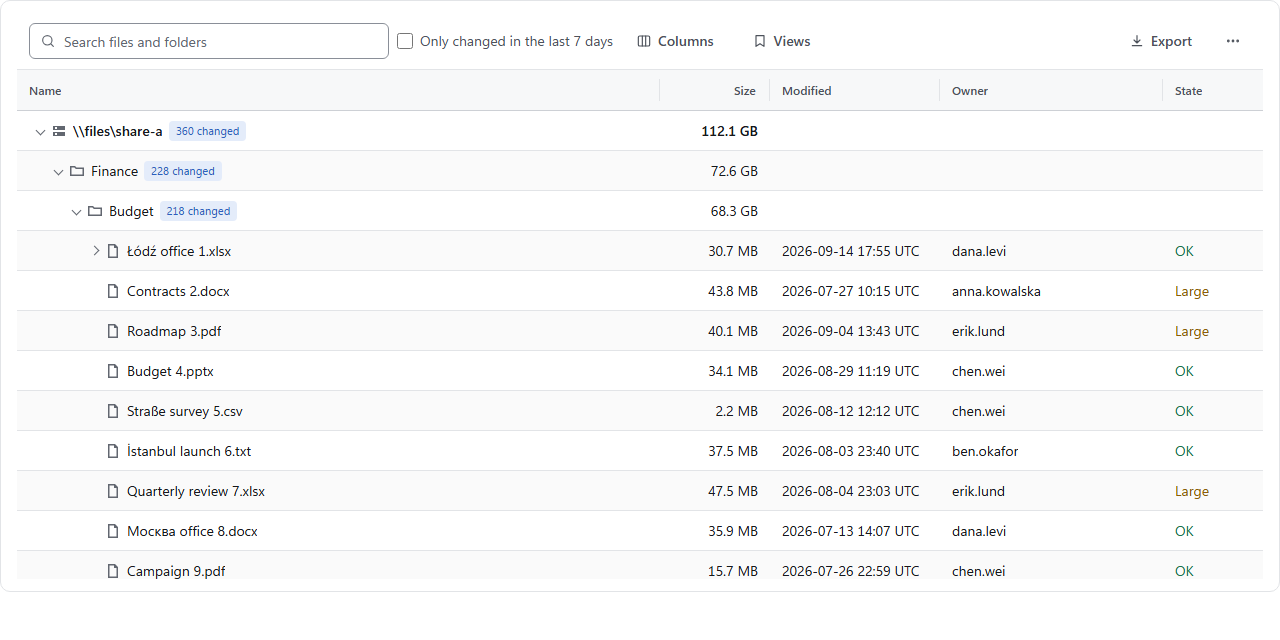
<img alt="A CanopyX data grid of 1,200 devices grouped by site, with health strips, patch-level bars, sign-in sparklines and a grand total" src="https://raw.githubusercontent.com/EvotecIT/CanopyX/main/docs/images/views/inventory-light.png">
|
|
15
|
+
</picture>
|
|
30
16
|
|
|
31
|
-
|
|
32
|
-
| --- | --- |
|
|
33
|
-
|  |  |
|
|
34
|
-
|
|
35
|
-
## Features
|
|
17
|
+
## Pick a view
|
|
36
18
|
|
|
37
|
-
|
|
38
|
-
| --- | --- | --- |
|
|
39
|
-
| Navigation | Expandable branches, path search and lazy children | Continuous or paged records, offset or cursor navigation |
|
|
40
|
-
| Querying | Search, sibling sorting and named filters | Search, multi-column sorting, typed filters and condition groups |
|
|
41
|
-
| Columns | Resize and hide | Resize, hide, reorder, pin, fit to content and group under multi-level headers |
|
|
42
|
-
| Selection | Single/multiple selection and hierarchical checkboxes | Single/multiple selection with stable record IDs, and cell ranges with copy, paste and a fill handle |
|
|
43
|
-
| Presentation | Badges, details, custom cells and light/dark themes | Links, progress, wrapped text, row highlighting, conditional formatting and light/dark themes |
|
|
44
|
-
| Grouping and details | Nested branches and detail rows | Multi-level row groups with labelled aggregates, and expandable detail rows holding a template, HTML or a nested grid or tree |
|
|
45
|
-
| Delivery | Single HTML file, sidecar bundle or hosted data | Single HTML file, row-chunk sidecar bundle or hosted data |
|
|
19
|
+
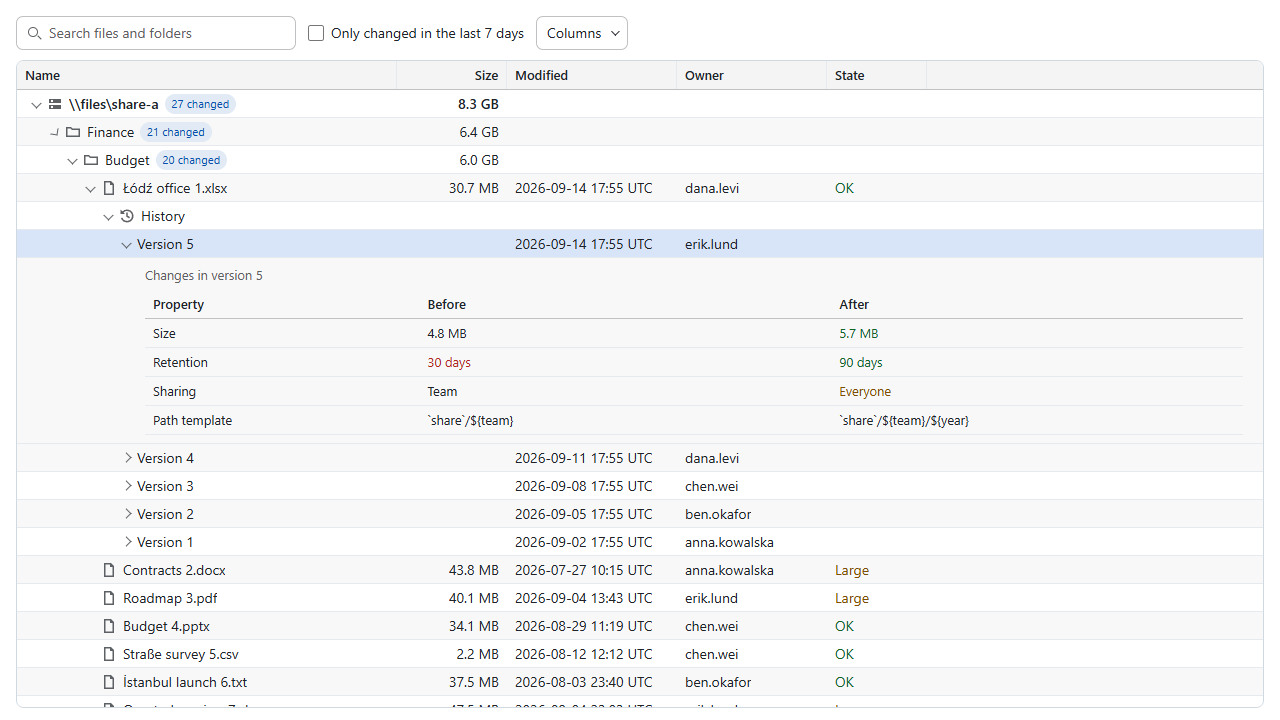
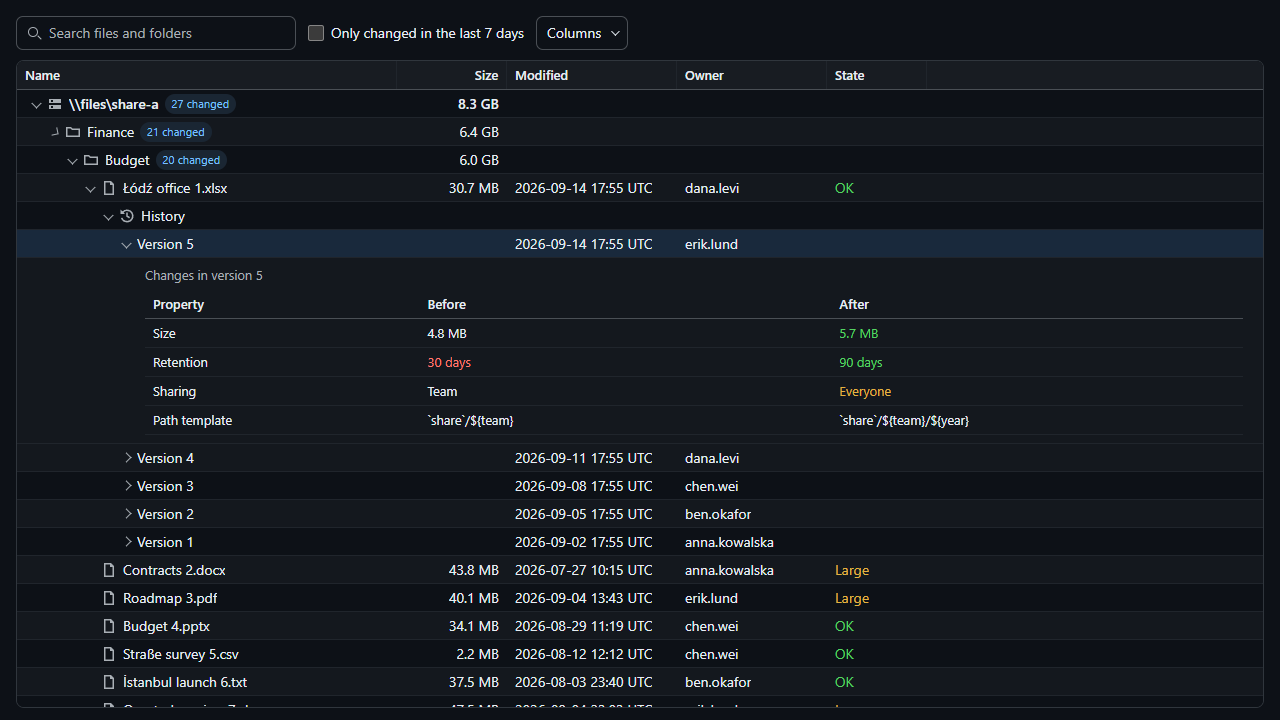
Every view runs on the same records, search, filters, saved views and themes. Click a picture to try it live.
|
|
46
20
|
|
|
47
|
-
|
|
21
|
+
| | | |
|
|
22
|
+
| :-- | :-- | :-- |
|
|
23
|
+
| [](https://canopyx.dev/views/files/)<br>**[Tree grid](https://canopyx.dev/views/files/)**<br>Lazy branches, path search and checkboxes over 100,000 nodes. | [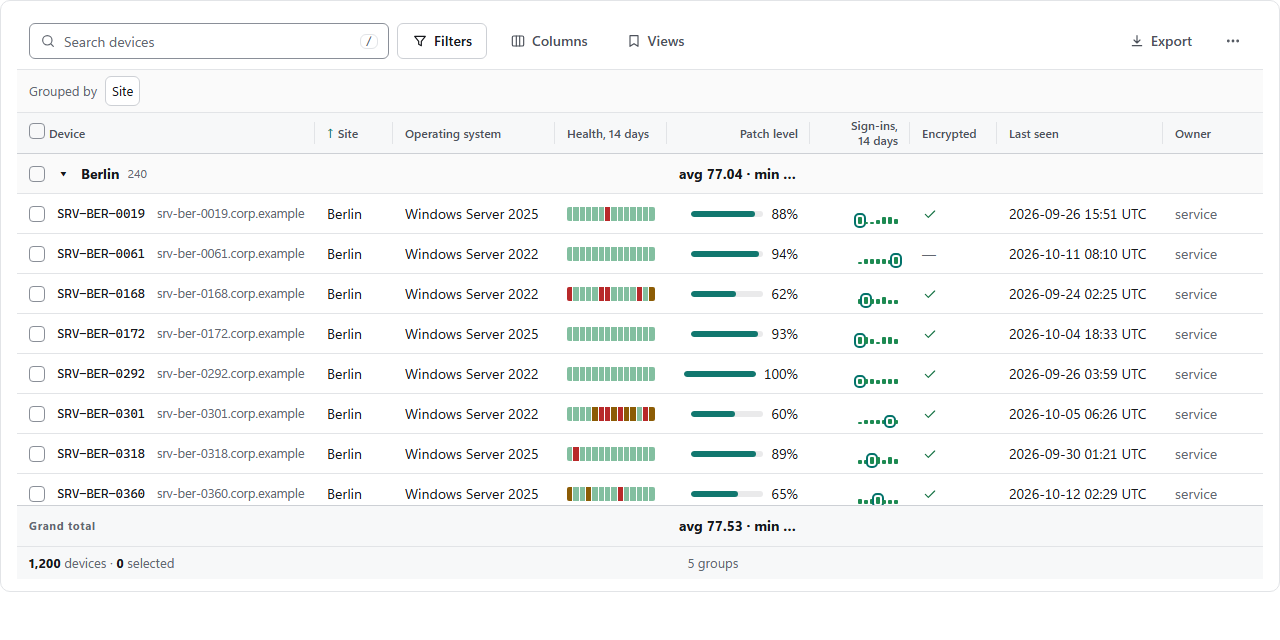](https://canopyx.dev/views/inventory/)<br>**[Data grid](https://canopyx.dev/views/inventory/)**<br>Typed filters, facets, grouping with totals, editing and export. | [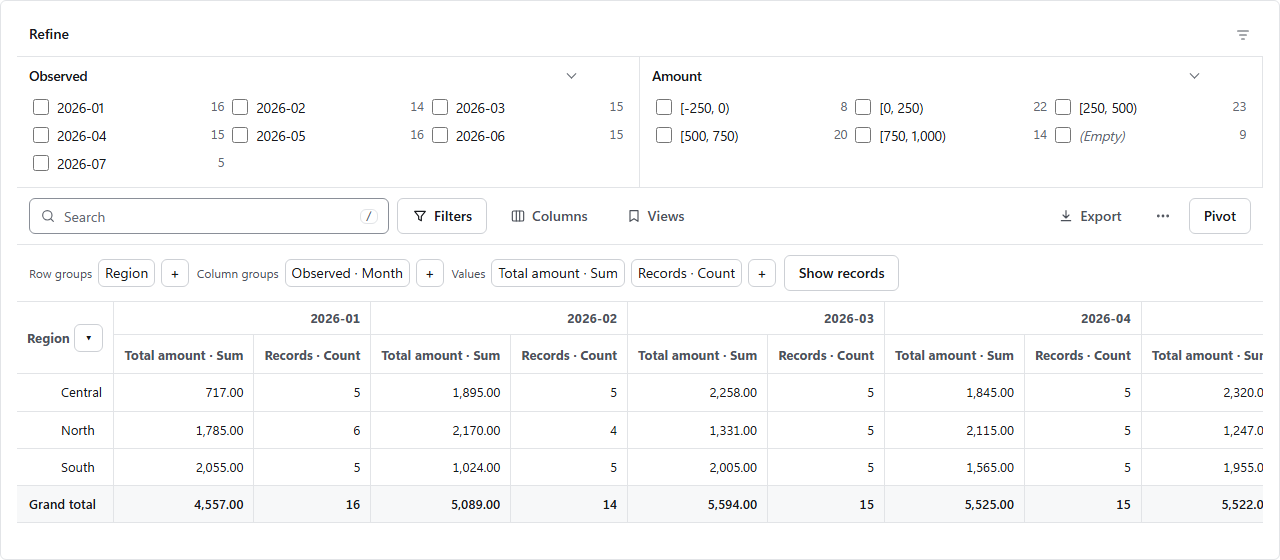](https://canopyx.dev/views/pivot/)<br>**[Pivot](https://canopyx.dev/views/pivot/)**<br>Totals by row and column, with drill-through to the records. |
|
|
24
|
+
| [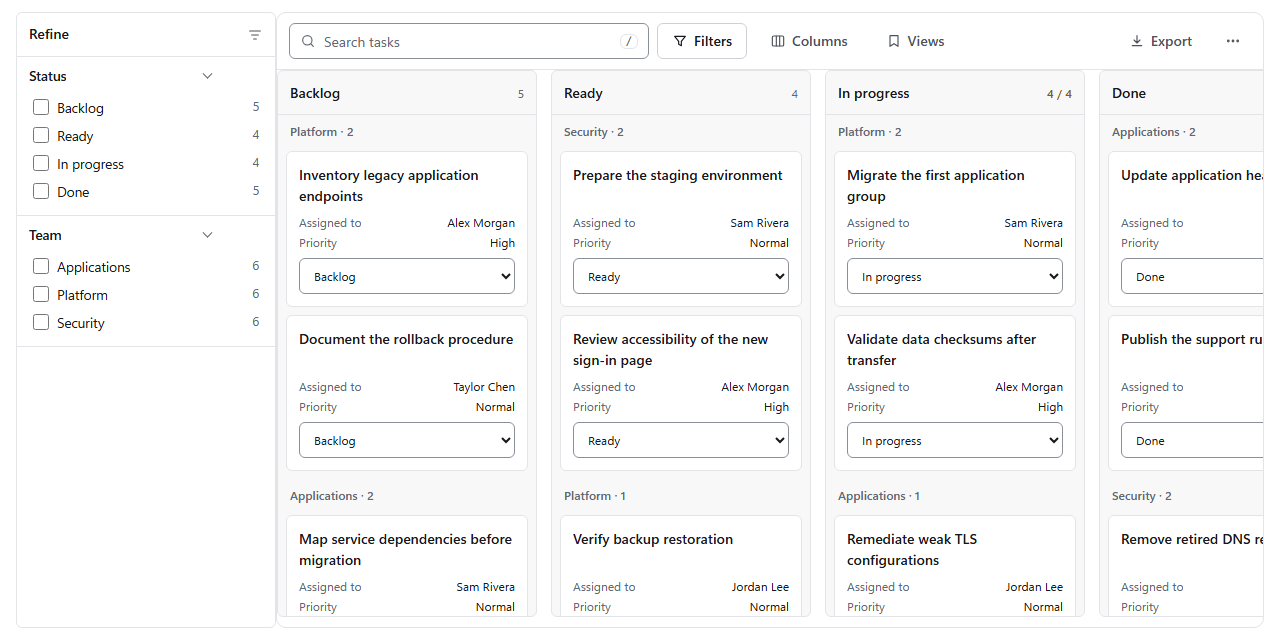](https://canopyx.dev/views/board/)<br>**[Board](https://canopyx.dev/views/board/)**<br>Cards in status lanes, swimlanes and WIP limits. | [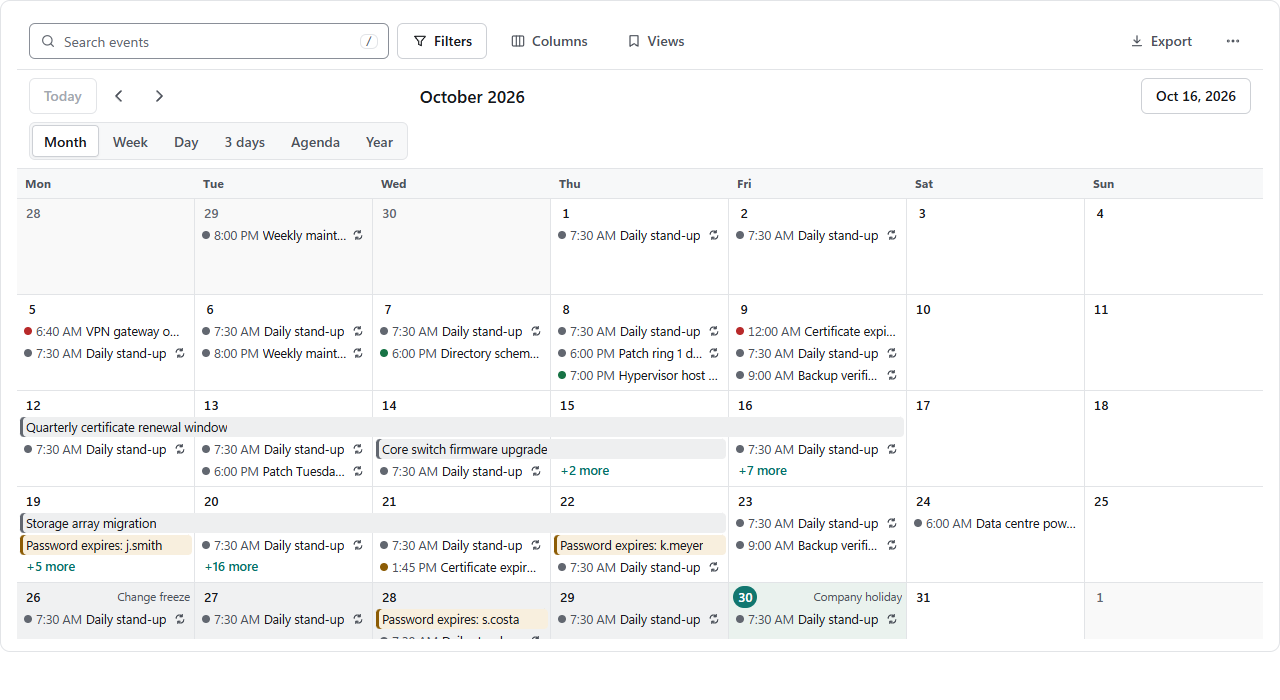](https://canopyx.dev/views/calendar/)<br>**[Calendar](https://canopyx.dev/views/calendar/)**<br>Month to year, recurrence, time zones and iCalendar export. | [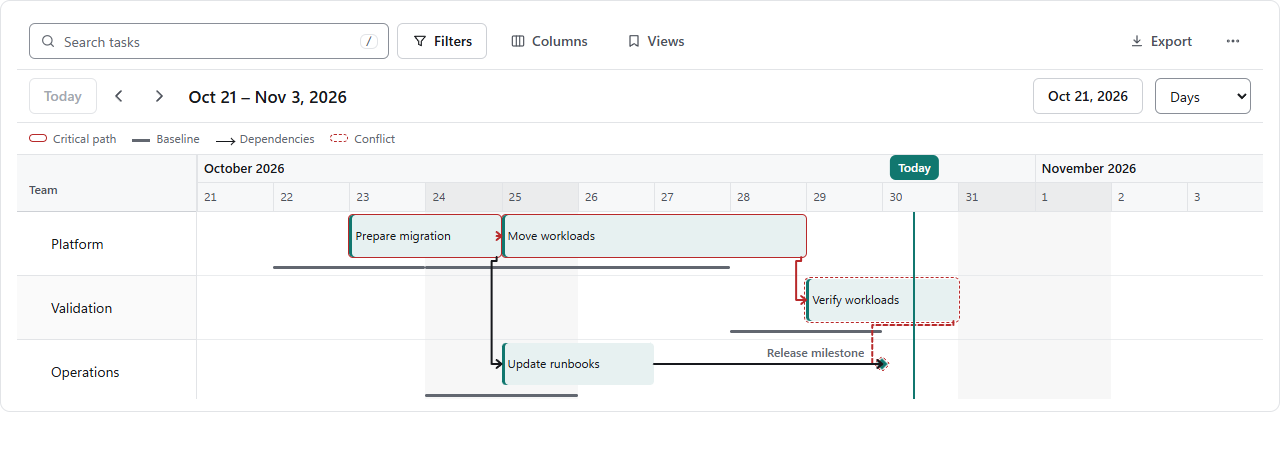](https://canopyx.dev/views/plan/)<br>**[Plan](https://canopyx.dev/views/plan/)**<br>Tasks per team with a baseline, dependencies and conflicts. |
|
|
25
|
+
| [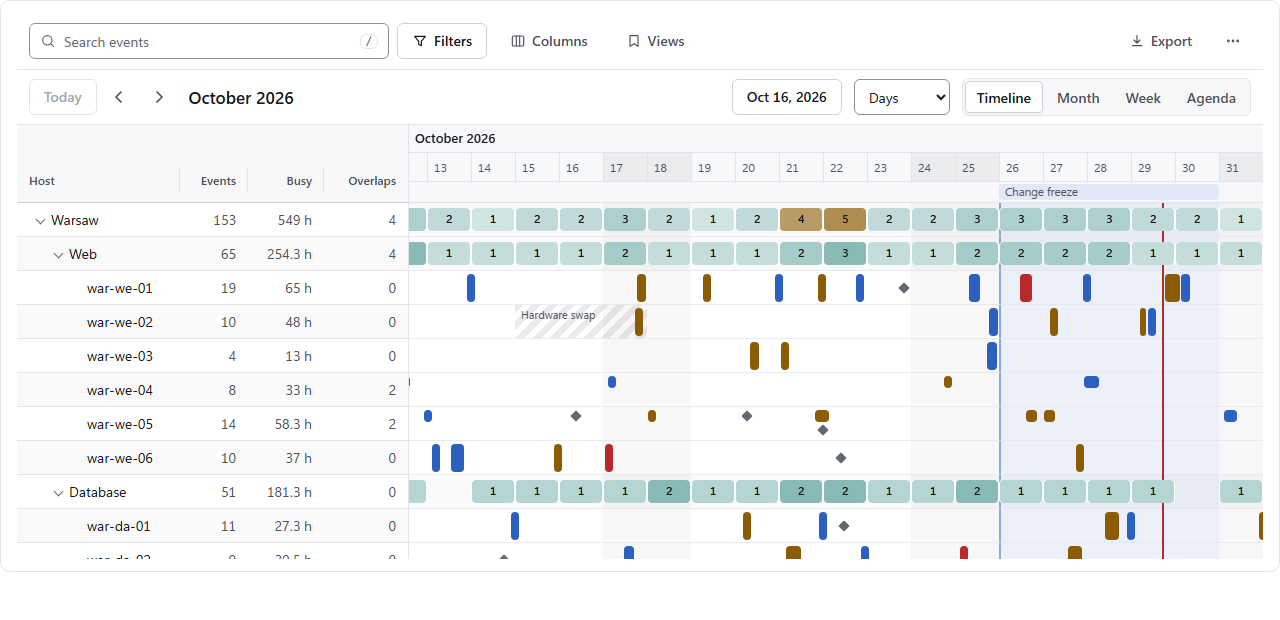](https://canopyx.dev/views/timeline/)<br>**[Resource timeline](https://canopyx.dev/views/timeline/)**<br>Events on a resource tree with capacity per group. | [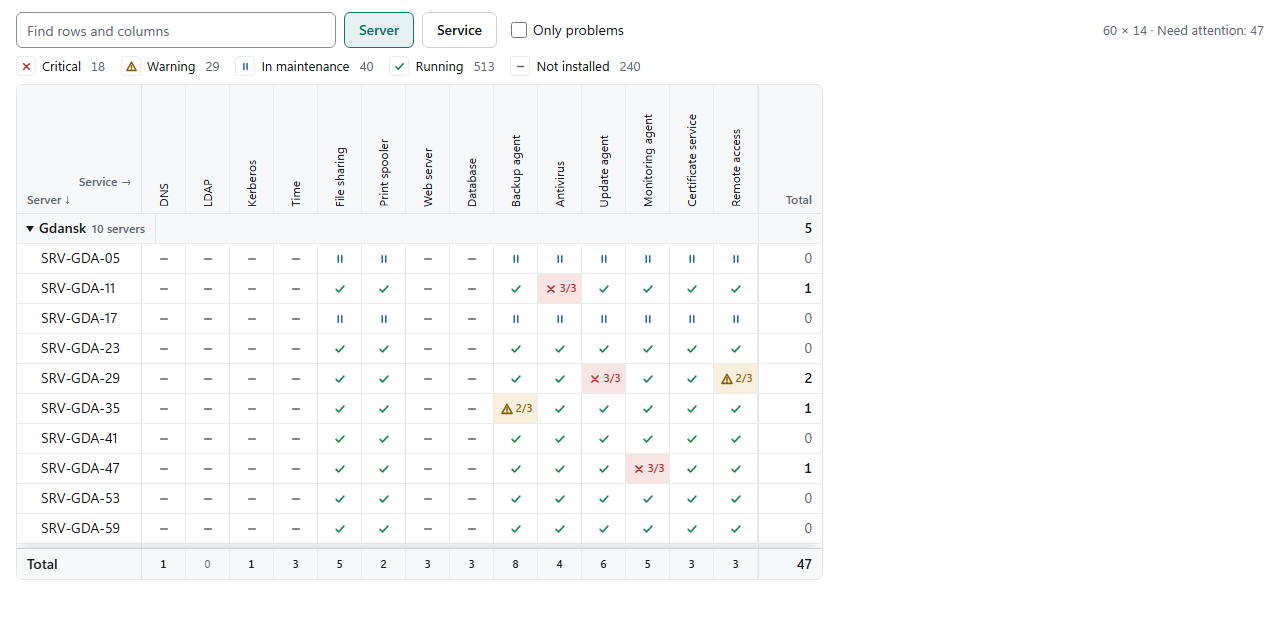](https://canopyx.dev/views/matrix/)<br>**[Status matrix](https://canopyx.dev/views/matrix/)**<br>A state for every pair, with totals on both axes. | [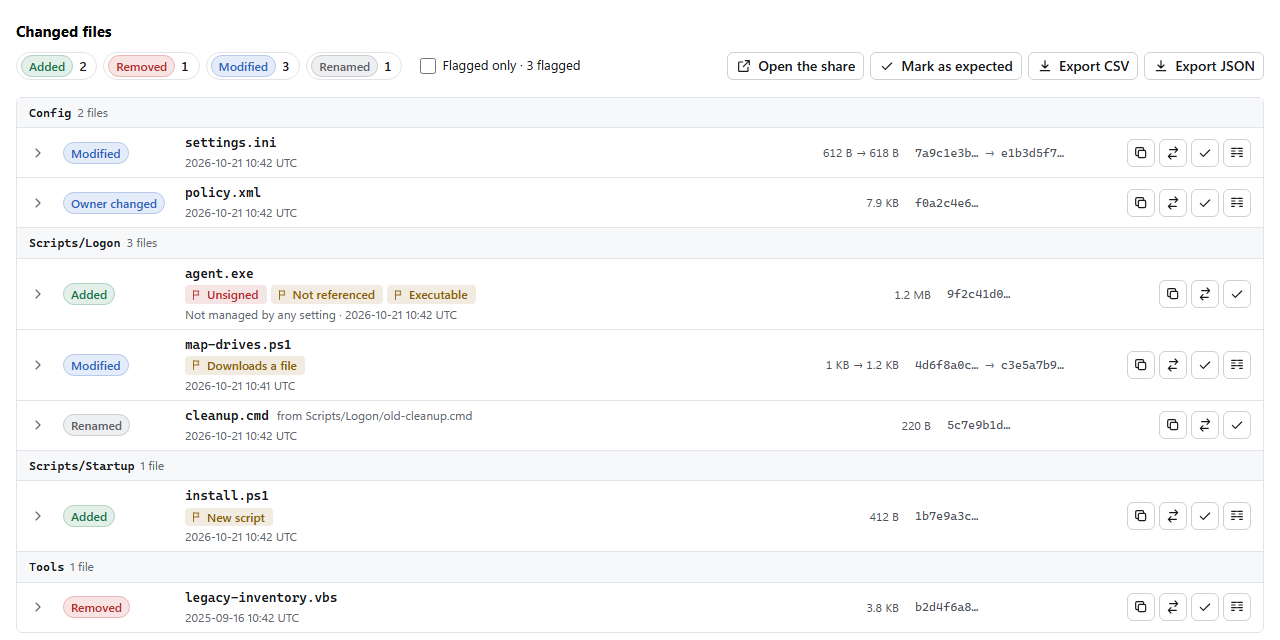](https://canopyx.dev/views/changes/)<br>**[Change review](https://canopyx.dev/views/changes/)**<br>Change lists, text diffs and how a change reached its replicas. |
|
|
26
|
+
| [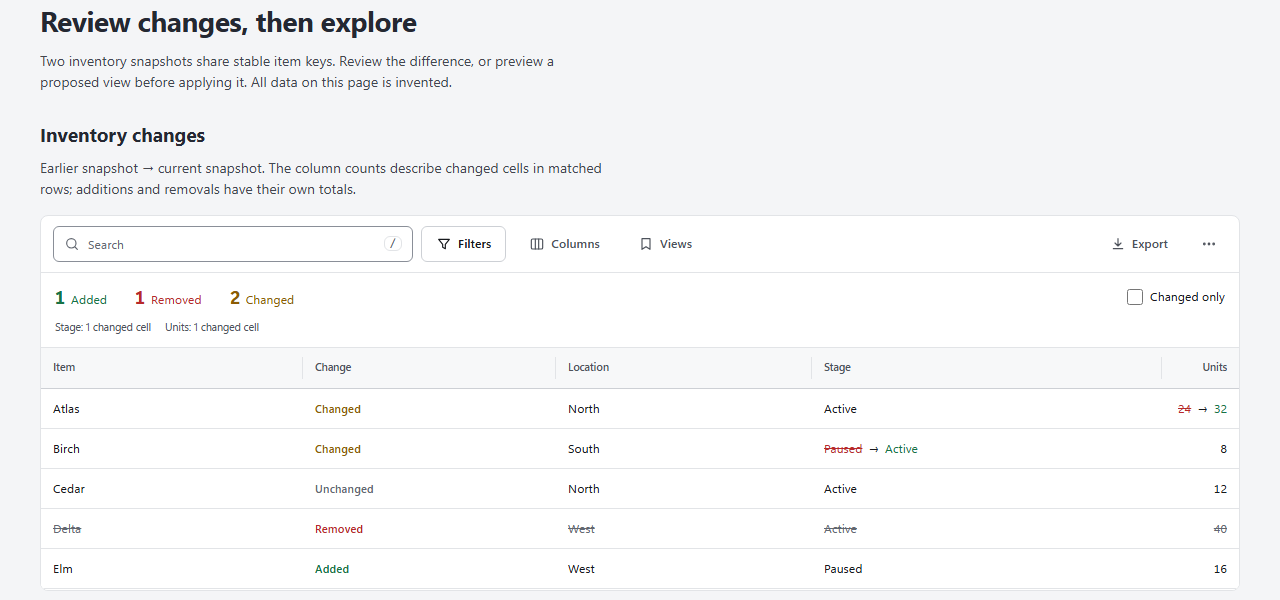](https://canopyx.dev/views/compare/)<br>**[Dataset compare](https://canopyx.dev/views/compare/)**<br>Added, removed and changed rows between two snapshots. | [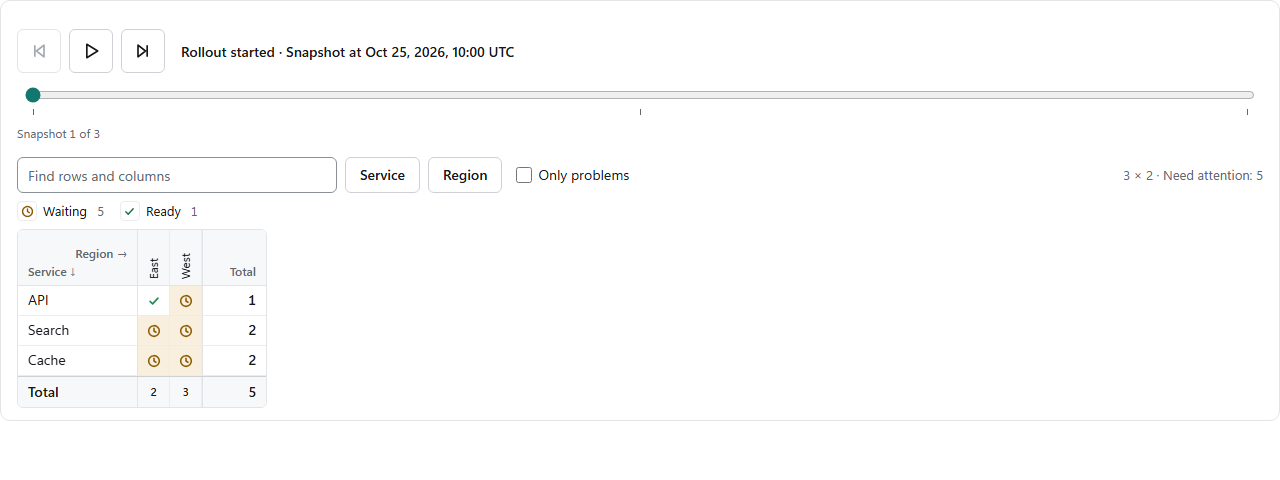](https://canopyx.dev/views/time/)<br>**[Time slider](https://canopyx.dev/views/time/)**<br>Replay snapshots of a view step by step. | [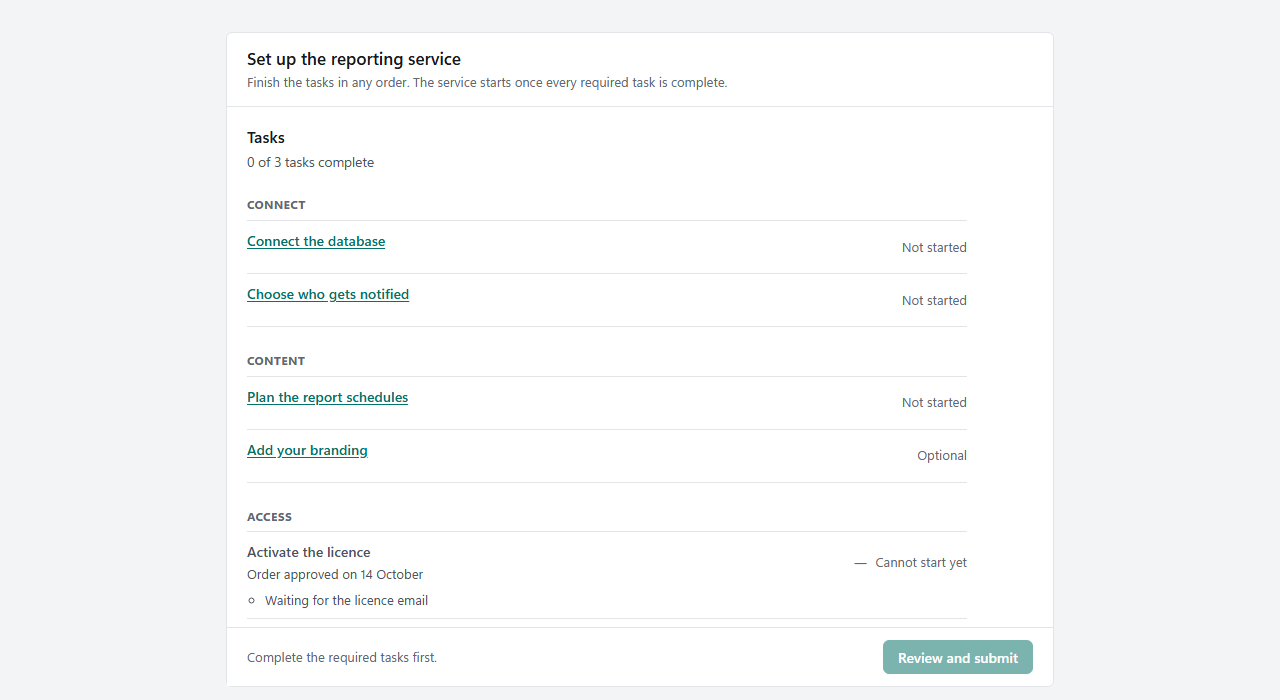](https://canopyx.dev/views/flow/)<br>**[Guided flow](https://canopyx.dev/views/flow/)**<br>Setup and edit tasks with checks, review and one proposal. |
|
|
27
|
+
| [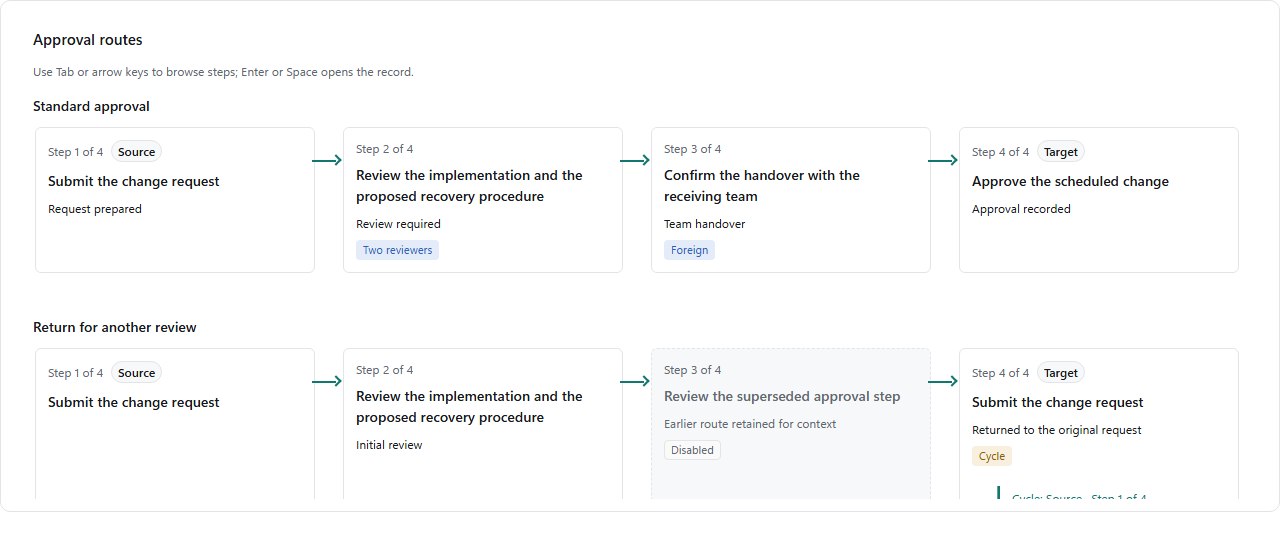](https://canopyx.dev/views/path/)<br>**[Approval path](https://canopyx.dev/views/path/)**<br>The route a request takes over your records. | [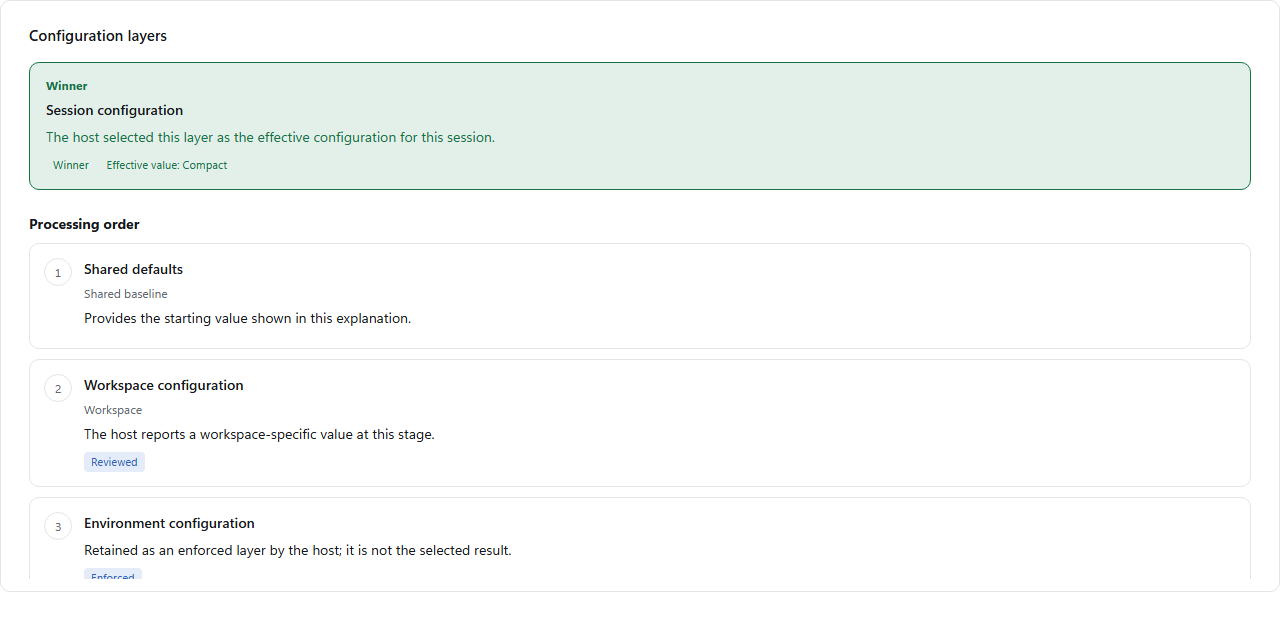](https://canopyx.dev/views/stack/)<br>**[Layer stack](https://canopyx.dev/views/stack/)**<br>Which configuration layer sets each value. | [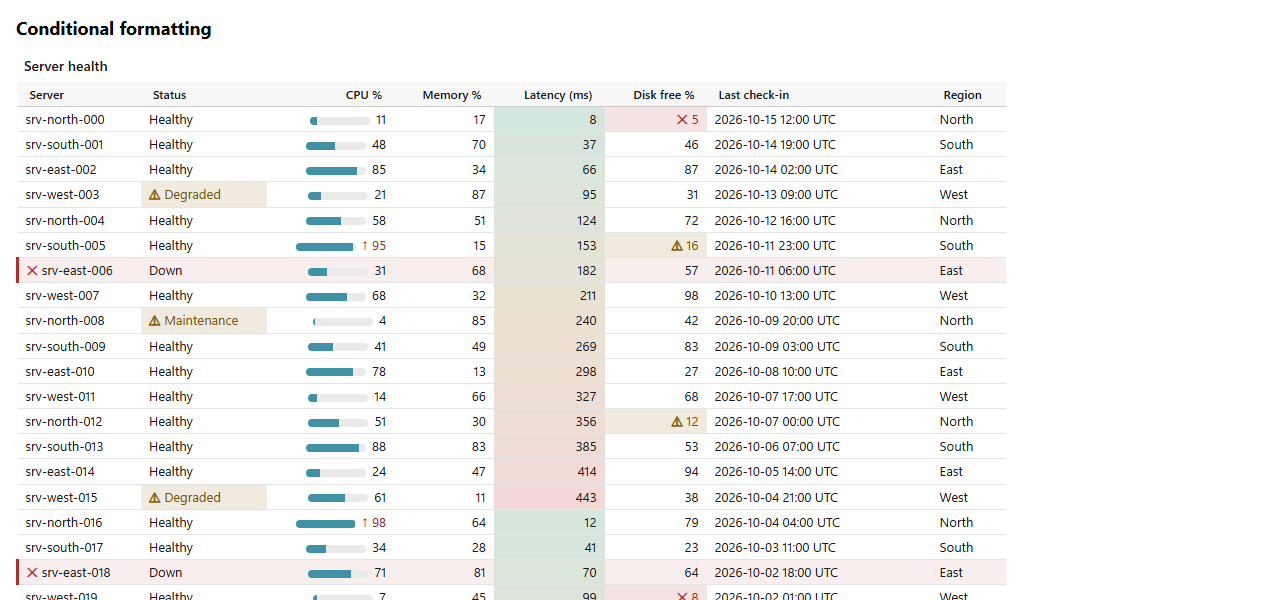](https://canopyx.dev/views/email/)<br>**[Script-free table](https://canopyx.dev/views/email/)**<br>The same view as an email, print or Word table. |
|
|
48
28
|
|
|
49
|
-
|
|
29
|
+
## Get started
|
|
50
30
|
|
|
51
|
-
|
|
52
|
-
|
|
53
|
-
### .NET
|
|
31
|
+
### From .NET: a report that opens from disk
|
|
54
32
|
|
|
55
33
|
```shell
|
|
56
34
|
dotnet add package CanopyX.Html
|
|
57
35
|
```
|
|
58
36
|
|
|
59
|
-
`CanopyX.Html` includes the browser assets and brings in `CanopyX` for the view definitions. Install `CanopyX` alone when you only need the model, tree bundle writer or script-free table renderer.
|
|
60
|
-
|
|
61
|
-
| Target | Support |
|
|
62
|
-
| --- | --- |
|
|
63
|
-
| .NET 8 and .NET 10 | Windows, Linux and macOS |
|
|
64
|
-
| .NET Standard 2.0 | Compatible .NET applications |
|
|
65
|
-
| .NET Framework 4.7.2 | Windows |
|
|
66
|
-
|
|
67
|
-
Neither .NET package adds third-party runtime dependencies. Generating a report from C# needs no Node.js, npm or JavaScript build step.
|
|
68
|
-
|
|
69
|
-
To serve a hosted grid from your own data, add `CanopyX.Data` (server-side paging, sorting, filtering, value lists, multi-level summaries, streamed export and commits of edited rows over `IQueryable<T>` or your own provider) and, in ASP.NET Core, `CanopyX.AspNetCore` for the endpoints. See [Server-side data for .NET](docs/remote-dotnet.md).
|
|
70
|
-
|
|
71
|
-
### JavaScript
|
|
72
|
-
|
|
73
|
-
```shell
|
|
74
|
-
npm install @evotecit/canopyx
|
|
75
|
-
```
|
|
76
|
-
|
|
77
|
-
The package includes ES modules, classic scripts, stylesheets and TypeScript declarations, with no runtime package dependencies.
|
|
78
|
-
|
|
79
|
-
## Usage in .NET
|
|
80
|
-
|
|
81
|
-
### Create a file explorer
|
|
82
|
-
|
|
83
|
-
```csharp
|
|
84
|
-
using CanopyX;
|
|
85
|
-
using CanopyX.Html;
|
|
86
|
-
|
|
87
|
-
var files = new CanopyTreeView("files", "Project files");
|
|
88
|
-
files.Search = new CanopySearchOptions();
|
|
89
|
-
files.Columns.Add(new CanopyColumn("name", "Name") { Sortable = true });
|
|
90
|
-
files.Columns.Add(new CanopyColumn("size", "Size")
|
|
91
|
-
{
|
|
92
|
-
Kind = CanopyColumnKind.Number,
|
|
93
|
-
Sortable = true
|
|
94
|
-
});
|
|
95
|
-
|
|
96
|
-
var projects = new CanopyNode("projects", "Projects");
|
|
97
|
-
var report = new CanopyNode("quarterly-report", "Quarterly report.pdf");
|
|
98
|
-
report.Cells["size"] = new CanopyCell(2048L) { Text = "2 KiB" };
|
|
99
|
-
projects.Children.Add(report);
|
|
100
|
-
files.Roots.Add(projects);
|
|
101
|
-
|
|
102
|
-
files.SaveHtmlPage("files.html");
|
|
103
|
-
```
|
|
104
|
-
|
|
105
|
-
Open `files.html` in a browser and expand Projects. The first column displays the node label; the Size column displays the matching cell. Numeric values control sorting while `Text` controls the displayed value.
|
|
106
|
-
|
|
107
|
-
For a larger tree, write a bundle that loads branches on demand:
|
|
108
|
-
|
|
109
|
-
```csharp
|
|
110
|
-
files.SaveHtmlBundle("file-report");
|
|
111
|
-
```
|
|
112
|
-
|
|
113
|
-
Keep the generated page, assets and data files together. The bundle can be opened directly from disk or a file share.
|
|
114
|
-
|
|
115
|
-
### Create an inventory table
|
|
116
|
-
|
|
117
37
|
```csharp
|
|
118
38
|
using CanopyX;
|
|
119
39
|
using CanopyX.Html;
|
|
120
40
|
|
|
121
41
|
var inventory = new CanopyDataGridView("inventory", "Inventory");
|
|
122
42
|
inventory.Columns.Add(new CanopyColumn("name", "Name") { Sortable = true });
|
|
123
|
-
inventory.Columns.Add(new CanopyColumn("size", "Size")
|
|
124
|
-
{
|
|
125
|
-
Kind = CanopyColumnKind.Number,
|
|
126
|
-
Sortable = true
|
|
127
|
-
});
|
|
43
|
+
inventory.Columns.Add(new CanopyColumn("size", "Size") { Kind = CanopyColumnKind.Number, Sortable = true });
|
|
128
44
|
|
|
129
45
|
foreach (var (name, bytes) in new[] { ("Archive", 2048L), ("Documents", 512L) })
|
|
130
46
|
{
|
|
@@ -137,35 +53,20 @@ foreach (var (name, bytes) in new[] { ("Archive", 2048L), ("Documents", 512L) })
|
|
|
137
53
|
inventory.SaveHtmlPage("inventory.html");
|
|
138
54
|
```
|
|
139
55
|
|
|
140
|
-
Open `inventory.html`
|
|
141
|
-
|
|
142
|
-
Event snapshots without a key column opt in to `CanopyGridRowIdentity.Ordinal`; the typed grid assigns source positions and keeps sorting, filtering, export and drawers available. Saved selections, record deep links and keyed live updates require stable keys. Use `CanopySelectionMode.None` and leave reporting selection controls off for a read-only report with no selection consumer. See [row identity](docs/data-protocol.md#row-identity-order) and the generated `ordinal-grid.html` example.
|
|
143
|
-
|
|
144
|
-
Grid fitting reserves readable header and content minimums before preferred whitespace. Spare width restores headers first, then preferred widths, then ordinary column growth. Headers yield with a full-title tooltip only when their capped minimums cannot collectively fit; content that still needs more room scrolls horizontally. Auto height includes the actual horizontal scrollbar gutter. The [column-fitting algorithm](docs/column-fitting.md) and `report-grid-layout.html` example describe the policy.
|
|
56
|
+
Open `inventory.html` in any browser. The page carries its own runtime and data, so you can attach it to a ticket, archive it with a run or put it on a file share. Numeric values drive sorting; `Text` is what the reader sees.
|
|
145
57
|
|
|
146
|
-
|
|
58
|
+
For a tree, build `CanopyNode`s under a `CanopyTreeView`. For a large one, `SaveHtmlBundle("report")` writes a folder that loads branches on demand, still with no server. The [getting started guide](https://canopyx.dev/docs/getting-started/) builds both, step by step.
|
|
147
59
|
|
|
148
|
-
###
|
|
60
|
+
### From JavaScript: mount a view in your page
|
|
149
61
|
|
|
150
|
-
```
|
|
151
|
-
|
|
152
|
-
|
|
153
|
-
string treeTable = CanopyStaticHtml.Render(files);
|
|
154
|
-
string inventoryTable = CanopyStaticHtml.RenderGrid(inventory);
|
|
62
|
+
```shell
|
|
63
|
+
npm install @evotecit/canopyx
|
|
155
64
|
```
|
|
156
65
|
|
|
157
|
-
These methods return HTML tables with no scripts. Insert the returned HTML into your email, print layout or document-generation workflow.
|
|
158
|
-
|
|
159
|
-
## Usage in JavaScript
|
|
160
|
-
|
|
161
|
-
Add a container to your page:
|
|
162
|
-
|
|
163
66
|
```html
|
|
164
67
|
<div id="files" style="height: 360px"></div>
|
|
165
68
|
```
|
|
166
69
|
|
|
167
|
-
Then mount a tree grid:
|
|
168
|
-
|
|
169
70
|
```javascript
|
|
170
71
|
import { createTreeGrid } from "@evotecit/canopyx";
|
|
171
72
|
import "@evotecit/canopyx/styles.css";
|
|
@@ -173,90 +74,78 @@ import "@evotecit/canopyx/styles.css";
|
|
|
173
74
|
const grid = createTreeGrid(document.getElementById("files"), {
|
|
174
75
|
view: {
|
|
175
76
|
protocol: "canopyx/2", type: "view", id: "files", label: "Project files",
|
|
176
|
-
|
|
177
|
-
search: { minLength: 1, maxResults: 50 },
|
|
77
|
+
search: { minLength: 1 },
|
|
178
78
|
columns: [{ id: "name", title: "Name", kind: "text", width: 320 }],
|
|
179
79
|
source: { kind: "inline" },
|
|
180
|
-
roots: [{
|
|
181
|
-
id: "projects", label: "Projects",
|
|
182
|
-
children: [{ id: "quarterly-report", label: "Quarterly report.pdf" }]
|
|
183
|
-
}]
|
|
80
|
+
roots: [{ id: "projects", label: "Projects", children: [{ id: "q3", label: "Quarterly report.pdf" }] }]
|
|
184
81
|
}
|
|
185
82
|
});
|
|
186
83
|
|
|
187
84
|
await grid.ready;
|
|
188
85
|
```
|
|
189
86
|
|
|
190
|
-
The stylesheet import uses your application's asset pipeline. For a page without a bundler, serve `classic.js` and `styles.css` from the installed package and load them with `<script>` and `<link>` elements; the script exposes `window.CanopyX`. Use one matching runtime and stylesheet per page.
|
|
191
|
-
|
|
192
|
-
### Choose a runtime
|
|
193
|
-
|
|
194
87
|
| Import | Use it for | Stylesheet |
|
|
195
88
|
| --- | --- | --- |
|
|
196
|
-
| `@evotecit/canopyx` |
|
|
89
|
+
| `@evotecit/canopyx` | Tree grids | `@evotecit/canopyx/styles.css` |
|
|
197
90
|
| `@evotecit/canopyx/grid` | Flat data grids | `@evotecit/canopyx/grid.css` |
|
|
198
|
-
| `@evotecit/canopyx/reporting` |
|
|
91
|
+
| `@evotecit/canopyx/reporting` | Data grids with grouping, aggregates and export | `@evotecit/canopyx/reporting.css` |
|
|
199
92
|
|
|
200
|
-
|
|
93
|
+
Already have an HTML table? `CanopyX.enhance("#servers")` turns it into a grid with search, filters, sorting, pages and export, and keeps the table as the fallback ([enhance](docs/enhance.md)). Without a bundler, load `classic.js` and `styles.css` from the package; the script exposes `window.CanopyX`. TypeScript declarations are included, and the package has no runtime dependencies. The [JavaScript guide](https://canopyx.dev/docs/javascript/) covers the rest.
|
|
201
94
|
|
|
202
|
-
###
|
|
95
|
+
### For email and print
|
|
203
96
|
|
|
204
|
-
|
|
97
|
+
```csharp
|
|
98
|
+
using CanopyX.Rendering;
|
|
205
99
|
|
|
206
|
-
|
|
207
|
-
<link rel="stylesheet" href="canopyx-grid.css">
|
|
208
|
-
<script src="canopyx-grid.js"></script>
|
|
209
|
-
<script>CanopyX.enhance("#servers", { pageLength: 10, stateSave: true });</script>
|
|
100
|
+
string table = CanopyStaticHtml.RenderGrid(inventory);
|
|
210
101
|
```
|
|
211
102
|
|
|
212
|
-
|
|
103
|
+
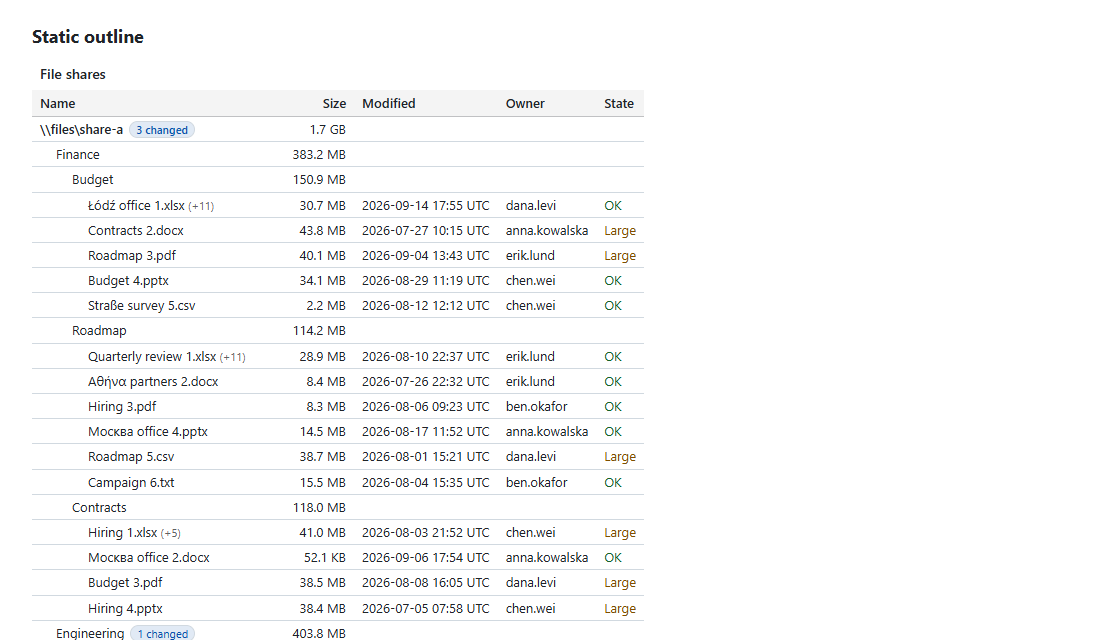
The result is an HTML table with inline styles and no scripts, ready for a mail body, a print layout or Word. See [email and print](https://canopyx.dev/docs/static-tables/).
|
|
213
104
|
|
|
214
|
-
|
|
105
|
+
## Choose a delivery
|
|
215
106
|
|
|
216
|
-
|
|
217
|
-
|
|
218
|
-
|
|
219
|
-
|
|
220
|
-
|
|
221
|
-
|
|
222
|
-
### Format cells by rule
|
|
223
|
-
|
|
224
|
-
`formatRules` (in .NET, `CanopyDataGridView.FormatRules`) tints cells and rows, adds icons, badges and cues, and draws data bars, colour scales and threshold bands, with conditions from the filter builder. Readers can change the rules in a rule editor, and their rules are kept in saved views. See [docs/conditional-formatting.md](docs/conditional-formatting.md).
|
|
225
|
-
|
|
226
|
-
### Show records as a calendar
|
|
227
|
-
|
|
228
|
-
Give a grid a `calendar` (in .NET, `CanopyDataGridView.Calendar`, or `grid.Calendar().Start(x => x.Starts).End(x => x.Ends)` on a typed grid) and its records show as a month, week, day, N-day, agenda or year calendar, or, with resources, a resource timeline whose resources are a CanopyX tree. The grid's search, filters, facets, saved views, record panel, linked views, live data and editing keep working on the same records; recurring events, time zones with correct DST, iCalendar export and print come with it. See [docs/calendar.md](docs/calendar.md) and [docs/resource-timeline.md](docs/resource-timeline.md).
|
|
229
|
-
|
|
230
|
-
### Link views together
|
|
231
|
-
|
|
232
|
-
A chart, a list or another grid can filter a grid or tree (`setExternalFilter`, shown as a removable chip and sent to a host source in its query) or highlight its rows (`setHighlight`), and a view with `linkEvents` reports its selection and own conditions as neutral `canopyx:linkchange` payloads. See [docs/linked-views.md](docs/linked-views.md).
|
|
233
|
-
|
|
234
|
-
### Translate the controls
|
|
235
|
-
|
|
236
|
-
Import labels from `@evotecit/canopyx/locales/pl`, `/locales/de`, `/locales/es`, `/locales/fr` or `/locales/it` and pass them as `labels` in your view definition. In C#, set the view's `Labels` to `CanopyLabels.Polish()`, `German()`, `Spanish()`, `French()` or `Italian()` before writing the page.
|
|
237
|
-
|
|
238
|
-
### Strict security policies and accessibility
|
|
239
|
-
|
|
240
|
-
CanopyX runs under a Content Security Policy without `'unsafe-inline'` or `'unsafe-eval'`: set `CanopyHtmlOptions.Nonce` in C#, or give the runtime script a nonce, and the parts the runtime loads later carry it too. It also works with Trusted Types (`trusted-types canopyx`), writes host strings as text, and escapes CSV fields that could start a spreadsheet formula. See [docs/security.md](docs/security.md). The keyboard model, ARIA roles, forced colours, reduced motion, zoom reflow and target sizes, and what the tests check, are in [docs/accessibility.md](docs/accessibility.md).
|
|
241
|
-
|
|
242
|
-
## Working with larger datasets
|
|
243
|
-
|
|
244
|
-
Virtual rows keep the rendered DOM small. Tree bundles split data into sidecar files, and hosted sources let your application fetch records as the reader navigates. Flat-grid queries filter and sort the complete dataset before paging; loading one page does not mean the rest of the results are available in the browser.
|
|
245
|
-
|
|
246
|
-
`CanopyX.Data` answers a hosted grid's queries on the server, so a table over millions of database rows pages, sorts, filters, groups, counts value lists and exports without loading the result into the browser, and saves the rows readers edit through a writer the host controls ([docs/remote-dotnet.md](docs/remote-dotnet.md)).
|
|
107
|
+
| You want | Write | What you get |
|
|
108
|
+
| --- | --- | --- |
|
|
109
|
+
| One file to attach or archive | `view.SaveHtmlPage("report.html")` | Data and runtime in a single page |
|
|
110
|
+
| A big tree or grid on a file share | `view.SaveHtmlBundle("report")` | A folder whose branches and rows load as the reader scrolls |
|
|
111
|
+
| Millions of database rows | `CanopyX.Data` + `CanopyX.AspNetCore` | Paging, filters, summaries, export and edits answered by your server |
|
|
112
|
+
| A table in an email | `CanopyStaticHtml.Render(view)` | A script-free table that survives mail clients |
|
|
247
113
|
|
|
248
|
-
|
|
114
|
+
More detail, with measured numbers, is in [delivery modes](https://canopyx.dev/docs/delivery/) and [large data](docs/large-data.md).
|
|
249
115
|
|
|
250
|
-
|
|
116
|
+
## Guides by task
|
|
251
117
|
|
|
252
|
-
|
|
118
|
+
| I want to… | Read |
|
|
119
|
+
| --- | --- |
|
|
120
|
+
| Group, filter, total and export records | [Reporting grids](https://canopyx.dev/docs/reporting/), [grouping](docs/grouping.md), [export formats](docs/authoring.md#export-formats) |
|
|
121
|
+
| Let readers edit cells and save through my code | [Editing](docs/editing.md) |
|
|
122
|
+
| Colour cells and rows by rule | [Conditional formatting](docs/conditional-formatting.md) |
|
|
123
|
+
| Show the same records as a calendar, board or plan | [Calendar](docs/calendar.md), [resource timeline](docs/resource-timeline.md), [board](docs/board.md), [plan](docs/plan.md) |
|
|
124
|
+
| Serve a grid from my database | [Server-side data for .NET](docs/remote-dotnet.md), [paging](docs/paging.md) |
|
|
125
|
+
| Open one record with all its details | [Record panel](docs/record-panel.md) |
|
|
126
|
+
| Filter one view from another | [Linked views](docs/linked-views.md) |
|
|
127
|
+
| Compare two snapshots | [Dataset comparison](docs/dataset-compare.md) |
|
|
128
|
+
| Build a setup or edit wizard | [Guided flows](docs/flow.md) |
|
|
129
|
+
| Translate the controls | [Label packs](docs/labels.md): Polish, German, Spanish, French and Italian are included |
|
|
130
|
+
| Add my own cell types, buttons or export formats | [Plugins](docs/plugins.md) |
|
|
131
|
+
| Run under a strict Content Security Policy | [Security](docs/security.md) |
|
|
132
|
+
| Match my site's colours and density | [Theming](docs/architecture.md#theming) |
|
|
133
|
+
| Know what keyboard and screen reader users get | [Accessibility](docs/accessibility.md) |
|
|
134
|
+
|
|
135
|
+
Everything else: [features](docs/features.md), [recipes](docs/recipes.md), the [authoring reference](docs/authoring.md) and the [canopyx/2 data protocol](docs/data-protocol.md).
|
|
136
|
+
|
|
137
|
+
## Packages
|
|
138
|
+
|
|
139
|
+
| Package | What it is |
|
|
140
|
+
| --- | --- |
|
|
141
|
+
| [`CanopyX.Html`](https://www.nuget.org/packages/CanopyX.Html) | Views, the browser runtime and the HTML writers. Start here. |
|
|
142
|
+
| [`CanopyX`](https://www.nuget.org/packages/CanopyX) | The model, bundle writer and script-free renderer, without the browser assets. |
|
|
143
|
+
| [`CanopyX.Data`](https://www.nuget.org/packages/CanopyX.Data) | Server-side paging, filters, summaries, export and edits over `IQueryable`. |
|
|
144
|
+
| [`CanopyX.AspNetCore`](https://www.nuget.org/packages/CanopyX.AspNetCore) | Minimal-API endpoints for a hosted grid. |
|
|
145
|
+
| [`@evotecit/canopyx`](https://www.npmjs.com/package/@evotecit/canopyx) | ES modules, classic scripts, styles and TypeScript types. |
|
|
253
146
|
|
|
254
|
-
|
|
255
|
-
- [Recipes](docs/recipes.md): short how-tos for server data, cell values, export, phones, grouping, saved views and translations.
|
|
256
|
-
- [Authoring reference](docs/authoring.md), [column layout](docs/column-layout.md), [label packs](docs/labels.md) and the [data protocol](docs/data-protocol.md).
|
|
257
|
-
- [Planned work](TODO.md): remaining capabilities, consumers and acceptance gates.
|
|
258
|
-
- [Testing and benchmarks](docs/testing.md): the required correctness loop and explicit performance measurements.
|
|
147
|
+
The .NET packages target .NET 8, .NET 10, .NET Standard 2.0 and .NET Framework 4.7.2, and add no third-party runtime dependencies. Generating a report from C# needs no Node.js or build step.
|
|
259
148
|
|
|
260
149
|
## Community and license
|
|
261
150
|
|
|
262
|
-
CanopyX is an Evotec project, licensed under MIT. Questions and feedback are welcome in the [Evotec community on Discord](https://evo.yt/discord).
|
|
151
|
+
CanopyX is an Evotec project, licensed under MIT. Questions and feedback are welcome in the [Evotec community on Discord](https://evo.yt/discord). Planned work is in [TODO.md](TODO.md), and how changes are tested is in [docs/testing.md](docs/testing.md). More Evotec projects are at [evotec.xyz](https://evotec.xyz/hub).
|
package/README.nuget.md
CHANGED
|
@@ -1,88 +1,30 @@
|
|
|
1
|
-
# CanopyX
|
|
1
|
+
# CanopyX
|
|
2
2
|
|
|
3
|
-
|
|
3
|
+
Interactive views of your own records, written in C#: tree grids, data grids, pivots, boards, calendars, plans, status matrices, change reviews and guided flows. Save a report that opens from disk, serve the view from your app, or render it as a script-free table for email and print.
|
|
4
4
|
|
|
5
|
-
|
|
5
|
+
**[Live demos](https://canopyx.dev/views/)** · **[Documentation](https://canopyx.dev/docs/)** · **[Getting started](https://canopyx.dev/docs/getting-started/)** · **[GitHub](https://github.com/EvotecIT/CanopyX)**
|
|
6
6
|
|
|
7
|
-
|
|
8
|
-
[](https://www.nuget.org/packages/CanopyX.Html)
|
|
7
|
+

|
|
9
8
|
|
|
9
|
+
## Pick a view
|
|
10
10
|
|
|
11
|
-
|
|
11
|
+
| | | |
|
|
12
|
+
| :-- | :-- | :-- |
|
|
13
|
+
| [](https://canopyx.dev/views/files/)<br>**Tree grid**<br>`CanopyTreeView` | [](https://canopyx.dev/views/inventory/)<br>**Data grid**<br>`CanopyDataGridView` | [](https://canopyx.dev/views/pivot/)<br>**Pivot**<br>`CanopyGridPivot` |
|
|
14
|
+
| [](https://canopyx.dev/views/board/)<br>**Board**<br>`CanopyBoard` | [](https://canopyx.dev/views/calendar/)<br>**Calendar**<br>`CanopyCalendar` | [](https://canopyx.dev/views/plan/)<br>**Plan**<br>`CanopyPlan` |
|
|
15
|
+
| [](https://canopyx.dev/views/timeline/)<br>**Resource timeline**<br>`CanopyCalendarResources` | [](https://canopyx.dev/views/matrix/)<br>**Status matrix**<br>`CanopyMatrix` | [](https://canopyx.dev/views/changes/)<br>**Change review**<br>`CanopyChangeList`, `CanopyTextDiff` |
|
|
16
|
+
| [](https://canopyx.dev/views/compare/)<br>**Dataset compare**<br>`CanopyDatasetComparer` | [](https://canopyx.dev/views/time/)<br>**Time slider**<br>`CanopyTimeSlider` | [](https://canopyx.dev/views/flow/)<br>**Guided flow**<br>`CanopyFlow` |
|
|
17
|
+
| [](https://canopyx.dev/views/path/)<br>**Approval path**<br>`CanopyPath` | [](https://canopyx.dev/views/stack/)<br>**Layer stack**<br>`CanopyStack` | [](https://canopyx.dev/views/email/)<br>**Script-free table**<br>`CanopyStaticHtml` |
|
|
12
18
|
|
|
13
|
-
|
|
14
|
-
- **Inventory and results tables** with typed sorting, filters, column resizing and saved views.
|
|
15
|
-
- **HTML reports** that include their own runtime and data and can be opened from disk or a file share.
|
|
16
|
-
- **Application views** backed by paged or cursor-based data sources, with selection and detail callbacks.
|
|
17
|
-
- **Email and print tables** rendered from the same .NET view without JavaScript.
|
|
18
|
-
|
|
19
|
-
## Features
|
|
20
|
-
|
|
21
|
-
| | Tree grid | Data grid |
|
|
22
|
-
| --- | --- | --- |
|
|
23
|
-
| Navigation | Expandable branches, path search and lazy children | Continuous or paged records, offset or cursor navigation |
|
|
24
|
-
| Querying | Search, sibling sorting and named filters | Search, multi-column sorting, typed filters and condition groups |
|
|
25
|
-
| Columns | Resize and hide | Resize, hide, reorder, pin and fit to content |
|
|
26
|
-
| Selection | Single/multiple selection and hierarchical checkboxes | Single/multiple selection with stable record IDs |
|
|
27
|
-
| Presentation | Badges, details, custom cells and light/dark themes | Links, progress, wrapped text, row highlighting and light/dark themes |
|
|
28
|
-
| Delivery | Single HTML file, sidecar bundle or hosted data | Single HTML file or hosted data |
|
|
29
|
-
|
|
30
|
-
Both views use virtual rows and support keyboard navigation. Reporting grids also provide grouping, aggregates, saved views, CSV export and row copying. English labels are built in; Polish, German, Spanish, French and Italian packs are included.
|
|
31
|
-
|
|
32
|
-
## Installation
|
|
19
|
+
## Get started
|
|
33
20
|
|
|
34
21
|
```shell
|
|
35
22
|
dotnet add package CanopyX.Html
|
|
36
23
|
```
|
|
37
24
|
|
|
38
|
-
`CanopyX.Html`
|
|
39
|
-
|
|
40
|
-
| Target | Support |
|
|
41
|
-
| --- | --- |
|
|
42
|
-
| .NET 8 and .NET 10 | Windows, Linux and macOS |
|
|
43
|
-
| .NET Standard 2.0 | Compatible .NET applications |
|
|
44
|
-
| .NET Framework 4.7.2 | Windows |
|
|
45
|
-
|
|
46
|
-
Neither .NET package adds third-party runtime dependencies. Generating a report from C# needs no Node.js, npm or JavaScript build step.
|
|
25
|
+
`CanopyX.Html` brings in `CanopyX` and the browser assets. Install `CanopyX` alone when you only need the model, the bundle writer or the script-free renderer.
|
|
47
26
|
|
|
48
|
-
|
|
49
|
-
## Usage in .NET
|
|
50
|
-
|
|
51
|
-
### Create a file explorer
|
|
52
|
-
|
|
53
|
-
```csharp
|
|
54
|
-
using CanopyX;
|
|
55
|
-
using CanopyX.Html;
|
|
56
|
-
|
|
57
|
-
var files = new CanopyTreeView("files", "Project files");
|
|
58
|
-
files.Search = new CanopySearchOptions();
|
|
59
|
-
files.Columns.Add(new CanopyColumn("name", "Name") { Sortable = true });
|
|
60
|
-
files.Columns.Add(new CanopyColumn("size", "Size")
|
|
61
|
-
{
|
|
62
|
-
Kind = CanopyColumnKind.Number,
|
|
63
|
-
Sortable = true
|
|
64
|
-
});
|
|
65
|
-
|
|
66
|
-
var projects = new CanopyNode("projects", "Projects");
|
|
67
|
-
var report = new CanopyNode("quarterly-report", "Quarterly report.pdf");
|
|
68
|
-
report.Cells["size"] = new CanopyCell(2048L) { Text = "2 KiB" };
|
|
69
|
-
projects.Children.Add(report);
|
|
70
|
-
files.Roots.Add(projects);
|
|
71
|
-
|
|
72
|
-
files.SaveHtmlPage("files.html");
|
|
73
|
-
```
|
|
74
|
-
|
|
75
|
-
Open `files.html` in a browser and expand Projects. The first column displays the node label; the Size column displays the matching cell. Numeric values control sorting while `Text` controls the displayed value.
|
|
76
|
-
|
|
77
|
-
For a larger tree, write a bundle that loads branches on demand:
|
|
78
|
-
|
|
79
|
-
```csharp
|
|
80
|
-
files.SaveHtmlBundle("file-report");
|
|
81
|
-
```
|
|
82
|
-
|
|
83
|
-
Keep the generated page, assets and data files together. The bundle can be opened directly from disk or a file share.
|
|
84
|
-
|
|
85
|
-
### Create an inventory table
|
|
27
|
+
### A report that opens from disk
|
|
86
28
|
|
|
87
29
|
```csharp
|
|
88
30
|
using CanopyX;
|
|
@@ -90,11 +32,7 @@ using CanopyX.Html;
|
|
|
90
32
|
|
|
91
33
|
var inventory = new CanopyDataGridView("inventory", "Inventory");
|
|
92
34
|
inventory.Columns.Add(new CanopyColumn("name", "Name") { Sortable = true });
|
|
93
|
-
inventory.Columns.Add(new CanopyColumn("size", "Size")
|
|
94
|
-
{
|
|
95
|
-
Kind = CanopyColumnKind.Number,
|
|
96
|
-
Sortable = true
|
|
97
|
-
});
|
|
35
|
+
inventory.Columns.Add(new CanopyColumn("size", "Size") { Kind = CanopyColumnKind.Number, Sortable = true });
|
|
98
36
|
|
|
99
37
|
foreach (var (name, bytes) in new[] { ("Archive", 2048L), ("Documents", 512L) })
|
|
100
38
|
{
|
|
@@ -107,25 +45,63 @@ foreach (var (name, bytes) in new[] { ("Archive", 2048L), ("Documents", 512L) })
|
|
|
107
45
|
inventory.SaveHtmlPage("inventory.html");
|
|
108
46
|
```
|
|
109
47
|
|
|
110
|
-
Open `inventory.html`
|
|
48
|
+
Open `inventory.html` in any browser. It carries its own runtime and data, so you can attach it to a ticket or put it on a file share. Numeric values drive sorting; `Text` is what the reader sees.
|
|
111
49
|
|
|
112
|
-
###
|
|
50
|
+
### A file explorer
|
|
51
|
+
|
|
52
|
+
```csharp
|
|
53
|
+
var files = new CanopyTreeView("files", "Project files") { Search = new CanopySearchOptions() };
|
|
54
|
+
files.Columns.Add(new CanopyColumn("name", "Name") { Sortable = true });
|
|
55
|
+
files.Columns.Add(new CanopyColumn("size", "Size") { Kind = CanopyColumnKind.Number, Sortable = true });
|
|
56
|
+
|
|
57
|
+
var projects = new CanopyNode("projects", "Projects");
|
|
58
|
+
var report = new CanopyNode("quarterly-report", "Quarterly report.pdf");
|
|
59
|
+
report.Cells["size"] = new CanopyCell(2048L) { Text = "2 KiB" };
|
|
60
|
+
projects.Children.Add(report);
|
|
61
|
+
files.Roots.Add(projects);
|
|
62
|
+
|
|
63
|
+
files.SaveHtmlPage("files.html"); // one file
|
|
64
|
+
files.SaveHtmlBundle("file-report"); // or a folder that loads branches on demand
|
|
65
|
+
```
|
|
66
|
+
|
|
67
|
+
### A table for email and print
|
|
113
68
|
|
|
114
69
|
```csharp
|
|
115
70
|
using CanopyX.Rendering;
|
|
116
71
|
|
|
117
|
-
string
|
|
118
|
-
string inventoryTable = CanopyStaticHtml.RenderGrid(inventory);
|
|
72
|
+
string table = CanopyStaticHtml.RenderGrid(inventory);
|
|
119
73
|
```
|
|
120
74
|
|
|
121
|
-
|
|
75
|
+
The result is an HTML table with inline styles and no scripts, ready for a mail body, a print layout or Word.
|
|
76
|
+
|
|
77
|
+
## Choose a delivery
|
|
78
|
+
|
|
79
|
+
| You want | Write | What you get |
|
|
80
|
+
| --- | --- | --- |
|
|
81
|
+
| One file to attach or archive | `view.SaveHtmlPage("report.html")` | Data and runtime in a single page |
|
|
82
|
+
| A big tree or grid on a file share | `view.SaveHtmlBundle("report")` | A folder whose branches and rows load as the reader scrolls |
|
|
83
|
+
| Millions of database rows | `CanopyX.Data` + `CanopyX.AspNetCore` | Paging, filters, summaries, export and edits answered by your server |
|
|
84
|
+
| A table in an email | `CanopyStaticHtml.Render(view)` | A script-free table that survives mail clients |
|
|
85
|
+
|
|
86
|
+
## Guides
|
|
87
|
+
|
|
88
|
+
- [Getting started](https://canopyx.dev/docs/getting-started/): a file explorer and an inventory table, step by step.
|
|
89
|
+
- [Reporting grids](https://canopyx.dev/docs/reporting/): grouping, filters, aggregates, presenters and export.
|
|
90
|
+
- [Email and print](https://canopyx.dev/docs/static-tables/) and [delivery modes](https://canopyx.dev/docs/delivery/).
|
|
91
|
+
- [Server-side data for .NET](https://github.com/EvotecIT/CanopyX/blob/main/docs/remote-dotnet.md): `CanopyX.Data` and `CanopyX.AspNetCore`.
|
|
92
|
+
- [Calendar](https://github.com/EvotecIT/CanopyX/blob/main/docs/calendar.md), [board](https://github.com/EvotecIT/CanopyX/blob/main/docs/board.md), [plan](https://github.com/EvotecIT/CanopyX/blob/main/docs/plan.md), [matrix](https://github.com/EvotecIT/CanopyX/blob/main/docs/matrix.md), [change views](https://github.com/EvotecIT/CanopyX/blob/main/docs/changes.md) and [guided flows](https://github.com/EvotecIT/CanopyX/blob/main/docs/flow.md).
|
|
93
|
+
- [Editing](https://github.com/EvotecIT/CanopyX/blob/main/docs/editing.md), [conditional formatting](https://github.com/EvotecIT/CanopyX/blob/main/docs/conditional-formatting.md), [label packs](https://github.com/EvotecIT/CanopyX/blob/main/docs/labels.md) and [security](https://github.com/EvotecIT/CanopyX/blob/main/docs/security.md).
|
|
122
94
|
|
|
123
|
-
##
|
|
95
|
+
## Requirements
|
|
124
96
|
|
|
125
|
-
|
|
97
|
+
| Target | Support |
|
|
98
|
+
| --- | --- |
|
|
99
|
+
| .NET 8 and .NET 10 | Windows, Linux and macOS |
|
|
100
|
+
| .NET Standard 2.0 | Compatible .NET applications |
|
|
101
|
+
| .NET Framework 4.7.2 | Windows |
|
|
126
102
|
|
|
127
|
-
|
|
103
|
+
The packages add no third-party runtime dependencies, and generating a report needs no Node.js, npm or build step.
|
|
128
104
|
|
|
129
105
|
## Community and license
|
|
130
106
|
|
|
131
|
-
CanopyX is an Evotec project, licensed under MIT. Questions and feedback are welcome in the [Evotec community on Discord](https://evo.yt/discord).
|
|
107
|
+
CanopyX is an Evotec project, licensed under MIT. Questions and feedback are welcome in the [Evotec community on Discord](https://evo.yt/discord). More Evotec projects are at [evotec.xyz](https://evotec.xyz/hub).
|
|
@@ -0,0 +1,21 @@
|
|
|
1
|
+
MIT License
|
|
2
|
+
|
|
3
|
+
Copyright (c) 2022 Evotec
|
|
4
|
+
|
|
5
|
+
Permission is hereby granted, free of charge, to any person obtaining a copy
|
|
6
|
+
of this software and associated documentation files (the "Software"), to deal
|
|
7
|
+
in the Software without restriction, including without limitation the rights
|
|
8
|
+
to use, copy, modify, merge, publish, distribute, sublicense, and/or sell
|
|
9
|
+
copies of the Software, and to permit persons to whom the Software is
|
|
10
|
+
furnished to do so, subject to the following conditions:
|
|
11
|
+
|
|
12
|
+
The above copyright notice and this permission notice shall be included in all
|
|
13
|
+
copies or substantial portions of the Software.
|
|
14
|
+
|
|
15
|
+
THE SOFTWARE IS PROVIDED "AS IS", WITHOUT WARRANTY OF ANY KIND, EXPRESS OR
|
|
16
|
+
IMPLIED, INCLUDING BUT NOT LIMITED TO THE WARRANTIES OF MERCHANTABILITY,
|
|
17
|
+
FITNESS FOR A PARTICULAR PURPOSE AND NONINFRINGEMENT. IN NO EVENT SHALL THE
|
|
18
|
+
AUTHORS OR COPYRIGHT HOLDERS BE LIABLE FOR ANY CLAIM, DAMAGES OR OTHER
|
|
19
|
+
LIABILITY, WHETHER IN AN ACTION OF CONTRACT, TORT OR OTHERWISE, ARISING FROM,
|
|
20
|
+
OUT OF OR IN CONNECTION WITH THE SOFTWARE OR THE USE OR OTHER DEALINGS IN THE
|
|
21
|
+
SOFTWARE.
|
|
@@ -0,0 +1,13 @@
|
|
|
1
|
+
# OfficeIMO browser document writers
|
|
2
|
+
|
|
3
|
+
`officeimo-canopyx.js` is the unmodified standalone CanopyX integration from `@evotecit/officeimo` 0.1.3, published under the MIT license. `LICENSE` preserves its license and copyright notice.
|
|
4
|
+
|
|
5
|
+
The source is [the published npm archive](https://registry.npmjs.org/@evotecit/officeimo/-/officeimo-0.1.3.tgz), file `package/bundles/officeimo-canopyx.js`. The archive integrity is `sha512-zYFbU9P/9svr5Jp8dpu3EJZradQ5nipk/+JC9OlI10oxaDS88eNfK9ZVAvdhnI8Y+hoT9FTlc2eUL3u7zW7OXA==`.
|
|
6
|
+
|
|
7
|
+
The asset assembler includes this source only in the optional `office-export` part. Base runtime files contain the format descriptors and lazy loader, without the document engines. An offline page embeds the inert part only when its view declares XLSX or PDF.
|
|
8
|
+
|
|
9
|
+
Document-engine changes belong in OfficeIMO. Refresh this source from a published package after validating the archive integrity, preserve the license, regenerate assets, and run actual XLSX/PDF consumer checks. Do not patch the copied bundle.
|
|
10
|
+
|
|
11
|
+
The published writer does not preserve pivot semantics. Pivot XLSX/PDF export is not supported yet: the menu omits those formats while a pivot is active, and `exportAs` rejects an explicit `pivot: true` request. Pivot capture, print and host delivery remain available. The containing writer and real-producer artifact qualification are tracked in [OfficeIMO #3202](https://github.com/EvotecIT/OfficeIMO/pull/3202).
|
|
12
|
+
|
|
13
|
+
For ordinary PDFs, the integration bridge explicitly enables cell wrapping so default screen widths can fit the printed page without rejecting or losing text, dates or numbers. This temporary policy stays outside the unmodified vendored writer; adopt the canonical default-sizing fix with the next qualified published bundle. XLSX retains the captured width and wrapping policy.
|