@debugelectron/debug-electron-mcp 1.6.7
This diff represents the content of publicly available package versions that have been released to one of the supported registries. The information contained in this diff is provided for informational purposes only and reflects changes between package versions as they appear in their respective public registries.
- package/LICENSE +21 -0
- package/README.md +828 -0
- package/dist/handlers.d.ts +6 -0
- package/dist/index.d.ts +2 -0
- package/dist/index.js +4615 -0
- package/dist/index.js.map +1 -0
- package/dist/schemas.d.ts +116 -0
- package/dist/screenshot.d.ts +9 -0
- package/dist/tools.d.ts +13 -0
- package/dist/utils/electron-commands.d.ts +65 -0
- package/dist/utils/electron-connection.d.ts +39 -0
- package/dist/utils/electron-discovery.d.ts +52 -0
- package/dist/utils/electron-enhanced-commands.d.ts +51 -0
- package/dist/utils/electron-input-commands.d.ts +16 -0
- package/dist/utils/electron-logs.d.ts +11 -0
- package/dist/utils/electron-process.d.ts +27 -0
- package/dist/utils/logger.d.ts +19 -0
- package/dist/utils/logs.d.ts +1 -0
- package/dist/utils/project.d.ts +1 -0
- package/package.json +103 -0
package/README.md
ADDED
|
@@ -0,0 +1,828 @@
|
|
|
1
|
+
# Debug Electron MCP
|
|
2
|
+
|
|
3
|
+
[](https://github.com/TheDarkSkyXD/debug-electron-mcp/blob/master/LICENSE)
|
|
4
|
+
[](https://www.npmjs.com/package/@debugelectron/debug-electron-mcp)
|
|
5
|
+
[](https://modelcontextprotocol.io)
|
|
6
|
+
|
|
7
|
+
A powerful Model Context Protocol (MCP) server that provides comprehensive Electron application automation, debugging, and observability capabilities. Supercharge your Electron development workflow with AI-powered automation through Chrome DevTools Protocol integration.
|
|
8
|
+
|
|
9
|
+
## 🚀 Key Features
|
|
10
|
+
|
|
11
|
+
### 🎮 Application Control & Automation
|
|
12
|
+
|
|
13
|
+
- **Launch & Manage**: Start, stop, and monitor Electron applications with full lifecycle control
|
|
14
|
+
- **Interactive Automation**: Execute JavaScript code directly in running applications via WebSocket
|
|
15
|
+
- **UI Testing**: Automate button clicks, form interactions, and user workflows
|
|
16
|
+
- **Process Management**: Track PIDs, monitor resource usage, and handle graceful shutdowns
|
|
17
|
+
|
|
18
|
+
### 📊 Advanced Observability
|
|
19
|
+
|
|
20
|
+
- **Screenshot Capture**: Non-intrusive visual snapshots using Playwright and Chrome DevTools Protocol
|
|
21
|
+
- **Real-time Logs**: Stream application logs (main process, renderer, console) with filtering
|
|
22
|
+
- **Window Information**: Get detailed window metadata, titles, URLs, and target information
|
|
23
|
+
- **System Monitoring**: Track memory usage, uptime, and performance metrics
|
|
24
|
+
|
|
25
|
+
### 🛠️ Development Productivity
|
|
26
|
+
|
|
27
|
+
- **Universal Compatibility**: Works with any Electron app without requiring code modifications
|
|
28
|
+
- **DevTools Integration**: Leverage Chrome DevTools Protocol for powerful debugging capabilities
|
|
29
|
+
- **Build Automation**: Cross-platform building for Windows, macOS, and Linux
|
|
30
|
+
- **Environment Management**: Clean environment handling and debugging port configuration
|
|
31
|
+
|
|
32
|
+
## 🚀 Quick Start
|
|
33
|
+
|
|
34
|
+
**Just add to your MCP config and go!** No environment variables needed.
|
|
35
|
+
|
|
36
|
+
**VS Code:**
|
|
37
|
+
```json
|
|
38
|
+
{
|
|
39
|
+
"mcp": {
|
|
40
|
+
"servers": {
|
|
41
|
+
"electron": {
|
|
42
|
+
"command": "npx",
|
|
43
|
+
"args": ["-y", "@debugelectron/electron-mcp-server@latest"]
|
|
44
|
+
}
|
|
45
|
+
}
|
|
46
|
+
}
|
|
47
|
+
}
|
|
48
|
+
```
|
|
49
|
+
|
|
50
|
+
**Claude Desktop:**
|
|
51
|
+
```json
|
|
52
|
+
{
|
|
53
|
+
"mcpServers": {
|
|
54
|
+
"electron": {
|
|
55
|
+
"command": "npx",
|
|
56
|
+
"args": ["-y", "@debugelectron/electron-mcp-server@latest"]
|
|
57
|
+
}
|
|
58
|
+
}
|
|
59
|
+
}
|
|
60
|
+
```
|
|
61
|
+
|
|
62
|
+
**Cursor IDE** (`%APPDATA%\Cursor\mcp_config.json`):
|
|
63
|
+
```json
|
|
64
|
+
{
|
|
65
|
+
"mcpServers": {
|
|
66
|
+
"electron": {
|
|
67
|
+
"command": "npx",
|
|
68
|
+
"args": ["-y", "@debugelectron/electron-mcp-server@latest"]
|
|
69
|
+
}
|
|
70
|
+
}
|
|
71
|
+
}
|
|
72
|
+
```
|
|
73
|
+
|
|
74
|
+
That's it! The server is ready to use.
|
|
75
|
+
|
|
76
|
+
## 📦 Installation
|
|
77
|
+
|
|
78
|
+
See [Quick Start](#-quick-start) above for MCP configuration. For global installation:
|
|
79
|
+
|
|
80
|
+
```bash
|
|
81
|
+
npm install -g @debugelectron/electron-mcp-server
|
|
82
|
+
```
|
|
83
|
+
|
|
84
|
+
## Demo
|
|
85
|
+
|
|
86
|
+
See the Electron MCP Server in action:
|
|
87
|
+
|
|
88
|
+
[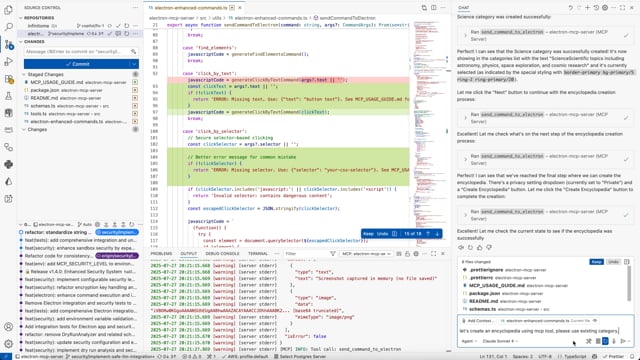](https://vimeo.com/1104937830)
|
|
89
|
+
|
|
90
|
+
**[🎬 Watch Full Demo on Vimeo](https://vimeo.com/1104937830)**
|
|
91
|
+
|
|
92
|
+
*Watch how easy it is to automate Electron applications with AI-powered MCP commands.*
|
|
93
|
+
|
|
94
|
+
## 🎯 What Makes This Special
|
|
95
|
+
|
|
96
|
+
Transform your Electron development experience with **AI-powered automation**:
|
|
97
|
+
|
|
98
|
+
- **🔄 Real-time UI Automation**: Click buttons, fill forms, and interact with any Electron app programmatically
|
|
99
|
+
- **📸 Visual Debugging**: Take screenshots and capture application state without interrupting development
|
|
100
|
+
- **🔍 Deep Inspection**: Extract DOM elements, application data, and performance metrics in real-time
|
|
101
|
+
- **⚡ DevTools Protocol Integration**: Universal compatibility with any Electron app - no modifications required
|
|
102
|
+
- **🚀 Development Observability**: Monitor logs, system info, and application behavior seamlessly
|
|
103
|
+
|
|
104
|
+
## ⚡ Enabling Remote Debugging (Required)
|
|
105
|
+
|
|
106
|
+
**CRITICAL**: For the Electron MCP Server to communicate with your Electron application, the app **MUST** be started with Chrome DevTools Protocol (CDP) remote debugging enabled on port 9222. Without this, the MCP server cannot connect to or control the application.
|
|
107
|
+
|
|
108
|
+
### 🔍 How It Works
|
|
109
|
+
|
|
110
|
+
The Electron MCP Server uses the Chrome DevTools Protocol (CDP) to:
|
|
111
|
+
- Connect to your Electron app via WebSocket
|
|
112
|
+
- Execute JavaScript in the renderer process
|
|
113
|
+
- Capture screenshots and inspect the DOM
|
|
114
|
+
- Automate UI interactions (clicks, form fills, etc.)
|
|
115
|
+
|
|
116
|
+
The server automatically scans ports **9222-9225** to find running Electron apps with debugging enabled.
|
|
117
|
+
|
|
118
|
+
### 📋 Configuration Methods
|
|
119
|
+
|
|
120
|
+
Choose **ONE** of the following methods to enable remote debugging:
|
|
121
|
+
|
|
122
|
+
---
|
|
123
|
+
|
|
124
|
+
#### Method 1: Command Line Flag (Recommended for Quick Testing)
|
|
125
|
+
|
|
126
|
+
Start your Electron app with the `--remote-debugging-port` flag:
|
|
127
|
+
|
|
128
|
+
```bash
|
|
129
|
+
# Using electron directly
|
|
130
|
+
electron . --remote-debugging-port=9222
|
|
131
|
+
|
|
132
|
+
# Using npx
|
|
133
|
+
npx electron . --remote-debugging-port=9222
|
|
134
|
+
|
|
135
|
+
# Via npm script
|
|
136
|
+
npm start -- --remote-debugging-port=9222
|
|
137
|
+
```
|
|
138
|
+
|
|
139
|
+
---
|
|
140
|
+
|
|
141
|
+
#### Method 2: Modify package.json Scripts (Recommended for Projects)
|
|
142
|
+
|
|
143
|
+
This is the most reliable method. It creates a dedicated command for launching your app with AI capabilities enabled.
|
|
144
|
+
|
|
145
|
+
**Step 1: Open your `package.json` file**
|
|
146
|
+
Locate the file in the root of your project.
|
|
147
|
+
|
|
148
|
+
**Step 2: Find the `"scripts"` section**
|
|
149
|
+
It usually looks like this:
|
|
150
|
+
```json
|
|
151
|
+
"scripts": {
|
|
152
|
+
"start": "electron .",
|
|
153
|
+
"build": "electron-builder"
|
|
154
|
+
}
|
|
155
|
+
```
|
|
156
|
+
|
|
157
|
+
**Step 3: Add the debug script**
|
|
158
|
+
Add a new script (e.g., `"dev"`) that includes the `--remote-debugging-port=9222` flag.
|
|
159
|
+
*Make sure to add a comma (`,`) to the end of the previous line!*
|
|
160
|
+
|
|
161
|
+
```json
|
|
162
|
+
"scripts": {
|
|
163
|
+
"start": "electron .", <-- Add comma here if needed
|
|
164
|
+
"build": "electron-builder", <-- Add comma here
|
|
165
|
+
"dev": "electron . --remote-debugging-port=9222" <-- ADD THIS LINE
|
|
166
|
+
}
|
|
167
|
+
```
|
|
168
|
+
|
|
169
|
+
**Note for Frameworks:**
|
|
170
|
+
- If you use **Electron Forge**: `"dev": "electron-forge start -- -- --remote-debugging-port=9222"`
|
|
171
|
+
- If you use **Electron Builder**: `"dev": "electron-builder start -- --remote-debugging-port=9222"`
|
|
172
|
+
- Generally, append the flag after your usual start command.
|
|
173
|
+
|
|
174
|
+
**Step 4: Run the script**
|
|
175
|
+
Execute the command in your terminal:
|
|
176
|
+
|
|
177
|
+
```bash
|
|
178
|
+
npm run dev
|
|
179
|
+
```
|
|
180
|
+
|
|
181
|
+
Your app will launch with port 9222 open, ready for the MCP server to connect.
|
|
182
|
+
|
|
183
|
+
---
|
|
184
|
+
|
|
185
|
+
#### Method 3: Programmatic Configuration (Best for Production Apps)
|
|
186
|
+
|
|
187
|
+
Add this code to your Electron app's **main process** file (usually `main.js` or `main.ts`):
|
|
188
|
+
|
|
189
|
+
```javascript
|
|
190
|
+
const { app } = require('electron');
|
|
191
|
+
|
|
192
|
+
// Enable remote debugging based on environment or command line args
|
|
193
|
+
const enableRemoteDebugging =
|
|
194
|
+
process.env.NODE_ENV === 'development' ||
|
|
195
|
+
process.env.ELECTRON_MCP_DEBUG === 'true' ||
|
|
196
|
+
process.argv.includes('--dev') ||
|
|
197
|
+
process.argv.includes('--remote-debugging-port=9222');
|
|
198
|
+
|
|
199
|
+
if (enableRemoteDebugging) {
|
|
200
|
+
// IMPORTANT: This must be called BEFORE app.whenReady()
|
|
201
|
+
app.commandLine.appendSwitch('remote-debugging-port', '9222');
|
|
202
|
+
console.log('🔧 Remote debugging enabled on port 9222');
|
|
203
|
+
}
|
|
204
|
+
|
|
205
|
+
// Rest of your app initialization...
|
|
206
|
+
app.whenReady().then(() => {
|
|
207
|
+
// Create windows, etc.
|
|
208
|
+
});
|
|
209
|
+
```
|
|
210
|
+
|
|
211
|
+
**TypeScript version:**
|
|
212
|
+
|
|
213
|
+
```typescript
|
|
214
|
+
import { app } from 'electron';
|
|
215
|
+
|
|
216
|
+
const enableRemoteDebugging =
|
|
217
|
+
process.env.NODE_ENV === 'development' ||
|
|
218
|
+
process.env.ELECTRON_MCP_DEBUG === 'true' ||
|
|
219
|
+
process.argv.includes('--dev');
|
|
220
|
+
|
|
221
|
+
if (enableRemoteDebugging) {
|
|
222
|
+
app.commandLine.appendSwitch('remote-debugging-port', '9222');
|
|
223
|
+
console.log('🔧 Remote debugging enabled on port 9222');
|
|
224
|
+
}
|
|
225
|
+
```
|
|
226
|
+
|
|
227
|
+
---
|
|
228
|
+
|
|
229
|
+
#### Method 4: Environment Variable (CI/CD Friendly)
|
|
230
|
+
|
|
231
|
+
Set an environment variable before starting your app:
|
|
232
|
+
|
|
233
|
+
**Windows (PowerShell):**
|
|
234
|
+
```powershell
|
|
235
|
+
$env:ELECTRON_MCP_DEBUG = "true"
|
|
236
|
+
npm start
|
|
237
|
+
```
|
|
238
|
+
|
|
239
|
+
**Windows (CMD):**
|
|
240
|
+
```cmd
|
|
241
|
+
set ELECTRON_MCP_DEBUG=true && npm start
|
|
242
|
+
```
|
|
243
|
+
|
|
244
|
+
**macOS/Linux:**
|
|
245
|
+
```bash
|
|
246
|
+
ELECTRON_MCP_DEBUG=true npm start
|
|
247
|
+
```
|
|
248
|
+
|
|
249
|
+
Then check for this variable in your main process (see Method 3).
|
|
250
|
+
|
|
251
|
+
---
|
|
252
|
+
|
|
253
|
+
### ✅ Verifying Remote Debugging is Enabled
|
|
254
|
+
|
|
255
|
+
When remote debugging is properly enabled, you'll see a message like this in your console:
|
|
256
|
+
|
|
257
|
+
```
|
|
258
|
+
DevTools listening on ws://127.0.0.1:9222/devtools/browser/xxxxxxxx-xxxx-xxxx-xxxx-xxxxxxxxxxxx
|
|
259
|
+
```
|
|
260
|
+
|
|
261
|
+
You can also verify by opening this URL in a browser:
|
|
262
|
+
```
|
|
263
|
+
http://localhost:9222/json
|
|
264
|
+
```
|
|
265
|
+
|
|
266
|
+
This should return a JSON array of available debugging targets.
|
|
267
|
+
|
|
268
|
+
### 🚨 Common Issues
|
|
269
|
+
|
|
270
|
+
| Issue | Cause | Solution |
|
|
271
|
+
|-------|-------|----------|
|
|
272
|
+
| "No running Electron application found" | App not started with debugging | Use `--remote-debugging-port=9222` flag |
|
|
273
|
+
| Port 9222 already in use | Another debugger or Electron app is running | Close other apps or use a different port (9223-9225) |
|
|
274
|
+
| Connection refused | Firewall blocking localhost | Check firewall settings for port 9222 |
|
|
275
|
+
| `app.commandLine.appendSwitch` not working | Called after `app.whenReady()` | Move the call to the top of main.js, before any async code |
|
|
276
|
+
|
|
277
|
+
### 🤖 For AI Assistants
|
|
278
|
+
|
|
279
|
+
When configuring an Electron app for MCP Server:
|
|
280
|
+
|
|
281
|
+
1. **Check if already configured**: Look for `--remote-debugging-port` in `package.json` scripts or `app.commandLine.appendSwitch` in the main process file
|
|
282
|
+
2. **Preferred method**: Modify `package.json` to add a `dev` or `debug` script with `--remote-debugging-port=9222`
|
|
283
|
+
3. **Always verify**: After starting the app, use `get_electron_window_info` or `list_electron_windows` to confirm connection
|
|
284
|
+
4. **Port range**: The MCP server scans ports 9222-9225, so any of these ports will work
|
|
285
|
+
|
|
286
|
+
## 🎯 Proper MCP Usage Guide
|
|
287
|
+
|
|
288
|
+
### ⚠️ Critical: Argument Structure
|
|
289
|
+
|
|
290
|
+
**The most common mistake** when using this MCP server is incorrect argument structure for the `send_command_to_electron` tool.
|
|
291
|
+
|
|
292
|
+
#### ❌ Wrong (causes "selector is empty" errors):
|
|
293
|
+
|
|
294
|
+
```javascript
|
|
295
|
+
{
|
|
296
|
+
"command": "click_by_selector",
|
|
297
|
+
"args": "button.submit-btn" // ❌ Raw string - WRONG!
|
|
298
|
+
}
|
|
299
|
+
```
|
|
300
|
+
|
|
301
|
+
#### ✅ Correct:
|
|
302
|
+
|
|
303
|
+
```javascript
|
|
304
|
+
{
|
|
305
|
+
"command": "click_by_selector",
|
|
306
|
+
"args": {
|
|
307
|
+
"selector": "button.submit-btn" // ✅ Object with selector property
|
|
308
|
+
}
|
|
309
|
+
}
|
|
310
|
+
```
|
|
311
|
+
|
|
312
|
+
### 📋 Command Argument Reference
|
|
313
|
+
|
|
314
|
+
| Command | Required Args | Example |
|
|
315
|
+
| --------------------------------------- | ----------------------------------------------------------------------------------- | ------------------------------------------------ |
|
|
316
|
+
| `click_by_selector` | `{"selector": "css-selector"}` | `{"selector": "button.primary"}` |
|
|
317
|
+
| `click_by_text` | `{"text": "button text"}` | `{"text": "Submit"}` |
|
|
318
|
+
| `fill_input` | `{"value": "text", "selector": "..."}` or `{"value": "text", "placeholder": "..."}` | `{"placeholder": "Enter name", "value": "John"}` |
|
|
319
|
+
| `send_keyboard_shortcut` | `{"text": "key combination"}` | `{"text": "Ctrl+N"}` |
|
|
320
|
+
| `eval` | `{"code": "javascript"}` | `{"code": "document.title"}` |
|
|
321
|
+
| `get_title`, `get_url`, `get_body_text` | No args needed | `{}` or omit args |
|
|
322
|
+
|
|
323
|
+
### 🔄 Recommended Workflow
|
|
324
|
+
|
|
325
|
+
1. **Inspect**: Start with `get_page_structure` or `debug_elements`
|
|
326
|
+
2. **Target**: Use specific selectors or text-based targeting
|
|
327
|
+
3. **Interact**: Use the appropriate command with correct argument structure
|
|
328
|
+
4. **Verify**: Take screenshots or check page state
|
|
329
|
+
|
|
330
|
+
```javascript
|
|
331
|
+
// Step 1: Understand the page
|
|
332
|
+
{
|
|
333
|
+
"command": "get_page_structure"
|
|
334
|
+
}
|
|
335
|
+
|
|
336
|
+
// Step 2: Click button using text (most reliable)
|
|
337
|
+
{
|
|
338
|
+
"command": "click_by_text",
|
|
339
|
+
"args": {
|
|
340
|
+
"text": "Create New Encyclopedia"
|
|
341
|
+
}
|
|
342
|
+
}
|
|
343
|
+
|
|
344
|
+
// Step 3: Fill form field
|
|
345
|
+
{
|
|
346
|
+
"command": "fill_input",
|
|
347
|
+
"args": {
|
|
348
|
+
"placeholder": "Enter encyclopedia name",
|
|
349
|
+
"value": "AI and Machine Learning"
|
|
350
|
+
}
|
|
351
|
+
}
|
|
352
|
+
|
|
353
|
+
// Step 4: Submit with selector
|
|
354
|
+
{
|
|
355
|
+
"command": "click_by_selector",
|
|
356
|
+
"args": {
|
|
357
|
+
"selector": "button[type='submit']"
|
|
358
|
+
}
|
|
359
|
+
}
|
|
360
|
+
```
|
|
361
|
+
|
|
362
|
+
### 🐛 Troubleshooting Common Issues
|
|
363
|
+
|
|
364
|
+
| Error | Cause | Solution |
|
|
365
|
+
| -------------------------------- | -------------------------------- | ------------------------------ |
|
|
366
|
+
| "The provided selector is empty" | Passing string instead of object | Use `{"selector": "..."}` |
|
|
367
|
+
| "Element not found" | Wrong selector | Use `get_page_structure` first |
|
|
368
|
+
| "Click prevented - too soon" | Rapid consecutive clicks | Wait before retrying |
|
|
369
|
+
|
|
370
|
+
|
|
371
|
+
|
|
372
|
+
|
|
373
|
+
|
|
374
|
+
|
|
375
|
+
## 🔧 Available Tools
|
|
376
|
+
|
|
377
|
+
### `launch_electron_app`
|
|
378
|
+
|
|
379
|
+
Launch an Electron application with debugging capabilities.
|
|
380
|
+
|
|
381
|
+
```javascript
|
|
382
|
+
{
|
|
383
|
+
"appPath": "/path/to/electron-app",
|
|
384
|
+
"devMode": true, // Enables Chrome DevTools Protocol on port 9222
|
|
385
|
+
"args": ["--enable-logging", "--dev"]
|
|
386
|
+
}
|
|
387
|
+
```
|
|
388
|
+
|
|
389
|
+
**Returns**: Process ID and launch confirmation
|
|
390
|
+
|
|
391
|
+
### `get_electron_window_info`
|
|
392
|
+
|
|
393
|
+
Get comprehensive window and target information via Chrome DevTools Protocol.
|
|
394
|
+
|
|
395
|
+
```javascript
|
|
396
|
+
{
|
|
397
|
+
"includeChildren": true // Include child windows and DevTools instances
|
|
398
|
+
}
|
|
399
|
+
```
|
|
400
|
+
|
|
401
|
+
**Returns**:
|
|
402
|
+
|
|
403
|
+
- Window IDs, titles, URLs, and types
|
|
404
|
+
- DevTools Protocol target information
|
|
405
|
+
- Platform details and process information
|
|
406
|
+
|
|
407
|
+
### `take_screenshot`
|
|
408
|
+
|
|
409
|
+
Capture high-quality screenshots using Playwright and Chrome DevTools Protocol.
|
|
410
|
+
|
|
411
|
+
```javascript
|
|
412
|
+
{
|
|
413
|
+
"outputPath": "/path/to/screenshot.png", // Optional: defaults to temp directory
|
|
414
|
+
"windowTitle": "My App" // Optional: target specific window
|
|
415
|
+
}
|
|
416
|
+
```
|
|
417
|
+
|
|
418
|
+
**Features**:
|
|
419
|
+
|
|
420
|
+
- Non-intrusive capture (doesn't bring window to front)
|
|
421
|
+
- Works with any Electron app
|
|
422
|
+
- Fallback to platform-specific tools if needed
|
|
423
|
+
|
|
424
|
+
### `send_command_to_electron`
|
|
425
|
+
|
|
426
|
+
Execute JavaScript commands in the running Electron application via WebSocket.
|
|
427
|
+
|
|
428
|
+
```javascript
|
|
429
|
+
{
|
|
430
|
+
"command": "eval", // Built-in commands: eval, get_title, get_url, click_button, console_log
|
|
431
|
+
"args": {
|
|
432
|
+
"code": "document.querySelector('button').click(); 'Button clicked!'"
|
|
433
|
+
}
|
|
434
|
+
}
|
|
435
|
+
```
|
|
436
|
+
|
|
437
|
+
**Enhanced UI Interaction Commands**:
|
|
438
|
+
|
|
439
|
+
- `find_elements`: Analyze all interactive UI elements with their properties and positions
|
|
440
|
+
- `click_by_text`: Click elements by their visible text, aria-label, or title (more reliable than selectors)
|
|
441
|
+
- `fill_input`: Fill input fields by selector, placeholder text, or associated label text
|
|
442
|
+
- `select_option`: Select dropdown options by value or visible text
|
|
443
|
+
- `get_page_structure`: Get organized overview of all page elements (buttons, inputs, selects, links)
|
|
444
|
+
- `get_title`: Get document title
|
|
445
|
+
- `get_url`: Get current URL
|
|
446
|
+
- `get_body_text`: Extract visible text content
|
|
447
|
+
- `click_button`: Click buttons by CSS selector (basic method)
|
|
448
|
+
- `console_log`: Send console messages
|
|
449
|
+
- `eval`: Execute custom JavaScript code
|
|
450
|
+
|
|
451
|
+
**Recommended workflow**: Use `get_page_structure` first to understand available elements, then use specific interaction commands like `click_by_text` or `fill_input`.
|
|
452
|
+
|
|
453
|
+
### `read_electron_logs`
|
|
454
|
+
|
|
455
|
+
Stream application logs from main process, renderer, and console.
|
|
456
|
+
|
|
457
|
+
```javascript
|
|
458
|
+
{
|
|
459
|
+
"logType": "all", // Options: "all", "main", "renderer", "console"
|
|
460
|
+
"lines": 50, // Number of recent lines
|
|
461
|
+
"follow": false // Stream live logs
|
|
462
|
+
}
|
|
463
|
+
```
|
|
464
|
+
|
|
465
|
+
### `close_electron_app`
|
|
466
|
+
|
|
467
|
+
Gracefully close the Electron application.
|
|
468
|
+
|
|
469
|
+
```javascript
|
|
470
|
+
{
|
|
471
|
+
"force": false // Force kill if unresponsive
|
|
472
|
+
}
|
|
473
|
+
```
|
|
474
|
+
|
|
475
|
+
### `build_electron_app`
|
|
476
|
+
|
|
477
|
+
Build Electron applications for distribution.
|
|
478
|
+
|
|
479
|
+
```javascript
|
|
480
|
+
{
|
|
481
|
+
"projectPath": "/path/to/project",
|
|
482
|
+
"platform": "darwin", // win32, darwin, linux
|
|
483
|
+
"arch": "x64", // x64, arm64, ia32
|
|
484
|
+
"debug": false
|
|
485
|
+
}
|
|
486
|
+
```
|
|
487
|
+
|
|
488
|
+
## 🎮 Demo Application
|
|
489
|
+
|
|
490
|
+
Try the interactive demo app to test all MCP Server features:
|
|
491
|
+
|
|
492
|
+
```bash
|
|
493
|
+
cd examples/demo-app
|
|
494
|
+
npm install
|
|
495
|
+
npm run dev
|
|
496
|
+
```
|
|
497
|
+
|
|
498
|
+
The demo app includes:
|
|
499
|
+
- **Interactive UI Elements**: Buttons, forms, dropdowns, checkboxes
|
|
500
|
+
- **Real-time Event Logging**: Monitor all interactions
|
|
501
|
+
- **MCP Command Examples**: Built-in usage guide
|
|
502
|
+
- **DevTools Integration**: Automatically enabled on port 9222
|
|
503
|
+
|
|
504
|
+
See [examples/demo-app/README.md](examples/demo-app/README.md) for detailed instructions.
|
|
505
|
+
|
|
506
|
+
## 💡 Usage Examples
|
|
507
|
+
|
|
508
|
+
### Smart UI Interaction Workflow
|
|
509
|
+
|
|
510
|
+
```javascript
|
|
511
|
+
// 1. First, understand the page structure
|
|
512
|
+
await send_command_to_electron({
|
|
513
|
+
command: 'get_page_structure',
|
|
514
|
+
});
|
|
515
|
+
|
|
516
|
+
// 2. Click a button by its text (much more reliable than selectors)
|
|
517
|
+
await send_command_to_electron({
|
|
518
|
+
command: 'click_by_text',
|
|
519
|
+
args: {
|
|
520
|
+
text: 'Login', // Finds buttons containing "Login" in text, aria-label, or title
|
|
521
|
+
},
|
|
522
|
+
});
|
|
523
|
+
|
|
524
|
+
// 3. Fill inputs by their label or placeholder text
|
|
525
|
+
await send_command_to_electron({
|
|
526
|
+
command: 'fill_input',
|
|
527
|
+
args: {
|
|
528
|
+
text: 'username', // Finds input with label "Username" or placeholder "Enter username"
|
|
529
|
+
value: 'john.doe@example.com',
|
|
530
|
+
},
|
|
531
|
+
});
|
|
532
|
+
|
|
533
|
+
await send_command_to_electron({
|
|
534
|
+
command: 'fill_input',
|
|
535
|
+
args: {
|
|
536
|
+
text: 'password',
|
|
537
|
+
value: 'secretpassword',
|
|
538
|
+
},
|
|
539
|
+
});
|
|
540
|
+
|
|
541
|
+
// 4. Select dropdown options by visible text
|
|
542
|
+
await send_command_to_electron({
|
|
543
|
+
command: 'select_option',
|
|
544
|
+
args: {
|
|
545
|
+
text: 'country', // Finds select with label containing "country"
|
|
546
|
+
value: 'United States', // Selects option with this text
|
|
547
|
+
},
|
|
548
|
+
});
|
|
549
|
+
|
|
550
|
+
// 5. Take a screenshot to verify the result
|
|
551
|
+
await take_screenshot();
|
|
552
|
+
```
|
|
553
|
+
|
|
554
|
+
### Advanced Element Detection
|
|
555
|
+
|
|
556
|
+
```javascript
|
|
557
|
+
// Find all interactive elements with detailed information
|
|
558
|
+
await send_command_to_electron({
|
|
559
|
+
command: 'find_elements',
|
|
560
|
+
});
|
|
561
|
+
|
|
562
|
+
// This returns detailed info about every clickable element and input:
|
|
563
|
+
// {
|
|
564
|
+
// "type": "clickable",
|
|
565
|
+
// "text": "Submit Form",
|
|
566
|
+
// "id": "submit-btn",
|
|
567
|
+
// "className": "btn btn-primary",
|
|
568
|
+
// "ariaLabel": "Submit the registration form",
|
|
569
|
+
// "position": { "x": 100, "y": 200, "width": 120, "height": 40 },
|
|
570
|
+
// "visible": true
|
|
571
|
+
// }
|
|
572
|
+
```
|
|
573
|
+
|
|
574
|
+
### Automated UI Testing
|
|
575
|
+
|
|
576
|
+
```javascript
|
|
577
|
+
// Launch app in development mode
|
|
578
|
+
await launch_electron_app({
|
|
579
|
+
appPath: '/path/to/app',
|
|
580
|
+
devMode: true,
|
|
581
|
+
});
|
|
582
|
+
|
|
583
|
+
// Take a screenshot
|
|
584
|
+
await take_screenshot();
|
|
585
|
+
|
|
586
|
+
// Click a button programmatically
|
|
587
|
+
await send_command_to_electron({
|
|
588
|
+
command: 'eval',
|
|
589
|
+
args: {
|
|
590
|
+
code: "document.querySelector('#submit-btn').click()",
|
|
591
|
+
},
|
|
592
|
+
});
|
|
593
|
+
|
|
594
|
+
// Verify the result
|
|
595
|
+
await send_command_to_electron({
|
|
596
|
+
command: 'get_title',
|
|
597
|
+
});
|
|
598
|
+
```
|
|
599
|
+
|
|
600
|
+
### Development Debugging
|
|
601
|
+
|
|
602
|
+
```javascript
|
|
603
|
+
// Get window information
|
|
604
|
+
const windowInfo = await get_electron_window_info();
|
|
605
|
+
|
|
606
|
+
// Extract application data
|
|
607
|
+
await send_command_to_electron({
|
|
608
|
+
command: 'eval',
|
|
609
|
+
args: {
|
|
610
|
+
code: 'JSON.stringify(window.appState, null, 2)',
|
|
611
|
+
},
|
|
612
|
+
});
|
|
613
|
+
|
|
614
|
+
// Monitor logs
|
|
615
|
+
await read_electron_logs({
|
|
616
|
+
logType: 'all',
|
|
617
|
+
lines: 100,
|
|
618
|
+
});
|
|
619
|
+
```
|
|
620
|
+
|
|
621
|
+
### Performance Monitoring
|
|
622
|
+
|
|
623
|
+
```javascript
|
|
624
|
+
// Get system information
|
|
625
|
+
await send_command_to_electron({
|
|
626
|
+
command: 'eval',
|
|
627
|
+
args: {
|
|
628
|
+
code: '({memory: performance.memory, timing: performance.timing})',
|
|
629
|
+
},
|
|
630
|
+
});
|
|
631
|
+
|
|
632
|
+
// Take periodic screenshots for visual regression testing
|
|
633
|
+
await take_screenshot({
|
|
634
|
+
outputPath: '/tests/screenshots/current.png',
|
|
635
|
+
});
|
|
636
|
+
```
|
|
637
|
+
|
|
638
|
+
## 🏗️ Architecture
|
|
639
|
+
|
|
640
|
+
### Chrome DevTools Protocol Integration
|
|
641
|
+
|
|
642
|
+
- **Universal Compatibility**: Works with any Electron app that has remote debugging enabled
|
|
643
|
+
- **Real-time Communication**: WebSocket-based command execution with the renderer process
|
|
644
|
+
- **No App Modifications**: Zero changes required to target applications
|
|
645
|
+
|
|
646
|
+
### Process Management
|
|
647
|
+
|
|
648
|
+
- **Clean Environment**: Handles `ELECTRON_RUN_AS_NODE` and other environment variables
|
|
649
|
+
- **Resource Tracking**: Monitors PIDs, memory usage, and application lifecycle
|
|
650
|
+
- **Graceful Shutdown**: Proper cleanup and process termination
|
|
651
|
+
|
|
652
|
+
### Cross-Platform Support
|
|
653
|
+
|
|
654
|
+
- **macOS**: Uses Playwright CDP with screencapture fallback
|
|
655
|
+
- **Windows**: PowerShell-based window detection and capture
|
|
656
|
+
- **Linux**: X11 window management (planned)
|
|
657
|
+
|
|
658
|
+
## 🧪 Development
|
|
659
|
+
|
|
660
|
+
### Prerequisites
|
|
661
|
+
|
|
662
|
+
- Node.js 18+
|
|
663
|
+
- TypeScript 4.5+
|
|
664
|
+
- **Electron** - Required for running and testing Electron applications
|
|
665
|
+
|
|
666
|
+
```bash
|
|
667
|
+
# Install Electron globally (recommended)
|
|
668
|
+
npm install -g electron
|
|
669
|
+
|
|
670
|
+
# Or install locally in your project
|
|
671
|
+
npm install electron --save-dev
|
|
672
|
+
```
|
|
673
|
+
|
|
674
|
+
### Target Application Setup
|
|
675
|
+
|
|
676
|
+
For the MCP server to work with your Electron application, you need to enable remote debugging. Add this code to your Electron app's main process:
|
|
677
|
+
|
|
678
|
+
```javascript
|
|
679
|
+
const { app } = require('electron');
|
|
680
|
+
const isDev = process.env.NODE_ENV === 'development' || process.argv.includes('--dev');
|
|
681
|
+
|
|
682
|
+
// Enable remote debugging in development mode
|
|
683
|
+
if (isDev) {
|
|
684
|
+
app.commandLine.appendSwitch('remote-debugging-port', '9222');
|
|
685
|
+
}
|
|
686
|
+
```
|
|
687
|
+
|
|
688
|
+
**Alternative approaches:**
|
|
689
|
+
|
|
690
|
+
```bash
|
|
691
|
+
# Launch your app with debugging enabled
|
|
692
|
+
electron . --remote-debugging-port=9222
|
|
693
|
+
|
|
694
|
+
# Or via npm script
|
|
695
|
+
npm run dev -- --remote-debugging-port=9222
|
|
696
|
+
```
|
|
697
|
+
|
|
698
|
+
**Note:** The MCP server automatically scans ports 9222-9225 to detect running Electron applications with remote debugging enabled.
|
|
699
|
+
|
|
700
|
+
### Setup
|
|
701
|
+
|
|
702
|
+
```bash
|
|
703
|
+
git clone https://github.com/TheDarkSkyXD/debug-electron-mcp.git
|
|
704
|
+
cd debug-electron-mcp
|
|
705
|
+
|
|
706
|
+
npm install
|
|
707
|
+
npm run build
|
|
708
|
+
|
|
709
|
+
# Run tests
|
|
710
|
+
npm test
|
|
711
|
+
|
|
712
|
+
# Development mode with auto-rebuild
|
|
713
|
+
npm run dev
|
|
714
|
+
```
|
|
715
|
+
|
|
716
|
+
### Testing
|
|
717
|
+
|
|
718
|
+
The project includes comprehensive test files for React compatibility:
|
|
719
|
+
|
|
720
|
+
```bash
|
|
721
|
+
# Run React compatibility tests
|
|
722
|
+
cd tests/integration/react-compatibility
|
|
723
|
+
electron test-react-electron.js
|
|
724
|
+
```
|
|
725
|
+
|
|
726
|
+
See [`tests/integration/react-compatibility/README.md`](tests/integration/react-compatibility/README.md) for detailed testing instructions and scenarios.
|
|
727
|
+
|
|
728
|
+
### React Compatibility
|
|
729
|
+
|
|
730
|
+
This MCP server has been thoroughly tested with React applications and handles common React patterns correctly:
|
|
731
|
+
|
|
732
|
+
- **✅ React Event Handling**: Properly handles `preventDefault()` in click handlers
|
|
733
|
+
- **✅ Form Input Detection**: Advanced scoring algorithm works with React-rendered inputs
|
|
734
|
+
- **✅ Component Interaction**: Compatible with React components, hooks, and state management
|
|
735
|
+
|
|
736
|
+
### Project Structure
|
|
737
|
+
|
|
738
|
+
```
|
|
739
|
+
src/
|
|
740
|
+
├── handlers.ts # MCP tool handlers
|
|
741
|
+
├── index.ts # Server entry point
|
|
742
|
+
├── tools.ts # Tool definitions
|
|
743
|
+
├── screenshot.ts # Screenshot functionality
|
|
744
|
+
├── utils/
|
|
745
|
+
│ ├── process.ts # Process management & DevTools Protocol
|
|
746
|
+
│ ├── logs.ts # Log management
|
|
747
|
+
│ └── project.ts # Project scaffolding
|
|
748
|
+
└── schemas/ # JSON schemas for validation
|
|
749
|
+
```
|
|
750
|
+
|
|
751
|
+
## 🔐 Security & Best Practices
|
|
752
|
+
|
|
753
|
+
- **Sandboxed Execution**: All JavaScript execution is contained within the target Electron app
|
|
754
|
+
- **Path Validation**: Only operates on explicitly provided application paths
|
|
755
|
+
- **Process Isolation**: Each launched app runs in its own process space
|
|
756
|
+
- **No Persistent Access**: No permanent modifications to target applications
|
|
757
|
+
|
|
758
|
+
## 🤝 Contributing
|
|
759
|
+
|
|
760
|
+
We welcome contributions! Please see our [Contributing Guide](CONTRIBUTING.md) for details.
|
|
761
|
+
|
|
762
|
+
**Before reporting issues**: Please use the standardized [`ISSUE_TEMPLATE.md`](ISSUE_TEMPLATE.md) for proper bug reporting format. For React compatibility problems or similar technical issues, also review [`REACT_COMPATIBILITY_ISSUES.md`](REACT_COMPATIBILITY_ISSUES.md) for detailed debugging examples, including proper command examples, error outputs, and reproduction steps.
|
|
763
|
+
|
|
764
|
+
1. Fork the repository
|
|
765
|
+
2. Create a feature branch (`git checkout -b feature/awesome-feature`)
|
|
766
|
+
3. Commit your changes (`git commit -m 'Add awesome feature'`)
|
|
767
|
+
4. Push to the branch (`git push origin feature/awesome-feature`)
|
|
768
|
+
5. Open a Pull Request
|
|
769
|
+
|
|
770
|
+
## 📄 License
|
|
771
|
+
|
|
772
|
+
MIT License - see [LICENSE](LICENSE) file for details.
|
|
773
|
+
|
|
774
|
+
## 🙌 Credits & Attribution
|
|
775
|
+
|
|
776
|
+
**Original Author**: [Halil Ural](https://github.com/halilural)
|
|
777
|
+
|
|
778
|
+
This project is a fork of [halilural/electron-mcp-server](https://github.com/halilural/electron-mcp-server) with enhancements for **Cursor IDE compatibility** and improved stability.
|
|
779
|
+
|
|
780
|
+
### Forked & Maintained By
|
|
781
|
+
|
|
782
|
+
- [Antigravity](https://github.com/TheDarkSkyXD) - Cursor IDE integration improvements, bug fixes, and ongoing maintenance
|
|
783
|
+
|
|
784
|
+
### Key Improvements in This Fork
|
|
785
|
+
|
|
786
|
+
- ✅ **Cursor IDE Compatibility**: Full integration with Cursor IDE for seamless AI-powered Electron automation
|
|
787
|
+
- ✅ **Enhanced Stability**: Improved error handling and reliability
|
|
788
|
+
- ✅ **Better Documentation**: Added comprehensive guides for local development and troubleshooting
|
|
789
|
+
- ✅ **Scoped Package**: Published as `@debugelectron/electron-mcp-server` on npm
|
|
790
|
+
|
|
791
|
+
### Contributing to This Fork
|
|
792
|
+
|
|
793
|
+
We welcome contributions! If you have improvements or bug fixes, please feel free to:
|
|
794
|
+
1. Fork this repository
|
|
795
|
+
2. Create a feature branch
|
|
796
|
+
3. Submit a pull request with your improvements
|
|
797
|
+
|
|
798
|
+
---
|
|
799
|
+
|
|
800
|
+
## ☕ Support
|
|
801
|
+
|
|
802
|
+
If this project helped you, consider buying me a coffee! ☕
|
|
803
|
+
|
|
804
|
+
[](https://ko-fi.com/)
|
|
805
|
+
|
|
806
|
+
Your support helps me maintain and improve this project. Thank you! 🙏
|
|
807
|
+
|
|
808
|
+
## 🙏 Acknowledgments
|
|
809
|
+
|
|
810
|
+
- **[Model Context Protocol](https://modelcontextprotocol.io)** - Standardized AI-application interface
|
|
811
|
+
- **[Chrome DevTools Protocol](https://chromedevtools.github.io/devtools-protocol/)** - Universal debugging interface
|
|
812
|
+
- **[Playwright](https://playwright.dev)** - Reliable browser automation
|
|
813
|
+
- **[Electron](https://electronjs.org)** - Cross-platform desktop applications
|
|
814
|
+
|
|
815
|
+
## 🔗 Links
|
|
816
|
+
|
|
817
|
+
- **[GitHub Repository](https://github.com/TheDarkSkyXD/electron-mcp-server)**
|
|
818
|
+
- **[NPM Package](https://www.npmjs.com/package/@debugelectron/electron-mcp-server)**
|
|
819
|
+
- **[Original Repository](https://github.com/halilural/electron-mcp-server)** - Original project by Halil Ural
|
|
820
|
+
- **[Model Context Protocol](https://modelcontextprotocol.io)**
|
|
821
|
+
- **[Chrome DevTools Protocol Docs](https://chromedevtools.github.io/devtools-protocol/)**
|
|
822
|
+
- **[Cursor IDE Setup Guide](./CURSOR_SETUP.md)** - Complete setup guide for Cursor IDE integration
|
|
823
|
+
- **[Issue Template](./ISSUE_TEMPLATE.md)** - Standardized bug reporting format
|
|
824
|
+
- **[React Compatibility Issues Documentation](./REACT_COMPATIBILITY_ISSUES.md)** - Technical debugging guide for React applications
|
|
825
|
+
|
|
826
|
+
---
|
|
827
|
+
|
|
828
|
+
**Ready to supercharge your Electron development with AI-powered automation?** Install the MCP server and start building smarter workflows today! 🚀
|