@daypilot/daypilot-lite-vue 3.30.0 → 3.31.0
This diff represents the content of publicly available package versions that have been released to one of the supported registries. The information contained in this diff is provided for informational purposes only and reflects changes between package versions as they appear in their respective public registries.
- package/README.md +96 -48
- package/daypilot-vue.min.d.ts +6 -0
- package/daypilot-vue.min.js +8 -8
- package/package.json +1 -1
package/README.md
CHANGED
|
@@ -1,6 +1,13 @@
|
|
|
1
1
|
# DayPilot Lite for Vue
|
|
2
2
|
|
|
3
|
-
[DayPilot Lite for JavaScript](https://javascript.daypilot.org/open-source/) is a library of JavaScript/HTML5
|
|
3
|
+
[DayPilot Lite for JavaScript](https://javascript.daypilot.org/open-source/) is a library of JavaScript/HTML5 scheduling components that can display calendar/scheduler UI:
|
|
4
|
+
* day
|
|
5
|
+
* week
|
|
6
|
+
* month
|
|
7
|
+
* resource calendar (resources as columns)
|
|
8
|
+
* custom number of days as columns
|
|
9
|
+
|
|
10
|
+
This is the DayPilot Lite for Vue package.
|
|
4
11
|
|
|
5
12
|
## What's New
|
|
6
13
|
|
|
@@ -25,27 +32,60 @@ Customize the scheduling components using an online [UI Builder](https://builder
|
|
|
25
32
|
* Event duration bar with customizable color
|
|
26
33
|
* Date picker with free/busy days highlighting, free-hand range selection, day cell customization
|
|
27
34
|
* CSS themes (use theme builder to create your own theme)
|
|
28
|
-
* Event customization (text, HTML, colors...)
|
|
35
|
+
* Event customization (text, HTML, icons, colors, Vue components...)
|
|
36
|
+
* Grid cell customization
|
|
29
37
|
* Built-in XSS protection
|
|
30
38
|
* Localization support
|
|
31
39
|
* TypeScript definitions
|
|
40
|
+
* Vue template support
|
|
32
41
|
|
|
33
42
|
## Tutorials
|
|
34
43
|
|
|
35
|
-
### Vue
|
|
44
|
+
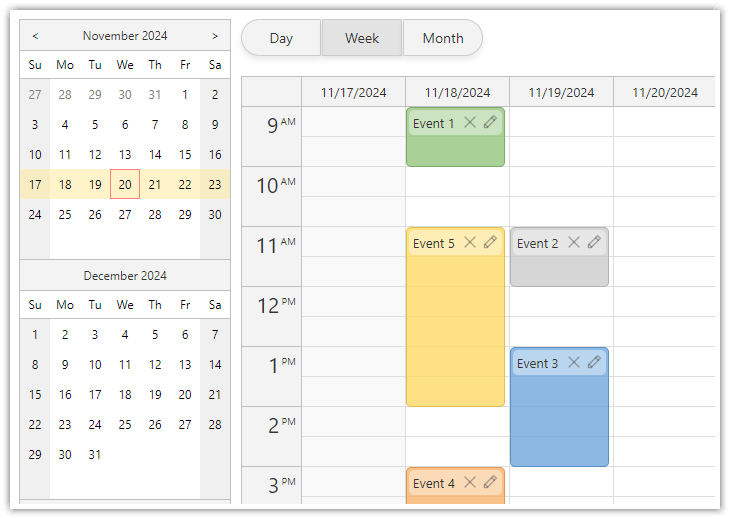
### Vue Calendar with Day/Week/Month Views
|
|
36
45
|
|
|
37
|
-
[](https://code.daypilot.org/54002/vue-calendar-day-week-month-open-source)
|
|
38
47
|
|
|
39
|
-
[Vue
|
|
40
|
-
|
|
48
|
+
[Vue Calendar with Day/Week/Month Views (Open-Source)](https://code.daypilot.org/54002/vue-calendar-day-week-month-open-source)
|
|
49
|
+
Create a complex calendar UI in Vue.js with multiple views, view-switching buttons and an integrated date picker. Use a shared data source to make it fast and Vue templates to define event appearance.
|
|
41
50
|
|
|
42
|
-
|
|
51
|
+
***
|
|
52
|
+
|
|
53
|
+
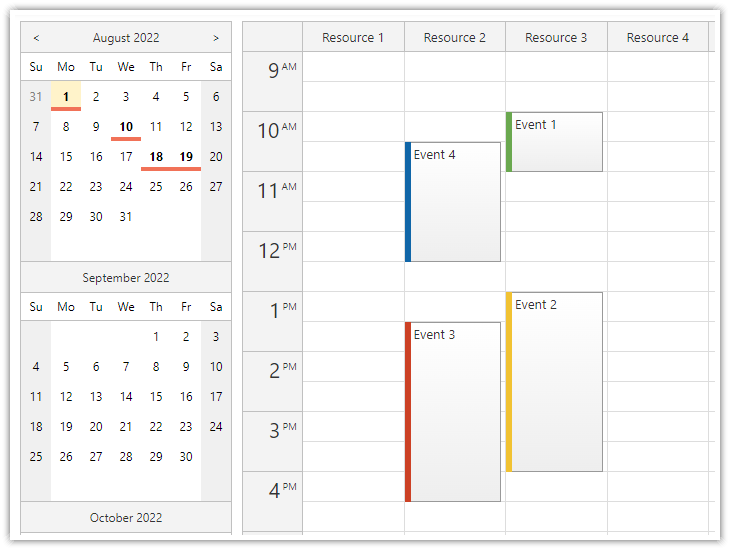
### Vue Resource Calendar Tutorial
|
|
43
54
|
|
|
44
55
|
[](https://code.daypilot.org/66224/vue-resource-calendar-open-source)
|
|
45
56
|
|
|
46
57
|
[Vue Resource Calendar (Open-Source)](https://code.daypilot.org/66224/vue-resource-calendar-open-source)
|
|
47
58
|
Use the Vue calendar component to display an interactive schedule for multiple resources.
|
|
48
59
|
|
|
60
|
+
***
|
|
61
|
+
|
|
62
|
+
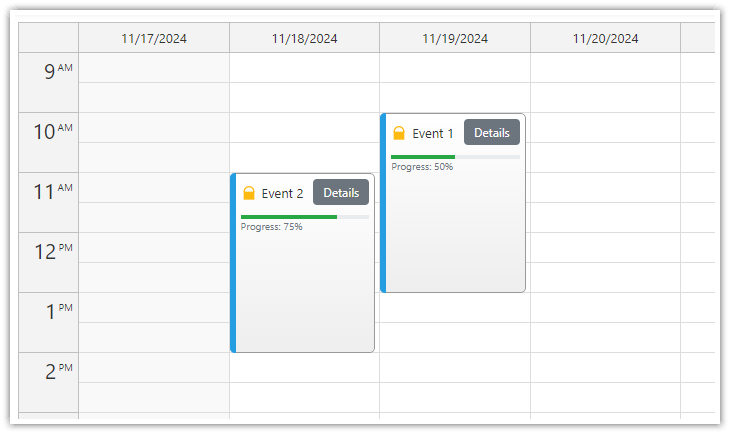
### Vue Calendar: Using Event Templates
|
|
63
|
+
|
|
64
|
+
[](https://code.daypilot.org/34309/vue-calendar-templates-open-source)
|
|
65
|
+
|
|
66
|
+
[Vue Calendar: Using Templates to Add Icons, Buttons, or Progress Bars to Events (Open-Source)](https://code.daypilot.org/34309/vue-calendar-templates-open-source)
|
|
67
|
+
Vue templates allow adding dynamic content to Vue Calendar events, including interactive elements and custom Vue components.
|
|
68
|
+
|
|
69
|
+
***
|
|
70
|
+
|
|
71
|
+
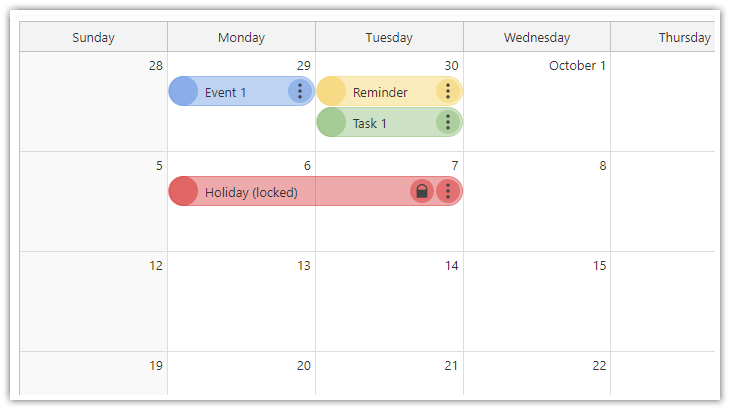
### Vue Monthly Calendar/Scheduler Tutorial
|
|
72
|
+
|
|
73
|
+
[](https://code.daypilot.org/89705/vue-monthly-calendar-scheduler-open-source)
|
|
74
|
+
|
|
75
|
+
[Vue Monthly Calendar/Scheduler (Open-Source)](https://code.daypilot.org/89705/vue-monthly-calendar-scheduler-open-source)
|
|
76
|
+
How to create a monthly calendar/scheduler view for planning events, tasks, and reminders in Vue. The downloadable Vue project uses the open-source DayPilot Lite library.
|
|
77
|
+
|
|
78
|
+
***
|
|
79
|
+
|
|
80
|
+
### Vue Weekly Calendar Tutorial
|
|
81
|
+
|
|
82
|
+
[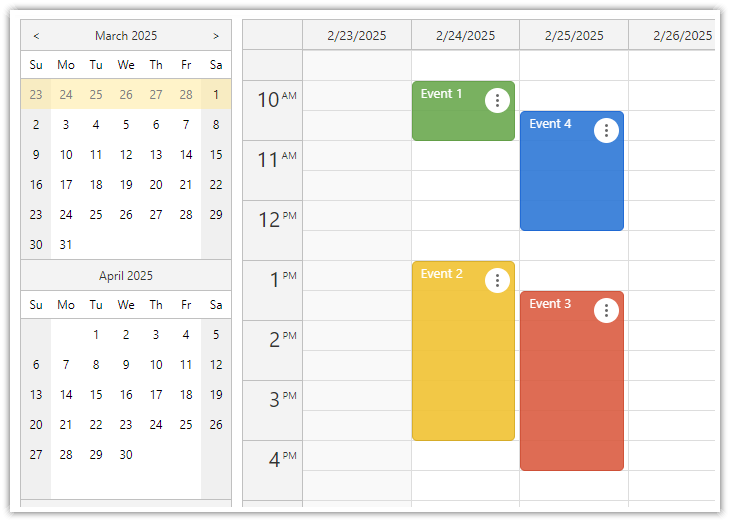](https://code.daypilot.org/10748/vue-js-weekly-calendar-tutorial)
|
|
83
|
+
|
|
84
|
+
[Vue.js Weekly Calendar Tutorial (Open-Source)](https://code.daypilot.org/10748/vue-js-weekly-calendar-tutorial)
|
|
85
|
+
How to create a weekly calendar web application using a Vue calendar component. The tutorial includes a Vue.js project with JavaScript source code for download.
|
|
86
|
+
|
|
87
|
+
***
|
|
88
|
+
|
|
49
89
|
### Vue Date Picker Tutorial
|
|
50
90
|
|
|
51
91
|
[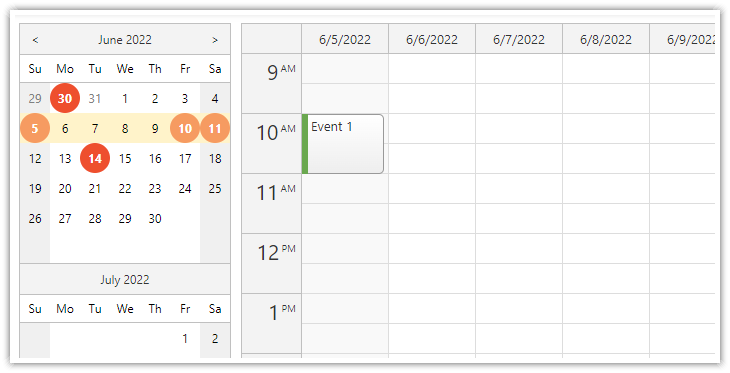](https://code.daypilot.org/99014/vue-date-picker-with-free-busy-highlighting)
|
|
@@ -53,70 +93,78 @@ Use the Vue calendar component to display an interactive schedule for multiple r
|
|
|
53
93
|
[Vue Date Picker with Free/Busy Highlighting (Open-Source)](https://code.daypilot.org/99014/vue-date-picker-with-free-busy-highlighting)
|
|
54
94
|
Use the Vue date picker component (Navigator) to change the current date. The date picker can highlight dates that already have events or are not available.
|
|
55
95
|
|
|
56
|
-
|
|
57
96
|
## Example
|
|
58
97
|
|
|
59
98
|
```vue
|
|
60
99
|
<template>
|
|
61
|
-
<DayPilotCalendar
|
|
100
|
+
<DayPilotCalendar
|
|
101
|
+
viewType="Week"
|
|
102
|
+
:events="events"
|
|
103
|
+
:durationBarVisible="false"
|
|
104
|
+
:startDate="startDate"
|
|
105
|
+
:eventBorderRadius="5"
|
|
106
|
+
@timeRangeSelected="onTimeRangeSelected"
|
|
107
|
+
@eventMoved="onEventMoved"
|
|
108
|
+
@eventResized="onEventResized"
|
|
109
|
+
ref="calendarRef"
|
|
110
|
+
/>
|
|
62
111
|
</template>
|
|
63
112
|
|
|
64
113
|
<script setup>
|
|
65
|
-
import { DayPilot, DayPilotCalendar } from 'daypilot-
|
|
66
|
-
import { ref,
|
|
67
|
-
|
|
68
|
-
const
|
|
69
|
-
|
|
70
|
-
|
|
71
|
-
startDate: "2024-02-28",
|
|
72
|
-
onTimeRangeSelected: async (args) => {
|
|
73
|
-
const modal = await DayPilot.Modal.prompt("Create a new event:", "Event 1");
|
|
74
|
-
const dp = args.control;
|
|
75
|
-
dp.clearSelection();
|
|
76
|
-
if (modal.canceled) { return; }
|
|
77
|
-
dp.events.add({
|
|
78
|
-
start: args.start,
|
|
79
|
-
end: args.end,
|
|
80
|
-
id: DayPilot.guid(),
|
|
81
|
-
text: modal.result
|
|
82
|
-
});
|
|
83
|
-
},
|
|
84
|
-
onEventMoved: () => {
|
|
85
|
-
console.log("Event moved");
|
|
86
|
-
},
|
|
87
|
-
onEventResized: () => {
|
|
88
|
-
console.log("Event resized");
|
|
89
|
-
},
|
|
90
|
-
});
|
|
114
|
+
import { DayPilot, DayPilotCalendar } from '@daypilot/daypilot-lite-vue';
|
|
115
|
+
import { ref, onMounted } from 'vue';
|
|
116
|
+
|
|
117
|
+
const startDate = ref("2025-02-28");
|
|
118
|
+
const events = ref([]);
|
|
119
|
+
|
|
91
120
|
const calendarRef = ref(null);
|
|
92
121
|
|
|
122
|
+
const onTimeRangeSelected = async (args) => {
|
|
123
|
+
const modal = await DayPilot.Modal.prompt("Create a new event:", "Event 1")
|
|
124
|
+
const calendar = args.control
|
|
125
|
+
calendar.clearSelection()
|
|
126
|
+
if (modal.canceled) { return }
|
|
127
|
+
calendar.events.add({
|
|
128
|
+
start: args.start,
|
|
129
|
+
end: args.end,
|
|
130
|
+
id: DayPilot.guid(),
|
|
131
|
+
text: modal.result
|
|
132
|
+
})
|
|
133
|
+
}
|
|
134
|
+
|
|
135
|
+
const onEventMoved = () => {
|
|
136
|
+
console.log("Event moved")
|
|
137
|
+
}
|
|
138
|
+
|
|
139
|
+
const onEventResized = () => {
|
|
140
|
+
console.log("Event resized")
|
|
141
|
+
}
|
|
142
|
+
|
|
93
143
|
const loadEvents = () => {
|
|
94
|
-
|
|
144
|
+
events.value = [
|
|
95
145
|
{
|
|
96
146
|
id: 1,
|
|
97
|
-
start: "
|
|
98
|
-
end: "
|
|
147
|
+
start: "2025-02-28T10:00:00",
|
|
148
|
+
end: "2025-02-28T11:00:00",
|
|
99
149
|
text: "Event 1",
|
|
100
|
-
backColor: "#
|
|
150
|
+
backColor: "#6aa84faa",
|
|
101
151
|
borderColor: "#38761d",
|
|
102
152
|
},
|
|
103
153
|
{
|
|
104
154
|
id: 2,
|
|
105
|
-
start: "
|
|
106
|
-
end: "
|
|
155
|
+
start: "2025-02-28T13:00:00",
|
|
156
|
+
end: "2025-02-28T16:00:00",
|
|
107
157
|
text: "Event 2",
|
|
108
|
-
backColor: "#
|
|
158
|
+
backColor: "#f1c232aa",
|
|
109
159
|
borderColor: "#bf9000",
|
|
110
160
|
},
|
|
111
|
-
]
|
|
112
|
-
config.events = events;
|
|
161
|
+
]
|
|
113
162
|
};
|
|
114
163
|
|
|
115
|
-
|
|
116
164
|
onMounted(() => {
|
|
117
|
-
loadEvents()
|
|
118
|
-
|
|
119
|
-
|
|
165
|
+
loadEvents()
|
|
166
|
+
})
|
|
167
|
+
|
|
120
168
|
</script>
|
|
121
169
|
```
|
|
122
170
|
|
package/daypilot-vue.min.d.ts
CHANGED
|
@@ -163,13 +163,17 @@ export module DayPilot {
|
|
|
163
163
|
readonly start: DayPilot.Date;
|
|
164
164
|
readonly end: DayPilot.Date;
|
|
165
165
|
readonly resource: ResourceId;
|
|
166
|
+
readonly x: number;
|
|
167
|
+
readonly y: number;
|
|
166
168
|
readonly properties: {
|
|
167
169
|
html: string;
|
|
168
170
|
business: boolean;
|
|
169
171
|
backColor: string;
|
|
170
172
|
backImage: string;
|
|
171
173
|
backRepeat: string;
|
|
174
|
+
fontColor: string;
|
|
172
175
|
cssClass: string;
|
|
176
|
+
text: string;
|
|
173
177
|
};
|
|
174
178
|
};
|
|
175
179
|
}
|
|
@@ -188,6 +192,7 @@ export module DayPilot {
|
|
|
188
192
|
html: string;
|
|
189
193
|
backColor: string;
|
|
190
194
|
cssClass?: string;
|
|
195
|
+
horizontalAlignment?: "left" | "center" | "right";
|
|
191
196
|
verticalAlignment?: "top" | "center" | "bottom";
|
|
192
197
|
toolTip: string;
|
|
193
198
|
areas: AreaData[];
|
|
@@ -1040,6 +1045,7 @@ export module DayPilot {
|
|
|
1040
1045
|
action?: "Default" | "None" | "ContextMenu" | "ResizeEnd" | "ResizeStart" | "Move";
|
|
1041
1046
|
backColor?: string;
|
|
1042
1047
|
background?: string;
|
|
1048
|
+
borderRadius?: number | string;
|
|
1043
1049
|
bottom?: number | string;
|
|
1044
1050
|
cssClass?: string;
|
|
1045
1051
|
fontColor?: string;
|