@daypilot/daypilot-lite-react 3.20.1 → 3.22.0
This diff represents the content of publicly available package versions that have been released to one of the supported registries. The information contained in this diff is provided for informational purposes only and reflects changes between package versions as they appear in their respective public registries.
- package/README.md +50 -57
- package/daypilot-react.min.js +7 -7
- package/package.json +1 -1
package/README.md
CHANGED
|
@@ -53,68 +53,61 @@ How to use the open-source React resource calendar component to create a schedul
|
|
|
53
53
|
[React Calendar with Date Picker (Open-Source)](https://code.daypilot.org/10750/react-calendar-with-date-picker-open-source)
|
|
54
54
|
How to use a popup date picker to select a date displayed by the React Calendar component.
|
|
55
55
|
|
|
56
|
-
|
|
57
|
-
|
|
58
|
-
```javascript
|
|
59
|
-
import React, {Component} from 'react';
|
|
60
|
-
import {DayPilot, DayPilotCalendar} from "@daypilot/daypilot-lite-react";
|
|
56
|
+
### Next.js Weekly Calendar Tutorial
|
|
61
57
|
|
|
62
|
-
|
|
58
|
+
[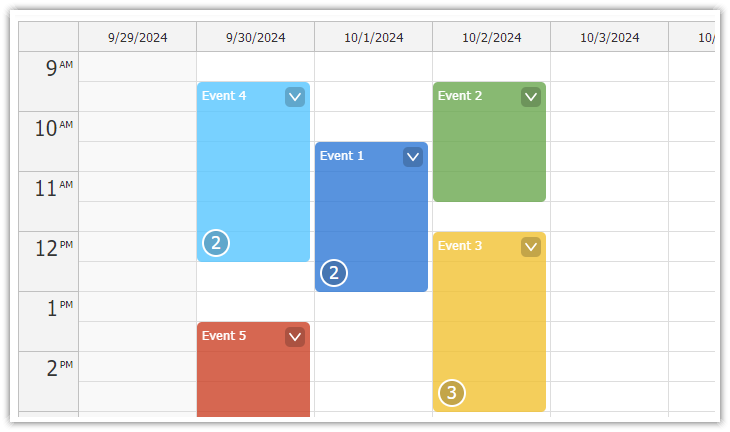](https://code.daypilot.org/45330/next-js-weekly-calendar-open-source)
|
|
63
59
|
|
|
64
|
-
|
|
65
|
-
|
|
60
|
+
[Next.js Weekly Calendar Tutorial (Open-Source)](https://code.daypilot.org/45330/next-js-weekly-calendar-open-source)
|
|
61
|
+
How to create a weekly calendar web application using a Next.js project with JavaScript source code for download.
|
|
66
62
|
|
|
67
|
-
|
|
63
|
+
## Example
|
|
68
64
|
|
|
69
|
-
|
|
70
|
-
|
|
71
|
-
|
|
72
|
-
|
|
73
|
-
|
|
74
|
-
|
|
75
|
-
|
|
76
|
-
|
|
77
|
-
|
|
65
|
+
```javascript
|
|
66
|
+
import React, { useState, useEffect } from 'react';
|
|
67
|
+
import { DayPilot, DayPilotCalendar } from "@daypilot/daypilot-lite-react";
|
|
68
|
+
|
|
69
|
+
function Calendar() {
|
|
70
|
+
const [calendar, setCalendar] = useState(null);
|
|
71
|
+
const [events, setEvents] = useState([]);
|
|
72
|
+
|
|
73
|
+
useEffect(() => {
|
|
74
|
+
setEvents([
|
|
75
|
+
{
|
|
76
|
+
id: 1,
|
|
77
|
+
text: "Event 1",
|
|
78
|
+
start: "2024-09-07T10:30:00",
|
|
79
|
+
end: "2024-09-07T13:00:00"
|
|
80
|
+
},
|
|
81
|
+
{
|
|
82
|
+
id: 2,
|
|
83
|
+
text: "Event 2",
|
|
84
|
+
start: "2024-09-08T09:30:00",
|
|
85
|
+
end: "2024-09-08T11:30:00",
|
|
86
|
+
barColor: "#6aa84f"
|
|
78
87
|
},
|
|
79
|
-
|
|
80
|
-
}
|
|
81
|
-
|
|
82
|
-
|
|
83
|
-
return
|
|
84
|
-
|
|
85
|
-
|
|
86
|
-
|
|
87
|
-
|
|
88
|
-
|
|
89
|
-
|
|
90
|
-
|
|
91
|
-
|
|
92
|
-
|
|
93
|
-
|
|
94
|
-
|
|
95
|
-
|
|
96
|
-
|
|
97
|
-
|
|
98
|
-
|
|
99
|
-
|
|
100
|
-
|
|
101
|
-
|
|
102
|
-
end: "2023-09-08T11:30:00",
|
|
103
|
-
barColor: "#6aa84f"
|
|
104
|
-
},
|
|
105
|
-
]
|
|
106
|
-
});
|
|
107
|
-
|
|
108
|
-
}
|
|
109
|
-
|
|
110
|
-
render() {
|
|
111
|
-
return (
|
|
112
|
-
<DayPilotCalendar
|
|
113
|
-
{...this.state}
|
|
114
|
-
ref={this.calendarRef}
|
|
115
|
-
/>
|
|
116
|
-
);
|
|
117
|
-
}
|
|
88
|
+
]);
|
|
89
|
+
}, []);
|
|
90
|
+
|
|
91
|
+
const onEventClick = async args => {
|
|
92
|
+
if (!calendar) return; // Ensure calendar is set
|
|
93
|
+
|
|
94
|
+
const modal = await DayPilot.Modal.prompt("Update event text:", args.e.text());
|
|
95
|
+
if (!modal.result) { return; }
|
|
96
|
+
const e = args.e;
|
|
97
|
+
e.data.text = modal.result;
|
|
98
|
+
calendar.events.update(e);
|
|
99
|
+
};
|
|
100
|
+
|
|
101
|
+
return (
|
|
102
|
+
<DayPilotCalendar
|
|
103
|
+
viewType={"Week"}
|
|
104
|
+
startDate={"2024-09-07"}
|
|
105
|
+
timeRangeSelectedHandling={"Enabled"}
|
|
106
|
+
events={events}
|
|
107
|
+
onEventClick={onEventClick}
|
|
108
|
+
controlRef={setCalendar}
|
|
109
|
+
/>
|
|
110
|
+
);
|
|
118
111
|
}
|
|
119
112
|
|
|
120
113
|
export default Calendar;
|