@datalayer/agent-runtimes 1.5.89 → 1.5.91
This diff represents the content of publicly available package versions that have been released to one of the supported registries. The information contained in this diff is provided for informational purposes only and reflects changes between package versions as they appear in their respective public registries.
- package/README.md +29 -297
- package/dist-embed/datalayer-app-main.js +40 -36
- package/lib/apps/embed/element.js +20 -5
- package/lib/apps/embed/visitorApp.d.ts +23 -45
- package/lib/apps/embed/visitorApp.js +65 -13
- package/lib/components/teams/A2ATeamGraph.d.ts +58 -152
- package/lib/components/teams/A2ATeamGraph.js +169 -410
- package/lib/components/teams/SceneTranscript.d.ts +5 -1
- package/lib/components/teams/SceneTranscript.js +2 -2
- package/lib/components/teams/SceneView.d.ts +17 -5
- package/lib/components/teams/SceneView.js +7 -3
- package/lib/components/teams/a2aTeamFlow.d.ts +16 -7
- package/lib/components/teams/a2aTeamFlow.js +17 -14
- package/lib/components/teams/backdrops/catalogue.d.ts +35 -0
- package/lib/components/teams/backdrops/catalogue.js +34 -0
- package/lib/components/teams/backdrops/edges.d.ts +20 -0
- package/lib/components/teams/backdrops/edges.js +29 -0
- package/lib/components/teams/backdrops/faces.d.ts +24 -0
- package/lib/components/teams/backdrops/faces.js +39 -0
- package/lib/components/teams/backdrops/halo.d.ts +14 -0
- package/lib/components/teams/backdrops/halo.js +5 -0
- package/lib/components/teams/backdrops/hero.d.ts +14 -0
- package/lib/components/teams/backdrops/hero.js +178 -0
- package/lib/components/teams/backdrops/index.d.ts +22 -0
- package/lib/components/teams/backdrops/index.js +38 -0
- package/lib/components/teams/backdrops/nodes.d.ts +123 -0
- package/lib/components/teams/backdrops/nodes.js +265 -0
- package/lib/components/teams/backdrops/plain.d.ts +14 -0
- package/lib/components/teams/backdrops/plain.js +116 -0
- package/lib/components/teams/backdrops/studio.d.ts +17 -0
- package/lib/components/teams/backdrops/studio.js +122 -0
- package/lib/components/teams/backdrops/theme.d.ts +14 -0
- package/lib/components/teams/backdrops/theme.js +19 -0
- package/lib/components/teams/backdrops/types.d.ts +214 -0
- package/lib/components/teams/backdrops/types.js +5 -0
- package/lib/components/teams/index.d.ts +2 -0
- package/lib/components/teams/index.js +2 -0
- package/lib/components/teams/sceneTranscriptRules.d.ts +32 -1
- package/lib/components/teams/sceneTranscriptRules.js +104 -2
- package/lib/components/teams/transcript/RecordingLabel.d.ts +17 -0
- package/lib/components/teams/transcript/RecordingLabel.js +7 -0
- package/lib/components/teams/transcript/SequenceDiagram.d.ts +39 -0
- package/lib/components/teams/transcript/SequenceDiagram.js +190 -0
- package/lib/components/teams/transcript/TranscriptDetail.d.ts +27 -0
- package/lib/components/teams/transcript/TranscriptDetail.js +48 -0
- package/lib/components/teams/transcript/TranscriptTable.d.ts +23 -0
- package/lib/components/teams/transcript/TranscriptTable.js +112 -0
- package/lib/components/teams/transcript/TranscriptViews.d.ts +66 -0
- package/lib/components/teams/transcript/TranscriptViews.js +135 -0
- package/lib/components/teams/transcript/TranscriptViewsTypes.d.ts +13 -0
- package/lib/components/teams/transcript/TranscriptViewsTypes.js +5 -0
- package/lib/components/teams/transcript/index.d.ts +23 -0
- package/lib/components/teams/transcript/index.js +27 -0
- package/lib/components/teams/transcript/recordingPlayback.d.ts +52 -0
- package/lib/components/teams/transcript/recordingPlayback.js +146 -0
- package/lib/components/teams/transcript/selection.d.ts +59 -0
- package/lib/components/teams/transcript/selection.js +79 -0
- package/lib/components/teams/transcript/sequenceDiagramRules.d.ts +35 -0
- package/lib/components/teams/transcript/sequenceDiagramRules.js +158 -0
- package/lib/components/teams/transcript/transcriptDetailRules.d.ts +80 -0
- package/lib/components/teams/transcript/transcriptDetailRules.js +208 -0
- package/lib/components/teams/transcript/transcriptExport.d.ts +31 -0
- package/lib/components/teams/transcript/transcriptExport.js +82 -0
- package/lib/components/teams/transcript/transcriptRows.d.ts +76 -0
- package/lib/components/teams/transcript/transcriptRows.js +187 -0
- package/lib/components/teams/transcript/useSceneRecording.d.ts +45 -0
- package/lib/components/teams/transcript/useSceneRecording.js +96 -0
- package/lib/examples/ScenesExample.js +16 -3
- package/lib/portable/hosts/agentClient.d.ts +8 -0
- package/lib/portable/hosts/agentClient.js +2 -0
- package/lib/portable/hosts/approvalRenderers.d.ts +10 -2
- package/lib/portable/hosts/approvalRenderers.js +81 -2
- package/lib/portable/hosts/contracts.d.ts +1 -0
- package/lib/portable/hosts/contracts.js +2 -0
- package/lib/portable/hosts/contracts.json +56 -2
- package/lib/specs/actions.js +2 -0
- package/lib/specs/apps.d.ts +1 -0
- package/lib/specs/apps.js +219 -0
- package/lib/specs/sceneRecordings.d.ts +14 -0
- package/lib/specs/sceneRecordings.js +12 -0
- package/lib/specs/sceneSchema.js +11 -0
- package/lib/specs/scenes.d.ts +1 -0
- package/lib/specs/scenes.js +159 -0
- package/lib/types/scenes.d.ts +54 -0
- package/package.json +2 -1
- package/scripts/codegen/generate_mcp_servers.py +5 -16
- package/scripts/codegen/generate_scenes.py +80 -0
package/README.md
CHANGED
|
@@ -13,324 +13,56 @@
|
|
|
13
13
|
[](https://github.com/datalayer/agent-runtimes/actions/workflows/build.yaml)
|
|
14
14
|
[](https://pypi.org/project/agent-runtimes)
|
|
15
15
|
|
|
16
|
-
**Agent Runtimes** is a
|
|
16
|
+
**Agent Runtimes** runs AI agents and serves them over the protocols the agent world speaks. It is a Python server that hosts agents built from [agentspecs](https://agentspecs.datalayer.tech) (Pydantic AI by default), with their MCP tools, skills, code sandbox and guardrails. It is also a set of React components (chat, floating assistant, the Loop workspace) that talk to them. It drives coding agents such as Claude Code as harnesses, behind the Shield. It runs on your machine with your own model keys, or on [Datalayer](https://datalayer.ai) runtimes.
|
|
17
17
|
|
|
18
|
-
|
|
18
|
+
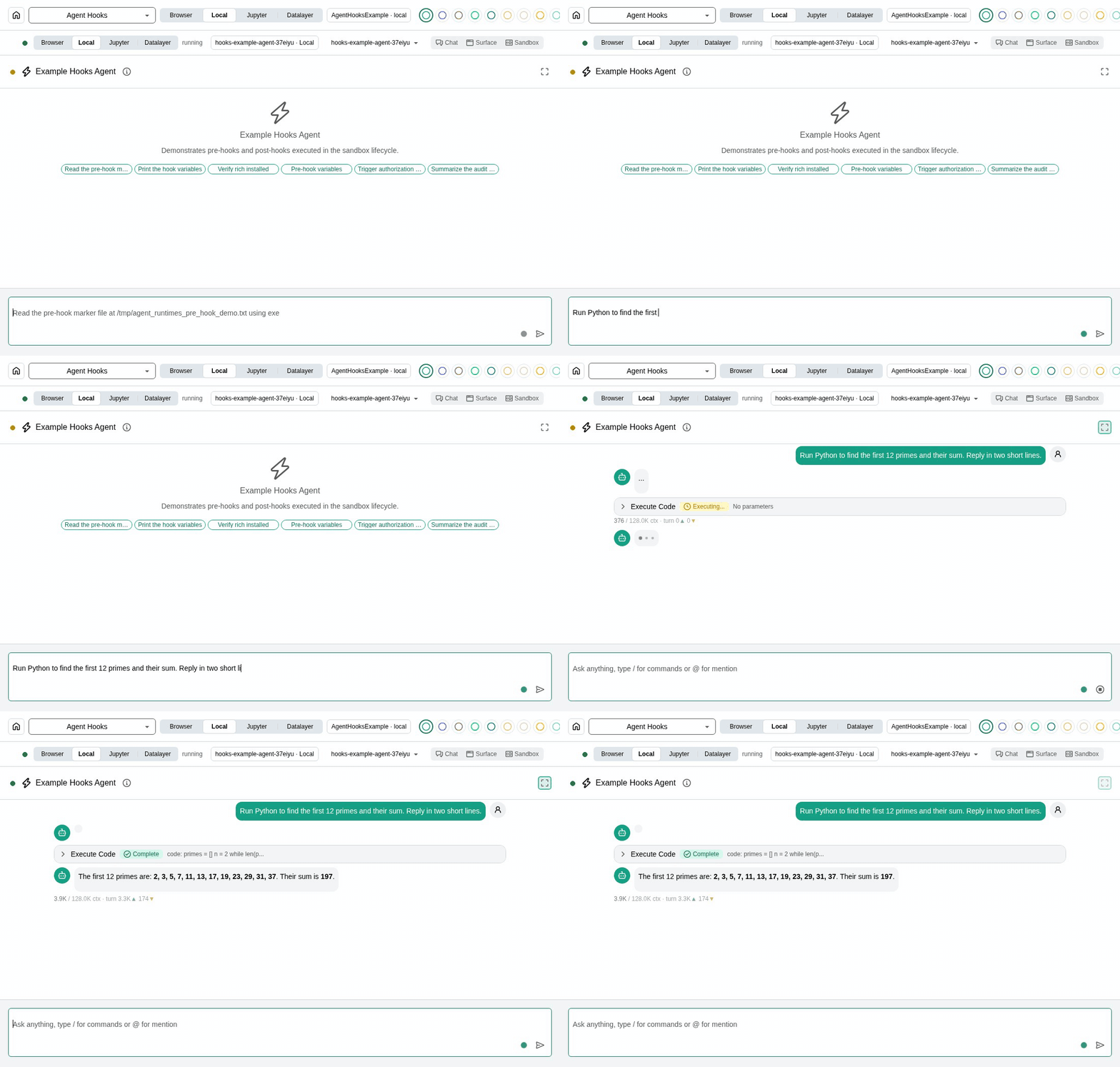
|
|
19
19
|
|
|
20
|
-
|
|
21
|
-
|
|
22
|
-
1. **Protocol Abstraction**: One agent, multiple protocols - deploy your agent once and access it through ACP, Vercel AI SDK, AG-UI, MCP-UI, or A2A without changing your code.
|
|
23
|
-
|
|
24
|
-
2. **Framework Flexibility**: Write agents using your preferred framework (Pydantic AI, LangChain, Jupyter AI) while maintaining a consistent API.
|
|
25
|
-
|
|
26
|
-
3. **Cloud Runtime Management**: Built-in integration with Datalayer Cloud Runtimes for launching and managing compute resources with Zustand-based state management.
|
|
27
|
-
|
|
28
|
-
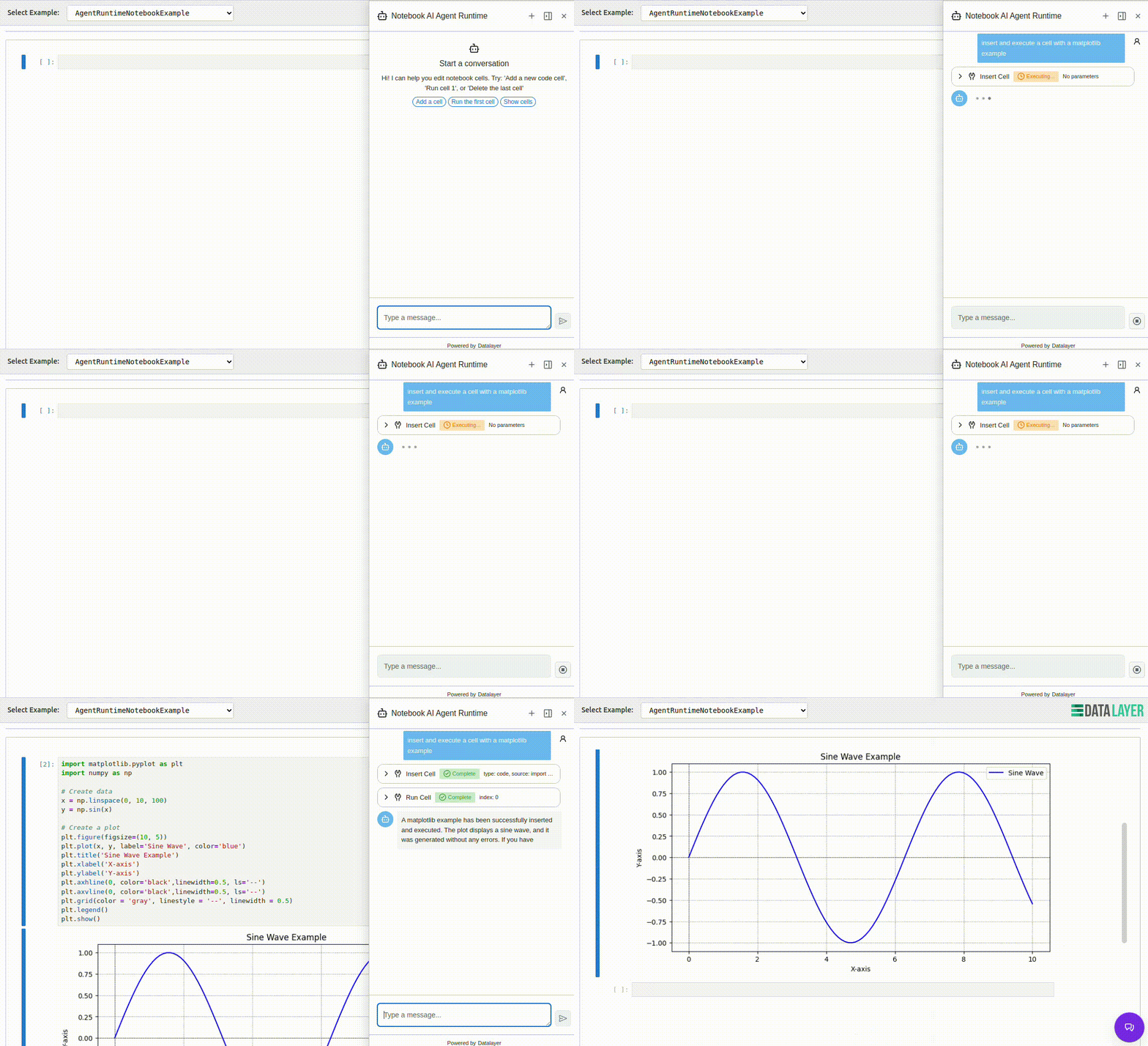
4. **UI Components**: Pre-built React components (ChatBase, ChatSidebar, ChatFloating) that connect to agents and execute tools directly in the browser.
|
|
29
|
-
|
|
30
|
-
5. **Tool Ecosystem**: Seamless integration with MCP (Model Context Protocol) tools, custom tools, and built-in utilities for Jupyter notebooks and Lexical documents.
|
|
31
|
-
|
|
32
|
-
|
|
33
|
-
|
|
34
|
-
|
|
35
|
-
|
|
36
|
-
## 🌟 Features
|
|
37
|
-
|
|
38
|
-
### Agent Node
|
|
39
|
-
- **Central registration**: Agent nodes register and heartbeat to Datalayer Runtimes APIs.
|
|
40
|
-
- **Node configuration**: Runtime mode (`private`, `shared`, `sleep`) and sharing metadata are tracked per node.
|
|
41
|
-
- **Tunnel routing**: Agent nodes maintain a tunnel with Datalayer Runtimes to route chat messages between central UI and nodes.
|
|
42
|
-
- **Dedicated UI**: Agent Node list/detail UX is available for node observability and operations.
|
|
43
|
-
- **End-to-end sync**: Local node state can be synchronized to central services for fleet visibility.
|
|
44
|
-
|
|
45
|
-
### Multi-Protocol Support
|
|
46
|
-
- **ACP (Agent Client Protocol)**: WebSocket-based standard protocol
|
|
47
|
-
- **Vercel AI SDK**: Compatible with Vercel's AI SDK for React/Next.js
|
|
48
|
-
- **AG-UI**: Lightweight web interface (Pydantic AI native)
|
|
49
|
-
- **MCP-UI**: Interactive UI resources protocol with React/Web Components
|
|
50
|
-
- **A2A**: Agent-to-agent communication
|
|
51
|
-
|
|
52
|
-
### Multi-Agent Support
|
|
53
|
-
- **Pydantic AI**: Type-safe agents (fully implemented)
|
|
54
|
-
- **LangChain**: Complex workflows (adapter ready)
|
|
55
|
-
- **Jupyter AI**: Notebook integration (adapter ready)
|
|
56
|
-
|
|
57
|
-
### Built-in Features
|
|
58
|
-
- 🔌 **Flexible Architecture**: Easy to add new agents and protocols
|
|
59
|
-
- 🛠️ **Tool Support**: MCP, custom tools, built-in utilities
|
|
60
|
-
- 📊 **Observability**: OpenTelemetry integration
|
|
61
|
-
- 💾 **Persistence**: DBOS support for durable execution
|
|
62
|
-
- 🔒 **Context Optimization**: LLM context management
|
|
63
|
-
|
|
64
|
-
## Runtime, Snapshot, and Evals Workflows
|
|
65
|
-
|
|
66
|
-
The runtime-oriented examples and CLI workflows migrated from `datalayer-core` now live here.
|
|
67
|
-
|
|
68
|
-
### Python Runtime Quickstart
|
|
69
|
-
|
|
70
|
-
```python
|
|
71
|
-
from agent_runtimes.client import RuntimeClient
|
|
72
|
-
|
|
73
|
-
client = RuntimeClient()
|
|
74
|
-
|
|
75
|
-
# Execute code in a managed runtime
|
|
76
|
-
with client.create_runtime() as runtime:
|
|
77
|
-
response = runtime.execute("print('Hello from Datalayer!')")
|
|
78
|
-
print(response.stdout)
|
|
79
|
-
```
|
|
80
|
-
|
|
81
|
-
### Runtime and Snapshot CLI
|
|
82
|
-
|
|
83
|
-
```bash
|
|
84
|
-
# List available runtimes
|
|
85
|
-
datalayer runtime list
|
|
86
|
-
|
|
87
|
-
# Create a new runtime
|
|
88
|
-
datalayer runtime create ai-env --given-name my-runtime-123
|
|
89
|
-
|
|
90
|
-
# Execute a script in a runtime
|
|
91
|
-
datalayer runtime exec my-script.py --agent <agent-id>
|
|
92
|
-
|
|
93
|
-
# Create a snapshot from a runtime but do not terminate the runtime
|
|
94
|
-
datalayer snapshots create <pod-name> my-snapshot 'AI work!' False
|
|
95
|
-
```
|
|
96
|
-
|
|
97
|
-
### Subscription and Credits CLI
|
|
20
|
+
## Install
|
|
98
21
|
|
|
99
22
|
```bash
|
|
100
|
-
|
|
101
|
-
datalayer
|
|
102
|
-
datalayer subscriptions available
|
|
103
|
-
datalayer subscriptions move
|
|
104
|
-
datalayer subscriptions topups
|
|
105
|
-
datalayer subscriptions dry-run
|
|
106
|
-
|
|
107
|
-
# Organization and team credits visibility
|
|
108
|
-
datalayer usage org-overview --organization-uid <org_uid>
|
|
109
|
-
datalayer usage team-overview --team-uid <team_uid>
|
|
110
|
-
|
|
111
|
-
# Monitoring-driven credit management
|
|
112
|
-
datalayer usage org-monitor --organization-uid <org_uid> --window-hours 24
|
|
113
|
-
datalayer usage team-monitor --team-uid <team_uid> --window-hours 24
|
|
114
|
-
|
|
115
|
-
# Credits transfer operations (owners/admins)
|
|
116
|
-
datalayer usage org-allocate-team --organization-uid <org_uid> --team-uid <team_uid> --amount 50
|
|
117
|
-
datalayer usage org-revoke-team --organization-uid <org_uid> --team-uid <team_uid> --amount 20
|
|
118
|
-
datalayer usage team-allocate-member --team-uid <team_uid> --member-uid <member_uid> --amount 15
|
|
119
|
-
datalayer usage team-revoke-member --team-uid <team_uid> --member-uid <member_uid> --amount 5
|
|
23
|
+
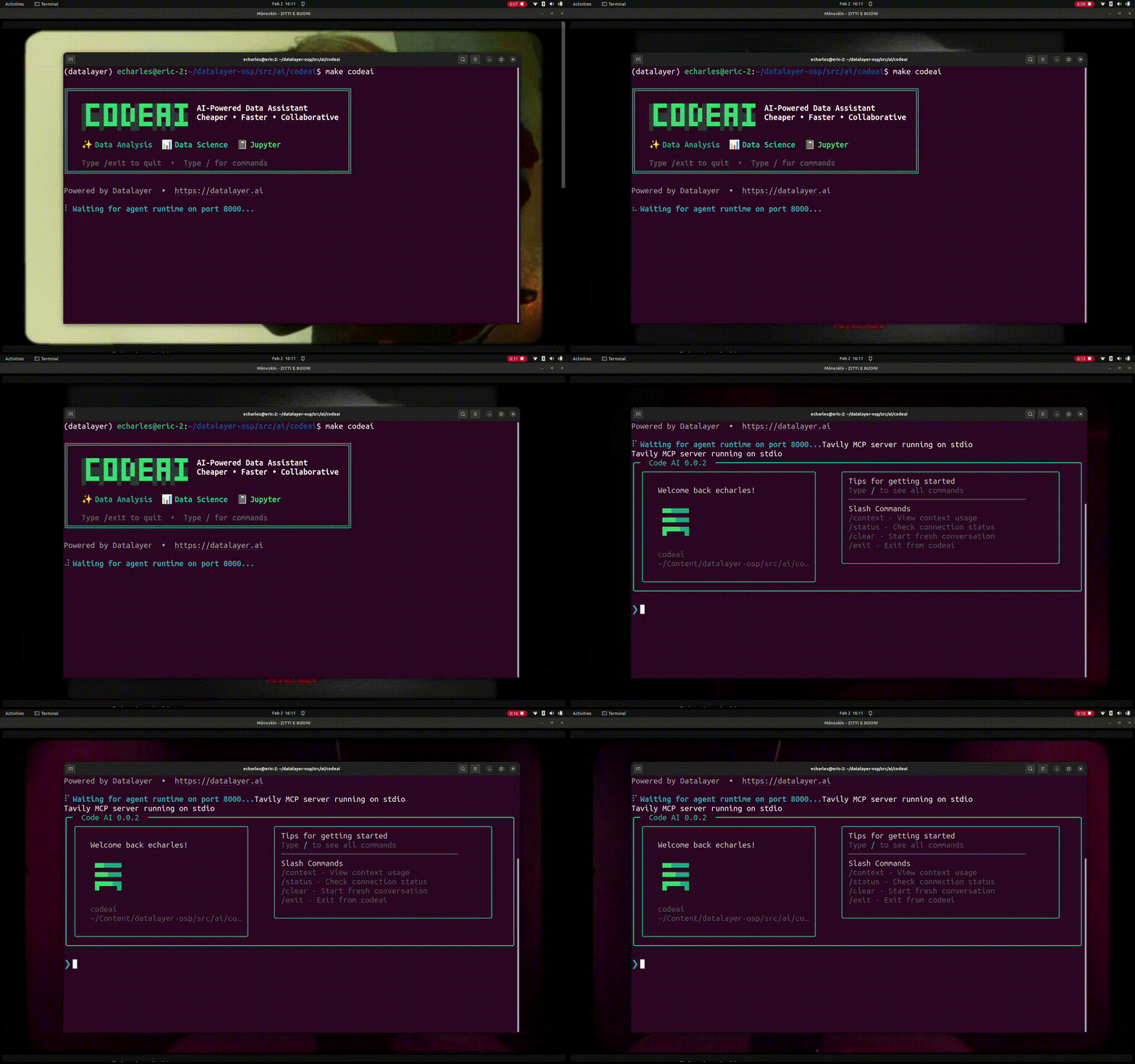
pip install agent-runtimes # Python 3.11 or later: the server and the `loop` CLI
|
|
24
|
+
npm install @datalayer/agent-runtimes # the React components
|
|
120
25
|
```
|
|
121
26
|
|
|
122
|
-
|
|
123
|
-
|
|
124
|
-
Use comma-separated agentspec ids to create one experiment per agentspec variant:
|
|
125
|
-
|
|
126
|
-
```bash
|
|
127
|
-
# Creates one experiment per agentspec in the list
|
|
128
|
-
agent-runtimes evals experiments create my-exp \
|
|
129
|
-
--evalset-id <evalset_id> \
|
|
130
|
-
--agent-spec-ids example-evals,example-evals-nocodemode,example-custom
|
|
131
|
-
```
|
|
27
|
+
## Run
|
|
132
28
|
|
|
133
|
-
|
|
29
|
+
With a model key in the environment (for example `ANTHROPIC_API_KEY`, `OPENAI_API_KEY` or AWS Bedrock credentials):
|
|
134
30
|
|
|
135
31
|
```bash
|
|
136
|
-
|
|
32
|
+
loop --local -a example-simple
|
|
137
33
|
```
|
|
138
34
|
|
|
139
|
-
|
|
35
|
+
`loop` starts a local server with the `example-simple` agent and opens a chat in the terminal. `agent-runtimes serve --port 8765` starts the server on its own, for the web components.
|
|
140
36
|
|
|
141
|
-
|
|
142
|
-
- `Cross-Agentspec Pairwise Latest-Pass Deltas`: compares experiments using different agentspec ids.
|
|
143
|
-
- Pairwise sections compute all combinations for the selected experiments, not just two agentspecs.
|
|
144
|
-
|
|
145
|
-
## Examples
|
|
146
|
-
|
|
147
|
-
The examples demonstrate how to use the Agent Runtimes functionality in various scenarios and frameworks.
|
|
148
|
-
|
|
149
|
-
### Install
|
|
150
|
-
|
|
151
|
-
`make examples` starts both the Python agent server and the Vite dev server,
|
|
152
|
-
so you need both stacks installed once:
|
|
153
|
-
|
|
154
|
-
```bash
|
|
155
|
-
# 1. Node dependencies for the React examples + Vite dev server.
|
|
156
|
-
npm install
|
|
37
|
+

|
|
157
38
|
|
|
158
|
-
|
|
159
|
-
# Use a virtualenv or conda env of your choice.
|
|
160
|
-
pip install -e .
|
|
161
|
-
```
|
|
162
|
-
|
|
163
|
-
Optional extras (declared in `pyproject.toml`):
|
|
164
|
-
|
|
165
|
-
```bash
|
|
166
|
-
pip install -e ".[examples]" # extra agent framework deps used by examples
|
|
167
|
-
pip install -e ".[test]" # pytest and test utilities
|
|
168
|
-
pip install -e ".[cli]" # CLI dependencies
|
|
169
|
-
pip install -e ".[chat]" # chat-related extras
|
|
170
|
-
pip install -e ".[docs]" # docs build dependencies
|
|
171
|
-
```
|
|
172
|
-
|
|
173
|
-
For deterministic installs in CI (and to avoid resolver backtracking), use the
|
|
174
|
-
version constraints file:
|
|
175
|
-
|
|
176
|
-
```bash
|
|
177
|
-
pip install -c constraints/py313.txt -e .
|
|
178
|
-
```
|
|
179
|
-
|
|
180
|
-
### Run
|
|
181
|
-
|
|
182
|
-
```bash
|
|
183
|
-
make examples
|
|
184
|
-
```
|
|
39
|
+
## Features
|
|
185
40
|
|
|
186
|
-
|
|
41
|
+
- **The meta-harness.** Coding agents run as harnesses, driven over the Agent Client Protocol (ACP): **Claude Code, Codex, OpenCode and pi** today. The runtime launches the harness, lends it tools through the MCP gateway and writes the skills into its workspace. It serves the harness over every protocol it serves its own agents on. The **Shield** surrounds it: the pod's egress boundary, the policies and the session's rules, the audit record and the trace. See [Harnesses](https://agent-runtimes.datalayer.tech/harnesses/) and [the Shield](https://agent-runtimes.datalayer.tech/shield/).
|
|
42
|
+
- **Protocol integrations.**
|
|
43
|
+
- *Transports to a UI or another agent*: AG-UI, the Vercel AI SDK, ACP and A2A (served, and called as a client), with A2UI, MCP-UI and MCP Apps for generative UI.
|
|
44
|
+
- *Tools*: MCP, local servers over stdio and remote servers over Streamable HTTP.
|
|
45
|
+
- *Identity, consent and commerce*, each a Reactor plugin: Web Bot Auth (with a draft TAP profile), PAP (Personal Agent Protocol), PACT, UCP and the Agentic Commerce Protocol.
|
|
187
46
|
|
|
188
|
-
|
|
47
|
+
See [Protocols](https://agent-runtimes.datalayer.tech/protocols/).
|
|
48
|
+
- **Applications.** An Appspec (or a Python `app.py`) becomes a chat, a widget, a worker or a decision. You run it with `loop apps run`, deploy it at its own address and embed it in any page with the `<datalayer-app>` element. See [Apps](https://agent-runtimes.datalayer.tech/apps/).
|
|
49
|
+
- **Tools and code.** MCP servers, skills, a code sandbox and Codemode, which calls tools from code. See [Programmatic Tools](https://agent-runtimes.datalayer.tech/programmatic-tools/).
|
|
50
|
+
- **Controls.** Guardrails, tool approvals, budgets, hooks, monitoring and OpenTelemetry. See [Identity](https://agent-runtimes.datalayer.tech/identity/) and [Hooks](https://agent-runtimes.datalayer.tech/hooks/).
|
|
51
|
+
- **Sessions, subagents and teams.** Sessions you can resume, clone, export and import. Subagents, and teams of agents over A2A. See [Sessions](https://agent-runtimes.datalayer.tech/sessions/) and [Subagents](https://agent-runtimes.datalayer.tech/subagents/).
|
|
52
|
+
- **Chat UI.** React chat components, a floating assistant with its avatar, voice, presence, and the Loop workspace in the browser. See [Chat](https://agent-runtimes.datalayer.tech/chat/).
|
|
53
|
+
- **Agent Nodes.** Your own machine registers as a node and is reached from Datalayer. See [Agent Nodes](https://agent-runtimes.datalayer.tech/agent-nodes/).
|
|
189
54
|
|
|
190
|
-
|
|
191
|
-
make agent-node
|
|
192
|
-
```
|
|
193
|
-
|
|
194
|
-
This target starts both:
|
|
195
|
-
|
|
196
|
-
- the local Python server on port `8765`
|
|
197
|
-
- the Vite page for `html/agent-node.html`
|
|
198
|
-
|
|
199
|
-
Use this mode to iterate on Agent Node configuration flows and central registration behavior.
|
|
200
|
-
|
|
201
|
-
Expected central visibility semantics:
|
|
202
|
-
|
|
203
|
-
- show all nodes owned by the current user,
|
|
204
|
-
- show other users' nodes only when mode is `shared`.
|
|
205
|
-
|
|
206
|
-
### Agent Node against local services (`plane local`)
|
|
207
|
-
|
|
208
|
-
To run Agent Node with local service URLs preconfigured, use:
|
|
209
|
-
|
|
210
|
-
```bash
|
|
211
|
-
make agent-node-local
|
|
212
|
-
```
|
|
213
|
-
|
|
214
|
-
This target applies the `PLANE_LOCAL_*_URL` mappings and exports both
|
|
215
|
-
`DATALAYER_*` and `VITE_*` variables so Agent Node sync/tunnel and UI calls are
|
|
216
|
-
wired to local services.
|
|
217
|
-
|
|
218
|
-
Prerequisites:
|
|
219
|
-
|
|
220
|
-
1. Start the local Plane stack (`plane local`).
|
|
221
|
-
2. Export `DATALAYER_API_KEY` for authenticated registration/tunnel calls.
|
|
222
|
-
|
|
223
|
-
Override any local service URL if needed:
|
|
224
|
-
|
|
225
|
-
```bash
|
|
226
|
-
PLANE_LOCAL_RUNTIMES_URL=http://localhost:19500 make agent-node-local
|
|
227
|
-
```
|
|
228
|
-
|
|
229
|
-
### Docker build notes
|
|
230
|
-
|
|
231
|
-
Docker image build and release notes were moved to:
|
|
232
|
-
|
|
233
|
-
- [docker/README.md](docker/README.md)
|
|
234
|
-
|
|
235
|
-
By default, `make examples` boots the local Vite dev server with every
|
|
236
|
-
Datalayer service URLs set to local defaults for agent execution:
|
|
237
|
-
|
|
238
|
-
| Variable | Default | Notes |
|
|
239
|
-
| ----------------------------- | ----------------------- | ----------------------------------------------- |
|
|
240
|
-
| `VITE_BASE_URL` | `http://localhost:8765` | Local `agent-runtimes` server (`/api/v1/agents/*`) |
|
|
241
|
-
| `VITE_BASE_URL_NO_CODEMODE` | `http://localhost:8765` | Local no-codemode agent endpoint |
|
|
242
|
-
| `VITE_BASE_URL_CODEMODE` | `http://localhost:8766` | Local codemode agent endpoint |
|
|
243
|
-
|
|
244
|
-
This is the local-first workflow used during development. It avoids accidental
|
|
245
|
-
remote calls for the core agent routes even if your shell exports
|
|
246
|
-
`DATALAYER_*_URL` values.
|
|
247
|
-
|
|
248
|
-
### Running with explicit production URLs
|
|
249
|
-
|
|
250
|
-
If you want to force production URLs for Datalayer services, use:
|
|
251
|
-
|
|
252
|
-
```bash
|
|
253
|
-
make examples:prod
|
|
254
|
-
```
|
|
255
|
-
|
|
256
|
-
This mode uses the `DATALAYER_*_URL` convention from
|
|
257
|
-
`datalayer-core` (specifically `datalayer_core/utils/urls.py`)
|
|
258
|
-
and propagates those values to the Vite HTML placeholders.
|
|
259
|
-
|
|
260
|
-
Override any URL on the command line:
|
|
261
|
-
|
|
262
|
-
```bash
|
|
263
|
-
make examples:prod DATALAYER_DEFAULT_URL=https://prod2.datalayer.run
|
|
264
|
-
```
|
|
265
|
-
|
|
266
|
-
### Running against a local `plane local` stack
|
|
267
|
-
|
|
268
|
-
If you are developing against a local Plane (`plane local`), use:
|
|
269
|
-
|
|
270
|
-
```bash
|
|
271
|
-
make example-local
|
|
272
|
-
```
|
|
273
|
-
|
|
274
|
-
This points each `DATALAYER_*_URL` (and its `VITE_*` frontend counterpart, so
|
|
275
|
-
both http and ws traffic stay local) at the matching localhost port exposed by
|
|
276
|
-
`plane local` (see `services/plane/datalayer_plane/sbin/local.sh`):
|
|
277
|
-
|
|
278
|
-
| Variable | Default port |
|
|
279
|
-
| ------------------------------ | ----------------------------- |
|
|
280
|
-
| `PLANE_LOCAL_IAM_URL` | `http://localhost:9700` |
|
|
281
|
-
| `PLANE_LOCAL_RUNTIMES_URL` | `http://localhost:9500` |
|
|
282
|
-
| `PLANE_LOCAL_SPACER_URL` | `http://localhost:9900` |
|
|
283
|
-
| `PLANE_LOCAL_LIBRARY_URL` | `http://localhost:9800` |
|
|
284
|
-
| `PLANE_LOCAL_MANAGER_URL` | `http://localhost:2100` |
|
|
285
|
-
| `PLANE_LOCAL_AI_AGENTS_URL` | `http://localhost:4400` |
|
|
286
|
-
| `PLANE_LOCAL_AI_INFERENCE_URL` | `http://localhost:4450` |
|
|
287
|
-
| `PLANE_LOCAL_JUPYTER_MCP_SERVER_URL` | `http://localhost:4404/mcp` |
|
|
288
|
-
| `PLANE_LOCAL_GROWTH_URL` | `http://localhost:6660` |
|
|
289
|
-
| `PLANE_LOCAL_SUCCESS_URL` | `http://localhost:3300` |
|
|
290
|
-
| `PLANE_LOCAL_STATUS_URL` | `http://localhost:4785` |
|
|
291
|
-
| `PLANE_LOCAL_SUPPORT_URL` | `http://localhost:2200` |
|
|
292
|
-
|
|
293
|
-
Override any port on the command line, e.g.:
|
|
55
|
+
## Examples
|
|
294
56
|
|
|
295
57
|
```bash
|
|
296
|
-
|
|
58
|
+
npm install && pip install -e .
|
|
59
|
+
make examples # the local server on :8765 and the examples gallery on :3000
|
|
297
60
|
```
|
|
298
61
|
|
|
299
|
-
On the main page, you’ll find an example gallery (cards) that break things down into practical building blocks:
|
|
300
|
-
|
|
301
|
-
- UX patterns (aka GenUI) with protocols like A2UI and AG-UI
|
|
302
|
-
- Interactive or triggered workflows
|
|
303
|
-
- Agent Identity and Controls with guardrails, monitoring, tool approvals
|
|
304
|
-
- Programmatic tooling with Sandbox and Codemode for MCP and Skills
|
|
305
|
-
- Outputs and Notifications
|
|
306
|
-
- Real-time collaboration with users, subagents, and multi-agent teams
|
|
307
|
-
- Custom agents built from Agentspecs
|
|
308
|
-
- ...
|
|
309
|
-
|
|
310
|
-
Each of these concerns deserves more than a one-off solution—they need deep, composable, and pluggable implementations.
|
|
311
|
-
|
|
312
62
|
## Documentation
|
|
313
63
|
|
|
314
|
-
|
|
315
|
-
|
|
316
|
-
- [Agent Runtimes Overview](https://agent-runtimes.datalayer.tech/)
|
|
317
|
-
- [Integrations](https://agent-runtimes.datalayer.tech/integrations)
|
|
318
|
-
- [Chat](https://agent-runtimes.datalayer.tech/chat)
|
|
319
|
-
- [Protocols](https://agent-runtimes.datalayer.tech/protocols)
|
|
320
|
-
- [Programmatic Tools](https://agent-runtimes.datalayer.tech/programmatic-tools)
|
|
321
|
-
- [Agent Nodes](https://agent-runtimes.datalayer.tech/nodes)
|
|
322
|
-
- [Endpoints](https://agent-runtimes.datalayer.tech/endpoints)
|
|
323
|
-
- [CLI](https://agent-runtimes.datalayer.tech/cli)
|
|
324
|
-
|
|
325
|
-
## Agentspecs
|
|
326
|
-
|
|
327
|
-
Generated catalogs are produced via:
|
|
328
|
-
|
|
329
|
-
```bash
|
|
330
|
-
make specs
|
|
331
|
-
```
|
|
64
|
+
Everything else is on the documentation site: **[agent-runtimes.datalayer.tech](https://agent-runtimes.datalayer.tech)**. It covers the [CLI](https://agent-runtimes.datalayer.tech/cli/), [endpoints](https://agent-runtimes.datalayer.tech/endpoints/), [agentspecs](https://agent-runtimes.datalayer.tech/agentspecs/), [integrations](https://agent-runtimes.datalayer.tech/integrations/), [sessions](https://agent-runtimes.datalayer.tech/sessions/), [plugins](https://agent-runtimes.datalayer.tech/plugins/) and the API references.
|
|
332
65
|
|
|
333
|
-
|
|
66
|
+
## License
|
|
334
67
|
|
|
335
|
-
-
|
|
336
|
-
- TypeScript: [src/specs](https://github.com/datalayer/agent-runtimes/tree/main/src/specs)
|
|
68
|
+
[BSD 3-Clause](LICENSE).
|