@crawlee/templates 3.0.0-beta.61
This diff represents the content of publicly available package versions that have been released to one of the supported registries. The information contained in this diff is provided for informational purposes only and reflects changes between package versions as they appear in their respective public registries.
- package/LICENSE.md +201 -0
- package/README.md +163 -0
- package/index.d.ts +9 -0
- package/index.d.ts.map +1 -0
- package/index.js +35 -0
- package/index.js.map +1 -0
- package/index.mjs +5 -0
- package/manifest.json +28 -0
- package/package.json +56 -0
- package/templates/cheerio-js/Dockerfile +13 -0
- package/templates/cheerio-js/README.md +33 -0
- package/templates/cheerio-js/package.json +16 -0
- package/templates/cheerio-js/src/main.js +22 -0
- package/templates/cheerio-js/src/routes.js +21 -0
- package/templates/cheerio-ts/Dockerfile +27 -0
- package/templates/cheerio-ts/README.md +33 -0
- package/templates/cheerio-ts/package.json +23 -0
- package/templates/cheerio-ts/src/main.ts +28 -0
- package/templates/cheerio-ts/src/routes.ts +21 -0
- package/templates/cheerio-ts/tsconfig.json +13 -0
- package/templates/playwright-js/Dockerfile +13 -0
- package/templates/playwright-js/README.md +32 -0
- package/templates/playwright-js/package.json +17 -0
- package/templates/playwright-js/src/main.js +22 -0
- package/templates/playwright-js/src/routes.js +21 -0
- package/templates/playwright-ts/Dockerfile +27 -0
- package/templates/playwright-ts/README.md +32 -0
- package/templates/playwright-ts/package.json +24 -0
- package/templates/playwright-ts/src/main.ts +27 -0
- package/templates/playwright-ts/src/routes.ts +21 -0
- package/templates/playwright-ts/tsconfig.json +13 -0
- package/templates/puppeteer-js/Dockerfile +13 -0
- package/templates/puppeteer-js/README.md +32 -0
- package/templates/puppeteer-js/package.json +17 -0
- package/templates/puppeteer-js/src/main.js +22 -0
- package/templates/puppeteer-js/src/routes.js +21 -0
- package/templates/puppeteer-ts/Dockerfile +27 -0
- package/templates/puppeteer-ts/README.md +32 -0
- package/templates/puppeteer-ts/package.json +24 -0
- package/templates/puppeteer-ts/src/main.ts +27 -0
- package/templates/puppeteer-ts/src/routes.ts +21 -0
- package/templates/puppeteer-ts/tsconfig.json +13 -0
- package/tsconfig.build.tsbuildinfo +1 -0
package/LICENSE.md
ADDED
|
@@ -0,0 +1,201 @@
|
|
|
1
|
+
Apache License
|
|
2
|
+
Version 2.0, January 2004
|
|
3
|
+
http://www.apache.org/licenses/
|
|
4
|
+
|
|
5
|
+
TERMS AND CONDITIONS FOR USE, REPRODUCTION, AND DISTRIBUTION
|
|
6
|
+
|
|
7
|
+
1. Definitions.
|
|
8
|
+
|
|
9
|
+
"License" shall mean the terms and conditions for use, reproduction,
|
|
10
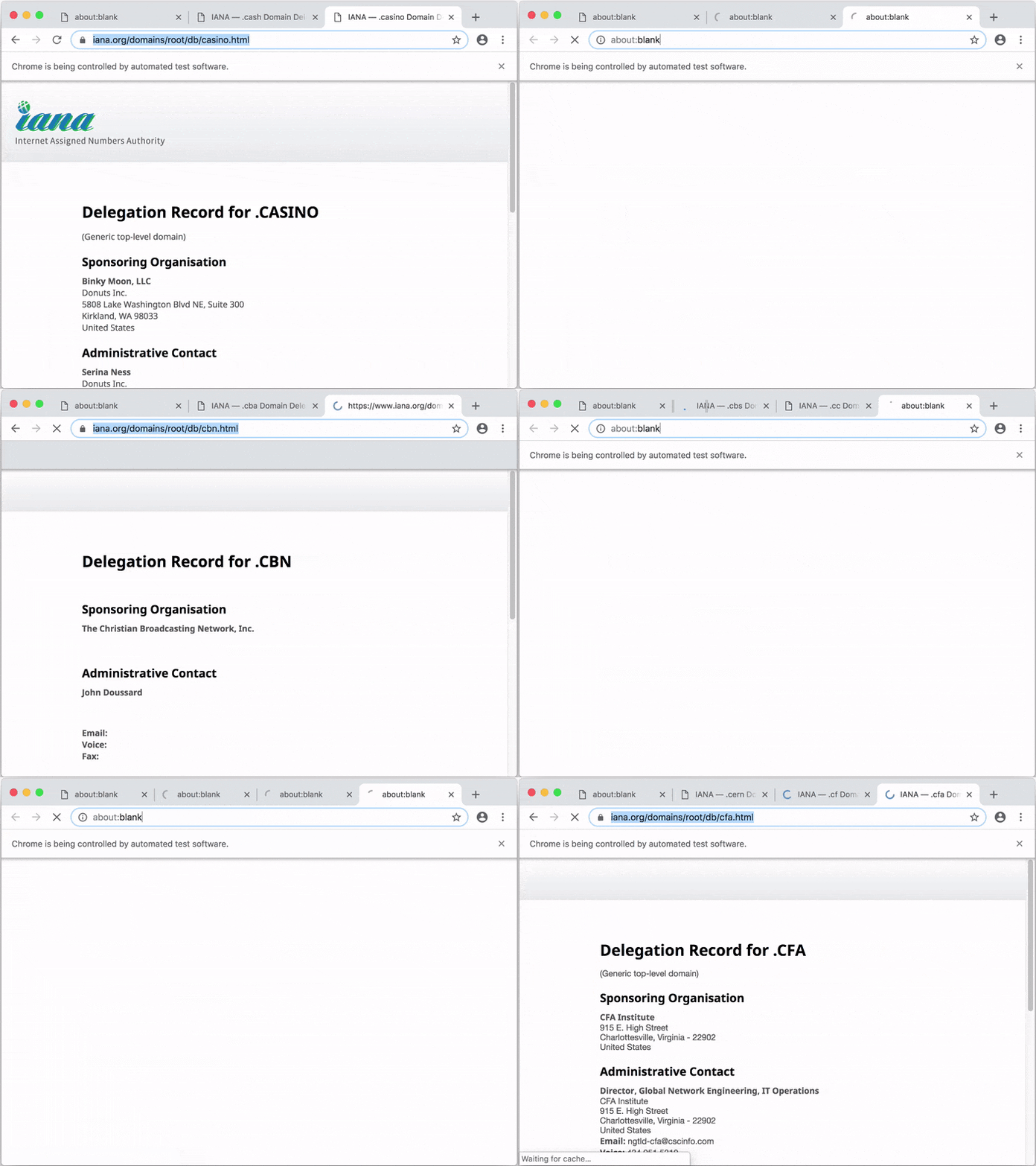
|
+
and distribution as defined by Sections 1 through 9 of this document.
|
|
11
|
+
|
|
12
|
+
"Licensor" shall mean the copyright owner or entity authorized by
|
|
13
|
+
the copyright owner that is granting the License.
|
|
14
|
+
|
|
15
|
+
"Legal Entity" shall mean the union of the acting entity and all
|
|
16
|
+
other entities that control, are controlled by, or are under common
|
|
17
|
+
control with that entity. For the purposes of this definition,
|
|
18
|
+
"control" means (i) the power, direct or indirect, to cause the
|
|
19
|
+
direction or management of such entity, whether by contract or
|
|
20
|
+
otherwise, or (ii) ownership of fifty percent (50%) or more of the
|
|
21
|
+
outstanding shares, or (iii) beneficial ownership of such entity.
|
|
22
|
+
|
|
23
|
+
"You" (or "Your") shall mean an individual or Legal Entity
|
|
24
|
+
exercising permissions granted by this License.
|
|
25
|
+
|
|
26
|
+
"Source" form shall mean the preferred form for making modifications,
|
|
27
|
+
including but not limited to software source code, documentation
|
|
28
|
+
source, and configuration files.
|
|
29
|
+
|
|
30
|
+
"Object" form shall mean any form resulting from mechanical
|
|
31
|
+
transformation or translation of a Source form, including but
|
|
32
|
+
not limited to compiled object code, generated documentation,
|
|
33
|
+
and conversions to other media types.
|
|
34
|
+
|
|
35
|
+
"Work" shall mean the work of authorship, whether in Source or
|
|
36
|
+
Object form, made available under the License, as indicated by a
|
|
37
|
+
copyright notice that is included in or attached to the work
|
|
38
|
+
(an example is provided in the Appendix below).
|
|
39
|
+
|
|
40
|
+
"Derivative Works" shall mean any work, whether in Source or Object
|
|
41
|
+
form, that is based on (or derived from) the Work and for which the
|
|
42
|
+
editorial revisions, annotations, elaborations, or other modifications
|
|
43
|
+
represent, as a whole, an original work of authorship. For the purposes
|
|
44
|
+
of this License, Derivative Works shall not include works that remain
|
|
45
|
+
separable from, or merely link (or bind by name) to the interfaces of,
|
|
46
|
+
the Work and Derivative Works thereof.
|
|
47
|
+
|
|
48
|
+
"Contribution" shall mean any work of authorship, including
|
|
49
|
+
the original version of the Work and any modifications or additions
|
|
50
|
+
to that Work or Derivative Works thereof, that is intentionally
|
|
51
|
+
submitted to Licensor for inclusion in the Work by the copyright owner
|
|
52
|
+
or by an individual or Legal Entity authorized to submit on behalf of
|
|
53
|
+
the copyright owner. For the purposes of this definition, "submitted"
|
|
54
|
+
means any form of electronic, verbal, or written communication sent
|
|
55
|
+
to the Licensor or its representatives, including but not limited to
|
|
56
|
+
communication on electronic mailing lists, source code control systems,
|
|
57
|
+
and issue tracking systems that are managed by, or on behalf of, the
|
|
58
|
+
Licensor for the purpose of discussing and improving the Work, but
|
|
59
|
+
excluding communication that is conspicuously marked or otherwise
|
|
60
|
+
designated in writing by the copyright owner as "Not a Contribution."
|
|
61
|
+
|
|
62
|
+
"Contributor" shall mean Licensor and any individual or Legal Entity
|
|
63
|
+
on behalf of whom a Contribution has been received by Licensor and
|
|
64
|
+
subsequently incorporated within the Work.
|
|
65
|
+
|
|
66
|
+
2. Grant of Copyright License. Subject to the terms and conditions of
|
|
67
|
+
this License, each Contributor hereby grants to You a perpetual,
|
|
68
|
+
worldwide, non-exclusive, no-charge, royalty-free, irrevocable
|
|
69
|
+
copyright license to reproduce, prepare Derivative Works of,
|
|
70
|
+
publicly display, publicly perform, sublicense, and distribute the
|
|
71
|
+
Work and such Derivative Works in Source or Object form.
|
|
72
|
+
|
|
73
|
+
3. Grant of Patent License. Subject to the terms and conditions of
|
|
74
|
+
this License, each Contributor hereby grants to You a perpetual,
|
|
75
|
+
worldwide, non-exclusive, no-charge, royalty-free, irrevocable
|
|
76
|
+
(except as stated in this section) patent license to make, have made,
|
|
77
|
+
use, offer to sell, sell, import, and otherwise transfer the Work,
|
|
78
|
+
where such license applies only to those patent claims licensable
|
|
79
|
+
by such Contributor that are necessarily infringed by their
|
|
80
|
+
Contribution(s) alone or by combination of their Contribution(s)
|
|
81
|
+
with the Work to which such Contribution(s) was submitted. If You
|
|
82
|
+
institute patent litigation against any entity (including a
|
|
83
|
+
cross-claim or counterclaim in a lawsuit) alleging that the Work
|
|
84
|
+
or a Contribution incorporated within the Work constitutes direct
|
|
85
|
+
or contributory patent infringement, then any patent licenses
|
|
86
|
+
granted to You under this License for that Work shall terminate
|
|
87
|
+
as of the date such litigation is filed.
|
|
88
|
+
|
|
89
|
+
4. Redistribution. You may reproduce and distribute copies of the
|
|
90
|
+
Work or Derivative Works thereof in any medium, with or without
|
|
91
|
+
modifications, and in Source or Object form, provided that You
|
|
92
|
+
meet the following conditions:
|
|
93
|
+
|
|
94
|
+
(a) You must give any other recipients of the Work or
|
|
95
|
+
Derivative Works a copy of this License; and
|
|
96
|
+
|
|
97
|
+
(b) You must cause any modified files to carry prominent notices
|
|
98
|
+
stating that You changed the files; and
|
|
99
|
+
|
|
100
|
+
(c) You must retain, in the Source form of any Derivative Works
|
|
101
|
+
that You distribute, all copyright, patent, trademark, and
|
|
102
|
+
attribution notices from the Source form of the Work,
|
|
103
|
+
excluding those notices that do not pertain to any part of
|
|
104
|
+
the Derivative Works; and
|
|
105
|
+
|
|
106
|
+
(d) If the Work includes a "NOTICE" text file as part of its
|
|
107
|
+
distribution, then any Derivative Works that You distribute must
|
|
108
|
+
include a readable copy of the attribution notices contained
|
|
109
|
+
within such NOTICE file, excluding those notices that do not
|
|
110
|
+
pertain to any part of the Derivative Works, in at least one
|
|
111
|
+
of the following places: within a NOTICE text file distributed
|
|
112
|
+
as part of the Derivative Works; within the Source form or
|
|
113
|
+
documentation, if provided along with the Derivative Works; or,
|
|
114
|
+
within a display generated by the Derivative Works, if and
|
|
115
|
+
wherever such third-party notices normally appear. The contents
|
|
116
|
+
of the NOTICE file are for informational purposes only and
|
|
117
|
+
do not modify the License. You may add Your own attribution
|
|
118
|
+
notices within Derivative Works that You distribute, alongside
|
|
119
|
+
or as an addendum to the NOTICE text from the Work, provided
|
|
120
|
+
that such additional attribution notices cannot be construed
|
|
121
|
+
as modifying the License.
|
|
122
|
+
|
|
123
|
+
You may add Your own copyright statement to Your modifications and
|
|
124
|
+
may provide additional or different license terms and conditions
|
|
125
|
+
for use, reproduction, or distribution of Your modifications, or
|
|
126
|
+
for any such Derivative Works as a whole, provided Your use,
|
|
127
|
+
reproduction, and distribution of the Work otherwise complies with
|
|
128
|
+
the conditions stated in this License.
|
|
129
|
+
|
|
130
|
+
5. Submission of Contributions. Unless You explicitly state otherwise,
|
|
131
|
+
any Contribution intentionally submitted for inclusion in the Work
|
|
132
|
+
by You to the Licensor shall be under the terms and conditions of
|
|
133
|
+
this License, without any additional terms or conditions.
|
|
134
|
+
Notwithstanding the above, nothing herein shall supersede or modify
|
|
135
|
+
the terms of any separate license agreement you may have executed
|
|
136
|
+
with Licensor regarding such Contributions.
|
|
137
|
+
|
|
138
|
+
6. Trademarks. This License does not grant permission to use the trade
|
|
139
|
+
names, trademarks, service marks, or product names of the Licensor,
|
|
140
|
+
except as required for reasonable and customary use in describing the
|
|
141
|
+
origin of the Work and reproducing the content of the NOTICE file.
|
|
142
|
+
|
|
143
|
+
7. Disclaimer of Warranty. Unless required by applicable law or
|
|
144
|
+
agreed to in writing, Licensor provides the Work (and each
|
|
145
|
+
Contributor provides its Contributions) on an "AS IS" BASIS,
|
|
146
|
+
WITHOUT WARRANTIES OR CONDITIONS OF ANY KIND, either express or
|
|
147
|
+
implied, including, without limitation, any warranties or conditions
|
|
148
|
+
of TITLE, NON-INFRINGEMENT, MERCHANTABILITY, or FITNESS FOR A
|
|
149
|
+
PARTICULAR PURPOSE. You are solely responsible for determining the
|
|
150
|
+
appropriateness of using or redistributing the Work and assume any
|
|
151
|
+
risks associated with Your exercise of permissions under this License.
|
|
152
|
+
|
|
153
|
+
8. Limitation of Liability. In no event and under no legal theory,
|
|
154
|
+
whether in tort (including negligence), contract, or otherwise,
|
|
155
|
+
unless required by applicable law (such as deliberate and grossly
|
|
156
|
+
negligent acts) or agreed to in writing, shall any Contributor be
|
|
157
|
+
liable to You for damages, including any direct, indirect, special,
|
|
158
|
+
incidental, or consequential damages of any character arising as a
|
|
159
|
+
result of this License or out of the use or inability to use the
|
|
160
|
+
Work (including but not limited to damages for loss of goodwill,
|
|
161
|
+
work stoppage, computer failure or malfunction, or any and all
|
|
162
|
+
other commercial damages or losses), even if such Contributor
|
|
163
|
+
has been advised of the possibility of such damages.
|
|
164
|
+
|
|
165
|
+
9. Accepting Warranty or Additional Liability. While redistributing
|
|
166
|
+
the Work or Derivative Works thereof, You may choose to offer,
|
|
167
|
+
and charge a fee for, acceptance of support, warranty, indemnity,
|
|
168
|
+
or other liability obligations and/or rights consistent with this
|
|
169
|
+
License. However, in accepting such obligations, You may act only
|
|
170
|
+
on Your own behalf and on Your sole responsibility, not on behalf
|
|
171
|
+
of any other Contributor, and only if You agree to indemnify,
|
|
172
|
+
defend, and hold each Contributor harmless for any liability
|
|
173
|
+
incurred by, or claims asserted against, such Contributor by reason
|
|
174
|
+
of your accepting any such warranty or additional liability.
|
|
175
|
+
|
|
176
|
+
END OF TERMS AND CONDITIONS
|
|
177
|
+
|
|
178
|
+
APPENDIX: How to apply the Apache License to your work.
|
|
179
|
+
|
|
180
|
+
To apply the Apache License to your work, attach the following
|
|
181
|
+
boilerplate notice, with the fields enclosed by brackets "{}"
|
|
182
|
+
replaced with your own identifying information. (Don't include
|
|
183
|
+
the brackets!) The text should be enclosed in the appropriate
|
|
184
|
+
comment syntax for the file format. We also recommend that a
|
|
185
|
+
file or class name and description of purpose be included on the
|
|
186
|
+
same "printed page" as the copyright notice for easier
|
|
187
|
+
identification within third-party archives.
|
|
188
|
+
|
|
189
|
+
Copyright 2018 Apify Technologies s.r.o.
|
|
190
|
+
|
|
191
|
+
Licensed under the Apache License, Version 2.0 (the "License");
|
|
192
|
+
you may not use this file except in compliance with the License.
|
|
193
|
+
You may obtain a copy of the License at
|
|
194
|
+
|
|
195
|
+
http://www.apache.org/licenses/LICENSE-2.0
|
|
196
|
+
|
|
197
|
+
Unless required by applicable law or agreed to in writing, software
|
|
198
|
+
distributed under the License is distributed on an "AS IS" BASIS,
|
|
199
|
+
WITHOUT WARRANTIES OR CONDITIONS OF ANY KIND, either express or implied.
|
|
200
|
+
See the License for the specific language governing permissions and
|
|
201
|
+
limitations under the License.
|
package/README.md
ADDED
|
@@ -0,0 +1,163 @@
|
|
|
1
|
+
<h1 align="center">
|
|
2
|
+
<a href="https://apify.github.io/apify-ts/">
|
|
3
|
+
<picture>
|
|
4
|
+
<source media="(prefers-color-scheme: dark)" srcset="https://raw.githubusercontent.com/apify/apify-ts/master/website/static/img/crawlee-dark.svg?sanitize=true">
|
|
5
|
+
<img alt="Crawlee" src="https://raw.githubusercontent.com/apify/apify-ts/master/website/static/img/crawlee-light.svg?sanitize=true" width="500">
|
|
6
|
+
</picture>
|
|
7
|
+
</a>
|
|
8
|
+
<br>
|
|
9
|
+
<small>The scalable web crawling and scraping library for JavaScript</small>
|
|
10
|
+
</h1>
|
|
11
|
+
|
|
12
|
+
<p align=center>
|
|
13
|
+
<a href="https://www.npmjs.com/package/@crawlee/core" rel="nofollow"><img src="https://img.shields.io/npm/v/@crawlee/core/next.svg" alt="NPM dev version" data-canonical-src="https://img.shields.io/npm/v/@crawlee/core/next.svg" style="max-width: 100%;"></a>
|
|
14
|
+
<a href="https://www.npmjs.com/package/@crawlee/core" rel="nofollow"><img src="https://img.shields.io/npm/dm/@crawlee/core.svg" alt="Downloads" data-canonical-src="https://img.shields.io/npm/dm/@crawlee/core.svg" style="max-width: 100%;"></a>
|
|
15
|
+
<a href="https://discord.gg/jyEM2PRvMU" rel="nofollow"><img src="https://img.shields.io/discord/801163717915574323?label=discord" alt="Chat on discord" data-canonical-src="https://img.shields.io/discord/801163717915574323?label=discord" style="max-width: 100%;"></a>
|
|
16
|
+
<a href="https://github.com/apify/apify-ts/actions/workflows/test-and-release.yml"><img src="https://github.com/apify/apify-ts/actions/workflows/test-and-release.yml/badge.svg?branch=master" alt="Build Status" style="max-width: 100%;"></a>
|
|
17
|
+
</p>
|
|
18
|
+
|
|
19
|
+
Crawlee simplifies the development of web crawlers, scrapers, data extractors and web automation jobs.
|
|
20
|
+
It provides tools to manage and automatically scale a pool of headless browsers,
|
|
21
|
+
to maintain queues of URLs to crawl, store crawling results to a local filesystem or into the cloud,
|
|
22
|
+
rotate proxies and much more.
|
|
23
|
+
Crawlee is available as the [`crawlee`](https://www.npmjs.com/package/crawlee) NPM package.
|
|
24
|
+
It can be used either stand-alone in your own applications
|
|
25
|
+
or in [actors](https://docs.apify.com/actor)
|
|
26
|
+
running on the [Apify Cloud](https://apify.com/).
|
|
27
|
+
|
|
28
|
+
**View full documentation, guides and examples on the [Crawlee project website](https://apify.github.io/apify-ts/)**
|
|
29
|
+
|
|
30
|
+
> Would you like to work with us on Crawlee or similar projects? [We are hiring!](https://apify.com/jobs#senior-node.js-engineer)
|
|
31
|
+
|
|
32
|
+
## Motivation
|
|
33
|
+
|
|
34
|
+
Thanks to tools like [Playwright](https://github.com/microsoft/playwright), [Puppeteer](https://github.com/puppeteer/puppeteer) or [Cheerio](https://www.npmjs.com/package/cheerio), it is easy to write Node.js code to extract data from web pages. But eventually things will get complicated. For example, when you try to:
|
|
35
|
+
|
|
36
|
+
- Perform a deep crawl of an entire website using a persistent queue of URLs.
|
|
37
|
+
- Run your scraping code on a list of 100k URLs in a CSV file, without losing any data when your code crashes.
|
|
38
|
+
- Rotate proxies to hide your browser origin and keep user-like sessions.
|
|
39
|
+
- Disable browser fingerprinting protections used by websites.
|
|
40
|
+
|
|
41
|
+
Python has [Scrapy](https://scrapy.org/) for these tasks, but there was no such library for **JavaScript, the language of the web**. The use of JavaScript is natural, since the same language is used to write the scripts as well as the data extraction code running in a browser.
|
|
42
|
+
|
|
43
|
+
The goal of Crawlee is to fill this gap and provide a toolbox for generic web scraping, crawling and automation tasks in JavaScript. So don't reinvent the wheel every time you need data from the web, and focus on writing code specific to the target website, rather than developing commonalities.
|
|
44
|
+
|
|
45
|
+
## Overview
|
|
46
|
+
|
|
47
|
+
Crawlee is available as the [`crawlee`](https://www.npmjs.com/package/crawlee) NPM package and is also available via `@crawlee/*` packages. It provides the following tools:
|
|
48
|
+
|
|
49
|
+
- [`CheerioCrawler`](https://apify.github.io/apify-ts/api/cheerio-crawler/class/CheerioCrawler) - Enables the parallel crawling of a large number of web pages using the [cheerio](https://www.npmjs.com/package/cheerio) HTML parser. This is the most efficient web crawler, but it does not work on websites that require JavaScript. Available also under `@crawlee/cheerio` package.
|
|
50
|
+
|
|
51
|
+
- [`PuppeteerCrawler`](https://apify.github.io/apify-ts/api/puppeteer-crawler/class/PuppeteerCrawler) - Enables the parallel crawling of a large number of web pages using the headless Chrome browser and [Puppeteer](https://github.com/puppeteer/puppeteer). The pool of Chrome browsers is automatically scaled up and down based on available system resources. Available also under `@crawlee/puppeteer` package.
|
|
52
|
+
|
|
53
|
+
- [`PlaywrightCrawler`](https://apify.github.io/apify-ts/api/playwright-crawler/class/PlaywrightCrawler) - Unlike `PuppeteerCrawler` you can use [Playwright](https://github.com/microsoft/playwright) to manage almost any headless browser. It also provides a cleaner and more mature interface while keeping the ease of use and advanced features. Available also under `@crawlee/playwright` package.
|
|
54
|
+
|
|
55
|
+
- [`BasicCrawler`](https://apify.github.io/apify-ts/api/basic-crawler/class/BasicCrawler) - Provides a simple framework for the parallel crawling of web pages whose URLs are fed either from a static list or from a dynamic queue of URLs. This class serves as a base for the more specialized crawlers above. Available also under `@crawlee/basic` package.
|
|
56
|
+
|
|
57
|
+
- [`RequestList`](https://apify.github.io/apify-ts/api/core/class/RequestList) - Represents a list of URLs to crawl. The URLs can be passed in code or in a text file hosted on the web. The list persists its state so that crawling can resume when the Node.js process restarts. Available also under `@crawlee/core` package.
|
|
58
|
+
|
|
59
|
+
- [`RequestQueue`](https://apify.github.io/apify-ts/api/core/class/RequestQueue) - Represents a queue of URLs to crawl, which is stored either in memory, on a local filesystem, or in the [Apify Cloud](https://apify.com). The queue is used for deep crawling of websites, where you start with several URLs and then recursively follow links to other pages. The data structure supports both breadth-first and depth-first crawling orders. Available also under `@crawlee/core` package.
|
|
60
|
+
|
|
61
|
+
- [`Dataset`](https://apify.github.io/apify-ts/api/core/class/Dataset) - Provides a store for structured data and enables their export to formats like JSON, JSONL, CSV, XML, Excel or HTML. The data is stored on a local filesystem or in the Apify Cloud. Datasets are useful for storing and sharing large tabular crawling results, such as a list of products or real estate offers. Available also under `@crawlee/core` package.
|
|
62
|
+
|
|
63
|
+
- [`KeyValueStore`](https://apify.github.io/apify-ts/api/core/class/KeyValueStore) - A simple key-value store for arbitrary data records or files, along with their MIME content type. It is ideal for saving screenshots of web pages, PDFs or to persist the state of your crawlers. The data is stored on a local filesystem or in the Apify Cloud. Available also under `@crawlee/core` package.
|
|
64
|
+
|
|
65
|
+
- [`AutoscaledPool`](https://apify.github.io/apify-ts/api/core/class/AutoscaledPool) - Runs asynchronous background tasks, while automatically adjusting the concurrency based on free system memory and CPU usage. This is useful for running web scraping tasks at the maximum capacity of the system. Available also under `@crawlee/core` package.
|
|
66
|
+
|
|
67
|
+
Additionally, the package provides various helper functions to simplify running your code on the Apify Cloud and thus take advantage of its pool of proxies, job scheduler, data storage, etc. For more information, see the [Crawlee Programmer's Reference](https://apify.github.io/apify-ts/).
|
|
68
|
+
|
|
69
|
+
## Quick Start
|
|
70
|
+
|
|
71
|
+
This short tutorial will set you up to start using Crawlee in a minute or two. If you want to learn more, proceed to the [Getting Started](https://apify.github.io/apify-ts/docs/guides/getting-started) tutorial that will take you step by step through creating your first scraper.
|
|
72
|
+
|
|
73
|
+
### Local stand-alone usage
|
|
74
|
+
|
|
75
|
+
Crawlee requires [Node.js](https://nodejs.org/en/) 16 or later. Add Crawlee to any Node.js project by running:
|
|
76
|
+
|
|
77
|
+
```bash
|
|
78
|
+
npm install crawlee playwright
|
|
79
|
+
```
|
|
80
|
+
|
|
81
|
+
> Neither `playwright` nor `puppeteer` are bundled with Crawlee to reduce install size and allow greater flexibility. That's why we install it with NPM. You can choose one, both, or neither.
|
|
82
|
+
|
|
83
|
+
Run the following example to perform a recursive crawl of a website using Playwright. For more examples showcasing various features of Crawlee, [see the Examples section of the documentation](https://apify.github.io/apify-ts/docs/examples/crawl-multiple-urls).
|
|
84
|
+
|
|
85
|
+
```javascript
|
|
86
|
+
import { PlaywrightCrawler } from 'crawlee';
|
|
87
|
+
|
|
88
|
+
const crawler = new PlaywrightCrawler({
|
|
89
|
+
async requestHandler({ request, page, enqueueLinks }) {
|
|
90
|
+
// Extract HTML title of the page.
|
|
91
|
+
const title = await page.title();
|
|
92
|
+
console.log(`Title of ${request.url}: ${title}`);
|
|
93
|
+
|
|
94
|
+
// Add URLs from the same subdomain.
|
|
95
|
+
await enqueueLinks();
|
|
96
|
+
},
|
|
97
|
+
});
|
|
98
|
+
|
|
99
|
+
// Choose the first URL to open and run the crawler.
|
|
100
|
+
await crawler.addRequests(['https://www.iana.org/']);
|
|
101
|
+
await crawler.run();
|
|
102
|
+
```
|
|
103
|
+
|
|
104
|
+
When you run the example, you should see Crawlee automating a Chrome browser.
|
|
105
|
+
|
|
106
|
+
|
|
107
|
+
|
|
108
|
+
By default, Crawlee stores data to `./crawlee_storage` in the current working directory. You can override this directory via `CRAWLEE_STORAGE_DIR` env var. For details, see [Environment variables](https://apify.github.io/apify-ts/docs/guides/environment-variables), [Request storage](https://apify.github.io/apify-ts/docs/guides/request-storage) and [Result storage](https://apify.github.io/apify-ts/docs/guides/result-storage).
|
|
109
|
+
|
|
110
|
+
### Local usage with Crawlee command-line interface (CLI)
|
|
111
|
+
|
|
112
|
+
To create a boilerplate of your project we can use the [Crawlee command-line interface (CLI)](https://github.com/apify/apify-cli) tool.
|
|
113
|
+
|
|
114
|
+
Let's create a boilerplate of your new web crawling project by running:
|
|
115
|
+
|
|
116
|
+
```bash
|
|
117
|
+
npx crawlee create my-hello-world
|
|
118
|
+
```
|
|
119
|
+
|
|
120
|
+
The CLI will prompt you to select a project boilerplate template - just pick "Hello world". The tool will create a directory called `my-hello-world` with a Node.js project files. You can run the project as follows:
|
|
121
|
+
|
|
122
|
+
```bash
|
|
123
|
+
cd my-hello-world
|
|
124
|
+
npx crawlee run
|
|
125
|
+
```
|
|
126
|
+
|
|
127
|
+
By default, the crawling data will be stored in a local directory at `./crawlee_storage`. For example, the input JSON file for the actor is expected to be in the default key-value store in `./crawlee_storage/key_value_stores/default/INPUT.json`.
|
|
128
|
+
|
|
129
|
+
### Usage on the Apify platform
|
|
130
|
+
|
|
131
|
+
Now if we want to run our new crawler on Apify Platform, we first need to download the `apify-cli` and login with our token:
|
|
132
|
+
|
|
133
|
+
> We could also use the Apify CLI to generate a new project, which can be better suited if we want to run it on the Apify Platform.
|
|
134
|
+
|
|
135
|
+
```bash
|
|
136
|
+
npm i -g apify-cli
|
|
137
|
+
apify login
|
|
138
|
+
```
|
|
139
|
+
|
|
140
|
+
Finally, we can easily deploy our code to the Apify platform by running:
|
|
141
|
+
|
|
142
|
+
```bash
|
|
143
|
+
apify push
|
|
144
|
+
```
|
|
145
|
+
|
|
146
|
+
Your script will be uploaded to the Apify platform and built there so that it can be run. For more information, view the
|
|
147
|
+
[Apify Actor](https://docs.apify.com/cli) documentation.
|
|
148
|
+
|
|
149
|
+
You can also develop your web scraping project in an online code editor directly on the [Apify platform](https://apify.github.io/apify-ts/docs/guides/apify-platform). You'll need to have an Apify Account. Go to [Actors](https://console.apify.com/actors), page in the Apify Console, click <i>Create new</i> and then go to the <i>Source</i> tab and start writing your code or paste one of the examples from the Examples section.
|
|
150
|
+
|
|
151
|
+
For more information, view the [Apify actors quick start guide](https://docs.apify.com/actor/quick-start).
|
|
152
|
+
|
|
153
|
+
## Support
|
|
154
|
+
|
|
155
|
+
If you find any bug or issue with Crawlee, please [submit an issue on GitHub](https://github.com/apify/apify-ts/issues). For questions, you can ask on [Stack Overflow](https://stackoverflow.com/questions/tagged/apify) or contact support@apify.com
|
|
156
|
+
|
|
157
|
+
## Contributing
|
|
158
|
+
|
|
159
|
+
Your code contributions are welcome, and you'll be praised to eternity! If you have any ideas for improvements, either submit an issue or create a pull request. For contribution guidelines and the code of conduct, see [CONTRIBUTING.md](https://github.com/apify/apify-ts/blob/master/CONTRIBUTING.md).
|
|
160
|
+
|
|
161
|
+
## License
|
|
162
|
+
|
|
163
|
+
This project is licensed under the Apache License 2.0 - see the [LICENSE.md](https://github.com/apify/apify-ts/blob/master/LICENSE.md) file for details.
|
package/index.d.ts
ADDED
|
@@ -0,0 +1,9 @@
|
|
|
1
|
+
export declare const MANIFEST_URL = "https://raw.githubusercontent.com/apify/apify-ts/master/packages/templates/manifest.json";
|
|
2
|
+
export interface Manifest {
|
|
3
|
+
templates: {
|
|
4
|
+
name: string;
|
|
5
|
+
description: string;
|
|
6
|
+
}[];
|
|
7
|
+
}
|
|
8
|
+
export declare function fetchManifest(): Promise<Manifest>;
|
|
9
|
+
//# sourceMappingURL=index.d.ts.map
|
package/index.d.ts.map
ADDED
|
@@ -0,0 +1 @@
|
|
|
1
|
+
{"version":3,"file":"index.d.ts","sourceRoot":"","sources":["../src/index.ts"],"names":[],"mappings":"AAEA,eAAO,MAAM,YAAY,6FAA6F,CAAC;AAEvH,MAAM,WAAW,QAAQ;IACrB,SAAS,EAAE;QAAE,IAAI,EAAE,MAAM,CAAC;QAAC,WAAW,EAAE,MAAM,CAAA;KAAE,EAAE,CAAC;CACtD;AAED,wBAAsB,aAAa,IAAI,OAAO,CAAC,QAAQ,CAAC,CAwBvD"}
|
package/index.js
ADDED
|
@@ -0,0 +1,35 @@
|
|
|
1
|
+
"use strict";
|
|
2
|
+
Object.defineProperty(exports, "__esModule", { value: true });
|
|
3
|
+
exports.fetchManifest = exports.MANIFEST_URL = void 0;
|
|
4
|
+
const tslib_1 = require("tslib");
|
|
5
|
+
const https_1 = tslib_1.__importDefault(require("https"));
|
|
6
|
+
exports.MANIFEST_URL = 'https://raw.githubusercontent.com/apify/apify-ts/master/packages/templates/manifest.json';
|
|
7
|
+
async function fetchManifest() {
|
|
8
|
+
return new Promise((resolve, reject) => {
|
|
9
|
+
https_1.default.get(exports.MANIFEST_URL, (res) => {
|
|
10
|
+
let json = '';
|
|
11
|
+
res
|
|
12
|
+
.on('data', (chunk) => {
|
|
13
|
+
json += chunk;
|
|
14
|
+
})
|
|
15
|
+
.on('end', () => {
|
|
16
|
+
if (res.statusCode === 200) {
|
|
17
|
+
try {
|
|
18
|
+
const data = JSON.parse(json);
|
|
19
|
+
resolve(data);
|
|
20
|
+
}
|
|
21
|
+
catch (e) {
|
|
22
|
+
reject(e);
|
|
23
|
+
}
|
|
24
|
+
}
|
|
25
|
+
else {
|
|
26
|
+
reject(new Error(`Status: ${res.statusCode}\n${json}`));
|
|
27
|
+
}
|
|
28
|
+
})
|
|
29
|
+
.on('error', (err) => reject(err));
|
|
30
|
+
})
|
|
31
|
+
.on('error', (err) => reject(err));
|
|
32
|
+
});
|
|
33
|
+
}
|
|
34
|
+
exports.fetchManifest = fetchManifest;
|
|
35
|
+
//# sourceMappingURL=index.js.map
|
package/index.js.map
ADDED
|
@@ -0,0 +1 @@
|
|
|
1
|
+
{"version":3,"file":"index.js","sourceRoot":"","sources":["../src/index.ts"],"names":[],"mappings":";;;;AAAA,0DAA0B;AAEb,QAAA,YAAY,GAAG,0FAA0F,CAAC;AAMhH,KAAK,UAAU,aAAa;IAC/B,OAAO,IAAI,OAAO,CAAC,CAAC,OAAO,EAAE,MAAM,EAAE,EAAE;QACnC,eAAK,CAAC,GAAG,CAAC,oBAAY,EAAE,CAAC,GAAG,EAAE,EAAE;YAC5B,IAAI,IAAI,GAAG,EAAE,CAAC;YACd,GAAG;iBACE,EAAE,CAAC,MAAM,EAAE,CAAC,KAAK,EAAE,EAAE;gBAClB,IAAI,IAAI,KAAK,CAAC;YAClB,CAAC,CAAC;iBACD,EAAE,CAAC,KAAK,EAAE,GAAG,EAAE;gBACZ,IAAI,GAAG,CAAC,UAAU,KAAK,GAAG,EAAE;oBACxB,IAAI;wBACA,MAAM,IAAI,GAAG,IAAI,CAAC,KAAK,CAAC,IAAI,CAAC,CAAC;wBAC9B,OAAO,CAAC,IAAI,CAAC,CAAC;qBACjB;oBAAC,OAAO,CAAC,EAAE;wBACR,MAAM,CAAC,CAAC,CAAC,CAAC;qBACb;iBACJ;qBAAM;oBACH,MAAM,CAAC,IAAI,KAAK,CAAC,WAAW,GAAG,CAAC,UAAU,KAAK,IAAI,EAAE,CAAC,CAAC,CAAC;iBAC3D;YACL,CAAC,CAAC;iBACD,EAAE,CAAC,OAAO,EAAE,CAAC,GAAG,EAAE,EAAE,CAAC,MAAM,CAAC,GAAG,CAAC,CAAC,CAAC;QAC3C,CAAC,CAAC;aACG,EAAE,CAAC,OAAO,EAAE,CAAC,GAAG,EAAE,EAAE,CAAC,MAAM,CAAC,GAAG,CAAC,CAAC,CAAC;IAC3C,CAAC,CAAC,CAAC;AACP,CAAC;AAxBD,sCAwBC"}
|
package/index.mjs
ADDED
package/manifest.json
ADDED
|
@@ -0,0 +1,28 @@
|
|
|
1
|
+
{
|
|
2
|
+
"templates": [
|
|
3
|
+
{
|
|
4
|
+
"name": "cheerio-ts",
|
|
5
|
+
"description": "Crawlee cheerio template [ts]"
|
|
6
|
+
},
|
|
7
|
+
{
|
|
8
|
+
"name": "playwright-ts",
|
|
9
|
+
"description": "Crawlee playwright template [ts]"
|
|
10
|
+
},
|
|
11
|
+
{
|
|
12
|
+
"name": "puppeteer-ts",
|
|
13
|
+
"description": "Crawlee puppeteer template [ts]"
|
|
14
|
+
},
|
|
15
|
+
{
|
|
16
|
+
"name": "cheerio-js",
|
|
17
|
+
"description": "Crawlee cheerio template [js]"
|
|
18
|
+
},
|
|
19
|
+
{
|
|
20
|
+
"name": "playwright-js",
|
|
21
|
+
"description": "Crawlee playwright template [js]"
|
|
22
|
+
},
|
|
23
|
+
{
|
|
24
|
+
"name": "puppeteer-js",
|
|
25
|
+
"description": "Crawlee puppeteer template [js]"
|
|
26
|
+
}
|
|
27
|
+
]
|
|
28
|
+
}
|
package/package.json
ADDED
|
@@ -0,0 +1,56 @@
|
|
|
1
|
+
{
|
|
2
|
+
"name": "@crawlee/templates",
|
|
3
|
+
"version": "3.0.0-beta.61",
|
|
4
|
+
"description": "Templates for the crawlee projects",
|
|
5
|
+
"engines": {
|
|
6
|
+
"node": ">=16.0.0"
|
|
7
|
+
},
|
|
8
|
+
"main": "./index.js",
|
|
9
|
+
"module": "./index.mjs",
|
|
10
|
+
"types": "./index.d.ts",
|
|
11
|
+
"exports": {
|
|
12
|
+
".": {
|
|
13
|
+
"import": "./index.mjs",
|
|
14
|
+
"require": "./index.js",
|
|
15
|
+
"types": "./index.d.ts"
|
|
16
|
+
},
|
|
17
|
+
"./package.json": "./package.json"
|
|
18
|
+
},
|
|
19
|
+
"keywords": [
|
|
20
|
+
"apify",
|
|
21
|
+
"headless",
|
|
22
|
+
"chrome",
|
|
23
|
+
"puppeteer",
|
|
24
|
+
"crawler",
|
|
25
|
+
"scraper"
|
|
26
|
+
],
|
|
27
|
+
"author": {
|
|
28
|
+
"name": "Apify",
|
|
29
|
+
"email": "support@apify.com",
|
|
30
|
+
"url": "https://apify.com"
|
|
31
|
+
},
|
|
32
|
+
"license": "Apache-2.0",
|
|
33
|
+
"repository": {
|
|
34
|
+
"type": "git",
|
|
35
|
+
"url": "git+https://github.com/apify/apify-ts"
|
|
36
|
+
},
|
|
37
|
+
"bugs": {
|
|
38
|
+
"url": "https://github.com/apify/apify-ts/issues"
|
|
39
|
+
},
|
|
40
|
+
"homepage": "https://apify.github.io/apify-ts/",
|
|
41
|
+
"scripts": {
|
|
42
|
+
"build": "npm run clean && npm run compile && npm run copy",
|
|
43
|
+
"clean": "rimraf ./dist",
|
|
44
|
+
"compile": "tsc -p tsconfig.build.json && gen-esm-wrapper ./index.js ./index.mjs",
|
|
45
|
+
"copy": "node ./scripts/copy-templates.mjs && ts-node -T ../../scripts/copy.ts"
|
|
46
|
+
},
|
|
47
|
+
"publishConfig": {
|
|
48
|
+
"access": "public"
|
|
49
|
+
},
|
|
50
|
+
"dependencies": {
|
|
51
|
+
"ansi-colors": "^4.1.3",
|
|
52
|
+
"inquirer": "^9.0.0",
|
|
53
|
+
"yargonaut": "^1.1.4",
|
|
54
|
+
"yargs": "^17.5.1"
|
|
55
|
+
}
|
|
56
|
+
}
|
|
@@ -0,0 +1,13 @@
|
|
|
1
|
+
FROM apify/actor-node:16
|
|
2
|
+
|
|
3
|
+
COPY . ./
|
|
4
|
+
|
|
5
|
+
# install only prod deps
|
|
6
|
+
RUN npm --quiet set progress=false \
|
|
7
|
+
&& npm install --only=prod --no-optional \
|
|
8
|
+
&& echo "Installed NPM packages:" \
|
|
9
|
+
&& (npm list --only=prod --no-optional --all || true) \
|
|
10
|
+
&& echo "Node.js version:" \
|
|
11
|
+
&& node --version \
|
|
12
|
+
&& echo "NPM version:" \
|
|
13
|
+
&& npm --version
|
|
@@ -0,0 +1,33 @@
|
|
|
1
|
+
# Crawlee + CheerioCrawler + JavaScript project
|
|
2
|
+
|
|
3
|
+
This template is a production ready boilerplate for developing with `CheerioCrawler`. Use this to bootstrap your projects using the most up-to-date code.
|
|
4
|
+
|
|
5
|
+
If you're looking for examples or want to learn more visit:
|
|
6
|
+
|
|
7
|
+
- [Tutorial](https://sdk.apify.com/docs/guides/getting-started#cheeriocrawler-aka-jquery-crawler)
|
|
8
|
+
- [Documentation](https://sdk.apify.com/docs/api/cheerio-crawler)
|
|
9
|
+
- [Examples](https://sdk.apify.com/docs/examples/cheerio-crawler)
|
|
10
|
+
|
|
11
|
+
## Documentation reference
|
|
12
|
+
|
|
13
|
+
- [Apify SDK](https://sdk.apify.com/)
|
|
14
|
+
- [Apify Actor documentation](https://docs.apify.com/actor)
|
|
15
|
+
- [Apify CLI](https://docs.apify.com/cli)
|
|
16
|
+
|
|
17
|
+
## Writing a README
|
|
18
|
+
|
|
19
|
+
See our tutorial on [writing READMEs for your actors](https://help.apify.com/en/articles/2912548-how-to-write-great-readme-for-your-actors) if you need more inspiration.
|
|
20
|
+
|
|
21
|
+
### Table of contents
|
|
22
|
+
|
|
23
|
+
If your README requires a table of contents, use the template below and make sure to keep the `<!-- toc start -->` and `<!-- toc end -->` markers.
|
|
24
|
+
|
|
25
|
+
<!-- toc start -->
|
|
26
|
+
- Introduction
|
|
27
|
+
- Use Cases
|
|
28
|
+
- Case 1
|
|
29
|
+
- Case 2
|
|
30
|
+
- Input
|
|
31
|
+
- Output
|
|
32
|
+
- Miscellaneous
|
|
33
|
+
<!-- toc end -->
|
|
@@ -0,0 +1,16 @@
|
|
|
1
|
+
{
|
|
2
|
+
"name": "crawlee-cheerio-js",
|
|
3
|
+
"version": "0.0.1",
|
|
4
|
+
"type": "module",
|
|
5
|
+
"description": "This is an example of a Crawlee project.",
|
|
6
|
+
"dependencies": {
|
|
7
|
+
"crawlee": "next"
|
|
8
|
+
},
|
|
9
|
+
"scripts": {
|
|
10
|
+
"start": "node src/main.js",
|
|
11
|
+
"build": "tsc",
|
|
12
|
+
"test": "echo \"Error: oops, the actor has no tests yet, sad!\" && exit 1"
|
|
13
|
+
},
|
|
14
|
+
"author": "It's not you it's me",
|
|
15
|
+
"license": "ISC"
|
|
16
|
+
}
|
|
@@ -0,0 +1,22 @@
|
|
|
1
|
+
// For more information, see https://crawlee.dev/
|
|
2
|
+
import { CheerioCrawler, KeyValueStore, log, ProxyConfiguration } from 'crawlee';
|
|
3
|
+
import { router } from './routes.js';
|
|
4
|
+
|
|
5
|
+
const { startUrls = [], debug } = await KeyValueStore.getInput() ?? {};
|
|
6
|
+
|
|
7
|
+
if (debug) {
|
|
8
|
+
log.setLevel(log.LEVELS.DEBUG);
|
|
9
|
+
}
|
|
10
|
+
|
|
11
|
+
const crawler = new CheerioCrawler({
|
|
12
|
+
// proxyConfiguration: new ProxyConfiguration({ proxyUrls: ['...'] }),
|
|
13
|
+
// Be nice to the websites. Remove to unleash full power.
|
|
14
|
+
maxConcurrency: 50,
|
|
15
|
+
requestHandler: router,
|
|
16
|
+
});
|
|
17
|
+
|
|
18
|
+
await crawler.addRequests(startUrls);
|
|
19
|
+
|
|
20
|
+
log.info('Starting the crawl.');
|
|
21
|
+
await crawler.run();
|
|
22
|
+
log.info('Crawl finished.');
|
|
@@ -0,0 +1,21 @@
|
|
|
1
|
+
import { Dataset, createCheerioRouter } from 'crawlee';
|
|
2
|
+
|
|
3
|
+
export const router = createCheerioRouter();
|
|
4
|
+
|
|
5
|
+
router.addDefaultHandler(async ({ enqueueLinks, log }) => {
|
|
6
|
+
log.info(`Handle Start URLs`);
|
|
7
|
+
await enqueueLinks({
|
|
8
|
+
globs: ['https://apify.com/*'],
|
|
9
|
+
label: 'DETAIL',
|
|
10
|
+
});
|
|
11
|
+
});
|
|
12
|
+
|
|
13
|
+
router.addHandler('LIST', async ({ log }) => {
|
|
14
|
+
log.info(`Handle pagination`);
|
|
15
|
+
});
|
|
16
|
+
|
|
17
|
+
router.addHandler('DETAIL', async ({ request, $, log }) => {
|
|
18
|
+
const title = $('title').text();
|
|
19
|
+
log.info(`Handle details: ${title} [${request.loadedUrl}]`);
|
|
20
|
+
await Dataset.pushData({ url: request.loadedUrl });
|
|
21
|
+
});
|
|
@@ -0,0 +1,27 @@
|
|
|
1
|
+
# using multistage build, as we need dev deps to build the TS source code
|
|
2
|
+
FROM apify/actor-node:16 AS builder
|
|
3
|
+
|
|
4
|
+
# copy all files, install all dependencies (including dev deps) and build the project
|
|
5
|
+
COPY . ./
|
|
6
|
+
RUN npm install --include=dev \
|
|
7
|
+
&& npm run build
|
|
8
|
+
|
|
9
|
+
# create final image
|
|
10
|
+
FROM apify/actor-node:16
|
|
11
|
+
# copy only necessary files
|
|
12
|
+
COPY --from=builder /usr/src/app/package.json ./
|
|
13
|
+
COPY --from=builder /usr/src/app/README.md ./
|
|
14
|
+
COPY --from=builder /usr/src/app/dist ./dist
|
|
15
|
+
|
|
16
|
+
# install only prod deps
|
|
17
|
+
RUN npm --quiet set progress=false \
|
|
18
|
+
&& npm install --only=prod --no-optional \
|
|
19
|
+
&& echo "Installed NPM packages:" \
|
|
20
|
+
&& (npm list --only=prod --no-optional --all || true) \
|
|
21
|
+
&& echo "Node.js version:" \
|
|
22
|
+
&& node --version \
|
|
23
|
+
&& echo "NPM version:" \
|
|
24
|
+
&& npm --version
|
|
25
|
+
|
|
26
|
+
# run compiled code
|
|
27
|
+
CMD npm run start:prod
|