@crawlee/browser-pool 3.0.0-alpha.3 → 3.0.0-alpha.30
This diff represents the content of publicly available package versions that have been released to one of the supported registries. The information contained in this diff is provided for informational purposes only and reflects changes between package versions as they appear in their respective public registries.
- package/README.md +151 -769
- package/{dist/abstract-classes → abstract-classes}/browser-controller.d.ts +0 -0
- package/{dist/abstract-classes → abstract-classes}/browser-controller.d.ts.map +0 -0
- package/{dist/abstract-classes → abstract-classes}/browser-controller.js +0 -0
- package/{dist/abstract-classes → abstract-classes}/browser-controller.js.map +0 -0
- package/{dist/abstract-classes → abstract-classes}/browser-plugin.d.ts +0 -0
- package/{dist/abstract-classes → abstract-classes}/browser-plugin.d.ts.map +0 -0
- package/{dist/abstract-classes → abstract-classes}/browser-plugin.js +0 -0
- package/{dist/abstract-classes → abstract-classes}/browser-plugin.js.map +0 -0
- package/{dist/abstract-classes → abstract-classes}/utils.d.ts +0 -0
- package/{dist/abstract-classes → abstract-classes}/utils.d.ts.map +0 -0
- package/{dist/abstract-classes → abstract-classes}/utils.js +0 -0
- package/{dist/abstract-classes → abstract-classes}/utils.js.map +0 -0
- package/anonymize-proxy.d.ts +4 -0
- package/anonymize-proxy.d.ts.map +1 -0
- package/anonymize-proxy.js +34 -0
- package/anonymize-proxy.js.map +1 -0
- package/{dist/browser-pool.d.ts → browser-pool.d.ts} +1 -1
- package/{dist/browser-pool.d.ts.map → browser-pool.d.ts.map} +1 -1
- package/{dist/browser-pool.js → browser-pool.js} +2 -1
- package/browser-pool.js.map +1 -0
- package/{dist/events.d.ts → events.d.ts} +0 -0
- package/{dist/events.d.ts.map → events.d.ts.map} +0 -0
- package/{dist/events.js → events.js} +0 -0
- package/{dist/events.js.map → events.js.map} +0 -0
- package/{dist/fingerprinting → fingerprinting}/hooks.d.ts +9 -0
- package/fingerprinting/hooks.d.ts.map +1 -0
- package/{dist/fingerprinting → fingerprinting}/hooks.js +11 -3
- package/fingerprinting/hooks.js.map +1 -0
- package/{dist/fingerprinting → fingerprinting}/types.d.ts +0 -0
- package/{dist/fingerprinting → fingerprinting}/types.d.ts.map +0 -0
- package/{dist/fingerprinting → fingerprinting}/types.js +0 -0
- package/{dist/fingerprinting → fingerprinting}/types.js.map +0 -0
- package/{dist/fingerprinting → fingerprinting}/utils.d.ts +0 -0
- package/{dist/fingerprinting → fingerprinting}/utils.d.ts.map +0 -0
- package/{dist/fingerprinting → fingerprinting}/utils.js +0 -0
- package/{dist/fingerprinting → fingerprinting}/utils.js.map +0 -0
- package/{dist/index.d.ts → index.d.ts} +0 -0
- package/{dist/index.d.ts.map → index.d.ts.map} +0 -0
- package/{dist/index.js → index.js} +0 -0
- package/{dist/index.js.map → index.js.map} +0 -0
- package/{dist/index.mjs → index.mjs} +0 -0
- package/{dist/launch-context.d.ts → launch-context.d.ts} +0 -0
- package/{dist/launch-context.d.ts.map → launch-context.d.ts.map} +0 -0
- package/{dist/launch-context.js → launch-context.js} +0 -0
- package/{dist/launch-context.js.map → launch-context.js.map} +0 -0
- package/{dist/logger.d.ts → logger.d.ts} +0 -0
- package/{dist/logger.d.ts.map → logger.d.ts.map} +0 -0
- package/{dist/logger.js → logger.js} +0 -0
- package/{dist/logger.js.map → logger.js.map} +0 -0
- package/package.json +10 -14
- package/{dist/playwright → playwright}/browser.d.ts +0 -0
- package/{dist/playwright → playwright}/browser.d.ts.map +0 -0
- package/{dist/playwright → playwright}/browser.js +0 -0
- package/{dist/playwright → playwright}/browser.js.map +0 -0
- package/{dist/playwright → playwright}/playwright-controller.d.ts +0 -0
- package/{dist/playwright → playwright}/playwright-controller.d.ts.map +1 -1
- package/{dist/playwright → playwright}/playwright-controller.js +26 -6
- package/playwright/playwright-controller.js.map +1 -0
- package/{dist/playwright → playwright}/playwright-plugin.d.ts +0 -0
- package/{dist/playwright → playwright}/playwright-plugin.d.ts.map +1 -1
- package/playwright/playwright-plugin.js +85 -0
- package/playwright/playwright-plugin.js.map +1 -0
- package/{dist/proxy-server.d.ts → proxy-server.d.ts} +0 -0
- package/{dist/proxy-server.d.ts.map → proxy-server.d.ts.map} +0 -0
- package/{dist/proxy-server.js → proxy-server.js} +0 -0
- package/{dist/proxy-server.js.map → proxy-server.js.map} +0 -0
- package/{dist/puppeteer → puppeteer}/puppeteer-controller.d.ts +0 -0
- package/{dist/puppeteer → puppeteer}/puppeteer-controller.d.ts.map +1 -1
- package/{dist/puppeteer → puppeteer}/puppeteer-controller.js +43 -19
- package/puppeteer/puppeteer-controller.js.map +1 -0
- package/{dist/puppeteer → puppeteer}/puppeteer-plugin.d.ts +0 -0
- package/{dist/puppeteer → puppeteer}/puppeteer-plugin.d.ts.map +1 -1
- package/{dist/puppeteer → puppeteer}/puppeteer-plugin.js +67 -12
- package/puppeteer/puppeteer-plugin.js.map +1 -0
- package/{dist/puppeteer → puppeteer}/puppeteer-proxy-per-page.d.ts +0 -0
- package/tsconfig.build.tsbuildinfo +1 -0
- package/{dist/utils.d.ts → utils.d.ts} +0 -0
- package/{dist/utils.d.ts.map → utils.d.ts.map} +0 -0
- package/{dist/utils.js → utils.js} +0 -0
- package/{dist/utils.js.map → utils.js.map} +0 -0
- package/dist/LICENSE.md +0 -201
- package/dist/README.md +0 -214
- package/dist/browser-pool.js.map +0 -1
- package/dist/fingerprinting/hooks.d.ts.map +0 -1
- package/dist/fingerprinting/hooks.js.map +0 -1
- package/dist/package.json +0 -53
- package/dist/playwright/playwright-controller.js.map +0 -1
- package/dist/playwright/playwright-plugin.js +0 -61
- package/dist/playwright/playwright-plugin.js.map +0 -1
- package/dist/puppeteer/puppeteer-controller.js.map +0 -1
- package/dist/puppeteer/puppeteer-plugin.js.map +0 -1
- package/dist/tsconfig.build.tsbuildinfo +0 -1
package/README.md
CHANGED
|
@@ -1,832 +1,214 @@
|
|
|
1
|
-
#
|
|
2
|
-
Browser Pool is a small, but powerful and extensible library, that allows you to seamlessly
|
|
3
|
-
control multiple headless browsers at the same time with only a little configuration, and a
|
|
4
|
-
single function call. Currently, it supports [Puppeteer](https://github.com/puppeteer/puppeteer),
|
|
5
|
-
[Playwright](https://github.com/microsoft/playwright), and it can be easily extended with plugins.
|
|
6
|
-
|
|
7
|
-
We created Browser Pool because we regularly needed to execute tasks concurrently in many
|
|
8
|
-
headless browsers and their pages, but we did not want to worry about launching browsers, closing
|
|
9
|
-
browsers, restarting them after crashes and so on. We also wanted to easily and reliably manage
|
|
10
|
-
the whole browser / page lifecycle.
|
|
11
|
-
|
|
12
|
-
You can use Browser Pool for scraping the internet at scale, testing your website
|
|
13
|
-
in multiple browsers at the same time or launching web automation robots.
|
|
14
|
-
|
|
15
|
-
<!-- toc -->
|
|
16
|
-
|
|
17
|
-
- [Installation](#installation)
|
|
18
|
-
- [Usage](#usage)
|
|
19
|
-
- [Launching multiple browsers](#launching-multiple-browsers)
|
|
20
|
-
- [Features](#features)
|
|
21
|
-
* [Simple configuration](#simple-configuration)
|
|
22
|
-
* [Proxy management](#proxy-management)
|
|
23
|
-
* [Lifecycle management with hooks](#lifecycle-management-with-hooks)
|
|
24
|
-
* [Manipulating playwright context using `pageOptions` or `launchOptions`](#manipulating-playwright-context-using-pageoptions-or-launchoptions)
|
|
25
|
-
* [Single API for common operations](#single-api-for-common-operations)
|
|
26
|
-
* [Graceful browser closing](#graceful-browser-closing)
|
|
27
|
-
* [Changing browser fingerprints a.k.a. browser signatures](#changing-browser-fingerprints-aka-browser-signatures)
|
|
28
|
-
* [(UNSTABLE) Extensibility with plugins](#unstable-extensibility-with-plugins)
|
|
29
|
-
- [API Reference](#api-reference)
|
|
30
|
-
|
|
31
|
-
<!-- tocstop -->
|
|
32
|
-
|
|
33
|
-
## Installation
|
|
34
|
-
Use NPM or Yarn to install `@crawlee/browser-pool`. Note that `@crawlee/browser-pool` does not come preinstalled
|
|
35
|
-
with browser automation libraries. This allows you to choose your own libraries and their
|
|
36
|
-
versions, and it also makes `@crawlee/browser-pool` much smaller.
|
|
37
|
-
|
|
38
|
-
Run this command to install `@crawlee/browser-pool` and the `playwright` browser automation library.
|
|
39
|
-
```bash
|
|
40
|
-
npm install @crawlee/browser-pool playwright
|
|
41
|
-
```
|
|
1
|
+
# Crawlee: The scalable web crawling and scraping library for JavaScript
|
|
42
2
|
|
|
43
|
-
|
|
44
|
-
This simple example shows how to open a page in a browser using Browser Pool.
|
|
45
|
-
We use the provided `PlaywrightPlugin` to wrap a Playwright installation of
|
|
46
|
-
your own. By calling `browserPool.newPage()` you launch a new Firefox browser
|
|
47
|
-
and open a new page in that browser.
|
|
3
|
+
<!-- Mirror this part to src/index.js -->
|
|
48
4
|
|
|
49
|
-
|
|
50
|
-
|
|
51
|
-
|
|
5
|
+
[](https://www.npmjs.com/package/apify)
|
|
6
|
+
[](https://www.npmjs.com/package/apify)
|
|
7
|
+
[](https://discord.gg/jyEM2PRvMU)
|
|
8
|
+
[](https://github.com/apify/apify-js/actions/workflows/test-and-release.yml)
|
|
52
9
|
|
|
53
|
-
|
|
54
|
-
|
|
55
|
-
|
|
10
|
+
Apify SDK simplifies the development of web crawlers, scrapers, data extractors and web automation jobs.
|
|
11
|
+
It provides tools to manage and automatically scale a pool of headless browsers,
|
|
12
|
+
to maintain queues of URLs to crawl, store crawling results to a local filesystem or into the cloud,
|
|
13
|
+
rotate proxies and much more.
|
|
14
|
+
The SDK is available as the [`apify`](https://www.npmjs.com/package/apify) NPM package.
|
|
15
|
+
It can be used either stand-alone in your own applications
|
|
16
|
+
or in [actors](https://docs.apify.com/actor)
|
|
17
|
+
running on the [Apify Cloud](https://apify.com/).
|
|
56
18
|
|
|
57
|
-
|
|
58
|
-
// allows us to use the 'await' keyword.
|
|
59
|
-
(async () => {
|
|
60
|
-
// Launches Chromium with Playwright and returns a Playwright Page.
|
|
61
|
-
const page1 = await browserPool.newPage();
|
|
62
|
-
// You can interact with the page as you're used to.
|
|
63
|
-
await page1.goto('https://example.com');
|
|
64
|
-
// When you're done, close the page.
|
|
65
|
-
await page1.close();
|
|
66
|
-
|
|
67
|
-
// Opens a second page in the same browser.
|
|
68
|
-
const page2 = await browserPool.newPage();
|
|
69
|
-
// When everything's finished, tear down the pool.
|
|
70
|
-
await browserPool.destroy();
|
|
71
|
-
})();
|
|
72
|
-
```
|
|
19
|
+
**View full documentation, guides and examples on the [Apify SDK project website](https://sdk.apify.com)**
|
|
73
20
|
|
|
74
|
-
|
|
75
|
-
extensive use of Promises and the `async` / `await` pattern. [Visit MDN to learn more](https://developer.mozilla.org/en-US/docs/Learn/JavaScript/Asynchronous/Async_await).
|
|
76
|
-
|
|
77
|
-
## Launching multiple browsers
|
|
78
|
-
The basic example shows how to launch a single browser, but the purpose
|
|
79
|
-
of Browser Pool is to launch many browsers. This is done automatically
|
|
80
|
-
in the background. You only need to provide the relevant plugins and call
|
|
81
|
-
`browserPool.newPage()`.
|
|
82
|
-
|
|
83
|
-
```js
|
|
84
|
-
const { BrowserPool, PlaywrightPlugin } = require('@crawlee/browser-pool');
|
|
85
|
-
const playwright = require('playwright');
|
|
86
|
-
|
|
87
|
-
const browserPool = new BrowserPool({
|
|
88
|
-
browserPlugins: [
|
|
89
|
-
new PlaywrightPlugin(playwright.chromium),
|
|
90
|
-
new PlaywrightPlugin(playwright.firefox),
|
|
91
|
-
new PlaywrightPlugin(playwright.webkit),
|
|
92
|
-
],
|
|
93
|
-
});
|
|
21
|
+
## Motivation
|
|
94
22
|
|
|
95
|
-
(
|
|
96
|
-
|
|
97
|
-
|
|
98
|
-
const chromiumPage = await browserPool.newPage();
|
|
99
|
-
const firefoxPage = await browserPool.newPage();
|
|
100
|
-
const webkitPage = await browserPool.newPage();
|
|
101
|
-
const chromiumPage2 = await browserPool.newPage();
|
|
23
|
+
Thanks to tools like [Playwright](https://github.com/microsoft/playwright), [Puppeteer](https://github.com/puppeteer/puppeteer) or
|
|
24
|
+
[Cheerio](https://www.npmjs.com/package/cheerio), it is easy to write Node.js code to extract data from web pages. But
|
|
25
|
+
eventually things will get complicated. For example, when you try to:
|
|
102
26
|
|
|
103
|
-
|
|
104
|
-
|
|
105
|
-
|
|
27
|
+
- Perform a deep crawl of an entire website using a persistent queue of URLs.
|
|
28
|
+
- Run your scraping code on a list of 100k URLs in a CSV file, without losing any data when your code crashes.
|
|
29
|
+
- Rotate proxies to hide your browser origin and keep user-like sessions.
|
|
30
|
+
- Disable browser fingerprinting protections used by websites.
|
|
106
31
|
|
|
107
|
-
|
|
108
|
-
|
|
109
|
-
|
|
32
|
+
Python has [Scrapy](https://scrapy.org/) for these tasks, but there was no such library for **JavaScript, the language of
|
|
33
|
+
the web**. The use of JavaScript is natural, since the same language is used to write the scripts as well as the data extraction code running in a
|
|
34
|
+
browser.
|
|
110
35
|
|
|
111
|
-
|
|
112
|
-
|
|
113
|
-
|
|
114
|
-
const puppeteer = require('puppeteer');
|
|
36
|
+
The goal of the Apify SDK is to fill this gap and provide a toolbox for generic web scraping, crawling and automation tasks in JavaScript. So don't
|
|
37
|
+
reinvent the wheel every time you need data from the web, and focus on writing code specific to the target website, rather than developing
|
|
38
|
+
commonalities.
|
|
115
39
|
|
|
116
|
-
|
|
117
|
-
browserPlugins: [
|
|
118
|
-
new PlaywrightPlugin(playwright.chromium),
|
|
119
|
-
new PuppeteerPlugin(puppeteer),
|
|
120
|
-
],
|
|
121
|
-
});
|
|
40
|
+
## Overview
|
|
122
41
|
|
|
123
|
-
|
|
124
|
-
const pages = await browserPool.newPageWithEachPlugin();
|
|
125
|
-
const promises = pages.map(async page => {
|
|
126
|
-
// Run some task with each page
|
|
127
|
-
// pages are in order of plugins:
|
|
128
|
-
// [playwrightPage, puppeteerPage]
|
|
129
|
-
await page.close();
|
|
130
|
-
});
|
|
131
|
-
await Promise.all(promises);
|
|
42
|
+
The Apify SDK is available as the [`apify`](https://www.npmjs.com/package/apify) NPM package and it provides the following tools:
|
|
132
43
|
|
|
133
|
-
|
|
134
|
-
|
|
135
|
-
|
|
44
|
+
- [`CheerioCrawler`](https://sdk.apify.com/docs/api/cheerio-crawler) - Enables the parallel crawling of a large
|
|
45
|
+
number of web pages using the [cheerio](https://www.npmjs.com/package/cheerio) HTML parser. This is the most
|
|
46
|
+
efficient web crawler, but it does not work on websites that require JavaScript.
|
|
136
47
|
|
|
137
|
-
|
|
138
|
-
|
|
139
|
-
|
|
48
|
+
- [`PuppeteerCrawler`](https://sdk.apify.com/docs/api/puppeteer-crawler) - Enables the parallel crawling of
|
|
49
|
+
a large number of web pages using the headless Chrome browser and [Puppeteer](https://github.com/puppeteer/puppeteer).
|
|
50
|
+
The pool of Chrome browsers is automatically scaled up and down based on available system resources.
|
|
140
51
|
|
|
141
|
-
|
|
142
|
-
|
|
143
|
-
|
|
144
|
-
[is retired](#graceful-browser-closing).
|
|
52
|
+
- [`PlaywrightCrawler`](https://sdk.apify.com/docs/api/playwright-crawler) - Unlike `PuppeteerCrawler`
|
|
53
|
+
you can use [Playwright](https://github.com/microsoft/playwright) to manage almost any headless browser.
|
|
54
|
+
It also provides a cleaner and more mature interface while keeping the ease of use and advanced features.
|
|
145
55
|
|
|
146
|
-
|
|
147
|
-
|
|
148
|
-
|
|
149
|
-
retireBrowserAfterPageCount: 100,
|
|
150
|
-
});
|
|
151
|
-
```
|
|
152
|
-
|
|
153
|
-
You can configure the browser launch options either right in the plugins:
|
|
154
|
-
|
|
155
|
-
```js
|
|
156
|
-
const playwrightPlugin = new PlaywrightPlugin(playwright.chromium, {
|
|
157
|
-
launchOptions: {
|
|
158
|
-
headless: true,
|
|
159
|
-
}
|
|
160
|
-
})
|
|
161
|
-
```
|
|
162
|
-
|
|
163
|
-
Or dynamically in [pre-launch hooks](#lifecycle-management-with-hooks):
|
|
56
|
+
- [`BasicCrawler`](https://sdk.apify.com/docs/api/basic-crawler) - Provides a simple framework for the parallel
|
|
57
|
+
crawling of web pages whose URLs are fed either from a static list or from a dynamic queue of URLs. This class
|
|
58
|
+
serves as a base for the more specialized crawlers above.
|
|
164
59
|
|
|
165
|
-
|
|
166
|
-
|
|
167
|
-
|
|
168
|
-
if (pageId === 'headful') {
|
|
169
|
-
launchContext.launchOptions.headless = false;
|
|
170
|
-
}
|
|
171
|
-
}]
|
|
172
|
-
});
|
|
173
|
-
```
|
|
60
|
+
- [`RequestList`](https://sdk.apify.com/docs/api/request-list) - Represents a list of URLs to crawl.
|
|
61
|
+
The URLs can be passed in code or in a text file hosted on the web. The list persists its state so that crawling
|
|
62
|
+
can resume when the Node.js process restarts.
|
|
174
63
|
|
|
175
|
-
|
|
176
|
-
|
|
177
|
-
|
|
178
|
-
|
|
179
|
-
the heavy lifting for you. Simply provide a proxy URL with authentication
|
|
180
|
-
credentials, and you're done. It works the same for Playwright too.
|
|
64
|
+
- [`RequestQueue`](https://sdk.apify.com/docs/api/request-queue) - Represents a queue of URLs to crawl,
|
|
65
|
+
which is stored either on a local filesystem or in the [Apify Cloud](https://apify.com). The queue is used
|
|
66
|
+
for deep crawling of websites, where you start with several URLs and then recursively follow links to other pages.
|
|
67
|
+
The data structure supports both breadth-first and depth-first crawling orders.
|
|
181
68
|
|
|
182
|
-
|
|
183
|
-
|
|
184
|
-
|
|
185
|
-
});
|
|
186
|
-
```
|
|
69
|
+
- [`Dataset`](https://sdk.apify.com/docs/api/dataset) - Provides a store for structured data and enables their export
|
|
70
|
+
to formats like JSON, JSONL, CSV, XML, Excel or HTML. The data is stored on a local filesystem or in the Apify Cloud.
|
|
71
|
+
Datasets are useful for storing and sharing large tabular crawling results, such as a list of products or real estate offers.
|
|
187
72
|
|
|
188
|
-
|
|
189
|
-
|
|
190
|
-
|
|
191
|
-
### Lifecycle management with hooks
|
|
192
|
-
Browser Pool allows you to manage the full browser / page lifecycle
|
|
193
|
-
by attaching hooks to the most important events. Asynchronous hooks
|
|
194
|
-
are supported, and their execution order is guaranteed.
|
|
195
|
-
|
|
196
|
-
The first parameter of each hook is either a `pageId` for the hooks
|
|
197
|
-
executed before a `page` is created or a `page` afterwards. This is
|
|
198
|
-
useful to keep track of which hook was triggered by which `newPage()`
|
|
199
|
-
call.
|
|
200
|
-
|
|
201
|
-
```js
|
|
202
|
-
const browserPool = new BrowserPool({
|
|
203
|
-
browserPlugins: [
|
|
204
|
-
new PlaywrightPlugin(playwright.chromium),
|
|
205
|
-
],
|
|
206
|
-
preLaunchHooks: [(pageId, launchContext) => {
|
|
207
|
-
// You can use pre-launch hooks to make dynamic changes
|
|
208
|
-
// to the launchContext, such as changing a proxyUrl
|
|
209
|
-
// or updating the browser launchOptions
|
|
210
|
-
|
|
211
|
-
pageId === 'my-page' // true
|
|
212
|
-
}],
|
|
213
|
-
postPageCreateHooks: [(page, browserController) => {
|
|
214
|
-
// It makes sense to make global changes to pages
|
|
215
|
-
// in post-page-create hooks. For example, you can
|
|
216
|
-
// inject some JavaScript library, such as jQuery.
|
|
217
|
-
|
|
218
|
-
browserPool.getPageId(page) === 'my-page' // true
|
|
219
|
-
}]
|
|
220
|
-
});
|
|
73
|
+
- [`KeyValueStore`](https://sdk.apify.com/docs/api/key-value-store) - A simple key-value store for arbitrary data
|
|
74
|
+
records or files, along with their MIME content type. It is ideal for saving screenshots of web pages, PDFs
|
|
75
|
+
or to persist the state of your crawlers. The data is stored on a local filesystem or in the Apify Cloud.
|
|
221
76
|
|
|
222
|
-
|
|
223
|
-
|
|
77
|
+
- [`AutoscaledPool`](https://sdk.apify.com/docs/api/autoscaled-pool) - Runs asynchronous background tasks,
|
|
78
|
+
while automatically adjusting the concurrency based on free system memory and CPU usage. This is useful for running
|
|
79
|
+
web scraping tasks at the maximum capacity of the system.
|
|
224
80
|
|
|
225
|
-
|
|
226
|
-
|
|
227
|
-
Playwright allows customizing multiple browser attributes by browser context.
|
|
228
|
-
You can customize some of them once the context is created, but some need to be customized within its creation.
|
|
229
|
-
This part of the documentation should explain how you can effectively customize the browser context.
|
|
81
|
+
- [`Browser Utils`](https://sdk.apify.com/docs/api/puppeteer) - Provides several helper functions useful
|
|
82
|
+
for web scraping. For example, to inject jQuery into web pages or to hide browser origin.
|
|
230
83
|
|
|
231
|
-
|
|
84
|
+
Additionally, the package provides various helper functions to simplify running your code on the Apify Cloud and thus
|
|
85
|
+
take advantage of its pool of proxies, job scheduler, data storage, etc.
|
|
86
|
+
For more information, see the [Apify SDK Programmer's Reference](https://sdk.apify.com).
|
|
232
87
|
|
|
233
|
-
|
|
88
|
+
## Quick Start
|
|
234
89
|
|
|
235
|
-
|
|
90
|
+
This short tutorial will set you up to start using Apify SDK in a minute or two.
|
|
91
|
+
If you want to learn more, proceed to the [Getting Started](https://sdk.apify.com/docs/guides/getting-started)
|
|
92
|
+
tutorial that will take you step by step through creating your first scraper.
|
|
236
93
|
|
|
237
|
-
|
|
94
|
+
### Local stand-alone usage
|
|
238
95
|
|
|
239
|
-
|
|
240
|
-
|
|
241
|
-
const browserPool = new BrowserPool({
|
|
242
|
-
browserPlugins: [
|
|
243
|
-
new PlaywrightPlugin(
|
|
244
|
-
playwright.chromium,
|
|
245
|
-
{
|
|
246
|
-
launchOptions: {
|
|
247
|
-
deviceScaleFactor: 2,
|
|
248
|
-
},
|
|
249
|
-
},
|
|
250
|
-
),
|
|
251
|
-
],
|
|
96
|
+
Apify SDK requires [Node.js](https://nodejs.org/en/) 15.10 or later.
|
|
97
|
+
Add Apify SDK to any Node.js project by running:
|
|
252
98
|
|
|
253
|
-
|
|
99
|
+
```bash
|
|
100
|
+
npm install apify playwright
|
|
254
101
|
```
|
|
255
|
-
**Changing context options with `browserPool.newPage` options:**
|
|
256
102
|
|
|
257
|
-
|
|
258
|
-
|
|
259
|
-
browserPlugins: [
|
|
260
|
-
new PlaywrightPlugin(
|
|
261
|
-
playwright.chromium,
|
|
262
|
-
{
|
|
263
|
-
useIncognitoPages: true, // You must turn on incognito pages.
|
|
264
|
-
launchOptions: {
|
|
265
|
-
// launch options
|
|
266
|
-
headless: false,
|
|
267
|
-
devtools: true,
|
|
268
|
-
},
|
|
269
|
-
},
|
|
270
|
-
),
|
|
271
|
-
],
|
|
272
|
-
});
|
|
103
|
+
> Neither `playwright` nor `puppeteer` are bundled with the SDK to reduce install size and allow greater
|
|
104
|
+
> flexibility. That's why we install it with NPM. You can choose one, both, or neither.
|
|
273
105
|
|
|
274
|
-
|
|
275
|
-
|
|
276
|
-
const page = await browserPool.newPage({
|
|
277
|
-
pageOptions: {
|
|
278
|
-
// context options
|
|
279
|
-
deviceScaleFactor: 2,
|
|
280
|
-
colorScheme: 'light',
|
|
281
|
-
locale: 'de-DE',
|
|
282
|
-
},
|
|
283
|
-
});
|
|
284
|
-
})();
|
|
106
|
+
Run the following example to perform a recursive crawl of a website using Playwright. For more examples showcasing various features of the Apify SDK,
|
|
107
|
+
[see the Examples section of the documentation](https://sdk.apify.com/docs/examples/crawl-multiple-urls).
|
|
285
108
|
|
|
286
|
-
```
|
|
287
|
-
**Changing context options with `prePageCreateHooks` options:**
|
|
288
109
|
```javascript
|
|
289
|
-
const
|
|
290
|
-
|
|
291
|
-
|
|
292
|
-
|
|
293
|
-
|
|
294
|
-
|
|
295
|
-
|
|
296
|
-
|
|
297
|
-
|
|
298
|
-
|
|
299
|
-
|
|
300
|
-
|
|
301
|
-
|
|
302
|
-
|
|
303
|
-
|
|
304
|
-
|
|
305
|
-
|
|
306
|
-
|
|
307
|
-
|
|
308
|
-
|
|
309
|
-
|
|
310
|
-
// pageOptions = {deviceScaleFactor: 2, ...etc} => This will not work!
|
|
110
|
+
const Apify = require('apify');
|
|
111
|
+
|
|
112
|
+
// Apify.main is a helper function, you don't need to use it.
|
|
113
|
+
Apify.main(async () => {
|
|
114
|
+
const requestQueue = await Apify.openRequestQueue();
|
|
115
|
+
// Choose the first URL to open.
|
|
116
|
+
await requestQueue.addRequest({ url: 'https://www.iana.org/' });
|
|
117
|
+
|
|
118
|
+
const crawler = new Apify.PlaywrightCrawler({
|
|
119
|
+
requestQueue,
|
|
120
|
+
handlePageFunction: async ({ request, page }) => {
|
|
121
|
+
// Extract HTML title of the page.
|
|
122
|
+
const title = await page.title();
|
|
123
|
+
console.log(`Title of ${request.url}: ${title}`);
|
|
124
|
+
|
|
125
|
+
// Add URLs that match the provided pattern.
|
|
126
|
+
await Apify.utils.enqueueLinks({
|
|
127
|
+
page,
|
|
128
|
+
requestQueue,
|
|
129
|
+
pseudoUrls: ['https://www.iana.org/[.*]'],
|
|
130
|
+
});
|
|
311
131
|
},
|
|
312
|
-
|
|
313
|
-
});
|
|
314
|
-
|
|
315
|
-
(async () => {
|
|
316
|
-
// Launches Chromium with Playwright and returns a Playwright Page.
|
|
317
|
-
const page = await browserPool.newPage();
|
|
318
|
-
})();
|
|
319
|
-
```
|
|
320
|
-
### Single API for common operations
|
|
321
|
-
Puppeteer and Playwright handle some things differently. Browser Pool
|
|
322
|
-
attempts to remove those differences for the most common use-cases.
|
|
323
|
-
|
|
324
|
-
```js
|
|
325
|
-
// Playwright
|
|
326
|
-
const cookies = await context.cookies();
|
|
327
|
-
await context.addCookies(cookies);
|
|
328
|
-
|
|
329
|
-
// Puppeteer
|
|
330
|
-
const cookies = await page.cookies();
|
|
331
|
-
await page.setCookie(...cookies);
|
|
332
|
-
|
|
333
|
-
// BrowserPool uses the same API for all plugins
|
|
334
|
-
const cookies = await browserController.getCookies(page);
|
|
335
|
-
await browserController.setCookies(page, cookies);
|
|
336
|
-
```
|
|
337
|
-
|
|
338
|
-
### Graceful browser closing
|
|
339
|
-
With Browser Pool, browsers are not closed, but retired. A retired browser
|
|
340
|
-
will no longer open new pages, but it will wait until the open pages are closed,
|
|
341
|
-
allowing your running tasks to finish. If a browser gets stuck in limbo,
|
|
342
|
-
it will be killed after a timeout to prevent hanging browser processes.
|
|
343
|
-
|
|
344
|
-
### Changing browser fingerprints a.k.a. browser signatures
|
|
345
|
-
Changing browser fingerprints is beneficial for avoiding getting blocked and simulating real user browsers.
|
|
346
|
-
With Browser Pool, you can do this otherwise complicated technique by enabling the `useFingerprints` option.
|
|
347
|
-
The fingerprints are by default tied to the respective proxy urls to not use the same unique fingerprint from various IP addresses.
|
|
348
|
-
You can disable this behavior in the [`fingerprintOptions`](#new_BrowserPool_new). In the `fingerprintsOptions`, You can also control which fingerprints are generated.
|
|
349
|
-
You can control parameters as browser, operating system, and browser versions.
|
|
350
|
-
|
|
351
|
-
### (UNSTABLE) Extensibility with plugins
|
|
352
|
-
A new super cool browser automation library appears? No problem, we add
|
|
353
|
-
a simple plugin to Browser Pool, and it automagically works.
|
|
354
|
-
|
|
355
|
-
> The BrowserPlugin and BrowserController interfaces are unstable and may
|
|
356
|
-
> change if we find some implementation to be suboptimal.
|
|
357
|
-
|
|
358
|
-
## API Reference
|
|
359
|
-
All public classes, methods and their parameters can be inspected in this API reference.
|
|
360
|
-
|
|
361
|
-
<a name="module_browser-pool"></a>
|
|
362
|
-
|
|
363
|
-
### @crawlee/browser-pool
|
|
364
|
-
The `@crawlee/browser-pool` module exports three constructors. One for `BrowserPool`
|
|
365
|
-
itself and two for the included Puppeteer and Playwright plugins.
|
|
366
|
-
|
|
367
|
-
**Example:**
|
|
368
|
-
```js
|
|
369
|
-
const {
|
|
370
|
-
BrowserPool,
|
|
371
|
-
PuppeteerPlugin,
|
|
372
|
-
PlaywrightPlugin
|
|
373
|
-
} = require('@crawlee/browser-pool');
|
|
374
|
-
const puppeteer = require('puppeteer');
|
|
375
|
-
const playwright = require('playwright');
|
|
376
|
-
|
|
377
|
-
const browserPool = new BrowserPool({
|
|
378
|
-
browserPlugins: [
|
|
379
|
-
new PuppeteerPlugin(puppeteer),
|
|
380
|
-
new PlaywrightPlugin(playwright.chromium),
|
|
381
|
-
]
|
|
382
|
-
});
|
|
383
|
-
```
|
|
384
|
-
|
|
385
|
-
**Properties**
|
|
386
|
-
|
|
387
|
-
| Name | Type |
|
|
388
|
-
| --- | --- |
|
|
389
|
-
| BrowserPool | [<code>BrowserPool</code>](#BrowserPool) |
|
|
390
|
-
| PuppeteerPlugin | <code>PuppeteerPlugin</code> |
|
|
391
|
-
| PlaywrightPlugin | <code>PlaywrightPlugin</code> |
|
|
392
|
-
|
|
393
|
-
|
|
394
|
-
* * *
|
|
395
|
-
|
|
396
|
-
<a name="BrowserPool"></a>
|
|
397
|
-
|
|
398
|
-
### BrowserPool
|
|
399
|
-
The `BrowserPool` class is the most important class of the `@crawlee/browser-pool` module.
|
|
400
|
-
It manages opening and closing of browsers and their pages and its constructor
|
|
401
|
-
options allow easy configuration of the browsers' and pages' lifecycle.
|
|
402
|
-
|
|
403
|
-
The most important and useful constructor options are the various lifecycle hooks.
|
|
404
|
-
Those allow you to sequentially call a list of (asynchronous) functions at each
|
|
405
|
-
stage of the browser / page lifecycle.
|
|
406
|
-
|
|
407
|
-
**Example:**
|
|
408
|
-
```js
|
|
409
|
-
const { BrowserPool, PlaywrightPlugin } = require('@crawlee/browser-pool');
|
|
410
|
-
const playwright = require('playwright');
|
|
411
|
-
|
|
412
|
-
const browserPool = new BrowserPool({
|
|
413
|
-
browserPlugins: [ new PlaywrightPlugin(playwright.chromium)],
|
|
414
|
-
preLaunchHooks: [(pageId, launchContext) => {
|
|
415
|
-
// do something before a browser gets launched
|
|
416
|
-
launchContext.launchOptions.headless = false;
|
|
417
|
-
}],
|
|
418
|
-
postLaunchHooks: [(pageId, browserController) => {
|
|
419
|
-
// manipulate the browser right after launch
|
|
420
|
-
console.dir(browserController.browser.contexts());
|
|
421
|
-
}],
|
|
422
|
-
prePageCreateHooks: [(pageId, browserController) => {
|
|
423
|
-
if (pageId === 'my-page') {
|
|
424
|
-
// make changes right before a specific page is created
|
|
425
|
-
}
|
|
426
|
-
}],
|
|
427
|
-
postPageCreateHooks: [async (page, browserController) => {
|
|
428
|
-
// update some or all new pages
|
|
429
|
-
await page.evaluate(() => {
|
|
430
|
-
// now all pages will have 'foo'
|
|
431
|
-
window.foo = 'bar'
|
|
432
|
-
})
|
|
433
|
-
}],
|
|
434
|
-
prePageCloseHooks: [async (page, browserController) => {
|
|
435
|
-
// collect information just before a page closes
|
|
436
|
-
await page.screenshot();
|
|
437
|
-
}],
|
|
438
|
-
postPageCloseHooks: [(pageId, browserController) => {
|
|
439
|
-
// clean up or log after a job is done
|
|
440
|
-
console.log('Page closed: ', pageId)
|
|
441
|
-
}]
|
|
442
|
-
});
|
|
443
|
-
```
|
|
444
|
-
|
|
132
|
+
});
|
|
445
133
|
|
|
446
|
-
|
|
447
|
-
* [`new BrowserPool(options)`](#new_BrowserPool_new)
|
|
448
|
-
* [`.newPage(options)`](#BrowserPool+newPage) ⇒ <code>Promise.<Page></code>
|
|
449
|
-
* [`.newPageInNewBrowser(options)`](#BrowserPool+newPageInNewBrowser) ⇒ <code>Promise.<Page></code>
|
|
450
|
-
* [`.newPageWithEachPlugin(optionsList)`](#BrowserPool+newPageWithEachPlugin) ⇒ <code>Promise.<Array.<Page>></code>
|
|
451
|
-
* [`.getBrowserControllerByPage(page)`](#BrowserPool+getBrowserControllerByPage) ⇒ [<code>BrowserController</code>](#BrowserController)
|
|
452
|
-
* [`.getPage(id)`](#BrowserPool+getPage) ⇒ <code>Page</code>
|
|
453
|
-
* [`.getPageId(page)`](#BrowserPool+getPageId) ⇒ <code>string</code>
|
|
454
|
-
* [`.retireBrowserController(browserController)`](#BrowserPool+retireBrowserController)
|
|
455
|
-
* [`.retireBrowserByPage(page)`](#BrowserPool+retireBrowserByPage)
|
|
456
|
-
* [`.retireAllBrowsers()`](#BrowserPool+retireAllBrowsers)
|
|
457
|
-
* [`.closeAllBrowsers()`](#BrowserPool+closeAllBrowsers) ⇒ <code>Promise.<void></code>
|
|
458
|
-
* [`.destroy()`](#BrowserPool+destroy) ⇒ <code>Promise.<void></code>
|
|
459
|
-
|
|
460
|
-
|
|
461
|
-
* * *
|
|
462
|
-
|
|
463
|
-
<a name="new_BrowserPool_new"></a>
|
|
464
|
-
|
|
465
|
-
#### `new BrowserPool(options)`
|
|
466
|
-
|
|
467
|
-
| Param | Type | Default | Description |
|
|
468
|
-
| --- | --- | --- | --- |
|
|
469
|
-
| options | <code>object</code> | | |
|
|
470
|
-
| options.browserPlugins | [<code>Array.<BrowserPlugin></code>](#BrowserPlugin) | | Browser plugins are wrappers of browser automation libraries that allow `BrowserPool` to control browsers with those libraries. `@crawlee/browser-pool` comes with a `PuppeteerPlugin` and a `PlaywrightPlugin`. |
|
|
471
|
-
| [options.maxOpenPagesPerBrowser] | <code>number</code> | <code>20</code> | Sets the maximum number of pages that can be open in a browser at the same time. Once reached, a new browser will be launched to handle the excess. |
|
|
472
|
-
| [options.retireBrowserAfterPageCount] | <code>number</code> | <code>100</code> | Browsers tend to get bloated after processing a lot of pages. This option configures the number of processed pages after which the browser will automatically retire and close. A new browser will launch in its place. |
|
|
473
|
-
| [options.operationTimeoutSecs] | <code>number</code> | <code>15</code> | As we know from experience, async operations of the underlying libraries, such as launching a browser or opening a new page, can get stuck. To prevent `BrowserPool` from getting stuck, we add a timeout to those operations and you can configure it with this option. |
|
|
474
|
-
| [options.closeInactiveBrowserAfterSecs] | <code>number</code> | <code>300</code> | Browsers normally close immediately after their last page is processed. However, there could be situations where this does not happen. Browser Pool makes sure all inactive browsers are closed regularly, to free resources. |
|
|
475
|
-
| [options.preLaunchHooks] | <code>Array.<function()></code> | | Pre-launch hooks are executed just before a browser is launched and provide a good opportunity to dynamically change the launch options. The hooks are called with two arguments: `pageId`: `string` and `launchContext`: [LaunchContext](#LaunchContext) |
|
|
476
|
-
| [options.postLaunchHooks] | <code>Array.<function()></code> | | Post-launch hooks are executed as soon as a browser is launched. The hooks are called with two arguments: `pageId`: `string` and `browserController`: [BrowserController](#BrowserController) To guarantee order of execution before other hooks in the same browser, the [BrowserController](#BrowserController) methods cannot be used until the post-launch hooks complete. If you attempt to call `await browserController.close()` from a post-launch hook, it will deadlock the process. This API is subject to change. |
|
|
477
|
-
| [options.prePageCreateHooks] | <code>Array.<function()></code> | | Pre-page-create hooks are executed just before a new page is created. They are useful to make dynamic changes to the browser before opening a page. The hooks are called with two arguments: `pageId`: `string`, `browserController`: [BrowserController](#BrowserController) and `pageOptions`: `object|undefined` - This only works if the underlying `BrowserController` supports new page options. So far, new page options are only supported by `PlaywrightController`. If the page options are not supported by `BrowserController` the `pageOptions` argument is `undefined`. |
|
|
478
|
-
| [options.postPageCreateHooks] | <code>Array.<function()></code> | | Post-page-create hooks are called right after a new page is created and all internal actions of Browser Pool are completed. This is the place to make changes to a page that you would like to apply to all pages. Such as injecting a JavaScript library into all pages. The hooks are called with two arguments: `page`: `Page` and `browserController`: [BrowserController](#BrowserController) |
|
|
479
|
-
| [options.prePageCloseHooks] | <code>Array.<function()></code> | | Pre-page-close hooks give you the opportunity to make last second changes in a page that's about to be closed, such as saving a snapshot or updating state. The hooks are called with two arguments: `page`: `Page` and `browserController`: [BrowserController](#BrowserController) |
|
|
480
|
-
| [options.postPageCloseHooks] | <code>Array.<function()></code> | | Post-page-close hooks allow you to do page related clean up. The hooks are called with two arguments: `pageId`: `string` and `browserController`: [BrowserController](#BrowserController) |
|
|
481
|
-
| [options.useFingerprints] | <code>boolean</code> | <code>false</code> | If true the Browser pool will automatically generate and inject fingerprints to browsers. |
|
|
482
|
-
| [options.fingerprintsOptions] | <code>FingerprintOptions </code> | | Fingerprints options that allows customizing the fingerprinting behavior. |
|
|
483
|
-
| [options.fingerprintsOptions.fingerprintGeneratorOptions] | | | See the [Fingerprint generator]("https://github.com/apify/fingerprint-generator#headergeneratoroptions") documentation. |
|
|
484
|
-
| [options.fingerprintsOptions.useFingerprintPerProxyCache] | <code>boolean</code> | <code>true</code> | Fingerprints are autimatically assigned to an IP address so 1 IP equals 1 fingerprint. You can disable this behavior by settings this property to false. |
|
|
485
|
-
| [options.fingerprintsOptions.fingerprintPerProxyCacheSize] | <code>number</code> | <code>10000</code> | Maximum number of IP to fingerprint pairs. |
|
|
486
|
-
* * *
|
|
487
|
-
|
|
488
|
-
<a name="BrowserPool+newPage"></a>
|
|
489
|
-
|
|
490
|
-
#### `browserPool.newPage(options)` ⇒ <code>Promise.<Page></code>
|
|
491
|
-
Opens a new page in one of the running browsers or launches
|
|
492
|
-
a new browser and opens a page there, if no browsers are active,
|
|
493
|
-
or their page limits have been exceeded.
|
|
494
|
-
|
|
495
|
-
|
|
496
|
-
| Param | Type | Description |
|
|
497
|
-
| --- | --- | --- |
|
|
498
|
-
| options | <code>object</code> | |
|
|
499
|
-
| [options.id] | <code>string</code> | Assign a custom ID to the page. If you don't a random string ID will be generated. |
|
|
500
|
-
| [options.pageOptions] | <code>object</code> | Some libraries (Playwright) allow you to open new pages with specific options. Use this property to set those options. |
|
|
501
|
-
| [options.browserPlugin] | [<code>BrowserPlugin</code>](#BrowserPlugin) | Choose a plugin to open the page with. If none is provided, one of the pool's available plugins will be used. It must be one of the plugins browser pool was created with. If you wish to start a browser with a different configuration, see the `newPageInNewBrowser` function. |
|
|
502
|
-
|
|
503
|
-
|
|
504
|
-
* * *
|
|
505
|
-
|
|
506
|
-
<a name="BrowserPool+newPageInNewBrowser"></a>
|
|
507
|
-
|
|
508
|
-
#### `browserPool.newPageInNewBrowser(options)` ⇒ <code>Promise.<Page></code>
|
|
509
|
-
Unlike [newPage](newPage), `newPageInNewBrowser` always launches a new
|
|
510
|
-
browser to open the page in. Use the `launchOptions` option to
|
|
511
|
-
configure the new browser.
|
|
512
|
-
|
|
513
|
-
|
|
514
|
-
| Param | Type | Description |
|
|
515
|
-
| --- | --- | --- |
|
|
516
|
-
| options | <code>object</code> | |
|
|
517
|
-
| [options.id] | <code>string</code> | Assign a custom ID to the page. If you don't a random string ID will be generated. |
|
|
518
|
-
| [options.pageOptions] | <code>object</code> | Some libraries (Playwright) allow you to open new pages with specific options. Use this property to set those options. |
|
|
519
|
-
| [options.launchOptions] | <code>object</code> | Options that will be used to launch the new browser. |
|
|
520
|
-
| [options.browserPlugin] | [<code>BrowserPlugin</code>](#BrowserPlugin) | Provide a plugin to launch the browser. If none is provided, one of the pool's available plugins will be used. If you configured `BrowserPool` to rotate multiple libraries, such as both Puppeteer and Playwright, you should always set the `browserPlugin` when using the `launchOptions` option. The plugin will not be added to the list of plugins used by the pool. You can either use one of those, to launch a specific browser, or provide a completely new configuration. |
|
|
521
|
-
|
|
522
|
-
|
|
523
|
-
* * *
|
|
524
|
-
|
|
525
|
-
<a name="BrowserPool+newPageWithEachPlugin"></a>
|
|
526
|
-
|
|
527
|
-
#### `browserPool.newPageWithEachPlugin(optionsList)` ⇒ <code>Promise.<Array.<Page>></code>
|
|
528
|
-
Opens new pages with all available plugins and returns an array
|
|
529
|
-
of pages in the same order as the plugins were provided to `BrowserPool`.
|
|
530
|
-
This is useful when you want to run a script in multiple environments
|
|
531
|
-
at the same time, typically in testing or website analysis.
|
|
532
|
-
|
|
533
|
-
**Example:**
|
|
534
|
-
```js
|
|
535
|
-
const browserPool = new BrowserPool({
|
|
536
|
-
browserPlugins: [
|
|
537
|
-
new PlaywrightPlugin(playwright.chromium),
|
|
538
|
-
new PlaywrightPlugin(playwright.firefox),
|
|
539
|
-
new PlaywrightPlugin(playwright.webkit),
|
|
540
|
-
new PuppeteerPlugin(puppeteer),
|
|
541
|
-
]
|
|
134
|
+
await crawler.run();
|
|
542
135
|
});
|
|
543
|
-
|
|
544
|
-
const pages = await browserPool.newPageWithEachPlugin();
|
|
545
|
-
const [chromiumPage, firefoxPage, webkitPage, puppeteerPage] = pages;
|
|
546
136
|
```
|
|
547
137
|
|
|
138
|
+
When you run the example, you should see Apify SDK automating a Chrome browser.
|
|
548
139
|
|
|
549
|
-
|
|
550
|
-
| --- | --- |
|
|
551
|
-
| optionsList | <code>Array.<object></code> |
|
|
552
|
-
|
|
553
|
-
|
|
554
|
-
* * *
|
|
555
|
-
|
|
556
|
-
<a name="BrowserPool+getBrowserControllerByPage"></a>
|
|
557
|
-
|
|
558
|
-
#### `browserPool.getBrowserControllerByPage(page)` ⇒ [<code>BrowserController</code>](#BrowserController)
|
|
559
|
-
Retrieves a [BrowserController](#BrowserController) for a given page. This is useful
|
|
560
|
-
when you're working only with pages and need to access the browser
|
|
561
|
-
manipulation functionality.
|
|
562
|
-
|
|
563
|
-
You could access the browser directly from the page,
|
|
564
|
-
but that would circumvent `BrowserPool` and most likely
|
|
565
|
-
cause weird things to happen, so please always use `BrowserController`
|
|
566
|
-
to control your browsers. The function returns `undefined` if the
|
|
567
|
-
browser is closed.
|
|
568
|
-
|
|
569
|
-
|
|
570
|
-
| Param | Type | Description |
|
|
571
|
-
| --- | --- | --- |
|
|
572
|
-
| page | <code>Page</code> | Browser plugin page |
|
|
573
|
-
|
|
574
|
-
|
|
575
|
-
* * *
|
|
576
|
-
|
|
577
|
-
<a name="BrowserPool+getPage"></a>
|
|
578
|
-
|
|
579
|
-
#### `browserPool.getPage(id)` ⇒ <code>Page</code>
|
|
580
|
-
If you provided a custom ID to one of your pages or saved the
|
|
581
|
-
randomly generated one, you can use this function to retrieve
|
|
582
|
-
the page. If the page is no longer open, the function will
|
|
583
|
-
return `undefined`.
|
|
584
|
-
|
|
585
|
-
|
|
586
|
-
| Param | Type |
|
|
587
|
-
| --- | --- |
|
|
588
|
-
| id | <code>string</code> |
|
|
589
|
-
|
|
590
|
-
|
|
591
|
-
* * *
|
|
592
|
-
|
|
593
|
-
<a name="BrowserPool+getPageId"></a>
|
|
594
|
-
|
|
595
|
-
#### `browserPool.getPageId(page)` ⇒ <code>string</code>
|
|
596
|
-
Page IDs are used throughout `BrowserPool` as a method of linking
|
|
597
|
-
events. You can use a page ID to track the full lifecycle of the page.
|
|
598
|
-
It is created even before a browser is launched and stays with the page
|
|
599
|
-
until it's closed.
|
|
600
|
-
|
|
601
|
-
|
|
602
|
-
| Param | Type |
|
|
603
|
-
| --- | --- |
|
|
604
|
-
| page | <code>Page</code> |
|
|
605
|
-
|
|
606
|
-
|
|
607
|
-
* * *
|
|
608
|
-
|
|
609
|
-
<a name="BrowserPool+retireBrowserController"></a>
|
|
610
|
-
|
|
611
|
-
#### `browserPool.retireBrowserController(browserController)`
|
|
612
|
-
Removes a browser controller from the pool. The underlying
|
|
613
|
-
browser will be closed after all its pages are closed.
|
|
614
|
-
|
|
615
|
-
|
|
616
|
-
| Param | Type |
|
|
617
|
-
| --- | --- |
|
|
618
|
-
| browserController | [<code>BrowserController</code>](#BrowserController) |
|
|
619
|
-
|
|
140
|
+
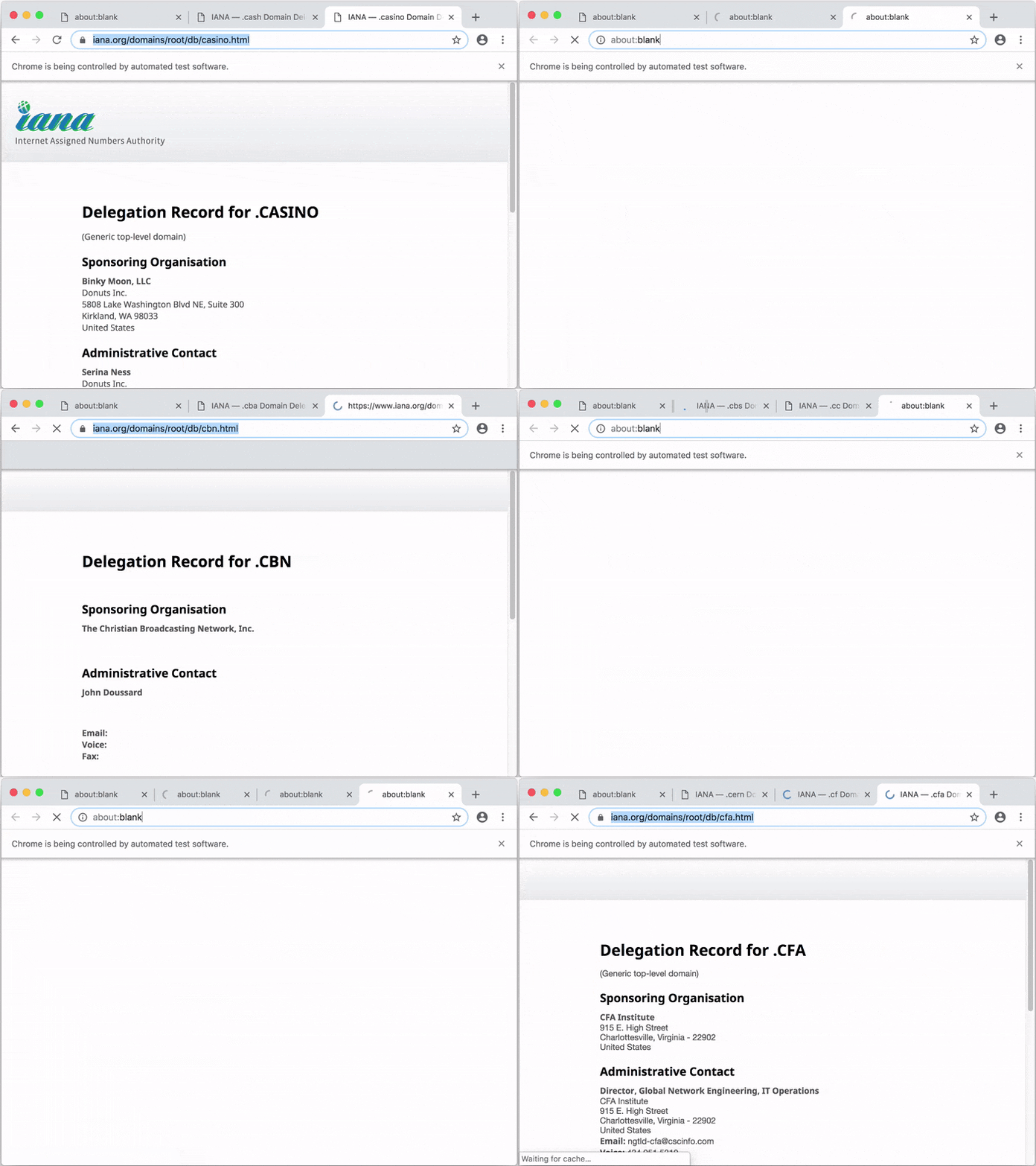
|
|
620
141
|
|
|
621
|
-
|
|
142
|
+
By default, Apify SDK stores data to `./apify_storage` in the current working directory. You can override this behavior by setting either the
|
|
143
|
+
`APIFY_LOCAL_STORAGE_DIR` or `APIFY_TOKEN` environment variable. For details, see [Environment variables](https://sdk.apify.com/docs/guides/environment-variables), [Request storage](https://sdk.apify.com/docs/guides/request-storage) and [Result storage](https://sdk.apify.com/docs/guides/result-storage).
|
|
622
144
|
|
|
623
|
-
|
|
145
|
+
### Local usage with Apify command-line interface (CLI)
|
|
624
146
|
|
|
625
|
-
|
|
626
|
-
|
|
627
|
-
closed after all its pages are closed.
|
|
147
|
+
To avoid the need to set the environment variables manually, to create a boilerplate of your project, and to enable pushing and running your code on
|
|
148
|
+
the [Apify platform](https://sdk.apify.com/docs/guides/apify-platform), you can use the [Apify command-line interface (CLI)](https://github.com/apify/apify-cli) tool.
|
|
628
149
|
|
|
150
|
+
Install the CLI by running:
|
|
629
151
|
|
|
630
|
-
|
|
631
|
-
|
|
632
|
-
|
|
633
|
-
|
|
634
|
-
|
|
635
|
-
* * *
|
|
636
|
-
|
|
637
|
-
<a name="BrowserPool+retireAllBrowsers"></a>
|
|
638
|
-
|
|
639
|
-
#### `browserPool.retireAllBrowsers()`
|
|
640
|
-
Removes all active browsers from the pool. The browsers will be
|
|
641
|
-
closed after all their pages are closed.
|
|
642
|
-
|
|
643
|
-
|
|
644
|
-
* * *
|
|
645
|
-
|
|
646
|
-
<a name="BrowserPool+closeAllBrowsers"></a>
|
|
647
|
-
|
|
648
|
-
#### `browserPool.closeAllBrowsers()` ⇒ <code>Promise.<void></code>
|
|
649
|
-
Closes all managed browsers without waiting for pages to close.
|
|
650
|
-
|
|
651
|
-
|
|
652
|
-
* * *
|
|
653
|
-
|
|
654
|
-
<a name="BrowserPool+destroy"></a>
|
|
655
|
-
|
|
656
|
-
#### `browserPool.destroy()` ⇒ <code>Promise.<void></code>
|
|
657
|
-
Closes all managed browsers and tears down the pool.
|
|
658
|
-
|
|
659
|
-
|
|
660
|
-
* * *
|
|
661
|
-
|
|
662
|
-
<a name="BrowserController"></a>
|
|
663
|
-
|
|
664
|
-
### BrowserController
|
|
665
|
-
The `BrowserController` serves two purposes. First, it is the base class that
|
|
666
|
-
specialized controllers like `PuppeteerController` or `PlaywrightController`
|
|
667
|
-
extend. Second, it defines the public interface of the specialized classes
|
|
668
|
-
which provide only private methods. Therefore, we do not keep documentation
|
|
669
|
-
for the specialized classes, because it's the same for all of them.
|
|
670
|
-
|
|
671
|
-
**Properties**
|
|
672
|
-
|
|
673
|
-
| Name | Type | Description |
|
|
674
|
-
| --- | --- | --- |
|
|
675
|
-
| id | <code>string</code> | |
|
|
676
|
-
| browserPlugin | [<code>BrowserPlugin</code>](#BrowserPlugin) | The `BrowserPlugin` instance used to launch the browser. |
|
|
677
|
-
| browser | <code>Browser</code> | Browser representation of the underlying automation library. |
|
|
678
|
-
| launchContext | [<code>LaunchContext</code>](#LaunchContext) | The configuration the browser was launched with. |
|
|
679
|
-
|
|
680
|
-
|
|
681
|
-
* [BrowserController](#BrowserController)
|
|
682
|
-
* [`.close()`](#BrowserController+close) ⇒ <code>Promise.<void></code>
|
|
683
|
-
* [`.kill()`](#BrowserController+kill) ⇒ <code>Promise.<void></code>
|
|
684
|
-
* [`.setCookies(page, cookies)`](#BrowserController+setCookies) ⇒ <code>Promise.<void></code>
|
|
685
|
-
* [`.getCookies(page)`](#BrowserController+getCookies) ⇒ <code>Promise.<Array.<object>></code>
|
|
686
|
-
|
|
687
|
-
|
|
688
|
-
* * *
|
|
689
|
-
|
|
690
|
-
<a name="BrowserController+close"></a>
|
|
691
|
-
|
|
692
|
-
#### `browserController.close()` ⇒ <code>Promise.<void></code>
|
|
693
|
-
Gracefully closes the browser and makes sure
|
|
694
|
-
there will be no lingering browser processes.
|
|
695
|
-
|
|
696
|
-
Emits 'browserClosed' event.
|
|
697
|
-
|
|
698
|
-
|
|
699
|
-
* * *
|
|
700
|
-
|
|
701
|
-
<a name="BrowserController+kill"></a>
|
|
702
|
-
|
|
703
|
-
#### `browserController.kill()` ⇒ <code>Promise.<void></code>
|
|
704
|
-
Immediately kills the browser process.
|
|
705
|
-
|
|
706
|
-
Emits 'browserClosed' event.
|
|
707
|
-
|
|
708
|
-
|
|
709
|
-
* * *
|
|
710
|
-
|
|
711
|
-
<a name="BrowserController+setCookies"></a>
|
|
712
|
-
|
|
713
|
-
#### `browserController.setCookies(page, cookies)` ⇒ <code>Promise.<void></code>
|
|
714
|
-
|
|
715
|
-
| Param | Type |
|
|
716
|
-
| --- | --- |
|
|
717
|
-
| page | <code>Object</code> |
|
|
718
|
-
| cookies | <code>Array.<object></code> |
|
|
719
|
-
|
|
720
|
-
|
|
721
|
-
* * *
|
|
722
|
-
|
|
723
|
-
<a name="BrowserController+getCookies"></a>
|
|
724
|
-
|
|
725
|
-
#### `browserController.getCookies(page)` ⇒ <code>Promise.<Array.<object>></code>
|
|
726
|
-
|
|
727
|
-
| Param | Type |
|
|
728
|
-
| --- | --- |
|
|
729
|
-
| page | <code>Object</code> |
|
|
730
|
-
|
|
731
|
-
|
|
732
|
-
* * *
|
|
733
|
-
|
|
734
|
-
<a name="BrowserPlugin"></a>
|
|
735
|
-
|
|
736
|
-
### BrowserPlugin
|
|
737
|
-
The `BrowserPlugin` serves two purposes. First, it is the base class that
|
|
738
|
-
specialized controllers like `PuppeteerPlugin` or `PlaywrightPlugin` extend.
|
|
739
|
-
Second, it allows the user to configure the automation libraries and
|
|
740
|
-
feed them to [BrowserPool](#BrowserPool) for use.
|
|
741
|
-
|
|
742
|
-
**Properties**
|
|
743
|
-
|
|
744
|
-
| Name | Type | Default | Description |
|
|
745
|
-
| --- | --- | --- | --- |
|
|
746
|
-
| [useIncognitoPages] | <code>boolean</code> | <code>false</code> | By default pages share the same browser context. If set to true each page uses its own context that is destroyed once the page is closed or crashes. |
|
|
747
|
-
| [userDataDir] | <code>object</code> | | Path to a User Data Directory, which stores browser session data like cookies and local storage. |
|
|
748
|
-
|
|
749
|
-
|
|
750
|
-
* * *
|
|
751
|
-
|
|
752
|
-
<a name="new_BrowserPlugin_new"></a>
|
|
753
|
-
|
|
754
|
-
#### `new BrowserPlugin(library, [options])`
|
|
755
|
-
|
|
756
|
-
| Param | Type | Description |
|
|
757
|
-
| --- | --- | --- |
|
|
758
|
-
| library | <code>object</code> | Each plugin expects an instance of the object with the `.launch()` property. For Puppeteer, it is the `puppeteer` module itself, whereas for Playwright it is one of the browser types, such as `puppeteer.chromium`. `BrowserPlugin` does not include the library. You can choose any version or fork of the library. It also keeps `@crawlee/browser-pool` installation small. |
|
|
759
|
-
| [options] | <code>object</code> | |
|
|
760
|
-
| [options.launchOptions] | <code>object</code> | Options that will be passed down to the automation library. E.g. `puppeteer.launch(launchOptions);`. This is a good place to set options that you want to apply as defaults. To dynamically override those options per-browser, see the `preLaunchHooks` of [BrowserPool](#BrowserPool). |
|
|
761
|
-
| [options.proxyUrl] | <code>string</code> | Automation libraries configure proxies differently. This helper allows you to set a proxy URL without worrying about specific implementations. It also allows you use an authenticated proxy without extra code. |
|
|
762
|
-
|
|
763
|
-
|
|
764
|
-
* * *
|
|
765
|
-
|
|
766
|
-
<a name="LaunchContext"></a>
|
|
767
|
-
|
|
768
|
-
### LaunchContext
|
|
769
|
-
`LaunchContext` holds information about the launched browser. It's useful
|
|
770
|
-
to retrieve the `launchOptions`, the proxy the browser was launched with
|
|
771
|
-
or any other information user chose to add to the `LaunchContext` by calling
|
|
772
|
-
its `extend` function. This is very useful to keep track of browser-scoped
|
|
773
|
-
values, such as session IDs.
|
|
774
|
-
|
|
775
|
-
**Properties**
|
|
776
|
-
|
|
777
|
-
| Name | Type | Description |
|
|
778
|
-
| --- | --- | --- |
|
|
779
|
-
| id | <code>string</code> | To make identification of `LaunchContext` easier, `BrowserPool` assigns the `LaunchContext` an `id` that's equal to the `id` of the page that triggered the browser launch. This is useful, because many pages share a single launch context (single browser). |
|
|
780
|
-
| browserPlugin | [<code>BrowserPlugin</code>](#BrowserPlugin) | The `BrowserPlugin` instance used to launch the browser. |
|
|
781
|
-
| launchOptions | <code>object</code> | The actual options the browser was launched with, after changes. Those changes would be typically made in pre-launch hooks. |
|
|
782
|
-
| [useIncognitoPages] | <code>boolean</code> | By default pages share the same browser context. If set to true each page uses its own context that is destroyed once the page is closed or crashes. |
|
|
783
|
-
| [userDataDir] | <code>object</code> | Path to a User Data Directory, which stores browser session data like cookies and local storage. |
|
|
784
|
-
|
|
152
|
+
```bash
|
|
153
|
+
npm -g install apify-cli
|
|
154
|
+
```
|
|
785
155
|
|
|
786
|
-
|
|
787
|
-
* [`.proxyUrl`](#LaunchContext+proxyUrl)
|
|
788
|
-
* [`.proxyUrl`](#LaunchContext+proxyUrl) ⇒ <code>string</code>
|
|
789
|
-
* [`.extend(fields)`](#LaunchContext+extend)
|
|
156
|
+
Now create a boilerplate of your new web crawling project by running:
|
|
790
157
|
|
|
158
|
+
```bash
|
|
159
|
+
apify create my-hello-world
|
|
160
|
+
```
|
|
791
161
|
|
|
792
|
-
|
|
162
|
+
The CLI will prompt you to select a project boilerplate template - just pick "Hello world". The tool will create a directory called `my-hello-world`
|
|
163
|
+
with a Node.js project files. You can run the project as follows:
|
|
793
164
|
|
|
794
|
-
|
|
165
|
+
```bash
|
|
166
|
+
cd my-hello-world
|
|
167
|
+
apify run
|
|
168
|
+
```
|
|
795
169
|
|
|
796
|
-
|
|
797
|
-
|
|
798
|
-
Use `undefined` to unset existing proxy URL.
|
|
170
|
+
By default, the crawling data will be stored in a local directory at `./apify_storage`. For example, the input JSON file for the actor is expected to
|
|
171
|
+
be in the default key-value store in `./apify_storage/key_value_stores/default/INPUT.json`.
|
|
799
172
|
|
|
173
|
+
Now you can easily deploy your code to the Apify platform by running:
|
|
800
174
|
|
|
801
|
-
|
|
802
|
-
|
|
803
|
-
|
|
175
|
+
```bash
|
|
176
|
+
apify login
|
|
177
|
+
```
|
|
804
178
|
|
|
179
|
+
```bash
|
|
180
|
+
apify push
|
|
181
|
+
```
|
|
805
182
|
|
|
806
|
-
|
|
183
|
+
Your script will be uploaded to the Apify platform and built there so that it can be run. For more information, view the
|
|
184
|
+
[Apify Actor](https://docs.apify.com/cli) documentation.
|
|
807
185
|
|
|
808
|
-
|
|
186
|
+
### Usage on the Apify platform
|
|
809
187
|
|
|
810
|
-
|
|
811
|
-
|
|
188
|
+
You can also develop your web scraping project in an online code editor directly on the [Apify platform](https://sdk.apify.com/docs/guides/apify-platform).
|
|
189
|
+
You'll need to have an Apify Account. Go to [Actors](https://console.apify.com/actors), page in the Apify Console, click <i>Create new</i>
|
|
190
|
+
and then go to the <i>Source</i> tab and start writing your code or paste one of the examples from the Examples section.
|
|
812
191
|
|
|
192
|
+
For more information, view the [Apify actors quick start guide](https://docs.apify.com/actor/quick-start).
|
|
813
193
|
|
|
814
|
-
|
|
194
|
+
## Support
|
|
815
195
|
|
|
816
|
-
|
|
196
|
+
If you find any bug or issue with the Apify SDK, please [submit an issue on GitHub](https://github.com/apify/apify-js/issues).
|
|
197
|
+
For questions, you can ask on [Stack Overflow](https://stackoverflow.com/questions/tagged/apify) or contact support@apify.com
|
|
817
198
|
|
|
818
|
-
|
|
819
|
-
Extend the launch context with any extra fields.
|
|
820
|
-
This is useful to keep state information relevant
|
|
821
|
-
to the browser being launched. It ensures that
|
|
822
|
-
no internal fields are overridden and should be
|
|
823
|
-
used instead of property assignment.
|
|
199
|
+
## Contributing
|
|
824
200
|
|
|
201
|
+
Your code contributions are welcome and you'll be praised to eternity!
|
|
202
|
+
If you have any ideas for improvements, either submit an issue or create a pull request.
|
|
203
|
+
For contribution guidelines and the code of conduct,
|
|
204
|
+
see [CONTRIBUTING.md](https://github.com/apify/apify-js/blob/master/CONTRIBUTING.md).
|
|
825
205
|
|
|
826
|
-
|
|
827
|
-
| --- | --- |
|
|
828
|
-
| fields | <code>object</code> |
|
|
206
|
+
## License
|
|
829
207
|
|
|
208
|
+
This project is licensed under the Apache License 2.0 -
|
|
209
|
+
see the [LICENSE.md](https://github.com/apify/apify-js/blob/master/LICENSE.md) file for details.
|
|
830
210
|
|
|
831
|
-
|
|
211
|
+
## Acknowledgments
|
|
832
212
|
|
|
213
|
+
Many thanks to [Chema Balsas](https://www.npmjs.com/~jbalsas) for giving up the `apify` package name
|
|
214
|
+
on NPM and renaming his project to [jsdocify](https://www.npmjs.com/package/jsdocify).
|