@cmusei/console-forge 0.9.0 → 0.11.0
This diff represents the content of publicly available package versions that have been released to one of the supported registries. The information contained in this diff is provided for informational purposes only and reflects changes between package versions as they appear in their respective public registries.
- package/README.md +10 -11
- package/fesm2022/cmusei-console-forge.mjs +24 -11
- package/fesm2022/cmusei-console-forge.mjs.map +1 -1
- package/lib/models/console-supported-features.d.ts +5 -0
- package/package.json +1 -1
- package/vendor/vmware-wmks/css/extended-keypad.css +0 -318
- package/vendor/vmware-wmks/css/main-ui.css +0 -180
- package/vendor/vmware-wmks/css/trackpad.css +0 -192
- package/vendor/vmware-wmks/css/wmks-all.css +0 -684
- package/vendor/vmware-wmks/js/wmks.min.js +0 -8
package/README.md
CHANGED
|
@@ -15,9 +15,13 @@ cd console-forge
|
|
|
15
15
|
npm i
|
|
16
16
|
```
|
|
17
17
|
|
|
18
|
-
|
|
18
|
+
## Starting a compatible console
|
|
19
19
|
|
|
20
|
-
|
|
20
|
+
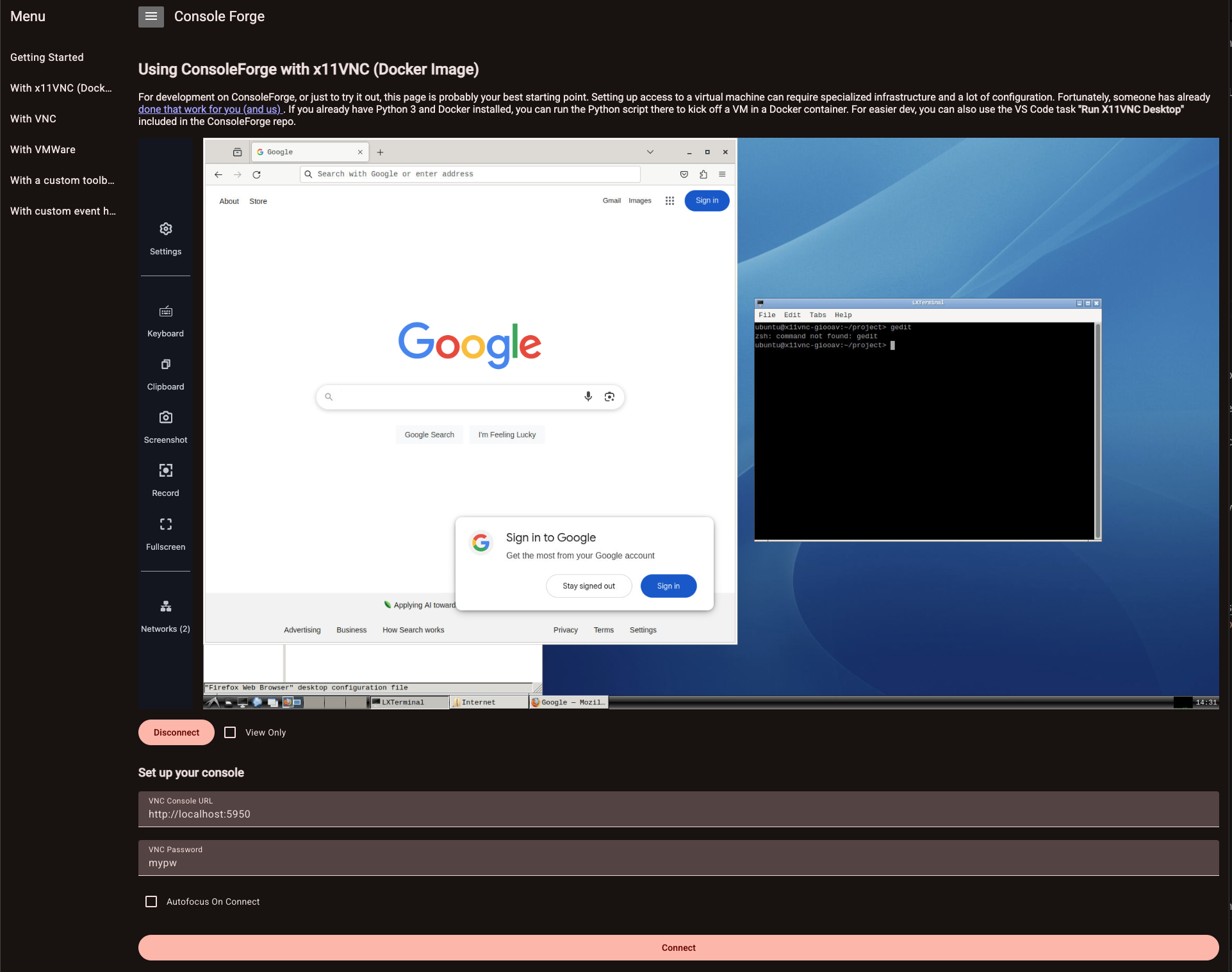
Since ConsoleForge is all about virtual consoles, you're going to need at least one to test drive it. Fortunately, this repo includes a script based on the [x11vnc_desktop](https://hub.docker.com/r/x11vnc/docker-desktop) project that does the job very nicely. If you're on a POSIX-compliant shell (i.e. on Windows, you'll need Git Bash or WSL) and are a VS Code user, you can use the included VS Code Task "Run X11VNC Desktop" to pull and start the container. Easy-peasy! See the [x11vnc_desktop](https://hub.docker.com/r/x11vnc/docker-desktop) project if our script doesn't fit your needs.
|
|
21
|
+
|
|
22
|
+
**NOTE:** If you have access to a Proxmox cluster or some other hypervisor host, you can use also connect to those consoles! Read on to start up our demo/docs app, and use the appropriate page to connect to your consoles.
|
|
23
|
+
|
|
24
|
+
## Building and debugging
|
|
21
25
|
|
|
22
26
|
Once you have a compatible console available, you can build the library...
|
|
23
27
|
|
|
@@ -31,7 +35,7 @@ ng build console-forge --watch
|
|
|
31
35
|
ng serve console-forge-docs
|
|
32
36
|
```
|
|
33
37
|
|
|
34
|
-
Navigate to [http://localhost:4200](http://localhost:4200). If you're running the `X11VNC` container, you should be able to access it via the "With x11VNC (Docker Image)" tab!
|
|
38
|
+
Navigate to [http://localhost:4200](http://localhost:4200). If you're running the `X11VNC` container, you should be able to access it via the "With x11VNC (Docker Image)" tab! If you have some other supported console host, you can use the various tabs in our little demo app to connect to your consoles.
|
|
35
39
|
|
|
36
40
|
|
|
37
41
|
|
|
@@ -122,21 +126,16 @@ If it does, things are a little become slightly complex.
|
|
|
122
126
|
|
|
123
127
|
### Including the HTML Console SDK's assets
|
|
124
128
|
|
|
125
|
-
|
|
129
|
+
To use ConsoleForge to connect to VMWare consoles, you'll need a copy of the [VMWare HTML Console SDK](https://techdocs.broadcom.com/us/en/vmware-cis/vsphere/vsphere-sdks-tools/8-0/html-console-sdk-programming-guide.html). For licensing reasons, we don't include this SDK with ConsoleForge. To include it in your Angular app's scripts, you'll need to update the `"styles"` and `"scripts"` sections of your `angular.json` file. Depending where you commit it to your project, it'll look something like this:
|
|
126
130
|
|
|
127
131
|
```json
|
|
128
132
|
//snip
|
|
129
|
-
"styles": ["
|
|
133
|
+
"styles": ["path/to/vmware-wmks/css/main-ui.css"],
|
|
130
134
|
// snip
|
|
131
|
-
"scripts": ["
|
|
135
|
+
"scripts": ["path/to/vmware-wmks/js/wmks.min.js"]
|
|
132
136
|
// snip
|
|
133
137
|
```
|
|
134
138
|
|
|
135
|
-
We make the following adjustments due to our use case:
|
|
136
|
-
|
|
137
|
-
- We include only the `main-ui.css` stylesheet in the library
|
|
138
|
-
- We don't include images referenced by this CSS for reasons of distribution complexity
|
|
139
|
-
|
|
140
139
|
### jQuery
|
|
141
140
|
|
|
142
141
|
This SDK also has dependencies on jQuery and jQuery UI, which you'll also need to add to your Angular project. Depending on your use case, you can either do this through a CDN like [code.jquery.com](https://code.jquery.com/jquery-3.7.1.min.js) or via your favorite Node package manager. (Note that the HTML Console SDK's current documentation is not specific about which versions of jQuery/jQuery UI are required.) Assuming you're able to install and correctly configure the inclusion of these three dependencies, VMWare consoles in ConsoleForge should work as expected. Having trouble? [Drop as an issue and let us know.](https://github.com/cmu-sei/console-forge/issues)
|