@cmusei/console-forge 0.10.0 → 0.11.0
This diff represents the content of publicly available package versions that have been released to one of the supported registries. The information contained in this diff is provided for informational purposes only and reflects changes between package versions as they appear in their respective public registries.
package/README.md
CHANGED
|
@@ -15,9 +15,13 @@ cd console-forge
|
|
|
15
15
|
npm i
|
|
16
16
|
```
|
|
17
17
|
|
|
18
|
-
|
|
18
|
+
## Starting a compatible console
|
|
19
19
|
|
|
20
|
-
|
|
20
|
+
Since ConsoleForge is all about virtual consoles, you're going to need at least one to test drive it. Fortunately, this repo includes a script based on the [x11vnc_desktop](https://hub.docker.com/r/x11vnc/docker-desktop) project that does the job very nicely. If you're on a POSIX-compliant shell (i.e. on Windows, you'll need Git Bash or WSL) and are a VS Code user, you can use the included VS Code Task "Run X11VNC Desktop" to pull and start the container. Easy-peasy! See the [x11vnc_desktop](https://hub.docker.com/r/x11vnc/docker-desktop) project if our script doesn't fit your needs.
|
|
21
|
+
|
|
22
|
+
**NOTE:** If you have access to a Proxmox cluster or some other hypervisor host, you can use also connect to those consoles! Read on to start up our demo/docs app, and use the appropriate page to connect to your consoles.
|
|
23
|
+
|
|
24
|
+
## Building and debugging
|
|
21
25
|
|
|
22
26
|
Once you have a compatible console available, you can build the library...
|
|
23
27
|
|
|
@@ -31,7 +35,7 @@ ng build console-forge --watch
|
|
|
31
35
|
ng serve console-forge-docs
|
|
32
36
|
```
|
|
33
37
|
|
|
34
|
-
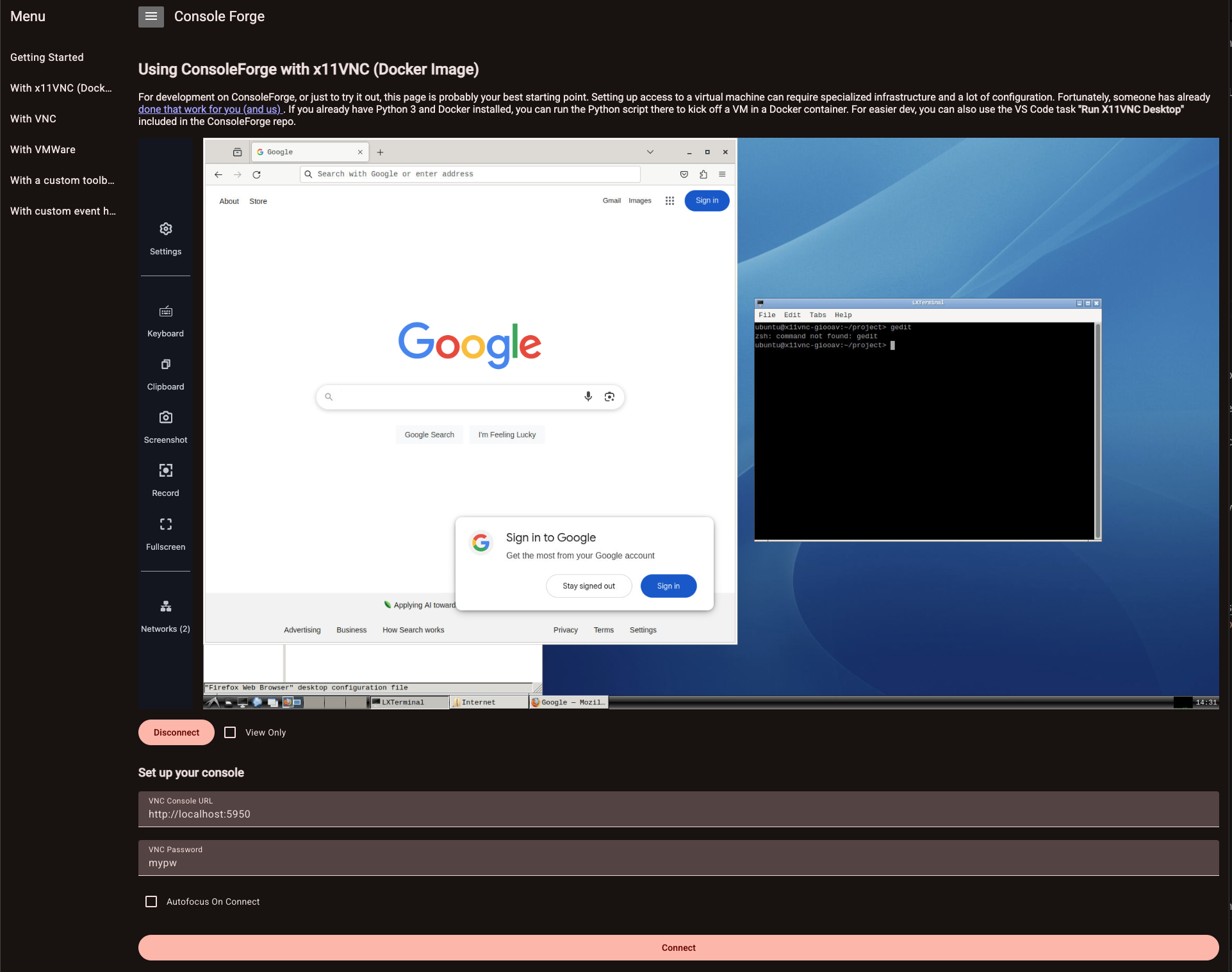
Navigate to [http://localhost:4200](http://localhost:4200). If you're running the `X11VNC` container, you should be able to access it via the "With x11VNC (Docker Image)" tab!
|
|
38
|
+
Navigate to [http://localhost:4200](http://localhost:4200). If you're running the `X11VNC` container, you should be able to access it via the "With x11VNC (Docker Image)" tab! If you have some other supported console host, you can use the various tabs in our little demo app to connect to your consoles.
|
|
35
39
|
|
|
36
40
|
|
|
37
41
|
|