@cloudbase/cloudbase-mcp 1.9.0 → 2.0.0
This diff represents the content of publicly available package versions that have been released to one of the supported registries. The information contained in this diff is provided for informational purposes only and reflects changes between package versions as they appear in their respective public registries.
- package/README.md +355 -356
- package/dist/cli.cjs +36213 -5092
- package/dist/index.cjs +36188 -5068
- package/dist/index.d.ts +1 -1
- package/dist/index.js +5694 -6240
- package/package.json +1 -1
package/README.md
CHANGED
|
@@ -1,495 +1,494 @@
|
|
|
1
|
-
<div align="center">
|
|
1
|
+
<div align="center"><a name="readme-top"></a>
|
|
2
2
|
|
|
3
|
-

|
|
4
4
|
|
|
5
|
-
|
|
5
|
+
<h1>CloudBase AI ToolKit</h1>
|
|
6
6
|
|
|
7
|
-
**🪐
|
|
7
|
+
**🪐 AI 编程,一键上线**<br/>
|
|
8
|
+
连接 AI IDE 与腾讯云 CloudBase 的部署桥梁,让你的 AI 应用即刻上线
|
|
8
9
|
|
|
9
|
-
|
|
10
|
+
[English](./README-EN.md) · **简体中文** · [文档][docs] · [更新日志][changelog] · [反馈问题][github-issues-link]
|
|
10
11
|
|
|
11
|
-
|
|
12
|
-
[](https://www.npmjs.com/package/@cloudbase/cloudbase-mcp)
|
|
13
|
-
[](https://www.npmjs.com/package/@cloudbase/cloudbase-mcp)
|
|
14
|
-
[](https://github.com/TencentCloudBase/CloudBase-AI-ToolKit/stargazers)
|
|
15
|
-
[](https://github.com/TencentCloudBase/CloudBase-AI-ToolKit/network/members)
|
|
12
|
+
<!-- SHIELD GROUP -->
|
|
16
13
|
|
|
17
|
-
[![
|
|
18
|
-
[![
|
|
19
|
-
[![
|
|
20
|
-
[![
|
|
21
|
-
[![
|
|
22
|
-
|
|
14
|
+
[![][npm-version-shield]][npm-link]
|
|
15
|
+
[![][npm-downloads-shield]][npm-link]
|
|
16
|
+
[![][github-stars-shield]][github-stars-link]
|
|
17
|
+
[![][github-forks-shield]][github-forks-link]
|
|
18
|
+
[![][github-issues-shield]][github-issues-link]
|
|
19
|
+
![][github-license-shield]
|
|
20
|
+
![][github-contributors-shield]
|
|
21
|
+
[![][cnb-shield]][cnb-link]
|
|
22
|
+
[![][deepwiki-shield]][deepwiki-link]
|
|
23
23
|
|
|
24
|
-
|
|
24
|
+
**发现了一个让 AI 编程一键上线的神器,推荐给正在用 AI 编程的朋友**
|
|
25
25
|
|
|
26
|
-
|
|
26
|
+
[![][share-x-shield]][share-x-link]
|
|
27
|
+
[![][share-telegram-shield]][share-telegram-link]
|
|
28
|
+
[![][share-weibo-shield]][share-weibo-link]
|
|
27
29
|
|
|
28
|
-
<
|
|
29
|
-
<img style="max-width: min(600px, 100%); height: auto;" src="https://7463-tcb-advanced-a656fc-1257967285.tcb.qcloud.la/mcp/video-banner.png" alt="Video Demo" />
|
|
30
|
-
</a>
|
|
30
|
+
<sup>从 AI 提示词到应用上线的最短路径</sup>
|
|
31
31
|
|
|
32
|
-
|
|
33
|
-
|---|---|
|
|
34
|
-
| 🤖 **AI-Powered Development**: AI auto-generates code and architecture<br>☁️ **Cloud Integration**: One-click access to database, cloud functions, static hosting<br>⚡ **Rapid Deployment**: Full-stack apps online in minutes | **Web Apps**: Modern frontend + static hosting<br>**WeChat Mini-Programs**: Cloud-native mini-program solutions<br>**Backend Services**: Cloud database + serverless functions + cloud hosting |
|
|
32
|
+
[![][github-trending-shield]][github-trending-url]
|
|
35
33
|
|
|
36
|
-
|
|
34
|
+
[<img width="791" height="592" alt="Clipboard_Screenshot_1763724670" src="https://github.com/user-attachments/assets/f769beb7-5710-4397-8854-af2b7e452f70" />](https://docs.cloudbase.net/ai/cloudbase-ai-toolkit/tutorials)
|
|
37
35
|
|
|
38
36
|
</div>
|
|
39
37
|
|
|
40
|
-
##
|
|
38
|
+
## 为什么你需要 CloudBase AI ToolKit?
|
|
41
39
|
|
|
42
|
-
|
|
43
|
-
- **🚀 One-Click Deploy** - MCP automated deployment to Tencent CloudBase platform, Serverless architecture without server management
|
|
44
|
-
- **📱 Full-Stack Apps** - Web + Mini-programs + Database + Backend integration, supports multiple app types and backend hosting
|
|
45
|
-
- **🔧 Smart Debugging** - AI automatically reviews logs and fixes issues, reducing operational costs
|
|
46
|
-
- **⚡ Lightning Fast** - Domestic CDN acceleration, faster access than overseas platforms
|
|
47
|
-
- **📚 Knowledge Retrieval** - Built-in intelligent vector search for CloudBase and WeChat Mini-Program professional knowledge bases
|
|
40
|
+
AI 编程工具(如 Cursor、Copilot)解决了**代码生成**的难题。
|
|
48
41
|
|
|
49
|
-
|
|
42
|
+
但是,从"生成代码"到"应用上线"(部署、配置数据库、CDN、域名),依然存在一条鸿沟。
|
|
50
43
|
|
|
51
|
-
|
|
52
|
-
>
|
|
53
|
-
> 🚩 Built-in Spec Workflow: Make AI programming more engineering-oriented
|
|
54
|
-
>
|
|
55
|
-
> - Built-in Kiro-style Spec workflow, supports Cursor, Claude Code, and other mainstream AI IDEs
|
|
56
|
-
> - Clear requirements, design, and tasks, auto-generates requirements.md, design.md, tasks.md
|
|
57
|
-
> - Move beyond "slot machine" vibe coding, development process is controllable and traceable
|
|
58
|
-
> - Let AI assist in sorting out requirements, design solutions, and task breakdowns, while humans focus on decision-making and review
|
|
59
|
-
- **Spec workflow is built into CloudBase AI rules**, download the latest template or let AI download CloudBase AI rules in the current project to get it
|
|
44
|
+
**CloudBase AI ToolKit 填补了这条鸿沟。**
|
|
60
45
|
|
|
61
|
-
|
|
62
|
-
|
|
46
|
+
你不再需要:
|
|
47
|
+
- ❌ 繁琐的 DevOps 配置和 YAML 文件
|
|
48
|
+
- ❌ 手动设置云函数和数据库
|
|
49
|
+
- ❌ 在 IDE 和云控制台之间反复横跳
|
|
63
50
|
|
|
64
|
-
|
|
51
|
+
你只需要在 AI IDE 中,用自然语言完成从"想法"到"上线"的全过程。
|
|
65
52
|
|
|
66
|
-
|
|
53
|
+
<details>
|
|
54
|
+
<summary><kbd>目录</kbd></summary>
|
|
67
55
|
|
|
68
|
-
|
|
69
|
-
-
|
|
70
|
-
-
|
|
71
|
-
-
|
|
72
|
-
-
|
|
56
|
+
- [🚀 快速开始](#-快速开始)
|
|
57
|
+
- [✨ 核心特性](#-核心特性)
|
|
58
|
+
- [📦 安装配置](#-安装配置)
|
|
59
|
+
- [🎯 使用案例](#-使用案例)
|
|
60
|
+
- [🧩 MCP 工具](#-mcp-工具)
|
|
61
|
+
- [📚 更多资源](#-更多资源)
|
|
73
62
|
|
|
74
|
-
|
|
75
|
-
```bash
|
|
76
|
-
# Mac/Linux/Windows WSL
|
|
77
|
-
curl https://static.cloudbase.net/cli/install/install.sh -fsS | bash
|
|
63
|
+
</details>
|
|
78
64
|
|
|
79
|
-
|
|
80
|
-
irm https://static.cloudbase.net/cli/install/install.ps1 | iex
|
|
81
|
-
```
|
|
65
|
+
## 🚀 快速开始
|
|
82
66
|
|
|
83
|
-
|
|
84
|
-
```bash
|
|
85
|
-
tcb ai
|
|
86
|
-
```
|
|
67
|
+
### 一行配置,立即使用
|
|
87
68
|
|
|
88
|
-
|
|
69
|
+
在支持 MCP 的 AI IDE 中(Cursor、WindSurf、CodeBuddy 等),只需添加一行配置:
|
|
89
70
|
|
|
90
|
-
|
|
71
|
+
```json
|
|
72
|
+
{
|
|
73
|
+
"mcpServers": {
|
|
74
|
+
"cloudbase": {
|
|
75
|
+
"command": "npx",
|
|
76
|
+
"args": ["@cloudbase/cloudbase-mcp@latest"]
|
|
77
|
+
}
|
|
78
|
+
}
|
|
79
|
+
}
|
|
80
|
+
```
|
|
91
81
|
|
|
92
|
-
|
|
82
|
+
> [!TIP]
|
|
83
|
+
> **推荐使用 CloudBase AI CLI**
|
|
84
|
+
>
|
|
85
|
+
> 一键安装,自动配置,支持多种 AI 编程工具:
|
|
86
|
+
>
|
|
87
|
+
> ```bash
|
|
88
|
+
> # Mac/Linux/WSL
|
|
89
|
+
> curl https://static.cloudbase.net/cli/install/install.sh -fsS | bash
|
|
90
|
+
>
|
|
91
|
+
> # Windows PowerShell
|
|
92
|
+
> npm install @cloudbase/cli@latest -g
|
|
93
|
+
> ```
|
|
94
|
+
>
|
|
95
|
+
> 安装后运行 `tcb ai` 即可开始使用
|
|
96
|
+
>
|
|
97
|
+
> [查看完整文档](https://docs.cloudbase.net/cli-v1/ai/introduce) | [详细案例教程](https://docs.cloudbase.net/practices/ai-cli-mini-program)
|
|
93
98
|
|
|
94
|
-
|
|
99
|
+
### 首次使用
|
|
95
100
|
|
|
96
|
-
|
|
101
|
+
1. **登录云开发**
|
|
102
|
+
```
|
|
103
|
+
登录云开发
|
|
104
|
+
```
|
|
105
|
+
AI 会自动打开登录界面并引导环境选择
|
|
97
106
|
|
|
98
|
-
|
|
107
|
+
2. **开始开发**
|
|
108
|
+
```
|
|
109
|
+
做一个双人在线对战五子棋网站,支持联机对战,最后进行部署
|
|
110
|
+
```
|
|
111
|
+
AI 会自动生成代码、部署到云端并返回访问链接
|
|
99
112
|
|
|
100
|
-
### 0. Prerequisites
|
|
101
113
|
|
|
102
|
-
<details>
|
|
103
|
-
<summary>Install an AI development tool</summary>
|
|
104
114
|
|
|
105
|
-
|
|
115
|
+
### 支持的 AI IDE
|
|
106
116
|
|
|
107
|
-
</details>
|
|
108
117
|
|
|
109
|
-
|
|
110
|
-
|
|
118
|
+
| 工具 | 支持平台 | 查看指引 |
|
|
119
|
+
|------|----------|----------|
|
|
120
|
+
| [CloudBase AI CLI](https://docs.cloudbase.net/cli-v1/ai/introduce) | 命令行工具 | [查看指引](https://docs.cloudbase.net/cli-v1/ai/introduce) |
|
|
121
|
+
| [Cursor](https://docs.cloudbase.net/ai/cloudbase-ai-toolkit/ide-setup/cursor) | 独立 IDE| [查看指引](https://docs.cloudbase.net/ai/cloudbase-ai-toolkit/ide-setup/cursor) |
|
|
122
|
+
| [WindSurf](https://docs.cloudbase.net/ai/cloudbase-ai-toolkit/ide-setup/windsurf) | 独立 IDE, VSCode、JetBrains 插件 | [查看指引](https://docs.cloudbase.net/ai/cloudbase-ai-toolkit/ide-setup/windsurf) |
|
|
123
|
+
| [CodeBuddy](https://docs.cloudbase.net/ai/cloudbase-ai-toolkit/ide-setup/codebuddy) | 独立 IDE(已内置 CloudBase),VS Code、JetBrains、微信开发者工具| [查看指引](https://docs.cloudbase.net/ai/cloudbase-ai-toolkit/ide-setup/codebuddy) |
|
|
124
|
+
| [CLINE](https://docs.cloudbase.net/ai/cloudbase-ai-toolkit/ide-setup/cline) | VS Code 插件 | [查看指引](https://docs.cloudbase.net/ai/cloudbase-ai-toolkit/ide-setup/cline) |
|
|
125
|
+
| [GitHub Copilot](https://docs.cloudbase.net/ai/cloudbase-ai-toolkit/ide-setup/github-copilot) | VS Code 插件 | [查看指引](https://docs.cloudbase.net/ai/cloudbase-ai-toolkit/ide-setup/github-copilot) |
|
|
126
|
+
| [Trae](https://docs.cloudbase.net/ai/cloudbase-ai-toolkit/ide-setup/trae) | 独立 IDE | [查看指引](https://docs.cloudbase.net/ai/cloudbase-ai-toolkit/ide-setup/trae) |
|
|
127
|
+
| [通义灵码](https://docs.cloudbase.net/ai/cloudbase-ai-toolkit/ide-setup/tongyi-lingma) | 独立 IDE,VS Code、 JetBrains插件 | [查看指引](https://docs.cloudbase.net/ai/cloudbase-ai-toolkit/ide-setup/tongyi-lingma) |
|
|
128
|
+
| [RooCode](https://docs.cloudbase.net/ai/cloudbase-ai-toolkit/ide-setup/roocode) | VS Code插件 | [查看指引](https://docs.cloudbase.net/ai/cloudbase-ai-toolkit/ide-setup/roocode) |
|
|
129
|
+
| [文心快码](https://docs.cloudbase.net/ai/cloudbase-ai-toolkit/ide-setup/baidu-comate) | VS Code、JetBrains插件| [查看指引](https://docs.cloudbase.net/ai/cloudbase-ai-toolkit/ide-setup/baidu-comate) |
|
|
130
|
+
| [Augment Code](https://docs.cloudbase.net/ai/cloudbase-ai-toolkit/ide-setup/augment-code) | VS Code、JetBrains 插件 | [查看指引](https://docs.cloudbase.net/ai/cloudbase-ai-toolkit/ide-setup/augment-code) |
|
|
131
|
+
| [Claude Code](https://docs.cloudbase.net/ai/cloudbase-ai-toolkit/ide-setup/claude-code) | 命令行工具 | [查看指引](https://docs.cloudbase.net/ai/cloudbase-ai-toolkit/ide-setup/claude-code) |
|
|
132
|
+
| [Gemini CLI](https://docs.cloudbase.net/ai/cloudbase-ai-toolkit/ide-setup/gemini-cli) | 命令行工具 | [查看指引](https://docs.cloudbase.net/ai/cloudbase-ai-toolkit/ide-setup/gemini-cli) |
|
|
133
|
+
| [OpenAI Codex CLI](https://docs.cloudbase.net/ai/cloudbase-ai-toolkit/ide-setup/openai-codex-cli) | 命令行工具 | [查看指引](https://docs.cloudbase.net/ai/cloudbase-ai-toolkit/ide-setup/openai-codex-cli) |
|
|
134
|
+
| [OpenCode](https://docs.cloudbase.net/ai/cloudbase-ai-toolkit/ide-setup/opencode) | 命令行工具 | [查看指引](https://docs.cloudbase.net/ai/cloudbase-ai-toolkit/ide-setup/opencode) |
|
|
135
|
+
| [Qwen Code](https://docs.cloudbase.net/ai/cloudbase-ai-toolkit/ide-setup/qwen-code) | 命令行工具 | [查看指引](https://docs.cloudbase.net/ai/cloudbase-ai-toolkit/ide-setup/qwen-code) |
|
|
136
|
+
|
|
137
|
+
|
|
138
|
+
|
|
139
|
+
## ✨ 如何实现 AI 编程"一键上线"?
|
|
140
|
+
|
|
141
|
+
### 1. AI 原生(AI-Native)
|
|
142
|
+
|
|
143
|
+
我们不是简单的"胶水代码"。内置的规则库专为 AI 编程设计,能让 AI 直接生成"可部署"的 CloudBase 最佳实践代码。
|
|
144
|
+
|
|
145
|
+
```markdown
|
|
146
|
+
提示词:生成一个用户登录功能
|
|
147
|
+
- AI 自动生成符合云开发规范的代码
|
|
148
|
+
- 自动配置数据库、云函数、安全规则
|
|
149
|
+
- 一键部署到云端
|
|
150
|
+
```
|
|
111
151
|
|
|
112
|
-
|
|
152
|
+
<img width="1032" height="776" alt="f1" src="https://github.com/user-attachments/assets/62e6dd9d-9c53-4668-841d-0ac1985a75e0" />
|
|
113
153
|
|
|
114
|
-
|
|
154
|
+
### 2. 一键部署(One-Click Deploy)
|
|
115
155
|
|
|
116
|
-
|
|
117
|
-
<summary>Install Node.js v18.15.0 or above</summary>
|
|
156
|
+
AI 自动化的 MCP 部署流,AI 帮你搞定从云函数、数据库到静态网站的**所有**云上资源配置。
|
|
118
157
|
|
|
119
|
-
|
|
158
|
+
```markdown
|
|
159
|
+
提示词:部署当前项目到云开发
|
|
160
|
+
- 自动检测项目类型(Web/小程序/后端)
|
|
161
|
+
- 智能配置部署参数
|
|
162
|
+
- 实时显示部署进度
|
|
163
|
+
- 自动返回访问链接
|
|
164
|
+
```
|
|
120
165
|
|
|
121
|
-
|
|
166
|
+
<img width="1032" height="776" alt="f2" src="https://github.com/user-attachments/assets/20e0493a-fa50-4c03-b4ac-3dc584eb4ccb" />
|
|
122
167
|
|
|
123
|
-
|
|
124
|
-
<summary>Optional: Set npm registry</summary>
|
|
168
|
+
### 3. 智能调试(Smart Debugging)
|
|
125
169
|
|
|
126
|
-
|
|
170
|
+
部署出错?不用怕。AI 会自动读取日志,帮你分析并修复问题,真正实现**开发-部署-调试**的闭环。
|
|
127
171
|
|
|
128
|
-
```
|
|
129
|
-
|
|
172
|
+
```markdown
|
|
173
|
+
提示词:报错了,错误是 xxxx
|
|
174
|
+
- AI 自动查看云函数日志
|
|
175
|
+
- 分析错误原因
|
|
176
|
+
- 生成修复代码
|
|
177
|
+
- 自动重新部署
|
|
130
178
|
```
|
|
131
179
|
|
|
132
|
-
|
|
133
|
-
</details>
|
|
180
|
+
<img width="1032" height="776" alt="f5" src="https://github.com/user-attachments/assets/5a61714a-ddcf-448a-8740-983bbad9d2b9" />
|
|
134
181
|
|
|
135
|
-
|
|
136
|
-
<summary>Optional: Clear npx cache</summary>
|
|
137
|
-
Due to a bug in npx, you may need to clear its cache if you encounter installation issues. Run:
|
|
182
|
+
### 4. 全栈支持(Full-Stack Ready)
|
|
138
183
|
|
|
139
|
-
|
|
140
|
-
npx clear-npx-cache
|
|
141
|
-
```
|
|
142
|
-
</details>
|
|
184
|
+
无论是 Web 应用、小程序还是后端服务,AI 都能为你处理,你只需专注业务逻辑。
|
|
143
185
|
|
|
144
|
-
|
|
186
|
+
| 应用类型 | 技术栈 | 部署方式 |
|
|
187
|
+
|---------|--------|---------|
|
|
188
|
+
| **Web 应用** | React/Vue/Next.js | 静态托管 + CDN |
|
|
189
|
+
| **微信小程序** | 原生/UniApp | 小程序发布 |
|
|
190
|
+
| **后端服务** | Node.js/Python | 云函数/云托管 |
|
|
145
191
|
|
|
146
|
-
|
|
192
|
+
<img width="1032" height="776" alt="f3" src="https://github.com/user-attachments/assets/1c50fed3-3223-4cd6-8534-885dc798c08e" />
|
|
147
193
|
|
|
148
|
-
|
|
194
|
+
### 5. 知识检索(Knowledge Search)
|
|
149
195
|
|
|
150
|
-
|
|
196
|
+
内置云开发、微信小程序等专业知识库的智能向量检索,让 AI 更懂云开发。
|
|
151
197
|
|
|
152
|
-
|
|
153
|
-
|
|
198
|
+
```markdown
|
|
199
|
+
提示词:如何使用云数据库实现实时数据同步?
|
|
200
|
+
- 智能检索云开发知识库
|
|
201
|
+
- 返回相关文档和最佳实践
|
|
202
|
+
- 提供代码示例
|
|
203
|
+
```
|
|
154
204
|
|
|
155
|
-
|
|
156
|
-
[Download Code](https://static.cloudbase.net/cloudbase-examples/web-cloudbase-react-template.zip?v=2025053001) | [Source Code](https://github.com/TencentCloudBase/awesome-cloudbase-examples/tree/master/web/cloudbase-react-template)
|
|
205
|
+
<img width="1032" height="776" alt="f6" src="https://github.com/user-attachments/assets/9ccb6b39-1f76-46b8-8b10-b076bfdcc37f" />
|
|
157
206
|
|
|
158
|
-
|
|
159
|
-
[Download Code](https://static.cloudbase.net/cloudbase-examples/web-cloudbase-vue-template.zip?v=2025053001) | [Source Code](https://github.com/TencentCloudBase/awesome-cloudbase-examples/tree/master/web/cloudbase-vue-template)
|
|
207
|
+
### 6. 灵活工作流(Flexible Workflow)
|
|
160
208
|
|
|
161
|
-
|
|
162
|
-
[Download Code](https://static.cloudbase.net/cloudbase-examples/universal-cloudbase-uniapp-template.zip?v=2025053001) | [Source Code](https://github.com/TencentCloudBase/awesome-cloudbase-examples/tree/master/universal/cloudbase-uniapp-template)
|
|
209
|
+
支持 /spec 和 /no_spec 命令,根据任务复杂度智能选择。
|
|
163
210
|
|
|
164
|
-
|
|
211
|
+
```markdown
|
|
212
|
+
/spec - 完整工作流(需求→设计→任务→实现)
|
|
213
|
+
/no_spec - 快速迭代(直接实现)
|
|
214
|
+
```
|
|
165
215
|
|
|
166
|
-
|
|
216
|
+
<img width="1032" height="776" alt="f7" src="https://github.com/user-attachments/assets/30a0632c-92e9-4f6d-8da9-10aef044d516" />
|
|
167
217
|
|
|
168
|
-
#### 🛠️ Enhance Existing Projects
|
|
169
218
|
|
|
170
|
-
|
|
219
|
+
## 📦 安装配置
|
|
171
220
|
|
|
172
|
-
|
|
173
|
-
```
|
|
174
|
-
Download CloudBase AI rules in the current project, only include Cursor config
|
|
175
|
-
Download CloudBase AI rules in the current project, only include WindSurf config
|
|
176
|
-
Download CloudBase AI rules in the current project, only include Claude Code config
|
|
177
|
-
```
|
|
221
|
+
### 前置条件
|
|
178
222
|
|
|
179
|
-
|
|
223
|
+
- ✅ Node.js v18.15.0 及以上版本
|
|
224
|
+
- ✅ 已开通 [腾讯云开发环境](https://tcb.cloud.tencent.com/dev)
|
|
225
|
+
- ✅ 安装支持 MCP 的 AI IDE([查看支持的 IDE](#支持的-ai-ide))
|
|
180
226
|
|
|
181
|
-
|
|
182
|
-
> If you use a template project, all configs are preset. If not, follow the instructions below to add the required config manually.
|
|
227
|
+
### 配置方式
|
|
183
228
|
|
|
184
|
-
|
|
229
|
+
#### 方式一:CloudBase AI CLI(推荐)
|
|
185
230
|
|
|
186
|
-
|
|
187
|
-
|
|
188
|
-
|
|
189
|
-
| [Cursor](https://docs.cloudbase.net/ai/cloudbase-ai-toolkit/ide-setup/cursor) | Standalone IDE| [Guide](https://docs.cloudbase.net/ai/cloudbase-ai-toolkit/ide-setup/cursor) |
|
|
190
|
-
| [WindSurf](https://docs.cloudbase.net/ai/cloudbase-ai-toolkit/ide-setup/windsurf) | Standalone IDE, VSCode, JetBrains | [Guide](https://docs.cloudbase.net/ai/cloudbase-ai-toolkit/ide-setup/windsurf) |
|
|
191
|
-
| [CodeBuddy](https://docs.cloudbase.net/ai/cloudbase-ai-toolkit/ide-setup/codebuddy) | Standalone IDE (CloudBase built-in), VS Code, JetBrains, WeChat DevTools | [Guide](https://docs.cloudbase.net/ai/cloudbase-ai-toolkit/ide-setup/codebuddy) |
|
|
192
|
-
| [CLINE](https://docs.cloudbase.net/ai/cloudbase-ai-toolkit/ide-setup/cline) | VS Code | [Guide](https://docs.cloudbase.net/ai/cloudbase-ai-toolkit/ide-setup/cline) |
|
|
193
|
-
| [GitHub Copilot](https://docs.cloudbase.net/ai/cloudbase-ai-toolkit/ide-setup/github-copilot) | VS Code | [Guide](https://docs.cloudbase.net/ai/cloudbase-ai-toolkit/ide-setup/github-copilot) |
|
|
194
|
-
| [Trae](https://docs.cloudbase.net/ai/cloudbase-ai-toolkit/ide-setup/trae) | Standalone IDE | [Guide](https://docs.cloudbase.net/ai/cloudbase-ai-toolkit/ide-setup/trae) |
|
|
195
|
-
| [Tongyi Lingma](https://docs.cloudbase.net/ai/cloudbase-ai-toolkit/ide-setup/tongyi-lingma) | Standalone IDE, VS Code, JetBrains | [Guide](https://docs.cloudbase.net/ai/cloudbase-ai-toolkit/ide-setup/tongyi-lingma) |
|
|
196
|
-
| [RooCode](https://docs.cloudbase.net/ai/cloudbase-ai-toolkit/ide-setup/roocode) | VS Code | [Guide](https://docs.cloudbase.net/ai/cloudbase-ai-toolkit/ide-setup/roocode) |
|
|
197
|
-
| [Baidu Comate](https://docs.cloudbase.net/ai/cloudbase-ai-toolkit/ide-setup/baidu-comate) | VS Code, JetBrains | [Guide](https://docs.cloudbase.net/ai/cloudbase-ai-toolkit/ide-setup/baidu-comate) |
|
|
198
|
-
| [Augment Code](https://docs.cloudbase.net/ai/cloudbase-ai-toolkit/ide-setup/augment-code) | VS Code, JetBrains | [Guide](https://docs.cloudbase.net/ai/cloudbase-ai-toolkit/ide-setup/augment-code) |
|
|
199
|
-
| [Claude Code](https://docs.cloudbase.net/ai/cloudbase-ai-toolkit/ide-setup/claude-code) | CLI | [Guide](https://docs.cloudbase.net/ai/cloudbase-ai-toolkit/ide-setup/claude-code) |
|
|
200
|
-
| [Gemini CLI](https://docs.cloudbase.net/ai/cloudbase-ai-toolkit/ide-setup/gemini-cli) | CLI | [Guide](https://docs.cloudbase.net/ai/cloudbase-ai-toolkit/ide-setup/gemini-cli) |
|
|
201
|
-
| [OpenAI Codex CLI](https://docs.cloudbase.net/ai/cloudbase-ai-toolkit/ide-setup/openai-codex-cli) | CLI | [Guide](https://docs.cloudbase.net/ai/cloudbase-ai-toolkit/ide-setup/openai-codex-cli) |
|
|
202
|
-
| [OpenCode](https://docs.cloudbase.net/ai/cloudbase-ai-toolkit/ide-setup/opencode) | CLI | [Guide](https://docs.cloudbase.net/ai/cloudbase-ai-toolkit/ide-setup/opencode) |
|
|
203
|
-
| [Qwen Code](https://docs.cloudbase.net/ai/cloudbase-ai-toolkit/ide-setup/qwen-code) | CLI | [Guide](https://docs.cloudbase.net/ai/cloudbase-ai-toolkit/ide-setup/qwen-code) |
|
|
204
|
-
|
|
205
|
-
### 3. Start Developing
|
|
206
|
-
|
|
207
|
-
Before you start, just tell the AI:
|
|
231
|
+
```bash
|
|
232
|
+
# 安装
|
|
233
|
+
npm install @cloudbase/cli@latest -g
|
|
208
234
|
|
|
235
|
+
# 使用
|
|
236
|
+
tcb ai
|
|
209
237
|
```
|
|
210
|
-
Login to CloudBase
|
|
211
|
-
```
|
|
212
|
-
The AI will automatically pop up the Tencent Cloud login and environment selection.
|
|
213
238
|
|
|
214
|
-
|
|
239
|
+
#### 方式二:手动配置 MCP
|
|
215
240
|
|
|
216
|
-
|
|
217
|
-
Logout CloudBase
|
|
218
|
-
```
|
|
241
|
+
根据你使用的 AI IDE,添加 MCP 配置:
|
|
219
242
|
|
|
220
|
-
|
|
243
|
+
<details>
|
|
244
|
+
<summary><b>Cursor</b></summary>
|
|
221
245
|
|
|
222
|
-
|
|
246
|
+
在 `.cursor/mcp.json` 中添加:
|
|
223
247
|
|
|
248
|
+
```json
|
|
249
|
+
{
|
|
250
|
+
"mcpServers": {
|
|
251
|
+
"cloudbase": {
|
|
252
|
+
"command": "npx",
|
|
253
|
+
"args": ["@cloudbase/cloudbase-mcp@latest"]
|
|
254
|
+
}
|
|
255
|
+
}
|
|
256
|
+
}
|
|
224
257
|
```
|
|
225
|
-
Query current CloudBase environment info
|
|
226
|
-
```
|
|
227
|
-
|
|
228
|
-
Describe your requirements to the AI and start developing:
|
|
229
258
|
|
|
230
|
-
|
|
231
|
-
Build a two-player online Gomoku game website, support online battle, and deploy it
|
|
232
|
-
```
|
|
259
|
+
</details>
|
|
233
260
|
|
|
234
|
-
|
|
235
|
-
|
|
236
|
-
- 🚀 Deploy to CloudBase
|
|
237
|
-
- 🔗 Return the online access link
|
|
261
|
+
<details>
|
|
262
|
+
<summary><b>WindSurf</b></summary>
|
|
238
263
|
|
|
239
|
-
|
|
264
|
+
在 `.windsurf/settings.json` 中添加:
|
|
240
265
|
|
|
241
|
-
```
|
|
242
|
-
|
|
266
|
+
```json
|
|
267
|
+
{
|
|
268
|
+
"mcpServers": {
|
|
269
|
+
"cloudbase": {
|
|
270
|
+
"command": "npx",
|
|
271
|
+
"args": ["@cloudbase/cloudbase-mcp@latest"]
|
|
272
|
+
}
|
|
273
|
+
}
|
|
274
|
+
}
|
|
243
275
|
```
|
|
244
276
|
|
|
245
|
-
|
|
277
|
+
</details>
|
|
246
278
|
|
|
247
|
-
|
|
248
|
-
|
|
249
|
-
```
|
|
279
|
+
<details>
|
|
280
|
+
<summary><b>CodeBuddy</b></summary>
|
|
250
281
|
|
|
251
|
-
|
|
282
|
+
CodeBuddy 已内置 CloudBase MCP,无需配置即可使用。
|
|
252
283
|
|
|
253
|
-
|
|
284
|
+
</details>
|
|
254
285
|
|
|
255
|
-
|
|
286
|
+
<details>
|
|
287
|
+
<summary><b>其他 IDE</b></summary>
|
|
256
288
|
|
|
257
|
-
|
|
258
|
-
{
|
|
259
|
-
"env": {
|
|
260
|
-
"CLOUDBASE_MCP_PLUGINS_ENABLED": "env,database,functions,hosting"
|
|
261
|
-
}
|
|
262
|
-
}
|
|
263
|
-
```
|
|
289
|
+
查看 [完整配置指南](https://docs.cloudbase.net/ai/cloudbase-ai-toolkit/ide-setup/) 了解其他 IDE 的配置方式。
|
|
264
290
|
|
|
265
|
-
|
|
266
|
-
|
|
267
|
-
### 📄 Articles
|
|
268
|
-
|
|
269
|
-
#### 🚀 CloudBase AI CLI Case Studies
|
|
270
|
-
- [Develop a Neighborhood Item Recycling Mini-Program with CloudBase AI CLI](https://docs.cloudbase.net/practices/ai-cli-mini-program) - Detailed case tutorial showing how to use CloudBase AI CLI to develop a complete mini-program project from scratch
|
|
271
|
-
|
|
272
|
-
#### 🌐 Full-Stack Web Apps
|
|
273
|
-
- [One-stop development of card flip game with CodeBuddy IDE + CloudBase](https://mp.weixin.qq.com/s/2EM3RBzdQUCdfld2CglWgg)
|
|
274
|
-
- [Develop a WeChat mini-game in 1 hour with CloudBase AI Toolkit](https://cloud.tencent.com/developer/article/2532595)
|
|
275
|
-
- [AI Coding Power Combo: Cursor + Cloudbase-AI-Toolkit Game Dev](https://juejin.cn/post/7518783423277695028#comment)
|
|
276
|
-
- [Launched a co-op Overcooked game in 2 days](https://mp.weixin.qq.com/s/nKfhHUf8w-EVKvA0u1rdeg)
|
|
277
|
-
- [CloudBase AI Toolkit: Build a hospital intern scheduling system, goodbye painful excel tables](https://cloud.tencent.com/developer/article/2538023)
|
|
278
|
-
- [No server, how to cloud deploy full-stack projects](https://cloud.tencent.com/developer/article/2537971)
|
|
279
|
-
- [Quickly create a programmer's exclusive business card website](https://cloud.tencent.com/developer/article/2536273)
|
|
280
|
-
|
|
281
|
-
#### 📱 Full-Stack Mini-Programs
|
|
282
|
-
- [I built a "hot words" mini-program with CloudBase AI ToolKit in one day](https://cloud.tencent.com/developer/article/2537907)
|
|
283
|
-
- [Use AI to create your exclusive "cloud library" mini-program!](https://cloud.tencent.com/developer/article/2535789)
|
|
284
|
-
- [One person challenges full-stack development resume mini-program](https://cloud.tencent.com/developer/article/2535894)
|
|
285
|
-
- [I used AI to develop and launch a mini-program: Worry Relief Box](https://mp.weixin.qq.com/s/DYekRheNQ2u8LAl_F830fA)
|
|
286
|
-
- [From zero to full-stack dev in the AI era: Figma + Cursor + Cloudbase for WeChat mini-programs](https://mp.weixin.qq.com/s/nT2JsKnwBiup1imniCr2jA)
|
|
287
|
-
|
|
288
|
-
### 📱 App Projects
|
|
289
|
-
- [Resume Assistant Mini-Program](https://gitcode.com/qq_33681891/resume_template)
|
|
290
|
-
- [Gomoku Online Game](https://github.com/TencentCloudBase/awesome-cloudbase-examples/tree/master/web/gomoku-game)
|
|
291
|
-
- [Overcooked Co-op Game](https://github.com/TencentCloudBase/awesome-cloudbase-examples/tree/master/web/overcooked-game)
|
|
292
|
-
- [E-commerce Admin Panel](https://github.com/TencentCloudBase/awesome-cloudbase-examples/tree/master/web/ecommerce-management-backend)
|
|
293
|
-
- [Short Video Mini-Program](https://github.com/TencentCloudBase/awesome-cloudbase-examples/tree/master/miniprogram/cloudbase-ai-video)
|
|
294
|
-
- [Dating Mini-Program](https://github.com/TencentCloudBase/awesome-cloudbase-examples/tree/master/miniprogram/dating)
|
|
295
|
-
|
|
296
|
-
### 🎥 Video Tutorials
|
|
297
|
-
- [CloudBase: Use AI to develop an Overcooked game](https://www.bilibili.com/video/BV1v5KAzwEf9/)
|
|
298
|
-
- [Software 3.0: Best AI Programming Partner CloudBase AI ToolKit, WeChat Mini-Program Example](https://www.bilibili.com/video/BV15gKdz1E5N/)
|
|
299
|
-
- [Use AiCoding to challenge full-stack development resume mini-program](https://www.bilibili.com/video/BV1D23Nz1Ec3/)
|
|
300
|
-
- [5 minutes to create a programmer's exclusive business card website locally](https://www.bilibili.com/video/BV19y3EzsEHQ/?vd_source=c8763f6ab9c7c6f7f760ad7ea9157011)
|
|
291
|
+
</details>
|
|
301
292
|
|
|
302
|
-
---
|
|
303
293
|
|
|
304
|
-
## 🎯
|
|
294
|
+
## 🎯 使用案例
|
|
305
295
|
|
|
306
|
-
###
|
|
296
|
+
### 案例 1:双人在线对战五子棋
|
|
307
297
|
|
|
308
|
-
|
|
309
|
-
1.
|
|
310
|
-
2. AI
|
|
311
|
-
3.
|
|
298
|
+
**开发过程:**
|
|
299
|
+
1. 输入需求:"做个双人在线对战五子棋网站,支持联机对战"
|
|
300
|
+
2. AI 生成:Web 应用 + 云数据库 + 实时数据推送
|
|
301
|
+
3. 自动部署并获得访问链接
|
|
312
302
|
|
|
313
|
-
|
|
303
|
+
**体验地址:** [五子棋游戏](https://cloud1-5g39elugeec5ba0f-1300855855.tcloudbaseapp.com/gobang/#/)
|
|
314
304
|
|
|
315
305
|
<details>
|
|
316
|
-
<summary
|
|
306
|
+
<summary>查看开发截图</summary>
|
|
317
307
|
|
|
318
|
-
|
|
|
308
|
+
| 开发过程 | 最终效果 |
|
|
319
309
|
|---------|---------|
|
|
320
|
-
|
|
|
321
|
-
| <img src="https://7463-tcb-advanced-a656fc-1257967285.tcb.qcloud.la/turbo-deploy/turbo-deploy-002.png" width="400" alt="Dev Screenshot 2"> | Supports two-player online battle<br>Real-time board sync |
|
|
310
|
+
| ![][image-case1-dev] | ![][image-case1-result] |
|
|
322
311
|
|
|
323
312
|
</details>
|
|
324
313
|
|
|
325
|
-
###
|
|
314
|
+
### 案例 2:AI 宠物养成小程序
|
|
326
315
|
|
|
327
|
-
|
|
328
|
-
1.
|
|
329
|
-
2. AI
|
|
330
|
-
3.
|
|
316
|
+
**开发过程:**
|
|
317
|
+
1. 输入:"开发一个宠物小精灵养成小程序,使用 AI 增强互动"
|
|
318
|
+
2. AI 生成:小程序 + 云数据库 + AI 云函数
|
|
319
|
+
3. 导入微信开发者工具即可发布
|
|
331
320
|
|
|
332
321
|
<details>
|
|
333
|
-
<summary
|
|
322
|
+
<summary>查看开发截图与小程序预览</summary>
|
|
334
323
|
|
|
335
|
-
|
|
336
|
-
<tr>
|
|
337
|
-
<td width="50%">
|
|
338
|
-
<b>🖥️ Dev Screenshots</b><br>
|
|
339
|
-
<img src="https://7463-tcb-advanced-a656fc-1257967285.tcb.qcloud.la/turbo-deploy/turbo-deploy-005.png" width="100%" alt="AI Pet Mini-Program Dev Screenshot">
|
|
340
|
-
<br>
|
|
341
|
-
<img src="https://7463-tcb-advanced-a656fc-1257967285.tcb.qcloud.la/turbo-deploy/turbo-deploy-003.png" width="100%" alt="Mini-Program Dev Process">
|
|
342
|
-
</td>
|
|
343
|
-
<td width="50%">
|
|
344
|
-
<b>📱 Mini-Program Preview</b><br>
|
|
345
|
-
<img src="https://7463-tcb-advanced-a656fc-1257967285.tcb.qcloud.la/turbo-deploy/turbo-deploy-006.png" width="200" alt="Mini-Program UI 1">
|
|
346
|
-
<img src="https://7463-tcb-advanced-a656fc-1257967285.tcb.qcloud.la/turbo-deploy/turbo-deploy-007.png" width="200" alt="Mini-Program UI 2">
|
|
347
|
-
<br><br>
|
|
348
|
-
<b>📲 Experience QR Code</b><br>
|
|
349
|
-
<img src="https://7463-tcb-advanced-a656fc-1257967285.tcb.qcloud.la/turbo-deploy/turbo-deploy-008.png" width="150" alt="Mini-Program QR Code">
|
|
350
|
-
</td>
|
|
351
|
-
</tr>
|
|
352
|
-
</table>
|
|
324
|
+
![][image-case2]
|
|
353
325
|
|
|
354
326
|
</details>
|
|
355
327
|
|
|
356
|
-
###
|
|
328
|
+
### 案例 3:智能问题诊断
|
|
357
329
|
|
|
358
|
-
|
|
359
|
-
1. AI automatically checks cloud function logs
|
|
360
|
-
2. Analyzes error causes and generates fix code
|
|
361
|
-
3. Auto redeploys
|
|
330
|
+
当应用出现问题时,AI 自动查看日志、分析错误并生成修复代码。
|
|
362
331
|
|
|
363
332
|
<details>
|
|
364
|
-
<summary
|
|
333
|
+
<summary>查看智能诊断过程</summary>
|
|
365
334
|
|
|
366
|
-
|
|
367
|
-
<img src="https://7463-tcb-advanced-a656fc-1257967285.tcb.qcloud.la/turbo-deploy/turbo-deploy-009.png" width="600" alt="Smart Diagnosis Process">
|
|
368
|
-
<br>
|
|
369
|
-
<i>AI auto-analyzes logs and generates fixes</i>
|
|
370
|
-
</div>
|
|
335
|
+
![][image-case3]
|
|
371
336
|
|
|
372
337
|
</details>
|
|
373
338
|
|
|
374
|
-
|
|
339
|
+
## 🧩 MCP 工具
|
|
375
340
|
|
|
376
|
-
|
|
341
|
+
**39 个工具**覆盖环境管理、数据库、云函数、静态托管、小程序发布等核心功能。
|
|
377
342
|
|
|
378
|
-
|
|
379
|
-
|
|
380
|
-
|
|
381
|
-
|
|
343
|
+
| 分类 | 工具 | 核心功能 |
|
|
344
|
+
|------|------|----------|
|
|
345
|
+
| **环境** | 4 个 | 登录认证、环境查询、域名管理 |
|
|
346
|
+
| **数据库** | 11 个 | 集合管理、文档 CRUD、索引、数据模型 |
|
|
347
|
+
| **云函数** | 9 个 | 创建、更新、调用、日志、触发器 |
|
|
348
|
+
| **静态托管** | 5 个 | 文件上传、域名配置、网站部署 |
|
|
349
|
+
| **小程序** | 7 个 | 上传、预览、构建、配置、调试 |
|
|
350
|
+
| **工具支持** | 4 个 | 模板、知识库搜索、联网搜索、交互对话 |
|
|
382
351
|
|
|
383
|
-
|
|
352
|
+
[查看完整工具文档](doc/mcp-tools.md) | [工具规格 JSON](scripts/tools.json)
|
|
384
353
|
|
|
385
|
-
|
|
354
|
+
## 📚 更多资源
|
|
386
355
|
|
|
387
|
-
|
|
356
|
+
### 文档
|
|
388
357
|
|
|
389
|
-
|
|
358
|
+
- [快速开始](https://docs.cloudbase.net/ai/cloudbase-ai-toolkit/getting-started)
|
|
359
|
+
- [IDE 配置指南](https://docs.cloudbase.net/ai/cloudbase-ai-toolkit/ide-setup/)
|
|
360
|
+
- [项目模板](https://docs.cloudbase.net/ai/cloudbase-ai-toolkit/templates)
|
|
361
|
+
- [开发指南](https://docs.cloudbase.net/ai/cloudbase-ai-toolkit/development)
|
|
362
|
+
- [插件系统](https://docs.cloudbase.net/ai/cloudbase-ai-toolkit/plugins)
|
|
363
|
+
- [常见问题](https://docs.cloudbase.net/ai/cloudbase-ai-toolkit/faq)
|
|
390
364
|
|
|
391
|
-
###
|
|
365
|
+
### 教程
|
|
392
366
|
|
|
393
|
-
|
|
394
|
-
|
|
395
|
-
|
|
396
|
-
|
|
397
|
-
|
|
367
|
+
#### 文章
|
|
368
|
+
- [用 CloudBase AI CLI 开发邻里闲置物品循环利用小程序](https://docs.cloudbase.net/practices/ai-cli-mini-program)
|
|
369
|
+
- [使用 CodeBuddy IDE + CloudBase 一站式开发卡片翻翻翻游戏](https://mp.weixin.qq.com/s/2EM3RBzdQUCdfld2CglWgg)
|
|
370
|
+
- [1小时开发微信小游戏《我的早餐店》](https://cloud.tencent.com/developer/article/2532595)
|
|
371
|
+
- [更多教程...](https://docs.cloudbase.net/ai/cloudbase-ai-toolkit/tutorials)
|
|
398
372
|
|
|
399
|
-
|
|
400
|
-
-
|
|
401
|
-
-
|
|
402
|
-
-
|
|
403
|
-
- 🎯 Join product discussions and suggestions
|
|
373
|
+
#### 视频
|
|
374
|
+
- [云开发CloudBase:用AI开发一款分手厨房小游戏](https://www.bilibili.com/video/BV1v5KAzwEf9/)
|
|
375
|
+
- [软件3.0:AI 编程新时代的最佳拍档](https://www.bilibili.com/video/BV15gKdz1E5N/)
|
|
376
|
+
- [更多视频...](https://docs.cloudbase.net/ai/cloudbase-ai-toolkit/tutorials)
|
|
404
377
|
|
|
405
|
-
###
|
|
378
|
+
### 项目案例
|
|
406
379
|
|
|
407
|
-
|
|
408
|
-
|
|
409
|
-
|
|
410
|
-
|
|
380
|
+
- [五子棋联机游戏](https://github.com/TencentCloudBase/awesome-cloudbase-examples/tree/master/web/gomoku-game)
|
|
381
|
+
- [分手厨房联机游戏](https://github.com/TencentCloudBase/awesome-cloudbase-examples/tree/master/web/overcooked-game)
|
|
382
|
+
- [电商管理后台](https://github.com/TencentCloudBase/awesome-cloudbase-examples/tree/master/web/ecommerce-management-backend)
|
|
383
|
+
- [更多案例...](https://github.com/TencentCloudBase/awesome-cloudbase-examples)
|
|
411
384
|
|
|
412
|
-
|
|
385
|
+
## 💬 社区
|
|
413
386
|
|
|
414
|
-
|
|
415
|
-
- **Project Showcases**: Show off your AI-powered projects
|
|
416
|
-
- **Q&A**: Tencent CloudBase team answers questions
|
|
417
|
-
- **Feature Previews**: Try new features first
|
|
387
|
+
### 微信交流群
|
|
418
388
|
|
|
419
|
-
|
|
389
|
+
<div align="center">
|
|
390
|
+
<img src="https://7463-tcb-advanced-a656fc-1257967285.tcb.qcloud.la/mcp/toolkit-qrcode.png" width="200" alt="微信群二维码">
|
|
391
|
+
<br>
|
|
392
|
+
<i>扫码加入微信技术交流群</i>
|
|
393
|
+
</div>
|
|
420
394
|
|
|
421
|
-
|
|
395
|
+
### 其他交流方式
|
|
422
396
|
|
|
423
|
-
|
|
397
|
+
| 平台 | 链接 | 说明 |
|
|
398
|
+
|------|------|------|
|
|
399
|
+
| **官方文档** | [查看文档](https://docs.cloudbase.net/) | 完整的云开发文档 |
|
|
400
|
+
| **Issue 反馈** | [提交问题](https://github.com/TencentCloudBase/CloudBase-AI-ToolKit/issues) | Bug 反馈和功能请求 |
|
|
424
401
|
|
|
425
|
-
|
|
402
|
+
## Star History
|
|
426
403
|
|
|
427
|
-
|
|
428
|
-
|------|----------|----------|
|
|
429
|
-
| 🌍 **Env Mgmt** | 4 | Login, env info, domain mgmt |
|
|
430
|
-
| 🗄️ **Database** | 11 | Collection mgmt, CRUD, indexes, data models |
|
|
431
|
-
| ⚡ **Cloud Functions** | 9 | Create, update, invoke, logs, triggers |
|
|
432
|
-
| 🌐 **Hosting** | 5 | File upload, domain config, site deploy |
|
|
433
|
-
| 📁 **File Ops** | 2 | Remote download, cloud storage upload |
|
|
434
|
-
| 📱 **Mini-Program** | 7 | Upload, preview, build, config, debug, QA |
|
|
435
|
-
| 🛠️ **Tool Support** | 4 | Templates, knowledge search, web search, dialogs |
|
|
436
|
-
| 🔌 **HTTP Access** | 1 | HTTP function access |
|
|
437
|
-
|
|
438
|
-
### 🌟 Tool Highlights
|
|
439
|
-
|
|
440
|
-
| Type | Name | Highlights |
|
|
441
|
-
|----------|----------|----------|
|
|
442
|
-
| 🔐 **Auth** | `login` / `logout` | One-click CloudBase login, auto env selection |
|
|
443
|
-
| 📊 **Env Query** | `envQuery` | **🔄 Merged Tool** - env list, info, domain in one |
|
|
444
|
-
| 🗄️ **Database** | `collectionQuery` | **🔄 Merged Tool** - existence, detail, list mgmt |
|
|
445
|
-
| ⚡ **Cloud Functions** | `createFunction` | Full config, auto deps install, trigger setup |
|
|
446
|
-
| 🌐 **Hosting** | `uploadFiles` | Batch upload, smart ignore, CDN acceleration |
|
|
447
|
-
| 🧠 **AI Enhanced** | `searchKnowledgeBase` | Vector search CloudBase KB, smart Q&A |
|
|
448
|
-
|
|
449
|
-
### 💡 Tool Optimization
|
|
450
|
-
|
|
451
|
-
We optimized from 40 to 36 tools, added 3 mini-program debug tools, now 39 tools in total, with better experience via merging and full mini-program toolchain.
|
|
452
|
-
|
|
453
|
-
🔗 **Want details for each tool?** See [MCP tool docs](doc/mcp-tools.md)
|
|
454
|
-
|
|
455
|
-
## 🏗️ Architecture
|
|
456
|
-
|
|
457
|
-
```mermaid
|
|
458
|
-
graph TD
|
|
459
|
-
A[Developer] --> B[AI IDE]
|
|
460
|
-
B -->|Use| C[CloudBase AI Rules]
|
|
461
|
-
C --> D[Generate Code]
|
|
462
|
-
B -->|Call| E[CloudBase MCP]
|
|
463
|
-
E --> F{Deploy Check}
|
|
464
|
-
F -->|Success| G[CloudBase Platform]
|
|
465
|
-
F -->|Fail| H[Return Logs]
|
|
466
|
-
H --> I[AI Fix]
|
|
467
|
-
I --> E
|
|
468
|
-
G --> J[Online App]
|
|
469
|
-
J --> K[Web/Mini-Program/API]
|
|
470
|
-
```
|
|
404
|
+
[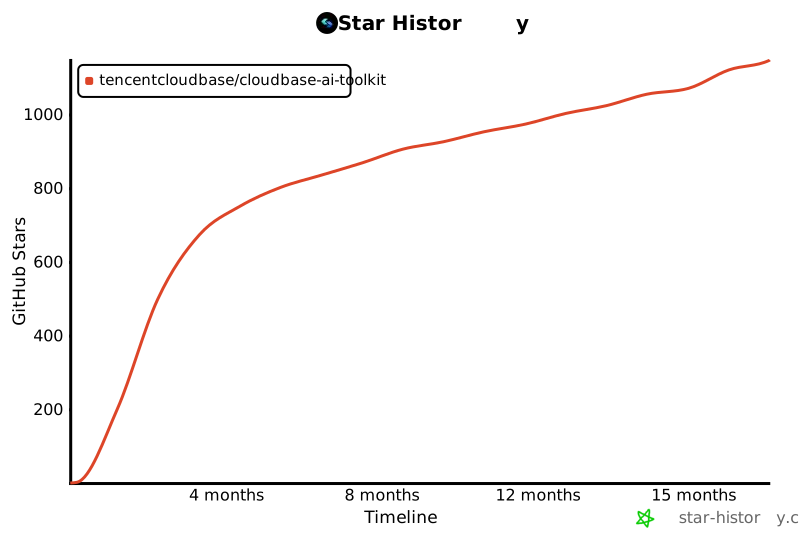](https://github.com/TencentCloudBase/CloudBase-AI-ToolKit)
|
|
471
405
|
|
|
472
|
-
##
|
|
406
|
+
## Contributors
|
|
473
407
|
|
|
474
|
-
|
|
408
|
+
感谢所有为 CloudBase AI ToolKit 做出贡献的开发者!
|
|
475
409
|
|
|
476
|
-
-
|
|
477
|
-
- **Privacy**: No code or file paths collected, only for product improvement
|
|
410
|
+
[](https://github.com/TencentCloudBase/CloudBase-AI-ToolKit/graphs/contributors)
|
|
478
411
|
|
|
479
|
-
|
|
412
|
+
---
|
|
480
413
|
|
|
481
|
-
|
|
414
|
+
<div align="center">
|
|
482
415
|
|
|
483
|
-
|
|
416
|
+
**如果这个项目对你有帮助,请给我们一个 Star!**
|
|
484
417
|
|
|
485
|
-
|
|
418
|
+
[![][github-stars-shield]][github-stars-link]
|
|
486
419
|
|
|
487
420
|
[MIT](LICENSE) © TencentCloudBase
|
|
488
421
|
|
|
489
|
-
|
|
490
|
-
|
|
491
|
-
⭐ If you find this project helpful, please give us a Star!
|
|
492
|
-
|
|
493
|
-
[](https://github.com/TencentCloudBase/CloudBase-AI-ToolKit)
|
|
422
|
+
</div>
|
|
494
423
|
|
|
495
|
-
|
|
424
|
+
<!-- Image Placeholders - 这些图片需要实际生成或替换 -->
|
|
425
|
+
<!--
|
|
426
|
+
设计风格约束(所有图片统一遵循):
|
|
427
|
+
- 现代扁平化设计,简洁而富有活力
|
|
428
|
+
- 背景色:纯黑色 #000000(统一黑色背景)
|
|
429
|
+
- 主题色渐变:#67E9E9 → #4896FF → #2BCCCC(保持)
|
|
430
|
+
- 活力点缀色:适度使用 #FFD93D(黄)、#6BCF7F(绿)作为点缀
|
|
431
|
+
- 简洁几何形状(圆形、矩形、线条),无文字
|
|
432
|
+
- 使用几何图形和图标表达概念,抽象化 UI 骨架
|
|
433
|
+
- 宣传视频风格,现代 UI 骨架
|
|
434
|
+
- 流畅线条、适度光效、平衡的色彩搭配
|
|
435
|
+
|
|
436
|
+
提示词模板(所有图片无文字,纯几何形状和图标):
|
|
437
|
+
- image-overview: "抽象化 UI 骨架图,现代风格,纯黑色背景 #000000,主题色 #67E9E9 #4896FF #2BCCCC 渐变,适度活力点缀色,使用几何形状(圆形、矩形、流畅线条)和图标表达 AI IDE、代码生成、云端部署的流程,无文字,宣传视频风格,现代 UI 骨架"
|
|
438
|
+
- image-ai-native: "抽象化代码生成界面骨架,现代风格,纯黑色背景,主题色青色蓝色渐变,使用矩形代表代码块,圆形代表 AI 图标,流畅线条代表连接关系,无文字,宣传视频风格,简洁几何图形"
|
|
439
|
+
- image-deploy: "抽象化部署界面骨架,现代风格,纯黑色背景,主题色渐变,使用圆形进度指示器,矩形进度条,流畅线条表达部署流程,无文字,宣传视频风格,现代 UI 骨架"
|
|
440
|
+
- image-fullstack: "抽象化全栈架构骨架图,现代风格,纯黑色背景,主题色渐变,使用圆形节点代表不同服务(Web/小程序/后端/数据库),流畅线条连接表达集成关系,几何形状图标化表达,无文字,宣传视频风格"
|
|
441
|
+
- image-agent: "抽象化 AI 智能体界面骨架,现代风格,纯黑色背景,主题色渐变,使用圆形代表 Agent,矩形代表配置卡片,流畅线条表达数据流,几何形状图标化,无文字,宣传视频风格,现代 UI 骨架"
|
|
442
|
+
- image-debug: "抽象化问题诊断界面骨架,现代风格,纯黑色背景,主题色渐变,使用矩形代表日志卡片,圆形代表状态指示,流畅线条表达分析流程,几何形状图标化,无文字,宣传视频风格"
|
|
443
|
+
- image-knowledge: "抽象化知识检索界面骨架,现代风格,纯黑色背景,主题色渐变,使用矩形卡片代表搜索结果,圆形代表搜索图标,流畅线条表达关联关系,几何形状图标化,无文字,宣传视频风格,现代 UI 骨架"
|
|
444
|
+
- image-workflow: "抽象化工作流选择界面骨架,现代风格,纯黑色背景,主题色渐变,使用圆形按钮代表两种模式,矩形面板代表选项,流畅线条表达流程,几何形状图标化,无文字,宣传视频风格"
|
|
445
|
+
- image-case1-dev: "抽象化游戏开发界面骨架,现代风格,纯黑色背景,主题色渐变,使用几何形状代表代码编辑器、游戏界面元素,无文字,宣传视频风格,现代 UI 骨架"
|
|
446
|
+
- image-case1-result: "抽象化游戏界面骨架,现代风格,纯黑色背景,主题色渐变,使用圆形和矩形代表游戏元素,几何形状图标化表达,无文字,宣传视频风格"
|
|
447
|
+
- image-case2: "抽象化小程序开发界面骨架,现代风格,纯黑色背景,主题色渐变,使用矩形代表小程序界面,圆形代表功能模块,几何形状图标化,无文字,宣传视频风格,现代 UI 骨架"
|
|
448
|
+
- image-case3: "抽象化问题诊断界面骨架,现代风格,纯黑色背景,主题色渐变,使用矩形代表日志卡片,圆形代表状态,流畅线条表达诊断流程,几何形状图标化,无文字,宣传视频风格"
|
|
449
|
+
-->
|
|
450
|
+
|
|
451
|
+
[image-overview]: https://7463-tcb-advanced-a656fc-1257967285.tcb.qcloud.la/mcp/video-banner.png
|
|
452
|
+
[image-ai-native]: https://via.placeholder.com/800x400/3B82F6/FFFFFF?text=AI+Native+Development
|
|
453
|
+
[image-deploy]: https://via.placeholder.com/800x400/10B981/FFFFFF?text=One-Click+Deploy
|
|
454
|
+
[image-fullstack]: https://via.placeholder.com/800x400/8B5CF6/FFFFFF?text=Full-Stack+Application
|
|
455
|
+
[image-agent]: https://via.placeholder.com/800x400/EC4899/FFFFFF?text=AI+Agent+Development
|
|
456
|
+
[image-debug]: https://via.placeholder.com/800x400/F59E0B/FFFFFF?text=Smart+Debugging
|
|
457
|
+
[image-knowledge]: https://via.placeholder.com/800x400/06B6D4/FFFFFF?text=Knowledge+Search
|
|
458
|
+
[image-workflow]: https://via.placeholder.com/800x400/6366F1/FFFFFF?text=Flexible+Workflow
|
|
459
|
+
[image-case1-dev]: https://7463-tcb-advanced-a656fc-1257967285.tcb.qcloud.la/turbo-deploy/turbo-deploy-001.png
|
|
460
|
+
[image-case1-result]: https://7463-tcb-advanced-a656fc-1257967285.tcb.qcloud.la/turbo-deploy/turbo-deploy-004.png
|
|
461
|
+
[image-case2]: https://7463-tcb-advanced-a656fc-1257967285.tcb.qcloud.la/turbo-deploy/turbo-deploy-005.png
|
|
462
|
+
[image-case3]: https://7463-tcb-advanced-a656fc-1257967285.tcb.qcloud.la/turbo-deploy/turbo-deploy-009.png
|
|
463
|
+
|
|
464
|
+
<!-- Links -->
|
|
465
|
+
[docs]: https://docs.cloudbase.net/ai/cloudbase-ai-toolkit/
|
|
466
|
+
[changelog]: https://github.com/TencentCloudBase/CloudBase-AI-ToolKit/releases
|
|
467
|
+
[github-issues-link]: https://github.com/TencentCloudBase/CloudBase-AI-ToolKit/issues
|
|
468
|
+
[github-stars-link]: https://github.com/TencentCloudBase/CloudBase-AI-ToolKit/stargazers
|
|
469
|
+
[github-forks-link]: https://github.com/TencentCloudBase/CloudBase-AI-ToolKit/network/members
|
|
470
|
+
[github-trending-url]: https://github.com/trending
|
|
471
|
+
[npm-link]: https://www.npmjs.com/package/@cloudbase/cloudbase-mcp
|
|
472
|
+
[cnb-link]: https://cnb.cool/tencent/cloud/cloudbase/CloudBase-AI-ToolKit
|
|
473
|
+
[deepwiki-link]: https://deepwiki.com/TencentCloudBase/CloudBase-AI-ToolKit
|
|
474
|
+
|
|
475
|
+
<!-- Shields -->
|
|
476
|
+
[npm-version-shield]: https://img.shields.io/npm/v/@cloudbase/cloudbase-mcp?color=3B82F6&label=npm&logo=npm&style=flat-square
|
|
477
|
+
[npm-downloads-shield]: https://img.shields.io/npm/dw/@cloudbase/cloudbase-mcp?color=10B981&label=downloads&logo=npm&style=flat-square
|
|
478
|
+
[github-stars-shield]: https://img.shields.io/github/stars/TencentCloudBase/CloudBase-AI-ToolKit?color=F59E0B&label=stars&logo=github&style=flat-square
|
|
479
|
+
[github-forks-shield]: https://img.shields.io/github/forks/TencentCloudBase/CloudBase-AI-ToolKit?color=8B5CF6&label=forks&logo=github&style=flat-square
|
|
480
|
+
[github-issues-shield]: https://img.shields.io/github/issues/TencentCloudBase/CloudBase-AI-ToolKit?color=EC4899&label=issues&logo=github&style=flat-square
|
|
481
|
+
[github-license-shield]: https://img.shields.io/badge/license-MIT-6366F1?logo=github&style=flat-square
|
|
482
|
+
[github-contributors-shield]: https://img.shields.io/github/contributors/TencentCloudBase/CloudBase-AI-ToolKit?color=06B6D4&label=contributors&logo=github&style=flat-square
|
|
483
|
+
[github-contributors-link]: https://github.com/TencentCloudBase/CloudBase-AI-ToolKit/graphs/contributors
|
|
484
|
+
[cnb-shield]: https://img.shields.io/badge/CNB-CloudBase--AI--ToolKit-3B82F6?logo=data:image/svg+xml;base64,PHN2ZyB3aWR0aD0iMTIiIGhlaWdodD0iMTIiIHZpZXdCb3g9IjAgMCAxMiAxMiIgZmlsbD0ibm9uZSIgeG1sbnM9Imh0dHA6Ly93d3cudzMub3JnLzIwMDAvc3ZnIj48cmVjdCB3aWR0aD0iMTIiIGhlaWdodD0iMTIiIHJ4PSIyIiBmaWxsPSIjM0I4MkY2Ii8+PHBhdGggZD0iTTUgM0g3VjVINSIgc3Ryb2tlPSJ3aGl0ZSIgc3Ryb2tlLXdpZHRoPSIxLjUiLz48cGF0aCBkPSJNNSA3SDdWOUg1IiBzdHJva2U9IndoaXRlIiBzdHJva2Utd2lkdGg9IjEuNSIvPjwvc3ZnPg==&style=flat-square
|
|
485
|
+
[deepwiki-shield]: https://deepwiki.com/badge.svg
|
|
486
|
+
[github-trending-shield]: https://img.shields.io/github/stars/TencentCloudBase/CloudBase-AI-ToolKit?style=social
|
|
487
|
+
|
|
488
|
+
<!-- Share Links -->
|
|
489
|
+
[share-x-link]: https://x.com/intent/tweet?hashtags=cloudbase,ai,devtools&text=AI%20编程%2C%20一键上线!告别繁琐的%20DevOps%20配置%2C%20从提示词到应用上线的最短路径%20🚀&url=https://github.com/TencentCloudBase/CloudBase-AI-ToolKit
|
|
490
|
+
[share-x-shield]: https://img.shields.io/badge/-share%20on%20x-black?labelColor=black&logo=x&logoColor=white&style=flat-square
|
|
491
|
+
[share-telegram-shield]: https://img.shields.io/badge/-share%20on%20telegram-black?labelColor=black&logo=telegram&logoColor=white&style=flat-square
|
|
492
|
+
[share-telegram-link]: https://t.me/share/url?url=https://github.com/TencentCloudBase/CloudBase-AI-ToolKit&text=AI%20编程%2C%20一键上线!告别繁琐的%20DevOps%20配置%2C%20从提示词到应用上线的最短路径%20🚀
|
|
493
|
+
[share-weibo-link]: http://service.weibo.com/share/share.php?sharesource=weibo&title=AI%20编程%2C%20一键上线!告别繁琐的%20DevOps%20配置%2C%20从提示词到应用上线的最短路径%20🚀&url=https://github.com/TencentCloudBase/CloudBase-AI-ToolKit
|
|
494
|
+
[share-weibo-shield]: https://img.shields.io/badge/-share%20on%20weibo-black?labelColor=black&logo=sinaweibo&logoColor=white&style=flat-square
|