@christophervr/pptx-viewer 1.4.1 → 1.5.0
This diff represents the content of publicly available package versions that have been released to one of the supported registries. The information contained in this diff is provided for informational purposes only and reflects changes between package versions as they appear in their respective public registries.
- package/CHANGELOG.md +4 -0
- package/README.md +15 -11
- package/dist/index.mjs +272 -86
- package/package.json +1 -1
package/CHANGELOG.md
CHANGED
|
@@ -4,6 +4,10 @@ All notable changes to this project are documented here.
|
|
|
4
4
|
This file is generated from [Conventional Commits](https://www.conventionalcommits.org)
|
|
5
5
|
by [git-cliff](https://git-cliff.org); do not edit it by hand.
|
|
6
6
|
|
|
7
|
+
## [1.4.2](https://github.com/ChristopherVR/pptx-viewer/releases/tag/@christophervr/pptx-viewer@1.4.2) - 2026-07-07
|
|
8
|
+
|
|
9
|
+
## [1.4.1](https://github.com/ChristopherVR/pptx-viewer/releases/tag/@christophervr/pptx-viewer@1.4.1) - 2026-07-05
|
|
10
|
+
|
|
7
11
|
## [1.4.0](https://github.com/ChristopherVR/pptx-viewer/releases/tag/@christophervr/pptx-viewer@1.4.0) - 2026-07-05
|
|
8
12
|
|
|
9
13
|
### Features
|
package/README.md
CHANGED
|
@@ -7,7 +7,7 @@
|
|
|
7
7
|
|
|
8
8
|
|
|
9
9
|
|
|
10
|
-
This is what you get one `npx` away: a working `.pptx` viewer/editor, wired up in a React, Vue, or
|
|
10
|
+
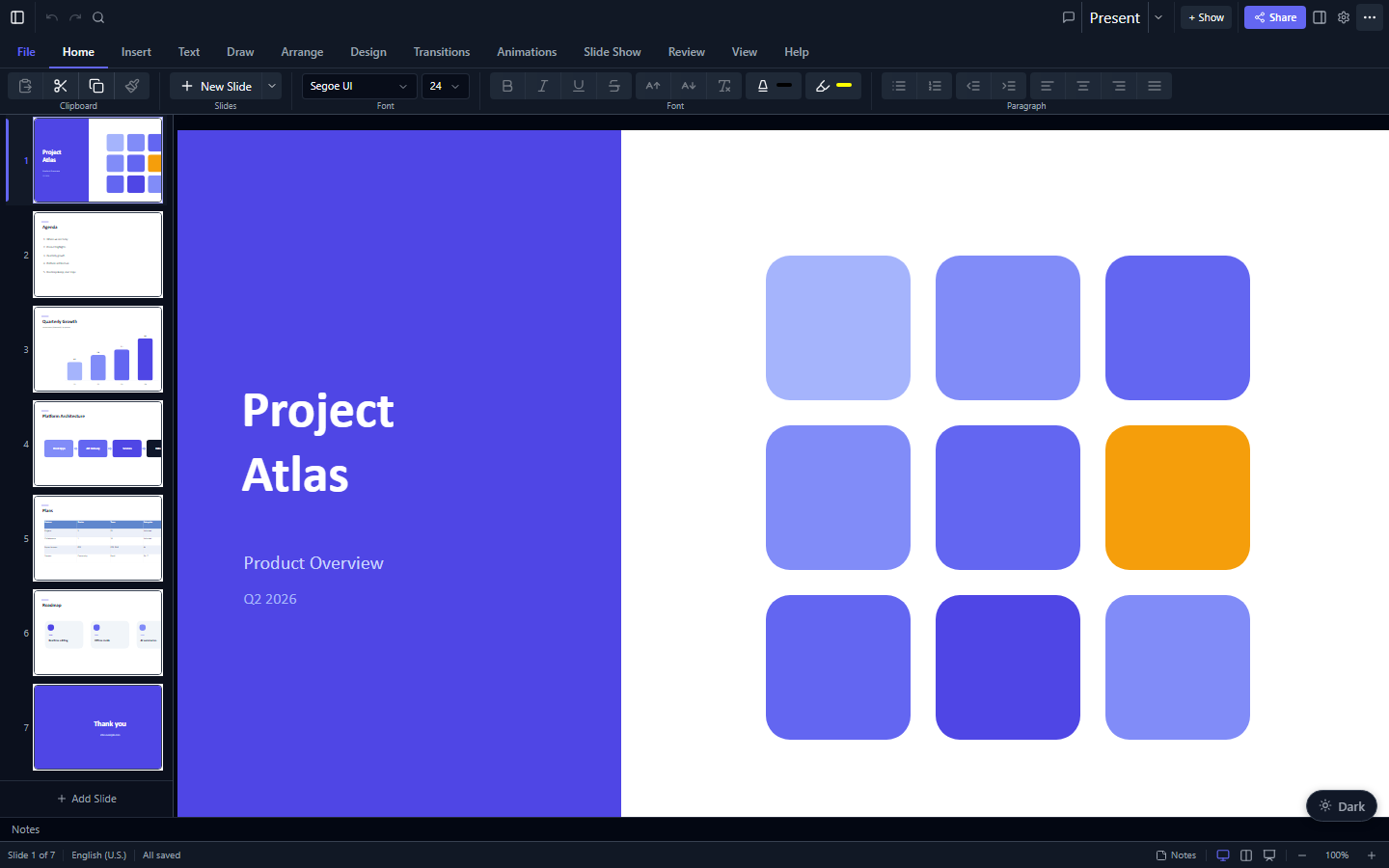
This is what you get one `npx` away: a working `.pptx` viewer/editor, wired up in a React, Vue, Angular, Svelte, or vanilla JavaScript app, or just the framework-agnostic engine on its own.
|
|
11
11
|
|
|
12
12
|
<samp>**[▶️ Try the live demo](https://christophervr.github.io/pptx-viewer/demo/)** · **[📦 npm](https://www.npmjs.com/package/@christophervr/pptx-viewer)** · **[📖 Full docs](https://christophervr.github.io/pptx-viewer/)** · **[🧩 Core SDK](https://www.npmjs.com/package/pptx-viewer-core)**</samp>
|
|
13
13
|
|
|
@@ -28,6 +28,8 @@ What are you building with pptx-viewer? (you can pick more than one)
|
|
|
28
28
|
❯ ◉ React - pptx-react-viewer, a viewer/editor component for a React 19 app
|
|
29
29
|
◯ Vue - pptx-vue-viewer, a viewer/editor component for a Vue 3.5+ app
|
|
30
30
|
◯ Angular - pptx-angular-viewer, a viewer/editor component for an Angular 22+ app
|
|
31
|
+
◯ Svelte - pptx-svelte-viewer, a viewer/editor component for a Svelte 5 app
|
|
32
|
+
◯ Vanilla JS - pptx-vanilla-viewer, a zero-framework viewer/editor, plain DOM
|
|
31
33
|
◯ Core engine only - pptx-viewer-core, the framework-agnostic SDK, no UI
|
|
32
34
|
◯ MCP server - pptx-viewer-mcp, PowerPoint editing tools for AI agents
|
|
33
35
|
```
|
|
@@ -38,14 +40,14 @@ Picking more than one is fine, for example React plus the MCP server to get both
|
|
|
38
40
|
|
|
39
41
|
### Compatibility check
|
|
40
42
|
|
|
41
|
-
If you picked React, Vue, or
|
|
43
|
+
If you picked React, Vue, Angular, or Svelte and a `package.json` already exists in the current directory, the CLI looks at what's actually installed (or declared) for `react`, `vue`, `@angular/core`, or `svelte` and compares it against the major version each viewer package requires. If they don't match (say, `react@18` in a project but `pptx-react-viewer` needs `react@^19`), it warns you and asks whether to continue before touching anything. (Vanilla JS has no framework peer, so there is nothing to check.)
|
|
42
44
|
|
|
43
45
|
### Install here, or scaffold a new project?
|
|
44
46
|
|
|
45
47
|
When exactly one UI framework is selected, you're asked how to set it up:
|
|
46
48
|
|
|
47
49
|
- **Install here** adds the package(s) to the project in the current directory (a `package.json` must already exist; run `npm init -y` first if not).
|
|
48
|
-
- **Scaffold a new project** bootstraps a brand-new starter app in its own folder, using the framework's own official scaffolding tool ([`create-vite`](https://www.npmjs.com/package/create-vite) for React/Vue, [`@angular/cli`](https://www.npmjs.com/package/@angular/cli) for Angular), then wires in a working `PowerPointViewer` example (same pattern as the [live demos](https://christophervr.github.io/pptx-viewer/demo/): open an existing `.pptx`, or click "New Presentation" to build a blank deck with `PptxHandler.createBlank` and start editing right away) and installs the viewer package plus `pptx-viewer-core` on top.
|
|
50
|
+
- **Scaffold a new project** bootstraps a brand-new starter app in its own folder, using the framework's own official scaffolding tool ([`create-vite`](https://www.npmjs.com/package/create-vite) for React/Vue/Svelte/Vanilla JS, [`@angular/cli`](https://www.npmjs.com/package/@angular/cli) for Angular), then wires in a working `PowerPointViewer` example (same pattern as the [live demos](https://christophervr.github.io/pptx-viewer/demo/): open an existing `.pptx`, or click "New Presentation" to build a blank deck with `PptxHandler.createBlank` and start editing right away) and installs the viewer package plus `pptx-viewer-core` on top.
|
|
49
51
|
|
|
50
52
|
Scaffolding is only offered for a single framework at a time; if you select more than one UI framework together, the CLI installs into the current project instead.
|
|
51
53
|
|
|
@@ -60,14 +62,14 @@ npx @christophervr/pptx-viewer --target react --scaffold --dir my-app --yes
|
|
|
60
62
|
npx @christophervr/pptx-viewer --pm pnpm # force a package manager instead of auto-detecting
|
|
61
63
|
```
|
|
62
64
|
|
|
63
|
-
| Flag | Meaning
|
|
64
|
-
| ---------------- |
|
|
65
|
-
| `--target <ids>` | Comma-separated: `react`, `vue`, `angular`, `core`, `mcp`. Skips the picker.
|
|
66
|
-
| `--scaffold` | Bootstrap a new project instead of installing here. Needs exactly one
|
|
67
|
-
| `--dir <name>` | Project directory name for `--scaffold` (default: `pptx-<target>-app`).
|
|
68
|
-
| `--pm <manager>` | `bun`, `pnpm`, `yarn`, or `npm`. Skips auto-detection.
|
|
69
|
-
| `--yes`, `-y` | Skip confirmation prompts (including the compatibility warning).
|
|
70
|
-
| `--help`, `-h` | Print usage.
|
|
65
|
+
| Flag | Meaning |
|
|
66
|
+
| ---------------- | ------------------------------------------------------------------------------------------------- |
|
|
67
|
+
| `--target <ids>` | Comma-separated: `react`, `vue`, `angular`, `svelte`, `vanilla`, `core`, `mcp`. Skips the picker. |
|
|
68
|
+
| `--scaffold` | Bootstrap a new project instead of installing here. Needs exactly one UI binding target selected. |
|
|
69
|
+
| `--dir <name>` | Project directory name for `--scaffold` (default: `pptx-<target>-app`). |
|
|
70
|
+
| `--pm <manager>` | `bun`, `pnpm`, `yarn`, or `npm`. Skips auto-detection. |
|
|
71
|
+
| `--yes`, `-y` | Skip confirmation prompts (including the compatibility warning). |
|
|
72
|
+
| `--help`, `-h` | Print usage. |
|
|
71
73
|
|
|
72
74
|
## What it installs
|
|
73
75
|
|
|
@@ -76,6 +78,8 @@ npx @christophervr/pptx-viewer --pm pnpm # force a pac
|
|
|
76
78
|
| **React** | [`pptx-react-viewer`](https://www.npmjs.com/package/pptx-react-viewer) | View, edit, present, collaborate, and export `.pptx` files in React 19. |
|
|
77
79
|
| **Vue** | [`pptx-vue-viewer`](https://www.npmjs.com/package/pptx-vue-viewer) | The Vue 3.5+ counterpart, feature-equivalent to the React package. |
|
|
78
80
|
| **Angular** | [`pptx-angular-viewer`](https://www.npmjs.com/package/pptx-angular-viewer) | The Angular 22+ counterpart, feature-equivalent to the React package. |
|
|
81
|
+
| **Svelte** | [`pptx-svelte-viewer`](https://www.npmjs.com/package/pptx-svelte-viewer) | The Svelte 5 counterpart, built on the same shared engine. |
|
|
82
|
+
| **Vanilla JS** | [`pptx-vanilla-viewer`](https://www.npmjs.com/package/pptx-vanilla-viewer) | The zero-framework binding: plain DOM, one factory function. |
|
|
79
83
|
| **Core only** | [`pptx-viewer-core`](https://www.npmjs.com/package/pptx-viewer-core) | The framework-agnostic parse/edit/save/convert SDK, no UI. |
|
|
80
84
|
| **MCP server** | [`pptx-viewer-mcp`](https://www.npmjs.com/package/pptx-viewer-mcp) | 25 PowerPoint editing tools exposed to AI agents (Claude, Cursor, ...). |
|
|
81
85
|
|
package/dist/index.mjs
CHANGED
|
@@ -407,7 +407,84 @@ async function input(question, defaultValue) {
|
|
|
407
407
|
}
|
|
408
408
|
}
|
|
409
409
|
|
|
410
|
-
// src/
|
|
410
|
+
// src/templates/angular.ts
|
|
411
|
+
var ANGULAR_APP_TS = `import { Component, signal } from '@angular/core';
|
|
412
|
+
import { PptxHandler } from 'pptx-viewer-core';
|
|
413
|
+
import { PowerPointViewerComponent } from 'pptx-angular-viewer';
|
|
414
|
+
|
|
415
|
+
@Component({
|
|
416
|
+
selector: 'app-root',
|
|
417
|
+
standalone: true,
|
|
418
|
+
imports: [PowerPointViewerComponent],
|
|
419
|
+
template: \`
|
|
420
|
+
@if (content(); as c) {
|
|
421
|
+
<div style="height: 100vh">
|
|
422
|
+
<pptx-power-point-viewer [content]="c" [canEdit]="true" style="height: 100%" />
|
|
423
|
+
</div>
|
|
424
|
+
} @else {
|
|
425
|
+
<div style="display: flex; flex-direction: column; align-items: center; justify-content: center; gap: 24px; height: 100vh; font-family: system-ui, sans-serif">
|
|
426
|
+
<h1 style="margin: 0; font-size: 24px; font-weight: 500; color: #e5e7eb">Open a Presentation</h1>
|
|
427
|
+
<label style="display: inline-flex; align-items: center; gap: 8px; padding: 10px 20px; border-radius: 8px; border: 1px solid #4b5563; background: #1f2937; color: #f3f4f6; cursor: pointer; font-size: 14px">
|
|
428
|
+
Choose .pptx file
|
|
429
|
+
<input type="file" accept=".pptx" style="display: none" (change)="onPick($event)" />
|
|
430
|
+
</label>
|
|
431
|
+
<span style="color: #6b7280; font-size: 13px">or</span>
|
|
432
|
+
<button style="padding: 10px 20px; border-radius: 8px; border: none; background: #2563eb; color: #fff; cursor: pointer; font-size: 14px; font-weight: 500" (click)="newPresentation()">New Presentation</button>
|
|
433
|
+
</div>
|
|
434
|
+
}
|
|
435
|
+
\`,
|
|
436
|
+
})
|
|
437
|
+
export class App {
|
|
438
|
+
content = signal<ArrayBuffer | Uint8Array | null>(null);
|
|
439
|
+
|
|
440
|
+
async onPick(e: Event) {
|
|
441
|
+
const file = (e.target as HTMLInputElement).files?.[0];
|
|
442
|
+
if (file) {
|
|
443
|
+
this.content.set(await file.arrayBuffer());
|
|
444
|
+
}
|
|
445
|
+
}
|
|
446
|
+
|
|
447
|
+
async newPresentation() {
|
|
448
|
+
const { handler, data } = await PptxHandler.createBlank({
|
|
449
|
+
title: 'Untitled Presentation',
|
|
450
|
+
initialSlideCount: 1,
|
|
451
|
+
});
|
|
452
|
+
this.content.set(await handler.save(data.slides));
|
|
453
|
+
}
|
|
454
|
+
}
|
|
455
|
+
`;
|
|
456
|
+
var ANGULAR_MAIN_TS = `import 'zone.js';
|
|
457
|
+
import '@angular/compiler';
|
|
458
|
+
import { bootstrapApplication } from '@angular/platform-browser';
|
|
459
|
+
import { Injectable } from '@angular/core';
|
|
460
|
+
import type { MissingTranslationHandlerParams } from '@ngx-translate/core';
|
|
461
|
+
import { MissingTranslationHandler, provideTranslateService } from '@ngx-translate/core';
|
|
462
|
+
import { keyToLabel } from 'pptx-angular-viewer';
|
|
463
|
+
|
|
464
|
+
import { App } from './app/app.ts';
|
|
465
|
+
|
|
466
|
+
@Injectable()
|
|
467
|
+
class LabelFallbackHandler implements MissingTranslationHandler {
|
|
468
|
+
handle(params: MissingTranslationHandlerParams): string {
|
|
469
|
+
return keyToLabel(params.key);
|
|
470
|
+
}
|
|
471
|
+
}
|
|
472
|
+
|
|
473
|
+
bootstrapApplication(App, {
|
|
474
|
+
providers: [
|
|
475
|
+
provideTranslateService({
|
|
476
|
+
lang: 'en',
|
|
477
|
+
fallbackLang: 'en',
|
|
478
|
+
missingTranslationHandler: {
|
|
479
|
+
provide: MissingTranslationHandler,
|
|
480
|
+
useClass: LabelFallbackHandler,
|
|
481
|
+
},
|
|
482
|
+
}),
|
|
483
|
+
],
|
|
484
|
+
}).catch((err) => console.error(err));
|
|
485
|
+
`;
|
|
486
|
+
|
|
487
|
+
// src/templates/react.ts
|
|
411
488
|
var REACT_APP_TSX = `import { useCallback, useState } from 'react';
|
|
412
489
|
import { PptxHandler } from 'pptx-viewer-core';
|
|
413
490
|
import { PowerPointViewer } from 'pptx-react-viewer';
|
|
@@ -440,16 +517,27 @@ export default function App() {
|
|
|
440
517
|
}
|
|
441
518
|
|
|
442
519
|
return (
|
|
443
|
-
<div style={{ display: 'flex', flexDirection: 'column', alignItems: 'center', justifyContent: 'center', gap:
|
|
444
|
-
<
|
|
445
|
-
|
|
446
|
-
|
|
447
|
-
|
|
448
|
-
|
|
449
|
-
|
|
450
|
-
|
|
451
|
-
|
|
452
|
-
|
|
520
|
+
<div style={{ display: 'flex', flexDirection: 'column', alignItems: 'center', justifyContent: 'center', gap: 24, height: '100vh', fontFamily: 'system-ui, sans-serif' }}>
|
|
521
|
+
<h1 style={{ margin: 0, fontSize: 24, fontWeight: 500, color: '#e5e7eb' }}>Open a Presentation</h1>
|
|
522
|
+
<label style={{ display: 'inline-flex', alignItems: 'center', gap: 8, padding: '10px 20px', borderRadius: 8, border: '1px solid #4b5563', background: '#1f2937', color: '#f3f4f6', cursor: 'pointer', fontSize: 14, transition: 'background 0.15s' }}>
|
|
523
|
+
Choose .pptx file
|
|
524
|
+
<input
|
|
525
|
+
type="file"
|
|
526
|
+
accept=".pptx"
|
|
527
|
+
style={{ display: 'none' }}
|
|
528
|
+
onChange={(e) => {
|
|
529
|
+
const file = e.target.files?.[0];
|
|
530
|
+
if (file) loadFile(file);
|
|
531
|
+
}}
|
|
532
|
+
/>
|
|
533
|
+
</label>
|
|
534
|
+
<span style={{ color: '#6b7280', fontSize: 13 }}>or</span>
|
|
535
|
+
<button
|
|
536
|
+
onClick={() => void newPresentation()}
|
|
537
|
+
style={{ padding: '10px 20px', borderRadius: 8, border: 'none', background: '#2563eb', color: '#fff', cursor: 'pointer', fontSize: 14, fontWeight: 500 }}
|
|
538
|
+
>
|
|
539
|
+
New Presentation
|
|
540
|
+
</button>
|
|
453
541
|
</div>
|
|
454
542
|
);
|
|
455
543
|
}
|
|
@@ -473,6 +561,107 @@ i18n.use(initReactI18next).init({
|
|
|
473
561
|
|
|
474
562
|
export default i18n;
|
|
475
563
|
`;
|
|
564
|
+
|
|
565
|
+
// src/templates/shared.ts
|
|
566
|
+
var MINIMAL_APP_CSS = `:root {
|
|
567
|
+
color-scheme: light dark;
|
|
568
|
+
}
|
|
569
|
+
|
|
570
|
+
body {
|
|
571
|
+
margin: 0;
|
|
572
|
+
}
|
|
573
|
+
`;
|
|
574
|
+
|
|
575
|
+
// src/templates/svelte.ts
|
|
576
|
+
var SVELTE_APP_SVELTE = `<script lang="ts">
|
|
577
|
+
import { PptxHandler } from 'pptx-viewer-core';
|
|
578
|
+
import { PowerPointViewer } from 'pptx-svelte-viewer';
|
|
579
|
+
|
|
580
|
+
let content = $state<Uint8Array | null>(null);
|
|
581
|
+
|
|
582
|
+
function onPick(e: Event) {
|
|
583
|
+
const file = (e.target as HTMLInputElement).files?.[0];
|
|
584
|
+
if (!file) return;
|
|
585
|
+
const reader = new FileReader();
|
|
586
|
+
reader.onload = () => (content = new Uint8Array(reader.result as ArrayBuffer));
|
|
587
|
+
reader.readAsArrayBuffer(file);
|
|
588
|
+
}
|
|
589
|
+
|
|
590
|
+
async function newPresentation() {
|
|
591
|
+
const { handler, data } = await PptxHandler.createBlank({
|
|
592
|
+
title: 'Untitled Presentation',
|
|
593
|
+
initialSlideCount: 1,
|
|
594
|
+
});
|
|
595
|
+
content = await handler.save(data.slides);
|
|
596
|
+
}
|
|
597
|
+
</script>
|
|
598
|
+
|
|
599
|
+
{#if content}
|
|
600
|
+
<div style="height: 100vh">
|
|
601
|
+
<PowerPointViewer source={content} editable />
|
|
602
|
+
</div>
|
|
603
|
+
{:else}
|
|
604
|
+
<div style="display: flex; flex-direction: column; align-items: center; justify-content: center; gap: 24px; height: 100vh; font-family: system-ui, sans-serif">
|
|
605
|
+
<h1 style="margin: 0; font-size: 24px; font-weight: 500; color: #e5e7eb">Open a Presentation</h1>
|
|
606
|
+
<label style="display: inline-flex; align-items: center; gap: 8px; padding: 10px 20px; border-radius: 8px; border: 1px solid #4b5563; background: #1f2937; color: #f3f4f6; cursor: pointer; font-size: 14px">
|
|
607
|
+
Choose .pptx file
|
|
608
|
+
<input type="file" accept=".pptx" style="display: none" onchange={onPick} />
|
|
609
|
+
</label>
|
|
610
|
+
<span style="color: #6b7280; font-size: 13px">or</span>
|
|
611
|
+
<button style="padding: 10px 20px; border-radius: 8px; border: none; background: #2563eb; color: #fff; cursor: pointer; font-size: 14px; font-weight: 500" onclick={() => void newPresentation()}>New Presentation</button>
|
|
612
|
+
</div>
|
|
613
|
+
{/if}
|
|
614
|
+
`;
|
|
615
|
+
|
|
616
|
+
// src/templates/vanilla.ts
|
|
617
|
+
var VANILLA_MAIN_TS = `import { PptxHandler } from 'pptx-viewer-core';
|
|
618
|
+
import { createPptxViewer } from 'pptx-vanilla-viewer';
|
|
619
|
+
|
|
620
|
+
import './style.css';
|
|
621
|
+
|
|
622
|
+
const app = document.querySelector<HTMLDivElement>('#app')!;
|
|
623
|
+
|
|
624
|
+
const picker = document.createElement('div');
|
|
625
|
+
picker.setAttribute(
|
|
626
|
+
'style',
|
|
627
|
+
'display: flex; flex-direction: column; align-items: center; justify-content: center; gap: 24px; height: 100vh; font-family: system-ui, sans-serif',
|
|
628
|
+
);
|
|
629
|
+
picker.innerHTML = \`
|
|
630
|
+
<h1 style="margin: 0; font-size: 24px; font-weight: 500; color: #e5e7eb">Open a Presentation</h1>
|
|
631
|
+
<label style="display: inline-flex; align-items: center; gap: 8px; padding: 10px 20px; border-radius: 8px; border: 1px solid #4b5563; background: #1f2937; color: #f3f4f6; cursor: pointer; font-size: 14px">
|
|
632
|
+
Choose .pptx file
|
|
633
|
+
<input id="file-input" type="file" accept=".pptx" style="display: none" />
|
|
634
|
+
</label>
|
|
635
|
+
<span style="color: #6b7280; font-size: 13px">or</span>
|
|
636
|
+
<button id="new-presentation" style="padding: 10px 20px; border-radius: 8px; border: none; background: #2563eb; color: #fff; cursor: pointer; font-size: 14px; font-weight: 500">New Presentation</button>
|
|
637
|
+
\`;
|
|
638
|
+
app.append(picker);
|
|
639
|
+
|
|
640
|
+
function show(content: ArrayBuffer | Uint8Array) {
|
|
641
|
+
picker.remove();
|
|
642
|
+
app.style.height = '100vh';
|
|
643
|
+
createPptxViewer(app, { source: content, editable: true });
|
|
644
|
+
}
|
|
645
|
+
|
|
646
|
+
picker.querySelector<HTMLInputElement>('#file-input')!.addEventListener('change', (e) => {
|
|
647
|
+
const file = (e.target as HTMLInputElement).files?.[0];
|
|
648
|
+
if (file) {
|
|
649
|
+
void file.arrayBuffer().then(show);
|
|
650
|
+
}
|
|
651
|
+
});
|
|
652
|
+
|
|
653
|
+
picker.querySelector<HTMLButtonElement>('#new-presentation')!.addEventListener('click', () => {
|
|
654
|
+
void (async () => {
|
|
655
|
+
const { handler, data } = await PptxHandler.createBlank({
|
|
656
|
+
title: 'Untitled Presentation',
|
|
657
|
+
initialSlideCount: 1,
|
|
658
|
+
});
|
|
659
|
+
show(await handler.save(data.slides));
|
|
660
|
+
})();
|
|
661
|
+
});
|
|
662
|
+
`;
|
|
663
|
+
|
|
664
|
+
// src/templates/vue.ts
|
|
476
665
|
var VUE_APP_VUE = `<script setup lang="ts">
|
|
477
666
|
import { ref } from 'vue';
|
|
478
667
|
import { PptxHandler } from 'pptx-viewer-core';
|
|
@@ -505,9 +694,14 @@ async function newPresentation() {
|
|
|
505
694
|
<div v-if="content" style="height: 100vh">
|
|
506
695
|
<PowerPointViewer :content="content" can-edit style="height: 100%" />
|
|
507
696
|
</div>
|
|
508
|
-
<div v-else style="display: flex; flex-direction: column; align-items: center; justify-content: center; gap:
|
|
509
|
-
<
|
|
510
|
-
<
|
|
697
|
+
<div v-else style="display: flex; flex-direction: column; align-items: center; justify-content: center; gap: 24px; height: 100vh; font-family: system-ui, sans-serif">
|
|
698
|
+
<h1 style="margin: 0; font-size: 24px; font-weight: 500; color: #e5e7eb">Open a Presentation</h1>
|
|
699
|
+
<label style="display: inline-flex; align-items: center; gap: 8px; padding: 10px 20px; border-radius: 8px; border: 1px solid #4b5563; background: #1f2937; color: #f3f4f6; cursor: pointer; font-size: 14px">
|
|
700
|
+
Choose .pptx file
|
|
701
|
+
<input type="file" accept=".pptx" style="display: none" @change="onPick" />
|
|
702
|
+
</label>
|
|
703
|
+
<span style="color: #6b7280; font-size: 13px">or</span>
|
|
704
|
+
<button style="padding: 10px 20px; border-radius: 8px; border: none; background: #2563eb; color: #fff; cursor: pointer; font-size: 14px; font-weight: 500" @click="newPresentation">New Presentation</button>
|
|
511
705
|
</div>
|
|
512
706
|
</template>
|
|
513
707
|
`;
|
|
@@ -528,76 +722,8 @@ const i18n = createI18n({
|
|
|
528
722
|
|
|
529
723
|
createApp(App).use(i18n).mount('#app');
|
|
530
724
|
`;
|
|
531
|
-
var ANGULAR_APP_TS = `import { Component, signal } from '@angular/core';
|
|
532
|
-
import { PptxHandler } from 'pptx-viewer-core';
|
|
533
|
-
import { PowerPointViewerComponent } from 'pptx-angular-viewer';
|
|
534
|
-
|
|
535
|
-
@Component({
|
|
536
|
-
selector: 'app-root',
|
|
537
|
-
standalone: true,
|
|
538
|
-
imports: [PowerPointViewerComponent],
|
|
539
|
-
template: \`
|
|
540
|
-
@if (content(); as c) {
|
|
541
|
-
<div style="height: 100vh">
|
|
542
|
-
<pptx-power-point-viewer [content]="c" [canEdit]="true" style="height: 100%" />
|
|
543
|
-
</div>
|
|
544
|
-
} @else {
|
|
545
|
-
<div style="display: flex; flex-direction: column; align-items: center; justify-content: center; gap: 12px; height: 100vh">
|
|
546
|
-
<input type="file" accept=".pptx" (change)="onPick($event)" />
|
|
547
|
-
<button (click)="newPresentation()">or create a New Presentation</button>
|
|
548
|
-
</div>
|
|
549
|
-
}
|
|
550
|
-
\`,
|
|
551
|
-
})
|
|
552
|
-
export class App {
|
|
553
|
-
content = signal<ArrayBuffer | Uint8Array | null>(null);
|
|
554
|
-
|
|
555
|
-
async onPick(e: Event) {
|
|
556
|
-
const file = (e.target as HTMLInputElement).files?.[0];
|
|
557
|
-
if (file) {
|
|
558
|
-
this.content.set(await file.arrayBuffer());
|
|
559
|
-
}
|
|
560
|
-
}
|
|
561
725
|
|
|
562
|
-
|
|
563
|
-
const { handler, data } = await PptxHandler.createBlank({
|
|
564
|
-
title: 'Untitled Presentation',
|
|
565
|
-
initialSlideCount: 1,
|
|
566
|
-
});
|
|
567
|
-
this.content.set(await handler.save(data.slides));
|
|
568
|
-
}
|
|
569
|
-
}
|
|
570
|
-
`;
|
|
571
|
-
var ANGULAR_MAIN_TS = `import 'zone.js';
|
|
572
|
-
import '@angular/compiler';
|
|
573
|
-
import { bootstrapApplication } from '@angular/platform-browser';
|
|
574
|
-
import { Injectable } from '@angular/core';
|
|
575
|
-
import type { MissingTranslationHandlerParams } from '@ngx-translate/core';
|
|
576
|
-
import { MissingTranslationHandler, provideTranslateService } from '@ngx-translate/core';
|
|
577
|
-
import { keyToLabel } from 'pptx-angular-viewer';
|
|
578
|
-
|
|
579
|
-
import { App } from './app/app.ts';
|
|
580
|
-
|
|
581
|
-
@Injectable()
|
|
582
|
-
class LabelFallbackHandler implements MissingTranslationHandler {
|
|
583
|
-
handle(params: MissingTranslationHandlerParams): string {
|
|
584
|
-
return keyToLabel(params.key);
|
|
585
|
-
}
|
|
586
|
-
}
|
|
587
|
-
|
|
588
|
-
bootstrapApplication(App, {
|
|
589
|
-
providers: [
|
|
590
|
-
provideTranslateService({
|
|
591
|
-
lang: 'en',
|
|
592
|
-
fallbackLang: 'en',
|
|
593
|
-
missingTranslationHandler: {
|
|
594
|
-
provide: MissingTranslationHandler,
|
|
595
|
-
useClass: LabelFallbackHandler,
|
|
596
|
-
},
|
|
597
|
-
}),
|
|
598
|
-
],
|
|
599
|
-
}).catch((err) => console.error(err));
|
|
600
|
-
`;
|
|
726
|
+
// src/targets.ts
|
|
601
727
|
var TARGETS = [
|
|
602
728
|
{
|
|
603
729
|
id: "react",
|
|
@@ -646,7 +772,10 @@ Docs: https://www.npmjs.com/package/pptx-react-viewer`,
|
|
|
646
772
|
],
|
|
647
773
|
entryCandidates: ["src/App.tsx"],
|
|
648
774
|
entryContent: REACT_APP_TSX,
|
|
649
|
-
extraFiles: {
|
|
775
|
+
extraFiles: {
|
|
776
|
+
"src/i18n.ts": REACT_I18N_TS,
|
|
777
|
+
"src/index.css": MINIMAL_APP_CSS
|
|
778
|
+
}
|
|
650
779
|
}
|
|
651
780
|
},
|
|
652
781
|
{
|
|
@@ -718,6 +847,62 @@ Docs: https://www.npmjs.com/package/pptx-angular-viewer`,
|
|
|
718
847
|
extraFiles: { "src/main.ts": ANGULAR_MAIN_TS }
|
|
719
848
|
}
|
|
720
849
|
},
|
|
850
|
+
{
|
|
851
|
+
id: "svelte",
|
|
852
|
+
label: "Svelte",
|
|
853
|
+
description: "pptx-svelte-viewer - viewer/editor component for a Svelte 5 app",
|
|
854
|
+
mode: "install",
|
|
855
|
+
group: "framework",
|
|
856
|
+
packages: ["pptx-svelte-viewer", "svelte", "jszip", "fast-xml-parser"],
|
|
857
|
+
// The Svelte binding compiles its styles into the components, so there
|
|
858
|
+
// is no `/styles.css` subpath to import.
|
|
859
|
+
nextSteps: `<script lang="ts">
|
|
860
|
+
import { PowerPointViewer } from 'pptx-svelte-viewer';
|
|
861
|
+
</script>
|
|
862
|
+
|
|
863
|
+
<PowerPointViewer source={bytes} editable />
|
|
864
|
+
|
|
865
|
+
Docs: https://www.npmjs.com/package/pptx-svelte-viewer`,
|
|
866
|
+
compat: { peerPackage: "svelte", requiredMajor: 5 },
|
|
867
|
+
scaffold: {
|
|
868
|
+
command: "create-vite@latest",
|
|
869
|
+
args: (dir) => [dir, "--template", "svelte-ts", "--no-interactive", "--no-immediate"],
|
|
870
|
+
extraPackages: ["pptx-svelte-viewer", "pptx-viewer-core", "jszip", "fast-xml-parser"],
|
|
871
|
+
entryCandidates: ["src/App.svelte"],
|
|
872
|
+
entryContent: SVELTE_APP_SVELTE,
|
|
873
|
+
// The starter's main.ts imports ./app.css; replace the Vite demo
|
|
874
|
+
// styles (centred #app with padding) with a full-viewport reset.
|
|
875
|
+
extraFiles: { "src/app.css": MINIMAL_APP_CSS }
|
|
876
|
+
}
|
|
877
|
+
},
|
|
878
|
+
{
|
|
879
|
+
id: "vanilla",
|
|
880
|
+
label: "Vanilla JS",
|
|
881
|
+
description: "pptx-vanilla-viewer - zero-framework viewer/editor, plain DOM, no framework at all",
|
|
882
|
+
mode: "install",
|
|
883
|
+
group: "framework",
|
|
884
|
+
// The vanilla binding injects its own stylesheet at runtime; jszip and
|
|
885
|
+
// fast-xml-parser are its only peers.
|
|
886
|
+
packages: ["pptx-vanilla-viewer", "jszip", "fast-xml-parser"],
|
|
887
|
+
nextSteps: `import { createPptxViewer } from 'pptx-vanilla-viewer';
|
|
888
|
+
|
|
889
|
+
const viewer = createPptxViewer(document.getElementById('host')!, {
|
|
890
|
+
source: '/deck.pptx', // URL, ArrayBuffer, Uint8Array, Blob, or File
|
|
891
|
+
editable: true,
|
|
892
|
+
});
|
|
893
|
+
|
|
894
|
+
Docs: https://www.npmjs.com/package/pptx-vanilla-viewer`,
|
|
895
|
+
scaffold: {
|
|
896
|
+
command: "create-vite@latest",
|
|
897
|
+
args: (dir) => [dir, "--template", "vanilla-ts", "--no-interactive", "--no-immediate"],
|
|
898
|
+
extraPackages: ["pptx-vanilla-viewer", "pptx-viewer-core", "jszip", "fast-xml-parser"],
|
|
899
|
+
entryCandidates: ["src/main.ts"],
|
|
900
|
+
entryContent: VANILLA_MAIN_TS,
|
|
901
|
+
// main.ts imports ./style.css; replace the Vite demo styles with a
|
|
902
|
+
// full-viewport reset.
|
|
903
|
+
extraFiles: { "src/style.css": MINIMAL_APP_CSS }
|
|
904
|
+
}
|
|
905
|
+
},
|
|
721
906
|
{
|
|
722
907
|
id: "core",
|
|
723
908
|
label: "Core engine only",
|
|
@@ -880,7 +1065,7 @@ ${bold("Usage:")} npx @christophervr/pptx-viewer [options]
|
|
|
880
1065
|
|
|
881
1066
|
${bold("Options:")}
|
|
882
1067
|
${cyan("--target <ids>")} Skip the picker; comma-separated, any of: ${TARGETS.map((t) => t.id).join(", ")}
|
|
883
|
-
(react, vue,
|
|
1068
|
+
(the UI bindings - react, vue, angular, svelte, vanilla - are mutually exclusive; pick at most one)
|
|
884
1069
|
${cyan("--scaffold")} Bootstrap a brand-new starter project instead of installing here
|
|
885
1070
|
${cyan("--dir <name>")} Project directory name for --scaffold
|
|
886
1071
|
${cyan("--pm <manager>")} Package manager to use: bun, pnpm, yarn, npm (default: auto-detected)
|
|
@@ -928,7 +1113,8 @@ async function resolveScaffoldChoice(installTargets, args) {
|
|
|
928
1113
|
const scaffoldable = installTargets.filter((t) => t.scaffold);
|
|
929
1114
|
if (args.scaffold) {
|
|
930
1115
|
if (scaffoldable.length !== 1) {
|
|
931
|
-
|
|
1116
|
+
const scaffoldIds = TARGETS.filter((t) => t.scaffold).map((t) => t.id).join(", ");
|
|
1117
|
+
throw new Error(`--scaffold requires exactly one of: ${scaffoldIds} to be selected.`);
|
|
932
1118
|
}
|
|
933
1119
|
return { useScaffold: true, scaffoldTarget: scaffoldable[0] };
|
|
934
1120
|
}
|
package/package.json
CHANGED
|
@@ -1,6 +1,6 @@
|
|
|
1
1
|
{
|
|
2
2
|
"name": "@christophervr/pptx-viewer",
|
|
3
|
-
"version": "1.
|
|
3
|
+
"version": "1.5.0",
|
|
4
4
|
"description": "Interactive installer for the pptx-viewer family of packages: React, Vue, and Angular viewer components, the framework-agnostic core engine, and the MCP server.",
|
|
5
5
|
"keywords": [
|
|
6
6
|
"angular",
|