@christophervr/pptx-viewer 1.1.44 → 1.1.46
This diff represents the content of publicly available package versions that have been released to one of the supported registries. The information contained in this diff is provided for informational purposes only and reflects changes between package versions as they appear in their respective public registries.
- package/CHANGELOG.md +2 -70
- package/NOTICE +1 -13
- package/README.md +53 -154
- package/dist/index.d.mts +1 -13530
- package/dist/index.mjs +828 -64046
- package/package.json +17 -62
- package/dist/SvgExporter-CYyO9c5A.d.mts +0 -557
- package/dist/SvgExporter-DdjrIx33.d.ts +0 -557
- package/dist/cli/index.d.mts +0 -150
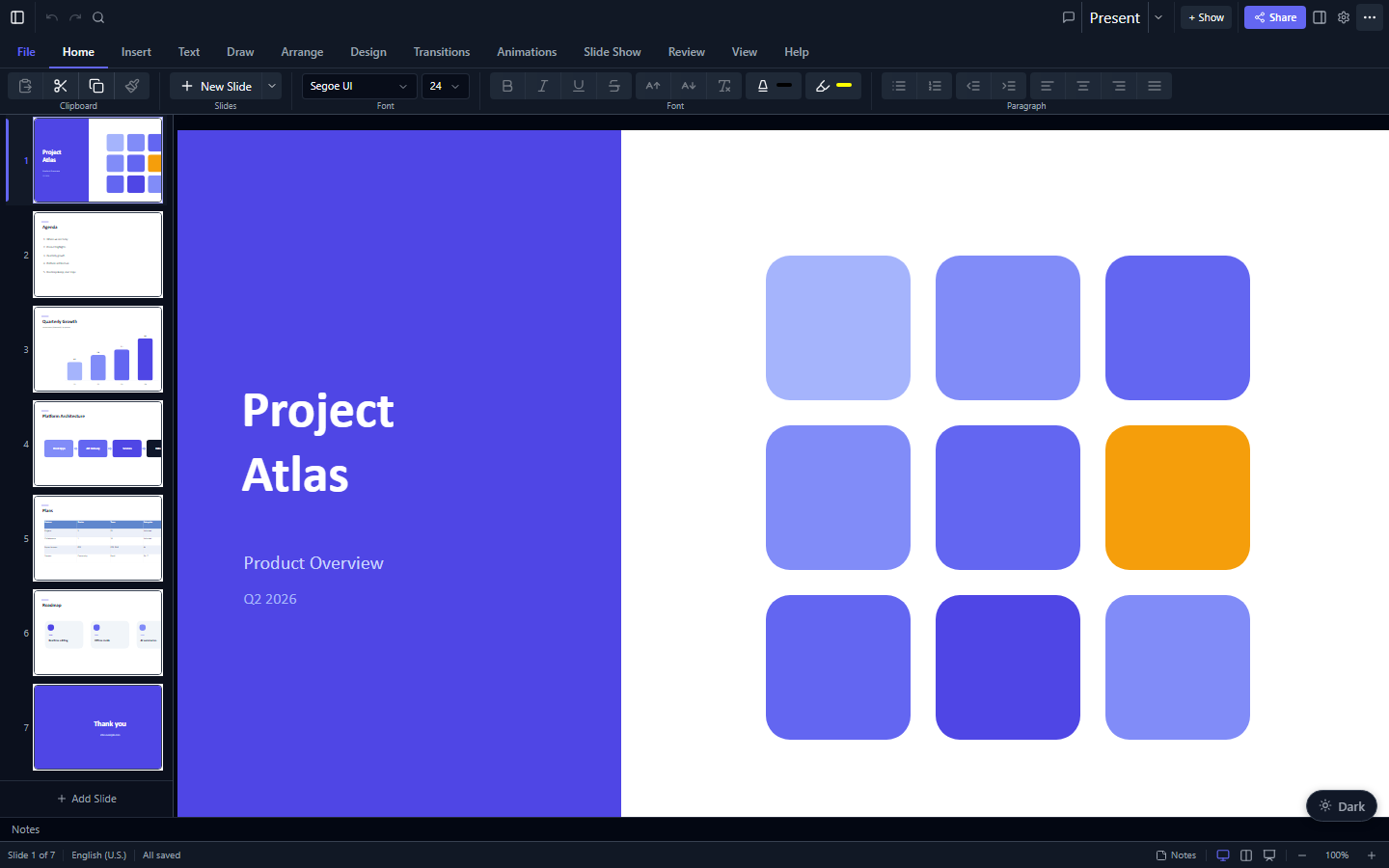
- package/dist/cli/index.d.ts +0 -150
- package/dist/cli/index.js +0 -0
- package/dist/cli/index.mjs +0 -0
- package/dist/converter/index.d.mts +0 -48
- package/dist/converter/index.d.ts +0 -48
- package/dist/converter/index.js +0 -0
- package/dist/converter/index.mjs +0 -0
- package/dist/index.d.ts +0 -13530
- package/dist/index.js +0 -64641
- package/dist/presentation-BRAUjTRt.d.mts +0 -5787
- package/dist/presentation-BRAUjTRt.d.ts +0 -5787
- package/dist/signature-inspection-status-BCUpfCQh.d.mts +0 -220
- package/dist/signature-inspection-status-BCUpfCQh.d.ts +0 -220
- package/dist/signature-node/index.d.mts +0 -177
- package/dist/signature-node/index.d.ts +0 -177
- package/dist/signature-node/index.js +0 -1206
- package/dist/signature-node/index.mjs +0 -1143
- package/dist/text-operations-BJUOhA1w.d.ts +0 -134
- package/dist/text-operations-CkW4BO91.d.mts +0 -134
package/CHANGELOG.md
CHANGED
|
@@ -4,76 +4,8 @@ All notable changes to this project are documented here.
|
|
|
4
4
|
This file is generated from [Conventional Commits](https://www.conventionalcommits.org)
|
|
5
5
|
by [git-cliff](https://git-cliff.org); do not edit it by hand.
|
|
6
6
|
|
|
7
|
-
## [1.1.
|
|
8
|
-
|
|
9
|
-
### Bug Fixes
|
|
10
|
-
|
|
11
|
-
- **core,angular:** Revert xmldom to 0.8.x and fix shared import specifiers (by @ChristopherVR) ([29eda31](https://github.com/ChristopherVR/pptx-viewer/commit/29eda3119836559b63bc08733dd9dd6398a69c8d))
|
|
12
|
-
|
|
13
|
-
## [1.1.42](https://github.com/ChristopherVR/pptx-viewer/releases/tag/pptx-viewer-core@1.1.42) - 2026-06-27
|
|
14
|
-
|
|
15
|
-
### Bug Fixes
|
|
16
|
-
|
|
17
|
-
- Missing document links (by @ChristopherVR) ([f52bd6f](https://github.com/ChristopherVR/pptx-viewer/commit/f52bd6fd2fc4f564f018ecf5e84e64d24c8fd240))
|
|
18
|
-
|
|
19
|
-
## [1.1.28](https://github.com/ChristopherVR/pptx-viewer/releases/tag/pptx-viewer-core@1.1.28) - 2026-06-21
|
|
20
|
-
|
|
21
|
-
### Dependencies
|
|
22
|
-
|
|
23
|
-
- **deps:** Update dependencies within semver ranges (by @ChristopherVR) ([d472b58](https://github.com/ChristopherVR/pptx-viewer/commit/d472b58dfd47628b5c682bd5f4dc2014ec29b421))
|
|
24
|
-
|
|
25
|
-
## [1.1.27](https://github.com/ChristopherVR/pptx-viewer/releases/tag/pptx-viewer-core@1.1.27) - 2026-06-21
|
|
26
|
-
|
|
27
|
-
### Bug Fixes
|
|
28
|
-
|
|
29
|
-
- **angular:** Bundle pptx-viewer-core and fix demo JIT + Vue demo alias (by @ChristopherVR) ([78838ec](https://github.com/ChristopherVR/pptx-viewer/commit/78838ec900fe2d8c90bc39333636d788c52c3161))
|
|
30
|
-
|
|
31
|
-
## [1.1.26](https://github.com/ChristopherVR/pptx-viewer/releases/tag/pptx-viewer-core@1.1.26) - 2026-06-21
|
|
32
|
-
|
|
33
|
-
### Documentation
|
|
34
|
-
|
|
35
|
-
- Sharpen npm descriptions and keywords for discoverability (by @ChristopherVR) ([8fea56d](https://github.com/ChristopherVR/pptx-viewer/commit/8fea56d7650f7dc2f3167dea97b94b612a03a4e7))
|
|
36
|
-
- **core:** Reword README in plain language (by @ChristopherVR) ([793c26e](https://github.com/ChristopherVR/pptx-viewer/commit/793c26ec7e2415c66f34c637cb541483bf395a11))
|
|
37
|
-
|
|
38
|
-
## [1.1.24](https://github.com/ChristopherVR/pptx-viewer/releases/tag/pptx-viewer-core@1.1.24) - 2026-06-20
|
|
7
|
+
## [1.1.45](https://github.com/ChristopherVR/pptx-viewer/releases/tag/@christophervr/pptx-viewer@1.1.45) - 2026-07-02
|
|
39
8
|
|
|
40
9
|
### Features
|
|
41
10
|
|
|
42
|
-
- **
|
|
43
|
-
|
|
44
|
-
### Bug Fixes
|
|
45
|
-
|
|
46
|
-
- Enable vitest globals in all packages to fix expectTypeOf errors (by @ChristopherVR) ([6d90d72](https://github.com/ChristopherVR/pptx-viewer/commit/6d90d72ff0107ad0194f9c73ceeb3df244f4cfc6))
|
|
47
|
-
- **test:** Add i18n mocks to react tests and bump versions to 1.2.0 (by @ChristopherVR) ([2c1c962](https://github.com/ChristopherVR/pptx-viewer/commit/2c1c9628714b905b28592493abf02fb270107b65))
|
|
48
|
-
- **deps:** Pin @xmldom/xmldom to 0.8.x in core to fix build (by @ChristopherVR) ([2ed7b2e](https://github.com/ChristopherVR/pptx-viewer/commit/2ed7b2e777d4e740a3e4c9ca7e2b3d6fc2bbd21f))
|
|
49
|
-
- **core:** Declare jszip and fast-xml-parser as runtime dependencies (by @ChristopherVR) ([b6636be](https://github.com/ChristopherVR/pptx-viewer/commit/b6636be972206bb2c6acee0fed05c45b4759fbdc))
|
|
50
|
-
|
|
51
|
-
### Refactor
|
|
52
|
-
|
|
53
|
-
- **core:** Consume emf-converter and mtx-decompressor from npm (by @ChristopherVR) ([2f6013d](https://github.com/ChristopherVR/pptx-viewer/commit/2f6013d5b8fab0aef5b32901841d94c0fa886f24))
|
|
54
|
-
|
|
55
|
-
### Documentation
|
|
56
|
-
|
|
57
|
-
- Restructure root README, elevate limitations, fix outdated claims (by @ChristopherVR) ([86dcda9](https://github.com/ChristopherVR/pptx-viewer/commit/86dcda9b5e3129f2223341337055778db574e985))
|
|
58
|
-
- Rewrite limitations with technical explanations and remove inaccurate claims (by @ChristopherVR) ([ac4bc84](https://github.com/ChristopherVR/pptx-viewer/commit/ac4bc84ed9bd03f62e3ae29c35baf3f444a3c0bf))
|
|
59
|
-
- **readme:** Npm-friendly READMEs — hero image, capabilities & install first (by @ChristopherVR) ([c843d19](https://github.com/ChristopherVR/pptx-viewer/commit/c843d1934b846f901bba92e63d2b01f9479594d0))
|
|
60
|
-
- Streamline npm READMEs and add badges, screenshots, demo links (by @ChristopherVR) ([92e980d](https://github.com/ChristopherVR/pptx-viewer/commit/92e980d434900abd223c4d70c6cae19a623f9ca8))
|
|
61
|
-
|
|
62
|
-
### Build & CI
|
|
63
|
-
|
|
64
|
-
- Independent per-package versioning, tags, and changelogs (by @ChristopherVR) ([79595d9](https://github.com/ChristopherVR/pptx-viewer/commit/79595d972d7c4102e8b1e1e3926f439486f76ba1))
|
|
65
|
-
|
|
66
|
-
### Dependencies
|
|
67
|
-
|
|
68
|
-
- **deps:** Update all dependencies to latest (by @ChristopherVR) ([e3287c0](https://github.com/ChristopherVR/pptx-viewer/commit/e3287c03ff58b1a1ae103ed32a513468a454a084))
|
|
69
|
-
- **deps:** Bump all workspace manifest floors to latest (by @ChristopherVR) ([890c33d](https://github.com/ChristopherVR/pptx-viewer/commit/890c33d667a39480a69e6a3da893964382993b29))
|
|
70
|
-
|
|
71
|
-
### Chores
|
|
72
|
-
|
|
73
|
-
- Add license files, NOTICE, and package metadata for npm publishing (by @ChristopherVR) ([9464bb8](https://github.com/ChristopherVR/pptx-viewer/commit/9464bb8b91734daf35131d3c7e52e60895fe0a1c))
|
|
74
|
-
- Bump all packages to v1.1.0 and remove remaining MyClawAssist refs (by @ChristopherVR) ([c386511](https://github.com/ChristopherVR/pptx-viewer/commit/c38651150c08011cee5e17e15f7ee8adc0014b80))
|
|
75
|
-
- Bump all packages to 1.x.1 patch versions (by @ChristopherVR) ([c75205a](https://github.com/ChristopherVR/pptx-viewer/commit/c75205a96cc7797d1647ac4705395b7707ac8910))
|
|
76
|
-
- Bump all packages to minor versions for SDK table support (by @ChristopherVR) ([2d4b635](https://github.com/ChristopherVR/pptx-viewer/commit/2d4b6351b0bf328f8a556cf593733fd8ad36c7b5))
|
|
77
|
-
- Bump dependencies to latest and minor-bump packages for parity work (by @ChristopherVR) ([da19fdf](https://github.com/ChristopherVR/pptx-viewer/commit/da19fdf9a4670d274d9973b67aa22d34217b8555))
|
|
78
|
-
- Roll TypeScript back to 5.9.x; quiet new oxlint vitest rules (by @ChristopherVR) ([713c020](https://github.com/ChristopherVR/pptx-viewer/commit/713c020ac2428db0fb1eb6cb30e56b2cff19a80f))
|
|
79
|
-
- Relicense from MIT to Apache-2.0 (by @ChristopherVR) ([e12f926](https://github.com/ChristopherVR/pptx-viewer/commit/e12f9266f02bebbfc218986b617c418fee43a56b))
|
|
11
|
+
- **cli:** Add interactive @christophervr/pptx-viewer installer (by @ChristopherVR) ([4df680d](https://github.com/ChristopherVR/pptx-viewer/commit/4df680d9791d18e38c0f413420e8e1e5f9f2907e))
|
package/NOTICE
CHANGED
|
@@ -1,18 +1,6 @@
|
|
|
1
|
-
pptx-viewer
|
|
1
|
+
@christophervr/pptx-viewer
|
|
2
2
|
Copyright (c) 2025-present pptx-viewer contributors
|
|
3
3
|
|
|
4
4
|
This package is licensed under the Apache License 2.0. See the LICENSE file for
|
|
5
5
|
details. Under Section 4(d) of that license, please preserve this NOTICE (or the
|
|
6
6
|
attribution it contains) in any derivative works you distribute.
|
|
7
|
-
|
|
8
|
-
This package bundles the following component under a different license:
|
|
9
|
-
|
|
10
|
-
mtx-decompressor — MicroType Express (MTX) font decompressor
|
|
11
|
-
License: Mozilla Public License 2.0 (MPL-2.0)
|
|
12
|
-
Source: https://github.com/ChristopherVR/pptx-viewer/tree/main/packages/mtx-decompressor
|
|
13
|
-
Origin: Ported from libeot (https://github.com/nicowilliams/libeot)
|
|
14
|
-
by Brennan T. Vincent, licensed under MPL-2.0.
|
|
15
|
-
|
|
16
|
-
Under MPL-2.0, the source code of the mtx-decompressor component remains
|
|
17
|
-
available under the terms of the Mozilla Public License 2.0. The full text
|
|
18
|
-
of the MPL-2.0 can be found at: https://mozilla.org/MPL/2.0/
|
package/README.md
CHANGED
|
@@ -1,185 +1,84 @@
|
|
|
1
|
-
# pptx-viewer
|
|
1
|
+
# @christophervr/pptx-viewer
|
|
2
2
|
|
|
3
|
-
[](https://www.npmjs.com/package/pptx-viewer-core)
|
|
3
|
+
[](https://www.npmjs.com/package/@christophervr/pptx-viewer)
|
|
4
|
+
[](https://github.com/ChristopherVR/pptx-viewer/blob/main/LICENSE)
|
|
6
5
|
|
|
7
|
-
>
|
|
6
|
+
> The interactive installer for the [pptx-viewer](https://github.com/ChristopherVR/pptx-viewer) family: pick what you're building, and it installs the right package(s) plus their required companions, or bootstraps a brand-new starter app for you.
|
|
8
7
|
|
|
9
|
-
|
|
8
|
+
|
|
10
9
|
|
|
11
|
-
|
|
10
|
+
This is what you get one `npx` away: a working `.pptx` viewer/editor, wired up in a React, Vue, or Angular app, or just the framework-agnostic engine on its own.
|
|
12
11
|
|
|
13
|
-
|
|
14
|
-
|
|
15
|
-
<samp>**[📦 npm](https://www.npmjs.com/package/pptx-viewer-core)** · **[📖 Full docs](https://christophervr.github.io/pptx-viewer/)** · **[▶️ Live demo](https://christophervr.github.io/pptx-viewer/demo/)** · **[⚛️ React UI](https://www.npmjs.com/package/pptx-react-viewer)** · **[🖖 Vue UI](https://www.npmjs.com/package/pptx-vue-viewer)** · **[🅰️ Angular UI](https://www.npmjs.com/package/pptx-angular-viewer)**</samp>
|
|
12
|
+
<samp>**[▶️ Try the live demo](https://christophervr.github.io/pptx-viewer/demo/)** · **[📦 npm](https://www.npmjs.com/package/@christophervr/pptx-viewer)** · **[📖 Full docs](https://christophervr.github.io/pptx-viewer/)** · **[🧩 Core SDK](https://www.npmjs.com/package/pptx-viewer-core)**</samp>
|
|
16
13
|
|
|
17
14
|
---
|
|
18
15
|
|
|
19
|
-
##
|
|
16
|
+
## Usage
|
|
20
17
|
|
|
21
18
|
```bash
|
|
22
|
-
|
|
23
|
-
# required companions:
|
|
24
|
-
npm install jszip fast-xml-parser
|
|
19
|
+
npx @christophervr/pptx-viewer@latest
|
|
25
20
|
```
|
|
26
21
|
|
|
27
|
-
|
|
28
|
-
|
|
29
|
-
## What it does
|
|
30
|
-
|
|
31
|
-
| Capability | Description |
|
|
32
|
-
| ----------- | ------------------------------------------------------------------------------------------------------------------------------------------------ |
|
|
33
|
-
| **Read** | Open a `.pptx` and pull out slides, text, shapes, images, charts, tables, SmartArt, themes, comments, animations, transitions, and document info |
|
|
34
|
-
| **Edit** | Change the data in memory: add, remove, or reorder slides; insert elements; edit text; restyle; switch themes |
|
|
35
|
-
| **Save** | Write the changed data back to a valid `.pptx`, leaving everything you did not touch untouched |
|
|
36
|
-
| **Convert** | Turn a deck into Markdown, optionally pulling the images out alongside it |
|
|
37
|
-
| **Export** | Save individual slides as their own standalone `.pptx` files |
|
|
38
|
-
| **Protect** | Open and save password-protected files (AES-128/256 encryption) |
|
|
39
|
-
|
|
40
|
-
Positions and sizes use PowerPoint's own internal unit, the EMU (English Metric Unit): 1 inch = 914,400 EMU, 1 point = 12,700 EMU, and 1 pixel = 9,525 EMU at 96 DPI. You rarely deal with the raw numbers: helpers (`inches`, `cm`, `mm`, `pt`) let you work in familiar units instead.
|
|
41
|
-
|
|
42
|
-
---
|
|
43
|
-
|
|
44
|
-
## Quick start
|
|
45
|
-
|
|
46
|
-
```typescript
|
|
47
|
-
import { PptxHandler } from 'pptx-viewer-core';
|
|
48
|
-
|
|
49
|
-
// 1. Open a .pptx file
|
|
50
|
-
const handler = new PptxHandler();
|
|
51
|
-
const buffer = await fetch('presentation.pptx').then((r) => r.arrayBuffer());
|
|
52
|
-
const data = await handler.load(buffer);
|
|
22
|
+
It first asks what you're building with an arrow-key checklist (`↑`/`↓` to move, `space` to toggle, `a` to select all, `enter` to confirm):
|
|
53
23
|
|
|
54
|
-
console.log(
|
|
55
|
-
`${data.slides.length} slides, canvas ${data.canvasSize.width}×${data.canvasSize.height}`,
|
|
56
|
-
);
|
|
57
|
-
|
|
58
|
-
// 2. Change a slide
|
|
59
|
-
data.slides[0].elements[0].text = 'Updated title';
|
|
60
|
-
|
|
61
|
-
// 3. Save it back to .pptx bytes
|
|
62
|
-
const outputBytes = await handler.save(data.slides); // => Uint8Array
|
|
63
|
-
|
|
64
|
-
// 4. Or pull out just a few slides as separate files
|
|
65
|
-
const exports = await handler.exportSlides(data.slides, { slideIndexes: [0, 2] }); // => Map<number, Uint8Array>
|
|
66
24
|
```
|
|
67
|
-
|
|
68
|
-
|
|
69
|
-
|
|
70
|
-
|
|
71
|
-
|
|
72
|
-
|
|
73
|
-
|
|
74
|
-
|
|
75
|
-
import { Presentation, ThemePresets, ChartBuilder } from 'pptx-viewer-core';
|
|
76
|
-
|
|
77
|
-
const pptx = await Presentation.create({
|
|
78
|
-
title: 'Sales Report',
|
|
79
|
-
theme: ThemePresets.MODERN_BLUE,
|
|
80
|
-
});
|
|
81
|
-
|
|
82
|
-
// Each slide is added to the deck automatically: no manual .build() or .push() needed
|
|
83
|
-
pptx
|
|
84
|
-
.addSlide('Title Slide')
|
|
85
|
-
.addText('Q4 Sales Report', { fontSize: 44, bold: true, x: 100, y: 200, width: 800, height: 80 });
|
|
86
|
-
|
|
87
|
-
pptx
|
|
88
|
-
.addSlide('Blank')
|
|
89
|
-
.addText('Revenue by Region', { fontSize: 28, x: 50, y: 30, width: 600, height: 50 })
|
|
90
|
-
.addBuilderElement(
|
|
91
|
-
ChartBuilder.create('bar')
|
|
92
|
-
.categories(['North', 'South', 'East', 'West'])
|
|
93
|
-
.addSeries('2026', [210, 150, 180, 120], '#2563EB')
|
|
94
|
-
.title('Revenue ($M)')
|
|
95
|
-
.bounds(50, 100, 860, 420),
|
|
96
|
-
);
|
|
97
|
-
|
|
98
|
-
pptx.replaceText('2026', 'FY2026'); // find/replace, merge, and templates all chain the same way
|
|
99
|
-
|
|
100
|
-
const bytes = await pptx.save();
|
|
101
|
-
```
|
|
102
|
-
|
|
103
|
-
The builder API comes in three levels, from highest to lowest:
|
|
104
|
-
|
|
105
|
-
1. **`Presentation`**: the whole deck at once (slides, text operations, sections, templates, merging, saving).
|
|
106
|
-
2. **Element builders**: one per element type, for fine-grained control: `TextBuilder`, `ShapeBuilder`, `ChartBuilder`, `TableBuilder`, `ImageBuilder`, `ConnectorBuilder`, `MediaBuilder`, `GroupBuilder`.
|
|
107
|
-
3. **`PptxXmlBuilder`**: raw XML, for the rare cases the higher levels do not cover.
|
|
108
|
-
|
|
109
|
-
It also ships unit helpers (`inches`, `cm`, `mm`, `pt`), common slide sizes (`SlideSizes`), and 8 ready-made themes (`ThemePresets`). The [full docs](https://christophervr.github.io/pptx-viewer/) cover every builder.
|
|
110
|
-
|
|
111
|
-
### Turn a deck into Markdown
|
|
112
|
-
|
|
113
|
-
```typescript
|
|
114
|
-
import { PptxMarkdownConverter } from 'pptx-viewer-core';
|
|
115
|
-
|
|
116
|
-
const converter = new PptxMarkdownConverter({ includeMetadata: true, imageHandling: 'extract' });
|
|
117
|
-
const result = await converter.convert(
|
|
118
|
-
buffer,
|
|
119
|
-
{ outputPath: 'output.md', mediaFolderName: 'media' },
|
|
120
|
-
fileSystemAdapter,
|
|
121
|
-
);
|
|
122
|
-
// => the Markdown text, plus stats on any images that were pulled out
|
|
25
|
+
What are you building with pptx-viewer? (you can pick more than one)
|
|
26
|
+
(↑/↓ move, space toggle, a select all, enter confirm)
|
|
27
|
+
|
|
28
|
+
❯ ◉ React - pptx-react-viewer, a viewer/editor component for a React 19 app
|
|
29
|
+
◯ Vue - pptx-vue-viewer, a viewer/editor component for a Vue 3.5+ app
|
|
30
|
+
◯ Angular - pptx-angular-viewer, a viewer/editor component for an Angular 22+ app
|
|
31
|
+
◯ Core engine only - pptx-viewer-core, the framework-agnostic SDK, no UI
|
|
32
|
+
◯ MCP server - pptx-viewer-mcp, PowerPoint editing tools for AI agents
|
|
123
33
|
```
|
|
124
34
|
|
|
125
|
-
|
|
126
|
-
|
|
127
|
-
---
|
|
128
|
-
|
|
129
|
-
## `PptxHandler` API
|
|
35
|
+
The whole flow is colour-highlighted (current row, confirmations, warnings, errors) and falls back to a plain numbered prompt in shells without raw keyboard input (piped stdin, some CI runners) or when `NO_COLOR`/a non-TTY output disables colour.
|
|
130
36
|
|
|
131
|
-
|
|
37
|
+
Picking more than one is fine, for example React plus the MCP server to get both a viewer and AI-agent tooling in the same repo. `pptx-viewer-mcp` never gets installed as a dependency: since it's meant to be launched by an MCP client via `npx`, this just prints the client config to paste in.
|
|
132
38
|
|
|
133
|
-
|
|
134
|
-
| -------------------------- | ------------------------------------------------------- | ------------------------------------------------------ |
|
|
135
|
-
| `load` | `(data, options?) => Promise<PptxData>` | Open a `.pptx` and return the structured data |
|
|
136
|
-
| `save` | `(slides, options?) => Promise<Uint8Array>` | Write slides back to `.pptx` bytes |
|
|
137
|
-
| `exportSlides` | `(slides, options) => Promise<Map<number, Uint8Array>>` | Save chosen slides as standalone files |
|
|
138
|
-
| `getImageData` | `(path) => Promise<string \| undefined>` | Get an embedded image as a base64 data URL |
|
|
139
|
-
| `getMediaArrayBuffer` | `(path) => Promise<ArrayBuffer \| undefined>` | Get the raw bytes of an embedded media file |
|
|
140
|
-
| `getLayoutOptions` | `() => PptxLayoutOption[]` | List the slide layouts available |
|
|
141
|
-
| `getCompatibilityWarnings` | `() => PptxCompatibilityWarning[]` | List features in the file that are not fully supported |
|
|
142
|
-
| `applyTheme` | `(colors, fonts, name?) => Promise<void>` | Apply a complete theme |
|
|
143
|
-
| `setPresentationTheme` | `(path, applyToAll?) => Promise<void>` | Load a `.thmx` theme file |
|
|
39
|
+
### Compatibility check
|
|
144
40
|
|
|
145
|
-
|
|
41
|
+
If you picked React, Vue, or Angular and a `package.json` already exists in the current directory, the CLI looks at what's actually installed (or declared) for `react`, `vue`, or `@angular/core` and compares it against the major version each viewer package requires. If they don't match (say, `react@18` in a project but `pptx-react-viewer` needs `react@^19`), it warns you and asks whether to continue before touching anything.
|
|
146
42
|
|
|
147
|
-
|
|
43
|
+
### Install here, or scaffold a new project?
|
|
148
44
|
|
|
149
|
-
|
|
150
|
-
| ----------------- | --------------------------------------------------------------------------------------------------------------------------------------------------- |
|
|
151
|
-
| **Element types** | 16: text, shape, connector, image, picture, table, chart, smartArt, ole, media, group, ink, contentPart, zoom, model3d, unknown |
|
|
152
|
-
| **Preset shapes** | 187+ PowerPoint shapes, including ones with adjustable handles |
|
|
153
|
-
| **Chart types** | 23, including waterfall, funnel, treemap, sunburst, box-whisker, region-map, and combo charts; with trendlines, error bars, and embedded Excel data |
|
|
154
|
-
| **Transitions** | 42 types (including morph, vortex, ripple, and shred) |
|
|
155
|
-
| **Animations** | 40+ presets, including colour animation, motion paths, and text that builds in by word, letter, or paragraph |
|
|
156
|
-
| **SmartArt** | 14 layout families, broken into editable shapes with a live reflow engine for structural edits |
|
|
157
|
-
| **Fills** | Solid, gradient (linear, radial, path), image, and 48 patterns |
|
|
158
|
-
| **Themes** | 8 built-in presets, switchable at runtime, with layout and placeholder remapping |
|
|
159
|
-
| **Security** | AES-128/256 encryption and decryption, modify-password (SHA), and detection of digital signatures |
|
|
160
|
-
| **Preserved** | VBA macros, custom XML, comment authors, and strict-format files are kept intact through a save |
|
|
45
|
+
When exactly one UI framework is selected, you're asked how to set it up:
|
|
161
46
|
|
|
162
|
-
|
|
47
|
+
- **Install here** adds the package(s) to the project in the current directory (a `package.json` must already exist; run `npm init -y` first if not).
|
|
48
|
+
- **Scaffold a new project** bootstraps a brand-new starter app in its own folder, using the framework's own official scaffolding tool ([`create-vite`](https://www.npmjs.com/package/create-vite) for React/Vue, [`@angular/cli`](https://www.npmjs.com/package/@angular/cli) for Angular), then wires in a working `PowerPointViewer` example (same pattern as the [live demos](https://christophervr.github.io/pptx-viewer/demo/): open an existing `.pptx`, or click "New Presentation" to build a blank deck with `PptxHandler.createBlank` and start editing right away) and installs the viewer package plus `pptx-viewer-core` on top.
|
|
163
49
|
|
|
164
|
-
|
|
50
|
+
Scaffolding is only offered for a single framework at a time; if you select more than one UI framework together, the CLI installs into the current project instead.
|
|
165
51
|
|
|
166
|
-
|
|
52
|
+
Either way, it detects your package manager (`bun`, `pnpm`, `yarn`, or `npm`, from whichever lockfile is in the current directory) and prints a short quick-start snippet once it's done.
|
|
167
53
|
|
|
168
|
-
|
|
169
|
-
- **Shapes are drawn from a built-in catalogue** of 187+ PowerPoint shapes, so curves, arrows, and callouts come out with the right outlines.
|
|
170
|
-
- **Colours follow PowerPoint's theme rules**, so a colour defined as "accent 1, but 20% lighter" resolves to the correct final value for the active theme.
|
|
54
|
+
### Non-interactive use
|
|
171
55
|
|
|
172
|
-
|
|
56
|
+
```bash
|
|
57
|
+
npx @christophervr/pptx-viewer --target react,mcp --yes # skip both prompts
|
|
58
|
+
npx @christophervr/pptx-viewer --target mcp # just print the MCP client config
|
|
59
|
+
npx @christophervr/pptx-viewer --target react --scaffold --dir my-app --yes
|
|
60
|
+
npx @christophervr/pptx-viewer --pm pnpm # force a package manager instead of auto-detecting
|
|
61
|
+
```
|
|
173
62
|
|
|
174
|
-
|
|
63
|
+
| Flag | Meaning |
|
|
64
|
+
| ---------------- | ---------------------------------------------------------------------------------------------------------- |
|
|
65
|
+
| `--target <ids>` | Comma-separated: `react`, `vue`, `angular`, `core`, `mcp`. Skips the picker. |
|
|
66
|
+
| `--scaffold` | Bootstrap a new project instead of installing here. Needs exactly one of `react`/`vue`/`angular` selected. |
|
|
67
|
+
| `--dir <name>` | Project directory name for `--scaffold` (default: `pptx-<target>-app`). |
|
|
68
|
+
| `--pm <manager>` | `bun`, `pnpm`, `yarn`, or `npm`. Skips auto-detection. |
|
|
69
|
+
| `--yes`, `-y` | Skip confirmation prompts (including the compatibility warning). |
|
|
70
|
+
| `--help`, `-h` | Print usage. |
|
|
175
71
|
|
|
176
|
-
|
|
177
|
-
- **SmartArt** is broken into editable shapes. It uses PowerPoint's own pre-computed shape geometry when present; after structural edits (add/remove/reorder/promote/demote nodes) a live reflow engine rebuilds the shapes, with an algorithmic fallback covering 14 layout families for diagrams PowerPoint never rendered.
|
|
178
|
-
- **Chart editing** covers data, categories, and chart type, plus legend, axes (scale, format, titles, gridlines, log/display units), data labels, trendlines, error bars, and per-series/per-point markers and fills. A handful of rarely-used chart properties remain read-only for display.
|
|
179
|
-
- **Strict-format files** (ISO/IEC 29500 Strict) are converted to the more common Transitional form when opened and converted back when saved.
|
|
72
|
+
## What it installs
|
|
180
73
|
|
|
181
|
-
|
|
74
|
+
| Target | Package | What you get |
|
|
75
|
+
| -------------- | -------------------------------------------------------------------------- | ----------------------------------------------------------------------- |
|
|
76
|
+
| **React** | [`pptx-react-viewer`](https://www.npmjs.com/package/pptx-react-viewer) | View, edit, present, collaborate, and export `.pptx` files in React 19. |
|
|
77
|
+
| **Vue** | [`pptx-vue-viewer`](https://www.npmjs.com/package/pptx-vue-viewer) | The Vue 3.5+ counterpart, feature-equivalent to the React package. |
|
|
78
|
+
| **Angular** | [`pptx-angular-viewer`](https://www.npmjs.com/package/pptx-angular-viewer) | The Angular 22+ counterpart, feature-equivalent to the React package. |
|
|
79
|
+
| **Core only** | [`pptx-viewer-core`](https://www.npmjs.com/package/pptx-viewer-core) | The framework-agnostic parse/edit/save/convert SDK, no UI. |
|
|
80
|
+
| **MCP server** | [`pptx-viewer-mcp`](https://www.npmjs.com/package/pptx-viewer-mcp) | 25 PowerPoint editing tools exposed to AI agents (Claude, Cursor, ...). |
|
|
182
81
|
|
|
183
|
-
##
|
|
82
|
+
## Why this exists
|
|
184
83
|
|
|
185
|
-
|
|
84
|
+
Each pptx-viewer package documents its own install command, but the exact list of companion packages differs per binding (peer dependencies like `react`/`vue`, shared ones like `jszip`/`fast-xml-parser`, optional ones like `three`). This CLI is that install line, made interactive, so you don't have to go look it up, plus a scaffold mode for starting from nothing.
|