@canvasjs/charts 3.7.5
This diff represents the content of publicly available package versions that have been released to one of the supported registries. The information contained in this diff is provided for informational purposes only and reflects changes between package versions as they appear in their respective public registries.
- package/README.md +87 -0
- package/canvasjs.min.js +972 -0
- package/license.txt +13 -0
- package/package.json +27 -0
package/README.md
ADDED
|
@@ -0,0 +1,87 @@
|
|
|
1
|
+
<div align="center">
|
|
2
|
+
<img src="https://canvasjs.com/wp-content/uploads/images/logo/canvasjs-logo-240x100.png" alt="CanvasJS"/>
|
|
3
|
+
</div>
|
|
4
|
+
|
|
5
|
+
# CanvasJS JavaScript Charts
|
|
6
|
+
CanvasJS is a JavaScript Charting Library for creating interactive charts & graphs for your web pages. Library supports a wide range of chart types including bar, line, area, pie, doughnut charts, etc. Charts work with all the popular Technologies & Frameworks like React, Angular, jQuery, PHP, etc.
|
|
7
|
+
<br/><br/>
|
|
8
|
+
|
|
9
|
+
<a href="https://canvasjs.com/javascript-charts/"><img src="https://canvasjs.com/wp-content/uploads/images/npm/javascript-chart-types.jpg" alt="JavaScript Charts"></a>
|
|
10
|
+
<br/><br/>
|
|
11
|
+
## Links
|
|
12
|
+
- [Official Website](https://canvasjs.com/)
|
|
13
|
+
- [JavaScript Charts Demo](https://canvasjs.com/javascript-charts/)
|
|
14
|
+
- [Download CanvasJS](https://canvasjs.com/download-html5-charting-graphing-library/)
|
|
15
|
+
- [Chart Documentation](https://canvasjs.com/docs/)
|
|
16
|
+
- [CanvasJS Support Forum](https://canvasjs.com/forums/)
|
|
17
|
+
<br/><br/>
|
|
18
|
+
|
|
19
|
+
## Installing CanvasJS JavaScript Charts
|
|
20
|
+
There are multiple ways to install CanvasJS JavaScript Charts. You can directly add script-tag to include it from [CDN or download it from official site](https://canvasjs.com/download-html5-charting-graphing-library/) or install it from [NPM registry](https://npmjs.org/package/@canvasjs/charts). Please refer [documentation page](https://canvasjs.com/docs/charts/intro/installation/) for more information.
|
|
21
|
+
|
|
22
|
+
|
|
23
|
+
#### Install Charts via NPM
|
|
24
|
+
```
|
|
25
|
+
npm install --save @canvasjs/charts
|
|
26
|
+
```
|
|
27
|
+
See [npm documentation](https://docs.npmjs.com/) to know more about npm usage.
|
|
28
|
+
After CanvasJS script is installed, it can be imported using different module formats like AMD, CommonJS, etc.
|
|
29
|
+
```
|
|
30
|
+
//Load CanvasJS Charts
|
|
31
|
+
import * as CanvasJS from "@canvasjs/charts";
|
|
32
|
+
//var CanvasJS = require("@canvasjs/charts");
|
|
33
|
+
|
|
34
|
+
//Intantiate Chart
|
|
35
|
+
var chart = new CanvasJS.Chart("container", {
|
|
36
|
+
//Chart Options - Check https://canvasjs.com/docs/charts/chart-options/
|
|
37
|
+
title:{
|
|
38
|
+
text: "Basic Column Chart in JavaScript"
|
|
39
|
+
},
|
|
40
|
+
data: [{
|
|
41
|
+
type: "column",
|
|
42
|
+
dataPoints: [
|
|
43
|
+
{ label: "apple", y: 10 },
|
|
44
|
+
{ label: "orange", y: 15 },
|
|
45
|
+
{ label: "banana", y: 25 },
|
|
46
|
+
{ label: "mango", y: 30 },
|
|
47
|
+
{ label: "grape", y: 28 }
|
|
48
|
+
]
|
|
49
|
+
}]
|
|
50
|
+
});
|
|
51
|
+
//Render Chart
|
|
52
|
+
chart.render();
|
|
53
|
+
```
|
|
54
|
+
<br/><br/>
|
|
55
|
+
<img src="https://canvasjs.com/wp-content/uploads/images/npm/javascript-column-chart.jpg" alt="JavaScript Column Chart">
|
|
56
|
+
|
|
57
|
+
#### Using CanvasJS Charts via CDN
|
|
58
|
+
You can access CanvasJS Charts from our CDN directly.
|
|
59
|
+
```
|
|
60
|
+
<script src="https://cdn.canvasjs.com/ga/canvasjs.min.js"></script>
|
|
61
|
+
```
|
|
62
|
+
|
|
63
|
+
|
|
64
|
+
#### Download from Official Site
|
|
65
|
+
You can download the JavaScript charting library along with examples from our official [download page](https://canvasjs.com/download-html5-charting-graphing-library/). Save it in your project directory & add it in your application.
|
|
66
|
+
```
|
|
67
|
+
<script src="canvasjs.min.js"></script>
|
|
68
|
+
```
|
|
69
|
+
<br/>
|
|
70
|
+
|
|
71
|
+
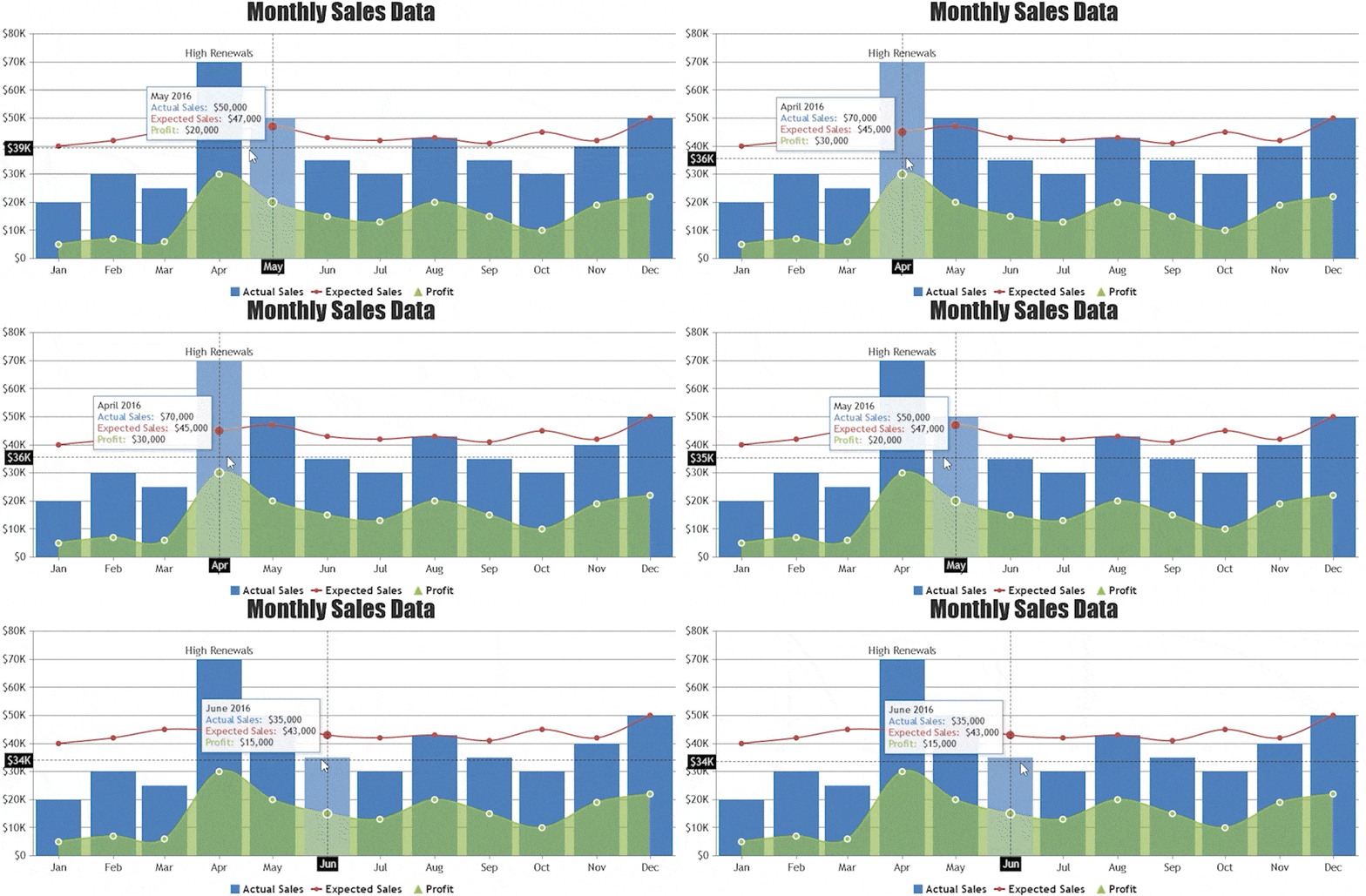
#### Interactive JavaScript Charts
|
|
72
|
+
|
|
73
|
+
|
|
74
|
+
<br/>
|
|
75
|
+
|
|
76
|
+
#### JavaScript Chart with Multiple Y-axes
|
|
77
|
+
<a href="https://canvasjs.com/javascript-charts/multiple-axis-column-chart/"><img src="https://canvasjs.com/wp-content/uploads/images/npm/mulitple-y-axes.gif" alt="JavaScript Chart with Multiple Y-axes"></a>
|
|
78
|
+
|
|
79
|
+
<br/>
|
|
80
|
+
|
|
81
|
+
#### JavaScript Chart with Zooming / Panning
|
|
82
|
+
<a href="https://canvasjs.com/javascript-charts/chart-zoom-pan/"><img src="https://canvasjs.com/wp-content/uploads/images/npm/chart-with-zooming.gif" alt="JavaScript Chart with Zooming / Panning"></a>
|
|
83
|
+
|
|
84
|
+
<br/><br/>
|
|
85
|
+
|
|
86
|
+
## License
|
|
87
|
+
Commercial use of CanvasJS requires a commercial license. Without a commercial license you can use it for evaluation (or demonstrations/testing) purposes. Students, Educational Institutions, Personal Websites using CanvasJS for non-commercial purposes are qualified for the free license. Check out [License Page](https://canvasjs.com/license/) to know more about licenses.
|