@bytebase/dbhub 0.6.1 → 0.7.0
This diff represents the content of publicly available package versions that have been released to one of the supported registries. The information contained in this diff is provided for informational purposes only and reflects changes between package versions as they appear in their respective public registries.
- package/README.md +16 -8
- package/dist/index.js +3 -37
- package/package.json +1 -1
package/README.md
CHANGED
|
@@ -6,6 +6,10 @@
|
|
|
6
6
|
</a>
|
|
7
7
|
</p>
|
|
8
8
|
|
|
9
|
+
<p align="center">
|
|
10
|
+
<a href="https://cursor.com/install-mcp?name=dbhub&config=eyJjb21tYW5kIjoibnB4IEBieXRlYmFzZS9kYmh1YiIsImVudiI6eyJUUkFOU1BPUlQiOiJzdGRpbyIsIkRTTiI6InBvc3RncmVzOi8vdXNlcjpwYXNzd29yZEBsb2NhbGhvc3Q6NTQzMi9kYm5hbWU%2Fc3NsbW9kZT1kaXNhYmxlIiwiUkVBRE9OTFkiOiJ0cnVlIn19"><img src="https://cursor.com/deeplink/mcp-install-dark.svg" alt="Add dbhub MCP server to Cursor" height="32" /></a>
|
|
11
|
+
</p>
|
|
12
|
+
|
|
9
13
|
DBHub is a universal database gateway implementing the Model Context Protocol (MCP) server interface. This gateway allows MCP-compatible clients to connect to and explore different databases.
|
|
10
14
|
|
|
11
15
|
```bash
|
|
@@ -52,7 +56,6 @@ https://demo.dbhub.ai/message connects a [sample employee database](https://gith
|
|
|
52
56
|
| Tool | Command Name | Description | PostgreSQL | MySQL | MariaDB | SQL Server | SQLite | Oracle |
|
|
53
57
|
| --------------- | ----------------- | ------------------------------------------------------------------- | :--------: | :---: | :-----: | :--------: | ------ | :----: |
|
|
54
58
|
| Execute SQL | `execute_sql` | Execute single or multiple SQL statements (separated by semicolons) | ✅ | ✅ | ✅ | ✅ | ✅ | ✅ |
|
|
55
|
-
| List Connectors | `list_connectors` | List all available database connectors | ✅ | ✅ | ✅ | ✅ | ✅ | ✅ |
|
|
56
59
|
|
|
57
60
|
### Prompt Capabilities
|
|
58
61
|
|
|
@@ -168,6 +171,8 @@ npx @bytebase/dbhub --transport http --port 8080 --demo
|
|
|
168
171
|
|
|
169
172
|
### Cursor
|
|
170
173
|
|
|
174
|
+
[](https://cursor.com/install-mcp?name=dbhub&config=eyJjb21tYW5kIjoibnB4IEBieXRlYmFzZS9kYmh1YiIsImVudiI6eyJUUkFOU1BPUlQiOiJzdGRpbyIsIkRTTiI6InBvc3RncmVzOi8vdXNlcjpwYXNzd29yZEBsb2NhbGhvc3Q6NTQzMi9kYm5hbWU%2Fc3NsbW9kZT1kaXNhYmxlIiwiUkVBRE9OTFkiOiJ0cnVlIn19)
|
|
175
|
+
|
|
171
176
|
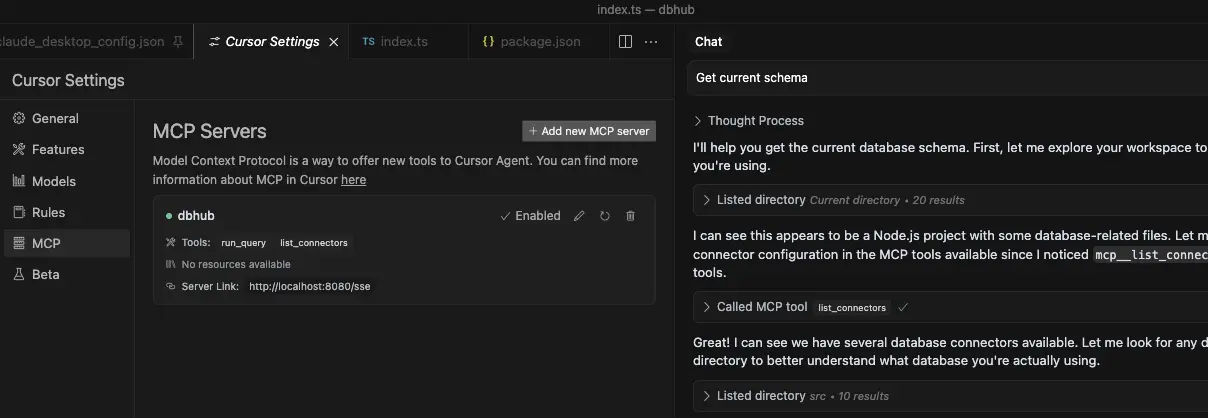
|
|
172
177
|
|
|
173
178
|
- Cursor supports both `stdio` and `http`.
|
|
@@ -229,6 +234,9 @@ You can use DBHub in demo mode with a sample employee database for testing:
|
|
|
229
234
|
npx @bytebase/dbhub --demo
|
|
230
235
|
```
|
|
231
236
|
|
|
237
|
+
> [!WARNING]
|
|
238
|
+
If your user/password contains special characters, you need to escape them first. (e.g. `pass#word` should be escaped as `pass%23word`)
|
|
239
|
+
|
|
232
240
|
For real databases, a Database Source Name (DSN) is required. You can provide this in several ways:
|
|
233
241
|
|
|
234
242
|
- **Command line argument** (highest priority):
|
|
@@ -309,13 +317,13 @@ Extra query parameters:
|
|
|
309
317
|
|
|
310
318
|
### Command line options
|
|
311
319
|
|
|
312
|
-
| Option | Description | Default |
|
|
313
|
-
| --------- | --------------------------------------------------------------- | ---------------------------- |
|
|
314
|
-
|
|
|
315
|
-
|
|
|
316
|
-
|
|
|
317
|
-
|
|
|
318
|
-
|
|
|
320
|
+
| Option | Environment Variable | Description | Default |
|
|
321
|
+
| --------- | -------------------- | --------------------------------------------------------------- | ---------------------------- |
|
|
322
|
+
| dsn | `DSN` | Database connection string | Required if not in demo mode |
|
|
323
|
+
| transport | `TRANSPORT` | Transport mode: `stdio` or `http` | `stdio` |
|
|
324
|
+
| port | `PORT` | HTTP server port (only applicable when using `--transport=http`) | `8080` |
|
|
325
|
+
| readonly | `READONLY` | Restrict SQL execution to read-only operations | `false` |
|
|
326
|
+
| demo | N/A | Run in demo mode with sample employee database | `false` |
|
|
319
327
|
|
|
320
328
|
The demo mode uses an in-memory SQLite database loaded with the [sample employee database](https://github.com/bytebase/dbhub/tree/main/resources/employee-sqlite) that includes tables for employees, departments, titles, salaries, department employees, and department managers. The sample database includes SQL scripts for table creation, data loading, and testing.
|
|
321
329
|
|
package/dist/index.js
CHANGED
|
@@ -2939,34 +2939,6 @@ async function executeSqlToolHandler({ sql: sql2 }, _extra) {
|
|
|
2939
2939
|
}
|
|
2940
2940
|
}
|
|
2941
2941
|
|
|
2942
|
-
// src/tools/list-connectors.ts
|
|
2943
|
-
async function listConnectorsToolHandler(_args, _extra) {
|
|
2944
|
-
const samples = ConnectorRegistry.getAllSampleDSNs();
|
|
2945
|
-
let activeConnectorType = null;
|
|
2946
|
-
try {
|
|
2947
|
-
const activeConnector = ConnectorManager.getCurrentConnector();
|
|
2948
|
-
activeConnectorType = activeConnector.id;
|
|
2949
|
-
} catch (error) {
|
|
2950
|
-
}
|
|
2951
|
-
const isDemo = isDemoMode();
|
|
2952
|
-
if (isDemo && !activeConnectorType) {
|
|
2953
|
-
activeConnectorType = "sqlite";
|
|
2954
|
-
}
|
|
2955
|
-
const sampleObjects = Object.entries(samples).map(([id, dsn]) => ({
|
|
2956
|
-
id,
|
|
2957
|
-
dsn,
|
|
2958
|
-
active: id === activeConnectorType
|
|
2959
|
-
}));
|
|
2960
|
-
const responseData = {
|
|
2961
|
-
connectors: sampleObjects,
|
|
2962
|
-
count: sampleObjects.length,
|
|
2963
|
-
activeConnector: activeConnectorType,
|
|
2964
|
-
demoMode: isDemo,
|
|
2965
|
-
readonlyMode: isReadOnlyMode()
|
|
2966
|
-
};
|
|
2967
|
-
return createToolSuccessResponse(responseData);
|
|
2968
|
-
}
|
|
2969
|
-
|
|
2970
2942
|
// src/tools/index.ts
|
|
2971
2943
|
function registerTools(server) {
|
|
2972
2944
|
server.tool(
|
|
@@ -2975,12 +2947,6 @@ function registerTools(server) {
|
|
|
2975
2947
|
executeSqlSchema,
|
|
2976
2948
|
executeSqlToolHandler
|
|
2977
2949
|
);
|
|
2978
|
-
server.tool(
|
|
2979
|
-
"list_connectors",
|
|
2980
|
-
"List all available database connectors",
|
|
2981
|
-
{},
|
|
2982
|
-
listConnectorsToolHandler
|
|
2983
|
-
);
|
|
2984
2950
|
}
|
|
2985
2951
|
|
|
2986
2952
|
// src/prompts/sql-generator.ts
|
|
@@ -3515,9 +3481,9 @@ See documentation for more details on configuring database connections.
|
|
|
3515
3481
|
const portData = resolvePort();
|
|
3516
3482
|
const port = portData.port;
|
|
3517
3483
|
console.error(`Port source: ${portData.source}`);
|
|
3518
|
-
app.listen(port, "
|
|
3519
|
-
console.error(`DBHub server listening at http://
|
|
3520
|
-
console.error(`Connect to MCP server at http://
|
|
3484
|
+
app.listen(port, "0.0.0.0", () => {
|
|
3485
|
+
console.error(`DBHub server listening at http://0.0.0.0:${port}`);
|
|
3486
|
+
console.error(`Connect to MCP server at http://0.0.0.0:${port}/message`);
|
|
3521
3487
|
});
|
|
3522
3488
|
} else {
|
|
3523
3489
|
const server = createServer();
|