@builder.io/plugin-sfcc-commerce-api 0.0.3 → 0.0.6
This diff represents the content of publicly available package versions that have been released to one of the supported registries. The information contained in this diff is provided for informational purposes only and reflects changes between package versions as they appear in their respective public registries.
- package/README.md +61 -2
- package/dist/plugin.system.js +827 -373
- package/dist/plugin.system.js.map +1 -1
- package/package.json +2 -2
package/README.md
CHANGED
|
@@ -1,3 +1,62 @@
|
|
|
1
|
-
# Builder.io
|
|
1
|
+
# Builder.io Salesforce Commerce Api plugin [alpha]
|
|
2
|
+
|
|
3
|
+
Easily connect your SalesForce B2C Commerce PWA APP to your Builder.io content!
|
|
4
|
+
|
|
5
|
+
## SalesForce Setup API Access
|
|
6
|
+
Read through this [get started guide](https://developer.salesforce.com/docs/commerce/pwa-kit-managed-runtime/guide/setting-up-api-access.html) to make sure you have your *Shopper Login and API Access Service (SLAS)* client setup ready.
|
|
7
|
+
|
|
8
|
+
|
|
9
|
+
## Installation
|
|
10
|
+
|
|
11
|
+
Go to [builder.io/account/organization](https://builder.io/account/organization) and type `@builder.io/plugin-sfcc-commerce-api` in the input, then hit save.
|
|
12
|
+
|
|
13
|
+
|
|
14
|
+
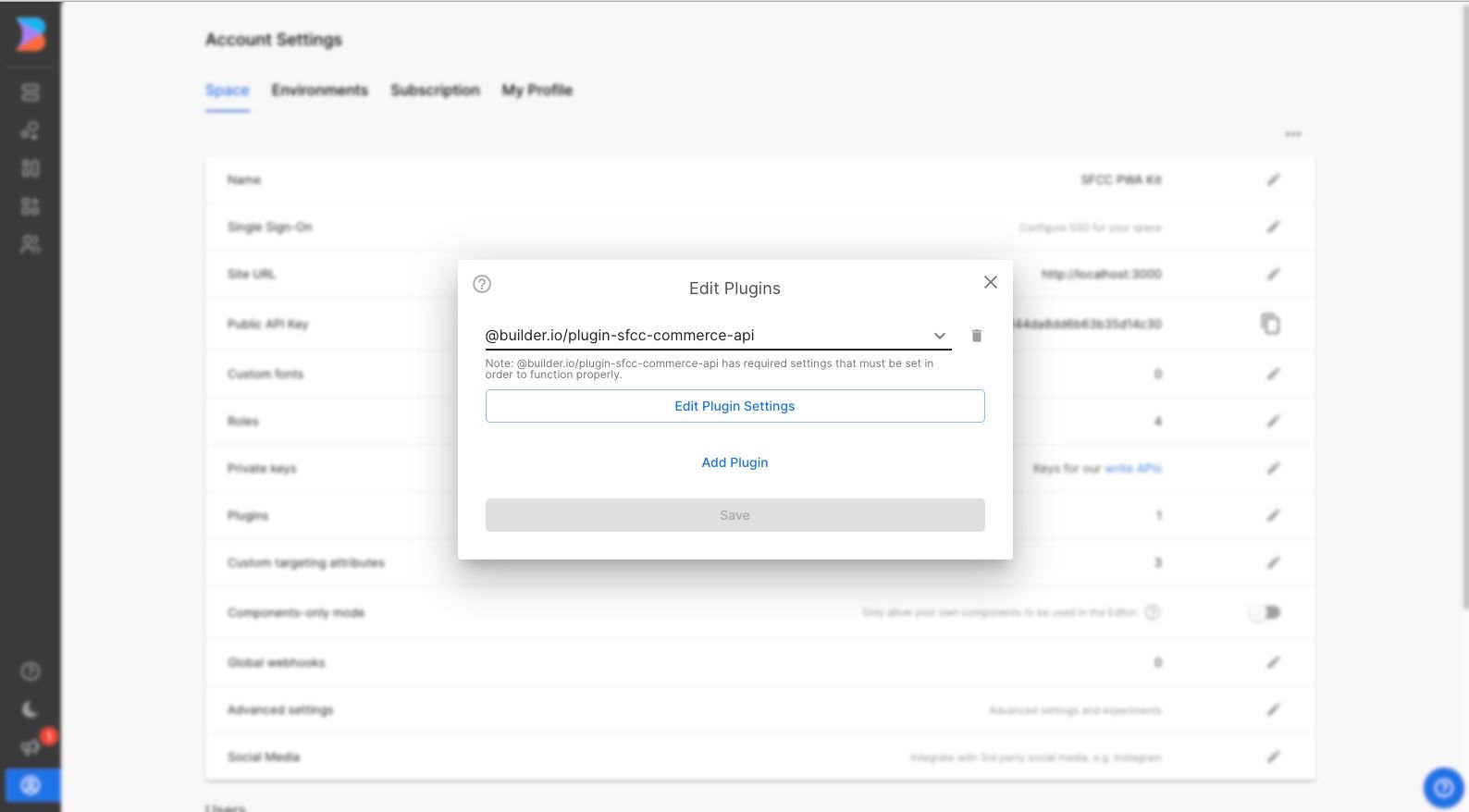
|
|
15
|
+
|
|
16
|
+
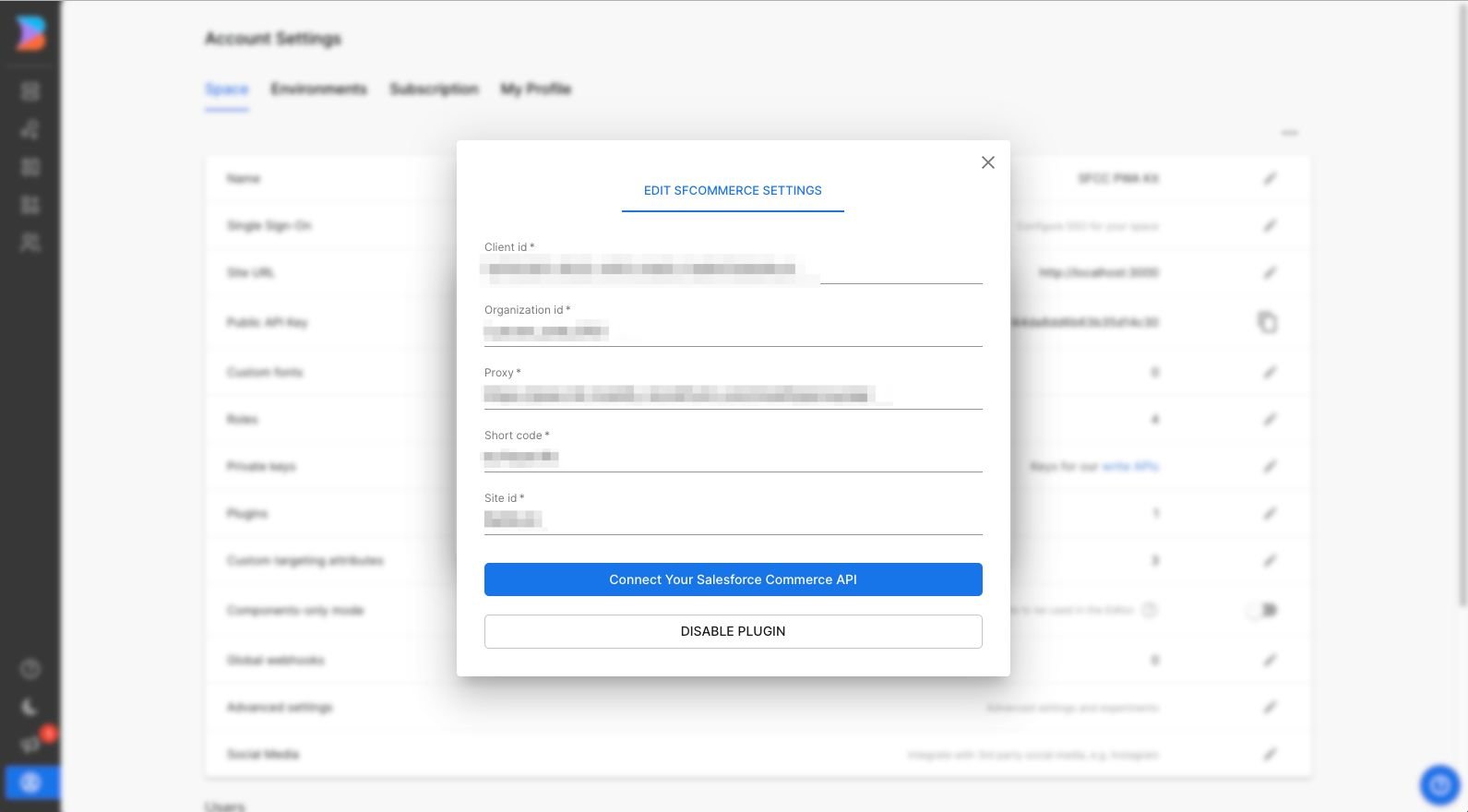
Following, you'll be prompted to enter the following data:
|
|
17
|
+
* Client id
|
|
18
|
+
* Organization id
|
|
19
|
+
* Proxy address
|
|
20
|
+
* Short code
|
|
21
|
+
* Site id
|
|
22
|
+
|
|
23
|
+
**The same configuration you find at your config/default.js file**
|
|
24
|
+

|
|
25
|
+
|
|
26
|
+
Log into your Administration panel with your SFCC credentials at your [account administrator panel](https://account.demandware.com/)
|
|
27
|
+
|
|
28
|
+
|
|
29
|
+
|
|
30
|
+
|
|
31
|
+
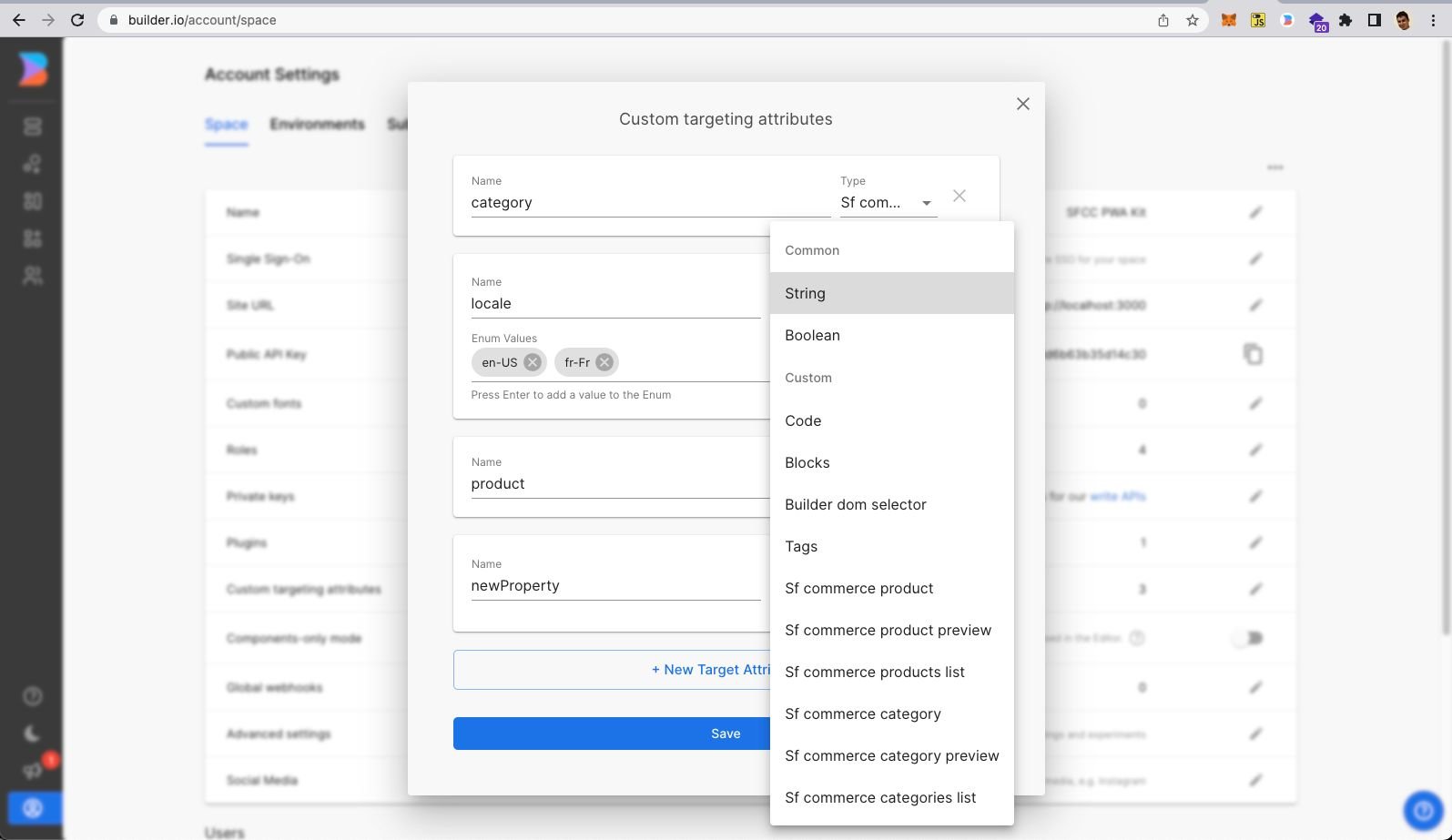
After putting the required info, hit the connect button. You will now see a few new field types (for [model](https://builder.io/c/docs/guides/getting-started-with-models) fields, [symbol](https://builder.io/c/docs/guides/symbols) inputs, [custom components](https://builder.io/c/docs/custom-react-components) fields), and [custom targeting attributes](https://www.builder.io/c/docs/guides/targeting-and-scheduling#custom-targeting) that can be used in three different contexts:
|
|
32
|
+
|
|
33
|
+
|
|
34
|
+
|
|
35
|
+
|
|
36
|
+
|
|
37
|
+
### Custom targeting
|
|
38
|
+
|
|
39
|
+
Custom targeting in Builder.io allow users to target content by a multitude of attributes, and in this plugin you'll be able to add specific content from SFCC products, for this you'll need first to set the target attributes on the host site, either by setting the `userAttributes` if you're rendering client side:
|
|
40
|
+
|
|
41
|
+
```ts
|
|
42
|
+
builder.setUserAttributes({
|
|
43
|
+
product: currentProduct.id,
|
|
44
|
+
});
|
|
45
|
+
```
|
|
46
|
+
|
|
47
|
+
Or by passing it as a query param to the [content API](https://www.builder.io/c/docs/query-api#:~:text=userAttributes) call, or in [graqhql query](https://www.builder.io/c/docs/graphql-api#:~:text=with%20targeting) for e.g in Gatsby or nextjs.
|
|
48
|
+
|
|
49
|
+
- `SfCommerceProduct` when used as a custom targeting type, it'll target contexts where the field is set to the product ID, you'll need to set the product ID on the host environment, using one of the methods above.
|
|
50
|
+
|
|
51
|
+
- `SfCommerceProductsList` when used as a custom targeting type, it'll target contexts where the field is set to the a list of product Ids, you'll need to set the list of product Ids on the host environment, using one of the methods above.
|
|
52
|
+
|
|
53
|
+
- `SfCommerceCategory` can be used as custom targeting attribute to target specific category by ID, you'll need to set the category ID on the host environment, using one of the methods above.
|
|
54
|
+
|
|
55
|
+
- `SfCommerceCategoriesList` when used as a custom targeting type, it'll target contexts where the field is set to the a list of category Ids, you'll need to set the list of category Ids on the host environment, using one of the methods above.
|
|
56
|
+
|
|
57
|
+
|
|
58
|
+
### Seeing the plugin in action
|
|
59
|
+
|
|
60
|
+
Try creating a custom [model](https://builder.io/c/docs/guides/getting-started-with-models), [component](https://builder.io/c/docs/custom-react-components), or [symbol](https://builder.io/c/docs/guides/symbols) using any of the SFCC field types, and edit away!
|
|
61
|
+
|
|
2
62
|
|
|
3
|
-
TODO
|