@browserstack/mcp-server 1.0.0 → 1.0.2
This diff represents the content of publicly available package versions that have been released to one of the supported registries. The information contained in this diff is provided for informational purposes only and reflects changes between package versions as they appear in their respective public registries.
- package/README.md +113 -64
- package/dist/index.js +1 -0
- package/package.json +1 -1
package/README.md
CHANGED
|
@@ -1,61 +1,35 @@
|
|
|
1
1
|
# BrowserStack MCP Server
|
|
2
|
-
|
|
2
|
+
|
|
3
|
+
<div align="center">
|
|
3
4
|
<img src="assets/browserstack-logo.png" alt="BrowserStack Logo" height="100"> <img src="assets/mcp-logo.png" alt="MCP Server Logo" width="100">
|
|
4
5
|
</div>
|
|
5
6
|
|
|
7
|
+
<div align="center">
|
|
8
|
+
<a href="https://www.npmjs.com/package/@browserstack/mcp-server">
|
|
9
|
+
<img alt="NPM Version" src="https://img.shields.io/npm/v/%40browserstack%2Fmcp-server">
|
|
10
|
+
</a>
|
|
6
11
|
|
|
7
|
-
|
|
8
|
-
|
|
9
|
-
[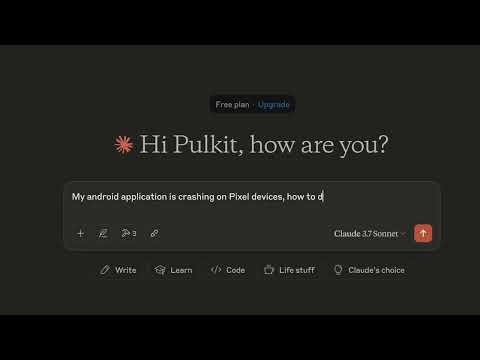](https://www.youtube.com/watch?v=vy1sx0J7sTk)
|
|
12
|
+
</div>
|
|
10
13
|
|
|
11
|
-
## 🚀 Overview
|
|
12
|
-
BrowserStack MCP Server brings the power of BrowserStack's [Test Platform](https://www.browserstack.com/test-platform) directly into your development workflow. It enables you to run tests, debug applications, and perform cross-browser testing through any [MCP-compliant client](https://modelcontextprotocol.io/clients#feature-support-matrix).
|
|
13
14
|
|
|
14
|
-
|
|
15
|
+
<h3 align="center">One Platform For All Your Testing Needs</h4>
|
|
15
16
|
|
|
16
|
-
|
|
17
|
-
|
|
18
|
-
|
|
19
|
-
- **Live Debugging**: Debug crashes and performance issues in real-time
|
|
20
|
-
- **Comprehensive Device Coverage**: Access all major devices and OS versions from our [device grid](https://www.browserstack.com/list-of-browsers-and-platforms/app_live)
|
|
17
|
+
## 📖 Overview
|
|
18
|
+
Enable every developer and tester in your team, whether they are testing manually, starting their automation journey, or scaling test automation.
|
|
19
|
+
BrowserStack MCP Server allows you to use our cutting-edge [Test Platform](https://www.browserstack.com/test-platform) directly from your favorite AI tools.
|
|
21
20
|
|
|
22
|
-
###
|
|
23
|
-
- **Local Testing**: Seamlessly test websites hosted on localhost
|
|
24
|
-
- **Cross-Browser Testing**: Test websites across different browsers and devices
|
|
25
|
-
- **Screenshot Testing**: Capture and compare screenshots across different environments
|
|
21
|
+
### Why BrowserStack ?
|
|
26
22
|
|
|
27
|
-
|
|
28
|
-
|
|
29
|
-
|
|
30
|
-
- **Accessibility Testing**: Ensure WCAG and ADA compliance with our [Accessibility Testing](https://www.browserstack.com/accessibility-testing) tool
|
|
23
|
+
<p align="center">
|
|
24
|
+
<img src="assets/overview.png" alt="overview">
|
|
25
|
+
</p>
|
|
31
26
|
|
|
32
|
-
##
|
|
27
|
+
## 💡 Usage Examples
|
|
33
28
|
|
|
34
|
-
|
|
35
|
-
- Sign up at [BrowserStack](https://www.browserstack.com/signup)
|
|
36
|
-
- Get your credentials from [Account Settings](https://www.browserstack.com/accounts/profile/details)
|
|
29
|
+
### 📱 Manual App Testing
|
|
37
30
|
|
|
38
|
-
|
|
39
|
-
- Sample MCP Server config for Cursor: `.cursor/mcp.json`:
|
|
40
|
-
```json
|
|
41
|
-
{
|
|
42
|
-
"mcpServers": {
|
|
43
|
-
"browserstack_mcp_server": {
|
|
44
|
-
"command": "npx",
|
|
45
|
-
"args": ["@browserstack/mcp-server"],
|
|
46
|
-
"env": {
|
|
47
|
-
"BROWSERSTACK_USERNAME": "<username>",
|
|
48
|
-
"BROWSERSTACK_ACCESS_KEY": "<access_key>"
|
|
49
|
-
}
|
|
50
|
-
}
|
|
51
|
-
}
|
|
52
|
-
}
|
|
53
|
-
```
|
|
54
|
-
- For Github Copilot users, ensure you are using the latest version of the VSCode with support for Copilot agent mode.
|
|
31
|
+
Use the following prompts to use your **mobile apps** on BrowserStack's extensive cloud of real devices. Stop using emulators!
|
|
55
32
|
|
|
56
|
-
## 💡 Usage Examples
|
|
57
|
-
|
|
58
|
-
### App Testing
|
|
59
33
|
```bash
|
|
60
34
|
# Open app on specific device
|
|
61
35
|
"open my app on a iPhone 15 Pro Max"
|
|
@@ -64,19 +38,32 @@ BrowserStack MCP Server brings the power of BrowserStack's [Test Platform](https
|
|
|
64
38
|
"My app crashed on Android 14 device, can you help me debug?"
|
|
65
39
|
```
|
|
66
40
|
|
|
67
|
-
|
|
68
|
-
|
|
69
|
-
|
|
70
|
-
|
|
41
|
+
Video Walkthrough:
|
|
42
|
+
|
|
43
|
+
[](https://www.youtube.com/watch?v=vy1sx0J7sTk)
|
|
44
|
+
|
|
45
|
+
- Unlike emulators, test your app's real-world performance on actual devices. With advanced [App-Profiling features](https://www.browserstack.com/docs/app-live/app-performance-testing), you can debug crashes and performance issues in real-time.
|
|
46
|
+
- Access all major devices and OS versions from our [device grid](https://www.browserstack.com/list-of-browsers-and-platforms/app_live), We have strict SLAs to provision our global datacenters with newly released devices on [launch day](https://www.browserstack.com/blog/browserstack-launches-iphone-15-on-day-0-behind-the-scenes/).
|
|
47
|
+
|
|
48
|
+
### 🌐 Manual Web Testing
|
|
71
49
|
|
|
72
|
-
|
|
73
|
-
|
|
50
|
+
Similar to the app testing, you can use the following prompts to test your **websites** on BrowserStack's extensive cloud of real browsers and devices. Don't have a Windows machine to test on Internet Explorer? We've got you covered!
|
|
51
|
+
|
|
52
|
+
```bash
|
|
53
|
+
# Test your local websites
|
|
54
|
+
"open my website hosted on localhost:3001 on Internet Explorer"
|
|
74
55
|
```
|
|
75
56
|
|
|
76
|
-
|
|
57
|
+
- Test websites across different browsers and devices. We support [every major browser](https://www.browserstack.com/list-of-browsers-and-platforms/live) across every major OS.
|
|
58
|
+
- Seamlessly test websites hosted locally on your machine, no need to deploy to a remote server!
|
|
59
|
+
|
|
60
|
+
### 🧪 Automated Testing (Playwright, Selenium, A11y and more..)
|
|
61
|
+
|
|
62
|
+
Use the following prompts to run/debug/fix your **automated tests** on BrowserStack's [Test Platform](https://www.browserstack.com/test-platform).
|
|
63
|
+
|
|
77
64
|
```bash
|
|
78
|
-
#
|
|
79
|
-
"run my test suite on BrowserStack"
|
|
65
|
+
# Port test suite to BrowserStack
|
|
66
|
+
"run my test suite on BrowserStack infra"
|
|
80
67
|
|
|
81
68
|
# Debug test failures
|
|
82
69
|
"My test suite failed, can you help me fix the new failures?"
|
|
@@ -85,29 +72,91 @@ BrowserStack MCP Server brings the power of BrowserStack's [Test Platform](https
|
|
|
85
72
|
"check for accessibility issues on my www.mywebsite.com"
|
|
86
73
|
```
|
|
87
74
|
|
|
75
|
+
- Fix test failures reported by your CI/CD pipeline by utilising our industry leading [Test Observability](https://www.browserstack.com/docs/test-observability) features. Find more info [here](https://www.browserstack.com/docs/test-observability/features/smart-tags).
|
|
76
|
+
- Run tests written in Jest, Playwright, Selenium, and more on BrowserStack's [Test Platform](https://www.browserstack.com/test-platform)
|
|
77
|
+
- **Accessibility Testing**: Ensure WCAG and ADA compliance with our [Accessibility Testing](https://www.browserstack.com/accessibility-testing) tool
|
|
78
|
+
|
|
79
|
+
## 🛠️ Installation
|
|
80
|
+
|
|
81
|
+
1. **Create a BrowserStack Account**
|
|
82
|
+
|
|
83
|
+
- Sign up for [BrowserStack](https://www.browserstack.com/signup) if you don't have an account already.
|
|
84
|
+
- Note down your `username` and `access_key` from [Account Settings](https://www.browserstack.com/accounts/profile/details)
|
|
85
|
+
|
|
86
|
+
2. **Install the MCP Server**
|
|
87
|
+
- VSCode (Copilot - Agent Mode): `.vscode/mcp.json`:
|
|
88
|
+
```json
|
|
89
|
+
{
|
|
90
|
+
"servers": {
|
|
91
|
+
"browserstack": {
|
|
92
|
+
"command": "npx",
|
|
93
|
+
"args": ["-y", "@browserstack/mcp-server@latest"],
|
|
94
|
+
"env": {
|
|
95
|
+
"BROWSERSTACK_USERNAME": "<username>",
|
|
96
|
+
"BROWSERSTACK_ACCESS_KEY": "<access_key>"
|
|
97
|
+
}
|
|
98
|
+
}
|
|
99
|
+
}
|
|
100
|
+
}
|
|
101
|
+
```
|
|
102
|
+
- Cursor: `.cursor/mcp.json`:
|
|
103
|
+
```json
|
|
104
|
+
{
|
|
105
|
+
"mcpServers": {
|
|
106
|
+
"browserstack": {
|
|
107
|
+
"command": "npx",
|
|
108
|
+
"args": ["-y", "@browserstack/mcp-server@latest"],
|
|
109
|
+
"env": {
|
|
110
|
+
"BROWSERSTACK_USERNAME": "<username>",
|
|
111
|
+
"BROWSERSTACK_ACCESS_KEY": "<access_key>"
|
|
112
|
+
}
|
|
113
|
+
}
|
|
114
|
+
}
|
|
115
|
+
}
|
|
116
|
+
```
|
|
117
|
+
- Claude Desktop: `~/claude_desktop_config.json`:
|
|
118
|
+
```json
|
|
119
|
+
{
|
|
120
|
+
"mcpServers": {
|
|
121
|
+
"browserstack": {
|
|
122
|
+
"command": "npx",
|
|
123
|
+
"args": ["-y", "@browserstack/mcp-server@latest"],
|
|
124
|
+
"env": {
|
|
125
|
+
"BROWSERSTACK_USERNAME": "<username>",
|
|
126
|
+
"BROWSERSTACK_ACCESS_KEY": "<access_key>"
|
|
127
|
+
}
|
|
128
|
+
}
|
|
129
|
+
}
|
|
130
|
+
}
|
|
131
|
+
```
|
|
132
|
+
|
|
133
|
+
|
|
88
134
|
## 🤝 Recommended MCP Clients
|
|
89
135
|
|
|
90
|
-
- **Github Copilot or Cursor**
|
|
91
|
-
-
|
|
136
|
+
- We recommend using **Github Copilot or Cursor** for automated testing + debugging use cases.
|
|
137
|
+
- For manual testing use cases (Live Testing), we recommend using **Claude Desktop**.
|
|
92
138
|
|
|
93
139
|
## ⚠️ Important Notes
|
|
94
|
-
- The BrowserStack MCP Server is under active development and currently supports a subset of the MCP protocol, i.e. `tools`. More features will be added soon.
|
|
95
|
-
- As tool invocation relies on the MCP Client which in turn rely on LLMs for tool calling. There can be some non-deterministic behaviour and can lead to unexpected results. If you have any suggestions or feedback, please open an issue to discuss.
|
|
96
|
-
|
|
97
|
-
## 📝 Contributing
|
|
98
140
|
|
|
99
|
-
|
|
141
|
+
- The BrowserStack MCP Server is under active development and currently supports a subset of the MCP spec. More features will be added soon.
|
|
142
|
+
- Tool invocations rely on the MCP Client which in turn relies on an LLM, hence there can be some non-deterministic behaviour that can lead to unexpected results. If you have any suggestions or feedback, please open an issue to discuss.
|
|
100
143
|
|
|
101
|
-
##
|
|
144
|
+
## 📝 Contributing
|
|
102
145
|
|
|
103
|
-
|
|
146
|
+
We welcome contributions! Please open an issue to discuss any changes you'd like to make.
|
|
104
147
|
|
|
105
148
|
## 📞 Support
|
|
106
149
|
|
|
107
150
|
For support, please:
|
|
151
|
+
|
|
108
152
|
- Check our [documentation](https://www.browserstack.com/docs)
|
|
109
|
-
- Open an issue in our [GitHub repository](https://github.com/browserstack/mcp-server)
|
|
110
|
-
- Contact our [support team](https://www.browserstack.com/contact)
|
|
153
|
+
- Open an issue in our [GitHub repository](https://github.com/browserstack/mcp-server) if you face any issues related to the MCP Server.
|
|
154
|
+
- Contact our [support team](https://www.browserstack.com/contact) for any other queries.
|
|
155
|
+
|
|
156
|
+
## 🚀 More Features Coming Soon
|
|
157
|
+
|
|
158
|
+
Stay tuned for exciting updates! Have any suggestions? Please open an issue to discuss.
|
|
159
|
+
|
|
111
160
|
|
|
112
161
|
## 🔗 Resources
|
|
113
162
|
|
package/dist/index.js
CHANGED