@apify/actors-mcp-server 0.9.18-beta.4 → 0.9.18-beta.5
This diff represents the content of publicly available package versions that have been released to one of the supported registries. The information contained in this diff is provided for informational purposes only and reflects changes between package versions as they appear in their respective public registries.
- package/README.md +13 -65
- package/package.json +1 -1
package/README.md
CHANGED
|
@@ -43,7 +43,7 @@ Check out the [MCP clients section](#-mcp-clients) for more details or visit the
|
|
|
43
43
|
- [🛠️ Tools, resources, and prompts](#%EF%B8%8F-tools-resources-and-prompts)
|
|
44
44
|
- [📊 Telemetry](#-telemetry)
|
|
45
45
|
- [💬 Usage examples](#-usage-examples)
|
|
46
|
-
- [🐛 Troubleshooting
|
|
46
|
+
- [🐛 Troubleshooting](#-troubleshooting)
|
|
47
47
|
- [⚙️ Development](#%EF%B8%8F-development)
|
|
48
48
|
- [🔒 Privacy policy](#-privacy-policy)
|
|
49
49
|
- [🤝 Contributing](#-contributing)
|
|
@@ -94,18 +94,15 @@ Visit [mcp.apify.com](https://mcp.apify.com) to configure the server for your pr
|
|
|
94
94
|
|
|
95
95
|
|
|
96
96
|
|
|
97
|
-
###
|
|
97
|
+
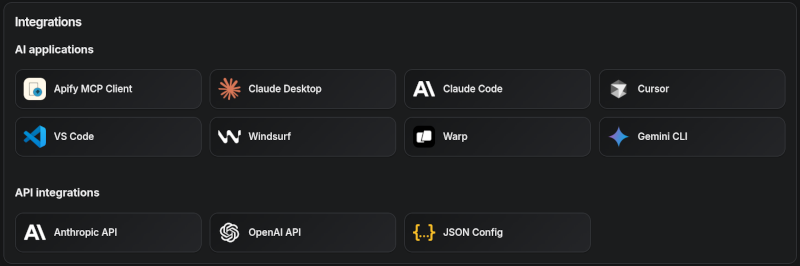
### Tested clients
|
|
98
98
|
|
|
99
|
-
|
|
100
|
-
|
|
101
|
-
|
|
102
|
-
|
|
103
|
-
|
|
104
|
-
|
|
105
|
-
|
|
106
|
-
| **Cursor** | ✅ Full | |
|
|
107
|
-
| **Apify Tester MCP Client** | ✅ Full | Designed for testing Apify MCP servers |
|
|
108
|
-
| **OpenCode** | ✅ Full | |
|
|
99
|
+
- [Claude Desktop](https://docs.apify.com/platform/integrations/claude-desktop)
|
|
100
|
+
- Claude.ai (web)
|
|
101
|
+
- [ChatGPT](https://docs.apify.com/platform/integrations/chatgpt)
|
|
102
|
+
- VS Code (Genie)
|
|
103
|
+
- Cursor
|
|
104
|
+
- OpenCode
|
|
105
|
+
- [Apify Tester MCP Client](https://apify.com/jiri.spilka/tester-mcp-client) — designed for testing Apify MCP servers
|
|
109
106
|
|
|
110
107
|
|
|
111
108
|
**Smart tool selection based on client capabilities:**
|
|
@@ -527,60 +524,9 @@ See [the workflow file](.github/workflows/pre_release.yaml) for details.
|
|
|
527
524
|
## 🐋 Docker Hub integration
|
|
528
525
|
The Apify MCP Server is also available on [Docker Hub](https://hub.docker.com/mcp/server/apify-mcp-server/overview), registered via the [mcp-registry](https://github.com/docker/mcp-registry) repository. The entry in `servers/apify-mcp-server/server.yaml` should be deployed automatically by the Docker Hub MCP registry (deployment frequency is unknown). **Before making major changes to the `stdio` server version, test it locally to ensure the Docker build passes.** To test, change the `source.branch` to your PR branch and run `task build -- apify-mcp-server`. For more details, see [CONTRIBUTING.md](https://github.com/docker/mcp-registry/blob/main/CONTRIBUTING.md).
|
|
529
526
|
|
|
530
|
-
# 🐛 Troubleshooting
|
|
531
|
-
|
|
532
|
-
- Make sure you have `node` (v20 or higher) installed by running `node -v`.
|
|
533
|
-
- Make sure the `APIFY_TOKEN` environment variable is set.
|
|
534
|
-
- Always use the latest version of the MCP server by using `@apify/actors-mcp-server@latest`.
|
|
535
|
-
|
|
536
|
-
### Common issues
|
|
537
|
-
|
|
538
|
-
#### "Unable to connect to extension server", "Cannot find module", or tools not loading
|
|
539
|
-
|
|
540
|
-
This is most commonly caused by a **corrupted npx cache** — often left behind when Claude Desktop restarts the MCP server process mid-download. Fix it by clearing the cache:
|
|
541
|
-
|
|
542
|
-
```bash
|
|
543
|
-
# macOS / Linux
|
|
544
|
-
rm -rf ~/.npm/_npx
|
|
545
|
-
npx -y @apify/actors-mcp-server@latest
|
|
527
|
+
# 🐛 Troubleshooting
|
|
546
528
|
|
|
547
|
-
|
|
548
|
-
Remove-Item -Recurse -Force "$env:LOCALAPPDATA\npm-cache\_npx"
|
|
549
|
-
npx -y @apify/actors-mcp-server@latest
|
|
550
|
-
```
|
|
551
|
-
|
|
552
|
-
After clearing the cache, restart Claude Desktop.
|
|
553
|
-
|
|
554
|
-
#### Errors like "File is not defined" or "ReadableStream is not defined"
|
|
555
|
-
|
|
556
|
-
You are running an **outdated version of Node.js**. The Apify MCP server requires Node.js **v20 or higher**:
|
|
557
|
-
|
|
558
|
-
```bash
|
|
559
|
-
node -v # Check your version
|
|
560
|
-
```
|
|
561
|
-
|
|
562
|
-
If your version is below 20, update Node.js from [nodejs.org](https://nodejs.org).
|
|
563
|
-
|
|
564
|
-
#### Server works in Claude Desktop chat but not in cowork mode
|
|
565
|
-
|
|
566
|
-
This is a known issue we are investigating. As a workaround, try using the hosted server at [mcp.apify.com](https://mcp.apify.com) instead of the local stdio server.
|
|
567
|
-
|
|
568
|
-
### Checking logs
|
|
569
|
-
|
|
570
|
-
If you encounter issues, check the Claude Desktop logs for error details:
|
|
571
|
-
|
|
572
|
-
- **macOS**: `~/Library/Logs/Claude/`
|
|
573
|
-
- **Windows**: `%APPDATA%\Claude\logs\`
|
|
574
|
-
- **Linux**: `~/.config/Claude/logs/`
|
|
575
|
-
|
|
576
|
-
### Debugging the NPM package
|
|
577
|
-
|
|
578
|
-
To debug the server, use the [MCP Inspector](https://github.com/modelcontextprotocol/inspector) tool:
|
|
579
|
-
|
|
580
|
-
```shell
|
|
581
|
-
export APIFY_TOKEN="your-apify-token"
|
|
582
|
-
npx @modelcontextprotocol/inspector npx -y @apify/actors-mcp-server
|
|
583
|
-
```
|
|
529
|
+
For step-by-step troubleshooting, see the [Claude Desktop integration guide](https://docs.apify.com/platform/integrations/claude-desktop) in the Apify documentation.
|
|
584
530
|
|
|
585
531
|
## 💡 Limitations
|
|
586
532
|
|
|
@@ -619,3 +565,5 @@ For major changes, please open an issue first to discuss your proposal and ensur
|
|
|
619
565
|
- [Tester MCP Client](https://apify.com/jiri.spilka/tester-mcp-client)
|
|
620
566
|
- [Webinar: Building and Monetizing MCP Servers on Apify](https://www.youtube.com/watch?v=w3AH3jIrXXo)
|
|
621
567
|
- [How to build and monetize an AI agent on Apify](https://blog.apify.com/how-to-build-an-ai-agent/)
|
|
568
|
+
- [Connect Apify MCP with Claude Desktop](https://docs.apify.com/platform/integrations/claude-desktop)
|
|
569
|
+
- [Connect Apify MCP with ChatGPT](https://docs.apify.com/platform/integrations/chatgpt)
|