@alibaba-group/open-code-review 1.2.3 → 1.2.5
This diff represents the content of publicly available package versions that have been released to one of the supported registries. The information contained in this diff is provided for informational purposes only and reflects changes between package versions as they appear in their respective public registries.
- package/CONTRIBUTING.ja-JP.md +218 -0
- package/CONTRIBUTING.ko-KR.md +223 -0
- package/CONTRIBUTING.md +6 -2
- package/CONTRIBUTING.zh-CN.md +1 -1
- package/README.ja-JP.md +464 -0
- package/README.ko-KR.md +421 -0
- package/README.md +87 -2
- package/README.zh-CN.md +87 -2
- package/package.json +1 -1
- package/plugins/open-code-review/.codex-plugin/plugin.json +34 -0
- package/plugins/open-code-review/CODEX.ko-KR.md +108 -0
- package/plugins/open-code-review/skills/open-code-review/SKILL.md +236 -0
package/README.ko-KR.md
ADDED
|
@@ -0,0 +1,421 @@
|
|
|
1
|
+
<p align="center">
|
|
2
|
+
<a href="https://alibaba.github.io/open-code-review/">
|
|
3
|
+
<img src="imgs/logo.svg" alt="OpenCodeReview logo" width="240" height="240">
|
|
4
|
+
</a>
|
|
5
|
+
</p>
|
|
6
|
+
<p align="center">오픈 소스 AI 코드 리뷰 에이전트.</p>
|
|
7
|
+
<p align="center">
|
|
8
|
+
<a href="https://www.npmjs.com/package/@alibaba-group/open-code-review"><img alt="npm" src="https://img.shields.io/npm/v/@alibaba-group/open-code-review?style=flat-square" /></a>
|
|
9
|
+
<a href="https://github.com/alibaba/open-code-review/actions/workflows/release.yml"><img alt="Build status" src="https://img.shields.io/github/actions/workflow/status/alibaba/open-code-review/release.yml?style=flat-square" /></a>
|
|
10
|
+
<a href="https://goreportcard.com/report/github.com/alibaba/open-code-review"><img alt="Go Report Card" src="https://goreportcard.com/badge/github.com/alibaba/open-code-review?style=flat-square" /></a>
|
|
11
|
+
<a href="https://github.com/alibaba/open-code-review/blob/main/LICENSE"><img alt="License" src="https://img.shields.io/github/license/alibaba/open-code-review?style=flat-square" /></a>
|
|
12
|
+
</p>
|
|
13
|
+
<p align="center">
|
|
14
|
+
<a href="README.md">English</a> | <a href="README.zh-CN.md">简体中文</a> | <a href="README.ja-JP.md">日本語</a> | 한국어
|
|
15
|
+
</p>
|
|
16
|
+
|
|
17
|
+
---
|
|
18
|
+
|
|
19
|
+
## Open Code Review란?
|
|
20
|
+
|
|
21
|
+
Open Code Review는 AI 기반 코드 리뷰 CLI 도구입니다. Alibaba Group의 내부 공식 AI 코드 리뷰 어시스턴트에서 시작했으며, 지난 2년 동안 수만 명의 개발자에게 제공되어 수백만 건의 코드 결함을 찾아냈습니다. 대규모 환경에서 충분히 검증한 뒤 커뮤니티를 위해 오픈 소스 프로젝트로 공개했습니다. 모델 endpoint만 설정하면 바로 사용할 수 있습니다.
|
|
22
|
+
|
|
23
|
+
이 도구는 Git diff를 읽고, 변경 파일을 tool-use 기능을 가진 agent를 통해 설정 가능한 LLM으로 전달한 뒤, 라인 단위 위치 정보가 포함된 구조화된 리뷰 코멘트를 생성합니다. agent는 전체 파일 내용 읽기, 코드베이스 검색, 다른 변경 파일 확인 등을 통해 맥락을 확보하고 표면적인 diff 피드백이 아닌 깊이 있는 리뷰를 수행할 수 있습니다.
|
|
24
|
+
|
|
25
|
+

|
|
26
|
+
|
|
27
|
+
## 왜 Open Code Review인가?
|
|
28
|
+
|
|
29
|
+
### 범용 Agent의 문제
|
|
30
|
+
|
|
31
|
+
Claude Code Skills 같은 범용 agent로 코드 리뷰를 해봤다면 다음 문제를 경험했을 수 있습니다.
|
|
32
|
+
|
|
33
|
+
- **불완전한 커버리지**: 큰 changeset에서는 일부 파일만 선택적으로 리뷰하고 중요한 파일을 놓치기 쉽습니다.
|
|
34
|
+
- **위치 드리프트**: 지적된 문제가 실제 코드 위치와 맞지 않거나 라인 번호와 파일 참조가 어긋나는 일이 자주 발생합니다.
|
|
35
|
+
- **불안정한 품질**: 자연어 기반 Skill은 디버깅이 어렵고, 작은 prompt 변화에도 리뷰 품질이 크게 흔들릴 수 있습니다.
|
|
36
|
+
|
|
37
|
+
근본 원인은 순수 언어 중심 아키텍처가 리뷰 프로세스에 강한 제약을 제공하지 못한다는 점입니다.
|
|
38
|
+
|
|
39
|
+
### 핵심 설계: 결정적 엔지니어링과 Agent의 하이브리드
|
|
40
|
+
|
|
41
|
+
Open Code Review의 핵심 철학은 결정적 엔지니어링과 agent를 결합해 각자가 가장 잘하는 일을 맡기는 것입니다.
|
|
42
|
+
|
|
43
|
+
**결정적 엔지니어링: 강한 제약**
|
|
44
|
+
|
|
45
|
+
반드시 정확해야 하는 리뷰 단계는 언어 모델이 아니라 엔지니어링 로직이 보장합니다.
|
|
46
|
+
|
|
47
|
+
- **정확한 파일 선택**: 어떤 파일을 리뷰하고 어떤 파일을 필터링할지 결정해 중요한 변경이 누락되지 않도록 합니다.
|
|
48
|
+
- **스마트 파일 번들링**: 관련 파일을 하나의 리뷰 단위로 묶습니다. 예를 들어 `message_en.properties`와 `message_zh.properties`를 함께 묶습니다. 각 번들은 독립된 context를 가진 sub-agent로 실행되며, 대규모 changeset에서도 안정적인 divide-and-conquer 전략과 동시 리뷰를 지원합니다.
|
|
49
|
+
- **세밀한 rule 매칭**: 각 파일의 특성에 맞는 리뷰 rule을 매칭해 모델의 주의를 집중시키고 정보 노이즈를 줄입니다. 순수 자연어 기반 rule 안내보다 template engine 기반 rule 매칭이 더 안정적이고 예측 가능합니다.
|
|
50
|
+
- **외부 위치 지정 및 reflection 모듈**: 독립적인 comment positioning과 comment reflection 모듈이 AI 피드백의 위치 정확도와 내용 정확도를 체계적으로 개선합니다.
|
|
51
|
+
|
|
52
|
+
**Agent: 동적 의사결정**
|
|
53
|
+
|
|
54
|
+
agent의 강점은 동적 판단과 동적 context 검색이 중요한 지점에 집중됩니다.
|
|
55
|
+
|
|
56
|
+
- **시나리오 최적화 prompt**: 코드 리뷰에 깊이 최적화된 prompt template으로 효과를 높이고 token 사용량을 줄입니다.
|
|
57
|
+
- **시나리오 최적화 toolset**: 대규모 production 데이터의 tool-call trace를 분석해 도출했습니다. 호출 빈도 분포, tool별 반복률, 신규 tool이 전체 call chain에 미치는 영향 등을 반영해 범용 agent toolkit보다 코드 리뷰에 더 안정적이고 예측 가능한 전용 toolset을 제공합니다.
|
|
58
|
+
|
|
59
|
+
## 사용 방법
|
|
60
|
+
|
|
61
|
+
### CLI
|
|
62
|
+
|
|
63
|
+
#### 설치
|
|
64
|
+
|
|
65
|
+
**NPM 사용(권장)**
|
|
66
|
+
|
|
67
|
+
```bash
|
|
68
|
+
npm install -g @alibaba-group/open-code-review
|
|
69
|
+
```
|
|
70
|
+
|
|
71
|
+
설치 후 `ocr` 명령을 전역에서 사용할 수 있습니다.
|
|
72
|
+
|
|
73
|
+
**GitHub Release 사용**
|
|
74
|
+
|
|
75
|
+
[GitHub Releases](https://github.com/alibaba/open-code-review/releases)에서 최신 binary를 다운로드합니다.
|
|
76
|
+
|
|
77
|
+
```bash
|
|
78
|
+
# macOS (Apple Silicon)
|
|
79
|
+
curl -Lo ocr https://github.com/alibaba/open-code-review/releases/latest/download/opencodereview-darwin-arm64
|
|
80
|
+
chmod +x ocr && sudo mv ocr /usr/local/bin/ocr
|
|
81
|
+
|
|
82
|
+
# macOS (Intel)
|
|
83
|
+
curl -Lo ocr https://github.com/alibaba/open-code-review/releases/latest/download/opencodereview-darwin-amd64
|
|
84
|
+
chmod +x ocr && sudo mv ocr /usr/local/bin/ocr
|
|
85
|
+
|
|
86
|
+
# Linux (x86_64)
|
|
87
|
+
curl -Lo ocr https://github.com/alibaba/open-code-review/releases/latest/download/opencodereview-linux-amd64
|
|
88
|
+
chmod +x ocr && sudo mv ocr /usr/local/bin/ocr
|
|
89
|
+
|
|
90
|
+
# Linux (ARM64)
|
|
91
|
+
curl -Lo ocr https://github.com/alibaba/open-code-review/releases/latest/download/opencodereview-linux-arm64
|
|
92
|
+
chmod +x ocr && sudo mv ocr /usr/local/bin/ocr
|
|
93
|
+
|
|
94
|
+
# Windows (x86_64): ocr.exe를 PATH에 포함된 디렉터리로 이동하세요
|
|
95
|
+
curl -Lo ocr.exe https://github.com/alibaba/open-code-review/releases/latest/download/opencodereview-windows-amd64.exe
|
|
96
|
+
|
|
97
|
+
# Windows (ARM64): ocr.exe를 PATH에 포함된 디렉터리로 이동하세요
|
|
98
|
+
curl -Lo ocr.exe https://github.com/alibaba/open-code-review/releases/latest/download/opencodereview-windows-arm64.exe
|
|
99
|
+
```
|
|
100
|
+
|
|
101
|
+
**소스에서 빌드**
|
|
102
|
+
|
|
103
|
+
```bash
|
|
104
|
+
git clone https://github.com/alibaba/open-code-review.git
|
|
105
|
+
cd open-code-review
|
|
106
|
+
make build
|
|
107
|
+
sudo cp dist/opencodereview /usr/local/bin/ocr
|
|
108
|
+
```
|
|
109
|
+
|
|
110
|
+
#### Quick Start
|
|
111
|
+
|
|
112
|
+
**1. LLM 설정**
|
|
113
|
+
|
|
114
|
+
**코드 리뷰를 실행하기 전에 반드시 LLM을 설정해야 합니다.**
|
|
115
|
+
|
|
116
|
+
```bash
|
|
117
|
+
# Option A: 대화형 config
|
|
118
|
+
ocr config set llm.url https://api.anthropic.com/v1/messages
|
|
119
|
+
ocr config set llm.auth_token your-api-key-here
|
|
120
|
+
ocr config set llm.auth_header x-api-key
|
|
121
|
+
ocr config set llm.model claude-opus-4-6
|
|
122
|
+
ocr config set llm.use_anthropic true
|
|
123
|
+
|
|
124
|
+
# Option B: 환경 변수(가장 높은 우선순위)
|
|
125
|
+
export OCR_LLM_URL=https://api.anthropic.com/v1/messages
|
|
126
|
+
export OCR_LLM_TOKEN=your-api-key-here
|
|
127
|
+
export OCR_LLM_AUTH_HEADER=x-api-key
|
|
128
|
+
export OCR_LLM_MODEL=claude-opus-4-6
|
|
129
|
+
export OCR_USE_ANTHROPIC=true
|
|
130
|
+
```
|
|
131
|
+
|
|
132
|
+
config는 `~/.opencodereview/config.json`에 저장됩니다.
|
|
133
|
+
|
|
134
|
+
Anthropic에서는 표준 `sk-ant-*` API key는 `x-api-key`를 사용하고, OAuth token은 `authorization`을 사용합니다. `llm.auth_header` / `OCR_LLM_AUTH_HEADER`를 생략하면 OCR은 기존 `authorization` bearer-token 동작을 유지합니다.
|
|
135
|
+
|
|
136
|
+
Claude Code 환경 변수(`ANTHROPIC_BASE_URL`, `ANTHROPIC_AUTH_TOKEN`, `ANTHROPIC_MODEL`)와도 호환되며, `~/.zshrc` / `~/.bashrc`의 export도 파싱합니다.
|
|
137
|
+
|
|
138
|
+
> **CC-Switch 사용자 참고**: [CC-Switch](https://github.com/farion1231/cc-switch)를 [routing service](https://www.ccswitch.io/en/docs?section=proxy&item=service)와 함께 사용한다면, 추가 설정 없이 `llm.url`을 CC-Switch proxy 주소로 지정할 수 있습니다.
|
|
139
|
+
> - **Claude** provider: `llm.url`을 `http://127.0.0.1:15721`로 설정
|
|
140
|
+
> - **CodeX** provider: `llm.url`을 `http://127.0.0.1:15721/v1`로 설정
|
|
141
|
+
> - provider 설정에 맞게 `llm.model` 설정
|
|
142
|
+
> - `llm.auth_token`은 아무 값이나 사용할 수 있음
|
|
143
|
+
> - `extra_body` 설정은 그대로 적용됨
|
|
144
|
+
|
|
145
|
+
**2. 연결 테스트**
|
|
146
|
+
|
|
147
|
+
```bash
|
|
148
|
+
ocr llm test
|
|
149
|
+
```
|
|
150
|
+
|
|
151
|
+
**3. 리뷰 실행**
|
|
152
|
+
|
|
153
|
+
```bash
|
|
154
|
+
cd your-project
|
|
155
|
+
|
|
156
|
+
# Workspace mode: staged, unstaged, untracked 변경을 모두 리뷰
|
|
157
|
+
ocr review
|
|
158
|
+
|
|
159
|
+
# Branch range: 두 ref 비교
|
|
160
|
+
ocr review --from main --to feature-branch
|
|
161
|
+
|
|
162
|
+
# 단일 commit
|
|
163
|
+
ocr review --commit abc123
|
|
164
|
+
```
|
|
165
|
+
|
|
166
|
+
### Coding Agent와 통합
|
|
167
|
+
|
|
168
|
+
OCR은 AI coding agent에 slash command로 자연스럽게 통합할 수 있으며, agent workflow 안에서 바로 코드 리뷰를 실행할 수 있습니다.
|
|
169
|
+
|
|
170
|
+
#### Option 1: Skill로 설치
|
|
171
|
+
|
|
172
|
+
`npx`로 OCR skill을 프로젝트에 설치합니다.
|
|
173
|
+
|
|
174
|
+
```bash
|
|
175
|
+
npx skills add alibaba/open-code-review --skill open-code-review
|
|
176
|
+
```
|
|
177
|
+
|
|
178
|
+
이 명령은 [skills registry](skills/open-code-review/SKILL.md)의 `open-code-review` skill을 설치합니다. 이 skill은 coding agent가 `ocr`을 호출해 코드 리뷰를 수행하고, issue를 우선순위별로 분류하며, 필요한 경우 fix를 적용하는 방법을 알려줍니다.
|
|
179
|
+
|
|
180
|
+
#### Option 2: Claude Code Plugin으로 설치
|
|
181
|
+
|
|
182
|
+
[Claude Code](https://docs.anthropic.com/en/docs/claude-code)에서는 Claude Code 안에서 다음 명령으로 command plugin을 설치합니다.
|
|
183
|
+
|
|
184
|
+
```bash
|
|
185
|
+
/plugin marketplace add alibaba/open-code-review
|
|
186
|
+
/plugin install open-code-review@open-code-review
|
|
187
|
+
```
|
|
188
|
+
|
|
189
|
+
이렇게 하면 OCR을 실행하고 issue를 자동으로 필터링 및 수정하는 `/open-code-review:review` slash command가 등록됩니다.
|
|
190
|
+
|
|
191
|
+
#### Option 3: Codex Plugin으로 설치
|
|
192
|
+
|
|
193
|
+
local Codex에서는 이 repository에서 Open Code Review plugin을 설치합니다.
|
|
194
|
+
|
|
195
|
+
```bash
|
|
196
|
+
codex plugin marketplace add alibaba/open-code-review
|
|
197
|
+
codex
|
|
198
|
+
/plugins
|
|
199
|
+
```
|
|
200
|
+
|
|
201
|
+
local checkout이나 fork에서는 다음을 사용할 수 있습니다.
|
|
202
|
+
|
|
203
|
+
```bash
|
|
204
|
+
codex plugin marketplace add .
|
|
205
|
+
codex
|
|
206
|
+
/plugins
|
|
207
|
+
```
|
|
208
|
+
|
|
209
|
+
`Open Code Review`를 설치하고 활성화한 뒤, 새 Codex thread를 시작해 명시적으로 호출합니다.
|
|
210
|
+
|
|
211
|
+
```text
|
|
212
|
+
@Open Code Review review my current changes
|
|
213
|
+
@Open Code Review review this branch against main
|
|
214
|
+
@Open Code Review review and fix high-confidence issues
|
|
215
|
+
```
|
|
216
|
+
|
|
217
|
+
이 plugin은 local OCR CLI를 실행하는 Codex skill을 등록합니다.
|
|
218
|
+
|
|
219
|
+
```bash
|
|
220
|
+
ocr review --audience agent
|
|
221
|
+
```
|
|
222
|
+
|
|
223
|
+
이 통합은 OCR의 내부 LLM backend를 변경하지 않으며 Codex용 OpenAI Responses API endpoint 설정을 요구하지 않습니다. OCR 자체는 CLI 설정 섹션에 설명된 대로 `ocr` CLI 설치와 설정이 필요합니다.
|
|
224
|
+
|
|
225
|
+
한국어 가이드: [`plugins/open-code-review/CODEX.ko-KR.md`](plugins/open-code-review/CODEX.ko-KR.md)
|
|
226
|
+
|
|
227
|
+
#### Option 4: Command 파일 직접 복사
|
|
228
|
+
|
|
229
|
+
package manager 없이 빠르게 설정하려면 command 파일을 복사해 Claude Code에서 `/open-code-review` slash command를 사용할 수 있습니다.
|
|
230
|
+
|
|
231
|
+
**Project-level**(git으로 팀과 공유):
|
|
232
|
+
|
|
233
|
+
```bash
|
|
234
|
+
mkdir -p .claude/commands
|
|
235
|
+
curl -o .claude/commands/open-code-review.md \
|
|
236
|
+
https://raw.githubusercontent.com/alibaba/open-code-review/main/plugins/open-code-review/commands/review.md
|
|
237
|
+
```
|
|
238
|
+
|
|
239
|
+
**User-level**(여러 프로젝트에서 개인 전역 사용):
|
|
240
|
+
|
|
241
|
+
```bash
|
|
242
|
+
mkdir -p ~/.claude/commands
|
|
243
|
+
curl -o ~/.claude/commands/open-code-review.md \
|
|
244
|
+
https://raw.githubusercontent.com/alibaba/open-code-review/main/plugins/open-code-review/commands/review.md
|
|
245
|
+
```
|
|
246
|
+
|
|
247
|
+
> **전제 조건**: 모든 통합 방식은 `ocr` CLI가 설치되어 있고 LLM이 설정되어 있어야 합니다. 위의 [설치](#설치)와 [LLM 설정](#1-llm-설정)을 참고하세요.
|
|
248
|
+
|
|
249
|
+
### CI/CD 통합
|
|
250
|
+
|
|
251
|
+
OCR은 CI/CD pipeline에 통합해 Merge Request / Pull Request 코드 리뷰를 자동화할 수 있습니다.
|
|
252
|
+
|
|
253
|
+
CI 통합의 핵심 명령:
|
|
254
|
+
|
|
255
|
+
```bash
|
|
256
|
+
ocr review \
|
|
257
|
+
--from "origin/main" \
|
|
258
|
+
--to "origin/feature-branch" \
|
|
259
|
+
--format json
|
|
260
|
+
```
|
|
261
|
+
|
|
262
|
+
`--format json` flag는 CI script에서 파싱하기 좋은 machine-readable 결과를 출력합니다.
|
|
263
|
+
|
|
264
|
+
통합 예시는 [`examples/`](./examples/) 디렉터리를 참고하세요.
|
|
265
|
+
|
|
266
|
+
- [`github_actions/`](./examples/github_actions/): GitHub Actions 통합 예시
|
|
267
|
+
- [`gitlab_ci/`](./examples/gitlab_ci/): GitLab CI 통합 예시
|
|
268
|
+
|
|
269
|
+
## Commands
|
|
270
|
+
|
|
271
|
+
| Command | Alias | Description |
|
|
272
|
+
|---------|-------|-------------|
|
|
273
|
+
| `ocr review` | `ocr r` | 코드 리뷰 시작 |
|
|
274
|
+
| `ocr rules check <file>` | - | 파일 경로에 적용될 리뷰 rule 미리보기 |
|
|
275
|
+
| `ocr config set <key> <value>` | - | config 값 설정 |
|
|
276
|
+
| `ocr llm test` | - | LLM 연결 테스트 |
|
|
277
|
+
| `ocr viewer` | `ocr v` | `localhost:5483`에서 WebUI session viewer 실행 |
|
|
278
|
+
| `ocr version` | - | version 정보 표시 |
|
|
279
|
+
|
|
280
|
+
### `ocr review` Flags
|
|
281
|
+
|
|
282
|
+
| Flag | Shorthand | Default | Description |
|
|
283
|
+
|------|-----------|---------|-------------|
|
|
284
|
+
| `--repo` | - | current dir | Git repository root |
|
|
285
|
+
| `--from` | - | - | Source ref 예: `main` |
|
|
286
|
+
| `--to` | - | - | Target ref 예: `feature-branch` |
|
|
287
|
+
| `--commit` | `-c` | - | 리뷰할 단일 commit |
|
|
288
|
+
| `--preview` | `-p` | `false` | LLM 실행 없이 리뷰 대상 파일 미리보기 |
|
|
289
|
+
| `--format` | `-f` | `text` | Output format: `text` 또는 `json` |
|
|
290
|
+
| `--concurrency` | - | `8` | 최대 동시 파일 리뷰 수 |
|
|
291
|
+
| `--timeout` | - | `10` | 동시 task timeout(분) |
|
|
292
|
+
| `--audience` | - | `human` | `human`(progress 표시) 또는 `agent`(summary only) |
|
|
293
|
+
| `--rule` | - | - | custom JSON review rules 경로 |
|
|
294
|
+
| `--max-tools` | - | built-in | 파일별 최대 tool call round. template default보다 클 때만 적용 |
|
|
295
|
+
| `--max-git-procs` | - | built-in | 최대 동시 git subprocess 수 |
|
|
296
|
+
| `--tools` | - | - | custom JSON tools config 경로 |
|
|
297
|
+
|
|
298
|
+
## Examples
|
|
299
|
+
|
|
300
|
+
```bash
|
|
301
|
+
# 리뷰 대상 파일 미리보기(LLM call 없음)
|
|
302
|
+
ocr review --preview
|
|
303
|
+
ocr review -c abc123 -p
|
|
304
|
+
|
|
305
|
+
# default 설정으로 workspace 변경 리뷰
|
|
306
|
+
ocr review
|
|
307
|
+
|
|
308
|
+
# 더 높은 concurrency로 branch diff 리뷰
|
|
309
|
+
ocr review --from main --to my-feature --concurrency 4
|
|
310
|
+
|
|
311
|
+
# 특정 commit을 verbose JSON output으로 리뷰
|
|
312
|
+
ocr review --commit abc123 --format json --audience agent
|
|
313
|
+
|
|
314
|
+
# custom review rules 사용
|
|
315
|
+
ocr review --rule /path/to/my-rules.json
|
|
316
|
+
|
|
317
|
+
# 파일에 적용될 rule 미리보기
|
|
318
|
+
ocr rules check src/main/java/com/example/Foo.java
|
|
319
|
+
ocr rules check --rule custom.json src/main/resources/mapper/UserMapper.xml
|
|
320
|
+
|
|
321
|
+
# browser에서 review session history 보기
|
|
322
|
+
ocr viewer
|
|
323
|
+
ocr viewer --addr :3000
|
|
324
|
+
```
|
|
325
|
+
|
|
326
|
+
### Viewer 보안
|
|
327
|
+
|
|
328
|
+
viewer는 session JSONL 내용(LLM request messages와 responses)을 HTTP로 제공합니다. 모든 request에 대해 Host header allowlist를 적용합니다. loopback 이름(`localhost`, `127.0.0.0/8`, `::1`)과 실제 bind host는 항상 허용됩니다. wildcard bind(`--addr :3000`, `--addr 0.0.0.0:3000`)와 다른 non-loopback hostname은 `OCR_VIEWER_ALLOWED_HOSTS` 환경 변수에 comma-separated 값으로 추가해야 합니다.
|
|
329
|
+
|
|
330
|
+
```bash
|
|
331
|
+
OCR_VIEWER_ALLOWED_HOSTS=review.internal,ocr.lan ocr viewer --addr :3000
|
|
332
|
+
```
|
|
333
|
+
|
|
334
|
+
이 설정은 local viewer를 대상으로 하는 DNS rebinding 공격을 차단합니다.
|
|
335
|
+
|
|
336
|
+
## Review Rules
|
|
337
|
+
|
|
338
|
+
OCR은 네 계층의 priority chain으로 review rule을 해석합니다. 각 계층은 first-match-wins 방식입니다. 파일 경로가 pattern에 match되면 해당 rule을 사용하고, 아니면 다음 계층으로 넘어갑니다.
|
|
339
|
+
|
|
340
|
+
| Priority | Source | Path | Description |
|
|
341
|
+
|----------|--------|------|-------------|
|
|
342
|
+
| 1 (highest) | `--rule` flag | User-specified path | CLI explicit override |
|
|
343
|
+
| 2 | Project config | `<repoDir>/.opencodereview/rule.json` | project별 rule, git commit 가능 |
|
|
344
|
+
| 3 | Global config | `~/.opencodereview/rule.json` | user-wide 개인 선호 |
|
|
345
|
+
| 4 (lowest) | System default | Embedded `system_rules.json` | 일반 language와 file type을 다루는 built-in rule |
|
|
346
|
+
|
|
347
|
+
### Rule File Format
|
|
348
|
+
|
|
349
|
+
모든 계층은 같은 JSON format을 공유합니다.
|
|
350
|
+
|
|
351
|
+
```json
|
|
352
|
+
{
|
|
353
|
+
"rules": [
|
|
354
|
+
{
|
|
355
|
+
"path": "force-api/**/*.java",
|
|
356
|
+
"rule": "All new methods must validate required parameters for null values"
|
|
357
|
+
},
|
|
358
|
+
{
|
|
359
|
+
"path": "**/*mapper*.xml",
|
|
360
|
+
"rule": "Check SQL for injection risks, parameter errors, and missing closing tags"
|
|
361
|
+
}
|
|
362
|
+
]
|
|
363
|
+
}
|
|
364
|
+
```
|
|
365
|
+
|
|
366
|
+
- `path`는 `**` recursive matching과 `{java,kt}` brace expansion을 지원합니다.
|
|
367
|
+
- 각 계층 안에서는 rule이 선언 순서대로 평가되며 첫 번째 match가 선택됩니다.
|
|
368
|
+
- rule file이 없으면 조용히 건너뜁니다.
|
|
369
|
+
|
|
370
|
+
## Configuration Reference
|
|
371
|
+
|
|
372
|
+
Config file: `~/.opencodereview/config.json`
|
|
373
|
+
|
|
374
|
+
| Key | Type | Example |
|
|
375
|
+
|-----|------|---------|
|
|
376
|
+
| `llm.url` | string | `https://api.openai.com/v1/chat/completions` |
|
|
377
|
+
| `llm.auth_token` | string | `sk-xxxxxxx` |
|
|
378
|
+
| `llm.auth_header` | string | Anthropic only: `x-api-key` \| `authorization` |
|
|
379
|
+
| `llm.model` | string | `claude-opus-4-6` |
|
|
380
|
+
| `llm.use_anthropic` | boolean | `true` \| `false` |
|
|
381
|
+
| `language` | string | `English` \| `Chinese` (default: Chinese) |
|
|
382
|
+
| `telemetry.enabled` | boolean | `true` \| `false` |
|
|
383
|
+
| `telemetry.exporter` | string | `console` \| `otlp` |
|
|
384
|
+
| `telemetry.otlp_endpoint` | string | OTLP collector address |
|
|
385
|
+
| `telemetry.content_logging` | boolean | telemetry에 prompt 포함 여부 |
|
|
386
|
+
|
|
387
|
+
환경 변수는 config file보다 우선합니다.
|
|
388
|
+
|
|
389
|
+
### Environment Variables
|
|
390
|
+
|
|
391
|
+
| Variable | Purpose |
|
|
392
|
+
|----------|---------|
|
|
393
|
+
| `OCR_LLM_URL` | LLM API endpoint URL |
|
|
394
|
+
| `OCR_LLM_TOKEN` | API key / auth token |
|
|
395
|
+
| `OCR_LLM_AUTH_HEADER` | Anthropic auth header (`x-api-key` 또는 `authorization`) |
|
|
396
|
+
| `OCR_LLM_MODEL` | Model name |
|
|
397
|
+
| `OCR_USE_ANTHROPIC` | `true` = Anthropic, `false` = OpenAI |
|
|
398
|
+
|
|
399
|
+
## Telemetry
|
|
400
|
+
|
|
401
|
+
관측성을 위한 OpenTelemetry 통합(spans, metrics)입니다. 기본값은 disabled입니다.
|
|
402
|
+
|
|
403
|
+
```bash
|
|
404
|
+
ocr config set telemetry.enabled true
|
|
405
|
+
ocr config set telemetry.exporter otlp
|
|
406
|
+
ocr config set telemetry.otlp_endpoint localhost:4317
|
|
407
|
+
```
|
|
408
|
+
|
|
409
|
+
exported data에 LLM prompt와 response를 포함하려면 `telemetry.content_logging`을 설정합니다.
|
|
410
|
+
|
|
411
|
+
## Contributing
|
|
412
|
+
|
|
413
|
+
개발 환경 설정, coding guideline, pull request 제출 방법은 [CONTRIBUTING.ko-KR.md](CONTRIBUTING.ko-KR.md)를 참고하세요.
|
|
414
|
+
|
|
415
|
+
## Star History
|
|
416
|
+
|
|
417
|
+
[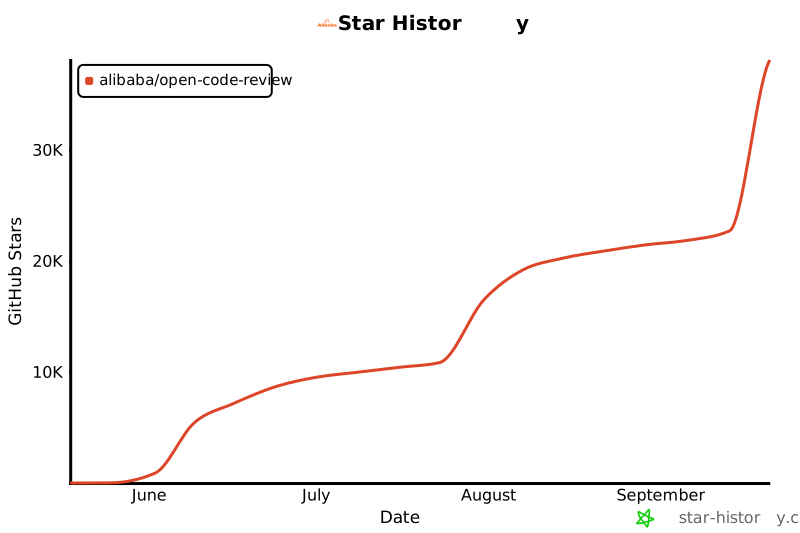](https://star-history.com/#alibaba/open-code-review&Date)
|
|
418
|
+
|
|
419
|
+
## License
|
|
420
|
+
|
|
421
|
+
[Apache-2.0](LICENSE) Copyright 2026 Alibaba
|
package/README.md
CHANGED
|
@@ -7,10 +7,11 @@
|
|
|
7
7
|
<p align="center">
|
|
8
8
|
<a href="https://www.npmjs.com/package/@alibaba-group/open-code-review"><img alt="npm" src="https://img.shields.io/npm/v/@alibaba-group/open-code-review?style=flat-square" /></a>
|
|
9
9
|
<a href="https://github.com/alibaba/open-code-review/actions/workflows/release.yml"><img alt="Build status" src="https://img.shields.io/github/actions/workflow/status/alibaba/open-code-review/release.yml?style=flat-square" /></a>
|
|
10
|
+
<a href="https://goreportcard.com/report/github.com/alibaba/open-code-review"><img alt="Go Report Card" src="https://goreportcard.com/badge/github.com/alibaba/open-code-review?style=flat-square" /></a>
|
|
10
11
|
<a href="https://github.com/alibaba/open-code-review/blob/main/LICENSE"><img alt="License" src="https://img.shields.io/github/license/alibaba/open-code-review?style=flat-square" /></a>
|
|
11
12
|
</p>
|
|
12
13
|
<p align="center">
|
|
13
|
-
English | <a href="README.zh-CN.md">简体中文</a>
|
|
14
|
+
English | <a href="README.zh-CN.md">简体中文</a> | <a href="README.ja-JP.md">日本語</a> | <a href="README.ko-KR.md">한국어</a>
|
|
14
15
|
</p>
|
|
15
16
|
|
|
16
17
|
---
|
|
@@ -116,18 +117,22 @@ sudo cp dist/opencodereview /usr/local/bin/ocr
|
|
|
116
117
|
# Option A: Interactive config
|
|
117
118
|
ocr config set llm.url https://api.anthropic.com/v1/messages
|
|
118
119
|
ocr config set llm.auth_token your-api-key-here
|
|
120
|
+
ocr config set llm.auth_header x-api-key
|
|
119
121
|
ocr config set llm.model claude-opus-4-6
|
|
120
122
|
ocr config set llm.use_anthropic true
|
|
121
123
|
|
|
122
124
|
# Option B: Environment variables (highest priority)
|
|
123
125
|
export OCR_LLM_URL=https://api.anthropic.com/v1/messages
|
|
124
126
|
export OCR_LLM_TOKEN=your-api-key-here
|
|
127
|
+
export OCR_LLM_AUTH_HEADER=x-api-key
|
|
125
128
|
export OCR_LLM_MODEL=claude-opus-4-6
|
|
126
129
|
export OCR_USE_ANTHROPIC=true
|
|
127
130
|
```
|
|
128
131
|
|
|
129
132
|
Config is stored in `~/.opencodereview/config.json`.
|
|
130
133
|
|
|
134
|
+
For Anthropic, standard `sk-ant-*` API keys use `x-api-key`; OAuth tokens use `authorization`. If `llm.auth_header` / `OCR_LLM_AUTH_HEADER` is omitted, OCR keeps the existing `authorization` bearer-token behavior.
|
|
135
|
+
|
|
131
136
|
It is also compatible with Claude Code environment variables (`ANTHROPIC_BASE_URL`, `ANTHROPIC_AUTH_TOKEN`, `ANTHROPIC_MODEL`) and parses `~/.zshrc` / `~/.bashrc` for those exports.
|
|
132
137
|
|
|
133
138
|
> **Note for CC-Switch Users**: If you are using [CC-Switch](https://github.com/farion1231/cc-switch) with [routing service](https://www.ccswitch.io/en/docs?section=proxy&item=service) enabled, you can point `llm.url` to the CC-Switch proxy address without additional configuration:
|
|
@@ -183,7 +188,43 @@ For [Claude Code](https://docs.anthropic.com/en/docs/claude-code), install the c
|
|
|
183
188
|
|
|
184
189
|
This registers the `/open-code-review:review` slash command, which runs OCR and automatically filters and fixes issues.
|
|
185
190
|
|
|
186
|
-
#### Option 3:
|
|
191
|
+
#### Option 3: Install as a Codex Plugin
|
|
192
|
+
|
|
193
|
+
For local Codex, install the Open Code Review plugin from this repository:
|
|
194
|
+
|
|
195
|
+
```bash
|
|
196
|
+
codex plugin marketplace add alibaba/open-code-review
|
|
197
|
+
codex
|
|
198
|
+
/plugins
|
|
199
|
+
```
|
|
200
|
+
|
|
201
|
+
For a local checkout or fork:
|
|
202
|
+
|
|
203
|
+
```bash
|
|
204
|
+
codex plugin marketplace add .
|
|
205
|
+
codex
|
|
206
|
+
/plugins
|
|
207
|
+
```
|
|
208
|
+
|
|
209
|
+
Install and enable `Open Code Review`, then start a new Codex thread and invoke it explicitly:
|
|
210
|
+
|
|
211
|
+
```text
|
|
212
|
+
@Open Code Review review my current changes
|
|
213
|
+
@Open Code Review review this branch against main
|
|
214
|
+
@Open Code Review review and fix high-confidence issues
|
|
215
|
+
```
|
|
216
|
+
|
|
217
|
+
This registers a Codex skill that runs the local OCR CLI:
|
|
218
|
+
|
|
219
|
+
```bash
|
|
220
|
+
ocr review --audience agent
|
|
221
|
+
```
|
|
222
|
+
|
|
223
|
+
This integration does not change OCR's internal LLM backend and does not require configuring an OpenAI Responses API endpoint for Codex. OCR itself still requires the `ocr` CLI to be installed and configured as described in the CLI setup section.
|
|
224
|
+
|
|
225
|
+
Korean guide: [`plugins/open-code-review/CODEX.ko-KR.md`](plugins/open-code-review/CODEX.ko-KR.md)
|
|
226
|
+
|
|
227
|
+
#### Option 4: Copy the Command File Directly
|
|
187
228
|
|
|
188
229
|
For a quick setup without any package manager, simply copy the command file to use the `/open-code-review` slash command in Claude Code.
|
|
189
230
|
|
|
@@ -326,6 +367,48 @@ Layers 1–3 share the same JSON format:
|
|
|
326
367
|
- Within each layer, rules are evaluated in declaration order — the first match wins.
|
|
327
368
|
- If a rule file does not exist, it is silently skipped.
|
|
328
369
|
|
|
370
|
+
### Path Filtering
|
|
371
|
+
|
|
372
|
+
Rule files also support `include` and `exclude` fields to control which files enter the review scope:
|
|
373
|
+
|
|
374
|
+
```json
|
|
375
|
+
{
|
|
376
|
+
"rules": [
|
|
377
|
+
{"path": "**/*.java", "rule": "Check for null safety"}
|
|
378
|
+
],
|
|
379
|
+
"include": ["src/main/**/*.java", "lib/**/*.kt"],
|
|
380
|
+
"exclude": ["**/generated/**", "vendor/**"]
|
|
381
|
+
}
|
|
382
|
+
```
|
|
383
|
+
|
|
384
|
+
**Filter decision priority (highest to lowest):**
|
|
385
|
+
|
|
386
|
+
| Step | Condition | Result |
|
|
387
|
+
|------|-----------|--------|
|
|
388
|
+
| 1 | File is binary | Excluded |
|
|
389
|
+
| 2 | Path matches user `exclude` pattern | Excluded |
|
|
390
|
+
| 3 | File extension not in supported list | Excluded |
|
|
391
|
+
| 4 | `include` is configured and path matches | **Reviewed** (skips step 5) |
|
|
392
|
+
| 5 | Path matches built-in default exclude pattern (test files, etc.) | Excluded |
|
|
393
|
+
| 6 | None of the above | Reviewed |
|
|
394
|
+
|
|
395
|
+
**How it works:**
|
|
396
|
+
|
|
397
|
+
- `include` and `exclude` follow the same priority chain as review rules (`--rule` > project config > global config). The **highest-priority layer that has include/exclude configured** takes effect as a whole — patterns are not merged across layers.
|
|
398
|
+
- `exclude` always wins over `include` — a file matching both is excluded.
|
|
399
|
+
- `include` acts as a **bypass for built-in default exclude patterns** (e.g., test files), not as an exclusive allowlist — files not matching any `include` pattern still proceed through the default filter checks normally.
|
|
400
|
+
- Pattern syntax: supports `**` recursive matching, `*` single-segment matching, and `{a,b}` brace expansion. Matching is case-insensitive.
|
|
401
|
+
|
|
402
|
+
**Built-in default exclude patterns** (filters test files, etc. — can be overridden with `include`):
|
|
403
|
+
|
|
404
|
+
```
|
|
405
|
+
**/*_test.go, **/*Test.java, **/*Tests.java, **/*_test.rs,
|
|
406
|
+
**/*.test.{js,jsx,ts,tsx}, **/*.spec.{js,jsx,ts,tsx}, **/__tests__/**,
|
|
407
|
+
**/src/test/java/**/*.java, **/src/test/**/*.kt,
|
|
408
|
+
**/test/**/*_test.py, **/tests/**/*_test.py, **/*_test.py,
|
|
409
|
+
**/*_spec.rb, **/spec/**/*_spec.rb, **/oh_modules/**
|
|
410
|
+
```
|
|
411
|
+
|
|
329
412
|
## Configuration Reference
|
|
330
413
|
|
|
331
414
|
Config file: `~/.opencodereview/config.json`
|
|
@@ -334,6 +417,7 @@ Config file: `~/.opencodereview/config.json`
|
|
|
334
417
|
|-----|------|---------|
|
|
335
418
|
| `llm.url` | string | `https://api.openai.com/v1/chat/completions` |
|
|
336
419
|
| `llm.auth_token` | string | `sk-xxxxxxx` |
|
|
420
|
+
| `llm.auth_header` | string | Anthropic only: `x-api-key` \| `authorization` |
|
|
337
421
|
| `llm.model` | string | `claude-opus-4-6` |
|
|
338
422
|
| `llm.use_anthropic` | boolean | `true` \| `false` |
|
|
339
423
|
| `language` | string | `English` \| `Chinese` (default: Chinese) |
|
|
@@ -350,6 +434,7 @@ Environment variables take precedence over the config file.
|
|
|
350
434
|
|----------|---------|
|
|
351
435
|
| `OCR_LLM_URL` | LLM API endpoint URL |
|
|
352
436
|
| `OCR_LLM_TOKEN` | API key / auth token |
|
|
437
|
+
| `OCR_LLM_AUTH_HEADER` | Anthropic auth header (`x-api-key` or `authorization`) |
|
|
353
438
|
| `OCR_LLM_MODEL` | Model name |
|
|
354
439
|
| `OCR_USE_ANTHROPIC` | `true` = Anthropic, `false` = OpenAI |
|
|
355
440
|
|