@aipermission/mcp 0.1.13 → 0.2.0
This diff represents the content of publicly available package versions that have been released to one of the supported registries. The information contained in this diff is provided for informational purposes only and reflects changes between package versions as they appear in their respective public registries.
- package/LICENSE +661 -21
- package/README.md +47 -39
- package/dist/cli.js +2 -3
- package/dist/init.js +3 -4
- package/dist/resources/aipermission-operator/SKILL.md +64 -200
- package/dist/server.js +41 -445
- package/package.json +2 -2
- package/server.json +2 -2
package/README.md
CHANGED
|
@@ -1,10 +1,16 @@
|
|
|
1
1
|
# @aipermission/mcp
|
|
2
2
|
|
|
3
|
-
Local-first MCP bridge for the AIPermission gateway.
|
|
3
|
+
Local-first MCP bridge for the AIPermission connector gateway.
|
|
4
4
|
|
|
5
|
-
AIPermission lets AI coding assistants use scoped
|
|
5
|
+
AIPermission lets AI coding assistants use scoped connector actions through a
|
|
6
|
+
local gateway without receiving SSH private keys, database passwords, API
|
|
7
|
+
credentials, or other connector secrets.
|
|
6
8
|
|
|
7
|
-
The gateway is intentionally local-only. Run it on the developer machine and
|
|
9
|
+
The gateway is intentionally local-only. Run it on the developer machine and
|
|
10
|
+
keep the URL on `localhost`; remote systems are connector targets, not places
|
|
11
|
+
to host the gateway for LAN or internet users. SSH and Postgres are built-in
|
|
12
|
+
connectors that use the same target/profile/action permission model as future
|
|
13
|
+
connectors.
|
|
8
14
|
|
|
9
15
|
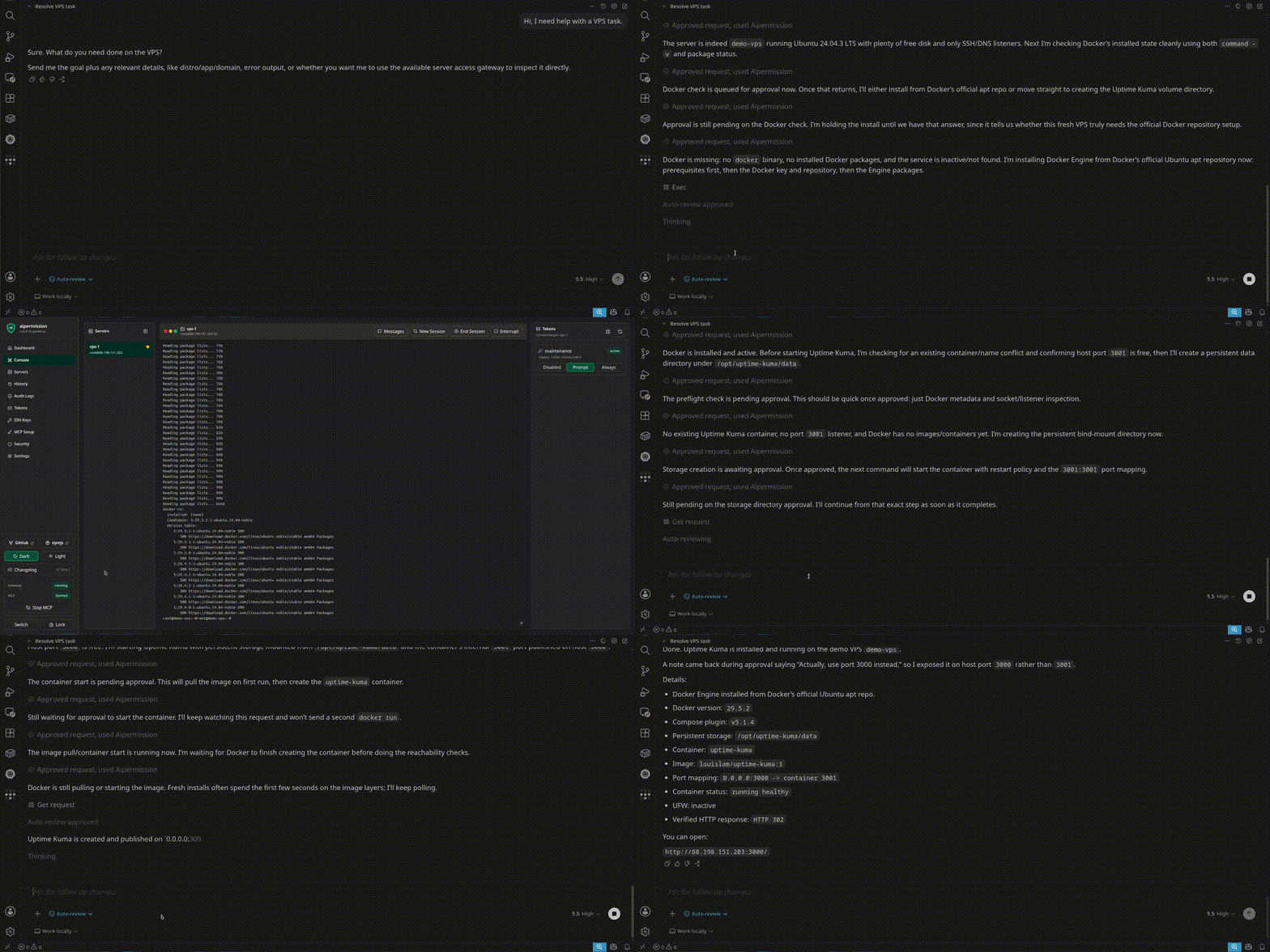
|
|
10
16
|
|
|
@@ -49,39 +55,25 @@ The generated MCP config contains a bearer token. Keep it private. For project-l
|
|
|
49
55
|
|
|
50
56
|
## Tools
|
|
51
57
|
|
|
52
|
-
- `
|
|
53
|
-
- `
|
|
54
|
-
- `
|
|
55
|
-
- `
|
|
56
|
-
- `
|
|
57
|
-
|
|
58
|
-
|
|
59
|
-
|
|
60
|
-
|
|
61
|
-
|
|
62
|
-
|
|
63
|
-
|
|
64
|
-
|
|
65
|
-
|
|
66
|
-
|
|
67
|
-
|
|
68
|
-
|
|
69
|
-
|
|
70
|
-
|
|
71
|
-
`exec` is intended for non-interactive commands. The gateway closes stdin for MCP command bodies so stdin-reading commands cannot consume the internal shell wrapper. Use the web console for interactive work.
|
|
72
|
-
|
|
73
|
-
Command responses can include `policy_warnings` for common high-risk command
|
|
74
|
-
patterns. They are best-effort safety rails and do not replace token
|
|
75
|
-
permissions, approval review, or operator judgment.
|
|
76
|
-
|
|
77
|
-
File transfer tools are intentionally conservative. MCP can list transfer
|
|
78
|
-
metadata, browse remote directories, start remote download queues, save
|
|
79
|
-
completed downloads to explicit local paths, upload explicit local files, and
|
|
80
|
-
pause/resume/cancel queues. `always_run` starts queues immediately.
|
|
81
|
-
`approval_required` creates a local approval queue in AIPermission Transfer
|
|
82
|
-
Center; the operator can approve selected files and reject the rest with a note.
|
|
83
|
-
MCP tool responses never include file contents, gateway temporary paths, archive
|
|
84
|
-
staging paths, or local upload contents.
|
|
58
|
+
- `list_connector_targets`
|
|
59
|
+
- `get_connector_help`
|
|
60
|
+
- `get_connector_actions`
|
|
61
|
+
- `call_connector_action`
|
|
62
|
+
- `get_connector_action_request`
|
|
63
|
+
|
|
64
|
+
All integration work goes through connector targets. SSH, Postgres, and future
|
|
65
|
+
connectors share the same model: target, credential profile, connector action,
|
|
66
|
+
token action permission, approval, history, and audit.
|
|
67
|
+
|
|
68
|
+
For SSH, call `get_connector_actions(target_ref)` to discover actions such as
|
|
69
|
+
`exec`, `read_console`, `restart_console_session`, `browse_remote_files`, and
|
|
70
|
+
`start_file_download`. SSH `exec` is intended for non-interactive commands. Use
|
|
71
|
+
the web console for truly interactive work.
|
|
72
|
+
|
|
73
|
+
Connector responses can include `approval_pending` or `running`. Poll
|
|
74
|
+
`get_connector_action_request(request_id)` until the request reaches a terminal
|
|
75
|
+
status. MCP tool responses never include file contents, gateway temporary paths,
|
|
76
|
+
archive staging paths, or local upload contents.
|
|
85
77
|
|
|
86
78
|
## Operator Skill
|
|
87
79
|
|
|
@@ -102,12 +94,28 @@ Supported clients:
|
|
|
102
94
|
- `gemini`: `GEMINI.md`
|
|
103
95
|
- `custom`: prints portable Markdown to stdout
|
|
104
96
|
|
|
105
|
-
These instructions teach the agent how to
|
|
97
|
+
These instructions teach the agent how to discover connector targets, poll
|
|
98
|
+
`approval_pending` and `running` connector action requests, handle `stale`
|
|
99
|
+
approvals by sending a fresh request, write short reasons, use explicit file
|
|
100
|
+
transfer paths, and avoid printing secrets. The default installer uses the
|
|
101
|
+
operator instruction bundled in the npm package; `--source` accepts local file
|
|
102
|
+
paths only and rejects HTTP(S) sources.
|
|
106
103
|
|
|
107
104
|
## Security Boundary
|
|
108
105
|
|
|
109
|
-
This package talks to a local AIPermission gateway. `AIPERMISSION_API_URL` must
|
|
106
|
+
This package talks to a local AIPermission gateway. `AIPERMISSION_API_URL` must
|
|
107
|
+
point to `localhost`, `127.0.0.1`, or `[::1]`; remote URLs are rejected before
|
|
108
|
+
the bearer token is sent. Do not expose the gateway on LAN or the public
|
|
109
|
+
internet, and do not use it as a shared DevOps service. Tokens grant access only
|
|
110
|
+
to connector targets, credential profiles, and action rules configured in the
|
|
111
|
+
gateway UI. Connector permissions may be temporary; expired grants are omitted
|
|
112
|
+
from `list_connector_targets` and no longer authorize connector actions. Target
|
|
113
|
+
visibility is permission-scoped, not a live health check; treat action execution
|
|
114
|
+
errors as the current reachability signal.
|
|
110
115
|
|
|
111
116
|
## License
|
|
112
117
|
|
|
113
|
-
|
|
118
|
+
AGPL-3.0-only from v0.1.14 onward.
|
|
119
|
+
|
|
120
|
+
Versions up to and including v0.1.13 were released under MIT and remain
|
|
121
|
+
available under their original MIT license.
|
package/dist/cli.js
CHANGED
|
@@ -39,8 +39,7 @@ Install skill flags:
|
|
|
39
39
|
--source /path/to/SKILL.md Local file only; HTTP(S) sources are rejected
|
|
40
40
|
|
|
41
41
|
Security:
|
|
42
|
-
|
|
43
|
-
|
|
44
|
-
must point to localhost, 127.0.0.1, or [::1].
|
|
42
|
+
Use the hidden token prompt or --token-stdin. AIPERMISSION_API_URL must point
|
|
43
|
+
to localhost, 127.0.0.1, or [::1].
|
|
45
44
|
`);
|
|
46
45
|
}
|
package/dist/init.js
CHANGED
|
@@ -122,6 +122,9 @@ export function parseFlags(argv) {
|
|
|
122
122
|
result.tokenStdin = true;
|
|
123
123
|
continue;
|
|
124
124
|
}
|
|
125
|
+
if (key === "token") {
|
|
126
|
+
throw new Error("--token is not supported; use the hidden prompt or --token-stdin");
|
|
127
|
+
}
|
|
125
128
|
result[key] = inlineValue ?? argv[i + 1] ?? "";
|
|
126
129
|
if (inlineValue === undefined) {
|
|
127
130
|
i += 1;
|
|
@@ -228,10 +231,6 @@ async function resolveToken(flags, rl) {
|
|
|
228
231
|
if (flags.tokenStdin) {
|
|
229
232
|
return flags.stdinToken;
|
|
230
233
|
}
|
|
231
|
-
if (flags.token) {
|
|
232
|
-
console.warn(`${color.yellow}Warning:${color.reset} --token can be saved in shell history. Prefer the hidden prompt or --token-stdin.`);
|
|
233
|
-
return String(flags.token).trim();
|
|
234
|
-
}
|
|
235
234
|
return askSecret(rl, "API token");
|
|
236
235
|
}
|
|
237
236
|
|
|
@@ -1,48 +1,51 @@
|
|
|
1
1
|
---
|
|
2
2
|
name: aipermission-operator
|
|
3
|
-
description: Use when operating
|
|
3
|
+
description: Use when operating targets through the AIPermission MCP gateway. Guides AI agents to discover connector targets, call connector actions, handle approval_pending/running states, write short reasons, avoid leaking secrets, and keep execution auditable.
|
|
4
4
|
---
|
|
5
5
|
|
|
6
6
|
# AIPermission Operator
|
|
7
7
|
|
|
8
8
|
## Core Rule
|
|
9
9
|
|
|
10
|
-
Use AIPermission as a local, developer-controlled
|
|
10
|
+
Use AIPermission as a local, developer-controlled permission gateway.
|
|
11
11
|
|
|
12
|
-
You are allowed to operate only the
|
|
12
|
+
You are allowed to operate only the connector targets returned by
|
|
13
|
+
`list_connector_targets()`. Do not ask for SSH passwords, private keys, database
|
|
14
|
+
passwords, API keys, or raw credentials. The gateway owns credentials,
|
|
15
|
+
permissions, approvals, runtime sessions, and audit history.
|
|
13
16
|
|
|
14
|
-
AIPermission is not a
|
|
17
|
+
AIPermission is not a hosted DevOps control plane. Treat it as a temporary,
|
|
18
|
+
scoped maintenance/debugging channel controlled by the human operator.
|
|
15
19
|
|
|
16
|
-
##
|
|
20
|
+
## Discovery
|
|
17
21
|
|
|
18
|
-
Before
|
|
22
|
+
Before acting:
|
|
19
23
|
|
|
20
|
-
1. Call `
|
|
21
|
-
2.
|
|
22
|
-
|
|
23
|
-
|
|
24
|
-
|
|
24
|
+
1. Call `list_connector_targets()`.
|
|
25
|
+
2. Pick the relevant `target_ref`.
|
|
26
|
+
3. Call `get_connector_help(target_ref)` the first time you use that connector.
|
|
27
|
+
4. Call `get_connector_actions(target_ref)` and choose the narrowest action.
|
|
28
|
+
5. Call `call_connector_action(target_ref, action_name, input, reason)`.
|
|
25
29
|
|
|
26
|
-
If no
|
|
27
|
-
If `expires_at
|
|
28
|
-
maintenance window or ask the operator to extend access.
|
|
30
|
+
If no target is visible, say that the current token has no accessible connector
|
|
31
|
+
targets. If an action grant includes `expires_at`, treat access as temporary and
|
|
32
|
+
finish within that maintenance window or ask the operator to extend access.
|
|
29
33
|
|
|
30
|
-
|
|
31
|
-
may still be powered off, unreachable, reject
|
|
32
|
-
key review.
|
|
33
|
-
the current reachability signal.
|
|
34
|
+
Target visibility is permission-scoped, not a live health check. A visible SSH
|
|
35
|
+
target may still be powered off, unreachable, reject authentication, or require
|
|
36
|
+
host-key review. A visible database/API target may still reject the credential
|
|
37
|
+
profile. Treat action errors as the current reachability/authorization signal.
|
|
34
38
|
|
|
35
|
-
##
|
|
39
|
+
## Reasons
|
|
36
40
|
|
|
37
|
-
Every
|
|
38
|
-
`exec` calls with `server_ids` must include a short `reason`.
|
|
41
|
+
Every `call_connector_action` should include a short `reason`.
|
|
39
42
|
|
|
40
43
|
Good reasons:
|
|
41
44
|
|
|
42
45
|
```text
|
|
43
46
|
Check Docker service state before cleanup.
|
|
44
47
|
Inspect recent kubelet errors on worker node.
|
|
45
|
-
|
|
48
|
+
List Postgres schemas before a read-only metadata query.
|
|
46
49
|
```
|
|
47
50
|
|
|
48
51
|
Avoid vague reasons:
|
|
@@ -53,41 +56,16 @@ debug
|
|
|
53
56
|
test
|
|
54
57
|
```
|
|
55
58
|
|
|
56
|
-
## Bulk Command Flow
|
|
57
|
-
|
|
58
|
-
Use `exec(server_ids, command, reason)` when the operator asks for the same
|
|
59
|
-
non-interactive command on multiple servers, such as checking package update
|
|
60
|
-
state, uptime, disk usage, or a service status across a small fleet.
|
|
61
|
-
|
|
62
|
-
Before using multi-server `exec`:
|
|
63
|
-
|
|
64
|
-
1. Call `list_servers()`.
|
|
65
|
-
2. Choose only the requested target servers.
|
|
66
|
-
3. Keep the command non-interactive and bounded.
|
|
67
|
-
4. Use one clear reason that applies to every target.
|
|
68
|
-
|
|
69
|
-
After multi-server `exec` returns:
|
|
70
|
-
|
|
71
|
-
1. Inspect every item.
|
|
72
|
-
2. For each item with `request_id`, poll `get_request(request_id)` until terminal.
|
|
73
|
-
3. If several `always_run` items are still running, use `read_console(server_ids, tail)` to inspect live output in one read-only call.
|
|
74
|
-
4. Treat `blocked` or unauthorized items as skipped, not failed executions.
|
|
75
|
-
5. Do not assume all targets started just because the top-level status is `accepted`.
|
|
76
|
-
|
|
77
|
-
Prefer individual `exec` calls when each server needs a different command,
|
|
78
|
-
different reason, or separate investigation path.
|
|
79
|
-
|
|
80
59
|
## Approval Flow
|
|
81
60
|
|
|
82
61
|
`approval_pending` is not terminal.
|
|
83
62
|
|
|
84
|
-
When `
|
|
63
|
+
When `call_connector_action` returns `approval_pending`:
|
|
85
64
|
|
|
86
65
|
1. Read `retry_after_seconds`; default to 3 seconds if missing.
|
|
87
66
|
2. Wait that long.
|
|
88
|
-
3. Call `
|
|
67
|
+
3. Call `get_connector_action_request(request_id)`.
|
|
89
68
|
4. Continue polling until the status is terminal.
|
|
90
|
-
5. If status becomes `running`, keep polling `get_request(request_id)`; `read_console` is only available when the token has `always_run` permission for that server.
|
|
91
69
|
|
|
92
70
|
Terminal statuses:
|
|
93
71
|
|
|
@@ -100,89 +78,34 @@ error
|
|
|
100
78
|
stale
|
|
101
79
|
```
|
|
102
80
|
|
|
103
|
-
If the request is `declined`, read
|
|
104
|
-
If the request is `stale`, the approval context changed before
|
|
105
|
-
|
|
106
|
-
|
|
107
|
-
do not assume a listed server is live just because `list_servers` returned it.
|
|
108
|
-
|
|
109
|
-
If a response or request contains `policy_warnings`, mention the warning briefly
|
|
110
|
-
when it affects the next action. These warnings are best-effort safety rails, not
|
|
111
|
-
permission to skip human judgment.
|
|
81
|
+
If the request is `declined`, read the note/error and follow the user's
|
|
82
|
+
correction. If the request is `stale`, the approval context changed before
|
|
83
|
+
execution; send a fresh `call_connector_action` request with the current target,
|
|
84
|
+
action, input, and reason.
|
|
112
85
|
|
|
113
86
|
## Running Flow
|
|
114
87
|
|
|
115
|
-
When `
|
|
116
|
-
|
|
117
|
-
1. If the server permission is `always_run`, call `read_console(server_id)` before sending another long-running command to the same server.
|
|
118
|
-
2. Poll `get_request(request_id)` every 3-5 seconds.
|
|
119
|
-
3. Use `read_console(server_id)` between polls only when the token has `always_run` permission. For a multi-server command, use `read_console(server_ids, tail)` to inspect several running consoles at once.
|
|
120
|
-
4. Do not start another long-running command on the same server until the active request reaches a terminal status, unless the user explicitly asks.
|
|
121
|
-
|
|
122
|
-
If the request appears stuck for an unusually long time and `read_console`
|
|
123
|
-
shows no useful progress, ask the operator before recovery unless they already
|
|
124
|
-
asked you to recover the session. When recovery is approved, call
|
|
125
|
-
`restart_console_session(server_id)`. This does not intentionally run a remote
|
|
126
|
-
shell command; it closes the gateway-owned persistent console session and the
|
|
127
|
-
next `exec` opens a fresh SSH session. Treat any canceled request as
|
|
128
|
-
inconclusive and re-run only the minimal safe inspection needed.
|
|
129
|
-
|
|
130
|
-
## Message Flow
|
|
131
|
-
|
|
132
|
-
Use `send_message(message, server_id?, session_id?)` for short operator-visible notes.
|
|
133
|
-
|
|
134
|
-
Good messages:
|
|
135
|
-
|
|
136
|
-
```text
|
|
137
|
-
Docker install started; waiting for package installation to finish.
|
|
138
|
-
K3s agent joined. Checking node labels now.
|
|
139
|
-
The command is still running; reading console output before next step.
|
|
140
|
-
```
|
|
88
|
+
When `call_connector_action` or `get_connector_action_request` returns
|
|
89
|
+
`running`:
|
|
141
90
|
|
|
142
|
-
|
|
91
|
+
1. Poll `get_connector_action_request(request_id)` every 3-5 seconds.
|
|
92
|
+
2. Do not start another long-running action on the same target/profile until the
|
|
93
|
+
active request reaches a terminal status, unless the user explicitly asks.
|
|
94
|
+
3. For SSH `exec`, use the SSH connector's `read_console` action when live
|
|
95
|
+
output is needed and the token has permission for it.
|
|
96
|
+
4. If an SSH request appears stuck for an unusually long time, ask the operator
|
|
97
|
+
before recovery unless they already asked you to recover. When approved, call
|
|
98
|
+
the SSH connector's `restart_console_session` action for the same target_ref.
|
|
143
99
|
|
|
144
|
-
##
|
|
100
|
+
## SSH Practice
|
|
145
101
|
|
|
146
|
-
|
|
147
|
-
queue immediately. `approval_required` creates a local approval queue in
|
|
148
|
-
AIPermission Transfer Center; wait for the operator to approve selected files or
|
|
149
|
-
reject the queue with a note.
|
|
150
|
-
|
|
151
|
-
Use them only when the user explicitly asks to move files or inspect transfer
|
|
152
|
-
state. Prefer the smallest explicit path set. Do not use globs, recursive copy,
|
|
153
|
-
or directory transfer unless a future tool explicitly supports those behaviors.
|
|
154
|
-
|
|
155
|
-
For remote-to-local downloads:
|
|
156
|
-
|
|
157
|
-
1. Call `start_file_download(server_id, remote_paths, archive_name?)`.
|
|
158
|
-
2. Poll `get_file_transfer_batch(batch_id)` until the batch is terminal.
|
|
159
|
-
If the status is `pending_approval`, wait and poll again after the operator
|
|
160
|
-
decides in the local UI.
|
|
161
|
-
3. If completed and the user asked for a local copy, call
|
|
162
|
-
`save_file_download(batch_id, local_path, overwrite?)` with an explicit local
|
|
163
|
-
destination.
|
|
164
|
-
4. Report the saved path and status metadata. Do not print file contents unless
|
|
165
|
-
the user explicitly asks you to inspect the saved file.
|
|
166
|
-
|
|
167
|
-
For local-to-remote uploads, call `upload_files(server_id, local_paths,
|
|
168
|
-
remote_dir, overwrite?)` only with explicit local paths supplied by the user or
|
|
169
|
-
clearly located in the current local workspace. Poll `get_file_transfer_batch`
|
|
170
|
-
for progress.
|
|
171
|
-
|
|
172
|
-
The local AIPermission UI shows active and recent transfer queues in Transfer
|
|
173
|
-
Center. The operator can pause, resume, or cancel queues there.
|
|
174
|
-
|
|
175
|
-
## Safe Shell Practice
|
|
176
|
-
|
|
177
|
-
Prefer commands that are:
|
|
102
|
+
For SSH connector `exec`, prefer commands that are:
|
|
178
103
|
|
|
179
104
|
- non-interactive
|
|
180
105
|
- bounded in output
|
|
181
106
|
- explicit about destructive actions
|
|
182
107
|
- easy to audit from history
|
|
183
108
|
|
|
184
|
-
MCP `exec` closes stdin for the command body. Do not use commands that wait for interactive stdin. Use flags such as `-y`, `--no-pager`, heredoc-created files, or the manual web console for interactive work.
|
|
185
|
-
|
|
186
109
|
Use examples like:
|
|
187
110
|
|
|
188
111
|
```sh
|
|
@@ -194,6 +117,14 @@ df -h
|
|
|
194
117
|
free -m
|
|
195
118
|
```
|
|
196
119
|
|
|
120
|
+
Avoid huge unbounded output:
|
|
121
|
+
|
|
122
|
+
```sh
|
|
123
|
+
cat huge.log
|
|
124
|
+
journalctl
|
|
125
|
+
docker logs NAME
|
|
126
|
+
```
|
|
127
|
+
|
|
197
128
|
For apt on Debian/Ubuntu:
|
|
198
129
|
|
|
199
130
|
```sh
|
|
@@ -208,89 +139,22 @@ After install/uninstall checks in the same shell, refresh command lookup:
|
|
|
208
139
|
hash -r 2>/dev/null || true
|
|
209
140
|
```
|
|
210
141
|
|
|
211
|
-
|
|
142
|
+
## File Transfer
|
|
212
143
|
|
|
213
|
-
|
|
214
|
-
|
|
215
|
-
|
|
216
|
-
|
|
217
|
-
## Output Hygiene
|
|
218
|
-
|
|
219
|
-
Avoid huge unbounded output.
|
|
220
|
-
|
|
221
|
-
Prefer:
|
|
222
|
-
|
|
223
|
-
```sh
|
|
224
|
-
tail -n 100 /path/to/log
|
|
225
|
-
journalctl --no-pager -n 100
|
|
226
|
-
docker logs --tail 100 NAME
|
|
227
|
-
kubectl logs --tail=100 POD
|
|
228
|
-
```
|
|
144
|
+
Use connector file-transfer actions only when the user explicitly asks to move
|
|
145
|
+
files or inspect remote paths. Prefer the smallest explicit path set. Do not use
|
|
146
|
+
globs, recursive copy, or directory transfer unless a connector action
|
|
147
|
+
explicitly supports that behavior.
|
|
229
148
|
|
|
230
|
-
|
|
231
|
-
|
|
232
|
-
```sh
|
|
233
|
-
cat huge.log
|
|
234
|
-
journalctl
|
|
235
|
-
docker logs NAME
|
|
236
|
-
```
|
|
149
|
+
MCP connector responses never include file contents, gateway temp paths, archive
|
|
150
|
+
staging paths, or local upload contents.
|
|
237
151
|
|
|
238
152
|
## Secret Hygiene
|
|
239
153
|
|
|
240
|
-
Command text,
|
|
241
|
-
|
|
242
|
-
|
|
243
|
-
|
|
244
|
-
- private keys
|
|
245
|
-
- `.env` files
|
|
246
|
-
- token files
|
|
247
|
-
- database passwords
|
|
248
|
-
- cloud credentials
|
|
249
|
-
- Kubernetes secrets
|
|
250
|
-
|
|
251
|
-
Prefer existence and metadata checks:
|
|
252
|
-
|
|
253
|
-
```sh
|
|
254
|
-
test -f /path/to/.env && echo exists
|
|
255
|
-
ls -l /path/to/secret-file
|
|
256
|
-
kubectl get secret NAME -o jsonpath='{.metadata.name}'
|
|
257
|
-
```
|
|
258
|
-
|
|
259
|
-
## Destructive Actions
|
|
260
|
-
|
|
261
|
-
Before destructive actions:
|
|
262
|
-
|
|
263
|
-
1. Inspect current state.
|
|
264
|
-
2. Explain the exact destructive command in the `reason`.
|
|
265
|
-
3. Prefer one clear destructive step at a time.
|
|
266
|
-
4. Verify after completion.
|
|
267
|
-
|
|
268
|
-
Examples of destructive actions:
|
|
269
|
-
|
|
270
|
-
- deleting containers, volumes, images
|
|
271
|
-
- uninstalling packages
|
|
272
|
-
- removing files
|
|
273
|
-
- restarting critical services
|
|
274
|
-
- changing Kubernetes labels or draining nodes
|
|
275
|
-
|
|
276
|
-
## Multi-Server Work
|
|
277
|
-
|
|
278
|
-
For multiple servers:
|
|
279
|
-
|
|
280
|
-
1. Check visibility with `list_servers()`.
|
|
281
|
-
2. Work one risky operation at a time.
|
|
282
|
-
3. Keep each command targeted to one server unless the user explicitly requests batch behavior.
|
|
283
|
-
4. Summarize per-server status after each phase.
|
|
284
|
-
|
|
285
|
-
## Final Response
|
|
286
|
-
|
|
287
|
-
When reporting back to the user, include:
|
|
288
|
-
|
|
289
|
-
- servers touched
|
|
290
|
-
- commands or command groups run
|
|
291
|
-
- important findings
|
|
292
|
-
- changes made
|
|
293
|
-
- verification results
|
|
294
|
-
- any pending/recommended next steps
|
|
154
|
+
Command text, action input, action output, history, audit records, and console
|
|
155
|
+
transcripts may be stored in the encrypted local database. Avoid printing
|
|
156
|
+
secrets. Prefer checking whether a file/key exists before reading credential
|
|
157
|
+
files or environment files.
|
|
295
158
|
|
|
296
|
-
|
|
159
|
+
If a secret appears in output, do not repeat it. Summarize the finding and ask
|
|
160
|
+
the operator how to rotate or redact it.
|