@aigne/doc-smith 0.8.9 → 0.8.10-beta.1
This diff represents the content of publicly available package versions that have been released to one of the supported registries. The information contained in this diff is provided for informational purposes only and reflects changes between package versions as they appear in their respective public registries.
- package/.aigne/doc-smith/config.yaml +3 -1
- package/.aigne/doc-smith/preferences.yml +4 -4
- package/.aigne/doc-smith/upload-cache.yaml +180 -0
- package/.github/workflows/release.yml +6 -2
- package/.release-please-manifest.json +3 -0
- package/CHANGELOG.md +20 -0
- package/LICENSE +93 -0
- package/README.md +6 -2
- package/RELEASE.md +10 -0
- package/agents/generate/check-need-generate-structure.mjs +40 -18
- package/agents/generate/index.yaml +1 -0
- package/agents/generate/user-review-document-structure.mjs +168 -0
- package/agents/update/generate-and-translate-document.yaml +3 -3
- package/agents/utils/check-feedback-refiner.mjs +2 -0
- package/agents/utils/save-docs.mjs +16 -22
- package/aigne.yaml +1 -0
- package/docs/advanced-how-it-works.md +26 -24
- package/docs/advanced-how-it-works.zh.md +32 -30
- package/docs/advanced-quality-assurance.md +6 -9
- package/docs/advanced-quality-assurance.zh.md +19 -22
- package/docs/cli-reference.md +35 -76
- package/docs/cli-reference.zh.md +48 -89
- package/docs/configuration-interactive-setup.md +18 -18
- package/docs/configuration-interactive-setup.zh.md +33 -33
- package/docs/configuration-language-support.md +12 -12
- package/docs/configuration-language-support.zh.md +20 -20
- package/docs/configuration-llm-setup.md +14 -13
- package/docs/configuration-llm-setup.zh.md +16 -15
- package/docs/configuration-preferences.md +22 -27
- package/docs/configuration-preferences.zh.md +35 -40
- package/docs/configuration.md +31 -45
- package/docs/configuration.zh.md +48 -62
- package/docs/features-generate-documentation.md +6 -7
- package/docs/features-generate-documentation.zh.md +21 -22
- package/docs/features-publish-your-docs.md +38 -30
- package/docs/features-publish-your-docs.zh.md +45 -37
- package/docs/features-translate-documentation.md +14 -74
- package/docs/features-translate-documentation.zh.md +19 -79
- package/docs/features-update-and-refine.md +19 -18
- package/docs/features-update-and-refine.zh.md +33 -32
- package/docs-mcp/get-docs-structure.mjs +1 -1
- package/package.json +3 -3
- package/prompts/detail/document-rules.md +1 -1
- package/prompts/structure/check-document-structure.md +11 -15
- package/release-please-config.json +13 -0
- package/tests/agents/generate/check-need-generate-structure.test.mjs +21 -24
- package/tests/agents/generate/user-review-document-structure.test.mjs +294 -0
- package/utils/auth-utils.mjs +2 -2
|
@@ -0,0 +1,168 @@
|
|
|
1
|
+
import { getActiveRulesForScope } from "../../utils/preferences-utils.mjs";
|
|
2
|
+
|
|
3
|
+
function formatDocumentStructure(structure) {
|
|
4
|
+
// Build a tree structure for better display
|
|
5
|
+
const nodeMap = new Map();
|
|
6
|
+
const rootNodes = [];
|
|
7
|
+
|
|
8
|
+
// First pass: create node map
|
|
9
|
+
structure.forEach((node) => {
|
|
10
|
+
nodeMap.set(node.path, {
|
|
11
|
+
...node,
|
|
12
|
+
children: [],
|
|
13
|
+
});
|
|
14
|
+
});
|
|
15
|
+
|
|
16
|
+
// Second pass: build tree structure
|
|
17
|
+
structure.forEach((node) => {
|
|
18
|
+
if (node.parentId) {
|
|
19
|
+
const parent = nodeMap.get(node.parentId);
|
|
20
|
+
if (parent) {
|
|
21
|
+
parent.children.push(nodeMap.get(node.path));
|
|
22
|
+
} else {
|
|
23
|
+
rootNodes.push(nodeMap.get(node.path));
|
|
24
|
+
}
|
|
25
|
+
} else {
|
|
26
|
+
rootNodes.push(nodeMap.get(node.path));
|
|
27
|
+
}
|
|
28
|
+
});
|
|
29
|
+
|
|
30
|
+
function printNode(node, depth = 0) {
|
|
31
|
+
const INDENT_SPACES = " ";
|
|
32
|
+
const FOLDER_ICON = "📁";
|
|
33
|
+
const FILE_ICON = "📄";
|
|
34
|
+
const indent = INDENT_SPACES.repeat(depth);
|
|
35
|
+
const prefix = depth === 0 ? FOLDER_ICON : FILE_ICON;
|
|
36
|
+
|
|
37
|
+
console.log(`${indent}${prefix} ${node.title}`);
|
|
38
|
+
|
|
39
|
+
if (node.children && node.children.length > 0) {
|
|
40
|
+
node.children.forEach((child) => {
|
|
41
|
+
printNode(child, depth + 1);
|
|
42
|
+
});
|
|
43
|
+
}
|
|
44
|
+
}
|
|
45
|
+
|
|
46
|
+
return { rootNodes, printNode };
|
|
47
|
+
}
|
|
48
|
+
|
|
49
|
+
export default async function userReviewDocumentStructure({ documentStructure, ...rest }, options) {
|
|
50
|
+
// Check if document structure exists
|
|
51
|
+
if (!documentStructure || !Array.isArray(documentStructure) || documentStructure.length === 0) {
|
|
52
|
+
console.log("No document structure was generated to review.");
|
|
53
|
+
return { documentStructure };
|
|
54
|
+
}
|
|
55
|
+
|
|
56
|
+
// Ask user if they want to review the document structure
|
|
57
|
+
const needReview = await options.prompts.select({
|
|
58
|
+
message:
|
|
59
|
+
"Would you like to review the document structure?\n You can modify titles, reorganize sections, or refine content outlines.",
|
|
60
|
+
choices: [
|
|
61
|
+
{
|
|
62
|
+
name: "Looks good - proceed with current structure",
|
|
63
|
+
value: "no",
|
|
64
|
+
},
|
|
65
|
+
{
|
|
66
|
+
name: "Review and provide feedback",
|
|
67
|
+
value: "yes",
|
|
68
|
+
},
|
|
69
|
+
],
|
|
70
|
+
});
|
|
71
|
+
|
|
72
|
+
if (needReview === "no") {
|
|
73
|
+
return { documentStructure };
|
|
74
|
+
}
|
|
75
|
+
|
|
76
|
+
let currentStructure = documentStructure;
|
|
77
|
+
|
|
78
|
+
const MAX_ITERATIONS = 100;
|
|
79
|
+
let iterationCount = 0;
|
|
80
|
+
while (iterationCount < MAX_ITERATIONS) {
|
|
81
|
+
iterationCount++;
|
|
82
|
+
|
|
83
|
+
// Print current document structure in a user-friendly format
|
|
84
|
+
console.log(`\n${"=".repeat(50)}`);
|
|
85
|
+
console.log("Current Document Structure");
|
|
86
|
+
console.log("=".repeat(50));
|
|
87
|
+
|
|
88
|
+
const { rootNodes, printNode } = formatDocumentStructure(currentStructure);
|
|
89
|
+
|
|
90
|
+
if (rootNodes.length === 0) {
|
|
91
|
+
console.log("No document structure found.");
|
|
92
|
+
} else {
|
|
93
|
+
rootNodes.forEach((node) => printNode(node));
|
|
94
|
+
}
|
|
95
|
+
|
|
96
|
+
console.log(`${"=".repeat(50)}\n`);
|
|
97
|
+
|
|
98
|
+
// Ask for feedback
|
|
99
|
+
const feedback = await options.prompts.input({
|
|
100
|
+
message:
|
|
101
|
+
"How would you like to improve the structure?\n" +
|
|
102
|
+
" • Rename, reorganize, add, or remove sections\n" +
|
|
103
|
+
" • Adjust content outlines for clarity\n\n" +
|
|
104
|
+
" Press Enter to finish reviewing:",
|
|
105
|
+
});
|
|
106
|
+
|
|
107
|
+
// If no feedback, break the loop
|
|
108
|
+
if (!feedback?.trim()) {
|
|
109
|
+
break;
|
|
110
|
+
}
|
|
111
|
+
|
|
112
|
+
// Get the refineDocumentStructure agent
|
|
113
|
+
const refineAgent = options.context.agents["refineDocumentStructure"];
|
|
114
|
+
if (!refineAgent) {
|
|
115
|
+
console.log(
|
|
116
|
+
"Unable to process your feedback - the structure refinement feature is unavailable.",
|
|
117
|
+
);
|
|
118
|
+
console.log("Please try again later or contact support if this continues.");
|
|
119
|
+
break;
|
|
120
|
+
}
|
|
121
|
+
|
|
122
|
+
// Get user preferences
|
|
123
|
+
const structureRules = getActiveRulesForScope("structure", []);
|
|
124
|
+
const globalRules = getActiveRulesForScope("global", []);
|
|
125
|
+
const allApplicableRules = [...structureRules, ...globalRules];
|
|
126
|
+
const ruleTexts = allApplicableRules.map((rule) => rule.rule);
|
|
127
|
+
const userPreferences = ruleTexts.length > 0 ? ruleTexts.join("\n\n") : "";
|
|
128
|
+
|
|
129
|
+
try {
|
|
130
|
+
// Call refineDocumentStructure agent with feedback
|
|
131
|
+
const result = await options.context.invoke(refineAgent, {
|
|
132
|
+
...rest,
|
|
133
|
+
feedback: feedback.trim(),
|
|
134
|
+
originalDocumentStructure: currentStructure,
|
|
135
|
+
userPreferences,
|
|
136
|
+
});
|
|
137
|
+
|
|
138
|
+
if (result.documentStructure) {
|
|
139
|
+
currentStructure = result.documentStructure;
|
|
140
|
+
}
|
|
141
|
+
|
|
142
|
+
// Check if feedback should be saved as user preference
|
|
143
|
+
const feedbackRefinerAgent = options.context.agents["checkFeedbackRefiner"];
|
|
144
|
+
if (feedbackRefinerAgent) {
|
|
145
|
+
try {
|
|
146
|
+
await options.context.invoke(feedbackRefinerAgent, {
|
|
147
|
+
documentStructureFeedback: feedback.trim(),
|
|
148
|
+
stage: "structure",
|
|
149
|
+
});
|
|
150
|
+
} catch (refinerError) {
|
|
151
|
+
console.warn("Could not save feedback as user preference:", refinerError.message);
|
|
152
|
+
console.warn("Your feedback was applied but not saved as a preference.");
|
|
153
|
+
}
|
|
154
|
+
}
|
|
155
|
+
} catch (error) {
|
|
156
|
+
console.error("Error processing your feedback:");
|
|
157
|
+
console.error(`Type: ${error.name}`);
|
|
158
|
+
console.error(`Message: ${error.message}`);
|
|
159
|
+
console.error(`Stack: ${error.stack}`);
|
|
160
|
+
console.log("\nPlease try rephrasing your feedback or continue with the current structure.");
|
|
161
|
+
break;
|
|
162
|
+
}
|
|
163
|
+
}
|
|
164
|
+
|
|
165
|
+
return { documentStructure: currentStructure };
|
|
166
|
+
}
|
|
167
|
+
|
|
168
|
+
userReviewDocumentStructure.taskTitle = "User review and modify document structure";
|
|
@@ -1,6 +1,6 @@
|
|
|
1
1
|
type: team
|
|
2
2
|
name: generateAndTranslateDocument
|
|
3
|
-
description: Generate
|
|
3
|
+
description: Generate and translate documents
|
|
4
4
|
skills:
|
|
5
5
|
- ../utils/transform-detail-datasources.mjs
|
|
6
6
|
- type: team
|
|
@@ -70,12 +70,12 @@ input_schema:
|
|
|
70
70
|
type: array
|
|
71
71
|
items:
|
|
72
72
|
type: string
|
|
73
|
-
description: Included file
|
|
73
|
+
description: Included file name patterns
|
|
74
74
|
excludePatterns:
|
|
75
75
|
type: array
|
|
76
76
|
items:
|
|
77
77
|
type: string
|
|
78
|
-
description: Excluded file
|
|
78
|
+
description: Excluded file name patterns
|
|
79
79
|
outputDir:
|
|
80
80
|
type: string
|
|
81
81
|
description: Output directory
|
|
@@ -42,38 +42,32 @@ export default async function saveDocs({
|
|
|
42
42
|
console.error("Failed to cleanup invalid .md files:", err.message);
|
|
43
43
|
}
|
|
44
44
|
|
|
45
|
-
const message =
|
|
45
|
+
const message = `# ✅ Documentation Generated Successfully!
|
|
46
46
|
|
|
47
|
-
|
|
48
|
-
|
|
49
|
-
|
|
50
|
-
### 🚀 Next Steps
|
|
47
|
+
Generated **${documentStructure.length}** documents and saved to: \`${docsDir}\`
|
|
48
|
+
${projectInfoMessage || ""}
|
|
49
|
+
## 🚀 Next Steps
|
|
51
50
|
|
|
52
|
-
|
|
51
|
+
**Publish Your Documentation**
|
|
53
52
|
|
|
54
|
-
|
|
55
|
-
aigne doc publish
|
|
56
|
-
\`\`\`
|
|
53
|
+
Generate a shareable preview link for your team:
|
|
57
54
|
|
|
58
|
-
|
|
55
|
+
\`aigne doc publish\`
|
|
59
56
|
|
|
60
|
-
|
|
57
|
+
## 🔧 Optional Actions
|
|
61
58
|
|
|
62
|
-
|
|
59
|
+
**Update Specific Documents**
|
|
63
60
|
|
|
64
|
-
|
|
65
|
-
aigne doc update
|
|
66
|
-
\`\`\`
|
|
61
|
+
Regenerate content for individual documents:
|
|
67
62
|
|
|
68
|
-
|
|
63
|
+
\`aigne doc update\`
|
|
69
64
|
|
|
70
|
-
|
|
71
|
-
|
|
72
|
-
|
|
73
|
-
|
|
74
|
-
|
|
65
|
+
**Refine Document Structure**
|
|
66
|
+
|
|
67
|
+
Review and improve your documentation organization:
|
|
68
|
+
|
|
69
|
+
\`aigne doc generate\`
|
|
75
70
|
|
|
76
|
-
---
|
|
77
71
|
`;
|
|
78
72
|
|
|
79
73
|
// Shutdown mermaid worker pool to ensure clean exit
|
package/aigne.yaml
CHANGED
|
@@ -1,12 +1,14 @@
|
|
|
1
1
|
# How It Works
|
|
2
2
|
|
|
3
|
-
AIGNE DocSmith
|
|
3
|
+
AIGNE DocSmith operates on a multi-agent system built within the AIGNE Framework. Instead of a single monolithic process, it orchestrates a pipeline of specialized AI agents, where each agent is responsible for a specific task. This approach allows for a structured and modular process that transforms source code into complete documentation.
|
|
4
4
|
|
|
5
|
-
|
|
5
|
+
The tool is an integral part of the larger AIGNE ecosystem, which provides a platform for developing and deploying AI applications.
|
|
6
|
+
|
|
7
|
+
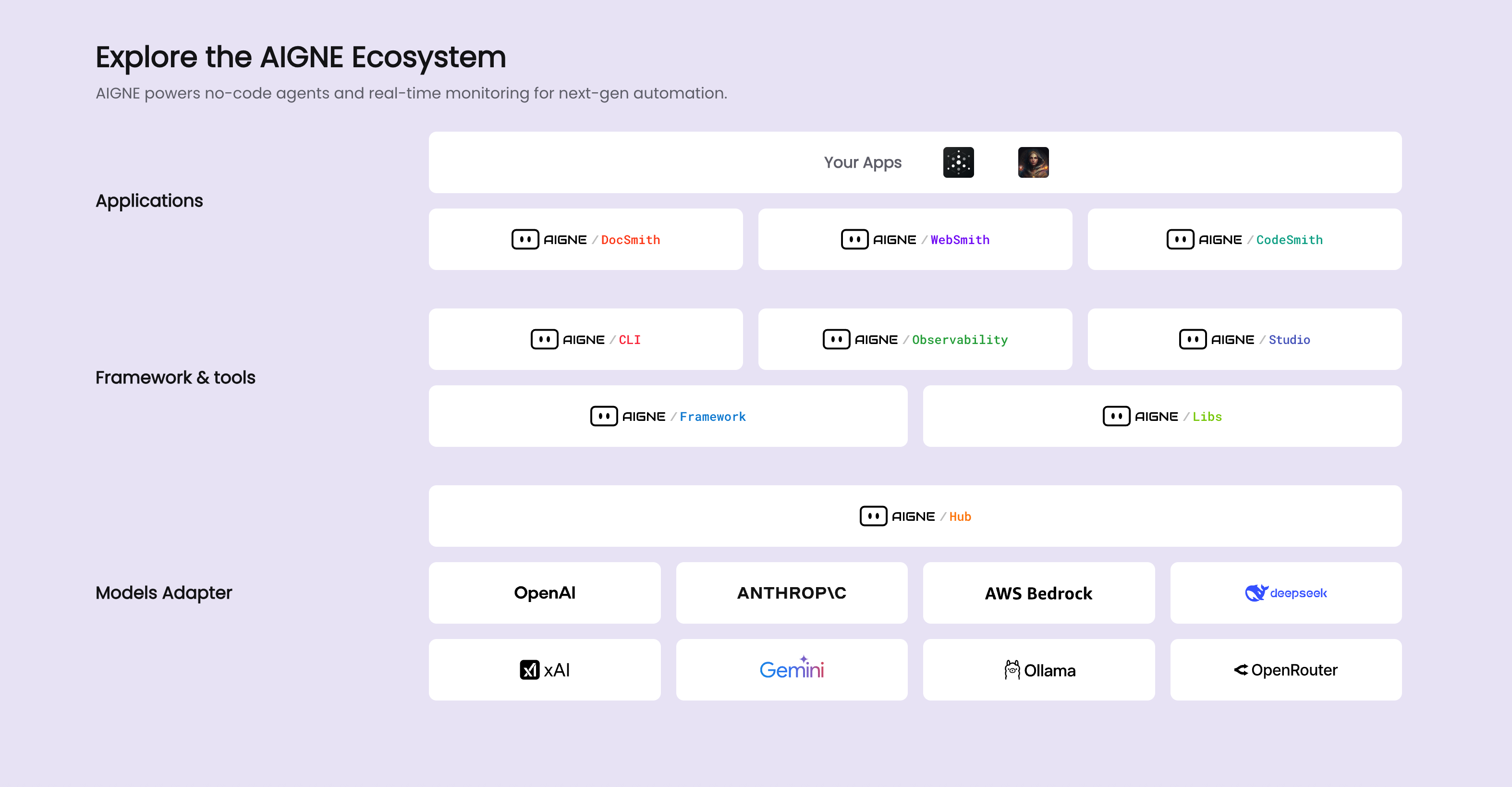
|
|
6
8
|
|
|
7
9
|
## The Documentation Generation Pipeline
|
|
8
10
|
|
|
9
|
-
The
|
|
11
|
+
The core of DocSmith is a pipeline that processes your source code through several distinct stages. Each stage is managed by one or more dedicated agents. The primary workflow, typically initiated by the `aigne doc generate` command, can be visualized as follows:
|
|
10
12
|
|
|
11
13
|
```d2
|
|
12
14
|
direction: down
|
|
@@ -17,23 +19,23 @@ Input: {
|
|
|
17
19
|
}
|
|
18
20
|
|
|
19
21
|
Pipeline: {
|
|
20
|
-
label: "
|
|
22
|
+
label: "Core Generation Pipeline"
|
|
21
23
|
shape: rectangle
|
|
22
24
|
grid-columns: 1
|
|
23
25
|
grid-gap: 40
|
|
24
26
|
|
|
25
27
|
Structure-Planning: {
|
|
26
|
-
label: "1. Structure Planning
|
|
28
|
+
label: "1. Structure Planning"
|
|
27
29
|
shape: rectangle
|
|
28
30
|
}
|
|
29
31
|
|
|
30
32
|
Content-Generation: {
|
|
31
|
-
label: "2. Content Generation
|
|
33
|
+
label: "2. Content Generation"
|
|
32
34
|
shape: rectangle
|
|
33
35
|
}
|
|
34
36
|
|
|
35
37
|
Saving: {
|
|
36
|
-
label: "3. Save Documents
|
|
38
|
+
label: "3. Save Documents"
|
|
37
39
|
shape: rectangle
|
|
38
40
|
}
|
|
39
41
|
}
|
|
@@ -44,7 +46,7 @@ User-Feedback: {
|
|
|
44
46
|
}
|
|
45
47
|
|
|
46
48
|
Optional-Steps: {
|
|
47
|
-
label: "Optional Steps"
|
|
49
|
+
label: "Optional Post-Generation Steps"
|
|
48
50
|
shape: rectangle
|
|
49
51
|
grid-columns: 2
|
|
50
52
|
grid-gap: 40
|
|
@@ -69,31 +71,31 @@ User-Feedback -> Pipeline.Structure-Planning: "Refine Structure"
|
|
|
69
71
|
User-Feedback -> Pipeline.Content-Generation: "Regenerate Content"
|
|
70
72
|
```
|
|
71
73
|
|
|
72
|
-
1. **Input Analysis**: The process begins
|
|
74
|
+
1. **Input Analysis**: The process begins when agents load your source code and project configuration (`aigne.yaml`).
|
|
73
75
|
|
|
74
|
-
2. **Structure Planning**:
|
|
76
|
+
2. **Structure Planning**: An agent analyzes the codebase to propose a logical document structure. It creates an outline based on the project's composition and any specified rules.
|
|
75
77
|
|
|
76
|
-
3. **Content Generation**:
|
|
78
|
+
3. **Content Generation**: With the structure in place, content generation agents populate each section of the document plan with detailed text, code examples, and explanations.
|
|
77
79
|
|
|
78
|
-
4. **Refinement and Updates**:
|
|
80
|
+
4. **Refinement and Updates**: When you provide input via `aigne doc update` or `aigne doc generate --feedback`, specific agents are activated to update individual documents or adjust the overall structure.
|
|
79
81
|
|
|
80
|
-
5. **Translation and Publishing**:
|
|
82
|
+
5. **Translation and Publishing**: After the primary content is generated, optional agents handle tasks like multi-language translation and publishing the final documentation to a web platform.
|
|
81
83
|
|
|
82
84
|
## Key AI Agents
|
|
83
85
|
|
|
84
|
-
DocSmith's functionality
|
|
86
|
+
DocSmith's functionality is provided by a collection of agents defined in the project's configuration. Each agent has a specific role. The table below lists some of the key agents and their functions.
|
|
85
87
|
|
|
86
|
-
|
|
|
87
|
-
|
|
88
|
-
| **Structure
|
|
89
|
-
| **
|
|
90
|
-
| **
|
|
91
|
-
| **
|
|
92
|
-
| **Publishing
|
|
93
|
-
| **
|
|
88
|
+
| Functional Role | Key Agent Files | Description |
|
|
89
|
+
| ------------------------ | ---------------------------------------------------- | ------------------------------------------------------------------------------------ |
|
|
90
|
+
| **Structure Planning** | `generate/generate-structure.yaml` | Analyzes source code to propose the initial document outline. |
|
|
91
|
+
| **Structure Refinement** | `generate/refine-document-structure.yaml` | Modifies the document structure based on user feedback. |
|
|
92
|
+
| **Content Generation** | `update/batch-generate-document.yaml`, `generate-document.yaml` | Populates the document structure with detailed content for each section. |
|
|
93
|
+
| **Translation** | `translate/translate-document.yaml`, `translate-multilingual.yaml` | Translates generated documentation into multiple target languages. |
|
|
94
|
+
| **Publishing** | `publish/publish-docs.mjs` | Manages the process of publishing documents to Discuss Kit instances. |
|
|
95
|
+
| **Data I/O** | `utils/load-sources.mjs`, `utils/save-docs.mjs` | Responsible for reading source files and writing the final markdown documents to disk. |
|
|
94
96
|
|
|
95
|
-
This
|
|
97
|
+
This agent-based architecture allows each step of the documentation process to be handled by a specialized tool, ensuring a structured and maintainable workflow.
|
|
96
98
|
|
|
97
99
|
---
|
|
98
100
|
|
|
99
|
-
|
|
101
|
+
To understand the measures DocSmith takes to ensure the accuracy and format of the output, proceed to the [Quality Assurance](./advanced-quality-assurance.md) section.
|
|
@@ -1,61 +1,63 @@
|
|
|
1
1
|
# 工作原理
|
|
2
2
|
|
|
3
|
-
AIGNE DocSmith
|
|
3
|
+
AIGNE DocSmith 在 AIGNE 框架内构建的多 Agent 系统上运行。它并非一个单一的整体进程,而是协调一个由专业化 AI Agent 组成的流水线,其中每个 Agent 负责一项特定任务。这种方法实现了一个结构化和模块化的流程,可将源代码转换为完整的文档。
|
|
4
4
|
|
|
5
|
-
|
|
5
|
+
该工具是更庞大的 AIGNE 生态系统的一个组成部分,该生态系统为开发和部署 AI 应用程序提供了一个平台。
|
|
6
|
+
|
|
7
|
+

|
|
6
8
|
|
|
7
9
|
## 文档生成流水线
|
|
8
10
|
|
|
9
|
-
|
|
11
|
+
DocSmith 的核心是一个通过几个不同阶段处理源代码的流水线。每个阶段都由一个或多个专用 Agent 管理。主要工作流程通常由 `aigne doc generate` 命令启动,其可视化如下:
|
|
10
12
|
|
|
11
13
|
```d2
|
|
12
14
|
direction: down
|
|
13
15
|
|
|
14
16
|
Input: {
|
|
15
|
-
label: "
|
|
17
|
+
label: "源代码和配置"
|
|
16
18
|
shape: rectangle
|
|
17
19
|
}
|
|
18
20
|
|
|
19
21
|
Pipeline: {
|
|
20
|
-
label: "
|
|
22
|
+
label: "核心生成流水线"
|
|
21
23
|
shape: rectangle
|
|
22
24
|
grid-columns: 1
|
|
23
25
|
grid-gap: 40
|
|
24
26
|
|
|
25
27
|
Structure-Planning: {
|
|
26
|
-
label: "1.
|
|
28
|
+
label: "1. 结构规划"
|
|
27
29
|
shape: rectangle
|
|
28
30
|
}
|
|
29
31
|
|
|
30
32
|
Content-Generation: {
|
|
31
|
-
label: "2.
|
|
33
|
+
label: "2. 内容生成"
|
|
32
34
|
shape: rectangle
|
|
33
35
|
}
|
|
34
36
|
|
|
35
37
|
Saving: {
|
|
36
|
-
label: "3.
|
|
38
|
+
label: "3. 保存文档"
|
|
37
39
|
shape: rectangle
|
|
38
40
|
}
|
|
39
41
|
}
|
|
40
42
|
|
|
41
43
|
User-Feedback: {
|
|
42
|
-
label: "
|
|
44
|
+
label: "用户反馈循环\n(通过 --feedback 标志)"
|
|
43
45
|
shape: rectangle
|
|
44
46
|
}
|
|
45
47
|
|
|
46
48
|
Optional-Steps: {
|
|
47
|
-
label: "
|
|
49
|
+
label: "可选的生成后步骤"
|
|
48
50
|
shape: rectangle
|
|
49
51
|
grid-columns: 2
|
|
50
52
|
grid-gap: 40
|
|
51
53
|
|
|
52
54
|
Translation: {
|
|
53
|
-
label: "
|
|
55
|
+
label: "翻译\n(aigne doc translate)"
|
|
54
56
|
shape: rectangle
|
|
55
57
|
}
|
|
56
58
|
|
|
57
59
|
Publishing: {
|
|
58
|
-
label: "
|
|
60
|
+
label: "发布\n(aigne doc publish)"
|
|
59
61
|
shape: rectangle
|
|
60
62
|
}
|
|
61
63
|
}
|
|
@@ -65,35 +67,35 @@ Pipeline.Structure-Planning -> Pipeline.Content-Generation
|
|
|
65
67
|
Pipeline.Content-Generation -> Pipeline.Saving
|
|
66
68
|
Pipeline.Saving -> Optional-Steps
|
|
67
69
|
|
|
68
|
-
User-Feedback -> Pipeline.Structure-Planning: "
|
|
69
|
-
User-Feedback -> Pipeline.Content-Generation: "
|
|
70
|
+
User-Feedback -> Pipeline.Structure-Planning: "优化结构"
|
|
71
|
+
User-Feedback -> Pipeline.Content-Generation: "重新生成内容"
|
|
70
72
|
```
|
|
71
73
|
|
|
72
|
-
1.
|
|
74
|
+
1. **输入分析**:当 Agent 加载你的源代码和项目配置(`aigne.yaml`)时,该过程开始。
|
|
73
75
|
|
|
74
|
-
2.
|
|
76
|
+
2. **结构规划**:一个 Agent 会分析代码库,以提出一个逻辑性的文档结构。它会根据项目的构成和任何指定的规则创建一个大纲。
|
|
75
77
|
|
|
76
|
-
3.
|
|
78
|
+
3. **内容生成**:结构就位后,内容生成 Agent 会为文档计划的每个部分填充详细的文本、代码示例和解释。
|
|
77
79
|
|
|
78
|
-
4.
|
|
80
|
+
4. **优化和更新**:当你通过 `aigne doc update` 或 `aigne doc generate --feedback` 提供输入时,特定的 Agent 会被激活,以更新单个文档或调整整体结构。
|
|
79
81
|
|
|
80
|
-
5.
|
|
82
|
+
5. **翻译和发布**:主要内容生成后,可选的 Agent 会处理多语言翻译和将最终文档发布到网络平台等任务。
|
|
81
83
|
|
|
82
84
|
## 关键 AI Agent
|
|
83
85
|
|
|
84
|
-
DocSmith
|
|
86
|
+
DocSmith 的功能由项目配置中定义的一组 Agent 提供。每个 Agent 都有特定的角色。下表列出了一些关键 Agent 及其功能。
|
|
85
87
|
|
|
86
|
-
|
|
|
87
|
-
|
|
88
|
-
|
|
|
89
|
-
|
|
|
90
|
-
|
|
|
91
|
-
|
|
|
92
|
-
|
|
|
93
|
-
|
|
|
88
|
+
| 功能角色 | 关键 Agent 文件 | 描述 |
|
|
89
|
+
| --- | --- | --- |
|
|
90
|
+
| **结构规划** | `generate/generate-structure.yaml` | 分析源代码以提出初始文档大纲。 |
|
|
91
|
+
| **结构优化** | `generate/refine-document-structure.yaml` | 根据用户反馈修改文档结构。 |
|
|
92
|
+
| **内容生成** | `update/batch-generate-document.yaml`, `generate-document.yaml` | 为每个部分填充详细内容,以充实文档结构。 |
|
|
93
|
+
| **翻译** | `translate/translate-document.yaml`, `translate-multilingual.yaml` | 将生成的文档翻译成多种目标语言。 |
|
|
94
|
+
| **发布** | `publish/publish-docs.mjs` | 管理将文档发布到 Discuss Kit 实例的过程。 |
|
|
95
|
+
| **数据 I/O** | `utils/load-sources.mjs`, `utils/save-docs.mjs` | 负责读取源文件并将最终的 markdown 文档写入磁盘。 |
|
|
94
96
|
|
|
95
|
-
|
|
97
|
+
这种基于 Agent 的架构使得文档流程的每一步都由一个专门的工具来处理,从而确保了工作流程的结构化和可维护性。
|
|
96
98
|
|
|
97
99
|
---
|
|
98
100
|
|
|
99
|
-
|
|
101
|
+
要了解 DocSmith 为确保输出的准确性和格式而采取的措施,请继续阅读[质量保证](./advanced-quality-assurance.md)部分。
|
|
@@ -40,7 +40,6 @@ QA-Pipeline: {
|
|
|
40
40
|
shape: rectangle
|
|
41
41
|
grid-columns: 2
|
|
42
42
|
D2-Diagrams: "Validates D2 syntax"
|
|
43
|
-
Mermaid-Diagrams: "Validates Mermaid syntax"
|
|
44
43
|
Markdown-Linting: "Enforces style rules"
|
|
45
44
|
}
|
|
46
45
|
}
|
|
@@ -62,38 +61,36 @@ DocSmith's quality assurance process covers several key areas to ensure document
|
|
|
62
61
|
|
|
63
62
|
DocSmith performs several checks to ensure the structural integrity of the content:
|
|
64
63
|
|
|
65
|
-
- **Incomplete Code Blocks**: Detects code blocks that are opened with
|
|
64
|
+
- **Incomplete Code Blocks**: Detects code blocks that are opened with ` ``` ` but never closed.
|
|
66
65
|
- **Missing Line Breaks**: Identifies content that appears on a single line, which may indicate missing newlines.
|
|
67
66
|
- **Content Endings**: Verifies that the content ends with appropriate punctuation (e.g., `.`, `)`, `|`, `>`) to prevent truncated output.
|
|
67
|
+
- **Code Block Indentation**: Analyzes code blocks for inconsistent indentation. If a line of code has less indentation than the opening ` ``` ` marker, it can cause rendering problems. This check helps maintain correct code presentation.
|
|
68
68
|
|
|
69
69
|
#### Link and Media Integrity
|
|
70
70
|
|
|
71
|
-
- **Link Integrity**: All relative links within the documentation are validated against the
|
|
71
|
+
- **Link Integrity**: All relative links within the documentation are validated against the document structure plan to prevent dead links. This ensures that all internal navigation works as expected. The checker ignores external links (starting with `http://` or `https://`) and `mailto:` links.
|
|
72
72
|
|
|
73
73
|
- **Image Validation**: To avoid broken images, the checker verifies that any local image file referenced in the documentation exists on the file system. It resolves both relative and absolute paths to confirm the file is present. External image URLs and data URLs are not checked.
|
|
74
74
|
|
|
75
75
|
#### Diagram Syntax Validation
|
|
76
76
|
|
|
77
|
-
- **D2 Diagrams**: DocSmith validates D2 diagram syntax by
|
|
78
|
-
|
|
79
|
-
- **Mermaid Diagrams**: Mermaid diagrams undergo several checks: a primary syntax validation, and specific checks for patterns known to cause rendering issues, such as backticks or numbered lists within node labels, and unquoted special characters that require quotes.
|
|
77
|
+
- **D2 Diagrams**: DocSmith validates D2 diagram syntax by attempting to compile the code into an SVG image. This process catches any syntax errors before they can result in a broken graphic.
|
|
80
78
|
|
|
81
79
|
#### Formatting and Style Enforcement
|
|
82
80
|
|
|
83
81
|
- **Table Formatting**: Tables are inspected for mismatched column counts between the header, the separator line, and the data rows. This check prevents common table rendering failures.
|
|
84
82
|
|
|
85
|
-
- **Code Block Indentation**: The checker analyzes code blocks for inconsistent indentation. If a line of code has less indentation than the opening ```` ``` ```` marker, it can cause rendering problems. This check helps maintain correct code presentation.
|
|
86
|
-
|
|
87
83
|
- **Markdown Linting**: A built-in linter enforces a consistent Markdown structure. Key rules include:
|
|
88
84
|
|
|
89
85
|
| Rule ID | Description |
|
|
90
86
|
|---|---|
|
|
91
87
|
| `no-duplicate-headings` | Prevents multiple headings with the same content in the same section. |
|
|
92
88
|
| `no-undefined-references` | Ensures all link and image references are defined. |
|
|
89
|
+
| `no-unused-definitions` | Flags link or image definitions that are not used. |
|
|
93
90
|
| `no-heading-content-indent` | Disallows indentation before heading content. |
|
|
94
91
|
| `no-multiple-toplevel-headings` | Allows only one top-level heading (H1) per document. |
|
|
95
92
|
| `code-block-style` | Enforces a consistent style for code blocks (e.g., using backticks). |
|
|
96
93
|
|
|
97
94
|
By automating these checks, DocSmith maintains a consistent standard for documentation, ensuring the final output is accurate and navigable.
|
|
98
95
|
|
|
99
|
-
To learn more about the overall architecture, see the [How It Works](./advanced-how-it-works.md) section.
|
|
96
|
+
To learn more about the overall architecture, see the [How It Works](./advanced-how-it-works.md) section.
|