@aigne/doc-smith 0.8.10-beta → 0.8.10-beta.1
This diff represents the content of publicly available package versions that have been released to one of the supported registries. The information contained in this diff is provided for informational purposes only and reflects changes between package versions as they appear in their respective public registries.
- package/.aigne/doc-smith/config.yaml +3 -1
- package/.aigne/doc-smith/preferences.yml +4 -4
- package/.aigne/doc-smith/upload-cache.yaml +180 -0
- package/.release-please-manifest.json +1 -1
- package/CHANGELOG.md +13 -0
- package/README.md +2 -2
- package/RELEASE.md +3 -3
- package/agents/generate/check-need-generate-structure.mjs +40 -18
- package/agents/generate/index.yaml +1 -0
- package/agents/generate/user-review-document-structure.mjs +168 -0
- package/agents/update/generate-and-translate-document.yaml +3 -3
- package/agents/utils/check-feedback-refiner.mjs +2 -0
- package/agents/utils/save-docs.mjs +16 -22
- package/aigne.yaml +1 -0
- package/docs/advanced-how-it-works.md +26 -24
- package/docs/advanced-how-it-works.zh.md +32 -30
- package/docs/advanced-quality-assurance.md +6 -9
- package/docs/advanced-quality-assurance.zh.md +19 -22
- package/docs/cli-reference.md +35 -76
- package/docs/cli-reference.zh.md +48 -89
- package/docs/configuration-interactive-setup.md +18 -18
- package/docs/configuration-interactive-setup.zh.md +33 -33
- package/docs/configuration-language-support.md +12 -12
- package/docs/configuration-language-support.zh.md +20 -20
- package/docs/configuration-llm-setup.md +14 -13
- package/docs/configuration-llm-setup.zh.md +16 -15
- package/docs/configuration-preferences.md +22 -27
- package/docs/configuration-preferences.zh.md +35 -40
- package/docs/configuration.md +31 -45
- package/docs/configuration.zh.md +48 -62
- package/docs/features-generate-documentation.md +6 -7
- package/docs/features-generate-documentation.zh.md +21 -22
- package/docs/features-publish-your-docs.md +38 -30
- package/docs/features-publish-your-docs.zh.md +45 -37
- package/docs/features-translate-documentation.md +14 -74
- package/docs/features-translate-documentation.zh.md +19 -79
- package/docs/features-update-and-refine.md +19 -18
- package/docs/features-update-and-refine.zh.md +33 -32
- package/docs-mcp/get-docs-structure.mjs +1 -1
- package/package.json +2 -2
- package/prompts/detail/document-rules.md +1 -1
- package/prompts/structure/check-document-structure.md +11 -15
- package/tests/agents/generate/check-need-generate-structure.test.mjs +21 -24
- package/tests/agents/generate/user-review-document-structure.test.mjs +294 -0
- package/utils/auth-utils.mjs +2 -2
package/aigne.yaml
CHANGED
|
@@ -1,12 +1,14 @@
|
|
|
1
1
|
# How It Works
|
|
2
2
|
|
|
3
|
-
AIGNE DocSmith
|
|
3
|
+
AIGNE DocSmith operates on a multi-agent system built within the AIGNE Framework. Instead of a single monolithic process, it orchestrates a pipeline of specialized AI agents, where each agent is responsible for a specific task. This approach allows for a structured and modular process that transforms source code into complete documentation.
|
|
4
4
|
|
|
5
|
-
|
|
5
|
+
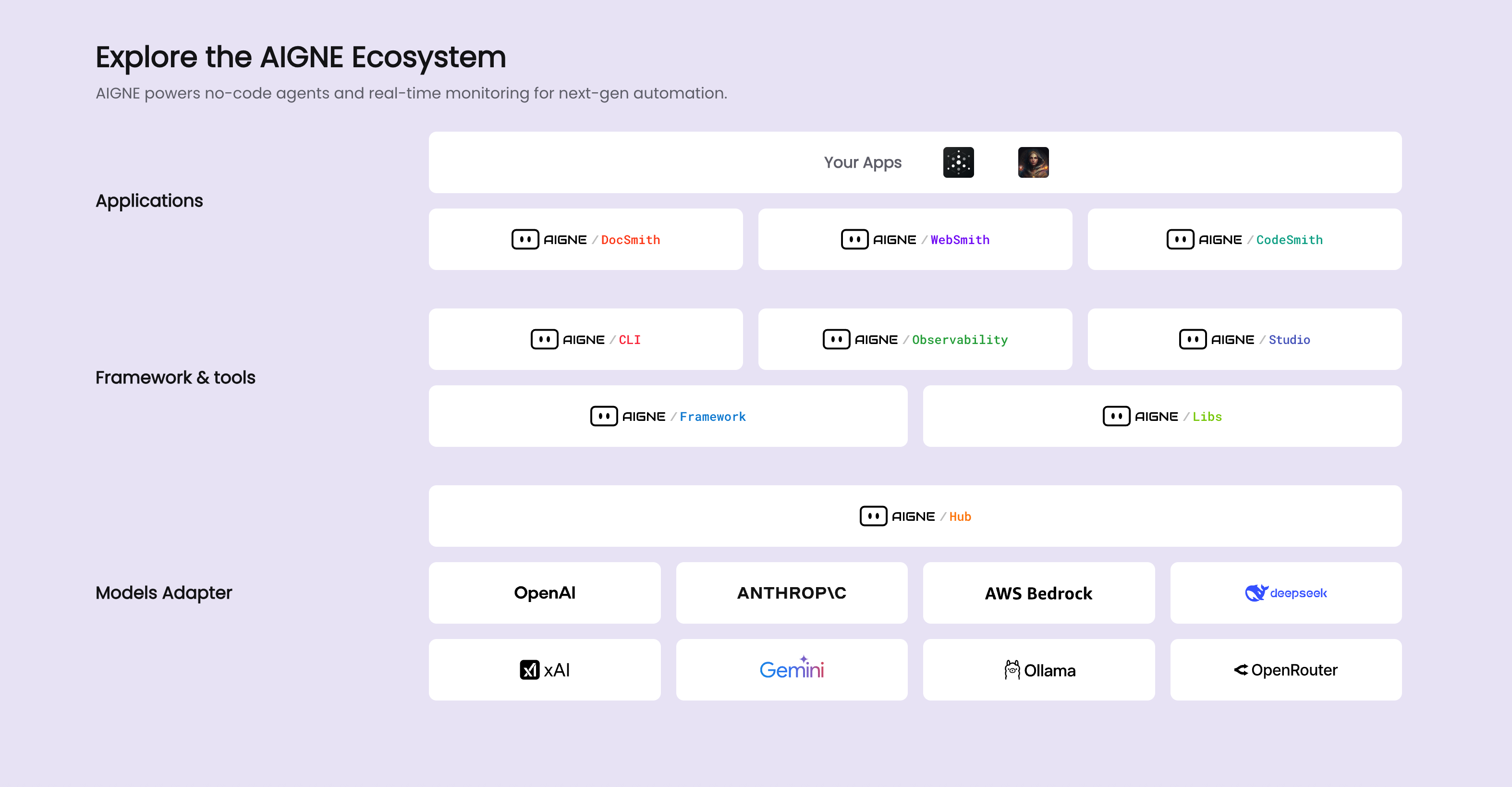
The tool is an integral part of the larger AIGNE ecosystem, which provides a platform for developing and deploying AI applications.
|
|
6
|
+
|
|
7
|
+
|
|
6
8
|
|
|
7
9
|
## The Documentation Generation Pipeline
|
|
8
10
|
|
|
9
|
-
The
|
|
11
|
+
The core of DocSmith is a pipeline that processes your source code through several distinct stages. Each stage is managed by one or more dedicated agents. The primary workflow, typically initiated by the `aigne doc generate` command, can be visualized as follows:
|
|
10
12
|
|
|
11
13
|
```d2
|
|
12
14
|
direction: down
|
|
@@ -17,23 +19,23 @@ Input: {
|
|
|
17
19
|
}
|
|
18
20
|
|
|
19
21
|
Pipeline: {
|
|
20
|
-
label: "
|
|
22
|
+
label: "Core Generation Pipeline"
|
|
21
23
|
shape: rectangle
|
|
22
24
|
grid-columns: 1
|
|
23
25
|
grid-gap: 40
|
|
24
26
|
|
|
25
27
|
Structure-Planning: {
|
|
26
|
-
label: "1. Structure Planning
|
|
28
|
+
label: "1. Structure Planning"
|
|
27
29
|
shape: rectangle
|
|
28
30
|
}
|
|
29
31
|
|
|
30
32
|
Content-Generation: {
|
|
31
|
-
label: "2. Content Generation
|
|
33
|
+
label: "2. Content Generation"
|
|
32
34
|
shape: rectangle
|
|
33
35
|
}
|
|
34
36
|
|
|
35
37
|
Saving: {
|
|
36
|
-
label: "3. Save Documents
|
|
38
|
+
label: "3. Save Documents"
|
|
37
39
|
shape: rectangle
|
|
38
40
|
}
|
|
39
41
|
}
|
|
@@ -44,7 +46,7 @@ User-Feedback: {
|
|
|
44
46
|
}
|
|
45
47
|
|
|
46
48
|
Optional-Steps: {
|
|
47
|
-
label: "Optional Steps"
|
|
49
|
+
label: "Optional Post-Generation Steps"
|
|
48
50
|
shape: rectangle
|
|
49
51
|
grid-columns: 2
|
|
50
52
|
grid-gap: 40
|
|
@@ -69,31 +71,31 @@ User-Feedback -> Pipeline.Structure-Planning: "Refine Structure"
|
|
|
69
71
|
User-Feedback -> Pipeline.Content-Generation: "Regenerate Content"
|
|
70
72
|
```
|
|
71
73
|
|
|
72
|
-
1. **Input Analysis**: The process begins
|
|
74
|
+
1. **Input Analysis**: The process begins when agents load your source code and project configuration (`aigne.yaml`).
|
|
73
75
|
|
|
74
|
-
2. **Structure Planning**:
|
|
76
|
+
2. **Structure Planning**: An agent analyzes the codebase to propose a logical document structure. It creates an outline based on the project's composition and any specified rules.
|
|
75
77
|
|
|
76
|
-
3. **Content Generation**:
|
|
78
|
+
3. **Content Generation**: With the structure in place, content generation agents populate each section of the document plan with detailed text, code examples, and explanations.
|
|
77
79
|
|
|
78
|
-
4. **Refinement and Updates**:
|
|
80
|
+
4. **Refinement and Updates**: When you provide input via `aigne doc update` or `aigne doc generate --feedback`, specific agents are activated to update individual documents or adjust the overall structure.
|
|
79
81
|
|
|
80
|
-
5. **Translation and Publishing**:
|
|
82
|
+
5. **Translation and Publishing**: After the primary content is generated, optional agents handle tasks like multi-language translation and publishing the final documentation to a web platform.
|
|
81
83
|
|
|
82
84
|
## Key AI Agents
|
|
83
85
|
|
|
84
|
-
DocSmith's functionality
|
|
86
|
+
DocSmith's functionality is provided by a collection of agents defined in the project's configuration. Each agent has a specific role. The table below lists some of the key agents and their functions.
|
|
85
87
|
|
|
86
|
-
|
|
|
87
|
-
|
|
88
|
-
| **Structure
|
|
89
|
-
| **
|
|
90
|
-
| **
|
|
91
|
-
| **
|
|
92
|
-
| **Publishing
|
|
93
|
-
| **
|
|
88
|
+
| Functional Role | Key Agent Files | Description |
|
|
89
|
+
| ------------------------ | ---------------------------------------------------- | ------------------------------------------------------------------------------------ |
|
|
90
|
+
| **Structure Planning** | `generate/generate-structure.yaml` | Analyzes source code to propose the initial document outline. |
|
|
91
|
+
| **Structure Refinement** | `generate/refine-document-structure.yaml` | Modifies the document structure based on user feedback. |
|
|
92
|
+
| **Content Generation** | `update/batch-generate-document.yaml`, `generate-document.yaml` | Populates the document structure with detailed content for each section. |
|
|
93
|
+
| **Translation** | `translate/translate-document.yaml`, `translate-multilingual.yaml` | Translates generated documentation into multiple target languages. |
|
|
94
|
+
| **Publishing** | `publish/publish-docs.mjs` | Manages the process of publishing documents to Discuss Kit instances. |
|
|
95
|
+
| **Data I/O** | `utils/load-sources.mjs`, `utils/save-docs.mjs` | Responsible for reading source files and writing the final markdown documents to disk. |
|
|
94
96
|
|
|
95
|
-
This
|
|
97
|
+
This agent-based architecture allows each step of the documentation process to be handled by a specialized tool, ensuring a structured and maintainable workflow.
|
|
96
98
|
|
|
97
99
|
---
|
|
98
100
|
|
|
99
|
-
|
|
101
|
+
To understand the measures DocSmith takes to ensure the accuracy and format of the output, proceed to the [Quality Assurance](./advanced-quality-assurance.md) section.
|
|
@@ -1,61 +1,63 @@
|
|
|
1
1
|
# 工作原理
|
|
2
2
|
|
|
3
|
-
AIGNE DocSmith
|
|
3
|
+
AIGNE DocSmith 在 AIGNE 框架内构建的多 Agent 系统上运行。它并非一个单一的整体进程,而是协调一个由专业化 AI Agent 组成的流水线,其中每个 Agent 负责一项特定任务。这种方法实现了一个结构化和模块化的流程,可将源代码转换为完整的文档。
|
|
4
4
|
|
|
5
|
-
|
|
5
|
+
该工具是更庞大的 AIGNE 生态系统的一个组成部分,该生态系统为开发和部署 AI 应用程序提供了一个平台。
|
|
6
|
+
|
|
7
|
+

|
|
6
8
|
|
|
7
9
|
## 文档生成流水线
|
|
8
10
|
|
|
9
|
-
|
|
11
|
+
DocSmith 的核心是一个通过几个不同阶段处理源代码的流水线。每个阶段都由一个或多个专用 Agent 管理。主要工作流程通常由 `aigne doc generate` 命令启动,其可视化如下:
|
|
10
12
|
|
|
11
13
|
```d2
|
|
12
14
|
direction: down
|
|
13
15
|
|
|
14
16
|
Input: {
|
|
15
|
-
label: "
|
|
17
|
+
label: "源代码和配置"
|
|
16
18
|
shape: rectangle
|
|
17
19
|
}
|
|
18
20
|
|
|
19
21
|
Pipeline: {
|
|
20
|
-
label: "
|
|
22
|
+
label: "核心生成流水线"
|
|
21
23
|
shape: rectangle
|
|
22
24
|
grid-columns: 1
|
|
23
25
|
grid-gap: 40
|
|
24
26
|
|
|
25
27
|
Structure-Planning: {
|
|
26
|
-
label: "1.
|
|
28
|
+
label: "1. 结构规划"
|
|
27
29
|
shape: rectangle
|
|
28
30
|
}
|
|
29
31
|
|
|
30
32
|
Content-Generation: {
|
|
31
|
-
label: "2.
|
|
33
|
+
label: "2. 内容生成"
|
|
32
34
|
shape: rectangle
|
|
33
35
|
}
|
|
34
36
|
|
|
35
37
|
Saving: {
|
|
36
|
-
label: "3.
|
|
38
|
+
label: "3. 保存文档"
|
|
37
39
|
shape: rectangle
|
|
38
40
|
}
|
|
39
41
|
}
|
|
40
42
|
|
|
41
43
|
User-Feedback: {
|
|
42
|
-
label: "
|
|
44
|
+
label: "用户反馈循环\n(通过 --feedback 标志)"
|
|
43
45
|
shape: rectangle
|
|
44
46
|
}
|
|
45
47
|
|
|
46
48
|
Optional-Steps: {
|
|
47
|
-
label: "
|
|
49
|
+
label: "可选的生成后步骤"
|
|
48
50
|
shape: rectangle
|
|
49
51
|
grid-columns: 2
|
|
50
52
|
grid-gap: 40
|
|
51
53
|
|
|
52
54
|
Translation: {
|
|
53
|
-
label: "
|
|
55
|
+
label: "翻译\n(aigne doc translate)"
|
|
54
56
|
shape: rectangle
|
|
55
57
|
}
|
|
56
58
|
|
|
57
59
|
Publishing: {
|
|
58
|
-
label: "
|
|
60
|
+
label: "发布\n(aigne doc publish)"
|
|
59
61
|
shape: rectangle
|
|
60
62
|
}
|
|
61
63
|
}
|
|
@@ -65,35 +67,35 @@ Pipeline.Structure-Planning -> Pipeline.Content-Generation
|
|
|
65
67
|
Pipeline.Content-Generation -> Pipeline.Saving
|
|
66
68
|
Pipeline.Saving -> Optional-Steps
|
|
67
69
|
|
|
68
|
-
User-Feedback -> Pipeline.Structure-Planning: "
|
|
69
|
-
User-Feedback -> Pipeline.Content-Generation: "
|
|
70
|
+
User-Feedback -> Pipeline.Structure-Planning: "优化结构"
|
|
71
|
+
User-Feedback -> Pipeline.Content-Generation: "重新生成内容"
|
|
70
72
|
```
|
|
71
73
|
|
|
72
|
-
1.
|
|
74
|
+
1. **输入分析**:当 Agent 加载你的源代码和项目配置(`aigne.yaml`)时,该过程开始。
|
|
73
75
|
|
|
74
|
-
2.
|
|
76
|
+
2. **结构规划**:一个 Agent 会分析代码库,以提出一个逻辑性的文档结构。它会根据项目的构成和任何指定的规则创建一个大纲。
|
|
75
77
|
|
|
76
|
-
3.
|
|
78
|
+
3. **内容生成**:结构就位后,内容生成 Agent 会为文档计划的每个部分填充详细的文本、代码示例和解释。
|
|
77
79
|
|
|
78
|
-
4.
|
|
80
|
+
4. **优化和更新**:当你通过 `aigne doc update` 或 `aigne doc generate --feedback` 提供输入时,特定的 Agent 会被激活,以更新单个文档或调整整体结构。
|
|
79
81
|
|
|
80
|
-
5.
|
|
82
|
+
5. **翻译和发布**:主要内容生成后,可选的 Agent 会处理多语言翻译和将最终文档发布到网络平台等任务。
|
|
81
83
|
|
|
82
84
|
## 关键 AI Agent
|
|
83
85
|
|
|
84
|
-
DocSmith
|
|
86
|
+
DocSmith 的功能由项目配置中定义的一组 Agent 提供。每个 Agent 都有特定的角色。下表列出了一些关键 Agent 及其功能。
|
|
85
87
|
|
|
86
|
-
|
|
|
87
|
-
|
|
88
|
-
|
|
|
89
|
-
|
|
|
90
|
-
|
|
|
91
|
-
|
|
|
92
|
-
|
|
|
93
|
-
|
|
|
88
|
+
| 功能角色 | 关键 Agent 文件 | 描述 |
|
|
89
|
+
| --- | --- | --- |
|
|
90
|
+
| **结构规划** | `generate/generate-structure.yaml` | 分析源代码以提出初始文档大纲。 |
|
|
91
|
+
| **结构优化** | `generate/refine-document-structure.yaml` | 根据用户反馈修改文档结构。 |
|
|
92
|
+
| **内容生成** | `update/batch-generate-document.yaml`, `generate-document.yaml` | 为每个部分填充详细内容,以充实文档结构。 |
|
|
93
|
+
| **翻译** | `translate/translate-document.yaml`, `translate-multilingual.yaml` | 将生成的文档翻译成多种目标语言。 |
|
|
94
|
+
| **发布** | `publish/publish-docs.mjs` | 管理将文档发布到 Discuss Kit 实例的过程。 |
|
|
95
|
+
| **数据 I/O** | `utils/load-sources.mjs`, `utils/save-docs.mjs` | 负责读取源文件并将最终的 markdown 文档写入磁盘。 |
|
|
94
96
|
|
|
95
|
-
|
|
97
|
+
这种基于 Agent 的架构使得文档流程的每一步都由一个专门的工具来处理,从而确保了工作流程的结构化和可维护性。
|
|
96
98
|
|
|
97
99
|
---
|
|
98
100
|
|
|
99
|
-
|
|
101
|
+
要了解 DocSmith 为确保输出的准确性和格式而采取的措施,请继续阅读[质量保证](./advanced-quality-assurance.md)部分。
|
|
@@ -40,7 +40,6 @@ QA-Pipeline: {
|
|
|
40
40
|
shape: rectangle
|
|
41
41
|
grid-columns: 2
|
|
42
42
|
D2-Diagrams: "Validates D2 syntax"
|
|
43
|
-
Mermaid-Diagrams: "Validates Mermaid syntax"
|
|
44
43
|
Markdown-Linting: "Enforces style rules"
|
|
45
44
|
}
|
|
46
45
|
}
|
|
@@ -62,38 +61,36 @@ DocSmith's quality assurance process covers several key areas to ensure document
|
|
|
62
61
|
|
|
63
62
|
DocSmith performs several checks to ensure the structural integrity of the content:
|
|
64
63
|
|
|
65
|
-
- **Incomplete Code Blocks**: Detects code blocks that are opened with
|
|
64
|
+
- **Incomplete Code Blocks**: Detects code blocks that are opened with ` ``` ` but never closed.
|
|
66
65
|
- **Missing Line Breaks**: Identifies content that appears on a single line, which may indicate missing newlines.
|
|
67
66
|
- **Content Endings**: Verifies that the content ends with appropriate punctuation (e.g., `.`, `)`, `|`, `>`) to prevent truncated output.
|
|
67
|
+
- **Code Block Indentation**: Analyzes code blocks for inconsistent indentation. If a line of code has less indentation than the opening ` ``` ` marker, it can cause rendering problems. This check helps maintain correct code presentation.
|
|
68
68
|
|
|
69
69
|
#### Link and Media Integrity
|
|
70
70
|
|
|
71
|
-
- **Link Integrity**: All relative links within the documentation are validated against the
|
|
71
|
+
- **Link Integrity**: All relative links within the documentation are validated against the document structure plan to prevent dead links. This ensures that all internal navigation works as expected. The checker ignores external links (starting with `http://` or `https://`) and `mailto:` links.
|
|
72
72
|
|
|
73
73
|
- **Image Validation**: To avoid broken images, the checker verifies that any local image file referenced in the documentation exists on the file system. It resolves both relative and absolute paths to confirm the file is present. External image URLs and data URLs are not checked.
|
|
74
74
|
|
|
75
75
|
#### Diagram Syntax Validation
|
|
76
76
|
|
|
77
|
-
- **D2 Diagrams**: DocSmith validates D2 diagram syntax by
|
|
78
|
-
|
|
79
|
-
- **Mermaid Diagrams**: Mermaid diagrams undergo several checks: a primary syntax validation, and specific checks for patterns known to cause rendering issues, such as backticks or numbered lists within node labels, and unquoted special characters that require quotes.
|
|
77
|
+
- **D2 Diagrams**: DocSmith validates D2 diagram syntax by attempting to compile the code into an SVG image. This process catches any syntax errors before they can result in a broken graphic.
|
|
80
78
|
|
|
81
79
|
#### Formatting and Style Enforcement
|
|
82
80
|
|
|
83
81
|
- **Table Formatting**: Tables are inspected for mismatched column counts between the header, the separator line, and the data rows. This check prevents common table rendering failures.
|
|
84
82
|
|
|
85
|
-
- **Code Block Indentation**: The checker analyzes code blocks for inconsistent indentation. If a line of code has less indentation than the opening ```` ``` ```` marker, it can cause rendering problems. This check helps maintain correct code presentation.
|
|
86
|
-
|
|
87
83
|
- **Markdown Linting**: A built-in linter enforces a consistent Markdown structure. Key rules include:
|
|
88
84
|
|
|
89
85
|
| Rule ID | Description |
|
|
90
86
|
|---|---|
|
|
91
87
|
| `no-duplicate-headings` | Prevents multiple headings with the same content in the same section. |
|
|
92
88
|
| `no-undefined-references` | Ensures all link and image references are defined. |
|
|
89
|
+
| `no-unused-definitions` | Flags link or image definitions that are not used. |
|
|
93
90
|
| `no-heading-content-indent` | Disallows indentation before heading content. |
|
|
94
91
|
| `no-multiple-toplevel-headings` | Allows only one top-level heading (H1) per document. |
|
|
95
92
|
| `code-block-style` | Enforces a consistent style for code blocks (e.g., using backticks). |
|
|
96
93
|
|
|
97
94
|
By automating these checks, DocSmith maintains a consistent standard for documentation, ensuring the final output is accurate and navigable.
|
|
98
95
|
|
|
99
|
-
To learn more about the overall architecture, see the [How It Works](./advanced-how-it-works.md) section.
|
|
96
|
+
To learn more about the overall architecture, see the [How It Works](./advanced-how-it-works.md) section.
|
|
@@ -1,8 +1,8 @@
|
|
|
1
1
|
# 质量保证
|
|
2
2
|
|
|
3
|
-
为确保所有生成的文档功能正常、清晰且专业,DocSmith
|
|
3
|
+
为确保所有生成的文档功能正常、清晰且专业,DocSmith 集成了一个自动化的质量保证流程。该流程会对 Markdown 内容执行一系列检查,以便在发布前检测并报告从损坏的链接到格式错误的图表等常见问题。
|
|
4
4
|
|
|
5
|
-
|
|
5
|
+
此自动化管道会验证内容结构、链接、媒体和语法,以保持一致的质量标准。
|
|
6
6
|
|
|
7
7
|
```d2
|
|
8
8
|
direction: down
|
|
@@ -13,7 +13,7 @@ Input-Markdown-Content: {
|
|
|
13
13
|
}
|
|
14
14
|
|
|
15
15
|
QA-Pipeline: {
|
|
16
|
-
label: "
|
|
16
|
+
label: "质量保证管道"
|
|
17
17
|
shape: rectangle
|
|
18
18
|
grid-columns: 1
|
|
19
19
|
grid-gap: 50
|
|
@@ -23,7 +23,7 @@ QA-Pipeline: {
|
|
|
23
23
|
shape: rectangle
|
|
24
24
|
grid-columns: 2
|
|
25
25
|
Completeness: "确保内容未被截断"
|
|
26
|
-
Code-Blocks: "
|
|
26
|
+
Code-Blocks: "验证块语法和缩进"
|
|
27
27
|
}
|
|
28
28
|
|
|
29
29
|
Content-Validation: {
|
|
@@ -40,7 +40,6 @@ QA-Pipeline: {
|
|
|
40
40
|
shape: rectangle
|
|
41
41
|
grid-columns: 2
|
|
42
42
|
D2-Diagrams: "验证 D2 语法"
|
|
43
|
-
Mermaid-Diagrams: "验证 Mermaid 语法"
|
|
44
43
|
Markdown-Linting: "强制执行样式规则"
|
|
45
44
|
}
|
|
46
45
|
}
|
|
@@ -60,40 +59,38 @@ DocSmith 的质量保证流程涵盖了几个关键领域,以确保文档的
|
|
|
60
59
|
|
|
61
60
|
#### 内容结构与完整性
|
|
62
61
|
|
|
63
|
-
DocSmith
|
|
62
|
+
DocSmith 会执行多项检查,以确保内容的结构完整性:
|
|
64
63
|
|
|
65
|
-
-
|
|
66
|
-
-
|
|
64
|
+
- **代码块不完整**:检测以 ` ``` ` 开头但未关闭的代码块。
|
|
65
|
+
- **缺少换行符**:识别出现在单行上的内容,这可能表示缺少换行符。
|
|
67
66
|
- **内容结尾**:验证内容是否以适当的标点符号(例如 `.`、`)`、`|`、`>`)结尾,以防止输出被截断。
|
|
67
|
+
- **代码块缩进**:分析代码块中不一致的缩进。如果某行代码的缩进小于起始的 ` ``` ` 标记,可能会导致渲染问题。此项检查有助于保持正确的代码呈现。
|
|
68
68
|
|
|
69
|
-
####
|
|
69
|
+
#### 链接与媒体完整性
|
|
70
70
|
|
|
71
|
-
-
|
|
71
|
+
- **链接完整性**:文档中的所有相对链接都会根据文档结构计划进行验证,以防止出现死链接。这确保了所有内部导航都能正常工作。检查器会忽略外部链接(以 `http://` 或 `https://` 开头)和 `mailto:` 链接。
|
|
72
72
|
|
|
73
|
-
-
|
|
73
|
+
- **图片验证**:为避免图片损坏,检查器会验证文档中引用的任何本地图片文件是否存在于文件系统中。它会解析相对路径和绝对路径,以确认文件存在。外部图片 URL 和数据 URL 不会被检查。
|
|
74
74
|
|
|
75
75
|
#### 图表语法验证
|
|
76
76
|
|
|
77
|
-
- **D2 图表**:DocSmith
|
|
77
|
+
- **D2 图表**:DocSmith 通过尝试将代码编译成 SVG 图片来验证 D2 图表语法。这个过程可以在语法错误导致图形损坏之前捕获它们。
|
|
78
78
|
|
|
79
|
-
|
|
79
|
+
#### 格式与样式强制
|
|
80
80
|
|
|
81
|
-
|
|
82
|
-
|
|
83
|
-
- **表格格式化**:检查表格的表头、分隔线和数据行之间的列数是否不匹配。此检查可防止常见的表格渲染失败。
|
|
84
|
-
|
|
85
|
-
- **代码块缩进**:检查程序会分析代码块中不一致的缩进。如果某行代码的缩进小于开头的 ```` ``` ```` 标记,可能会导致渲染问题。此检查有助于保持正确的代码呈现。
|
|
81
|
+
- **表格格式**:检查表格的表头、分隔线和数据行之间的列数是否不匹配。此项检查可防止常见的表格渲染失败。
|
|
86
82
|
|
|
87
83
|
- **Markdown Linting**:内置的 linter 会强制执行一致的 Markdown 结构。关键规则包括:
|
|
88
84
|
|
|
89
85
|
| 规则 ID | 描述 |
|
|
90
86
|
|---|---|
|
|
91
|
-
| `no-duplicate-headings` |
|
|
92
|
-
| `no-undefined-references` |
|
|
87
|
+
| `no-duplicate-headings` | 防止在同一部分中出现内容相同的多个标题。 |
|
|
88
|
+
| `no-undefined-references` | 确保所有的链接和图片引用都已定义。 |
|
|
89
|
+
| `no-unused-definitions` | 标记未使用的链接或图片定义。 |
|
|
93
90
|
| `no-heading-content-indent` | 不允许在标题内容前缩进。 |
|
|
94
91
|
| `no-multiple-toplevel-headings` | 每个文档只允许一个顶级标题 (H1)。 |
|
|
95
|
-
| `code-block-style` |
|
|
92
|
+
| `code-block-style` | 对代码块强制执行一致的样式(例如,使用反引号)。 |
|
|
96
93
|
|
|
97
94
|
通过自动化这些检查,DocSmith 保持了文档的一致标准,确保最终输出准确且易于导航。
|
|
98
95
|
|
|
99
|
-
要了解有关整体架构的更多信息,请参阅 [工作原理](./advanced-how-it-works.md) 部分。
|
|
96
|
+
要了解有关整体架构的更多信息,请参阅 [工作原理](./advanced-how-it-works.md) 部分。
|
package/docs/cli-reference.md
CHANGED
|
@@ -54,11 +54,6 @@ End: {
|
|
|
54
54
|
style.fill: "#a2eeaf"
|
|
55
55
|
}
|
|
56
56
|
|
|
57
|
-
prefs: {
|
|
58
|
-
label: "aigne doc prefs\n(Manage Learned Rules)"
|
|
59
|
-
shape: cylinder
|
|
60
|
-
}
|
|
61
|
-
|
|
62
57
|
Start -> init: "Optional" {
|
|
63
58
|
style.stroke-dash: 4
|
|
64
59
|
}
|
|
@@ -68,50 +63,44 @@ generate -> refinement-cycle: "Refine"
|
|
|
68
63
|
refinement-cycle -> publish: "Ready"
|
|
69
64
|
generate -> publish: "Direct Deploy"
|
|
70
65
|
publish -> End
|
|
71
|
-
|
|
72
|
-
prefs <-> generate: "Influences" {
|
|
73
|
-
style.stroke-dash: 2
|
|
74
|
-
}
|
|
75
|
-
prefs <-> refinement-cycle: "Influences" {
|
|
76
|
-
style.stroke-dash: 2
|
|
77
|
-
}
|
|
78
66
|
```
|
|
79
67
|
|
|
80
68
|
---
|
|
81
69
|
|
|
82
70
|
## `aigne doc generate`
|
|
83
71
|
|
|
84
|
-
**Aliases:** `gen`, `g`
|
|
85
|
-
|
|
86
72
|
Analyzes your source code and generates a complete set of documentation based on your configuration. If no configuration is found, it automatically launches the interactive setup wizard.
|
|
87
73
|
|
|
88
74
|
### Options
|
|
89
75
|
|
|
90
|
-
| Option
|
|
91
|
-
|
|
92
|
-
| `--feedback`
|
|
93
|
-
| `--forceRegenerate` | boolean | Discards existing content and regenerates all documentation from scratch.
|
|
94
|
-
| `--model`
|
|
95
|
-
| `--glossary` | string | Path to a glossary file for consistent terminology. Use the format `@path/to/glossary.md`. |
|
|
76
|
+
| Option | Type | Description |
|
|
77
|
+
| ------------------- | ------- | ------------------------------------------------------------------------------------------------------------- |
|
|
78
|
+
| `--feedback` | string | Provides feedback to adjust and refine the overall documentation structure. |
|
|
79
|
+
| `--forceRegenerate` | boolean | Discards existing content and regenerates all documentation from scratch. |
|
|
80
|
+
| `--model` | string | Specifies a particular large language model to use for generation (e.g., `openai:gpt-4o`). Overrides the default. |
|
|
96
81
|
|
|
97
82
|
### Usage Examples
|
|
98
83
|
|
|
99
|
-
**Generate
|
|
84
|
+
**Generate or update documentation:**
|
|
85
|
+
|
|
100
86
|
```bash
|
|
101
87
|
aigne doc generate
|
|
102
88
|
```
|
|
103
89
|
|
|
104
90
|
**Force a complete regeneration of all documents:**
|
|
91
|
+
|
|
105
92
|
```bash
|
|
106
93
|
aigne doc generate --forceRegenerate
|
|
107
94
|
```
|
|
108
95
|
|
|
109
96
|
**Refine the document structure with feedback:**
|
|
97
|
+
|
|
110
98
|
```bash
|
|
111
99
|
aigne doc generate --feedback "Add a new section for API examples and remove the 'About' page."
|
|
112
100
|
```
|
|
113
101
|
|
|
114
102
|
**Generate using a specific model from AIGNE Hub:**
|
|
103
|
+
|
|
115
104
|
```bash
|
|
116
105
|
aigne doc generate --model google:gemini-1.5-flash
|
|
117
106
|
```
|
|
@@ -120,29 +109,27 @@ aigne doc generate --model google:gemini-1.5-flash
|
|
|
120
109
|
|
|
121
110
|
## `aigne doc update`
|
|
122
111
|
|
|
123
|
-
**Alias:** `up`
|
|
124
|
-
|
|
125
112
|
Optimizes and regenerates specific documents. You can run it interactively to select documents or specify them directly with options. This is useful for making targeted improvements based on feedback without regenerating the entire project.
|
|
126
113
|
|
|
127
114
|
### Options
|
|
128
115
|
|
|
129
|
-
| Option
|
|
130
|
-
|
|
131
|
-
| `--docs`
|
|
132
|
-
| `--feedback` | string | Provides specific feedback to improve the content of the selected document(s).
|
|
133
|
-
| `--glossary` | string | Path to a glossary file for consistent terminology. Use the format `@path/to/glossary.md`. |
|
|
134
|
-
| `--reset` | boolean | Ignores previous results and regenerates content from scratch for the selected documents. |
|
|
116
|
+
| Option | Type | Description |
|
|
117
|
+
| ---------- | ----- | ------------------------------------------------------------------------------------------- |
|
|
118
|
+
| `--docs` | array | A list of document paths to regenerate. Can be used multiple times. |
|
|
119
|
+
| `--feedback` | string | Provides specific feedback to improve the content of the selected document(s). |
|
|
135
120
|
|
|
136
121
|
### Usage Examples
|
|
137
122
|
|
|
138
|
-
**Start an interactive session to select
|
|
123
|
+
**Start an interactive session to select a document to update:**
|
|
124
|
+
|
|
139
125
|
```bash
|
|
140
126
|
aigne doc update
|
|
141
127
|
```
|
|
142
128
|
|
|
143
129
|
**Update a specific document with targeted feedback:**
|
|
130
|
+
|
|
144
131
|
```bash
|
|
145
|
-
aigne doc update --docs
|
|
132
|
+
aigne doc update --docs overview.md --feedback "Add more detailed FAQ entries"
|
|
146
133
|
```
|
|
147
134
|
|
|
148
135
|
---
|
|
@@ -153,54 +140,57 @@ Translates existing documentation into one or more languages. It can be run inte
|
|
|
153
140
|
|
|
154
141
|
### Options
|
|
155
142
|
|
|
156
|
-
| Option
|
|
157
|
-
|
|
158
|
-
| `--docs`
|
|
159
|
-
| `--langs`
|
|
160
|
-
| `--feedback`
|
|
161
|
-
| `--glossary`
|
|
143
|
+
| Option | Type | Description |
|
|
144
|
+
| ------------ | ----- | ---------------------------------------------------------------------------------------------------------- |
|
|
145
|
+
| `--docs` | array | A list of document paths to translate. Can be used multiple times. |
|
|
146
|
+
| `--langs` | array | A list of target language codes (e.g., `zh`, `ja`). Can be used multiple times. |
|
|
147
|
+
| `--feedback` | string | Provides feedback to improve the quality of the translation. |
|
|
148
|
+
| `--glossary` | string | Path to a glossary file to ensure consistent terminology across languages. Use `@path/to/glossary.md`. |
|
|
162
149
|
|
|
163
150
|
### Usage Examples
|
|
164
151
|
|
|
165
152
|
**Start an interactive translation session:**
|
|
153
|
+
|
|
166
154
|
```bash
|
|
167
155
|
aigne doc translate
|
|
168
156
|
```
|
|
169
157
|
|
|
170
158
|
**Translate specific documents into Chinese and Japanese:**
|
|
159
|
+
|
|
171
160
|
```bash
|
|
172
|
-
aigne doc translate --docs
|
|
161
|
+
aigne doc translate --langs zh --langs ja --docs examples.md --docs overview.md
|
|
173
162
|
```
|
|
174
163
|
|
|
175
164
|
**Translate with a glossary and feedback for better quality:**
|
|
165
|
+
|
|
176
166
|
```bash
|
|
177
|
-
aigne doc translate --glossary @glossary.md --feedback "Use
|
|
167
|
+
aigne doc translate --glossary @glossary.md --feedback "Use technical terminology consistently"
|
|
178
168
|
```
|
|
179
169
|
|
|
180
170
|
---
|
|
181
171
|
|
|
182
172
|
## `aigne doc publish`
|
|
183
173
|
|
|
184
|
-
**Aliases:** `pub`, `p`
|
|
185
|
-
|
|
186
174
|
Publishes your generated documentation to a Discuss Kit platform. You can publish to the official AIGNE DocSmith platform or to your own self-hosted instance.
|
|
187
175
|
|
|
188
176
|
### Options
|
|
189
177
|
|
|
190
|
-
| Option
|
|
191
|
-
|
|
178
|
+
| Option | Type | Description |
|
|
179
|
+
| ---------- | ------ | ---------------------------------------------------------------------------------------------------- |
|
|
192
180
|
| `--appUrl` | string | The URL of your self-hosted Discuss Kit instance. If not provided, the command runs interactively. |
|
|
193
181
|
|
|
194
182
|
### Usage Examples
|
|
195
183
|
|
|
196
184
|
**Start an interactive publishing session:**
|
|
185
|
+
|
|
197
186
|
```bash
|
|
198
187
|
aigne doc publish
|
|
199
188
|
```
|
|
200
189
|
|
|
201
190
|
**Publish directly to a self-hosted instance:**
|
|
191
|
+
|
|
202
192
|
```bash
|
|
203
|
-
aigne doc publish --appUrl https://
|
|
193
|
+
aigne doc publish --appUrl https://your-discuss-kit-instance.com
|
|
204
194
|
```
|
|
205
195
|
|
|
206
196
|
---
|
|
@@ -212,40 +202,9 @@ Manually starts the interactive configuration wizard. This is useful for setting
|
|
|
212
202
|
### Usage Example
|
|
213
203
|
|
|
214
204
|
**Launch the setup wizard:**
|
|
215
|
-
```bash
|
|
216
|
-
aigne doc init
|
|
217
|
-
```
|
|
218
|
-
|
|
219
|
-
---
|
|
220
|
-
|
|
221
|
-
## `aigne doc prefs`
|
|
222
|
-
|
|
223
|
-
Manages user preferences that DocSmith learns from your feedback over time. These preferences are applied as rules in future generation and update tasks to maintain consistency with your style.
|
|
224
|
-
|
|
225
|
-
### Options
|
|
226
|
-
|
|
227
|
-
| Option | Type | Description |
|
|
228
|
-
|---|---|---|
|
|
229
|
-
| `--list` | boolean | Lists all saved preferences, showing their status (active/inactive), scope, and content. |
|
|
230
|
-
| `--remove` | boolean | Removes one or more preferences. Runs interactively if `--id` is not provided. |
|
|
231
|
-
| `--toggle` | boolean | Toggles the active status of one or more preferences. Runs interactively if `--id` is not provided. |
|
|
232
|
-
| `--id` | array | Specifies the preference ID(s) to act upon for `--remove` or `--toggle`. Can be used multiple times. |
|
|
233
205
|
|
|
234
|
-
### Usage Examples
|
|
235
|
-
|
|
236
|
-
**List all your saved preferences:**
|
|
237
|
-
```bash
|
|
238
|
-
aigne doc prefs --list
|
|
239
|
-
```
|
|
240
|
-
|
|
241
|
-
**Interactively select preferences to remove:**
|
|
242
206
|
```bash
|
|
243
|
-
aigne doc
|
|
244
|
-
```
|
|
245
|
-
|
|
246
|
-
**Toggle the status of a specific preference by its ID:**
|
|
247
|
-
```bash
|
|
248
|
-
aigne doc prefs --toggle --id <preference-id>
|
|
207
|
+
aigne doc init
|
|
249
208
|
```
|
|
250
209
|
|
|
251
210
|
For more details on how to tailor DocSmith to your needs, see the [Configuration Guide](./configuration.md).
|