@agent360/browser-mcp 1.29.0 → 1.29.1
This diff represents the content of publicly available package versions that have been released to one of the supported registries. The information contained in this diff is provided for informational purposes only and reflects changes between package versions as they appear in their respective public registries.
- package/README.md +161 -46
- package/bin/cli.js +99 -21
- package/extension/background.js +1210 -192
- package/extension/manifest.json +1 -1
- package/extension/offscreen.js +62 -5
- package/extension/popup.html +9 -4
- package/extension/popup.js +5 -5
- package/index.js +251 -118
- package/package.json +3 -3
- package/tools.js +16 -16
- package/vagt.js +3 -3
package/README.md
CHANGED
|
@@ -1,5 +1,14 @@
|
|
|
1
1
|
# Browser MCP by [Agent360](https://agent360.dk)
|
|
2
2
|
|
|
3
|
+
**Your AI agent drives your real, logged-in Chrome - and works where headless tools die.**
|
|
4
|
+
|
|
5
|
+
It is the browser you are already signed into. No login step to fail, no API key to wire up,
|
|
6
|
+
no fresh profile that is a stranger to every account you have. Up to 20 agents at once, each
|
|
7
|
+
in its own colour-coded tab group. 40 tools, MIT, runs on your machine.
|
|
8
|
+
|
|
9
|
+
→ **[What it can and cannot get past](https://browsermcp.dev/docs/capability-matrix/)** - every
|
|
10
|
+
wall, marked *measured*, *by design*, *not yet*, or *won't*. Including the ones we have not fixed.
|
|
11
|
+
|
|
3
12
|
[](https://www.npmjs.com/package/@agent360/browser-mcp)
|
|
4
13
|
[](https://www.npmjs.com/package/@agent360/browser-mcp)
|
|
5
14
|
[](https://github.com/Agent360dk/browser-mcp)
|
|
@@ -7,41 +16,44 @@
|
|
|
7
16
|
[](https://modelcontextprotocol.io)
|
|
8
17
|
[](https://chromewebstore.google.com/detail/agent360-browser-mcp/jdehgalffmffhfhmmhaokfbfnafnmgcl)
|
|
9
18
|
|
|
10
|
-
**Your AI agent drives your real, logged-in Chrome — and works where headless tools die.**
|
|
11
19
|
|
|
12
|
-
[](https://cursor.com/install-mcp?name=browser-mcp&config=eyJjb21tYW5kIjoibnB4IiwiYXJncyI6WyJAYWdlbnQzNjAvYnJvd3Nlci1tY3BAbGF0ZXN0Il19)
|
|
21
|
+
[](https://vscode.dev/redirect/mcp/install?name=browser-mcp&config=%7B%22command%22%3A%22npx%22%2C%22args%22%3A%5B%22%40agent360%2Fbrowser-mcp%40latest%22%5D%7D)
|
|
22
|
+
[](https://glama.ai/mcp/servers/Agent360dk/browser-mcp)
|
|
23
|
+
|
|
24
|
+
[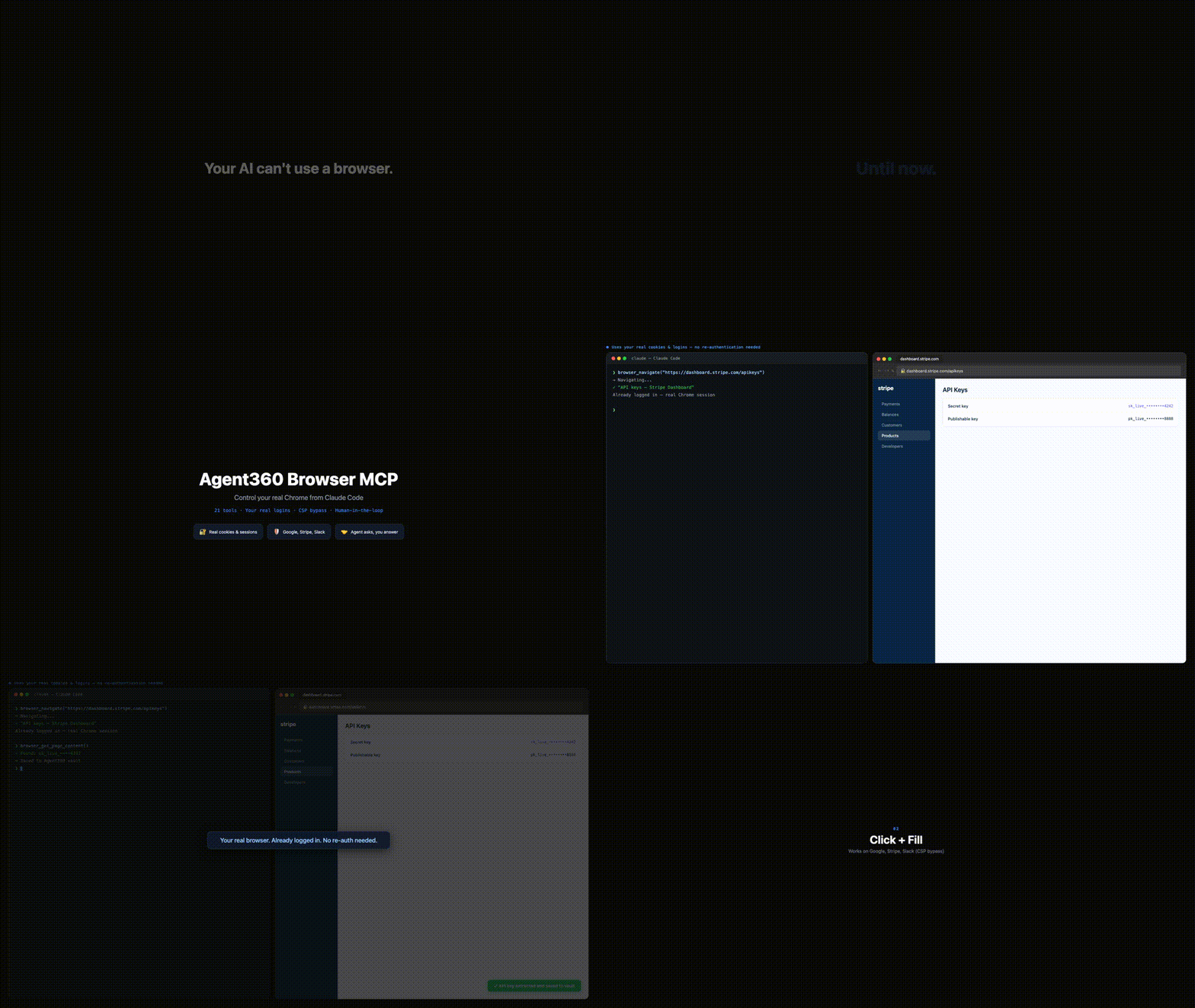](https://browsermcp.dev)
|
|
13
25
|
|
|
14
26
|
▶ **[Watch the 37-second demo with sound →](https://browsermcp.dev)**
|
|
15
27
|
|
|
16
|
-
Browser MCP gives Claude Code (and any MCP client
|
|
28
|
+
Browser MCP gives Claude Code (and any MCP client - Cursor, VS Code agent mode) control of your actual Chrome: your cookies, your sessions, your 2FA. So it works on CAPTCHA, 2FA and anti-bot sites where Playwright and Puppeteer get blocked - because it's *you* browsing.
|
|
17
29
|
|
|
18
|
-
The killer move: it hits a login wall, reads the verification code from your own Gmail tab, and continues the sign-in. No API can do that. Operate platforms with no API, QA your own web app end-to-end, or work dashboards, LinkedIn and Reddit at human pace
|
|
30
|
+
The killer move: it hits a login wall, reads the verification code from your own Gmail tab, and continues the sign-in. No API can do that. Operate platforms with no API, QA your own web app end-to-end, or work dashboards, LinkedIn and Reddit at human pace - with you approving the sensitive steps.
|
|
19
31
|
|
|
20
|
-
40 tools. Auto-clicks the reCAPTCHA v2 checkbox, with a human fallback for the rest. Multi-session color-coded tab groups. **MIT, free, and
|
|
32
|
+
40 tools. Auto-clicks the reCAPTCHA v2 checkbox, with a human fallback for the rest. Multi-session color-coded tab groups. **MIT, free, and it runs on your machine - no account, no telemetry, nothing sent to us.**
|
|
21
33
|
|
|
22
34
|
## The whole thing, in four steps
|
|
23
35
|
|
|
24
|
-
**1
|
|
36
|
+
**1 - Install the Chrome extension.** One click from the [Chrome Web Store](https://chromewebstore.google.com/detail/agent360-browser-mcp/jdehgalffmffhfhmmhaokfbfnafnmgcl); Chrome keeps it updated. No store? See the unpacked install below.
|
|
25
37
|
|
|
26
|
-
**2
|
|
38
|
+
**2 - Add the MCP server.** Paste this in a terminal. Required - the extension does nothing on its own:
|
|
27
39
|
|
|
28
40
|
```bash
|
|
29
41
|
claude mcp add --scope user browser-mcp -- npx @agent360/browser-mcp@latest
|
|
30
42
|
```
|
|
31
43
|
|
|
32
|
-
**3
|
|
44
|
+
**3 - Restart Claude Code.** That is what starts the server. The extension shows no badge until step 4 - the server only takes a port the first time your agent actually uses the browser. A green badge with the number of connected agents appears then; nothing on the icon before that is normal. (The icon itself never changes colour - it is the badge that turns green.)
|
|
33
45
|
|
|
34
|
-
**4
|
|
46
|
+
**4 - Say this, to check it worked.** Paste it to Claude Code:
|
|
35
47
|
|
|
36
48
|
> Take a screenshot of my current Chrome tab.
|
|
37
49
|
|
|
38
|
-
You get an image back instead of *"I don't have browser access"*. **That's it
|
|
50
|
+
You get an image back instead of *"I don't have browser access"*. **That's it - you're running.** → [What else to say](#youre-in-now-what)
|
|
39
51
|
|
|
40
|
-
Using Cursor, VS Code, Codex or Windsurf? Same server, that client's own config
|
|
52
|
+
Using Cursor, VS Code, Codex or Windsurf? Same server, that client's own config - see [browsermcp.dev/docs](https://browsermcp.dev/docs/install-cursor/). Everything below is the long version.
|
|
41
53
|
|
|
42
|
-
## The long version
|
|
54
|
+
## The long version - install, step by step
|
|
43
55
|
|
|
44
|
-
> **Browser MCP is two halves and you need both:** a **Chrome extension** (drives the browser) and a **local MCP server** (what your agent actually talks to). Installing only the extension
|
|
56
|
+
> **Browser MCP is two halves and you need both:** a **Chrome extension** (drives the browser) and a **local MCP server** (what your agent actually talks to). Installing only the extension - e.g. straight from the Chrome Web Store - leaves it stuck on *"Not connected"*, because there is no server for it to reach. Chrome cannot install the server, and npm cannot install the extension. Hence two steps.
|
|
45
57
|
|
|
46
58
|
### Step 1: Register the MCP server with Claude Code
|
|
47
59
|
|
|
@@ -57,11 +69,11 @@ Want the extension files on disk for the unpacked install in Step 2? Also run:
|
|
|
57
69
|
npx @agent360/browser-mcp install
|
|
58
70
|
```
|
|
59
71
|
|
|
60
|
-
It copies the extension to `~/.browser-mcp/extension/` and **prints that path in the terminal
|
|
72
|
+
It copies the extension to `~/.browser-mcp/extension/` and **prints that path in the terminal - copy it.** (Use it for the extension files only; register the server with `claude mcp add` above.)
|
|
61
73
|
|
|
62
74
|
### Step 2: Load the extension in Chrome
|
|
63
75
|
|
|
64
|
-
> Chrome won't let extensions install themselves from npm
|
|
76
|
+
> Chrome won't let extensions install themselves from npm - you load it manually one time. To **update** later, re-run the install command and reload it (see [Keeping it updated](#keeping-it-updated)). Prefer the [Chrome Web Store](#chrome-web-store-one-click-install) install if you'd rather have the extension auto-update.
|
|
65
77
|
|
|
66
78
|
1. **Open Chrome** and type `chrome://extensions` in the address bar
|
|
67
79
|
2. **Toggle "Developer mode"** ON (top right corner)
|
|
@@ -79,9 +91,9 @@ That's it. The Browser MCP icon will appear in your toolbar, and 40 browser tool
|
|
|
79
91
|
If you don't want to use npm, download the extension directly:
|
|
80
92
|
|
|
81
93
|
1. [Download the extension zip](https://github.com/Agent360dk/browser-mcp/releases/latest) (`agent360-browser-mcp-<version>.zip`) from the latest GitHub release
|
|
82
|
-
2. Unzip the file (anywhere
|
|
94
|
+
2. Unzip the file (anywhere - e.g. `~/Downloads/browser-mcp-extension/`)
|
|
83
95
|
3. Follow Step 2 above, but select the unzipped folder instead of `~/.browser-mcp/extension/`
|
|
84
|
-
4. Register the server
|
|
96
|
+
4. Register the server - run `claude mcp add --scope user browser-mcp -- npx @agent360/browser-mcp@latest`, or add this to `~/.claude.json` by hand:
|
|
85
97
|
```json
|
|
86
98
|
{
|
|
87
99
|
"mcpServers": {
|
|
@@ -95,17 +107,17 @@ If you don't want to use npm, download the extension directly:
|
|
|
95
107
|
|
|
96
108
|
### Chrome Web Store (no Developer mode, auto-updating extension)
|
|
97
109
|
|
|
98
|
-
**This replaces Step 2 only
|
|
110
|
+
**This replaces Step 2 only - you still need Step 1.**
|
|
99
111
|
|
|
100
|
-
1. [**Install the extension from the Chrome Web Store →**](https://chromewebstore.google.com/detail/agent360-browser-mcp/jdehgalffmffhfhmmhaokfbfnafnmgcl)
|
|
112
|
+
1. [**Install the extension from the Chrome Web Store →**](https://chromewebstore.google.com/detail/agent360-browser-mcp/jdehgalffmffhfhmmhaokfbfnafnmgcl) - no Developer mode toggle, and Chrome keeps it updated for you.
|
|
101
113
|
2. Register the MCP server:
|
|
102
114
|
```bash
|
|
103
115
|
claude mcp add --scope user browser-mcp -- npx @agent360/browser-mcp@latest
|
|
104
116
|
```
|
|
105
|
-
(For Cursor / VS Code / Codex, use that client's own MCP config instead
|
|
117
|
+
(For Cursor / VS Code / Codex, use that client's own MCP config instead - see [browsermcp.dev/docs](https://browsermcp.dev/docs/install-claude-code/).)
|
|
106
118
|
3. Restart Claude Code.
|
|
107
119
|
|
|
108
|
-
Skip step 2 and the extension icon will sit on **"Not connected"** forever
|
|
120
|
+
Skip step 2 and the extension icon will sit on **"Not connected"** forever - that is the symptom of a missing MCP server, not a broken extension.
|
|
109
121
|
|
|
110
122
|
## You're in. Now what?
|
|
111
123
|
|
|
@@ -114,23 +126,23 @@ Nothing happens until you ask, and the hardest part of a new tool is knowing wha
|
|
|
114
126
|
| Say this | What it shows |
|
|
115
127
|
|---|---|
|
|
116
128
|
| *"Take a screenshot of my current Chrome tab."* | **Start here.** An image back instead of *"I don't have browser access"* means both halves are talking. That is the whole install test. |
|
|
117
|
-
| *"Open my Gmail tab and tell me who sent my last 3 emails."* | The one that shows the difference
|
|
129
|
+
| *"Open my Gmail tab and tell me who sent my last 3 emails."* | The one that shows the difference - it works because it is *your* browser, already signed in. A headless tool hits a login wall here. |
|
|
118
130
|
| *"Go to my analytics dashboard, pull this month's numbers, and put them in a table."* | Any dashboard you are already logged into. No API key, no export, no integration to build first. |
|
|
119
|
-
| *"Fill in this signup form with my details. Stop and ask me before anything sensitive."* | You stay in the loop
|
|
131
|
+
| *"Fill in this signup form with my details. Stop and ask me before anything sensitive."* | You stay in the loop - it hands control back for passwords, payment details, or anything it should not decide alone. |
|
|
120
132
|
| *"Log me in here. If it emails a code, read it from my Gmail tab and continue."* | The move no API can make: it reads the one-time code out of your own inbox and finishes the sign-in. |
|
|
121
133
|
| *"Walk through my app's signup flow as a real user and tell me where it breaks."* | End-to-end QA of your own product, in the same browser your users have. |
|
|
122
134
|
|
|
123
|
-
The pattern: **anything you would do yourself in a browser, on a site you are already signed into.** It is strongest where there is no API
|
|
135
|
+
The pattern: **anything you would do yourself in a browser, on a site you are already signed into.** It is strongest where there is no API - internal dashboards, admin panels, portals, LinkedIn. Built something good? [Add it to the gallery](USE_CASES.md).
|
|
124
136
|
|
|
125
137
|
## Why This Over Playwright MCP / BrowserMCP?
|
|
126
138
|
|
|
127
139
|
| | Browser MCP | Playwright MCP | BrowserMCP.io |
|
|
128
140
|
|---|---|---|---|
|
|
129
|
-
| **Browser** | Your real Chrome |
|
|
130
|
-
| **Maintained** | Actively
|
|
131
|
-
| **Logins/cookies** |
|
|
132
|
-
| **
|
|
133
|
-
| **Human-in-the-loop** | `browser_ask_user`
|
|
141
|
+
| **Browser** | Your real Chrome, via extension | Persistent profile by default, or your Chrome via their extension | Your real Chrome |
|
|
142
|
+
| **Maintained** | Actively - latest release v1.29.1 (2026-09-13) | Actively (Microsoft) | Last commit Apr 2025 |
|
|
143
|
+
| **Logins/cookies** | Your existing session | Persistent profile keeps logins between runs | Already authenticated |
|
|
144
|
+
| **Several agents, one logged-in profile** | 20 concurrent, each with its own color-coded tab group | Their docs: concurrent clients on one profile *conflict* - each extra client needs `--isolated` or its own `--user-data-dir` | Single session |
|
|
145
|
+
| **Human-in-the-loop** | `browser_ask_user` - 2FA, CAPTCHA, credential input | None | None |
|
|
134
146
|
| **Provider integrations** | 9 built-in (Stripe, HubSpot, Slack...) | None | None |
|
|
135
147
|
| **CORS bypass** | `browser_fetch` from extension background | N/A | Limited |
|
|
136
148
|
| **Network monitoring** | `browser_wait_for_network` via CDP | Built-in | None |
|
|
@@ -138,7 +150,55 @@ The pattern: **anything you would do yourself in a browser, on a site you are al
|
|
|
138
150
|
| **Custom dropdowns** | Angular Material, React Select support | Works (headless) | Limited |
|
|
139
151
|
| **Install** | `claude mcp add` + extension from the Chrome Web Store | `npx @playwright/mcp` | Manual clone |
|
|
140
152
|
|
|
141
|
-
|
|
153
|
+
### The pages that defeat everything else
|
|
154
|
+
|
|
155
|
+
The reason this works where headless dies is not that it slips past anything. It is that
|
|
156
|
+
there is nothing to slip past: it is your Chrome, your session, your consent. What is left
|
|
157
|
+
is the hard part - pages that fight *any* automation because of how they are built.
|
|
158
|
+
|
|
159
|
+
Every release is gated on a flow test against a real Chrome that has to survive exactly
|
|
160
|
+
those: all 40 tools are exercised, and the gate also checks that the extension Chrome is
|
|
161
|
+
running is the one being released - not another copy with the same version number. The
|
|
162
|
+
failures that do show up are honest ones: mouse events are not delivered to a tab that is
|
|
163
|
+
not in front, and the tools say so instead of reporting success. What the test covers
|
|
164
|
+
|
|
165
|
+
- **strict CSP** - navigate, read, execute, wait and click all still work (falls back to
|
|
166
|
+
the Chrome Debugger API when script injection is blocked)
|
|
167
|
+
- **cross-origin iframes** - seen into and reached inside
|
|
168
|
+
- **shadow DOM** - selectors reach through it
|
|
169
|
+
- **controlled inputs** - `fill` sticks in a React-style controlled field
|
|
170
|
+
- **honesty checks** - `click` refuses a 0×0 element instead of hitting (0,0), and says so
|
|
171
|
+
when the page never took the event
|
|
172
|
+
|
|
173
|
+
### Known limitation: working in a tab you are not looking at
|
|
174
|
+
|
|
175
|
+
In a tab you are not looking at, the agent can navigate, read, screenshot, run scripts, fill
|
|
176
|
+
fields and click. Chrome does not deliver mouse and keyboard events to a tab that is not the
|
|
177
|
+
visible one in its window, so key presses, hover, double-click, coordinate clicks and combobox
|
|
178
|
+
typing fail with an error that says so, and the agent will then call `browser_switch_tab`, which
|
|
179
|
+
brings that tab and its window in front of you.
|
|
180
|
+
|
|
181
|
+
Measured across 160 real sessions: that happens on roughly one call in forty, most often on Enter.
|
|
182
|
+
Fully hands-off background work is planned for 1.30. Some of it cannot be solved at all: CSS
|
|
183
|
+
`:hover` is a state the renderer owns and no script can fake it, a script-dispatched event is
|
|
184
|
+
never `isTrusted`, `elementFromPoint` stops at a cross-origin iframe, and the text selection a
|
|
185
|
+
real double-click makes is browser behaviour rather than an event.
|
|
186
|
+
|
|
187
|
+
|
|
188
|
+
That last group matters most. A tool that quietly reports success is worse than one that
|
|
189
|
+
fails, because you build on the answer. Where we still fall short of it, it is written
|
|
190
|
+
down: see [#19](https://github.com/Agent360dk/browser-mcp/issues/19).
|
|
191
|
+
|
|
192
|
+
> **Corrected 2026-09-07.** This table used to say Playwright MCP was headless and made you
|
|
193
|
+
> log in every time. That was wrong, and it had been wrong for a while - Microsoft's own README
|
|
194
|
+
> documents a persistent profile as the default, plus a browser extension for using the Chrome
|
|
195
|
+
> you already have. The row that actually survives is the one above it, and it is their
|
|
196
|
+
> documented limitation, not our claim: *"A persistent profile can only be used by one browser
|
|
197
|
+
> instance at a time, so concurrent MCP clients sharing the same workspace will conflict."*
|
|
198
|
+
> If you run one agent, Playwright MCP will serve you well. The difference shows up when you
|
|
199
|
+
> run twenty against the same logged-in browser.
|
|
200
|
+
|
|
201
|
+
> **On the name:** the similarly-named `browsermcp.io` (`@browsermcp/mcp`) is a different, unaffiliated project with no commits since April 2025. This is Browser MCP by Agent360 (`@agent360/browser-mcp`) - actively maintained. [Full side-by-side →](https://browsermcp.dev/compare/browsermcp-io/)
|
|
142
202
|
|
|
143
203
|
### Environment variables
|
|
144
204
|
|
|
@@ -209,7 +269,7 @@ Both are optional. Neither is needed for normal use.
|
|
|
209
269
|
### Data
|
|
210
270
|
| Tool | Description |
|
|
211
271
|
|------|-------------|
|
|
212
|
-
| `browser_get_cookies` | Get cookies for a
|
|
272
|
+
| `browser_get_cookies` | Get cookies for a site this session has open |
|
|
213
273
|
| `browser_set_cookies` | Set cookies for a domain |
|
|
214
274
|
| `browser_get_local_storage` | Read localStorage from page |
|
|
215
275
|
| `browser_set_local_storage` | Write localStorage values |
|
|
@@ -220,22 +280,70 @@ Both are optional. Neither is needed for normal use.
|
|
|
220
280
|
### Diagnostics & feedback
|
|
221
281
|
| Tool | Description |
|
|
222
282
|
|------|-------------|
|
|
223
|
-
| `browser_provide_feedback` | Self-check + report in one call. Compares this server against the latest on npm, the connected extension against this server, and detects **more than one Browser MCP extension connected at once**
|
|
283
|
+
| `browser_provide_feedback` | Self-check + report in one call. Compares this server against the latest on npm, the connected extension against this server, and detects **more than one Browser MCP extension connected at once** - the three things that explain most "it just stopped working" moments. Returns a verdict (`current` / `outdated` / `conflict` / `disconnected`), concrete fix steps, and a pre-filled issue link for whatever is genuinely missing. Your agent calls it on its own whenever a tool blocks it |
|
|
224
284
|
| `browser_about` | Project info + pre-filled links to submit a wish, use-case, or bug |
|
|
225
285
|
|
|
226
286
|
## Multi-Session Support
|
|
227
287
|
|
|
228
288
|
Each Claude Code conversation gets its own MCP server on a unique port (9876-9895). The Chrome extension connects to all active servers simultaneously.
|
|
229
289
|
|
|
290
|
+
**Need more than 20 at once?** The range is a setting, not a hard limit, but both halves have to agree.
|
|
291
|
+
Set `BROWSER_MCP_MAX_PORT` in every chat's MCP config, set `bmcpPorte` to the same range in the
|
|
292
|
+
extension's storage, then reload the extension: it reads the range only when it starts. Change only the
|
|
293
|
+
server side and chat 21 binds a port the extension never looks at, so the browser goes quiet in that chat
|
|
294
|
+
with nothing to explain it. 100 is plenty; the hard cap is 200. Every extra port costs your browser one
|
|
295
|
+
refused connection every two seconds, whether you use it or not, so do not widen it for fun.
|
|
296
|
+
|
|
230
297
|
```
|
|
231
298
|
Claude Session 1 ←(stdio)→ MCP :9876 ←(WS)→
|
|
232
299
|
Claude Session 2 ←(stdio)→ MCP :9877 ←(WS)→ Chrome Extension → Browser
|
|
233
300
|
Claude Session 3 ←(stdio)→ MCP :9878 ←(WS)→
|
|
234
301
|
```
|
|
235
302
|
|
|
236
|
-
- **Session isolation**
|
|
237
|
-
- **Tab ownership**
|
|
238
|
-
- **Auto-cleanup**
|
|
303
|
+
- **Session isolation** - each session gets a color-coded Chrome Tab Group
|
|
304
|
+
- **Tab ownership** - sessions can only see and control their own tabs
|
|
305
|
+
- **Auto-cleanup** - processes exit when Claude Code closes the conversation
|
|
306
|
+
- **Ports are taken on demand** - a server binds its port on the first browser call, not
|
|
307
|
+
at startup, and releases it 5 minutes after its last tab closes. A chat that never
|
|
308
|
+
touches the browser never occupies a slot.
|
|
309
|
+
|
|
310
|
+
### Running the agent on another machine
|
|
311
|
+
|
|
312
|
+
The extension only connects to `127.0.0.1`, deliberately - it will not talk to a remote
|
|
313
|
+
WebSocket. If your MCP gateway runs on a different box than your browser, forward the port
|
|
314
|
+
range over SSH.
|
|
315
|
+
|
|
316
|
+
Recipe below contributed by [@bkuri](https://github.com/Agent360dk/browser-mcp/issues/1),
|
|
317
|
+
who ran into exactly this and solved it. Linux + systemd; needs `autossh` locally and your
|
|
318
|
+
public key already on the server:
|
|
319
|
+
|
|
320
|
+
```ini
|
|
321
|
+
# ~/.config/systemd/user/browser-mcp-tunnel.service
|
|
322
|
+
[Unit]
|
|
323
|
+
Description=SSH tunnel for browser-mcp WebSocket (ports 9876-9895)
|
|
324
|
+
After=network-online.target
|
|
325
|
+
Wants=network-online.target
|
|
326
|
+
|
|
327
|
+
[Service]
|
|
328
|
+
Type=simple
|
|
329
|
+
ExecStart=/bin/sh -c '/usr/bin/autossh -M 0 -N \
|
|
330
|
+
-o ServerAliveInterval=30 -o ServerAliveCountMax=3 \
|
|
331
|
+
-o ExitOnForwardFailure=yes -o LogLevel=ERROR \
|
|
332
|
+
$(for p in $(seq 9876 9895); do printf " -L %s:127.0.0.1:%s" "$p" "$p"; done) \
|
|
333
|
+
server-name'
|
|
334
|
+
Restart=on-failure
|
|
335
|
+
RestartSec=5
|
|
336
|
+
Environment="AUTOSSH_GATETIME=0"
|
|
337
|
+
|
|
338
|
+
[Install]
|
|
339
|
+
WantedBy=default.target
|
|
340
|
+
```
|
|
341
|
+
|
|
342
|
+
Replace `server-name`, then `systemctl --user enable --now browser-mcp-tunnel.service`.
|
|
343
|
+
|
|
344
|
+
> The original recipe listed ports 9876-9885 by hand - the range was ten back then. It is
|
|
345
|
+
> twenty now, so the loop above generates them instead of hard-coding a list that goes
|
|
346
|
+
> stale the next time the range changes.
|
|
239
347
|
|
|
240
348
|
## Built-in Provider Integrations
|
|
241
349
|
|
|
@@ -258,9 +366,9 @@ Claude Session 3 ←(stdio)→ MCP :9878 ←(WS)→
|
|
|
258
366
|
```
|
|
259
367
|
extension/
|
|
260
368
|
manifest.json # Manifest V3
|
|
261
|
-
background.js # Service worker
|
|
369
|
+
background.js # Service worker - Chrome API dispatcher, session tab groups
|
|
262
370
|
offscreen.js # Persistent WebSocket bridge (multi-port scanning)
|
|
263
|
-
popup.html/js # Status UI
|
|
371
|
+
popup.html/js # Status UI - sessions, tabs, action log
|
|
264
372
|
|
|
265
373
|
mcp-server/
|
|
266
374
|
index.js # MCP server (stdio) + WebSocket client
|
|
@@ -278,17 +386,17 @@ mcp-server/
|
|
|
278
386
|
|
|
279
387
|
## Keeping it updated
|
|
280
388
|
|
|
281
|
-
Browser MCP has two parts, and they update independently
|
|
389
|
+
Browser MCP has two parts, and they update independently - how the **extension** updates depends on how you installed it:
|
|
282
390
|
|
|
283
391
|
| Part | Install method | How it updates |
|
|
284
392
|
|------|----------------|----------------|
|
|
285
393
|
| **MCP server** | any | **Automatic.** Runs via `npx @agent360/browser-mcp@latest`, so every Claude Code session pulls the newest from npm. Nothing to do. |
|
|
286
|
-
| **Extension** | **Chrome Web Store** | **Automatic.** Chrome
|
|
394
|
+
| **Extension** | **Chrome Web Store** | **Automatic, but not immediate.** A new version first has to pass Google's review, which usually takes 1-3 days; Chrome then picks it up in the background within hours. Nothing to do, but a fix published today does not reach you today. |
|
|
287
395
|
| **Extension** | **Unpacked** (`npx … install` or manual zip) | **Manual.** Chrome never auto-updates a load-unpacked extension. Re-run `npx @agent360/browser-mcp install`, then open `chrome://extensions` → Browser MCP → **↻ reload**. |
|
|
288
396
|
|
|
289
397
|
**Not sure which you have?** Open `chrome://extensions` and find Browser MCP. If it shows a **"Loaded from /path/…"** line, it's unpacked (manual updates). If there's no such line, it came from the Chrome Web Store (auto-updates).
|
|
290
398
|
|
|
291
|
-
**Want zero-maintenance updates?** Install the extension from the [Chrome Web Store](https://chromewebstore.google.com/detail/agent360-browser-mcp/jdehgalffmffhfhmmhaokfbfnafnmgcl), then run `claude mcp add --scope user browser-mcp -- npx @agent360/browser-mcp@latest` to register the server. After that, both parts stay current on their own
|
|
399
|
+
**Want zero-maintenance updates?** Install the extension from the [Chrome Web Store](https://chromewebstore.google.com/detail/agent360-browser-mcp/jdehgalffmffhfhmmhaokfbfnafnmgcl), then run `claude mcp add --scope user browser-mcp -- npx @agent360/browser-mcp@latest` to register the server. After that, both parts stay current on their own - as long as your config uses `@agent360/browser-mcp@latest`.
|
|
292
400
|
|
|
293
401
|
## Troubleshooting
|
|
294
402
|
|
|
@@ -298,8 +406,8 @@ Browser MCP has two parts, and they update independently — how the **extension
|
|
|
298
406
|
- Wait 2-3 seconds for port scan
|
|
299
407
|
|
|
300
408
|
**Screenshot fails**
|
|
301
|
-
- Uses Chrome Debugger API (works even when tab isn't focused)
|
|
302
|
-
-
|
|
409
|
+
- Uses the Chrome Debugger API for your session's own tab (works even when the tab isn't focused)
|
|
410
|
+
- From 1.29.1 there is no fallback that captures whichever tab happens to be visible: if the debugger can't produce a frame, the call fails. (1.29.0 and earlier could fall back to the visible tab.) Run `browser_reattach_debugger` and try again
|
|
303
411
|
|
|
304
412
|
**Click doesn't work on SPA**
|
|
305
413
|
- Try text selector: `browser_click("text=Submit")`
|
|
@@ -315,16 +423,23 @@ Browser MCP has two parts, and they update independently — how the **extension
|
|
|
315
423
|
Browser MCP is built in the open and shaped by the people using it.
|
|
316
424
|
|
|
317
425
|
### Browse what others want / built
|
|
318
|
-
- 💡 **[Wishlist →](WISHLIST.md)**
|
|
319
|
-
- 🎯 **[Use-cases →](USE_CASES.md)**
|
|
426
|
+
- 💡 **[Wishlist →](WISHLIST.md)** - features people are asking for
|
|
427
|
+
- 🎯 **[Use-cases →](USE_CASES.md)** - what others have built (LinkedIn ICP scraping, vendor research, daily ops, …)
|
|
320
428
|
|
|
321
429
|
### Contribute in 30 seconds
|
|
322
430
|
- 💡 [Wish for a feature](https://github.com/Agent360dk/browser-mcp/issues/new?template=wish.yml)
|
|
323
431
|
- 🎯 [Share a use-case](https://github.com/Agent360dk/browser-mcp/issues/new?template=use-case.yml)
|
|
324
432
|
- 🐛 [Report a bug](https://github.com/Agent360dk/browser-mcp/issues/new?template=bug.yml)
|
|
325
433
|
|
|
326
|
-
Or just **ask Claude**
|
|
434
|
+
Or just **ask Claude** - it knows about the `browser_about` tool and will draft + submit on your behalf when you say things like *"I wish browser-mcp could …"* or *"share my browser-mcp use-case"*.
|
|
435
|
+
|
|
436
|
+
### If it works for you
|
|
437
|
+
|
|
438
|
+
The Chrome Web Store ranks on ratings, and we have none - so a sentence from you moves this
|
|
439
|
+
further than anything we can write. [Leave a review](https://chromewebstore.google.com/detail/agent360-browser-mcp/jdehgalffmffhfhmmhaokfbfnafnmgcl/reviews)
|
|
440
|
+
if it earned one, and say so honestly if it did not. No signup, no reward, nothing gated
|
|
441
|
+
behind it - we just have no signal at all right now.
|
|
327
442
|
|
|
328
443
|
## License
|
|
329
444
|
|
|
330
|
-
MIT
|
|
445
|
+
MIT - [Agent360](https://agent360.dk)
|
package/bin/cli.js
CHANGED
|
@@ -1,15 +1,15 @@
|
|
|
1
1
|
#!/usr/bin/env node
|
|
2
2
|
|
|
3
3
|
/**
|
|
4
|
-
* Browser MCP CLI
|
|
4
|
+
* Browser MCP CLI - put the extension on disk + register the MCP server
|
|
5
5
|
*
|
|
6
6
|
* Usage:
|
|
7
|
-
* npx @agent360/browser-mcp install
|
|
8
|
-
* npx @agent360/browser-mcp install --skip-extension
|
|
9
|
-
* npx @agent360/browser-mcp
|
|
7
|
+
* npx @agent360/browser-mcp install - extension files + register server
|
|
8
|
+
* npx @agent360/browser-mcp install --skip-extension - register the server only
|
|
9
|
+
* npx @agent360/browser-mcp - start MCP server (the client calls this)
|
|
10
10
|
*
|
|
11
11
|
* Registration goes through `claude mcp add`, i.e. Claude Code's own command. An earlier
|
|
12
|
-
* version wrote ~/.claude/mcp.json directly
|
|
12
|
+
* version wrote ~/.claude/mcp.json directly - Claude Code does not read that path, so the
|
|
13
13
|
* install silently did nothing while printing success.
|
|
14
14
|
*/
|
|
15
15
|
|
|
@@ -23,6 +23,10 @@ const __dirname = dirname(fileURLToPath(import.meta.url));
|
|
|
23
23
|
const pkgRoot = dirname(__dirname); // mcp-server/
|
|
24
24
|
const command = process.argv[2];
|
|
25
25
|
const skipExtension = process.argv.includes('--skip-extension');
|
|
26
|
+
// Serverdefinitionen alle klienter registreres med. Staar her, fordi install() koeres straks nedenfor.
|
|
27
|
+
const SERVER_NAVN = 'browser-mcp';
|
|
28
|
+
const SERVER_KOMMANDO = 'npx';
|
|
29
|
+
const SERVER_ARGS = ['@agent360/browser-mcp@latest'];
|
|
26
30
|
|
|
27
31
|
if (command === 'install') {
|
|
28
32
|
install({ skipExtension });
|
|
@@ -33,7 +37,7 @@ if (command === 'install') {
|
|
|
33
37
|
await import('../index.js');
|
|
34
38
|
} else {
|
|
35
39
|
console.log(`
|
|
36
|
-
Browser MCP by Agent360
|
|
40
|
+
Browser MCP by Agent360 - control your real Chrome from Claude Code
|
|
37
41
|
|
|
38
42
|
Usage:
|
|
39
43
|
npx @agent360/browser-mcp install Extension files + register the server
|
|
@@ -59,22 +63,91 @@ function registerWithClaudeCode() {
|
|
|
59
63
|
} catch (err) {
|
|
60
64
|
const msg = String(err && (err.stderr || err.message) || '');
|
|
61
65
|
if (/already exists/i.test(msg)) {
|
|
62
|
-
console.log('✅ Already registered with Claude Code
|
|
66
|
+
console.log('✅ Already registered with Claude Code - nothing to do');
|
|
63
67
|
return true;
|
|
64
68
|
}
|
|
65
69
|
// `claude` not on PATH, or a different client entirely. Do not pretend it worked.
|
|
66
70
|
console.log('⚠️ Could not register automatically (the `claude` command was not found).');
|
|
67
|
-
console.log(' Register the server yourself
|
|
71
|
+
console.log(' Register the server yourself - Claude Code:');
|
|
68
72
|
console.log(' claude mcp add --scope user browser-mcp -- npx @agent360/browser-mcp@latest');
|
|
69
73
|
console.log(' Codex:');
|
|
70
74
|
console.log(' codex mcp add browser-mcp -- npx @agent360/browser-mcp@latest');
|
|
71
|
-
console.log(' Cursor / VS Code / other
|
|
75
|
+
console.log(' Cursor / VS Code / other - add to that client\'s MCP config:');
|
|
72
76
|
console.log(' {"mcpServers": {"browser-mcp": {"command": "npx", "args": ["@agent360/browser-mcp@latest"]}}}');
|
|
73
77
|
console.log(' Guides: https://browsermcp.dev/docs/install-claude-code/');
|
|
74
78
|
return false;
|
|
75
79
|
}
|
|
76
80
|
}
|
|
77
81
|
|
|
82
|
+
// Plan 8.2 (11/9): Codex, VS Code og Cursor registreres ogsaa. Samme lektie som ovenfor: klientens EGEN kommando hvor den
|
|
83
|
+
// findes, og kun klienter der faktisk er installeret. En klient der ikke findes, roeres ikke og kaldes ikke registreret.
|
|
84
|
+
// (SERVER_NAVN, SERVER_KOMMANDO og SERVER_ARGS staar oeverst: install() koeres foer filens nederste linjer er naaet.)
|
|
85
|
+
|
|
86
|
+
function registerWithCodex() {
|
|
87
|
+
try {
|
|
88
|
+
execFileSync('codex', ['mcp', 'add', SERVER_NAVN, '--', SERVER_KOMMANDO, ...SERVER_ARGS], { stdio: 'pipe' });
|
|
89
|
+
console.log('✅ Registered with Codex (codex mcp add)');
|
|
90
|
+
return true;
|
|
91
|
+
} catch (err) {
|
|
92
|
+
if (err && err.code === 'ENOENT') return null; // Codex er ikke installeret
|
|
93
|
+
const msg = String(err && (err.stderr || err.message) || '');
|
|
94
|
+
if (/already exists/i.test(msg)) {
|
|
95
|
+
console.log('✅ Already registered with Codex - nothing to do');
|
|
96
|
+
return true;
|
|
97
|
+
}
|
|
98
|
+
console.log('⚠️ Codex is installed, but registration failed. Run: codex mcp add browser-mcp -- npx @agent360/browser-mcp@latest');
|
|
99
|
+
return false;
|
|
100
|
+
}
|
|
101
|
+
}
|
|
102
|
+
|
|
103
|
+
function registerWithVSCode() {
|
|
104
|
+
let hjaelp;
|
|
105
|
+
try {
|
|
106
|
+
hjaelp = String(execFileSync('code', ['--help'], { stdio: 'pipe' }));
|
|
107
|
+
} catch {
|
|
108
|
+
return null; // VS Code's `code` er ikke paa PATH
|
|
109
|
+
}
|
|
110
|
+
// Kun versioner der kender flaget, faar det - en aeldre `code` ville aabne et vindue med JSON'en som filnavn.
|
|
111
|
+
if (!/--add-mcp/.test(hjaelp)) {
|
|
112
|
+
console.log('⚠️ VS Code found, but this version cannot add MCP servers from the command line. Use "Add to VS Code" in the README.');
|
|
113
|
+
return false;
|
|
114
|
+
}
|
|
115
|
+
try {
|
|
116
|
+
execFileSync('code', ['--add-mcp', JSON.stringify({ name: SERVER_NAVN, command: SERVER_KOMMANDO, args: SERVER_ARGS })], { stdio: 'pipe' });
|
|
117
|
+
console.log('✅ Registered with VS Code (code --add-mcp)');
|
|
118
|
+
return true;
|
|
119
|
+
} catch {
|
|
120
|
+
console.log('⚠️ VS Code registration failed. Use "Add to VS Code" in the README.');
|
|
121
|
+
return false;
|
|
122
|
+
}
|
|
123
|
+
}
|
|
124
|
+
|
|
125
|
+
// Cursor har ingen kommando. Dens globale fil er ~/.cursor/mcp.json; den flettes, og alt andet i den bevares.
|
|
126
|
+
function registerWithCursor() {
|
|
127
|
+
const mappe = join(homedir(), '.cursor');
|
|
128
|
+
if (!existsSync(mappe)) return null; // Cursor er ikke installeret
|
|
129
|
+
const fil = join(mappe, 'mcp.json');
|
|
130
|
+
const roerIkke = () => {
|
|
131
|
+
console.log(`⚠️ Cursor found, but ${fil} could not be read, so it was left untouched. Add browser-mcp there yourself.`);
|
|
132
|
+
return false;
|
|
133
|
+
};
|
|
134
|
+
let cfg = {};
|
|
135
|
+
if (existsSync(fil)) {
|
|
136
|
+
try { cfg = JSON.parse(readFileSync(fil, 'utf8')); } catch { return roerIkke(); }
|
|
137
|
+
if (!cfg || typeof cfg !== 'object' || Array.isArray(cfg)) return roerIkke();
|
|
138
|
+
if (cfg.mcpServers !== undefined && (!cfg.mcpServers || typeof cfg.mcpServers !== 'object' || Array.isArray(cfg.mcpServers))) return roerIkke();
|
|
139
|
+
}
|
|
140
|
+
cfg.mcpServers = cfg.mcpServers || {};
|
|
141
|
+
if (cfg.mcpServers[SERVER_NAVN]) {
|
|
142
|
+
console.log('✅ Already registered with Cursor - nothing to do');
|
|
143
|
+
return true;
|
|
144
|
+
}
|
|
145
|
+
cfg.mcpServers[SERVER_NAVN] = { command: SERVER_KOMMANDO, args: SERVER_ARGS };
|
|
146
|
+
writeFileSync(fil, JSON.stringify(cfg, null, 2) + '\n');
|
|
147
|
+
console.log(`✅ Registered with Cursor (${fil})`);
|
|
148
|
+
return true;
|
|
149
|
+
}
|
|
150
|
+
|
|
78
151
|
function install({ skipExtension = false } = {}) {
|
|
79
152
|
const home = homedir();
|
|
80
153
|
const extensionDir = join(home, '.browser-mcp', 'extension');
|
|
@@ -97,16 +170,20 @@ function install({ skipExtension = false } = {}) {
|
|
|
97
170
|
console.log(`✅ Extension files copied to ${extensionDir}`);
|
|
98
171
|
}
|
|
99
172
|
|
|
100
|
-
// 2. Register the server
|
|
173
|
+
// 2. Register the server with every client that is installed
|
|
101
174
|
registerWithClaudeCode();
|
|
175
|
+
registerWithCodex();
|
|
176
|
+
registerWithVSCode();
|
|
177
|
+
registerWithCursor();
|
|
102
178
|
|
|
103
|
-
// 3. Print next steps
|
|
179
|
+
// 3. Print next steps - only the ones that still apply
|
|
104
180
|
if (skipExtension) {
|
|
105
181
|
console.log(`
|
|
106
182
|
📋 Last step:
|
|
107
183
|
1. Make sure the Agent360 Browser MCP extension is enabled at chrome://extensions
|
|
108
184
|
2. Restart your AI client so it picks up the server
|
|
109
|
-
3.
|
|
185
|
+
3. Ask your agent to use the browser once - a green badge appears on the extension icon the first
|
|
186
|
+
time it is actually used, not on restart. Grey before that is normal.`);
|
|
110
187
|
} else {
|
|
111
188
|
console.log(`
|
|
112
189
|
📋 Load the extension in Chrome (one time only):
|
|
@@ -117,7 +194,7 @@ function install({ skipExtension = false } = {}) {
|
|
|
117
194
|
5. Navigate to and select this folder:
|
|
118
195
|
${extensionDir}
|
|
119
196
|
6. The extension "Agent360 Browser MCP" appears with a puzzle icon
|
|
120
|
-
7. Restart your AI client
|
|
197
|
+
7. Restart your AI client - the browser tools are now available
|
|
121
198
|
|
|
122
199
|
Prefer a one-click, auto-updating extension instead of loading unpacked?
|
|
123
200
|
https://chromewebstore.google.com/detail/agent360-browser-mcp/jdehgalffmffhfhmmhaokfbfnafnmgcl
|
|
@@ -125,16 +202,17 @@ function install({ skipExtension = false } = {}) {
|
|
|
125
202
|
}
|
|
126
203
|
|
|
127
204
|
console.log(`
|
|
128
|
-
🔄 Auto-updates
|
|
205
|
+
🔄 Auto-updates:
|
|
129
206
|
- MCP server: always fetches latest from npm (npx @latest)
|
|
130
|
-
-
|
|
131
|
-
|
|
132
|
-
-
|
|
207
|
+
- Chrome Web Store extension: Chrome updates it after Google approves each
|
|
208
|
+
version (usually 1-3 days). Nothing here can speed that up.
|
|
209
|
+
- Unpacked extension in ~/.browser-mcp/extension/: files are refreshed when the
|
|
210
|
+
npm version is newer, and the bridge reloads itself
|
|
133
211
|
|
|
134
212
|
💡 Help shape Browser MCP:
|
|
135
213
|
- Public wishlist: https://github.com/Agent360dk/browser-mcp/blob/main/WISHLIST.md
|
|
136
214
|
- Use-case gallery: https://github.com/Agent360dk/browser-mcp/blob/main/USE_CASES.md
|
|
137
|
-
- Got an idea, bug, or cool thing you built? Just ask Claude
|
|
215
|
+
- Got an idea, bug, or cool thing you built? Just ask Claude - it can draft + submit for you.
|
|
138
216
|
|
|
139
217
|
📖 Docs: https://browsermcp.dev
|
|
140
218
|
`);
|
|
@@ -168,7 +246,7 @@ function autoUpdateExtension() {
|
|
|
168
246
|
const source = JSON.parse(readFileSync(sourceManifest, 'utf8'));
|
|
169
247
|
|
|
170
248
|
// MAALT 21/8: her stod `if (installed.version !== source.version)`. Den kopierede
|
|
171
|
-
// naar versionerne var FORSKELLIGE
|
|
249
|
+
// naar versionerne var FORSKELLIGE - ikke naar pakkens var NYERE. En installation
|
|
172
250
|
// paa 1.27.1 blev derfor overskrevet af npm-pakkens 1.25.0, og linjen nedenfor
|
|
173
251
|
// meldte det som "auto-updated: 1.27.1 → 1.25.0". Det skete ved hver eneste
|
|
174
252
|
// serveropstart, saa en lokal nyere udgave kunne ikke blive liggende. Det er
|
|
@@ -180,8 +258,8 @@ function autoUpdateExtension() {
|
|
|
180
258
|
// Signal to index.js that extension needs reload
|
|
181
259
|
process.env.BROWSER_MCP_EXTENSION_UPDATED = '1';
|
|
182
260
|
} else if (installed.version !== source.version) {
|
|
183
|
-
// Den lokale er nyere end pakkens
|
|
184
|
-
process.stderr.write(`[MCP] Extension paa disken (${installed.version}) er nyere end pakkens (${source.version})
|
|
261
|
+
// Den lokale er nyere end pakkens - typisk under udvikling. Sig det, men roer den ikke.
|
|
262
|
+
process.stderr.write(`[MCP] Extension paa disken (${installed.version}) er nyere end pakkens (${source.version}) - lader den vaere\n`);
|
|
185
263
|
}
|
|
186
264
|
} catch {}
|
|
187
265
|
}
|