@agent-native/core 0.40.2 → 0.41.0
This diff represents the content of publicly available package versions that have been released to one of the supported registries. The information contained in this diff is provided for informational purposes only and reflects changes between package versions as they appear in their respective public registries.
- package/README.md +11 -1
- package/dist/cli/index.js +16 -0
- package/dist/cli/index.js.map +1 -1
- package/dist/cli/pr-visual-recap-workflow.d.ts +11 -0
- package/dist/cli/pr-visual-recap-workflow.d.ts.map +1 -0
- package/dist/cli/pr-visual-recap-workflow.js +11 -0
- package/dist/cli/pr-visual-recap-workflow.js.map +1 -0
- package/dist/cli/recap.d.ts +52 -0
- package/dist/cli/recap.d.ts.map +1 -0
- package/dist/cli/recap.js +581 -0
- package/dist/cli/recap.js.map +1 -0
- package/dist/cli/skills.d.ts +17 -4
- package/dist/cli/skills.d.ts.map +1 -1
- package/dist/cli/skills.js +60 -16
- package/dist/cli/skills.js.map +1 -1
- package/dist/cli/templates-meta.js +1 -1
- package/dist/cli/templates-meta.js.map +1 -1
- package/dist/client/blocks/index.d.ts +3 -0
- package/dist/client/blocks/index.d.ts.map +1 -1
- package/dist/client/blocks/index.js +3 -0
- package/dist/client/blocks/index.js.map +1 -1
- package/dist/client/blocks/library/AnnotatedCodeBlock.d.ts +6 -0
- package/dist/client/blocks/library/AnnotatedCodeBlock.d.ts.map +1 -0
- package/dist/client/blocks/library/AnnotatedCodeBlock.js +134 -0
- package/dist/client/blocks/library/AnnotatedCodeBlock.js.map +1 -0
- package/dist/client/blocks/library/HighlightedCode.d.ts +21 -1
- package/dist/client/blocks/library/HighlightedCode.d.ts.map +1 -1
- package/dist/client/blocks/library/HighlightedCode.js +86 -4
- package/dist/client/blocks/library/HighlightedCode.js.map +1 -1
- package/dist/client/blocks/library/annotated-code.config.d.ts +58 -0
- package/dist/client/blocks/library/annotated-code.config.d.ts.map +1 -0
- package/dist/client/blocks/library/annotated-code.config.js +53 -0
- package/dist/client/blocks/library/annotated-code.config.js.map +1 -0
- package/dist/client/blocks/library/checklist.js +2 -2
- package/dist/client/blocks/library/checklist.js.map +1 -1
- package/dist/client/blocks/library/code-highlight.d.ts +16 -0
- package/dist/client/blocks/library/code-highlight.d.ts.map +1 -0
- package/dist/client/blocks/library/code-highlight.js +160 -0
- package/dist/client/blocks/library/code-highlight.js.map +1 -0
- package/dist/client/blocks/library/code-tabs.config.d.ts +6 -0
- package/dist/client/blocks/library/code-tabs.config.d.ts.map +1 -1
- package/dist/client/blocks/library/code-tabs.config.js +1 -0
- package/dist/client/blocks/library/code-tabs.config.js.map +1 -1
- package/dist/client/blocks/library/code-tabs.d.ts.map +1 -1
- package/dist/client/blocks/library/code-tabs.js +35 -5
- package/dist/client/blocks/library/code-tabs.js.map +1 -1
- package/dist/client/blocks/library/code.config.d.ts +43 -0
- package/dist/client/blocks/library/code.config.d.ts.map +1 -0
- package/dist/client/blocks/library/code.config.js +34 -0
- package/dist/client/blocks/library/code.config.js.map +1 -0
- package/dist/client/blocks/library/code.d.ts +3 -0
- package/dist/client/blocks/library/code.d.ts.map +1 -0
- package/dist/client/blocks/library/code.js +95 -0
- package/dist/client/blocks/library/code.js.map +1 -0
- package/dist/client/blocks/library/dev-doc-ui.d.ts +2 -1
- package/dist/client/blocks/library/dev-doc-ui.d.ts.map +1 -1
- package/dist/client/blocks/library/dev-doc-ui.js +2 -1
- package/dist/client/blocks/library/dev-doc-ui.js.map +1 -1
- package/dist/client/blocks/library/server-specs.d.ts.map +1 -1
- package/dist/client/blocks/library/server-specs.js +21 -0
- package/dist/client/blocks/library/server-specs.js.map +1 -1
- package/dist/client/blocks/library/specs.d.ts +1 -1
- package/dist/client/blocks/library/specs.d.ts.map +1 -1
- package/dist/client/blocks/library/specs.js +30 -2
- package/dist/client/blocks/library/specs.js.map +1 -1
- package/dist/client/blocks/server.d.ts +1 -0
- package/dist/client/blocks/server.d.ts.map +1 -1
- package/dist/client/blocks/server.js +1 -0
- package/dist/client/blocks/server.js.map +1 -1
- package/dist/client/blocks/types.d.ts +1 -1
- package/dist/client/blocks/types.js.map +1 -1
- package/dist/client/extensions/ExtensionsListPage.d.ts.map +1 -1
- package/dist/client/extensions/ExtensionsListPage.js +28 -13
- package/dist/client/extensions/ExtensionsListPage.js.map +1 -1
- package/dist/client/extensions/ExtensionsSidebarSection.d.ts.map +1 -1
- package/dist/client/extensions/ExtensionsSidebarSection.js +31 -9
- package/dist/client/extensions/ExtensionsSidebarSection.js.map +1 -1
- package/dist/client/rich-markdown-editor/CodeBlockNode.d.ts +49 -0
- package/dist/client/rich-markdown-editor/CodeBlockNode.d.ts.map +1 -0
- package/dist/client/rich-markdown-editor/CodeBlockNode.js +126 -0
- package/dist/client/rich-markdown-editor/CodeBlockNode.js.map +1 -0
- package/dist/client/rich-markdown-editor/RegistryBlockNode.d.ts.map +1 -1
- package/dist/client/rich-markdown-editor/RegistryBlockNode.js +26 -3
- package/dist/client/rich-markdown-editor/RegistryBlockNode.js.map +1 -1
- package/dist/client/rich-markdown-editor/RichMarkdownEditor.d.ts +1 -1
- package/dist/client/rich-markdown-editor/extensions.d.ts.map +1 -1
- package/dist/client/rich-markdown-editor/extensions.js +8 -8
- package/dist/client/rich-markdown-editor/extensions.js.map +1 -1
- package/dist/client/rich-markdown-editor/index.d.ts +1 -0
- package/dist/client/rich-markdown-editor/index.d.ts.map +1 -1
- package/dist/client/rich-markdown-editor/index.js +1 -0
- package/dist/client/rich-markdown-editor/index.js.map +1 -1
- package/dist/client/rich-markdown-editor/registrySlashCommands.d.ts.map +1 -1
- package/dist/client/rich-markdown-editor/registrySlashCommands.js +1 -0
- package/dist/client/rich-markdown-editor/registrySlashCommands.js.map +1 -1
- package/dist/extensions/actions.d.ts.map +1 -1
- package/dist/extensions/actions.js +63 -2
- package/dist/extensions/actions.js.map +1 -1
- package/dist/extensions/routes.d.ts.map +1 -1
- package/dist/extensions/routes.js +24 -3
- package/dist/extensions/routes.js.map +1 -1
- package/dist/extensions/schema.d.ts +43 -2
- package/dist/extensions/schema.d.ts.map +1 -1
- package/dist/extensions/schema.js +12 -0
- package/dist/extensions/schema.js.map +1 -1
- package/dist/extensions/store.d.ts +20 -0
- package/dist/extensions/store.d.ts.map +1 -1
- package/dist/extensions/store.js +82 -3
- package/dist/extensions/store.js.map +1 -1
- package/dist/server/auth.d.ts.map +1 -1
- package/dist/server/auth.js +13 -0
- package/dist/server/auth.js.map +1 -1
- package/dist/server/core-routes-plugin.d.ts.map +1 -1
- package/dist/server/core-routes-plugin.js +11 -0
- package/dist/server/core-routes-plugin.js.map +1 -1
- package/dist/server/recap-image-route.d.ts +8 -0
- package/dist/server/recap-image-route.d.ts.map +1 -0
- package/dist/server/recap-image-route.js +200 -0
- package/dist/server/recap-image-route.js.map +1 -0
- package/dist/server/recap-image-store.d.ts +41 -0
- package/dist/server/recap-image-store.d.ts.map +1 -0
- package/dist/server/recap-image-store.js +138 -0
- package/dist/server/recap-image-store.js.map +1 -0
- package/dist/styles/rich-markdown-editor.css +66 -17
- package/docs/content/cloneable-saas.md +10 -0
- package/docs/content/external-agents.md +4 -7
- package/docs/content/faq.md +10 -0
- package/docs/content/getting-started.md +11 -0
- package/docs/content/pr-visual-recap.md +103 -0
- package/docs/content/skills-guide.md +1 -3
- package/docs/content/template-assets.md +1 -4
- package/docs/content/template-design.md +0 -57
- package/docs/content/template-plan.md +22 -18
- package/docs/content/visual-plans.md +10 -7
- package/docs/content/what-is-agent-native.md +2 -0
- package/package.json +1 -1
package/docs/content/faq.md
CHANGED
|
@@ -83,6 +83,16 @@ That's the whole point. Fork a template and customize it by asking the agent. "A
|
|
|
83
83
|
|
|
84
84
|
Yes. Run `npx @agent-native/core create my-app` without picking a template — you get the framework scaffolding (frontend, backend, agent panel, database) but no domain-specific code. See [Getting Started](/docs/getting-started). For agent-first products with no traditional UI, see [Pure-Agent Apps](/docs/pure-agent-apps).
|
|
85
85
|
|
|
86
|
+
### Can I try it without forking a template? {#try-with-a-skill}
|
|
87
|
+
|
|
88
|
+
Yes. Add an agent-native **skill** to a coding agent you already use (Claude Code, Codex, Cursor) with one command — no scaffold, no deploy. Start with the **Plans** skill:
|
|
89
|
+
|
|
90
|
+
```bash
|
|
91
|
+
npx @agent-native/core@latest skills add visual-plan
|
|
92
|
+
```
|
|
93
|
+
|
|
94
|
+
It installs the skill, registers the hosted MCP connector, and signs you in once; then run `/visual-plan`. See the [Skills Guide](/docs/skills-guide#app-backed-skills) for more skills.
|
|
95
|
+
|
|
86
96
|
## Agent capabilities {#agent-capabilities}
|
|
87
97
|
|
|
88
98
|
### Can the agent really modify the app's own code? {#can-the-agent-modify-code}
|
|
@@ -13,6 +13,7 @@ There are two ways to use agent-native, depending on how hands-on you want to be
|
|
|
13
13
|
|
|
14
14
|
- **You want to use a hosted version.** Try a template right now at [agent-native.com/templates](/templates). Each template is a live, hosted app — you sign in, start using it, and the agent is already there. No install, no setup. You can stop reading this page and head straight to the [template gallery](/templates).
|
|
15
15
|
- **You want to run locally or customize it.** You'll clone a template, run it on your machine, and shape it however you want — branding, features, integrations. The rest of this page is for you. You'll need [Node.js 22 or newer (LTS recommended)](https://nodejs.org) and [pnpm](https://pnpm.io) installed.
|
|
16
|
+
- **You just want to add agent-native to your existing coding agent.** Skip the scaffold entirely — install a skill into Claude Code, Codex, or Cursor with one command. Jump to [Try it with a skill](#try-with-a-skill).
|
|
16
17
|
|
|
17
18
|
Not sure which path? If you've never written code, the hosted version is for you. If you have a developer or AI coding tool ready, the local path gives you total control.
|
|
18
19
|
|
|
@@ -53,6 +54,16 @@ pnpm dev:cli --help
|
|
|
53
54
|
pnpm dev:cli code goals
|
|
54
55
|
```
|
|
55
56
|
|
|
57
|
+
## Try it with a skill {#try-with-a-skill}
|
|
58
|
+
|
|
59
|
+
Don't want to scaffold a whole app yet? Add agent-native superpowers to a coding agent you already use — Claude Code, Codex, or Cursor — with a single command. Installing the **Plans** skill turns the plans your agent writes into structured, reviewable docs with diagrams, wireframes, and inline comments:
|
|
60
|
+
|
|
61
|
+
```bash
|
|
62
|
+
npx @agent-native/core@latest skills add visual-plan
|
|
63
|
+
```
|
|
64
|
+
|
|
65
|
+
That one command installs the skill instructions, registers the hosted MCP connector, and signs you in — no marketplace browsing, no manual OAuth. Then run `/visual-plan` in your agent. See the [Skills Guide](/docs/skills-guide#app-backed-skills) for more skills, local/offline installs, and how app-backed skills work.
|
|
66
|
+
|
|
56
67
|
## Creating vs adding apps {#creating-vs-adding-apps}
|
|
57
68
|
|
|
58
69
|
Run `create` from the folder where you want a brand-new workspace:
|
|
@@ -0,0 +1,103 @@
|
|
|
1
|
+
---
|
|
2
|
+
title: "PR Visual Recap"
|
|
3
|
+
description: "A GitHub Action that runs your repo's visual-recap skill on every PR. An LLM coding agent reads the diff, publishes an interactive recap plan, and posts it as a sticky PR comment with an inline screenshot. Informational and non-blocking."
|
|
4
|
+
---
|
|
5
|
+
|
|
6
|
+
# PR Visual Recap
|
|
7
|
+
|
|
8
|
+
PR Visual Recap is a GitHub Action that turns every pull request into a **visual code review**. On each push, an LLM coding agent runs your repo's [`visual-recap`](/docs/visual-plans) skill against the PR diff, publishes a structured recap plan to the hosted Plans app, and upserts **one sticky PR comment** that links to the interactive plan with an **inline screenshot** embedded right in the comment.
|
|
9
|
+
|
|
10
|
+
This is not a deterministic diff renderer. The action invokes a real coding agent (Claude Code CLI by default, or OpenAI Codex CLI) that reads the change, decides what matters, and authors the recap by calling the Plans MCP tool `create-visual-recap` — the same tool the `/visual-recap` slash command uses. You get a high-altitude, schema/API/before-after view of the change instead of a wall of raw diff.
|
|
11
|
+
|
|
12
|
+
The recap is **informational and non-blocking**. It is not a required check, it never blocks the PR, and it never replaces reading the actual diff. The sticky comment is a review aid, not a sign-off.
|
|
13
|
+
|
|
14
|
+
## What it does
|
|
15
|
+
|
|
16
|
+
On each PR push, the workflow:
|
|
17
|
+
|
|
18
|
+
1. Collects a bounded diff between the PR base and head.
|
|
19
|
+
2. Runs the configured coding agent against that diff. The agent reads your repo's `visual-recap` skill and authors a recap, publishing it with `create-visual-recap`.
|
|
20
|
+
3. Reads the published plan URL the agent wrote to `recap-url.txt`.
|
|
21
|
+
4. Opens that URL in headless Chrome and screenshots the rendered plan.
|
|
22
|
+
5. Uploads the PNG to a signed public image route on the Plans app.
|
|
23
|
+
6. Upserts a single sticky PR comment that embeds the screenshot **inline** (served through GitHub's camo image proxy) next to the link to the interactive recap.
|
|
24
|
+
|
|
25
|
+
A re-push updates the same plan and the same sticky comment in place — no orphaned plans, no comment spam.
|
|
26
|
+
|
|
27
|
+
## Installing it
|
|
28
|
+
|
|
29
|
+
The Agent-Native CLI writes the workflow into your repository and prints the secrets to set:
|
|
30
|
+
|
|
31
|
+
```bash
|
|
32
|
+
agent-native skills add visual-plan --with-github-action
|
|
33
|
+
```
|
|
34
|
+
|
|
35
|
+
This installs the `visual-plan` skill (which includes the `visual-recap` skill the action runs) and writes `.github/workflows/pr-visual-recap.yml` into your repo. The workflow calls **published CLI subcommands** — `agent-native recap scan|build-prompt|shot|comment` — so nothing is copied into your repo as helper scripts. Commit the generated workflow file, set the secrets below, and open a PR to see it run.
|
|
36
|
+
|
|
37
|
+
## Backend selection
|
|
38
|
+
|
|
39
|
+
Choose which coding agent runs the skill with the `VISUAL_RECAP_AGENT` repository variable:
|
|
40
|
+
|
|
41
|
+
| `VISUAL_RECAP_AGENT` | Coding agent | Required API key |
|
|
42
|
+
| -------------------- | ---------------- | ------------------- |
|
|
43
|
+
| `claude` _(default)_ | Claude Code CLI | `ANTHROPIC_API_KEY` |
|
|
44
|
+
| `codex` | OpenAI Codex CLI | `OPENAI_API_KEY` |
|
|
45
|
+
|
|
46
|
+
If the variable is unset, the action uses `claude`.
|
|
47
|
+
|
|
48
|
+
## Model and reasoning
|
|
49
|
+
|
|
50
|
+
Beyond the backend, two repository variables tune _how_ the agent runs:
|
|
51
|
+
|
|
52
|
+
- **`VISUAL_RECAP_MODEL`** pins the model passed to the CLI (`--model`) — for example `gpt-5.5` for Codex, or a Claude model id. Leave it unset to use the CLI's own default model.
|
|
53
|
+
- **`VISUAL_RECAP_REASONING`** sets the reasoning depth: `none`, `minimal`, `low`, `medium`, `high`, or `xhigh`. It applies to the Codex backend; Claude's reasoning is model-driven, so this variable is ignored there.
|
|
54
|
+
|
|
55
|
+
For example, to run the recap on Codex with GPT-5.5 at high reasoning, set the repository variables `VISUAL_RECAP_AGENT=codex`, `VISUAL_RECAP_MODEL=gpt-5.5`, and `VISUAL_RECAP_REASONING=high`.
|
|
56
|
+
|
|
57
|
+
## Secrets and variables
|
|
58
|
+
|
|
59
|
+
Set these in your repository's **Settings → Secrets and variables → Actions**.
|
|
60
|
+
|
|
61
|
+
### Secrets (only two required)
|
|
62
|
+
|
|
63
|
+
| Secret | Purpose |
|
|
64
|
+
| ------------------- | --------------------------------------------------------------------------------------------------------------------------- |
|
|
65
|
+
| `PLAN_RECAP_TOKEN` | Per-user, revocable token minted by `agent-native connect`. Authorizes publishing the recap plan and the screenshot upload. |
|
|
66
|
+
| `ANTHROPIC_API_KEY` | The LLM key for the default Claude Code backend. |
|
|
67
|
+
|
|
68
|
+
Mint `PLAN_RECAP_TOKEN` with `agent-native connect` against your Plans app, then paste the printed token into the secret. Use a placeholder like `plan_recap_xxxxxxxxxxxxxxxx` only for examples — never commit a real token.
|
|
69
|
+
|
|
70
|
+
### Optional (only if you change defaults)
|
|
71
|
+
|
|
72
|
+
| Secret / variable | Default | When you need it |
|
|
73
|
+
| ------------------------ | ------------------------------- | ---------------------------------------------------------------------------------------------------------------- |
|
|
74
|
+
| `OPENAI_API_KEY` | — | Secret. Set together with `VISUAL_RECAP_AGENT=codex` to run the recap with Codex instead. |
|
|
75
|
+
| `VISUAL_RECAP_AGENT` | `claude` | Variable. Selects the coding-agent backend (`claude` or `codex`). |
|
|
76
|
+
| `VISUAL_RECAP_MODEL` | each CLI's default | Variable. Pins the model — e.g. `gpt-5.5` for Codex, or a Claude model id. Unset uses the CLI's own default. |
|
|
77
|
+
| `VISUAL_RECAP_REASONING` | each model's default | Variable. Reasoning depth: `none`, `minimal`, `low`, `medium`, `high`, or `xhigh`. Applies to the Codex backend. |
|
|
78
|
+
| `PLAN_RECAP_APP_URL` | `https://plan.agent-native.com` | Secret. Only when self-hosting the Plans app at a different origin. |
|
|
79
|
+
|
|
80
|
+
The workflow auto-detects how to invoke its helper CLI (local source inside this monorepo, the published `@agent-native/core` elsewhere), so there is no `RECAP_CLI` variable to set.
|
|
81
|
+
|
|
82
|
+
## Inline screenshot in the comment
|
|
83
|
+
|
|
84
|
+
After the agent publishes the recap, the workflow screenshots the rendered plan in headless Chrome and uploads the PNG to a signed public image route on the Plans app. The sticky PR comment then embeds that screenshot **inline** — GitHub re-serves it through its camo proxy, so reviewers see a preview of the recap directly in the comment without opening anything. The link to the full interactive plan sits right next to it for when they want to explore, comment, or annotate.
|
|
85
|
+
|
|
86
|
+
## Fork-PR safety
|
|
87
|
+
|
|
88
|
+
The workflow uses the plain `pull_request` trigger, **not** `pull_request_target`. Fork PRs therefore run with **no access to repository secrets**, so the recap step finds no `PLAN_RECAP_TOKEN` and cleanly no-ops — no failed publish, no error comment, no leaked credentials. Recaps only run for PRs from branches in the same repository, where the secrets are available.
|
|
89
|
+
|
|
90
|
+
This also means you can merge the workflow file **before** the secrets exist: with no token configured, every run is a quiet no-op until you set the secrets.
|
|
91
|
+
|
|
92
|
+
## It's informational, not a gate
|
|
93
|
+
|
|
94
|
+
The recap is a review aid layered on top of the normal PR flow:
|
|
95
|
+
|
|
96
|
+
- It is **never a required check** and never blocks merging.
|
|
97
|
+
- A generation or publish failure surfaces as an explanatory sticky comment, not a red X on unrelated code.
|
|
98
|
+
- The recap and its screenshot **do not imply the diff has been reviewed**. Reviewers still need to read the actual changed lines.
|
|
99
|
+
|
|
100
|
+
## Related
|
|
101
|
+
|
|
102
|
+
- [Visual Plans](/docs/visual-plans) — the `/visual-plan` and `/visual-recap` skills, the hosted Plans connector, and the interactive review surface this action publishes to.
|
|
103
|
+
- [Skills](/docs/skills-guide) — installing agent-native skills into your coding agent.
|
|
@@ -82,13 +82,11 @@ offline work, or privacy-sensitive use.
|
|
|
82
82
|
|
|
83
83
|
```bash
|
|
84
84
|
# Happy path: exported instructions plus hosted MCP connector.
|
|
85
|
+
npx @agent-native/core@latest skills add visual-plan
|
|
85
86
|
npx @agent-native/core@latest skills add assets
|
|
86
|
-
npx @agent-native/core@latest skills add images
|
|
87
|
-
npx @agent-native/core@latest skills add design-exploration
|
|
88
87
|
|
|
89
88
|
# Vercel/open Skills CLI: exported instructions only, no MCP config.
|
|
90
89
|
npx skills add BuilderIO/agent-native --skill assets
|
|
91
|
-
npx skills add BuilderIO/agent-native --skill design-exploration
|
|
92
90
|
|
|
93
91
|
# Register a hosted MCP connector for local agent clients.
|
|
94
92
|
agent-native app-skill ensure --manifest templates/assets/agent-native.app-skill.json
|
|
@@ -50,7 +50,7 @@ Generate and pick brand media without leaving Codex, Claude Code, Claude, or Cha
|
|
|
50
50
|
1. **Install once.** This adds the skill instructions and registers the hosted MCP connector together:
|
|
51
51
|
|
|
52
52
|
```bash
|
|
53
|
-
npx @agent-native/core@latest skills add assets #
|
|
53
|
+
npx @agent-native/core@latest skills add assets # alias: image-generation
|
|
54
54
|
```
|
|
55
55
|
|
|
56
56
|
Default client is `codex`; add `--client claude-code` or `--client all` for others.
|
|
@@ -178,9 +178,6 @@ The Assets app skill has app id `assets` and hosted MCP URL
|
|
|
178
178
|
# Easiest hosted install: exported skill instructions plus MCP connector.
|
|
179
179
|
npx @agent-native/core@latest skills add assets
|
|
180
180
|
|
|
181
|
-
# Image-generation alias for demos and tutorials.
|
|
182
|
-
npx @agent-native/core@latest skills add images
|
|
183
|
-
|
|
184
181
|
# Vercel/open Skills CLI install: exported instructions only, no MCP config.
|
|
185
182
|
npx skills add BuilderIO/agent-native --skill assets
|
|
186
183
|
|
|
@@ -22,26 +22,6 @@ Use it when you want a polished landing page concept, product UI direction, bran
|
|
|
22
22
|
4. **Export when it is useful.** Download HTML, ZIP, or PDF once the prototype
|
|
23
23
|
is ready to hand to another tool or teammate.
|
|
24
24
|
|
|
25
|
-
For Codex, Claude Code, and other local agent clients, the hosted Design app can
|
|
26
|
-
be installed as an app-backed skill plus MCP connector:
|
|
27
|
-
|
|
28
|
-
```bash
|
|
29
|
-
npx @agent-native/core@latest skills add design-exploration
|
|
30
|
-
```
|
|
31
|
-
|
|
32
|
-
If you only want the portable skill instructions through the Vercel/open Skills
|
|
33
|
-
CLI, use:
|
|
34
|
-
|
|
35
|
-
```bash
|
|
36
|
-
npx skills add BuilderIO/agent-native --skill design-exploration
|
|
37
|
-
```
|
|
38
|
-
|
|
39
|
-
The Agent Native CLI path gives the agent instructions and MCP tools to create
|
|
40
|
-
a design shell, present 2-5 visual directions (3 is the sweet spot) in the
|
|
41
|
-
inline Design MCP app, wait for your pick, and iterate from the selected
|
|
42
|
-
prototype. See [Using it from your coding agent](#coding-agent) for the full
|
|
43
|
-
flow.
|
|
44
|
-
|
|
45
25
|
## Useful Prompts
|
|
46
26
|
|
|
47
27
|
- "Create three landing-page directions for a technical analytics product."
|
|
@@ -59,43 +39,6 @@ flow.
|
|
|
59
39
|
- **Import references.** Bring in existing HTML or reference material as context for a new design pass.
|
|
60
40
|
- **Export real files.** Export HTML, ZIP, or PDF from the generated prototype.
|
|
61
41
|
|
|
62
|
-
## Using It From Your Coding Agent {#coding-agent}
|
|
63
|
-
|
|
64
|
-
Generate and pick design directions without leaving Codex, Claude Code, Claude, or ChatGPT.
|
|
65
|
-
|
|
66
|
-
1. **Install once.** This adds the skill instructions and registers the hosted MCP connector together:
|
|
67
|
-
|
|
68
|
-
```bash
|
|
69
|
-
npx @agent-native/core@latest skills add design-exploration # aliases: design, ux-exploration
|
|
70
|
-
```
|
|
71
|
-
|
|
72
|
-
Default client is `codex`; add `--client claude-code` or `--client all` for
|
|
73
|
-
others. If you only want the portable skill instructions through the
|
|
74
|
-
Vercel/open Skills CLI, use:
|
|
75
|
-
|
|
76
|
-
```bash
|
|
77
|
-
npx skills add BuilderIO/agent-native --skill design-exploration
|
|
78
|
-
```
|
|
79
|
-
|
|
80
|
-
The Vercel/open Skills CLI installs the instruction file only; it does not
|
|
81
|
-
run MCP connector setup. Use the Agent Native CLI path above when you want
|
|
82
|
-
the one-command setup.
|
|
83
|
-
|
|
84
|
-
2. **Ask for directions.** In your agent's chat: "Create three landing-page directions for a technical analytics product." The agent generates 2-5 directions (3 is the sweet spot) you can compare side by side.
|
|
85
|
-
3. **Pick.** In inline hosts (ChatGPT, Claude.ai, Claude Desktop main chat) the variant grid renders right in the chat — pick a direction and it auto-persists as `index.html`, then keep refining. On CLI/link-only hosts (Codex, Claude Code, Claude Desktop "Code" tab) you get an **"Open in Design →"** link; open it, pick in the browser, then paste the copied handoff summary back into your chat — or just say "I picked direction B".
|
|
86
|
-
|
|
87
|
-
```text
|
|
88
|
-
Paste this back into your chat so your agent continues from the chosen design.
|
|
89
|
-
|
|
90
|
-
I picked the "<label>" design direction.
|
|
91
|
-
It's saved as index.html in design <designId>. Refine from here with get-design-snapshot + generate-design, or export-coding-handoff to bring it into code. Don't show new variants unless I ask.
|
|
92
|
-
|
|
93
|
-
Design selection context:
|
|
94
|
-
{ "selectedDesign": { "designId": "...", "variantId": "...", "label": "...", "file": "index.html" } }
|
|
95
|
-
```
|
|
96
|
-
|
|
97
|
-
4. **Apply to code.** Run `export-coding-handoff`; it returns a tokenized raw-code URL plus a ready-to-paste prompt. Your coding agent fetches that URL and writes the code.
|
|
98
|
-
|
|
99
42
|
## Why It's Interesting
|
|
100
43
|
|
|
101
44
|
Design is useful because the agent edits an artifact that is already close to shippable web UI. There is no separate "AI mockup" format to translate later: the preview, the editable source, and the exported artifact all come from the same HTML.
|
|
@@ -7,8 +7,14 @@ description: "Install Agent-Native Plans as an app-backed skill for Codex, Claud
|
|
|
7
7
|
|
|
8
8
|
Agent-Native Plans is visual plan mode for coding agents. It turns an ordinary
|
|
9
9
|
Codex, Claude Code, Markdown, or pasted implementation plan into a structured
|
|
10
|
-
review surface with rich text, diagrams, wireframes,
|
|
11
|
-
|
|
10
|
+
review surface with rich text, diagrams, wireframes, implementation maps,
|
|
11
|
+
annotations, comments, and shareable links.
|
|
12
|
+
|
|
13
|
+
It comes down to two commands. `/visual-plan` builds a plan **before** the agent
|
|
14
|
+
writes code. `/visual-recap` turns a change that **already** happened — a PR,
|
|
15
|
+
commit, branch, or git diff — into a high-altitude visual code review. Both open
|
|
16
|
+
the same review surface, so you annotate, comment, and hand feedback back to the
|
|
17
|
+
agent the same way.
|
|
12
18
|
|
|
13
19
|
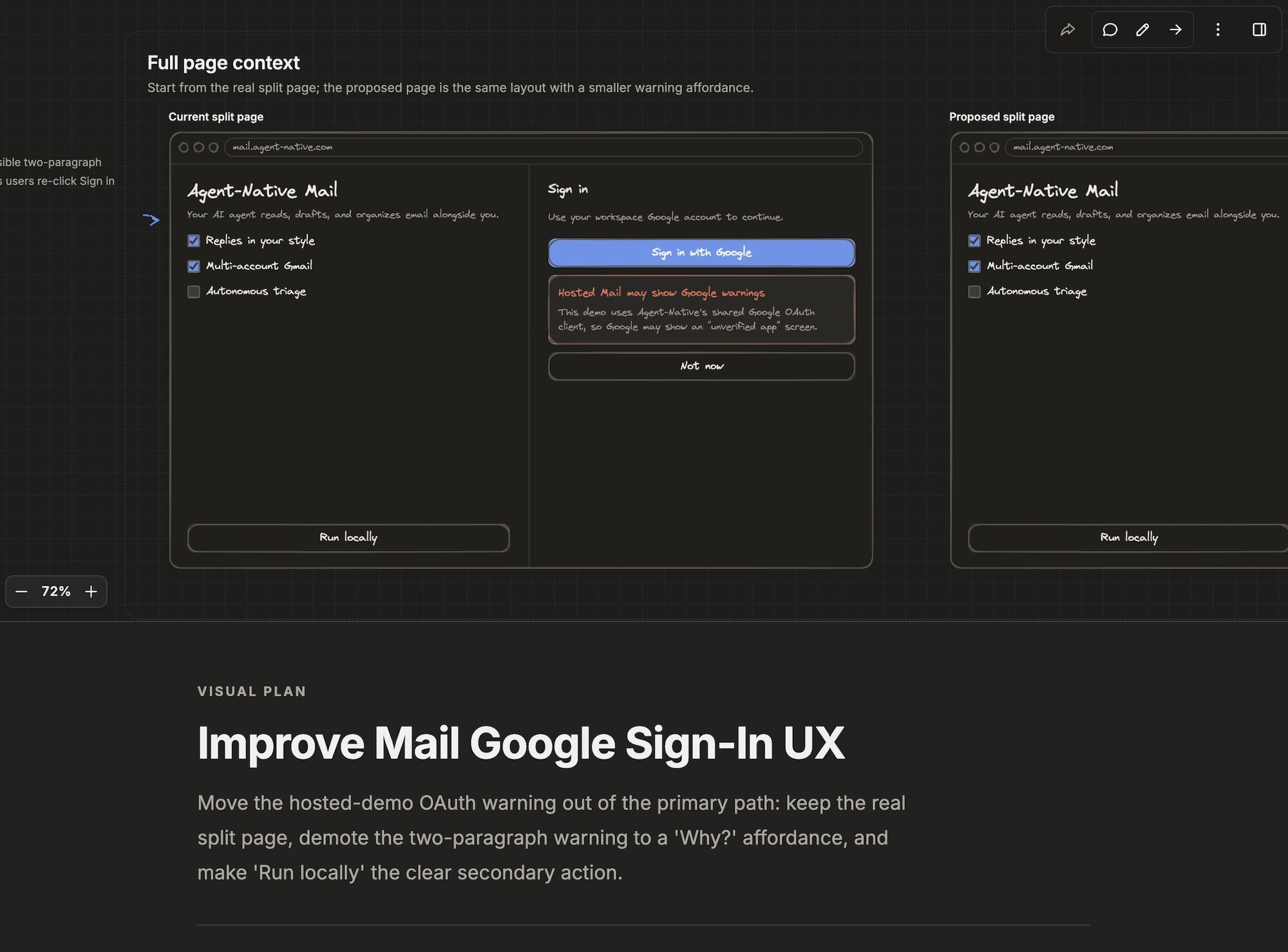
|
|
14
20
|
|
|
@@ -28,15 +34,12 @@ If you already have the CLI installed, the shorter command is equivalent:
|
|
|
28
34
|
agent-native skills add visual-plan
|
|
29
35
|
```
|
|
30
36
|
|
|
31
|
-
The command installs `/visual-plan`
|
|
32
|
-
|
|
33
|
-
- `/ui-plan` for UI-first plans with mockups, states, and screen-level review.
|
|
34
|
-
- `/prototype-plan` for clickable prototype-first plans with live comments.
|
|
35
|
-
- `/visual-questions` for visual intake before a plan.
|
|
37
|
+
The command installs both commands: `/visual-plan` and `/visual-recap`.
|
|
36
38
|
|
|
37
39
|
Use `/visual-plan` for both fresh plans and existing Codex, Claude Code,
|
|
38
40
|
Markdown, or pasted plans; when source plan text already exists, the agent builds
|
|
39
|
-
from that plan instead of starting over.
|
|
41
|
+
from that plan instead of starting over. Use `/visual-recap` to review a change
|
|
42
|
+
that already landed instead of writing one up by hand.
|
|
40
43
|
|
|
41
44
|
By default the CLI targets Codex. Add `--client claude-code` or `--client all`
|
|
42
45
|
when you want to configure another host:
|
|
@@ -58,13 +61,13 @@ connector, so use the Agent-Native CLI path when you want the one-command setup.
|
|
|
58
61
|
|
|
59
62
|
After installation, ask your agent for the command that fits the work:
|
|
60
63
|
|
|
61
|
-
- `/visual-plan` creates a structured plan
|
|
62
|
-
or mixed product work
|
|
63
|
-
|
|
64
|
-
|
|
65
|
-
- `/
|
|
66
|
-
|
|
67
|
-
|
|
64
|
+
- `/visual-plan` creates a structured plan **before** implementation — for
|
|
65
|
+
architecture, backend, refactor, UI, or mixed product work — pulling in
|
|
66
|
+
diagrams, wireframes, mockups, clickable prototypes, and implementation maps
|
|
67
|
+
as the work calls for them.
|
|
68
|
+
- `/visual-recap` creates a high-altitude **review** of a change that already
|
|
69
|
+
happened — a PR, commit, branch, or git diff — as schema, API, file, and
|
|
70
|
+
before/after blocks instead of a wall of raw diff.
|
|
68
71
|
|
|
69
72
|
The agent should inspect the codebase first, then create the visual plan when a
|
|
70
73
|
wrong direction would be costly. The returned Plans link opens the review UI so
|
|
@@ -100,10 +103,10 @@ it to the agent starts a revision turn against the existing plan.
|
|
|
100
103
|
## Useful prompts
|
|
101
104
|
|
|
102
105
|
- "Use `/visual-plan` before changing the auth flow."
|
|
103
|
-
- "Create a `/
|
|
104
|
-
- "Create a `/prototype-plan` for the checkout flow so I can click through it."
|
|
105
|
-
- "Use `/visual-questions` to help me choose the dashboard direction first."
|
|
106
|
+
- "Create a `/visual-plan` for the new onboarding screen with mobile and desktop states."
|
|
106
107
|
- "Use `/visual-plan` on the Markdown plan below and make it easier to review."
|
|
108
|
+
- "Run `/visual-recap` on this PR so I can review the shape of the change first."
|
|
109
|
+
- "Use `/visual-recap` on the diff between `main` and this branch."
|
|
107
110
|
|
|
108
111
|
## For developers
|
|
109
112
|
|
|
@@ -130,6 +133,7 @@ persistence, or running a fully self-hosted review surface.
|
|
|
130
133
|
## What's next
|
|
131
134
|
|
|
132
135
|
- [**Visual Plans**](/docs/visual-plans) — the full skill flow and auth details
|
|
136
|
+
- [**PR Visual Recap**](/docs/pr-visual-recap) — run `/visual-recap` automatically on every pull request
|
|
133
137
|
- [**Skills**](/docs/skills-guide) — how Agent-Native installs skills
|
|
134
138
|
- [**MCP Clients**](/docs/mcp-clients) — configuring hosted MCP connectors
|
|
135
139
|
- [**Templates**](/docs/cloneable-saas) — the clone-and-own model
|
|
@@ -20,7 +20,7 @@ Install with the Agent-Native CLI. The command installs the skill instructions,
|
|
|
20
20
|
agent-native skills add visual-plan
|
|
21
21
|
```
|
|
22
22
|
|
|
23
|
-
Authentication is a one-time browser sign-in at setup — this is intended, and it is what lets the agent persist and share the plans it generates. This also installs the companion
|
|
23
|
+
Authentication is a one-time browser sign-in at setup — this is intended, and it is what lets the agent persist and share the plans it generates. This also installs the companion `/visual-recap` command for reviewing changes that already landed (see [Invoking the skill](#invoke)).
|
|
24
24
|
|
|
25
25
|
What the auth step does depends on your client:
|
|
26
26
|
|
|
@@ -34,15 +34,18 @@ Pass `--no-connect` to register the connector without authenticating, then run `
|
|
|
34
34
|
agent-native skills add visual-plan --no-connect
|
|
35
35
|
```
|
|
36
36
|
|
|
37
|
+
To auto-generate a recap on **every pull request**, pass `--with-github-action`. This writes a GitHub Action that runs the `visual-recap` skill on each PR and posts an interactive recap plan with an inline screenshot as a sticky comment — see [PR Visual Recap](/docs/pr-visual-recap).
|
|
38
|
+
|
|
39
|
+
```bash
|
|
40
|
+
agent-native skills add visual-plan --with-github-action
|
|
41
|
+
```
|
|
42
|
+
|
|
37
43
|
## Invoking the skill {#invoke}
|
|
38
44
|
|
|
39
|
-
Once installed,
|
|
45
|
+
Once installed, there are two commands:
|
|
40
46
|
|
|
41
|
-
- `/visual-plan` —
|
|
42
|
-
- `/
|
|
43
|
-
- `/prototype-plan` — prototype-first work that should start with a clickable flow.
|
|
44
|
-
- `/plan-design` — full-fidelity branded UI direction before implementation.
|
|
45
|
-
- `/visual-questions` — a short visual intake form before planning.
|
|
47
|
+
- `/visual-plan` — plan **before** implementation. The canonical command for any rich plan: architecture, backend, refactors, or UI. It pulls in diagrams, wireframes, mockups, clickable prototypes, and implementation maps as the work calls for them, and can open with a short visual intake step when the direction is still open.
|
|
48
|
+
- `/visual-recap` — review **after** the change. Turns a PR, commit, branch, or git diff that already landed into a high-altitude recap — schema, API, file, and before/after blocks instead of a wall of raw diff. A recap is a review aid, not a replacement for reading the diff. See [PR Visual Recap](/docs/pr-visual-recap) to run it automatically on every pull request.
|
|
46
49
|
|
|
47
50
|
The agent gates hard: it only builds a polished visual plan when a wrong direction would be costly, and skips it for trivial, unambiguous work. Each command generates a plan and opens the editor.
|
|
48
51
|
|
|
@@ -132,6 +132,8 @@ Agent-native apps follow a fork-and-customize model. You start from a **template
|
|
|
132
132
|
|
|
133
133
|
Because it's _your_ app, not shared infrastructure, the agent can safely evolve the code. Your app keeps improving as you use it. See [Templates](/docs/cloneable-saas) for the full story.
|
|
134
134
|
|
|
135
|
+
Not ready to fork a whole template? You can also try agent-native by adding a **skill** to a coding agent you already use — install the Plans skill with `npx @agent-native/core@latest skills add visual-plan`. See [Try it with a skill](/docs/getting-started#try-with-a-skill).
|
|
136
|
+
|
|
135
137
|
## Composable agents {#composable-agents}
|
|
136
138
|
|
|
137
139
|
Agent-native apps can talk to each other. From inside the mail app, you can tag the analytics agent to query data and include the result in a draft email. The agents discover what other agents are available, hand off work between each other, and surface the results in the UI you're already in.
|