@agent-native/core 0.26.9 → 0.27.0
This diff represents the content of publicly available package versions that have been released to one of the supported registries. The information contained in this diff is provided for informational purposes only and reflects changes between package versions as they appear in their respective public registries.
- package/dist/agent/run-ownership.d.ts +12 -0
- package/dist/agent/run-ownership.d.ts.map +1 -0
- package/dist/agent/run-ownership.js +39 -0
- package/dist/agent/run-ownership.js.map +1 -0
- package/dist/client/db-admin/DataGrid.d.ts +42 -0
- package/dist/client/db-admin/DataGrid.d.ts.map +1 -0
- package/dist/client/db-admin/DataGrid.js +204 -0
- package/dist/client/db-admin/DataGrid.js.map +1 -0
- package/dist/client/db-admin/DbAdminPage.d.ts +2 -0
- package/dist/client/db-admin/DbAdminPage.d.ts.map +1 -0
- package/dist/client/db-admin/DbAdminPage.js +72 -0
- package/dist/client/db-admin/DbAdminPage.js.map +1 -0
- package/dist/client/db-admin/DevDatabaseLink.d.ts +19 -0
- package/dist/client/db-admin/DevDatabaseLink.d.ts.map +1 -0
- package/dist/client/db-admin/DevDatabaseLink.js +25 -0
- package/dist/client/db-admin/DevDatabaseLink.js.map +1 -0
- package/dist/client/db-admin/EditableCell.d.ts +26 -0
- package/dist/client/db-admin/EditableCell.d.ts.map +1 -0
- package/dist/client/db-admin/EditableCell.js +150 -0
- package/dist/client/db-admin/EditableCell.js.map +1 -0
- package/dist/client/db-admin/FilterBar.d.ts +8 -0
- package/dist/client/db-admin/FilterBar.d.ts.map +1 -0
- package/dist/client/db-admin/FilterBar.js +68 -0
- package/dist/client/db-admin/FilterBar.js.map +1 -0
- package/dist/client/db-admin/ResultsGrid.d.ts +6 -0
- package/dist/client/db-admin/ResultsGrid.d.ts.map +1 -0
- package/dist/client/db-admin/ResultsGrid.js +41 -0
- package/dist/client/db-admin/ResultsGrid.js.map +1 -0
- package/dist/client/db-admin/RowSidePanel.d.ts +18 -0
- package/dist/client/db-admin/RowSidePanel.d.ts.map +1 -0
- package/dist/client/db-admin/RowSidePanel.js +104 -0
- package/dist/client/db-admin/RowSidePanel.js.map +1 -0
- package/dist/client/db-admin/SqlEditor.d.ts +8 -0
- package/dist/client/db-admin/SqlEditor.d.ts.map +1 -0
- package/dist/client/db-admin/SqlEditor.js +350 -0
- package/dist/client/db-admin/SqlEditor.js.map +1 -0
- package/dist/client/db-admin/TableBrowser.d.ts +10 -0
- package/dist/client/db-admin/TableBrowser.d.ts.map +1 -0
- package/dist/client/db-admin/TableBrowser.js +61 -0
- package/dist/client/db-admin/TableBrowser.js.map +1 -0
- package/dist/client/db-admin/TableEditor.d.ts +9 -0
- package/dist/client/db-admin/TableEditor.d.ts.map +1 -0
- package/dist/client/db-admin/TableEditor.js +254 -0
- package/dist/client/db-admin/TableEditor.js.map +1 -0
- package/dist/client/db-admin/cell-format.d.ts +55 -0
- package/dist/client/db-admin/cell-format.d.ts.map +1 -0
- package/dist/client/db-admin/cell-format.js +223 -0
- package/dist/client/db-admin/cell-format.js.map +1 -0
- package/dist/client/db-admin/changeset.d.ts +74 -0
- package/dist/client/db-admin/changeset.d.ts.map +1 -0
- package/dist/client/db-admin/changeset.js +169 -0
- package/dist/client/db-admin/changeset.js.map +1 -0
- package/dist/client/db-admin/export-utils.d.ts +15 -0
- package/dist/client/db-admin/export-utils.d.ts.map +1 -0
- package/dist/client/db-admin/export-utils.js +62 -0
- package/dist/client/db-admin/export-utils.js.map +1 -0
- package/dist/client/db-admin/index.d.ts +7 -0
- package/dist/client/db-admin/index.d.ts.map +1 -0
- package/dist/client/db-admin/index.js +8 -0
- package/dist/client/db-admin/index.js.map +1 -0
- package/dist/client/db-admin/sql-storage.d.ts +35 -0
- package/dist/client/db-admin/sql-storage.d.ts.map +1 -0
- package/dist/client/db-admin/sql-storage.js +117 -0
- package/dist/client/db-admin/sql-storage.js.map +1 -0
- package/dist/client/db-admin/storage.d.ts +24 -0
- package/dist/client/db-admin/storage.d.ts.map +1 -0
- package/dist/client/db-admin/storage.js +50 -0
- package/dist/client/db-admin/storage.js.map +1 -0
- package/dist/client/db-admin/useAgentSync.d.ts +22 -0
- package/dist/client/db-admin/useAgentSync.d.ts.map +1 -0
- package/dist/client/db-admin/useAgentSync.js +120 -0
- package/dist/client/db-admin/useAgentSync.js.map +1 -0
- package/dist/client/db-admin/useDbAdmin.d.ts +20 -0
- package/dist/client/db-admin/useDbAdmin.d.ts.map +1 -0
- package/dist/client/db-admin/useDbAdmin.js +154 -0
- package/dist/client/db-admin/useDbAdmin.js.map +1 -0
- package/dist/client/index.d.ts +1 -0
- package/dist/client/index.d.ts.map +1 -1
- package/dist/client/index.js +1 -0
- package/dist/client/index.js.map +1 -1
- package/dist/credentials/index.d.ts.map +1 -1
- package/dist/credentials/index.js +25 -5
- package/dist/credentials/index.js.map +1 -1
- package/dist/db-admin/agent-tools.d.ts +15 -0
- package/dist/db-admin/agent-tools.d.ts.map +1 -0
- package/dist/db-admin/agent-tools.js +147 -0
- package/dist/db-admin/agent-tools.js.map +1 -0
- package/dist/db-admin/operations.d.ts +17 -0
- package/dist/db-admin/operations.d.ts.map +1 -0
- package/dist/db-admin/operations.js +541 -0
- package/dist/db-admin/operations.js.map +1 -0
- package/dist/db-admin/routes.d.ts +5 -0
- package/dist/db-admin/routes.d.ts.map +1 -0
- package/dist/db-admin/routes.js +134 -0
- package/dist/db-admin/routes.js.map +1 -0
- package/dist/db-admin/types.d.ts +85 -0
- package/dist/db-admin/types.d.ts.map +1 -0
- package/dist/db-admin/types.js +9 -0
- package/dist/db-admin/types.js.map +1 -0
- package/dist/extensions/url-safety.d.ts +20 -0
- package/dist/extensions/url-safety.d.ts.map +1 -1
- package/dist/extensions/url-safety.js +43 -0
- package/dist/extensions/url-safety.js.map +1 -1
- package/dist/file-upload/actions/upload-image.d.ts.map +1 -1
- package/dist/file-upload/actions/upload-image.js +6 -1
- package/dist/file-upload/actions/upload-image.js.map +1 -1
- package/dist/integrations/adapters/email.d.ts.map +1 -1
- package/dist/integrations/adapters/email.js +112 -0
- package/dist/integrations/adapters/email.js.map +1 -1
- package/dist/integrations/types.d.ts +11 -0
- package/dist/integrations/types.d.ts.map +1 -1
- package/dist/integrations/types.js.map +1 -1
- package/dist/scripts/db/exec.d.ts.map +1 -1
- package/dist/scripts/db/exec.js +2 -1
- package/dist/scripts/db/exec.js.map +1 -1
- package/dist/scripts/db/index.d.ts.map +1 -1
- package/dist/scripts/db/index.js +1 -0
- package/dist/scripts/db/index.js.map +1 -1
- package/dist/scripts/db/migrate-encrypt-credentials.d.ts +28 -0
- package/dist/scripts/db/migrate-encrypt-credentials.d.ts.map +1 -0
- package/dist/scripts/db/migrate-encrypt-credentials.js +190 -0
- package/dist/scripts/db/migrate-encrypt-credentials.js.map +1 -0
- package/dist/scripts/db/query.d.ts.map +1 -1
- package/dist/scripts/db/query.js +2 -1
- package/dist/scripts/db/query.js.map +1 -1
- package/dist/scripts/db/safety.d.ts +1 -0
- package/dist/scripts/db/safety.d.ts.map +1 -1
- package/dist/scripts/db/safety.js +32 -0
- package/dist/scripts/db/safety.js.map +1 -1
- package/dist/scripts/db/scoping.d.ts.map +1 -1
- package/dist/scripts/db/scoping.js +11 -1
- package/dist/scripts/db/scoping.js.map +1 -1
- package/dist/secrets/crypto.d.ts +28 -0
- package/dist/secrets/crypto.d.ts.map +1 -0
- package/dist/secrets/crypto.js +81 -0
- package/dist/secrets/crypto.js.map +1 -0
- package/dist/secrets/storage.d.ts.map +1 -1
- package/dist/secrets/storage.js +3 -61
- package/dist/secrets/storage.js.map +1 -1
- package/dist/server/action-discovery.d.ts.map +1 -1
- package/dist/server/action-discovery.js +5 -2
- package/dist/server/action-discovery.js.map +1 -1
- package/dist/server/action-routes.d.ts.map +1 -1
- package/dist/server/action-routes.js +24 -7
- package/dist/server/action-routes.js.map +1 -1
- package/dist/server/agent-chat-plugin.d.ts.map +1 -1
- package/dist/server/agent-chat-plugin.js +39 -0
- package/dist/server/agent-chat-plugin.js.map +1 -1
- package/dist/server/auth.d.ts +1 -1
- package/dist/server/auth.d.ts.map +1 -1
- package/dist/server/auth.js.map +1 -1
- package/dist/server/better-auth-instance.js +3 -3
- package/dist/server/better-auth-instance.js.map +1 -1
- package/dist/server/core-routes-plugin.d.ts.map +1 -1
- package/dist/server/core-routes-plugin.js +5 -0
- package/dist/server/core-routes-plugin.js.map +1 -1
- package/dist/server/csrf.d.ts.map +1 -1
- package/dist/server/csrf.js +9 -1
- package/dist/server/csrf.js.map +1 -1
- package/dist/server/design-token-utils.d.ts +8 -1
- package/dist/server/design-token-utils.d.ts.map +1 -1
- package/dist/server/design-token-utils.js +12 -4
- package/dist/server/design-token-utils.js.map +1 -1
- package/dist/templates/default/AGENTS.md +4 -4
- package/dist/templates/default/app/routes/database.tsx +13 -0
- package/dist/templates/workspace-core/.agents/skills/authentication/SKILL.md +9 -2
- package/dist/templates/workspace-core/.agents/skills/sharing/SKILL.md +7 -1
- package/dist/vite/client.d.ts.map +1 -1
- package/dist/vite/client.js +4 -0
- package/dist/vite/client.js.map +1 -1
- package/docs/content/a2a-protocol.md +2 -2
- package/docs/content/actions.md +2 -54
- package/docs/content/agent-mentions.md +1 -1
- package/docs/content/agent-teams.md +1 -1
- package/docs/content/authentication.md +2 -2
- package/docs/content/cli-adapters.md +33 -17
- package/docs/content/client.md +11 -20
- package/docs/content/code-agents-ui.md +19 -6
- package/docs/content/context-awareness.md +36 -20
- package/docs/content/database.md +3 -3
- package/docs/content/deployment.md +8 -8
- package/docs/content/dispatch.md +1 -1
- package/docs/content/external-agents.md +5 -1
- package/docs/content/faq.md +1 -0
- package/docs/content/frames.md +110 -30
- package/docs/content/getting-started.md +15 -14
- package/docs/content/mcp-clients.md +1 -1
- package/docs/content/mcp-protocol.md +11 -88
- package/docs/content/messaging.md +1 -1
- package/docs/content/migration-workbench.md +13 -87
- package/docs/content/multi-app-workspace.md +2 -38
- package/docs/content/multi-tenancy.md +3 -26
- package/docs/content/onboarding.md +10 -3
- package/docs/content/recurring-jobs.md +2 -2
- package/docs/content/security.md +33 -1
- package/docs/content/server.md +1 -1
- package/docs/content/template-assets.md +9 -9
- package/docs/content/template-brain.md +114 -388
- package/docs/content/template-clips.md +42 -2
- package/docs/content/template-content.md +1 -1
- package/docs/content/template-design.md +27 -0
- package/docs/content/template-dispatch.md +3 -3
- package/docs/content/template-forms.md +6 -6
- package/docs/content/template-starter.md +2 -2
- package/docs/content/using-your-agent.md +56 -0
- package/docs/content/workspace-management.md +6 -6
- package/docs/content/workspace.md +19 -0
- package/package.json +10 -3
- package/src/templates/default/AGENTS.md +4 -4
- package/src/templates/default/app/routes/database.tsx +13 -0
- package/src/templates/workspace-core/.agents/skills/authentication/SKILL.md +9 -2
- package/src/templates/workspace-core/.agents/skills/sharing/SKILL.md +7 -1
|
@@ -76,94 +76,17 @@ If an action declares `mcpApp`, the server also advertises the official MCP Apps
|
|
|
76
76
|
|
|
77
77
|
### MCP App embed bridge {#mcp-app-embed-bridge}
|
|
78
78
|
|
|
79
|
-
`embedApp()` is the low-level URL-first MCP App helper
|
|
80
|
-
|
|
81
|
-
|
|
82
|
-
|
|
83
|
-
|
|
84
|
-
|
|
85
|
-
|
|
86
|
-
|
|
87
|
-
|
|
88
|
-
|
|
89
|
-
|
|
90
|
-
itself should derive state from the URL and normal app data fetching.
|
|
91
|
-
Same-app `open_app({ embed: true })` returns a server-minted `embedStartUrl`
|
|
92
|
-
so the resource can launch without a second iframe-originated tool call. The
|
|
93
|
-
server moves that ticket-bearing URL into hidden metadata and strips it from
|
|
94
|
-
model-visible structured content and normal open-link metadata. Custom actions
|
|
95
|
-
can return the same field when they already know the target route.
|
|
96
|
-
|
|
97
|
-
The outer MCP resource reports a bounded inline height to the host and the app
|
|
98
|
-
route scrolls internally. `embedApp({ height })` defaults to a `560px` shell,
|
|
99
|
-
clamps to `320-900px`, and subtracts `44px` for the wrapper toolbar before
|
|
100
|
-
sizing the route viewport. Do not rely on host auto-resize measuring the full
|
|
101
|
-
document; in ChatGPT and Claude this can make a normal full-app route appear as
|
|
102
|
-
a huge chat artifact. Host conversations also keep already-rendered iframes, so
|
|
103
|
-
after changing the resource shell or `ui://` version, test a fresh tool call
|
|
104
|
-
rather than re-measuring an old frame.
|
|
105
|
-
|
|
106
|
-
If a user reopens an older chat after a one-time embed start ticket expires,
|
|
107
|
-
the start route returns a small refresh page and posts
|
|
108
|
-
`agentNative.embedSessionExpired` to the wrapper. `embedApp()` clears the stale
|
|
109
|
-
start URL and asks the app-only `create_embed_session` tool for a fresh ticket
|
|
110
|
-
when it still has the original app route.
|
|
111
|
-
|
|
112
|
-
Default direct embeds talk to the MCP Apps host through standard `ui/*`
|
|
113
|
-
JSON-RPC messages:
|
|
114
|
-
|
|
115
|
-
| Type | Payload shape |
|
|
116
|
-
| ------------------------- | ---------------------------------- |
|
|
117
|
-
| `ui/update-model-context` | `{ content?, structuredContent? }` |
|
|
118
|
-
| `ui/message` | `{ role: "user", content }` |
|
|
119
|
-
| `ui/open-link` | `{ url }` |
|
|
120
|
-
| `ui/request-display-mode` | `{ mode }` |
|
|
121
|
-
|
|
122
|
-
Claude's transplanted route uses the same `ui/*` bridge after hydration. Test
|
|
123
|
-
Claude against deployed/preview URLs or a local production build served with
|
|
124
|
-
`agent-native start`; raw Vite dev modules can be app-auth protected and fail
|
|
125
|
-
dynamic imports from Claude's resource origin.
|
|
126
|
-
|
|
127
|
-
The ChatGPT controlled-frame path and any explicit `embedMode: "iframe"` /
|
|
128
|
-
`renderMode: "iframe"` diagnostic path use the wrapper-to-route postMessage
|
|
129
|
-
relay:
|
|
130
|
-
|
|
131
|
-
| Direction | Type | Payload shape |
|
|
132
|
-
| --------------- | ---------------------------------------- | --------------------------------------------- |
|
|
133
|
-
| wrapper → route | `agentNative.mcpHostContext` | `{ context, capabilities, version }` |
|
|
134
|
-
| route → wrapper | `agentNative.mcpHost.updateModelContext` | `{ requestId, content?, structuredContent? }` |
|
|
135
|
-
| route → wrapper | `agentNative.mcpHost.openLink` | `{ requestId, url }` |
|
|
136
|
-
| route → wrapper | `agentNative.mcpHost.requestDisplayMode` | `{ requestId, mode }` |
|
|
137
|
-
| wrapper → route | `agentNative.mcpHost.response` | `{ requestId, ok, result?, error? }` |
|
|
138
|
-
|
|
139
|
-
`embedApp()` includes the MCP request origin in the resource CSP so the
|
|
140
|
-
launcher can fetch and, when explicitly requested, frame the signed first-party
|
|
141
|
-
route. Dispatch's `open_app` resource adds the exact origins for apps granted
|
|
142
|
-
through Dispatch, which keeps the one-connector path narrow while still letting
|
|
143
|
-
Claude/ChatGPT inline target app routes. Pass additional domains only for
|
|
144
|
-
custom third-party frames or assets.
|
|
145
|
-
|
|
146
|
-
Leave standard `_meta.ui.domain` unset by default. Its format is host-specific:
|
|
147
|
-
Claude expects Claude content-domain hashes, while ChatGPT reads the separate
|
|
148
|
-
`openai/widgetDomain` compatibility field. App URLs belong in CSP sources and
|
|
149
|
-
open-link targets, not portable `ui.domain` metadata.
|
|
150
|
-
|
|
151
|
-
Extension detail routes render their extension iframe from `srcDoc` when the
|
|
152
|
-
route is already inside an MCP chat embed. That avoids a second
|
|
153
|
-
`/_agent-native/extensions/:id/render` frame navigation being rejected by chat
|
|
154
|
-
host ancestry checks, while keeping the same sandbox flags and postMessage
|
|
155
|
-
extension bridge.
|
|
156
|
-
|
|
157
|
-
Host-mediated open links keep the iframe from choosing its own browser target.
|
|
158
|
-
Model context updates are opt-in and hidden from the user-facing transcript.
|
|
159
|
-
`ui/message` is the portable way for an embedded app button to ask the host to
|
|
160
|
-
post a visible user message and continue the chat. In agent-native routes,
|
|
161
|
-
`sendToAgentChat()` uses `ui/update-model-context` plus `ui/message` when
|
|
162
|
-
called from a submitted MCP App embed. Hidden context is sent through model
|
|
163
|
-
context, while `ui/message` contains only the visible prompt. `submit: false`
|
|
164
|
-
remains an in-route draft/prefill path.
|
|
165
|
-
Display mode requests are best-effort: a host can honor, ignore, or reject the
|
|
166
|
-
request. Embedded routes must remain functional in the default inline mode.
|
|
79
|
+
`embedApp()` is the low-level URL-first MCP App helper: it launches a signed app
|
|
80
|
+
route inline through transplant (Claude), controlled-frame (ChatGPT), or direct
|
|
81
|
+
navigation, mediates host actions over the `ui/*` JSON-RPC bridge (and the
|
|
82
|
+
`agentNative.mcpHost.*` postMessage relay for the controlled-frame path), and
|
|
83
|
+
clamps the resource shell height so a full-app route does not render as an
|
|
84
|
+
oversized chat artifact.
|
|
85
|
+
|
|
86
|
+
See [External Agents](/docs/external-agents#mcp-app-bridge) for the full MCP App
|
|
87
|
+
embed bridge and host-bridge details — transplant vs controlled-frame, the
|
|
88
|
+
`ui/*` and postMessage tables, `create_embed_session` / `embedStartUrl`, CSP and
|
|
89
|
+
domain rules, extension `srcDoc` embedding, and height clamping.
|
|
167
90
|
|
|
168
91
|
## Tools {#tools}
|
|
169
92
|
|
|
@@ -294,7 +294,7 @@ The email adapter also enforces:
|
|
|
294
294
|
|
|
295
295
|
### Proactive sends {#proactive-sends}
|
|
296
296
|
|
|
297
|
-
The agent can send messages on its own initiative (notifications, reminders, scheduled summaries) by calling the `send-platform-message` action with a `platform` field of `"slack"`, `"telegram"`, `"whatsapp"`, or `"email"`. The action lives in the Dispatch
|
|
297
|
+
The agent can send messages on its own initiative (notifications, reminders, scheduled summaries) by calling the `send-platform-message` action with a `platform` field of `"slack"`, `"telegram"`, `"whatsapp"`, or `"email"`. The action lives in the Dispatch package at `packages/dispatch/src/actions/send-platform-message.ts` and you can copy/adapt it for any template.
|
|
298
298
|
|
|
299
299
|
### Custom adapters {#custom-adapters}
|
|
300
300
|
|
|
@@ -1,5 +1,5 @@
|
|
|
1
1
|
---
|
|
2
|
-
title: "
|
|
2
|
+
title: "Migration Workbench"
|
|
3
3
|
description: "Use the open-source Agent-Native Code workspace for coding sessions, including the built-in /migrate capability."
|
|
4
4
|
---
|
|
5
5
|
|
|
@@ -18,11 +18,7 @@ npx @agent-native/core@latest code /migrate ./my-next-app --out ../migrated-app
|
|
|
18
18
|
|
|
19
19
|
**Agent-Native Code** is the open-source Claude Code/Codex-like workspace for coding work in Agent-Native. `agent-native` or `agent-native code` launches it with no prompt required, and a bare prompt starts a generic coding task directly. `/migrate` is one built-in capability for moving an existing app, URL, or described product into agent-native. It uses the same session store, transcript, and desktop hub as the CLI `code` command, so migration behaves like a goal you can resume, attach to, inspect, and stop rather than a separate one-off product.
|
|
20
20
|
|
|
21
|
-
|
|
22
|
-
hosted agent sidebar and Agent Teams `run-manager` lifecycle today, but new
|
|
23
|
-
surfaces should bridge through the shared background-run foundation so Code,
|
|
24
|
-
sidebar, Brain, and Agent Teams continue converging on one lifecycle instead of
|
|
25
|
-
growing parallel runners.
|
|
21
|
+
See [Agent-Native Code UI](/docs/code-agents-ui) for the shared CLI run controls (`list`/`attach`/`logs`/`resume`/`status`/`stop`/`ui`) and the file-backed, long-running background-run model that `/migrate` sessions use.
|
|
26
22
|
|
|
27
23
|
By default `/migrate` creates a generic Agent-Native Code session plus a portable migration dossier. Migration is a slash command in the Code workspace, not a normal template to scaffold. The hidden `migration` app is now a legacy/internal detail surface, available with `--app-surface` when a run needs a richer assessment/approval/task/verifier dashboard.
|
|
28
24
|
|
|
@@ -34,14 +30,8 @@ npx @agent-native/core@latest migrate ./my-next-app --out ../migrated-app
|
|
|
34
30
|
|
|
35
31
|
Both forms print the same handoff: run id, source, output, dossier directory,
|
|
36
32
|
important artifact files, and the exact Agent-Native Code commands to inspect or
|
|
37
|
-
resume the session
|
|
38
|
-
|
|
39
|
-
```bash
|
|
40
|
-
npx @agent-native/core@latest code attach --last
|
|
41
|
-
npx @agent-native/core@latest code logs --last
|
|
42
|
-
npx @agent-native/core@latest code resume --last
|
|
43
|
-
npx @agent-native/core@latest code status --last
|
|
44
|
-
```
|
|
33
|
+
resume the session (see [Agent-Native Code UI](/docs/code-agents-ui) for the
|
|
34
|
+
full run-control command set).
|
|
45
35
|
|
|
46
36
|
## Code Workspace
|
|
47
37
|
|
|
@@ -59,10 +49,7 @@ code> /migrate ./my-next-app --out ../migrated-app
|
|
|
59
49
|
code> /audit --url https://example.com
|
|
60
50
|
```
|
|
61
51
|
|
|
62
|
-
Agent-Native Code uses the same minimal coding
|
|
63
|
-
agent: `bash` for discovery/search/tests/builds, `read` for line-numbered file
|
|
64
|
-
reads, `edit` for exact replacements, and `write` for new files or full
|
|
65
|
-
rewrites.
|
|
52
|
+
Agent-Native Code uses the same minimal coding-tool profile (`bash`, `read`, `edit`, `write`) and shared composer as the rest of the framework; see [Agent-Native Code UI](/docs/code-agents-ui) for details.
|
|
66
53
|
|
|
67
54
|
The same goals can run directly from the command line:
|
|
68
55
|
|
|
@@ -83,50 +70,17 @@ Installed `agent-native` with no arguments launches the Agent-Native Code worksp
|
|
|
83
70
|
|
|
84
71
|
## Sessions and Modes
|
|
85
72
|
|
|
86
|
-
Agent-Native Code makes migration feel like a local Codex/Claude Code session instead of a one-shot command. The CLI and Desktop hub share the same run store, so you can start
|
|
87
|
-
|
|
88
|
-
```bash
|
|
89
|
-
npx @agent-native/core@latest code list
|
|
90
|
-
npx @agent-native/core@latest code attach --last
|
|
91
|
-
npx @agent-native/core@latest code logs --last
|
|
92
|
-
npx @agent-native/core@latest code approve --last
|
|
93
|
-
npx @agent-native/core@latest code resume --last
|
|
94
|
-
npx @agent-native/core@latest code resume --last "check the auth edge cases next"
|
|
95
|
-
```
|
|
96
|
-
|
|
97
|
-
`list` shows previous and active sessions for the current workspace. `attach` follows a live transcript. `logs` prints the transcript once. `resume` reopens a session with its prior context, and a quoted resume prompt records the next instruction against that same run. If a high-risk command pauses for approval, `approve --last` runs that one pending command and then points you back to resume the session. Desktop adds the visual session picker on top of the same data: choose a run, inspect status and tool events, then attach, resume, stop, or open the run workspace.
|
|
98
|
-
|
|
99
|
-
The same hub can display mixed background-run sources. Local Agent-Native Code
|
|
100
|
-
runs are available today through the file-backed Code run store, and Agent Teams
|
|
101
|
-
or other hosted background work can appear through adapters that normalize their
|
|
102
|
-
runs to the Code hub contract. Adapters should provide a subtle `sourceLabel`,
|
|
103
|
-
`source`, or `kind` when the list mixes sources, so users can distinguish "Local
|
|
104
|
-
Code" from "Agent Teams" without turning the session picker into a dashboard.
|
|
105
|
-
|
|
106
|
-
Follow-up prompts have two-way messaging semantics. Active runs can receive
|
|
107
|
-
steering prompts at the next safe continuation point, while queued follow-ups
|
|
108
|
-
run after the current turn completes. If a host cannot apply a message
|
|
109
|
-
immediately, it should persist it as queued work and continue safely.
|
|
110
|
-
|
|
111
|
-
Run modes make editing policy explicit per session:
|
|
112
|
-
|
|
113
|
-
| Mode | CLI flag | Behavior |
|
|
114
|
-
| ------------- | -------- | -------------------------------------------------------------------------------------------------------- |
|
|
115
|
-
| **Plan mode** | `--plan` | Inspect, plan, and explain without writing files or running mutations. |
|
|
116
|
-
| **Auto mode** | `--auto` | Edit files, run checks, and pause only for genuinely destructive file, git, publish, or data operations. |
|
|
117
|
-
|
|
118
|
-
Auto mode is the default for local Agent-Native Code sessions. Use Plan mode for assessment, architecture, review, or any task where you want a proposal before edits.
|
|
73
|
+
Agent-Native Code makes migration feel like a local Codex/Claude Code session instead of a one-shot command. The CLI and Desktop hub share the same run store, so you can start a `/migrate` run in one place and continue it in the other with the standard `list`/`attach`/`logs`/`resume`/`approve`/`stop` controls. See [Agent-Native Code UI](/docs/code-agents-ui) for those run controls, the mixed background-run source model, two-way follow-up semantics, and the Plan/Auto run modes that also govern `/migrate` sessions. Auto mode is the default; use Plan mode for migration assessment, architecture, or review where you want a proposal before edits.
|
|
119
74
|
|
|
120
75
|
## Project Slash Commands
|
|
121
76
|
|
|
122
|
-
Built-in slash goals such as `/migrate` and `/audit` are framework commands. Projects can also define custom commands in `.agents/commands/*.md`
|
|
77
|
+
Built-in slash goals such as `/migrate` and `/audit` are framework commands. Projects can also define migration variants as custom commands in `.agents/commands/*.md` (see [Agent-Native Code UI](/docs/code-agents-ui) for how project commands and skills are discovered and inserted):
|
|
123
78
|
|
|
124
79
|
```bash
|
|
125
|
-
npx @agent-native/core@latest code /release-check
|
|
126
80
|
npx @agent-native/core@latest code /migrate-storefront ./legacy-shop --out ../agent-shop
|
|
127
81
|
```
|
|
128
82
|
|
|
129
|
-
|
|
83
|
+
Versioning migration variants this way keeps source-specific handoffs close to the repository. Source-specific systems such as AEM or Builder.io should stay as optional instruction-pack examples inside those commands, not top-level migration assumptions.
|
|
130
84
|
|
|
131
85
|
## Input Shapes
|
|
132
86
|
|
|
@@ -177,24 +131,7 @@ Inside that optional internal surface, the flow is:
|
|
|
177
131
|
4. **Sweep** runs migration tasks against the generated output project.
|
|
178
132
|
5. **Verify** runs deterministic checks and writes `04-report.md`.
|
|
179
133
|
|
|
180
|
-
|
|
181
|
-
|
|
182
|
-
```bash
|
|
183
|
-
npx @agent-native/core@latest code status --last
|
|
184
|
-
npx @agent-native/core@latest code list
|
|
185
|
-
npx @agent-native/core@latest code attach --last
|
|
186
|
-
npx @agent-native/core@latest code logs --last
|
|
187
|
-
npx @agent-native/core@latest code approve --last
|
|
188
|
-
npx @agent-native/core@latest code resume --last
|
|
189
|
-
npx @agent-native/core@latest code --continue "check the auth edge cases next"
|
|
190
|
-
npx @agent-native/core@latest code resume --last "check the auth edge cases next"
|
|
191
|
-
npx @agent-native/core@latest code ui --last
|
|
192
|
-
npx @agent-native/core@latest code stop --last
|
|
193
|
-
```
|
|
194
|
-
|
|
195
|
-
`attach --last` follows a live transcript until the run reaches a terminal state, while `logs --last` prints the transcript once. `resume --last` reopens the latest run handoff. Passing a quoted prompt, or using `--continue "prompt"`, records it as a follow-up transcript event and immediately runs that follow-up against the same session context for executable coding sessions. `approve --last` is intentionally narrow: it only runs the pending approved command for a session that paused on a high-risk command, then tells you to resume.
|
|
196
|
-
|
|
197
|
-
`stop` marks the run paused and sends SIGTERM when the run has a tracked Desktop/CLI runner process id. If the active work belongs to another terminal or external agent, stop that owner directly.
|
|
134
|
+
Drive this surface with the standard run controls (`status`/`list`/`attach`/`logs`/`approve`/`resume`/`ui`/`stop`, plus `--continue "prompt"` to record and run a follow-up). See [Agent-Native Code UI](/docs/code-agents-ui) for what each control does and how stop/approve behave.
|
|
198
135
|
|
|
199
136
|
## Long-Running Goals
|
|
200
137
|
|
|
@@ -212,9 +149,11 @@ The `/migrate` goal reuses the same credentials system as agent-native. There is
|
|
|
212
149
|
|
|
213
150
|
In Agent-Native Code, Desktop, or the internal run surface, connect providers through the normal settings and onboarding surfaces. For headless CLI use, existing provider environment variables are detected, including `ANTHROPIC_API_KEY`, `OPENAI_API_KEY`, `GOOGLE_GENERATIVE_AI_API_KEY`, and other provider env vars supported by the framework. Secret values are never copied into migration artifacts.
|
|
214
151
|
|
|
215
|
-
##
|
|
152
|
+
## Desktop Deep Links
|
|
153
|
+
|
|
154
|
+
`/migrate` runs appear in the Desktop Agent-Native Code hub alongside any other Code session and use the same hub run controls and approval gate ([Agent-Native Code UI](/docs/code-agents-ui) covers the Desktop host and run controls). Browser/Desktop approval remains the trust gate for generated output writes.
|
|
216
155
|
|
|
217
|
-
|
|
156
|
+
The hub handles a `/migrate` goal deep link:
|
|
218
157
|
|
|
219
158
|
```text
|
|
220
159
|
agentnative://open?goal=migrate&run=<runId>
|
|
@@ -226,19 +165,6 @@ The legacy app-style deep link still works and opens the internal run detail sur
|
|
|
226
165
|
agentnative://open?app=migration&run=<runId>
|
|
227
166
|
```
|
|
228
167
|
|
|
229
|
-
The hub also includes `/audit`, a lightweight native goal backed by `agent-native audit-agent-web`, to keep the shell honest about more than one goal:
|
|
230
|
-
|
|
231
|
-
```bash
|
|
232
|
-
npx @agent-native/core@latest code /audit --url https://example.com
|
|
233
|
-
```
|
|
234
|
-
|
|
235
|
-
The hub exposes the same generic run controls the CLI does: the session picker opens past runs, `resume` opens the goal surface or reattaches to the run, a quoted resume prompt records and executes follow-up feedback for executable goals, status refreshes the run list, and stop reports or stops the owning process when one is known. Browser/Desktop approval remains the trust gate for generated output writes. Future coding goals can reuse the same CLI and desktop shell by registering another slash goal or a project command under `.agents/commands/*.md`.
|
|
236
|
-
|
|
237
|
-
Implementation note: any prompt entry for Code, Brain, or the standard agent
|
|
238
|
-
sidebar should use the shared `PromptComposer` stack. Any background coding or
|
|
239
|
-
sub-agent work should use the Code run store, shared background-run adapter,
|
|
240
|
-
`run-manager`, or Agent Teams primitives rather than a template-specific runner.
|
|
241
|
-
|
|
242
168
|
## Emit Mode
|
|
243
169
|
|
|
244
170
|
Use `--emit` when you want Codex, Claude Code, another code agent, or Agent-Native Desktop to do the next phase without opening the internal run surface:
|
|
@@ -138,43 +138,7 @@ Because the shared package is a `workspace:*` dependency, pnpm symlinks it into
|
|
|
138
138
|
|
|
139
139
|
Use `packages/shared` for code-level defaults that should ship with the repo: plugins, shared actions, shared React code, filesystem `AGENTS.md`, and filesystem skills. Use Dispatch workspace resources for runtime-editable global context that admins want to manage without a code change.
|
|
140
140
|
|
|
141
|
-
Dispatch resources
|
|
142
|
-
|
|
143
|
-
- **All apps** — global resources for every app in the workspace. Dispatch stores them once at workspace scope and every app agent inherits them at runtime; no copy or sync step is required.
|
|
144
|
-
- **Selected apps** — resources granted per app for app-specific context or tools. Use these sparingly; most company, brand, persona, positioning, messaging, and guardrail context should be All apps.
|
|
145
|
-
|
|
146
|
-
Canonical paths control behavior:
|
|
147
|
-
|
|
148
|
-
| Runtime resource | Path | How agents use it |
|
|
149
|
-
| ----------------------- | --------------------------------------- | ----------------------------------------------- |
|
|
150
|
-
| Guardrail instructions | `AGENTS.md` or `instructions/<slug>.md` | Loaded every turn in every app that receives it |
|
|
151
|
-
| Global skills | `skills/<slug>/SKILL.md` | Listed as workspace skills and read on demand |
|
|
152
|
-
| Brand/company resources | `context/<slug>.md` | Indexed every turn, read when relevant |
|
|
153
|
-
| Custom agent profiles | `agents/<slug>.md` | Available as reusable local agent profiles |
|
|
154
|
-
| Shared HTTP MCP servers | `mcp-servers/<slug>.json` | Loaded into granted apps' MCP tool registry |
|
|
155
|
-
|
|
156
|
-
This is the right home for core personas, positioning, messaging, company facts, brand guidelines, support policies, shared skills, or shared HTTP MCP tools that many apps should benefit from.
|
|
157
|
-
|
|
158
|
-
For a starter workspace, create these Dispatch resources and scope them to **All apps**:
|
|
159
|
-
|
|
160
|
-
```text
|
|
161
|
-
context/company.md # company overview, ICP, products, canonical links
|
|
162
|
-
context/brand.md # brand voice, visual identity, spelling, terms to avoid
|
|
163
|
-
context/messaging.md # value props, product pillars, proof points, objections
|
|
164
|
-
instructions/guardrails.md # rules that must be loaded every turn
|
|
165
|
-
skills/company-voice/SKILL.md # copywriting and review workflow for brand voice
|
|
166
|
-
```
|
|
167
|
-
|
|
168
|
-
Example `skills/company-voice/SKILL.md`:
|
|
169
|
-
|
|
170
|
-
```markdown
|
|
171
|
-
---
|
|
172
|
-
name: company-voice
|
|
173
|
-
description: Rewrite or review customer-facing copy using the workspace brand and messaging resources.
|
|
174
|
-
---
|
|
175
|
-
|
|
176
|
-
Before writing, read `context/brand.md` and `context/messaging.md`. Keep claims grounded in those resources, preserve required terminology, and flag missing proof instead of inventing it.
|
|
177
|
-
```
|
|
141
|
+
Dispatch resources are scoped **All apps** (every app inherits them at runtime, no copy or sync step) or **Selected apps** (granted per app for app-specific context). The path — `AGENTS.md`/`instructions/<slug>.md`, `skills/<slug>/SKILL.md`, `context/<slug>.md`, `agents/<slug>.md`, `mcp-servers/<slug>.json` — determines how the agent uses each resource. See [Workspace](/docs/workspace#global-resources) for the full resource-model table and the recommended starter pack (`context/company.md`, `context/brand.md`, `context/messaging.md`, `instructions/guardrails.md`, `skills/company-voice/SKILL.md`).
|
|
178
142
|
|
|
179
143
|
## Authentication and RBAC {#auth-and-rbac}
|
|
180
144
|
|
|
@@ -293,7 +257,7 @@ The shared package itself is never deployed standalone. It's a `workspace:*` dep
|
|
|
293
257
|
The workspace pattern is intentionally narrow. A few things it deliberately doesn't handle yet:
|
|
294
258
|
|
|
295
259
|
- **Cross-domain SSO.** The unified `agent-native deploy` flow solves the common case (one origin, many apps at `/mail`, `/calendar`, …). If you need `mail.company.com` and `calendar.company.com` on _different_ domains to share a session, that requires a shared cookie domain or a central auth app with OAuth redirects — both supported by the underlying stack but neither scaffolded out of the box.
|
|
296
|
-
- **Encrypted credential vault.** Shared credentials
|
|
260
|
+
- **Encrypted credential vault.** Prefer the Dispatch vault for runtime app credentials (see [Shared environment variables](#shared-env)). The non-vault fallback path — shared credentials written directly to the framework `settings` table — stores them as plain text today, so rotate responsibly when you rely on it.
|
|
297
261
|
- **Publishing shared code to private npm.** The shared package is `workspace:*` only; multi-repo sharing via a private registry is doable but not scaffolded.
|
|
298
262
|
- **Opinionated component library.** `packages/shared` is where _you_ put shared components. The framework doesn't force shadcn/ui or any other system into that slot.
|
|
299
263
|
|
|
@@ -38,36 +38,13 @@ await auth.api.createInvitation({
|
|
|
38
38
|
});
|
|
39
39
|
```
|
|
40
40
|
|
|
41
|
-
|
|
41
|
+
Org management is a **framework built-in**: the core org plugin auto-mounts REST routes under `/_agent-native/org/*` (create org, switch org, list/invite/remove members, change roles, set allowed email domain), and these back the org-switcher and members UI in every template with no extra code. Agent-callable actions with names like `create-organization` or `invite-member` are **template-authored** on top of this surface, not built-in tools — a template wires its own `defineAction` wrappers when it wants the agent to manage its specific membership model.
|
|
42
42
|
|
|
43
43
|
## Data scoping {#data-scoping}
|
|
44
44
|
|
|
45
|
-
|
|
45
|
+
Tenant data is isolated by an `org_id` column (added by `ownableColumns()`), and the framework scopes every query to the active org automatically — `session.orgId → AGENT_ORG_ID → SQL`. When a user switches organizations, the UI, actions, and agent all see only that org's data; the agent cannot reach data for an org the user isn't a member of.
|
|
46
46
|
|
|
47
|
-
|
|
48
|
-
session.orgId → AGENT_ORG_ID → SQL row scoping
|
|
49
|
-
```
|
|
50
|
-
|
|
51
|
-
When a user switches organizations, all queries, actions, and agent operations see only that org's data. This applies to both the UI and the agent — the agent cannot access data belonging to an organization the user isn't a member of.
|
|
52
|
-
|
|
53
|
-
For full details on how scoping works at the SQL level, see [Security & Data Scoping](/docs/security).
|
|
54
|
-
|
|
55
|
-
## Adding multi-tenancy to a new table {#new-tables}
|
|
56
|
-
|
|
57
|
-
When you add a new domain table, use the framework's dialect-agnostic schema helpers and include ownership columns to make it tenant-aware:
|
|
58
|
-
|
|
59
|
-
```typescript
|
|
60
|
-
import { table, text, ownableColumns } from "@agent-native/core/db/schema";
|
|
61
|
-
|
|
62
|
-
export const projects = table("projects", {
|
|
63
|
-
id: text("id").primaryKey(),
|
|
64
|
-
title: text("title").notNull(),
|
|
65
|
-
...ownableColumns(),
|
|
66
|
-
// ... other columns
|
|
67
|
-
});
|
|
68
|
-
```
|
|
69
|
-
|
|
70
|
-
Then scope your queries by the active org from the session. The framework's `accessFilter` helper and `assertAccess` guard handle this automatically when you follow the standard action patterns.
|
|
47
|
+
This is the same pipeline used for per-user scoping. For the SQL-level mechanics, the `ownableColumns()` contract, and the `accessFilter` / `resolveAccess` / `assertAccess` guards, see [Security & Data Scoping](/docs/security#data-scoping).
|
|
71
48
|
|
|
72
49
|
## No configuration needed {#zero-config}
|
|
73
50
|
|
|
@@ -144,10 +144,17 @@ import { listWorkspaceConnectionProviderCatalogForApp } from "@agent-native/core
|
|
|
144
144
|
// Inside registerOnboardingStep:
|
|
145
145
|
isComplete: async () => {
|
|
146
146
|
// Check if a managed workspace connection exists and is ready
|
|
147
|
-
const catalog = await listWorkspaceConnectionProviderCatalogForApp(
|
|
148
|
-
|
|
147
|
+
const catalog = await listWorkspaceConnectionProviderCatalogForApp({
|
|
148
|
+
appId: "mail",
|
|
149
|
+
templateUse: "mail",
|
|
150
|
+
provider: "gmail",
|
|
151
|
+
});
|
|
152
|
+
const connection = catalog.providers[0];
|
|
149
153
|
|
|
150
|
-
if (
|
|
154
|
+
if (
|
|
155
|
+
connection?.readiness.status === "ready" &&
|
|
156
|
+
connection.workspaceConnection.grantState === "granted"
|
|
157
|
+
) {
|
|
151
158
|
return true;
|
|
152
159
|
}
|
|
153
160
|
|
|
@@ -57,7 +57,7 @@ Standard 5-field cron (minute, hour, day-of-month, month, day-of-week):
|
|
|
57
57
|
| `0 17 * * 1-5` | Weekdays at 17:00 |
|
|
58
58
|
| `0 0 1 * *` | First day of every month |
|
|
59
59
|
|
|
60
|
-
The framework
|
|
60
|
+
The framework includes cron utilities (`isValidCron()` and `describeCron()`) for validating and rendering cron strings, used internally by the resource and scheduler layers.
|
|
61
61
|
|
|
62
62
|
## Creating a job {#creating}
|
|
63
63
|
|
|
@@ -91,7 +91,7 @@ Summarize overnight emails.`,
|
|
|
91
91
|
|
|
92
92
|
## How the scheduler runs {#how-scheduler-runs}
|
|
93
93
|
|
|
94
|
-
The scheduler is a framework plugin (`processRecurringJobs()`
|
|
94
|
+
The scheduler is a framework plugin (the internal `processRecurringJobs()` routine). On each tick it:
|
|
95
95
|
|
|
96
96
|
1. Lists every enabled `jobs/*.md` resource across all owners.
|
|
97
97
|
2. Compares `nextRun` to the current time.
|
package/docs/content/security.md
CHANGED
|
@@ -69,7 +69,17 @@ React auto-escapes all JSX expressions. Additional guidelines:
|
|
|
69
69
|
|
|
70
70
|
## Data Scoping {#data-scoping}
|
|
71
71
|
|
|
72
|
-
In production, the framework automatically restricts agent SQL queries to the current user's data. This is enforced at the SQL level — agents cannot bypass it.
|
|
72
|
+
In production, the framework automatically restricts agent SQL queries to the current user's data. This is enforced at the SQL level — agents cannot bypass it. This section is the canonical reference for the scoping pipeline; the [Authentication](/docs/authentication) and [Multi-Tenancy](/docs/multi-tenancy) docs link here for the mechanics.
|
|
73
|
+
|
|
74
|
+
### The scoping pipeline {#scoping-pipeline}
|
|
75
|
+
|
|
76
|
+
Scoping flows from the authenticated session down to the SQL the agent runs:
|
|
77
|
+
|
|
78
|
+
```
|
|
79
|
+
session.orgId → AGENT_ORG_ID → SQL row scoping
|
|
80
|
+
```
|
|
81
|
+
|
|
82
|
+
The signed-in session carries `email` and (when an org is active) `orgId`. The framework establishes request context from that session, exposes the active org to agent SQL as `AGENT_ORG_ID`, and rewrites every query so it can only see rows the current identity owns. The same path applies whether the query comes from the UI, an action, or the agent — the agent cannot read data for an org the user isn't a member of.
|
|
73
83
|
|
|
74
84
|
### Per-User Scoping (`owner_email`)
|
|
75
85
|
|
|
@@ -100,6 +110,28 @@ INSERT statements get `owner_email` auto-injected when the column isn't already
|
|
|
100
110
|
|
|
101
111
|
For multi-user apps where teams share data, add an `org_id` column. When both columns are present, queries are scoped by both: `WHERE owner_email = ? AND org_id = ?`.
|
|
102
112
|
|
|
113
|
+
The `ownableColumns()` schema helper adds both `owner_email` and `org_id` in one call, so new tenant-aware tables get the full scoping contract by default:
|
|
114
|
+
|
|
115
|
+
```typescript
|
|
116
|
+
import { table, text, ownableColumns } from "@agent-native/core/db/schema";
|
|
117
|
+
|
|
118
|
+
export const projects = table("projects", {
|
|
119
|
+
id: text("id").primaryKey(),
|
|
120
|
+
title: text("title").notNull(),
|
|
121
|
+
...ownableColumns(), // adds owner_email + org_id
|
|
122
|
+
});
|
|
123
|
+
```
|
|
124
|
+
|
|
125
|
+
### Access guards in actions {#access-guards}
|
|
126
|
+
|
|
127
|
+
Raw agent SQL is scoped by the temporary views above. Action code that queries with Drizzle directly should go through the framework's access helpers so reads and writes stay scoped to the current identity:
|
|
128
|
+
|
|
129
|
+
- **`accessFilter`** — returns the `WHERE` predicate that limits a query to rows the current user/org may see. Use it in list/read queries.
|
|
130
|
+
- **`resolveAccess`** — resolves the effective access scope (owner, org, shared) for the current request.
|
|
131
|
+
- **`assertAccess`** — guards a write or single-record read, throwing if the current identity may not act on the target row.
|
|
132
|
+
|
|
133
|
+
Tables built with `ownableColumns()` require these scoped reads and writes; custom Nitro routes must establish request context before querying ownable data. The `guard-no-unscoped-queries` check (run via `pnpm guards`) enforces this at CI time. See the `sharing` skill for the full helper API.
|
|
134
|
+
|
|
103
135
|
### Validation
|
|
104
136
|
|
|
105
137
|
```bash
|
package/docs/content/server.md
CHANGED
|
@@ -64,7 +64,7 @@ Actions mounted by the framework automatically run with request context. Custom
|
|
|
64
64
|
import { defineEventHandler } from "h3";
|
|
65
65
|
import { getSession, runWithRequestContext } from "@agent-native/core/server";
|
|
66
66
|
import { getDb } from "@agent-native/core/db";
|
|
67
|
-
import { accessFilter } from "@agent-native/core/
|
|
67
|
+
import { accessFilter } from "@agent-native/core/sharing";
|
|
68
68
|
import * as schema from "../../db/schema";
|
|
69
69
|
|
|
70
70
|
export default defineEventHandler(async (event) => {
|
|
@@ -11,7 +11,7 @@ Use it when your team needs reusable visual direction and searchable source asse
|
|
|
11
11
|
|
|
12
12
|
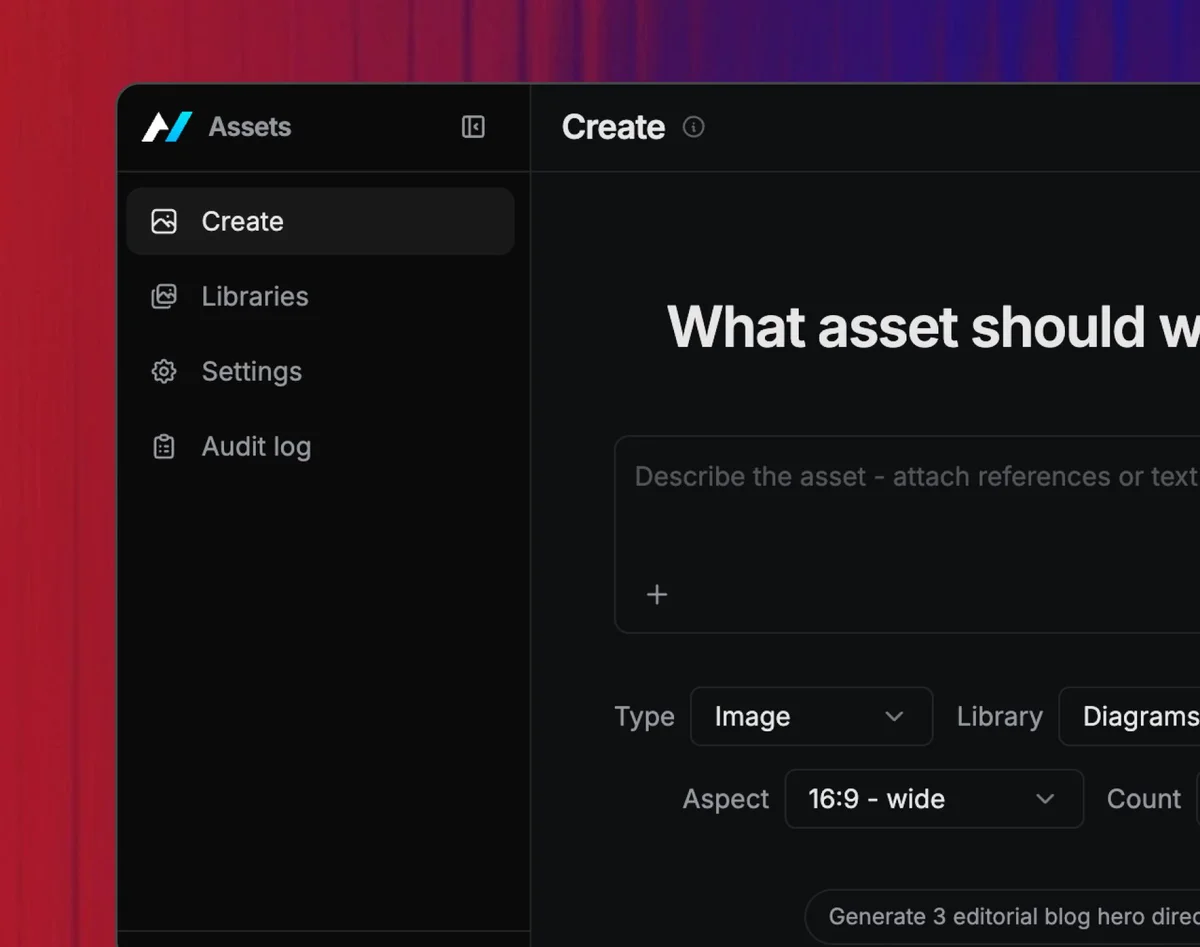
|
|
13
13
|
|
|
14
|
-
##
|
|
14
|
+
## Getting started
|
|
15
15
|
|
|
16
16
|
1. **Create a library.** Add the brand, campaign, product, or content stream you
|
|
17
17
|
want to manage.
|
|
@@ -23,7 +23,7 @@ Use it when your team needs reusable visual direction and searchable source asse
|
|
|
23
23
|
4. **Use the asset elsewhere.** Copy the export, embed the picker in another
|
|
24
24
|
app, or let another agent call Assets over A2A.
|
|
25
25
|
|
|
26
|
-
## Useful
|
|
26
|
+
## Useful prompts
|
|
27
27
|
|
|
28
28
|
- "Generate three blog hero options using the Acme product screenshots as references."
|
|
29
29
|
- "Create a square social image in the launch-campaign style."
|
|
@@ -31,7 +31,7 @@ Use it when your team needs reusable visual direction and searchable source asse
|
|
|
31
31
|
- "Turn this uploaded diagram into a cleaner product explainer image."
|
|
32
32
|
- "Create a video storyboard and save the best frame set to this library."
|
|
33
33
|
|
|
34
|
-
## What
|
|
34
|
+
## What you can do with it
|
|
35
35
|
|
|
36
36
|
- **Create asset libraries.** Group reference images, videos, canonical logos, style notes, palettes, folders, and generated output by brand, campaign, product, or category.
|
|
37
37
|
- **Generate through chat.** The home composer and library Generate controls send the prompt to the agent with `sendToAgentChat()`, so users can inspect variants, give feedback, and iterate.
|
|
@@ -43,13 +43,13 @@ Use it when your team needs reusable visual direction and searchable source asse
|
|
|
43
43
|
- **Install as an app-backed skill.** The `agent-native.app-skill.json` manifest exports an Assets skill plus MCP connector metadata so marketplaces can install the app, its instructions, and its picker together.
|
|
44
44
|
- **Serve other agents.** Slides, Design, Content, Mail, and Dispatch can call Assets through A2A to list libraries, generate batches, create videos, refine an asset, fetch exports, and render inline previews where embedding is allowed.
|
|
45
45
|
|
|
46
|
-
## Why
|
|
46
|
+
## Why it's interesting
|
|
47
47
|
|
|
48
48
|
Most AI media tools treat brand consistency as a prompt-writing problem. Assets treats it as application state: references, folders, collections, style briefs, run history, descriptions, and saved assets live in SQL, while binary media lives in object storage or the local file-upload fallback during development.
|
|
49
49
|
|
|
50
50
|
Because generation and library management are actions and chat workflows, the UI and the agent share the same operations. A user can start from the big prompt box, a library detail page, another app's chat, or an A2A request from Slides, and the same audit and lineage model is preserved. Once enabled, the provider path prefers Builder-managed image generation so teams do not need to paste model-provider keys into every app.
|
|
51
51
|
|
|
52
|
-
## For
|
|
52
|
+
## For developers
|
|
53
53
|
|
|
54
54
|
The rest of this doc is for anyone forking the Assets template or extending it.
|
|
55
55
|
|
|
@@ -59,7 +59,7 @@ The rest of this doc is for anyone forking the Assets template or extending it.
|
|
|
59
59
|
pnpm dlx @agent-native/core create my-assets --template assets --standalone
|
|
60
60
|
```
|
|
61
61
|
|
|
62
|
-
###
|
|
62
|
+
### Customizing it
|
|
63
63
|
|
|
64
64
|
Assets is a complete, cloneable template. Some practical extension ideas:
|
|
65
65
|
|
|
@@ -71,7 +71,7 @@ Assets is a complete, cloneable template. Some practical extension ideas:
|
|
|
71
71
|
|
|
72
72
|
The agent edits routes, components, actions, skills, and SQL-backed models as needed. See [Templates](/docs/cloneable-saas) for the full clone, customize, deploy flow, and [A2A Protocol](/docs/a2a-protocol) for cross-app generation.
|
|
73
73
|
|
|
74
|
-
### Embed
|
|
74
|
+
### Embed the picker
|
|
75
75
|
|
|
76
76
|
Use the picker route when a human is choosing or generating an asset inside
|
|
77
77
|
another product. Image is the default media type; pass `mediaType=video` when
|
|
@@ -104,7 +104,7 @@ generation preset before choosing the final asset URL.
|
|
|
104
104
|
Use A2A when another agent needs to create, search, or export assets without a
|
|
105
105
|
human picker UI.
|
|
106
106
|
|
|
107
|
-
### Developer:
|
|
107
|
+
### Developer: distribute the app skill
|
|
108
108
|
|
|
109
109
|
The Assets app skill has app id `assets` and hosted MCP URL
|
|
110
110
|
`https://assets.agent-native.com/_agent-native/mcp`.
|
|
@@ -151,7 +151,7 @@ hosted MCP connector so those instructions can call the live Assets app:
|
|
|
151
151
|
npx @agent-native/core@latest app-skill ensure --manifest ./dist/assets-skill/agent-native.app-skill.json --yes
|
|
152
152
|
```
|
|
153
153
|
|
|
154
|
-
## What's
|
|
154
|
+
## What's next
|
|
155
155
|
|
|
156
156
|
- [**Templates**](/docs/cloneable-saas) — the clone-and-own model
|
|
157
157
|
- [**Embedding SDK**](/docs/embedding-sdk) — iframe picker and sidecar patterns
|