@achieveai/azuredevops-mcp 1.0.0
This diff represents the content of publicly available package versions that have been released to one of the supported registries. The information contained in this diff is provided for informational purposes only and reflects changes between package versions as they appear in their respective public registries.
- package/LICENSE +21 -0
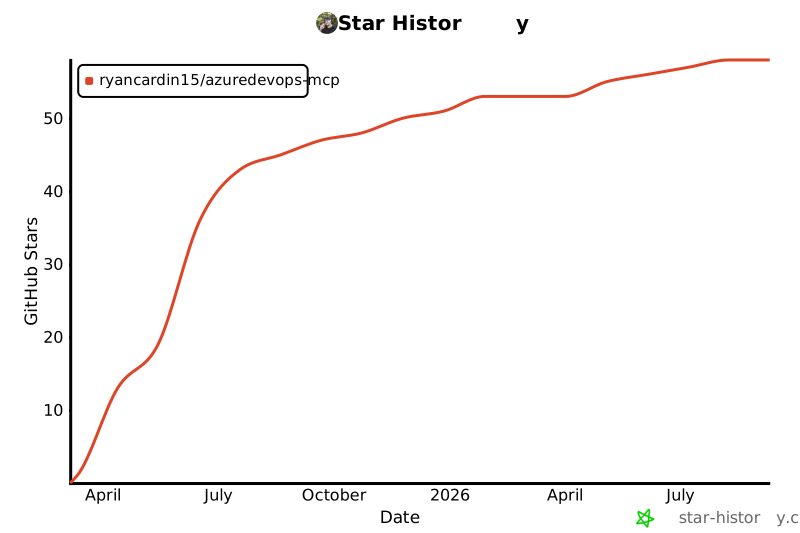
- package/README.md +478 -0
- package/dist/Interfaces/AIAssisted.js +3 -0
- package/dist/Interfaces/AIAssisted.js.map +1 -0
- package/dist/Interfaces/ArtifactManagement.js +3 -0
- package/dist/Interfaces/ArtifactManagement.js.map +1 -0
- package/dist/Interfaces/AzureDevOps.js +3 -0
- package/dist/Interfaces/AzureDevOps.js.map +1 -0
- package/dist/Interfaces/BoardsAndSprints.js +3 -0
- package/dist/Interfaces/BoardsAndSprints.js.map +1 -0
- package/dist/Interfaces/CodeAndRepositories.js +3 -0
- package/dist/Interfaces/CodeAndRepositories.js.map +1 -0
- package/dist/Interfaces/Common.js +67 -0
- package/dist/Interfaces/Common.js.map +1 -0
- package/dist/Interfaces/CostResourceManagement.js +3 -0
- package/dist/Interfaces/CostResourceManagement.js.map +1 -0
- package/dist/Interfaces/DevSecOps.js +3 -0
- package/dist/Interfaces/DevSecOps.js.map +1 -0
- package/dist/Interfaces/ExternalIntegrations.js +3 -0
- package/dist/Interfaces/ExternalIntegrations.js.map +1 -0
- package/dist/Interfaces/HybridCrossPlatform.js +3 -0
- package/dist/Interfaces/HybridCrossPlatform.js.map +1 -0
- package/dist/Interfaces/ProjectManagement.js +3 -0
- package/dist/Interfaces/ProjectManagement.js.map +1 -0
- package/dist/Interfaces/TestingCapabilities.js +3 -0
- package/dist/Interfaces/TestingCapabilities.js.map +1 -0
- package/dist/Interfaces/WorkItems.js +3 -0
- package/dist/Interfaces/WorkItems.js.map +1 -0
- package/dist/Services/AIAssistedDevelopmentService.js +195 -0
- package/dist/Services/AIAssistedDevelopmentService.js.map +1 -0
- package/dist/Services/ArtifactManagementService.js +346 -0
- package/dist/Services/ArtifactManagementService.js.map +1 -0
- package/dist/Services/AzureDevOpsService.js +137 -0
- package/dist/Services/AzureDevOpsService.js.map +1 -0
- package/dist/Services/BoardsSprintsService.js +247 -0
- package/dist/Services/BoardsSprintsService.js.map +1 -0
- package/dist/Services/DevSecOpsService.js +307 -0
- package/dist/Services/DevSecOpsService.js.map +1 -0
- package/dist/Services/EntraAuthHandler.js +85 -0
- package/dist/Services/EntraAuthHandler.js.map +1 -0
- package/dist/Services/GitService.js +1331 -0
- package/dist/Services/GitService.js.map +1 -0
- package/dist/Services/ProjectService.js +233 -0
- package/dist/Services/ProjectService.js.map +1 -0
- package/dist/Services/TestingCapabilitiesService.js +149 -0
- package/dist/Services/TestingCapabilitiesService.js.map +1 -0
- package/dist/Services/WorkItemService.js +522 -0
- package/dist/Services/WorkItemService.js.map +1 -0
- package/dist/Tools/AIAssistedDevelopmentTools.js +137 -0
- package/dist/Tools/AIAssistedDevelopmentTools.js.map +1 -0
- package/dist/Tools/ArtifactManagementTools.js +140 -0
- package/dist/Tools/ArtifactManagementTools.js.map +1 -0
- package/dist/Tools/BoardsSprintsTools.js +149 -0
- package/dist/Tools/BoardsSprintsTools.js.map +1 -0
- package/dist/Tools/DevSecOpsTools.js +147 -0
- package/dist/Tools/DevSecOpsTools.js.map +1 -0
- package/dist/Tools/GitTools.js +1102 -0
- package/dist/Tools/GitTools.js.map +1 -0
- package/dist/Tools/ProjectTools.js +147 -0
- package/dist/Tools/ProjectTools.js.map +1 -0
- package/dist/Tools/TestingCapabilitiesTools.js +157 -0
- package/dist/Tools/TestingCapabilitiesTools.js.map +1 -0
- package/dist/Tools/WorkItemTools.js +532 -0
- package/dist/Tools/WorkItemTools.js.map +1 -0
- package/dist/config.js +149 -0
- package/dist/config.js.map +1 -0
- package/dist/index.js +1333 -0
- package/dist/index.js.map +1 -0
- package/dist/utils/getClassMethods.js +8 -0
- package/dist/utils/getClassMethods.js.map +1 -0
- package/dist/utils/repositoryResolver.js +40 -0
- package/dist/utils/repositoryResolver.js.map +1 -0
- package/package.json +54 -0
package/LICENSE
ADDED
|
@@ -0,0 +1,21 @@
|
|
|
1
|
+
MIT License
|
|
2
|
+
|
|
3
|
+
Copyright (c) 2025 Ryan Cardin
|
|
4
|
+
|
|
5
|
+
Permission is hereby granted, free of charge, to any person obtaining a copy
|
|
6
|
+
of this software and associated documentation files (the "Software"), to deal
|
|
7
|
+
in the Software without restriction, including without limitation the rights
|
|
8
|
+
to use, copy, modify, merge, publish, distribute, sublicense, and/or sell
|
|
9
|
+
copies of the Software, and to permit persons to whom the Software is
|
|
10
|
+
furnished to do so, subject to the following conditions:
|
|
11
|
+
|
|
12
|
+
The above copyright notice and this permission notice shall be included in all
|
|
13
|
+
copies or substantial portions of the Software.
|
|
14
|
+
|
|
15
|
+
THE SOFTWARE IS PROVIDED "AS IS", WITHOUT WARRANTY OF ANY KIND, EXPRESS OR
|
|
16
|
+
IMPLIED, INCLUDING BUT NOT LIMITED TO THE WARRANTIES OF MERCHANTABILITY,
|
|
17
|
+
FITNESS FOR A PARTICULAR PURPOSE AND NONINFRINGEMENT. IN NO EVENT SHALL THE
|
|
18
|
+
AUTHORS OR COPYRIGHT HOLDERS BE LIABLE FOR ANY CLAIM, DAMAGES OR OTHER
|
|
19
|
+
LIABILITY, WHETHER IN AN ACTION OF CONTRACT, TORT OR OTHERWISE, ARISING FROM,
|
|
20
|
+
OUT OF OR IN CONNECTION WITH THE SOFTWARE OR THE USE OR OTHER DEALINGS IN THE
|
|
21
|
+
SOFTWARE.
|
package/README.md
ADDED
|
@@ -0,0 +1,478 @@
|
|
|
1
|
+
# Azure DevOps MCP Integration
|
|
2
|
+
|
|
3
|
+
# Star History
|
|
4
|
+
[](https://star-history.com/#RyanCardin15/AzureDevOps-MCP&Date)
|
|
5
|
+
|
|
6
|
+
A powerful integration for Azure DevOps that provides seamless access to work items, repositories, projects, boards, and sprints through the Model Context Protocol (MCP) server.
|
|
7
|
+
|
|
8
|
+
## Overview
|
|
9
|
+
|
|
10
|
+
This server provides a convenient API for interacting with Azure DevOps services, enabling AI assistants and other tools to manage work items, code repositories, boards, sprints, and more. Built with the Model Context Protocol, it provides a standardized interface for communicating with Azure DevOps.
|
|
11
|
+
|
|
12
|
+
## Demo
|
|
13
|
+

|
|
14
|
+
|
|
15
|
+
## Features
|
|
16
|
+
|
|
17
|
+
The integration is organized into eight main tool categories:
|
|
18
|
+
|
|
19
|
+
### Work Item Tools
|
|
20
|
+
- List work items using WIQL queries
|
|
21
|
+
- Get work item details by ID
|
|
22
|
+
- Search for work items
|
|
23
|
+
- Get recently updated work items
|
|
24
|
+
- Get your assigned work items
|
|
25
|
+
- Create new work items
|
|
26
|
+
- Update existing work items
|
|
27
|
+
- Add comments to work items
|
|
28
|
+
- Update work item state
|
|
29
|
+
- Assign work items
|
|
30
|
+
- Create links between work items
|
|
31
|
+
- Bulk create/update work items
|
|
32
|
+
|
|
33
|
+
### Boards & Sprints Tools
|
|
34
|
+
- Get team boards
|
|
35
|
+
- Get board columns
|
|
36
|
+
- Get board items
|
|
37
|
+
- Move cards on boards
|
|
38
|
+
- Get sprints
|
|
39
|
+
- Get the current sprint
|
|
40
|
+
- Get sprint work items
|
|
41
|
+
- Get sprint capacity
|
|
42
|
+
- Get team members
|
|
43
|
+
|
|
44
|
+
### Project Tools
|
|
45
|
+
- List projects
|
|
46
|
+
- Get project details
|
|
47
|
+
- Create new projects
|
|
48
|
+
- Get areas
|
|
49
|
+
- Get iterations
|
|
50
|
+
- Create areas
|
|
51
|
+
- Create iterations
|
|
52
|
+
- Get process templates
|
|
53
|
+
- Get work item types
|
|
54
|
+
- Get work item type fields
|
|
55
|
+
|
|
56
|
+
### Git Tools
|
|
57
|
+
- List repositories
|
|
58
|
+
- Get repository details
|
|
59
|
+
- Create repositories
|
|
60
|
+
- List branches
|
|
61
|
+
- Search code
|
|
62
|
+
- Browse repositories
|
|
63
|
+
- Get file content
|
|
64
|
+
- Get commit history
|
|
65
|
+
- List pull requests
|
|
66
|
+
- Create pull requests
|
|
67
|
+
- Get pull request details
|
|
68
|
+
- Get pull request comments
|
|
69
|
+
- Approve pull requests
|
|
70
|
+
- Merge pull requests
|
|
71
|
+
|
|
72
|
+
### Testing Capabilities Tools
|
|
73
|
+
- Run automated tests
|
|
74
|
+
- Get test automation status
|
|
75
|
+
- Configure test agents
|
|
76
|
+
- Create test data generators
|
|
77
|
+
- Manage test environments
|
|
78
|
+
- Get test flakiness analysis
|
|
79
|
+
- Get test gap analysis
|
|
80
|
+
- Run test impact analysis
|
|
81
|
+
- Get test health dashboard
|
|
82
|
+
- Run test optimization
|
|
83
|
+
- Create exploratory sessions
|
|
84
|
+
- Record exploratory test results
|
|
85
|
+
- Convert findings to work items
|
|
86
|
+
- Get exploratory test statistics
|
|
87
|
+
|
|
88
|
+
### DevSecOps Tools
|
|
89
|
+
- Run security scans
|
|
90
|
+
- Get security scan results
|
|
91
|
+
- Track security vulnerabilities
|
|
92
|
+
- Generate security compliance reports
|
|
93
|
+
- Integrate SARIF results
|
|
94
|
+
- Run compliance checks
|
|
95
|
+
- Get compliance status
|
|
96
|
+
- Create compliance reports
|
|
97
|
+
- Manage security policies
|
|
98
|
+
- Track security awareness
|
|
99
|
+
- Rotate secrets
|
|
100
|
+
- Audit secret usage
|
|
101
|
+
- Configure vault integration
|
|
102
|
+
|
|
103
|
+
### Artifact Management Tools
|
|
104
|
+
- List artifact feeds
|
|
105
|
+
- Get package versions
|
|
106
|
+
- Publish packages
|
|
107
|
+
- Promote packages
|
|
108
|
+
- Delete package versions
|
|
109
|
+
- List container images
|
|
110
|
+
- Get container image tags
|
|
111
|
+
- Scan container images
|
|
112
|
+
- Manage container policies
|
|
113
|
+
- Manage universal packages
|
|
114
|
+
- Create package download reports
|
|
115
|
+
- Check package dependencies
|
|
116
|
+
|
|
117
|
+
### AI-Assisted Development Tools
|
|
118
|
+
- Get AI-powered code reviews
|
|
119
|
+
- Suggest code optimizations
|
|
120
|
+
- Identify code smells
|
|
121
|
+
- Get predictive bug analysis
|
|
122
|
+
- Get developer productivity metrics
|
|
123
|
+
- Get predictive effort estimations
|
|
124
|
+
- Get code quality trends
|
|
125
|
+
- Suggest work item refinements
|
|
126
|
+
- Suggest automation opportunities
|
|
127
|
+
- Create intelligent alerts
|
|
128
|
+
- Predict build failures
|
|
129
|
+
- Optimize test selection
|
|
130
|
+
|
|
131
|
+
## Installation
|
|
132
|
+
|
|
133
|
+
### Installing via Smithery
|
|
134
|
+
|
|
135
|
+
To install azuredevops-mcp for Claude Desktop automatically via [Smithery](https://smithery.ai/server/@RyanCardin15/azuredevops-mcp):
|
|
136
|
+
|
|
137
|
+
```bash
|
|
138
|
+
npx -y @smithery/cli install @RyanCardin15/azuredevops-mcp --client claude
|
|
139
|
+
```
|
|
140
|
+
|
|
141
|
+
### Prerequisites
|
|
142
|
+
- Node.js (v16 or later)
|
|
143
|
+
- TypeScript (v4 or later)
|
|
144
|
+
- An Azure DevOps account with a Personal Access Token (PAT) or appropriate on-premises credentials
|
|
145
|
+
|
|
146
|
+
### Setup
|
|
147
|
+
|
|
148
|
+
1. Clone the repository:
|
|
149
|
+
```bash
|
|
150
|
+
git clone <repository-url>
|
|
151
|
+
cd AzureDevOps
|
|
152
|
+
```
|
|
153
|
+
|
|
154
|
+
2. Install dependencies:
|
|
155
|
+
```bash
|
|
156
|
+
npm install
|
|
157
|
+
```
|
|
158
|
+
|
|
159
|
+
3. Configure environment variables (create a `.env` file or set them directly):
|
|
160
|
+
|
|
161
|
+
For Azure DevOps Services (cloud):
|
|
162
|
+
```
|
|
163
|
+
AZURE_DEVOPS_ORG_URL=https://dev.azure.com/your-organization
|
|
164
|
+
AZURE_DEVOPS_PROJECT=your-default-project
|
|
165
|
+
AZURE_DEVOPS_IS_ON_PREMISES=false
|
|
166
|
+
AZURE_DEVOPS_AUTH_TYPE=pat # or 'entra'
|
|
167
|
+
AZURE_DEVOPS_PERSONAL_ACCESS_TOKEN=your-personal-access-token
|
|
168
|
+
```
|
|
169
|
+
|
|
170
|
+
For Azure DevOps Server (on-premises):
|
|
171
|
+
```
|
|
172
|
+
AZURE_DEVOPS_ORG_URL=https://your-server/tfs
|
|
173
|
+
AZURE_DEVOPS_PROJECT=your-default-project
|
|
174
|
+
AZURE_DEVOPS_IS_ON_PREMISES=true
|
|
175
|
+
AZURE_DEVOPS_COLLECTION=your-collection
|
|
176
|
+
AZURE_DEVOPS_API_VERSION=6.0 # Adjust based on your server version
|
|
177
|
+
|
|
178
|
+
# Authentication (choose one):
|
|
179
|
+
|
|
180
|
+
# For PAT authentication:
|
|
181
|
+
AZURE_DEVOPS_AUTH_TYPE=pat
|
|
182
|
+
AZURE_DEVOPS_PERSONAL_ACCESS_TOKEN=your-personal-access-token
|
|
183
|
+
|
|
184
|
+
# For NTLM authentication:
|
|
185
|
+
AZURE_DEVOPS_AUTH_TYPE=ntlm
|
|
186
|
+
AZURE_DEVOPS_USERNAME=your-username
|
|
187
|
+
AZURE_DEVOPS_PASSWORD=your-password
|
|
188
|
+
AZURE_DEVOPS_DOMAIN=your-domain
|
|
189
|
+
|
|
190
|
+
# For Basic authentication:
|
|
191
|
+
AZURE_DEVOPS_AUTH_TYPE=basic
|
|
192
|
+
AZURE_DEVOPS_USERNAME=your-username
|
|
193
|
+
AZURE_DEVOPS_PASSWORD=your-password
|
|
194
|
+
```
|
|
195
|
+
|
|
196
|
+
4. Build the project:
|
|
197
|
+
```bash
|
|
198
|
+
npm run build
|
|
199
|
+
```
|
|
200
|
+
|
|
201
|
+
If you encounter TypeScript errors but want to proceed anyway:
|
|
202
|
+
```bash
|
|
203
|
+
npm run build:ignore-errors
|
|
204
|
+
```
|
|
205
|
+
|
|
206
|
+
5. Start the server:
|
|
207
|
+
```bash
|
|
208
|
+
npm run start
|
|
209
|
+
```
|
|
210
|
+
|
|
211
|
+
## Configuration
|
|
212
|
+
|
|
213
|
+
### Personal Access Token (PAT)
|
|
214
|
+
|
|
215
|
+
For Azure DevOps Services (cloud), you'll need to create a Personal Access Token with appropriate permissions:
|
|
216
|
+
|
|
217
|
+
1. Go to your Azure DevOps organization
|
|
218
|
+
2. Click on your profile icon in the top right
|
|
219
|
+
3. Select "Personal access tokens"
|
|
220
|
+
4. Click "New Token"
|
|
221
|
+
5. Give it a name and select the appropriate scopes:
|
|
222
|
+
- Work Items: Read & Write
|
|
223
|
+
- Code: Read & Write
|
|
224
|
+
- Project and Team: Read & Write
|
|
225
|
+
- Build: Read
|
|
226
|
+
- Release: Read
|
|
227
|
+
|
|
228
|
+
For Azure DevOps Server (on-premises), you have three authentication options:
|
|
229
|
+
|
|
230
|
+
1. Personal Access Token (PAT):
|
|
231
|
+
- Similar to cloud setup, but create the PAT in your on-premises instance
|
|
232
|
+
- Set `AZURE_DEVOPS_AUTH_TYPE=pat`
|
|
233
|
+
|
|
234
|
+
2. NTLM Authentication:
|
|
235
|
+
- Use your Windows domain credentials
|
|
236
|
+
- Set `AZURE_DEVOPS_AUTH_TYPE=ntlm`
|
|
237
|
+
- Provide username, password, and domain
|
|
238
|
+
|
|
239
|
+
3. Basic Authentication:
|
|
240
|
+
- Use your local credentials
|
|
241
|
+
- Set `AZURE_DEVOPS_AUTH_TYPE=basic`
|
|
242
|
+
- Provide username and password
|
|
243
|
+
|
|
244
|
+
### Azure DevOps Services vs. Azure DevOps Server
|
|
245
|
+
|
|
246
|
+
This integration supports both cloud-hosted Azure DevOps Services and on-premises Azure DevOps Server:
|
|
247
|
+
|
|
248
|
+
#### Azure DevOps Services (Cloud)
|
|
249
|
+
- Simple setup with organization URL and PAT
|
|
250
|
+
- Default configuration expects format: `https://dev.azure.com/your-organization`
|
|
251
|
+
- Always uses PAT authentication
|
|
252
|
+
- Sample configuration files provided in `.env.cloud.example`
|
|
253
|
+
|
|
254
|
+
#### Azure DevOps Server (On-Premises)
|
|
255
|
+
- Requires additional configuration for server URL, collection, and authentication
|
|
256
|
+
- URL format varies based on your server setup: `https://your-server/tfs`
|
|
257
|
+
- Requires specifying a collection name
|
|
258
|
+
- Supports multiple authentication methods (PAT, NTLM, Basic)
|
|
259
|
+
- May require API version specification for older server versions
|
|
260
|
+
- Sample configuration files provided in `.env.on-premises.example`
|
|
261
|
+
|
|
262
|
+
#### Key Differences
|
|
263
|
+
|
|
264
|
+
| Feature | Azure DevOps Services | Azure DevOps Server |
|
|
265
|
+
|---------|----------------------|---------------------|
|
|
266
|
+
| URL Format | https://dev.azure.com/org | https://server/tfs |
|
|
267
|
+
| Collection | Not required | Required |
|
|
268
|
+
| Auth Methods | PAT, Entra ID (DefaultAzureCredential) | PAT, NTLM, Basic |
|
|
269
|
+
| API Version | Latest (automatic) | May need specification |
|
|
270
|
+
| Connection | Always internet | Can be air-gapped |
|
|
271
|
+
|
|
272
|
+
#### Entra Auth
|
|
273
|
+
|
|
274
|
+
Ensure you have az cli installed and it is authenticated.
|
|
275
|
+
azd and AZ Powershell modules should also work, as long as you're authenticated.
|
|
276
|
+
|
|
277
|
+
#### Example Configuration
|
|
278
|
+
|
|
279
|
+
Copy either `.env.cloud.example` or `.env.on-premises.example` to `.env` and update the values as needed.
|
|
280
|
+
|
|
281
|
+
### Environment Variables
|
|
282
|
+
|
|
283
|
+
The server can be configured using the following environment variables:
|
|
284
|
+
|
|
285
|
+
| Variable | Description | Required | Default |
|
|
286
|
+
|----------|-------------|----------|---------|
|
|
287
|
+
| AZURE_DEVOPS_ORG_URL | URL of your Azure DevOps organization or server | Yes | - |
|
|
288
|
+
| AZURE_DEVOPS_PROJECT | Default project to use | Yes | - |
|
|
289
|
+
| AZURE_DEVOPS_IS_ON_PREMISES | Whether using Azure DevOps Server | No | false |
|
|
290
|
+
| AZURE_DEVOPS_COLLECTION | Collection name for on-premises | No* | - |
|
|
291
|
+
| AZURE_DEVOPS_API_VERSION | API version for on-premises | No | - |
|
|
292
|
+
| AZURE_DEVOPS_AUTH_TYPE | Authentication type (pat/ntlm/basic/entra) | No | pat |
|
|
293
|
+
| AZURE_DEVOPS_PERSONAL_ACCESS_TOKEN | Personal access token (for 'pat' auth) | No** | - |
|
|
294
|
+
| AZURE_DEVOPS_USERNAME | Username for NTLM/Basic auth | No** | - |
|
|
295
|
+
| AZURE_DEVOPS_PASSWORD | Password for NTLM/Basic auth | No** | - |
|
|
296
|
+
| AZURE_DEVOPS_DOMAIN | Domain for NTLM auth | No | - |
|
|
297
|
+
| ALLOWED_TOOLS | Comma-separated list of tool methods to enable | No | All tools |
|
|
298
|
+
|
|
299
|
+
\* Required if `AZURE_DEVOPS_IS_ON_PREMISES=true`
|
|
300
|
+
\** Required based on chosen authentication type
|
|
301
|
+
|
|
302
|
+
#### Tool Filtering with ALLOWED_TOOLS
|
|
303
|
+
|
|
304
|
+
The `ALLOWED_TOOLS` environment variable allows you to restrict which tool methods are available. This is completely optional - if not specified, all tools will be enabled.
|
|
305
|
+
|
|
306
|
+
Format: Comma-separated list of method names with no spaces.
|
|
307
|
+
|
|
308
|
+
Example:
|
|
309
|
+
```
|
|
310
|
+
ALLOWED_TOOLS=listWorkItems,getWorkItemById,searchWorkItems,createWorkItem
|
|
311
|
+
```
|
|
312
|
+
|
|
313
|
+
This would only enable the specified work item methods while disabling all others.
|
|
314
|
+
|
|
315
|
+
## Usage
|
|
316
|
+
|
|
317
|
+
Once the server is running, you can interact with it using the MCP protocol. The server exposes several tools for different Azure DevOps functionalities.
|
|
318
|
+
|
|
319
|
+
### Available Tools
|
|
320
|
+
|
|
321
|
+
> **Note:** By default, only a subset of tools are registered in the `index.ts` file to keep the initial implementation simple. See the [Tool Registration](#tool-registration) section for information on how to register additional tools.
|
|
322
|
+
|
|
323
|
+
### Example: List Work Items
|
|
324
|
+
|
|
325
|
+
```json
|
|
326
|
+
{
|
|
327
|
+
"tool": "listWorkItems",
|
|
328
|
+
"params": {
|
|
329
|
+
"query": "SELECT [System.Id], [System.Title], [System.State] FROM WorkItems WHERE [System.State] = 'Active' ORDER BY [System.CreatedDate] DESC"
|
|
330
|
+
}
|
|
331
|
+
}
|
|
332
|
+
```
|
|
333
|
+
|
|
334
|
+
### Example: Create a Work Item
|
|
335
|
+
|
|
336
|
+
```json
|
|
337
|
+
{
|
|
338
|
+
"tool": "createWorkItem",
|
|
339
|
+
"params": {
|
|
340
|
+
"workItemType": "User Story",
|
|
341
|
+
"title": "Implement new feature",
|
|
342
|
+
"description": "As a user, I want to be able to export reports to PDF.",
|
|
343
|
+
"assignedTo": "john@example.com"
|
|
344
|
+
}
|
|
345
|
+
}
|
|
346
|
+
```
|
|
347
|
+
|
|
348
|
+
### Example: List Repositories
|
|
349
|
+
|
|
350
|
+
```json
|
|
351
|
+
{
|
|
352
|
+
"tool": "listRepositories",
|
|
353
|
+
"params": {
|
|
354
|
+
"projectId": "MyProject"
|
|
355
|
+
}
|
|
356
|
+
}
|
|
357
|
+
```
|
|
358
|
+
|
|
359
|
+
### Example: Create a Pull Request
|
|
360
|
+
|
|
361
|
+
```json
|
|
362
|
+
{
|
|
363
|
+
"tool": "createPullRequest",
|
|
364
|
+
"params": {
|
|
365
|
+
"repositoryId": "repo-guid",
|
|
366
|
+
"sourceRefName": "refs/heads/feature-branch",
|
|
367
|
+
"targetRefName": "refs/heads/main",
|
|
368
|
+
"title": "Add new feature",
|
|
369
|
+
"description": "This PR adds the export to PDF feature"
|
|
370
|
+
}
|
|
371
|
+
}
|
|
372
|
+
```
|
|
373
|
+
|
|
374
|
+
## Architecture
|
|
375
|
+
|
|
376
|
+
The project is structured as follows:
|
|
377
|
+
|
|
378
|
+
- `src/`
|
|
379
|
+
- `Interfaces/`: Type definitions for parameters and responses
|
|
380
|
+
- `Services/`: Service classes for interacting with Azure DevOps APIs
|
|
381
|
+
- `Tools/`: Tool implementations that expose functionality to clients
|
|
382
|
+
- `index.ts`: Main entry point that registers tools and starts the server
|
|
383
|
+
- `config.ts`: Configuration handling
|
|
384
|
+
|
|
385
|
+
### Service Layer
|
|
386
|
+
|
|
387
|
+
The service layer handles direct communication with the Azure DevOps API:
|
|
388
|
+
|
|
389
|
+
- `WorkItemService`: Work item operations
|
|
390
|
+
- `BoardsSprintsService`: Boards and sprints operations
|
|
391
|
+
- `ProjectService`: Project management operations
|
|
392
|
+
- `GitService`: Git repository operations
|
|
393
|
+
- `TestingCapabilitiesService`: Testing capabilities operations
|
|
394
|
+
- `DevSecOpsService`: DevSecOps operations
|
|
395
|
+
- `ArtifactManagementService`: Artifact management operations
|
|
396
|
+
- `AIAssistedDevelopmentService`: AI-assisted development operations
|
|
397
|
+
|
|
398
|
+
### Tools Layer
|
|
399
|
+
|
|
400
|
+
The tools layer wraps the services and provides a consistent interface for the MCP protocol:
|
|
401
|
+
|
|
402
|
+
- `WorkItemTools`: Tools for work item operations
|
|
403
|
+
- `BoardsSprintsTools`: Tools for boards and sprints operations
|
|
404
|
+
- `ProjectTools`: Tools for project management operations
|
|
405
|
+
- `GitTools`: Tools for Git operations
|
|
406
|
+
- `TestingCapabilitiesTools`: Tools for testing capabilities operations
|
|
407
|
+
- `DevSecOpsTools`: Tools for DevSecOps operations
|
|
408
|
+
- `ArtifactManagementTools`: Tools for artifact management operations
|
|
409
|
+
- `AIAssistedDevelopmentTools`: Tools for AI-assisted development operations
|
|
410
|
+
|
|
411
|
+
## Tool Registration
|
|
412
|
+
|
|
413
|
+
The MCP server requires tools to be explicitly registered in the `index.ts` file. By default, only a subset of all possible tools are registered to keep the initial implementation manageable.
|
|
414
|
+
|
|
415
|
+
To register more tools:
|
|
416
|
+
|
|
417
|
+
1. Open the `src/index.ts` file
|
|
418
|
+
2. Add new tool registrations following the pattern of existing tools
|
|
419
|
+
3. Build and restart the server
|
|
420
|
+
|
|
421
|
+
A comprehensive guide to tool registration is available in the `TOOL_REGISTRATION.md` file in the repository.
|
|
422
|
+
|
|
423
|
+
> **Note:** When registering tools, be careful to use the correct parameter types, especially for enum values. The type definitions in the `Interfaces` directory define the expected types for each parameter. Using the wrong type (e.g., using `z.string()` instead of `z.enum()` for enumerated values) will result in TypeScript errors during build.
|
|
424
|
+
|
|
425
|
+
Example of registering a new tool:
|
|
426
|
+
|
|
427
|
+
```typescript
|
|
428
|
+
server.tool("searchCode",
|
|
429
|
+
"Search for code in repositories",
|
|
430
|
+
{
|
|
431
|
+
searchText: z.string().describe("Text to search for"),
|
|
432
|
+
repositoryId: z.string().optional().describe("ID of the repository")
|
|
433
|
+
},
|
|
434
|
+
async (params, extra) => {
|
|
435
|
+
const result = await gitTools.searchCode(params);
|
|
436
|
+
return {
|
|
437
|
+
content: result.content,
|
|
438
|
+
rawData: result.rawData,
|
|
439
|
+
isError: result.isError
|
|
440
|
+
};
|
|
441
|
+
}
|
|
442
|
+
);
|
|
443
|
+
```
|
|
444
|
+
|
|
445
|
+
## Troubleshooting
|
|
446
|
+
|
|
447
|
+
### Common Issues
|
|
448
|
+
|
|
449
|
+
#### Authentication Errors
|
|
450
|
+
- Ensure your Personal Access Token is valid and has the required permissions
|
|
451
|
+
- Check that the organization URL is correct
|
|
452
|
+
|
|
453
|
+
#### TypeScript Errors During Build
|
|
454
|
+
- Use `npm run build:ignore-errors` to bypass TypeScript errors
|
|
455
|
+
- Check for missing or incorrect type definitions
|
|
456
|
+
|
|
457
|
+
#### Runtime Errors
|
|
458
|
+
- Verify that the Azure DevOps project specified exists and is accessible
|
|
459
|
+
|
|
460
|
+
## Contributing
|
|
461
|
+
|
|
462
|
+
Contributions are welcome! Here's how you can contribute:
|
|
463
|
+
|
|
464
|
+
1. Fork the repository
|
|
465
|
+
2. Create a feature branch (`git checkout -b feature/amazing-feature`)
|
|
466
|
+
3. Commit your changes (`git commit -m 'Add some amazing feature'`)
|
|
467
|
+
4. Push to the branch (`git push origin feature/amazing-feature`)
|
|
468
|
+
5. Open a Pull Request
|
|
469
|
+
|
|
470
|
+
Please ensure your code passes linting and includes appropriate tests.
|
|
471
|
+
|
|
472
|
+
[](https://mseep.ai/app/22aecb18-6269-482a-9b0c-a96653410bf3)
|
|
473
|
+
|
|
474
|
+
[](https://smithery.ai/server/@RyanCardin15/azuredevops-mcp)
|
|
475
|
+
|
|
476
|
+
<a href="https://glama.ai/mcp/servers/z7mxfcinp8">
|
|
477
|
+
<img width="380" height="200" src="https://glama.ai/mcp/servers/z7mxfcinp8/badge" />
|
|
478
|
+
</a>
|
|
@@ -0,0 +1 @@
|
|
|
1
|
+
{"version":3,"file":"AIAssisted.js","sourceRoot":"","sources":["../../src/Interfaces/AIAssisted.ts"],"names":[],"mappings":""}
|
|
@@ -0,0 +1 @@
|
|
|
1
|
+
{"version":3,"file":"ArtifactManagement.js","sourceRoot":"","sources":["../../src/Interfaces/ArtifactManagement.ts"],"names":[],"mappings":""}
|
|
@@ -0,0 +1 @@
|
|
|
1
|
+
{"version":3,"file":"AzureDevOps.js","sourceRoot":"","sources":["../../src/Interfaces/AzureDevOps.ts"],"names":[],"mappings":""}
|
|
@@ -0,0 +1 @@
|
|
|
1
|
+
{"version":3,"file":"BoardsAndSprints.js","sourceRoot":"","sources":["../../src/Interfaces/BoardsAndSprints.ts"],"names":[],"mappings":""}
|
|
@@ -0,0 +1 @@
|
|
|
1
|
+
{"version":3,"file":"CodeAndRepositories.js","sourceRoot":"","sources":["../../src/Interfaces/CodeAndRepositories.ts"],"names":[],"mappings":""}
|
|
@@ -0,0 +1,67 @@
|
|
|
1
|
+
"use strict";
|
|
2
|
+
Object.defineProperty(exports, "__esModule", { value: true });
|
|
3
|
+
exports.formatMcpResponse = formatMcpResponse;
|
|
4
|
+
exports.formatErrorResponse = formatErrorResponse;
|
|
5
|
+
/**
|
|
6
|
+
* Formats a response for MCP compatibility
|
|
7
|
+
* @param data The data to format
|
|
8
|
+
* @param message Optional message to display (if it contains markdown formatting with --- or tables, it will be used as the primary content)
|
|
9
|
+
* @param isError Whether this is an error response
|
|
10
|
+
* @param includeStructuredContent Whether to include structuredContent field (MCP standard)
|
|
11
|
+
* @returns MCP-compatible response
|
|
12
|
+
*/
|
|
13
|
+
function formatMcpResponse(data, message, isError = false, includeStructuredContent = false) {
|
|
14
|
+
// If message contains markdown formatting (starts with --- or contains table markdown), use it as primary content
|
|
15
|
+
if (message && message.length > 120) {
|
|
16
|
+
const response = {
|
|
17
|
+
content: [
|
|
18
|
+
{
|
|
19
|
+
type: "text",
|
|
20
|
+
text: message
|
|
21
|
+
}
|
|
22
|
+
],
|
|
23
|
+
rawData: data,
|
|
24
|
+
isError
|
|
25
|
+
};
|
|
26
|
+
// Add structured content if requested
|
|
27
|
+
if (includeStructuredContent && data) {
|
|
28
|
+
response.structuredContent = {
|
|
29
|
+
format: "application/json",
|
|
30
|
+
data: data
|
|
31
|
+
};
|
|
32
|
+
}
|
|
33
|
+
return response;
|
|
34
|
+
}
|
|
35
|
+
const response = {
|
|
36
|
+
content: [
|
|
37
|
+
{
|
|
38
|
+
type: "text",
|
|
39
|
+
text: message || (isError ? "Error occurred" : "Request successful")
|
|
40
|
+
},
|
|
41
|
+
{
|
|
42
|
+
type: "text",
|
|
43
|
+
text: typeof data === 'string' ? data : JSON.stringify(data, null, 2)
|
|
44
|
+
}
|
|
45
|
+
],
|
|
46
|
+
rawData: data,
|
|
47
|
+
isError
|
|
48
|
+
};
|
|
49
|
+
// Add structured content if requested
|
|
50
|
+
if (includeStructuredContent && data) {
|
|
51
|
+
response.structuredContent = {
|
|
52
|
+
format: "application/json",
|
|
53
|
+
data: data
|
|
54
|
+
};
|
|
55
|
+
}
|
|
56
|
+
return response;
|
|
57
|
+
}
|
|
58
|
+
/**
|
|
59
|
+
* Creates an error response
|
|
60
|
+
* @param error The error that occurred
|
|
61
|
+
* @returns MCP-compatible error response
|
|
62
|
+
*/
|
|
63
|
+
function formatErrorResponse(error) {
|
|
64
|
+
const errorMessage = error instanceof Error ? error.message : String(error);
|
|
65
|
+
return formatMcpResponse({ error: errorMessage }, `Error: ${errorMessage}`, true);
|
|
66
|
+
}
|
|
67
|
+
//# sourceMappingURL=Common.js.map
|
|
@@ -0,0 +1 @@
|
|
|
1
|
+
{"version":3,"file":"Common.js","sourceRoot":"","sources":["../../src/Interfaces/Common.ts"],"names":[],"mappings":";;AAuBA,8CAiDC;AAOD,kDAGC;AAnED;;;;;;;GAOG;AACH,SAAgB,iBAAiB,CAAC,IAAS,EAAE,OAAgB,EAAE,OAAO,GAAG,KAAK,EAAE,wBAAwB,GAAG,KAAK;IAC9G,kHAAkH;IAClH,IAAI,OAAO,IAAI,OAAO,CAAC,MAAM,GAAG,GAAG,EAAE,CAAC;QACpC,MAAM,QAAQ,GAAgB;YAC5B,OAAO,EAAE;gBACP;oBACE,IAAI,EAAE,MAAM;oBACZ,IAAI,EAAE,OAAO;iBACd;aACF;YACD,OAAO,EAAE,IAAI;YACb,OAAO;SACR,CAAC;QAEF,sCAAsC;QACtC,IAAI,wBAAwB,IAAI,IAAI,EAAE,CAAC;YACrC,QAAQ,CAAC,iBAAiB,GAAG;gBAC3B,MAAM,EAAE,kBAAkB;gBAC1B,IAAI,EAAE,IAAI;aACX,CAAC;QACJ,CAAC;QAED,OAAO,QAAQ,CAAC;IAClB,CAAC;IAED,MAAM,QAAQ,GAAgB;QAC5B,OAAO,EAAE;YACP;gBACE,IAAI,EAAE,MAAM;gBACZ,IAAI,EAAE,OAAO,IAAI,CAAC,OAAO,CAAC,CAAC,CAAC,gBAAgB,CAAC,CAAC,CAAC,oBAAoB,CAAC;aACrE;YACD;gBACE,IAAI,EAAE,MAAM;gBACZ,IAAI,EAAE,OAAO,IAAI,KAAK,QAAQ,CAAC,CAAC,CAAC,IAAI,CAAC,CAAC,CAAC,IAAI,CAAC,SAAS,CAAC,IAAI,EAAE,IAAI,EAAE,CAAC,CAAC;aACtE;SACF;QACD,OAAO,EAAE,IAAI;QACb,OAAO;KACR,CAAC;IAEF,sCAAsC;IACtC,IAAI,wBAAwB,IAAI,IAAI,EAAE,CAAC;QACrC,QAAQ,CAAC,iBAAiB,GAAG;YAC3B,MAAM,EAAE,kBAAkB;YAC1B,IAAI,EAAE,IAAI;SACX,CAAC;IACJ,CAAC;IAED,OAAO,QAAQ,CAAC;AAClB,CAAC;AAED;;;;GAIG;AACH,SAAgB,mBAAmB,CAAC,KAAU;IAC5C,MAAM,YAAY,GAAG,KAAK,YAAY,KAAK,CAAC,CAAC,CAAC,KAAK,CAAC,OAAO,CAAC,CAAC,CAAC,MAAM,CAAC,KAAK,CAAC,CAAC;IAC5E,OAAO,iBAAiB,CAAC,EAAE,KAAK,EAAE,YAAY,EAAE,EAAE,UAAU,YAAY,EAAE,EAAE,IAAI,CAAC,CAAC;AACpF,CAAC"}
|
|
@@ -0,0 +1 @@
|
|
|
1
|
+
{"version":3,"file":"CostResourceManagement.js","sourceRoot":"","sources":["../../src/Interfaces/CostResourceManagement.ts"],"names":[],"mappings":""}
|
|
@@ -0,0 +1 @@
|
|
|
1
|
+
{"version":3,"file":"DevSecOps.js","sourceRoot":"","sources":["../../src/Interfaces/DevSecOps.ts"],"names":[],"mappings":""}
|
|
@@ -0,0 +1 @@
|
|
|
1
|
+
{"version":3,"file":"ExternalIntegrations.js","sourceRoot":"","sources":["../../src/Interfaces/ExternalIntegrations.ts"],"names":[],"mappings":""}
|
|
@@ -0,0 +1 @@
|
|
|
1
|
+
{"version":3,"file":"HybridCrossPlatform.js","sourceRoot":"","sources":["../../src/Interfaces/HybridCrossPlatform.ts"],"names":[],"mappings":""}
|
|
@@ -0,0 +1 @@
|
|
|
1
|
+
{"version":3,"file":"ProjectManagement.js","sourceRoot":"","sources":["../../src/Interfaces/ProjectManagement.ts"],"names":[],"mappings":""}
|
|
@@ -0,0 +1 @@
|
|
|
1
|
+
{"version":3,"file":"TestingCapabilities.js","sourceRoot":"","sources":["../../src/Interfaces/TestingCapabilities.ts"],"names":[],"mappings":""}
|
|
@@ -0,0 +1 @@
|
|
|
1
|
+
{"version":3,"file":"WorkItems.js","sourceRoot":"","sources":["../../src/Interfaces/WorkItems.ts"],"names":[],"mappings":""}
|