yautja 2.1.0__tar.gz
This diff represents the content of publicly available package versions that have been released to one of the supported registries. The information contained in this diff is provided for informational purposes only and reflects changes between package versions as they appear in their respective public registries.
- yautja-2.1.0/CHANGELOG.md +52 -0
- yautja-2.1.0/LICENSE +21 -0
- yautja-2.1.0/MANIFEST.in +10 -0
- yautja-2.1.0/PKG-INFO +452 -0
- yautja-2.1.0/README.md +410 -0
- yautja-2.1.0/docs/API.md +31 -0
- yautja-2.1.0/docs/PUBLISHING.md +36 -0
- yautja-2.1.0/docs/ROADMAP.md +8 -0
- yautja-2.1.0/docs/performance-validation.md +85 -0
- yautja-2.1.0/pyproject.toml +52 -0
- yautja-2.1.0/setup.cfg +4 -0
- yautja-2.1.0/skills/yautja/LICENSE +21 -0
- yautja-2.1.0/skills/yautja/SKILL.md +127 -0
- yautja-2.1.0/skills/yautja/agents/openai.yaml +4 -0
- yautja-2.1.0/skills/yautja/references/colors.md +101 -0
- yautja-2.1.0/skills/yautja/references/dependencies.md +26 -0
- yautja-2.1.0/skills/yautja/references/runtime.md +107 -0
- yautja-2.1.0/skills/yautja/references/semantic.md +102 -0
- yautja-2.1.0/skills/yautja/references/targets.md +136 -0
- yautja-2.1.0/src/yautja/__init__.py +9 -0
- yautja-2.1.0/src/yautja/__main__.py +4 -0
- yautja-2.1.0/src/yautja/assets/glyphs.json +1 -0
- yautja-2.1.0/src/yautja/cli.py +643 -0
- yautja-2.1.0/src/yautja/colors.py +149 -0
- yautja-2.1.0/src/yautja/display.py +59 -0
- yautja-2.1.0/src/yautja/figures.py +253 -0
- yautja-2.1.0/src/yautja/hud.py +102 -0
- yautja-2.1.0/src/yautja/render.py +635 -0
- yautja-2.1.0/src/yautja/runtime.py +165 -0
- yautja-2.1.0/src/yautja/semantic.py +381 -0
- yautja-2.1.0/src/yautja/target.py +118 -0
- yautja-2.1.0/src/yautja/thermal.py +270 -0
- yautja-2.1.0/src/yautja/waveform.py +52 -0
- yautja-2.1.0/src/yautja.egg-info/PKG-INFO +452 -0
- yautja-2.1.0/src/yautja.egg-info/SOURCES.txt +59 -0
- yautja-2.1.0/src/yautja.egg-info/dependency_links.txt +1 -0
- yautja-2.1.0/src/yautja.egg-info/entry_points.txt +2 -0
- yautja-2.1.0/src/yautja.egg-info/requires.txt +26 -0
- yautja-2.1.0/src/yautja.egg-info/top_level.txt +1 -0
- yautja-2.1.0/tests/test_analog.py +97 -0
- yautja-2.1.0/tests/test_colors.py +206 -0
- yautja-2.1.0/tests/test_hud.py +126 -0
- yautja-2.1.0/tests/test_hud_opacity.py +92 -0
- yautja-2.1.0/tests/test_hud_styling.py +182 -0
- yautja-2.1.0/tests/test_images.py +231 -0
- yautja-2.1.0/tests/test_installation.py +36 -0
- yautja-2.1.0/tests/test_package.py +56 -0
- yautja-2.1.0/tests/test_runtime.py +149 -0
- yautja-2.1.0/tests/test_styles.py +183 -0
- yautja-2.1.0/tests/test_surfaces.py +153 -0
- yautja-2.1.0/tests/test_targets.py +327 -0
- yautja-2.1.0/tests/test_thermal.py +299 -0
- yautja-2.1.0/tests/test_waveform.py +108 -0
- yautja-2.1.0/tests/test_yautja.py +290 -0
- yautja-2.1.0/tools/__init__.py +1 -0
- yautja-2.1.0/tools/benchmark.py +99 -0
- yautja-2.1.0/tools/build_gallery.py +215 -0
- yautja-2.1.0/tools/build_skill_bundle.py +129 -0
- yautja-2.1.0/tools/compare_precision.py +61 -0
- yautja-2.1.0/tools/prepare_release.py +77 -0
- yautja-2.1.0/tools/verify_install.py +142 -0
|
@@ -0,0 +1,52 @@
|
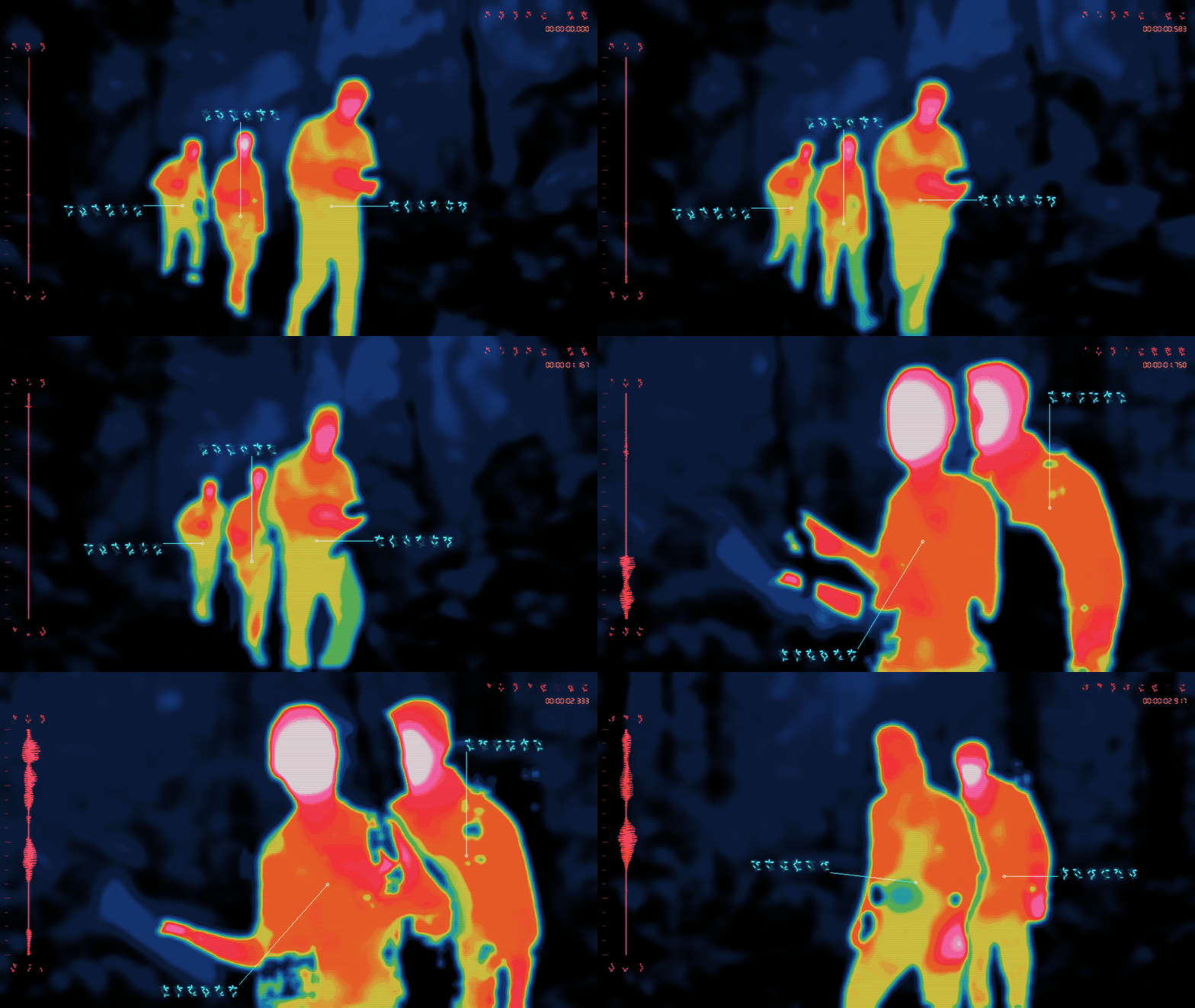
|
|
1
|
+
# Changelog
|
|
2
|
+
|
|
3
|
+
## 2.1.0 — 2026-09-13
|
|
4
|
+
|
|
5
|
+
- First PyPI release of the pip-first runtime, with the matching wheel and portable agent skill bundle on GitHub. Includes the 2.0 architecture changes below.
|
|
6
|
+
|
|
7
|
+
- Add shared and per-element HUD opacity, including separate target flash opacity when requested. Apply transparency to outlines and glow as well as artwork, preserve existing defaults, and report resolved values. Match waveform, reticle, and timecode red in the Rorschach example, with blur on both waveform and reticle; add small/large transparency GIFs.
|
|
8
|
+
|
|
9
|
+
- Add an optional inward reticle outline with adjustable width and independent landing/flash colors. Add HUD-only Gaussian blur with a shared radius and separate controls for every HUD element, including targets and all waveform styles. Keep both effects off by default, preserve sharp zero overrides and black ink, report resolved settings, and include small/large animated comparisons.
|
|
10
|
+
|
|
11
|
+
- Make Black Hot's default and palette-matched waveform, glyphs, timecode, callouts, and targets black. Draw black HUD ink with alpha compositing, retain explicit color overrides, and refresh its small/large palette GIFs.
|
|
12
|
+
- Use a compact landed target at 39% of the original enclosing radius, with solid-color sides and open corners. Enlarge the initial compact design by 30%, reduce its stroke thickness independently by 25%, narrow its corner gaps by 40.5% (30% followed by another 15%), and remove the dark inner accent. Keep the acquisition sweep, configurable size/colors, and red/white flash; refresh small/large target GIFs.
|
|
13
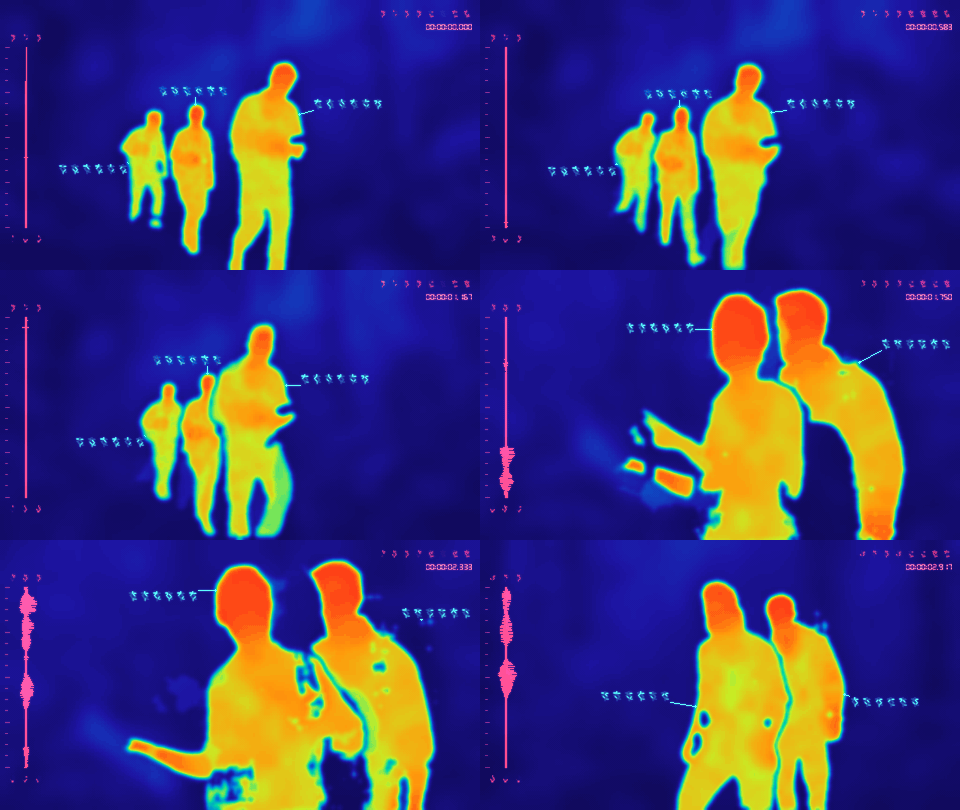
|
+
- Sharpen Rorschach waveform edges using short audio peaks and troughs, retaining the thick mirrored core and shading. Let `--wave-detail` control edge intensity as well as lobe complexity, and refresh all three small/large animated examples.
|
|
14
|
+
- Add three optional audio-reactive Rorschach waveform shapes: filled mirrored lobes, separated inkblots, and hollow pockets. Expose column width, full-height layout, and lobe complexity; keep the aligned thin trace as the default. Include matched small/large animated examples.
|
|
15
|
+
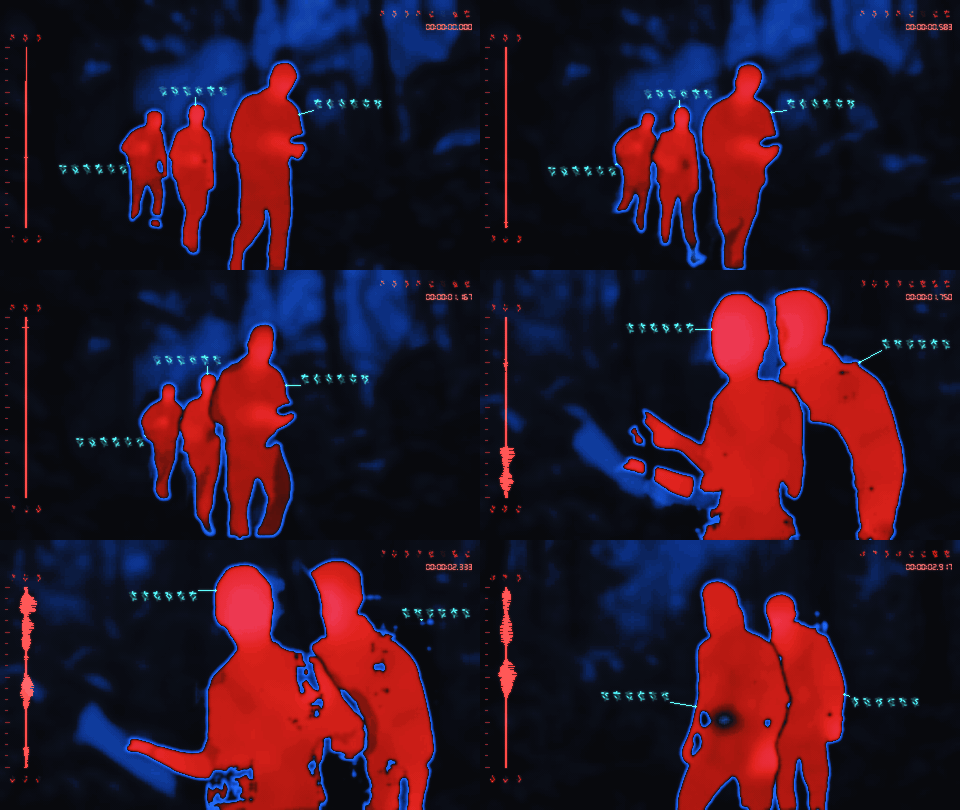
- Add local figure scans with shot-local IDs, thumbnail contact sheets, source verification, and reusable selections for images and videos. Saved tracks support new frame rates, resolutions, and trims; conversion reports identify selected figures that did or did not appear.
|
|
16
|
+
- Add an animated three-blade target that assembles around selected figures, lands red, and flashes red/white. Expose assembly duration, size, flash rate, flash disable, and independent primary/flash colors. Targets support matched, custom, and random HUD colors, and disappear with `--no-hud`.
|
|
17
|
+
- Add the optional Abyss palette: deep blue-black scenery, amber/white-hot regions, and a muted cyan HUD. Make muted cyan available as its own HUD theme. Keep the original palette and existing defaults.
|
|
18
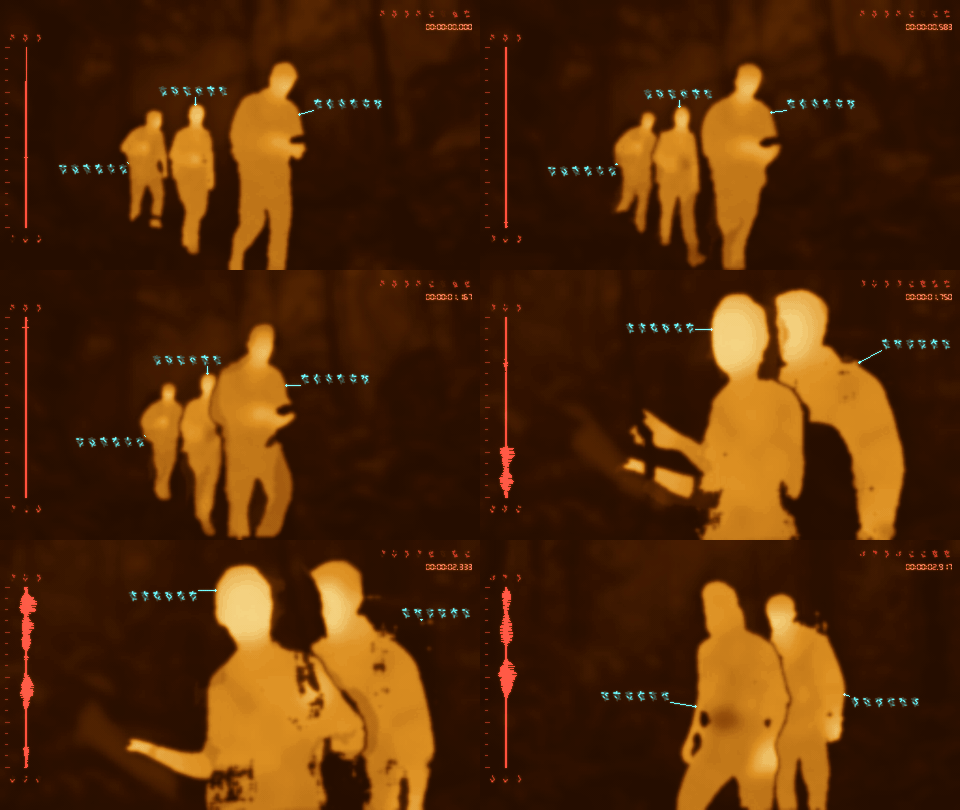
|
+
- Add independent, adjustable heat glow for every palette with configurable movement speed; retain the separate HUD glow control. Add adjustable video frame persistence, horizontal CRT phosphor bleed, and vertical CRT stripes, with shared line-strength control for either direction. All new effects default off.
|
|
19
|
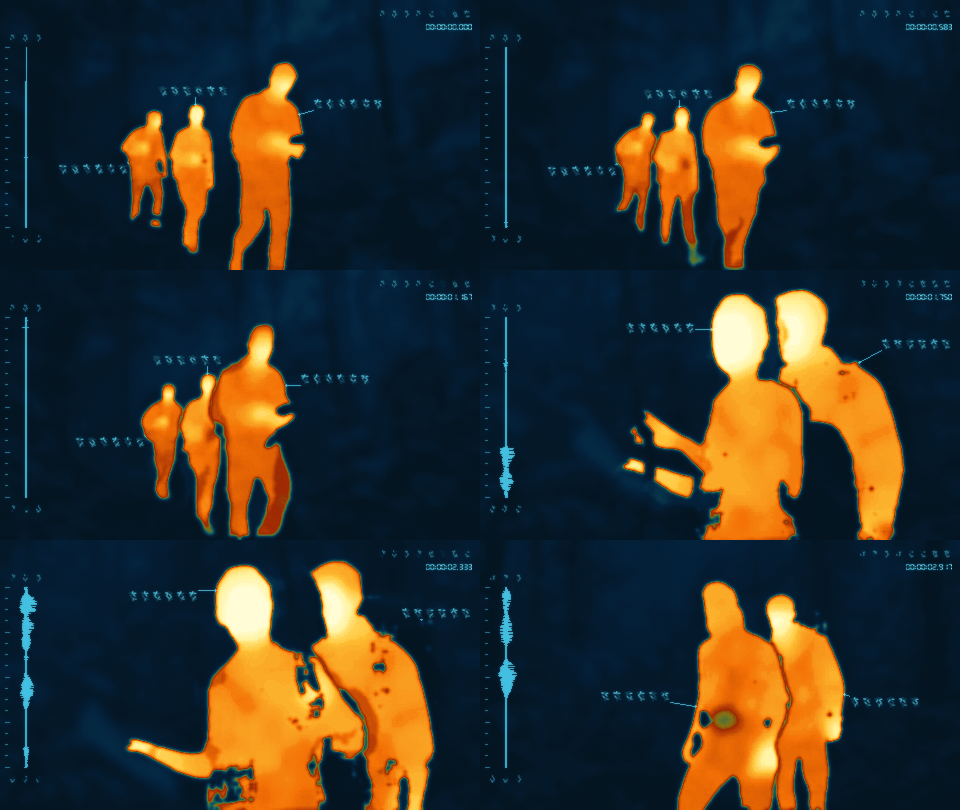
+
- Document the complete selection workflow and controls in the CLI and thin skill. Raise its minimum runtime to 2.1, and add labelled small/large GIFs for targets, Abyss, glow in several palettes, vertical lines, and softer/stronger trails and bleed.
|
|
20
|
+
|
|
21
|
+
## 2.0 architecture — included in 2.1.0
|
|
22
|
+
|
|
23
|
+
- **Breaking:** install Yautja with pip/pipx and invoke `yautja` or `python -m yautja`. The copied-script entrypoint has been removed. The package uses a standard source layout, bundled glyph resources and a single version in `pyproject.toml`.
|
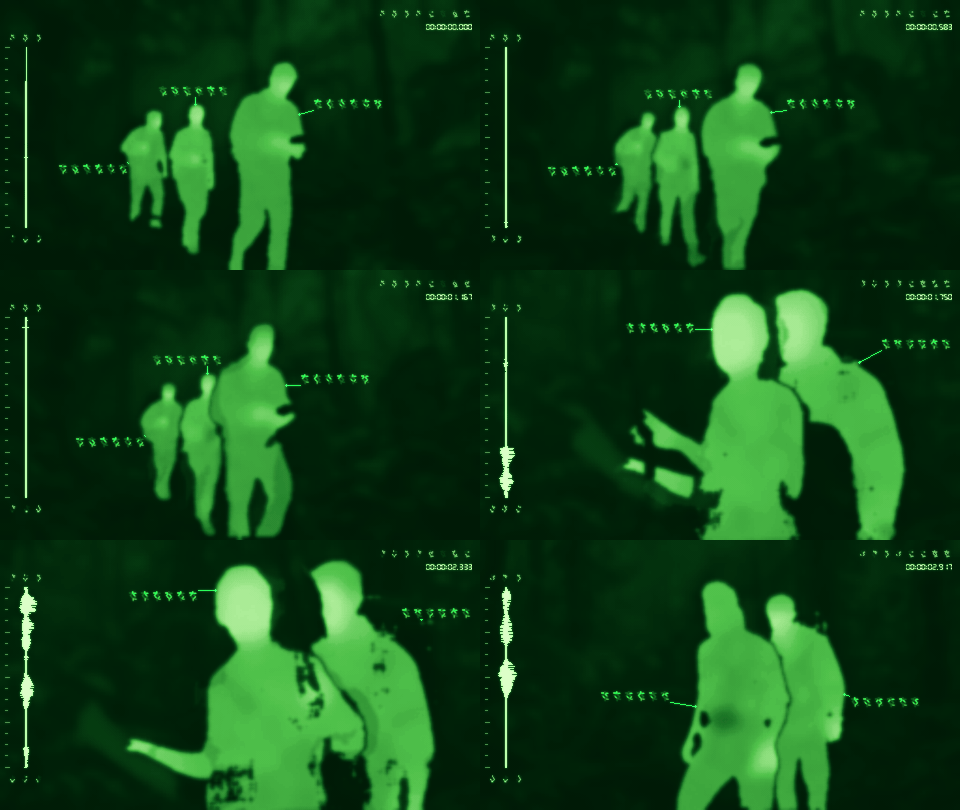
|
24
|
+
- Move the thin agent skill into `skills/yautja/`; build `yautja-skill.zip` with its matching application wheel. Add explicit same-environment and complete offline-wheelhouse setup, reproducible wheel/bundle checks, clean installs on every CI platform, and gated PyPI Trusted Publishing.
|
|
25
|
+
- Add installation context and PATH diagnostics to doctor. Keep all current flags, dependency constraints, model revisions, rendering modes and media safeguards.
|
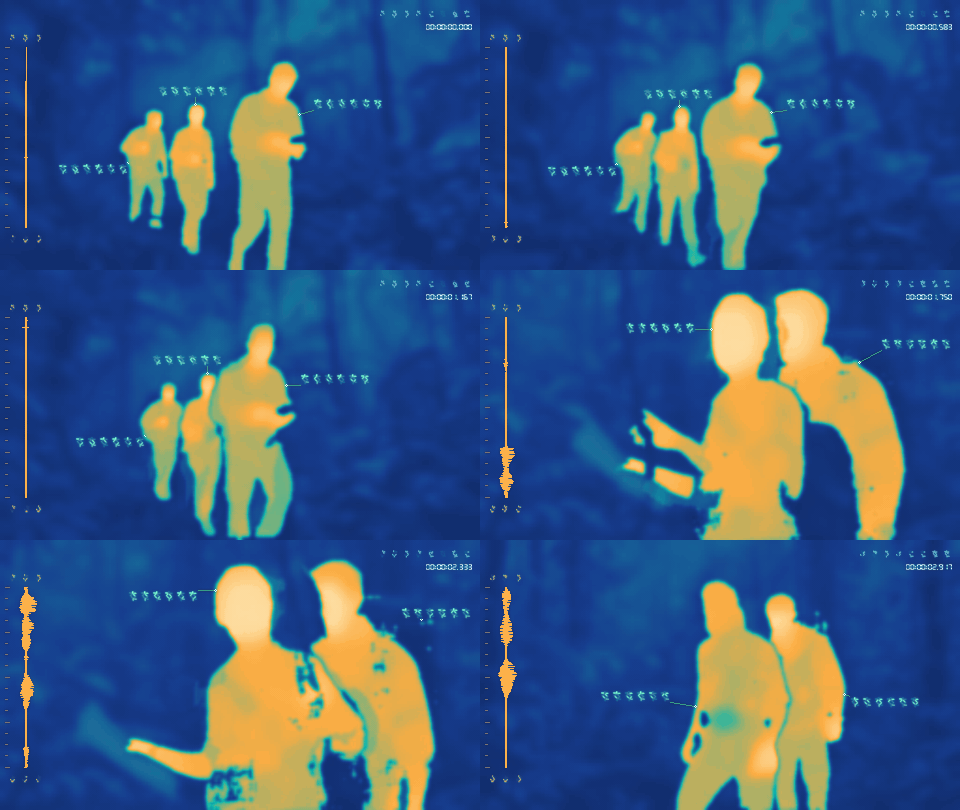
|
26
|
+
- Center the audio waveform beneath the middle alien glyph, aligning the visible glyph shapes across both rows without moving the signal when symbols change. Refresh the labelled small/large GIF gallery.
|
|
27
|
+
|
|
28
|
+
- Add `--no-hud` to hide every overlay while retaining thermal coloring, textures, and sound. It overrides timecode and annotations, skips waveform analysis and glyph loading, and has linked small/large GIF examples. HUD remains enabled by default.
|
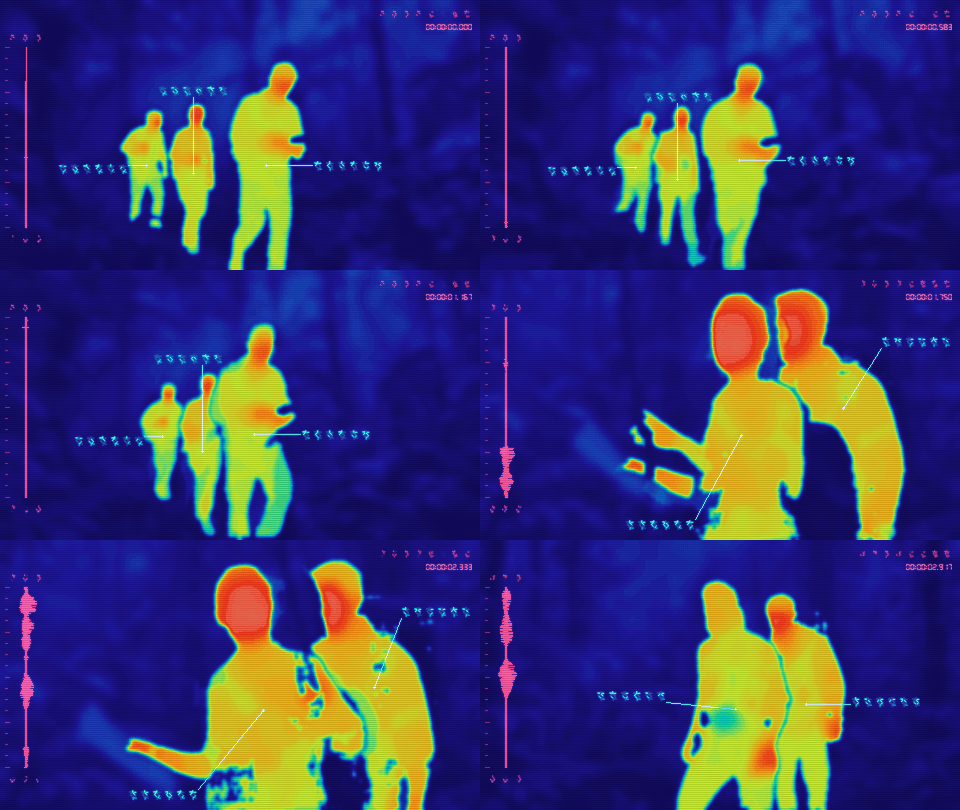
|
29
|
+
- Add optional palette-matched HUD colors, custom hex ramps and nine independent HUD element colors, and seeded random colors for the thermal palette, HUD, or both. Reports include the resolved color values; colors stay fixed throughout a video. Standard colors remain unchanged.
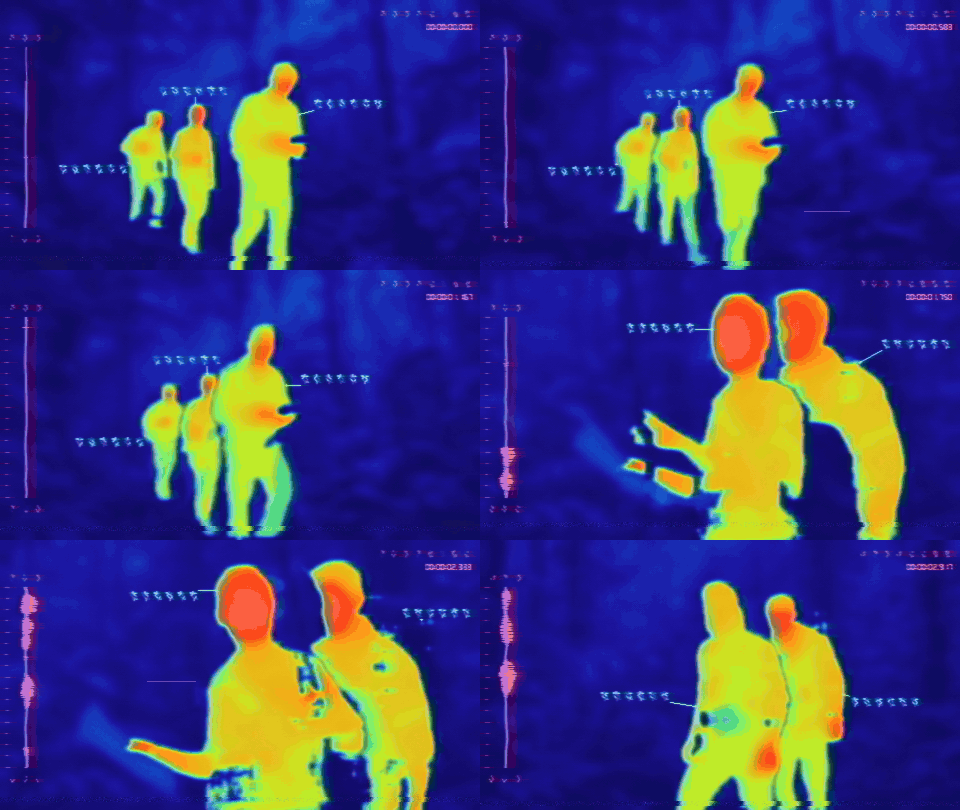
|
|
30
|
+
- Add three segmented looks: Silhouette for soft anatomy-guided warmth, Cinematic for broad surface patches, and Detailed for distinct exposed skin, clothing, hair, shoes, and gear. The `semantic` and `realistic` names remain aliases for Silhouette and Detailed. All three reuse the same cached models.
|
|
31
|
+
- Keep the original Yautja palette as the default in every mode. Add optional Redline (red/blue/black), red-only Virtual Boy, Ironbow, Green Phosphor, Amber Phosphor, White Hot, and Black Hot palettes.
|
|
32
|
+
- Add independent optional grain, chunky pixelation, and scanlines for both images and videos, plus the combined sensor-texture preset. Clean output remains the default; explicit controls override preset components. Detection and HUD readouts remain independent of display effects.
|
|
33
|
+
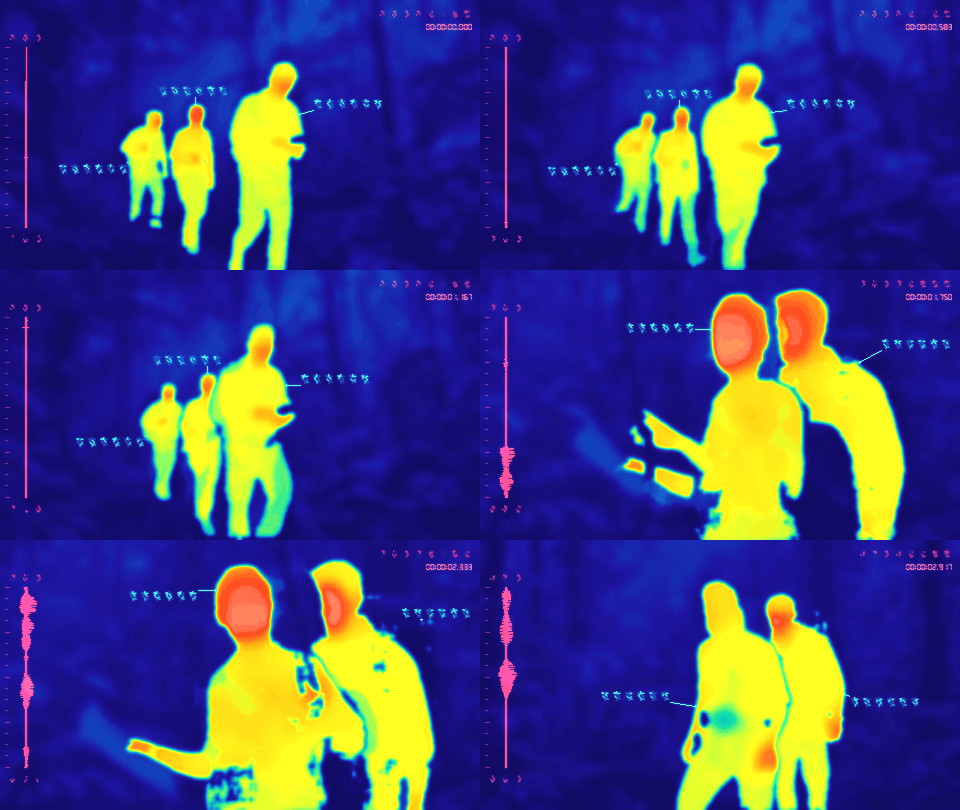
- Add horizontal CRT lines and seeded VHS-style color bleed, wobble, tape noise, dropouts, and tracking defects across the final image and HUD. VHS leaves the soundtrack unchanged. Virtual Boy keeps the entire result red-only, including glyphs and defects, with standard or palette-matched HUD colors.
|
|
34
|
+
- Add labelled, matched animated GIFs for every thermal look, palette, HUD color option, and texture in the README. Every preview links to a 960×540 version with HUD and textures rendered at that size. The reproducible gallery builder can regenerate selected examples. Preview media stays outside the portable skill archive.
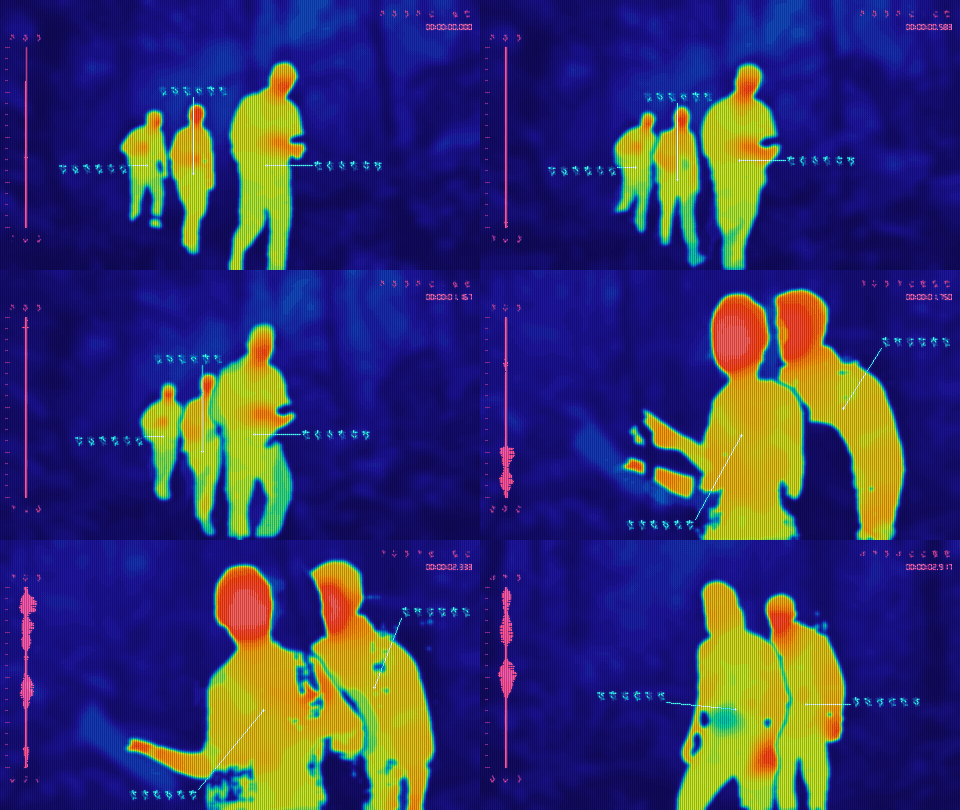
|
|
35
|
+
- Add direct JPEG/PNG-to-PNG conversion with the shared classic and anatomy-guided semantic renderer, shaded glyph callouts, and a static HUD. Still-image conversion and `--doctor --media image` work without FFmpeg.
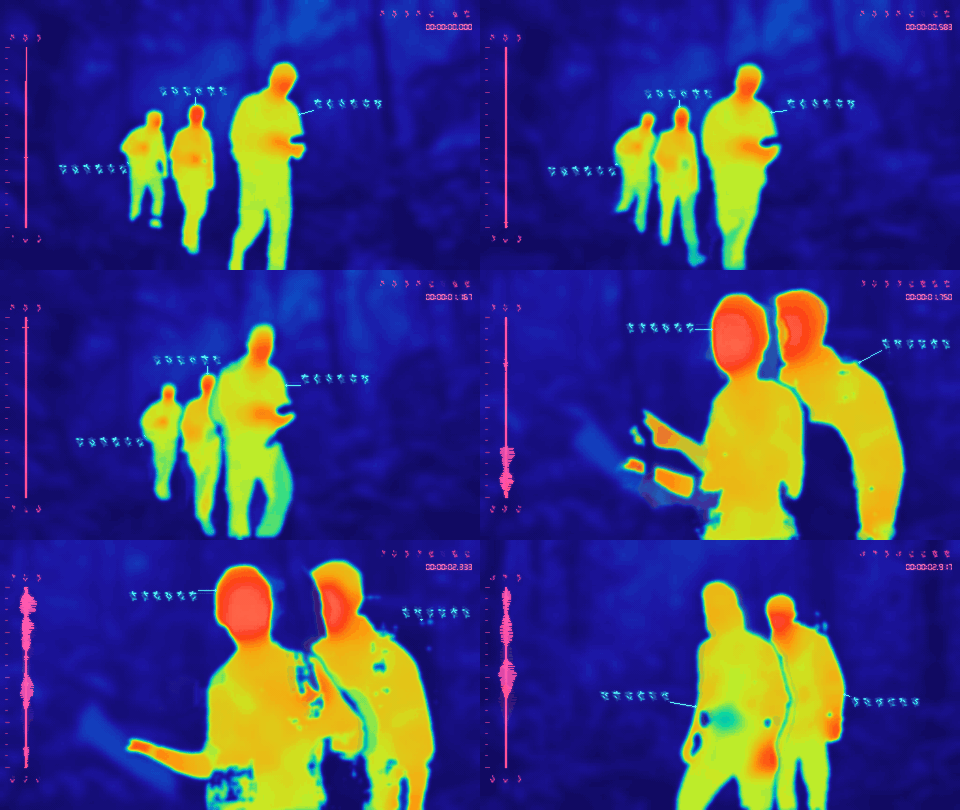
|
|
36
|
+
- Apply EXIF orientation, preserve image aspect ratio and odd dimensions, flatten transparency onto black, and omit source metadata. Protect inputs and existing outputs, reject animated PNG and video-only options, and clean up failed image exports.
|
|
37
|
+
- Guide human color regions with 17 estimated body landmarks from pinned ViTPose weights, including broad head, torso, arm, wrist, and leg regions.
|
|
38
|
+
- Replace repeated body gradients with seeded surface variation tied to body and limb axes. Uncertain landmarks and nonhuman subjects use a conservative mask-based fallback.
|
|
39
|
+
- Move landmarks with optical flow and smooth matched pose updates, while keeping photographic face and clothing texture out of the heat field.
|
|
40
|
+
- Add SciPy to semantic dependencies and include the additional pose snapshot in explicit model downloads and offline runtime checks. Existing semantic installations need to update dependencies and run `--download-models` once.
|
|
41
|
+
|
|
42
|
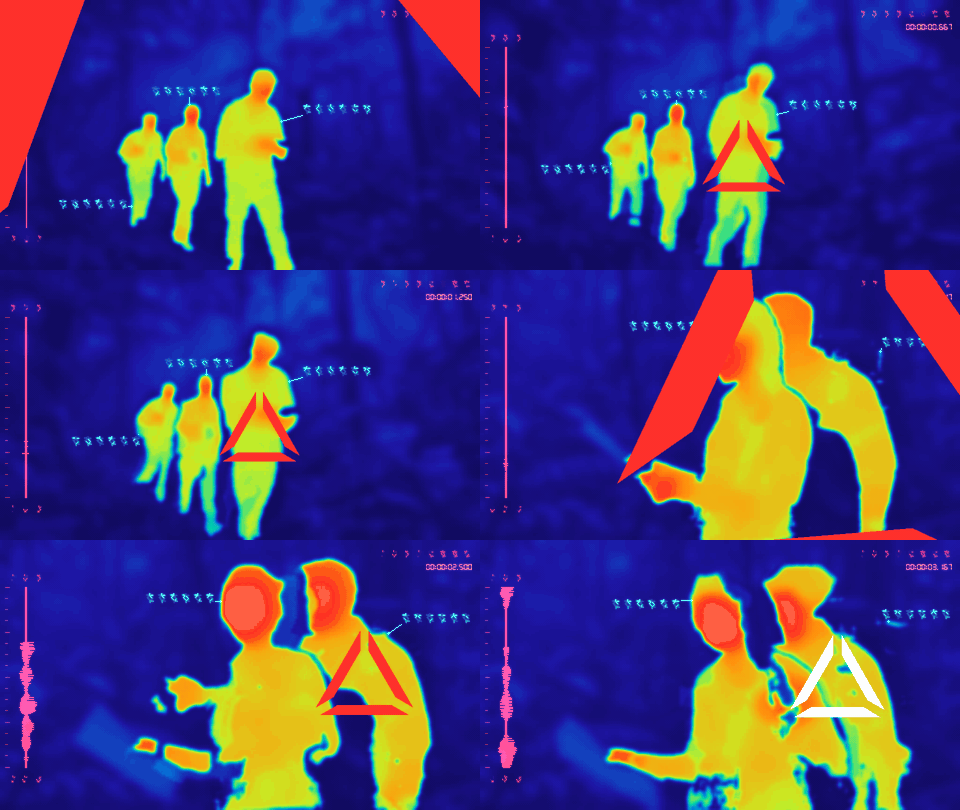
+
## 1.0.0 — 2026-09-12
|
|
43
|
+
|
|
44
|
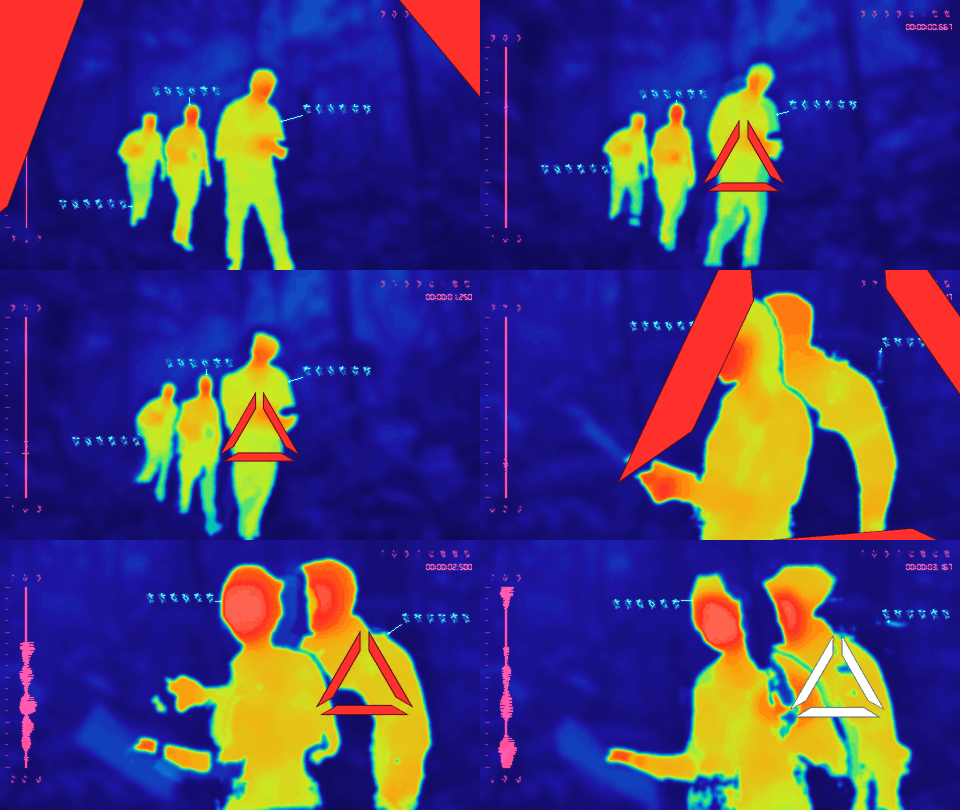
+
- Local Python/FFmpeg video conversion and a portable agent skill for Claude and OpenAI Codex.
|
|
45
|
+
- Classic false-color rendering and optional semantic segmentation for smooth warm silhouettes against cool surroundings.
|
|
46
|
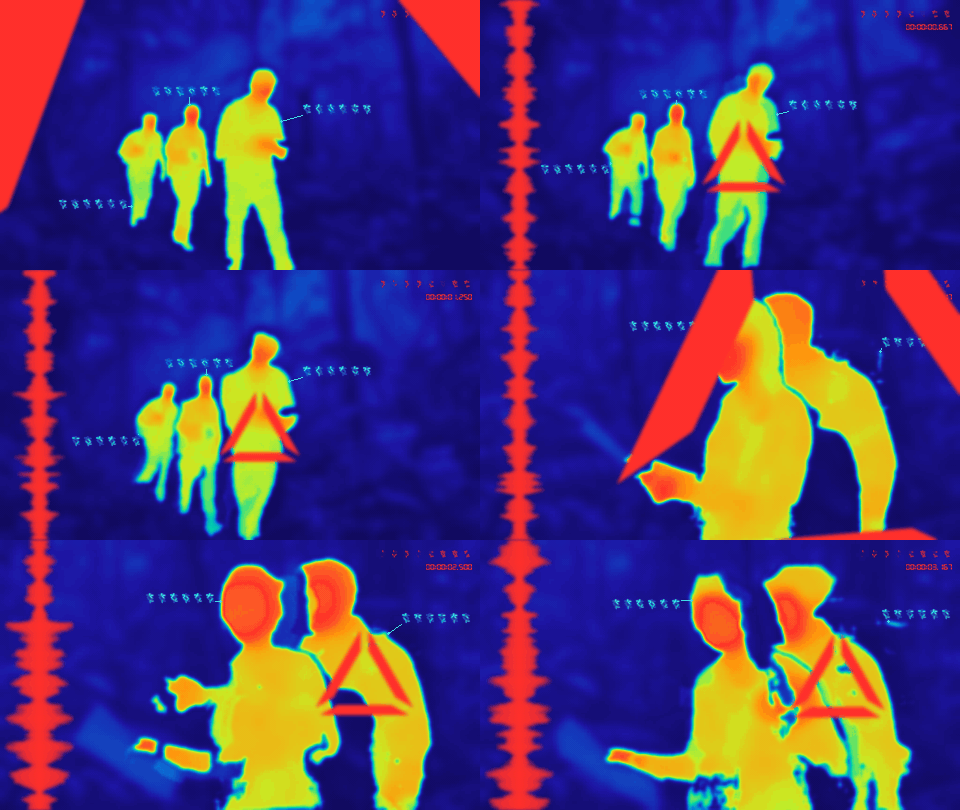
+
- Shaded cyan glyph callouts with varied, stable combinations and short connectors near each subject.
|
|
47
|
+
- Compact seven-segment LCD timecode, an audio-reactive waveform, and preserved soundtrack timing.
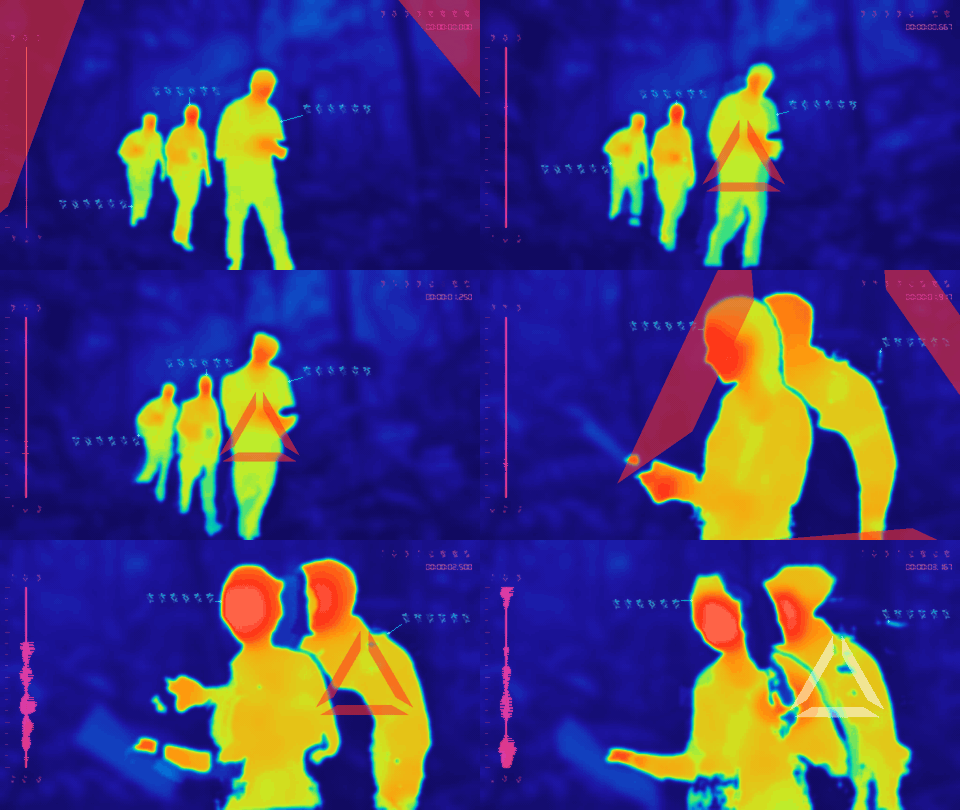
|
|
48
|
+
- A refreshed promo loop and a full ten-second demo with sound, available separately from the portable skill.
|
|
49
|
+
- Explicit model downloads, CPU/CUDA selection, runtime checks, and support for trims, aspect ratio, and rotation.
|
|
50
|
+
- Reproducible release packages, offline tests, and CI on Windows, macOS, and Linux.
|
|
51
|
+
|
|
52
|
+
Yautja uses the MIT license. Separately installed dependencies and model weights retain their upstream terms; see [dependency details](skills/yautja/references/dependencies.md).
|
yautja-2.1.0/LICENSE
ADDED
|
@@ -0,0 +1,21 @@
|
|
|
1
|
+
MIT License
|
|
2
|
+
|
|
3
|
+
Copyright (c) 2026 Pete Hottelet
|
|
4
|
+
|
|
5
|
+
Permission is hereby granted, free of charge, to any person obtaining a copy
|
|
6
|
+
of this software and associated documentation files (the "Software"), to deal
|
|
7
|
+
in the Software without restriction, including without limitation the rights
|
|
8
|
+
to use, copy, modify, merge, publish, distribute, sublicense, and/or sell
|
|
9
|
+
copies of the Software, and to permit persons to whom the Software is
|
|
10
|
+
furnished to do so, subject to the following conditions:
|
|
11
|
+
|
|
12
|
+
The above copyright notice and this permission notice shall be included in all
|
|
13
|
+
copies or substantial portions of the Software.
|
|
14
|
+
|
|
15
|
+
THE SOFTWARE IS PROVIDED "AS IS", WITHOUT WARRANTY OF ANY KIND, EXPRESS OR
|
|
16
|
+
IMPLIED, INCLUDING BUT NOT LIMITED TO THE WARRANTIES OF MERCHANTABILITY,
|
|
17
|
+
FITNESS FOR A PARTICULAR PURPOSE AND NONINFRINGEMENT. IN NO EVENT SHALL THE
|
|
18
|
+
AUTHORS OR COPYRIGHT HOLDERS BE LIABLE FOR ANY CLAIM, DAMAGES OR OTHER
|
|
19
|
+
LIABILITY, WHETHER IN AN ACTION OF CONTRACT, TORT OR OTHERWISE, ARISING FROM,
|
|
20
|
+
OUT OF OR IN CONNECTION WITH THE SOFTWARE OR THE USE OR OTHER DEALINGS IN THE
|
|
21
|
+
SOFTWARE.
|
yautja-2.1.0/MANIFEST.in
ADDED
|
@@ -0,0 +1,10 @@
|
|
|
1
|
+
include pyproject.toml README.md LICENSE CHANGELOG.md
|
|
2
|
+
recursive-include src/yautja *.py *.json
|
|
3
|
+
recursive-include tools *.py
|
|
4
|
+
recursive-include tests *.py
|
|
5
|
+
recursive-include skills/yautja *.md *.yaml LICENSE
|
|
6
|
+
recursive-include docs *.md
|
|
7
|
+
prune assets
|
|
8
|
+
prune outputs
|
|
9
|
+
prune 00_project_files
|
|
10
|
+
global-exclude __pycache__ *.py[cod]
|
yautja-2.1.0/PKG-INFO
ADDED
|
@@ -0,0 +1,452 @@
|
|
|
1
|
+
Metadata-Version: 2.4
|
|
2
|
+
Name: yautja
|
|
3
|
+
Version: 2.1.0
|
|
4
|
+
Summary: Sci-fi segmentation, re-skinning, and annotation for thermal-style images and video.
|
|
5
|
+
Author: Pete Hottelet
|
|
6
|
+
License-Expression: MIT
|
|
7
|
+
Project-URL: Homepage, https://yautja.ai
|
|
8
|
+
Project-URL: Repository, https://github.com/petehottelet/yautja
|
|
9
|
+
Project-URL: Issues, https://github.com/petehottelet/yautja/issues
|
|
10
|
+
Project-URL: Changelog, https://github.com/petehottelet/yautja/blob/main/CHANGELOG.md
|
|
11
|
+
Keywords: thermal,image-segmentation,video,sci-fi,agent-skill,claude,codex
|
|
12
|
+
Classifier: Programming Language :: Python :: 3
|
|
13
|
+
Classifier: Programming Language :: Python :: 3.10
|
|
14
|
+
Classifier: Programming Language :: Python :: 3.11
|
|
15
|
+
Classifier: Operating System :: OS Independent
|
|
16
|
+
Classifier: Topic :: Multimedia :: Video :: Conversion
|
|
17
|
+
Classifier: Topic :: Multimedia :: Graphics :: Graphics Conversion
|
|
18
|
+
Requires-Python: >=3.10
|
|
19
|
+
Description-Content-Type: text/markdown
|
|
20
|
+
License-File: LICENSE
|
|
21
|
+
Requires-Dist: numpy<3,>=1.26
|
|
22
|
+
Requires-Dist: Pillow<13,>=10.4
|
|
23
|
+
Requires-Dist: fonttools<5,>=4.55
|
|
24
|
+
Provides-Extra: tracking
|
|
25
|
+
Requires-Dist: opencv-python-headless<5,>=4.10; extra == "tracking"
|
|
26
|
+
Provides-Extra: semantic
|
|
27
|
+
Requires-Dist: torch<3,>=2.6; extra == "semantic"
|
|
28
|
+
Requires-Dist: torchvision<1,>=0.21; extra == "semantic"
|
|
29
|
+
Requires-Dist: transformers==4.57.6; extra == "semantic"
|
|
30
|
+
Requires-Dist: opencv-python-headless<5,>=4.10; extra == "semantic"
|
|
31
|
+
Requires-Dist: scipy<2,>=1.11; extra == "semantic"
|
|
32
|
+
Provides-Extra: all
|
|
33
|
+
Requires-Dist: yautja[semantic,tracking]; extra == "all"
|
|
34
|
+
Provides-Extra: dev
|
|
35
|
+
Requires-Dist: build==1.3.0; extra == "dev"
|
|
36
|
+
Requires-Dist: twine==6.2.0; extra == "dev"
|
|
37
|
+
Requires-Dist: setuptools==80.9.0; extra == "dev"
|
|
38
|
+
Requires-Dist: wheel==0.45.1; extra == "dev"
|
|
39
|
+
Requires-Dist: packaging==25.0; extra == "dev"
|
|
40
|
+
Requires-Dist: tomli==2.3.0; python_version < "3.11" and extra == "dev"
|
|
41
|
+
Dynamic: license-file
|
|
42
|
+
|
|
43
|
+
<p align="center">
|
|
44
|
+
<img src="https://raw.githubusercontent.com/petehottelet/yautja/main/assets/wordmark.svg" alt="Yautja" width="520">
|
|
45
|
+
</p>
|
|
46
|
+
|
|
47
|
+
<p align="center">
|
|
48
|
+
<a href="https://github.com/petehottelet/yautja/releases/latest"><img alt="Latest release" src="https://img.shields.io/github/v/release/petehottelet/yautja?display_name=tag&sort=semver&color=2da44e&label=release"></a>
|
|
49
|
+
<a href="https://github.com/petehottelet/yautja/blob/main/LICENSE"><img alt="Code license: MIT" src="https://img.shields.io/badge/code%20license-MIT-green.svg"></a>
|
|
50
|
+
<img alt="Python 3.10+" src="https://img.shields.io/badge/python-3.10%2B-blue.svg">
|
|
51
|
+
<img alt="Claude + Codex" src="https://img.shields.io/badge/Claude%20%2B%20Codex-agent%20ready-555555.svg">
|
|
52
|
+
<a href="https://github.com/petehottelet/yautja/blob/main/skills/yautja/SKILL.md"><img alt="Agent Skill (SKILL.md)" src="https://img.shields.io/badge/Agent%20Skill-SKILL.md-orange.svg"></a>
|
|
53
|
+
<a href="#install-the-agent-skill"><img alt="Install with skills.sh" src="https://img.shields.io/badge/skills.sh-install-111111.svg"></a>
|
|
54
|
+
<a href="https://github.com/petehottelet/yautja/actions/workflows/ci.yml?query=branch%3Amain"><img alt="CI on main" src="https://github.com/petehottelet/yautja/actions/workflows/ci.yml/badge.svg?branch=main&event=push"></a>
|
|
55
|
+
<a href="https://yautja.ai"><img alt="Website: yautja.ai" src="https://img.shields.io/badge/web-yautja.ai-ef4444.svg"></a>
|
|
56
|
+
</p>
|
|
57
|
+
|
|
58
|
+
# Yautja is sci-fi segmentation, re-skinning, and annotation for video and images.
|
|
59
|
+
|
|
60
|
+
Yautja is a **sci-fi-styled image segmentation, re-skinning, and annotation skill** for creating thermal-imaging-style output.
|
|
61
|
+
|
|
62
|
+
**For entertainment purposes only.** Colors assigned during re-skinning are purely algorithmically generated, with some randomness. They do not represent measured temperatures.
|
|
63
|
+
|
|
64
|
+
Re-skin local images and video frames with cold blues, warm silhouettes, and alien HUD glyphs. Videos add an audio-reactive waveform. A small **agent skill for Claude and OpenAI Codex**, backed by an installable Python CLI and FFmpeg for video. [yautja.ai](https://yautja.ai).
|
|
65
|
+
|
|
66
|
+
[](https://raw.githubusercontent.com/petehottelet/yautja/main/assets/examples/large/style-cinematic.gif)
|
|
67
|
+
|
|
68
|
+
A three-second loop from generated jungle-explorer footage, using **Cinematic** detail and the **original Yautja palette**, with texture off. The waveform follows the source audio; GIFs are silent. [View a still frame](https://raw.githubusercontent.com/petehottelet/yautja/main/assets/examples/poster.png). The gallery reflects the 2.x source, including the centered waveform. The older [1.0 demo with sound](https://github.com/petehottelet/yautja/releases/download/v1.0.0/yautja-demo.mp4) uses the previous renderer.
|
|
69
|
+
|
|
70
|
+
## Install the agent skill
|
|
71
|
+
|
|
72
|
+
```bash
|
|
73
|
+
npx skills add petehottelet/yautja --skill yautja --agent claude-code codex --global
|
|
74
|
+
```
|
|
75
|
+
|
|
76
|
+
Then ask: **“Use Yautja’s Cinematic look with the original palette, glyph callouts, timecode, and the original sound. Keep the image clean.”** The skill checks Python and FFmpeg before converting. Subject segmentation needs the separate semantic setup below.
|
|
77
|
+
|
|
78
|
+
The installer copies only `skills/yautja/`; it does not copy the GIF gallery or converter source. The skill installs the runtime separately. New builds produce `yautja-skill.zip`, with the matching application wheel for offline setup; the existing 1.0 release predates this layout.
|
|
79
|
+
|
|
80
|
+
Silent videos use the smoothly generated waveform from the original effect.
|
|
81
|
+
|
|
82
|
+
## When to use Yautja
|
|
83
|
+
|
|
84
|
+
- Create a sci-fi thermal-imaging look or false-color treatment for MP4, MOV, MKV, or WebM footage.
|
|
85
|
+
- Restyle JPEG/PNG images and export a PNG with the same anatomy-guided colors and glyph callouts.
|
|
86
|
+
- Segment people and selected animals, then re-skin them as warm silhouettes against cool surroundings.
|
|
87
|
+
- Annotate subjects with alien glyphs and add sound-driven waveform animation and optional elapsed timecode.
|
|
88
|
+
- Export a short preview or a complete local H.264/AAC MP4 while preserving aspect ratio and sound.
|
|
89
|
+
|
|
90
|
+
The effect uses image segmentation and synthetic color fields, with seeded variation and optional sensor grain. It does not analyze infrared sensor data or provide identity/anonymity guarantees. Model files download explicitly; ordinary conversions process footage locally.
|
|
91
|
+
|
|
92
|
+
## Quick start
|
|
93
|
+
|
|
94
|
+
Python 3.10+ is required. For videos, also install [FFmpeg](https://ffmpeg.org/download.html) with ffprobe on PATH. Images do not need FFmpeg.
|
|
95
|
+
|
|
96
|
+
Install a published release from [PyPI](https://pypi.org/project/yautja/) in an isolated environment:
|
|
97
|
+
|
|
98
|
+
```bash
|
|
99
|
+
python -m venv .venv-yautja
|
|
100
|
+
# macOS/Linux
|
|
101
|
+
.venv-yautja/bin/python -m pip install "yautja>=2.1,<3"
|
|
102
|
+
.venv-yautja/bin/python -m yautja --doctor
|
|
103
|
+
.venv-yautja/bin/python -m yautja "clip.mov" "clip-yautja.mp4" --timecode
|
|
104
|
+
```
|
|
105
|
+
|
|
106
|
+
```powershell
|
|
107
|
+
# Windows, after creating the venv
|
|
108
|
+
.venv-yautja\Scripts\python.exe -m pip install "yautja>=2.1,<3"
|
|
109
|
+
.venv-yautja\Scripts\python.exe -m yautja --doctor
|
|
110
|
+
.venv-yautja\Scripts\python.exe -m yautja "clip.mov" "clip-yautja.mp4" --timecode
|
|
111
|
+
```
|
|
112
|
+
|
|
113
|
+
For the segmented looks, add `[semantic]` after `yautja` in the install specification. For a local clone use `python -m pip install ".[semantic]"` in its environment; for a built wheel use its exact path. The lightweight install supports Classic mode only.
|
|
114
|
+
|
|
115
|
+
Alternatively, use `pipx install "yautja>=2.1,<3"` or `pipx install "yautja[semantic]>=2.1,<3"` for segmentation. An activated venv can instead use `python -m pip install` with those same specifications. Then run `yautja --version`, `yautja --doctor`, and `yautja "clip.mov" "clip-yautja.mp4"`. Use the same environment's Python for `python -m yautja` if the command is not on PATH. [Environment and offline setup](https://github.com/petehottelet/yautja/blob/main/skills/yautja/references/runtime.md).
|
|
116
|
+
|
|
117
|
+
Leave off `--timecode` for the alien readout alone. Sound is retained unless `--mute` is used. Existing files are protected unless you explicitly pass `--overwrite`.
|
|
118
|
+
|
|
119
|
+
### Still images
|
|
120
|
+
|
|
121
|
+
JPEG and PNG inputs save directly to PNG. With Yautja installed in the selected Python environment:
|
|
122
|
+
|
|
123
|
+
```bash
|
|
124
|
+
python -m yautja --doctor --media image
|
|
125
|
+
python -m yautja "photo.jpg" "outputs/photo-yautja.png"
|
|
126
|
+
# After the semantic setup below, use anatomy coloring and glyph callouts:
|
|
127
|
+
python -m yautja "photo.jpg" "outputs/photo-semantic.png" --thermal semantic --verbose
|
|
128
|
+
```
|
|
129
|
+
|
|
130
|
+
Use your virtual environment's Python. PNG output selects still-image mode automatically; FFmpeg is not needed. The same renderer supplies the chosen look, palette, optional grain/pixelation, shaded glyphs, and a static procedural waveform. All three segmented looks work with still images. `--timecode` optionally displays a static clock at `--timecode-start` (zero by default).
|
|
131
|
+
|
|
132
|
+
Images retain their aspect ratio and EXIF orientation, with a longest edge of at most 1920 pixels and no upscaling. `--max-size` changes that limit. Transparent areas are flattened onto black before coloring; output is an RGB PNG without source metadata. Animated PNG and video-only timing/audio controls are rejected. Existing output and source files are protected.
|
|
133
|
+
|
|
134
|
+
## Three thermal looks
|
|
135
|
+
|
|
136
|
+
Choose the level of detail separately from the color palette. All three examples use the **original Yautja colors**, with grain, pixelation, and scanlines off. **Click any preview for its large, 960×540 animated GIF.**
|
|
137
|
+
|
|
138
|
+
| Silhouette | Cinematic | Detailed |
|
|
139
|
+
| --- | --- | --- |
|
|
140
|
+
| [](https://raw.githubusercontent.com/petehottelet/yautja/main/assets/examples/large/style-silhouette.gif) | [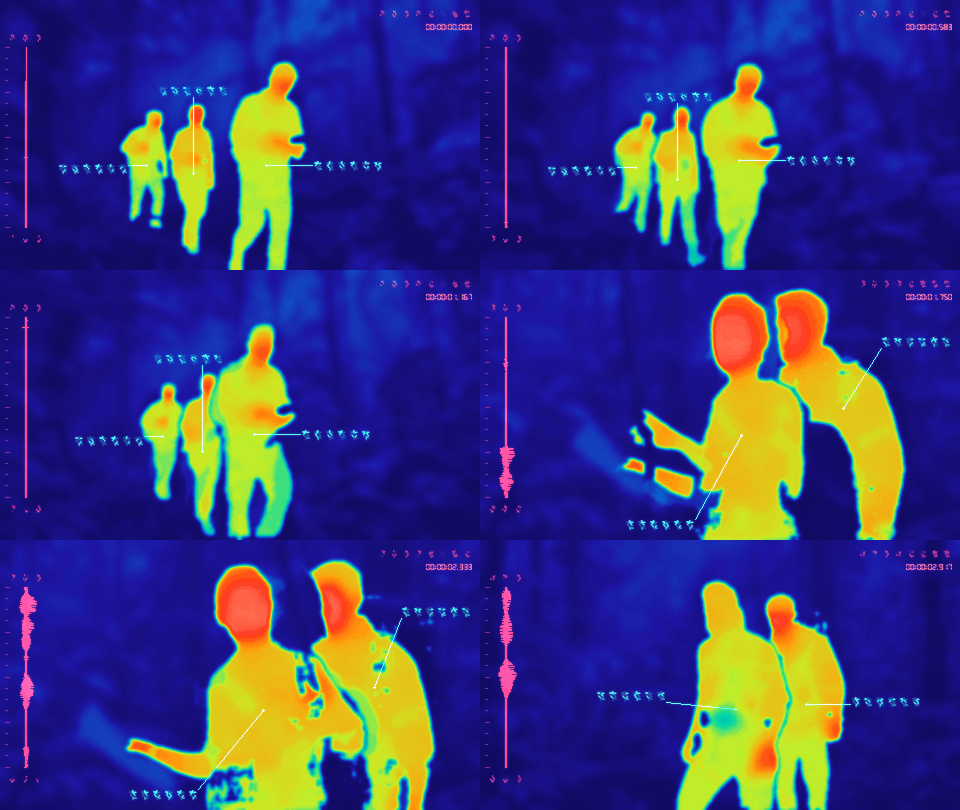](https://raw.githubusercontent.com/petehottelet/yautja/main/assets/examples/large/style-cinematic.gif) | [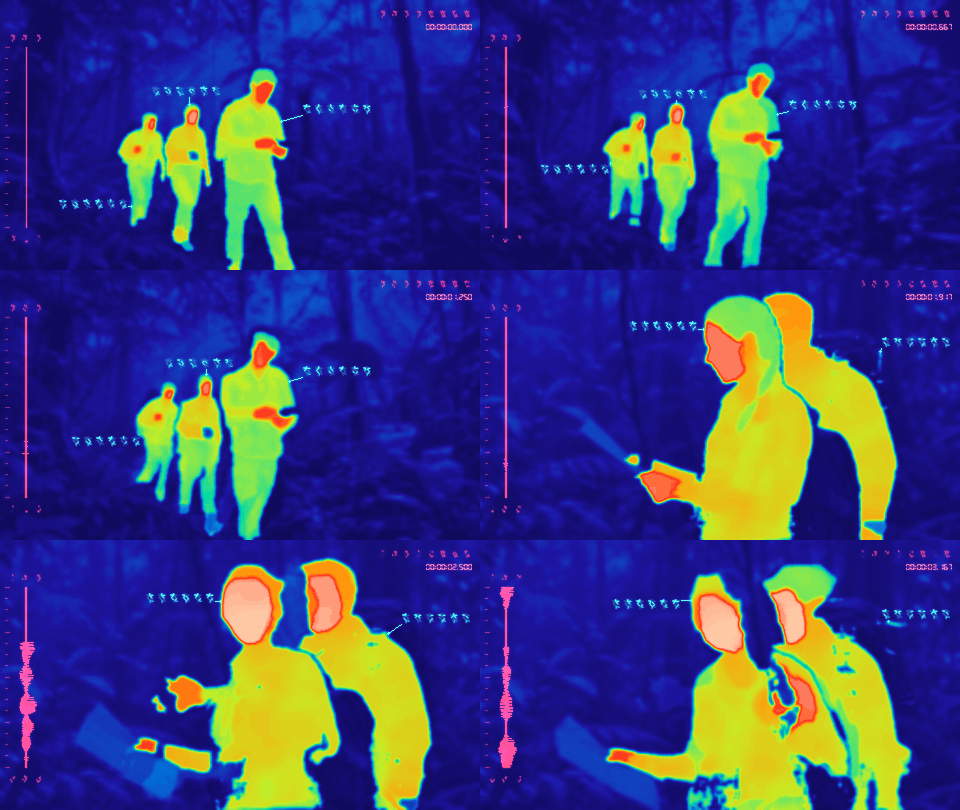](https://raw.githubusercontent.com/petehottelet/yautja/main/assets/examples/large/style-detailed.gif) |
|
|
141
|
+
| Soft, blobby subjects and an abstract background—the older semantic look. | The middle ground: broad heat patches, some skin/gear separation, and softer edges. | Distinct skin, clothing, hair, and equipment, with restrained garment shading and more scenery detail. |
|
|
142
|
+
| `--thermal silhouette` | `--thermal cinematic` | `--thermal detailed` |
|
|
143
|
+
|
|
144
|
+
All three use anatomy-guided fallback when estimates are uncertain. Cinematic and Detailed reuse the same models for extra surface segmentation; they take longer as the number of people increases. Small objects, distant hands, eyewear, and overlaps can still be missed or misclassified. These are generated visual effects, not measured temperatures or material properties.
|
|
145
|
+
|
|
146
|
+
Existing commands still work: `--thermal semantic` is an alias for Silhouette, and `--thermal realistic` is an alias for Detailed. The lightweight `--thermal classic` luminance filter remains the no-flag CLI default; it does not segment subjects.
|
|
147
|
+
|
|
148
|
+
### Color palettes
|
|
149
|
+
|
|
150
|
+
**Yautja is the default for every look.** The new palettes are optional. All examples below use Cinematic with identical segmentation and no added texture.
|
|
151
|
+
|
|
152
|
+
| Redline · red, blue, and black | Virtual Boy · red only |
|
|
153
|
+
| --- | --- |
|
|
154
|
+
| [](https://raw.githubusercontent.com/petehottelet/yautja/main/assets/examples/large/palette-redline.gif) | [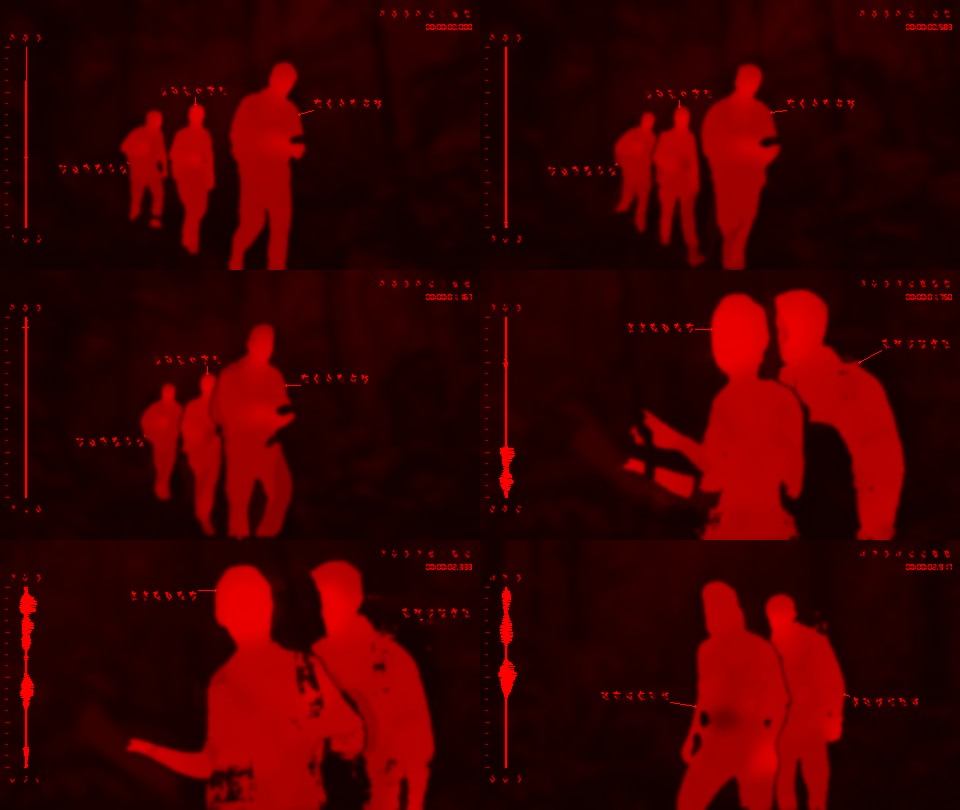](https://raw.githubusercontent.com/petehottelet/yautja/main/assets/examples/large/palette-virtualboy.gif) |
|
|
155
|
+
| `--palette redline` | `--palette virtualboy` |
|
|
156
|
+
|
|
157
|
+
Redline gives the movie-style red/blue/black treatment, with broad red warmth and small pink highlights. Virtual Boy uses only red and black, including the glyphs, waveform, and timecode, unless you explicitly choose custom or random HUD colors.
|
|
158
|
+
|
|
159
|
+
| Yautja · original/default | Ironbow | Green Phosphor |
|
|
160
|
+
| --- | --- | --- |
|
|
161
|
+
| [](https://raw.githubusercontent.com/petehottelet/yautja/main/assets/examples/large/style-cinematic.gif) | [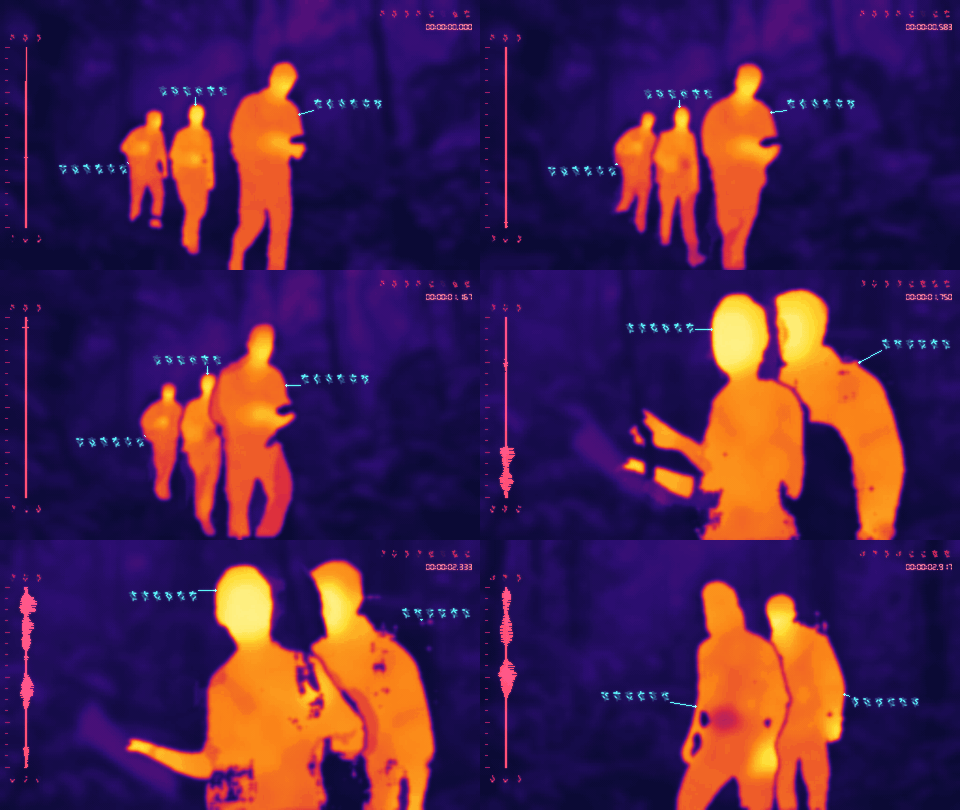](https://raw.githubusercontent.com/petehottelet/yautja/main/assets/examples/large/palette-ironbow.gif) | [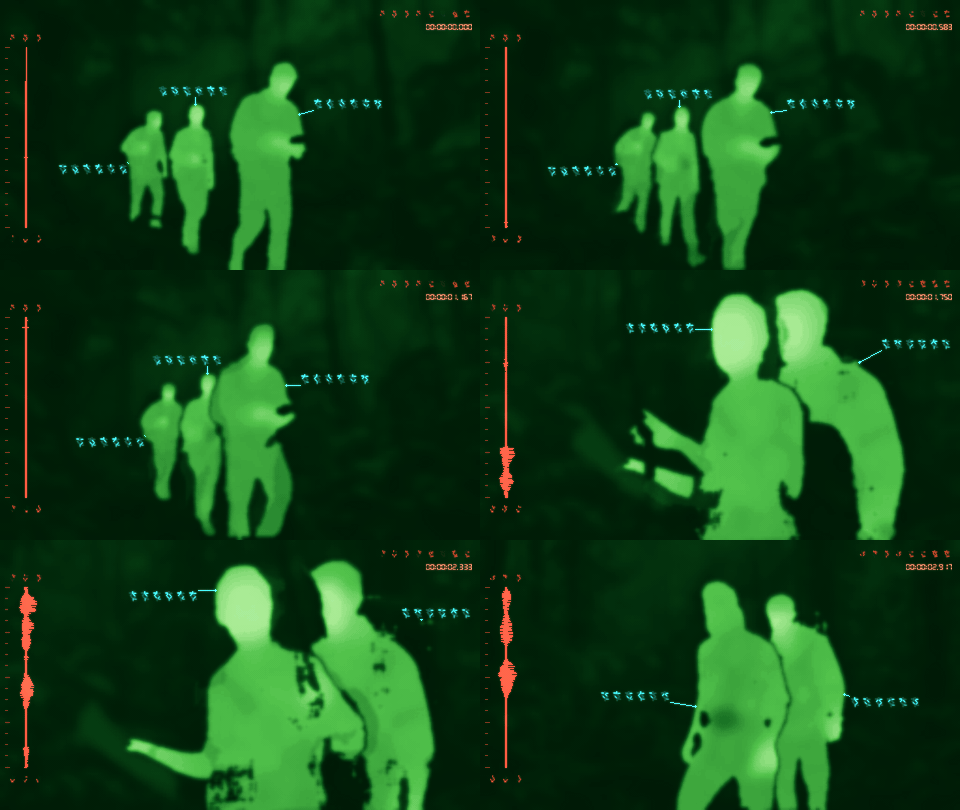](https://raw.githubusercontent.com/petehottelet/yautja/main/assets/examples/large/palette-green-phosphor.gif) |
|
|
162
|
+
| `--palette yautja` | `--palette ironbow` | `--palette green-phosphor` |
|
|
163
|
+
|
|
164
|
+
| Amber Phosphor | White Hot | Black Hot |
|
|
165
|
+
| --- | --- | --- |
|
|
166
|
+
| [](https://raw.githubusercontent.com/petehottelet/yautja/main/assets/examples/large/palette-amber-phosphor.gif) | [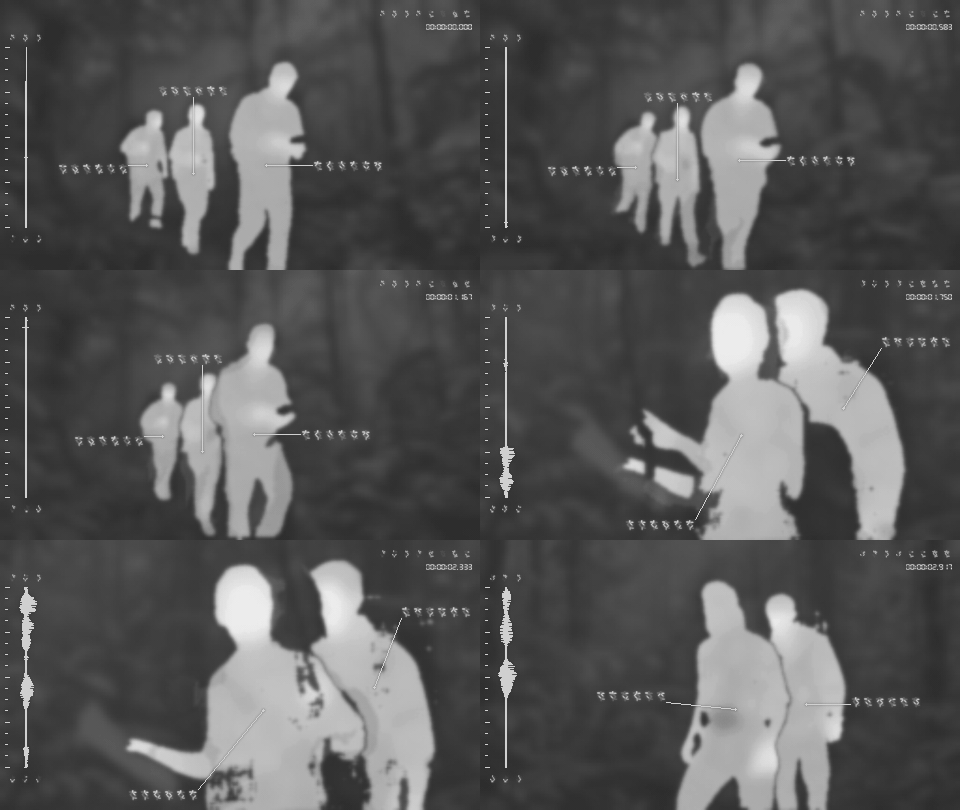](https://raw.githubusercontent.com/petehottelet/yautja/main/assets/examples/large/palette-white-hot.gif) | [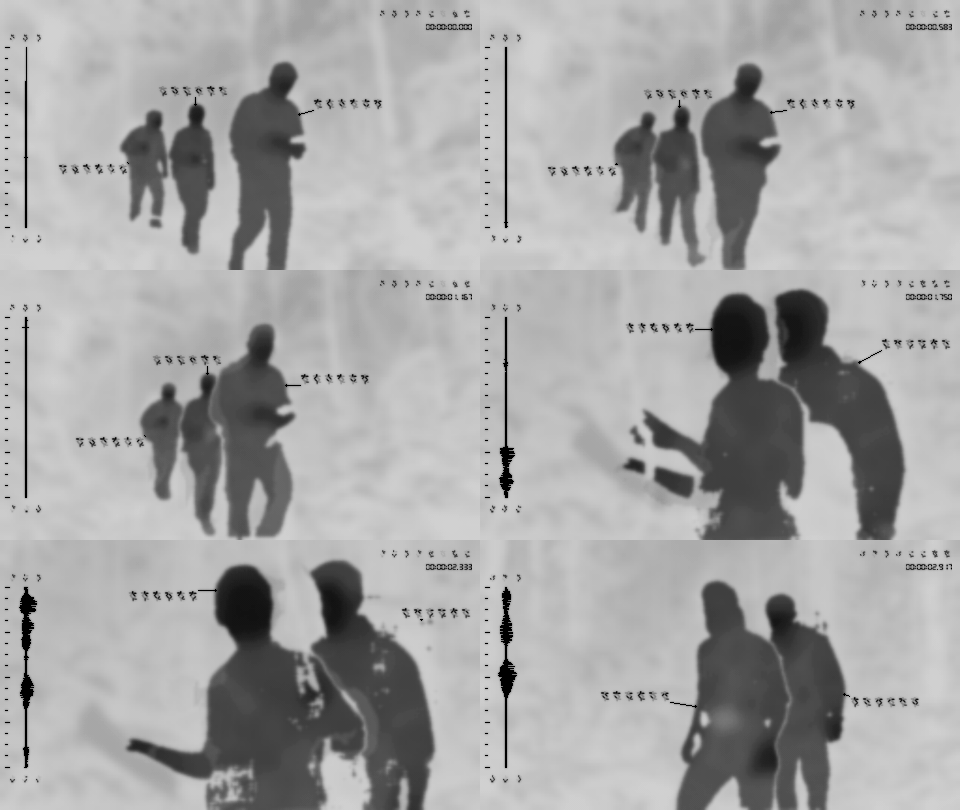](https://raw.githubusercontent.com/petehottelet/yautja/main/assets/examples/large/palette-black-hot.gif) |
|
|
167
|
+
| `--palette amber-phosphor` | `--palette white-hot` | `--palette black-hot` |
|
|
168
|
+
|
|
169
|
+
`--palette auto` also selects the original Yautja palette. Changing the level of detail never changes the palette automatically. Phosphor palettes are display styles, not a low-light recovery feature.
|
|
170
|
+
|
|
171
|
+
### Abyss and animated heat glow
|
|
172
|
+
|
|
173
|
+
**Abyss** uses deep blue-black scenery, amber-to-white-hot regions, and a subdued cyan HUD. Glow is a separate option and is off by default, including with Abyss.
|
|
174
|
+
|
|
175
|
+
| Abyss · clean | Abyss · heat glow |
|
|
176
|
+
| --- | --- |
|
|
177
|
+
| [](https://raw.githubusercontent.com/petehottelet/yautja/main/assets/examples/large/palette-abyss.gif) | [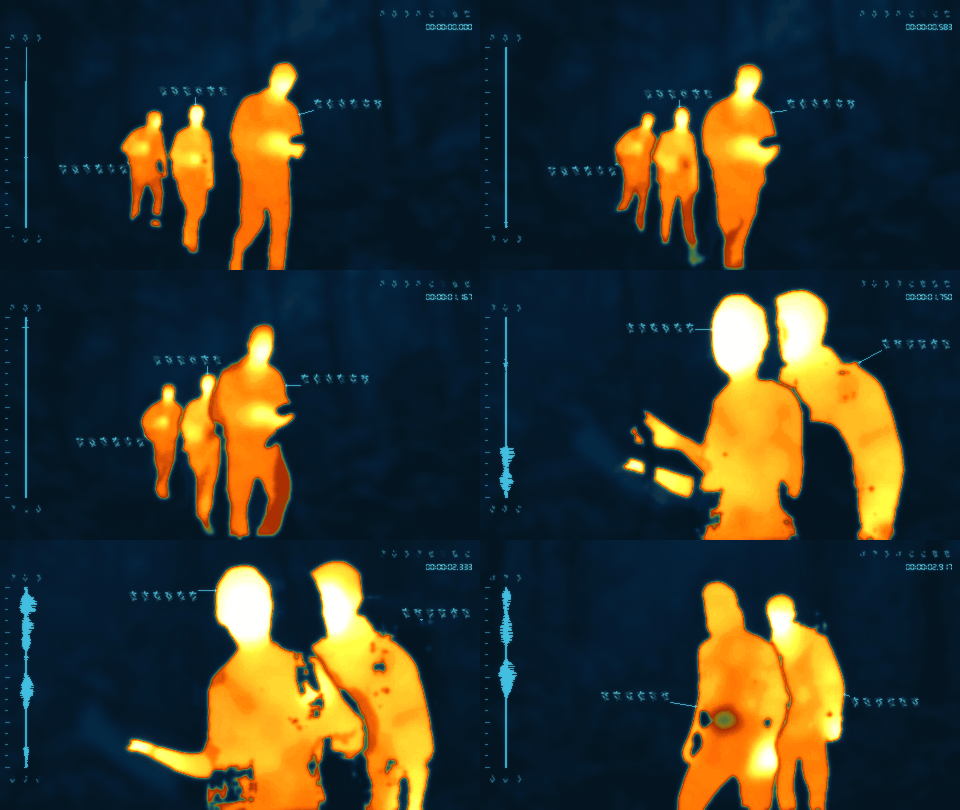](https://raw.githubusercontent.com/petehottelet/yautja/main/assets/examples/large/glow-abyss.gif) |
|
|
178
|
+
| `--palette abyss` | `--palette abyss --heat-glow 0.75` |
|
|
179
|
+
|
|
180
|
+
`--hud-theme muted-cyan` makes the same subdued HUD available with any palette. Selecting `--hud-theme palette` instead matches its colors to that palette's ramp.
|
|
181
|
+
|
|
182
|
+
### Turn the HUD off
|
|
183
|
+
|
|
184
|
+
Use **`--no-hud`** for the thermal image alone. It removes the waveform, scale, glyphs, timecode, callouts, connector lines, and target markers—even when `--timecode` or `--verbose` is also supplied. Thermal style, palette, textures, and the video soundtrack stay active. HUD is on by default; `--hud` turns it back on.
|
|
185
|
+
|
|
186
|
+
| HUD on · default | HUD off |
|
|
187
|
+
| --- | --- |
|
|
188
|
+
| [](https://raw.githubusercontent.com/petehottelet/yautja/main/assets/examples/large/style-cinematic.gif) | [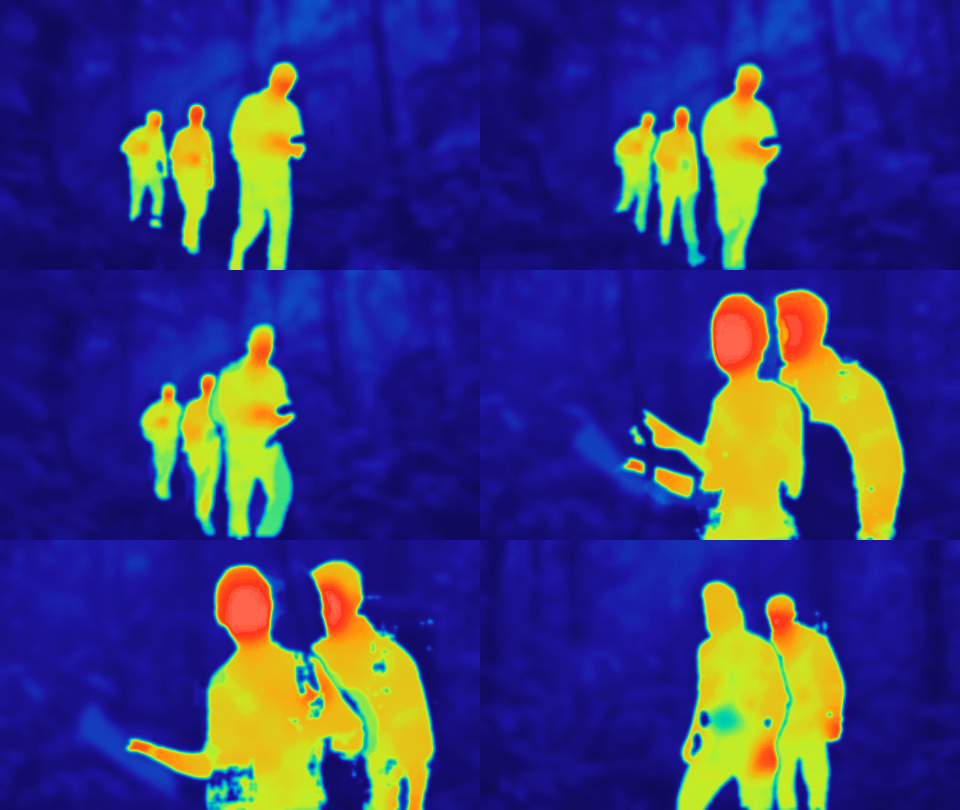](https://raw.githubusercontent.com/petehottelet/yautja/main/assets/examples/large/hud-off.gif) |
|
|
189
|
+
| Default HUD, with `--verbose --timecode` for annotations and clock | `--no-hud` |
|
|
190
|
+
|
|
191
|
+
```bash
|
|
192
|
+
python -m yautja "clip.mov" "thermal-only.mp4" --thermal cinematic --no-hud
|
|
193
|
+
python -m yautja "photo.jpg" "thermal-only.png" --palette green-phosphor --no-hud
|
|
194
|
+
```
|
|
195
|
+
|
|
196
|
+
### HUD colors, custom palettes, and random colors
|
|
197
|
+
|
|
198
|
+
Black Hot uses a **black waveform and HUD** by default, Abyss uses muted cyan, and other palettes retain the standard red/cyan HUD. Use **`--hud-theme palette`** to match the waveform, glyphs, clock, callouts, and scale to the selected palette; Black Hot keeps black ink in this mode too. Custom and random HUD themes remain available. These controls work with images and videos and every thermal look.
|
|
199
|
+
|
|
200
|
+
| Green Phosphor · matched HUD | Ironbow · matched HUD |
|
|
201
|
+
| --- | --- |
|
|
202
|
+
| [](https://raw.githubusercontent.com/petehottelet/yautja/main/assets/examples/large/colors-matched-green.gif) | [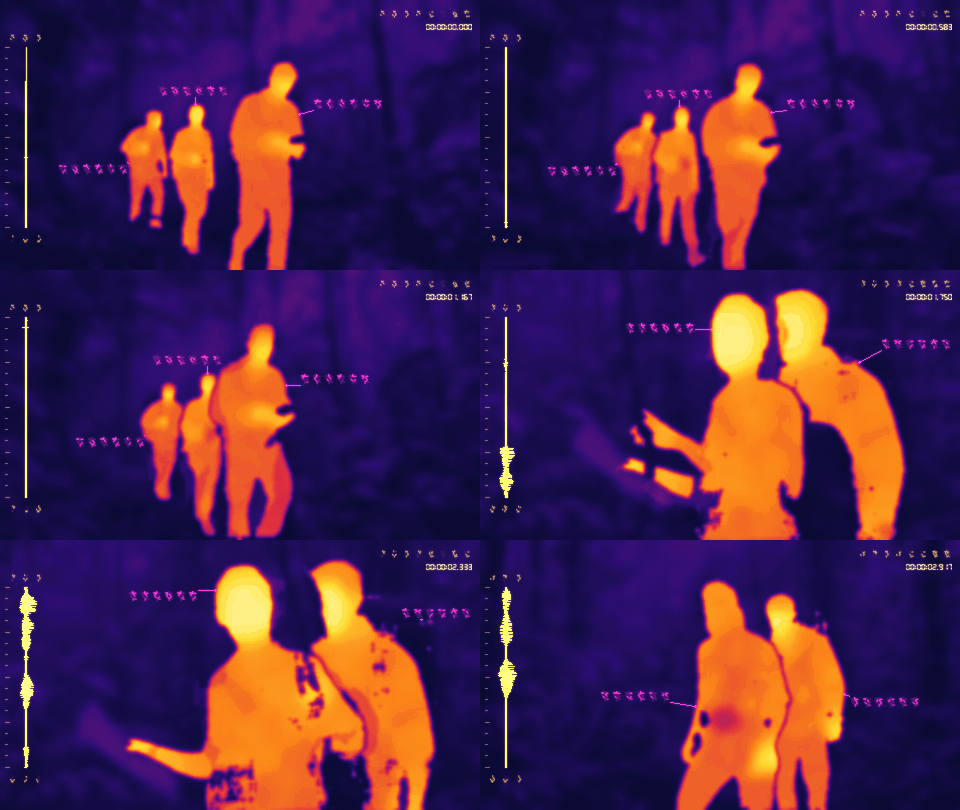](https://raw.githubusercontent.com/petehottelet/yautja/main/assets/examples/large/colors-matched-ironbow.gif) |
|
|
203
|
+
| `--palette green-phosphor --hud-theme palette` | `--palette ironbow --hud-theme palette` |
|
|
204
|
+
|
|
205
|
+
| Custom thermal + HUD colors | Random thermal + HUD colors |
|
|
206
|
+
| --- | --- |
|
|
207
|
+
| [](https://raw.githubusercontent.com/petehottelet/yautja/main/assets/examples/large/colors-custom.gif) | [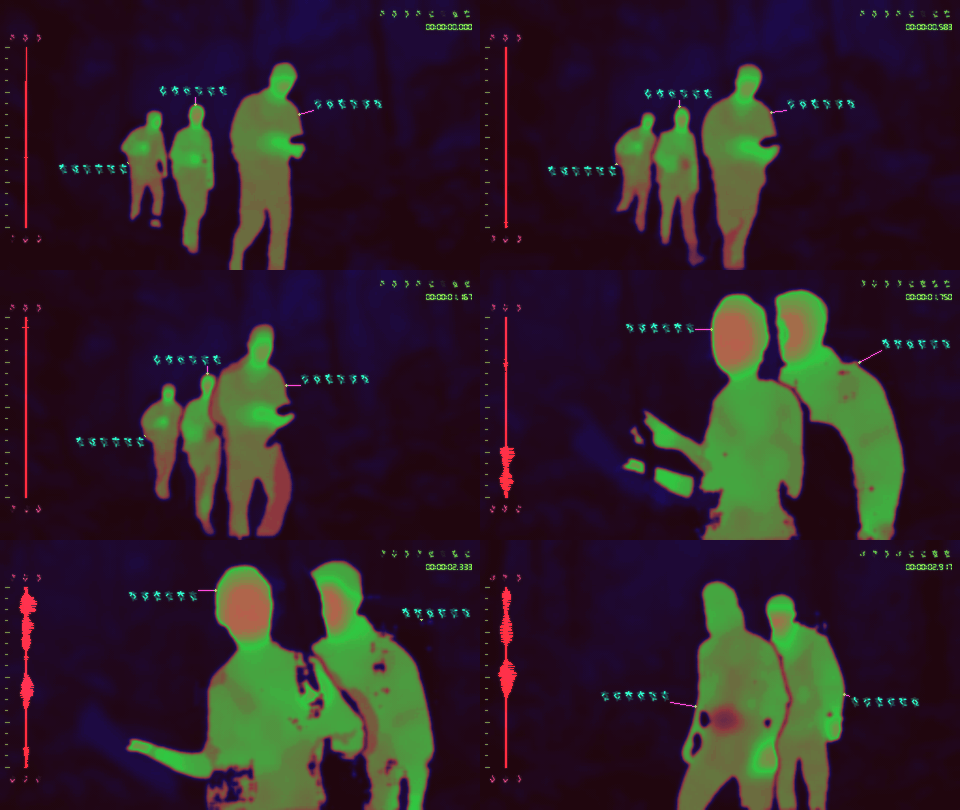](https://raw.githubusercontent.com/petehottelet/yautja/main/assets/examples/large/colors-random.gif) |
|
|
208
|
+
| [Exact custom settings](https://github.com/petehottelet/yautja/blob/main/skills/yautja/references/colors.md#custom-hud-elements) | `--random-colors --seed 137` |
|
|
209
|
+
|
|
210
|
+
**Custom thermal colors:** use `--palette custom --palette-colors "#000000,#0033ff,#ff2200,#fff0c0"`. Supply 2–16 hex colors, cold to hot, separated by commas or spaces. Stops are evenly spaced. Three- and six-digit RGB hex values work; quote the string.
|
|
211
|
+
|
|
212
|
+
**Custom HUD colors:** use `--hud-theme custom --hud-colors "waveform=#44ff88,timecode=#ddffee,callouts=#88ccff"`. Set any of these independently: `waveform`, `waveform-axis`, `waveform-ticks`, `waveform-glyphs`, `readout`, `timecode`, `callouts`, `leaders`, and `markers`. Omitted elements keep their standard colors. Custom ink supports black and dark colors as well as bright ones.
|
|
213
|
+
|
|
214
|
+
**Random colors:** `--random-colors` randomizes both the thermal palette and every HUD element. Use `--palette random` or `--hud-theme random` for just one. A different `--seed` produces a new set; the same seed repeats it. Colors stay fixed throughout the clip. The JSON report includes the resolved hex values so a set can be reused.
|
|
215
|
+
|
|
216
|
+
See the [color controls guide](https://github.com/petehottelet/yautja/blob/main/skills/yautja/references/colors.md) for full commands, element descriptions, and how custom ink interacts with glow and analog effects.
|
|
217
|
+
|
|
218
|
+
### Grain and chunky pixels
|
|
219
|
+
|
|
220
|
+
Every effect is **optional and off by default**. Add grain, chunky pixels, CRT lines, or VHS styling independently, or combine them. The heat field, glyph selection, and audio behavior stay the same.
|
|
221
|
+
|
|
222
|
+
| Clean · default | Grain only | Chunky pixels only |
|
|
223
|
+
| --- | --- | --- |
|
|
224
|
+
| [](https://raw.githubusercontent.com/petehottelet/yautja/main/assets/examples/large/style-cinematic.gif) | [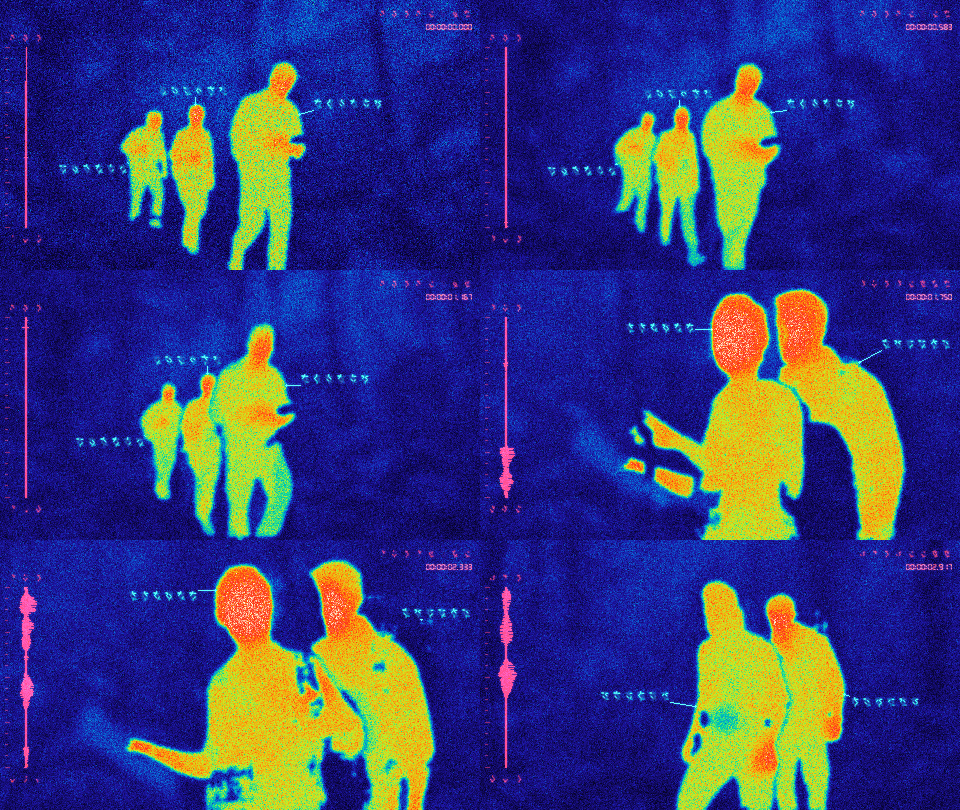](https://raw.githubusercontent.com/petehottelet/yautja/main/assets/examples/large/texture-grain.gif) | [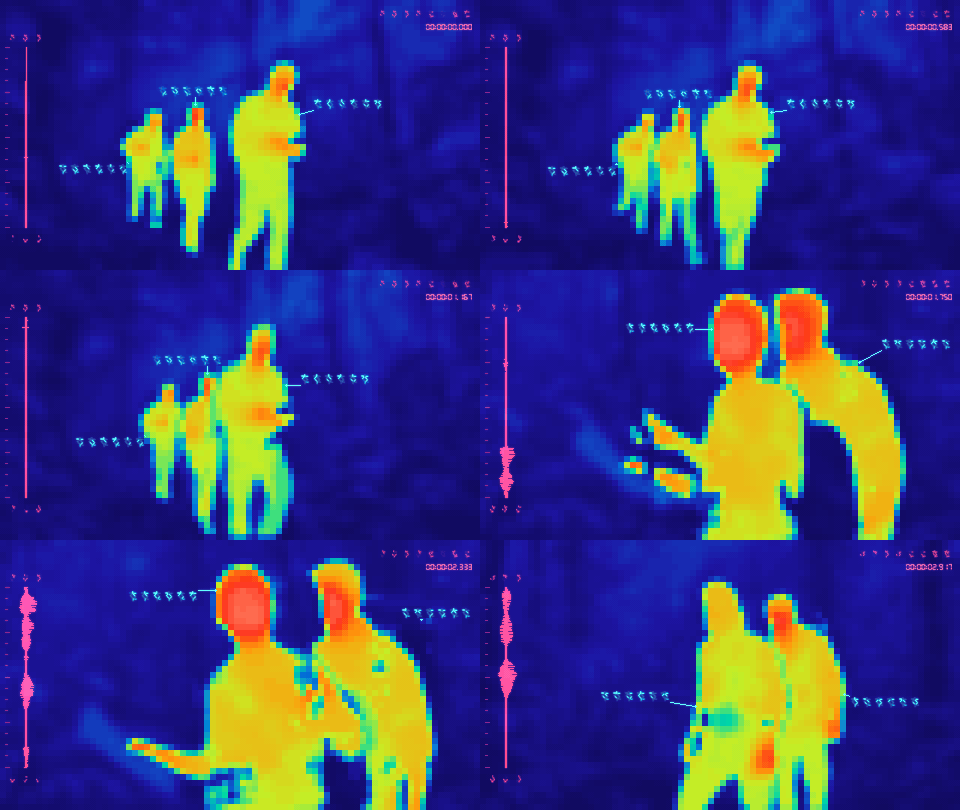](https://raw.githubusercontent.com/petehottelet/yautja/main/assets/examples/large/texture-pixelation.gif) |
|
|
225
|
+
| No texture flags | `--grain 0.06` | `--pixelation 80` |
|
|
226
|
+
|
|
227
|
+
| CRT Lines only | Sensor texture · combined preset |
|
|
228
|
+
| --- | --- |
|
|
229
|
+
| [](https://raw.githubusercontent.com/petehottelet/yautja/main/assets/examples/large/texture-crt-lines.gif) | [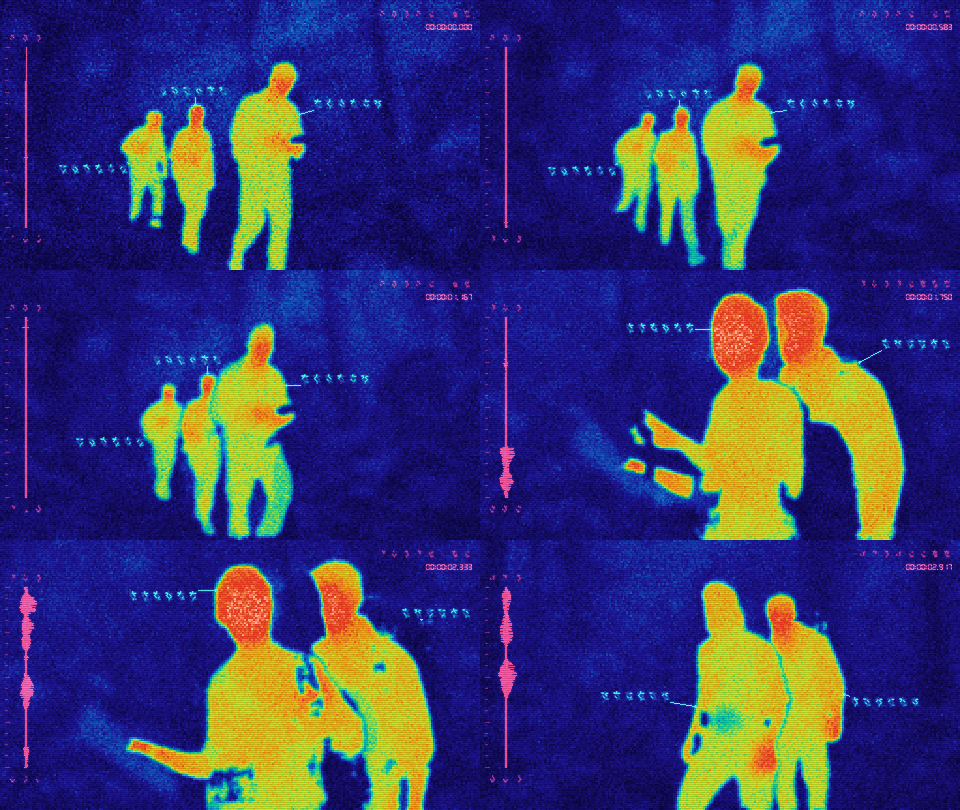](https://raw.githubusercontent.com/petehottelet/yautja/main/assets/examples/large/texture-sensor-texture.gif) |
|
|
230
|
+
| `--crt-lines` | `--sensor-texture` |
|
|
231
|
+
|
|
232
|
+
| VHS only | VHS + CRT Lines |
|
|
233
|
+
| --- | --- |
|
|
234
|
+
| [](https://raw.githubusercontent.com/petehottelet/yautja/main/assets/examples/large/texture-vhs.gif) | [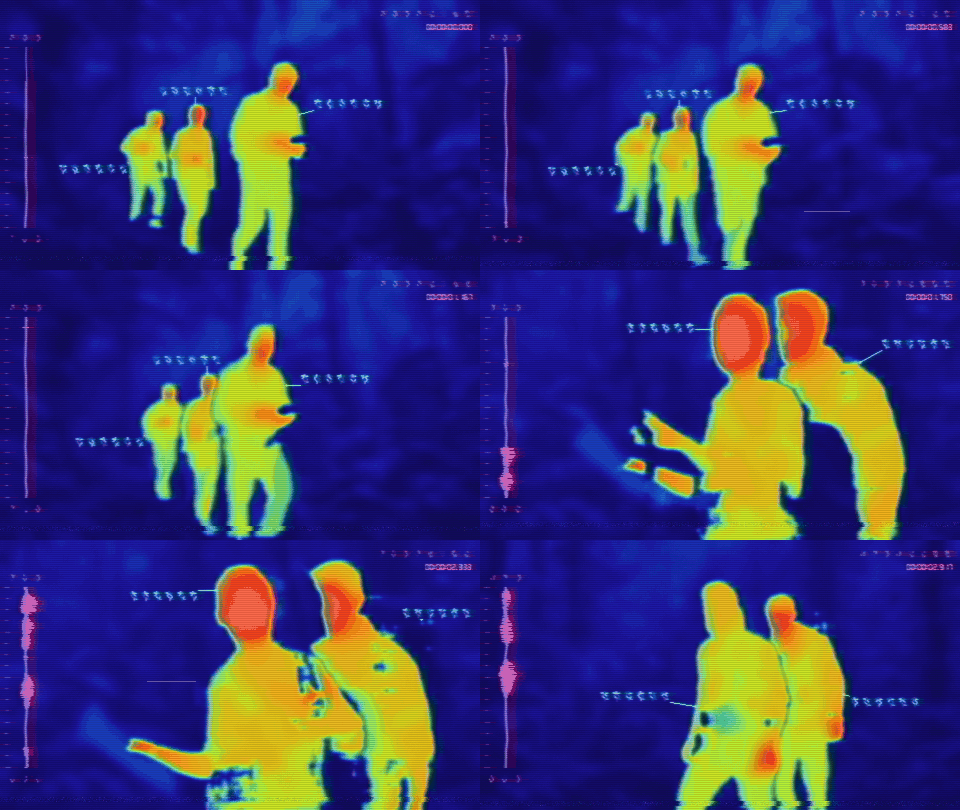](https://raw.githubusercontent.com/petehottelet/yautja/main/assets/examples/large/texture-vhs-crt.gif) |
|
|
235
|
+
| `--vhs` | `--vhs --crt-lines` |
|
|
236
|
+
|
|
237
|
+
Bare `--grain` uses strength 0.035; the example above uses a stronger 0.06 so it is easy to see. `--grain 0` disables noise. Bare `--pixelation` uses a longest grid edge of 96; lower values make larger blocks (range 32–640), and `--pixelation 0` disables it. Pixelation changes the display, not the segmentation resolution. `--no-crt-lines` disables CRT lines; the older `--scanlines` / `--no-scanlines` flags are aliases.
|
|
238
|
+
|
|
239
|
+
VHS adds softer color detail, chroma bleed, slight horizontal wobble, tape noise, and occasional dropouts and tracking defects across the finished picture, including the HUD. It animates in video; still images receive a fixed frame of the effect. `--no-vhs` disables it. It does not alter the soundtrack or invent thermal detail. CRT lines can be used with or without VHS.
|
|
240
|
+
|
|
241
|
+
The combined sensor preset adds grain 0.035, a grid at `--sensor-resolution` (default 256), CRT lines, and light intensity quantization. It does not enable VHS. Individual settings override the corresponding preset components. `--no-sensor-texture` disables the preset while preserving explicitly enabled effects. For completely clean output, omit the effects or use `--no-sensor-texture --grain 0 --pixelation 0 --no-crt-lines --no-vhs`.
|
|
242
|
+
|
|
243
|
+
```bash
|
|
244
|
+
python -m yautja "clip.mov" "outputs/clip-cinematic.mp4" --thermal cinematic --verbose --timecode
|
|
245
|
+
python -m yautja "photo.jpg" "outputs/photo-detailed.png" --thermal detailed --palette ironbow --verbose
|
|
246
|
+
python -m yautja "clip.mov" "outputs/clip-phosphor.mp4" --thermal cinematic --palette green-phosphor --grain 0.03 --pixelation 96
|
|
247
|
+
python -m yautja "clip.mov" "outputs/clip-vhs.mp4" --thermal cinematic --palette redline --vhs --crt-lines
|
|
248
|
+
python -m yautja "clip.mov" "outputs/clip-virtualboy.mp4" --thermal silhouette --palette virtualboy
|
|
249
|
+
```
|
|
250
|
+
|
|
251
|
+
All comparison GIFs use the same three-second slice at 12 fps, with the original audio driving the waveform. Embedded previews are 480×270; click one to open its **960×540 large version**, rendered with HUD and textures at that size. The hero uses 640×360. They compare styling choices, not model accuracy. The source footage stays local.
|
|
252
|
+
|
|
253
|
+
### Heat glow, vertical CRT lines, and adjustable trails
|
|
254
|
+
|
|
255
|
+
**Heat glow works with every palette.** Set `--heat-glow` from **0–1** (default 0), and `--heat-glow-speed` from **0–5** (default 1). A speed of 0 freezes the glow pattern. It brightens and diffuses hot regions before the HUD is added; inverted Black Hot uses dark diffusion. The existing `--glow` setting still controls HUD bloom independently.
|
|
256
|
+
|
|
257
|
+
| Original palette · heat glow | Green Phosphor · heat glow |
|
|
258
|
+
| --- | --- |
|
|
259
|
+
| [](https://raw.githubusercontent.com/petehottelet/yautja/main/assets/examples/large/texture-heat-glow.gif) | [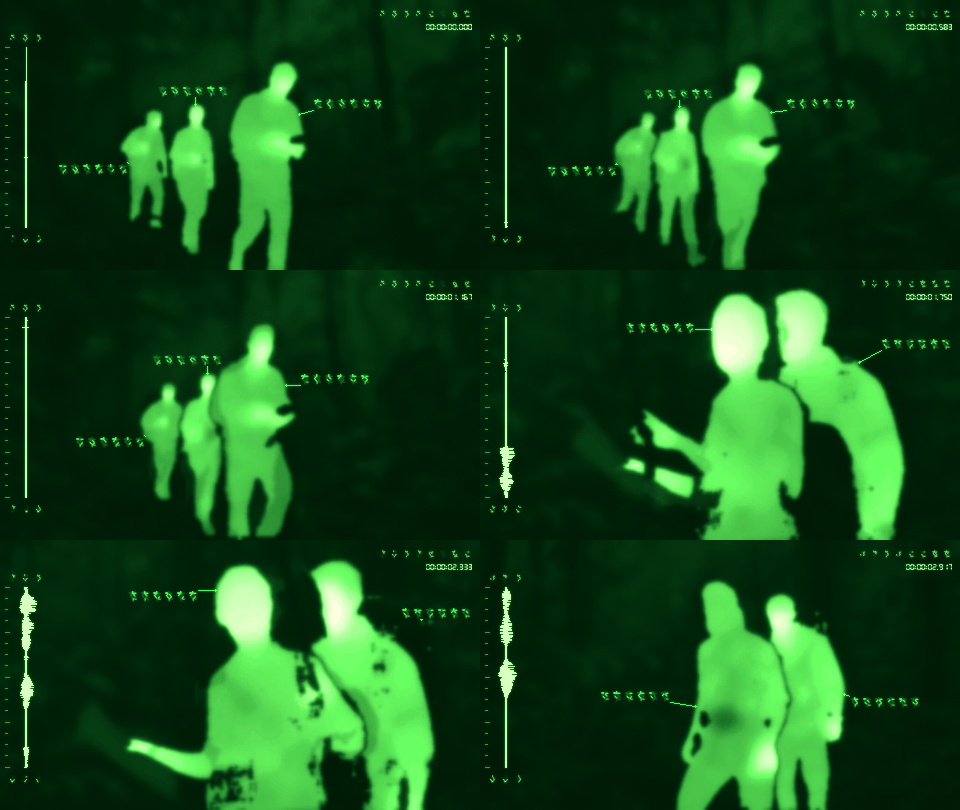](https://raw.githubusercontent.com/petehottelet/yautja/main/assets/examples/large/glow-green.gif) |
|
|
260
|
+
| `--heat-glow 0.75` | `--palette green-phosphor --hud-theme palette --heat-glow 0.75` |
|
|
261
|
+
|
|
262
|
+
**Vertical CRT lines** can be enabled independently or together with horizontal lines. `--crt-strength` sets their darkness from **0–1** (default 0.12); 0 hides them. These stripes affect the complete picture, including the HUD.
|
|
263
|
+
|
|
264
|
+
[](https://raw.githubusercontent.com/petehottelet/yautja/main/assets/examples/large/texture-crt-vertical.gif)
|
|
265
|
+
|
|
266
|
+
`--crt-vertical-lines --crt-strength 0.25` · add `--crt-lines` for both directions.
|
|
267
|
+
|
|
268
|
+
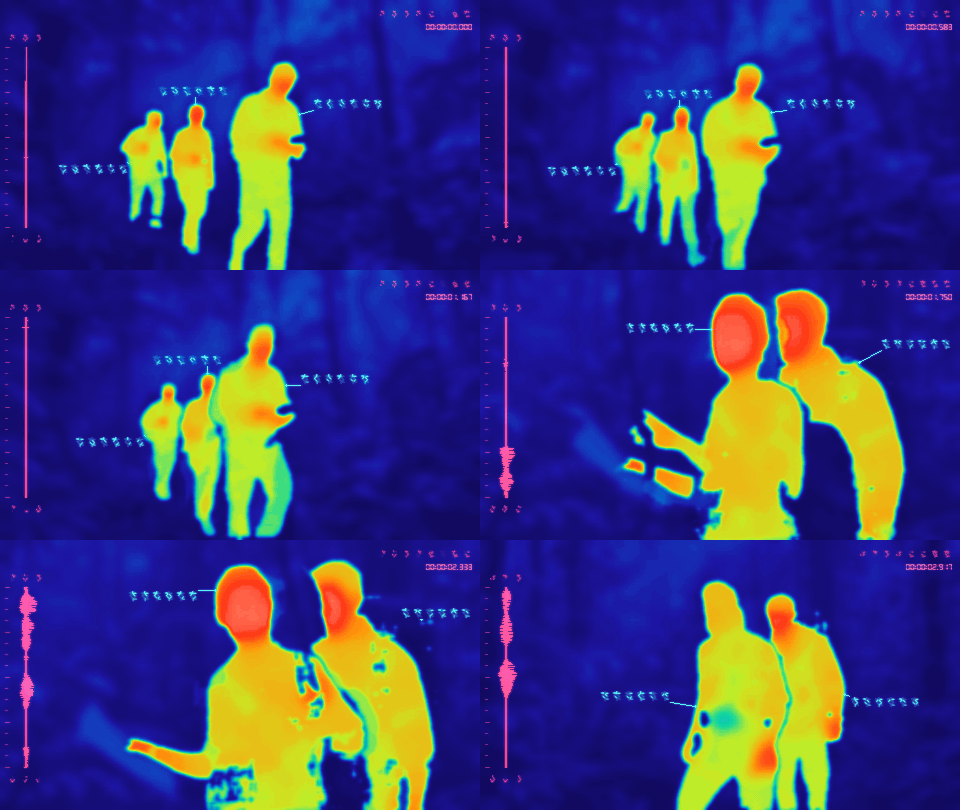
**Motion blur** adds temporal frame persistence: higher values leave longer trails on moving subjects and HUD details. It resets at detected cuts and needs consecutive video frames; stills have no motion trail. **CRT bleed** adds horizontal phosphor smear to both images and videos. Both strengths range from **0–1**, default to 0, and leave the soundtrack unchanged.
|
|
269
|
+
|
|
270
|
+
| Softer motion trails | Stronger motion trails |
|
|
271
|
+
| --- | --- |
|
|
272
|
+
| [](https://raw.githubusercontent.com/petehottelet/yautja/main/assets/examples/large/texture-motion-soft.gif) | [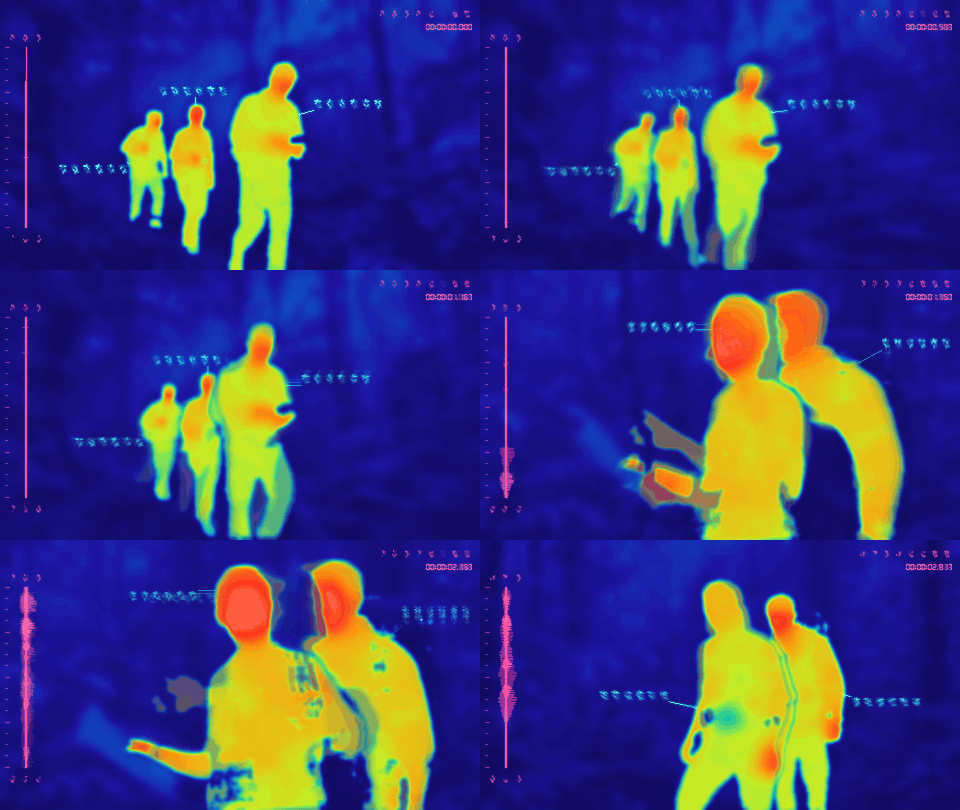](https://raw.githubusercontent.com/petehottelet/yautja/main/assets/examples/large/texture-motion-strong.gif) |
|
|
273
|
+
| `--motion-blur 0.35` | `--motion-blur 0.85` |
|
|
274
|
+
|
|
275
|
+
| Softer CRT bleed | Stronger CRT bleed |
|
|
276
|
+
| --- | --- |
|
|
277
|
+
| [](https://raw.githubusercontent.com/petehottelet/yautja/main/assets/examples/large/texture-bleed-soft.gif) | [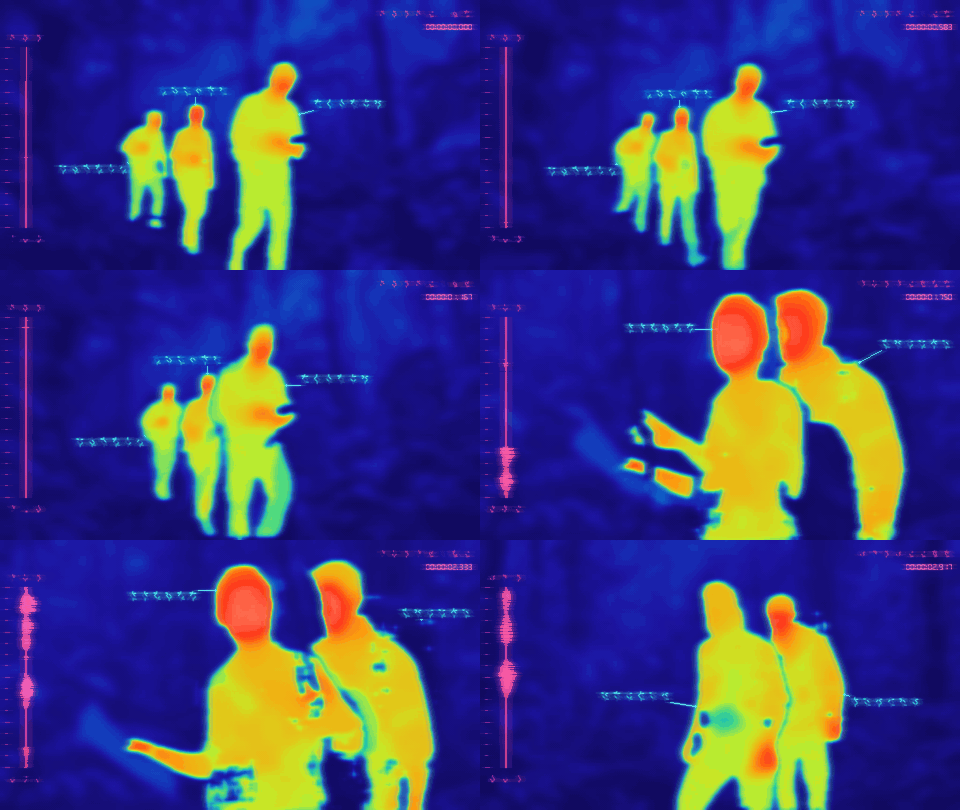](https://raw.githubusercontent.com/petehottelet/yautja/main/assets/examples/large/texture-bleed-strong.gif) |
|
|
278
|
+
| `--crt-bleed 0.3` | `--crt-bleed 0.85` |
|
|
279
|
+
|
|
280
|
+
All of these controls are independent of VHS, grain, pixelation, and the sensor-texture preset. Click each preview for the large animated GIF.
|
|
281
|
+
|
|
282
|
+
### Rorschach waveforms
|
|
283
|
+
|
|
284
|
+
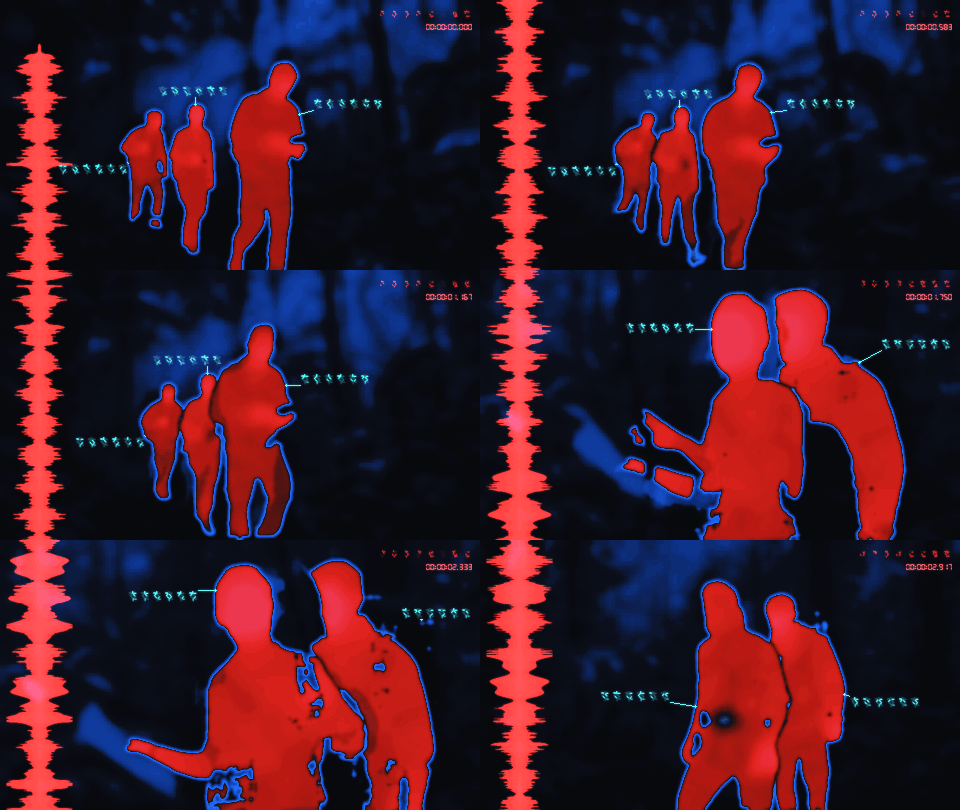
For a thick, full-height, mirrored inkblot display, choose one of three waveform transformations. These examples use **Redline**, with `--wave-width 0.14 --wave-height 1 --wave-gain 4` (extra audio gain for this quiet clip). The occupied width follows the soundtrack; GIFs are silent.
|
|
285
|
+
|
|
286
|
+
| Filled · broad connected lobes | Split · separated inkblots | Hollow · dark interior pockets |
|
|
287
|
+
| --- | --- | --- |
|
|
288
|
+
| [](https://raw.githubusercontent.com/petehottelet/yautja/main/assets/examples/large/waveform-rorschach.gif) | [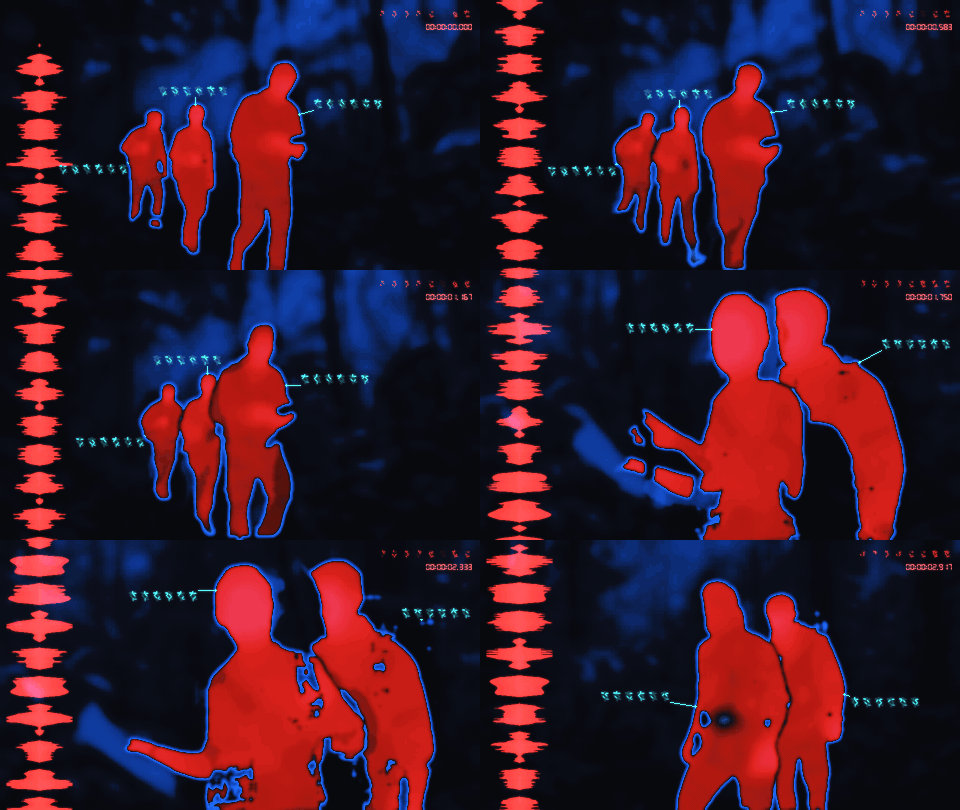](https://raw.githubusercontent.com/petehottelet/yautja/main/assets/examples/large/waveform-rorschach-split.gif) | [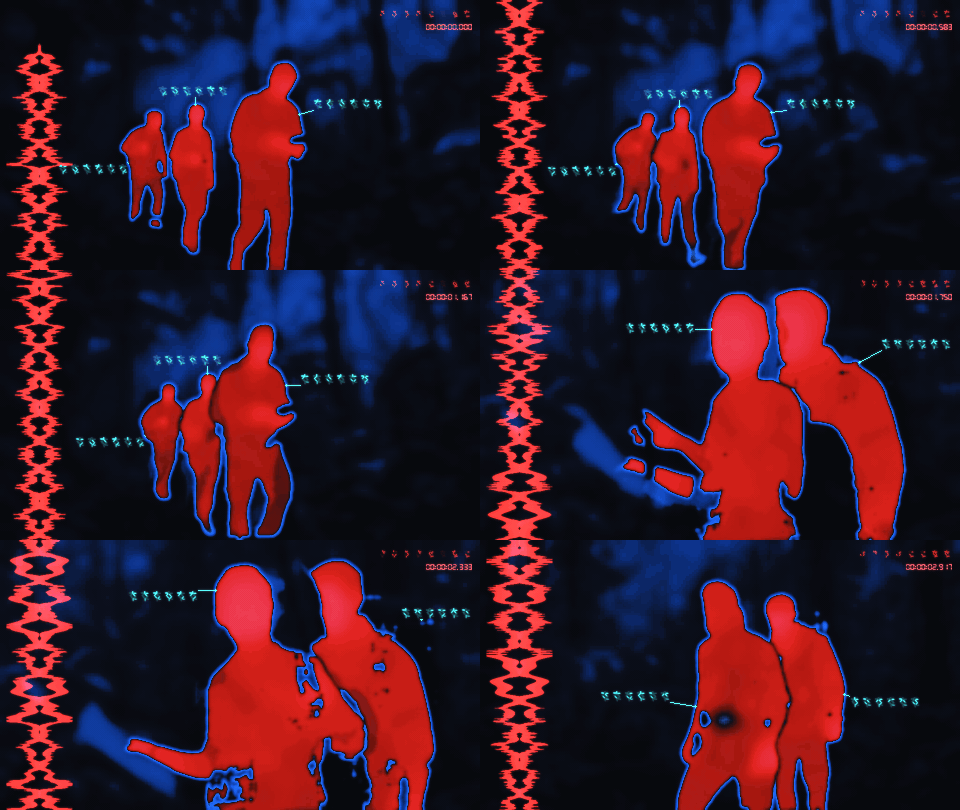](https://raw.githubusercontent.com/petehottelet/yautja/main/assets/examples/large/waveform-rorschach-hollow.gif) |
|
|
289
|
+
| `--wave-style rorschach` | `--wave-style rorschach-split` | `--wave-style rorschach-hollow` |
|
|
290
|
+
|
|
291
|
+
`--wave-width` sets maximum width as a fraction of the frame (0.02–0.3, default 0.12); `--wave-height` sets height (0.1–1, default 0.96). `--wave-detail` goes from broad and smooth at 0 to sharper edge spikes and more intricate lobes at 1 (default 0.6). The shapes keep a thick mirrored core, with pointed, irregular edges driven by short peaks and troughs in the waveform. Quiet ambience is amplified for visibility, and louder audio fills more of the column. Silent pauses within audible tracks stay empty; the existing fallback for an absent or entirely silent soundtrack remains procedural.
|
|
292
|
+
|
|
293
|
+
The original `--wave-style trace` stays the default. Rorschach replaces the left trace, scale, and flanking glyph rows. It uses the existing waveform color, works with all HUD themes, and leaves timecode, callouts, and selected targets intact. Combine `--crt-bleed 0.3` for softer edges or `--motion-blur 0.4` for video trails. Each preview links to its large animated GIF.
|
|
294
|
+
|
|
295
|
+
### Choose a figure and add a target
|
|
296
|
+
|
|
297
|
+
Scan a clip or still to get a **shot-by-shot figure list**, thumbnails, and reusable IDs. Scanning needs the semantic setup below. Open the generated contact sheet, choose an ID, then render:
|
|
298
|
+
|
|
299
|
+
```bash
|
|
300
|
+
yautja "clip.mov" "figures.json" --list-figures
|
|
301
|
+
# Open figures.html; select an ID from that scan.
|
|
302
|
+
yautja "clip.mov" "targeted.mp4" --thermal cinematic --figures "figures.json" --target S001-F003
|
|
303
|
+
```
|
|
304
|
+
|
|
305
|
+
The saved catalog belongs to the exact source file. Reuse it for different palettes, resolutions, frame rates, or trims; select additional shot IDs explicitly when a figure reappears after a cut. IDs are detected tracks, and detection can miss or swap figures during occlusion. Inspect the contact sheet and output. `targets_seen` and `targets_unseen` in the report confirm which selections appeared.
|
|
306
|
+
|
|
307
|
+
| Assemble and flash · red/white | Abyss · steady target + vertical CRT | Custom target colors |
|
|
308
|
+
| --- | --- | --- |
|
|
309
|
+
| [](https://raw.githubusercontent.com/petehottelet/yautja/main/assets/examples/large/target-lock.gif) | [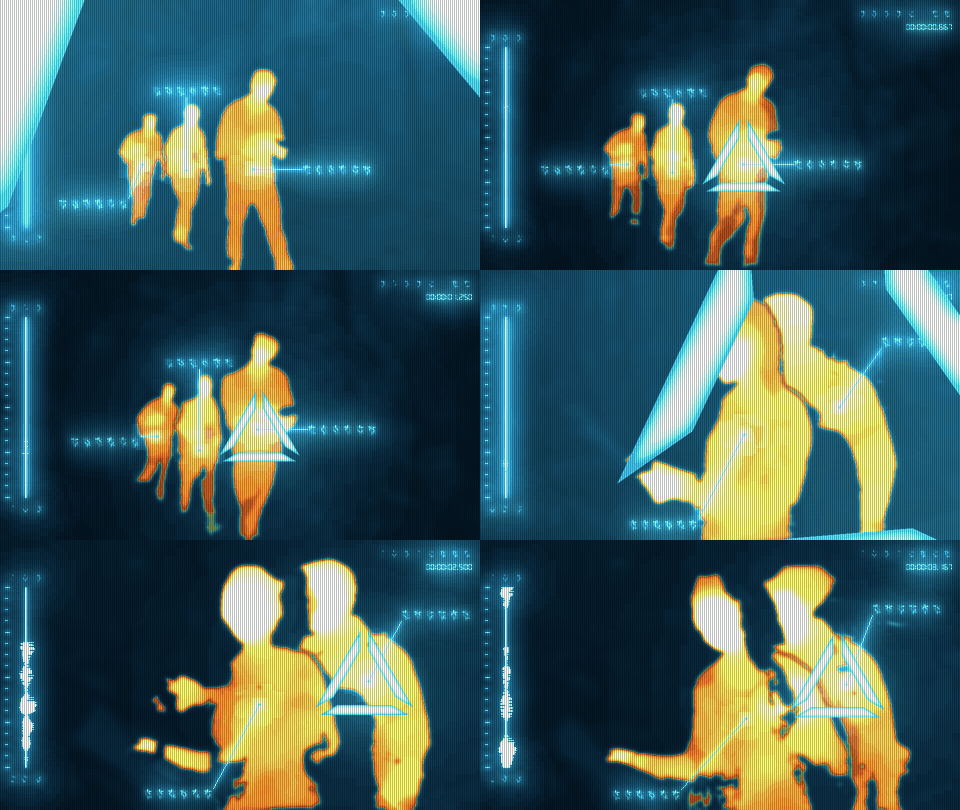](https://raw.githubusercontent.com/petehottelet/yautja/main/assets/examples/large/target-abyss-steady.gif) | [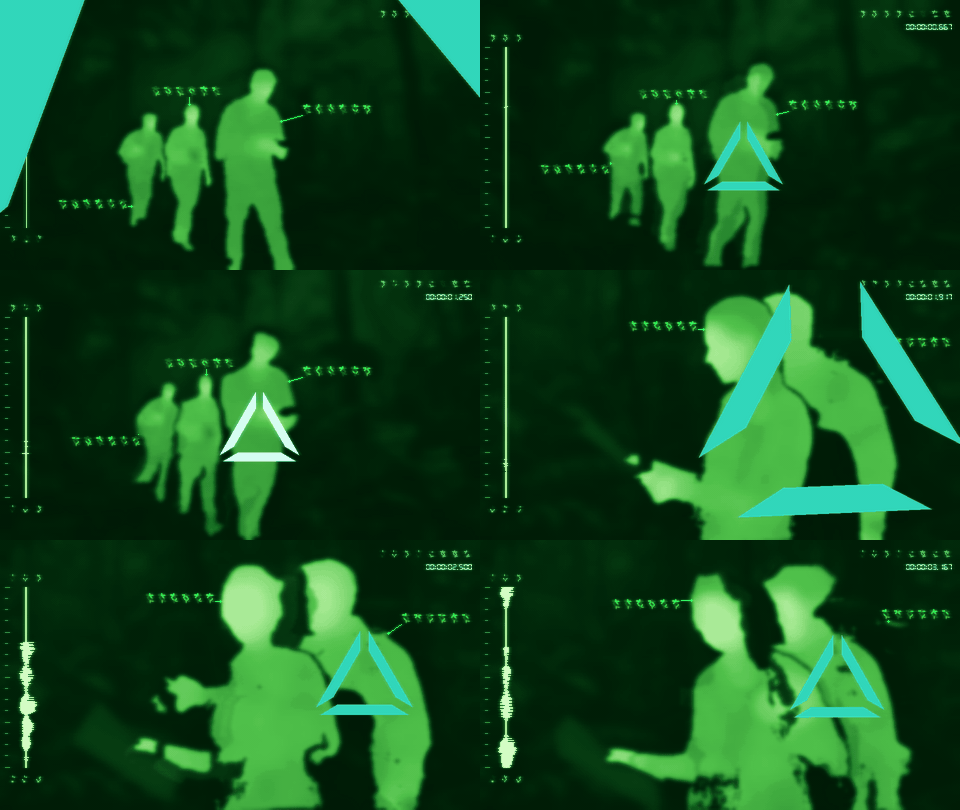](https://raw.githubusercontent.com/petehottelet/yautja/main/assets/examples/large/target-custom.gif) |
|
|
310
|
+
| Default target animation | `--palette abyss --no-target-flash --crt-vertical-lines --crt-strength 0.25 --heat-glow 0.65` | `--palette green-phosphor --hud-theme palette --target-colors "#31d7bb,#d6fff3" --target-acquire 0.45 --crt-bleed 0.4` |
|
|
311
|
+
|
|
312
|
+
These target examples show seconds 0–3.25 of the source, selecting the foreground explorer separately in the first two shots. The triangle contracts into a compact marker at the figure's center, with solid-color sides and narrow, clear gaps at all three corners. It assembles in **0.8 seconds**, lands red, then flashes red/white at **1.5 cycles per second**. Set `--target-acquire`, `--target-scale`, and `--target-flash-rate` to change timing and size; scale 1 uses the compact reticle. `--no-target-flash` keeps the assembly and holds the primary color; equal primary/flash colors work too. Black Hot uses black for both target states unless colors are overridden. Stills display the assembled triangle immediately.
|
|
313
|
+
|
|
314
|
+
Set `--target-colors "#ff302b,#ffffff"` for independent primary/flash colors, or use the `target` and `target-flash` keys with custom HUD colors. Palette-matched and random HUD themes also color targets. `--no-hud` hides them along with every other overlay. [All target controls, bounds, scan details, and effect options](skills/yautja/references/targets.md).
|
|
315
|
+
|
|
316
|
+
### Reticle stroke and HUD blur
|
|
317
|
+
|
|
318
|
+
Add an optional outline with `--target-stroke 5`. Choose one outline color or a landing/flash pair with `--target-stroke-colors "#660b12,#687a8d"`; omit the colors to use darker shades of the current target colors. The outline is drawn inward, keeping the corner gaps open. It is off by default (`--target-stroke 0`); the bare flag uses width 2 and the range is 0–12.
|
|
319
|
+
|
|
320
|
+
`--hud-blur 3` softens all HUD artwork. Use `--hud-blur-elements "waveform=6,target=4,timecode=0"` for independent overrides: omitted elements inherit the shared amount, and explicit 0 keeps an element sharp. Every radius is 0–20, with 0 as the default. Blur and stroke widths are pixels at a **1080px short edge**, scaled with output size. HUD blur affects the artwork before it is placed on the scene, leaving the underlying thermal image sharp.
|
|
321
|
+
|
|
322
|
+
| Reticle outline · separate flash colors | Target blur only |
|
|
323
|
+
| --- | --- |
|
|
324
|
+
| [](https://raw.githubusercontent.com/petehottelet/yautja/main/assets/examples/large/target-outline.gif) | [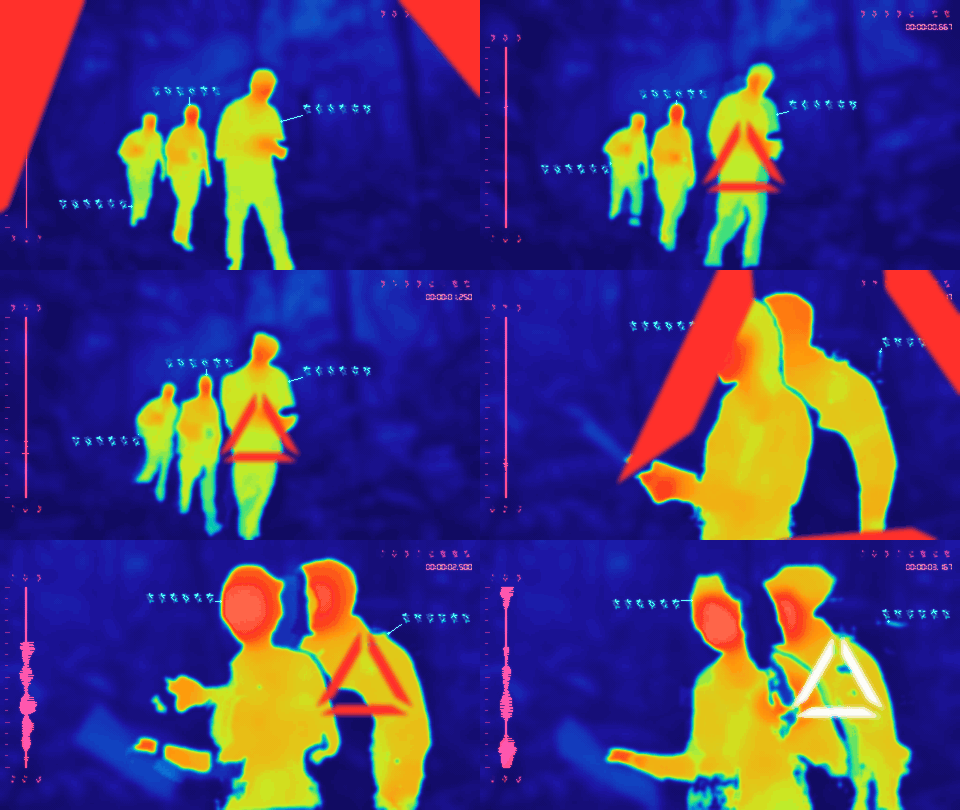](https://raw.githubusercontent.com/petehottelet/yautja/main/assets/examples/large/target-blur.gif) |
|
|
325
|
+
| `--target-stroke 5 --target-stroke-colors "#660b12,#687a8d"` | `--hud-blur-elements "target=8"` |
|
|
326
|
+
|
|
327
|
+
| Matched red · waveform + reticle blur | Shared HUD blur · sharp timecode |
|
|
328
|
+
| --- | --- |
|
|
329
|
+
| [](https://raw.githubusercontent.com/petehottelet/yautja/main/assets/examples/large/target-wave-blur.gif) | [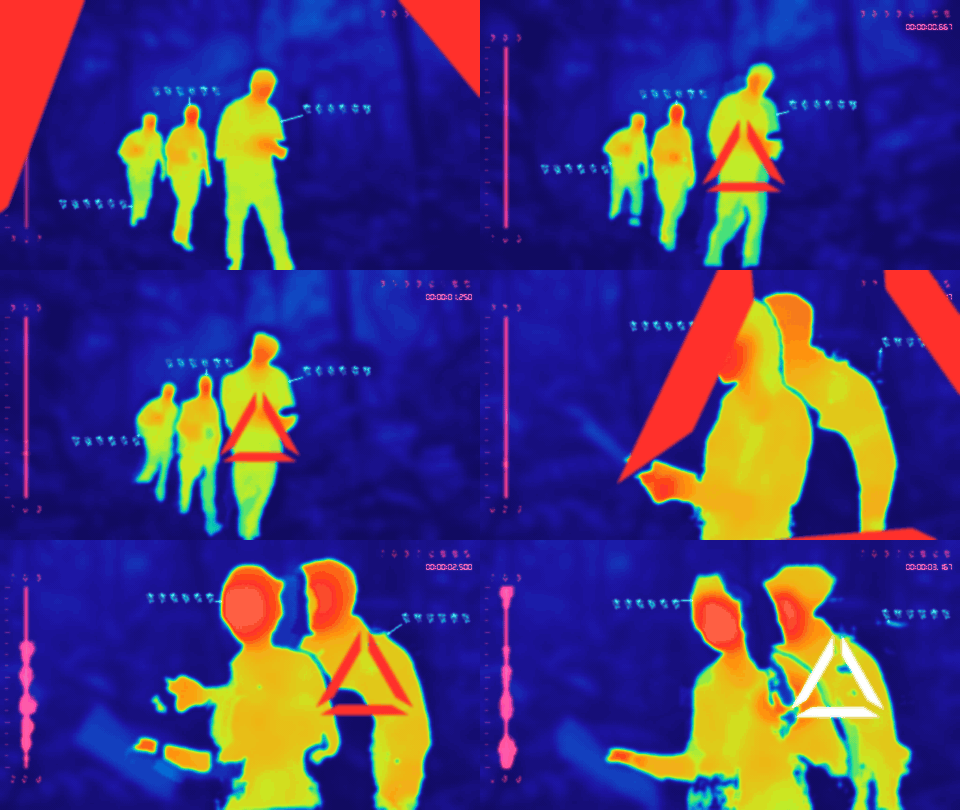](https://raw.githubusercontent.com/petehottelet/yautja/main/assets/examples/large/target-hud-blur.gif) |
|
|
330
|
+
| `--wave-style rorschach --wave-width 0.14 --wave-height 1 --hud-blur-elements "waveform=6,target=6"` | `--hud-blur 3 --hud-blur-elements "waveform=6,target=5,timecode=0"` |
|
|
331
|
+
|
|
332
|
+
Click any preview for the large GIF. These comparisons use the same 0–3.25-second clip and target selections as the examples above. Blur keys are `waveform`, `waveform-axis`, `waveform-ticks`, `waveform-glyphs`, `readout`, `timecode`, `callouts`, `leaders`, `markers`, and `target`. Target blur applies to both flash states. These controls work for images and videos, alongside HUD bloom, heat glow, and CRT/VHS effects. `--no-hud` hides them all. [Full controls and examples](skills/yautja/references/targets.md#reticle-stroke-and-independent-hud-blur).
|
|
333
|
+
|
|
334
|
+
The matched-red Rorschach example additionally uses `--hud-theme custom --hud-colors "waveform=#ff302b,timecode=#ff302b" --target-colors "#ff302b,#ff302b"`. Both reticle states use the same red. Custom HUD colors use alpha compositing, avoiding the pink shift that screen blending can introduce over a blue scene.
|
|
335
|
+
|
|
336
|
+
### HUD transparency
|
|
337
|
+
|
|
338
|
+
Set `--hud-opacity 0.5` for half-strength HUD artwork, or `--hud-opacity-elements "waveform=0.3,target=0.7,timecode=0.9"` for separate values. **0 is invisible; 1 keeps full existing visibility** (the default). Omitted elements inherit the shared opacity; explicit values override it. Blur and opacity are independent, and both work for stills and videos.
|
|
339
|
+
|
|
340
|
+
| Entire HUD · opacity 0.5 | Independent opacity · waveform / target / timecode |
|
|
341
|
+
| --- | --- |
|
|
342
|
+
| [](https://raw.githubusercontent.com/petehottelet/yautja/main/assets/examples/large/target-opacity.gif) | [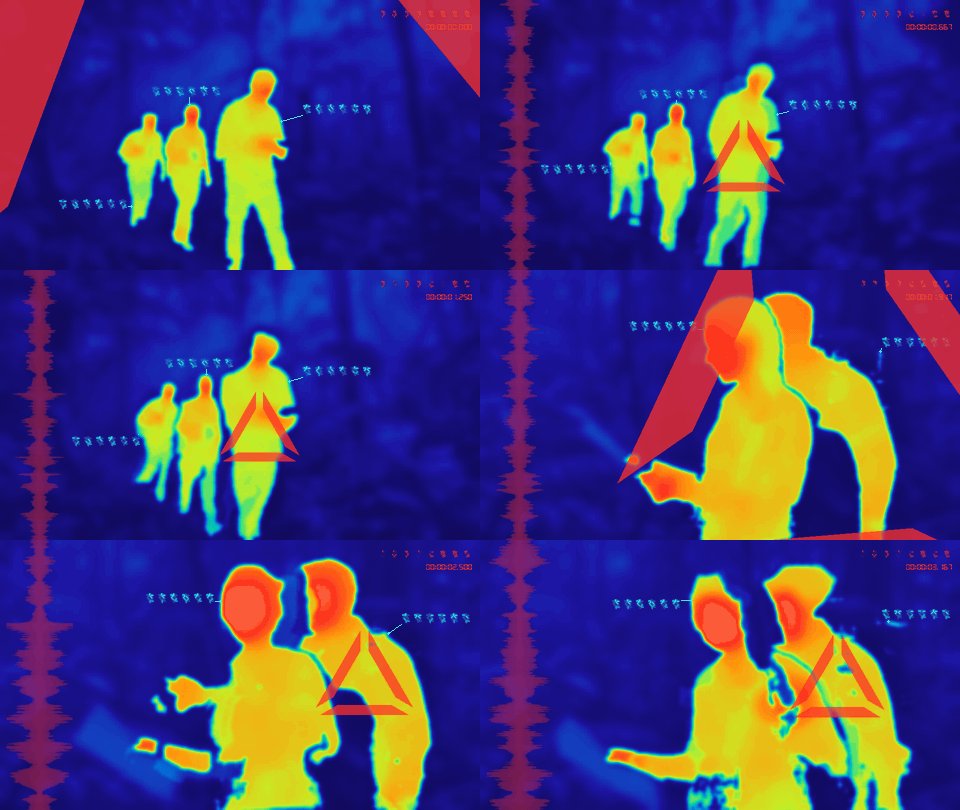](https://raw.githubusercontent.com/petehottelet/yautja/main/assets/examples/large/target-opacity-elements.gif) |
|
|
343
|
+
| `--hud-opacity 0.5` | `--hud-opacity-elements "waveform=0.3,target=0.7,timecode=0.9"` with the matched red Rorschach colors and shape above |
|
|
344
|
+
|
|
345
|
+
Opacity keys cover all HUD elements: `waveform`, `waveform-axis`, `waveform-ticks`, `waveform-glyphs`, `readout`, `timecode`, `callouts`, `leaders`, `markers`, `target`, and `target-flash`. A `target` override controls both states unless `target-flash` is explicitly set. Reticle outlines and glow follow their element's opacity. `--no-hud` still hides everything. Click either GIF for the large version. [Detailed transparency controls](skills/yautja/references/targets.md#hud-transparency).
|
|
346
|
+
|
|
347
|
+
### Segmentation setup
|
|
348
|
+
|
|
349
|
+
Install the `semantic` extra in the same environment, then explicitly download the pinned models once:
|
|
350
|
+
|
|
351
|
+
```bash
|
|
352
|
+
python -m pip install "yautja[semantic]>=2.1,<3"
|
|
353
|
+
python -m yautja --download-models
|
|
354
|
+
python -m yautja --doctor --thermal cinematic --device cuda
|
|
355
|
+
python -m yautja "clip.mov" "outputs/clip-cinematic.mp4" --thermal cinematic --verbose --timecode
|
|
356
|
+
```
|
|
357
|
+
|
|
358
|
+
Use your environment's Python. Grounding DINO, SAM 2.1, and ViTPose are shared by all three looks, and conversions use cached weights only. `--device auto` chooses available CUDA or CPU; CPU is slower. Start with a short `--duration 5` sample. See [setup, controls, and limitations](https://github.com/petehottelet/yautja/blob/main/skills/yautja/references/semantic.md) and the [isolated GPU setup](https://github.com/petehottelet/yautja/blob/main/skills/yautja/references/semantic.md#isolated-cuda-environment-on-windows).
|
|
359
|
+
|
|
360
|
+
`--sensor-resolution 160` increases heat-field abstraction, `--warm-objects "person,dog,bird"` selects warm categories, and `--hot-objects "fire"` explicitly adds an artistic hot category. Reports include the actual device, precision, timings, model revisions, and resolved effects. Full precision is the default; `--precision bf16` is experimental. [Earlier CPU/CUDA validation](https://github.com/petehottelet/yautja/blob/main/docs/performance-validation.md).
|
|
361
|
+
|
|
362
|
+
Yautja's code is MIT; the separately installed models retain their Apache-2.0 licenses. Model weights, runtime binaries, and gallery GIFs are excluded from the portable skill archive. [Dependency licensing details](https://github.com/petehottelet/yautja/blob/main/skills/yautja/references/dependencies.md).
|
|
363
|
+
|
|
364
|
+
## Local skill bundles and updates
|
|
365
|
+
|
|
366
|
+
From a developer checkout, build the wheel first, then build or install the small skill:
|
|
367
|
+
|
|
368
|
+
```bash
|
|
369
|
+
python -m tools.prepare_release
|
|
370
|
+
python -m tools.build_skill_bundle --zip dist/yautja-skill.zip
|
|
371
|
+
python -m tools.build_skill_bundle --install both
|
|
372
|
+
```
|
|
373
|
+
|
|
374
|
+
Choose `--install claude`, `--install codex`, or `--install both`. Codex respects `CODEX_HOME`; Claude uses `~/.claude/skills/yautja`. Existing installs require `--replace`, which updates known skill files and removes obsolete bundled runtime files/wheels while keeping personal files and environments. New bundles contain instructions, references, the MIT license and one application wheel. Dependencies, FFmpeg, models and gallery media are separate. See the [complete offline wheelhouse procedure](https://github.com/petehottelet/yautja/blob/main/skills/yautja/references/runtime.md#offline-install).
|
|
375
|
+
|
|
376
|
+
Use the original skill installer to update instructions. Upgrade the runtime in its original environment: `pipx runpip yautja install --upgrade "yautja>=2.1,<3"`, or that venv's `python -m pip install --upgrade "yautja>=2.1,<3"` (retain the semantic extra when used). Verify the compatible version and rerun doctor before converting; restart the agent session after updating the skill. Conversion never updates either component automatically. See the [changelog](https://github.com/petehottelet/yautja/blob/main/CHANGELOG.md) and [release instructions](https://github.com/petehottelet/yautja/blob/main/docs/PUBLISHING.md).
|
|
377
|
+
|
|
378
|
+
## Useful controls
|
|
379
|
+
|
|
380
|
+
| Option | Behavior |
|
|
381
|
+
| --- | --- |
|
|
382
|
+
| `--timecode` / `--no-timecode` | LCD-style elapsed `HH:MM:SS.mmm`, on/off; default off |
|
|
383
|
+
| `--timecode-start 90` | Begin the displayed clock at 00:01:30.000 |
|
|
384
|
+
| `--waveform auto` | Use audio, or procedural motion for absent/silent audio |
|
|
385
|
+
| `--waveform procedural` | Force generated motion, keeping the soundtrack |
|
|
386
|
+
| `--waveform audio` | Require an audio track; silent samples produce a flat trace |
|
|
387
|
+
| `--wave-gain 1.5` | Increase audio waveform amplitude |
|
|
388
|
+
| `--wave-window 0.6` | Seconds represented along the vertical trace |
|
|
389
|
+
| `--audio-stream 1` | Use the second audio track for analysis and playback |
|
|
390
|
+
| `--mute` | Remove sound without disabling audio analysis |
|
|
391
|
+
| `--start 10 --duration 5` | Convert a five-second trim starting at ten seconds |
|
|
392
|
+
| `--max-size 1280 --fps 30` | Limit resolution and set output frame rate |
|
|
393
|
+
| `--grain 0.02` | Add fine grain independently; 0 disables |
|
|
394
|
+
| `--pixelation 80` | Add chunky pixels independently; smaller grids make larger blocks |
|
|
395
|
+
| `--crt-lines` / `--no-crt-lines` | Toggle horizontal CRT lines, including across the HUD |
|
|
396
|
+
| `--vhs` / `--no-vhs` | Toggle analog tape styling and defects |
|
|
397
|
+
| `--sensor-texture` / `--no-sensor-texture` | Toggle the combined preset; individual effects override its defaults |
|
|
398
|
+
| `--palette green-phosphor` | Choose a palette independently of thermal detail |
|
|
399
|
+
| `--no-hud` / `--hud` | Hide or restore the entire HUD; keep thermal effects and sound |
|
|
400
|
+
| `--hud-theme palette` | Match every HUD element to the thermal palette |
|
|
401
|
+
| `--palette custom --palette-colors "#000,#03f,#f20"` | Define an evenly spaced cold-to-hot hex ramp |
|
|
402
|
+
| `--hud-theme custom --hud-colors "waveform=#0f8,timecode=#fff"` | Assign colors to individual HUD elements |
|
|
403
|
+
| `--random-colors` | Randomize both the thermal palette and HUD colors |
|
|
404
|
+
| `--glow 0.4` | Restrain HUD bloom independently of sensor texture |
|
|
405
|
+
| `--seed 123` | Reproducible colors, generated waveform, grain, and callout glyph combinations |
|
|
406
|
+
|
|
407
|
+
Video output is H.264/AAC MP4, CRF 18, source aspect ratio and orientation, at most 1920 pixels on the longest edge, and source-average constant frame rate capped at 60 fps. Image output is RGB PNG. It handles local JPEG/PNG stills and FFmpeg-decodable videos; protected, corrupt, or unsupported media cannot be guaranteed. Colors are simulated and do not measure temperature.
|
|
408
|
+
|
|
409
|
+
## Development
|
|
410
|
+
|
|
411
|
+
```bash
|
|
412
|
+
python -m pip install -e ".[dev,tracking]"
|
|
413
|
+
python -m tools.prepare_release
|
|
414
|
+
python -m unittest discover -s tests -v
|
|
415
|
+
python -m tools.verify_install
|
|
416
|
+
```
|
|
417
|
+
|
|
418
|
+
Tests include JPEG/PNG conversion without FFmpeg, EXIF orientation, transparency, deterministic stills, output protection, and real FFmpeg conversions with audio timing, timecode, and aspect handling.
|
|
419
|
+
|
|
420
|
+
Semantic heat and tracking tests use deterministic masks and optional OpenCV, without downloading models. They check cool backgrounds, texture suppression, tracking and fading, scene cuts, and CLI validation. A real model render should also be checked when changing segmentation dependencies.
|
|
421
|
+
|
|
422
|
+
CI runs the full test suite and fresh installed-wheel/extracted-skill image and video conversions on Windows, macOS, and Linux, with Python 3.10/3.11 coverage. Offline install checks disable package-index access and pip caches after preparing a complete dependency wheelhouse. Builds compare repeated wheel/bundle bytes and rebuild the wheel from the sdist. Build before running tests that inspect the release bundle.
|
|
423
|
+
|
|
424
|
+
Release versions live in `pyproject.toml`. The release workflow prepares and validates every artifact before its gated PyPI publish step. [Publishing and maintainer setup](https://github.com/petehottelet/yautja/blob/main/docs/PUBLISHING.md), [limited Python API](https://github.com/petehottelet/yautja/blob/main/docs/API.md), and [future improvements](https://github.com/petehottelet/yautja/blob/main/docs/ROADMAP.md).
|
|
425
|
+
|
|
426
|
+
For repeatable local performance comparisons, run these sequentially with each environment's Python. Use the same input and settings; the runner creates a new output directory for every invocation, records a source hash and exact commands, and verifies decoded frames and audio timing. It requires cached models and never downloads them.
|
|
427
|
+
|
|
428
|
+
```bash
|
|
429
|
+
python -m tools.benchmark "clip.mov" --device cpu --runs 2
|
|
430
|
+
python -m tools.benchmark "clip.mov" --device cuda --runs 2
|
|
431
|
+
python -m tools.benchmark "clip.mov" --device cuda --precision bf16 --runs 2
|
|
432
|
+
python -m tools.compare_precision "clip.mov" --times 0 2 4 6 8
|
|
433
|
+
```
|
|
434
|
+
|
|
435
|
+
Every benchmark run starts a fresh process and reloads models. Operating-system file caches are uncontrolled, so a first run is not necessarily cold. `compare_precision.py` compares sampled mask agreement; it does not establish detection accuracy. These developer tools stay in the repository, outside the portable skill manifest.
|
|
436
|
+
|
|
437
|
+
<details>
|
|
438
|
+
<summary>Regenerate the labelled README GIF gallery</summary>
|
|
439
|
+
|
|
440
|
+
The generated demo source is kept locally in the ignored `00_project_files/` folder and is not included in a clone. With the semantic environment and cached models ready:
|
|
441
|
+
|
|
442
|
+
```bash
|
|
443
|
+
yautja "00_project_files/create_a_video_of_explorers_wa.mp4" "outputs/figures.json" --list-figures --fps 12 --max-size 640 --device cuda
|
|
444
|
+
# Inspect outputs/figures.html and use the IDs from your scan.
|
|
445
|
+
python -m tools.build_gallery "00_project_files/create_a_video_of_explorers_wa.mp4" --device cuda --figures outputs/figures.json --target S001-F003,S002-F002,S003-F002 --overwrite
|
|
446
|
+
python -m tools.build_gallery "00_project_files/create_a_video_of_explorers_wa.mp4" --device cuda --figures outputs/figures.json --target S001-F003,S002-F002 --start 0 --duration 3.25 --only target-lock target-abyss-steady target-custom --overwrite
|
|
447
|
+
python -m tools.build_gallery "00_project_files/create_a_video_of_explorers_wa.mp4" --device cuda --wave-gain 4 --only waveform-rorschach waveform-rorschach-split waveform-rorschach-hollow --overwrite
|
|
448
|
+
```
|
|
449
|
+
|
|
450
|
+
The first gallery command processes seconds 0.5–3.5 once, shares tracked masks and heat fields across matched variants, and exports all labelled examples into `assets/examples/`, with larger versions in `assets/examples/large/`. Add `--only colors-matched-green texture-crt-lines` to regenerate selected previews and their large versions. The second gallery command gives target acquisition and flashing a longer first shot (seconds 0–3.25); the third raises audio gain for the Rorschach comparisons. It applies texture at the final display size so GIF downsampling does not erase grain or scanlines. It verifies animation timing before replacing the GIFs. The source and temporary decoded frames are never included in the skill archive. The helper is for short SDR gallery clips; use the main converter for normal images and videos.
|
|
451
|
+
|
|
452
|
+
</details>
|