supercomputer-console 1.3.0__tar.gz
This diff represents the content of publicly available package versions that have been released to one of the supported registries. The information contained in this diff is provided for informational purposes only and reflects changes between package versions as they appear in their respective public registries.
- supercomputer_console-1.3.0/LICENSE +21 -0
- supercomputer_console-1.3.0/PKG-INFO +331 -0
- supercomputer_console-1.3.0/README.md +306 -0
- supercomputer_console-1.3.0/pyproject.toml +43 -0
- supercomputer_console-1.3.0/setup.cfg +4 -0
- supercomputer_console-1.3.0/supercomputer.py +1156 -0
- supercomputer_console-1.3.0/supercomputer_console.egg-info/PKG-INFO +331 -0
- supercomputer_console-1.3.0/supercomputer_console.egg-info/SOURCES.txt +11 -0
- supercomputer_console-1.3.0/supercomputer_console.egg-info/dependency_links.txt +1 -0
- supercomputer_console-1.3.0/supercomputer_console.egg-info/entry_points.txt +3 -0
- supercomputer_console-1.3.0/supercomputer_console.egg-info/requires.txt +3 -0
- supercomputer_console-1.3.0/supercomputer_console.egg-info/top_level.txt +2 -0
- supercomputer_console-1.3.0/supercomputer_wallpaper.py +181 -0
|
@@ -0,0 +1,21 @@
|
|
|
1
|
+
MIT License
|
|
2
|
+
|
|
3
|
+
Copyright (c) 2026 Roger Dubar
|
|
4
|
+
|
|
5
|
+
Permission is hereby granted, free of charge, to any person obtaining a copy
|
|
6
|
+
of this software and associated documentation files (the "Software"), to deal
|
|
7
|
+
in the Software without restriction, including without limitation the rights
|
|
8
|
+
to use, copy, modify, merge, publish, distribute, sublicense, and/or sell
|
|
9
|
+
copies of the Software, and to permit persons to whom the Software is
|
|
10
|
+
furnished to do so, subject to the following conditions:
|
|
11
|
+
|
|
12
|
+
The above copyright notice and this permission notice shall be included in all
|
|
13
|
+
copies or substantial portions of the Software.
|
|
14
|
+
|
|
15
|
+
THE SOFTWARE IS PROVIDED "AS IS", WITHOUT WARRANTY OF ANY KIND, EXPRESS OR
|
|
16
|
+
IMPLIED, INCLUDING BUT NOT LIMITED TO THE WARRANTIES OF MERCHANTABILITY,
|
|
17
|
+
FITNESS FOR A PARTICULAR PURPOSE AND NONINFRINGEMENT. IN NO EVENT SHALL THE
|
|
18
|
+
AUTHORS OR COPYRIGHT HOLDERS BE LIABLE FOR ANY CLAIM, DAMAGES OR OTHER
|
|
19
|
+
LIABILITY, WHETHER IN AN ACTION OF CONTRACT, TORT OR OTHERWISE, ARISING FROM,
|
|
20
|
+
OUT OF OR IN CONNECTION WITH THE SOFTWARE OR THE USE OR OTHER DEALINGS IN THE
|
|
21
|
+
SOFTWARE.
|
|
@@ -0,0 +1,331 @@
|
|
|
1
|
+
Metadata-Version: 2.4
|
|
2
|
+
Name: supercomputer-console
|
|
3
|
+
Version: 1.3.0
|
|
4
|
+
Summary: A retro mainframe operator console for your terminal: blinkenlights driven by real system load.
|
|
5
|
+
Author: Roger Dubar
|
|
6
|
+
License-Expression: MIT
|
|
7
|
+
Project-URL: Homepage, https://github.com/rdubar/supercomputer
|
|
8
|
+
Project-URL: Changelog, https://github.com/rdubar/supercomputer/blob/main/CHANGELOG.md
|
|
9
|
+
Project-URL: Roadmap, https://github.com/rdubar/supercomputer/blob/main/ROADMAP.md
|
|
10
|
+
Project-URL: Issues, https://github.com/rdubar/supercomputer/issues
|
|
11
|
+
Keywords: terminal,curses,retro,blinkenlights,system-monitor,raspberry-pi,macos
|
|
12
|
+
Classifier: Development Status :: 4 - Beta
|
|
13
|
+
Classifier: Environment :: Console :: Curses
|
|
14
|
+
Classifier: Operating System :: MacOS
|
|
15
|
+
Classifier: Operating System :: POSIX :: Linux
|
|
16
|
+
Classifier: Programming Language :: Python :: 3
|
|
17
|
+
Classifier: Programming Language :: Python :: 3 :: Only
|
|
18
|
+
Classifier: Topic :: System :: Monitoring
|
|
19
|
+
Requires-Python: >=3.9
|
|
20
|
+
Description-Content-Type: text/markdown
|
|
21
|
+
License-File: LICENSE
|
|
22
|
+
Provides-Extra: wallpaper
|
|
23
|
+
Requires-Dist: Pillow>=9.1; extra == "wallpaper"
|
|
24
|
+
Dynamic: license-file
|
|
25
|
+
|
|
26
|
+
# supercomputer
|
|
27
|
+
|
|
28
|
+
**A retro mainframe operator console for your terminal.** Blinkenlights,
|
|
29
|
+
tape drives and a teletype operator log, all driven by what your machine
|
|
30
|
+
is really doing.
|
|
31
|
+
|
|
32
|
+
```
|
|
33
|
+
PI5 · BCM2712 VECTOR PROCESSING SYSTEM · SERIAL B36E38264A84
|
|
34
|
+
UPTIME 2D 21H 24M CORE MEMORY 8,062 MW COOLANT 55.6 C 19:20:32
|
|
35
|
+
|
|
36
|
+
╔═ CENTRAL PROCESSORS ════════════════════════════════════════════════════════════════════════════╗
|
|
37
|
+
║ CPU 0 ● · ● ● · ● ● · ● ● · ● · · ● · ● · · ● · ● ● · 46.0% ║
|
|
38
|
+
║ CPU 1 · · · · · · · ● · · · · · · · · · · · · · · · · 6.1% ║
|
|
39
|
+
║ CPU 2 · · · ● · · · · · · · · · · · · · · ● · · · ● · 11.7% ║
|
|
40
|
+
║ CPU 3 ● ● ● ● ● · ● ● ● ● ● ● · ● ● ● ● ● · ● ● ● ● ● 88.2% ║
|
|
41
|
+
╚═════════════════════════════════════════════════════════════════════════════════════════════════╝
|
|
42
|
+
╔═ CORE STORAGE ══════════════════════════════════════════════════════════════════════════════════╗
|
|
43
|
+
║ MEM ██████████████·························· 35.8% 2.8G OF 7.9G ║
|
|
44
|
+
╚═════════════════════════════════════════════════════════════════════════════════════════════════╝
|
|
45
|
+
╔═ MASS STORAGE UNITS ════════════════════════════════════════════════════════════════════════════╗
|
|
46
|
+
║ SYS R ● ● · · W · · · · ████················ 22% OF 916.5G 4.2M/S ║
|
|
47
|
+
║ MEDIA1 R · · · · W · · · · ████████████████···· 82% OF 7.3T 0B/S ║
|
|
48
|
+
║ MEDIA4 R ● ● ● ● W · ● · · ██████·············· 32% OF 10.9T 148.3M/S ║
|
|
49
|
+
╚═════════════════════════════════════════════════════════════════════════════════════════════════╝
|
|
50
|
+
╔═ DATA LINK / SUBSYSTEMS ════════════════════════════════════════════════════════════════════════╗
|
|
51
|
+
║ RX ● · · ● TX ● · · · ■ PLEX ■ SMB ■ XMIT ■ VNC ■ SSH ■ TSNET ║
|
|
52
|
+
╚═════════════════════════════════════════════════════════════════════════════════════════════════╝
|
|
53
|
+
╔═ ACTIVE JOBS ═══════════════════════════════════════════════════════════════════════════════════╗
|
|
54
|
+
║ JOB 126290 CHROMIUM · ● · ● ● ● · ● ● ● ● ● ● ● ● ● 88.5% ║
|
|
55
|
+
║ JOB 1099 WAYVNC · · · · · · · · · · ● · · · · · 3.0% ║
|
|
56
|
+
╚═════════════════════════════════════════════════════════════════════════════════════════════════╝
|
|
57
|
+
╔═ OPERATOR LOG ══════════════════════════════════════════════════════════════════════════════════╗
|
|
58
|
+
║ 19:20:25 PI5 COLD START COMPLETE. ALL UNITS NOMINAL. ║
|
|
59
|
+
║ 19:20:31 STORAGE UNIT MEDIA4: CHANNEL ACTIVE R 148.3M/S W 1.2M/S ║
|
|
60
|
+
║ 19:20:35 VECTOR PIPELINE AT 65% — ALL PROCESSORS ENGAGED ║
|
|
61
|
+
╚═════════════════════════════════════════════════════════════════════════════════════════════════╝
|
|
62
|
+
[H] HELP [A] CREDITS [C] PHOSPHOR: AMBER [Q] HALT
|
|
63
|
+
```
|
|
64
|
+
|
|
65
|
+
(An example frame from a Raspberry Pi 5 media server. In a real terminal it
|
|
66
|
+
glows in amber, green or cyan phosphor, and the lamps blink.)
|
|
67
|
+
|
|
68
|
+
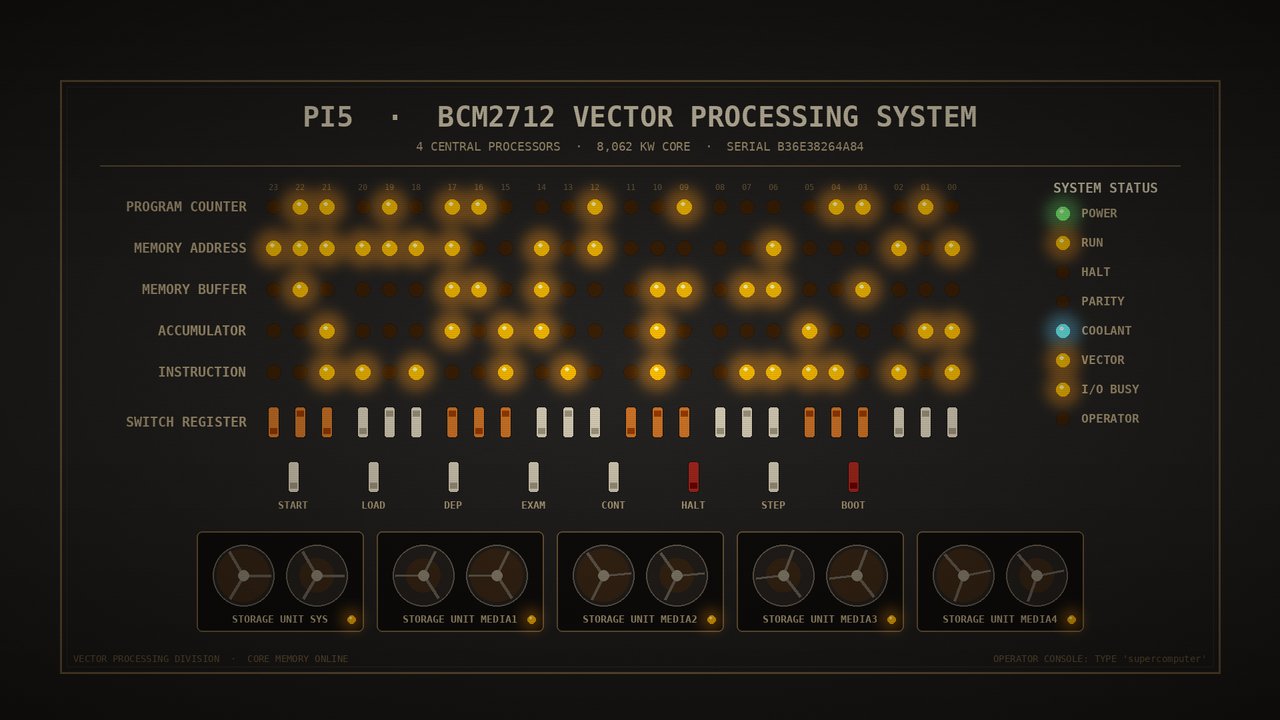
|
|
69
|
+
|
|
70
|
+
## Features
|
|
71
|
+
|
|
72
|
+
- **Lamps that mean something.** The pattern is random, as it should be on
|
|
73
|
+
any self-respecting mainframe, but *how many* lamps are lit follows real
|
|
74
|
+
per-core CPU, per-disk reads and writes, and network traffic.
|
|
75
|
+
- **Active jobs**: the busiest processes, each with its own lamp row.
|
|
76
|
+
- **Subsystems**: status lamps for services such as Plex, Samba, SSH,
|
|
77
|
+
Tailscale or Docker. A service that goes down turns red and the operator
|
|
78
|
+
log calls for attention.
|
|
79
|
+
- **Strain alarms**: a line under the header stays dim while all is well,
|
|
80
|
+
and flashes red when the machine is under strain. The operator log
|
|
81
|
+
announces each alarm and when it clears. See [Alarms](#alarms).
|
|
82
|
+
- **Operator log**: teletype-style messages about real events (busy disks,
|
|
83
|
+
saturated CPUs, network bursts), with idle chatter in between.
|
|
84
|
+
- **Login banner**: `supercomputer --banner` prints a short static version,
|
|
85
|
+
handy in a shell profile.
|
|
86
|
+
- **Wallpaper generator**: renders a matching front-panel desktop wallpaper
|
|
87
|
+
for your machine.
|
|
88
|
+
- **Linux and macOS, standard library only.** No dependencies, Python 3.9+.
|
|
89
|
+
It only reads statistics and never changes anything on your system.
|
|
90
|
+
- **Light on resources.** It reads a handful of system counters once a
|
|
91
|
+
second, scans processes every three seconds, and redraws five times a
|
|
92
|
+
second. It is much lighter than full monitors such as Glances, because it
|
|
93
|
+
doesn't track every process on every refresh.
|
|
94
|
+
|
|
95
|
+
## Install
|
|
96
|
+
|
|
97
|
+
Run it straight from a clone, with no installation needed:
|
|
98
|
+
|
|
99
|
+
```sh
|
|
100
|
+
git clone https://github.com/rdubar/supercomputer.git
|
|
101
|
+
python3 supercomputer/supercomputer.py
|
|
102
|
+
```
|
|
103
|
+
|
|
104
|
+
Or install the `supercomputer` command from PyPI (the package is called
|
|
105
|
+
`supercomputer-console`, because `supercomputer` was taken):
|
|
106
|
+
|
|
107
|
+
```sh
|
|
108
|
+
uv tool install supercomputer-console
|
|
109
|
+
# or
|
|
110
|
+
pipx install supercomputer-console
|
|
111
|
+
```
|
|
112
|
+
|
|
113
|
+
For the wallpaper generator, include the extra:
|
|
114
|
+
`uv tool install "supercomputer-console[wallpaper]"`.
|
|
115
|
+
|
|
116
|
+
Plans for Homebrew, single-binary builds and an iOS pocket console are in
|
|
117
|
+
the [roadmap](https://github.com/rdubar/supercomputer/blob/main/ROADMAP.md). Changes are listed in the [changelog](https://github.com/rdubar/supercomputer/blob/main/CHANGELOG.md).
|
|
118
|
+
|
|
119
|
+
## Use
|
|
120
|
+
|
|
121
|
+
```sh
|
|
122
|
+
supercomputer # the operator console (best at 100x40, minimum 80x24)
|
|
123
|
+
supercomputer --green # start in a colour: --amber, --green or --cyan
|
|
124
|
+
supercomputer --banner # short static banner (with any alarms), then exit
|
|
125
|
+
supercomputer --demo # simulated load and alarms, for showing off
|
|
126
|
+
supercomputer --check # one-shot strain check; exit 0 nominal, 1 alarm, 2 critical
|
|
127
|
+
supercomputer --version # version (also bottom right of the console) + quick update check
|
|
128
|
+
supercomputer --update # upgrade, using uv, pipx, pip in a venv, or git pull in a clone
|
|
129
|
+
supercomputer-wallpaper # writes ~/Pictures/wallpapers/supercomputer.png
|
|
130
|
+
supercomputer-wallpaper out.png --size 2560x1440
|
|
131
|
+
```
|
|
132
|
+
|
|
133
|
+
`--version` asks PyPI whether a newer release exists, but gives up after
|
|
134
|
+
1.5 seconds and prints the version first, so it never hangs offline. Set
|
|
135
|
+
`SUPERCOMPUTER_NO_UPDATE_CHECK=1` to skip the check.
|
|
136
|
+
|
|
137
|
+
| Key | Action |
|
|
138
|
+
|---|---|
|
|
139
|
+
| `h` / `?` | Operator controls card |
|
|
140
|
+
| `a` | Credits |
|
|
141
|
+
| `c` | Change phosphor colour (remembered between runs) |
|
|
142
|
+
| `p` / Space | Freeze / resume the panel |
|
|
143
|
+
| `q` / Esc | Halt the console (Esc closes a card first) |
|
|
144
|
+
|
|
145
|
+
## Alarms
|
|
146
|
+
|
|
147
|
+
| Alarm | Warning | Critical |
|
|
148
|
+
|---|---|---|
|
|
149
|
+
| Load (5-min average per core) | above 1.5x | above 3x |
|
|
150
|
+
| Memory | under 10% available (macOS: pressure "warning") | under 5% (macOS: pressure "critical") |
|
|
151
|
+
| Swap | over 80% used, or heavy paging | |
|
|
152
|
+
| CPU | every core above 95% for 30 seconds | |
|
|
153
|
+
| Temperature | 80 °C | 85 °C |
|
|
154
|
+
| Raspberry Pi power | under-voltage recorded since boot, throttling | under-voltage now |
|
|
155
|
+
| Disks | 95% full | 98% full |
|
|
156
|
+
| Services | a subsystem lamp's service stops | |
|
|
157
|
+
|
|
158
|
+
`--bell` makes the console ring the terminal bell on a new alarm.
|
|
159
|
+
|
|
160
|
+
### Seeing it in action
|
|
161
|
+
|
|
162
|
+
`supercomputer --demo` simulates heavy load and cycles through every alarm
|
|
163
|
+
about once a minute. It's harmless: nothing is stressed, and the footer reads
|
|
164
|
+
`DEMO: SIMULATED`.
|
|
165
|
+
|
|
166
|
+
To try real load, run this in another terminal. It keeps every core busy
|
|
167
|
+
for 45 seconds at the lowest priority, so real work still comes first. The
|
|
168
|
+
all-cores-saturated alarm fires after 30 seconds:
|
|
169
|
+
|
|
170
|
+
```sh
|
|
171
|
+
n=$(getconf _NPROCESSORS_ONLN); for i in $(seq $n); do nice -n 19 yes >/dev/null & done; sleep 45; kill $(jobs -p)
|
|
172
|
+
```
|
|
173
|
+
|
|
174
|
+
Reading a large file (`cat bigfile > /dev/null`) lights the storage lamps.
|
|
175
|
+
|
|
176
|
+
### Background checks
|
|
177
|
+
|
|
178
|
+
`supercomputer --check` takes about a second, mostly spent waiting, so it is
|
|
179
|
+
cheap to run on a timer. Add `--notify` for a desktop notification
|
|
180
|
+
(`osascript` on macOS, `notify-send` on Linux). It notifies only when the set
|
|
181
|
+
of alarms changes, not on every run, and remembers the last state in
|
|
182
|
+
`~/.cache/supercomputer/alarms`. Add `--quiet` to print nothing while all is
|
|
183
|
+
well (with `--notify`, also while nothing has changed). For example, a crontab line:
|
|
184
|
+
|
|
185
|
+
```
|
|
186
|
+
*/5 * * * * /usr/bin/python3 /path/to/supercomputer.py --check --notify --quiet
|
|
187
|
+
```
|
|
188
|
+
|
|
189
|
+
#### macOS: launchd agent
|
|
190
|
+
|
|
191
|
+
Save as `~/Library/LaunchAgents/com.github.rdubar.supercomputer.check.plist`,
|
|
192
|
+
changing the script path to your clone:
|
|
193
|
+
|
|
194
|
+
```xml
|
|
195
|
+
<?xml version="1.0" encoding="UTF-8"?>
|
|
196
|
+
<!DOCTYPE plist PUBLIC "-//Apple//DTD PLIST 1.0//EN" "http://www.apple.com/DTDs/PropertyList-1.0.dtd">
|
|
197
|
+
<plist version="1.0">
|
|
198
|
+
<dict>
|
|
199
|
+
<key>Label</key><string>com.github.rdubar.supercomputer.check</string>
|
|
200
|
+
<key>ProgramArguments</key>
|
|
201
|
+
<array>
|
|
202
|
+
<string>/usr/bin/python3</string>
|
|
203
|
+
<string>/Users/YOU/dev/supercomputer/supercomputer.py</string>
|
|
204
|
+
<string>--check</string><string>--notify</string><string>--quiet</string>
|
|
205
|
+
</array>
|
|
206
|
+
<key>StartInterval</key><integer>300</integer>
|
|
207
|
+
<key>RunAtLoad</key><true/>
|
|
208
|
+
<key>LowPriorityIO</key><true/>
|
|
209
|
+
<key>Nice</key><integer>10</integer>
|
|
210
|
+
<key>StandardOutPath</key><string>/Users/YOU/Library/Logs/supercomputer-check.log</string>
|
|
211
|
+
<key>StandardErrorPath</key><string>/Users/YOU/Library/Logs/supercomputer-check.log</string>
|
|
212
|
+
</dict>
|
|
213
|
+
</plist>
|
|
214
|
+
```
|
|
215
|
+
|
|
216
|
+
```sh
|
|
217
|
+
launchctl bootstrap gui/$(id -u) ~/Library/LaunchAgents/com.github.rdubar.supercomputer.check.plist
|
|
218
|
+
# to remove:
|
|
219
|
+
launchctl bootout gui/$(id -u)/com.github.rdubar.supercomputer.check
|
|
220
|
+
```
|
|
221
|
+
|
|
222
|
+
Notifications come from `osascript`, so macOS shows them as coming from
|
|
223
|
+
Script Editor. If none appear, allow Script Editor in System Settings →
|
|
224
|
+
Notifications.
|
|
225
|
+
|
|
226
|
+
#### Why background checks run only on the Mac (for now)
|
|
227
|
+
|
|
228
|
+
The author's setup uses the background check on the MacBook only. The
|
|
229
|
+
Raspberry Pi media server deliberately doesn't run it:
|
|
230
|
+
|
|
231
|
+
- **No one would see the notification.** The Pi runs headless, with a
|
|
232
|
+
desktop only over VNC, and has no notification tool installed. A
|
|
233
|
+
background check there could only write a log that nobody reads.
|
|
234
|
+
- **Pi alarms already appear where they will be noticed.** The SSH login
|
|
235
|
+
banner runs the same checks on every login, and the console shows them
|
|
236
|
+
live.
|
|
237
|
+
- **The Pi is a production server.** The project's rule from day one was
|
|
238
|
+
"without breaking anything": read-only, unprivileged and nothing running
|
|
239
|
+
in the background. A scheduled job is a permanent addition, so it is added
|
|
240
|
+
only where it clearly pays its way.
|
|
241
|
+
- **The Mac is where strain actually happens.** An 8 GB laptop with a
|
|
242
|
+
nearly full disk and heavy swap benefits from a nudge. Its first
|
|
243
|
+
background run flagged a 96% full disk.
|
|
244
|
+
|
|
245
|
+
The obvious next step for the Pi is to send alarms somewhere you'll see
|
|
246
|
+
them, such as a push notification or email, rather than a local log. Until
|
|
247
|
+
then it stays alarm-on-login only.
|
|
248
|
+
|
|
249
|
+
### Login banner
|
|
250
|
+
|
|
251
|
+
To show the banner on interactive SSH logins, add this to `~/.bashrc`:
|
|
252
|
+
|
|
253
|
+
```sh
|
|
254
|
+
if [[ $- == *i* && -n $SSH_CONNECTION && -z $TMUX ]] && command -v supercomputer >/dev/null; then
|
|
255
|
+
timeout 3 supercomputer --banner 2>/dev/null || true
|
|
256
|
+
fi
|
|
257
|
+
```
|
|
258
|
+
|
|
259
|
+
### Choosing the subsystem lamps
|
|
260
|
+
|
|
261
|
+
By default the console shows any common services it finds: installed
|
|
262
|
+
systemd units on Linux, or running processes on macOS. To choose your own,
|
|
263
|
+
create `~/.config/supercomputer/services` with one `LABEL target` per line:
|
|
264
|
+
|
|
265
|
+
```
|
|
266
|
+
# label systemd unit (Linux) or process name (macOS)
|
|
267
|
+
PLEX plexmediaserver
|
|
268
|
+
SMB smbd
|
|
269
|
+
DB postgresql
|
|
270
|
+
```
|
|
271
|
+
|
|
272
|
+
## Where the numbers come from
|
|
273
|
+
|
|
274
|
+
| | Linux | macOS |
|
|
275
|
+
|---|---|---|
|
|
276
|
+
| CPU per core | `/proc/stat` | Mach `host_processor_info` (via `ctypes`) |
|
|
277
|
+
| Memory | `/proc/meminfo` | `sysctl hw.memsize`, `vm_stat` |
|
|
278
|
+
| Disk I/O | `/proc/diskstats` | `ioreg` block-storage statistics |
|
|
279
|
+
| Network | `/proc/net/dev` | `netstat -ib` |
|
|
280
|
+
| Processes | `/proc/<pid>/stat` | `ps` |
|
|
281
|
+
| Services | `systemctl` | process names |
|
|
282
|
+
| Temperature | `/sys/class/thermal` | not shown (needs root) |
|
|
283
|
+
|
|
284
|
+
The serial number is a short hash of the machine's hardware address, so it
|
|
285
|
+
is stable per machine without exposing the real one.
|
|
286
|
+
|
|
287
|
+
## How this came about
|
|
288
|
+
|
|
289
|
+
This started as a throwaway idea on a Raspberry Pi 5 that works hard as a
|
|
290
|
+
home media and file server. During a session with
|
|
291
|
+
[Claude Code](https://claude.com/claude-code), Anthropic's coding agent,
|
|
292
|
+
Roger asked:
|
|
293
|
+
|
|
294
|
+
> *"Without breaking anything, can we make the Pi look like it's some retro
|
|
295
|
+
> supercomputer?"*
|
|
296
|
+
|
|
297
|
+
"Without breaking anything" was the main design constraint. The box is a
|
|
298
|
+
production server, so everything had to be read-only, unprivileged and easy
|
|
299
|
+
to remove. Claude Code proposed a terminal "front panel" in the spirit of
|
|
300
|
+
1970s mainframes, where lamps flicker in proportion to real load rather
|
|
301
|
+
than at random. It built the first version in a single Python file with no
|
|
302
|
+
dependencies, and checked that it drew correctly by running it in a
|
|
303
|
+
detached `tmux` session. Then it added a login banner and a matching
|
|
304
|
+
desktop wallpaper for the Pi's VNC session.
|
|
305
|
+
|
|
306
|
+
The rest grew from using it:
|
|
307
|
+
|
|
308
|
+
- Roger tried it on the desktop and screenshots showed the storage bars
|
|
309
|
+
rendering badly in one terminal font. The bars became reverse-video
|
|
310
|
+
blocks, which display properly in any font.
|
|
311
|
+
- The lamps revealed that a forgotten browser tab was using most of the
|
|
312
|
+
CPU, so an **Active jobs** box was added to show the culprit.
|
|
313
|
+
- Remembered colours, a help card, a freeze key and credits followed.
|
|
314
|
+
- Roger wanted to run it on his Mac. Claude Code wrote a macOS backend using
|
|
315
|
+
only what ships with the OS (Mach calls through `ctypes`, plus `ioreg`,
|
|
316
|
+
`netstat`, `vm_stat` and `ps`), and tested it over SSH on a MacBook with
|
|
317
|
+
the stock Python 3.9.
|
|
318
|
+
|
|
319
|
+
The whole project was written in conversation, a few hours from idea to
|
|
320
|
+
GitHub.
|
|
321
|
+
|
|
322
|
+
## Credits
|
|
323
|
+
|
|
324
|
+
- **Conceived by** Roger Dubar
|
|
325
|
+
- **Built by** [Claude Code](https://claude.com/claude-code) (Anthropic), working with Roger
|
|
326
|
+
|
|
327
|
+
No mainframes were harmed in the making of this console.
|
|
328
|
+
|
|
329
|
+
## License
|
|
330
|
+
|
|
331
|
+
[MIT](https://github.com/rdubar/supercomputer/blob/main/LICENSE)
|
|
@@ -0,0 +1,306 @@
|
|
|
1
|
+
# supercomputer
|
|
2
|
+
|
|
3
|
+
**A retro mainframe operator console for your terminal.** Blinkenlights,
|
|
4
|
+
tape drives and a teletype operator log, all driven by what your machine
|
|
5
|
+
is really doing.
|
|
6
|
+
|
|
7
|
+
```
|
|
8
|
+
PI5 · BCM2712 VECTOR PROCESSING SYSTEM · SERIAL B36E38264A84
|
|
9
|
+
UPTIME 2D 21H 24M CORE MEMORY 8,062 MW COOLANT 55.6 C 19:20:32
|
|
10
|
+
|
|
11
|
+
╔═ CENTRAL PROCESSORS ════════════════════════════════════════════════════════════════════════════╗
|
|
12
|
+
║ CPU 0 ● · ● ● · ● ● · ● ● · ● · · ● · ● · · ● · ● ● · 46.0% ║
|
|
13
|
+
║ CPU 1 · · · · · · · ● · · · · · · · · · · · · · · · · 6.1% ║
|
|
14
|
+
║ CPU 2 · · · ● · · · · · · · · · · · · · · ● · · · ● · 11.7% ║
|
|
15
|
+
║ CPU 3 ● ● ● ● ● · ● ● ● ● ● ● · ● ● ● ● ● · ● ● ● ● ● 88.2% ║
|
|
16
|
+
╚═════════════════════════════════════════════════════════════════════════════════════════════════╝
|
|
17
|
+
╔═ CORE STORAGE ══════════════════════════════════════════════════════════════════════════════════╗
|
|
18
|
+
║ MEM ██████████████·························· 35.8% 2.8G OF 7.9G ║
|
|
19
|
+
╚═════════════════════════════════════════════════════════════════════════════════════════════════╝
|
|
20
|
+
╔═ MASS STORAGE UNITS ════════════════════════════════════════════════════════════════════════════╗
|
|
21
|
+
║ SYS R ● ● · · W · · · · ████················ 22% OF 916.5G 4.2M/S ║
|
|
22
|
+
║ MEDIA1 R · · · · W · · · · ████████████████···· 82% OF 7.3T 0B/S ║
|
|
23
|
+
║ MEDIA4 R ● ● ● ● W · ● · · ██████·············· 32% OF 10.9T 148.3M/S ║
|
|
24
|
+
╚═════════════════════════════════════════════════════════════════════════════════════════════════╝
|
|
25
|
+
╔═ DATA LINK / SUBSYSTEMS ════════════════════════════════════════════════════════════════════════╗
|
|
26
|
+
║ RX ● · · ● TX ● · · · ■ PLEX ■ SMB ■ XMIT ■ VNC ■ SSH ■ TSNET ║
|
|
27
|
+
╚═════════════════════════════════════════════════════════════════════════════════════════════════╝
|
|
28
|
+
╔═ ACTIVE JOBS ═══════════════════════════════════════════════════════════════════════════════════╗
|
|
29
|
+
║ JOB 126290 CHROMIUM · ● · ● ● ● · ● ● ● ● ● ● ● ● ● 88.5% ║
|
|
30
|
+
║ JOB 1099 WAYVNC · · · · · · · · · · ● · · · · · 3.0% ║
|
|
31
|
+
╚═════════════════════════════════════════════════════════════════════════════════════════════════╝
|
|
32
|
+
╔═ OPERATOR LOG ══════════════════════════════════════════════════════════════════════════════════╗
|
|
33
|
+
║ 19:20:25 PI5 COLD START COMPLETE. ALL UNITS NOMINAL. ║
|
|
34
|
+
║ 19:20:31 STORAGE UNIT MEDIA4: CHANNEL ACTIVE R 148.3M/S W 1.2M/S ║
|
|
35
|
+
║ 19:20:35 VECTOR PIPELINE AT 65% — ALL PROCESSORS ENGAGED ║
|
|
36
|
+
╚═════════════════════════════════════════════════════════════════════════════════════════════════╝
|
|
37
|
+
[H] HELP [A] CREDITS [C] PHOSPHOR: AMBER [Q] HALT
|
|
38
|
+
```
|
|
39
|
+
|
|
40
|
+
(An example frame from a Raspberry Pi 5 media server. In a real terminal it
|
|
41
|
+
glows in amber, green or cyan phosphor, and the lamps blink.)
|
|
42
|
+
|
|
43
|
+

|
|
44
|
+
|
|
45
|
+
## Features
|
|
46
|
+
|
|
47
|
+
- **Lamps that mean something.** The pattern is random, as it should be on
|
|
48
|
+
any self-respecting mainframe, but *how many* lamps are lit follows real
|
|
49
|
+
per-core CPU, per-disk reads and writes, and network traffic.
|
|
50
|
+
- **Active jobs**: the busiest processes, each with its own lamp row.
|
|
51
|
+
- **Subsystems**: status lamps for services such as Plex, Samba, SSH,
|
|
52
|
+
Tailscale or Docker. A service that goes down turns red and the operator
|
|
53
|
+
log calls for attention.
|
|
54
|
+
- **Strain alarms**: a line under the header stays dim while all is well,
|
|
55
|
+
and flashes red when the machine is under strain. The operator log
|
|
56
|
+
announces each alarm and when it clears. See [Alarms](#alarms).
|
|
57
|
+
- **Operator log**: teletype-style messages about real events (busy disks,
|
|
58
|
+
saturated CPUs, network bursts), with idle chatter in between.
|
|
59
|
+
- **Login banner**: `supercomputer --banner` prints a short static version,
|
|
60
|
+
handy in a shell profile.
|
|
61
|
+
- **Wallpaper generator**: renders a matching front-panel desktop wallpaper
|
|
62
|
+
for your machine.
|
|
63
|
+
- **Linux and macOS, standard library only.** No dependencies, Python 3.9+.
|
|
64
|
+
It only reads statistics and never changes anything on your system.
|
|
65
|
+
- **Light on resources.** It reads a handful of system counters once a
|
|
66
|
+
second, scans processes every three seconds, and redraws five times a
|
|
67
|
+
second. It is much lighter than full monitors such as Glances, because it
|
|
68
|
+
doesn't track every process on every refresh.
|
|
69
|
+
|
|
70
|
+
## Install
|
|
71
|
+
|
|
72
|
+
Run it straight from a clone, with no installation needed:
|
|
73
|
+
|
|
74
|
+
```sh
|
|
75
|
+
git clone https://github.com/rdubar/supercomputer.git
|
|
76
|
+
python3 supercomputer/supercomputer.py
|
|
77
|
+
```
|
|
78
|
+
|
|
79
|
+
Or install the `supercomputer` command from PyPI (the package is called
|
|
80
|
+
`supercomputer-console`, because `supercomputer` was taken):
|
|
81
|
+
|
|
82
|
+
```sh
|
|
83
|
+
uv tool install supercomputer-console
|
|
84
|
+
# or
|
|
85
|
+
pipx install supercomputer-console
|
|
86
|
+
```
|
|
87
|
+
|
|
88
|
+
For the wallpaper generator, include the extra:
|
|
89
|
+
`uv tool install "supercomputer-console[wallpaper]"`.
|
|
90
|
+
|
|
91
|
+
Plans for Homebrew, single-binary builds and an iOS pocket console are in
|
|
92
|
+
the [roadmap](https://github.com/rdubar/supercomputer/blob/main/ROADMAP.md). Changes are listed in the [changelog](https://github.com/rdubar/supercomputer/blob/main/CHANGELOG.md).
|
|
93
|
+
|
|
94
|
+
## Use
|
|
95
|
+
|
|
96
|
+
```sh
|
|
97
|
+
supercomputer # the operator console (best at 100x40, minimum 80x24)
|
|
98
|
+
supercomputer --green # start in a colour: --amber, --green or --cyan
|
|
99
|
+
supercomputer --banner # short static banner (with any alarms), then exit
|
|
100
|
+
supercomputer --demo # simulated load and alarms, for showing off
|
|
101
|
+
supercomputer --check # one-shot strain check; exit 0 nominal, 1 alarm, 2 critical
|
|
102
|
+
supercomputer --version # version (also bottom right of the console) + quick update check
|
|
103
|
+
supercomputer --update # upgrade, using uv, pipx, pip in a venv, or git pull in a clone
|
|
104
|
+
supercomputer-wallpaper # writes ~/Pictures/wallpapers/supercomputer.png
|
|
105
|
+
supercomputer-wallpaper out.png --size 2560x1440
|
|
106
|
+
```
|
|
107
|
+
|
|
108
|
+
`--version` asks PyPI whether a newer release exists, but gives up after
|
|
109
|
+
1.5 seconds and prints the version first, so it never hangs offline. Set
|
|
110
|
+
`SUPERCOMPUTER_NO_UPDATE_CHECK=1` to skip the check.
|
|
111
|
+
|
|
112
|
+
| Key | Action |
|
|
113
|
+
|---|---|
|
|
114
|
+
| `h` / `?` | Operator controls card |
|
|
115
|
+
| `a` | Credits |
|
|
116
|
+
| `c` | Change phosphor colour (remembered between runs) |
|
|
117
|
+
| `p` / Space | Freeze / resume the panel |
|
|
118
|
+
| `q` / Esc | Halt the console (Esc closes a card first) |
|
|
119
|
+
|
|
120
|
+
## Alarms
|
|
121
|
+
|
|
122
|
+
| Alarm | Warning | Critical |
|
|
123
|
+
|---|---|---|
|
|
124
|
+
| Load (5-min average per core) | above 1.5x | above 3x |
|
|
125
|
+
| Memory | under 10% available (macOS: pressure "warning") | under 5% (macOS: pressure "critical") |
|
|
126
|
+
| Swap | over 80% used, or heavy paging | |
|
|
127
|
+
| CPU | every core above 95% for 30 seconds | |
|
|
128
|
+
| Temperature | 80 °C | 85 °C |
|
|
129
|
+
| Raspberry Pi power | under-voltage recorded since boot, throttling | under-voltage now |
|
|
130
|
+
| Disks | 95% full | 98% full |
|
|
131
|
+
| Services | a subsystem lamp's service stops | |
|
|
132
|
+
|
|
133
|
+
`--bell` makes the console ring the terminal bell on a new alarm.
|
|
134
|
+
|
|
135
|
+
### Seeing it in action
|
|
136
|
+
|
|
137
|
+
`supercomputer --demo` simulates heavy load and cycles through every alarm
|
|
138
|
+
about once a minute. It's harmless: nothing is stressed, and the footer reads
|
|
139
|
+
`DEMO: SIMULATED`.
|
|
140
|
+
|
|
141
|
+
To try real load, run this in another terminal. It keeps every core busy
|
|
142
|
+
for 45 seconds at the lowest priority, so real work still comes first. The
|
|
143
|
+
all-cores-saturated alarm fires after 30 seconds:
|
|
144
|
+
|
|
145
|
+
```sh
|
|
146
|
+
n=$(getconf _NPROCESSORS_ONLN); for i in $(seq $n); do nice -n 19 yes >/dev/null & done; sleep 45; kill $(jobs -p)
|
|
147
|
+
```
|
|
148
|
+
|
|
149
|
+
Reading a large file (`cat bigfile > /dev/null`) lights the storage lamps.
|
|
150
|
+
|
|
151
|
+
### Background checks
|
|
152
|
+
|
|
153
|
+
`supercomputer --check` takes about a second, mostly spent waiting, so it is
|
|
154
|
+
cheap to run on a timer. Add `--notify` for a desktop notification
|
|
155
|
+
(`osascript` on macOS, `notify-send` on Linux). It notifies only when the set
|
|
156
|
+
of alarms changes, not on every run, and remembers the last state in
|
|
157
|
+
`~/.cache/supercomputer/alarms`. Add `--quiet` to print nothing while all is
|
|
158
|
+
well (with `--notify`, also while nothing has changed). For example, a crontab line:
|
|
159
|
+
|
|
160
|
+
```
|
|
161
|
+
*/5 * * * * /usr/bin/python3 /path/to/supercomputer.py --check --notify --quiet
|
|
162
|
+
```
|
|
163
|
+
|
|
164
|
+
#### macOS: launchd agent
|
|
165
|
+
|
|
166
|
+
Save as `~/Library/LaunchAgents/com.github.rdubar.supercomputer.check.plist`,
|
|
167
|
+
changing the script path to your clone:
|
|
168
|
+
|
|
169
|
+
```xml
|
|
170
|
+
<?xml version="1.0" encoding="UTF-8"?>
|
|
171
|
+
<!DOCTYPE plist PUBLIC "-//Apple//DTD PLIST 1.0//EN" "http://www.apple.com/DTDs/PropertyList-1.0.dtd">
|
|
172
|
+
<plist version="1.0">
|
|
173
|
+
<dict>
|
|
174
|
+
<key>Label</key><string>com.github.rdubar.supercomputer.check</string>
|
|
175
|
+
<key>ProgramArguments</key>
|
|
176
|
+
<array>
|
|
177
|
+
<string>/usr/bin/python3</string>
|
|
178
|
+
<string>/Users/YOU/dev/supercomputer/supercomputer.py</string>
|
|
179
|
+
<string>--check</string><string>--notify</string><string>--quiet</string>
|
|
180
|
+
</array>
|
|
181
|
+
<key>StartInterval</key><integer>300</integer>
|
|
182
|
+
<key>RunAtLoad</key><true/>
|
|
183
|
+
<key>LowPriorityIO</key><true/>
|
|
184
|
+
<key>Nice</key><integer>10</integer>
|
|
185
|
+
<key>StandardOutPath</key><string>/Users/YOU/Library/Logs/supercomputer-check.log</string>
|
|
186
|
+
<key>StandardErrorPath</key><string>/Users/YOU/Library/Logs/supercomputer-check.log</string>
|
|
187
|
+
</dict>
|
|
188
|
+
</plist>
|
|
189
|
+
```
|
|
190
|
+
|
|
191
|
+
```sh
|
|
192
|
+
launchctl bootstrap gui/$(id -u) ~/Library/LaunchAgents/com.github.rdubar.supercomputer.check.plist
|
|
193
|
+
# to remove:
|
|
194
|
+
launchctl bootout gui/$(id -u)/com.github.rdubar.supercomputer.check
|
|
195
|
+
```
|
|
196
|
+
|
|
197
|
+
Notifications come from `osascript`, so macOS shows them as coming from
|
|
198
|
+
Script Editor. If none appear, allow Script Editor in System Settings →
|
|
199
|
+
Notifications.
|
|
200
|
+
|
|
201
|
+
#### Why background checks run only on the Mac (for now)
|
|
202
|
+
|
|
203
|
+
The author's setup uses the background check on the MacBook only. The
|
|
204
|
+
Raspberry Pi media server deliberately doesn't run it:
|
|
205
|
+
|
|
206
|
+
- **No one would see the notification.** The Pi runs headless, with a
|
|
207
|
+
desktop only over VNC, and has no notification tool installed. A
|
|
208
|
+
background check there could only write a log that nobody reads.
|
|
209
|
+
- **Pi alarms already appear where they will be noticed.** The SSH login
|
|
210
|
+
banner runs the same checks on every login, and the console shows them
|
|
211
|
+
live.
|
|
212
|
+
- **The Pi is a production server.** The project's rule from day one was
|
|
213
|
+
"without breaking anything": read-only, unprivileged and nothing running
|
|
214
|
+
in the background. A scheduled job is a permanent addition, so it is added
|
|
215
|
+
only where it clearly pays its way.
|
|
216
|
+
- **The Mac is where strain actually happens.** An 8 GB laptop with a
|
|
217
|
+
nearly full disk and heavy swap benefits from a nudge. Its first
|
|
218
|
+
background run flagged a 96% full disk.
|
|
219
|
+
|
|
220
|
+
The obvious next step for the Pi is to send alarms somewhere you'll see
|
|
221
|
+
them, such as a push notification or email, rather than a local log. Until
|
|
222
|
+
then it stays alarm-on-login only.
|
|
223
|
+
|
|
224
|
+
### Login banner
|
|
225
|
+
|
|
226
|
+
To show the banner on interactive SSH logins, add this to `~/.bashrc`:
|
|
227
|
+
|
|
228
|
+
```sh
|
|
229
|
+
if [[ $- == *i* && -n $SSH_CONNECTION && -z $TMUX ]] && command -v supercomputer >/dev/null; then
|
|
230
|
+
timeout 3 supercomputer --banner 2>/dev/null || true
|
|
231
|
+
fi
|
|
232
|
+
```
|
|
233
|
+
|
|
234
|
+
### Choosing the subsystem lamps
|
|
235
|
+
|
|
236
|
+
By default the console shows any common services it finds: installed
|
|
237
|
+
systemd units on Linux, or running processes on macOS. To choose your own,
|
|
238
|
+
create `~/.config/supercomputer/services` with one `LABEL target` per line:
|
|
239
|
+
|
|
240
|
+
```
|
|
241
|
+
# label systemd unit (Linux) or process name (macOS)
|
|
242
|
+
PLEX plexmediaserver
|
|
243
|
+
SMB smbd
|
|
244
|
+
DB postgresql
|
|
245
|
+
```
|
|
246
|
+
|
|
247
|
+
## Where the numbers come from
|
|
248
|
+
|
|
249
|
+
| | Linux | macOS |
|
|
250
|
+
|---|---|---|
|
|
251
|
+
| CPU per core | `/proc/stat` | Mach `host_processor_info` (via `ctypes`) |
|
|
252
|
+
| Memory | `/proc/meminfo` | `sysctl hw.memsize`, `vm_stat` |
|
|
253
|
+
| Disk I/O | `/proc/diskstats` | `ioreg` block-storage statistics |
|
|
254
|
+
| Network | `/proc/net/dev` | `netstat -ib` |
|
|
255
|
+
| Processes | `/proc/<pid>/stat` | `ps` |
|
|
256
|
+
| Services | `systemctl` | process names |
|
|
257
|
+
| Temperature | `/sys/class/thermal` | not shown (needs root) |
|
|
258
|
+
|
|
259
|
+
The serial number is a short hash of the machine's hardware address, so it
|
|
260
|
+
is stable per machine without exposing the real one.
|
|
261
|
+
|
|
262
|
+
## How this came about
|
|
263
|
+
|
|
264
|
+
This started as a throwaway idea on a Raspberry Pi 5 that works hard as a
|
|
265
|
+
home media and file server. During a session with
|
|
266
|
+
[Claude Code](https://claude.com/claude-code), Anthropic's coding agent,
|
|
267
|
+
Roger asked:
|
|
268
|
+
|
|
269
|
+
> *"Without breaking anything, can we make the Pi look like it's some retro
|
|
270
|
+
> supercomputer?"*
|
|
271
|
+
|
|
272
|
+
"Without breaking anything" was the main design constraint. The box is a
|
|
273
|
+
production server, so everything had to be read-only, unprivileged and easy
|
|
274
|
+
to remove. Claude Code proposed a terminal "front panel" in the spirit of
|
|
275
|
+
1970s mainframes, where lamps flicker in proportion to real load rather
|
|
276
|
+
than at random. It built the first version in a single Python file with no
|
|
277
|
+
dependencies, and checked that it drew correctly by running it in a
|
|
278
|
+
detached `tmux` session. Then it added a login banner and a matching
|
|
279
|
+
desktop wallpaper for the Pi's VNC session.
|
|
280
|
+
|
|
281
|
+
The rest grew from using it:
|
|
282
|
+
|
|
283
|
+
- Roger tried it on the desktop and screenshots showed the storage bars
|
|
284
|
+
rendering badly in one terminal font. The bars became reverse-video
|
|
285
|
+
blocks, which display properly in any font.
|
|
286
|
+
- The lamps revealed that a forgotten browser tab was using most of the
|
|
287
|
+
CPU, so an **Active jobs** box was added to show the culprit.
|
|
288
|
+
- Remembered colours, a help card, a freeze key and credits followed.
|
|
289
|
+
- Roger wanted to run it on his Mac. Claude Code wrote a macOS backend using
|
|
290
|
+
only what ships with the OS (Mach calls through `ctypes`, plus `ioreg`,
|
|
291
|
+
`netstat`, `vm_stat` and `ps`), and tested it over SSH on a MacBook with
|
|
292
|
+
the stock Python 3.9.
|
|
293
|
+
|
|
294
|
+
The whole project was written in conversation, a few hours from idea to
|
|
295
|
+
GitHub.
|
|
296
|
+
|
|
297
|
+
## Credits
|
|
298
|
+
|
|
299
|
+
- **Conceived by** Roger Dubar
|
|
300
|
+
- **Built by** [Claude Code](https://claude.com/claude-code) (Anthropic), working with Roger
|
|
301
|
+
|
|
302
|
+
No mainframes were harmed in the making of this console.
|
|
303
|
+
|
|
304
|
+
## License
|
|
305
|
+
|
|
306
|
+
[MIT](https://github.com/rdubar/supercomputer/blob/main/LICENSE)
|