sudo-noclip 1.0.0__tar.gz
This diff represents the content of publicly available package versions that have been released to one of the supported registries. The information contained in this diff is provided for informational purposes only and reflects changes between package versions as they appear in their respective public registries.
- sudo_noclip-1.0.0/PKG-INFO +74 -0
- sudo_noclip-1.0.0/README.md +63 -0
- sudo_noclip-1.0.0/main.py +1433 -0
- sudo_noclip-1.0.0/pyproject.toml +21 -0
- sudo_noclip-1.0.0/setup.cfg +4 -0
- sudo_noclip-1.0.0/sudo_noclip.egg-info/PKG-INFO +74 -0
- sudo_noclip-1.0.0/sudo_noclip.egg-info/SOURCES.txt +9 -0
- sudo_noclip-1.0.0/sudo_noclip.egg-info/dependency_links.txt +1 -0
- sudo_noclip-1.0.0/sudo_noclip.egg-info/entry_points.txt +2 -0
- sudo_noclip-1.0.0/sudo_noclip.egg-info/requires.txt +2 -0
- sudo_noclip-1.0.0/sudo_noclip.egg-info/top_level.txt +1 -0
|
@@ -0,0 +1,74 @@
|
|
|
1
|
+
Metadata-Version: 2.4
|
|
2
|
+
Name: sudo-noclip
|
|
3
|
+
Version: 1.0.0
|
|
4
|
+
Summary: A 3D, backrooms-style horror game that runs entirely in the terminal.
|
|
5
|
+
Author: Stefan Lupascu
|
|
6
|
+
License-Expression: MIT
|
|
7
|
+
Requires-Python: >=3.10
|
|
8
|
+
Description-Content-Type: text/markdown
|
|
9
|
+
Requires-Dist: numpy
|
|
10
|
+
Requires-Dist: numba
|
|
11
|
+
|
|
12
|
+
# Sudo-Noclip
|
|
13
|
+
|
|
14
|
+
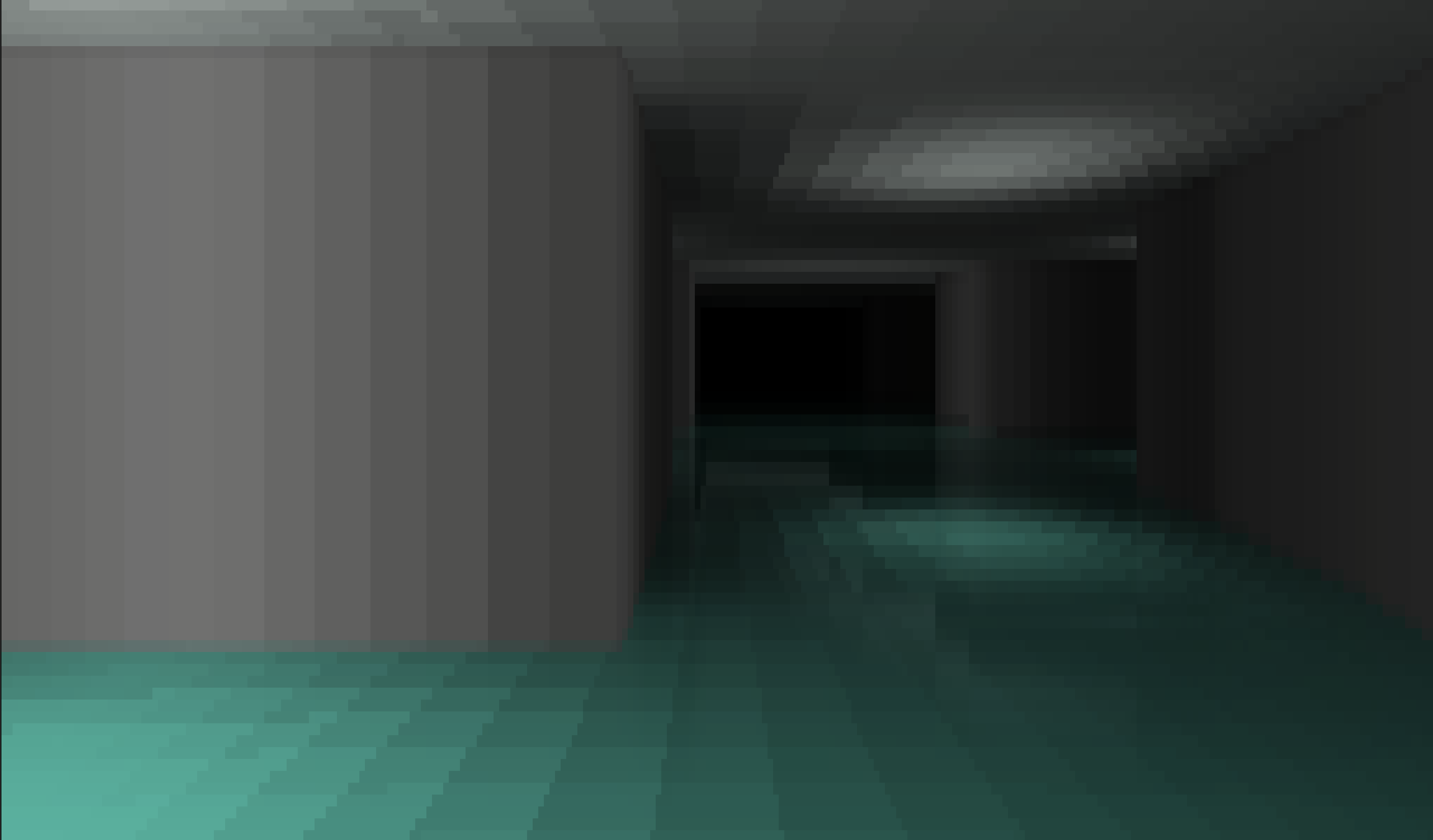
Sudo-Noclip is a 3D, backrooms-style horror game that runs entirely in the terminal.
|
|
15
|
+
|
|
16
|
+
|
|
17
|
+
|
|
18
|
+
<br>
|
|
19
|
+
<p align="center">
|
|
20
|
+
<em>Greetings, Traveller.<br><br>
|
|
21
|
+
Trust your heart.<br>
|
|
22
|
+
Stay in the light.<br>
|
|
23
|
+
Do not close your eyes.<br>
|
|
24
|
+
Do not let your light go out...<br></em>
|
|
25
|
+
</p>
|
|
26
|
+
<br>
|
|
27
|
+
|
|
28
|
+
## Get Started
|
|
29
|
+
|
|
30
|
+
>Playtime: **~20 minutes**
|
|
31
|
+
|
|
32
|
+
To play, simply install the game using `pip` and run it:
|
|
33
|
+
|
|
34
|
+
```bash
|
|
35
|
+
pip install sudo-noclip
|
|
36
|
+
sudo-noclip
|
|
37
|
+
```
|
|
38
|
+
|
|
39
|
+
- `WASD` to move
|
|
40
|
+
- `O` to turn left
|
|
41
|
+
- `P` to turn right
|
|
42
|
+
- `1-4` number keys adjust the graphics quality
|
|
43
|
+
- `T` toggles the grain VFX
|
|
44
|
+
- `X` quits the game
|
|
45
|
+
|
|
46
|
+
>_Check out the in game guide for more details_
|
|
47
|
+
|
|
48
|
+
## Rendering
|
|
49
|
+
|
|
50
|
+
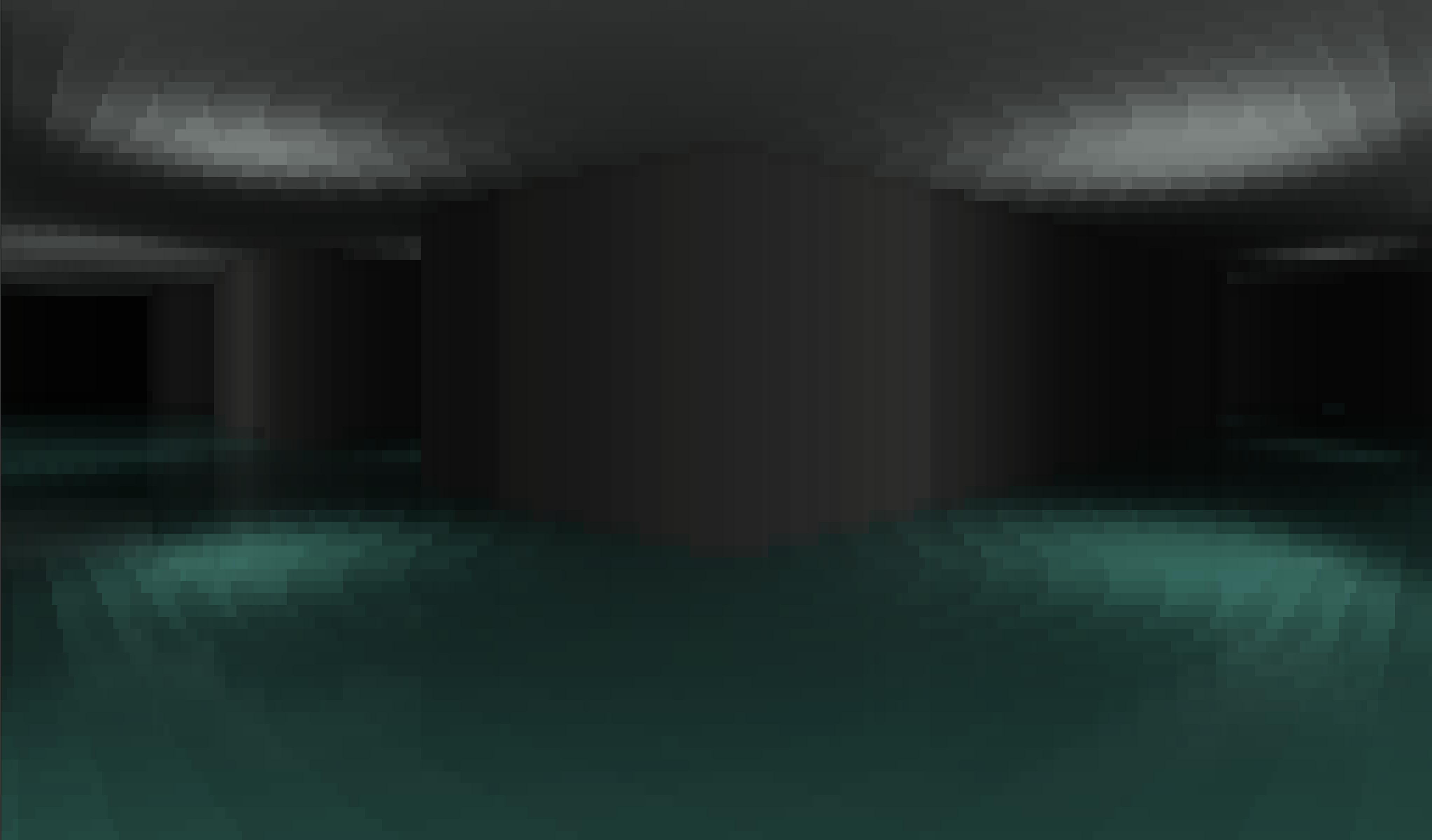
At its core, this game uses a 2D grid for the map. Raycasting runs every frame across the player's field of view in a horizontal scanline, casting rays to calculate hit distances and collisions. That distance data is then used to draw walls, with a floor and ceiling filling the top and bottom of the screen.
|
|
51
|
+
|
|
52
|
+
To keep performance high while allowing for precise ray marching, the raycaster uses a downscaled version of the world map alongside the full resolution map to skip marching rays across empty corridors.
|
|
53
|
+
|
|
54
|
+
|
|
55
|
+
|
|
56
|
+
## Shading
|
|
57
|
+
|
|
58
|
+
To render graphics within a terminal, I used Unicode full-block characters (" █ ") as pixels, with ANSI escape codes to add colour. Every frame, the screen buffer is translated into a string, with ANSI escape codes inserted only when the colour along a row changes, as to avoid the ANSI compute cost on non-GPU terminals.
|
|
59
|
+
|
|
60
|
+
To further mitigate the ANSI cost, I added colour quantisation to restrict the colour shades to a fixed number of steps. This produces fewer colour transitions per row, minimising the frequency of ANSI escape codes.
|
|
61
|
+
|
|
62
|
+
For lighting, a lightmap is ray-traced during level generation, where each tile on the lightmap corresponds to a tile on the main map. To improve performance, lighting is traced per tile rather than at a finer resolution.
|
|
63
|
+
|
|
64
|
+
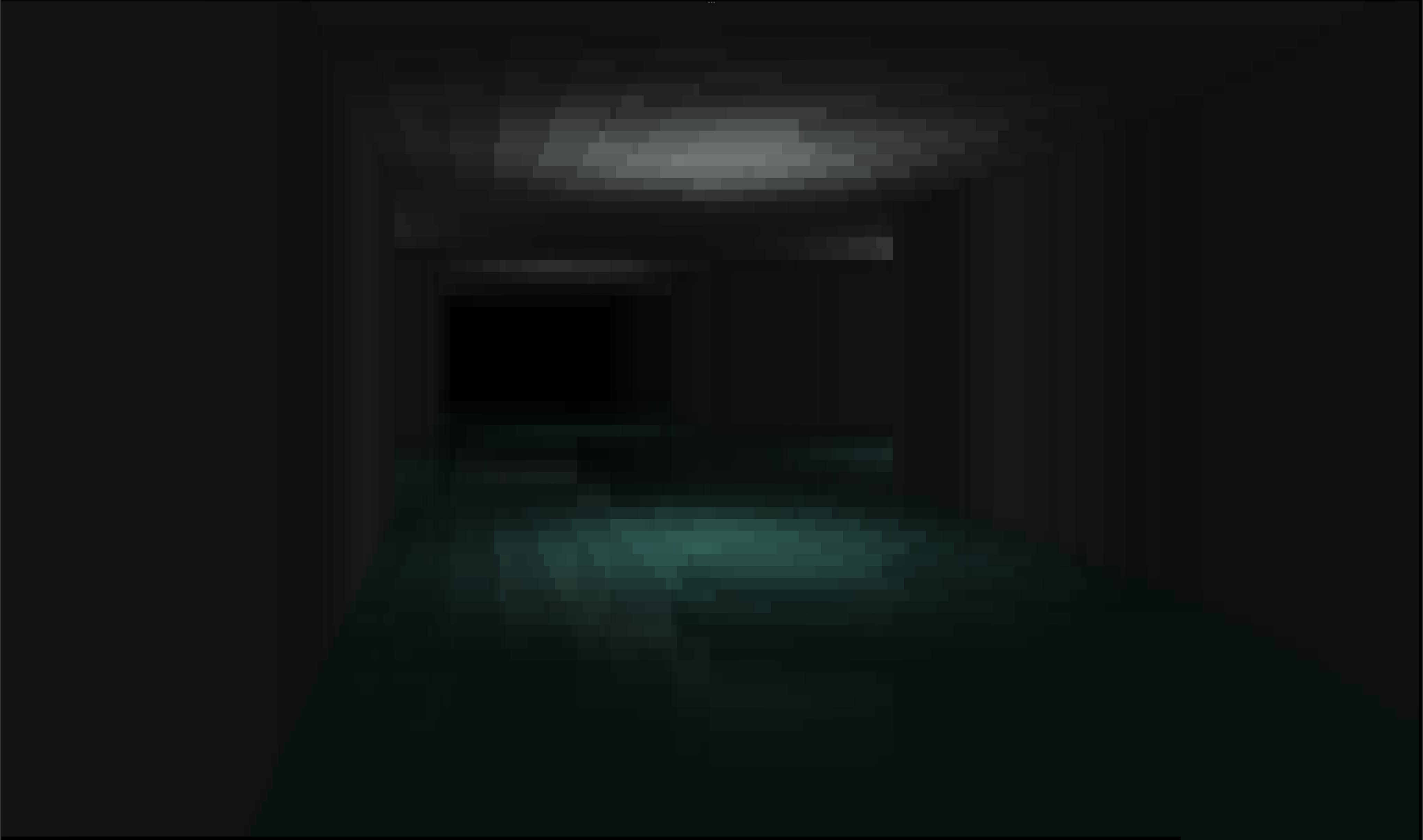
On water-based levels, screen-space reflections (SSR) create the illusion of transparency by using the vertical symmetry of raycasting. For each floor pixel, the `y` screen coordinate is reflected across the bottom of the wall in that column to sample the reflection. Both colour samples are then alpha blended together to render the water effect.
|
|
65
|
+
|
|
66
|
+
|
|
67
|
+
|
|
68
|
+
## JIT
|
|
69
|
+
|
|
70
|
+
To achieve smooth frame rates in a standard Python interpreter, loop heavy functions (raycasting, lightmap generation, rasterisation, and pathfinding) are accelerated using Numba Just In Time (JIT) compilation.
|
|
71
|
+
|
|
72
|
+
## Licence
|
|
73
|
+
|
|
74
|
+
This project is licensed under the MIT License
|
|
@@ -0,0 +1,63 @@
|
|
|
1
|
+
# Sudo-Noclip
|
|
2
|
+
|
|
3
|
+
Sudo-Noclip is a 3D, backrooms-style horror game that runs entirely in the terminal.
|
|
4
|
+
|
|
5
|
+

|
|
6
|
+
|
|
7
|
+
<br>
|
|
8
|
+
<p align="center">
|
|
9
|
+
<em>Greetings, Traveller.<br><br>
|
|
10
|
+
Trust your heart.<br>
|
|
11
|
+
Stay in the light.<br>
|
|
12
|
+
Do not close your eyes.<br>
|
|
13
|
+
Do not let your light go out...<br></em>
|
|
14
|
+
</p>
|
|
15
|
+
<br>
|
|
16
|
+
|
|
17
|
+
## Get Started
|
|
18
|
+
|
|
19
|
+
>Playtime: **~20 minutes**
|
|
20
|
+
|
|
21
|
+
To play, simply install the game using `pip` and run it:
|
|
22
|
+
|
|
23
|
+
```bash
|
|
24
|
+
pip install sudo-noclip
|
|
25
|
+
sudo-noclip
|
|
26
|
+
```
|
|
27
|
+
|
|
28
|
+
- `WASD` to move
|
|
29
|
+
- `O` to turn left
|
|
30
|
+
- `P` to turn right
|
|
31
|
+
- `1-4` number keys adjust the graphics quality
|
|
32
|
+
- `T` toggles the grain VFX
|
|
33
|
+
- `X` quits the game
|
|
34
|
+
|
|
35
|
+
>_Check out the in game guide for more details_
|
|
36
|
+
|
|
37
|
+
## Rendering
|
|
38
|
+
|
|
39
|
+
At its core, this game uses a 2D grid for the map. Raycasting runs every frame across the player's field of view in a horizontal scanline, casting rays to calculate hit distances and collisions. That distance data is then used to draw walls, with a floor and ceiling filling the top and bottom of the screen.
|
|
40
|
+
|
|
41
|
+
To keep performance high while allowing for precise ray marching, the raycaster uses a downscaled version of the world map alongside the full resolution map to skip marching rays across empty corridors.
|
|
42
|
+
|
|
43
|
+

|
|
44
|
+
|
|
45
|
+
## Shading
|
|
46
|
+
|
|
47
|
+
To render graphics within a terminal, I used Unicode full-block characters (" █ ") as pixels, with ANSI escape codes to add colour. Every frame, the screen buffer is translated into a string, with ANSI escape codes inserted only when the colour along a row changes, as to avoid the ANSI compute cost on non-GPU terminals.
|
|
48
|
+
|
|
49
|
+
To further mitigate the ANSI cost, I added colour quantisation to restrict the colour shades to a fixed number of steps. This produces fewer colour transitions per row, minimising the frequency of ANSI escape codes.
|
|
50
|
+
|
|
51
|
+
For lighting, a lightmap is ray-traced during level generation, where each tile on the lightmap corresponds to a tile on the main map. To improve performance, lighting is traced per tile rather than at a finer resolution.
|
|
52
|
+
|
|
53
|
+
On water-based levels, screen-space reflections (SSR) create the illusion of transparency by using the vertical symmetry of raycasting. For each floor pixel, the `y` screen coordinate is reflected across the bottom of the wall in that column to sample the reflection. Both colour samples are then alpha blended together to render the water effect.
|
|
54
|
+
|
|
55
|
+

|
|
56
|
+
|
|
57
|
+
## JIT
|
|
58
|
+
|
|
59
|
+
To achieve smooth frame rates in a standard Python interpreter, loop heavy functions (raycasting, lightmap generation, rasterisation, and pathfinding) are accelerated using Numba Just In Time (JIT) compilation.
|
|
60
|
+
|
|
61
|
+
## Licence
|
|
62
|
+
|
|
63
|
+
This project is licensed under the MIT License
|