setupEM 0.19.0__tar.gz → 0.21.0__tar.gz
This diff represents the content of publicly available package versions that have been released to one of the supported registries. The information contained in this diff is provided for informational purposes only and reflects changes between package versions as they appear in their respective public registries.
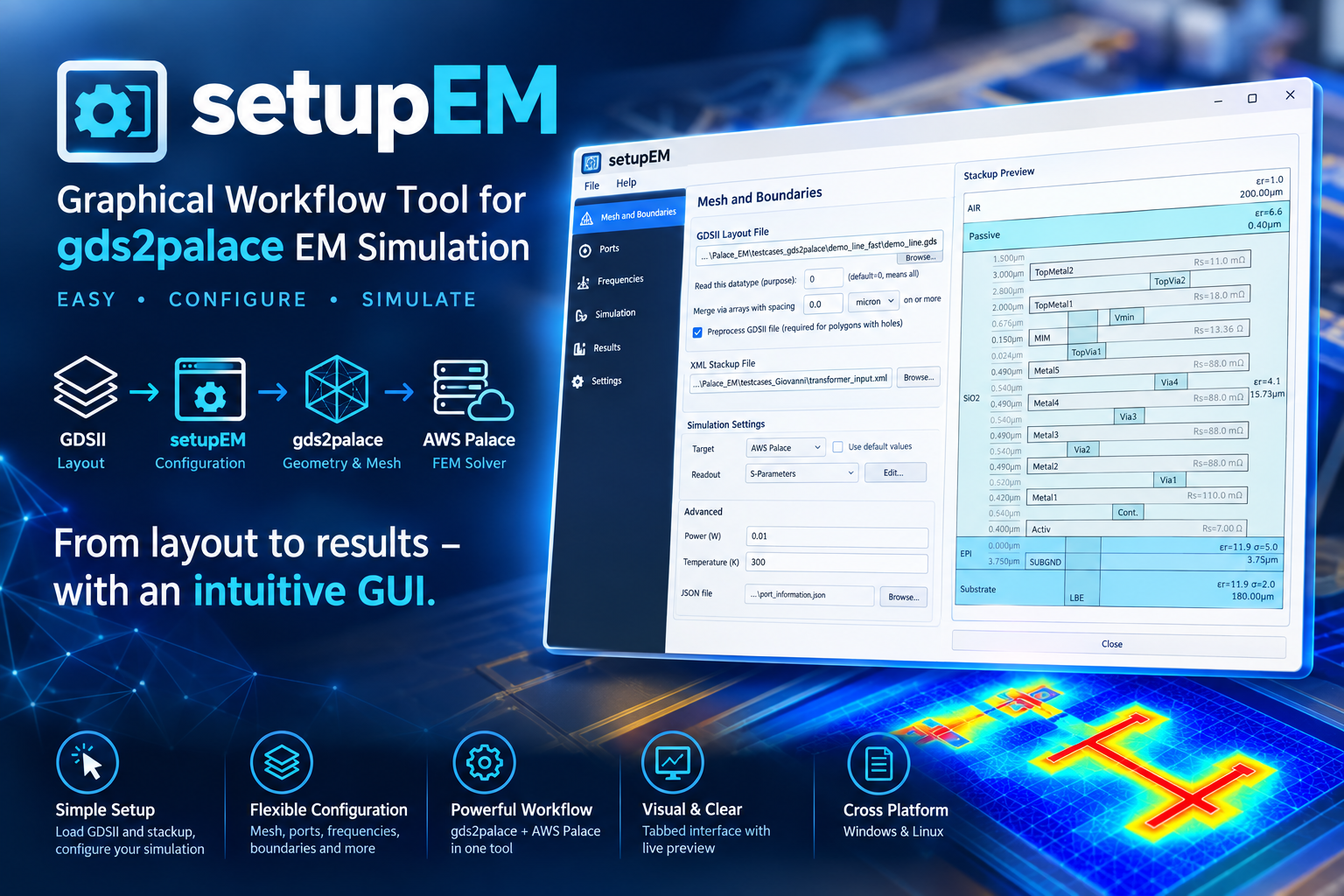
- setupem-0.21.0/PKG-INFO +126 -0
- {setupem-0.19.0 → setupem-0.21.0}/README.md +13 -2
- setupem-0.21.0/README_pypi.md +97 -0
- {setupem-0.19.0 → setupem-0.21.0}/pyproject.toml +2 -2
- {setupem-0.19.0 → setupem-0.21.0}/src/setupEM/__init__.py +1 -1
- {setupem-0.19.0 → setupem-0.21.0}/src/setupEM/data/SG13G2_FEM_200um.xml +6 -6
- {setupem-0.19.0 → setupem-0.21.0}/src/setupEM/data/SG13G2_FEM_200um_passi3D.xml +6 -5
- {setupem-0.19.0 → setupem-0.21.0}/src/setupEM/field_viewer.py +398 -140
- {setupem-0.19.0 → setupem-0.21.0}/src/setupEM/layout_preview.py +50 -26
- {setupem-0.19.0 → setupem-0.21.0}/src/setupEM/script_writer.py +11 -2
- {setupem-0.19.0 → setupem-0.21.0}/src/setupEM/setupEM.py +65 -37
- {setupem-0.19.0 → setupem-0.21.0}/src/setupEM/setupThermal.py +92 -20
- {setupem-0.19.0 → setupem-0.21.0}/src/setupEM/setup_common.py +140 -12
- {setupem-0.19.0 → setupem-0.21.0}/src/setupEM/simplify_gds.py +28 -8
- {setupem-0.19.0 → setupem-0.21.0}/src/setupEM/stackupEditor.py +653 -13
- {setupem-0.19.0 → setupem-0.21.0}/src/setupEM/stackup_writer.py +231 -21
- {setupem-0.19.0 → setupem-0.21.0}/src/setupEM/thermal_results.py +106 -13
- setupem-0.21.0/src/setupEM.egg-info/PKG-INFO +126 -0
- {setupem-0.19.0 → setupem-0.21.0}/src/setupEM.egg-info/SOURCES.txt +11 -1
- {setupem-0.19.0 → setupem-0.21.0}/src/setupEM.egg-info/requires.txt +2 -2
- setupem-0.21.0/tests/test_datatype_editor.py +131 -0
- setupem-0.21.0/tests/test_directional_thermal_editor.py +203 -0
- setupem-0.21.0/tests/test_field_viewer_arrows.py +112 -0
- setupem-0.21.0/tests/test_field_viewer_surface.py +76 -0
- setupem-0.21.0/tests/test_priority_editor.py +162 -0
- {setupem-0.19.0 → setupem-0.21.0}/tests/test_script_writer.py +24 -0
- setupem-0.21.0/tests/test_simplify_datatype.py +25 -0
- setupem-0.21.0/tests/test_stackup_save.py +123 -0
- setupem-0.21.0/tests/test_status_line.py +117 -0
- {setupem-0.19.0 → setupem-0.21.0}/tests/test_thermal_powers.py +17 -0
- {setupem-0.19.0 → setupem-0.21.0}/tests/test_thermal_results.py +128 -5
- setupem-0.21.0/tests/test_thermal_stackup_label.py +48 -0
- setupem-0.21.0/tests/test_variable_allowed_values.py +156 -0
- setupem-0.19.0/PKG-INFO +0 -91
- setupem-0.19.0/README_pypi.md +0 -62
- setupem-0.19.0/src/setupEM.egg-info/PKG-INFO +0 -91
- {setupem-0.19.0 → setupem-0.21.0}/LICENSE +0 -0
- {setupem-0.19.0 → setupem-0.21.0}/setup.cfg +0 -0
- {setupem-0.19.0 → setupem-0.21.0}/src/setupEM/__main__.py +0 -0
- {setupem-0.19.0 → setupem-0.21.0}/src/setupEM/cli_common.py +0 -0
- {setupem-0.19.0 → setupem-0.21.0}/src/setupEM/config_update.py +0 -0
- {setupem-0.19.0 → setupem-0.21.0}/src/setupEM/data/SG13CMOS5L_200um.xml +0 -0
- {setupem-0.19.0 → setupem-0.21.0}/src/setupEM/data/SG13G2_100um.xml +0 -0
- {setupem-0.19.0 → setupem-0.21.0}/src/setupEM/data/SG13G2_200um.xml +0 -0
- {setupem-0.19.0 → setupem-0.21.0}/src/setupEM/data/SG13G2_nosub.xml +0 -0
- {setupem-0.19.0 → setupem-0.21.0}/src/setupEM/gds_hierarchy_scan.py +0 -0
- {setupem-0.19.0 → setupem-0.21.0}/src/setupEM/join_pieces.py +0 -0
- {setupem-0.19.0 → setupem-0.21.0}/src/setupEM/momentum_import.py +0 -0
- {setupem-0.19.0 → setupem-0.21.0}/src/setupEM/palace_results.py +0 -0
- {setupem-0.19.0 → setupem-0.21.0}/src/setupEM/piece_set.py +0 -0
- {setupem-0.19.0 → setupem-0.21.0}/src/setupEM/result_viewer.py +0 -0
- {setupem-0.19.0 → setupem-0.21.0}/src/setupEM/run_with_overrides.py +0 -0
- {setupem-0.19.0 → setupem-0.21.0}/src/setupEM/script_model.py +0 -0
- {setupem-0.19.0 → setupem-0.21.0}/src/setupEM/script_probe.py +0 -0
- {setupem-0.19.0 → setupem-0.21.0}/src/setupEM.egg-info/dependency_links.txt +0 -0
- {setupem-0.19.0 → setupem-0.21.0}/src/setupEM.egg-info/entry_points.txt +0 -0
- {setupem-0.19.0 → setupem-0.21.0}/src/setupEM.egg-info/top_level.txt +0 -0
- {setupem-0.19.0 → setupem-0.21.0}/tests/test_cellname_default.py +0 -0
- {setupem-0.19.0 → setupem-0.21.0}/tests/test_cli_startup.py +0 -0
- {setupem-0.19.0 → setupem-0.21.0}/tests/test_config_update.py +0 -0
- {setupem-0.19.0 → setupem-0.21.0}/tests/test_config_update_gui.py +0 -0
- {setupem-0.19.0 → setupem-0.21.0}/tests/test_deembedded_view.py +0 -0
- {setupem-0.19.0 → setupem-0.21.0}/tests/test_export_no_gui.py +0 -0
- {setupem-0.19.0 → setupem-0.21.0}/tests/test_join_pieces.py +0 -0
- {setupem-0.19.0 → setupem-0.21.0}/tests/test_margin_per_side.py +0 -0
- {setupem-0.19.0 → setupem-0.21.0}/tests/test_piece_set.py +0 -0
- {setupem-0.19.0 → setupem-0.21.0}/tests/test_port_walls.py +0 -0
- {setupem-0.19.0 → setupem-0.21.0}/tests/test_qt_platform_noise.py +0 -0
- {setupem-0.19.0 → setupem-0.21.0}/tests/test_return_applies.py +0 -0
- {setupem-0.19.0 → setupem-0.21.0}/tests/test_run_with_overrides.py +0 -0
- {setupem-0.19.0 → setupem-0.21.0}/tests/test_save_current_file.py +0 -0
- {setupem-0.19.0 → setupem-0.21.0}/tests/test_script_model.py +0 -0
- {setupem-0.19.0 → setupem-0.21.0}/tests/test_script_probe.py +0 -0
- {setupem-0.19.0 → setupem-0.21.0}/tests/test_table_rows.py +0 -0
setupem-0.21.0/PKG-INFO
ADDED
|
@@ -0,0 +1,126 @@
|
|
|
1
|
+
Metadata-Version: 2.4
|
|
2
|
+
Name: setupEM
|
|
3
|
+
Version: 0.21.0
|
|
4
|
+
Summary: Python tool for configuration of gds2palace workflow with GUI.
|
|
5
|
+
Author-email: Volker Muehlhaus <volker@muehlhaus.com>
|
|
6
|
+
License-Expression: GPL-3.0-or-later
|
|
7
|
+
Project-URL: Homepage, https://github.com/VolkerMuehlhaus/setupEM
|
|
8
|
+
Project-URL: Repository, https://github.com/VolkerMuehlhaus/setupEM
|
|
9
|
+
Project-URL: Changelog, https://github.com/VolkerMuehlhaus/setupEM/blob/main/doc/CHANGES.md
|
|
10
|
+
Requires-Python: >=3.9
|
|
11
|
+
Description-Content-Type: text/markdown
|
|
12
|
+
License-File: LICENSE
|
|
13
|
+
Requires-Dist: gds2palace>=0.13.0
|
|
14
|
+
Requires-Dist: gds_prepare_for_EM>=1.9.0
|
|
15
|
+
Requires-Dist: PySide6
|
|
16
|
+
Requires-Dist: shiboken6
|
|
17
|
+
Requires-Dist: scipy
|
|
18
|
+
Requires-Dist: requests
|
|
19
|
+
Requires-Dist: scikit-rf
|
|
20
|
+
Requires-Dist: matplotlib
|
|
21
|
+
Requires-Dist: numpy
|
|
22
|
+
Requires-Dist: gdstk
|
|
23
|
+
Requires-Dist: meshio
|
|
24
|
+
Requires-Dist: pyvista
|
|
25
|
+
Requires-Dist: pyvistaqt
|
|
26
|
+
Provides-Extra: test
|
|
27
|
+
Requires-Dist: pytest; extra == "test"
|
|
28
|
+
Dynamic: license-file
|
|
29
|
+
|
|
30
|
+
# Python GUI for gds2palace
|
|
31
|
+
|
|
32
|
+
|
|
33
|
+
|
|
34
|
+
## Install
|
|
35
|
+
|
|
36
|
+
pip install setupEM
|
|
37
|
+
|
|
38
|
+
**Full documentation, installation guide, and usage walkthrough:**
|
|
39
|
+
https://github.com/VolkerMuehlhaus/setupEM
|
|
40
|
+
|
|
41
|
+
## Recent changes
|
|
42
|
+
|
|
43
|
+
# Highlights
|
|
44
|
+
|
|
45
|
+
The main new features of the last months, with the version that brought them:
|
|
46
|
+
|
|
47
|
+
- **Stackup Editor: overlapping materials (Priority), thermal conductivity lateral and vertical, limits for stackup variables, datatype per layer** (0.21.0)
|
|
48
|
+
- **setupThermal: heat flux, temperature gradient and heat flow per boundary** (0.20.0)
|
|
49
|
+
- **Port walls**: calibrated ports at the layout edge (0.18.0)
|
|
50
|
+
- **Split regions**: a large layout simulated in pieces and joined (0.18.0)
|
|
51
|
+
- **setupThermal with the KLayout plug-in's thermal export**: powers by instance name, temperature per device (0.17.0)
|
|
52
|
+
- **Edit \*.py model in place**: edit any gds2palace model script in the GUI (October 29)
|
|
53
|
+
|
|
54
|
+
Each dated section below lists the new features first, then changed behaviour, then fixes.
|
|
55
|
+
|
|
56
|
+
# What's New - November 23 to 29, 2026 (setupEM 0.20.0 and 0.21.0)
|
|
57
|
+
|
|
58
|
+
Needs gds2palace 0.13.0 or newer.
|
|
59
|
+
|
|
60
|
+
## New
|
|
61
|
+
|
|
62
|
+
**Stackup Editor: overlapping materials.** New optional Priority column on the Dielectric Stack and Layers tabs: where materials overlap, the higher Priority wins.
|
|
63
|
+
|
|
64
|
+
**Stackup Editor: different thermal conductivity lateral and vertical.** The **…** button in the Thermal Conductivity cell opens a dialog for a lateral and a vertical value. setupThermal's stackup preview shows both.
|
|
65
|
+
|
|
66
|
+
**Limits for stackup variables.** On the Variables tab, a variable can get a minimum and maximum or a list of allowed values, and a description. The override grid on the Input Files tab shows these limits, and offers a list as a dropdown.
|
|
67
|
+
|
|
68
|
+
**Stackup Editor: datatype per layer.** New optional Datatype column on the Layers tab: the GDS datatype a layer is read from, so that two layers can share one GDS layer number. The Input Files tab says which layers take their datatype from the stackup.
|
|
69
|
+
|
|
70
|
+
**Stackup preview: overlapping materials.** Two dielectrics that overlap with different Priority, e.g. mold compound over a die, now show their Priority in the preview, and their tooltips say which one keeps the overlap. The one that reaches higher is drawn above, and a layer in the overlap is drawn once instead of in both.
|
|
71
|
+
|
|
72
|
+
**Field viewer: arrow length.** The Scaled checkbox next to Show arrows is now a dropdown: **Fixed** (all arrows the same length, direction only; the new default), **Scaled** (length follows the field strength, as before) and **Log 2 / 3 / 4 decades** (log scale; weaker arrows are hidden). By default the arrows are smaller, and there are more of them. Command line: `--arrow-length fixed|scaled|log2|log3|log4`.
|
|
73
|
+
|
|
74
|
+
**setupThermal: heat flux and temperature gradient.** New checkbox on the Mesh tab, Result output: Heat flux and temperature gradient (needs gds2palace 0.13.0). The field viewer then shows `temperature flux` (W/m²) and `temperature grad` (K/m) as arrows, with their units in the legend.
|
|
75
|
+
|
|
76
|
+
**setupThermal: heat flow per boundary.** The results summary lists the heat that leaves the model through each constant-temperature boundary, in W and as a share of the input power (needs gds2palace 0.13.0). It shows where the heat goes, not whether the mesh is fine enough.
|
|
77
|
+
|
|
78
|
+
**Field viewer: clip at a layer.** For thermal results, right-click the Z clip slider for a list of the model's layers and pick the one to cut through. The position line names the layer the plane is in, e.g. "in TopMetal1 (50 %)".
|
|
79
|
+
|
|
80
|
+
## Fixes
|
|
81
|
+
|
|
82
|
+
- Field viewer: with the clip plane right next to a thin layer, the cut face showed triangular artefacts. A constant-temperature boundary on the backside could show as a hole in the model's bottom face.
|
|
83
|
+
- Saving a stackup no longer sets its format version back to an older one.
|
|
84
|
+
- Saving a stackup: a comment in the Layers section stays in front of its layer when the layers are sorted. Before, all comments moved to the top of the section.
|
|
85
|
+
- Saving a stackup: the comment about format 3.2 names the features the file uses, e.g. only the limits of variables. Before, it always named thermal conductivity per direction and Priority. The file now ends with a newline.
|
|
86
|
+
- Stackup layers with a Datatype: Simplify GDS now simplifies them, on their datatype only (before, they were left out without a message), and "Exclude layers" also takes layer/datatype, e.g. `68/20`. The layout preview counts their polygons for its large-layout warning and shows them as `68/20` in tooltips. Needs gds_prepare_for_EM 1.9.0.
|
|
87
|
+
- Bundled SG13G2 stackups: the same files as in gds2palace again (`total_thickness` has a minimum of 25 µm).
|
|
88
|
+
- setupThermal stackup preview: metals and vias with a temperature-dependent thermal conductivity table (e.g. Activ) are labelled κ=table, like dielectrics, instead of κ=0.0.
|
|
89
|
+
- setupThermal: two heat sources or boundaries on the same GDSII layer are now refused with a message that names the two rows. Before, the model was built with only one of them. Create Model also stops when a tab reports invalid input, instead of building the model from the part that could be read.
|
|
90
|
+
- setupThermal: the temperature per heat source (the table after a run and the temperatures CSV) now also works for models with prism elements instead of tetrahedra. Before, it showed no heat source temperatures for such a model.
|
|
91
|
+
- Thermal results: with the heat flux output on, the results summary and the field viewer could take `temperature flux` for the temperature.
|
|
92
|
+
- Field viewer: no more VTK deprecation warning in the console each time a result is loaded (VTK 9.6 and newer).
|
|
93
|
+
|
|
94
|
+
# What's New - November 22, 2026 (setupEM 0.19.1)
|
|
95
|
+
|
|
96
|
+
Needs gds2palace 0.12.0 or newer (`pip install` updates it).
|
|
97
|
+
|
|
98
|
+
## New
|
|
99
|
+
|
|
100
|
+
**Tube ports in the layout preview.** In gds2palace 0.12.0, a via port drawn as a box instead of a line is a tube port: the four side walls of the box as one port, for a port that stands for a real conductor such as a copper pillar. The layout preview draws it as four walls.
|
|
101
|
+
|
|
102
|
+
## Fixes
|
|
103
|
+
|
|
104
|
+
- Status line with Palace 0.19: it shows port and frequency progress again. With Palace 0.19 it stayed at "Port: n/a | Freq: ROM build" for the whole sweep.
|
|
105
|
+
|
|
106
|
+
Full history: [CHANGES.md](https://github.com/VolkerMuehlhaus/setupEM/blob/main/doc/CHANGES.md)
|
|
107
|
+
|
|
108
|
+
---
|
|
109
|
+
|
|
110
|
+
**Note:** the `setupEM` PyPI package itself requires:
|
|
111
|
+
|
|
112
|
+
- gds2palace>=0.13.0
|
|
113
|
+
- gds_prepare_for_EM>=1.9.0
|
|
114
|
+
- PySide6
|
|
115
|
+
- shiboken6
|
|
116
|
+
- scipy
|
|
117
|
+
- requests
|
|
118
|
+
- scikit-rf
|
|
119
|
+
- matplotlib
|
|
120
|
+
- numpy
|
|
121
|
+
- gdstk
|
|
122
|
+
- meshio
|
|
123
|
+
- pyvista
|
|
124
|
+
- pyvistaqt
|
|
125
|
+
|
|
126
|
+
(Other Python modules mentioned above are only needed to run standalone helper scripts in this repository, not to use the installed package.)
|
|
@@ -21,7 +21,9 @@ https://www.youtube.com/playlist?list=PLQ6NbZzeLAVU
|
|
|
21
21
|
|
|
22
22
|
[gds2palace](https://github.com/VolkerMuehlhaus/gds2palace_ihp_sg13g2) enables an **RFIC FEM simulation** workflow where GDSII layout files are simulated using the [Palace FEM solver by AWS](https://awslabs.github.io/palace/stable/). setupEM provides a Python-based **graphical user interface** to configure and run gds2palace, instead of creating the simulation model code manually, and also start simulation in Palace.
|
|
23
23
|
|
|
24
|
-
When you install setupEM, the gds2palace workflow is automatically installed in the background. This enables **creating a simulation model** for AWS Palace. To actually **run the simulation**, you need to have AWS Palace installed
|
|
24
|
+
When you install setupEM, the gds2palace workflow is automatically installed in the background. This enables **creating a simulation model** for AWS Palace. To actually **run the simulation**, you need to have AWS Palace installed. The install scripts described under "Quick install" below install setupEM, gds2palace and Palace in one step. `pip install setupEM` alone does **not** install Palace.
|
|
25
|
+
|
|
26
|
+
setupEM is one of several tools for EM simulation of IHP SG13G2 layouts. For an overview, see [Which tool for what](https://github.com/VolkerMuehlhaus/gds2palace_ihp_sg13g2/blob/main/doc/toolchain_overview.md).
|
|
25
27
|
|
|
26
28
|
The setupEM package now includes setupThermal also, which is the equivalent of setupEM for thermal models using [Elmer](https://www.elmerfem.org/blog/). To run a thermal model in Elmer, you need to have Elmer installed. Elmer installation is **not** done automatically!
|
|
27
29
|
|
|
@@ -33,6 +35,15 @@ Two more external tools are used by parts of the workflow, and are not installed
|
|
|
33
35
|
- An MPI implementation — only needed for multi-process Elmer runs (the Elmer solver settings' multithreading option). Use OpenMPI or MPICH on Linux/macOS; on Windows, install [Microsoft MPI](https://learn.microsoft.com/en-us/message-passing-interface/microsoft-mpi) (setupEM checks for this and shows a download link if it's missing).
|
|
34
36
|
|
|
35
37
|
|
|
38
|
+
## Quick install
|
|
39
|
+
|
|
40
|
+
One script installs everything you need: a Python environment with setupEM and gds2palace, the AWS Palace solver as a ready-made container image, and the scripts that run a Palace model. No clone of a repository is needed.
|
|
41
|
+
|
|
42
|
+
- **Linux:** download and run `install_gds2palace.sh`, see [Installing on Linux](https://github.com/VolkerMuehlhaus/gds2palace_ihp_sg13g2/tree/main/scripts/install_linux).
|
|
43
|
+
- **Windows:** download and run `install_gds2palace.bat`, see [Installing on Windows + WSL](https://github.com/VolkerMuehlhaus/gds2palace_ihp_sg13g2/tree/main/scripts/install_windows). setupEM and gds2palace run on Windows, the Palace solver runs in WSL.
|
|
44
|
+
|
|
45
|
+
Then open a new terminal and type `setupEM`. The two chapters below describe the installation by hand: the Palace solver, and setupEM with pip.
|
|
46
|
+
|
|
36
47
|
## Installing the AWS Palace FEM solver engine
|
|
37
48
|
**setupEM** creates and runs simulation models for the AWS Palace FEM solver engine. The underlying solver **AWS Palace** can be installed in multiple ways. For a smooth interaction with the gds2palace workflow, it is recommended to create some scripts that help running the model and convert the Palace results to SnP Touchstone files.
|
|
38
49
|
|
|
@@ -266,7 +277,7 @@ The built-in viewer has a single, axis-aligned clip plane (X/Y/Z + a position sl
|
|
|
266
277
|
|
|
267
278
|
The **Field** panel picks which array to color by, defaulting to E-field magnitude (log color scale) for Palace and Elmer-as-EM-solver mode, or temperature (linear) for Elmer thermal - the Min/Max fields let you override the color range manually, with a button to reset back to the data's own range. With the log color scale, a Range dropdown (-10 to -70 dB below Max, default -70 dB) replaces the Min field. **Display** controls opacity (to see a hotspot through the surrounding material without losing the outer shape as context) and a mesh-edge overlay. If more than one equally-valid result file exists (e.g. Palace's main "driven" field dump and its separate "driven_boundary" one), a **Result File** picker lets you choose between them instead of guessing.
|
|
268
279
|
|
|
269
|
-
For a vector array (E/B-field, Poynting vector `S`, ...), **Show arrows** overlays direction arrows on top of the color,
|
|
280
|
+
For a vector array (E/B-field, Poynting vector `S`, ...), **Show arrows** overlays direction arrows on top of the color. A dropdown next to it sets their length: **Fixed** (all the same length, direction only, the default), **Scaled** (length and color follow the field value on the legend's color scale and range; arrows below the range are hidden) or **Log 2 / 3 / 4 decades** (length on a log scale over that many decades below the largest value; weaker arrows are hidden). A log scale, not a linear one, because fields span many decades: with a linear length only the single hottest point would get a visible arrow. The **Arrow size** slider (0.5% steps) scales them to taste, and also controls how densely they're packed in, since smaller arrows can sit closer together than large ones without turning into a solid block.
|
|
270
281
|
|
|
271
282
|
<img src="./doc/png/fieldviewer2.png" alt="3D field viewer, vector arrows on the Poynting vector S" width="750">
|
|
272
283
|
|
|
@@ -0,0 +1,97 @@
|
|
|
1
|
+
# Python GUI for gds2palace
|
|
2
|
+
|
|
3
|
+

|
|
4
|
+
|
|
5
|
+
## Install
|
|
6
|
+
|
|
7
|
+
pip install setupEM
|
|
8
|
+
|
|
9
|
+
**Full documentation, installation guide, and usage walkthrough:**
|
|
10
|
+
https://github.com/VolkerMuehlhaus/setupEM
|
|
11
|
+
|
|
12
|
+
## Recent changes
|
|
13
|
+
|
|
14
|
+
# Highlights
|
|
15
|
+
|
|
16
|
+
The main new features of the last months, with the version that brought them:
|
|
17
|
+
|
|
18
|
+
- **Stackup Editor: overlapping materials (Priority), thermal conductivity lateral and vertical, limits for stackup variables, datatype per layer** (0.21.0)
|
|
19
|
+
- **setupThermal: heat flux, temperature gradient and heat flow per boundary** (0.20.0)
|
|
20
|
+
- **Port walls**: calibrated ports at the layout edge (0.18.0)
|
|
21
|
+
- **Split regions**: a large layout simulated in pieces and joined (0.18.0)
|
|
22
|
+
- **setupThermal with the KLayout plug-in's thermal export**: powers by instance name, temperature per device (0.17.0)
|
|
23
|
+
- **Edit \*.py model in place**: edit any gds2palace model script in the GUI (October 29)
|
|
24
|
+
|
|
25
|
+
Each dated section below lists the new features first, then changed behaviour, then fixes.
|
|
26
|
+
|
|
27
|
+
# What's New - November 23 to 29, 2026 (setupEM 0.20.0 and 0.21.0)
|
|
28
|
+
|
|
29
|
+
Needs gds2palace 0.13.0 or newer.
|
|
30
|
+
|
|
31
|
+
## New
|
|
32
|
+
|
|
33
|
+
**Stackup Editor: overlapping materials.** New optional Priority column on the Dielectric Stack and Layers tabs: where materials overlap, the higher Priority wins.
|
|
34
|
+
|
|
35
|
+
**Stackup Editor: different thermal conductivity lateral and vertical.** The **…** button in the Thermal Conductivity cell opens a dialog for a lateral and a vertical value. setupThermal's stackup preview shows both.
|
|
36
|
+
|
|
37
|
+
**Limits for stackup variables.** On the Variables tab, a variable can get a minimum and maximum or a list of allowed values, and a description. The override grid on the Input Files tab shows these limits, and offers a list as a dropdown.
|
|
38
|
+
|
|
39
|
+
**Stackup Editor: datatype per layer.** New optional Datatype column on the Layers tab: the GDS datatype a layer is read from, so that two layers can share one GDS layer number. The Input Files tab says which layers take their datatype from the stackup.
|
|
40
|
+
|
|
41
|
+
**Stackup preview: overlapping materials.** Two dielectrics that overlap with different Priority, e.g. mold compound over a die, now show their Priority in the preview, and their tooltips say which one keeps the overlap. The one that reaches higher is drawn above, and a layer in the overlap is drawn once instead of in both.
|
|
42
|
+
|
|
43
|
+
**Field viewer: arrow length.** The Scaled checkbox next to Show arrows is now a dropdown: **Fixed** (all arrows the same length, direction only; the new default), **Scaled** (length follows the field strength, as before) and **Log 2 / 3 / 4 decades** (log scale; weaker arrows are hidden). By default the arrows are smaller, and there are more of them. Command line: `--arrow-length fixed|scaled|log2|log3|log4`.
|
|
44
|
+
|
|
45
|
+
**setupThermal: heat flux and temperature gradient.** New checkbox on the Mesh tab, Result output: Heat flux and temperature gradient (needs gds2palace 0.13.0). The field viewer then shows `temperature flux` (W/m²) and `temperature grad` (K/m) as arrows, with their units in the legend.
|
|
46
|
+
|
|
47
|
+
**setupThermal: heat flow per boundary.** The results summary lists the heat that leaves the model through each constant-temperature boundary, in W and as a share of the input power (needs gds2palace 0.13.0). It shows where the heat goes, not whether the mesh is fine enough.
|
|
48
|
+
|
|
49
|
+
**Field viewer: clip at a layer.** For thermal results, right-click the Z clip slider for a list of the model's layers and pick the one to cut through. The position line names the layer the plane is in, e.g. "in TopMetal1 (50 %)".
|
|
50
|
+
|
|
51
|
+
## Fixes
|
|
52
|
+
|
|
53
|
+
- Field viewer: with the clip plane right next to a thin layer, the cut face showed triangular artefacts. A constant-temperature boundary on the backside could show as a hole in the model's bottom face.
|
|
54
|
+
- Saving a stackup no longer sets its format version back to an older one.
|
|
55
|
+
- Saving a stackup: a comment in the Layers section stays in front of its layer when the layers are sorted. Before, all comments moved to the top of the section.
|
|
56
|
+
- Saving a stackup: the comment about format 3.2 names the features the file uses, e.g. only the limits of variables. Before, it always named thermal conductivity per direction and Priority. The file now ends with a newline.
|
|
57
|
+
- Stackup layers with a Datatype: Simplify GDS now simplifies them, on their datatype only (before, they were left out without a message), and "Exclude layers" also takes layer/datatype, e.g. `68/20`. The layout preview counts their polygons for its large-layout warning and shows them as `68/20` in tooltips. Needs gds_prepare_for_EM 1.9.0.
|
|
58
|
+
- Bundled SG13G2 stackups: the same files as in gds2palace again (`total_thickness` has a minimum of 25 µm).
|
|
59
|
+
- setupThermal stackup preview: metals and vias with a temperature-dependent thermal conductivity table (e.g. Activ) are labelled κ=table, like dielectrics, instead of κ=0.0.
|
|
60
|
+
- setupThermal: two heat sources or boundaries on the same GDSII layer are now refused with a message that names the two rows. Before, the model was built with only one of them. Create Model also stops when a tab reports invalid input, instead of building the model from the part that could be read.
|
|
61
|
+
- setupThermal: the temperature per heat source (the table after a run and the temperatures CSV) now also works for models with prism elements instead of tetrahedra. Before, it showed no heat source temperatures for such a model.
|
|
62
|
+
- Thermal results: with the heat flux output on, the results summary and the field viewer could take `temperature flux` for the temperature.
|
|
63
|
+
- Field viewer: no more VTK deprecation warning in the console each time a result is loaded (VTK 9.6 and newer).
|
|
64
|
+
|
|
65
|
+
# What's New - November 22, 2026 (setupEM 0.19.1)
|
|
66
|
+
|
|
67
|
+
Needs gds2palace 0.12.0 or newer (`pip install` updates it).
|
|
68
|
+
|
|
69
|
+
## New
|
|
70
|
+
|
|
71
|
+
**Tube ports in the layout preview.** In gds2palace 0.12.0, a via port drawn as a box instead of a line is a tube port: the four side walls of the box as one port, for a port that stands for a real conductor such as a copper pillar. The layout preview draws it as four walls.
|
|
72
|
+
|
|
73
|
+
## Fixes
|
|
74
|
+
|
|
75
|
+
- Status line with Palace 0.19: it shows port and frequency progress again. With Palace 0.19 it stayed at "Port: n/a | Freq: ROM build" for the whole sweep.
|
|
76
|
+
|
|
77
|
+
Full history: [CHANGES.md](https://github.com/VolkerMuehlhaus/setupEM/blob/main/doc/CHANGES.md)
|
|
78
|
+
|
|
79
|
+
---
|
|
80
|
+
|
|
81
|
+
**Note:** the `setupEM` PyPI package itself requires:
|
|
82
|
+
|
|
83
|
+
- gds2palace>=0.13.0
|
|
84
|
+
- gds_prepare_for_EM>=1.9.0
|
|
85
|
+
- PySide6
|
|
86
|
+
- shiboken6
|
|
87
|
+
- scipy
|
|
88
|
+
- requests
|
|
89
|
+
- scikit-rf
|
|
90
|
+
- matplotlib
|
|
91
|
+
- numpy
|
|
92
|
+
- gdstk
|
|
93
|
+
- meshio
|
|
94
|
+
- pyvista
|
|
95
|
+
- pyvistaqt
|
|
96
|
+
|
|
97
|
+
(Other Python modules mentioned above are only needed to run standalone helper scripts in this repository, not to use the installed package.)
|
|
@@ -12,8 +12,8 @@ authors = [
|
|
|
12
12
|
{ name = "Volker Muehlhaus", email = "volker@muehlhaus.com" }
|
|
13
13
|
]
|
|
14
14
|
dependencies = [
|
|
15
|
-
"gds2palace>=0.
|
|
16
|
-
"gds_prepare_for_EM>=1.
|
|
15
|
+
"gds2palace>=0.13.0",
|
|
16
|
+
"gds_prepare_for_EM>=1.9.0",
|
|
17
17
|
"PySide6",
|
|
18
18
|
"shiboken6",
|
|
19
19
|
"scipy",
|
|
@@ -1,15 +1,15 @@
|
|
|
1
1
|
<?xml version='1.0' encoding='UTF-8'?>
|
|
2
|
-
<Stackup schemaVersion="3.
|
|
2
|
+
<Stackup schemaVersion="3.2">
|
|
3
3
|
<!-- Created/modified using the XML Stackup Editor in Stackup Editor -->
|
|
4
4
|
<!-- ============================================================ -->
|
|
5
5
|
<!-- SG13G2 parameterized stackup for gds2palace, EM+thermal, includes resistors, full height SiO2+Passivation over TopMetal2. Parameters: air_thickness and total_thickness. -->
|
|
6
6
|
<!-- ============================================================ -->
|
|
7
7
|
<!-- Requires gds2palace 0.5.0 or newer. -->
|
|
8
|
+
<!-- Stackup format 3.2 features used (allowed values of Variables) require gds2palace util_stackup_reader.py version 1.11.0 or newer -->
|
|
8
9
|
<Variables>
|
|
9
10
|
<Variable Name="air_thickness" Value="200.0000" />
|
|
10
|
-
<Variable Name="total_thickness" Value="200.0000" />
|
|
11
|
+
<Variable Name="total_thickness" Value="200.0000" Min="25" Description="total thickness incl. BEOL" />
|
|
11
12
|
<Variable Name="bulk_thickness" Value="=total_thickness-19.88" />
|
|
12
|
-
<!-- selects which <Table> below Substrate's ThermalConductivityTable resolves to -->
|
|
13
13
|
</Variables>
|
|
14
14
|
<Materials>
|
|
15
15
|
<Material Name="Activ" Type="Conductor" Conductivity="357141.0" ThermalConductivityTable="Si_vs_T_IHP" Color="00ff00" />
|
|
@@ -71,11 +71,11 @@
|
|
|
71
71
|
<Layer Name="RPPD" Type="sheet" Reference="Activ" ReferenceEdge="Top" Material="RPPD" Layer="313" Zmin="0.0000" Zmax="0.0000" />
|
|
72
72
|
<Layer Name="RSIL" Type="sheet" Reference="Activ" ReferenceEdge="Top" Material="RSIL" Layer="314" Zmin="0.0000" Zmax="0.0000" />
|
|
73
73
|
<Layer Name="REF_FOR_TRANSISTOR" Type="sheet" Reference="SiO2" ReferenceEdge="Bottom" Material="PEC" Layer="300" Zmin="0.4" Zmax="0.4" />
|
|
74
|
-
<Layer Name="Activ" Type="conductor" Reference="SiO2" ReferenceEdge="Bottom" Material="Activ" Layer="1" Zmin="0.0000" Zmax="0.4000" />
|
|
75
74
|
<!-- Heat source targets for thermal models: z range and material of a heat source. Nothing is drawn on
|
|
76
75
|
these GDS layers, so they add no geometry to EM models. -->
|
|
77
|
-
<Layer Name="HEAT_TRANSISTOR" Type="conductor" Reference="Activ" ReferenceEdge="Top" Material="Activ" Layer="320" Zmin="-0.0400" Zmax="0.0000" />
|
|
78
76
|
<Layer Name="HEAT_RESISTOR" Type="conductor" Reference="Activ" ReferenceEdge="Top" Material="PolyRes" Layer="321" Zmin="0.0000" Zmax="0.1600" />
|
|
77
|
+
<Layer Name="HEAT_TRANSISTOR" Type="conductor" Reference="Activ" ReferenceEdge="Top" Material="Activ" Layer="320" Zmin="-0.0400" Zmax="0.0000" />
|
|
78
|
+
<Layer Name="Activ" Type="conductor" Reference="SiO2" ReferenceEdge="Bottom" Material="Activ" Layer="1" Zmin="0.0000" Zmax="0.4000" />
|
|
79
79
|
<Layer Name="SUBGND" Type="sheet" Reference="EPI" ReferenceEdge="Top" Material="PEC" Layer="250" Zmin="0.0000" Zmax="0" />
|
|
80
80
|
<Layer Name="LBE" Type="dielectric" Reference="Substrate" ReferenceEdge="Bottom" Material="AIR" Layer="157" Zmin="0.0000" Zmax="=bulk_thickness + 3.7500" />
|
|
81
81
|
<Layer Name="BACKSIDEGND" Type="sheet" Reference="Substrate" ReferenceEdge="Bottom" Material="PEC" Layer="251" Zmin="0" Zmax="0.0000" />
|
|
@@ -124,4 +124,4 @@
|
|
|
124
124
|
<Point Temperature="493.15" Value="42.44" />
|
|
125
125
|
</Table>
|
|
126
126
|
</Tables>
|
|
127
|
-
</Stackup>
|
|
127
|
+
</Stackup>
|
|
@@ -1,13 +1,14 @@
|
|
|
1
1
|
<?xml version='1.0' encoding='UTF-8'?>
|
|
2
|
-
<Stackup schemaVersion="3.
|
|
2
|
+
<Stackup schemaVersion="3.2">
|
|
3
3
|
<!-- Created/modified using the XML Stackup Editor in Stackup Editor -->
|
|
4
4
|
<!-- ============================================================ -->
|
|
5
5
|
<!-- SG13G2 parameterized stackup for gds2palace, EM+thermal, includes resistors, conformal SiO2/Passivation arround TopMetal2. Parameters: air_thickness and total_thickness. -->
|
|
6
6
|
<!-- ============================================================ -->
|
|
7
7
|
<!-- Requires gds2palace 0.5.0 or newer. -->
|
|
8
|
+
<!-- Stackup format 3.2 features used (allowed values of Variables) require gds2palace util_stackup_reader.py version 1.11.0 or newer -->
|
|
8
9
|
<Variables>
|
|
9
10
|
<Variable Name="air_thickness" Value="200.0000" />
|
|
10
|
-
<Variable Name="total_thickness" Value="200.0000" />
|
|
11
|
+
<Variable Name="total_thickness" Value="200.0000" Min="25" Description="total thickness incl. BEOL" />
|
|
11
12
|
<Variable Name="bulk_thickness" Value="=total_thickness-19.88" />
|
|
12
13
|
</Variables>
|
|
13
14
|
<Materials>
|
|
@@ -71,11 +72,11 @@
|
|
|
71
72
|
<Layer Name="RPPD" Type="sheet" Reference="Activ" ReferenceEdge="Top" Material="RPPD" Layer="313" Zmin="0" Zmax="0" />
|
|
72
73
|
<Layer Name="RSIL" Type="sheet" Reference="Activ" ReferenceEdge="Top" Material="RSIL" Layer="314" Zmin="0" Zmax="0" />
|
|
73
74
|
<Layer Name="REF_FOR_TRANSISTOR" Type="sheet" Reference="SiO2" ReferenceEdge="Bottom" Material="PEC" Layer="300" Zmin="0.4" Zmax="0.4" />
|
|
74
|
-
<Layer Name="Activ" Type="conductor" Reference="SiO2" ReferenceEdge="Bottom" Material="Activ" Layer="1" Zmin="0" Zmax="0.4" />
|
|
75
75
|
<!-- Heat source targets for thermal models: z range and material of a heat source. Nothing is drawn on
|
|
76
76
|
these GDS layers, so they add no geometry to EM models. -->
|
|
77
|
-
<Layer Name="HEAT_TRANSISTOR" Type="conductor" Reference="Activ" ReferenceEdge="Top" Material="Activ" Layer="320" Zmin="-0.04" Zmax="0" />
|
|
78
77
|
<Layer Name="HEAT_RESISTOR" Type="conductor" Reference="Activ" ReferenceEdge="Top" Material="PolyRes" Layer="321" Zmin="0" Zmax="0.16" />
|
|
78
|
+
<Layer Name="HEAT_TRANSISTOR" Type="conductor" Reference="Activ" ReferenceEdge="Top" Material="Activ" Layer="320" Zmin="-0.04" Zmax="0" />
|
|
79
|
+
<Layer Name="Activ" Type="conductor" Reference="SiO2" ReferenceEdge="Bottom" Material="Activ" Layer="1" Zmin="0" Zmax="0.4" />
|
|
79
80
|
<Layer Name="SUBGND" Type="sheet" Reference="EPI" ReferenceEdge="Top" Material="PEC" Layer="250" Zmin="0" Zmax="0" />
|
|
80
81
|
<Layer Name="LBE" Type="dielectric" Reference="Substrate" ReferenceEdge="Bottom" Material="AIR" Layer="157" Zmin="0" Zmax="=bulk_thickness + 3.7500" />
|
|
81
82
|
<Layer Name="BACKSIDEGND" Type="sheet" Reference="Substrate" ReferenceEdge="Bottom" Material="PEC" Layer="251" Zmin="0" Zmax="0" />
|
|
@@ -131,4 +132,4 @@
|
|
|
131
132
|
<Point Temperature="493.15" Value="42.44" />
|
|
132
133
|
</Table>
|
|
133
134
|
</Tables>
|
|
134
|
-
</Stackup>
|
|
135
|
+
</Stackup>
|