setupEM 0.11.1__tar.gz → 0.12.0__tar.gz
This diff represents the content of publicly available package versions that have been released to one of the supported registries. The information contained in this diff is provided for informational purposes only and reflects changes between package versions as they appear in their respective public registries.
- setupem-0.12.0/PKG-INFO +79 -0
- setupem-0.12.0/README_pypi.md +52 -0
- {setupem-0.11.1 → setupem-0.12.0}/src/setupEM/__init__.py +1 -1
- {setupem-0.11.1 → setupem-0.12.0}/src/setupEM/field_viewer.py +85 -2
- {setupem-0.11.1 → setupem-0.12.0}/src/setupEM/layout_preview.py +191 -1
- setupem-0.12.0/src/setupEM.egg-info/PKG-INFO +79 -0
- {setupem-0.11.1 → setupem-0.12.0}/src/setupEM.egg-info/SOURCES.txt +1 -0
- setupem-0.11.1/PKG-INFO +0 -26
- setupem-0.11.1/src/setupEM.egg-info/PKG-INFO +0 -26
- {setupem-0.11.1 → setupem-0.12.0}/LICENSE +0 -0
- {setupem-0.11.1 → setupem-0.12.0}/README.md +0 -0
- {setupem-0.11.1 → setupem-0.12.0}/pyproject.toml +0 -0
- {setupem-0.11.1 → setupem-0.12.0}/setup.cfg +0 -0
- {setupem-0.11.1 → setupem-0.12.0}/src/setupEM/__main__.py +0 -0
- {setupem-0.11.1 → setupem-0.12.0}/src/setupEM/data/SG13CMOS5L_200um.xml +0 -0
- {setupem-0.11.1 → setupem-0.12.0}/src/setupEM/data/SG13G2_100um.xml +0 -0
- {setupem-0.11.1 → setupem-0.12.0}/src/setupEM/data/SG13G2_200um.xml +0 -0
- {setupem-0.11.1 → setupem-0.12.0}/src/setupEM/data/SG13G2_FEM_200um.xml +0 -0
- {setupem-0.11.1 → setupem-0.12.0}/src/setupEM/data/SG13G2_FEM_200um_passi3D.xml +0 -0
- {setupem-0.11.1 → setupem-0.12.0}/src/setupEM/data/SG13G2_nosub.xml +0 -0
- {setupem-0.11.1 → setupem-0.12.0}/src/setupEM/gds_hierarchy_scan.py +0 -0
- {setupem-0.11.1 → setupem-0.12.0}/src/setupEM/momentum_import.py +0 -0
- {setupem-0.11.1 → setupem-0.12.0}/src/setupEM/palace_results.py +0 -0
- {setupem-0.11.1 → setupem-0.12.0}/src/setupEM/result_viewer.py +0 -0
- {setupem-0.11.1 → setupem-0.12.0}/src/setupEM/setupEM.py +0 -0
- {setupem-0.11.1 → setupem-0.12.0}/src/setupEM/setupThermal.py +0 -0
- {setupem-0.11.1 → setupem-0.12.0}/src/setupEM/setup_common.py +0 -0
- {setupem-0.11.1 → setupem-0.12.0}/src/setupEM/simplify_gds.py +0 -0
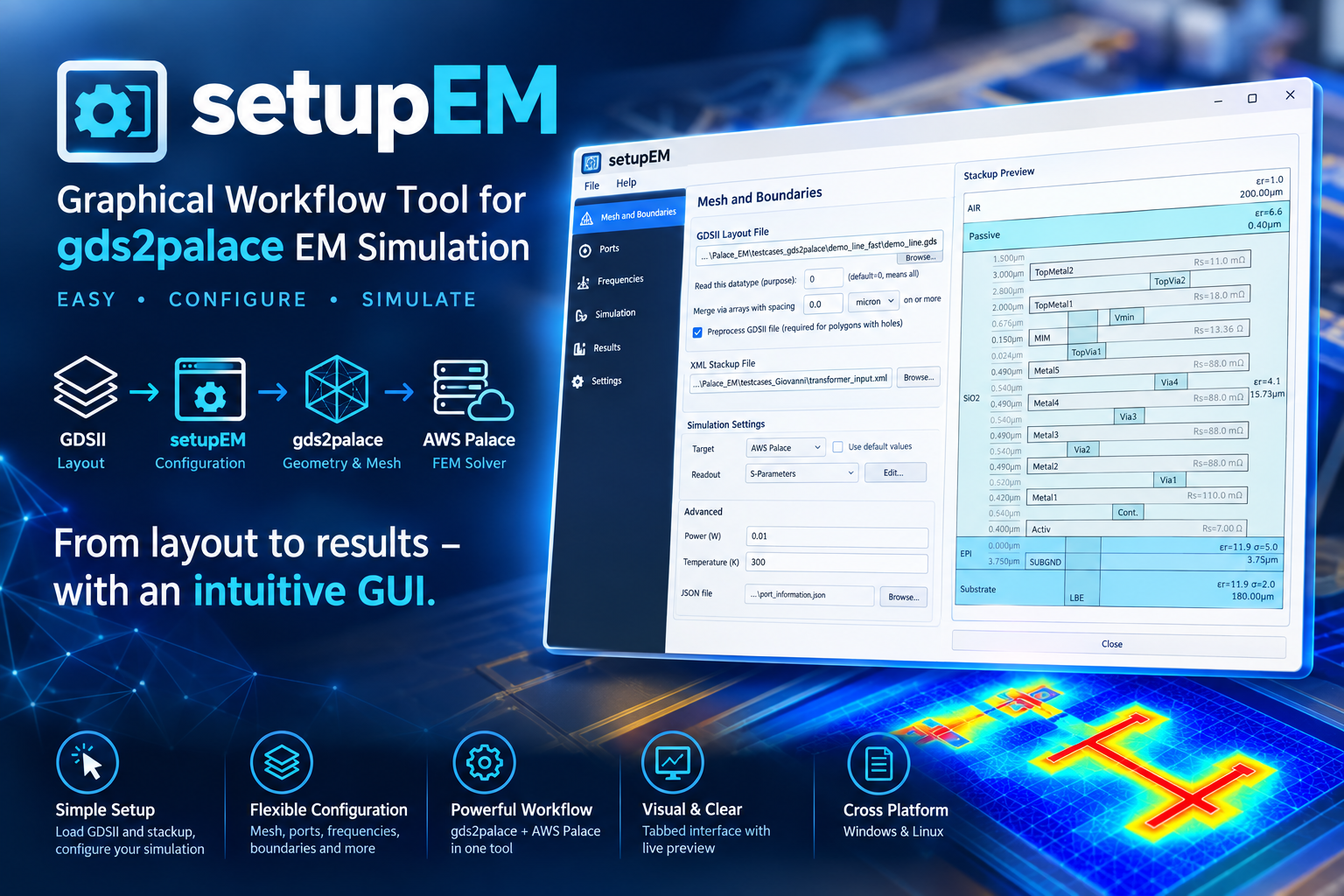
- {setupem-0.11.1 → setupem-0.12.0}/src/setupEM/stackupEditor.py +0 -0
- {setupem-0.11.1 → setupem-0.12.0}/src/setupEM/stackup_writer.py +0 -0
- {setupem-0.11.1 → setupem-0.12.0}/src/setupEM/thermal_results.py +0 -0
- {setupem-0.11.1 → setupem-0.12.0}/src/setupEM.egg-info/dependency_links.txt +0 -0
- {setupem-0.11.1 → setupem-0.12.0}/src/setupEM.egg-info/entry_points.txt +0 -0
- {setupem-0.11.1 → setupem-0.12.0}/src/setupEM.egg-info/requires.txt +0 -0
- {setupem-0.11.1 → setupem-0.12.0}/src/setupEM.egg-info/top_level.txt +0 -0
setupem-0.12.0/PKG-INFO
ADDED
|
@@ -0,0 +1,79 @@
|
|
|
1
|
+
Metadata-Version: 2.4
|
|
2
|
+
Name: setupEM
|
|
3
|
+
Version: 0.12.0
|
|
4
|
+
Summary: Python tool for configuration of gds2palace workflow with GUI.
|
|
5
|
+
Author-email: Volker Muehlhaus <volker@muehlhaus.com>
|
|
6
|
+
License-Expression: GPL-3.0-or-later
|
|
7
|
+
Project-URL: Homepage, https://github.com/VolkerMuehlhaus/setupEM
|
|
8
|
+
Project-URL: Repository, https://github.com/VolkerMuehlhaus/setupEM
|
|
9
|
+
Project-URL: Changelog, https://github.com/VolkerMuehlhaus/setupEM/blob/main/doc/CHANGES.md
|
|
10
|
+
Requires-Python: >=3.9
|
|
11
|
+
Description-Content-Type: text/markdown
|
|
12
|
+
License-File: LICENSE
|
|
13
|
+
Requires-Dist: gds2palace>=0.8.0
|
|
14
|
+
Requires-Dist: gds_prepare_for_EM>=1.3.0
|
|
15
|
+
Requires-Dist: PySide6
|
|
16
|
+
Requires-Dist: shiboken6
|
|
17
|
+
Requires-Dist: scipy
|
|
18
|
+
Requires-Dist: requests
|
|
19
|
+
Requires-Dist: scikit-rf
|
|
20
|
+
Requires-Dist: matplotlib
|
|
21
|
+
Requires-Dist: numpy
|
|
22
|
+
Requires-Dist: gdspy
|
|
23
|
+
Requires-Dist: meshio
|
|
24
|
+
Requires-Dist: pyvista
|
|
25
|
+
Requires-Dist: pyvistaqt
|
|
26
|
+
Dynamic: license-file
|
|
27
|
+
|
|
28
|
+
# Python GUI for gds2palace
|
|
29
|
+
|
|
30
|
+
|
|
31
|
+
|
|
32
|
+
## Install
|
|
33
|
+
|
|
34
|
+
pip install setupEM
|
|
35
|
+
|
|
36
|
+
**Full documentation, installation guide, and usage walkthrough:**
|
|
37
|
+
https://github.com/VolkerMuehlhaus/setupEM
|
|
38
|
+
|
|
39
|
+
## Recent changes
|
|
40
|
+
|
|
41
|
+
# What's New - October 7, 2026
|
|
42
|
+
|
|
43
|
+
**Layout Preview:** the bottom bar now shows the live cursor position (X/Y in um, GDS orientation). Press **M** to measure distances: click the start point, move the mouse to see the live distance, dx and dy, click the end point to fix it. The next click starts a new measurement, **M** or **Esc** leaves measure mode. Dragging still pans while measuring. The mouse pointer is now an arrow (a crosshair in measure mode) instead of a hand while no button is pressed, so the position is easier to identify.
|
|
44
|
+
|
|
45
|
+
**3D Field Viewer:** new **Scaled** checkbox next to **Show arrows**. When on, arrow length and color follow the field value, using the same colormap, linear or log scale, and Min/Max (or dB Range) as the legend. Arrows below the lower limit are hidden; the smallest visible arrow is never shorter than 15% of the longest. The arrow color swatch is not used while Scaled is on. The command line field viewer has a matching `--arrows-scaled` option.
|
|
46
|
+
|
|
47
|
+
# What's New - October 5, 2026
|
|
48
|
+
|
|
49
|
+
**Import Model** (*.py) with several GDS purposes (datatypes), e.g. `settings['purpose'] = [0, 35, 4]`, now works: the purpose field shows "0, 35, 4" and the model uses all three. Before, the field showed "(0, 35, 4)" and no datatype matched, so the layout preview and the model had no polygons on any layer. Models with a single purpose were not affected. A single number in the script (`settings['purpose'] = 0`) is now also read as `[0]`.
|
|
50
|
+
|
|
51
|
+
# What's New - October 2, 2026
|
|
52
|
+
|
|
53
|
+
**3D Field Viewer:** with **Log color scale**, a **Range** dropdown (-10, -20 ... -70 dB below Max) replaces the Min field; the default is -70 dB. dB means 20·log10 for E and B fields and 10·log10 for power-like arrays such as S or the energy densities. Switching to another result file or cycle now keeps the selected field (if the new data has it; a field you picked comes back as soon as it is available again) and keeps the camera view, zoom and clip position if the new mesh has the same bounding box, e.g. another AMR iteration or the matching "boundary" file. Only a file with different bounds resets the view.
|
|
54
|
+
|
|
55
|
+
**Tools > Simplify GDS...** has a new step **Merge via arrays** (default off), with a merge distance (default: the via array merge distance from Preferences). Vias closer than this distance are merged into one shape, but only if they connect the same metal shapes above and below, so merging never shorts different metal shapes. The via layers and the metal layers above and below them come from the loaded XML stackup. Vias without metal above or below are kept unchanged. Merged vias in the file are treated as solid metal in the model: fill factor correction needs the original vias, which are then no longer in the file. For accurate via resistance, merge vias in the model instead (via array merge distance > 0 with fill factor correction). gds2palace prints a note when fill factor correction is on and the vias in the file seem to be merged already. Requires gds_prepare_for_EM v1.3.0 or later.
|
|
56
|
+
|
|
57
|
+
The via array merging of the models themselves (gds2palace `merge_polygon_size`) no longer shorts different metal shapes either, with gds2palace v0.8.1 or later.
|
|
58
|
+
|
|
59
|
+
Full history: [CHANGES.md](https://github.com/VolkerMuehlhaus/setupEM/blob/main/doc/CHANGES.md)
|
|
60
|
+
|
|
61
|
+
---
|
|
62
|
+
|
|
63
|
+
**Note:** the `setupEM` PyPI package itself requires:
|
|
64
|
+
|
|
65
|
+
- gds2palace>=0.8.0
|
|
66
|
+
- gds_prepare_for_EM>=1.3.0
|
|
67
|
+
- PySide6
|
|
68
|
+
- shiboken6
|
|
69
|
+
- scipy
|
|
70
|
+
- requests
|
|
71
|
+
- scikit-rf
|
|
72
|
+
- matplotlib
|
|
73
|
+
- numpy
|
|
74
|
+
- gdspy
|
|
75
|
+
- meshio
|
|
76
|
+
- pyvista
|
|
77
|
+
- pyvistaqt
|
|
78
|
+
|
|
79
|
+
(Other Python modules mentioned above are only needed to run standalone helper scripts in this repository, not to use the installed package.)
|
|
@@ -0,0 +1,52 @@
|
|
|
1
|
+
# Python GUI for gds2palace
|
|
2
|
+
|
|
3
|
+

|
|
4
|
+
|
|
5
|
+
## Install
|
|
6
|
+
|
|
7
|
+
pip install setupEM
|
|
8
|
+
|
|
9
|
+
**Full documentation, installation guide, and usage walkthrough:**
|
|
10
|
+
https://github.com/VolkerMuehlhaus/setupEM
|
|
11
|
+
|
|
12
|
+
## Recent changes
|
|
13
|
+
|
|
14
|
+
# What's New - October 7, 2026
|
|
15
|
+
|
|
16
|
+
**Layout Preview:** the bottom bar now shows the live cursor position (X/Y in um, GDS orientation). Press **M** to measure distances: click the start point, move the mouse to see the live distance, dx and dy, click the end point to fix it. The next click starts a new measurement, **M** or **Esc** leaves measure mode. Dragging still pans while measuring. The mouse pointer is now an arrow (a crosshair in measure mode) instead of a hand while no button is pressed, so the position is easier to identify.
|
|
17
|
+
|
|
18
|
+
**3D Field Viewer:** new **Scaled** checkbox next to **Show arrows**. When on, arrow length and color follow the field value, using the same colormap, linear or log scale, and Min/Max (or dB Range) as the legend. Arrows below the lower limit are hidden; the smallest visible arrow is never shorter than 15% of the longest. The arrow color swatch is not used while Scaled is on. The command line field viewer has a matching `--arrows-scaled` option.
|
|
19
|
+
|
|
20
|
+
# What's New - October 5, 2026
|
|
21
|
+
|
|
22
|
+
**Import Model** (*.py) with several GDS purposes (datatypes), e.g. `settings['purpose'] = [0, 35, 4]`, now works: the purpose field shows "0, 35, 4" and the model uses all three. Before, the field showed "(0, 35, 4)" and no datatype matched, so the layout preview and the model had no polygons on any layer. Models with a single purpose were not affected. A single number in the script (`settings['purpose'] = 0`) is now also read as `[0]`.
|
|
23
|
+
|
|
24
|
+
# What's New - October 2, 2026
|
|
25
|
+
|
|
26
|
+
**3D Field Viewer:** with **Log color scale**, a **Range** dropdown (-10, -20 ... -70 dB below Max) replaces the Min field; the default is -70 dB. dB means 20·log10 for E and B fields and 10·log10 for power-like arrays such as S or the energy densities. Switching to another result file or cycle now keeps the selected field (if the new data has it; a field you picked comes back as soon as it is available again) and keeps the camera view, zoom and clip position if the new mesh has the same bounding box, e.g. another AMR iteration or the matching "boundary" file. Only a file with different bounds resets the view.
|
|
27
|
+
|
|
28
|
+
**Tools > Simplify GDS...** has a new step **Merge via arrays** (default off), with a merge distance (default: the via array merge distance from Preferences). Vias closer than this distance are merged into one shape, but only if they connect the same metal shapes above and below, so merging never shorts different metal shapes. The via layers and the metal layers above and below them come from the loaded XML stackup. Vias without metal above or below are kept unchanged. Merged vias in the file are treated as solid metal in the model: fill factor correction needs the original vias, which are then no longer in the file. For accurate via resistance, merge vias in the model instead (via array merge distance > 0 with fill factor correction). gds2palace prints a note when fill factor correction is on and the vias in the file seem to be merged already. Requires gds_prepare_for_EM v1.3.0 or later.
|
|
29
|
+
|
|
30
|
+
The via array merging of the models themselves (gds2palace `merge_polygon_size`) no longer shorts different metal shapes either, with gds2palace v0.8.1 or later.
|
|
31
|
+
|
|
32
|
+
Full history: [CHANGES.md](https://github.com/VolkerMuehlhaus/setupEM/blob/main/doc/CHANGES.md)
|
|
33
|
+
|
|
34
|
+
---
|
|
35
|
+
|
|
36
|
+
**Note:** the `setupEM` PyPI package itself requires:
|
|
37
|
+
|
|
38
|
+
- gds2palace>=0.8.0
|
|
39
|
+
- gds_prepare_for_EM>=1.3.0
|
|
40
|
+
- PySide6
|
|
41
|
+
- shiboken6
|
|
42
|
+
- scipy
|
|
43
|
+
- requests
|
|
44
|
+
- scikit-rf
|
|
45
|
+
- matplotlib
|
|
46
|
+
- numpy
|
|
47
|
+
- gdspy
|
|
48
|
+
- meshio
|
|
49
|
+
- pyvista
|
|
50
|
+
- pyvistaqt
|
|
51
|
+
|
|
52
|
+
(Other Python modules mentioned above are only needed to run standalone helper scripts in this repository, not to use the installed package.)
|
|
@@ -884,7 +884,7 @@ class FieldViewerWindow(QDialog):
|
|
|
884
884
|
# scalar-bar legend text, respectively. All three swatches share
|
|
885
885
|
# _pick_color()/_style_swatch_button(); only the swatch and the state
|
|
886
886
|
# attribute it edits differ per row.
|
|
887
|
-
def _swatch_row(attr_name, initial_color, checkbox):
|
|
887
|
+
def _swatch_row(attr_name, initial_color, checkbox, extra_widget=None):
|
|
888
888
|
swatch = QPushButton()
|
|
889
889
|
swatch.setFixedSize(18, 18)
|
|
890
890
|
swatch.setToolTip("Choose color")
|
|
@@ -898,6 +898,8 @@ class FieldViewerWindow(QDialog):
|
|
|
898
898
|
row = QHBoxLayout()
|
|
899
899
|
row.addWidget(swatch)
|
|
900
900
|
row.addWidget(checkbox)
|
|
901
|
+
if extra_widget is not None:
|
|
902
|
+
row.addWidget(extra_widget)
|
|
901
903
|
row.addStretch()
|
|
902
904
|
display_layout.addLayout(row)
|
|
903
905
|
|
|
@@ -907,7 +909,15 @@ class FieldViewerWindow(QDialog):
|
|
|
907
909
|
self.show_vectors_cb = QCheckBox("Show arrows")
|
|
908
910
|
self.show_vectors_cb.setEnabled(False)
|
|
909
911
|
self.show_vectors_cb.toggled.connect(self._on_redraw_needed)
|
|
910
|
-
|
|
912
|
+
# Arrow length and color follow the field value (same colormap, linear/
|
|
913
|
+
# log scale and Min/Max or dB Range as the surface and legend) - see
|
|
914
|
+
# _add_scaled_vector_glyphs(). Only usable while arrows are drawn.
|
|
915
|
+
self.scaled_arrows_cb = QCheckBox("Scaled")
|
|
916
|
+
self.scaled_arrows_cb.setEnabled(False)
|
|
917
|
+
self.scaled_arrows_cb.toggled.connect(self._on_redraw_needed)
|
|
918
|
+
self.show_vectors_cb.toggled.connect(lambda _checked: self._update_scaled_checkbox_state())
|
|
919
|
+
_swatch_row("_arrow_color", self._arrow_color, self.show_vectors_cb, self.scaled_arrows_cb)
|
|
920
|
+
self._update_scaled_checkbox_state()
|
|
911
921
|
|
|
912
922
|
self.show_edges_cb = QCheckBox("Overlay mesh")
|
|
913
923
|
self.show_edges_cb.setChecked(False)
|
|
@@ -1580,6 +1590,18 @@ class FieldViewerWindow(QDialog):
|
|
|
1580
1590
|
)
|
|
1581
1591
|
self.arrow_size_label.setEnabled(is_vector)
|
|
1582
1592
|
self.arrow_size_slider.setEnabled(is_vector)
|
|
1593
|
+
self._update_scaled_checkbox_state()
|
|
1594
|
+
|
|
1595
|
+
def _update_scaled_checkbox_state(self):
|
|
1596
|
+
"""Enable "Scaled" only while arrows can actually be drawn (vector
|
|
1597
|
+
array selected and Show arrows checked). Its checked state is kept
|
|
1598
|
+
while disabled, like Show arrows' own."""
|
|
1599
|
+
active = self.show_vectors_cb.isEnabled() and self.show_vectors_cb.isChecked()
|
|
1600
|
+
self.scaled_arrows_cb.setEnabled(active)
|
|
1601
|
+
self.scaled_arrows_cb.setToolTip(
|
|
1602
|
+
"Scale arrow length and color by field value, using the same color "
|
|
1603
|
+
"scale and range as the legend; arrows below the range are hidden"
|
|
1604
|
+
if active else "Only available while Show arrows is checked")
|
|
1583
1605
|
|
|
1584
1606
|
def _reset_clim_range(self):
|
|
1585
1607
|
"""(Re-)populate the Min/Max fields from the currently selected array's
|
|
@@ -1700,6 +1722,10 @@ class FieldViewerWindow(QDialog):
|
|
|
1700
1722
|
target_fraction = (self.arrow_size_slider.value() * _ARROW_SIZE_STEP_PERCENT) / 100.0
|
|
1701
1723
|
decimation = target_fraction * _VECTOR_ARROW_DECIMATION_RATIO
|
|
1702
1724
|
|
|
1725
|
+
if self.scaled_arrows_cb.isChecked() and self.scaled_arrows_cb.isEnabled():
|
|
1726
|
+
return self._add_scaled_vector_glyphs(
|
|
1727
|
+
mesh, array_name, vectors, magnitudes, diagonal * target_fraction, decimation)
|
|
1728
|
+
|
|
1703
1729
|
floor = max_magnitude * 1e-6 # avoid log10(0) for exact-zero points
|
|
1704
1730
|
log_magnitude = np.log10(np.clip(magnitudes, floor, None))
|
|
1705
1731
|
lo, hi = log_magnitude.min(), log_magnitude.max()
|
|
@@ -1722,6 +1748,55 @@ class FieldViewerWindow(QDialog):
|
|
|
1722
1748
|
del mesh.point_data[scale_key]
|
|
1723
1749
|
return self.plotter.add_mesh(glyphs, color=self._arrow_color, reset_camera=False)
|
|
1724
1750
|
|
|
1751
|
+
def _add_scaled_vector_glyphs(self, mesh, array_name, vectors, magnitudes,
|
|
1752
|
+
max_length, decimation):
|
|
1753
|
+
""""Scaled" arrows: length and color both follow the field magnitude on
|
|
1754
|
+
the same scale as the surface and legend - same colormap, same
|
|
1755
|
+
linear/log choice, same Min/Max (or log dB Range below Max), including
|
|
1756
|
+
the same fallback to the displayed data's own range when no valid clim
|
|
1757
|
+
is set (see _apply_display_mesh()). Length runs from
|
|
1758
|
+
_VECTOR_ARROW_MIN_LENGTH_RATIO to 1.0 of max_length across that range;
|
|
1759
|
+
points below the lower limit get no arrow (excluded before decimation,
|
|
1760
|
+
so they don't use up arrow slots); points above Max are drawn at full
|
|
1761
|
+
length in the top color."""
|
|
1762
|
+
clim = self._get_clim()
|
|
1763
|
+
if clim is None:
|
|
1764
|
+
lo, hi = float(magnitudes.min()), float(magnitudes.max())
|
|
1765
|
+
else:
|
|
1766
|
+
lo, hi = clim
|
|
1767
|
+
use_log = bool(self.log_scale_cb.isChecked() and lo > 0)
|
|
1768
|
+
if hi <= lo:
|
|
1769
|
+
return None
|
|
1770
|
+
|
|
1771
|
+
keep = magnitudes >= lo
|
|
1772
|
+
if not keep.any():
|
|
1773
|
+
self.warning_label.setText("Scaled arrows: no values inside the color range")
|
|
1774
|
+
return None
|
|
1775
|
+
kept_mag = magnitudes[keep]
|
|
1776
|
+
if use_log:
|
|
1777
|
+
normalized = np.log10(np.clip(kept_mag, lo, hi) / lo) / np.log10(hi / lo)
|
|
1778
|
+
else:
|
|
1779
|
+
normalized = (np.clip(kept_mag, lo, hi) - lo) / (hi - lo)
|
|
1780
|
+
lengths = max_length * (
|
|
1781
|
+
_VECTOR_ARROW_MIN_LENGTH_RATIO + (1.0 - _VECTOR_ARROW_MIN_LENGTH_RATIO) * normalized
|
|
1782
|
+
)
|
|
1783
|
+
|
|
1784
|
+
# Separate point cloud rather than helper arrays on the display mesh:
|
|
1785
|
+
# holds only the arrows that will be drawn.
|
|
1786
|
+
points = pv.PolyData(np.asarray(mesh.points)[keep])
|
|
1787
|
+
points.point_data["vec"] = np.asarray(vectors)[keep]
|
|
1788
|
+
points.point_data["length"] = lengths
|
|
1789
|
+
points.point_data["value"] = kept_mag
|
|
1790
|
+
try:
|
|
1791
|
+
glyphs = points.glyph(orient="vec", scale="length", factor=1.0,
|
|
1792
|
+
tolerance=decimation)
|
|
1793
|
+
except Exception as exc:
|
|
1794
|
+
self.warning_label.setText(f"Vector arrows failed: {exc}")
|
|
1795
|
+
return None
|
|
1796
|
+
return self.plotter.add_mesh(
|
|
1797
|
+
glyphs, scalars="value", cmap=self._current_cmap, clim=(lo, hi),
|
|
1798
|
+
log_scale=use_log, show_scalar_bar=False, reset_camera=False)
|
|
1799
|
+
|
|
1725
1800
|
# ---------- Redraw ----------
|
|
1726
1801
|
|
|
1727
1802
|
def _update_clip_position_label(self):
|
|
@@ -2046,6 +2121,9 @@ def main():
|
|
|
2046
2121
|
parser.add_argument("--arrows", action="store_true",
|
|
2047
2122
|
help="overlay vector-field direction arrows (only takes effect "
|
|
2048
2123
|
"when the selected array is a vector)")
|
|
2124
|
+
parser.add_argument("--arrows-scaled", action="store_true",
|
|
2125
|
+
help="with --arrows: scale arrow length and color by field value, "
|
|
2126
|
+
"using the same color scale and range as the legend")
|
|
2049
2127
|
parser.add_argument("--arrow-size", type=float,
|
|
2050
2128
|
help=f"arrow size as a percent of the mesh's bounding-box diagonal "
|
|
2051
2129
|
f"({_ARROW_SIZE_MIN_PERCENT}-{_ARROW_SIZE_MAX_PERCENT}, default "
|
|
@@ -2152,6 +2230,11 @@ def main():
|
|
|
2152
2230
|
if not window.show_vectors_cb.isEnabled():
|
|
2153
2231
|
print("Warning: --arrows requested but the selected array is not a vector "
|
|
2154
2232
|
"field; no arrows will be drawn.", file=sys.stderr)
|
|
2233
|
+
if args.arrows_scaled:
|
|
2234
|
+
window.scaled_arrows_cb.setChecked(True)
|
|
2235
|
+
if not window.scaled_arrows_cb.isEnabled():
|
|
2236
|
+
print("Warning: --arrows-scaled requires --arrows on a vector field; "
|
|
2237
|
+
"arrows will not be scaled.", file=sys.stderr)
|
|
2155
2238
|
if args.arrow_size is not None:
|
|
2156
2239
|
window.arrow_size_slider.setValue(round(args.arrow_size / _ARROW_SIZE_STEP_PERCENT))
|
|
2157
2240
|
|
|
@@ -40,7 +40,7 @@ from PySide6.QtGui import (
|
|
|
40
40
|
QColor, QBrush, QPen, QPolygonF, QPainter, QFont, QPainterPath, QTransform,
|
|
41
41
|
QShortcut, QKeySequence,
|
|
42
42
|
)
|
|
43
|
-
from PySide6.QtCore import Qt, QPointF, QLineF, Signal
|
|
43
|
+
from PySide6.QtCore import Qt, QPointF, QLineF, QRectF, Signal
|
|
44
44
|
|
|
45
45
|
from gds2palace import gds_reader, stackup_reader
|
|
46
46
|
|
|
@@ -231,13 +231,29 @@ class _ClickableLegendRow(QWidget):
|
|
|
231
231
|
super().mousePressEvent(event)
|
|
232
232
|
|
|
233
233
|
|
|
234
|
+
MEASURE_COLOR = "#ffff00"
|
|
235
|
+
# a left-button press/release closer together than this (viewport pixels) is a
|
|
236
|
+
# click, not the start of a pan drag - see LayoutCanvas.mouseReleaseEvent()
|
|
237
|
+
CLICK_MAX_MOVE_PX = 4
|
|
238
|
+
|
|
239
|
+
|
|
234
240
|
class LayoutCanvas(QGraphicsView):
|
|
235
241
|
"""Pan/zoom GDS canvas - plain PySide6 QGraphicsView, no new dependency.
|
|
236
242
|
Polygon/label points are stored with y already negated (see
|
|
237
243
|
LayoutPreviewWindow.refresh), so GDS "up" (+y) renders near the top of
|
|
238
244
|
the view without a separate view-level flip transform.
|
|
245
|
+
|
|
246
|
+
Emits cursorMoved(x, y) in GDS coordinates (um, +y up) while the mouse is
|
|
247
|
+
over the view, and cursorLeft() when it leaves. In measure mode (see
|
|
248
|
+
set_measure_mode()) a click without dragging sets the start point, the
|
|
249
|
+
next click the end point; a drag still pans as usual. measureChanged(text)
|
|
250
|
+
carries the current result text ("" when nothing is measured).
|
|
239
251
|
"""
|
|
240
252
|
|
|
253
|
+
cursorMoved = Signal(float, float)
|
|
254
|
+
cursorLeft = Signal()
|
|
255
|
+
measureChanged = Signal(str)
|
|
256
|
+
|
|
241
257
|
def __init__(self):
|
|
242
258
|
super().__init__()
|
|
243
259
|
self.setScene(QGraphicsScene(self))
|
|
@@ -245,11 +261,140 @@ class LayoutCanvas(QGraphicsView):
|
|
|
245
261
|
self.setDragMode(QGraphicsView.ScrollHandDrag)
|
|
246
262
|
self.setTransformationAnchor(QGraphicsView.AnchorUnderMouse)
|
|
247
263
|
self.setBackgroundBrush(QColor("#303030"))
|
|
264
|
+
self.setMouseTracking(True)
|
|
265
|
+
self._measure_mode = False
|
|
266
|
+
self._measure_start = None # scene coordinates (y negated, see above)
|
|
267
|
+
self._measure_end = None
|
|
268
|
+
self._measure_fixed = False # True once the end point has been clicked
|
|
269
|
+
self._measure_items = []
|
|
270
|
+
self._press_pos = None
|
|
271
|
+
self._apply_idle_cursor()
|
|
248
272
|
|
|
249
273
|
def wheelEvent(self, event):
|
|
250
274
|
factor = 1.25 if event.angleDelta().y() > 0 else 0.8
|
|
251
275
|
self.scale(factor, factor)
|
|
252
276
|
|
|
277
|
+
# ---------- Position readout ----------
|
|
278
|
+
|
|
279
|
+
def mouseMoveEvent(self, event):
|
|
280
|
+
super().mouseMoveEvent(event)
|
|
281
|
+
if event.buttons() == Qt.NoButton:
|
|
282
|
+
self._apply_idle_cursor() # Qt re-sets the open hand on entering the view
|
|
283
|
+
pos = self.mapToScene(event.position().toPoint())
|
|
284
|
+
self.cursorMoved.emit(pos.x(), -pos.y())
|
|
285
|
+
if self._measure_mode and self._measure_start is not None and not self._measure_fixed:
|
|
286
|
+
self._measure_end = pos
|
|
287
|
+
self._update_measure_items()
|
|
288
|
+
|
|
289
|
+
def leaveEvent(self, event):
|
|
290
|
+
super().leaveEvent(event)
|
|
291
|
+
self.cursorLeft.emit()
|
|
292
|
+
|
|
293
|
+
# ---------- Distance measurement ----------
|
|
294
|
+
|
|
295
|
+
def set_measure_mode(self, enabled):
|
|
296
|
+
self._measure_mode = bool(enabled)
|
|
297
|
+
self.clear_measurement()
|
|
298
|
+
self._apply_idle_cursor()
|
|
299
|
+
|
|
300
|
+
def _apply_idle_cursor(self):
|
|
301
|
+
"""Pointer (crosshair in measure mode) whenever no button is pressed, so
|
|
302
|
+
it is clear which position the readout refers to - ScrollHandDrag
|
|
303
|
+
would otherwise show an open hand; the closed hand while panning stays."""
|
|
304
|
+
self.viewport().setCursor(Qt.CrossCursor if self._measure_mode else Qt.ArrowCursor)
|
|
305
|
+
|
|
306
|
+
def mousePressEvent(self, event):
|
|
307
|
+
self._press_pos = event.position().toPoint() if event.button() == Qt.LeftButton else None
|
|
308
|
+
super().mousePressEvent(event)
|
|
309
|
+
|
|
310
|
+
def mouseReleaseEvent(self, event):
|
|
311
|
+
super().mouseReleaseEvent(event)
|
|
312
|
+
self._apply_idle_cursor()
|
|
313
|
+
if not self._measure_mode:
|
|
314
|
+
return
|
|
315
|
+
if event.button() != Qt.LeftButton or self._press_pos is None:
|
|
316
|
+
return
|
|
317
|
+
release_pos = event.position().toPoint()
|
|
318
|
+
moved = (release_pos - self._press_pos).manhattanLength()
|
|
319
|
+
self._press_pos = None
|
|
320
|
+
if moved > CLICK_MAX_MOVE_PX:
|
|
321
|
+
return # that was a pan drag, not a click
|
|
322
|
+
pos = self.mapToScene(release_pos)
|
|
323
|
+
if self._measure_start is None or self._measure_fixed:
|
|
324
|
+
self.clear_measurement()
|
|
325
|
+
# Measurement items outside the layout would otherwise grow the
|
|
326
|
+
# auto-computed scene rect and shift the view under the cursor
|
|
327
|
+
# while measuring - pin it until the measurement is cleared.
|
|
328
|
+
self.setSceneRect(self.scene().itemsBoundingRect())
|
|
329
|
+
self._measure_start = pos
|
|
330
|
+
self._measure_end = pos
|
|
331
|
+
self._measure_fixed = False
|
|
332
|
+
else:
|
|
333
|
+
self._measure_end = pos
|
|
334
|
+
self._measure_fixed = True
|
|
335
|
+
self._update_measure_items()
|
|
336
|
+
|
|
337
|
+
def forget_measurement_items(self):
|
|
338
|
+
"""Drop the scene-item references without touching the scene - for
|
|
339
|
+
use right before scene.clear(), which destroys them (the measurement
|
|
340
|
+
points themselves are dropped too: a refreshed layout may differ)."""
|
|
341
|
+
self._measure_items = []
|
|
342
|
+
self._measure_start = self._measure_end = None
|
|
343
|
+
self._measure_fixed = False
|
|
344
|
+
self.setSceneRect(QRectF())
|
|
345
|
+
self.measureChanged.emit("")
|
|
346
|
+
|
|
347
|
+
def clear_measurement(self):
|
|
348
|
+
scene = self.scene()
|
|
349
|
+
for item in self._measure_items:
|
|
350
|
+
scene.removeItem(item)
|
|
351
|
+
self._measure_items = []
|
|
352
|
+
self._measure_start = self._measure_end = None
|
|
353
|
+
self._measure_fixed = False
|
|
354
|
+
self.setSceneRect(QRectF())
|
|
355
|
+
self.measureChanged.emit("")
|
|
356
|
+
|
|
357
|
+
def _update_measure_items(self):
|
|
358
|
+
scene = self.scene()
|
|
359
|
+
for item in self._measure_items:
|
|
360
|
+
scene.removeItem(item)
|
|
361
|
+
self._measure_items = []
|
|
362
|
+
if self._measure_start is None:
|
|
363
|
+
return
|
|
364
|
+
start, end = self._measure_start, self._measure_end
|
|
365
|
+
dx = end.x() - start.x() + 0.0
|
|
366
|
+
dy = start.y() - end.y() # GDS orientation (+y up)
|
|
367
|
+
text = f"d = {(dx * dx + dy * dy) ** 0.5:.4g} um dx = {dx:.4g} dy = {dy:.4g}"
|
|
368
|
+
|
|
369
|
+
pen = QPen(QColor(MEASURE_COLOR))
|
|
370
|
+
pen.setCosmetic(True)
|
|
371
|
+
pen.setWidth(2)
|
|
372
|
+
line = QGraphicsLineItem(QLineF(start, end))
|
|
373
|
+
line.setPen(pen)
|
|
374
|
+
line.setZValue(1e9)
|
|
375
|
+
scene.addItem(line)
|
|
376
|
+
self._measure_items.append(line)
|
|
377
|
+
for point in (start, end):
|
|
378
|
+
marker = QGraphicsEllipseItem(-4, -4, 8, 8)
|
|
379
|
+
marker.setFlag(QGraphicsItem.ItemIgnoresTransformations, True)
|
|
380
|
+
marker.setPen(pen)
|
|
381
|
+
marker.setBrush(QBrush(QColor(MEASURE_COLOR)))
|
|
382
|
+
marker.setPos(point)
|
|
383
|
+
marker.setZValue(1e9)
|
|
384
|
+
scene.addItem(marker)
|
|
385
|
+
self._measure_items.append(marker)
|
|
386
|
+
label = QGraphicsSimpleTextItem(text)
|
|
387
|
+
label.setFlag(QGraphicsItem.ItemIgnoresTransformations, True)
|
|
388
|
+
label.setBrush(QBrush(QColor(MEASURE_COLOR)))
|
|
389
|
+
font = QFont()
|
|
390
|
+
font.setBold(True)
|
|
391
|
+
label.setFont(font)
|
|
392
|
+
label.setPos((start.x() + end.x()) / 2, (start.y() + end.y()) / 2)
|
|
393
|
+
label.setZValue(1e9)
|
|
394
|
+
scene.addItem(label)
|
|
395
|
+
self._measure_items.append(label)
|
|
396
|
+
self.measureChanged.emit(text)
|
|
397
|
+
|
|
253
398
|
|
|
254
399
|
class LayoutPreviewWindow(QDialog):
|
|
255
400
|
"""Own top-level window (WA_DeleteOnClose, non-modal) - same lifecycle as
|
|
@@ -366,8 +511,22 @@ class LayoutPreviewWindow(QDialog):
|
|
|
366
511
|
self.info_label = QLabel("")
|
|
367
512
|
self.info_label.setWordWrap(True)
|
|
368
513
|
|
|
514
|
+
# live cursor position (GDS coordinates, um) and, in measure mode, the
|
|
515
|
+
# current measurement - see LayoutCanvas's cursorMoved/measureChanged
|
|
516
|
+
self.position_label = QLabel("")
|
|
517
|
+
self.position_label.setMinimumWidth(190)
|
|
518
|
+
self.position_label.setFont(QFont("Consolas"))
|
|
519
|
+
self.measure_label = QLabel("")
|
|
520
|
+
self.measure_label.setFont(QFont("Consolas"))
|
|
521
|
+
self._measure_text = ""
|
|
522
|
+
self.canvas.cursorMoved.connect(self._on_cursor_moved)
|
|
523
|
+
self.canvas.cursorLeft.connect(lambda: self.position_label.setText(""))
|
|
524
|
+
self.canvas.measureChanged.connect(self._on_measure_changed)
|
|
525
|
+
|
|
369
526
|
button_layout = QHBoxLayout()
|
|
370
527
|
button_layout.addWidget(self.info_label, 1)
|
|
528
|
+
button_layout.addWidget(self.measure_label)
|
|
529
|
+
button_layout.addWidget(self.position_label)
|
|
371
530
|
refresh_btn = QPushButton("Refresh")
|
|
372
531
|
refresh_btn.clicked.connect(self.refresh)
|
|
373
532
|
button_layout.addWidget(refresh_btn)
|
|
@@ -401,8 +560,38 @@ class LayoutPreviewWindow(QDialog):
|
|
|
401
560
|
QShortcut(QKeySequence(Qt.Key_Down), self).activated.connect(
|
|
402
561
|
lambda: self._cycle_highlighted_layer(1))
|
|
403
562
|
|
|
563
|
+
# M toggles distance measurement mode (see LayoutCanvas). Esc leaves it,
|
|
564
|
+
# but is only enabled while measuring - otherwise Esc keeps its normal
|
|
565
|
+
# dialog meaning (close the window).
|
|
566
|
+
self._measure_mode = False
|
|
567
|
+
QShortcut(QKeySequence(Qt.Key_M), self).activated.connect(
|
|
568
|
+
lambda: self._set_measure_mode(not self._measure_mode))
|
|
569
|
+
self._measure_escape = QShortcut(QKeySequence(Qt.Key_Escape), self)
|
|
570
|
+
self._measure_escape.setEnabled(False)
|
|
571
|
+
self._measure_escape.activated.connect(lambda: self._set_measure_mode(False))
|
|
572
|
+
self.canvas.setToolTip("Press M to measure distances: click start point, click end point")
|
|
573
|
+
|
|
404
574
|
self.refresh()
|
|
405
575
|
|
|
576
|
+
def _on_cursor_moved(self, x, y):
|
|
577
|
+
self.position_label.setText(f"X {x:10.3f} Y {y:10.3f} um")
|
|
578
|
+
|
|
579
|
+
def _on_measure_changed(self, text):
|
|
580
|
+
self._measure_text = text
|
|
581
|
+
self._update_measure_label()
|
|
582
|
+
|
|
583
|
+
def _update_measure_label(self):
|
|
584
|
+
if not self._measure_mode:
|
|
585
|
+
self.measure_label.setText("")
|
|
586
|
+
else:
|
|
587
|
+
self.measure_label.setText(self._measure_text or "Measure: click start point (M or Esc to exit)")
|
|
588
|
+
|
|
589
|
+
def _set_measure_mode(self, enabled):
|
|
590
|
+
self._measure_mode = enabled
|
|
591
|
+
self._measure_escape.setEnabled(enabled)
|
|
592
|
+
self.canvas.set_measure_mode(enabled)
|
|
593
|
+
self._update_measure_label()
|
|
594
|
+
|
|
406
595
|
def _copy_canvas_to_clipboard(self):
|
|
407
596
|
QApplication.clipboard().setPixmap(self.canvas.grab())
|
|
408
597
|
|
|
@@ -674,6 +863,7 @@ class LayoutPreviewWindow(QDialog):
|
|
|
674
863
|
polygons_by_layer.setdefault(poly.layernum, []).append(poly)
|
|
675
864
|
|
|
676
865
|
scene = self.canvas.scene()
|
|
866
|
+
self.canvas.forget_measurement_items()
|
|
677
867
|
scene.clear()
|
|
678
868
|
self._clear_legend()
|
|
679
869
|
|
|
@@ -0,0 +1,79 @@
|
|
|
1
|
+
Metadata-Version: 2.4
|
|
2
|
+
Name: setupEM
|
|
3
|
+
Version: 0.12.0
|
|
4
|
+
Summary: Python tool for configuration of gds2palace workflow with GUI.
|
|
5
|
+
Author-email: Volker Muehlhaus <volker@muehlhaus.com>
|
|
6
|
+
License-Expression: GPL-3.0-or-later
|
|
7
|
+
Project-URL: Homepage, https://github.com/VolkerMuehlhaus/setupEM
|
|
8
|
+
Project-URL: Repository, https://github.com/VolkerMuehlhaus/setupEM
|
|
9
|
+
Project-URL: Changelog, https://github.com/VolkerMuehlhaus/setupEM/blob/main/doc/CHANGES.md
|
|
10
|
+
Requires-Python: >=3.9
|
|
11
|
+
Description-Content-Type: text/markdown
|
|
12
|
+
License-File: LICENSE
|
|
13
|
+
Requires-Dist: gds2palace>=0.8.0
|
|
14
|
+
Requires-Dist: gds_prepare_for_EM>=1.3.0
|
|
15
|
+
Requires-Dist: PySide6
|
|
16
|
+
Requires-Dist: shiboken6
|
|
17
|
+
Requires-Dist: scipy
|
|
18
|
+
Requires-Dist: requests
|
|
19
|
+
Requires-Dist: scikit-rf
|
|
20
|
+
Requires-Dist: matplotlib
|
|
21
|
+
Requires-Dist: numpy
|
|
22
|
+
Requires-Dist: gdspy
|
|
23
|
+
Requires-Dist: meshio
|
|
24
|
+
Requires-Dist: pyvista
|
|
25
|
+
Requires-Dist: pyvistaqt
|
|
26
|
+
Dynamic: license-file
|
|
27
|
+
|
|
28
|
+
# Python GUI for gds2palace
|
|
29
|
+
|
|
30
|
+

|
|
31
|
+
|
|
32
|
+
## Install
|
|
33
|
+
|
|
34
|
+
pip install setupEM
|
|
35
|
+
|
|
36
|
+
**Full documentation, installation guide, and usage walkthrough:**
|
|
37
|
+
https://github.com/VolkerMuehlhaus/setupEM
|
|
38
|
+
|
|
39
|
+
## Recent changes
|
|
40
|
+
|
|
41
|
+
# What's New - October 7, 2026
|
|
42
|
+
|
|
43
|
+
**Layout Preview:** the bottom bar now shows the live cursor position (X/Y in um, GDS orientation). Press **M** to measure distances: click the start point, move the mouse to see the live distance, dx and dy, click the end point to fix it. The next click starts a new measurement, **M** or **Esc** leaves measure mode. Dragging still pans while measuring. The mouse pointer is now an arrow (a crosshair in measure mode) instead of a hand while no button is pressed, so the position is easier to identify.
|
|
44
|
+
|
|
45
|
+
**3D Field Viewer:** new **Scaled** checkbox next to **Show arrows**. When on, arrow length and color follow the field value, using the same colormap, linear or log scale, and Min/Max (or dB Range) as the legend. Arrows below the lower limit are hidden; the smallest visible arrow is never shorter than 15% of the longest. The arrow color swatch is not used while Scaled is on. The command line field viewer has a matching `--arrows-scaled` option.
|
|
46
|
+
|
|
47
|
+
# What's New - October 5, 2026
|
|
48
|
+
|
|
49
|
+
**Import Model** (*.py) with several GDS purposes (datatypes), e.g. `settings['purpose'] = [0, 35, 4]`, now works: the purpose field shows "0, 35, 4" and the model uses all three. Before, the field showed "(0, 35, 4)" and no datatype matched, so the layout preview and the model had no polygons on any layer. Models with a single purpose were not affected. A single number in the script (`settings['purpose'] = 0`) is now also read as `[0]`.
|
|
50
|
+
|
|
51
|
+
# What's New - October 2, 2026
|
|
52
|
+
|
|
53
|
+
**3D Field Viewer:** with **Log color scale**, a **Range** dropdown (-10, -20 ... -70 dB below Max) replaces the Min field; the default is -70 dB. dB means 20·log10 for E and B fields and 10·log10 for power-like arrays such as S or the energy densities. Switching to another result file or cycle now keeps the selected field (if the new data has it; a field you picked comes back as soon as it is available again) and keeps the camera view, zoom and clip position if the new mesh has the same bounding box, e.g. another AMR iteration or the matching "boundary" file. Only a file with different bounds resets the view.
|
|
54
|
+
|
|
55
|
+
**Tools > Simplify GDS...** has a new step **Merge via arrays** (default off), with a merge distance (default: the via array merge distance from Preferences). Vias closer than this distance are merged into one shape, but only if they connect the same metal shapes above and below, so merging never shorts different metal shapes. The via layers and the metal layers above and below them come from the loaded XML stackup. Vias without metal above or below are kept unchanged. Merged vias in the file are treated as solid metal in the model: fill factor correction needs the original vias, which are then no longer in the file. For accurate via resistance, merge vias in the model instead (via array merge distance > 0 with fill factor correction). gds2palace prints a note when fill factor correction is on and the vias in the file seem to be merged already. Requires gds_prepare_for_EM v1.3.0 or later.
|
|
56
|
+
|
|
57
|
+
The via array merging of the models themselves (gds2palace `merge_polygon_size`) no longer shorts different metal shapes either, with gds2palace v0.8.1 or later.
|
|
58
|
+
|
|
59
|
+
Full history: [CHANGES.md](https://github.com/VolkerMuehlhaus/setupEM/blob/main/doc/CHANGES.md)
|
|
60
|
+
|
|
61
|
+
---
|
|
62
|
+
|
|
63
|
+
**Note:** the `setupEM` PyPI package itself requires:
|
|
64
|
+
|
|
65
|
+
- gds2palace>=0.8.0
|
|
66
|
+
- gds_prepare_for_EM>=1.3.0
|
|
67
|
+
- PySide6
|
|
68
|
+
- shiboken6
|
|
69
|
+
- scipy
|
|
70
|
+
- requests
|
|
71
|
+
- scikit-rf
|
|
72
|
+
- matplotlib
|
|
73
|
+
- numpy
|
|
74
|
+
- gdspy
|
|
75
|
+
- meshio
|
|
76
|
+
- pyvista
|
|
77
|
+
- pyvistaqt
|
|
78
|
+
|
|
79
|
+
(Other Python modules mentioned above are only needed to run standalone helper scripts in this repository, not to use the installed package.)
|
setupem-0.11.1/PKG-INFO
DELETED
|
@@ -1,26 +0,0 @@
|
|
|
1
|
-
Metadata-Version: 2.4
|
|
2
|
-
Name: setupEM
|
|
3
|
-
Version: 0.11.1
|
|
4
|
-
Summary: Python tool for configuration of gds2palace workflow with GUI.
|
|
5
|
-
Author-email: Volker Muehlhaus <volker@muehlhaus.com>
|
|
6
|
-
License-Expression: GPL-3.0-or-later
|
|
7
|
-
Project-URL: Homepage, https://github.com/VolkerMuehlhaus/setupEM
|
|
8
|
-
Project-URL: Repository, https://github.com/VolkerMuehlhaus/setupEM
|
|
9
|
-
Project-URL: Changelog, https://github.com/VolkerMuehlhaus/setupEM/blob/main/doc/CHANGES.md
|
|
10
|
-
Requires-Python: >=3.9
|
|
11
|
-
Description-Content-Type: text/markdown
|
|
12
|
-
License-File: LICENSE
|
|
13
|
-
Requires-Dist: gds2palace>=0.8.0
|
|
14
|
-
Requires-Dist: gds_prepare_for_EM>=1.3.0
|
|
15
|
-
Requires-Dist: PySide6
|
|
16
|
-
Requires-Dist: shiboken6
|
|
17
|
-
Requires-Dist: scipy
|
|
18
|
-
Requires-Dist: requests
|
|
19
|
-
Requires-Dist: scikit-rf
|
|
20
|
-
Requires-Dist: matplotlib
|
|
21
|
-
Requires-Dist: numpy
|
|
22
|
-
Requires-Dist: gdspy
|
|
23
|
-
Requires-Dist: meshio
|
|
24
|
-
Requires-Dist: pyvista
|
|
25
|
-
Requires-Dist: pyvistaqt
|
|
26
|
-
Dynamic: license-file
|
|
@@ -1,26 +0,0 @@
|
|
|
1
|
-
Metadata-Version: 2.4
|
|
2
|
-
Name: setupEM
|
|
3
|
-
Version: 0.11.1
|
|
4
|
-
Summary: Python tool for configuration of gds2palace workflow with GUI.
|
|
5
|
-
Author-email: Volker Muehlhaus <volker@muehlhaus.com>
|
|
6
|
-
License-Expression: GPL-3.0-or-later
|
|
7
|
-
Project-URL: Homepage, https://github.com/VolkerMuehlhaus/setupEM
|
|
8
|
-
Project-URL: Repository, https://github.com/VolkerMuehlhaus/setupEM
|
|
9
|
-
Project-URL: Changelog, https://github.com/VolkerMuehlhaus/setupEM/blob/main/doc/CHANGES.md
|
|
10
|
-
Requires-Python: >=3.9
|
|
11
|
-
Description-Content-Type: text/markdown
|
|
12
|
-
License-File: LICENSE
|
|
13
|
-
Requires-Dist: gds2palace>=0.8.0
|
|
14
|
-
Requires-Dist: gds_prepare_for_EM>=1.3.0
|
|
15
|
-
Requires-Dist: PySide6
|
|
16
|
-
Requires-Dist: shiboken6
|
|
17
|
-
Requires-Dist: scipy
|
|
18
|
-
Requires-Dist: requests
|
|
19
|
-
Requires-Dist: scikit-rf
|
|
20
|
-
Requires-Dist: matplotlib
|
|
21
|
-
Requires-Dist: numpy
|
|
22
|
-
Requires-Dist: gdspy
|
|
23
|
-
Requires-Dist: meshio
|
|
24
|
-
Requires-Dist: pyvista
|
|
25
|
-
Requires-Dist: pyvistaqt
|
|
26
|
-
Dynamic: license-file
|
|
File without changes
|
|
File without changes
|
|
File without changes
|
|
File without changes
|
|
File without changes
|
|
File without changes
|
|
File without changes
|
|
File without changes
|
|
File without changes
|
|
File without changes
|
|
File without changes
|
|
File without changes
|
|
File without changes
|
|
File without changes
|
|
File without changes
|
|
File without changes
|
|
File without changes
|
|
File without changes
|
|
File without changes
|
|
File without changes
|
|
File without changes
|
|
File without changes
|
|
File without changes
|
|
File without changes
|
|
File without changes
|
|
File without changes
|