romledger 0.2.0__tar.gz
This diff represents the content of publicly available package versions that have been released to one of the supported registries. The information contained in this diff is provided for informational purposes only and reflects changes between package versions as they appear in their respective public registries.
- romledger-0.2.0/.dockerignore +6 -0
- romledger-0.2.0/.gitignore +9 -0
- romledger-0.2.0/.markdownlint-cli2.jsonc +7 -0
- romledger-0.2.0/CHANGELOG.md +26 -0
- romledger-0.2.0/CONTRIBUTING.md +104 -0
- romledger-0.2.0/Dockerfile +33 -0
- romledger-0.2.0/LICENSE +21 -0
- romledger-0.2.0/PKG-INFO +119 -0
- romledger-0.2.0/README.md +86 -0
- romledger-0.2.0/compose.yaml +13 -0
- romledger-0.2.0/docs/demo.tape +15 -0
- romledger-0.2.0/docs/deploy.md +183 -0
- romledger-0.2.0/docs/extension.md +61 -0
- romledger-0.2.0/docs/playing.md +131 -0
- romledger-0.2.0/docs/setup.md +253 -0
- romledger-0.2.0/docs/sources.md +45 -0
- romledger-0.2.0/docs/troubleshooting.md +276 -0
- romledger-0.2.0/extension/background.js +54 -0
- romledger-0.2.0/extension/content/archive.js +19 -0
- romledger-0.2.0/extension/content/coolrom.js +46 -0
- romledger-0.2.0/extension/content/page.js +90 -0
- romledger-0.2.0/extension/content/vimm.js +75 -0
- romledger-0.2.0/extension/lib/romledger.js +115 -0
- romledger-0.2.0/extension/manifest.json +46 -0
- romledger-0.2.0/extension/options.html +34 -0
- romledger-0.2.0/extension/options.js +47 -0
- romledger-0.2.0/extension/popup.html +22 -0
- romledger-0.2.0/extension/popup.js +54 -0
- romledger-0.2.0/extension/romledger.css +106 -0
- romledger-0.2.0/extension/ui.css +124 -0
- romledger-0.2.0/pyproject.toml +82 -0
- romledger-0.2.0/scripts/browser-check.sh +15 -0
- romledger-0.2.0/scripts/browser_check.py +123 -0
- romledger-0.2.0/scripts/canary-issues.sh +176 -0
- romledger-0.2.0/scripts/demo.sh +24 -0
- romledger-0.2.0/scripts/demo_library.py +194 -0
- romledger-0.2.0/scripts/extension-check.sh +16 -0
- romledger-0.2.0/scripts/extension_check.py +235 -0
- romledger-0.2.0/scripts/image-check.sh +60 -0
- romledger-0.2.0/scripts/release-hooks.sh +38 -0
- romledger-0.2.0/scripts/screenshots.sh +15 -0
- romledger-0.2.0/src/romledger/__init__.py +4 -0
- romledger-0.2.0/src/romledger/canary.py +368 -0
- romledger-0.2.0/src/romledger/cli.py +320 -0
- romledger-0.2.0/src/romledger/config.py +336 -0
- romledger-0.2.0/src/romledger/context.py +20 -0
- romledger-0.2.0/src/romledger/datindex.py +73 -0
- romledger-0.2.0/src/romledger/dats.py +82 -0
- romledger-0.2.0/src/romledger/fetch.py +123 -0
- romledger-0.2.0/src/romledger/http.py +113 -0
- romledger-0.2.0/src/romledger/igir.py +145 -0
- romledger-0.2.0/src/romledger/importer.py +138 -0
- romledger-0.2.0/src/romledger/links.py +19 -0
- romledger-0.2.0/src/romledger/lookup.py +54 -0
- romledger-0.2.0/src/romledger/platforms.toml +165 -0
- romledger-0.2.0/src/romledger/registry.py +61 -0
- romledger-0.2.0/src/romledger/scan.py +91 -0
- romledger-0.2.0/src/romledger/sources/__init__.py +0 -0
- romledger-0.2.0/src/romledger/sources/base.py +134 -0
- romledger-0.2.0/src/romledger/sources/coolrom.py +137 -0
- romledger-0.2.0/src/romledger/sources/errors.py +17 -0
- romledger-0.2.0/src/romledger/sources/internet_archive.py +56 -0
- romledger-0.2.0/src/romledger/state.py +237 -0
- romledger-0.2.0/src/romledger/titles.py +19 -0
- romledger-0.2.0/src/romledger/web/__init__.py +0 -0
- romledger-0.2.0/src/romledger/web/actions.py +58 -0
- romledger-0.2.0/src/romledger/web/api.py +108 -0
- romledger-0.2.0/src/romledger/web/app.py +122 -0
- romledger-0.2.0/src/romledger/web/auth.py +78 -0
- romledger-0.2.0/src/romledger/web/deps.py +51 -0
- romledger-0.2.0/src/romledger/web/jobs.py +133 -0
- romledger-0.2.0/src/romledger/web/pages.py +126 -0
- romledger-0.2.0/src/romledger/web/render.py +33 -0
- romledger-0.2.0/src/romledger/web/static/app.css +860 -0
- romledger-0.2.0/src/romledger/web/static/app.js +119 -0
- romledger-0.2.0/src/romledger/web/templates/_parts.html +27 -0
- romledger-0.2.0/src/romledger/web/templates/activity.html +33 -0
- romledger-0.2.0/src/romledger/web/templates/base.html +51 -0
- romledger-0.2.0/src/romledger/web/templates/error.html +16 -0
- romledger-0.2.0/src/romledger/web/templates/inbox.html +63 -0
- romledger-0.2.0/src/romledger/web/templates/overview.html +49 -0
- romledger-0.2.0/src/romledger/web/templates/platform.html +70 -0
- romledger-0.2.0/src/romledger/web/upload.py +151 -0
- romledger-0.2.0/src/romledger/web/views.py +170 -0
- romledger-0.2.0/tests/conftest.py +28 -0
- romledger-0.2.0/tests/extension/fixtures/vimm-baten.html +10 -0
- romledger-0.2.0/tests/extension/fixtures/vimm-pokemon.html +10 -0
- romledger-0.2.0/tests/extension/romledger.test.js +80 -0
- romledger-0.2.0/tests/fixtures/archive/metadata.json +94 -0
- romledger-0.2.0/tests/fixtures/coolrom/dlpop.html +29 -0
- romledger-0.2.0/tests/fixtures/coolrom/index.html +31 -0
- romledger-0.2.0/tests/fixtures/coolrom/section.html +19 -0
- romledger-0.2.0/tests/fixtures/vimm/list.html +10 -0
- romledger-0.2.0/tests/fixtures/vimm/vault.html +48 -0
- romledger-0.2.0/tests/sources/test_base.py +196 -0
- romledger-0.2.0/tests/sources/test_coolrom.py +274 -0
- romledger-0.2.0/tests/sources/test_internet_archive.py +96 -0
- romledger-0.2.0/tests/test_canary.py +474 -0
- romledger-0.2.0/tests/test_canary_issues.py +248 -0
- romledger-0.2.0/tests/test_cli.py +666 -0
- romledger-0.2.0/tests/test_config.py +401 -0
- romledger-0.2.0/tests/test_datindex.py +93 -0
- romledger-0.2.0/tests/test_dats.py +97 -0
- romledger-0.2.0/tests/test_docs.py +29 -0
- romledger-0.2.0/tests/test_fetch.py +290 -0
- romledger-0.2.0/tests/test_http.py +149 -0
- romledger-0.2.0/tests/test_igir.py +193 -0
- romledger-0.2.0/tests/test_igir_integration.py +114 -0
- romledger-0.2.0/tests/test_importer.py +238 -0
- romledger-0.2.0/tests/test_lookup.py +131 -0
- romledger-0.2.0/tests/test_registry.py +76 -0
- romledger-0.2.0/tests/test_scan.py +105 -0
- romledger-0.2.0/tests/test_state.py +112 -0
- romledger-0.2.0/tests/test_titles.py +50 -0
- romledger-0.2.0/tests/web/__init__.py +0 -0
- romledger-0.2.0/tests/web/conftest.py +44 -0
- romledger-0.2.0/tests/web/support.py +56 -0
- romledger-0.2.0/tests/web/test_api.py +152 -0
- romledger-0.2.0/tests/web/test_app.py +31 -0
- romledger-0.2.0/tests/web/test_auth.py +110 -0
- romledger-0.2.0/tests/web/test_jobs.py +172 -0
- romledger-0.2.0/tests/web/test_pages.py +125 -0
- romledger-0.2.0/tests/web/test_upload.py +201 -0
- romledger-0.2.0/uv.lock +1075 -0
|
@@ -0,0 +1,26 @@
|
|
|
1
|
+
# Changelog
|
|
2
|
+
|
|
3
|
+
## 0.2.0
|
|
4
|
+
|
|
5
|
+
- Install from PyPI: `uv tool install romledger` or `pipx install romledger`.
|
|
6
|
+
- The container image is published to `ghcr.io/kjiwa/romledger` for `linux/amd64` and
|
|
7
|
+
`linux/arm64`, and the Compose example pulls it.
|
|
8
|
+
- Each release attaches `romledger-extension-<version>.zip` for loading the extension unpacked.
|
|
9
|
+
- The extension options page starts with `http://127.0.0.1:8730`.
|
|
10
|
+
- Documentation and examples no longer assume a particular host, a network share or RomM; the
|
|
11
|
+
contributor material moved to `CONTRIBUTING.md`.
|
|
12
|
+
|
|
13
|
+
## 0.1.0
|
|
14
|
+
|
|
15
|
+
First release.
|
|
16
|
+
|
|
17
|
+
- `dats`, `scan`, `status` and `missing` compare a ROM library against No-Intro and Redump DATs
|
|
18
|
+
through igir and report what each platform has and lacks.
|
|
19
|
+
- `import` files downloads from an inbox into the `roms/<platform>/` library layout, which RomM also reads.
|
|
20
|
+
- `fetch` downloads missing games from CoolROM and the Internet Archive.
|
|
21
|
+
- `serve` runs a local dashboard and JSON API with a DAT hash index and a lookup endpoint.
|
|
22
|
+
- `canary` checks that the supported sites and the igir pin still match; CI runs it weekly.
|
|
23
|
+
- A Dockerfile and Compose example, with deployment docs.
|
|
24
|
+
- A browser extension that marks games you have, are missing or have waiting in the inbox on Vimm's
|
|
25
|
+
Lair, CoolROM and the Internet Archive.
|
|
26
|
+
- A guide to playing the library on common devices and emulators.
|
|
@@ -0,0 +1,104 @@
|
|
|
1
|
+
# Contributing
|
|
2
|
+
|
|
3
|
+
## Set up and check
|
|
4
|
+
|
|
5
|
+
You need [uv](https://docs.astral.sh/uv/) and Node.js 22.22+.
|
|
6
|
+
|
|
7
|
+
```sh
|
|
8
|
+
uv sync
|
|
9
|
+
uv run ruff check && uv run ruff format --check && uv run mypy && uv run pytest -q
|
|
10
|
+
npx --yes markdownlint-cli2@0.23.3 "**/*.md"
|
|
11
|
+
```
|
|
12
|
+
|
|
13
|
+
Tests marked `igir` run the real igir and are skipped by default; run them with
|
|
14
|
+
`uv run pytest -m igir --no-cov`.
|
|
15
|
+
|
|
16
|
+
Browser-driven checks run Chromium against fictional data:
|
|
17
|
+
|
|
18
|
+
```sh
|
|
19
|
+
sh scripts/browser-check.sh
|
|
20
|
+
sh scripts/extension-check.sh
|
|
21
|
+
sh scripts/image-check.sh
|
|
22
|
+
sh scripts/screenshots.sh
|
|
23
|
+
```
|
|
24
|
+
|
|
25
|
+
`screenshots.sh` regenerates `docs/images/*.png`.
|
|
26
|
+
|
|
27
|
+
## Extension
|
|
28
|
+
|
|
29
|
+
```sh
|
|
30
|
+
node --test "tests/extension/*.test.js"
|
|
31
|
+
npx --yes addons-linter@10.14.0 extension
|
|
32
|
+
sh scripts/extension-check.sh
|
|
33
|
+
```
|
|
34
|
+
|
|
35
|
+
`extension-check.sh` loads the unpacked extension in Chromium against a fictional library and
|
|
36
|
+
fixture pages. `addons-linter` warns that Firefox ignores `background.service_worker`; that key is
|
|
37
|
+
for Chrome, and Firefox uses `background.scripts`. The page parsers are in `extension/content/` and
|
|
38
|
+
`extension/lib/romledger.js`.
|
|
39
|
+
|
|
40
|
+
## Drift checks
|
|
41
|
+
|
|
42
|
+
`romledger canary` makes about 50 requests to detect site changes before a download fails. It needs
|
|
43
|
+
no config file and follows the same robots.txt and spacing rules as `fetch`. The weekly
|
|
44
|
+
`canary` workflow runs it; run it by hand with `romledger canary` or `romledger canary --json`.
|
|
45
|
+
|
|
46
|
+
It checks that:
|
|
47
|
+
|
|
48
|
+
- CoolROM's `/roms/` lists every `coolrom` code in the registry, one section page parses, and one
|
|
49
|
+
`dlpop.php` page still holds a signed link. The link itself is never requested.
|
|
50
|
+
- Vimm's Lair `/vault/` lists every `vimm` code in the registry, and one list page has game rows.
|
|
51
|
+
Game pages are never requested.
|
|
52
|
+
- The Internet Archive's metadata for `No-Intro_NES` lists files with checksums.
|
|
53
|
+
- Every DAT named in `src/romledger/platforms.toml` exists in libretro-database.
|
|
54
|
+
- The latest igir release matches `IGIR_VERSION`.
|
|
55
|
+
|
|
56
|
+
A finding means a site, the registry, or a pin needs a change. Each has a stable key such as
|
|
57
|
+
`vimm:new-platform:Amiga`, `vimm:missing-platform:PS3`, `coolrom:contract:section`,
|
|
58
|
+
`dat:missing:nes`, or `igir:update:v5.8.0`. `contract` keys mean a page changed shape; a platform
|
|
59
|
+
index page with no platform links at all is `<site>:contract:platform-links`, while a registry code
|
|
60
|
+
absent from an otherwise normal index is `<site>:missing-platform:<code>`. `dat:missing` means HTTP
|
|
61
|
+
404. The command exits 1 when there are findings.
|
|
62
|
+
|
|
63
|
+
A note means a check could not conclude: a network error, HTTP 403, 429, or 5xx, any other
|
|
64
|
+
unexpected status, a bot challenge page, a robots.txt refusal, or (for GitHub's API) a redirect.
|
|
65
|
+
Notes are not findings and leave the exit status at 0. The rest of that site's checks are skipped
|
|
66
|
+
and listed as unverified: `--json` prints `{"findings": [...], "inconclusive": [...]}`, where
|
|
67
|
+
`inconclusive` holds the key prefixes (`coolrom`, `vimm`, `internet-archive`, `dat`, `igir`, and
|
|
68
|
+
the skipped checks' keys) that were not verified; without `--json` they print as
|
|
69
|
+
`unverified <prefix>`. The CoolROM download check is also unverified when the section page gave no
|
|
70
|
+
row to use. The next run tries again.
|
|
71
|
+
|
|
72
|
+
The workflow runs `scripts/canary-issues.sh` on the JSON. It opens one issue titled
|
|
73
|
+
`canary: <key>` per finding, leaves an open one alone, and closes an open one with a comment once
|
|
74
|
+
its finding is gone, unless its key starts with an unverified prefix. A finding whose issue was
|
|
75
|
+
closed as completed opens a new issue; close the issue as "not planned" to silence it.
|
|
76
|
+
|
|
77
|
+
To support a platform a site lists, add its code to that platform's row in
|
|
78
|
+
`src/romledger/platforms.toml`, or add a new row with `dat`, `vimm`, and `coolrom` keys. To decline
|
|
79
|
+
it, add the code to the `[ignore]` table in the same file.
|
|
80
|
+
|
|
81
|
+
Fix by key:
|
|
82
|
+
|
|
83
|
+
- `<site>:new-platform:<code>`: the site lists a platform the registry does not know. Add
|
|
84
|
+
`<site> = "<code>"` to that platform in `src/romledger/platforms.toml`, or add the code to
|
|
85
|
+
`[ignore]` there.
|
|
86
|
+
- `<site>:missing-platform:<code>`: the site's platform list no longer has a registry code. Correct
|
|
87
|
+
the code in `platforms.toml`.
|
|
88
|
+
- `<site>:contract:platform-links`: the site's platform index page has no platform links. Update
|
|
89
|
+
romledger or report it.
|
|
90
|
+
- `coolrom:contract:section`, `coolrom:contract:download-link`, `vimm:contract:list`,
|
|
91
|
+
`internet-archive:contract:metadata`: a page no longer has what romledger expects, so `fetch` for
|
|
92
|
+
that source will fail the same way. Update romledger or report it.
|
|
93
|
+
- `dat:missing:<slug>`: libretro-database has no such DAT. Correct `dat` for that platform in
|
|
94
|
+
`platforms.toml`.
|
|
95
|
+
- `igir:update:<tag>`: a newer igir exists. Run `uv run pytest -m igir --no-cov`, then update
|
|
96
|
+
`IGIR_VERSION` in `src/romledger/igir.py`.
|
|
97
|
+
- `igir:contract:release`: GitHub's release answer has no tag name. Report it.
|
|
98
|
+
|
|
99
|
+
## Release
|
|
100
|
+
|
|
101
|
+
Releases use [gh-cut](https://github.com/kjiwa/gh-cut): `gh cut <version>` bumps the version in
|
|
102
|
+
`pyproject.toml`, `extension/manifest.json` and `uv.lock` through `scripts/release-hooks.sh`, merges
|
|
103
|
+
the bump, tags it and creates the GitHub release. Add the version's section to `CHANGELOG.md`
|
|
104
|
+
first. Publishing the release runs `.github/workflows/publish.yml`.
|
|
@@ -0,0 +1,33 @@
|
|
|
1
|
+
FROM node:26-trixie-slim@sha256:193fe51b64e77981119c98c2002c9e32a70e2f006fb4d25068ce0558998917f0 AS igir
|
|
2
|
+
COPY src/romledger/igir.py /tmp/igir.py
|
|
3
|
+
RUN version=$(sed -n 's/^IGIR_VERSION = "\(.*\)"$/\1/p' /tmp/igir.py) \
|
|
4
|
+
&& test -n "$version" \
|
|
5
|
+
&& npm install --global --prefix /opt/igir "igir@${version}"
|
|
6
|
+
|
|
7
|
+
FROM python:3.14-slim-trixie@sha256:a2b82f3c48559aa0a8446d9af49826b6e2b2016f4cd2afabfe6013ec53729170
|
|
8
|
+
COPY --from=ghcr.io/astral-sh/uv:0.13.0@sha256:cdc6093146eb3ff6a40107b38f008b789e050e77ad87865e381d9917da55a168 /uv /usr/local/bin/uv
|
|
9
|
+
RUN apt-get update \
|
|
10
|
+
&& apt-get install -y --no-install-recommends libatomic1 \
|
|
11
|
+
&& rm -rf /var/lib/apt/lists/*
|
|
12
|
+
COPY --from=igir /usr/local/bin/node /usr/local/bin/node
|
|
13
|
+
COPY --from=igir /opt/igir /opt/igir
|
|
14
|
+
|
|
15
|
+
ENV UV_COMPILE_BYTECODE=1 UV_LINK_MODE=copy
|
|
16
|
+
WORKDIR /app
|
|
17
|
+
COPY pyproject.toml uv.lock README.md ./
|
|
18
|
+
RUN uv sync --locked --no-dev --no-install-project
|
|
19
|
+
COPY src ./src
|
|
20
|
+
RUN uv sync --locked --no-dev
|
|
21
|
+
|
|
22
|
+
RUN useradd --uid 1000 --create-home romledger \
|
|
23
|
+
&& mkdir /config /data \
|
|
24
|
+
&& chown romledger /data
|
|
25
|
+
|
|
26
|
+
ENV PATH="/app/.venv/bin:/opt/igir/bin:${PATH}" \
|
|
27
|
+
ROMLEDGER_CONFIG=/config/config.toml \
|
|
28
|
+
ROMLEDGER_DATA=/data/romledger
|
|
29
|
+
USER romledger
|
|
30
|
+
LABEL org.opencontainers.image.source="https://github.com/kjiwa/romledger"
|
|
31
|
+
EXPOSE 8730
|
|
32
|
+
ENTRYPOINT ["romledger"]
|
|
33
|
+
CMD ["serve", "--host", "0.0.0.0"]
|
romledger-0.2.0/LICENSE
ADDED
|
@@ -0,0 +1,21 @@
|
|
|
1
|
+
MIT License
|
|
2
|
+
|
|
3
|
+
Copyright (c) 2026 Kamil Jiwa
|
|
4
|
+
|
|
5
|
+
Permission is hereby granted, free of charge, to any person obtaining a copy
|
|
6
|
+
of this software and associated documentation files (the "Software"), to deal
|
|
7
|
+
in the Software without restriction, including without limitation the rights
|
|
8
|
+
to use, copy, modify, merge, publish, distribute, sublicense, and/or sell
|
|
9
|
+
copies of the Software, and to permit persons to whom the Software is
|
|
10
|
+
furnished to do so, subject to the following conditions:
|
|
11
|
+
|
|
12
|
+
The above copyright notice and this permission notice shall be included in all
|
|
13
|
+
copies or substantial portions of the Software.
|
|
14
|
+
|
|
15
|
+
THE SOFTWARE IS PROVIDED "AS IS", WITHOUT WARRANTY OF ANY KIND, EXPRESS OR
|
|
16
|
+
IMPLIED, INCLUDING BUT NOT LIMITED TO THE WARRANTIES OF MERCHANTABILITY,
|
|
17
|
+
FITNESS FOR A PARTICULAR PURPOSE AND NONINFRINGEMENT. IN NO EVENT SHALL THE
|
|
18
|
+
AUTHORS OR COPYRIGHT HOLDERS BE LIABLE FOR ANY CLAIM, DAMAGES OR OTHER
|
|
19
|
+
LIABILITY, WHETHER IN AN ACTION OF CONTRACT, TORT OR OTHERWISE, ARISING FROM,
|
|
20
|
+
OUT OF OR IN CONNECTION WITH THE SOFTWARE OR THE USE OR OTHER DEALINGS IN THE
|
|
21
|
+
SOFTWARE.
|
romledger-0.2.0/PKG-INFO
ADDED
|
@@ -0,0 +1,119 @@
|
|
|
1
|
+
Metadata-Version: 2.5
|
|
2
|
+
Name: romledger
|
|
3
|
+
Version: 0.2.0
|
|
4
|
+
Summary: Track which retro games you have and which are missing, verified against No-Intro and Redump DATs.
|
|
5
|
+
Project-URL: Homepage, https://github.com/kjiwa/romledger
|
|
6
|
+
Project-URL: Documentation, https://github.com/kjiwa/romledger/tree/master/docs
|
|
7
|
+
Project-URL: Issues, https://github.com/kjiwa/romledger/issues
|
|
8
|
+
Project-URL: Changelog, https://github.com/kjiwa/romledger/blob/master/CHANGELOG.md
|
|
9
|
+
Author: Kamil Jiwa
|
|
10
|
+
License-Expression: MIT
|
|
11
|
+
License-File: LICENSE
|
|
12
|
+
Keywords: emulation,igir,no-intro,redump,retro-gaming,romm,roms
|
|
13
|
+
Classifier: Development Status :: 4 - Beta
|
|
14
|
+
Classifier: Environment :: Console
|
|
15
|
+
Classifier: Environment :: Web Environment
|
|
16
|
+
Classifier: Intended Audience :: End Users/Desktop
|
|
17
|
+
Classifier: Operating System :: MacOS
|
|
18
|
+
Classifier: Operating System :: POSIX
|
|
19
|
+
Classifier: Programming Language :: Python :: 3
|
|
20
|
+
Classifier: Programming Language :: Python :: 3.11
|
|
21
|
+
Classifier: Programming Language :: Python :: 3.12
|
|
22
|
+
Classifier: Programming Language :: Python :: 3.13
|
|
23
|
+
Classifier: Programming Language :: Python :: 3.14
|
|
24
|
+
Classifier: Topic :: Games/Entertainment
|
|
25
|
+
Classifier: Topic :: Utilities
|
|
26
|
+
Requires-Python: >=3.11
|
|
27
|
+
Requires-Dist: fastapi>=0.143.0
|
|
28
|
+
Requires-Dist: httpx[socks]>=0.28.1
|
|
29
|
+
Requires-Dist: jinja2>=3.1.6
|
|
30
|
+
Requires-Dist: python-multipart>=0.0.32
|
|
31
|
+
Requires-Dist: uvicorn>=0.54.0
|
|
32
|
+
Description-Content-Type: text/markdown
|
|
33
|
+
|
|
34
|
+
# romledger
|
|
35
|
+
|
|
36
|
+
Track which retro games you have and which are missing, verified against No-Intro and Redump DATs.
|
|
37
|
+
It runs on one computer: point it at a folder of ROMs and it reports, per platform, what is there
|
|
38
|
+
and what is not.
|
|
39
|
+
|
|
40
|
+
## Status
|
|
41
|
+
|
|
42
|
+
Works today:
|
|
43
|
+
|
|
44
|
+
- Validate a config file (`romledger config`)
|
|
45
|
+
- Download No-Intro and Redump DATs (`romledger dats update`)
|
|
46
|
+
- Match your library and inboxes to the DATs (`romledger scan`)
|
|
47
|
+
- Show progress per platform (`romledger status`)
|
|
48
|
+
- List missing games, with Vimm's Lair search links (`romledger missing nes --links`)
|
|
49
|
+
- Import from the inboxes into a per-platform folder layout (`romledger import`)
|
|
50
|
+
- Browse progress, missing games and the inbox, and upload files, in a local dashboard (`romledger serve`)
|
|
51
|
+
- Download missing games from CoolROM and the Internet Archive (`romledger fetch`)
|
|
52
|
+
- Mark games as in your library or missing while you browse Vimm's Lair, CoolROM and the Internet
|
|
53
|
+
Archive (browser extension)
|
|
54
|
+
- Check that the supported sites and the igir pin still match (`romledger canary`; runs weekly in CI)
|
|
55
|
+
|
|
56
|
+
Vimm's Lair is manual; see [docs/sources.md](https://github.com/kjiwa/romledger/blob/master/docs/sources.md).
|
|
57
|
+
|
|
58
|
+
<picture>
|
|
59
|
+
<source media="(prefers-color-scheme: dark)" srcset="https://raw.githubusercontent.com/kjiwa/romledger/master/docs/images/overview-desktop-dark.png">
|
|
60
|
+
<img alt="The romledger overview page: one card per platform with a progress bar and counts of games had, in the inbox, missing and unmatched." src="https://raw.githubusercontent.com/kjiwa/romledger/master/docs/images/overview-desktop-light.png">
|
|
61
|
+
</picture>
|
|
62
|
+
|
|
63
|
+
|
|
64
|
+
|
|
65
|
+
## How it fits
|
|
66
|
+
|
|
67
|
+
- [igir](https://igir.io) matches files to DATs and moves them into place.
|
|
68
|
+
- romledger decides what you have and what is missing.
|
|
69
|
+
- [RomM](https://romm.app) is optional. The library layout is RomM's folder naming
|
|
70
|
+
(`roms/<platform>/`), and romledger works the same without RomM.
|
|
71
|
+
|
|
72
|
+
## Install
|
|
73
|
+
|
|
74
|
+
Requires Python 3.11+ and Node.js 22.22+ (romledger runs [igir](https://igir.io) through `npx`).
|
|
75
|
+
|
|
76
|
+
```sh
|
|
77
|
+
uv tool install romledger
|
|
78
|
+
```
|
|
79
|
+
|
|
80
|
+
or, with [pipx](https://pipx.pypa.io):
|
|
81
|
+
|
|
82
|
+
```sh
|
|
83
|
+
pipx install romledger
|
|
84
|
+
```
|
|
85
|
+
|
|
86
|
+
## Configure
|
|
87
|
+
|
|
88
|
+
Create `~/.config/romledger/config.toml`:
|
|
89
|
+
|
|
90
|
+
```toml
|
|
91
|
+
[library]
|
|
92
|
+
roms = "~/roms/library"
|
|
93
|
+
inboxes = ["~/roms/inbox"]
|
|
94
|
+
|
|
95
|
+
[platforms.nes]
|
|
96
|
+
```
|
|
97
|
+
|
|
98
|
+
Both directories must exist. Platform names are the folder names RomM uses, such as `nes` and
|
|
99
|
+
`snes`. An unknown name makes `romledger config` print the known ones. `dat` is filled in for
|
|
100
|
+
known platforms.
|
|
101
|
+
|
|
102
|
+
Check it, then fetch DATs and scan:
|
|
103
|
+
|
|
104
|
+
```sh
|
|
105
|
+
romledger config
|
|
106
|
+
romledger dats update
|
|
107
|
+
romledger scan
|
|
108
|
+
romledger status
|
|
109
|
+
romledger serve --open
|
|
110
|
+
```
|
|
111
|
+
|
|
112
|
+
See [docs/setup.md](https://github.com/kjiwa/romledger/blob/master/docs/setup.md) for all options,
|
|
113
|
+
[docs/deploy.md](https://github.com/kjiwa/romledger/blob/master/docs/deploy.md) to run it as a container,
|
|
114
|
+
[docs/extension.md](https://github.com/kjiwa/romledger/blob/master/docs/extension.md) for the browser extension,
|
|
115
|
+
[docs/playing.md](https://github.com/kjiwa/romledger/blob/master/docs/playing.md) to play what you collect,
|
|
116
|
+
[docs/sources.md](https://github.com/kjiwa/romledger/blob/master/docs/sources.md) for download sources and
|
|
117
|
+
[docs/troubleshooting.md](https://github.com/kjiwa/romledger/blob/master/docs/troubleshooting.md) for error messages.
|
|
118
|
+
|
|
119
|
+
To work on romledger, see [CONTRIBUTING.md](https://github.com/kjiwa/romledger/blob/master/CONTRIBUTING.md).
|
|
@@ -0,0 +1,86 @@
|
|
|
1
|
+
# romledger
|
|
2
|
+
|
|
3
|
+
Track which retro games you have and which are missing, verified against No-Intro and Redump DATs.
|
|
4
|
+
It runs on one computer: point it at a folder of ROMs and it reports, per platform, what is there
|
|
5
|
+
and what is not.
|
|
6
|
+
|
|
7
|
+
## Status
|
|
8
|
+
|
|
9
|
+
Works today:
|
|
10
|
+
|
|
11
|
+
- Validate a config file (`romledger config`)
|
|
12
|
+
- Download No-Intro and Redump DATs (`romledger dats update`)
|
|
13
|
+
- Match your library and inboxes to the DATs (`romledger scan`)
|
|
14
|
+
- Show progress per platform (`romledger status`)
|
|
15
|
+
- List missing games, with Vimm's Lair search links (`romledger missing nes --links`)
|
|
16
|
+
- Import from the inboxes into a per-platform folder layout (`romledger import`)
|
|
17
|
+
- Browse progress, missing games and the inbox, and upload files, in a local dashboard (`romledger serve`)
|
|
18
|
+
- Download missing games from CoolROM and the Internet Archive (`romledger fetch`)
|
|
19
|
+
- Mark games as in your library or missing while you browse Vimm's Lair, CoolROM and the Internet
|
|
20
|
+
Archive (browser extension)
|
|
21
|
+
- Check that the supported sites and the igir pin still match (`romledger canary`; runs weekly in CI)
|
|
22
|
+
|
|
23
|
+
Vimm's Lair is manual; see [docs/sources.md](https://github.com/kjiwa/romledger/blob/master/docs/sources.md).
|
|
24
|
+
|
|
25
|
+
<picture>
|
|
26
|
+
<source media="(prefers-color-scheme: dark)" srcset="https://raw.githubusercontent.com/kjiwa/romledger/master/docs/images/overview-desktop-dark.png">
|
|
27
|
+
<img alt="The romledger overview page: one card per platform with a progress bar and counts of games had, in the inbox, missing and unmatched." src="https://raw.githubusercontent.com/kjiwa/romledger/master/docs/images/overview-desktop-light.png">
|
|
28
|
+
</picture>
|
|
29
|
+
|
|
30
|
+

|
|
31
|
+
|
|
32
|
+
## How it fits
|
|
33
|
+
|
|
34
|
+
- [igir](https://igir.io) matches files to DATs and moves them into place.
|
|
35
|
+
- romledger decides what you have and what is missing.
|
|
36
|
+
- [RomM](https://romm.app) is optional. The library layout is RomM's folder naming
|
|
37
|
+
(`roms/<platform>/`), and romledger works the same without RomM.
|
|
38
|
+
|
|
39
|
+
## Install
|
|
40
|
+
|
|
41
|
+
Requires Python 3.11+ and Node.js 22.22+ (romledger runs [igir](https://igir.io) through `npx`).
|
|
42
|
+
|
|
43
|
+
```sh
|
|
44
|
+
uv tool install romledger
|
|
45
|
+
```
|
|
46
|
+
|
|
47
|
+
or, with [pipx](https://pipx.pypa.io):
|
|
48
|
+
|
|
49
|
+
```sh
|
|
50
|
+
pipx install romledger
|
|
51
|
+
```
|
|
52
|
+
|
|
53
|
+
## Configure
|
|
54
|
+
|
|
55
|
+
Create `~/.config/romledger/config.toml`:
|
|
56
|
+
|
|
57
|
+
```toml
|
|
58
|
+
[library]
|
|
59
|
+
roms = "~/roms/library"
|
|
60
|
+
inboxes = ["~/roms/inbox"]
|
|
61
|
+
|
|
62
|
+
[platforms.nes]
|
|
63
|
+
```
|
|
64
|
+
|
|
65
|
+
Both directories must exist. Platform names are the folder names RomM uses, such as `nes` and
|
|
66
|
+
`snes`. An unknown name makes `romledger config` print the known ones. `dat` is filled in for
|
|
67
|
+
known platforms.
|
|
68
|
+
|
|
69
|
+
Check it, then fetch DATs and scan:
|
|
70
|
+
|
|
71
|
+
```sh
|
|
72
|
+
romledger config
|
|
73
|
+
romledger dats update
|
|
74
|
+
romledger scan
|
|
75
|
+
romledger status
|
|
76
|
+
romledger serve --open
|
|
77
|
+
```
|
|
78
|
+
|
|
79
|
+
See [docs/setup.md](https://github.com/kjiwa/romledger/blob/master/docs/setup.md) for all options,
|
|
80
|
+
[docs/deploy.md](https://github.com/kjiwa/romledger/blob/master/docs/deploy.md) to run it as a container,
|
|
81
|
+
[docs/extension.md](https://github.com/kjiwa/romledger/blob/master/docs/extension.md) for the browser extension,
|
|
82
|
+
[docs/playing.md](https://github.com/kjiwa/romledger/blob/master/docs/playing.md) to play what you collect,
|
|
83
|
+
[docs/sources.md](https://github.com/kjiwa/romledger/blob/master/docs/sources.md) for download sources and
|
|
84
|
+
[docs/troubleshooting.md](https://github.com/kjiwa/romledger/blob/master/docs/troubleshooting.md) for error messages.
|
|
85
|
+
|
|
86
|
+
To work on romledger, see [CONTRIBUTING.md](https://github.com/kjiwa/romledger/blob/master/CONTRIBUTING.md).
|
|
@@ -0,0 +1,13 @@
|
|
|
1
|
+
services:
|
|
2
|
+
romledger:
|
|
3
|
+
build: .
|
|
4
|
+
image: ghcr.io/kjiwa/romledger:latest
|
|
5
|
+
init: true
|
|
6
|
+
restart: unless-stopped
|
|
7
|
+
mem_limit: 2g
|
|
8
|
+
ports:
|
|
9
|
+
- "${ROMLEDGER_BIND:-127.0.0.1}:8730:8730"
|
|
10
|
+
volumes:
|
|
11
|
+
- ./config:/config:ro
|
|
12
|
+
- ./data:/data
|
|
13
|
+
- ${ROMLEDGER_LIBRARY:-./library}:/library
|
|
@@ -0,0 +1,15 @@
|
|
|
1
|
+
Output docs/images/demo.gif
|
|
2
|
+
Set Shell "bash"
|
|
3
|
+
Set FontSize 16
|
|
4
|
+
Set Width 1000
|
|
5
|
+
Set Height 520
|
|
6
|
+
Set Padding 20
|
|
7
|
+
Set TypingSpeed 60ms
|
|
8
|
+
Hide
|
|
9
|
+
Type "PS1='$ '" Enter
|
|
10
|
+
Type "clear" Enter
|
|
11
|
+
Show
|
|
12
|
+
Type "romledger status" Enter
|
|
13
|
+
Sleep 3s
|
|
14
|
+
Type "romledger missing snes | head -n 8" Enter
|
|
15
|
+
Sleep 4s
|
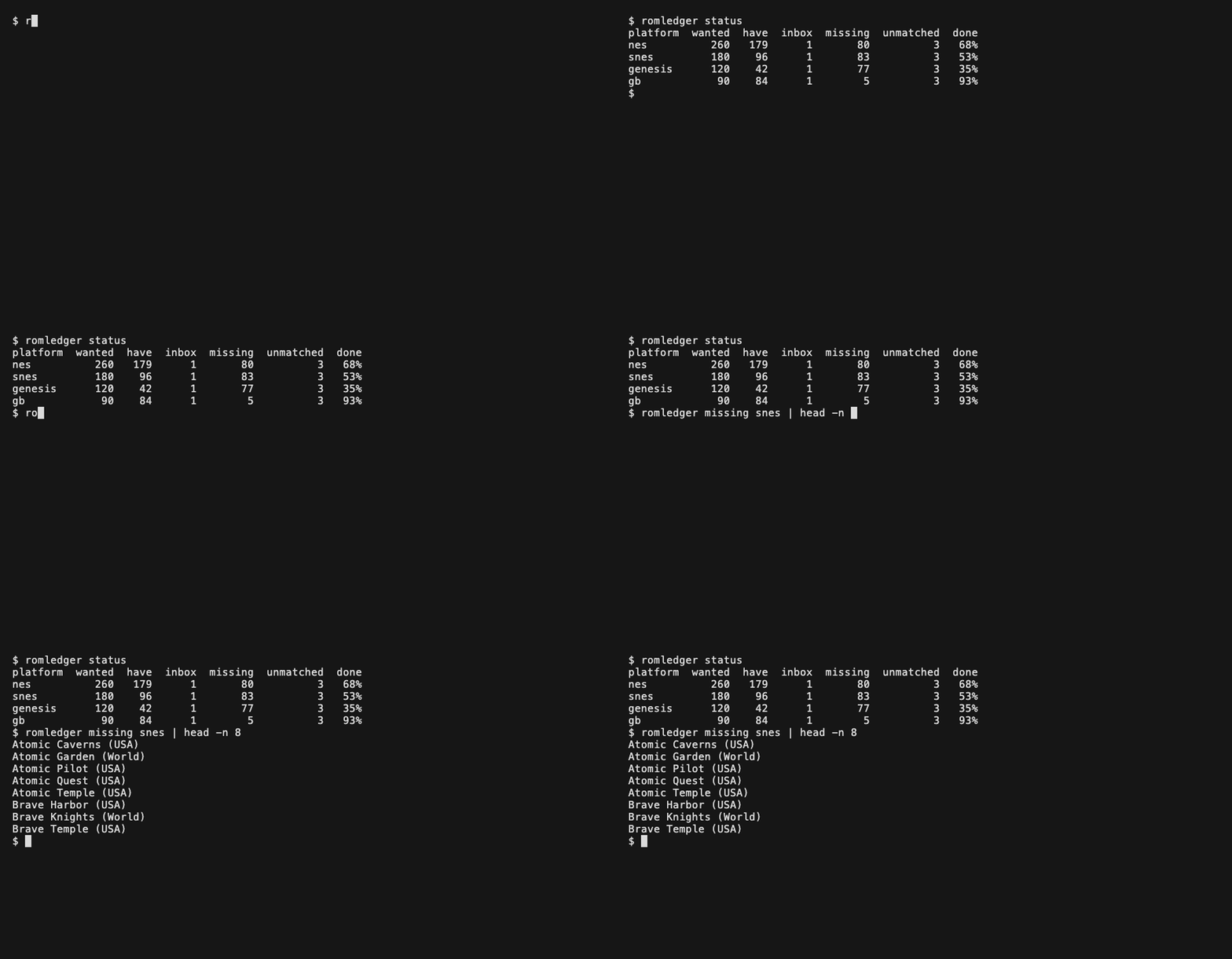
|
@@ -0,0 +1,183 @@
|
|
|
1
|
+
# Deploy
|
|
2
|
+
|
|
3
|
+
Run romledger as a container on a home server, a single-board computer or a workstation, next to
|
|
4
|
+
your library. The image bundles Python, Node.js and igir for `linux/amd64` and `linux/arm64`.
|
|
5
|
+
It is published to the GitHub Container Registry; you can also build it yourself.
|
|
6
|
+
|
|
7
|
+
## Requirements
|
|
8
|
+
|
|
9
|
+
- Docker with Compose on the machine that runs it. Buildx is needed only to build the image yourself.
|
|
10
|
+
- A library directory laid out as in [setup.md](setup.md): `roms/<platform>/` and an `inbox/`.
|
|
11
|
+
- About 2 GiB of memory for the container. A scan of the NES, PS1, PS2 and GBA DATs peaked near
|
|
12
|
+
1 GiB.
|
|
13
|
+
|
|
14
|
+
## Get the image
|
|
15
|
+
|
|
16
|
+
Pull it on the machine that will run it:
|
|
17
|
+
|
|
18
|
+
```sh
|
|
19
|
+
docker pull ghcr.io/kjiwa/romledger:latest
|
|
20
|
+
```
|
|
21
|
+
|
|
22
|
+
Releases are also tagged by version, such as `ghcr.io/kjiwa/romledger:0.2.0`. To build it
|
|
23
|
+
yourself instead, run this from a checkout of the repository:
|
|
24
|
+
|
|
25
|
+
```sh
|
|
26
|
+
docker build -t ghcr.io/kjiwa/romledger:latest .
|
|
27
|
+
```
|
|
28
|
+
|
|
29
|
+
`docker compose up -d --build` (see [Run it](#run-it)) builds it too. To build for another
|
|
30
|
+
architecture, name the target platform. Buildx emulates it when it differs from the host, which
|
|
31
|
+
is slower than a native build:
|
|
32
|
+
|
|
33
|
+
```sh
|
|
34
|
+
docker buildx build --platform linux/arm64 -t ghcr.io/kjiwa/romledger:latest -o type=docker,dest=romledger.tar .
|
|
35
|
+
```
|
|
36
|
+
|
|
37
|
+
- Docker Desktop (macOS, Windows) emulates other architectures out of the box.
|
|
38
|
+
- On Linux with Docker Engine, register the emulators once:
|
|
39
|
+
`docker run --privileged --rm tonistiigi/binfmt --install all`.
|
|
40
|
+
- Use `linux/arm64` for a Raspberry Pi 4 or 5 and other 64-bit ARM boards, `linux/amd64` for
|
|
41
|
+
most PCs and servers.
|
|
42
|
+
|
|
43
|
+
## Move the image to another host
|
|
44
|
+
|
|
45
|
+
If you built elsewhere, copy the archive and load it. A pipe over SSH needs no intermediate file:
|
|
46
|
+
|
|
47
|
+
```sh
|
|
48
|
+
docker save ghcr.io/kjiwa/romledger:latest | ssh HOST docker load
|
|
49
|
+
```
|
|
50
|
+
|
|
51
|
+
Or from a file you built with `-o type=docker,dest=romledger.tar`:
|
|
52
|
+
|
|
53
|
+
```sh
|
|
54
|
+
scp romledger.tar HOST:
|
|
55
|
+
ssh HOST docker load -i romledger.tar
|
|
56
|
+
```
|
|
57
|
+
|
|
58
|
+
`docker load` prints `Loaded image: ghcr.io/kjiwa/romledger:latest`.
|
|
59
|
+
|
|
60
|
+
## Run it
|
|
61
|
+
|
|
62
|
+
Work in a checkout, where [compose.yaml](https://github.com/kjiwa/romledger/blob/master/compose.yaml)
|
|
63
|
+
lives, or copy that file to the host. Create the config:
|
|
64
|
+
|
|
65
|
+
```sh
|
|
66
|
+
mkdir config data
|
|
67
|
+
sudo chown 1000 data
|
|
68
|
+
```
|
|
69
|
+
|
|
70
|
+
Write `config/config.toml` with container paths, as in [setup.md](setup.md):
|
|
71
|
+
|
|
72
|
+
```toml
|
|
73
|
+
[library]
|
|
74
|
+
roms = "/library/roms"
|
|
75
|
+
inboxes = ["/library/inbox"]
|
|
76
|
+
|
|
77
|
+
[platforms.nes]
|
|
78
|
+
```
|
|
79
|
+
|
|
80
|
+
Point `ROMLEDGER_LIBRARY` at your library directory (default `./library`) and start it:
|
|
81
|
+
|
|
82
|
+
```sh
|
|
83
|
+
ROMLEDGER_LIBRARY=/mnt/roms docker compose up -d --build
|
|
84
|
+
```
|
|
85
|
+
|
|
86
|
+
`--build` builds the image from the checkout. Without a checkout, load an image as in
|
|
87
|
+
[Move the image to another host](#move-the-image-to-another-host) and leave `--build` off.
|
|
88
|
+
|
|
89
|
+
The port is published on `127.0.0.1` only. To reach the dashboard from other machines on your
|
|
90
|
+
network, also set `ROMLEDGER_BIND` to the host's address, or `0.0.0.0` for every interface.
|
|
91
|
+
|
|
92
|
+
The container runs as user 1000. That user must be able to write `data/` (hence the `chown`), the
|
|
93
|
+
`roms/` tree and the inbox. `data/romledger/` holds the DATs, igir's hash cache and `state.db`; keep it on a local disk, not
|
|
94
|
+
on the network share.
|
|
95
|
+
|
|
96
|
+
Read the sign-in link from the log and open it once in a browser. The link names `localhost`; when
|
|
97
|
+
you open it from another machine, replace `localhost` with the address you reach the host at:
|
|
98
|
+
|
|
99
|
+
```sh
|
|
100
|
+
docker compose logs romledger
|
|
101
|
+
```
|
|
102
|
+
|
|
103
|
+
The dashboard is plain HTTP; see [Access token](setup.md#access-token) before exposing the port
|
|
104
|
+
beyond a network you trust.
|
|
105
|
+
|
|
106
|
+
Fetch DATs and scan, as on the command line:
|
|
107
|
+
|
|
108
|
+
```sh
|
|
109
|
+
docker compose exec romledger romledger dats update
|
|
110
|
+
docker compose exec romledger romledger scan
|
|
111
|
+
```
|
|
112
|
+
|
|
113
|
+
To run a command on a schedule, call it from cron or a systemd timer with `-T`, which disables
|
|
114
|
+
the terminal:
|
|
115
|
+
|
|
116
|
+
```sh
|
|
117
|
+
docker compose -f /path/to/compose.yaml exec -T romledger romledger scan
|
|
118
|
+
```
|
|
119
|
+
|
|
120
|
+
## Use it beside RomM
|
|
121
|
+
|
|
122
|
+
RomM reads the same `roms/<platform>/` folders that `import` fills. Mount the library directory
|
|
123
|
+
into RomM's container as its library, following [RomM's documentation](https://docs.romm.app),
|
|
124
|
+
and let RomM's scheduled rescan pick up new games; see `hooks.after_import` in
|
|
125
|
+
[setup.md](setup.md).
|
|
126
|
+
|
|
127
|
+
## Update
|
|
128
|
+
|
|
129
|
+
Pull the new image and recreate the container:
|
|
130
|
+
|
|
131
|
+
```sh
|
|
132
|
+
docker compose pull
|
|
133
|
+
docker compose up -d
|
|
134
|
+
```
|
|
135
|
+
|
|
136
|
+
From a source checkout, pull the new source and run `docker compose up -d --build` instead.
|
|
137
|
+
If you load images instead, load the new one and run `docker compose up -d`.
|
|
138
|
+
|
|
139
|
+
Compose recreates the container when the `ghcr.io/kjiwa/romledger:latest` image has changed. `data/` survives.
|
|
140
|
+
|
|
141
|
+
## Mount a network share
|
|
142
|
+
|
|
143
|
+
Mount the share on the host, then bind-mount it into the container. The container sees only the
|
|
144
|
+
path you pass in `ROMLEDGER_LIBRARY`.
|
|
145
|
+
|
|
146
|
+
### Linux, NFS
|
|
147
|
+
|
|
148
|
+
Add a line to `/etc/fstab` that mounts on first access (`x-systemd.automount`), so a share that is
|
|
149
|
+
down at boot does not block it:
|
|
150
|
+
|
|
151
|
+
```text
|
|
152
|
+
server:/export/roms /mnt/roms nfs _netdev,x-systemd.automount,x-systemd.idle-timeout=60 0 0
|
|
153
|
+
```
|
|
154
|
+
|
|
155
|
+
Then run `sudo systemctl daemon-reload && sudo systemctl start mnt-roms.automount` (the unit
|
|
156
|
+
name is the mount path with `/` replaced by `-`). Check with `ls /mnt/roms`.
|
|
157
|
+
|
|
158
|
+
### Linux, SMB
|
|
159
|
+
|
|
160
|
+
Put the login in a file only root can read, `/etc/romledger-smb`:
|
|
161
|
+
|
|
162
|
+
```text
|
|
163
|
+
username=USER
|
|
164
|
+
password=PASSWORD
|
|
165
|
+
```
|
|
166
|
+
|
|
167
|
+
```sh
|
|
168
|
+
sudo chmod 600 /etc/romledger-smb
|
|
169
|
+
```
|
|
170
|
+
|
|
171
|
+
Then add to `/etc/fstab`, with the uid and gid of the user the container runs as (1000):
|
|
172
|
+
|
|
173
|
+
```text
|
|
174
|
+
//server/roms /mnt/roms cifs credentials=/etc/romledger-smb,uid=1000,gid=1000,_netdev,x-systemd.automount 0 0
|
|
175
|
+
```
|
|
176
|
+
|
|
177
|
+
`uid` and `gid` set the owner of every file when the server does not report one. If the server
|
|
178
|
+
needs a specific protocol version, add `vers=3.0` (or another value from `man mount.cifs`).
|
|
179
|
+
|
|
180
|
+
### macOS
|
|
181
|
+
|
|
182
|
+
Mount the share in Finder (Go, Connect to Server, `smb://server/roms`) or with `mount_smbfs`.
|
|
183
|
+
It appears under `/Volumes/roms`; pass that path as `ROMLEDGER_LIBRARY`.
|