robotframework-pabot 5.2.0rc1__tar.gz
This diff represents the content of publicly available package versions that have been released to one of the supported registries. The information contained in this diff is provided for informational purposes only and reflects changes between package versions as they appear in their respective public registries.
- robotframework_pabot-5.2.0rc1/MANIFEST.in +1 -0
- robotframework_pabot-5.2.0rc1/PKG-INFO +539 -0
- robotframework_pabot-5.2.0rc1/README.md +516 -0
- robotframework_pabot-5.2.0rc1/pyproject.toml +12 -0
- robotframework_pabot-5.2.0rc1/setup.cfg +46 -0
- robotframework_pabot-5.2.0rc1/setup.py +14 -0
- robotframework_pabot-5.2.0rc1/src/pabot/ProcessManager.py +415 -0
- robotframework_pabot-5.2.0rc1/src/pabot/SharedLibrary.py +65 -0
- robotframework_pabot-5.2.0rc1/src/pabot/__init__.py +10 -0
- robotframework_pabot-5.2.0rc1/src/pabot/arguments.py +368 -0
- robotframework_pabot-5.2.0rc1/src/pabot/clientwrapper.py +10 -0
- robotframework_pabot-5.2.0rc1/src/pabot/coordinatorwrapper.py +8 -0
- robotframework_pabot-5.2.0rc1/src/pabot/execution_items.py +437 -0
- robotframework_pabot-5.2.0rc1/src/pabot/pabot.py +2776 -0
- robotframework_pabot-5.2.0rc1/src/pabot/pabotlib.py +578 -0
- robotframework_pabot-5.2.0rc1/src/pabot/py3/__init__.py +0 -0
- robotframework_pabot-5.2.0rc1/src/pabot/py3/client.py +40 -0
- robotframework_pabot-5.2.0rc1/src/pabot/py3/coordinator.py +63 -0
- robotframework_pabot-5.2.0rc1/src/pabot/py3/messages.py +103 -0
- robotframework_pabot-5.2.0rc1/src/pabot/py3/worker.py +52 -0
- robotframework_pabot-5.2.0rc1/src/pabot/result_merger.py +301 -0
- robotframework_pabot-5.2.0rc1/src/pabot/robotremoteserver.py +652 -0
- robotframework_pabot-5.2.0rc1/src/pabot/workerwrapper.py +8 -0
- robotframework_pabot-5.2.0rc1/src/pabot/writer.py +235 -0
- robotframework_pabot-5.2.0rc1/src/robotframework_pabot.egg-info/PKG-INFO +539 -0
- robotframework_pabot-5.2.0rc1/src/robotframework_pabot.egg-info/SOURCES.txt +51 -0
- robotframework_pabot-5.2.0rc1/src/robotframework_pabot.egg-info/dependency_links.txt +1 -0
- robotframework_pabot-5.2.0rc1/src/robotframework_pabot.egg-info/entry_points.txt +2 -0
- robotframework_pabot-5.2.0rc1/src/robotframework_pabot.egg-info/requires.txt +3 -0
- robotframework_pabot-5.2.0rc1/src/robotframework_pabot.egg-info/top_level.txt +1 -0
- robotframework_pabot-5.2.0rc1/tests/test_arguments_output.py +260 -0
- robotframework_pabot-5.2.0rc1/tests/test_basic_arguments.py +62 -0
- robotframework_pabot-5.2.0rc1/tests/test_depends.py +425 -0
- robotframework_pabot-5.2.0rc1/tests/test_dynamic_ordering.py +345 -0
- robotframework_pabot-5.2.0rc1/tests/test_functional.py +51 -0
- robotframework_pabot-5.2.0rc1/tests/test_missing_subprocess_output.py +135 -0
- robotframework_pabot-5.2.0rc1/tests/test_ordering.py +617 -0
- robotframework_pabot-5.2.0rc1/tests/test_pabot.py +1475 -0
- robotframework_pabot-5.2.0rc1/tests/test_pabot_process_handling.py +284 -0
- robotframework_pabot-5.2.0rc1/tests/test_pabot_timeout.py +85 -0
- robotframework_pabot-5.2.0rc1/tests/test_pabotlib.py +315 -0
- robotframework_pabot-5.2.0rc1/tests/test_pabotprerunmodifier.py +247 -0
- robotframework_pabot-5.2.0rc1/tests/test_pabotsuitenames_io.py +65 -0
- robotframework_pabot-5.2.0rc1/tests/test_prerunmodifier.py +92 -0
- robotframework_pabot-5.2.0rc1/tests/test_resultmerger.py +140 -0
- robotframework_pabot-5.2.0rc1/tests/test_robotremoteserver.py +64 -0
- robotframework_pabot-5.2.0rc1/tests/test_run_empty_suite.py +74 -0
- robotframework_pabot-5.2.0rc1/tests/test_stacktrace.py +45 -0
- robotframework_pabot-5.2.0rc1/tests/test_suite_structure.py +232 -0
- robotframework_pabot-5.2.0rc1/tests/test_testlevelsplit_include.py +55 -0
- robotframework_pabot-5.2.0rc1/tests/test_testlevelsplit_output_task_order.py +90 -0
- robotframework_pabot-5.2.0rc1/tests/test_writer_comprehensive.py +723 -0
|
@@ -0,0 +1 @@
|
|
|
1
|
+
include LICENSE.txt
|
|
@@ -0,0 +1,539 @@
|
|
|
1
|
+
Metadata-Version: 2.4
|
|
2
|
+
Name: robotframework-pabot
|
|
3
|
+
Version: 5.2.0rc1
|
|
4
|
+
Summary: Parallel test runner for Robot Framework
|
|
5
|
+
Home-page: https://pabot.org
|
|
6
|
+
Download-URL: https://pypi.python.org/pypi/robotframework-pabot
|
|
7
|
+
Author: Mikko Korpela
|
|
8
|
+
Author-email: mikko.korpela@gmail.com
|
|
9
|
+
License: Apache License, Version 2.0
|
|
10
|
+
Project-URL: Source, https://github.com/mkorpela/pabot
|
|
11
|
+
Classifier: Intended Audience :: Developers
|
|
12
|
+
Classifier: Natural Language :: English
|
|
13
|
+
Classifier: Programming Language :: Python :: 3
|
|
14
|
+
Classifier: Topic :: Software Development :: Testing
|
|
15
|
+
Classifier: Development Status :: 5 - Production/Stable
|
|
16
|
+
Classifier: Framework :: Robot Framework
|
|
17
|
+
Requires-Python: >=3.6
|
|
18
|
+
Description-Content-Type: text/markdown
|
|
19
|
+
Requires-Dist: robotframework>=3.2
|
|
20
|
+
Requires-Dist: robotframework-stacktrace>=0.4.1
|
|
21
|
+
Requires-Dist: natsort>=8.2.0
|
|
22
|
+
Dynamic: download-url
|
|
23
|
+
|
|
24
|
+
# Pabot
|
|
25
|
+
|
|
26
|
+
[中文版](README_zh.md)
|
|
27
|
+
|
|
28
|
+
[](https://pypi.python.org/pypi/robotframework-pabot)
|
|
29
|
+
[](http://pepy.tech/project/robotframework-pabot)
|
|
30
|
+
|
|
31
|
+
<img src="https://raw.githubusercontent.com/mkorpela/pabot/master/pabot.png" width="100">
|
|
32
|
+
|
|
33
|
+
----
|
|
34
|
+
|
|
35
|
+
A parallel executor for [Robot Framework](http://www.robotframework.org) tests. With Pabot you can split one execution into multiple and save test execution time.
|
|
36
|
+
|
|
37
|
+
[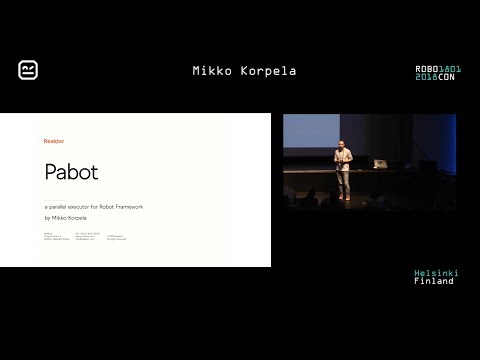](https://youtu.be/i0RV6SJSIn8 "Pabot presentation at robocon.io 2018")
|
|
38
|
+
|
|
39
|
+
## Table of Contents
|
|
40
|
+
|
|
41
|
+
- [Installation](#installation)
|
|
42
|
+
- [Basic use](#basic-use)
|
|
43
|
+
- [Contact](#contact)
|
|
44
|
+
- [Contributing](#contributing-to-the-project)
|
|
45
|
+
- [Command-line options](#command-line-options)
|
|
46
|
+
- [PabotLib](#pabotlib)
|
|
47
|
+
- [Controlling execution order, mode and level of parallelism](#controlling-execution-order-mode-and-level-of-parallelism)
|
|
48
|
+
- [Programmatic use](#programmatic-use)
|
|
49
|
+
- [Global variables](#global-variables)
|
|
50
|
+
- [Output Files Generated by Pabot](#output-files-generated-by-pabot)
|
|
51
|
+
- [Artifacts Handling and Parallel Execution Notes](#artifacts-handling-and-parallel-execution-notes)
|
|
52
|
+
|
|
53
|
+
----
|
|
54
|
+
|
|
55
|
+
## Installation:
|
|
56
|
+
|
|
57
|
+
From PyPi:
|
|
58
|
+
|
|
59
|
+
pip install -U robotframework-pabot
|
|
60
|
+
|
|
61
|
+
OR clone this repository and run:
|
|
62
|
+
|
|
63
|
+
setup.py install
|
|
64
|
+
|
|
65
|
+
OR clone this repository and run:
|
|
66
|
+
|
|
67
|
+
pip install --editable .
|
|
68
|
+
|
|
69
|
+
## Basic use
|
|
70
|
+
|
|
71
|
+
Split execution to suite files.
|
|
72
|
+
|
|
73
|
+
pabot [path to tests]
|
|
74
|
+
|
|
75
|
+
Split execution on test level.
|
|
76
|
+
|
|
77
|
+
pabot --testlevelsplit [path to tests]
|
|
78
|
+
|
|
79
|
+
Run same tests with two different configurations.
|
|
80
|
+
|
|
81
|
+
pabot --argumentfile1 first.args --argumentfile2 second.args [path to tests]
|
|
82
|
+
|
|
83
|
+
For more complex cases please read onward.
|
|
84
|
+
|
|
85
|
+
## Contact
|
|
86
|
+
|
|
87
|
+
Join [Pabot Slack channel](https://robotframework.slack.com/messages/C7HKR2L6L) in Robot Framework slack.
|
|
88
|
+
[Get invite to Robot Framework slack](https://robotframework-slack-invite.herokuapp.com/).
|
|
89
|
+
|
|
90
|
+
|
|
91
|
+
## Contributing to the project
|
|
92
|
+
|
|
93
|
+
There are several ways you can help in improving this tool:
|
|
94
|
+
|
|
95
|
+
- Report an issue or an improvement idea to the [issue tracker](https://github.com/mkorpela/pabot/issues)
|
|
96
|
+
- Contribute by programming and making a pull request (easiest way is to work on an issue from the issue tracker)
|
|
97
|
+
|
|
98
|
+
Before contributing, please read our detailed contributing guidelines:
|
|
99
|
+
|
|
100
|
+
- [Contributing Guide](CONTRIBUTING.md)
|
|
101
|
+
- [Code of Conduct](CODE_OF_CONDUCT.md)
|
|
102
|
+
- [Security Policy](SECURITY.md)
|
|
103
|
+
|
|
104
|
+
## Command-line options
|
|
105
|
+
<!-- NOTE:
|
|
106
|
+
The sections inside these docstring markers are also used in Pabot's --help output.
|
|
107
|
+
Currently, the following transformations are applied:
|
|
108
|
+
- Remove Markdown links but keep the text
|
|
109
|
+
- Remove ** and backticks `
|
|
110
|
+
|
|
111
|
+
If you modify this part, make sure the Markdown section still looks clean and readable in the --help output. -->
|
|
112
|
+
|
|
113
|
+
<!-- START DOCSTRING -->
|
|
114
|
+
```
|
|
115
|
+
pabot [--verbose|--testlevelsplit|--command .. --end-command|
|
|
116
|
+
--processes num|--no-pabotlib|--pabotlibhost host|--pabotlibport port|
|
|
117
|
+
--processtimeout num|
|
|
118
|
+
--shard i/n|
|
|
119
|
+
--artifacts extensions|--artifactsinsubfolders|
|
|
120
|
+
--resourcefile file|--argumentfile[num] file|--suitesfrom file
|
|
121
|
+
--ordering file [static|dynamic] [skip|run_all]|
|
|
122
|
+
--chunk|
|
|
123
|
+
--pabotprerunmodifier modifier|
|
|
124
|
+
--no-rebot|
|
|
125
|
+
--pabotconsole [verbose|dotted|quiet|none]|
|
|
126
|
+
--help|--version]
|
|
127
|
+
[robot options] [path ...]
|
|
128
|
+
```
|
|
129
|
+
|
|
130
|
+
PabotLib remote server is started by default to enable locking and resource distribution between parallel test executions.
|
|
131
|
+
|
|
132
|
+
Supports all [Robot Framework command line options](https://robotframework.org/robotframework/latest/RobotFrameworkUserGuide.html#command-line-options) and also following pabot options:
|
|
133
|
+
|
|
134
|
+
**--verbose**
|
|
135
|
+
More output from the parallel execution.
|
|
136
|
+
|
|
137
|
+
**--testlevelsplit**
|
|
138
|
+
Split execution on test level instead of default suite level. If .pabotsuitenames contains both tests and suites then
|
|
139
|
+
this will only affect new suites and split only them. Leaving this flag out when both suites and tests in
|
|
140
|
+
.pabotsuitenames file will also only affect new suites and add them as suite files.
|
|
141
|
+
|
|
142
|
+
**--command [ACTUAL COMMANDS TO START ROBOT EXECUTOR] --end-command**
|
|
143
|
+
RF script for situations where robot is not used directly.
|
|
144
|
+
|
|
145
|
+
**--processes [NUMBER OF PROCESSES]**
|
|
146
|
+
How many parallel executors to use (default max of 2 and cpu count). Special option "all" will use as many processes as
|
|
147
|
+
there are executable suites or tests.
|
|
148
|
+
|
|
149
|
+
**--no-pabotlib**
|
|
150
|
+
Disable the PabotLib remote server if you don't need locking or resource distribution features.
|
|
151
|
+
|
|
152
|
+
**--pabotlibhost [HOSTNAME]**
|
|
153
|
+
Connect to an already running instance of the PabotLib remote server at the given host (disables the local PabotLib
|
|
154
|
+
server start). For example, to connect to a remote PabotLib server running on another machine:
|
|
155
|
+
|
|
156
|
+
pabot --pabotlibhost 192.168.1.123 --pabotlibport 8271 tests/
|
|
157
|
+
|
|
158
|
+
The remote server can also be started and executed separately from pabot instances:
|
|
159
|
+
|
|
160
|
+
python -m pabot.pabotlib <path_to_resourcefile> <host> <port>
|
|
161
|
+
python -m pabot.pabotlib resource.txt 192.168.1.123 8271
|
|
162
|
+
|
|
163
|
+
This enables sharing a resource with multiple Robot Framework instances.
|
|
164
|
+
|
|
165
|
+
Additional details:
|
|
166
|
+
- The default value for --pabotlibhost is 127.0.0.1.
|
|
167
|
+
- If you provide a hostname other than 127.0.0.1, the local PabotLib server startup is automatically disabled.
|
|
168
|
+
|
|
169
|
+
**--pabotlibport [PORT]**
|
|
170
|
+
Port number of the PabotLib remote server (default is 8270). See --pabotlibhost for more information.
|
|
171
|
+
|
|
172
|
+
Behavior with port and host settings:
|
|
173
|
+
- If you set the port value to 0 and --pabotlibhost is 127.0.0.1 (default), a free port on localhost will be assigned automatically.
|
|
174
|
+
|
|
175
|
+
**--processtimeout [TIMEOUT]**
|
|
176
|
+
Maximum time in seconds to wait for a process before killing it. If not set, there's no timeout.
|
|
177
|
+
|
|
178
|
+
**--shard [INDEX]/[TOTAL]**
|
|
179
|
+
Optionally split execution into smaller pieces. This can be used for distributing testing to multiple machines.
|
|
180
|
+
|
|
181
|
+
**--artifacts [FILE EXTENSIONS]**
|
|
182
|
+
List of file extensions (comma separated). Defines which files (screenshots, videos etc.) from separate reporting
|
|
183
|
+
directories would be copied and included in a final report. Possible links to copied files in RF log would be updated
|
|
184
|
+
(only relative paths supported). The default value is `png`.
|
|
185
|
+
|
|
186
|
+
Examples:
|
|
187
|
+
|
|
188
|
+
--artifacts png,mp4,txt
|
|
189
|
+
|
|
190
|
+
The artifact naming conventions are described in the README.md section: [Output Files Generated by Pabot](#output-files-generated-by-pabot).
|
|
191
|
+
|
|
192
|
+
**--artifactsinsubfolders**
|
|
193
|
+
Copy artifacts located not only directly in the RF output dir, but also in it's sub-folders.
|
|
194
|
+
|
|
195
|
+
**--resourcefile [FILEPATH]**
|
|
196
|
+
Indicator for a file that can contain shared variables for distributing resources. This needs to be used together with
|
|
197
|
+
pabotlib option. Resource file syntax is same as Windows ini files. Where a section is a shared set of variables.
|
|
198
|
+
|
|
199
|
+
**--argumentfile[INTEGER] [FILEPATH]**
|
|
200
|
+
Run same suites with multiple [argumentfile](http://robotframework.org/robotframework/latest/RobotFrameworkUserGuide.html#argument-files) options.
|
|
201
|
+
|
|
202
|
+
For example:
|
|
203
|
+
|
|
204
|
+
--argumentfile1 arg1.txt --argumentfile2 arg2.txt
|
|
205
|
+
|
|
206
|
+
**--suitesfrom [FILEPATH TO OUTPUTXML]**
|
|
207
|
+
Optionally read suites from output.xml file. Failed suites will run first and longer running ones will be executed
|
|
208
|
+
before shorter ones.
|
|
209
|
+
|
|
210
|
+
**--ordering [FILEPATH] [MODE] [FAILURE POLICY]**
|
|
211
|
+
Optionally give execution order from a file. See README.md section: [Controlling execution order, mode and level of parallelism](#controlling-execution-order-mode-and-level-of-parallelism)
|
|
212
|
+
- MODE (optional): [ static (default) | dynamic ]
|
|
213
|
+
- FAILURE POLICY (optional, only in dynamic mode): [ skip | run_all (default) ]
|
|
214
|
+
|
|
215
|
+
**--chunk**
|
|
216
|
+
Optionally chunk tests to PROCESSES number of robot runs. This can save time because all the suites will share the same
|
|
217
|
+
setups and teardowns.
|
|
218
|
+
|
|
219
|
+
**--pabotprerunmodifier [PRERUNMODIFIER MODULE OR CLASS]**
|
|
220
|
+
Like Robot Framework's --prerunmodifier, but executed only once in the pabot's main process after all other
|
|
221
|
+
--prerunmodifiers. But unlike the regular --prerunmodifier command, --pabotprerunmodifier is not executed again in each
|
|
222
|
+
pabot subprocesses. Depending on the intended use, this may be desirable as well as more efficient. Can be used, for
|
|
223
|
+
example, to modify the list of tests to be performed.
|
|
224
|
+
|
|
225
|
+
**--no-rebot**
|
|
226
|
+
If specified, the tests will execute as usual, but Rebot will not be called to merge the logs. This option is designed
|
|
227
|
+
for scenarios where Rebot should be run later due to large log files, ensuring better memory and resource availability.
|
|
228
|
+
Subprocess results are stored in the pabot_results folder.
|
|
229
|
+
|
|
230
|
+
**--pabotconsole [MODE]**
|
|
231
|
+
The --pabotconsole option controls how much output is printed to the console.
|
|
232
|
+
Note that all Pabot’s own messages are always logged to pabot_manager.log, regardless of the selected console mode.
|
|
233
|
+
|
|
234
|
+
The available options are:
|
|
235
|
+
- verbose (default):
|
|
236
|
+
Prints all messages to the console, corresponding closely to what is written to the log file.
|
|
237
|
+
- dotted:
|
|
238
|
+
Prints important messages, warnings, and errors to the console, along with execution progress using the following notation:
|
|
239
|
+
|
|
240
|
+
- PASS = .
|
|
241
|
+
- FAIL = F
|
|
242
|
+
- SKIP = s
|
|
243
|
+
|
|
244
|
+
Note that each Robot Framework process is represented by a single character.
|
|
245
|
+
Depending on the execution parameters, individual tests may not have their own status character;
|
|
246
|
+
instead, the status may represent an entire suite or a group of tests.
|
|
247
|
+
- quiet:
|
|
248
|
+
Similar to dotted, but suppresses execution progress output.
|
|
249
|
+
- none:
|
|
250
|
+
Produces no console output at all.
|
|
251
|
+
|
|
252
|
+
**--help**
|
|
253
|
+
Print usage instructions.
|
|
254
|
+
|
|
255
|
+
**--version**
|
|
256
|
+
Print version information.
|
|
257
|
+
|
|
258
|
+
**Example usages:**
|
|
259
|
+
|
|
260
|
+
pabot test_directory
|
|
261
|
+
pabot --exclude FOO directory_to_tests
|
|
262
|
+
pabot --command java -jar robotframework.jar --end-command --include SMOKE tests
|
|
263
|
+
pabot --processes 10 tests
|
|
264
|
+
pabot --pabotlibhost 192.168.1.123 --pabotlibport 8271 --processes 10 tests
|
|
265
|
+
pabot --artifacts png,mp4,txt --artifactsinsubfolders directory_to_tests
|
|
266
|
+
# To disable PabotLib:
|
|
267
|
+
pabot --no-pabotlib tests
|
|
268
|
+
|
|
269
|
+
<!-- END DOCSTRING -->
|
|
270
|
+
### PabotLib
|
|
271
|
+
|
|
272
|
+
pabot.PabotLib provides keywords that will help communication and data sharing between the executor processes.
|
|
273
|
+
These can be helpful when you must ensure that only one of the processes uses some piece of data or operates on some part of the system under test at a time.
|
|
274
|
+
|
|
275
|
+
PabotLib Docs are located at https://pabot.org/PabotLib.html.
|
|
276
|
+
|
|
277
|
+
Note that PabotLib uses the XML-RPC protocol, which does not support all possible object types.
|
|
278
|
+
These limitations are described in the Robot Framework documentation in chapter [Supported argument and return value types](https://robotframework.org/robotframework/latest/RobotFrameworkUserGuide.html#supported-argument-and-return-value-types).
|
|
279
|
+
|
|
280
|
+
### PabotLib example:
|
|
281
|
+
|
|
282
|
+
test.robot
|
|
283
|
+
|
|
284
|
+
*** Settings ***
|
|
285
|
+
Library pabot.PabotLib
|
|
286
|
+
|
|
287
|
+
*** Test Case ***
|
|
288
|
+
Testing PabotLib
|
|
289
|
+
Acquire Lock MyLock
|
|
290
|
+
Log This part is critical section
|
|
291
|
+
Release Lock MyLock
|
|
292
|
+
${valuesetname}= Acquire Value Set admin-server
|
|
293
|
+
${host}= Get Value From Set host
|
|
294
|
+
${username}= Get Value From Set username
|
|
295
|
+
${password}= Get Value From Set password
|
|
296
|
+
Log Do something with the values (for example access host with username and password)
|
|
297
|
+
Release Value Set
|
|
298
|
+
Log After value set release others can obtain the variable values
|
|
299
|
+
|
|
300
|
+
valueset.dat
|
|
301
|
+
|
|
302
|
+
[Server1]
|
|
303
|
+
tags=admin-server
|
|
304
|
+
HOST=123.123.123.123
|
|
305
|
+
USERNAME=user1
|
|
306
|
+
PASSWORD=password1
|
|
307
|
+
|
|
308
|
+
[Server2]
|
|
309
|
+
tags=server
|
|
310
|
+
HOST=121.121.121.121
|
|
311
|
+
USERNAME=user2
|
|
312
|
+
PASSWORD=password2
|
|
313
|
+
|
|
314
|
+
[Server3]
|
|
315
|
+
tags=admin-server
|
|
316
|
+
HOST=222.222.222.222
|
|
317
|
+
USERNAME=user3
|
|
318
|
+
PASSWORD=password4
|
|
319
|
+
|
|
320
|
+
|
|
321
|
+
pabot call using resources from valueset.dat
|
|
322
|
+
|
|
323
|
+
pabot --pabotlib --resourcefile valueset.dat test.robot
|
|
324
|
+
|
|
325
|
+
### Controlling execution order, mode, and level of parallelism
|
|
326
|
+
|
|
327
|
+
.pabotsuitenames file contains the list of suites that will be executed.
|
|
328
|
+
This file is created during pabot execution if it does not already exist. It acts as a cache to speed up processing when re-executing the same tests.
|
|
329
|
+
The file can be manually edited partially, but a simpler and more controlled approach is to use:
|
|
330
|
+
|
|
331
|
+
```bash
|
|
332
|
+
--ordering <FILENAME> [static|dynamic] [skip|run_all]
|
|
333
|
+
```
|
|
334
|
+
|
|
335
|
+
- **FILENAME** – path to the ordering file.
|
|
336
|
+
- **mode** – optional execution mode, either `static` (default) or `dynamic`.
|
|
337
|
+
- `static` executes suites in predefined stages.
|
|
338
|
+
- `dynamic` executes tests as soon as all their dependencies are satisfied, allowing more optimal parallel execution.
|
|
339
|
+
- **failure_policy** – determines behavior when dependencies fail. Used only in dynamic mode. Optional:
|
|
340
|
+
- `skip` – dependent tests are skipped if a dependency fails.
|
|
341
|
+
- `run_all` – all tests run regardless of failures (default).
|
|
342
|
+
|
|
343
|
+
The ordering file syntax is similar to `.pabotsuitenames` but does not include the first 4 hash rows used by pabot. The ordering file defines the **execution order and dependencies** of suites and tests.
|
|
344
|
+
The actual selection of what to run must still be done using options like `--test`, `--suite`, `--include`, or `--exclude`.
|
|
345
|
+
|
|
346
|
+
#### Controlling execution order
|
|
347
|
+
|
|
348
|
+
There different possibilities to influence the execution:
|
|
349
|
+
|
|
350
|
+
* The order of suites can be changed.
|
|
351
|
+
* If a directory (or a directory structure) should be executed sequentially, add the directory suite name to a row as a ```--suite``` option. This usage is also supported when `--testlevelsplit` is enabled. As an alternative to using `--suite` options, you can also group tests into sequential batches using `{}` braces. (See below for details.) Note that if multiple `--suite` options are used, they must not reference the same test case. This means you cannot specify both parent and child suite names at the same time. For instance:
|
|
352
|
+
|
|
353
|
+
```
|
|
354
|
+
--suite Top Suite.Sub Suite
|
|
355
|
+
--suite Top Suite
|
|
356
|
+
```
|
|
357
|
+
|
|
358
|
+
* If the base suite name is changing with robot option [```--name / -N```](https://robotframework.org/robotframework/latest/RobotFrameworkUserGuide.html#setting-suite-name) you can use either the new or old full test path. For example:
|
|
359
|
+
|
|
360
|
+
```
|
|
361
|
+
--test New Suite Name.Sub Suite.Test 1
|
|
362
|
+
OR
|
|
363
|
+
--test Old Suite Name.Sub Suite.Test 1
|
|
364
|
+
```
|
|
365
|
+
|
|
366
|
+
* You can add a line with text `#WAIT` to force executor to wait until all previous suites have been executed.
|
|
367
|
+
* You can group suites and tests together to same executor process by adding line `{` before the group and `}` after. Note that `#WAIT` cannot be used inside a group.
|
|
368
|
+
* You can introduce dependencies using the word `#DEPENDS` after a test declaration. This keyword can be used several times if it is necessary to refer to several different tests.
|
|
369
|
+
* The ordering algorithm is designed to preserve the exact user-defined order as closely as possible. However, if a test's execution dependencies are not yet satisfied, the test is postponed and moved to the earliest possible stage where all its dependencies are fulfilled.
|
|
370
|
+
* Please take care that in case of circular dependencies an exception will be thrown.
|
|
371
|
+
* Note that each `#WAIT` splits suites into separate execution blocks, and it's not possible to define dependencies for suites or tests that are inside another `#WAIT` block or inside another `{}` braces.
|
|
372
|
+
* Ordering mode effect to execution:
|
|
373
|
+
* **Dynamic mode** will schedule dependent tests as soon as all their dependencies are satisfied. Note that in dynamic mode `#WAIT` is ignored, but you can achieve same results with using only `#DEPENDS` keywords.
|
|
374
|
+
* **Static mode** preserves stage barriers and executes the next stage only after all tests in the previous stage finish.
|
|
375
|
+
* Note: Within a group `{}`, neither execution order nor the `#DEPENDS` keyword currently works. This is due to limitations in Robot Framework, which is invoked within Pabot subprocesses. These limitations may be addressed in a future release of Robot Framework. For now, tests or suites within a group will be executed in the order Robot Framework discovers them — typically in alphabetical order.
|
|
376
|
+
* An example could be:
|
|
377
|
+
|
|
378
|
+
```
|
|
379
|
+
--test robotTest.1 Scalar.Test With Environment Variables #DEPENDS robotTest.1 Scalar.Test with BuiltIn Variables of Robot Framework
|
|
380
|
+
--test robotTest.1 Scalar.Test with BuiltIn Variables of Robot Framework
|
|
381
|
+
--test robotTest.2 Lists.Test with Keywords and a list
|
|
382
|
+
#WAIT
|
|
383
|
+
--test robotTest.2 Lists.Test with a Keyword that accepts multiple arguments
|
|
384
|
+
{
|
|
385
|
+
--test robotTest.2 Lists.Test with some Collections keywords
|
|
386
|
+
--test robotTest.2 Lists.Test to access list entries
|
|
387
|
+
}
|
|
388
|
+
--test robotTest.3 Dictionary.Test that accesses Dictionaries
|
|
389
|
+
--test robotTest.3 Dictionary.Dictionaries for named arguments #DEPENDS robotTest.3 Dictionary.Test that accesses Dictionaries
|
|
390
|
+
--test robotTest.1 Scalar.Test Case With Variables #DEPENDS robotTest.3 Dictionary.Test that accesses Dictionaries
|
|
391
|
+
--test robotTest.1 Scalar.Test with Numbers #DEPENDS robotTest.1 Scalar.Test With Arguments and Return Values
|
|
392
|
+
--test robotTest.1 Scalar.Test Case with Return Values #DEPENDS robotTest.1 Scalar.Test with Numbers
|
|
393
|
+
--test robotTest.1 Scalar.Test With Arguments and Return Values
|
|
394
|
+
--test robotTest.3 Dictionary.Test with Dictionaries as Arguments
|
|
395
|
+
--test robotTest.3 Dictionary.Test with FOR loops and Dictionaries #DEPENDS robotTest.1 Scalar.Test Case with Return Values
|
|
396
|
+
```
|
|
397
|
+
|
|
398
|
+
* By using the command `#SLEEP X`, where `X` is an integer in the range [0-3600] (in seconds), you can
|
|
399
|
+
define a startup delay for each subprocess. `#SLEEP` affects the next line unless the next line starts a
|
|
400
|
+
group with `{`, in which case the delay applies to the entire group. If the next line begins with `--test`
|
|
401
|
+
or `--suite`, the delay is applied to that specific item. Any other occurrences of `#SLEEP` are ignored.
|
|
402
|
+
Note that `#SLEEP` has no effect within a group, i.e., inside a subprocess.
|
|
403
|
+
|
|
404
|
+
The following example clarifies the behavior:
|
|
405
|
+
|
|
406
|
+
```sh
|
|
407
|
+
pabot --processes 2 --ordering order.txt data_1
|
|
408
|
+
```
|
|
409
|
+
|
|
410
|
+
where order.txt is:
|
|
411
|
+
|
|
412
|
+
```
|
|
413
|
+
#SLEEP 1
|
|
414
|
+
{
|
|
415
|
+
#SLEEP 2
|
|
416
|
+
--suite Data 1.suite A
|
|
417
|
+
#SLEEP 3
|
|
418
|
+
--suite Data 1.suite B
|
|
419
|
+
#SLEEP 4
|
|
420
|
+
}
|
|
421
|
+
#SLEEP 5
|
|
422
|
+
#SLEEP 6
|
|
423
|
+
--suite Data 1.suite C
|
|
424
|
+
#SLEEP 7
|
|
425
|
+
--suite Data 1.suite D
|
|
426
|
+
#SLEEP 8
|
|
427
|
+
```
|
|
428
|
+
|
|
429
|
+
Possible output could be:
|
|
430
|
+
|
|
431
|
+
```
|
|
432
|
+
2025-02-15 19:15:00.408321 [0] [ID:1] SLEEPING 6 SECONDS BEFORE STARTING Data 1.suite C
|
|
433
|
+
2025-02-15 19:15:00.408321 [1] [ID:0] SLEEPING 1 SECONDS BEFORE STARTING Group_Data 1.suite A_Data 1.suite B
|
|
434
|
+
2025-02-15 19:15:01.409389 [PID:52008] [1] [ID:0] EXECUTING Group_Data 1.suite A_Data 1.suite B
|
|
435
|
+
2025-02-15 19:15:06.409024 [PID:1528] [0] [ID:1] EXECUTING Data 1.suite C
|
|
436
|
+
2025-02-15 19:15:09.257564 [PID:52008] [1] [ID:0] PASSED Group_Data 1.suite A_Data 1.suite B in 7.8 seconds
|
|
437
|
+
2025-02-15 19:15:09.259067 [1] [ID:2] SLEEPING 7 SECONDS BEFORE STARTING Data 1.suite D
|
|
438
|
+
2025-02-15 19:15:09.647342 [PID:1528] [0] [ID:1] PASSED Data 1.suite C in 3.2 seconds
|
|
439
|
+
2025-02-15 19:15:16.260432 [PID:48156] [1] [ID:2] EXECUTING Data 1.suite D
|
|
440
|
+
2025-02-15 19:15:18.696420 [PID:48156] [1] [ID:2] PASSED Data 1.suite D in 2.4 seconds
|
|
441
|
+
```
|
|
442
|
+
|
|
443
|
+
### Programmatic use
|
|
444
|
+
|
|
445
|
+
Library offers an endpoint `main_program` that will not call `sys.exit`. This can help in developing your own python program around pabot.
|
|
446
|
+
|
|
447
|
+
```Python
|
|
448
|
+
import sys
|
|
449
|
+
from pabot.pabot import main_program
|
|
450
|
+
|
|
451
|
+
def amazing_new_program():
|
|
452
|
+
print("Before calling pabot")
|
|
453
|
+
exit_code = main_program(['tests'])
|
|
454
|
+
print(f"After calling pabot (return code {exit_code})")
|
|
455
|
+
sys.exit(exit_code)
|
|
456
|
+
|
|
457
|
+
```
|
|
458
|
+
|
|
459
|
+
### Global variables
|
|
460
|
+
|
|
461
|
+
Pabot will insert following global variables to Robot Framework namespace. These are here to enable PabotLib functionality and for custom listeners etc. to get some information on the overall execution of pabot.
|
|
462
|
+
|
|
463
|
+
PABOTQUEUEINDEX - this contains a unique index number for the execution. Indexes start from 0.
|
|
464
|
+
PABOTLIBURI - this contains the URI for the running PabotLib server
|
|
465
|
+
PABOTEXECUTIONPOOLID - this contains the pool id (an integer) for the current Robot Framework executor. This is helpful for example when visualizing the execution flow from your own listener.
|
|
466
|
+
PABOTNUMBEROFPROCESSES - max number of concurrent processes that pabot may use in execution.
|
|
467
|
+
CALLER_ID - a universally unique identifier for this execution.
|
|
468
|
+
|
|
469
|
+
|
|
470
|
+
### Output Files Generated by Pabot
|
|
471
|
+
|
|
472
|
+
Pabot generates several output files and folders during execution, both for internal use and for analysis purposes.
|
|
473
|
+
|
|
474
|
+
#### Internal File: `.pabotsuitenames`
|
|
475
|
+
|
|
476
|
+
Pabot creates a `.pabotsuitenames` file in the working directory. This is an internal hash file used to speed up execution in certain scenarios.
|
|
477
|
+
This file can also be used as a base for the `--ordering` file as described earlier. Although technically it can be modified, it will be overwritten during the next execution.
|
|
478
|
+
Therefore, it is **recommended** to maintain a separate file for the `--ordering` option if needed.
|
|
479
|
+
|
|
480
|
+
#### Output Directory Structure
|
|
481
|
+
|
|
482
|
+
In addition to the standard `log.html`, `report.html`, and `output.xml` files, the specified `--outputdir` will contain:
|
|
483
|
+
|
|
484
|
+
- A folder named `pabot_results`, and
|
|
485
|
+
- All defined artifacts (default: `.png` files)
|
|
486
|
+
- Optionally, artifacts from subfolders if `--artifactsinsubfolders` is used
|
|
487
|
+
|
|
488
|
+
Artifacts are **copied** into the output directory and renamed with the following structure:
|
|
489
|
+
|
|
490
|
+
```
|
|
491
|
+
TIMESTAMP-ARGUMENT_INDEX-PABOTQUEUEINDEX
|
|
492
|
+
```
|
|
493
|
+
|
|
494
|
+
If you use the special option `notimestamps` at the end of the `--artifacts` command, (For example: `--artifacts png,txt,notimestamps`) the timestamp part will be omitted, and the name will be in the format:
|
|
495
|
+
|
|
496
|
+
```
|
|
497
|
+
ARGUMENT_INDEX-PABOTQUEUEINDEX
|
|
498
|
+
```
|
|
499
|
+
|
|
500
|
+
- **TIMESTAMP** = Time of `pabot` command invocation (not the screenshot's actual timestamp), format: `YYYYmmdd_HHMMSS`
|
|
501
|
+
- **ARGUMENT_INDEX** = Optional index number, only used if `--argumentfileN` options are given
|
|
502
|
+
- **PABOTQUEUEINDEX** = Process queue index (see section [Global Variables](#global-variables))
|
|
503
|
+
|
|
504
|
+
#### `pabot_results` Folder Structure
|
|
505
|
+
|
|
506
|
+
The structure of the `pabot_results` folder is as follows:
|
|
507
|
+
|
|
508
|
+
```
|
|
509
|
+
pabot_results/
|
|
510
|
+
├── [N]/ # Optional: N = argument file index (if --argumentfileN is used)
|
|
511
|
+
│ └── PABOTQUEUEINDEX/ # One per subprocess
|
|
512
|
+
│ ├── output.xml
|
|
513
|
+
│ ├── robot_argfile.txt
|
|
514
|
+
│ ├── robot_stdout.out
|
|
515
|
+
│ ├── robot_stderr.out
|
|
516
|
+
│ └── artifacts...
|
|
517
|
+
└── pabot_manager.log # Pabot's own main log.
|
|
518
|
+
```
|
|
519
|
+
|
|
520
|
+
Each `PABOTQUEUEINDEX` folder contains as default:
|
|
521
|
+
|
|
522
|
+
- `robot_argfile.txt` – Arguments used in that subprocess
|
|
523
|
+
- `robot_stdout.out` and `robot_stderr.out` – Stdout and stderr of the subprocess
|
|
524
|
+
- `output.xml` – The partial output file to be merged later
|
|
525
|
+
- Artifacts – Screenshots or other files copied from subprocess folders
|
|
526
|
+
|
|
527
|
+
> **Note:** The entire `pabot_results` folder is considered temporary and will be **deleted/overwritten** on the next `pabot` run using the same `--outputdir`.
|
|
528
|
+
|
|
529
|
+
|
|
530
|
+
### Artifacts Handling and Parallel Execution Notes
|
|
531
|
+
|
|
532
|
+
Due to parallel execution, artifacts like screenshots should ideally be:
|
|
533
|
+
|
|
534
|
+
- Embedded directly into the XML using tools like [SeleniumLibrary](https://robotframework.org/SeleniumLibrary/SeleniumLibrary.html#Set%20Screenshot%20Directory) with the `EMBED` option
|
|
535
|
+
_Example:_
|
|
536
|
+
`Library SeleniumLibrary screenshot_root_directory=EMBED`
|
|
537
|
+
- Or saved to the subprocess’s working directory (usually default behavior), ensuring separation across processes
|
|
538
|
+
|
|
539
|
+
If you manually specify a shared screenshot directory in your test code, **all processes will write to it concurrently**, which may cause issues such as overwriting or missing files if screenshots are taken simultaneously.
|