robotframework-pabot 4.3.2__tar.gz → 5.1.0__tar.gz
This diff represents the content of publicly available package versions that have been released to one of the supported registries. The information contained in this diff is provided for informational purposes only and reflects changes between package versions as they appear in their respective public registries.
- {robotframework_pabot-4.3.2/src/robotframework_pabot.egg-info → robotframework_pabot-5.1.0}/PKG-INFO +145 -27
- {robotframework_pabot-4.3.2 → robotframework_pabot-5.1.0}/README.md +144 -26
- {robotframework_pabot-4.3.2 → robotframework_pabot-5.1.0}/src/pabot/__init__.py +1 -1
- {robotframework_pabot-4.3.2 → robotframework_pabot-5.1.0}/src/pabot/arguments.py +13 -1
- {robotframework_pabot-4.3.2 → robotframework_pabot-5.1.0}/src/pabot/execution_items.py +67 -31
- {robotframework_pabot-4.3.2 → robotframework_pabot-5.1.0}/src/pabot/pabot.py +247 -107
- {robotframework_pabot-4.3.2 → robotframework_pabot-5.1.0}/src/pabot/pabotlib.py +1 -1
- {robotframework_pabot-4.3.2 → robotframework_pabot-5.1.0}/src/pabot/result_merger.py +19 -5
- {robotframework_pabot-4.3.2 → robotframework_pabot-5.1.0/src/robotframework_pabot.egg-info}/PKG-INFO +145 -27
- {robotframework_pabot-4.3.2 → robotframework_pabot-5.1.0}/tests/test_depends.py +136 -3
- {robotframework_pabot-4.3.2 → robotframework_pabot-5.1.0}/tests/test_missing_subprocess_output.py +1 -0
- {robotframework_pabot-4.3.2 → robotframework_pabot-5.1.0}/tests/test_ordering.py +90 -15
- {robotframework_pabot-4.3.2 → robotframework_pabot-5.1.0}/tests/test_pabot.py +53 -14
- {robotframework_pabot-4.3.2 → robotframework_pabot-5.1.0}/tests/test_pabotprerunmodifier.py +4 -1
- {robotframework_pabot-4.3.2 → robotframework_pabot-5.1.0}/tests/test_resultmerger.py +19 -5
- {robotframework_pabot-4.3.2 → robotframework_pabot-5.1.0}/LICENSE.txt +0 -0
- {robotframework_pabot-4.3.2 → robotframework_pabot-5.1.0}/MANIFEST.in +0 -0
- {robotframework_pabot-4.3.2 → robotframework_pabot-5.1.0}/pyproject.toml +0 -0
- {robotframework_pabot-4.3.2 → robotframework_pabot-5.1.0}/setup.cfg +0 -0
- {robotframework_pabot-4.3.2 → robotframework_pabot-5.1.0}/setup.py +0 -0
- {robotframework_pabot-4.3.2 → robotframework_pabot-5.1.0}/src/pabot/SharedLibrary.py +0 -0
- {robotframework_pabot-4.3.2 → robotframework_pabot-5.1.0}/src/pabot/clientwrapper.py +0 -0
- {robotframework_pabot-4.3.2 → robotframework_pabot-5.1.0}/src/pabot/coordinatorwrapper.py +0 -0
- {robotframework_pabot-4.3.2 → robotframework_pabot-5.1.0}/src/pabot/py3/__init__.py +0 -0
- {robotframework_pabot-4.3.2 → robotframework_pabot-5.1.0}/src/pabot/py3/client.py +0 -0
- {robotframework_pabot-4.3.2 → robotframework_pabot-5.1.0}/src/pabot/py3/coordinator.py +0 -0
- {robotframework_pabot-4.3.2 → robotframework_pabot-5.1.0}/src/pabot/py3/messages.py +0 -0
- {robotframework_pabot-4.3.2 → robotframework_pabot-5.1.0}/src/pabot/py3/worker.py +0 -0
- {robotframework_pabot-4.3.2 → robotframework_pabot-5.1.0}/src/pabot/robotremoteserver.py +0 -0
- {robotframework_pabot-4.3.2 → robotframework_pabot-5.1.0}/src/pabot/workerwrapper.py +0 -0
- {robotframework_pabot-4.3.2 → robotframework_pabot-5.1.0}/src/robotframework_pabot.egg-info/SOURCES.txt +0 -0
- {robotframework_pabot-4.3.2 → robotframework_pabot-5.1.0}/src/robotframework_pabot.egg-info/dependency_links.txt +0 -0
- {robotframework_pabot-4.3.2 → robotframework_pabot-5.1.0}/src/robotframework_pabot.egg-info/entry_points.txt +0 -0
- {robotframework_pabot-4.3.2 → robotframework_pabot-5.1.0}/src/robotframework_pabot.egg-info/requires.txt +0 -0
- {robotframework_pabot-4.3.2 → robotframework_pabot-5.1.0}/src/robotframework_pabot.egg-info/top_level.txt +0 -0
- {robotframework_pabot-4.3.2 → robotframework_pabot-5.1.0}/tests/test_arguments_output.py +0 -0
- {robotframework_pabot-4.3.2 → robotframework_pabot-5.1.0}/tests/test_basic_arguments.py +0 -0
- {robotframework_pabot-4.3.2 → robotframework_pabot-5.1.0}/tests/test_functional.py +0 -0
- {robotframework_pabot-4.3.2 → robotframework_pabot-5.1.0}/tests/test_pabotlib.py +0 -0
- {robotframework_pabot-4.3.2 → robotframework_pabot-5.1.0}/tests/test_pabotsuitenames_io.py +0 -0
- {robotframework_pabot-4.3.2 → robotframework_pabot-5.1.0}/tests/test_prerunmodifier.py +0 -0
- {robotframework_pabot-4.3.2 → robotframework_pabot-5.1.0}/tests/test_run_empty_suite.py +0 -0
- {robotframework_pabot-4.3.2 → robotframework_pabot-5.1.0}/tests/test_stacktrace.py +0 -0
- {robotframework_pabot-4.3.2 → robotframework_pabot-5.1.0}/tests/test_suite_structure.py +0 -0
- {robotframework_pabot-4.3.2 → robotframework_pabot-5.1.0}/tests/test_testlevelsplit_include.py +0 -0
- {robotframework_pabot-4.3.2 → robotframework_pabot-5.1.0}/tests/test_testlevelsplit_output_task_order.py +0 -0
{robotframework_pabot-4.3.2/src/robotframework_pabot.egg-info → robotframework_pabot-5.1.0}/PKG-INFO
RENAMED
|
@@ -1,6 +1,6 @@
|
|
|
1
1
|
Metadata-Version: 2.4
|
|
2
2
|
Name: robotframework-pabot
|
|
3
|
-
Version:
|
|
3
|
+
Version: 5.1.0
|
|
4
4
|
Summary: Parallel test runner for Robot Framework
|
|
5
5
|
Home-page: https://pabot.org
|
|
6
6
|
Download-URL: https://pypi.python.org/pypi/robotframework-pabot
|
|
@@ -39,6 +39,22 @@ A parallel executor for [Robot Framework](http://www.robotframework.org) tests.
|
|
|
39
39
|
|
|
40
40
|
[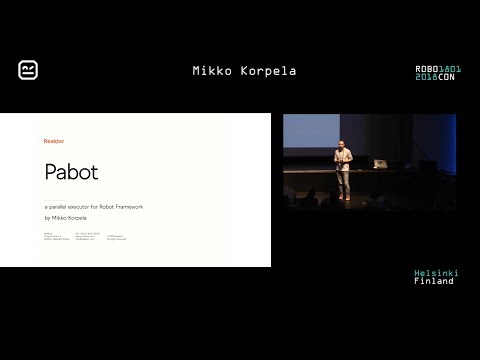](https://youtu.be/i0RV6SJSIn8 "Pabot presentation at robocon.io 2018")
|
|
41
41
|
|
|
42
|
+
## Table of Contents
|
|
43
|
+
|
|
44
|
+
- [Installation](#installation)
|
|
45
|
+
- [Basic use](#basic-use)
|
|
46
|
+
- [Contact](#contact)
|
|
47
|
+
- [Contributing](#contributing-to-the-project)
|
|
48
|
+
- [Command-line options](#command-line-options)
|
|
49
|
+
- [PabotLib](#pabotlib)
|
|
50
|
+
- [Controlling execution order](#controlling-execution-order-and-level-of-parallelism)
|
|
51
|
+
- [Programmatic use](#programmatic-use)
|
|
52
|
+
- [Global variables](#global-variables)
|
|
53
|
+
- [Output Files Generated by Pabot](#output-files-generated-by-pabot)
|
|
54
|
+
- [Artifacts Handling and Parallel Execution Notes](#artifacts-handling-and-parallel-execution-notes)
|
|
55
|
+
|
|
56
|
+
----
|
|
57
|
+
|
|
42
58
|
## Installation:
|
|
43
59
|
|
|
44
60
|
From PyPi:
|
|
@@ -83,7 +99,16 @@ There are several ways you can help in improving this tool:
|
|
|
83
99
|
- Contribute by programming and making a pull request (easiest way is to work on an issue from the issue tracker)
|
|
84
100
|
|
|
85
101
|
## Command-line options
|
|
102
|
+
<!-- NOTE:
|
|
103
|
+
The sections inside these docstring markers are also used in Pabot's --help output.
|
|
104
|
+
Currently, the following transformations are applied:
|
|
105
|
+
- Remove Markdown links but keep the text
|
|
106
|
+
- Remove ** and backticks `
|
|
107
|
+
|
|
108
|
+
If you modify this part, make sure the Markdown section still looks clean and readable in the --help output. -->
|
|
109
|
+
|
|
86
110
|
<!-- START DOCSTRING -->
|
|
111
|
+
```
|
|
87
112
|
pabot [--verbose|--testlevelsplit|--command .. --end-command|
|
|
88
113
|
--processes num|--no-pabotlib|--pabotlibhost host|--pabotlibport port|
|
|
89
114
|
--processtimeout num|
|
|
@@ -95,52 +120,60 @@ pabot [--verbose|--testlevelsplit|--command .. --end-command|
|
|
|
95
120
|
--no-rebot|
|
|
96
121
|
--help|--version]
|
|
97
122
|
[robot options] [path ...]
|
|
123
|
+
```
|
|
98
124
|
|
|
99
125
|
PabotLib remote server is started by default to enable locking and resource distribution between parallel test executions.
|
|
100
126
|
|
|
101
127
|
Supports all [Robot Framework command line options](https://robotframework.org/robotframework/latest/RobotFrameworkUserGuide.html#all-command-line-options) and also following pabot options:
|
|
102
128
|
|
|
103
|
-
|
|
129
|
+
**--verbose**
|
|
104
130
|
More output from the parallel execution.
|
|
105
131
|
|
|
106
|
-
|
|
132
|
+
**--testlevelsplit**
|
|
107
133
|
Split execution on test level instead of default suite level. If .pabotsuitenames contains both tests and suites then
|
|
108
134
|
this will only affect new suites and split only them. Leaving this flag out when both suites and tests in
|
|
109
135
|
.pabotsuitenames file will also only affect new suites and add them as suite files.
|
|
110
136
|
|
|
111
|
-
|
|
137
|
+
**--command [ACTUAL COMMANDS TO START ROBOT EXECUTOR] --end-command**
|
|
112
138
|
RF script for situations where robot is not used directly.
|
|
113
139
|
|
|
114
|
-
|
|
140
|
+
**--processes [NUMBER OF PROCESSES]**
|
|
115
141
|
How many parallel executors to use (default max of 2 and cpu count). Special option "all" will use as many processes as
|
|
116
142
|
there are executable suites or tests.
|
|
117
143
|
|
|
118
|
-
|
|
144
|
+
**--no-pabotlib**
|
|
119
145
|
Disable the PabotLib remote server if you don't need locking or resource distribution features.
|
|
120
146
|
|
|
121
|
-
|
|
147
|
+
**--pabotlibhost [HOSTNAME]**
|
|
122
148
|
Connect to an already running instance of the PabotLib remote server at the given host (disables the local PabotLib
|
|
123
149
|
server start). For example, to connect to a remote PabotLib server running on another machine:
|
|
124
150
|
|
|
125
151
|
pabot --pabotlibhost 192.168.1.123 --pabotlibport 8271 tests/
|
|
126
152
|
|
|
127
|
-
The remote server can be
|
|
153
|
+
The remote server can also be started and executed separately from pabot instances:
|
|
128
154
|
|
|
129
155
|
python -m pabot.pabotlib <path_to_resourcefile> <host> <port>
|
|
130
156
|
python -m pabot.pabotlib resource.txt 192.168.1.123 8271
|
|
131
157
|
|
|
132
158
|
This enables sharing a resource with multiple Robot Framework instances.
|
|
133
159
|
|
|
134
|
-
|
|
160
|
+
Additional details:
|
|
161
|
+
- The default value for --pabotlibhost is 127.0.0.1.
|
|
162
|
+
- If you provide a hostname other than 127.0.0.1, the local PabotLib server startup is automatically disabled.
|
|
163
|
+
|
|
164
|
+
**--pabotlibport [PORT]**
|
|
135
165
|
Port number of the PabotLib remote server (default is 8270). See --pabotlibhost for more information.
|
|
136
166
|
|
|
137
|
-
|
|
167
|
+
Behavior with port and host settings:
|
|
168
|
+
- If you set the port value to 0 and --pabotlibhost is 127.0.0.1 (default), a free port on localhost will be assigned automatically.
|
|
169
|
+
|
|
170
|
+
**--processtimeout [TIMEOUT]**
|
|
138
171
|
Maximum time in seconds to wait for a process before killing it. If not set, there's no timeout.
|
|
139
172
|
|
|
140
|
-
|
|
173
|
+
**--shard [INDEX]/[TOTAL]**
|
|
141
174
|
Optionally split execution into smaller pieces. This can be used for distributing testing to multiple machines.
|
|
142
175
|
|
|
143
|
-
|
|
176
|
+
**--artifacts [FILE EXTENSIONS]**
|
|
144
177
|
List of file extensions (comma separated). Defines which files (screenshots, videos etc.) from separate reporting
|
|
145
178
|
directories would be copied and included in a final report. Possible links to copied files in RF log would be updated
|
|
146
179
|
(only relative paths supported). The default value is `png`.
|
|
@@ -149,49 +182,51 @@ Supports all [Robot Framework command line options](https://robotframework.org/r
|
|
|
149
182
|
|
|
150
183
|
--artifacts png,mp4,txt
|
|
151
184
|
|
|
152
|
-
|
|
185
|
+
The artifact naming conventions are described in the README.md section: [Output Files Generated by Pabot](#output-files-generated-by-pabot).
|
|
186
|
+
|
|
187
|
+
**--artifactsinsubfolders**
|
|
153
188
|
Copy artifacts located not only directly in the RF output dir, but also in it's sub-folders.
|
|
154
189
|
|
|
155
|
-
|
|
190
|
+
**--resourcefile [FILEPATH]**
|
|
156
191
|
Indicator for a file that can contain shared variables for distributing resources. This needs to be used together with
|
|
157
192
|
pabotlib option. Resource file syntax is same as Windows ini files. Where a section is a shared set of variables.
|
|
158
193
|
|
|
159
|
-
|
|
194
|
+
**--argumentfile[INTEGER] [FILEPATH]**
|
|
160
195
|
Run same suites with multiple [argumentfile](http://robotframework.org/robotframework/latest/RobotFrameworkUserGuide.html#argument-files) options.
|
|
161
196
|
|
|
162
197
|
For example:
|
|
163
198
|
|
|
164
199
|
--argumentfile1 arg1.txt --argumentfile2 arg2.txt
|
|
165
200
|
|
|
166
|
-
|
|
201
|
+
**--suitesfrom [FILEPATH TO OUTPUTXML]**
|
|
167
202
|
Optionally read suites from output.xml file. Failed suites will run first and longer running ones will be executed
|
|
168
203
|
before shorter ones.
|
|
169
204
|
|
|
170
|
-
|
|
205
|
+
**--ordering [FILE PATH]**
|
|
171
206
|
Optionally give execution order from a file.
|
|
172
207
|
|
|
173
|
-
|
|
208
|
+
**--chunk**
|
|
174
209
|
Optionally chunk tests to PROCESSES number of robot runs. This can save time because all the suites will share the same
|
|
175
210
|
setups and teardowns.
|
|
176
211
|
|
|
177
|
-
|
|
212
|
+
**--pabotprerunmodifier [PRERUNMODIFIER MODULE OR CLASS]**
|
|
178
213
|
Like Robot Framework's --prerunmodifier, but executed only once in the pabot's main process after all other
|
|
179
214
|
--prerunmodifiers. But unlike the regular --prerunmodifier command, --pabotprerunmodifier is not executed again in each
|
|
180
215
|
pabot subprocesses. Depending on the intended use, this may be desirable as well as more efficient. Can be used, for
|
|
181
216
|
example, to modify the list of tests to be performed.
|
|
182
217
|
|
|
183
|
-
|
|
218
|
+
**--no-rebot**
|
|
184
219
|
If specified, the tests will execute as usual, but Rebot will not be called to merge the logs. This option is designed
|
|
185
220
|
for scenarios where Rebot should be run later due to large log files, ensuring better memory and resource availability.
|
|
186
221
|
Subprocess results are stored in the pabot_results folder.
|
|
187
222
|
|
|
188
|
-
|
|
223
|
+
**--help**
|
|
189
224
|
Print usage instructions.
|
|
190
225
|
|
|
191
|
-
|
|
226
|
+
**--version**
|
|
192
227
|
Print version information.
|
|
193
228
|
|
|
194
|
-
Example usages
|
|
229
|
+
**Example usages:**
|
|
195
230
|
|
|
196
231
|
pabot test_directory
|
|
197
232
|
pabot --exclude FOO directory_to_tests
|
|
@@ -271,11 +306,24 @@ Note: The `--ordering` file is intended only for defining the execution order of
|
|
|
271
306
|
There different possibilities to influence the execution:
|
|
272
307
|
|
|
273
308
|
* The order of suites can be changed.
|
|
274
|
-
* If a directory (or a directory structure) should be executed sequentially, add the directory suite name to a row as a ```--suite``` option.
|
|
275
|
-
|
|
309
|
+
* If a directory (or a directory structure) should be executed sequentially, add the directory suite name to a row as a ```--suite``` option. This usage is also supported when `--testlevelsplit` is enabled. As an alternative to using `--suite` options, you can also group tests into sequential batches using `{}` braces. (See below for details.) Note that if multiple `--suite` options are used, they must not reference the same test case. This means you cannot specify both parent and child suite names at the same time. For instance:
|
|
310
|
+
|
|
311
|
+
```
|
|
312
|
+
--suite Top Suite.Sub Suite
|
|
313
|
+
--suite Top Suite
|
|
314
|
+
```
|
|
315
|
+
|
|
316
|
+
* If the base suite name is changing with robot option [```--name / -N```](https://robotframework.org/robotframework/latest/RobotFrameworkUserGuide.html#setting-the-name) you can use either the new or old full test path. For example:
|
|
317
|
+
|
|
318
|
+
```
|
|
319
|
+
--test New Suite Name.Sub Suite.Test 1
|
|
320
|
+
OR
|
|
321
|
+
--test Old Suite Name.Sub Suite.Test 1
|
|
322
|
+
```
|
|
323
|
+
|
|
276
324
|
* You can add a line with text `#WAIT` to force executor to wait until all previous suites have been executed.
|
|
277
325
|
* You can group suites and tests together to same executor process by adding line `{` before the group and `}` after. Note that `#WAIT` cannot be used inside a group.
|
|
278
|
-
* You can introduce dependencies using the word `#DEPENDS` after a test declaration. This keyword can be used several times if it is necessary to refer to several different tests. Please take care that in case of circular dependencies an exception will be thrown. Note that each `#WAIT` splits suites into separate execution blocks, and it's not possible to define dependencies for suites or tests that are inside another `#WAIT` block or inside another `{}`
|
|
326
|
+
* You can introduce dependencies using the word `#DEPENDS` after a test declaration. This keyword can be used several times if it is necessary to refer to several different tests. The ordering algorithm is designed to preserve the exact user-defined order as closely as possible. However, if a test's execution dependencies are not yet satisfied, the test is postponed and moved to the earliest possible stage where all its dependencies are fulfilled. Please take care that in case of circular dependencies an exception will be thrown. Note that each `#WAIT` splits suites into separate execution blocks, and it's not possible to define dependencies for suites or tests that are inside another `#WAIT` block or inside another `{}` braces.
|
|
279
327
|
* Note: Within a group `{}`, neither execution order nor the `#DEPENDS` keyword currently works. This is due to limitations in Robot Framework, which is invoked within Pabot subprocesses. These limitations may be addressed in a future release of Robot Framework. For now, tests or suites within a group will be executed in the order Robot Framework discovers them — typically in alphabetical order.
|
|
280
328
|
* An example could be:
|
|
281
329
|
|
|
@@ -369,4 +417,74 @@ Pabot will insert following global variables to Robot Framework namespace. These
|
|
|
369
417
|
PABOTEXECUTIONPOOLID - this contains the pool id (an integer) for the current Robot Framework executor. This is helpful for example when visualizing the execution flow from your own listener.
|
|
370
418
|
PABOTNUMBEROFPROCESSES - max number of concurrent processes that pabot may use in execution.
|
|
371
419
|
CALLER_ID - a universally unique identifier for this execution.
|
|
372
|
-
|
|
420
|
+
|
|
421
|
+
|
|
422
|
+
### Output Files Generated by Pabot
|
|
423
|
+
|
|
424
|
+
Pabot generates several output files and folders during execution, both for internal use and for analysis purposes.
|
|
425
|
+
|
|
426
|
+
#### Internal File: `.pabotsuitenames`
|
|
427
|
+
|
|
428
|
+
Pabot creates a `.pabotsuitenames` file in the working directory. This is an internal hash file used to speed up execution in certain scenarios.
|
|
429
|
+
This file can also be used as a base for the `--ordering` file as described earlier. Although technically it can be modified, it will be overwritten during the next execution.
|
|
430
|
+
Therefore, it is **recommended** to maintain a separate file for the `--ordering` option if needed.
|
|
431
|
+
|
|
432
|
+
#### Output Directory Structure
|
|
433
|
+
|
|
434
|
+
In addition to the standard `log.html`, `report.html`, and `output.xml` files, the specified `--outputdir` will contain:
|
|
435
|
+
|
|
436
|
+
- A folder named `pabot_results`, and
|
|
437
|
+
- All defined artifacts (default: `.png` files)
|
|
438
|
+
- Optionally, artifacts from subfolders if `--artifactsinsubfolders` is used
|
|
439
|
+
|
|
440
|
+
Artifacts are **copied** into the output directory and renamed with the following structure:
|
|
441
|
+
|
|
442
|
+
```
|
|
443
|
+
TIMESTAMP-ARGUMENT_INDEX-PABOTQUEUEINDEX
|
|
444
|
+
```
|
|
445
|
+
|
|
446
|
+
If you use the special option `notimestamps` at the end of the `--artifacts` command, (For example: `--artifacts png,txt,notimestamps`) the timestamp part will be omitted, and the name will be in the format:
|
|
447
|
+
|
|
448
|
+
```
|
|
449
|
+
ARGUMENT_INDEX-PABOTQUEUEINDEX
|
|
450
|
+
```
|
|
451
|
+
|
|
452
|
+
- **TIMESTAMP** = Time of `pabot` command invocation (not the screenshot's actual timestamp), format: `YYYYmmdd_HHMMSS`
|
|
453
|
+
- **ARGUMENT_INDEX** = Optional index number, only used if `--argumentfileN` options are given
|
|
454
|
+
- **PABOTQUEUEINDEX** = Process queue index (see section [Global Variables](#global-variables))
|
|
455
|
+
|
|
456
|
+
#### `pabot_results` Folder Structure
|
|
457
|
+
|
|
458
|
+
The structure of the `pabot_results` folder is as follows:
|
|
459
|
+
|
|
460
|
+
```
|
|
461
|
+
pabot_results/
|
|
462
|
+
├── [N]/ # Optional: N = argument file index (if --argumentfileN is used)
|
|
463
|
+
│ └── PABOTQUEUEINDEX/ # One per subprocess
|
|
464
|
+
│ ├── output.xml
|
|
465
|
+
│ ├── robot_argfile.txt
|
|
466
|
+
│ ├── robot_stdout.out
|
|
467
|
+
│ ├── robot_stderr.out
|
|
468
|
+
│ └── artifacts...
|
|
469
|
+
```
|
|
470
|
+
|
|
471
|
+
Each `PABOTQUEUEINDEX` folder contains as default:
|
|
472
|
+
|
|
473
|
+
- `robot_argfile.txt` – Arguments used in that subprocess
|
|
474
|
+
- `robot_stdout.out` and `robot_stderr.out` – Stdout and stderr of the subprocess
|
|
475
|
+
- `output.xml` – The partial output file to be merged later
|
|
476
|
+
- Artifacts – Screenshots or other files copied from subprocess folders
|
|
477
|
+
|
|
478
|
+
> **Note:** The entire `pabot_results` folder is considered temporary and will be **deleted/overwritten** on the next `pabot` run using the same `--outputdir`.
|
|
479
|
+
|
|
480
|
+
|
|
481
|
+
### Artifacts Handling and Parallel Execution Notes
|
|
482
|
+
|
|
483
|
+
Due to parallel execution, artifacts like screenshots should ideally be:
|
|
484
|
+
|
|
485
|
+
- Embedded directly into the XML using tools like [SeleniumLibrary](https://robotframework.org/SeleniumLibrary/SeleniumLibrary.html#Set%20Screenshot%20Directory) with the `EMBED` option
|
|
486
|
+
_Example:_
|
|
487
|
+
`Library SeleniumLibrary screenshot_root_directory=EMBED`
|
|
488
|
+
- Or saved to the subprocess’s working directory (usually default behavior), ensuring separation across processes
|
|
489
|
+
|
|
490
|
+
If you manually specify a shared screenshot directory in your test code, **all processes will write to it concurrently**, which may cause issues such as overwriting or missing files if screenshots are taken simultaneously.
|
|
@@ -13,6 +13,22 @@ A parallel executor for [Robot Framework](http://www.robotframework.org) tests.
|
|
|
13
13
|
|
|
14
14
|
[](https://youtu.be/i0RV6SJSIn8 "Pabot presentation at robocon.io 2018")
|
|
15
15
|
|
|
16
|
+
## Table of Contents
|
|
17
|
+
|
|
18
|
+
- [Installation](#installation)
|
|
19
|
+
- [Basic use](#basic-use)
|
|
20
|
+
- [Contact](#contact)
|
|
21
|
+
- [Contributing](#contributing-to-the-project)
|
|
22
|
+
- [Command-line options](#command-line-options)
|
|
23
|
+
- [PabotLib](#pabotlib)
|
|
24
|
+
- [Controlling execution order](#controlling-execution-order-and-level-of-parallelism)
|
|
25
|
+
- [Programmatic use](#programmatic-use)
|
|
26
|
+
- [Global variables](#global-variables)
|
|
27
|
+
- [Output Files Generated by Pabot](#output-files-generated-by-pabot)
|
|
28
|
+
- [Artifacts Handling and Parallel Execution Notes](#artifacts-handling-and-parallel-execution-notes)
|
|
29
|
+
|
|
30
|
+
----
|
|
31
|
+
|
|
16
32
|
## Installation:
|
|
17
33
|
|
|
18
34
|
From PyPi:
|
|
@@ -57,7 +73,16 @@ There are several ways you can help in improving this tool:
|
|
|
57
73
|
- Contribute by programming and making a pull request (easiest way is to work on an issue from the issue tracker)
|
|
58
74
|
|
|
59
75
|
## Command-line options
|
|
76
|
+
<!-- NOTE:
|
|
77
|
+
The sections inside these docstring markers are also used in Pabot's --help output.
|
|
78
|
+
Currently, the following transformations are applied:
|
|
79
|
+
- Remove Markdown links but keep the text
|
|
80
|
+
- Remove ** and backticks `
|
|
81
|
+
|
|
82
|
+
If you modify this part, make sure the Markdown section still looks clean and readable in the --help output. -->
|
|
83
|
+
|
|
60
84
|
<!-- START DOCSTRING -->
|
|
85
|
+
```
|
|
61
86
|
pabot [--verbose|--testlevelsplit|--command .. --end-command|
|
|
62
87
|
--processes num|--no-pabotlib|--pabotlibhost host|--pabotlibport port|
|
|
63
88
|
--processtimeout num|
|
|
@@ -69,52 +94,60 @@ pabot [--verbose|--testlevelsplit|--command .. --end-command|
|
|
|
69
94
|
--no-rebot|
|
|
70
95
|
--help|--version]
|
|
71
96
|
[robot options] [path ...]
|
|
97
|
+
```
|
|
72
98
|
|
|
73
99
|
PabotLib remote server is started by default to enable locking and resource distribution between parallel test executions.
|
|
74
100
|
|
|
75
101
|
Supports all [Robot Framework command line options](https://robotframework.org/robotframework/latest/RobotFrameworkUserGuide.html#all-command-line-options) and also following pabot options:
|
|
76
102
|
|
|
77
|
-
|
|
103
|
+
**--verbose**
|
|
78
104
|
More output from the parallel execution.
|
|
79
105
|
|
|
80
|
-
|
|
106
|
+
**--testlevelsplit**
|
|
81
107
|
Split execution on test level instead of default suite level. If .pabotsuitenames contains both tests and suites then
|
|
82
108
|
this will only affect new suites and split only them. Leaving this flag out when both suites and tests in
|
|
83
109
|
.pabotsuitenames file will also only affect new suites and add them as suite files.
|
|
84
110
|
|
|
85
|
-
|
|
111
|
+
**--command [ACTUAL COMMANDS TO START ROBOT EXECUTOR] --end-command**
|
|
86
112
|
RF script for situations where robot is not used directly.
|
|
87
113
|
|
|
88
|
-
|
|
114
|
+
**--processes [NUMBER OF PROCESSES]**
|
|
89
115
|
How many parallel executors to use (default max of 2 and cpu count). Special option "all" will use as many processes as
|
|
90
116
|
there are executable suites or tests.
|
|
91
117
|
|
|
92
|
-
|
|
118
|
+
**--no-pabotlib**
|
|
93
119
|
Disable the PabotLib remote server if you don't need locking or resource distribution features.
|
|
94
120
|
|
|
95
|
-
|
|
121
|
+
**--pabotlibhost [HOSTNAME]**
|
|
96
122
|
Connect to an already running instance of the PabotLib remote server at the given host (disables the local PabotLib
|
|
97
123
|
server start). For example, to connect to a remote PabotLib server running on another machine:
|
|
98
124
|
|
|
99
125
|
pabot --pabotlibhost 192.168.1.123 --pabotlibport 8271 tests/
|
|
100
126
|
|
|
101
|
-
The remote server can be
|
|
127
|
+
The remote server can also be started and executed separately from pabot instances:
|
|
102
128
|
|
|
103
129
|
python -m pabot.pabotlib <path_to_resourcefile> <host> <port>
|
|
104
130
|
python -m pabot.pabotlib resource.txt 192.168.1.123 8271
|
|
105
131
|
|
|
106
132
|
This enables sharing a resource with multiple Robot Framework instances.
|
|
107
133
|
|
|
108
|
-
|
|
134
|
+
Additional details:
|
|
135
|
+
- The default value for --pabotlibhost is 127.0.0.1.
|
|
136
|
+
- If you provide a hostname other than 127.0.0.1, the local PabotLib server startup is automatically disabled.
|
|
137
|
+
|
|
138
|
+
**--pabotlibport [PORT]**
|
|
109
139
|
Port number of the PabotLib remote server (default is 8270). See --pabotlibhost for more information.
|
|
110
140
|
|
|
111
|
-
|
|
141
|
+
Behavior with port and host settings:
|
|
142
|
+
- If you set the port value to 0 and --pabotlibhost is 127.0.0.1 (default), a free port on localhost will be assigned automatically.
|
|
143
|
+
|
|
144
|
+
**--processtimeout [TIMEOUT]**
|
|
112
145
|
Maximum time in seconds to wait for a process before killing it. If not set, there's no timeout.
|
|
113
146
|
|
|
114
|
-
|
|
147
|
+
**--shard [INDEX]/[TOTAL]**
|
|
115
148
|
Optionally split execution into smaller pieces. This can be used for distributing testing to multiple machines.
|
|
116
149
|
|
|
117
|
-
|
|
150
|
+
**--artifacts [FILE EXTENSIONS]**
|
|
118
151
|
List of file extensions (comma separated). Defines which files (screenshots, videos etc.) from separate reporting
|
|
119
152
|
directories would be copied and included in a final report. Possible links to copied files in RF log would be updated
|
|
120
153
|
(only relative paths supported). The default value is `png`.
|
|
@@ -123,49 +156,51 @@ Supports all [Robot Framework command line options](https://robotframework.org/r
|
|
|
123
156
|
|
|
124
157
|
--artifacts png,mp4,txt
|
|
125
158
|
|
|
126
|
-
|
|
159
|
+
The artifact naming conventions are described in the README.md section: [Output Files Generated by Pabot](#output-files-generated-by-pabot).
|
|
160
|
+
|
|
161
|
+
**--artifactsinsubfolders**
|
|
127
162
|
Copy artifacts located not only directly in the RF output dir, but also in it's sub-folders.
|
|
128
163
|
|
|
129
|
-
|
|
164
|
+
**--resourcefile [FILEPATH]**
|
|
130
165
|
Indicator for a file that can contain shared variables for distributing resources. This needs to be used together with
|
|
131
166
|
pabotlib option. Resource file syntax is same as Windows ini files. Where a section is a shared set of variables.
|
|
132
167
|
|
|
133
|
-
|
|
168
|
+
**--argumentfile[INTEGER] [FILEPATH]**
|
|
134
169
|
Run same suites with multiple [argumentfile](http://robotframework.org/robotframework/latest/RobotFrameworkUserGuide.html#argument-files) options.
|
|
135
170
|
|
|
136
171
|
For example:
|
|
137
172
|
|
|
138
173
|
--argumentfile1 arg1.txt --argumentfile2 arg2.txt
|
|
139
174
|
|
|
140
|
-
|
|
175
|
+
**--suitesfrom [FILEPATH TO OUTPUTXML]**
|
|
141
176
|
Optionally read suites from output.xml file. Failed suites will run first and longer running ones will be executed
|
|
142
177
|
before shorter ones.
|
|
143
178
|
|
|
144
|
-
|
|
179
|
+
**--ordering [FILE PATH]**
|
|
145
180
|
Optionally give execution order from a file.
|
|
146
181
|
|
|
147
|
-
|
|
182
|
+
**--chunk**
|
|
148
183
|
Optionally chunk tests to PROCESSES number of robot runs. This can save time because all the suites will share the same
|
|
149
184
|
setups and teardowns.
|
|
150
185
|
|
|
151
|
-
|
|
186
|
+
**--pabotprerunmodifier [PRERUNMODIFIER MODULE OR CLASS]**
|
|
152
187
|
Like Robot Framework's --prerunmodifier, but executed only once in the pabot's main process after all other
|
|
153
188
|
--prerunmodifiers. But unlike the regular --prerunmodifier command, --pabotprerunmodifier is not executed again in each
|
|
154
189
|
pabot subprocesses. Depending on the intended use, this may be desirable as well as more efficient. Can be used, for
|
|
155
190
|
example, to modify the list of tests to be performed.
|
|
156
191
|
|
|
157
|
-
|
|
192
|
+
**--no-rebot**
|
|
158
193
|
If specified, the tests will execute as usual, but Rebot will not be called to merge the logs. This option is designed
|
|
159
194
|
for scenarios where Rebot should be run later due to large log files, ensuring better memory and resource availability.
|
|
160
195
|
Subprocess results are stored in the pabot_results folder.
|
|
161
196
|
|
|
162
|
-
|
|
197
|
+
**--help**
|
|
163
198
|
Print usage instructions.
|
|
164
199
|
|
|
165
|
-
|
|
200
|
+
**--version**
|
|
166
201
|
Print version information.
|
|
167
202
|
|
|
168
|
-
Example usages
|
|
203
|
+
**Example usages:**
|
|
169
204
|
|
|
170
205
|
pabot test_directory
|
|
171
206
|
pabot --exclude FOO directory_to_tests
|
|
@@ -245,11 +280,24 @@ Note: The `--ordering` file is intended only for defining the execution order of
|
|
|
245
280
|
There different possibilities to influence the execution:
|
|
246
281
|
|
|
247
282
|
* The order of suites can be changed.
|
|
248
|
-
* If a directory (or a directory structure) should be executed sequentially, add the directory suite name to a row as a ```--suite``` option.
|
|
249
|
-
|
|
283
|
+
* If a directory (or a directory structure) should be executed sequentially, add the directory suite name to a row as a ```--suite``` option. This usage is also supported when `--testlevelsplit` is enabled. As an alternative to using `--suite` options, you can also group tests into sequential batches using `{}` braces. (See below for details.) Note that if multiple `--suite` options are used, they must not reference the same test case. This means you cannot specify both parent and child suite names at the same time. For instance:
|
|
284
|
+
|
|
285
|
+
```
|
|
286
|
+
--suite Top Suite.Sub Suite
|
|
287
|
+
--suite Top Suite
|
|
288
|
+
```
|
|
289
|
+
|
|
290
|
+
* If the base suite name is changing with robot option [```--name / -N```](https://robotframework.org/robotframework/latest/RobotFrameworkUserGuide.html#setting-the-name) you can use either the new or old full test path. For example:
|
|
291
|
+
|
|
292
|
+
```
|
|
293
|
+
--test New Suite Name.Sub Suite.Test 1
|
|
294
|
+
OR
|
|
295
|
+
--test Old Suite Name.Sub Suite.Test 1
|
|
296
|
+
```
|
|
297
|
+
|
|
250
298
|
* You can add a line with text `#WAIT` to force executor to wait until all previous suites have been executed.
|
|
251
299
|
* You can group suites and tests together to same executor process by adding line `{` before the group and `}` after. Note that `#WAIT` cannot be used inside a group.
|
|
252
|
-
* You can introduce dependencies using the word `#DEPENDS` after a test declaration. This keyword can be used several times if it is necessary to refer to several different tests. Please take care that in case of circular dependencies an exception will be thrown. Note that each `#WAIT` splits suites into separate execution blocks, and it's not possible to define dependencies for suites or tests that are inside another `#WAIT` block or inside another `{}`
|
|
300
|
+
* You can introduce dependencies using the word `#DEPENDS` after a test declaration. This keyword can be used several times if it is necessary to refer to several different tests. The ordering algorithm is designed to preserve the exact user-defined order as closely as possible. However, if a test's execution dependencies are not yet satisfied, the test is postponed and moved to the earliest possible stage where all its dependencies are fulfilled. Please take care that in case of circular dependencies an exception will be thrown. Note that each `#WAIT` splits suites into separate execution blocks, and it's not possible to define dependencies for suites or tests that are inside another `#WAIT` block or inside another `{}` braces.
|
|
253
301
|
* Note: Within a group `{}`, neither execution order nor the `#DEPENDS` keyword currently works. This is due to limitations in Robot Framework, which is invoked within Pabot subprocesses. These limitations may be addressed in a future release of Robot Framework. For now, tests or suites within a group will be executed in the order Robot Framework discovers them — typically in alphabetical order.
|
|
254
302
|
* An example could be:
|
|
255
303
|
|
|
@@ -343,4 +391,74 @@ Pabot will insert following global variables to Robot Framework namespace. These
|
|
|
343
391
|
PABOTEXECUTIONPOOLID - this contains the pool id (an integer) for the current Robot Framework executor. This is helpful for example when visualizing the execution flow from your own listener.
|
|
344
392
|
PABOTNUMBEROFPROCESSES - max number of concurrent processes that pabot may use in execution.
|
|
345
393
|
CALLER_ID - a universally unique identifier for this execution.
|
|
346
|
-
|
|
394
|
+
|
|
395
|
+
|
|
396
|
+
### Output Files Generated by Pabot
|
|
397
|
+
|
|
398
|
+
Pabot generates several output files and folders during execution, both for internal use and for analysis purposes.
|
|
399
|
+
|
|
400
|
+
#### Internal File: `.pabotsuitenames`
|
|
401
|
+
|
|
402
|
+
Pabot creates a `.pabotsuitenames` file in the working directory. This is an internal hash file used to speed up execution in certain scenarios.
|
|
403
|
+
This file can also be used as a base for the `--ordering` file as described earlier. Although technically it can be modified, it will be overwritten during the next execution.
|
|
404
|
+
Therefore, it is **recommended** to maintain a separate file for the `--ordering` option if needed.
|
|
405
|
+
|
|
406
|
+
#### Output Directory Structure
|
|
407
|
+
|
|
408
|
+
In addition to the standard `log.html`, `report.html`, and `output.xml` files, the specified `--outputdir` will contain:
|
|
409
|
+
|
|
410
|
+
- A folder named `pabot_results`, and
|
|
411
|
+
- All defined artifacts (default: `.png` files)
|
|
412
|
+
- Optionally, artifacts from subfolders if `--artifactsinsubfolders` is used
|
|
413
|
+
|
|
414
|
+
Artifacts are **copied** into the output directory and renamed with the following structure:
|
|
415
|
+
|
|
416
|
+
```
|
|
417
|
+
TIMESTAMP-ARGUMENT_INDEX-PABOTQUEUEINDEX
|
|
418
|
+
```
|
|
419
|
+
|
|
420
|
+
If you use the special option `notimestamps` at the end of the `--artifacts` command, (For example: `--artifacts png,txt,notimestamps`) the timestamp part will be omitted, and the name will be in the format:
|
|
421
|
+
|
|
422
|
+
```
|
|
423
|
+
ARGUMENT_INDEX-PABOTQUEUEINDEX
|
|
424
|
+
```
|
|
425
|
+
|
|
426
|
+
- **TIMESTAMP** = Time of `pabot` command invocation (not the screenshot's actual timestamp), format: `YYYYmmdd_HHMMSS`
|
|
427
|
+
- **ARGUMENT_INDEX** = Optional index number, only used if `--argumentfileN` options are given
|
|
428
|
+
- **PABOTQUEUEINDEX** = Process queue index (see section [Global Variables](#global-variables))
|
|
429
|
+
|
|
430
|
+
#### `pabot_results` Folder Structure
|
|
431
|
+
|
|
432
|
+
The structure of the `pabot_results` folder is as follows:
|
|
433
|
+
|
|
434
|
+
```
|
|
435
|
+
pabot_results/
|
|
436
|
+
├── [N]/ # Optional: N = argument file index (if --argumentfileN is used)
|
|
437
|
+
│ └── PABOTQUEUEINDEX/ # One per subprocess
|
|
438
|
+
│ ├── output.xml
|
|
439
|
+
│ ├── robot_argfile.txt
|
|
440
|
+
│ ├── robot_stdout.out
|
|
441
|
+
│ ├── robot_stderr.out
|
|
442
|
+
│ └── artifacts...
|
|
443
|
+
```
|
|
444
|
+
|
|
445
|
+
Each `PABOTQUEUEINDEX` folder contains as default:
|
|
446
|
+
|
|
447
|
+
- `robot_argfile.txt` – Arguments used in that subprocess
|
|
448
|
+
- `robot_stdout.out` and `robot_stderr.out` – Stdout and stderr of the subprocess
|
|
449
|
+
- `output.xml` – The partial output file to be merged later
|
|
450
|
+
- Artifacts – Screenshots or other files copied from subprocess folders
|
|
451
|
+
|
|
452
|
+
> **Note:** The entire `pabot_results` folder is considered temporary and will be **deleted/overwritten** on the next `pabot` run using the same `--outputdir`.
|
|
453
|
+
|
|
454
|
+
|
|
455
|
+
### Artifacts Handling and Parallel Execution Notes
|
|
456
|
+
|
|
457
|
+
Due to parallel execution, artifacts like screenshots should ideally be:
|
|
458
|
+
|
|
459
|
+
- Embedded directly into the XML using tools like [SeleniumLibrary](https://robotframework.org/SeleniumLibrary/SeleniumLibrary.html#Set%20Screenshot%20Directory) with the `EMBED` option
|
|
460
|
+
_Example:_
|
|
461
|
+
`Library SeleniumLibrary screenshot_root_directory=EMBED`
|
|
462
|
+
- Or saved to the subprocess’s working directory (usually default behavior), ensuring separation across processes
|
|
463
|
+
|
|
464
|
+
If you manually specify a shared screenshot directory in your test code, **all processes will write to it concurrently**, which may cause issues such as overwriting or missing files if screenshots are taken simultaneously.
|
|
@@ -142,6 +142,14 @@ def _parse_shard(arg):
|
|
|
142
142
|
return int(parts[0]), int(parts[1])
|
|
143
143
|
|
|
144
144
|
|
|
145
|
+
def _parse_artifacts(arg):
|
|
146
|
+
# type: (str) -> Tuple[List[str], bool]
|
|
147
|
+
artifacts = arg.split(',')
|
|
148
|
+
if artifacts[-1] == 'notimestamps':
|
|
149
|
+
return (artifacts[:-1], False)
|
|
150
|
+
return (artifacts, True)
|
|
151
|
+
|
|
152
|
+
|
|
145
153
|
def _parse_pabot_args(args): # type: (List[str]) -> Tuple[List[str], Dict[str, object]]
|
|
146
154
|
pabot_args = {
|
|
147
155
|
"command": ["pybot" if ROBOT_VERSION < "3.1" else "robot"],
|
|
@@ -155,6 +163,7 @@ def _parse_pabot_args(args): # type: (List[str]) -> Tuple[List[str], Dict[str,
|
|
|
155
163
|
"processes": _processes_count(),
|
|
156
164
|
"processtimeout": None,
|
|
157
165
|
"artifacts": ["png"],
|
|
166
|
+
"artifactstimestamps": True,
|
|
158
167
|
"artifactsinsubfolders": False,
|
|
159
168
|
"shardindex": 0,
|
|
160
169
|
"shardcount": 1,
|
|
@@ -181,7 +190,7 @@ def _parse_pabot_args(args): # type: (List[str]) -> Tuple[List[str], Dict[str,
|
|
|
181
190
|
"processtimeout": int,
|
|
182
191
|
"ordering": str,
|
|
183
192
|
"suitesfrom": str,
|
|
184
|
-
"artifacts":
|
|
193
|
+
"artifacts": _parse_artifacts,
|
|
185
194
|
"shard": _parse_shard,
|
|
186
195
|
}
|
|
187
196
|
|
|
@@ -239,6 +248,9 @@ def _parse_pabot_args(args): # type: (List[str]) -> Tuple[List[str], Dict[str,
|
|
|
239
248
|
elif arg_name == "pabotlibhost":
|
|
240
249
|
pabot_args["pabotlib"] = False
|
|
241
250
|
pabot_args[arg_name] = value
|
|
251
|
+
elif arg_name == "artifacts":
|
|
252
|
+
pabot_args["artifacts"] = value[0]
|
|
253
|
+
pabot_args["artifactstimestamps"] = value[1]
|
|
242
254
|
else:
|
|
243
255
|
pabot_args[arg_name] = value
|
|
244
256
|
i += 2
|