quicktools-atom 0.4.0__tar.gz → 0.7.1__tar.gz
This diff represents the content of publicly available package versions that have been released to one of the supported registries. The information contained in this diff is provided for informational purposes only and reflects changes between package versions as they appear in their respective public registries.
- quicktools_atom-0.7.1/PKG-INFO +209 -0
- quicktools_atom-0.7.1/README.md +186 -0
- {quicktools_atom-0.4.0 → quicktools_atom-0.7.1}/pyproject.toml +6 -2
- {quicktools_atom-0.4.0 → quicktools_atom-0.7.1}/src/quicktools/__init__.py +14 -7
- quicktools_atom-0.7.1/src/quicktools/audiotools.py +160 -0
- quicktools_atom-0.7.1/src/quicktools/presentationtools.py +249 -0
- quicktools_atom-0.7.1/src/quicktools/unitconverter.py +80 -0
- quicktools_atom-0.7.1/src/quicktools/videotools.py +155 -0
- quicktools_atom-0.7.1/src/quicktools_atom.egg-info/PKG-INFO +209 -0
- {quicktools_atom-0.4.0 → quicktools_atom-0.7.1}/src/quicktools_atom.egg-info/SOURCES.txt +4 -0
- {quicktools_atom-0.4.0 → quicktools_atom-0.7.1}/src/quicktools_atom.egg-info/requires.txt +4 -0
- quicktools_atom-0.4.0/PKG-INFO +0 -59
- quicktools_atom-0.4.0/README.md +0 -40
- quicktools_atom-0.4.0/src/quicktools_atom.egg-info/PKG-INFO +0 -59
- {quicktools_atom-0.4.0 → quicktools_atom-0.7.1}/setup.cfg +0 -0
- {quicktools_atom-0.4.0 → quicktools_atom-0.7.1}/src/quicktools/calculus.py +0 -0
- {quicktools_atom-0.4.0 → quicktools_atom-0.7.1}/src/quicktools/cli.py +0 -0
- {quicktools_atom-0.4.0 → quicktools_atom-0.7.1}/src/quicktools/combinatorics.py +0 -0
- {quicktools_atom-0.4.0 → quicktools_atom-0.7.1}/src/quicktools/doctools.py +0 -0
- {quicktools_atom-0.4.0 → quicktools_atom-0.7.1}/src/quicktools/filetools.py +0 -0
- {quicktools_atom-0.4.0 → quicktools_atom-0.7.1}/src/quicktools/imagetools.py +0 -0
- {quicktools_atom-0.4.0 → quicktools_atom-0.7.1}/src/quicktools/linalg.py +0 -0
- {quicktools_atom-0.4.0 → quicktools_atom-0.7.1}/src/quicktools/mathtools.py +0 -0
- {quicktools_atom-0.4.0 → quicktools_atom-0.7.1}/src/quicktools/numbertheory.py +0 -0
- {quicktools_atom-0.4.0 → quicktools_atom-0.7.1}/src/quicktools/pdftools.py +0 -0
- {quicktools_atom-0.4.0 → quicktools_atom-0.7.1}/src/quicktools/spreadsheettools.py +0 -0
- {quicktools_atom-0.4.0 → quicktools_atom-0.7.1}/src/quicktools/strtools.py +0 -0
- {quicktools_atom-0.4.0 → quicktools_atom-0.7.1}/src/quicktools_atom.egg-info/dependency_links.txt +0 -0
- {quicktools_atom-0.4.0 → quicktools_atom-0.7.1}/src/quicktools_atom.egg-info/entry_points.txt +0 -0
- {quicktools_atom-0.4.0 → quicktools_atom-0.7.1}/src/quicktools_atom.egg-info/top_level.txt +0 -0
|
@@ -0,0 +1,209 @@
|
|
|
1
|
+
Metadata-Version: 2.4
|
|
2
|
+
Name: quicktools-atom
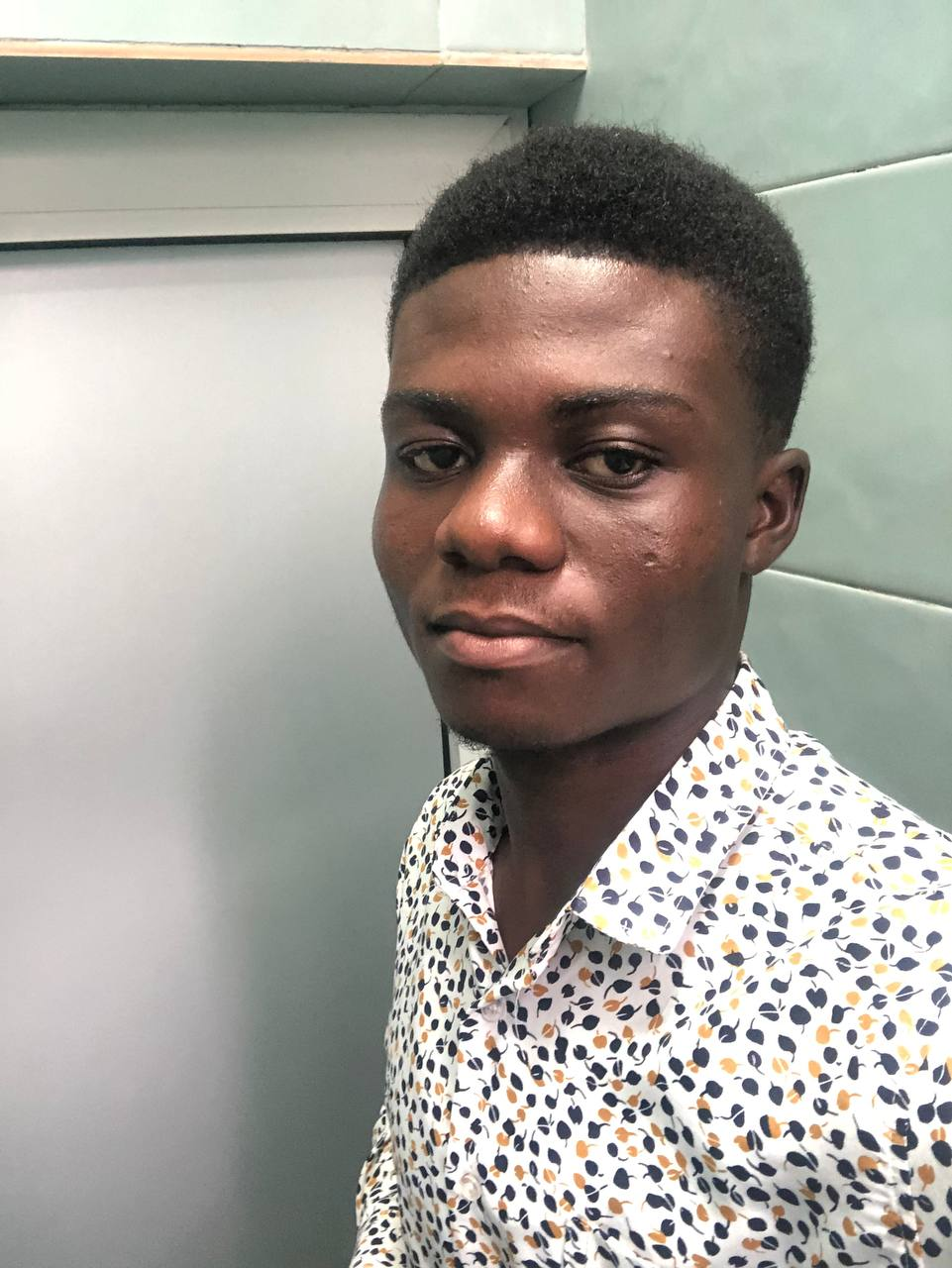
|
|
3
|
+
Version: 0.7.1
|
|
4
|
+
Summary: Math, text, presentation, audio, video, and file utilities by AtomDev Studios
|
|
5
|
+
Author-email: Samuel Peprah <windscribe.samuel@gmail.com>
|
|
6
|
+
Project-URL: Homepage, https://github.com/Samuel-Peprah-cmd/quicktools
|
|
7
|
+
Project-URL: Repository, https://github.com/Samuel-Peprah-cmd/quicktools
|
|
8
|
+
Project-URL: Documentation, https://samuel-peprah-cmd.github.io/quicktools/
|
|
9
|
+
Requires-Python: >=3.9
|
|
10
|
+
Description-Content-Type: text/markdown
|
|
11
|
+
Requires-Dist: Pillow
|
|
12
|
+
Requires-Dist: python-docx
|
|
13
|
+
Requires-Dist: pypdf
|
|
14
|
+
Requires-Dist: openpyxl
|
|
15
|
+
Requires-Dist: reportlab
|
|
16
|
+
Requires-Dist: PyYAML
|
|
17
|
+
Requires-Dist: pdf2docx
|
|
18
|
+
Requires-Dist: docx2pdf
|
|
19
|
+
Requires-Dist: python-pptx
|
|
20
|
+
Requires-Dist: faster-whisper
|
|
21
|
+
Requires-Dist: av
|
|
22
|
+
Requires-Dist: pyannote.audio
|
|
23
|
+
|
|
24
|
+
"""
|
|
25
|
+
|
|
26
|
+
<p align="center">
|
|
27
|
+
|
|
28
|
+
  
|
|
29
|
+
</p>
|
|
30
|
+
|
|
31
|
+
|
|
32
|
+
|
|
33
|
+
\# quicktools
|
|
34
|
+
|
|
35
|
+
|
|
36
|
+
|
|
37
|
+
A math, text, media, and document automation toolkit— built by \*\*Samuel Peprah\*\*
|
|
38
|
+
|
|
39
|
+
under \*\*AtomDev Studios\*\*.
|
|
40
|
+
|
|
41
|
+
|
|
42
|
+
|
|
43
|
+
\---
|
|
44
|
+
|
|
45
|
+
|
|
46
|
+
|
|
47
|
+
\## About Samuel Peprah
|
|
48
|
+
|
|
49
|
+
|
|
50
|
+
|
|
51
|
+
<p align="center">
|
|
52
|
+
|
|
53
|
+
|
|
54
|
+
</p>
|
|
55
|
+
|
|
56
|
+
|
|
57
|
+
|
|
58
|
+
Samuel Peprah is a software developer, web application developer, and
|
|
59
|
+
|
|
60
|
+
Occupational Therapy student at the University of Ghana. Alongside his
|
|
61
|
+
|
|
62
|
+
healthcare education, he is also studying Computer Science at the University
|
|
63
|
+
|
|
64
|
+
of the People, combining knowledge from both fields to develop practical
|
|
65
|
+
|
|
66
|
+
technology solutions.
|
|
67
|
+
|
|
68
|
+
|
|
69
|
+
|
|
70
|
+
His interests span full-stack web development, software engineering,
|
|
71
|
+
|
|
72
|
+
automation, artificial intelligence, cybersecurity, and health technology.
|
|
73
|
+
|
|
74
|
+
He enjoys building scalable applications that solve real-world problems and
|
|
75
|
+
|
|
76
|
+
continuously explores new technologies to improve his skills.
|
|
77
|
+
|
|
78
|
+
|
|
79
|
+
|
|
80
|
+
Samuel has developed educational platforms, business management systems,
|
|
81
|
+
|
|
82
|
+
attendance systems, healthcare applications, and AI-powered solutions. He is
|
|
83
|
+
|
|
84
|
+
passionate about creating software that is modern, efficient, secure, and
|
|
85
|
+
|
|
86
|
+
user-friendly.
|
|
87
|
+
|
|
88
|
+
|
|
89
|
+
|
|
90
|
+
\## About AtomDev Studios
|
|
91
|
+
|
|
92
|
+
|
|
93
|
+
|
|
94
|
+
AtomDev Studios is the personal software development brand founded by Samuel
|
|
95
|
+
|
|
96
|
+
Peprah. The studio specializes in designing and developing modern websites,
|
|
97
|
+
|
|
98
|
+
web applications, business management systems, educational platforms, and
|
|
99
|
+
|
|
100
|
+
custom software solutions for individuals, startups, schools, and
|
|
101
|
+
|
|
102
|
+
organizations.
|
|
103
|
+
|
|
104
|
+
|
|
105
|
+
|
|
106
|
+
The mission of AtomDev Studios is to transform ideas into reliable, scalable,
|
|
107
|
+
|
|
108
|
+
and innovative digital products that solve real-world problems while
|
|
109
|
+
|
|
110
|
+
delivering exceptional user experiences.
|
|
111
|
+
|
|
112
|
+
|
|
113
|
+
|
|
114
|
+
\### Areas of Expertise
|
|
115
|
+
|
|
116
|
+
|
|
117
|
+
|
|
118
|
+
\- Full-Stack Web Development
|
|
119
|
+
|
|
120
|
+
\- Custom Web Applications
|
|
121
|
+
|
|
122
|
+
\- REST API Development
|
|
123
|
+
|
|
124
|
+
\- Database Design \& Management
|
|
125
|
+
|
|
126
|
+
\- Educational Technology Platforms
|
|
127
|
+
|
|
128
|
+
\- Healthcare Technology Solutions
|
|
129
|
+
|
|
130
|
+
\- AI Integration \& Automation
|
|
131
|
+
|
|
132
|
+
\- UI/UX Design
|
|
133
|
+
|
|
134
|
+
\- Cloud Deployment \& Hosting
|
|
135
|
+
|
|
136
|
+
\- Website Maintenance \& Support
|
|
137
|
+
|
|
138
|
+
|
|
139
|
+
|
|
140
|
+
\### Technologies
|
|
141
|
+
|
|
142
|
+
|
|
143
|
+
|
|
144
|
+
Python • Flask • JavaScript • HTML • CSS • Tailwind CSS • Bootstrap •
|
|
145
|
+
|
|
146
|
+
PostgreSQL • SQLite • Git • GitHub • Cloudflare • Docker
|
|
147
|
+
|
|
148
|
+
|
|
149
|
+
|
|
150
|
+
\### Connect
|
|
151
|
+
|
|
152
|
+
|
|
153
|
+
|
|
154
|
+
\- LinkedIn: \[samuel-peprah-a63598347](https://www.linkedin.com/in/samuel-peprah-a63598347)
|
|
155
|
+
|
|
156
|
+
\- X (Twitter): \[@legend\_consult](https://x.com/legend\_consult)
|
|
157
|
+
|
|
158
|
+
\- TikTok: \[@legendinlearning](https://www.tiktok.com/@legendinlearning)
|
|
159
|
+
|
|
160
|
+
\- Instagram: \[@ksapeprah](https://www.instagram.com/ksapeprah)
|
|
161
|
+
|
|
162
|
+
\- GitHub: \[Samuel-Peprah-cmd](https://github.com/Samuel-Peprah-cmd)
|
|
163
|
+
|
|
164
|
+
|
|
165
|
+
|
|
166
|
+
> "Building innovative software solutions that bridge technology with real-world impact."
|
|
167
|
+
|
|
168
|
+
|
|
169
|
+
|
|
170
|
+
\---
|
|
171
|
+
|
|
172
|
+
|
|
173
|
+
|
|
174
|
+
\## Modules
|
|
175
|
+
|
|
176
|
+
|
|
177
|
+
|
|
178
|
+
\- `mathtools` — primes, GCD/LCM, mean, median, standard deviation
|
|
179
|
+
|
|
180
|
+
\- `strtools` — palindromes, slugify, edit distance, anagrams, ciphers
|
|
181
|
+
|
|
182
|
+
\- `linalg` — matrix operations, determinants, inverses, linear systems
|
|
183
|
+
|
|
184
|
+
\- `calculus` — derivatives, integrals, Taylor series, Newton's method
|
|
185
|
+
|
|
186
|
+
\- `numbertheory` — extended GCD, modular inverse, sieve, prime factorization
|
|
187
|
+
|
|
188
|
+
\- `combinatorics` — permutations, combinations, Catalan numbers, Fibonacci
|
|
189
|
+
|
|
190
|
+
\- `filetools` — read/write any file, JSON, YAML, hashing, zip/unzip
|
|
191
|
+
|
|
192
|
+
\- `imagetools` — convert PNG/JPEG/BMP/GIF/WEBP/TIFF, resize, rotate, watermark, images-to-PDF
|
|
193
|
+
|
|
194
|
+
\- `pdftools` — extract text, merge, split, rotate, encrypt, create PDFs, PDF-to-images
|
|
195
|
+
|
|
196
|
+
\- `doctools` — read/write/edit Word docs, docx-to-PDF, PDF-to-docx
|
|
197
|
+
|
|
198
|
+
\- `spreadsheettools` — CSV, Excel, and JSON conversions
|
|
199
|
+
\- `unitconverter` — temperature, distance, weight, volume, speed, storage conversions
|
|
200
|
+
\- `presentationtools` — read/create PowerPoint decks, cloud themes, docx/pdf-to-pptx
|
|
201
|
+
\- `audiotools` — speech-to-text transcription, word timestamps, speaker diarization, SRT export
|
|
202
|
+
\- `videotools` — video transcription, frame extraction, speaker diarization to Word scripts
|
|
203
|
+
|
|
204
|
+
"""
|
|
205
|
+
|
|
206
|
+
|
|
207
|
+
|
|
208
|
+
\_\_version\_\_ = "0.7.0"
|
|
209
|
+
|
|
@@ -0,0 +1,186 @@
|
|
|
1
|
+
"""
|
|
2
|
+
|
|
3
|
+
<p align="center">
|
|
4
|
+
|
|
5
|
+
  
|
|
6
|
+
</p>
|
|
7
|
+
|
|
8
|
+
|
|
9
|
+
|
|
10
|
+
\# quicktools
|
|
11
|
+
|
|
12
|
+
|
|
13
|
+
|
|
14
|
+
A math, text, media, and document automation toolkit— built by \*\*Samuel Peprah\*\*
|
|
15
|
+
|
|
16
|
+
under \*\*AtomDev Studios\*\*.
|
|
17
|
+
|
|
18
|
+
|
|
19
|
+
|
|
20
|
+
\---
|
|
21
|
+
|
|
22
|
+
|
|
23
|
+
|
|
24
|
+
\## About Samuel Peprah
|
|
25
|
+
|
|
26
|
+
|
|
27
|
+
|
|
28
|
+
<p align="center">
|
|
29
|
+
|
|
30
|
+
  
|
|
31
|
+
</p>
|
|
32
|
+
|
|
33
|
+
|
|
34
|
+
|
|
35
|
+
Samuel Peprah is a software developer, web application developer, and
|
|
36
|
+
|
|
37
|
+
Occupational Therapy student at the University of Ghana. Alongside his
|
|
38
|
+
|
|
39
|
+
healthcare education, he is also studying Computer Science at the University
|
|
40
|
+
|
|
41
|
+
of the People, combining knowledge from both fields to develop practical
|
|
42
|
+
|
|
43
|
+
technology solutions.
|
|
44
|
+
|
|
45
|
+
|
|
46
|
+
|
|
47
|
+
His interests span full-stack web development, software engineering,
|
|
48
|
+
|
|
49
|
+
automation, artificial intelligence, cybersecurity, and health technology.
|
|
50
|
+
|
|
51
|
+
He enjoys building scalable applications that solve real-world problems and
|
|
52
|
+
|
|
53
|
+
continuously explores new technologies to improve his skills.
|
|
54
|
+
|
|
55
|
+
|
|
56
|
+
|
|
57
|
+
Samuel has developed educational platforms, business management systems,
|
|
58
|
+
|
|
59
|
+
attendance systems, healthcare applications, and AI-powered solutions. He is
|
|
60
|
+
|
|
61
|
+
passionate about creating software that is modern, efficient, secure, and
|
|
62
|
+
|
|
63
|
+
user-friendly.
|
|
64
|
+
|
|
65
|
+
|
|
66
|
+
|
|
67
|
+
\## About AtomDev Studios
|
|
68
|
+
|
|
69
|
+
|
|
70
|
+
|
|
71
|
+
AtomDev Studios is the personal software development brand founded by Samuel
|
|
72
|
+
|
|
73
|
+
Peprah. The studio specializes in designing and developing modern websites,
|
|
74
|
+
|
|
75
|
+
web applications, business management systems, educational platforms, and
|
|
76
|
+
|
|
77
|
+
custom software solutions for individuals, startups, schools, and
|
|
78
|
+
|
|
79
|
+
organizations.
|
|
80
|
+
|
|
81
|
+
|
|
82
|
+
|
|
83
|
+
The mission of AtomDev Studios is to transform ideas into reliable, scalable,
|
|
84
|
+
|
|
85
|
+
and innovative digital products that solve real-world problems while
|
|
86
|
+
|
|
87
|
+
delivering exceptional user experiences.
|
|
88
|
+
|
|
89
|
+
|
|
90
|
+
|
|
91
|
+
\### Areas of Expertise
|
|
92
|
+
|
|
93
|
+
|
|
94
|
+
|
|
95
|
+
\- Full-Stack Web Development
|
|
96
|
+
|
|
97
|
+
\- Custom Web Applications
|
|
98
|
+
|
|
99
|
+
\- REST API Development
|
|
100
|
+
|
|
101
|
+
\- Database Design \& Management
|
|
102
|
+
|
|
103
|
+
\- Educational Technology Platforms
|
|
104
|
+
|
|
105
|
+
\- Healthcare Technology Solutions
|
|
106
|
+
|
|
107
|
+
\- AI Integration \& Automation
|
|
108
|
+
|
|
109
|
+
\- UI/UX Design
|
|
110
|
+
|
|
111
|
+
\- Cloud Deployment \& Hosting
|
|
112
|
+
|
|
113
|
+
\- Website Maintenance \& Support
|
|
114
|
+
|
|
115
|
+
|
|
116
|
+
|
|
117
|
+
\### Technologies
|
|
118
|
+
|
|
119
|
+
|
|
120
|
+
|
|
121
|
+
Python • Flask • JavaScript • HTML • CSS • Tailwind CSS • Bootstrap •
|
|
122
|
+
|
|
123
|
+
PostgreSQL • SQLite • Git • GitHub • Cloudflare • Docker
|
|
124
|
+
|
|
125
|
+
|
|
126
|
+
|
|
127
|
+
\### Connect
|
|
128
|
+
|
|
129
|
+
|
|
130
|
+
|
|
131
|
+
\- LinkedIn: \[samuel-peprah-a63598347](https://www.linkedin.com/in/samuel-peprah-a63598347)
|
|
132
|
+
|
|
133
|
+
\- X (Twitter): \[@legend\_consult](https://x.com/legend\_consult)
|
|
134
|
+
|
|
135
|
+
\- TikTok: \[@legendinlearning](https://www.tiktok.com/@legendinlearning)
|
|
136
|
+
|
|
137
|
+
\- Instagram: \[@ksapeprah](https://www.instagram.com/ksapeprah)
|
|
138
|
+
|
|
139
|
+
\- GitHub: \[Samuel-Peprah-cmd](https://github.com/Samuel-Peprah-cmd)
|
|
140
|
+
|
|
141
|
+
|
|
142
|
+
|
|
143
|
+
> "Building innovative software solutions that bridge technology with real-world impact."
|
|
144
|
+
|
|
145
|
+
|
|
146
|
+
|
|
147
|
+
\---
|
|
148
|
+
|
|
149
|
+
|
|
150
|
+
|
|
151
|
+
\## Modules
|
|
152
|
+
|
|
153
|
+
|
|
154
|
+
|
|
155
|
+
\- `mathtools` — primes, GCD/LCM, mean, median, standard deviation
|
|
156
|
+
|
|
157
|
+
\- `strtools` — palindromes, slugify, edit distance, anagrams, ciphers
|
|
158
|
+
|
|
159
|
+
\- `linalg` — matrix operations, determinants, inverses, linear systems
|
|
160
|
+
|
|
161
|
+
\- `calculus` — derivatives, integrals, Taylor series, Newton's method
|
|
162
|
+
|
|
163
|
+
\- `numbertheory` — extended GCD, modular inverse, sieve, prime factorization
|
|
164
|
+
|
|
165
|
+
\- `combinatorics` — permutations, combinations, Catalan numbers, Fibonacci
|
|
166
|
+
|
|
167
|
+
\- `filetools` — read/write any file, JSON, YAML, hashing, zip/unzip
|
|
168
|
+
|
|
169
|
+
\- `imagetools` — convert PNG/JPEG/BMP/GIF/WEBP/TIFF, resize, rotate, watermark, images-to-PDF
|
|
170
|
+
|
|
171
|
+
\- `pdftools` — extract text, merge, split, rotate, encrypt, create PDFs, PDF-to-images
|
|
172
|
+
|
|
173
|
+
\- `doctools` — read/write/edit Word docs, docx-to-PDF, PDF-to-docx
|
|
174
|
+
|
|
175
|
+
\- `spreadsheettools` — CSV, Excel, and JSON conversions
|
|
176
|
+
\- `unitconverter` — temperature, distance, weight, volume, speed, storage conversions
|
|
177
|
+
\- `presentationtools` — read/create PowerPoint decks, cloud themes, docx/pdf-to-pptx
|
|
178
|
+
\- `audiotools` — speech-to-text transcription, word timestamps, speaker diarization, SRT export
|
|
179
|
+
\- `videotools` — video transcription, frame extraction, speaker diarization to Word scripts
|
|
180
|
+
|
|
181
|
+
"""
|
|
182
|
+
|
|
183
|
+
|
|
184
|
+
|
|
185
|
+
\_\_version\_\_ = "0.7.0"
|
|
186
|
+
|
|
@@ -4,8 +4,8 @@ build-backend = "setuptools.build_meta"
|
|
|
4
4
|
|
|
5
5
|
[project]
|
|
6
6
|
name = "quicktools-atom"
|
|
7
|
-
version = "0.
|
|
8
|
-
description = "Math
|
|
7
|
+
version = "0.7.1"
|
|
8
|
+
description = "Math, text, presentation, audio, video, and file utilities by AtomDev Studios"
|
|
9
9
|
readme = "README.md"
|
|
10
10
|
requires-python = ">=3.9"
|
|
11
11
|
authors = [
|
|
@@ -20,6 +20,10 @@ dependencies = [
|
|
|
20
20
|
"PyYAML",
|
|
21
21
|
"pdf2docx",
|
|
22
22
|
"docx2pdf",
|
|
23
|
+
"python-pptx",
|
|
24
|
+
"faster-whisper",
|
|
25
|
+
"av",
|
|
26
|
+
"pyannote.audio",
|
|
23
27
|
]
|
|
24
28
|
|
|
25
29
|
[project.urls]
|
|
@@ -1,12 +1,11 @@
|
|
|
1
1
|
"""
|
|
2
2
|
<p align="center">
|
|
3
|
-
|
|
3
|
+

|
|
4
4
|
</p>
|
|
5
5
|
|
|
6
6
|
# quicktools
|
|
7
7
|
|
|
8
|
-
A math and
|
|
9
|
-
number theory, combinatorics, and text processing — built by **Samuel Peprah**
|
|
8
|
+
A math, text, media, and document automation toolkit— built by **Samuel Peprah**
|
|
10
9
|
under **AtomDev Studios**.
|
|
11
10
|
|
|
12
11
|
---
|
|
@@ -14,7 +13,7 @@ under **AtomDev Studios**.
|
|
|
14
13
|
## About Samuel Peprah
|
|
15
14
|
|
|
16
15
|
<p align="center">
|
|
17
|
-
|
|
16
|
+

|
|
18
17
|
</p>
|
|
19
18
|
|
|
20
19
|
Samuel Peprah is a software developer, web application developer, and
|
|
@@ -75,14 +74,22 @@ PostgreSQL • SQLite • Git • GitHub • Cloudflare • Docker
|
|
|
75
74
|
|
|
76
75
|
---
|
|
77
76
|
|
|
78
|
-
|
|
79
|
-
|
|
77
|
+
### Modules:
|
|
80
78
|
- `mathtools` — primes, GCD/LCM, mean, median, standard deviation
|
|
81
79
|
- `strtools` — palindromes, slugify, edit distance, anagrams, ciphers
|
|
82
80
|
- `linalg` — matrix operations, determinants, inverses, linear systems
|
|
83
81
|
- `calculus` — derivatives, integrals, Taylor series, Newton's method
|
|
84
82
|
- `numbertheory` — extended GCD, modular inverse, sieve, prime factorization
|
|
85
83
|
- `combinatorics` — permutations, combinations, Catalan numbers, Fibonacci
|
|
84
|
+
- `filetools` — read/write any file, JSON, YAML, hashing, zip/unzip
|
|
85
|
+
- `imagetools` — convert formats, resize, rotate, watermark, images-to-PDF
|
|
86
|
+
- `pdftools` — extract text, merge, split, rotate, encrypt, create PDFs, PDF-to-images
|
|
87
|
+
- `doctools` — read/write/edit Word docs, docx-to-PDF, PDF-to-docx
|
|
88
|
+
- `spreadsheettools` — CSV, Excel, and JSON conversions
|
|
89
|
+
- `unitconverter` — temperature, distance, weight, volume, speed, storage conversions
|
|
90
|
+
- `presentationtools` — read/create PowerPoint decks, cloud themes, docx/pdf-to-pptx
|
|
91
|
+
- `audiotools` — speech-to-text transcription, word timestamps, speaker diarization, SRT export
|
|
92
|
+
- `videotools` — video transcription, frame extraction, speaker diarization to Word scripts
|
|
86
93
|
"""
|
|
87
94
|
|
|
88
|
-
__version__ = "0.
|
|
95
|
+
__version__ = "0.7.0"
|
|
@@ -0,0 +1,160 @@
|
|
|
1
|
+
"""Audio transcription utilities, powered by faster-whisper (an optimized implementation
|
|
2
|
+
of OpenAI's Whisper speech recognition model) and Pyannote for Speaker Diarization.
|
|
3
|
+
|
|
4
|
+
Requires the optional 'faster-whisper' package: pip install faster-whisper
|
|
5
|
+
Diarization requires 'pyannote.audio': pip install pyannote.audio
|
|
6
|
+
The first call for a given model_size downloads that model (requires internet, one-time).
|
|
7
|
+
No separate ffmpeg installation is required — audio decoding is bundled in.
|
|
8
|
+
"""
|
|
9
|
+
|
|
10
|
+
def _load_model(model_size: str = "base"):
|
|
11
|
+
try:
|
|
12
|
+
from faster_whisper import WhisperModel
|
|
13
|
+
except ImportError:
|
|
14
|
+
raise ImportError(
|
|
15
|
+
"Audio transcription requires faster-whisper. Install it with: pip install faster-whisper"
|
|
16
|
+
)
|
|
17
|
+
return WhisperModel(model_size, device="cpu", compute_type="int8")
|
|
18
|
+
|
|
19
|
+
|
|
20
|
+
def transcribe_audio(path: str, model_size: str = "base", language: str | None = None) -> str:
|
|
21
|
+
"""Transcribe an audio file to plain text. model_size options (accuracy vs speed):
|
|
22
|
+
'tiny', 'base', 'small', 'medium', 'large-v3'. language is an optional ISO code
|
|
23
|
+
(e.g. 'en') to skip auto-detection and speed things up."""
|
|
24
|
+
model = _load_model(model_size)
|
|
25
|
+
segments, _ = model.transcribe(path, language=language)
|
|
26
|
+
return " ".join(segment.text.strip() for segment in segments)
|
|
27
|
+
|
|
28
|
+
|
|
29
|
+
def transcribe_audio_with_timestamps(path: str, model_size: str = "base") -> list[dict]:
|
|
30
|
+
"""Transcribe audio into a list of segments, each with 'start', 'end' (seconds), and 'text'."""
|
|
31
|
+
model = _load_model(model_size)
|
|
32
|
+
segments, _ = model.transcribe(path)
|
|
33
|
+
return [{"start": s.start, "end": s.end, "text": s.text.strip()} for s in segments]
|
|
34
|
+
|
|
35
|
+
|
|
36
|
+
def transcribe_audio_word_level(path: str, model_size: str = "base") -> list[dict]:
|
|
37
|
+
"""Transcribe audio into a word-by-word list, each with 'word', 'start', and 'end' (seconds).
|
|
38
|
+
This gives true word-for-word timing, useful for captions or karaoke-style highlighting."""
|
|
39
|
+
model = _load_model(model_size)
|
|
40
|
+
segments, _ = model.transcribe(path, word_timestamps=True)
|
|
41
|
+
words = []
|
|
42
|
+
for segment in segments:
|
|
43
|
+
for word in segment.words:
|
|
44
|
+
words.append({"word": word.word.strip(), "start": word.start, "end": word.end})
|
|
45
|
+
return words
|
|
46
|
+
|
|
47
|
+
|
|
48
|
+
def detect_audio_language(path: str, model_size: str = "base") -> str:
|
|
49
|
+
"""Detect the spoken language of an audio file, returning its ISO language code (e.g. 'en')."""
|
|
50
|
+
model = _load_model(model_size)
|
|
51
|
+
_, info = model.transcribe(path)
|
|
52
|
+
return info.language
|
|
53
|
+
|
|
54
|
+
|
|
55
|
+
def save_transcript_as_srt(segments: list[dict], output_path: str) -> None:
|
|
56
|
+
"""Save a list of transcript segments (from transcribe_audio_with_timestamps) as an .srt
|
|
57
|
+
subtitle file, ready to use with any video player or editor."""
|
|
58
|
+
def format_timestamp(seconds: float) -> str:
|
|
59
|
+
hours = int(seconds // 3600)
|
|
60
|
+
minutes = int((seconds % 3600) // 60)
|
|
61
|
+
secs = int(seconds % 60)
|
|
62
|
+
millis = int((seconds - int(seconds)) * 1000)
|
|
63
|
+
return f"{hours:02d}:{minutes:02d}:{secs:02d},{millis:03d}"
|
|
64
|
+
|
|
65
|
+
lines = []
|
|
66
|
+
for i, seg in enumerate(segments, start=1):
|
|
67
|
+
lines.append(str(i))
|
|
68
|
+
lines.append(f"{format_timestamp(seg['start'])} --> {format_timestamp(seg['end'])}")
|
|
69
|
+
lines.append(seg["text"])
|
|
70
|
+
lines.append("")
|
|
71
|
+
|
|
72
|
+
with open(output_path, "w", encoding="utf-8") as f:
|
|
73
|
+
f.write("\n".join(lines))
|
|
74
|
+
|
|
75
|
+
|
|
76
|
+
# --- NEW DIARIZATION AND STYLING FEATURES ---
|
|
77
|
+
|
|
78
|
+
def transcribe_with_speakers(path: str, hf_token: str, model_size: str = "base") -> list[dict]:
|
|
79
|
+
"""
|
|
80
|
+
Transcribes audio and aligns the text with Speaker IDs using Pyannote.
|
|
81
|
+
Returns a list of dicts: [{"start": 0.0, "end": 5.0, "speaker": "Speaker 00", "text": "Hello"}]
|
|
82
|
+
Requires a Hugging Face token with access to pyannote/speaker-diarization-3.1.
|
|
83
|
+
"""
|
|
84
|
+
try:
|
|
85
|
+
from pyannote.audio import Pipeline
|
|
86
|
+
except ImportError:
|
|
87
|
+
raise ImportError(
|
|
88
|
+
"Speaker diarization requires pyannote.audio. Install it with: pip install pyannote.audio"
|
|
89
|
+
)
|
|
90
|
+
|
|
91
|
+
print("1/3: Analyzing voice biometrics (Diarization)...")
|
|
92
|
+
pipeline = Pipeline.from_pretrained("pyannote/speaker-diarization-3.1", use_auth_token=hf_token)
|
|
93
|
+
diarization = pipeline(path)
|
|
94
|
+
|
|
95
|
+
print("2/3: Transcribing audio text...")
|
|
96
|
+
model = _load_model(model_size)
|
|
97
|
+
segments, _ = model.transcribe(path)
|
|
98
|
+
|
|
99
|
+
print("3/3: Aligning text to speakers...")
|
|
100
|
+
transcript_data = []
|
|
101
|
+
|
|
102
|
+
for segment in segments:
|
|
103
|
+
# Find the midpoint of the spoken phrase
|
|
104
|
+
segment_midpoint = (segment.start + segment.end) / 2
|
|
105
|
+
|
|
106
|
+
# Check which speaker was talking at that exact millisecond
|
|
107
|
+
current_speaker = "Unknown"
|
|
108
|
+
for turn, _, speaker in diarization.itertracks(yield_label=True):
|
|
109
|
+
if turn.start <= segment_midpoint <= turn.end:
|
|
110
|
+
current_speaker = speaker
|
|
111
|
+
break
|
|
112
|
+
|
|
113
|
+
transcript_data.append({
|
|
114
|
+
"start": segment.start,
|
|
115
|
+
"end": segment.end,
|
|
116
|
+
"speaker": current_speaker.replace("SPEAKER_", "Speaker "),
|
|
117
|
+
"text": segment.text.strip()
|
|
118
|
+
})
|
|
119
|
+
|
|
120
|
+
return transcript_data
|
|
121
|
+
|
|
122
|
+
|
|
123
|
+
def save_transcript_to_docx(transcript_data: list[dict], output_path: str) -> None:
|
|
124
|
+
"""
|
|
125
|
+
Takes speaker-mapped transcript data and generates a beautifully styled Word document.
|
|
126
|
+
Requires the 'python-docx' package.
|
|
127
|
+
"""
|
|
128
|
+
try:
|
|
129
|
+
from docx import Document
|
|
130
|
+
from docx.shared import Pt, RGBColor
|
|
131
|
+
except ImportError:
|
|
132
|
+
raise ImportError("Saving to Word requires python-docx. Run: pip install python-docx")
|
|
133
|
+
|
|
134
|
+
doc = Document()
|
|
135
|
+
title = doc.add_heading("Audio Meeting Transcript", level=1)
|
|
136
|
+
title.alignment = 1 # Center align
|
|
137
|
+
|
|
138
|
+
# Track the last speaker so we don't print the name over and over for continuous talking
|
|
139
|
+
last_speaker = None
|
|
140
|
+
|
|
141
|
+
for entry in transcript_data:
|
|
142
|
+
p = doc.add_paragraph()
|
|
143
|
+
|
|
144
|
+
# Convert raw seconds into [MM:SS] format
|
|
145
|
+
start_m, start_s = divmod(int(entry['start']), 60)
|
|
146
|
+
time_str = f"[{start_m:02d}:{start_s:02d}]"
|
|
147
|
+
|
|
148
|
+
# Only print the Speaker ID if the speaker changed
|
|
149
|
+
if entry['speaker'] != last_speaker:
|
|
150
|
+
speaker_run = p.add_run(f"{time_str} {entry['speaker']}:\n")
|
|
151
|
+
speaker_run.bold = True
|
|
152
|
+
# Give the speaker tag a nice professional blue color
|
|
153
|
+
speaker_run.font.color.rgb = RGBColor(0, 102, 204)
|
|
154
|
+
last_speaker = entry['speaker']
|
|
155
|
+
|
|
156
|
+
# Add the actual spoken text
|
|
157
|
+
p.add_run(entry['text'])
|
|
158
|
+
p.paragraph_format.space_after = Pt(8)
|
|
159
|
+
|
|
160
|
+
doc.save(output_path)
|