pywebview-htmx 0.1.0__tar.gz
This diff represents the content of publicly available package versions that have been released to one of the supported registries. The information contained in this diff is provided for informational purposes only and reflects changes between package versions as they appear in their respective public registries.
- pywebview_htmx-0.1.0/LICENSE +21 -0
- pywebview_htmx-0.1.0/PKG-INFO +367 -0
- pywebview_htmx-0.1.0/README.md +327 -0
- pywebview_htmx-0.1.0/pyproject.toml +66 -0
- pywebview_htmx-0.1.0/src/pywebview_htmx/__init__.py +19 -0
- pywebview_htmx-0.1.0/src/pywebview_htmx/runtime.py +129 -0
- pywebview_htmx-0.1.0/src/pywebview_htmx/static/runtime.js +195 -0
- pywebview_htmx-0.1.0/src/pywebview_htmx/static/themes/aurora.css +74 -0
- pywebview_htmx-0.1.0/src/pywebview_htmx/static/themes/base.css +386 -0
- pywebview_htmx-0.1.0/src/pywebview_htmx/static/themes/cybermind.css +113 -0
- pywebview_htmx-0.1.0/src/pywebview_htmx/static/themes/paper.css +64 -0
- pywebview_htmx-0.1.0/tests/conftest.py +17 -0
- pywebview_htmx-0.1.0/tests/test_js_contract_config_and_binding.py +76 -0
- pywebview_htmx-0.1.0/tests/test_js_contract_request_and_swap.py +68 -0
- pywebview_htmx-0.1.0/tests/test_python_create_window.py +180 -0
- pywebview_htmx-0.1.0/tests/test_python_injection.py +123 -0
- pywebview_htmx-0.1.0/tests/test_python_script_loading.py +41 -0
- pywebview_htmx-0.1.0/tests/test_python_themes.py +114 -0
|
@@ -0,0 +1,21 @@
|
|
|
1
|
+
MIT License
|
|
2
|
+
|
|
3
|
+
Copyright (c) 2026 B.T. Franklin
|
|
4
|
+
|
|
5
|
+
Permission is hereby granted, free of charge, to any person obtaining a copy
|
|
6
|
+
of this software and associated documentation files (the "Software"), to deal
|
|
7
|
+
in the Software without restriction, including without limitation the rights
|
|
8
|
+
to use, copy, modify, merge, publish, distribute, sublicense, and/or sell
|
|
9
|
+
copies of the Software, and to permit persons to whom the Software is
|
|
10
|
+
furnished to do so, subject to the following conditions:
|
|
11
|
+
|
|
12
|
+
The above copyright notice and this permission notice shall be included in all
|
|
13
|
+
copies or substantial portions of the Software.
|
|
14
|
+
|
|
15
|
+
THE SOFTWARE IS PROVIDED "AS IS", WITHOUT WARRANTY OF ANY KIND, EXPRESS OR
|
|
16
|
+
IMPLIED, INCLUDING BUT NOT LIMITED TO THE WARRANTIES OF MERCHANTABILITY,
|
|
17
|
+
FITNESS FOR A PARTICULAR PURPOSE AND NONINFRINGEMENT. IN NO EVENT SHALL THE
|
|
18
|
+
AUTHORS OR COPYRIGHT HOLDERS BE LIABLE FOR ANY CLAIM, DAMAGES OR OTHER
|
|
19
|
+
LIABILITY, WHETHER IN AN ACTION OF CONTRACT, TORT OR OTHERWISE, ARISING FROM,
|
|
20
|
+
OUT OF OR IN CONNECTION WITH THE SOFTWARE OR THE USE OR OTHER DEALINGS IN THE
|
|
21
|
+
SOFTWARE.
|
|
@@ -0,0 +1,367 @@
|
|
|
1
|
+
Metadata-Version: 2.1
|
|
2
|
+
Name: pywebview-htmx
|
|
3
|
+
Version: 0.1.0
|
|
4
|
+
Summary: HTMX-style declarative UI bindings for PyWebview apps
|
|
5
|
+
Author-Email: "B.T. Franklin" <brandon.franklin@gmail.com>
|
|
6
|
+
License: MIT License
|
|
7
|
+
|
|
8
|
+
Copyright (c) 2026 B.T. Franklin
|
|
9
|
+
|
|
10
|
+
Permission is hereby granted, free of charge, to any person obtaining a copy
|
|
11
|
+
of this software and associated documentation files (the "Software"), to deal
|
|
12
|
+
in the Software without restriction, including without limitation the rights
|
|
13
|
+
to use, copy, modify, merge, publish, distribute, sublicense, and/or sell
|
|
14
|
+
copies of the Software, and to permit persons to whom the Software is
|
|
15
|
+
furnished to do so, subject to the following conditions:
|
|
16
|
+
|
|
17
|
+
The above copyright notice and this permission notice shall be included in all
|
|
18
|
+
copies or substantial portions of the Software.
|
|
19
|
+
|
|
20
|
+
THE SOFTWARE IS PROVIDED "AS IS", WITHOUT WARRANTY OF ANY KIND, EXPRESS OR
|
|
21
|
+
IMPLIED, INCLUDING BUT NOT LIMITED TO THE WARRANTIES OF MERCHANTABILITY,
|
|
22
|
+
FITNESS FOR A PARTICULAR PURPOSE AND NONINFRINGEMENT. IN NO EVENT SHALL THE
|
|
23
|
+
AUTHORS OR COPYRIGHT HOLDERS BE LIABLE FOR ANY CLAIM, DAMAGES OR OTHER
|
|
24
|
+
LIABILITY, WHETHER IN AN ACTION OF CONTRACT, TORT OR OTHERWISE, ARISING FROM,
|
|
25
|
+
OUT OF OR IN CONNECTION WITH THE SOFTWARE OR THE USE OR OTHER DEALINGS IN THE
|
|
26
|
+
SOFTWARE.
|
|
27
|
+
|
|
28
|
+
Classifier: Programming Language :: Python :: 3
|
|
29
|
+
Classifier: Programming Language :: Python :: 3 :: Only
|
|
30
|
+
Classifier: Programming Language :: Python :: 3.14
|
|
31
|
+
Classifier: Typing :: Typed
|
|
32
|
+
Classifier: License :: OSI Approved :: MIT License
|
|
33
|
+
Classifier: Operating System :: OS Independent
|
|
34
|
+
Classifier: Intended Audience :: Developers
|
|
35
|
+
Classifier: Topic :: Software Development :: Libraries :: Python Modules
|
|
36
|
+
Classifier: Topic :: Internet :: WWW/HTTP
|
|
37
|
+
Requires-Python: >=3.14
|
|
38
|
+
Requires-Dist: pywebview>=6.1
|
|
39
|
+
Description-Content-Type: text/markdown
|
|
40
|
+
|
|
41
|
+
# pywebview-htmx
|
|
42
|
+
|
|
43
|
+
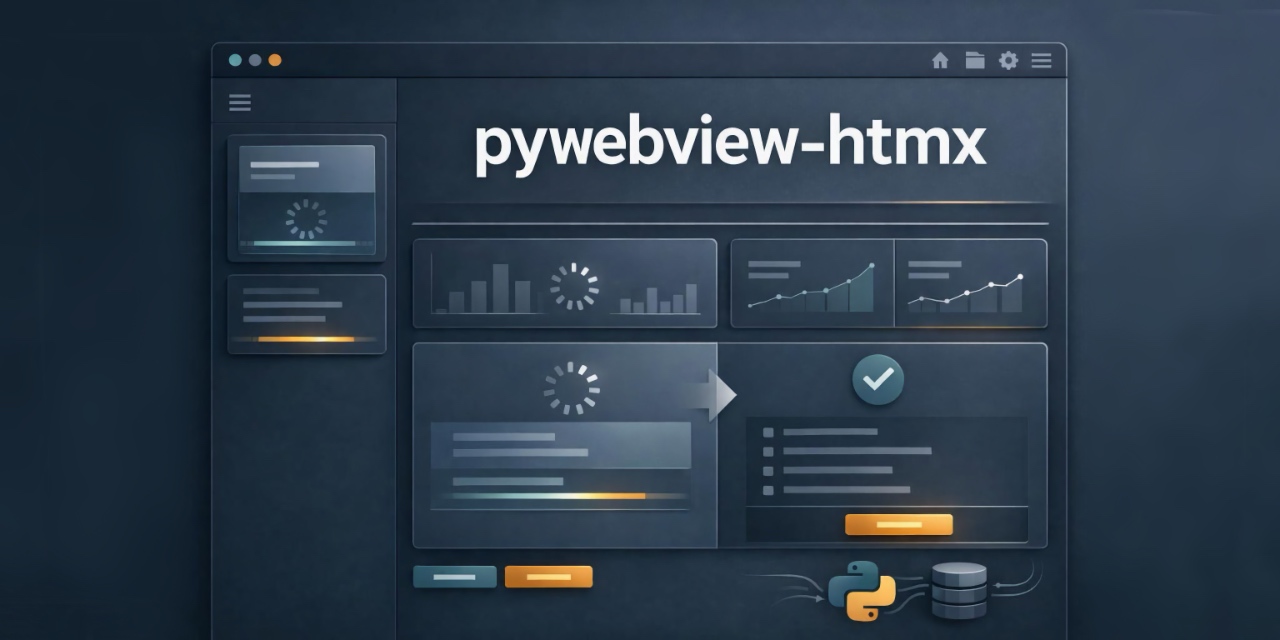
|
|
44
|
+
|
|
45
|
+
`pywebview-htmx` (import as `pywebview_htmx`) brings HTMX-style declarative interactions to PyWebview apps.
|
|
46
|
+
|
|
47
|
+
You write mostly normal HTML, annotate interactive elements with `py-*` attributes,
|
|
48
|
+
and `pywebview-htmx` wires those elements to Python methods exposed through
|
|
49
|
+
`window.pywebview.api`.
|
|
50
|
+
|
|
51
|
+
## What You Get
|
|
52
|
+
|
|
53
|
+
- Declarative Python calls from HTML (`py-call`, `py-trigger`, `data-py-params`)
|
|
54
|
+
- Declarative target updates (`py-target`, `py-swap`)
|
|
55
|
+
- Built-in loading state support (`py-wait` + `.py-waiting`)
|
|
56
|
+
- Event hooks for lifecycle instrumentation (`py:trigger`, `py:beforeSwap`, etc.)
|
|
57
|
+
- Concurrency control (`latest-wins` or `drop`) without custom plumbing
|
|
58
|
+
- Automatic processing of newly swapped HTML fragments
|
|
59
|
+
- Built-in theme system (multiple shipped themes + reusable component CSS)
|
|
60
|
+
|
|
61
|
+
## Mental Model
|
|
62
|
+
|
|
63
|
+
`pywebview-htmx` is a tiny runtime that does four core jobs:
|
|
64
|
+
|
|
65
|
+
1. Find elements with `py-call`.
|
|
66
|
+
2. Bind an event listener (default: `click`, override with `py-trigger`).
|
|
67
|
+
3. Call your Python API method through `window.pywebview.api[method](params)`.
|
|
68
|
+
4. Swap returned HTML into the DOM according to `py-target` + `py-swap`.
|
|
69
|
+
|
|
70
|
+
In other words: your Python methods are your "server handlers", and returned HTML
|
|
71
|
+
is your "response body".
|
|
72
|
+
|
|
73
|
+
## Installation
|
|
74
|
+
|
|
75
|
+
### In this repository
|
|
76
|
+
|
|
77
|
+
```bash
|
|
78
|
+
pdm install
|
|
79
|
+
```
|
|
80
|
+
|
|
81
|
+
### In another PDM project
|
|
82
|
+
|
|
83
|
+
```bash
|
|
84
|
+
pdm add pywebview-htmx
|
|
85
|
+
```
|
|
86
|
+
|
|
87
|
+
## Quick Start
|
|
88
|
+
|
|
89
|
+
```python
|
|
90
|
+
from pywebview_htmx import create_window
|
|
91
|
+
|
|
92
|
+
|
|
93
|
+
class API:
|
|
94
|
+
def greeting(self, params: dict) -> str:
|
|
95
|
+
name = params.get("name", "world")
|
|
96
|
+
return f"<p>Hello, {name}!</p>"
|
|
97
|
+
|
|
98
|
+
|
|
99
|
+
html = """
|
|
100
|
+
<!doctype html>
|
|
101
|
+
<html>
|
|
102
|
+
<body>
|
|
103
|
+
<button
|
|
104
|
+
py-call="greeting"
|
|
105
|
+
py-target="#result"
|
|
106
|
+
data-py-params='{"name": "pywebview-htmx"}'>
|
|
107
|
+
Say hello
|
|
108
|
+
</button>
|
|
109
|
+
<div id="result"></div>
|
|
110
|
+
</body>
|
|
111
|
+
</html>
|
|
112
|
+
"""
|
|
113
|
+
|
|
114
|
+
create_window("Quickstart", html, js_api=API())
|
|
115
|
+
```
|
|
116
|
+
|
|
117
|
+
You do **not** manually include `runtime.js` when using `create_window()`;
|
|
118
|
+
it is injected automatically.
|
|
119
|
+
|
|
120
|
+
## API Reference (Python)
|
|
121
|
+
|
|
122
|
+
### `create_window(title, html, js_api=None, theme="aurora", start=True, **kwargs)`
|
|
123
|
+
|
|
124
|
+
Creates a PyWebview window with injected theme CSS (optional) and injected
|
|
125
|
+
`pywebview-htmx` runtime script.
|
|
126
|
+
|
|
127
|
+
- `title`: window title
|
|
128
|
+
- `html`: HTML document string
|
|
129
|
+
- `js_api`: Python object exposed as `window.pywebview.api`
|
|
130
|
+
- `theme`: bundled theme name (`"aurora"`, `"paper"`, `"cybermind"`) or `None`
|
|
131
|
+
- `start`: whether to call `webview.start()` automatically
|
|
132
|
+
- `**kwargs`: forwarded to `webview.create_window()`
|
|
133
|
+
|
|
134
|
+
When to set `start=False`:
|
|
135
|
+
- You need to create multiple windows before starting
|
|
136
|
+
- You want to manage PyWebview startup/lifecycle yourself
|
|
137
|
+
|
|
138
|
+
### `get_runtime_script()`
|
|
139
|
+
|
|
140
|
+
Returns the bundled JavaScript runtime as a string.
|
|
141
|
+
|
|
142
|
+
### `inject_runtime(html)`
|
|
143
|
+
|
|
144
|
+
Injects the runtime script tag into an HTML string (idempotent).
|
|
145
|
+
|
|
146
|
+
### Theme helpers
|
|
147
|
+
|
|
148
|
+
- `list_themes()` -> sorted list of available themes
|
|
149
|
+
- `get_theme_css(theme)` -> base CSS + selected theme CSS
|
|
150
|
+
- `inject_theme(html, theme)` -> inject or replace theme `<style>` block
|
|
151
|
+
|
|
152
|
+
### Constants
|
|
153
|
+
|
|
154
|
+
- `DEFAULT_THEME` (currently `"aurora"`)
|
|
155
|
+
|
|
156
|
+
## Declarative Attribute Reference
|
|
157
|
+
|
|
158
|
+
### `py-call` (required)
|
|
159
|
+
|
|
160
|
+
Python API method name to invoke.
|
|
161
|
+
|
|
162
|
+
```html
|
|
163
|
+
<button py-call="fetch_user">...</button>
|
|
164
|
+
```
|
|
165
|
+
|
|
166
|
+
### `py-trigger` (optional)
|
|
167
|
+
|
|
168
|
+
DOM event name to bind. Default is `click`.
|
|
169
|
+
|
|
170
|
+
```html
|
|
171
|
+
<form py-call="submit_form" py-trigger="submit">...</form>
|
|
172
|
+
<div py-call="show_tip" py-trigger="mouseenter">...</div>
|
|
173
|
+
```
|
|
174
|
+
|
|
175
|
+
### `data-py-params` (optional)
|
|
176
|
+
|
|
177
|
+
JSON payload passed to Python method.
|
|
178
|
+
|
|
179
|
+
```html
|
|
180
|
+
<button data-py-params='{"user_id": 42, "mode": "full"}'>...</button>
|
|
181
|
+
```
|
|
182
|
+
|
|
183
|
+
Notes:
|
|
184
|
+
- If missing, params default to `{}`.
|
|
185
|
+
- Invalid JSON logs an error and falls back to `{}`.
|
|
186
|
+
|
|
187
|
+
### `py-target` (optional)
|
|
188
|
+
|
|
189
|
+
CSS selector of the element to update. If omitted, the triggering element is updated.
|
|
190
|
+
|
|
191
|
+
### `py-swap` (optional)
|
|
192
|
+
|
|
193
|
+
How returned HTML is applied:
|
|
194
|
+
|
|
195
|
+
- `innerHTML` (default)
|
|
196
|
+
- `outerHTML`
|
|
197
|
+
- `append`
|
|
198
|
+
|
|
199
|
+
Unknown value falls back to `innerHTML`.
|
|
200
|
+
|
|
201
|
+
### `py-wait` (optional)
|
|
202
|
+
|
|
203
|
+
CSS selector of element receiving `.py-waiting` while request is in flight.
|
|
204
|
+
If missing/empty/unresolvable, the triggering element is used.
|
|
205
|
+
|
|
206
|
+
## Runtime Config (JavaScript)
|
|
207
|
+
|
|
208
|
+
`window.pywebviewHtmx.config` includes:
|
|
209
|
+
|
|
210
|
+
- `defaultSwapStyle` (default: `"innerHTML"`)
|
|
211
|
+
- `swapDelay` (ms, default: `0`)
|
|
212
|
+
- `settleDelay` (ms, default: `20`)
|
|
213
|
+
- `requestPolicy` (`"latest-wins"` default, or `"drop"`)
|
|
214
|
+
|
|
215
|
+
Example:
|
|
216
|
+
|
|
217
|
+
```js
|
|
218
|
+
window.pywebviewHtmx.config.requestPolicy = "drop";
|
|
219
|
+
window.pywebviewHtmx.config.swapDelay = 150;
|
|
220
|
+
window.pywebviewHtmx.config.settleDelay = 50;
|
|
221
|
+
```
|
|
222
|
+
|
|
223
|
+
## Lifecycle Events
|
|
224
|
+
|
|
225
|
+
`pywebview-htmx` dispatches custom events you can observe for telemetry, debugging, and UX:
|
|
226
|
+
|
|
227
|
+
- `py:trigger`
|
|
228
|
+
- `py:beforeSwap`
|
|
229
|
+
- `py:afterSwap`
|
|
230
|
+
- `py:ignored` (when `requestPolicy="drop"` and request is in flight)
|
|
231
|
+
- `py:error`
|
|
232
|
+
|
|
233
|
+
Example:
|
|
234
|
+
|
|
235
|
+
```js
|
|
236
|
+
document.body.addEventListener("py:error", (event) => {
|
|
237
|
+
console.error("pywebview-htmx error", event.detail.error);
|
|
238
|
+
});
|
|
239
|
+
```
|
|
240
|
+
|
|
241
|
+
## Concurrency Behavior
|
|
242
|
+
|
|
243
|
+
Per trigger element, `pywebview-htmx` tracks request state.
|
|
244
|
+
|
|
245
|
+
### `latest-wins` (default)
|
|
246
|
+
|
|
247
|
+
Multiple rapid requests are allowed; stale responses are ignored.
|
|
248
|
+
Only latest request updates the DOM.
|
|
249
|
+
|
|
250
|
+
### `drop`
|
|
251
|
+
|
|
252
|
+
If a request is already in flight for that element, new triggers are ignored and
|
|
253
|
+
`py:ignored` is emitted.
|
|
254
|
+
|
|
255
|
+
## Dynamic Content Re-processing
|
|
256
|
+
|
|
257
|
+
After a swap, `pywebview-htmx` automatically scans swapped content for new `py-call`
|
|
258
|
+
elements and binds them. This enables chained interactions in returned fragments
|
|
259
|
+
without manual re-init code.
|
|
260
|
+
|
|
261
|
+
## Theme System
|
|
262
|
+
|
|
263
|
+
`pywebview-htmx` ships a reusable component styling system plus multiple themes.
|
|
264
|
+
|
|
265
|
+
```python
|
|
266
|
+
from pywebview_htmx import create_window, list_themes
|
|
267
|
+
|
|
268
|
+
print(list_themes())
|
|
269
|
+
# ['aurora', 'cybermind', 'paper']
|
|
270
|
+
|
|
271
|
+
create_window("My App", html, js_api=api, theme="cybermind")
|
|
272
|
+
```
|
|
273
|
+
|
|
274
|
+
Set `theme=None` to disable automatic theme injection.
|
|
275
|
+
|
|
276
|
+
### Built-in Component Classes
|
|
277
|
+
|
|
278
|
+
The bundled CSS supports both `pyh-*` classes and compatibility aliases used by
|
|
279
|
+
the demo (`.hero`, `.demo-card`, `.btn`, etc.).
|
|
280
|
+
|
|
281
|
+
Recommended canonical classes:
|
|
282
|
+
|
|
283
|
+
- Layout: `.pyh-shell`, `.pyh-hero`, `.pyh-grid`, `.pyh-card`
|
|
284
|
+
- Controls: `.pyh-btn`, `.pyh-btn-primary`, `.pyh-btn-secondary`, `.pyh-btn-ghost`, `.pyh-btn-danger`
|
|
285
|
+
- Content: `.pyh-result`, `.pyh-note`, `.pyh-code`, `.pyh-chip`, `.pyh-muted`
|
|
286
|
+
- Logs/lists: `.pyh-activity-list`, `.pyh-event-log`
|
|
287
|
+
- Utilities: `.pyh-row`, `.pyh-full-width`, `.pyh-inline-config`
|
|
288
|
+
|
|
289
|
+
### Shipping Your Own Theme
|
|
290
|
+
|
|
291
|
+
Use the same token pattern as bundled themes (`--pyh-*` variables) and inject your
|
|
292
|
+
custom CSS before runtime initialization. If you want PyWebview HTMX-style replacement
|
|
293
|
+
behavior, add your own `<style data-pywebview-theme="my-theme">...</style>` block.
|
|
294
|
+
|
|
295
|
+
## Practical Patterns
|
|
296
|
+
|
|
297
|
+
### Pattern 1: Form submit to Python
|
|
298
|
+
|
|
299
|
+
- Use `py-trigger="submit"` on `<form>`
|
|
300
|
+
- Keep `data-py-params` in sync from form inputs (via JS)
|
|
301
|
+
- `py-target` a result card/summary region
|
|
302
|
+
|
|
303
|
+
### Pattern 2: Append activity/log rows
|
|
304
|
+
|
|
305
|
+
- Use `py-swap="append"` to add `<li>` rows
|
|
306
|
+
- Return a single row snippet from Python
|
|
307
|
+
|
|
308
|
+
### Pattern 3: Replace full component
|
|
309
|
+
|
|
310
|
+
- Use `py-swap="outerHTML"`
|
|
311
|
+
- Return full replacement markup with same outer id/selector
|
|
312
|
+
|
|
313
|
+
### Pattern 4: Theme switch from Python
|
|
314
|
+
|
|
315
|
+
- Expose a `switch_theme` Python method
|
|
316
|
+
- Return HTML containing `<style data-pywebview-theme="...">...</style>`
|
|
317
|
+
- Swap a wrapper section with `py-swap="outerHTML"`
|
|
318
|
+
|
|
319
|
+
## Security Notes
|
|
320
|
+
|
|
321
|
+
- Returned HTML is inserted directly into the DOM.
|
|
322
|
+
- Escape/sanitize untrusted data before returning markup.
|
|
323
|
+
- Treat Python API methods as privileged application logic.
|
|
324
|
+
|
|
325
|
+
## Troubleshooting
|
|
326
|
+
|
|
327
|
+
### "Nothing happens when I click"
|
|
328
|
+
|
|
329
|
+
Check:
|
|
330
|
+
- `py-call` matches an existing method on `window.pywebview.api`
|
|
331
|
+
- method returns a string of HTML
|
|
332
|
+
- no JSON parse error in `data-py-params`
|
|
333
|
+
- `py-target` selector exists
|
|
334
|
+
|
|
335
|
+
### "New buttons in swapped HTML do not work"
|
|
336
|
+
|
|
337
|
+
This should work by default via post-swap processing. If you perform manual DOM
|
|
338
|
+
changes outside of pywebview-htmx swaps, call:
|
|
339
|
+
|
|
340
|
+
```js
|
|
341
|
+
window.pywebviewHtmx.process(document.body);
|
|
342
|
+
```
|
|
343
|
+
|
|
344
|
+
### "Loading state looks wrong"
|
|
345
|
+
|
|
346
|
+
Style `.py-waiting` globally and/or point `py-wait` at a dedicated element.
|
|
347
|
+
|
|
348
|
+
## Demo
|
|
349
|
+
|
|
350
|
+
Run the full feature showcase:
|
|
351
|
+
|
|
352
|
+
```bash
|
|
353
|
+
pdm run python app.py
|
|
354
|
+
```
|
|
355
|
+
|
|
356
|
+
The demo includes:
|
|
357
|
+
- Runtime config controls
|
|
358
|
+
- Live event feed
|
|
359
|
+
- All swap modes
|
|
360
|
+
- Multiple trigger types
|
|
361
|
+
- Concurrency policy behavior
|
|
362
|
+
- Dynamic fragment processing
|
|
363
|
+
- Python-driven live theme switching
|
|
364
|
+
|
|
365
|
+
## License
|
|
366
|
+
|
|
367
|
+
MIT (see [LICENSE](LICENSE)).
|
|
@@ -0,0 +1,327 @@
|
|
|
1
|
+
# pywebview-htmx
|
|
2
|
+
|
|
3
|
+

|
|
4
|
+
|
|
5
|
+
`pywebview-htmx` (import as `pywebview_htmx`) brings HTMX-style declarative interactions to PyWebview apps.
|
|
6
|
+
|
|
7
|
+
You write mostly normal HTML, annotate interactive elements with `py-*` attributes,
|
|
8
|
+
and `pywebview-htmx` wires those elements to Python methods exposed through
|
|
9
|
+
`window.pywebview.api`.
|
|
10
|
+
|
|
11
|
+
## What You Get
|
|
12
|
+
|
|
13
|
+
- Declarative Python calls from HTML (`py-call`, `py-trigger`, `data-py-params`)
|
|
14
|
+
- Declarative target updates (`py-target`, `py-swap`)
|
|
15
|
+
- Built-in loading state support (`py-wait` + `.py-waiting`)
|
|
16
|
+
- Event hooks for lifecycle instrumentation (`py:trigger`, `py:beforeSwap`, etc.)
|
|
17
|
+
- Concurrency control (`latest-wins` or `drop`) without custom plumbing
|
|
18
|
+
- Automatic processing of newly swapped HTML fragments
|
|
19
|
+
- Built-in theme system (multiple shipped themes + reusable component CSS)
|
|
20
|
+
|
|
21
|
+
## Mental Model
|
|
22
|
+
|
|
23
|
+
`pywebview-htmx` is a tiny runtime that does four core jobs:
|
|
24
|
+
|
|
25
|
+
1. Find elements with `py-call`.
|
|
26
|
+
2. Bind an event listener (default: `click`, override with `py-trigger`).
|
|
27
|
+
3. Call your Python API method through `window.pywebview.api[method](params)`.
|
|
28
|
+
4. Swap returned HTML into the DOM according to `py-target` + `py-swap`.
|
|
29
|
+
|
|
30
|
+
In other words: your Python methods are your "server handlers", and returned HTML
|
|
31
|
+
is your "response body".
|
|
32
|
+
|
|
33
|
+
## Installation
|
|
34
|
+
|
|
35
|
+
### In this repository
|
|
36
|
+
|
|
37
|
+
```bash
|
|
38
|
+
pdm install
|
|
39
|
+
```
|
|
40
|
+
|
|
41
|
+
### In another PDM project
|
|
42
|
+
|
|
43
|
+
```bash
|
|
44
|
+
pdm add pywebview-htmx
|
|
45
|
+
```
|
|
46
|
+
|
|
47
|
+
## Quick Start
|
|
48
|
+
|
|
49
|
+
```python
|
|
50
|
+
from pywebview_htmx import create_window
|
|
51
|
+
|
|
52
|
+
|
|
53
|
+
class API:
|
|
54
|
+
def greeting(self, params: dict) -> str:
|
|
55
|
+
name = params.get("name", "world")
|
|
56
|
+
return f"<p>Hello, {name}!</p>"
|
|
57
|
+
|
|
58
|
+
|
|
59
|
+
html = """
|
|
60
|
+
<!doctype html>
|
|
61
|
+
<html>
|
|
62
|
+
<body>
|
|
63
|
+
<button
|
|
64
|
+
py-call="greeting"
|
|
65
|
+
py-target="#result"
|
|
66
|
+
data-py-params='{"name": "pywebview-htmx"}'>
|
|
67
|
+
Say hello
|
|
68
|
+
</button>
|
|
69
|
+
<div id="result"></div>
|
|
70
|
+
</body>
|
|
71
|
+
</html>
|
|
72
|
+
"""
|
|
73
|
+
|
|
74
|
+
create_window("Quickstart", html, js_api=API())
|
|
75
|
+
```
|
|
76
|
+
|
|
77
|
+
You do **not** manually include `runtime.js` when using `create_window()`;
|
|
78
|
+
it is injected automatically.
|
|
79
|
+
|
|
80
|
+
## API Reference (Python)
|
|
81
|
+
|
|
82
|
+
### `create_window(title, html, js_api=None, theme="aurora", start=True, **kwargs)`
|
|
83
|
+
|
|
84
|
+
Creates a PyWebview window with injected theme CSS (optional) and injected
|
|
85
|
+
`pywebview-htmx` runtime script.
|
|
86
|
+
|
|
87
|
+
- `title`: window title
|
|
88
|
+
- `html`: HTML document string
|
|
89
|
+
- `js_api`: Python object exposed as `window.pywebview.api`
|
|
90
|
+
- `theme`: bundled theme name (`"aurora"`, `"paper"`, `"cybermind"`) or `None`
|
|
91
|
+
- `start`: whether to call `webview.start()` automatically
|
|
92
|
+
- `**kwargs`: forwarded to `webview.create_window()`
|
|
93
|
+
|
|
94
|
+
When to set `start=False`:
|
|
95
|
+
- You need to create multiple windows before starting
|
|
96
|
+
- You want to manage PyWebview startup/lifecycle yourself
|
|
97
|
+
|
|
98
|
+
### `get_runtime_script()`
|
|
99
|
+
|
|
100
|
+
Returns the bundled JavaScript runtime as a string.
|
|
101
|
+
|
|
102
|
+
### `inject_runtime(html)`
|
|
103
|
+
|
|
104
|
+
Injects the runtime script tag into an HTML string (idempotent).
|
|
105
|
+
|
|
106
|
+
### Theme helpers
|
|
107
|
+
|
|
108
|
+
- `list_themes()` -> sorted list of available themes
|
|
109
|
+
- `get_theme_css(theme)` -> base CSS + selected theme CSS
|
|
110
|
+
- `inject_theme(html, theme)` -> inject or replace theme `<style>` block
|
|
111
|
+
|
|
112
|
+
### Constants
|
|
113
|
+
|
|
114
|
+
- `DEFAULT_THEME` (currently `"aurora"`)
|
|
115
|
+
|
|
116
|
+
## Declarative Attribute Reference
|
|
117
|
+
|
|
118
|
+
### `py-call` (required)
|
|
119
|
+
|
|
120
|
+
Python API method name to invoke.
|
|
121
|
+
|
|
122
|
+
```html
|
|
123
|
+
<button py-call="fetch_user">...</button>
|
|
124
|
+
```
|
|
125
|
+
|
|
126
|
+
### `py-trigger` (optional)
|
|
127
|
+
|
|
128
|
+
DOM event name to bind. Default is `click`.
|
|
129
|
+
|
|
130
|
+
```html
|
|
131
|
+
<form py-call="submit_form" py-trigger="submit">...</form>
|
|
132
|
+
<div py-call="show_tip" py-trigger="mouseenter">...</div>
|
|
133
|
+
```
|
|
134
|
+
|
|
135
|
+
### `data-py-params` (optional)
|
|
136
|
+
|
|
137
|
+
JSON payload passed to Python method.
|
|
138
|
+
|
|
139
|
+
```html
|
|
140
|
+
<button data-py-params='{"user_id": 42, "mode": "full"}'>...</button>
|
|
141
|
+
```
|
|
142
|
+
|
|
143
|
+
Notes:
|
|
144
|
+
- If missing, params default to `{}`.
|
|
145
|
+
- Invalid JSON logs an error and falls back to `{}`.
|
|
146
|
+
|
|
147
|
+
### `py-target` (optional)
|
|
148
|
+
|
|
149
|
+
CSS selector of the element to update. If omitted, the triggering element is updated.
|
|
150
|
+
|
|
151
|
+
### `py-swap` (optional)
|
|
152
|
+
|
|
153
|
+
How returned HTML is applied:
|
|
154
|
+
|
|
155
|
+
- `innerHTML` (default)
|
|
156
|
+
- `outerHTML`
|
|
157
|
+
- `append`
|
|
158
|
+
|
|
159
|
+
Unknown value falls back to `innerHTML`.
|
|
160
|
+
|
|
161
|
+
### `py-wait` (optional)
|
|
162
|
+
|
|
163
|
+
CSS selector of element receiving `.py-waiting` while request is in flight.
|
|
164
|
+
If missing/empty/unresolvable, the triggering element is used.
|
|
165
|
+
|
|
166
|
+
## Runtime Config (JavaScript)
|
|
167
|
+
|
|
168
|
+
`window.pywebviewHtmx.config` includes:
|
|
169
|
+
|
|
170
|
+
- `defaultSwapStyle` (default: `"innerHTML"`)
|
|
171
|
+
- `swapDelay` (ms, default: `0`)
|
|
172
|
+
- `settleDelay` (ms, default: `20`)
|
|
173
|
+
- `requestPolicy` (`"latest-wins"` default, or `"drop"`)
|
|
174
|
+
|
|
175
|
+
Example:
|
|
176
|
+
|
|
177
|
+
```js
|
|
178
|
+
window.pywebviewHtmx.config.requestPolicy = "drop";
|
|
179
|
+
window.pywebviewHtmx.config.swapDelay = 150;
|
|
180
|
+
window.pywebviewHtmx.config.settleDelay = 50;
|
|
181
|
+
```
|
|
182
|
+
|
|
183
|
+
## Lifecycle Events
|
|
184
|
+
|
|
185
|
+
`pywebview-htmx` dispatches custom events you can observe for telemetry, debugging, and UX:
|
|
186
|
+
|
|
187
|
+
- `py:trigger`
|
|
188
|
+
- `py:beforeSwap`
|
|
189
|
+
- `py:afterSwap`
|
|
190
|
+
- `py:ignored` (when `requestPolicy="drop"` and request is in flight)
|
|
191
|
+
- `py:error`
|
|
192
|
+
|
|
193
|
+
Example:
|
|
194
|
+
|
|
195
|
+
```js
|
|
196
|
+
document.body.addEventListener("py:error", (event) => {
|
|
197
|
+
console.error("pywebview-htmx error", event.detail.error);
|
|
198
|
+
});
|
|
199
|
+
```
|
|
200
|
+
|
|
201
|
+
## Concurrency Behavior
|
|
202
|
+
|
|
203
|
+
Per trigger element, `pywebview-htmx` tracks request state.
|
|
204
|
+
|
|
205
|
+
### `latest-wins` (default)
|
|
206
|
+
|
|
207
|
+
Multiple rapid requests are allowed; stale responses are ignored.
|
|
208
|
+
Only latest request updates the DOM.
|
|
209
|
+
|
|
210
|
+
### `drop`
|
|
211
|
+
|
|
212
|
+
If a request is already in flight for that element, new triggers are ignored and
|
|
213
|
+
`py:ignored` is emitted.
|
|
214
|
+
|
|
215
|
+
## Dynamic Content Re-processing
|
|
216
|
+
|
|
217
|
+
After a swap, `pywebview-htmx` automatically scans swapped content for new `py-call`
|
|
218
|
+
elements and binds them. This enables chained interactions in returned fragments
|
|
219
|
+
without manual re-init code.
|
|
220
|
+
|
|
221
|
+
## Theme System
|
|
222
|
+
|
|
223
|
+
`pywebview-htmx` ships a reusable component styling system plus multiple themes.
|
|
224
|
+
|
|
225
|
+
```python
|
|
226
|
+
from pywebview_htmx import create_window, list_themes
|
|
227
|
+
|
|
228
|
+
print(list_themes())
|
|
229
|
+
# ['aurora', 'cybermind', 'paper']
|
|
230
|
+
|
|
231
|
+
create_window("My App", html, js_api=api, theme="cybermind")
|
|
232
|
+
```
|
|
233
|
+
|
|
234
|
+
Set `theme=None` to disable automatic theme injection.
|
|
235
|
+
|
|
236
|
+
### Built-in Component Classes
|
|
237
|
+
|
|
238
|
+
The bundled CSS supports both `pyh-*` classes and compatibility aliases used by
|
|
239
|
+
the demo (`.hero`, `.demo-card`, `.btn`, etc.).
|
|
240
|
+
|
|
241
|
+
Recommended canonical classes:
|
|
242
|
+
|
|
243
|
+
- Layout: `.pyh-shell`, `.pyh-hero`, `.pyh-grid`, `.pyh-card`
|
|
244
|
+
- Controls: `.pyh-btn`, `.pyh-btn-primary`, `.pyh-btn-secondary`, `.pyh-btn-ghost`, `.pyh-btn-danger`
|
|
245
|
+
- Content: `.pyh-result`, `.pyh-note`, `.pyh-code`, `.pyh-chip`, `.pyh-muted`
|
|
246
|
+
- Logs/lists: `.pyh-activity-list`, `.pyh-event-log`
|
|
247
|
+
- Utilities: `.pyh-row`, `.pyh-full-width`, `.pyh-inline-config`
|
|
248
|
+
|
|
249
|
+
### Shipping Your Own Theme
|
|
250
|
+
|
|
251
|
+
Use the same token pattern as bundled themes (`--pyh-*` variables) and inject your
|
|
252
|
+
custom CSS before runtime initialization. If you want PyWebview HTMX-style replacement
|
|
253
|
+
behavior, add your own `<style data-pywebview-theme="my-theme">...</style>` block.
|
|
254
|
+
|
|
255
|
+
## Practical Patterns
|
|
256
|
+
|
|
257
|
+
### Pattern 1: Form submit to Python
|
|
258
|
+
|
|
259
|
+
- Use `py-trigger="submit"` on `<form>`
|
|
260
|
+
- Keep `data-py-params` in sync from form inputs (via JS)
|
|
261
|
+
- `py-target` a result card/summary region
|
|
262
|
+
|
|
263
|
+
### Pattern 2: Append activity/log rows
|
|
264
|
+
|
|
265
|
+
- Use `py-swap="append"` to add `<li>` rows
|
|
266
|
+
- Return a single row snippet from Python
|
|
267
|
+
|
|
268
|
+
### Pattern 3: Replace full component
|
|
269
|
+
|
|
270
|
+
- Use `py-swap="outerHTML"`
|
|
271
|
+
- Return full replacement markup with same outer id/selector
|
|
272
|
+
|
|
273
|
+
### Pattern 4: Theme switch from Python
|
|
274
|
+
|
|
275
|
+
- Expose a `switch_theme` Python method
|
|
276
|
+
- Return HTML containing `<style data-pywebview-theme="...">...</style>`
|
|
277
|
+
- Swap a wrapper section with `py-swap="outerHTML"`
|
|
278
|
+
|
|
279
|
+
## Security Notes
|
|
280
|
+
|
|
281
|
+
- Returned HTML is inserted directly into the DOM.
|
|
282
|
+
- Escape/sanitize untrusted data before returning markup.
|
|
283
|
+
- Treat Python API methods as privileged application logic.
|
|
284
|
+
|
|
285
|
+
## Troubleshooting
|
|
286
|
+
|
|
287
|
+
### "Nothing happens when I click"
|
|
288
|
+
|
|
289
|
+
Check:
|
|
290
|
+
- `py-call` matches an existing method on `window.pywebview.api`
|
|
291
|
+
- method returns a string of HTML
|
|
292
|
+
- no JSON parse error in `data-py-params`
|
|
293
|
+
- `py-target` selector exists
|
|
294
|
+
|
|
295
|
+
### "New buttons in swapped HTML do not work"
|
|
296
|
+
|
|
297
|
+
This should work by default via post-swap processing. If you perform manual DOM
|
|
298
|
+
changes outside of pywebview-htmx swaps, call:
|
|
299
|
+
|
|
300
|
+
```js
|
|
301
|
+
window.pywebviewHtmx.process(document.body);
|
|
302
|
+
```
|
|
303
|
+
|
|
304
|
+
### "Loading state looks wrong"
|
|
305
|
+
|
|
306
|
+
Style `.py-waiting` globally and/or point `py-wait` at a dedicated element.
|
|
307
|
+
|
|
308
|
+
## Demo
|
|
309
|
+
|
|
310
|
+
Run the full feature showcase:
|
|
311
|
+
|
|
312
|
+
```bash
|
|
313
|
+
pdm run python app.py
|
|
314
|
+
```
|
|
315
|
+
|
|
316
|
+
The demo includes:
|
|
317
|
+
- Runtime config controls
|
|
318
|
+
- Live event feed
|
|
319
|
+
- All swap modes
|
|
320
|
+
- Multiple trigger types
|
|
321
|
+
- Concurrency policy behavior
|
|
322
|
+
- Dynamic fragment processing
|
|
323
|
+
- Python-driven live theme switching
|
|
324
|
+
|
|
325
|
+
## License
|
|
326
|
+
|
|
327
|
+
MIT (see [LICENSE](LICENSE)).
|