proteinmotion 0.10.1__tar.gz
This diff represents the content of publicly available package versions that have been released to one of the supported registries. The information contained in this diff is provided for informational purposes only and reflects changes between package versions as they appear in their respective public registries.
- proteinmotion-0.10.1/.gitignore +25 -0
- proteinmotion-0.10.1/CONTRIBUTING.md +111 -0
- proteinmotion-0.10.1/LICENSE +21 -0
- proteinmotion-0.10.1/PKG-INFO +229 -0
- proteinmotion-0.10.1/README.md +178 -0
- proteinmotion-0.10.1/THIRD_PARTY.md +33 -0
- proteinmotion-0.10.1/docs/VALIDATION.md +366 -0
- proteinmotion-0.10.1/docs/agent-skill.md +64 -0
- proteinmotion-0.10.1/docs/alpha-helix-hbonds-report.json +169 -0
- proteinmotion-0.10.1/docs/alpha-helix-hbonds.csv +13 -0
- proteinmotion-0.10.1/docs/alpha-helix.md +64 -0
- proteinmotion-0.10.1/docs/alpha-helix.png +0 -0
- proteinmotion-0.10.1/docs/api.md +223 -0
- proteinmotion-0.10.1/docs/assets/interactions.png +0 -0
- proteinmotion-0.10.1/docs/assets/labels.png +0 -0
- proteinmotion-0.10.1/docs/assets/representations.png +0 -0
- proteinmotion-0.10.1/docs/assets/surface.png +0 -0
- proteinmotion-0.10.1/docs/backbone-contact-map.pdf +0 -0
- proteinmotion-0.10.1/docs/backbone-contact-map.png +0 -0
- proteinmotion-0.10.1/docs/backbone-residue-pairs.csv +115 -0
- proteinmotion-0.10.1/docs/ball-and-stick-morph-benchmark.json +26 -0
- proteinmotion-0.10.1/docs/ball-and-stick-video-verification.json +7 -0
- proteinmotion-0.10.1/docs/benchmark.json +155 -0
- proteinmotion-0.10.1/docs/calmodulin-in-focus.md +54 -0
- proteinmotion-0.10.1/docs/contributing.md +109 -0
- proteinmotion-0.10.1/docs/density-maps.md +120 -0
- proteinmotion-0.10.1/docs/dna-rna.md +297 -0
- proteinmotion-0.10.1/docs/eevee.md +137 -0
- proteinmotion-0.10.1/docs/full-example.md +29 -0
- proteinmotion-0.10.1/docs/getting-started.md +134 -0
- proteinmotion-0.10.1/docs/interactions.md +196 -0
- proteinmotion-0.10.1/docs/large-morph-benchmark.json +86 -0
- proteinmotion-0.10.1/docs/molecular-example.md +19 -0
- proteinmotion-0.10.1/docs/molecular-tools-benchmark.json +56 -0
- proteinmotion-0.10.1/docs/molecular-tools-video-verification.json +36 -0
- proteinmotion-0.10.1/docs/morphing.md +131 -0
- proteinmotion-0.10.1/docs/nmr-ensemble-report.json +18 -0
- proteinmotion-0.10.1/docs/nmr-region-benchmark.json +80 -0
- proteinmotion-0.10.1/docs/nmr-video-verification.json +39 -0
- proteinmotion-0.10.1/docs/numerical-properties.md +113 -0
- proteinmotion-0.10.1/docs/reference/catalog.json +1408 -0
- proteinmotion-0.10.1/docs/regions.md +88 -0
- proteinmotion-0.10.1/docs/rendering.md +89 -0
- proteinmotion-0.10.1/docs/scenes.md +42 -0
- proteinmotion-0.10.1/docs/showcase-report.json +147 -0
- proteinmotion-0.10.1/docs/showcase.md +53 -0
- proteinmotion-0.10.1/docs/showcase.png +0 -0
- proteinmotion-0.10.1/docs/smooth-transparency-benchmark.json +52 -0
- proteinmotion-0.10.1/docs/smooth-transparency-video-verification.json +16 -0
- proteinmotion-0.10.1/docs/styling.md +126 -0
- proteinmotion-0.10.1/docs/synchronized-plots.md +133 -0
- proteinmotion-0.10.1/docs/text-render-report.json +40 -0
- proteinmotion-0.10.1/docs/text-video-verification.json +18 -0
- proteinmotion-0.10.1/docs/text.md +148 -0
- proteinmotion-0.10.1/docs/trajectories.md +74 -0
- proteinmotion-0.10.1/docs/video-verification.json +23 -0
- proteinmotion-0.10.1/docs/windows-nvidia-report.json +164 -0
- proteinmotion-0.10.1/docs/writing-guide.md +46 -0
- proteinmotion-0.10.1/examples/alpha_helix_hbonds.py +219 -0
- proteinmotion-0.10.1/examples/backbone_morph.py +52 -0
- proteinmotion-0.10.1/examples/benchmark.py +111 -0
- proteinmotion-0.10.1/examples/calmodulin_in_focus.py +252 -0
- proteinmotion-0.10.1/examples/contact_report.py +166 -0
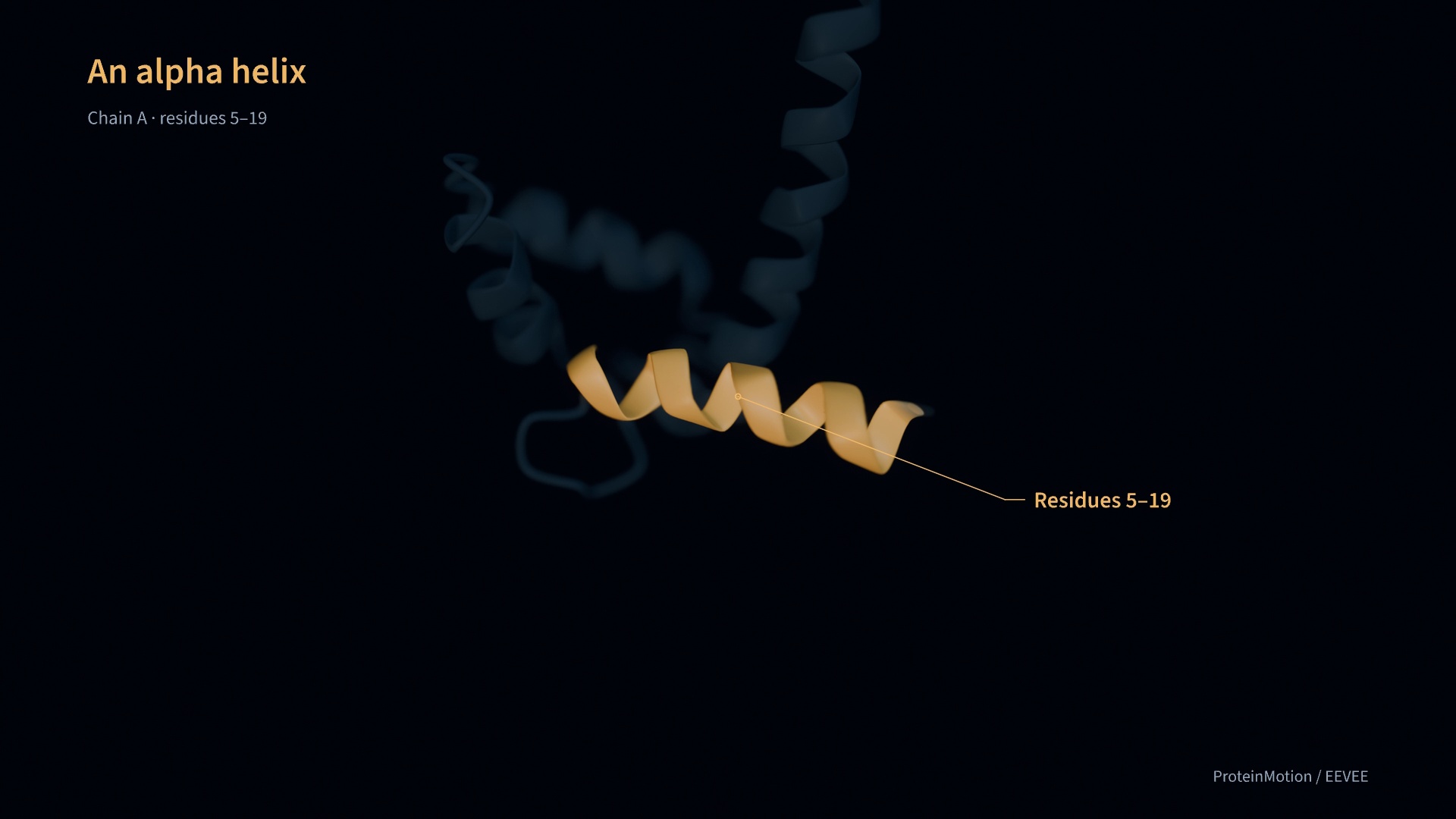
- proteinmotion-0.10.1/examples/data/1aon.cif +72577 -0
- proteinmotion-0.10.1/examples/data/1bna.cif +1852 -0
- proteinmotion-0.10.1/examples/data/1cfc.cif +58469 -0
- proteinmotion-0.10.1/examples/data/1cll.cif +3507 -0
- proteinmotion-0.10.1/examples/data/1ehz.cif +3582 -0
- proteinmotion-0.10.1/examples/data/1ncx.cif +3653 -0
- proteinmotion-0.10.1/examples/data/1ubq-map-source.json +9 -0
- proteinmotion-0.10.1/examples/data/1ubq.ccp4 +0 -0
- proteinmotion-0.10.1/examples/data/1ubq.cif +2237 -0
- proteinmotion-0.10.1/examples/data/2dcg.cif +1629 -0
- proteinmotion-0.10.1/examples/data/2k39.cif +145904 -0
- proteinmotion-0.10.1/examples/data/calmodulin-troponin-match.json +1629 -0
- proteinmotion-0.10.1/examples/data/showcase-calmodulin.pdb +1138 -0
- proteinmotion-0.10.1/examples/data/showcase-calmodulin.xtc +0 -0
- proteinmotion-0.10.1/examples/data/showcase-troponin-charges.npy +0 -0
- proteinmotion-0.10.1/examples/density_maps.py +48 -0
- proteinmotion-0.10.1/examples/dna_morph.py +57 -0
- proteinmotion-0.10.1/examples/dna_styles.py +71 -0
- proteinmotion-0.10.1/examples/docs_examples.py +451 -0
- proteinmotion-0.10.1/examples/eevee_focus.py +44 -0
- proteinmotion-0.10.1/examples/feature_showcase.py +452 -0
- proteinmotion-0.10.1/examples/labels_and_callouts.py +112 -0
- proteinmotion-0.10.1/examples/large_protein.py +44 -0
- proteinmotion-0.10.1/examples/molecular_tools.py +196 -0
- proteinmotion-0.10.1/examples/nmr_regions.py +92 -0
- proteinmotion-0.10.1/examples/numerical_properties.py +39 -0
- proteinmotion-0.10.1/examples/quickstart.py +32 -0
- proteinmotion-0.10.1/examples/rna_styles.py +53 -0
- proteinmotion-0.10.1/examples/showcase.py +77 -0
- proteinmotion-0.10.1/examples/synchronized_plots.py +68 -0
- proteinmotion-0.10.1/pyproject.toml +70 -0
- proteinmotion-0.10.1/scripts/benchmark_export.py +102 -0
- proteinmotion-0.10.1/scripts/build_reference.py +271 -0
- proteinmotion-0.10.1/scripts/check_installed_package.py +81 -0
- proteinmotion-0.10.1/scripts/render_data_examples.py +109 -0
- proteinmotion-0.10.1/scripts/render_docs_examples.py +127 -0
- proteinmotion-0.10.1/scripts/render_eevee_example.py +78 -0
- proteinmotion-0.10.1/scripts/render_nucleic_examples.py +108 -0
- proteinmotion-0.10.1/skills/proteinmotion-movies/SKILL.md +68 -0
- proteinmotion-0.10.1/skills/proteinmotion-movies/agents/openai.yaml +4 -0
- proteinmotion-0.10.1/skills/proteinmotion-movies/assets/1ubq.cif +2237 -0
- proteinmotion-0.10.1/skills/proteinmotion-movies/assets/film.py +73 -0
- proteinmotion-0.10.1/skills/proteinmotion-movies/references/animation.md +90 -0
- proteinmotion-0.10.1/skills/proteinmotion-movies/references/annotations-and-interactions.md +83 -0
- proteinmotion-0.10.1/skills/proteinmotion-movies/references/data-visualization.md +55 -0
- proteinmotion-0.10.1/skills/proteinmotion-movies/references/nucleic-acids.md +53 -0
- proteinmotion-0.10.1/src/proteinmotion/__init__.py +84 -0
- proteinmotion-0.10.1/src/proteinmotion/__main__.py +4 -0
- proteinmotion-0.10.1/src/proteinmotion/_blender_worker.py +285 -0
- proteinmotion-0.10.1/src/proteinmotion/_eevee_geometry.py +224 -0
- proteinmotion-0.10.1/src/proteinmotion/_gpu.py +54 -0
- proteinmotion-0.10.1/src/proteinmotion/animation.py +380 -0
- proteinmotion-0.10.1/src/proteinmotion/annotations.py +522 -0
- proteinmotion-0.10.1/src/proteinmotion/authoring.py +88 -0
- proteinmotion-0.10.1/src/proteinmotion/backbone.py +159 -0
- proteinmotion-0.10.1/src/proteinmotion/camera.py +122 -0
- proteinmotion-0.10.1/src/proteinmotion/cli.py +185 -0
- proteinmotion-0.10.1/src/proteinmotion/density.py +324 -0
- proteinmotion-0.10.1/src/proteinmotion/distances.py +220 -0
- proteinmotion-0.10.1/src/proteinmotion/eevee.py +222 -0
- proteinmotion-0.10.1/src/proteinmotion/fonts/OFL.txt +93 -0
- proteinmotion-0.10.1/src/proteinmotion/fonts/SourceSans3-Regular.otf +0 -0
- proteinmotion-0.10.1/src/proteinmotion/fonts/SourceSans3-Semibold.otf +0 -0
- proteinmotion-0.10.1/src/proteinmotion/geometry.py +145 -0
- proteinmotion-0.10.1/src/proteinmotion/interactions.py +582 -0
- proteinmotion-0.10.1/src/proteinmotion/licenses/Manim-LICENSE.txt +21 -0
- proteinmotion-0.10.1/src/proteinmotion/matching.py +486 -0
- proteinmotion-0.10.1/src/proteinmotion/math3d.py +77 -0
- proteinmotion-0.10.1/src/proteinmotion/mesh.py +144 -0
- proteinmotion-0.10.1/src/proteinmotion/nucleic.py +316 -0
- proteinmotion-0.10.1/src/proteinmotion/overlay.py +268 -0
- proteinmotion-0.10.1/src/proteinmotion/plots.py +535 -0
- proteinmotion-0.10.1/src/proteinmotion/preview.py +148 -0
- proteinmotion-0.10.1/src/proteinmotion/properties.py +226 -0
- proteinmotion-0.10.1/src/proteinmotion/protein.py +342 -0
- proteinmotion-0.10.1/src/proteinmotion/rates.py +23 -0
- proteinmotion-0.10.1/src/proteinmotion/regions.py +200 -0
- proteinmotion-0.10.1/src/proteinmotion/renderer.py +635 -0
- proteinmotion-0.10.1/src/proteinmotion/scene.py +245 -0
- proteinmotion-0.10.1/src/proteinmotion/shaders/molecule.wgsl +386 -0
- proteinmotion-0.10.1/src/proteinmotion/shaders/nv12.wgsl +30 -0
- proteinmotion-0.10.1/src/proteinmotion/shaders/panel.wgsl +10 -0
- proteinmotion-0.10.1/src/proteinmotion/shaders/text.wgsl +63 -0
- proteinmotion-0.10.1/src/proteinmotion/shaders/transparency.wgsl +18 -0
- proteinmotion-0.10.1/src/proteinmotion/structure.py +277 -0
- proteinmotion-0.10.1/src/proteinmotion/styling.py +179 -0
- proteinmotion-0.10.1/src/proteinmotion/surface.py +233 -0
- proteinmotion-0.10.1/src/proteinmotion/text_geometry.py +213 -0
- proteinmotion-0.10.1/src/proteinmotion/trajectory.py +133 -0
- proteinmotion-0.10.1/src/proteinmotion/video.py +197 -0
- proteinmotion-0.10.1/tests/conftest.py +15 -0
- proteinmotion-0.10.1/tests/test_alpha_helix_hbonds.py +108 -0
- proteinmotion-0.10.1/tests/test_annotations.py +227 -0
- proteinmotion-0.10.1/tests/test_authoring.py +85 -0
- proteinmotion-0.10.1/tests/test_backbone.py +277 -0
- proteinmotion-0.10.1/tests/test_core.py +221 -0
- proteinmotion-0.10.1/tests/test_density.py +170 -0
- proteinmotion-0.10.1/tests/test_dna_morph.py +190 -0
- proteinmotion-0.10.1/tests/test_eevee.py +163 -0
- proteinmotion-0.10.1/tests/test_gpu.py +185 -0
- proteinmotion-0.10.1/tests/test_interactions_distances.py +180 -0
- proteinmotion-0.10.1/tests/test_md.py +29 -0
- proteinmotion-0.10.1/tests/test_nucleic.py +288 -0
- proteinmotion-0.10.1/tests/test_platform.py +82 -0
- proteinmotion-0.10.1/tests/test_properties_plots.py +198 -0
- proteinmotion-0.10.1/tests/test_regions.py +206 -0
- proteinmotion-0.10.1/tests/test_styling_surface.py +168 -0
- proteinmotion-0.10.1/tests/test_transparency.py +186 -0
- proteinmotion-0.10.1/tests/test_video.py +77 -0
|
@@ -0,0 +1,25 @@
|
|
|
1
|
+
.venv/
|
|
2
|
+
__pycache__/
|
|
3
|
+
*.py[cod]
|
|
4
|
+
.pytest_cache/
|
|
5
|
+
.ruff_cache/
|
|
6
|
+
dist/
|
|
7
|
+
build/
|
|
8
|
+
*.egg-info/
|
|
9
|
+
*.mp4
|
|
10
|
+
!website/public/media/*.mp4
|
|
11
|
+
!website/public/media/docs/*.mp4
|
|
12
|
+
.DS_Store
|
|
13
|
+
.env
|
|
14
|
+
.env.*
|
|
15
|
+
!.env.example
|
|
16
|
+
node_modules/
|
|
17
|
+
.next/
|
|
18
|
+
website/out/
|
|
19
|
+
website/public/downloads/
|
|
20
|
+
*.tsbuildinfo
|
|
21
|
+
output/playwright/
|
|
22
|
+
output/windows-nvidia/
|
|
23
|
+
.playwright-cli/
|
|
24
|
+
.*_offsets.npz
|
|
25
|
+
.*_offsets.lock
|
|
@@ -0,0 +1,111 @@
|
|
|
1
|
+
# Contributing
|
|
2
|
+
|
|
3
|
+
Include a reproducible example with each feature or fix. Describe the behavior, the method used, and any limits that affect the result.
|
|
4
|
+
|
|
5
|
+
## Package development
|
|
6
|
+
|
|
7
|
+
```bash
|
|
8
|
+
python3 -m venv .venv
|
|
9
|
+
source .venv/bin/activate
|
|
10
|
+
python -m pip install -e '.[dev,md,preview]'
|
|
11
|
+
ruff format src tests examples scripts skills
|
|
12
|
+
ruff check src tests examples scripts skills
|
|
13
|
+
pytest
|
|
14
|
+
python -m build
|
|
15
|
+
```
|
|
16
|
+
|
|
17
|
+
GPU and hardware-export tests are marked `gpu` and should be run on a native GPU adapter. Some optional example-rendering scripts need `ffmpeg` and `ffprobe` (`brew install ffmpeg` on macOS). CPU checks can run with `pytest -m "not gpu"`.
|
|
18
|
+
|
|
19
|
+
GitHub Actions runs CPU tests and linting on Ubuntu and Windows, then builds and installs the wheel in a clean environment. For rendering or animation changes, run the local GPU suite on Apple silicon or Windows/NVIDIA and inspect the output. Video checks decode frames with PyAV and do not require an FFmpeg executable. Windows symlink tests skip when Developer Mode or administrator privileges are unavailable. Record the setup and results in the validation report.
|
|
20
|
+
|
|
21
|
+
## Documentation development
|
|
22
|
+
|
|
23
|
+
The website uses Next.js static export, React, and Tailwind CSS. Website development requires Node 22 or later. The Python package has its own dependencies.
|
|
24
|
+
|
|
25
|
+
```bash
|
|
26
|
+
cd website
|
|
27
|
+
npm ci
|
|
28
|
+
npm run dev
|
|
29
|
+
```
|
|
30
|
+
|
|
31
|
+
Open `http://localhost:3000/proteinmotion/`. Edit Markdown in `docs/` or the site components in `website/`. The complete NMR source is inserted directly from `examples/nmr_regions.py` at build time, so it stays in sync.
|
|
32
|
+
|
|
33
|
+
Before submitting:
|
|
34
|
+
|
|
35
|
+
```bash
|
|
36
|
+
npm run build
|
|
37
|
+
npm run check
|
|
38
|
+
npm run verify
|
|
39
|
+
```
|
|
40
|
+
|
|
41
|
+
The build exports static HTML into `website/out/`. `PAGES_BASE_PATH` defaults to `/proteinmotion`; set it to a different repository path (or an empty string for root hosting) when building for another deployment. Keep site metadata in `website/lib/config.ts` consistent with the final public URL.
|
|
42
|
+
|
|
43
|
+
`npm run verify` checks exported pages, internal links, fragment targets, and media references. Browser checks should cover desktop/mobile layout, search, code copying, video controls, and reduced motion.
|
|
44
|
+
|
|
45
|
+
Follow the [writing guide](docs/writing-guide.md) when editing page text, headings, captions, and metadata.
|
|
46
|
+
|
|
47
|
+
### Rendered documentation examples
|
|
48
|
+
|
|
49
|
+
Short examples are defined in `examples/docs_examples.py`. Their marked code sections appear beside the rendered output in the guides. To update the clips and snippets, run:
|
|
50
|
+
|
|
51
|
+
```bash
|
|
52
|
+
python scripts/render_docs_examples.py
|
|
53
|
+
```
|
|
54
|
+
|
|
55
|
+
This requires a working GPU. The command renders 720p/60 fps clips, checks every encoded frame, saves posters, and updates the matching Markdown snippets. Run it before building the website. The build checks source, input, and media hashes to catch outdated previews.
|
|
56
|
+
|
|
57
|
+
Use `output=<example-id>` after the language in a Markdown code fence to pair a snippet with its clip. Existing gallery videos use `output=gallery-<demo-id>` beside their render commands.
|
|
58
|
+
|
|
59
|
+
## Publishing
|
|
60
|
+
|
|
61
|
+
The Pages workflow builds on pull requests and pushes. Only `main` pushes or a manual workflow run from `main` deploy. GitHub Pages must use **GitHub Actions** as its source. The workflow uploads the static export and deploys it with the official Pages actions. GitHub Pages serves the exported static files.
|
|
62
|
+
|
|
63
|
+
Compressed web previews are committed in `website/public/media/`. Calmodulin in focus retains 1080p/60 fps. Other previews use 720p, with the continuous feature tour at 60 fps and shorter examples at 30 fps. Their source filenames and sizes are recorded in `provenance.json`; the scientific data provenance lives in the documentation. Original rendered videos, caches, local environments, and build outputs are ignored.
|
|
64
|
+
|
|
65
|
+
## Changes and issues
|
|
66
|
+
|
|
67
|
+
Open an issue with a minimal scene, input format, Python version, and the output of `proteinmotion doctor`. For rendering defects, include the relevant time or frame. Use a public example structure when reporting an issue in the public repository.
|
|
68
|
+
|
|
69
|
+
A pull request should explain the behavior change and relevant checks. Record the source of example data and distinguish deposited structures, simulated trajectories, and interpolated coordinates.
|
|
70
|
+
|
|
71
|
+
## Package and skill releases
|
|
72
|
+
|
|
73
|
+
The AI agent skill source is `skills/proteinmotion-movies`. Its resource files are mapped into the wheel by `pyproject.toml`; keep that mapping in sync when adding a skill resource. Run the skill-creator validator when changing its instructions. The starter scene is shared by the skill and `proteinmotion init`, so maintain it once.
|
|
74
|
+
|
|
75
|
+
Build with `python -m build` (the wheel is built from the sdist). Install that wheel into a fresh environment, change out of the checkout, and run `python -I /path/to/repo/scripts/check_installed_package.py --render` on a native GPU. CI runs the same installed-resource check without rendering. Distribute the wheel, source archive, skill ZIP and checksums as versioned GitHub Release assets. Publish versioned release assets after the release checks pass.
|
|
76
|
+
|
|
77
|
+
|
|
78
|
+
### PyPI publishing
|
|
79
|
+
|
|
80
|
+
The `publish.yml` workflow builds the source archive and wheel, validates the PyPI description, and checks the installed wheel on Linux, Windows, and macOS. Linux installation checks cover Python 3.11–3.14. A manual run with `publish` left false performs these checks without uploading.
|
|
81
|
+
|
|
82
|
+
Configure a pending GitHub publisher in the PyPI account that will own the project:
|
|
83
|
+
|
|
84
|
+
| Field | Value |
|
|
85
|
+
|---|---|
|
|
86
|
+
| PyPI project | `proteinmotion` |
|
|
87
|
+
| GitHub owner | `pdpppd` |
|
|
88
|
+
| Repository | `proteinmotion` |
|
|
89
|
+
| Workflow filename | `publish.yml` |
|
|
90
|
+
| GitHub environment | `pypi` |
|
|
91
|
+
|
|
92
|
+
Create the `pypi` environment in GitHub repository settings and restrict its deployments to release tags. PyPI Trusted Publishing uses GitHub's short-lived identity credentials; it needs no stored PyPI API token. PyPI creates the project on the first successful upload. See the [PyPI setup guide](https://docs.pypi.org/trusted-publishers/creating-a-project-through-oidc/).
|
|
93
|
+
|
|
94
|
+
For a release:
|
|
95
|
+
|
|
96
|
+
1. Update `pyproject.toml`, `proteinmotion.__version__`, and the website package version, then run `python scripts/build_reference.py`.
|
|
97
|
+
2. Run package checks, `python -m build`, and `python -m twine check --strict dist/*`. Verify an isolated installation and a native GPU render with `scripts/check_installed_package.py --render`.
|
|
98
|
+
3. Commit the release and create its matching `v<version>` tag. Publish a GitHub Release for that tag to start the PyPI workflow. The upload job requires the tag to match the package version and waits for all installation checks.
|
|
99
|
+
4. Confirm the version on PyPI, then install it with `python -m pip install --index-url https://pypi.org/simple proteinmotion==<version>` in a fresh environment.
|
|
100
|
+
|
|
101
|
+
A manual publishing run must select the version tag and set `publish` to true. PyPI distribution filenames are permanent: change the version for a corrected release instead of replacing files. Keep previous release artifacts in separate directories when building a new version.
|
|
102
|
+
|
|
103
|
+
### Reference manual
|
|
104
|
+
|
|
105
|
+
The manual reads signatures, defaults, inheritance, and source locations from the Python files. Descriptions and example links are maintained in `docs/reference/catalog.json`. After changing either, regenerate the reference data:
|
|
106
|
+
|
|
107
|
+
```bash
|
|
108
|
+
python3 scripts/build_reference.py
|
|
109
|
+
```
|
|
110
|
+
|
|
111
|
+
The generator uses Python’s standard library. The website build checks that the generated data matches the source and that every package export has a reference entry. Describe new parameters and methods in the catalog before building.
|
|
@@ -0,0 +1,21 @@
|
|
|
1
|
+
MIT License
|
|
2
|
+
|
|
3
|
+
Copyright (c) 2026 ProteinMotion contributors
|
|
4
|
+
|
|
5
|
+
Permission is hereby granted, free of charge, to any person obtaining a copy
|
|
6
|
+
of this software and associated documentation files (the "Software"), to deal
|
|
7
|
+
in the Software without restriction, including without limitation the rights
|
|
8
|
+
to use, copy, modify, merge, publish, distribute, sublicense, and/or sell
|
|
9
|
+
copies of the Software, and to permit persons to whom the Software is
|
|
10
|
+
furnished to do so, subject to the following conditions:
|
|
11
|
+
|
|
12
|
+
The above copyright notice and this permission notice shall be included in all
|
|
13
|
+
copies or substantial portions of the Software.
|
|
14
|
+
|
|
15
|
+
THE SOFTWARE IS PROVIDED "AS IS", WITHOUT WARRANTY OF ANY KIND, EXPRESS OR
|
|
16
|
+
IMPLIED, INCLUDING BUT NOT LIMITED TO THE WARRANTIES OF MERCHANTABILITY,
|
|
17
|
+
FITNESS FOR A PARTICULAR PURPOSE AND NONINFRINGEMENT. IN NO EVENT SHALL THE
|
|
18
|
+
AUTHORS OR COPYRIGHT HOLDERS BE LIABLE FOR ANY CLAIM, DAMAGES OR OTHER
|
|
19
|
+
LIABILITY, WHETHER IN AN ACTION OF CONTRACT, TORT OR OTHERWISE, ARISING FROM,
|
|
20
|
+
OUT OF OR IN CONNECTION WITH THE SOFTWARE OR THE USE OR OTHER DEALINGS IN THE
|
|
21
|
+
SOFTWARE.
|
|
@@ -0,0 +1,229 @@
|
|
|
1
|
+
Metadata-Version: 2.5
|
|
2
|
+
Name: proteinmotion
|
|
3
|
+
Version: 0.10.1
|
|
4
|
+
Summary: Animate proteins, DNA, and RNA with a Manim-inspired Python API and native GPU or Blender EEVEE rendering
|
|
5
|
+
Project-URL: Homepage, https://pdpppd.github.io/proteinmotion/
|
|
6
|
+
Project-URL: Documentation, https://pdpppd.github.io/proteinmotion/docs/getting-started/
|
|
7
|
+
Project-URL: Repository, https://github.com/pdpppd/proteinmotion
|
|
8
|
+
Project-URL: Issues, https://github.com/pdpppd/proteinmotion/issues
|
|
9
|
+
Project-URL: Changelog, https://github.com/pdpppd/proteinmotion/releases
|
|
10
|
+
Author: Pranav Punuru
|
|
11
|
+
License-Expression: MIT
|
|
12
|
+
License-File: LICENSE
|
|
13
|
+
License-File: THIRD_PARTY.md
|
|
14
|
+
License-File: src/proteinmotion/fonts/OFL.txt
|
|
15
|
+
License-File: src/proteinmotion/licenses/Manim-LICENSE.txt
|
|
16
|
+
Keywords: animation,dna,gpu,manim,molecular-visualization,protein,rna
|
|
17
|
+
Classifier: Development Status :: 4 - Beta
|
|
18
|
+
Classifier: Intended Audience :: Science/Research
|
|
19
|
+
Classifier: Operating System :: MacOS :: MacOS X
|
|
20
|
+
Classifier: Operating System :: Microsoft :: Windows
|
|
21
|
+
Classifier: Operating System :: POSIX :: Linux
|
|
22
|
+
Classifier: Programming Language :: Python :: 3
|
|
23
|
+
Classifier: Programming Language :: Python :: 3 :: Only
|
|
24
|
+
Classifier: Topic :: Multimedia :: Video
|
|
25
|
+
Classifier: Topic :: Scientific/Engineering :: Bio-Informatics
|
|
26
|
+
Classifier: Topic :: Scientific/Engineering :: Visualization
|
|
27
|
+
Requires-Python: >=3.11
|
|
28
|
+
Requires-Dist: av<19,>=18
|
|
29
|
+
Requires-Dist: fonttools<5,>=4.55
|
|
30
|
+
Requires-Dist: gemmi<0.8,>=0.7
|
|
31
|
+
Requires-Dist: mapbox-earcut<3,>=1.0
|
|
32
|
+
Requires-Dist: numpy>=1.26
|
|
33
|
+
Requires-Dist: pillow>=10
|
|
34
|
+
Requires-Dist: scikit-image<0.27,>=0.24
|
|
35
|
+
Requires-Dist: scipy>=1.12
|
|
36
|
+
Requires-Dist: uharfbuzz<1,>=0.45
|
|
37
|
+
Requires-Dist: wgpu<0.33,>=0.31
|
|
38
|
+
Provides-Extra: dev
|
|
39
|
+
Requires-Dist: build>=1.2; extra == 'dev'
|
|
40
|
+
Requires-Dist: pytest>=8; extra == 'dev'
|
|
41
|
+
Requires-Dist: ruff>=0.9; extra == 'dev'
|
|
42
|
+
Requires-Dist: twine>=6.1; extra == 'dev'
|
|
43
|
+
Provides-Extra: md
|
|
44
|
+
Requires-Dist: mdanalysis<3,>=2.9; extra == 'md'
|
|
45
|
+
Provides-Extra: plots
|
|
46
|
+
Requires-Dist: matplotlib>=3.8; extra == 'plots'
|
|
47
|
+
Provides-Extra: preview
|
|
48
|
+
Requires-Dist: glfw>=2.7; extra == 'preview'
|
|
49
|
+
Requires-Dist: rendercanvas<3,>=2.4; extra == 'preview'
|
|
50
|
+
Description-Content-Type: text/markdown
|
|
51
|
+
|
|
52
|
+
# ProteinMotion
|
|
53
|
+
|
|
54
|
+
ProteinMotion is a Python package for animating proteins, DNA, and RNA. Load a structure or trajectory, choose a molecular representation, add animations and labels, and export a video. The scene API follows Manim's `add`, `play`, and `wait` syntax.
|
|
55
|
+
|
|
56
|
+
[](https://github.com/pdpppd/proteinmotion/actions/workflows/checks.yml)
|
|
57
|
+
[](https://pdpppd.github.io/proteinmotion/)
|
|
58
|
+
[](https://www.python.org/)
|
|
59
|
+
[](LICENSE)
|
|
60
|
+
|
|
61
|
+
[Documentation](https://pdpppd.github.io/proteinmotion/) · [Video examples](https://pdpppd.github.io/proteinmotion/gallery/) · [Reference manual](https://pdpppd.github.io/proteinmotion/reference/) · [Releases](https://github.com/pdpppd/proteinmotion/releases)
|
|
62
|
+
|
|
63
|
+
[](https://pdpppd.github.io/proteinmotion/docs/calmodulin-in-focus/)
|
|
64
|
+
|
|
65
|
+
**Calmodulin in focus** is a 68-second EEVEE film at 1080p/60 fps. It shows helix close-ups, focus pulls, transparent surroundings, backbone atoms, and a surface colored by B factor. [Full script and output](https://pdpppd.github.io/proteinmotion/docs/calmodulin-in-focus/) · [Python source](https://github.com/pdpppd/proteinmotion/blob/main/examples/calmodulin_in_focus.py)
|
|
66
|
+
|
|
67
|
+
The [calmodulin and troponin C demo](https://pdpppd.github.io/proteinmotion/docs/showcase/) also covers NMR conformations, backbone morphing, distance measurements, and interaction highlights.
|
|
68
|
+
|
|
69
|
+
## Install
|
|
70
|
+
|
|
71
|
+
Use Python 3.11 or later and a GPU. Windows NVIDIA systems use Vulkan for rendering and NVENC for video encoding. macOS uses Metal and VideoToolbox; on Apple silicon, use an arm64 Python installation.
|
|
72
|
+
|
|
73
|
+
Install from PyPI into your Python environment:
|
|
74
|
+
|
|
75
|
+
```bash
|
|
76
|
+
python -m pip install proteinmotion
|
|
77
|
+
proteinmotion doctor --check-encoders
|
|
78
|
+
```
|
|
79
|
+
|
|
80
|
+
To make the `proteinmotion` command available from any directory, install it with [pipx](https://pipx.pypa.io/stable/installation/):
|
|
81
|
+
|
|
82
|
+
```bash
|
|
83
|
+
pipx install proteinmotion
|
|
84
|
+
pipx ensurepath
|
|
85
|
+
```
|
|
86
|
+
|
|
87
|
+
Open a new terminal after `ensurepath`. The pipx installation has its own Python environment. For scripts that import `proteinmotion` directly, use the pip command in the environment where you run those scripts.
|
|
88
|
+
|
|
89
|
+
Install optional trajectory readers and the interactive preview with `python -m pip install "proteinmotion[md,preview]"`, or `pipx install "proteinmotion[md,preview]"` for the global command.
|
|
90
|
+
|
|
91
|
+
On Windows, use 64-bit Python and a current NVIDIA driver. `doctor --check-encoders` checks the GPU and tests available video encoders. See [Windows setup and GPU selection](https://pdpppd.github.io/proteinmotion/docs/getting-started/#windows-and-nvidia-gpus).
|
|
92
|
+
|
|
93
|
+
The package includes fonts, shaders, a sample structure, and a starter script. PyAV supplies the FFmpeg libraries used for video export. See the [installation guide](https://pdpppd.github.io/proteinmotion/docs/getting-started/) for virtual environments and platform setup.
|
|
94
|
+
|
|
95
|
+
## Render a video
|
|
96
|
+
|
|
97
|
+
```bash
|
|
98
|
+
proteinmotion init my-movie
|
|
99
|
+
proteinmotion render my-movie/film.py ProteinMovie --fps 60 -o my-movie/film.mp4
|
|
100
|
+
```
|
|
101
|
+
|
|
102
|
+
`init` creates `film.py` and a ubiquitin structure in `my-movie/`. Edit the script to change the structure, selected residues, or animations.
|
|
103
|
+
|
|
104
|
+
A scene looks like this:
|
|
105
|
+
|
|
106
|
+
```python
|
|
107
|
+
from proteinmotion import Protein, ProteinScene, Rotate, Colorize, Write
|
|
108
|
+
|
|
109
|
+
|
|
110
|
+
class MyMovie(ProteinScene):
|
|
111
|
+
def construct(self):
|
|
112
|
+
protein = Protein.from_file("protein.cif").cartoon()
|
|
113
|
+
self.add(protein)
|
|
114
|
+
self.camera.frame(protein)
|
|
115
|
+
|
|
116
|
+
helix = protein.select(chain="A", residues=(23, 34))
|
|
117
|
+
self.play(Rotate(protein, angle=1.2), run_time=3)
|
|
118
|
+
self.play(Colorize(helix, "#50e0d0"), run_time=1.5)
|
|
119
|
+
self.play(Write(helix.callout("α helix")), run_time=2)
|
|
120
|
+
self.focus(helix, run_time=1.5)
|
|
121
|
+
self.wait(2)
|
|
122
|
+
```
|
|
123
|
+
|
|
124
|
+
Use a structure file and residue selection that match your protein. Residue ranges use inclusive PDB author numbers. Coordinates are in ångströms; angles are in radians. Animations in one `play()` call run together. Successive calls run in sequence.
|
|
125
|
+
|
|
126
|
+
## Render with Blender EEVEE
|
|
127
|
+
|
|
128
|
+
EEVEE adds depth of field with focus on a protein, residue, or selected region. Install [Blender 4.5 or later](https://www.blender.org/download/) separately. EEVEE is included in Blender. The default native renderer uses the Python dependencies installed above.
|
|
129
|
+
|
|
130
|
+
```bash
|
|
131
|
+
proteinmotion render my-movie/film.py ProteinMovie --renderer eevee --fps 60 -o film.mp4
|
|
132
|
+
```
|
|
133
|
+
|
|
134
|
+
ProteinMotion finds Blender on `PATH`, in standard Windows `Program Files/Blender Foundation/Blender <version>` folders, or at `/Applications/Blender.app` on macOS. For another location, pass `--blender /path/to/blender` or set `PROTEINMOTION_BLENDER`. On macOS, EEVEE uses Metal.
|
|
135
|
+
|
|
136
|
+
Set lens focus in your scene before the first animation:
|
|
137
|
+
|
|
138
|
+
```python
|
|
139
|
+
self.camera.set_focus(protein, chain="A", residues=5, fstop=5.6)
|
|
140
|
+
self.camera.set_focus(protein, chain="A", residues=(10, 20), atoms="CA", fstop=4)
|
|
141
|
+
```
|
|
142
|
+
|
|
143
|
+
The selected atoms define the focus point and follow the protein during motion. The camera position and zoom stay fixed. Use `FocusPull` to animate a change of lens focus. See the [EEVEE guide and rendered example](https://pdpppd.github.io/proteinmotion/docs/eevee/) for focus pulls, quality settings, and transparency behavior.
|
|
144
|
+
|
|
145
|
+
## Features
|
|
146
|
+
|
|
147
|
+
- **Representations:** cartoon, ribbon, ball-and-stick, and molecular surfaces.
|
|
148
|
+
- **DNA and RNA:** nucleotide backbones with base slabs, filled rings, sticks, or ladder rods. Colors, opacity, labels, surfaces, trajectories, and EEVEE focus work with nucleotide selections.
|
|
149
|
+
- **Animation:** rotation, translation, camera movement, deformation, and transitions between representations.
|
|
150
|
+
- **Residue styling:** color and opacity changes, applied together or delayed by residue.
|
|
151
|
+
- **Numerical properties:** B factors, aligned RMSF, and imported residue values mapped to color and cartoon thickness.
|
|
152
|
+
- **Plots:** distance traces, live contact maps, sequence strips, and color legends synchronized with the movie.
|
|
153
|
+
- **Density:** MRC/CCP4 maps, animated contours, and moving slices, with map coordinates preserved.
|
|
154
|
+
- **Labels:** text writing and erasing, amino acid and nucleotide names, and callout lines that connect labels to selected regions.
|
|
155
|
+
- **Rendering:** native GPU rendering or Blender EEVEE with depth of field.
|
|
156
|
+
- **Region tools:** camera focus and 3D sphere, box, or atom highlights.
|
|
157
|
+
- **Measurements:** distance labels, hydrogen-bond detection, and screened Coulomb estimates with imported charges.
|
|
158
|
+
- **States and trajectories:** multi-model PDB/mmCIF, NumPy arrays, and MDAnalysis readers for XTC, DCD, TRR, and other formats.
|
|
159
|
+
- **Structure morphs:** contact-map matching using protein Cα or DNA/RNA C1′ atoms, delayed motion along each chain, and fades for unmatched residues.
|
|
160
|
+
|
|
161
|
+
The [guides](https://pdpppd.github.io/proteinmotion/docs/scenes/) explain the options and provide code examples. ProteinMotion runs as a standalone renderer. Its exported videos can be used in Manim or a video editor.
|
|
162
|
+
|
|
163
|
+
## Use with an AI agent
|
|
164
|
+
|
|
165
|
+
The [ProteinMotion Movies skill](https://github.com/pdpppd/proteinmotion/blob/main/skills/proteinmotion-movies/SKILL.md) gives AI agents instructions and examples for writing scenes, rendering videos, and checking the results. Use it with an agent that can read local files and run Python commands.
|
|
166
|
+
|
|
167
|
+
Copy the skill to your agent's skills directory:
|
|
168
|
+
|
|
169
|
+
```bash
|
|
170
|
+
proteinmotion install-skill --path /path/to/skills/proteinmotion-movies
|
|
171
|
+
```
|
|
172
|
+
|
|
173
|
+
The installed skill includes its references and example files. For agents that read instructions directly, point them to `SKILL.md` and keep those files beside it.
|
|
174
|
+
|
|
175
|
+
Example request:
|
|
176
|
+
|
|
177
|
+
> Use the ProteinMotion Movies skill to make a 20-second video from my structure. Show a cartoon, label chain A residues 23–34, zoom into that region, then switch to ball-and-stick.
|
|
178
|
+
|
|
179
|
+
The [AI agent guide](https://pdpppd.github.io/proteinmotion/docs/agent-skill/) covers installation and example requests. Running `proteinmotion install-skill` with no path uses the Codex skills directory.
|
|
180
|
+
|
|
181
|
+
## Examples
|
|
182
|
+
|
|
183
|
+
These scripts and their input structures are in the repository:
|
|
184
|
+
|
|
185
|
+
| Example | Source |
|
|
186
|
+
|---|---|
|
|
187
|
+
| DNA morphs with C1′ matching and delayed nucleotide motion | [dna_morph.py](https://github.com/pdpppd/proteinmotion/blob/main/examples/dna_morph.py) |
|
|
188
|
+
| DNA base styles, strand transparency, and surfaces | [dna_styles.py](https://github.com/pdpppd/proteinmotion/blob/main/examples/dna_styles.py) |
|
|
189
|
+
| tRNA regions, modified bases, and B-factor surfaces | [rna_styles.py](https://github.com/pdpppd/proteinmotion/blob/main/examples/rna_styles.py) |
|
|
190
|
+
| B factors, residue colors, and cartoon thickness | [numerical_properties.py](https://github.com/pdpppd/proteinmotion/blob/main/examples/numerical_properties.py) |
|
|
191
|
+
| NMR playback with distance, contact, and sequence plots | [synchronized_plots.py](https://github.com/pdpppd/proteinmotion/blob/main/examples/synchronized_plots.py) |
|
|
192
|
+
| Electron-density contours and slices | [density_maps.py](https://github.com/pdpppd/proteinmotion/blob/main/examples/density_maps.py) |
|
|
193
|
+
| Calmodulin in focus: 68-second EEVEE film | [calmodulin_in_focus.py](https://github.com/pdpppd/proteinmotion/blob/main/examples/calmodulin_in_focus.py) |
|
|
194
|
+
| EEVEE depth of field and residue focus | [eevee_focus.py](https://github.com/pdpppd/proteinmotion/blob/main/examples/eevee_focus.py) |
|
|
195
|
+
| Calmodulin and troponin C feature demo | [feature_showcase.py](https://github.com/pdpppd/proteinmotion/blob/main/examples/feature_showcase.py) |
|
|
196
|
+
| Residue colors, surfaces, distances, and interactions | [molecular_tools.py](https://github.com/pdpppd/proteinmotion/blob/main/examples/molecular_tools.py) |
|
|
197
|
+
| Text, residue labels, and callouts | [labels_and_callouts.py](https://github.com/pdpppd/proteinmotion/blob/main/examples/labels_and_callouts.py) |
|
|
198
|
+
| Camera focus, 3D highlights, and NMR states | [nmr_regions.py](https://github.com/pdpppd/proteinmotion/blob/main/examples/nmr_regions.py) |
|
|
199
|
+
| Contact-guided backbone and ball-and-stick morphs | [backbone_morph.py](https://github.com/pdpppd/proteinmotion/blob/main/examples/backbone_morph.py) |
|
|
200
|
+
| Hydrogen bonds in an idealized alpha helix | [alpha_helix_hbonds.py](https://github.com/pdpppd/proteinmotion/blob/main/examples/alpha_helix_hbonds.py) |
|
|
201
|
+
| GroEL/GroES assembly | [large_protein.py](https://github.com/pdpppd/proteinmotion/blob/main/examples/large_protein.py) |
|
|
202
|
+
|
|
203
|
+
```bash
|
|
204
|
+
git clone https://github.com/pdpppd/proteinmotion.git
|
|
205
|
+
cd proteinmotion
|
|
206
|
+
python -m pip install -e '.[md,preview]'
|
|
207
|
+
proteinmotion render examples/nmr_regions.py RegionTour --fps 60 -o regions.mp4
|
|
208
|
+
```
|
|
209
|
+
|
|
210
|
+
## Rendering and scientific methods
|
|
211
|
+
|
|
212
|
+
Rendering and export are tested on Apple silicon Macs and Windows with an NVIDIA RTX 5070 Ti. On the RTX, a 600-frame 1080p/60 fps Quickstart export took a median 1.92 seconds with NVENC versus 4.07 seconds with CPU encoding across three runs. This includes rendering, GPU readback, and encoding; scene construction is excluded. See [benchmarks and test results](https://github.com/pdpppd/proteinmotion/blob/main/docs/VALIDATION.md) for settings, hardware, and limits.
|
|
213
|
+
|
|
214
|
+
Morphs and NMR playback interpolate coordinates for visualization. Use an MD trajectory when you need motion from a simulation. Hydrogen bonds use geometric criteria. Electrostatic estimates use a screened Coulomb model and depend on the supplied charges. The [rendering guide](https://pdpppd.github.io/proteinmotion/docs/rendering/) and [interaction guide](https://pdpppd.github.io/proteinmotion/docs/interactions/) describe the methods and their limits.
|
|
215
|
+
|
|
216
|
+
## Development
|
|
217
|
+
|
|
218
|
+
```bash
|
|
219
|
+
python -m pip install -e '.[dev,md,preview]'
|
|
220
|
+
ruff check src tests examples scripts skills
|
|
221
|
+
pytest
|
|
222
|
+
python -m build
|
|
223
|
+
```
|
|
224
|
+
|
|
225
|
+
Documentation is in `docs/`; the website is in `website/`. See [CONTRIBUTING.md](https://github.com/pdpppd/proteinmotion/blob/main/CONTRIBUTING.md) for setup and checks, and the [writing guide](https://github.com/pdpppd/proteinmotion/blob/main/docs/writing-guide.md) for documentation style.
|
|
226
|
+
|
|
227
|
+
## License
|
|
228
|
+
|
|
229
|
+
The package and website use the [MIT license](https://github.com/pdpppd/proteinmotion/blob/main/LICENSE). `Write` timing is adapted from MIT-licensed Manim. The bundled Source Sans 3 fonts use the SIL Open Font License. See [third-party notices](https://github.com/pdpppd/proteinmotion/blob/main/THIRD_PARTY.md) and [structure sources](https://pdpppd.github.io/proteinmotion/docs/rendering/#structure-provenance).
|
|
@@ -0,0 +1,178 @@
|
|
|
1
|
+
# ProteinMotion
|
|
2
|
+
|
|
3
|
+
ProteinMotion is a Python package for animating proteins, DNA, and RNA. Load a structure or trajectory, choose a molecular representation, add animations and labels, and export a video. The scene API follows Manim's `add`, `play`, and `wait` syntax.
|
|
4
|
+
|
|
5
|
+
[](https://github.com/pdpppd/proteinmotion/actions/workflows/checks.yml)
|
|
6
|
+
[](https://pdpppd.github.io/proteinmotion/)
|
|
7
|
+
[](https://www.python.org/)
|
|
8
|
+
[](LICENSE)
|
|
9
|
+
|
|
10
|
+
[Documentation](https://pdpppd.github.io/proteinmotion/) · [Video examples](https://pdpppd.github.io/proteinmotion/gallery/) · [Reference manual](https://pdpppd.github.io/proteinmotion/reference/) · [Releases](https://github.com/pdpppd/proteinmotion/releases)
|
|
11
|
+
|
|
12
|
+
[](https://pdpppd.github.io/proteinmotion/docs/calmodulin-in-focus/)
|
|
13
|
+
|
|
14
|
+
**Calmodulin in focus** is a 68-second EEVEE film at 1080p/60 fps. It shows helix close-ups, focus pulls, transparent surroundings, backbone atoms, and a surface colored by B factor. [Full script and output](https://pdpppd.github.io/proteinmotion/docs/calmodulin-in-focus/) · [Python source](https://github.com/pdpppd/proteinmotion/blob/main/examples/calmodulin_in_focus.py)
|
|
15
|
+
|
|
16
|
+
The [calmodulin and troponin C demo](https://pdpppd.github.io/proteinmotion/docs/showcase/) also covers NMR conformations, backbone morphing, distance measurements, and interaction highlights.
|
|
17
|
+
|
|
18
|
+
## Install
|
|
19
|
+
|
|
20
|
+
Use Python 3.11 or later and a GPU. Windows NVIDIA systems use Vulkan for rendering and NVENC for video encoding. macOS uses Metal and VideoToolbox; on Apple silicon, use an arm64 Python installation.
|
|
21
|
+
|
|
22
|
+
Install from PyPI into your Python environment:
|
|
23
|
+
|
|
24
|
+
```bash
|
|
25
|
+
python -m pip install proteinmotion
|
|
26
|
+
proteinmotion doctor --check-encoders
|
|
27
|
+
```
|
|
28
|
+
|
|
29
|
+
To make the `proteinmotion` command available from any directory, install it with [pipx](https://pipx.pypa.io/stable/installation/):
|
|
30
|
+
|
|
31
|
+
```bash
|
|
32
|
+
pipx install proteinmotion
|
|
33
|
+
pipx ensurepath
|
|
34
|
+
```
|
|
35
|
+
|
|
36
|
+
Open a new terminal after `ensurepath`. The pipx installation has its own Python environment. For scripts that import `proteinmotion` directly, use the pip command in the environment where you run those scripts.
|
|
37
|
+
|
|
38
|
+
Install optional trajectory readers and the interactive preview with `python -m pip install "proteinmotion[md,preview]"`, or `pipx install "proteinmotion[md,preview]"` for the global command.
|
|
39
|
+
|
|
40
|
+
On Windows, use 64-bit Python and a current NVIDIA driver. `doctor --check-encoders` checks the GPU and tests available video encoders. See [Windows setup and GPU selection](https://pdpppd.github.io/proteinmotion/docs/getting-started/#windows-and-nvidia-gpus).
|
|
41
|
+
|
|
42
|
+
The package includes fonts, shaders, a sample structure, and a starter script. PyAV supplies the FFmpeg libraries used for video export. See the [installation guide](https://pdpppd.github.io/proteinmotion/docs/getting-started/) for virtual environments and platform setup.
|
|
43
|
+
|
|
44
|
+
## Render a video
|
|
45
|
+
|
|
46
|
+
```bash
|
|
47
|
+
proteinmotion init my-movie
|
|
48
|
+
proteinmotion render my-movie/film.py ProteinMovie --fps 60 -o my-movie/film.mp4
|
|
49
|
+
```
|
|
50
|
+
|
|
51
|
+
`init` creates `film.py` and a ubiquitin structure in `my-movie/`. Edit the script to change the structure, selected residues, or animations.
|
|
52
|
+
|
|
53
|
+
A scene looks like this:
|
|
54
|
+
|
|
55
|
+
```python
|
|
56
|
+
from proteinmotion import Protein, ProteinScene, Rotate, Colorize, Write
|
|
57
|
+
|
|
58
|
+
|
|
59
|
+
class MyMovie(ProteinScene):
|
|
60
|
+
def construct(self):
|
|
61
|
+
protein = Protein.from_file("protein.cif").cartoon()
|
|
62
|
+
self.add(protein)
|
|
63
|
+
self.camera.frame(protein)
|
|
64
|
+
|
|
65
|
+
helix = protein.select(chain="A", residues=(23, 34))
|
|
66
|
+
self.play(Rotate(protein, angle=1.2), run_time=3)
|
|
67
|
+
self.play(Colorize(helix, "#50e0d0"), run_time=1.5)
|
|
68
|
+
self.play(Write(helix.callout("α helix")), run_time=2)
|
|
69
|
+
self.focus(helix, run_time=1.5)
|
|
70
|
+
self.wait(2)
|
|
71
|
+
```
|
|
72
|
+
|
|
73
|
+
Use a structure file and residue selection that match your protein. Residue ranges use inclusive PDB author numbers. Coordinates are in ångströms; angles are in radians. Animations in one `play()` call run together. Successive calls run in sequence.
|
|
74
|
+
|
|
75
|
+
## Render with Blender EEVEE
|
|
76
|
+
|
|
77
|
+
EEVEE adds depth of field with focus on a protein, residue, or selected region. Install [Blender 4.5 or later](https://www.blender.org/download/) separately. EEVEE is included in Blender. The default native renderer uses the Python dependencies installed above.
|
|
78
|
+
|
|
79
|
+
```bash
|
|
80
|
+
proteinmotion render my-movie/film.py ProteinMovie --renderer eevee --fps 60 -o film.mp4
|
|
81
|
+
```
|
|
82
|
+
|
|
83
|
+
ProteinMotion finds Blender on `PATH`, in standard Windows `Program Files/Blender Foundation/Blender <version>` folders, or at `/Applications/Blender.app` on macOS. For another location, pass `--blender /path/to/blender` or set `PROTEINMOTION_BLENDER`. On macOS, EEVEE uses Metal.
|
|
84
|
+
|
|
85
|
+
Set lens focus in your scene before the first animation:
|
|
86
|
+
|
|
87
|
+
```python
|
|
88
|
+
self.camera.set_focus(protein, chain="A", residues=5, fstop=5.6)
|
|
89
|
+
self.camera.set_focus(protein, chain="A", residues=(10, 20), atoms="CA", fstop=4)
|
|
90
|
+
```
|
|
91
|
+
|
|
92
|
+
The selected atoms define the focus point and follow the protein during motion. The camera position and zoom stay fixed. Use `FocusPull` to animate a change of lens focus. See the [EEVEE guide and rendered example](https://pdpppd.github.io/proteinmotion/docs/eevee/) for focus pulls, quality settings, and transparency behavior.
|
|
93
|
+
|
|
94
|
+
## Features
|
|
95
|
+
|
|
96
|
+
- **Representations:** cartoon, ribbon, ball-and-stick, and molecular surfaces.
|
|
97
|
+
- **DNA and RNA:** nucleotide backbones with base slabs, filled rings, sticks, or ladder rods. Colors, opacity, labels, surfaces, trajectories, and EEVEE focus work with nucleotide selections.
|
|
98
|
+
- **Animation:** rotation, translation, camera movement, deformation, and transitions between representations.
|
|
99
|
+
- **Residue styling:** color and opacity changes, applied together or delayed by residue.
|
|
100
|
+
- **Numerical properties:** B factors, aligned RMSF, and imported residue values mapped to color and cartoon thickness.
|
|
101
|
+
- **Plots:** distance traces, live contact maps, sequence strips, and color legends synchronized with the movie.
|
|
102
|
+
- **Density:** MRC/CCP4 maps, animated contours, and moving slices, with map coordinates preserved.
|
|
103
|
+
- **Labels:** text writing and erasing, amino acid and nucleotide names, and callout lines that connect labels to selected regions.
|
|
104
|
+
- **Rendering:** native GPU rendering or Blender EEVEE with depth of field.
|
|
105
|
+
- **Region tools:** camera focus and 3D sphere, box, or atom highlights.
|
|
106
|
+
- **Measurements:** distance labels, hydrogen-bond detection, and screened Coulomb estimates with imported charges.
|
|
107
|
+
- **States and trajectories:** multi-model PDB/mmCIF, NumPy arrays, and MDAnalysis readers for XTC, DCD, TRR, and other formats.
|
|
108
|
+
- **Structure morphs:** contact-map matching using protein Cα or DNA/RNA C1′ atoms, delayed motion along each chain, and fades for unmatched residues.
|
|
109
|
+
|
|
110
|
+
The [guides](https://pdpppd.github.io/proteinmotion/docs/scenes/) explain the options and provide code examples. ProteinMotion runs as a standalone renderer. Its exported videos can be used in Manim or a video editor.
|
|
111
|
+
|
|
112
|
+
## Use with an AI agent
|
|
113
|
+
|
|
114
|
+
The [ProteinMotion Movies skill](https://github.com/pdpppd/proteinmotion/blob/main/skills/proteinmotion-movies/SKILL.md) gives AI agents instructions and examples for writing scenes, rendering videos, and checking the results. Use it with an agent that can read local files and run Python commands.
|
|
115
|
+
|
|
116
|
+
Copy the skill to your agent's skills directory:
|
|
117
|
+
|
|
118
|
+
```bash
|
|
119
|
+
proteinmotion install-skill --path /path/to/skills/proteinmotion-movies
|
|
120
|
+
```
|
|
121
|
+
|
|
122
|
+
The installed skill includes its references and example files. For agents that read instructions directly, point them to `SKILL.md` and keep those files beside it.
|
|
123
|
+
|
|
124
|
+
Example request:
|
|
125
|
+
|
|
126
|
+
> Use the ProteinMotion Movies skill to make a 20-second video from my structure. Show a cartoon, label chain A residues 23–34, zoom into that region, then switch to ball-and-stick.
|
|
127
|
+
|
|
128
|
+
The [AI agent guide](https://pdpppd.github.io/proteinmotion/docs/agent-skill/) covers installation and example requests. Running `proteinmotion install-skill` with no path uses the Codex skills directory.
|
|
129
|
+
|
|
130
|
+
## Examples
|
|
131
|
+
|
|
132
|
+
These scripts and their input structures are in the repository:
|
|
133
|
+
|
|
134
|
+
| Example | Source |
|
|
135
|
+
|---|---|
|
|
136
|
+
| DNA morphs with C1′ matching and delayed nucleotide motion | [dna_morph.py](https://github.com/pdpppd/proteinmotion/blob/main/examples/dna_morph.py) |
|
|
137
|
+
| DNA base styles, strand transparency, and surfaces | [dna_styles.py](https://github.com/pdpppd/proteinmotion/blob/main/examples/dna_styles.py) |
|
|
138
|
+
| tRNA regions, modified bases, and B-factor surfaces | [rna_styles.py](https://github.com/pdpppd/proteinmotion/blob/main/examples/rna_styles.py) |
|
|
139
|
+
| B factors, residue colors, and cartoon thickness | [numerical_properties.py](https://github.com/pdpppd/proteinmotion/blob/main/examples/numerical_properties.py) |
|
|
140
|
+
| NMR playback with distance, contact, and sequence plots | [synchronized_plots.py](https://github.com/pdpppd/proteinmotion/blob/main/examples/synchronized_plots.py) |
|
|
141
|
+
| Electron-density contours and slices | [density_maps.py](https://github.com/pdpppd/proteinmotion/blob/main/examples/density_maps.py) |
|
|
142
|
+
| Calmodulin in focus: 68-second EEVEE film | [calmodulin_in_focus.py](https://github.com/pdpppd/proteinmotion/blob/main/examples/calmodulin_in_focus.py) |
|
|
143
|
+
| EEVEE depth of field and residue focus | [eevee_focus.py](https://github.com/pdpppd/proteinmotion/blob/main/examples/eevee_focus.py) |
|
|
144
|
+
| Calmodulin and troponin C feature demo | [feature_showcase.py](https://github.com/pdpppd/proteinmotion/blob/main/examples/feature_showcase.py) |
|
|
145
|
+
| Residue colors, surfaces, distances, and interactions | [molecular_tools.py](https://github.com/pdpppd/proteinmotion/blob/main/examples/molecular_tools.py) |
|
|
146
|
+
| Text, residue labels, and callouts | [labels_and_callouts.py](https://github.com/pdpppd/proteinmotion/blob/main/examples/labels_and_callouts.py) |
|
|
147
|
+
| Camera focus, 3D highlights, and NMR states | [nmr_regions.py](https://github.com/pdpppd/proteinmotion/blob/main/examples/nmr_regions.py) |
|
|
148
|
+
| Contact-guided backbone and ball-and-stick morphs | [backbone_morph.py](https://github.com/pdpppd/proteinmotion/blob/main/examples/backbone_morph.py) |
|
|
149
|
+
| Hydrogen bonds in an idealized alpha helix | [alpha_helix_hbonds.py](https://github.com/pdpppd/proteinmotion/blob/main/examples/alpha_helix_hbonds.py) |
|
|
150
|
+
| GroEL/GroES assembly | [large_protein.py](https://github.com/pdpppd/proteinmotion/blob/main/examples/large_protein.py) |
|
|
151
|
+
|
|
152
|
+
```bash
|
|
153
|
+
git clone https://github.com/pdpppd/proteinmotion.git
|
|
154
|
+
cd proteinmotion
|
|
155
|
+
python -m pip install -e '.[md,preview]'
|
|
156
|
+
proteinmotion render examples/nmr_regions.py RegionTour --fps 60 -o regions.mp4
|
|
157
|
+
```
|
|
158
|
+
|
|
159
|
+
## Rendering and scientific methods
|
|
160
|
+
|
|
161
|
+
Rendering and export are tested on Apple silicon Macs and Windows with an NVIDIA RTX 5070 Ti. On the RTX, a 600-frame 1080p/60 fps Quickstart export took a median 1.92 seconds with NVENC versus 4.07 seconds with CPU encoding across three runs. This includes rendering, GPU readback, and encoding; scene construction is excluded. See [benchmarks and test results](https://github.com/pdpppd/proteinmotion/blob/main/docs/VALIDATION.md) for settings, hardware, and limits.
|
|
162
|
+
|
|
163
|
+
Morphs and NMR playback interpolate coordinates for visualization. Use an MD trajectory when you need motion from a simulation. Hydrogen bonds use geometric criteria. Electrostatic estimates use a screened Coulomb model and depend on the supplied charges. The [rendering guide](https://pdpppd.github.io/proteinmotion/docs/rendering/) and [interaction guide](https://pdpppd.github.io/proteinmotion/docs/interactions/) describe the methods and their limits.
|
|
164
|
+
|
|
165
|
+
## Development
|
|
166
|
+
|
|
167
|
+
```bash
|
|
168
|
+
python -m pip install -e '.[dev,md,preview]'
|
|
169
|
+
ruff check src tests examples scripts skills
|
|
170
|
+
pytest
|
|
171
|
+
python -m build
|
|
172
|
+
```
|
|
173
|
+
|
|
174
|
+
Documentation is in `docs/`; the website is in `website/`. See [CONTRIBUTING.md](https://github.com/pdpppd/proteinmotion/blob/main/CONTRIBUTING.md) for setup and checks, and the [writing guide](https://github.com/pdpppd/proteinmotion/blob/main/docs/writing-guide.md) for documentation style.
|
|
175
|
+
|
|
176
|
+
## License
|
|
177
|
+
|
|
178
|
+
The package and website use the [MIT license](https://github.com/pdpppd/proteinmotion/blob/main/LICENSE). `Write` timing is adapted from MIT-licensed Manim. The bundled Source Sans 3 fonts use the SIL Open Font License. See [third-party notices](https://github.com/pdpppd/proteinmotion/blob/main/THIRD_PARTY.md) and [structure sources](https://pdpppd.github.io/proteinmotion/docs/rendering/#structure-provenance).
|
|
@@ -0,0 +1,33 @@
|
|
|
1
|
+
# Third-party notices
|
|
2
|
+
|
|
3
|
+
ProteinMotion's original code is MIT licensed. The following material retains its upstream notices.
|
|
4
|
+
|
|
5
|
+
## Manim animation timing
|
|
6
|
+
|
|
7
|
+
The lag calculation and two-stage outline/fill behavior of `Write` / `Unwrite` are adapted from Manim Community's `Write` and `DrawBorderThenFill`, with native GPU rendering written for ProteinMotion.
|
|
8
|
+
|
|
9
|
+
- Source: [creation.py at commit 485c226168e9c189512b22468de89b18dbc1780e](https://github.com/ManimCommunity/manim/blob/485c226168e9c189512b22468de89b18dbc1780e/manim/animation/creation.py)
|
|
10
|
+
- License: [MIT, copyright 2018 3Blue1Brown LLC](src/proteinmotion/licenses/Manim-LICENSE.txt)
|
|
11
|
+
- Adapted in `src/proteinmotion/annotations.py` and `src/proteinmotion/shaders/text.wgsl`.
|
|
12
|
+
|
|
13
|
+
This package does not bundle or import Manim/Pango. Text is shaped using HarfBuzz, flattened with FontTools, triangulated with mapbox-earcut and drawn through wgpu/Metal. It is not a full or pixel-identical implementation of Manim Text, MarkupText, or MathTex.
|
|
14
|
+
|
|
15
|
+
## Plot appearance
|
|
16
|
+
|
|
17
|
+
Plot axes follow the visual conventions of Manim Community's [Axes](https://docs.manim.community/en/stable/reference/manim.mobject.graphing.coordinate_systems.Axes.html) and [NumberLine](https://docs.manim.community/en/stable/reference/manim.mobject.graphing.number_line.NumberLine.html): independent axis strokes, ticks, labels, and optional tips on the scene background. The plotting code in `src/proteinmotion/plots.py` is implemented in ProteinMotion and uses its native vector renderer.
|
|
18
|
+
|
|
19
|
+
## Bundled Source Sans 3 fonts
|
|
20
|
+
|
|
21
|
+
The unmodified Regular and Semibold OpenType fonts are from [Adobe Source Sans, commit 87b37a2daaed80fcb8e8ccb0085c4d72ddade12e](https://github.com/adobe-fonts/source-sans/tree/87b37a2daaed80fcb8e8ccb0085c4d72ddade12e).
|
|
22
|
+
|
|
23
|
+
Copyright 2010–2024 Adobe, with Reserved Font Name “Source”. Distributed under the [SIL Open Font License 1.1](src/proteinmotion/fonts/OFL.txt), included beside the font binaries in source distributions and wheels. The font license does not apply to documents or videos created using the fonts.
|
|
24
|
+
|
|
25
|
+
Other dependencies retain their respective upstream licenses. PDB structure provenance is documented in [docs/rendering.md](docs/rendering.md).
|
|
26
|
+
|
|
27
|
+
## Starter structure
|
|
28
|
+
|
|
29
|
+
The installable starter movie and Codex skill include deposited ubiquitin coordinates, [PDB 1UBQ](https://www.rcsb.org/structure/1UBQ), copied unchanged from `examples/data/1ubq.cif`. The file retains its structural metadata and source citation. These scientific data are separate from the package's original MIT-licensed code.
|
|
30
|
+
|
|
31
|
+
## Blender (optional external application)
|
|
32
|
+
|
|
33
|
+
The EEVEE backend runs a separately installed [Blender](https://www.blender.org/) executable. Blender and EEVEE are not bundled with ProteinMotion. Blender is distributed under the [GNU GPL](https://www.blender.org/about/license/). ProteinMotion's exported meshes and frame requests cross a process boundary; the EEVEE integration code in this repository uses the repository's MIT license.
|