power-ssh 1.0.0__tar.gz
This diff represents the content of publicly available package versions that have been released to one of the supported registries. The information contained in this diff is provided for informational purposes only and reflects changes between package versions as they appear in their respective public registries.
- power_ssh-1.0.0/LICENSE.md +21 -0
- power_ssh-1.0.0/PKG-INFO +376 -0
- power_ssh-1.0.0/README.md +360 -0
- power_ssh-1.0.0/pyproject.toml +30 -0
- power_ssh-1.0.0/setup.cfg +4 -0
- power_ssh-1.0.0/src/PowerSsh/__init__.py +8 -0
- power_ssh-1.0.0/src/PowerSsh/__main__.py +6 -0
- power_ssh-1.0.0/src/PowerSsh/about_page.py +200 -0
- power_ssh-1.0.0/src/PowerSsh/check_system.py +521 -0
- power_ssh-1.0.0/src/PowerSsh/cli.py +437 -0
- power_ssh-1.0.0/src/PowerSsh/domain/__init__.py +3 -0
- power_ssh-1.0.0/src/PowerSsh/domain/backup.py +110 -0
- power_ssh-1.0.0/src/PowerSsh/domain/dns.py +536 -0
- power_ssh-1.0.0/src/PowerSsh/domain/fixconfig.py +161 -0
- power_ssh-1.0.0/src/PowerSsh/domain/host.py +200 -0
- power_ssh-1.0.0/src/PowerSsh/domain/output.py +58 -0
- power_ssh-1.0.0/src/PowerSsh/domain/rcpath.py +230 -0
- power_ssh-1.0.0/src/PowerSsh/domain/server.py +258 -0
- power_ssh-1.0.0/src/PowerSsh/domain/service.py +147 -0
- power_ssh-1.0.0/src/PowerSsh/domain/sudoers.py +172 -0
- power_ssh-1.0.0/src/PowerSsh/domain/transfer.py +290 -0
- power_ssh-1.0.0/src/PowerSsh/menu_language.py +751 -0
- power_ssh-1.0.0/src/PowerSsh/menu_model.py +283 -0
- power_ssh-1.0.0/src/PowerSsh/menu_painter.py +566 -0
- power_ssh-1.0.0/src/PowerSsh/menu_session.py +136 -0
- power_ssh-1.0.0/src/PowerSsh/self_management.py +79 -0
- power_ssh-1.0.0/src/PowerSsh/system_log.py +92 -0
- power_ssh-1.0.0/src/PowerSsh/tui.py +565 -0
- power_ssh-1.0.0/src/power_ssh.egg-info/PKG-INFO +376 -0
- power_ssh-1.0.0/src/power_ssh.egg-info/SOURCES.txt +37 -0
- power_ssh-1.0.0/src/power_ssh.egg-info/dependency_links.txt +1 -0
- power_ssh-1.0.0/src/power_ssh.egg-info/entry_points.txt +2 -0
- power_ssh-1.0.0/src/power_ssh.egg-info/requires.txt +1 -0
- power_ssh-1.0.0/src/power_ssh.egg-info/top_level.txt +1 -0
- power_ssh-1.0.0/tests/test_about.py +1074 -0
- power_ssh-1.0.0/tests/test_domain.py +386 -0
- power_ssh-1.0.0/tests/test_hello.py +112 -0
- power_ssh-1.0.0/tests/test_language.py +167 -0
- power_ssh-1.0.0/tests/test_tui.py +309 -0
|
@@ -0,0 +1,21 @@
|
|
|
1
|
+
MIT License
|
|
2
|
+
|
|
3
|
+
Copyright (c) 2026 Cloudgen Wong <cloudgen.wong@gmail.com>
|
|
4
|
+
|
|
5
|
+
Permission is hereby granted, free of charge, to any person obtaining a copy
|
|
6
|
+
of this software and associated documentation files (the "Software"), to deal
|
|
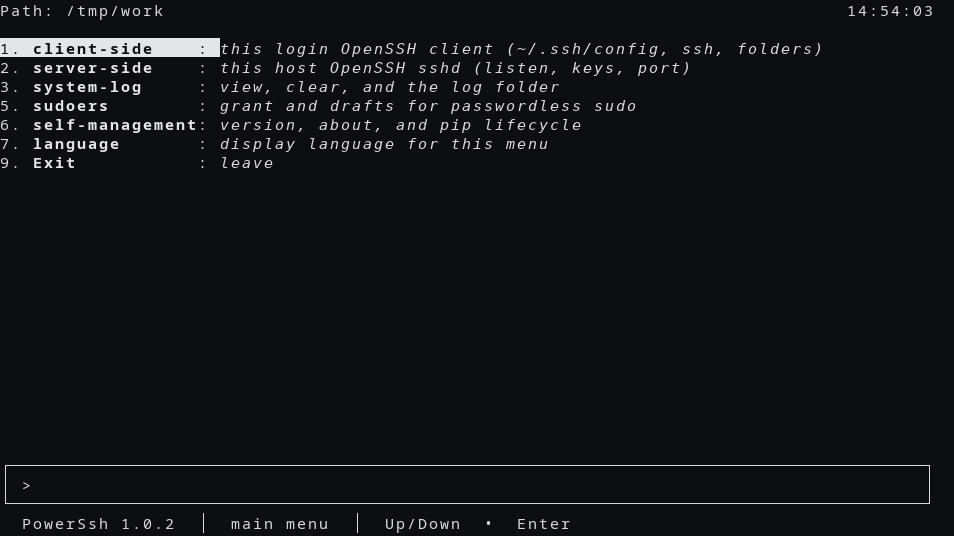
7
|
+
in the Software without restriction, including without limitation the rights
|
|
8
|
+
to use, copy, modify, merge, publish, distribute, sublicense, and/or sell
|
|
9
|
+
copies of the Software, and to permit persons to whom the Software is
|
|
10
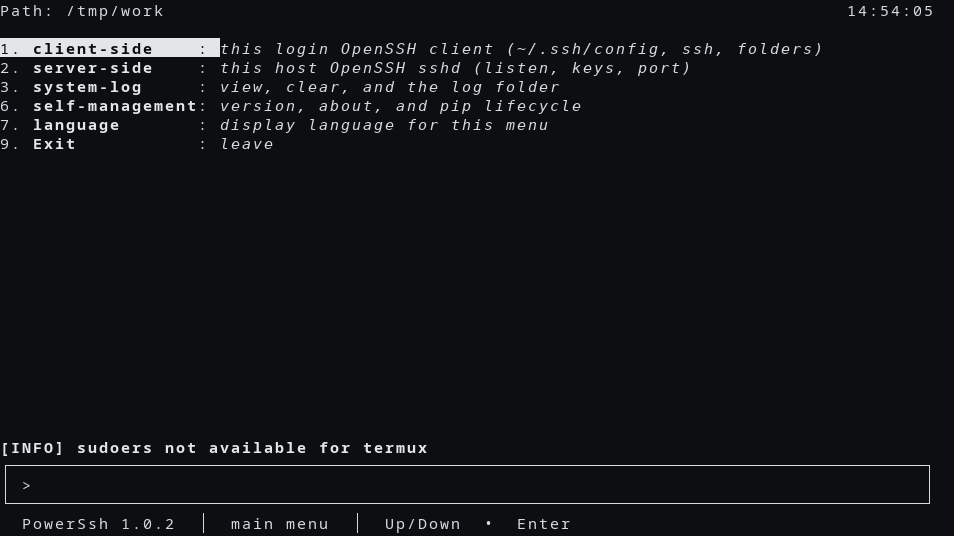
|
+
furnished to do so, subject to the following conditions:
|
|
11
|
+
|
|
12
|
+
The above copyright notice and this permission notice shall be included in all
|
|
13
|
+
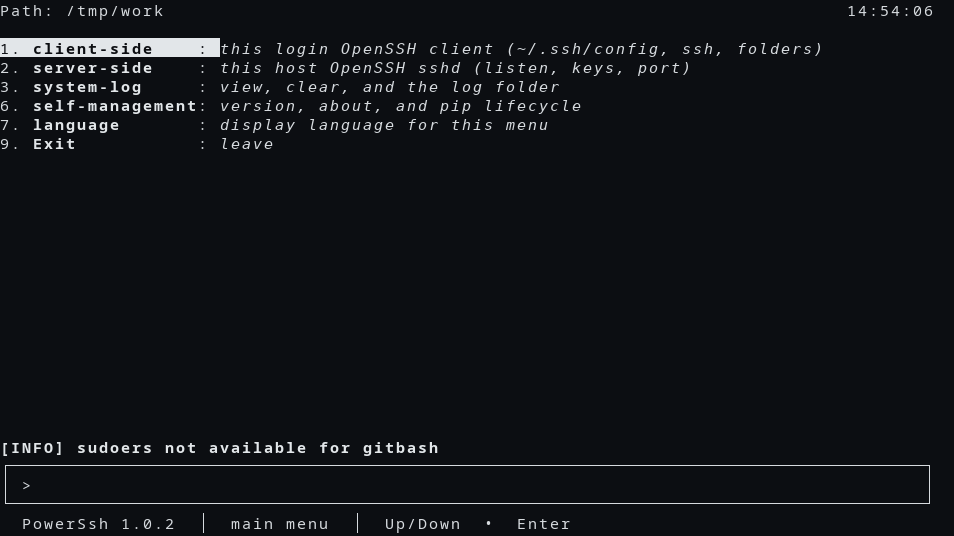
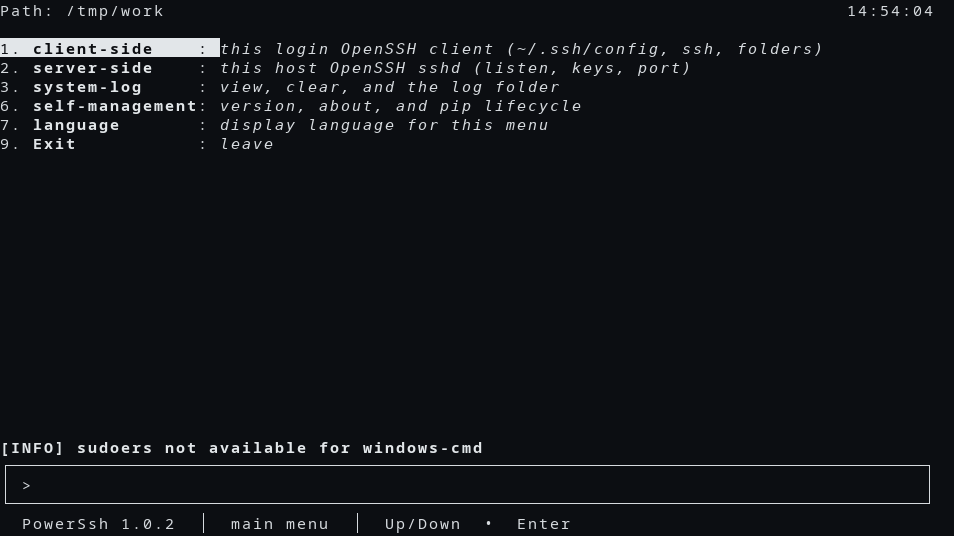
copies or substantial portions of the Software.
|
|
14
|
+
|
|
15
|
+
THE SOFTWARE IS PROVIDED "AS IS", WITHOUT WARRANTY OF ANY KIND, EXPRESS OR
|
|
16
|
+
IMPLIED, INCLUDING BUT NOT LIMITED TO THE WARRANTIES OF MERCHANTABILITY,
|
|
17
|
+
FITNESS FOR A PARTICULAR PURPOSE AND NONINFRINGEMENT. IN NO EVENT SHALL THE
|
|
18
|
+
AUTHORS OR COPYRIGHT HOLDERS BE LIABLE FOR ANY CLAIM, DAMAGES OR OTHER
|
|
19
|
+
LIABILITY, WHETHER IN AN ACTION OF CONTRACT, TORT OR OTHERWISE, ARISING FROM,
|
|
20
|
+
OUT OF OR IN CONNECTION WITH THE SOFTWARE OR THE USE OR OTHER DEALINGS IN THE
|
|
21
|
+
SOFTWARE.
|
power_ssh-1.0.0/PKG-INFO
ADDED
|
@@ -0,0 +1,376 @@
|
|
|
1
|
+
Metadata-Version: 2.4
|
|
2
|
+
Name: power-ssh
|
|
3
|
+
Version: 1.0.0
|
|
4
|
+
Summary: PowerSsh runs OpenSSH sshd and this login's SSH client from a text menu.
|
|
5
|
+
Author-email: Wilgat Wong <wilgat.wong@gmail.com>
|
|
6
|
+
License: MIT
|
|
7
|
+
Project-URL: Homepage, https://github.com/cloudgen/PowerSsh
|
|
8
|
+
Project-URL: Repository, https://github.com/cloudgen/PowerSsh
|
|
9
|
+
Project-URL: Issues, https://github.com/cloudgen/PowerSsh/issues
|
|
10
|
+
Keywords: CLI,TUI,SSH,sshd,OpenSSH
|
|
11
|
+
Requires-Python: !=3.0.*,!=3.1.*,!=3.2.*,!=3.3.*,!=3.4.*,>=2.7
|
|
12
|
+
Description-Content-Type: text/markdown
|
|
13
|
+
License-File: LICENSE.md
|
|
14
|
+
Requires-Dist: ChronicleLogger>=1.3.1
|
|
15
|
+
Dynamic: license-file
|
|
16
|
+
|
|
17
|
+
# PowerSsh - OpenSSH sshd and this login's SSH client, on a text menu
|
|
18
|
+
|
|
19
|
+

|
|
20
|
+

|
|
21
|
+
[-purple.svg)](https://github.com/cloudgen/ciao)
|
|
22
|
+
[](https://github.com/cloudgen/PowerSsh)
|
|
23
|
+
[]()
|
|
24
|
+
[](https://pypi.org/project/power-ssh/)
|
|
25
|
+
|
|
26
|
+
PowerSsh is the Python program behind the `sshd-cli` command. On a terminal, starting it with no arguments opens a text menu. The menu runs OpenSSH `sshd` on this machine and the OpenSSH client for this login (`~/.ssh/config`, `ssh`, and folder copy).
|
|
27
|
+
|
|
28
|
+
The typed verb `hello` prints one welcome line and does not draw the menu. The menu itself does not print that line until you type `hello`.
|
|
29
|
+
|
|
30
|
+
This tree is **1.0.0**. Pip installs the distribution **`power-ssh`**. The import package is **`PowerSsh`**. The last `/bin/sh` release is **1.35.1** and lives in `legacy/` for reference.
|
|
31
|
+
|
|
32
|
+
## Features
|
|
33
|
+
|
|
34
|
+
- Text menu on a terminal. The first row is the current folder and a local clock (`HH:MM:SS`) when the row has room
|
|
35
|
+
- Numbered rows line up in display columns. Wide characters count as two. A rounded input box sits along the bottom
|
|
36
|
+
- **client-side** (1): dns, ssh, download, upload. On POSIX Linux also backup-config and sync-config. On Termux, Git Bash, and Windows cmd, those two stay off the list and sync-from-remote (18) is shown
|
|
37
|
+
- **server-side** (2): status. start, stop, and restart when this login may run the daemon (Termux, Git Bash, Windows cmd, or POSIX root)
|
|
38
|
+
- **system-log** (3): view-log (31), clear-log (32), log-folder (33)
|
|
39
|
+
- **language** (4): thirteen languages, numbers 41–53, saved for the next run
|
|
40
|
+
- **sudoers** (5): a draft that allows only `backup-config`, numbers 51–55. Hidden on Termux, Git Bash, and Windows cmd
|
|
41
|
+
- **self-management** (8): version (82), about (83), and pip rows 84–87
|
|
42
|
+
- **Exit** (9)
|
|
43
|
+
- Typed verbs for the same work, plus `hello`, `fix-config`, `port`, `config`, `host-keys`, `auth-keys`, `wake-lock`, `wake-unlock`, `install` (Termux OpenSSH packages), and `rc-test`
|
|
44
|
+
- `fix-config` comments OpenSSH client keywords this OS does not support, and every run does that quietly for `~/.ssh/config`
|
|
45
|
+
- Download and upload of a folder as tar.gz. An MSYS or Git Bash reader uses a finished file. Other readers keep the pipe
|
|
46
|
+
|
|
47
|
+
## Advantages
|
|
48
|
+
|
|
49
|
+
1. **Menu or command.** `sshd-cli` on a terminal opens the menu and does not call pip. With no terminal and no verb, it prints help and returns 0. `sshd-cli hello` prints `Welcome to PowerSsh 1.0.0.` and does not draw the menu. `sshd-cli status` reports sshd without opening the menu.
|
|
50
|
+
2. **The HelloTui screen stays.** Path line, clock `HH:MM:SS`, display columns, the input box, Esc, and the language, log, and pip boards keep their numbers (3, 4, 8, 9 and the children under them).
|
|
51
|
+
3. **The login class is visible.** When sudoers, backup, or start/stop/restart cannot be offered, the menu prints an info line and omits those numbers. The typed command still refuses, and it does not wrap `sudo`.
|
|
52
|
+
4. **Lifecycle is pip.** `version-check`, `self-update`, `self-install`, and `self-uninstall` use `python -m pip` and the distribution name `power-ssh`. `self-uninstall` on the command line needs `--force`. They do not use root.
|
|
53
|
+
|
|
54
|
+
## Quick Installation
|
|
55
|
+
|
|
56
|
+
**Python dependency:** `ChronicleLogger>=1.3.1` (required). Pip installs it with PowerSsh.
|
|
57
|
+
|
|
58
|
+
### PyPI (registry)
|
|
59
|
+
|
|
60
|
+
```bash
|
|
61
|
+
python -m pip install power-ssh
|
|
62
|
+
```
|
|
63
|
+
|
|
64
|
+
This installs the console command **`sshd-cli`** and the import package **`PowerSsh`**. The name in `pyproject.toml` is `power-ssh`. This tree is **1.0.0**.
|
|
65
|
+
|
|
66
|
+
### Local install (checkout)
|
|
67
|
+
|
|
68
|
+
```bash
|
|
69
|
+
git clone https://github.com/cloudgen/PowerSsh.git
|
|
70
|
+
cd PowerSsh
|
|
71
|
+
python3 -m venv venv
|
|
72
|
+
source venv/bin/activate
|
|
73
|
+
python -m pip install -e .
|
|
74
|
+
```
|
|
75
|
+
|
|
76
|
+
From this checkout, before that install, `./sshd-cli` runs the package in `src/`.
|
|
77
|
+
|
|
78
|
+
### Main menu
|
|
79
|
+
|
|
80
|
+
After install, on a terminal, `sshd-cli` with no arguments prints this menu. The clock is local time, `HH:MM:SS`. `9` leaves. `0` on a later board goes back. A number that is not on the list prints an error and lets you choose again.
|
|
81
|
+
|
|
82
|
+
```text
|
|
83
|
+
$ sshd-cli
|
|
84
|
+
Path: /tmp/work 13:57:48
|
|
85
|
+
1. **client-side** : *this login OpenSSH client (~/.ssh/config, ssh, folders)*
|
|
86
|
+
2. **server-side** : *this host OpenSSH sshd (listen, keys, port)*
|
|
87
|
+
3. **system-log** : *view, clear, and the log folder*
|
|
88
|
+
4. **language** : *display language for this menu*
|
|
89
|
+
5. **sudoers** : *grant and drafts for passwordless sudo*
|
|
90
|
+
8. **self-management**: *version, about, and pip lifecycle*
|
|
91
|
+
9. **Exit** : *leave*
|
|
92
|
+
|
|
93
|
+
╭───────────────────────────────────────────────────────────────────────────────────╮
|
|
94
|
+
│ > │
|
|
95
|
+
╰───────────────────────────────────────────────────────────────────────────────────╯
|
|
96
|
+
**PowerSsh**(*1.0.0*) │ main menu │ Up/Down • Enter
|
|
97
|
+
```
|
|
98
|
+
|
|
99
|
+
Termux omits sudoers and prints an info line:
|
|
100
|
+
|
|
101
|
+
```text
|
|
102
|
+
$ sshd-cli
|
|
103
|
+
Path: /tmp/work 13:57:49
|
|
104
|
+
1. **client-side** : *this login OpenSSH client (~/.ssh/config, ssh, folders)*
|
|
105
|
+
2. **server-side** : *this host OpenSSH sshd (listen, keys, port)*
|
|
106
|
+
3. **system-log** : *view, clear, and the log folder*
|
|
107
|
+
4. **language** : *display language for this menu*
|
|
108
|
+
8. **self-management**: *version, about, and pip lifecycle*
|
|
109
|
+
9. **Exit** : *leave*
|
|
110
|
+
[INFO] sudoers not available for termux
|
|
111
|
+
|
|
112
|
+
╭───────────────────────────────────────────────────────────────────────────────────╮
|
|
113
|
+
│ > │
|
|
114
|
+
╰───────────────────────────────────────────────────────────────────────────────────╯
|
|
115
|
+
**PowerSsh**(*1.0.0*) │ main menu │ Up/Down • Enter
|
|
116
|
+
```
|
|
117
|
+
|
|
118
|
+
Git Bash prints `sudoers not available for gitbash`. Windows cmd prints `sudoers not available for windows-cmd`. The rows are the same as the Termux menu.
|
|
119
|
+
|
|
120
|
+
client-side on POSIX Linux:
|
|
121
|
+
|
|
122
|
+
```text
|
|
123
|
+
Path: /tmp/work 13:57:52
|
|
124
|
+
11. **dns** : *this login ~/.ssh/config Host list*
|
|
125
|
+
12. **ssh** : *connect with a Host from that list*
|
|
126
|
+
13. **download** : *tar.gz a remote folder into this directory*
|
|
127
|
+
14. **upload** : *tar.gz a local folder onto that Host*
|
|
128
|
+
15. **backup-config**: *copy ~/.ssh/config to the project store*
|
|
129
|
+
16. **sync-config** : *copy the project store back to ~/.ssh/config*
|
|
130
|
+
0. **Back** : *return to the main menu*
|
|
131
|
+
|
|
132
|
+
╭───────────────────────────────────────────────────────────────────────────────────╮
|
|
133
|
+
│ > │
|
|
134
|
+
╰───────────────────────────────────────────────────────────────────────────────────╯
|
|
135
|
+
**PowerSsh**(*1.0.0*) │ client-side │ Up/Down • Enter
|
|
136
|
+
```
|
|
137
|
+
|
|
138
|
+
server-side when start, stop, and restart are on the list:
|
|
139
|
+
|
|
140
|
+
```text
|
|
141
|
+
Path: /tmp/work 13:57:54
|
|
142
|
+
21. **status** : *show whether sshd is listening*
|
|
143
|
+
22. **start** : *start sshd for this login*
|
|
144
|
+
23. **stop** : *stop sshd for this login*
|
|
145
|
+
24. **restart**: *stop sshd, then start it*
|
|
146
|
+
0. **Back** : *return to the main menu*
|
|
147
|
+
|
|
148
|
+
╭───────────────────────────────────────────────────────────────────────────────────╮
|
|
149
|
+
│ > │
|
|
150
|
+
╰───────────────────────────────────────────────────────────────────────────────────╯
|
|
151
|
+
**PowerSsh**(*1.0.0*) │ server-side │ Up/Down • Enter
|
|
152
|
+
```
|
|
153
|
+
|
|
154
|
+
system-log:
|
|
155
|
+
|
|
156
|
+
```text
|
|
157
|
+
Path: /tmp/work 13:57:59
|
|
158
|
+
31. **view-log** : *list a log file and show it*
|
|
159
|
+
32. **clear-log** : *empty one log file*
|
|
160
|
+
33. **log-folder**: *show the log folder*
|
|
161
|
+
0. **Back** : *return to the main menu*
|
|
162
|
+
|
|
163
|
+
╭───────────────────────────────────────────────────────────────────────────────────╮
|
|
164
|
+
│ > │
|
|
165
|
+
╰───────────────────────────────────────────────────────────────────────────────────╯
|
|
166
|
+
**PowerSsh**(*1.0.0*) │ system-log │ Up/Down • Enter
|
|
167
|
+
```
|
|
168
|
+
|
|
169
|
+
language:
|
|
170
|
+
|
|
171
|
+
```text
|
|
172
|
+
Path: /tmp/work 13:57:56
|
|
173
|
+
41. **English** : *use English for this menu*
|
|
174
|
+
42. **简体中文** : *use 简体中文 for this menu*
|
|
175
|
+
43. **繁體中文** : *use 繁體中文 for this menu*
|
|
176
|
+
44. **Español** : *use Español for this menu*
|
|
177
|
+
45. **العربية** : *use العربية for this menu*
|
|
178
|
+
46. **Français** : *use Français for this menu*
|
|
179
|
+
47. **Português** : *use Português for this menu*
|
|
180
|
+
48. **Русский** : *use Русский for this menu*
|
|
181
|
+
49. **Deutsch** : *use Deutsch for this menu*
|
|
182
|
+
50. **日本語** : *use 日本語 for this menu*
|
|
183
|
+
51. **한국어** : *use 한국어 for this menu*
|
|
184
|
+
52. **Nederlands**: *use Nederlands for this menu*
|
|
185
|
+
53. **Ελληνικά** : *use Ελληνικά for this menu*
|
|
186
|
+
0. **Back** : *return to the main menu*
|
|
187
|
+
|
|
188
|
+
╭───────────────────────────────────────────────────────────────────────────────────╮
|
|
189
|
+
│ > │
|
|
190
|
+
╰───────────────────────────────────────────────────────────────────────────────────╯
|
|
191
|
+
**PowerSsh**(*1.0.0*) │ language │ Up/Down • Enter
|
|
192
|
+
```
|
|
193
|
+
|
|
194
|
+
sudoers:
|
|
195
|
+
|
|
196
|
+
```text
|
|
197
|
+
Path: /tmp/work 13:57:55
|
|
198
|
+
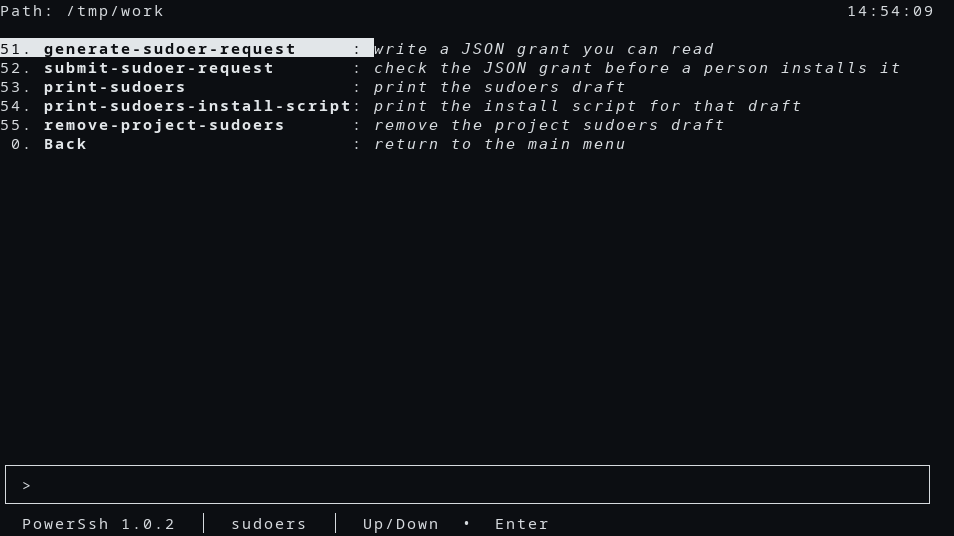
51. **generate-sudoer-request** : *write a JSON grant you can read*
|
|
199
|
+
52. **submit-sudoer-request** : *check the JSON grant before a person installs it*
|
|
200
|
+
53. **print-sudoers** : *print the sudoers draft*
|
|
201
|
+
54. **print-sudoers-install-script**: *print the install script for that draft*
|
|
202
|
+
55. **remove-project-sudoers** : *remove the project sudoers draft*
|
|
203
|
+
0. **Back** : *return to the main menu*
|
|
204
|
+
|
|
205
|
+
╭───────────────────────────────────────────────────────────────────────────────────╮
|
|
206
|
+
│ > │
|
|
207
|
+
╰───────────────────────────────────────────────────────────────────────────────────╯
|
|
208
|
+
**PowerSsh**(*1.0.0*) │ sudoers │ Up/Down • Enter
|
|
209
|
+
```
|
|
210
|
+
|
|
211
|
+
self-management:
|
|
212
|
+
|
|
213
|
+
```text
|
|
214
|
+
Path: /tmp/work 13:57:58
|
|
215
|
+
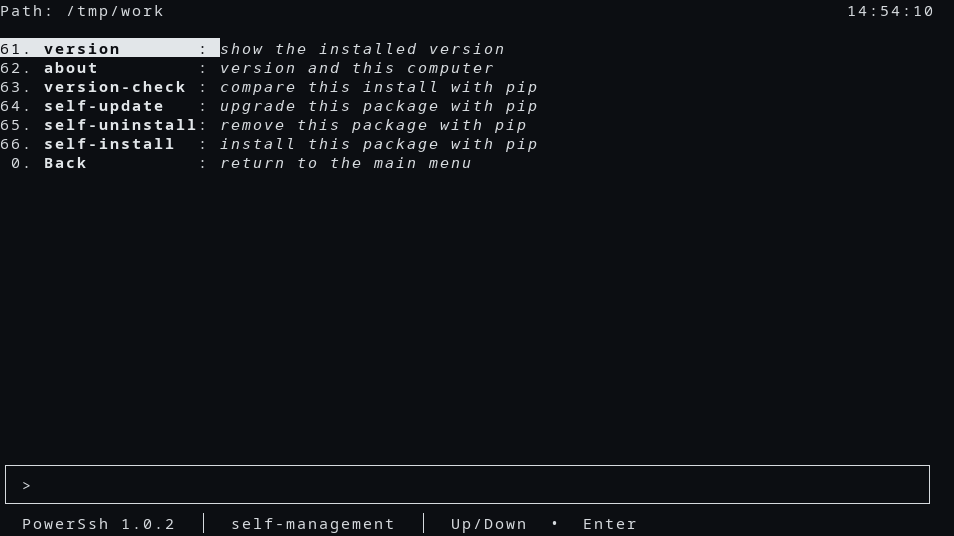
82. **version** : *show the installed version*
|
|
216
|
+
83. **about** : *version and this computer*
|
|
217
|
+
84. **version-check** : *compare this install with pip*
|
|
218
|
+
85. **self-update** : *upgrade this package with pip*
|
|
219
|
+
86. **self-uninstall**: *remove this package with pip*
|
|
220
|
+
87. **self-install** : *install this package with pip*
|
|
221
|
+
0. **Back** : *return to the main menu*
|
|
222
|
+
|
|
223
|
+
╭───────────────────────────────────────────────────────────────────────────────────╮
|
|
224
|
+
│ > │
|
|
225
|
+
╰───────────────────────────────────────────────────────────────────────────────────╯
|
|
226
|
+
**PowerSsh**(*1.0.0*) │ self-management │ Up/Down • Enter
|
|
227
|
+
```
|
|
228
|
+
|
|
229
|
+
dns:
|
|
230
|
+
|
|
231
|
+
```text
|
|
232
|
+
Path: /tmp/work 13:58:01
|
|
233
|
+
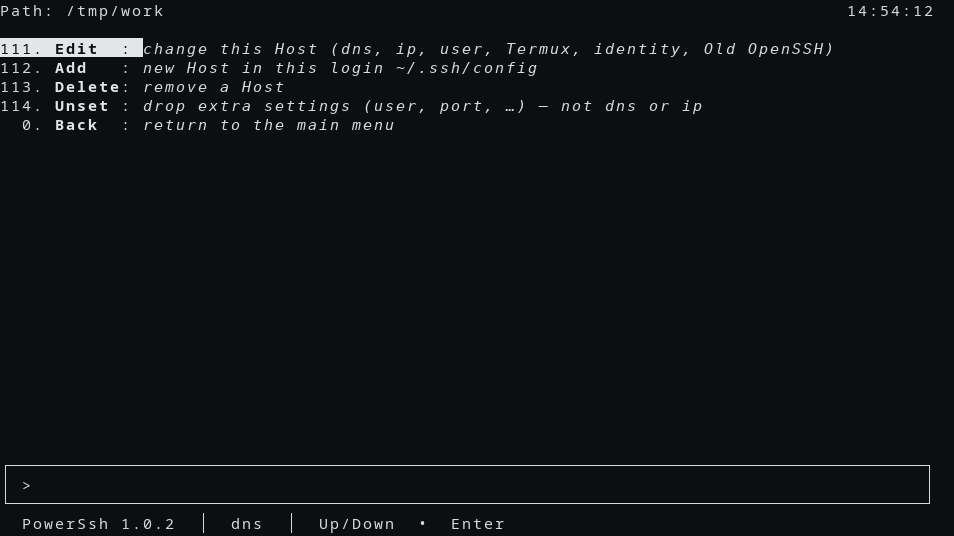
111. **Edit** : *change this Host (dns, ip, user, Termux, identity, Old OpenSSH)*
|
|
234
|
+
112. **Add** : *new Host in this login ~/.ssh/config*
|
|
235
|
+
113. **Delete**: *remove a Host*
|
|
236
|
+
114. **Unset** : *drop extra settings (user, port, …) — not dns or ip*
|
|
237
|
+
0. **Back** : *return to the main menu*
|
|
238
|
+
|
|
239
|
+
╭───────────────────────────────────────────────────────────────────────────────────╮
|
|
240
|
+
│ > │
|
|
241
|
+
╰───────────────────────────────────────────────────────────────────────────────────╯
|
|
242
|
+
**PowerSsh**(*1.0.0*) │ dns │ Up/Down • Enter
|
|
243
|
+
```
|
|
244
|
+
|
|
245
|
+
## Usage
|
|
246
|
+
|
|
247
|
+
On a terminal:
|
|
248
|
+
|
|
249
|
+
```bash
|
|
250
|
+
sshd-cli
|
|
251
|
+
```
|
|
252
|
+
|
|
253
|
+
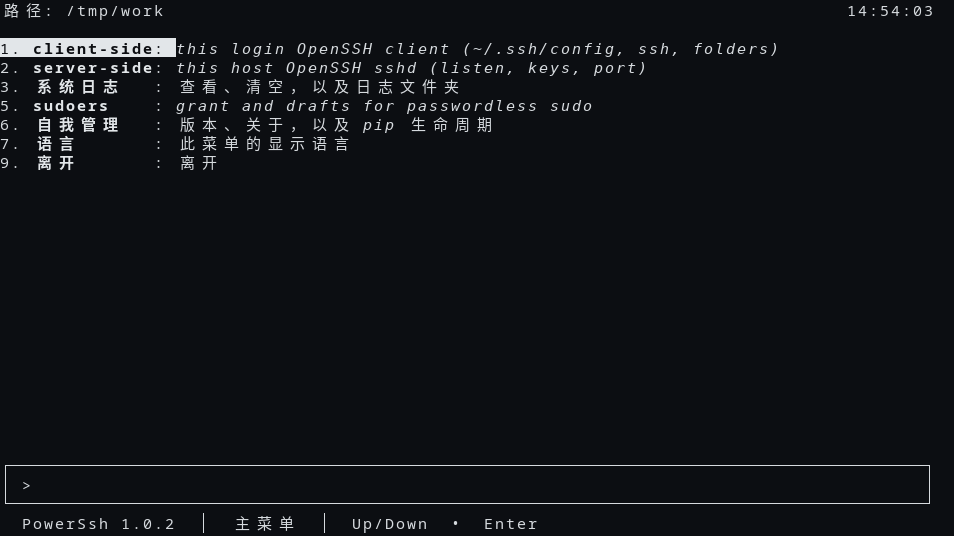
The English menu is the main-menu capture above. The clock on that screen is local time in `HH:MM:SS`.
|
|
254
|
+
|
|
255
|
+
```text
|
|
256
|
+
Path: /tmp/work 13:57:48
|
|
257
|
+
1. **client-side** : *this login OpenSSH client (~/.ssh/config, ssh, folders)*
|
|
258
|
+
2. **server-side** : *this host OpenSSH sshd (listen, keys, port)*
|
|
259
|
+
3. **system-log** : *view, clear, and the log folder*
|
|
260
|
+
4. **language** : *display language for this menu*
|
|
261
|
+
5. **sudoers** : *grant and drafts for passwordless sudo*
|
|
262
|
+
8. **self-management**: *version, about, and pip lifecycle*
|
|
263
|
+
9. **Exit** : *leave*
|
|
264
|
+
|
|
265
|
+
╭───────────────────────────────────────────────────────────────────────────────────╮
|
|
266
|
+
│ > │
|
|
267
|
+
╰───────────────────────────────────────────────────────────────────────────────────╯
|
|
268
|
+
**PowerSsh**(*1.0.0*) │ main menu │ Up/Down • Enter
|
|
269
|
+
```
|
|
270
|
+
|
|
271
|
+
Help, without opening the menu:
|
|
272
|
+
|
|
273
|
+
```bash
|
|
274
|
+
sshd-cli help
|
|
275
|
+
sshd-cli hello
|
|
276
|
+
sshd-cli status
|
|
277
|
+
sshd-cli --json status
|
|
278
|
+
```
|
|
279
|
+
|
|
280
|
+
`--json` prints one JSON object and no human line. `--json` or `--quiet` with no verb prints help and returns 0.
|
|
281
|
+
|
|
282
|
+
## Screenshots
|
|
283
|
+
|
|
284
|
+
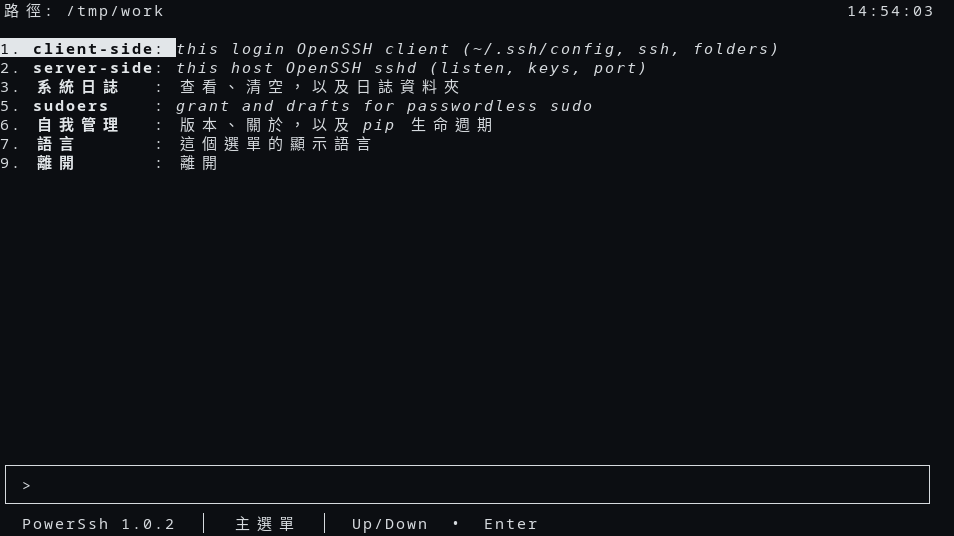
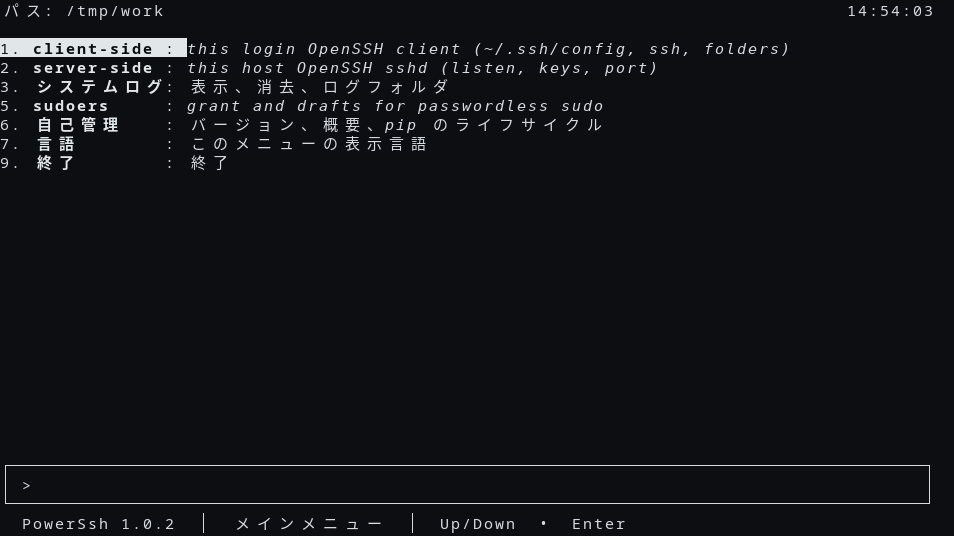
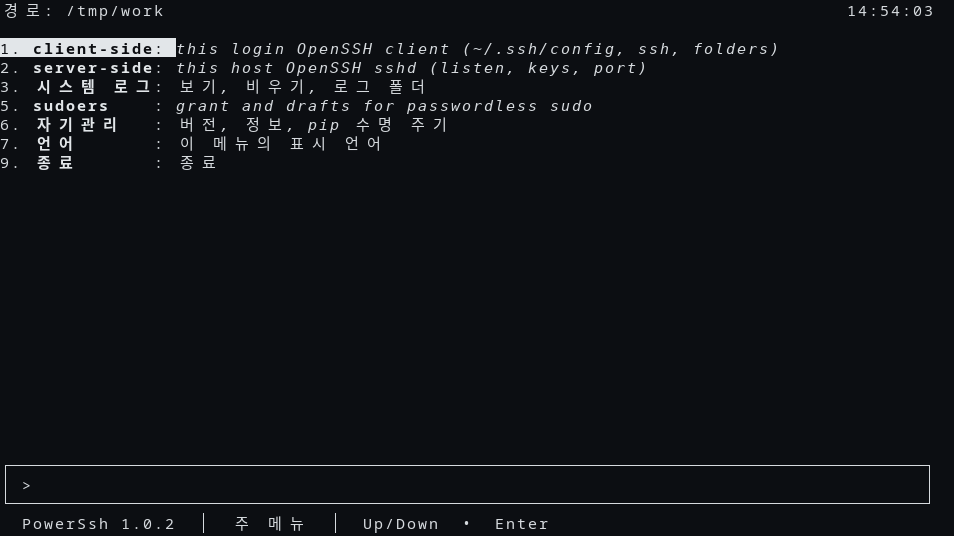
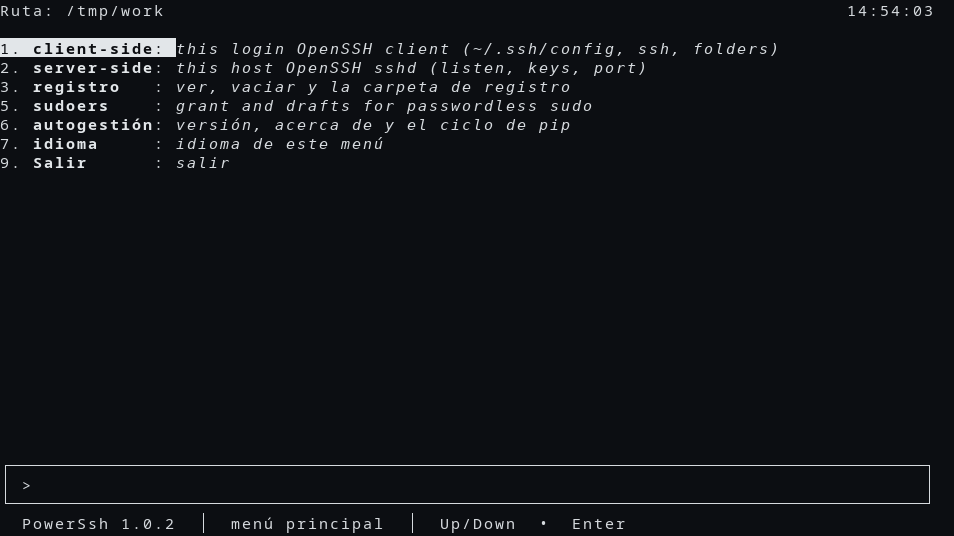
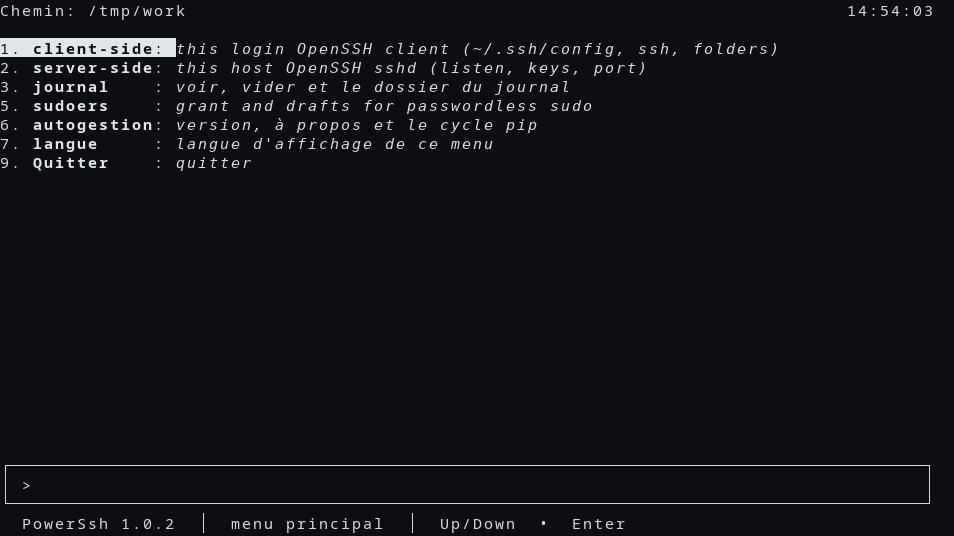
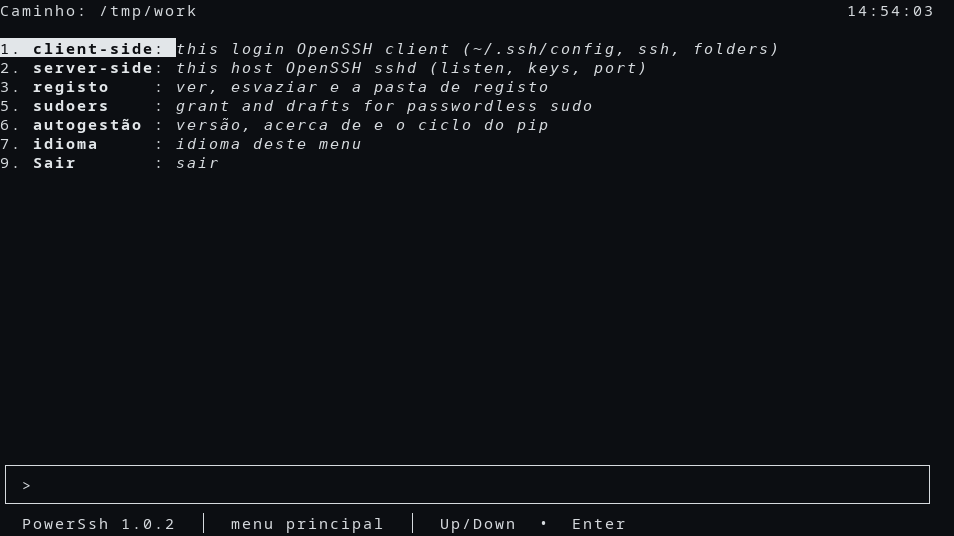
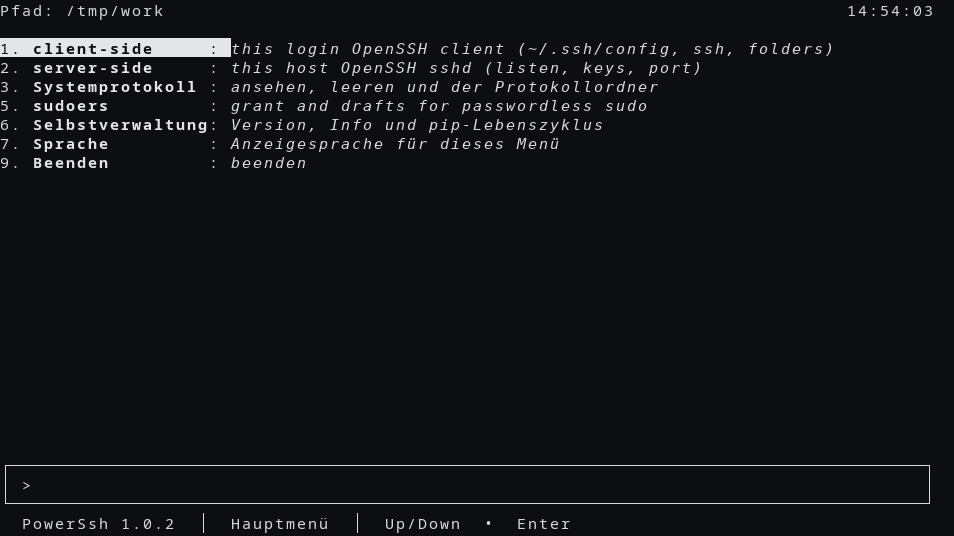
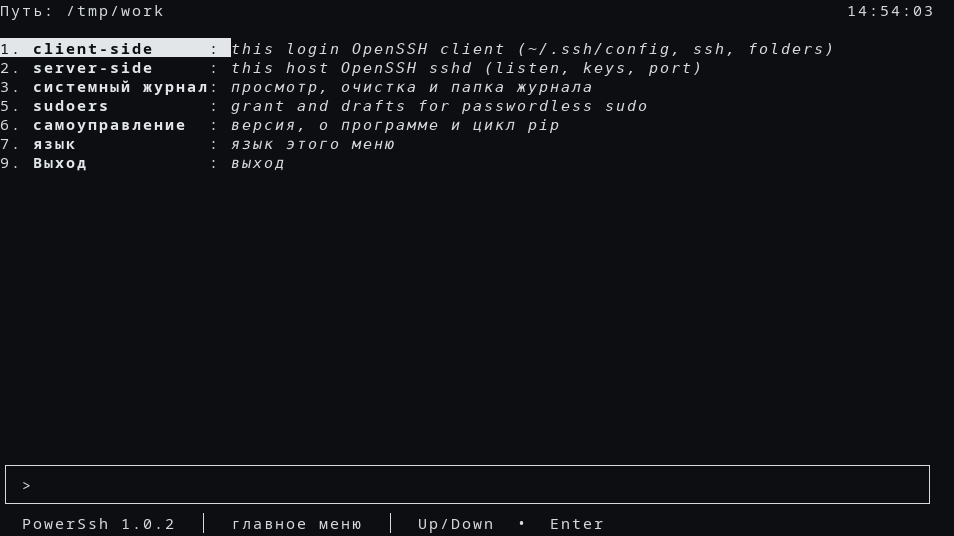
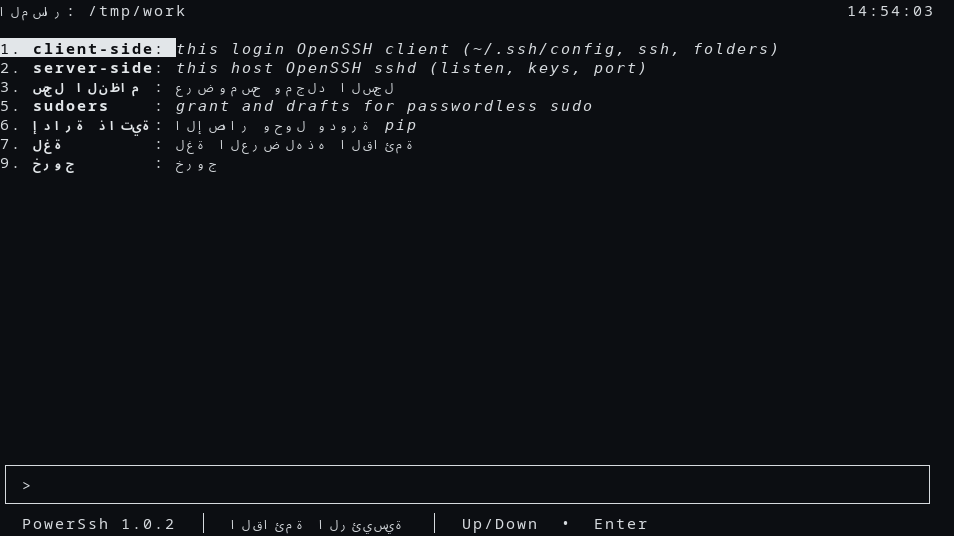
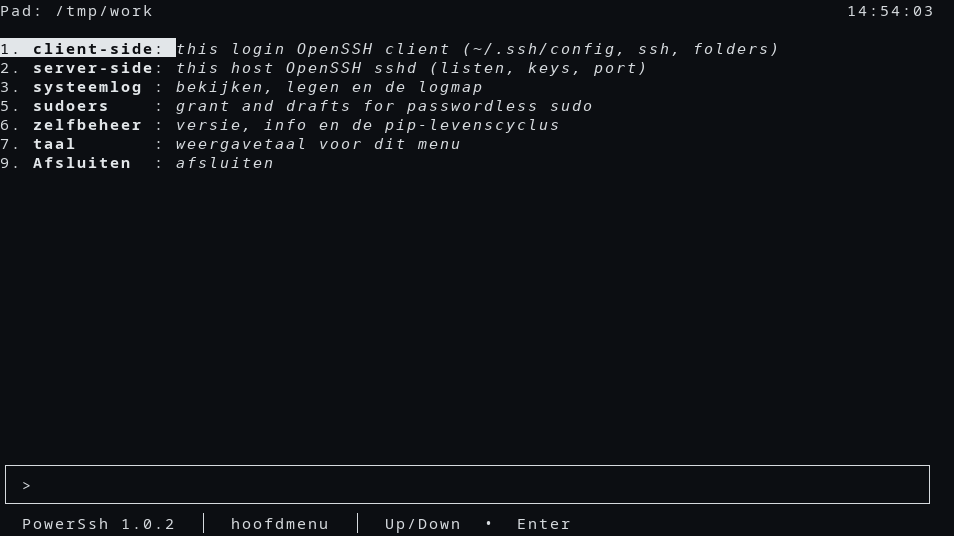
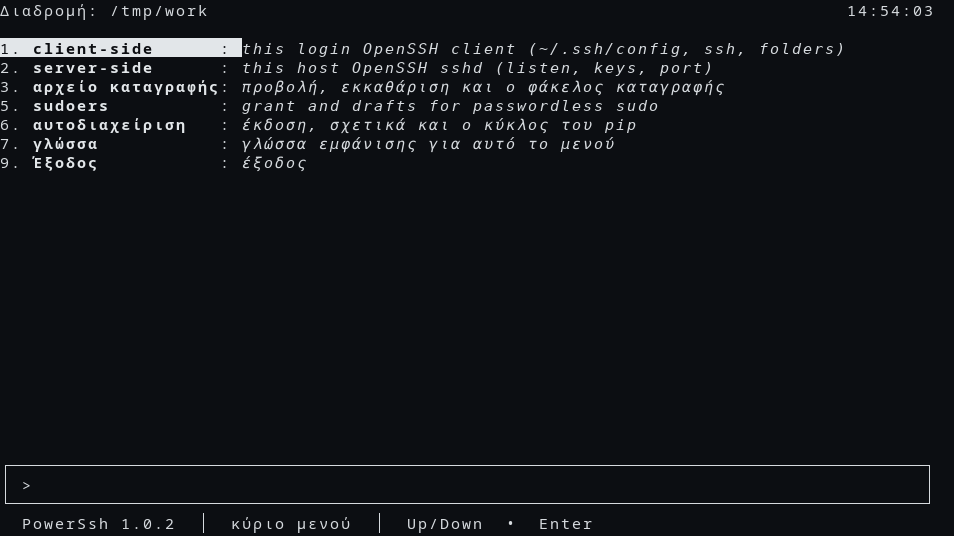
These pictures are the PowerSsh 1.0.0 text menu. The status line reads PowerSsh 1.0.0. The current directory in the pictures is `/tmp/work`.
|
|
285
|
+
|
|
286
|
+
|
|
287
|
+
|
|
288
|
+
|
|
289
|
+
|
|
290
|
+
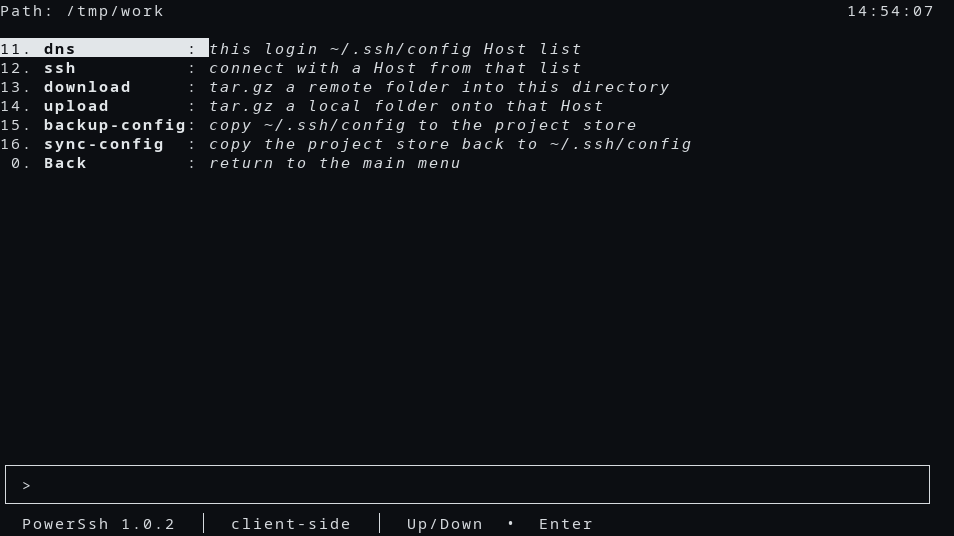
|
|
291
|
+
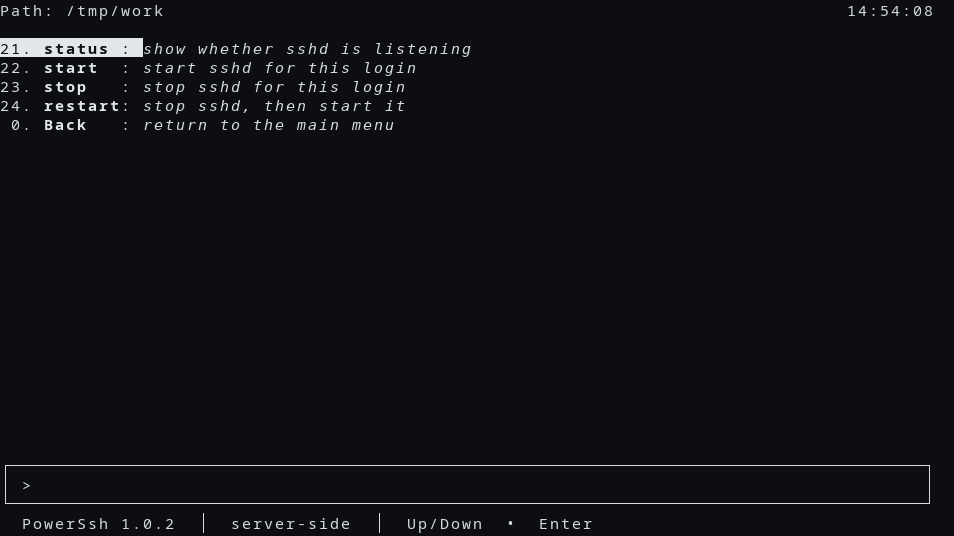
|
|
292
|
+
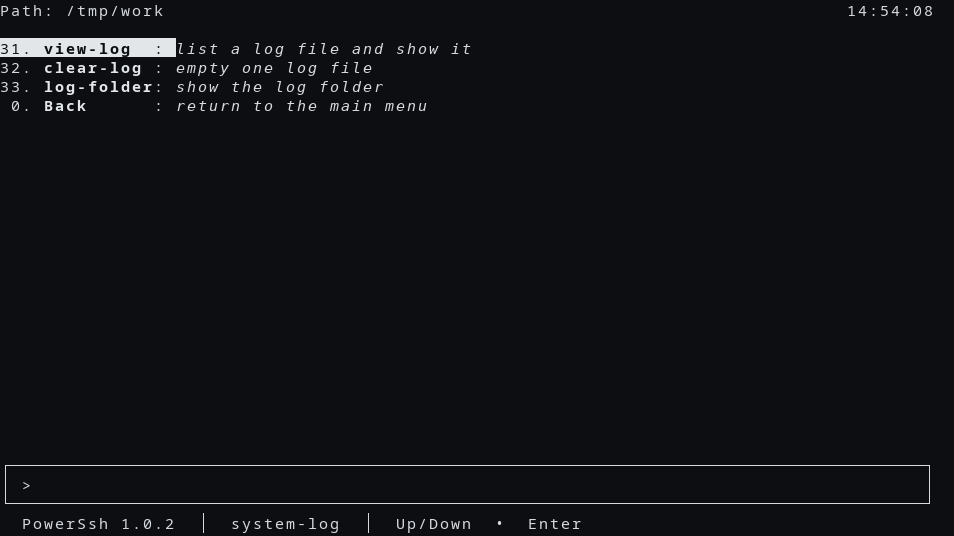
|
|
293
|
+
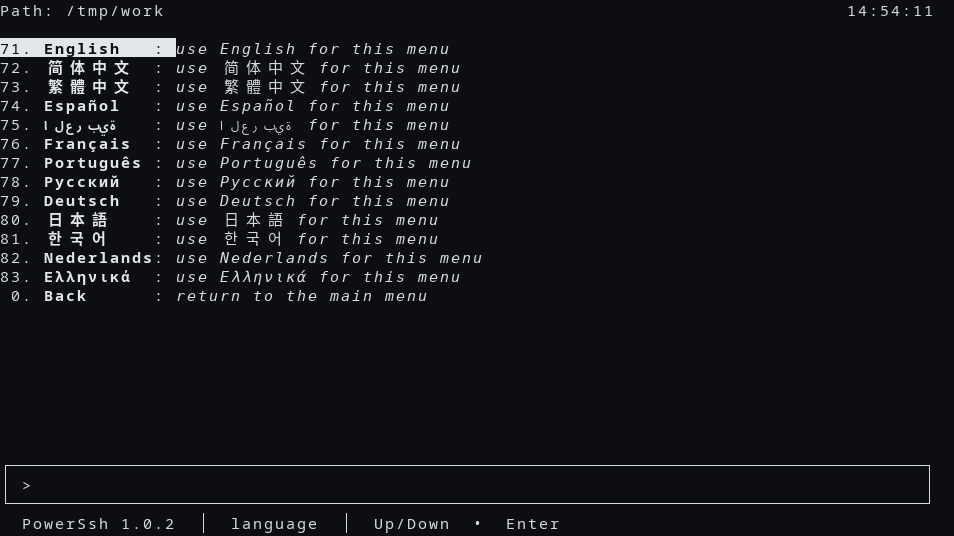
|
|
294
|
+
|
|
295
|
+
|
|
296
|
+
|
|
297
|
+
|
|
298
|
+
|
|
299
|
+
|
|
300
|
+
|
|
301
|
+
|
|
302
|
+
|
|
303
|
+
|
|
304
|
+
|
|
305
|
+
|
|
306
|
+
|
|
307
|
+
|
|
308
|
+
|
|
309
|
+
|
|
310
|
+
## Examples
|
|
311
|
+
|
|
312
|
+
Welcome line, no menu:
|
|
313
|
+
|
|
314
|
+
```bash
|
|
315
|
+
sshd-cli hello
|
|
316
|
+
```
|
|
317
|
+
|
|
318
|
+
```text
|
|
319
|
+
Welcome to PowerSsh 1.0.0.
|
|
320
|
+
```
|
|
321
|
+
|
|
322
|
+
Add a Host in this login's `~/.ssh/config`, then connect. The name and address here are examples, not a machine on your network:
|
|
323
|
+
|
|
324
|
+
```bash
|
|
325
|
+
sshd-cli dns add dns lab-a ip 203.0.113.10 user alice
|
|
326
|
+
sshd-cli ssh lab-a
|
|
327
|
+
```
|
|
328
|
+
|
|
329
|
+
Comment keywords this OS does not support:
|
|
330
|
+
|
|
331
|
+
```bash
|
|
332
|
+
sshd-cli fix-config --input-file ./client-config --output-file ./client-config
|
|
333
|
+
```
|
|
334
|
+
|
|
335
|
+
Remove this package:
|
|
336
|
+
|
|
337
|
+
```bash
|
|
338
|
+
sshd-cli self-uninstall --force
|
|
339
|
+
```
|
|
340
|
+
|
|
341
|
+
## Platform Compatibility
|
|
342
|
+
|
|
343
|
+
| Login | Menu notes |
|
|
344
|
+
|-------|------------|
|
|
345
|
+
| POSIX Linux, root | sudoers, backup-config, sync-config, and start/stop/restart. A systemd unit is started with `systemctl` |
|
|
346
|
+
| POSIX Linux, not root | sudoers and backup stay. start/stop/restart stay off the server board. The typed commands refuse and do not wrap `sudo` |
|
|
347
|
+
| Termux | No sudoers and no backup-config. sync-from-remote is on the client board. `sshd-cli install` may run `pkg install -y openssh termux-auth`. start also takes a wake lock |
|
|
348
|
+
| Git Bash | Same row hiding as Termux. A gzip reader on this kind of host uses a finished archive and `scp` |
|
|
349
|
+
| Windows cmd | Same row hiding as Termux. `Windows_NT` alone keeps the streamed pipe |
|
|
350
|
+
| Cygwin | Not treated as Git Bash and not treated as Windows cmd |
|
|
351
|
+
|
|
352
|
+
macOS, Debian (including Ubuntu), Fedora and Red Hat, Alpine, BusyBox, and other Linux keep the streamed pipe for download and upload. Alpine comments active `GSSAPI*` client keywords. Termux comments active host-key and public-key algorithm keywords.
|
|
353
|
+
|
|
354
|
+
## Related Projects
|
|
355
|
+
|
|
356
|
+
- [OpenSSH](https://www.openssh.com/) — the client and the sshd this program runs
|
|
357
|
+
- [ChronicleLogger](https://pypi.org/project/ChronicleLogger/) — the required log package
|
|
358
|
+
- [CIAO](https://github.com/cloudgen/ciao) — the defensive style this project follows
|
|
359
|
+
- [PowerSsh](https://github.com/cloudgen/PowerSsh) — this repository. The command is `sshd-cli`
|
|
360
|
+
- [power-ssh](https://pypi.org/project/power-ssh/) — the package index page
|
|
361
|
+
|
|
362
|
+
## Contributing
|
|
363
|
+
|
|
364
|
+
```bash
|
|
365
|
+
./tests/run.sh
|
|
366
|
+
```
|
|
367
|
+
|
|
368
|
+
The runner discovers Python tests under `tests/`. The old shell tests under `tests/legacy-shell/` are not that runner. Use a temporary home and minted Host names in new tests.
|
|
369
|
+
|
|
370
|
+
## License
|
|
371
|
+
|
|
372
|
+
MIT. See [LICENSE.md](LICENSE.md).
|
|
373
|
+
|
|
374
|
+
## Last Update
|
|
375
|
+
|
|
376
|
+
2026-10-23 — PowerSsh 1.0.0. The distribution name is `power-ssh`. The public repository is https://github.com/cloudgen/PowerSsh. The console command stays `sshd-cli`. The text menu keeps the HelloTui screen and carries the sshd-cli boards. The `/bin/sh` program remains available as `legacy/sshd-cli.sh` at 1.35.1.
|