pipecat-ai 0.0.9__tar.gz
This diff represents the content of publicly available package versions that have been released to one of the supported registries. The information contained in this diff is provided for informational purposes only and reflects changes between package versions as they appear in their respective public registries.
- pipecat_ai-0.0.9/.dockerignore +30 -0
- pipecat_ai-0.0.9/.github/workflows/build.yaml +44 -0
- pipecat_ai-0.0.9/.github/workflows/lint.yaml +44 -0
- pipecat_ai-0.0.9/.github/workflows/publish.yaml +84 -0
- pipecat_ai-0.0.9/.github/workflows/publish_test.yaml +63 -0
- pipecat_ai-0.0.9/.github/workflows/tests.yaml +49 -0
- pipecat_ai-0.0.9/.gitignore +30 -0
- pipecat_ai-0.0.9/Dockerfile +40 -0
- pipecat_ai-0.0.9/LICENSE +24 -0
- pipecat_ai-0.0.9/PKG-INFO +274 -0
- pipecat_ai-0.0.9/README.md +219 -0
- pipecat_ai-0.0.9/dev-requirements.txt +6 -0
- pipecat_ai-0.0.9/docs/README.md +17 -0
- pipecat_ai-0.0.9/docs/architecture.md +17 -0
- pipecat_ai-0.0.9/docs/examples/01-say-one-thing.md +119 -0
- pipecat_ai-0.0.9/docs/examples/README.md +5 -0
- pipecat_ai-0.0.9/docs/frame-progress.md +46 -0
- pipecat_ai-0.0.9/docs/images/frame-progress-01.png +0 -0
- pipecat_ai-0.0.9/docs/images/frame-progress-02.png +0 -0
- pipecat_ai-0.0.9/docs/images/frame-progress-03.png +0 -0
- pipecat_ai-0.0.9/docs/images/frame-progress-04.png +0 -0
- pipecat_ai-0.0.9/docs/images/frame-progress-05.png +0 -0
- pipecat_ai-0.0.9/docs/images/frame-progress-06.png +0 -0
- pipecat_ai-0.0.9/docs/images/frame-progress-07.png +0 -0
- pipecat_ai-0.0.9/docs/images/frame-progress-08.png +0 -0
- pipecat_ai-0.0.9/docs/images/frame-progress-09.png +0 -0
- pipecat_ai-0.0.9/docs/images/frame-progress-10.png +0 -0
- pipecat_ai-0.0.9/docs/images/frame-progress-11.png +0 -0
- pipecat_ai-0.0.9/docs/images/frame-progress-12.png +0 -0
- pipecat_ai-0.0.9/docs/images/frame-progress-13.png +0 -0
- pipecat_ai-0.0.9/docs/images/frame-progress-14.png +0 -0
- pipecat_ai-0.0.9/docs/images/frame-progress-15.png +0 -0
- pipecat_ai-0.0.9/dot-env.template +35 -0
- pipecat_ai-0.0.9/examples/foundational/01-say-one-thing.py +56 -0
- pipecat_ai-0.0.9/examples/foundational/01a-local-audio.py +53 -0
- pipecat_ai-0.0.9/examples/foundational/02-llm-say-one-thing.py +68 -0
- pipecat_ai-0.0.9/examples/foundational/03-still-frame.py +68 -0
- pipecat_ai-0.0.9/examples/foundational/03a-local-still-frame.py +68 -0
- pipecat_ai-0.0.9/examples/foundational/04-utterance-and-speech.py +86 -0
- pipecat_ai-0.0.9/examples/foundational/05-sync-speech-and-image.py +164 -0
- pipecat_ai-0.0.9/examples/foundational/05a-local-sync-speech-and-image.py +164 -0
- pipecat_ai-0.0.9/examples/foundational/06-listen-and-respond.py +94 -0
- pipecat_ai-0.0.9/examples/foundational/06a-image-sync.py +116 -0
- pipecat_ai-0.0.9/examples/foundational/07-interruptible.py +75 -0
- pipecat_ai-0.0.9/examples/foundational/08-bots-arguing.py +148 -0
- pipecat_ai-0.0.9/examples/foundational/09-mirror.py +62 -0
- pipecat_ai-0.0.9/examples/foundational/09a-local-mirror.py +65 -0
- pipecat_ai-0.0.9/examples/foundational/10-wake-word.py +181 -0
- pipecat_ai-0.0.9/examples/foundational/11-sound-effects.py +132 -0
- pipecat_ai-0.0.9/examples/foundational/12-describe-video.py +104 -0
- pipecat_ai-0.0.9/examples/foundational/13-whisper-transcription.py +55 -0
- pipecat_ai-0.0.9/examples/foundational/13a-whisper-local.py +55 -0
- pipecat_ai-0.0.9/examples/foundational/assets/ding1.wav +0 -0
- pipecat_ai-0.0.9/examples/foundational/assets/ding2.wav +0 -0
- pipecat_ai-0.0.9/examples/foundational/assets/sc-default.png +0 -0
- pipecat_ai-0.0.9/examples/foundational/assets/sc-listen-1.png +0 -0
- pipecat_ai-0.0.9/examples/foundational/assets/sc-listen-2.png +0 -0
- pipecat_ai-0.0.9/examples/foundational/assets/sc-talk.png +0 -0
- pipecat_ai-0.0.9/examples/foundational/assets/sc-think-1.png +0 -0
- pipecat_ai-0.0.9/examples/foundational/assets/sc-think-2.png +0 -0
- pipecat_ai-0.0.9/examples/foundational/assets/sc-think-3.png +0 -0
- pipecat_ai-0.0.9/examples/foundational/assets/sc-think-4.png +0 -0
- pipecat_ai-0.0.9/examples/foundational/assets/speaking.png +0 -0
- pipecat_ai-0.0.9/examples/foundational/assets/waiting.png +0 -0
- pipecat_ai-0.0.9/examples/foundational/runner.py +58 -0
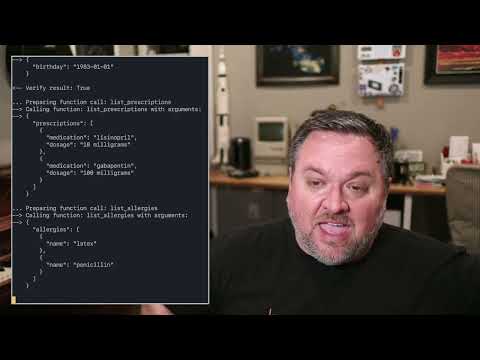
- pipecat_ai-0.0.9/examples/foundational/websocket-server/frames.proto +25 -0
- pipecat_ai-0.0.9/examples/foundational/websocket-server/index.html +134 -0
- pipecat_ai-0.0.9/examples/foundational/websocket-server/sample.py +50 -0
- pipecat_ai-0.0.9/examples/image-gen.py +122 -0
- pipecat_ai-0.0.9/examples/internal/11a-dial-out.py +135 -0
- pipecat_ai-0.0.9/examples/server/README.md +34 -0
- pipecat_ai-0.0.9/examples/server/daily-bot-manager.py +165 -0
- pipecat_ai-0.0.9/examples/starter-apps/assets/clack-short-quiet.wav +0 -0
- pipecat_ai-0.0.9/examples/starter-apps/assets/clack-short.wav +0 -0
- pipecat_ai-0.0.9/examples/starter-apps/assets/clack.wav +0 -0
- pipecat_ai-0.0.9/examples/starter-apps/assets/ding.wav +0 -0
- pipecat_ai-0.0.9/examples/starter-apps/assets/ding2.wav +0 -0
- pipecat_ai-0.0.9/examples/starter-apps/assets/ding3.wav +0 -0
- pipecat_ai-0.0.9/examples/starter-apps/assets/grandma-listening.png +0 -0
- pipecat_ai-0.0.9/examples/starter-apps/assets/grandma-writing.png +0 -0
- pipecat_ai-0.0.9/examples/starter-apps/assets/listening.wav +0 -0
- pipecat_ai-0.0.9/examples/starter-apps/assets/robot01.png +0 -0
- pipecat_ai-0.0.9/examples/starter-apps/assets/robot010.png +0 -0
- pipecat_ai-0.0.9/examples/starter-apps/assets/robot011.png +0 -0
- pipecat_ai-0.0.9/examples/starter-apps/assets/robot012.png +0 -0
- pipecat_ai-0.0.9/examples/starter-apps/assets/robot013.png +0 -0
- pipecat_ai-0.0.9/examples/starter-apps/assets/robot014.png +0 -0
- pipecat_ai-0.0.9/examples/starter-apps/assets/robot015.png +0 -0
- pipecat_ai-0.0.9/examples/starter-apps/assets/robot016.png +0 -0
- pipecat_ai-0.0.9/examples/starter-apps/assets/robot017.png +0 -0
- pipecat_ai-0.0.9/examples/starter-apps/assets/robot018.png +0 -0
- pipecat_ai-0.0.9/examples/starter-apps/assets/robot019.png +0 -0
- pipecat_ai-0.0.9/examples/starter-apps/assets/robot02.png +0 -0
- pipecat_ai-0.0.9/examples/starter-apps/assets/robot020.png +0 -0
- pipecat_ai-0.0.9/examples/starter-apps/assets/robot021.png +0 -0
- pipecat_ai-0.0.9/examples/starter-apps/assets/robot022.png +0 -0
- pipecat_ai-0.0.9/examples/starter-apps/assets/robot023.png +0 -0
- pipecat_ai-0.0.9/examples/starter-apps/assets/robot024.png +0 -0
- pipecat_ai-0.0.9/examples/starter-apps/assets/robot025.png +0 -0
- pipecat_ai-0.0.9/examples/starter-apps/assets/robot03.png +0 -0
- pipecat_ai-0.0.9/examples/starter-apps/assets/robot04.png +0 -0
- pipecat_ai-0.0.9/examples/starter-apps/assets/robot05.png +0 -0
- pipecat_ai-0.0.9/examples/starter-apps/assets/robot06.png +0 -0
- pipecat_ai-0.0.9/examples/starter-apps/assets/robot07.png +0 -0
- pipecat_ai-0.0.9/examples/starter-apps/assets/robot08.png +0 -0
- pipecat_ai-0.0.9/examples/starter-apps/assets/robot09.png +0 -0
- pipecat_ai-0.0.9/examples/starter-apps/assets/talking.wav +0 -0
- pipecat_ai-0.0.9/examples/starter-apps/chatbot.py +145 -0
- pipecat_ai-0.0.9/examples/starter-apps/patient-intake.py +352 -0
- pipecat_ai-0.0.9/examples/starter-apps/runner.py +58 -0
- pipecat_ai-0.0.9/examples/starter-apps/storybot.py +294 -0
- pipecat_ai-0.0.9/examples/starter-apps/translator.py +107 -0
- pipecat_ai-0.0.9/linux-py3.10-requirements.txt +267 -0
- pipecat_ai-0.0.9/macos-py3.10-requirements.txt +233 -0
- pipecat_ai-0.0.9/pipecat.png +0 -0
- pipecat_ai-0.0.9/pyproject.toml +57 -0
- pipecat_ai-0.0.9/setup.cfg +4 -0
- pipecat_ai-0.0.9/src/pipecat/__init__.py +0 -0
- pipecat_ai-0.0.9/src/pipecat/frames/__init__.py +0 -0
- pipecat_ai-0.0.9/src/pipecat/frames/frames.proto +31 -0
- pipecat_ai-0.0.9/src/pipecat/frames/frames.py +276 -0
- pipecat_ai-0.0.9/src/pipecat/frames/protobufs/frames_pb2.py +32 -0
- pipecat_ai-0.0.9/src/pipecat/pipeline/__init__.py +0 -0
- pipecat_ai-0.0.9/src/pipecat/pipeline/merge_pipeline.py +24 -0
- pipecat_ai-0.0.9/src/pipecat/pipeline/parallel_pipeline.py +137 -0
- pipecat_ai-0.0.9/src/pipecat/pipeline/pipeline.py +76 -0
- pipecat_ai-0.0.9/src/pipecat/pipeline/runner.py +60 -0
- pipecat_ai-0.0.9/src/pipecat/pipeline/task.py +93 -0
- pipecat_ai-0.0.9/src/pipecat/processors/__init__.py +0 -0
- pipecat_ai-0.0.9/src/pipecat/processors/aggregators/__init__.py +0 -0
- pipecat_ai-0.0.9/src/pipecat/processors/aggregators/gated.py +72 -0
- pipecat_ai-0.0.9/src/pipecat/processors/aggregators/llm_context.py +82 -0
- pipecat_ai-0.0.9/src/pipecat/processors/aggregators/llm_response.py +190 -0
- pipecat_ai-0.0.9/src/pipecat/processors/aggregators/openai_llm_context.py +175 -0
- pipecat_ai-0.0.9/src/pipecat/processors/aggregators/parallel_task.py +104 -0
- pipecat_ai-0.0.9/src/pipecat/processors/aggregators/sentence.py +50 -0
- pipecat_ai-0.0.9/src/pipecat/processors/aggregators/user_response.py +139 -0
- pipecat_ai-0.0.9/src/pipecat/processors/aggregators/vision_image_frame.py +45 -0
- pipecat_ai-0.0.9/src/pipecat/processors/filter.py +34 -0
- pipecat_ai-0.0.9/src/pipecat/processors/frame_processor.py +54 -0
- pipecat_ai-0.0.9/src/pipecat/processors/logger.py +22 -0
- pipecat_ai-0.0.9/src/pipecat/processors/text_transformer.py +36 -0
- pipecat_ai-0.0.9/src/pipecat/processors/utils/audio.py +25 -0
- pipecat_ai-0.0.9/src/pipecat/serializers/abstract_frame_serializer.py +16 -0
- pipecat_ai-0.0.9/src/pipecat/serializers/protobuf_serializer.py +64 -0
- pipecat_ai-0.0.9/src/pipecat/services/__init__.py +0 -0
- pipecat_ai-0.0.9/src/pipecat/services/ai_services.py +171 -0
- pipecat_ai-0.0.9/src/pipecat/services/anthropic.py +51 -0
- pipecat_ai-0.0.9/src/pipecat/services/azure.py +152 -0
- pipecat_ai-0.0.9/src/pipecat/services/deepgram.py +36 -0
- pipecat_ai-0.0.9/src/pipecat/services/elevenlabs.py +58 -0
- pipecat_ai-0.0.9/src/pipecat/services/fal.py +83 -0
- pipecat_ai-0.0.9/src/pipecat/services/fireworks.py +24 -0
- pipecat_ai-0.0.9/src/pipecat/services/moondream.py +82 -0
- pipecat_ai-0.0.9/src/pipecat/services/ollama.py +13 -0
- pipecat_ai-0.0.9/src/pipecat/services/openai.py +191 -0
- pipecat_ai-0.0.9/src/pipecat/services/playht.py +72 -0
- pipecat_ai-0.0.9/src/pipecat/services/to_be_updated/__init__.py +0 -0
- pipecat_ai-0.0.9/src/pipecat/services/to_be_updated/cloudflare_ai_service.py +71 -0
- pipecat_ai-0.0.9/src/pipecat/services/to_be_updated/google_ai_service.py +31 -0
- pipecat_ai-0.0.9/src/pipecat/services/to_be_updated/huggingface_ai_service.py +33 -0
- pipecat_ai-0.0.9/src/pipecat/services/to_be_updated/mock_ai_service.py +27 -0
- pipecat_ai-0.0.9/src/pipecat/services/whisper.py +74 -0
- pipecat_ai-0.0.9/src/pipecat/storage/__init__.py +0 -0
- pipecat_ai-0.0.9/src/pipecat/storage/search.py +9 -0
- pipecat_ai-0.0.9/src/pipecat/transports/base_input.py +141 -0
- pipecat_ai-0.0.9/src/pipecat/transports/base_output.py +186 -0
- pipecat_ai-0.0.9/src/pipecat/transports/base_transport.py +40 -0
- pipecat_ai-0.0.9/src/pipecat/transports/local/__init__.py +0 -0
- pipecat_ai-0.0.9/src/pipecat/transports/local/audio.py +93 -0
- pipecat_ai-0.0.9/src/pipecat/transports/local/tk.py +130 -0
- pipecat_ai-0.0.9/src/pipecat/transports/services/daily.py +733 -0
- pipecat_ai-0.0.9/src/pipecat/utils/__init__.py +0 -0
- pipecat_ai-0.0.9/src/pipecat/utils/utils.py +31 -0
- pipecat_ai-0.0.9/src/pipecat/vad/__init__.py +0 -0
- pipecat_ai-0.0.9/src/pipecat/vad/silero.py +103 -0
- pipecat_ai-0.0.9/src/pipecat/vad/vad_analyzer.py +104 -0
- pipecat_ai-0.0.9/src/pipecat_ai.egg-info/PKG-INFO +274 -0
- pipecat_ai-0.0.9/src/pipecat_ai.egg-info/SOURCES.txt +189 -0
- pipecat_ai-0.0.9/src/pipecat_ai.egg-info/dependency_links.txt +1 -0
- pipecat_ai-0.0.9/src/pipecat_ai.egg-info/requires.txt +49 -0
- pipecat_ai-0.0.9/src/pipecat_ai.egg-info/top_level.txt +1 -0
- pipecat_ai-0.0.9/tests/integration/integration_azure_llm.py +26 -0
- pipecat_ai-0.0.9/tests/integration/integration_ollama_llm.py +21 -0
- pipecat_ai-0.0.9/tests/integration/integration_openai_llm.py +83 -0
- pipecat_ai-0.0.9/tests/test_aggregators.py +129 -0
- pipecat_ai-0.0.9/tests/test_ai_services.py +32 -0
- pipecat_ai-0.0.9/tests/test_daily_transport_service.py +86 -0
- pipecat_ai-0.0.9/tests/test_pipeline.py +111 -0
- pipecat_ai-0.0.9/tests/test_protobuf_serializer.py +30 -0
- pipecat_ai-0.0.9/tests/test_websocket_transport.py +113 -0
|
@@ -0,0 +1,30 @@
|
|
|
1
|
+
# flyctl launch added from .gitignore
|
|
2
|
+
**/.vscode
|
|
3
|
+
**/env
|
|
4
|
+
**/__pycache__
|
|
5
|
+
**/*~
|
|
6
|
+
**/venv
|
|
7
|
+
#*#
|
|
8
|
+
|
|
9
|
+
# Distribution / packaging
|
|
10
|
+
**/.Python
|
|
11
|
+
**/build
|
|
12
|
+
**/develop-eggs
|
|
13
|
+
**/dist
|
|
14
|
+
**/downloads
|
|
15
|
+
**/eggs
|
|
16
|
+
**/.eggs
|
|
17
|
+
**/lib
|
|
18
|
+
**/lib64
|
|
19
|
+
**/parts
|
|
20
|
+
**/sdist
|
|
21
|
+
**/var
|
|
22
|
+
**/wheels
|
|
23
|
+
**/share/python-wheels
|
|
24
|
+
**/*.egg-info
|
|
25
|
+
**/.installed.cfg
|
|
26
|
+
**/*.egg
|
|
27
|
+
**/MANIFEST
|
|
28
|
+
**/.DS_Store
|
|
29
|
+
**/.env
|
|
30
|
+
fly.toml
|
|
@@ -0,0 +1,44 @@
|
|
|
1
|
+
name: build
|
|
2
|
+
|
|
3
|
+
on:
|
|
4
|
+
workflow_dispatch:
|
|
5
|
+
push:
|
|
6
|
+
branches:
|
|
7
|
+
- main
|
|
8
|
+
pull_request:
|
|
9
|
+
branches:
|
|
10
|
+
- "**"
|
|
11
|
+
paths-ignore:
|
|
12
|
+
- "docs/**"
|
|
13
|
+
|
|
14
|
+
concurrency:
|
|
15
|
+
group: build-${{ github.event.pull_request.number || github.ref }}
|
|
16
|
+
cancel-in-progress: true
|
|
17
|
+
|
|
18
|
+
jobs:
|
|
19
|
+
build:
|
|
20
|
+
name: "Build and Install"
|
|
21
|
+
runs-on: ubuntu-latest
|
|
22
|
+
steps:
|
|
23
|
+
- uses: actions/checkout@v4
|
|
24
|
+
- name: Set up Python
|
|
25
|
+
id: setup_python
|
|
26
|
+
uses: actions/setup-python@v4
|
|
27
|
+
with:
|
|
28
|
+
python-version: '3.10'
|
|
29
|
+
- name: Setup virtual environment
|
|
30
|
+
run: |
|
|
31
|
+
python -m venv .venv
|
|
32
|
+
- name: Install basic Python dependencies
|
|
33
|
+
run: |
|
|
34
|
+
source .venv/bin/activate
|
|
35
|
+
python -m pip install --upgrade pip
|
|
36
|
+
pip install -r dev-requirements.txt
|
|
37
|
+
- name: Build project
|
|
38
|
+
run: |
|
|
39
|
+
source .venv/bin/activate
|
|
40
|
+
python -m build
|
|
41
|
+
- name: Install project and other Python dependencies
|
|
42
|
+
run: |
|
|
43
|
+
source .venv/bin/activate
|
|
44
|
+
pip install --editable .
|
|
@@ -0,0 +1,44 @@
|
|
|
1
|
+
name: lint
|
|
2
|
+
|
|
3
|
+
on:
|
|
4
|
+
workflow_dispatch:
|
|
5
|
+
push:
|
|
6
|
+
branches:
|
|
7
|
+
- main
|
|
8
|
+
pull_request:
|
|
9
|
+
branches:
|
|
10
|
+
- "**"
|
|
11
|
+
paths-ignore:
|
|
12
|
+
- "docs/**"
|
|
13
|
+
|
|
14
|
+
concurrency:
|
|
15
|
+
group: build-lint-${{ github.event.pull_request.number || github.ref }}
|
|
16
|
+
cancel-in-progress: true
|
|
17
|
+
|
|
18
|
+
jobs:
|
|
19
|
+
autopep8:
|
|
20
|
+
name: "Formatting lints"
|
|
21
|
+
runs-on: ubuntu-latest
|
|
22
|
+
steps:
|
|
23
|
+
- name: Checkout repo
|
|
24
|
+
uses: actions/checkout@v4
|
|
25
|
+
- name: Set up Python
|
|
26
|
+
uses: actions/setup-python@v4
|
|
27
|
+
with:
|
|
28
|
+
python-version: '3.10'
|
|
29
|
+
- name: Setup virtual environment
|
|
30
|
+
run: |
|
|
31
|
+
python -m venv .venv
|
|
32
|
+
- name: Install development Python dependencies
|
|
33
|
+
run: |
|
|
34
|
+
source .venv/bin/activate
|
|
35
|
+
python -m pip install --upgrade pip
|
|
36
|
+
pip install -r dev-requirements.txt
|
|
37
|
+
- name: autopep8
|
|
38
|
+
id: autopep8
|
|
39
|
+
run: |
|
|
40
|
+
source .venv/bin/activate
|
|
41
|
+
autopep8 --max-line-length 100 --exit-code -r -d --exclude "*_pb2.py" -a -a src/
|
|
42
|
+
- name: Fail if autopep8 requires changes
|
|
43
|
+
if: steps.autopep8.outputs.exit-code == 2
|
|
44
|
+
run: exit 1
|
|
@@ -0,0 +1,84 @@
|
|
|
1
|
+
name: publish
|
|
2
|
+
|
|
3
|
+
on:
|
|
4
|
+
workflow_dispatch:
|
|
5
|
+
inputs:
|
|
6
|
+
gitref:
|
|
7
|
+
type: string
|
|
8
|
+
description: "what git ref to build"
|
|
9
|
+
required: true
|
|
10
|
+
|
|
11
|
+
jobs:
|
|
12
|
+
build:
|
|
13
|
+
name: "Build and upload wheels"
|
|
14
|
+
runs-on: ubuntu-latest
|
|
15
|
+
steps:
|
|
16
|
+
- name: Checkout repo
|
|
17
|
+
uses: actions/checkout@v4
|
|
18
|
+
with:
|
|
19
|
+
ref: ${{ github.event.inputs.gitref }}
|
|
20
|
+
- name: Set up Python
|
|
21
|
+
id: setup_python
|
|
22
|
+
uses: actions/setup-python@v4
|
|
23
|
+
with:
|
|
24
|
+
python-version: '3.10'
|
|
25
|
+
- name: Setup virtual environment
|
|
26
|
+
run: |
|
|
27
|
+
python -m venv .venv
|
|
28
|
+
- name: Install basic Python dependencies
|
|
29
|
+
run: |
|
|
30
|
+
source .venv/bin/activate
|
|
31
|
+
python -m pip install --upgrade pip
|
|
32
|
+
pip install -r dev-requirements.txt
|
|
33
|
+
- name: Build project
|
|
34
|
+
run: |
|
|
35
|
+
source .venv/bin/activate
|
|
36
|
+
python -m build
|
|
37
|
+
- name: Upload wheels
|
|
38
|
+
uses: actions/upload-artifact@v4
|
|
39
|
+
with:
|
|
40
|
+
name: wheels
|
|
41
|
+
path: ./dist
|
|
42
|
+
|
|
43
|
+
publish-to-pypi:
|
|
44
|
+
name: "Publish to PyPI"
|
|
45
|
+
runs-on: ubuntu-latest
|
|
46
|
+
needs: [ build ]
|
|
47
|
+
environment:
|
|
48
|
+
name: pypi
|
|
49
|
+
url: https://pypi.org/p/pipecat-ai
|
|
50
|
+
permissions:
|
|
51
|
+
id-token: write
|
|
52
|
+
steps:
|
|
53
|
+
- name: Download wheels
|
|
54
|
+
uses: actions/download-artifact@v4
|
|
55
|
+
with:
|
|
56
|
+
name: wheels
|
|
57
|
+
path: ./dist
|
|
58
|
+
- name: Publish to PyPI
|
|
59
|
+
uses: pypa/gh-action-pypi-publish@release/v1
|
|
60
|
+
with:
|
|
61
|
+
verbose: true
|
|
62
|
+
print-hash: true
|
|
63
|
+
|
|
64
|
+
publish-to-test-pypi:
|
|
65
|
+
name: "Publish to Test PyPI"
|
|
66
|
+
runs-on: ubuntu-latest
|
|
67
|
+
needs: [ build ]
|
|
68
|
+
environment:
|
|
69
|
+
name: testpypi
|
|
70
|
+
url: https://pypi.org/p/pipecat-ai
|
|
71
|
+
permissions:
|
|
72
|
+
id-token: write
|
|
73
|
+
steps:
|
|
74
|
+
- name: Download wheels
|
|
75
|
+
uses: actions/download-artifact@v4
|
|
76
|
+
with:
|
|
77
|
+
name: wheels
|
|
78
|
+
path: ./dist
|
|
79
|
+
- name: Publish to PyPI
|
|
80
|
+
uses: pypa/gh-action-pypi-publish@release/v1
|
|
81
|
+
with:
|
|
82
|
+
verbose: true
|
|
83
|
+
print-hash: true
|
|
84
|
+
repository-url: https://test.pypi.org/legacy/
|
|
@@ -0,0 +1,63 @@
|
|
|
1
|
+
name: publish-test
|
|
2
|
+
|
|
3
|
+
on:
|
|
4
|
+
workflow_dispatch:
|
|
5
|
+
push:
|
|
6
|
+
branches:
|
|
7
|
+
- main
|
|
8
|
+
|
|
9
|
+
jobs:
|
|
10
|
+
build:
|
|
11
|
+
name: "Build and upload wheels"
|
|
12
|
+
runs-on: ubuntu-latest
|
|
13
|
+
steps:
|
|
14
|
+
- name: Checkout repo
|
|
15
|
+
uses: actions/checkout@v4
|
|
16
|
+
with:
|
|
17
|
+
ref: ${{ github.event.inputs.gitref }}
|
|
18
|
+
fetch-tags: true
|
|
19
|
+
fetch-depth: 100
|
|
20
|
+
- name: Set up Python
|
|
21
|
+
id: setup_python
|
|
22
|
+
uses: actions/setup-python@v4
|
|
23
|
+
with:
|
|
24
|
+
python-version: '3.10'
|
|
25
|
+
- name: Setup virtual environment
|
|
26
|
+
run: |
|
|
27
|
+
python -m venv .venv
|
|
28
|
+
- name: Install basic Python dependencies
|
|
29
|
+
run: |
|
|
30
|
+
source .venv/bin/activate
|
|
31
|
+
python -m pip install --upgrade pip
|
|
32
|
+
pip install -r dev-requirements.txt
|
|
33
|
+
- name: Build project
|
|
34
|
+
run: |
|
|
35
|
+
source .venv/bin/activate
|
|
36
|
+
python -m build
|
|
37
|
+
- name: Upload wheels
|
|
38
|
+
uses: actions/upload-artifact@v4
|
|
39
|
+
with:
|
|
40
|
+
name: wheels
|
|
41
|
+
path: ./dist
|
|
42
|
+
|
|
43
|
+
publish-to-pypi:
|
|
44
|
+
name: "Publish to Test PyPI"
|
|
45
|
+
runs-on: ubuntu-latest
|
|
46
|
+
needs: [ build ]
|
|
47
|
+
environment:
|
|
48
|
+
name: testpypi
|
|
49
|
+
url: https://pypi.org/p/pipecat-ai
|
|
50
|
+
permissions:
|
|
51
|
+
id-token: write
|
|
52
|
+
steps:
|
|
53
|
+
- name: Download wheels
|
|
54
|
+
uses: actions/download-artifact@v4
|
|
55
|
+
with:
|
|
56
|
+
name: wheels
|
|
57
|
+
path: ./dist
|
|
58
|
+
- name: Publish to PyPI
|
|
59
|
+
uses: pypa/gh-action-pypi-publish@release/v1
|
|
60
|
+
with:
|
|
61
|
+
verbose: true
|
|
62
|
+
print-hash: true
|
|
63
|
+
repository-url: https://test.pypi.org/legacy/
|
|
@@ -0,0 +1,49 @@
|
|
|
1
|
+
name: test
|
|
2
|
+
|
|
3
|
+
on:
|
|
4
|
+
workflow_dispatch:
|
|
5
|
+
push:
|
|
6
|
+
branches:
|
|
7
|
+
- main
|
|
8
|
+
pull_request:
|
|
9
|
+
branches:
|
|
10
|
+
- "**"
|
|
11
|
+
paths-ignore:
|
|
12
|
+
- "docs/**"
|
|
13
|
+
|
|
14
|
+
concurrency:
|
|
15
|
+
group: build-test-${{ github.event.pull_request.number || github.ref }}
|
|
16
|
+
cancel-in-progress: true
|
|
17
|
+
|
|
18
|
+
jobs:
|
|
19
|
+
test:
|
|
20
|
+
name: "Unit and Integration Tests"
|
|
21
|
+
runs-on: ubuntu-latest
|
|
22
|
+
steps:
|
|
23
|
+
- uses: actions/checkout@v4
|
|
24
|
+
- name: Set up Python
|
|
25
|
+
id: setup_python
|
|
26
|
+
uses: actions/setup-python@v4
|
|
27
|
+
with:
|
|
28
|
+
python-version: '3.10'
|
|
29
|
+
- name: Cache virtual environment
|
|
30
|
+
uses: actions/cache@v3
|
|
31
|
+
with:
|
|
32
|
+
# We are hashing requirements-dev.txt and requirements-extra.txt which
|
|
33
|
+
# contain all dependencies needed to run the tests and examples.
|
|
34
|
+
key: venv-${{ runner.os }}-${{ steps.setup_python.outputs.python-version}}-${{ hashFiles('linux-py3.10-requirements.txt') }}-${{ hashFiles('dev-requirements.txt') }}
|
|
35
|
+
path: .venv
|
|
36
|
+
- name: Install system packages
|
|
37
|
+
run: sudo apt-get install -y portaudio19-dev
|
|
38
|
+
- name: Setup virtual environment
|
|
39
|
+
run: |
|
|
40
|
+
python -m venv .venv
|
|
41
|
+
- name: Install basic Python dependencies
|
|
42
|
+
run: |
|
|
43
|
+
source .venv/bin/activate
|
|
44
|
+
python -m pip install --upgrade pip
|
|
45
|
+
pip install -r linux-py3.10-requirements.txt -r dev-requirements.txt
|
|
46
|
+
- name: Test with pytest
|
|
47
|
+
run: |
|
|
48
|
+
source .venv/bin/activate
|
|
49
|
+
pytest --doctest-modules --ignore-glob="*to_be_updated*" src tests
|
|
@@ -0,0 +1,30 @@
|
|
|
1
|
+
.vscode
|
|
2
|
+
env/
|
|
3
|
+
__pycache__/
|
|
4
|
+
*~
|
|
5
|
+
venv
|
|
6
|
+
.venv
|
|
7
|
+
#*#
|
|
8
|
+
|
|
9
|
+
# Distribution / packaging
|
|
10
|
+
.Python
|
|
11
|
+
build/
|
|
12
|
+
develop-eggs/
|
|
13
|
+
dist/
|
|
14
|
+
downloads/
|
|
15
|
+
eggs/
|
|
16
|
+
.eggs/
|
|
17
|
+
lib/
|
|
18
|
+
lib64/
|
|
19
|
+
parts/
|
|
20
|
+
sdist/
|
|
21
|
+
var/
|
|
22
|
+
wheels/
|
|
23
|
+
share/python-wheels/
|
|
24
|
+
*.egg-info/
|
|
25
|
+
.installed.cfg
|
|
26
|
+
*.egg
|
|
27
|
+
MANIFEST
|
|
28
|
+
.DS_Store
|
|
29
|
+
.env
|
|
30
|
+
fly.toml
|
|
@@ -0,0 +1,40 @@
|
|
|
1
|
+
# setup
|
|
2
|
+
FROM python:3.11.5
|
|
3
|
+
|
|
4
|
+
WORKDIR /app
|
|
5
|
+
COPY requirements.txt /app
|
|
6
|
+
COPY *.py /app
|
|
7
|
+
COPY pyproject.toml /app
|
|
8
|
+
|
|
9
|
+
COPY src/ /app/src/
|
|
10
|
+
COPY examples/ /app/examples/
|
|
11
|
+
|
|
12
|
+
WORKDIR /app
|
|
13
|
+
RUN ls --recursive /app/
|
|
14
|
+
RUN pip3 install --upgrade -r requirements.txt
|
|
15
|
+
RUN python -m build .
|
|
16
|
+
RUN pip3 install .
|
|
17
|
+
RUN pip3 install gunicorn
|
|
18
|
+
# If running on Ubuntu, Azure TTS requires some extra config
|
|
19
|
+
# https://learn.microsoft.com/en-us/azure/ai-services/speech-service/quickstarts/setup-platform?pivots=programming-language-python&tabs=linux%2Cubuntu%2Cdotnetcli%2Cdotnet%2Cjre%2Cmaven%2Cnodejs%2Cmac%2Cpypi
|
|
20
|
+
|
|
21
|
+
RUN wget -O - https://www.openssl.org/source/openssl-1.1.1w.tar.gz | tar zxf -
|
|
22
|
+
WORKDIR openssl-1.1.1w
|
|
23
|
+
RUN ./config --prefix=/usr/local
|
|
24
|
+
RUN make -j $(nproc)
|
|
25
|
+
RUN make install_sw install_ssldirs
|
|
26
|
+
RUN ldconfig -v
|
|
27
|
+
ENV SSL_CERT_DIR=/etc/ssl/certs
|
|
28
|
+
|
|
29
|
+
#ENV LD_LIBRARY_PATH=/usr/local/lib:$LD_LIBRARY_PATH
|
|
30
|
+
RUN apt clean
|
|
31
|
+
RUN apt-get update
|
|
32
|
+
RUN apt-get -y install build-essential libssl-dev ca-certificates libasound2 wget
|
|
33
|
+
|
|
34
|
+
ENV PYTHONUNBUFFERED=1
|
|
35
|
+
|
|
36
|
+
WORKDIR /app
|
|
37
|
+
|
|
38
|
+
EXPOSE 8000
|
|
39
|
+
# run
|
|
40
|
+
CMD ["gunicorn", "--workers=2", "--log-level", "debug", "--chdir", "examples/server", "--capture-output", "daily-bot-manager:app", "--bind=0.0.0.0:8000"]
|
pipecat_ai-0.0.9/LICENSE
ADDED
|
@@ -0,0 +1,24 @@
|
|
|
1
|
+
BSD 2-Clause License
|
|
2
|
+
|
|
3
|
+
Copyright (c) 2024, Daily
|
|
4
|
+
|
|
5
|
+
Redistribution and use in source and binary forms, with or without
|
|
6
|
+
modification, are permitted provided that the following conditions are met:
|
|
7
|
+
|
|
8
|
+
1. Redistributions of source code must retain the above copyright notice, this
|
|
9
|
+
list of conditions and the following disclaimer.
|
|
10
|
+
|
|
11
|
+
2. Redistributions in binary form must reproduce the above copyright notice,
|
|
12
|
+
this list of conditions and the following disclaimer in the documentation
|
|
13
|
+
and/or other materials provided with the distribution.
|
|
14
|
+
|
|
15
|
+
THIS SOFTWARE IS PROVIDED BY THE COPYRIGHT HOLDERS AND CONTRIBUTORS "AS IS"
|
|
16
|
+
AND ANY EXPRESS OR IMPLIED WARRANTIES, INCLUDING, BUT NOT LIMITED TO, THE
|
|
17
|
+
IMPLIED WARRANTIES OF MERCHANTABILITY AND FITNESS FOR A PARTICULAR PURPOSE ARE
|
|
18
|
+
DISCLAIMED. IN NO EVENT SHALL THE COPYRIGHT HOLDER OR CONTRIBUTORS BE LIABLE
|
|
19
|
+
FOR ANY DIRECT, INDIRECT, INCIDENTAL, SPECIAL, EXEMPLARY, OR CONSEQUENTIAL
|
|
20
|
+
DAMAGES (INCLUDING, BUT NOT LIMITED TO, PROCUREMENT OF SUBSTITUTE GOODS OR
|
|
21
|
+
SERVICES; LOSS OF USE, DATA, OR PROFITS; OR BUSINESS INTERRUPTION) HOWEVER
|
|
22
|
+
CAUSED AND ON ANY THEORY OF LIABILITY, WHETHER IN CONTRACT, STRICT LIABILITY,
|
|
23
|
+
OR TORT (INCLUDING NEGLIGENCE OR OTHERWISE) ARISING IN ANY WAY OUT OF THE USE
|
|
24
|
+
OF THIS SOFTWARE, EVEN IF ADVISED OF THE POSSIBILITY OF SUCH DAMAGE.
|
|
@@ -0,0 +1,274 @@
|
|
|
1
|
+
Metadata-Version: 2.1
|
|
2
|
+
Name: pipecat-ai
|
|
3
|
+
Version: 0.0.9
|
|
4
|
+
Summary: An open source framework for voice (and multimodal) assistants
|
|
5
|
+
License: BSD 2-Clause License
|
|
6
|
+
Project-URL: Source, https://github.com/pipecat-ai/pipecat
|
|
7
|
+
Project-URL: Website, https://pipecat.ai
|
|
8
|
+
Keywords: webrtc,audio,video,ai
|
|
9
|
+
Classifier: Development Status :: 5 - Production/Stable
|
|
10
|
+
Classifier: Intended Audience :: Developers
|
|
11
|
+
Classifier: License :: OSI Approved :: BSD License
|
|
12
|
+
Classifier: Topic :: Communications :: Conferencing
|
|
13
|
+
Classifier: Topic :: Multimedia :: Sound/Audio
|
|
14
|
+
Classifier: Topic :: Multimedia :: Video
|
|
15
|
+
Classifier: Topic :: Scientific/Engineering :: Artificial Intelligence
|
|
16
|
+
Requires-Python: >=3.7
|
|
17
|
+
Description-Content-Type: text/markdown
|
|
18
|
+
License-File: LICENSE
|
|
19
|
+
Requires-Dist: aiohttp~=3.9.5
|
|
20
|
+
Requires-Dist: numpy~=1.26.4
|
|
21
|
+
Requires-Dist: loguru~=0.7.0
|
|
22
|
+
Requires-Dist: Pillow~=10.3.0
|
|
23
|
+
Requires-Dist: typing-extensions~=4.11.0
|
|
24
|
+
Provides-Extra: anthropic
|
|
25
|
+
Requires-Dist: anthropic~=0.25.7; extra == "anthropic"
|
|
26
|
+
Provides-Extra: azure
|
|
27
|
+
Requires-Dist: azure-cognitiveservices-speech~=1.37.0; extra == "azure"
|
|
28
|
+
Provides-Extra: daily
|
|
29
|
+
Requires-Dist: daily-python~=0.7.4; extra == "daily"
|
|
30
|
+
Provides-Extra: examples
|
|
31
|
+
Requires-Dist: python-dotenv~=1.0.0; extra == "examples"
|
|
32
|
+
Requires-Dist: flask~=3.0.3; extra == "examples"
|
|
33
|
+
Requires-Dist: flask_cors~=4.0.1; extra == "examples"
|
|
34
|
+
Provides-Extra: fal
|
|
35
|
+
Requires-Dist: fal-client~=0.4.0; extra == "fal"
|
|
36
|
+
Provides-Extra: fireworks
|
|
37
|
+
Requires-Dist: openai~=1.26.0; extra == "fireworks"
|
|
38
|
+
Provides-Extra: local
|
|
39
|
+
Requires-Dist: pyaudio~=0.2.0; extra == "local"
|
|
40
|
+
Provides-Extra: moondream
|
|
41
|
+
Requires-Dist: einops~=0.8.0; extra == "moondream"
|
|
42
|
+
Requires-Dist: timm~=0.9.16; extra == "moondream"
|
|
43
|
+
Requires-Dist: transformers~=4.40.2; extra == "moondream"
|
|
44
|
+
Provides-Extra: openai
|
|
45
|
+
Requires-Dist: openai~=1.26.0; extra == "openai"
|
|
46
|
+
Provides-Extra: playht
|
|
47
|
+
Requires-Dist: pyht~=0.0.28; extra == "playht"
|
|
48
|
+
Provides-Extra: silero
|
|
49
|
+
Requires-Dist: torch~=2.3.0; extra == "silero"
|
|
50
|
+
Requires-Dist: torchaudio~=2.3.0; extra == "silero"
|
|
51
|
+
Provides-Extra: websocket
|
|
52
|
+
Requires-Dist: websockets~=12.0; extra == "websocket"
|
|
53
|
+
Provides-Extra: whisper
|
|
54
|
+
Requires-Dist: faster-whisper~=1.0.2; extra == "whisper"
|
|
55
|
+
|
|
56
|
+
<div align="center">
|
|
57
|
+
<img alt="pipecat" width="300px" height="auto" src="pipecat.png">
|
|
58
|
+
</div>
|
|
59
|
+
|
|
60
|
+
# Pipecat
|
|
61
|
+
|
|
62
|
+
[](https://pypi.org/project/pipecat-ai) [](https://discord.gg/pipecat)
|
|
64
|
+
|
|
65
|
+
`pipecat` is a framework for building voice (and multimodal) conversational agents. Things like personal coaches, meeting assistants, story-telling toys for kids, customer support bots, and snarky social companions.
|
|
66
|
+
|
|
67
|
+
Build things like this:
|
|
68
|
+
|
|
69
|
+
[](https://www.youtube.com/watch?v=lDevgsp9vn0)
|
|
70
|
+
|
|
71
|
+
## Getting started with voice agents
|
|
72
|
+
|
|
73
|
+
You can get started with Pipecat running on your local machine, then move your agent processes to the cloud when you’re ready. You can also add a telephone number, image output, video input, use different LLMs, and more.
|
|
74
|
+
|
|
75
|
+
```shell
|
|
76
|
+
# install the module
|
|
77
|
+
pip install pipecat-ai
|
|
78
|
+
|
|
79
|
+
# set up an .env file with API keys
|
|
80
|
+
cp dot-env.template .env
|
|
81
|
+
```
|
|
82
|
+
|
|
83
|
+
By default, in order to minimize dependencies, only the basic framework functionality is available. Some third-party AI services require additional dependencies that you can install with:
|
|
84
|
+
|
|
85
|
+
```shell
|
|
86
|
+
pip install "pipecat-ai[option,...]"
|
|
87
|
+
```
|
|
88
|
+
|
|
89
|
+
Your project may or may not need these, so they're made available as optional requirements. Here is a list:
|
|
90
|
+
|
|
91
|
+
- **AI services**: `anthropic`, `azure`, `fal`, `moondream`, `openai`, `playht`, `silero`, `whisper`
|
|
92
|
+
- **Transports**: `daily`, `local`, `websocket`
|
|
93
|
+
|
|
94
|
+
## A simple voice agent running locally
|
|
95
|
+
|
|
96
|
+
If you’re doing AI-related stuff, you probably have an OpenAI API key.
|
|
97
|
+
|
|
98
|
+
To generate voice output, one service that’s easy to get started with is ElevenLabs. If you don’t already have an ElevenLabs developer account, you can sign up for one [here].
|
|
99
|
+
|
|
100
|
+
So let’s run a really simple agent that’s just a GPT-4 prompt, wired up to voice input and speaker output.
|
|
101
|
+
|
|
102
|
+
You can change the prompt, in the code. The current prompt is “Tell me something interesting about the Roman Empire.”
|
|
103
|
+
|
|
104
|
+
`cd examples/getting-started` to run the following examples …
|
|
105
|
+
|
|
106
|
+
```shell
|
|
107
|
+
# Talk to a local pipecat process with your voice. Specify GPT-4 as the LLM.
|
|
108
|
+
|
|
109
|
+
export OPENAI_API_KEY=...
|
|
110
|
+
export ELEVENLABS_API_KEY=...
|
|
111
|
+
python ./local-mic.py | ./pipecat-pipes-gpt-4.py | ./local-speaker.py
|
|
112
|
+
```
|
|
113
|
+
|
|
114
|
+
## WebSockets instead of pipes
|
|
115
|
+
|
|
116
|
+
To run your agent in the cloud, you can switch the Pipecat transport layer to use a WebSocket instead of Unix pipes.
|
|
117
|
+
|
|
118
|
+
```shell
|
|
119
|
+
# Talk to a local pipecat process with your voice. Specify GPT-4 as the LLM.
|
|
120
|
+
|
|
121
|
+
export OPENAI_API_KEY=...
|
|
122
|
+
export ELEVENLABS_API_KEY=...
|
|
123
|
+
python ./local-mic-and-speaker-wss.py wss://localhost:8088
|
|
124
|
+
```
|
|
125
|
+
|
|
126
|
+
## WebRTC for production use
|
|
127
|
+
|
|
128
|
+
WebSockets are fine for server-to-server communication or for initial development. But for production use, you’ll need client-server audio to use a protocol designed for real-time media transport. (For an explanation of the difference between WebSockets and WebRTC, see [this post.])
|
|
129
|
+
|
|
130
|
+
One way to get up and running quickly with WebRTC is to sign up for a Daily developer account. Daily gives you SDKs and global infrastructure for audio (and video) routing. Every account gets 10,000 audio/video/transcription minutes free each month.
|
|
131
|
+
|
|
132
|
+
Sign up [here](https://dashboard.daily.co/u/signup) and [create a room](https://docs.daily.co/reference/rest-api/rooms) in the developer Dashboard. Then run the examples, this time connecting via WebRTC instead of a WebSocket.
|
|
133
|
+
|
|
134
|
+
```shell
|
|
135
|
+
# 1. Run the pipecat process. Provide your Daily API key and a Daily room
|
|
136
|
+
export DAILY_API_KEY=...
|
|
137
|
+
export OPENAI_API_KEY=...
|
|
138
|
+
export ELEVENLABS_API_KEY=...
|
|
139
|
+
python pipecat-daily-gpt-4.py --daily-room https://example.daily.co/pipecat
|
|
140
|
+
|
|
141
|
+
# 2. Visit the Daily room link in any web browser to talk to the pipecat process.
|
|
142
|
+
# You'll want to use a Daily SDK to embed the client-side code into your own
|
|
143
|
+
# app. But visiting the room URL in a browser is a quick way to start building
|
|
144
|
+
# agents because you can focus on just the agent code at first.
|
|
145
|
+
open -a "Google Chrome" https://example.daily.co/pipecat
|
|
146
|
+
```
|
|
147
|
+
|
|
148
|
+
## Deploy your agent to the cloud
|
|
149
|
+
Now that you’ve decoupled client and server, and have a Pipecat process that can run anywhere you can run Python, you can deploy this example agent to the cloud.
|
|
150
|
+
|
|
151
|
+
`TBC`
|
|
152
|
+
|
|
153
|
+
## Taking it further
|
|
154
|
+
|
|
155
|
+
### Add a telephone number
|
|
156
|
+
Daily supports telephone connections in addition to WebRTC streams. You can add a telephone number to your Daily room with the following REST API call. Once you’ve done that, you can call your agent on the phone.
|
|
157
|
+
|
|
158
|
+
You’ll need to add a credit card to your Daily account to enable telephone numbers.
|
|
159
|
+
|
|
160
|
+
`TBC`
|
|
161
|
+
|
|
162
|
+
|
|
163
|
+
### Add image output
|
|
164
|
+
|
|
165
|
+
Daily supports telephone connections in addition to WebRTC streams. You can add a telephone number to your Daily room with the following REST API call. Once you’ve done that, you can call your agent on the phone.
|
|
166
|
+
|
|
167
|
+
You’ll need to add a credit card to your Daily account to enable telephone numbers.
|
|
168
|
+
|
|
169
|
+
`TBC`
|
|
170
|
+
|
|
171
|
+
### Add video output
|
|
172
|
+
|
|
173
|
+
|
|
174
|
+
`TBC`
|
|
175
|
+
|
|
176
|
+
|
|
177
|
+
## Code examples
|
|
178
|
+
|
|
179
|
+
There are two directories of examples:
|
|
180
|
+
|
|
181
|
+
- [foundational](https://github.com/daily-co/pipecat/tree/main/examples/foundational) — examples that build on each other, introducing one or two concepts at a time
|
|
182
|
+
- [starter apps](https://github.com/daily-co/pipecat/tree/main/examples/starter-apps) — complete applications that you can use as starting points for development
|
|
183
|
+
|
|
184
|
+
Before running the examples you need to install the dependencies (which will install all the dependencies to run all of the examples):
|
|
185
|
+
|
|
186
|
+
```
|
|
187
|
+
pip install -r {env}-requirements.txt
|
|
188
|
+
```
|
|
189
|
+
|
|
190
|
+
To run the example below you need to sign up for a [free Daily account](https://dashboard.daily.co/u/signup) and create a Daily room (so you can hear the LLM talking). After that, join the room's URL directly from a browser tab and run:
|
|
191
|
+
|
|
192
|
+
```
|
|
193
|
+
python examples/foundational/02-llm-say-one-thing.py
|
|
194
|
+
```
|
|
195
|
+
|
|
196
|
+
## Hacking on the framework itself
|
|
197
|
+
|
|
198
|
+
_Note that you may need to set up a virtual environment before following the instructions below. For instance, you might need to run the following from the root of the repo:_
|
|
199
|
+
|
|
200
|
+
```
|
|
201
|
+
python3 -m venv venv
|
|
202
|
+
source venv/bin/activate
|
|
203
|
+
```
|
|
204
|
+
|
|
205
|
+
From the root of this repo, run the following:
|
|
206
|
+
|
|
207
|
+
```
|
|
208
|
+
pip install -r dev-requirements.txt -r {env}-requirements.txt
|
|
209
|
+
python -m build
|
|
210
|
+
```
|
|
211
|
+
|
|
212
|
+
This builds the package. To use the package locally (eg to run sample files), run
|
|
213
|
+
|
|
214
|
+
```
|
|
215
|
+
pip install --editable .
|
|
216
|
+
```
|
|
217
|
+
|
|
218
|
+
If you want to use this package from another directory, you can run:
|
|
219
|
+
|
|
220
|
+
```
|
|
221
|
+
pip install path_to_this_repo
|
|
222
|
+
```
|
|
223
|
+
|
|
224
|
+
### Running tests
|
|
225
|
+
|
|
226
|
+
From the root directory, run:
|
|
227
|
+
|
|
228
|
+
```
|
|
229
|
+
pytest --doctest-modules --ignore-glob="*to_be_updated*" src tests
|
|
230
|
+
```
|
|
231
|
+
|
|
232
|
+
## Setting up your editor
|
|
233
|
+
|
|
234
|
+
This project uses strict [PEP 8](https://peps.python.org/pep-0008/) formatting.
|
|
235
|
+
|
|
236
|
+
### Emacs
|
|
237
|
+
|
|
238
|
+
You can use [use-package](https://github.com/jwiegley/use-package) to install [py-autopep8](https://codeberg.org/ideasman42/emacs-py-autopep8) package and configure `autopep8` arguments:
|
|
239
|
+
|
|
240
|
+
```elisp
|
|
241
|
+
(use-package py-autopep8
|
|
242
|
+
:ensure t
|
|
243
|
+
:defer t
|
|
244
|
+
:hook ((python-mode . py-autopep8-mode))
|
|
245
|
+
:config
|
|
246
|
+
(setq py-autopep8-options '("-a" "-a", "--max-line-length=100")))
|
|
247
|
+
```
|
|
248
|
+
|
|
249
|
+
`autopep8` was installed in the `venv` environment described before, so you should be able to use [pyvenv-auto](https://github.com/ryotaro612/pyvenv-auto) to automatically load that environment inside Emacs.
|
|
250
|
+
|
|
251
|
+
```elisp
|
|
252
|
+
(use-package pyvenv-auto
|
|
253
|
+
:ensure t
|
|
254
|
+
:defer t
|
|
255
|
+
:hook ((python-mode . pyvenv-auto-run)))
|
|
256
|
+
|
|
257
|
+
```
|
|
258
|
+
|
|
259
|
+
### Visual Studio Code
|
|
260
|
+
|
|
261
|
+
Install the
|
|
262
|
+
[autopep8](https://marketplace.visualstudio.com/items?itemName=ms-python.autopep8) extension. Then edit the user settings (_Ctrl-Shift-P_ `Open User Settings (JSON)`) and set it as the default Python formatter, enable formatting on save and configure `autopep8` arguments:
|
|
263
|
+
|
|
264
|
+
```json
|
|
265
|
+
"[python]": {
|
|
266
|
+
"editor.defaultFormatter": "ms-python.autopep8",
|
|
267
|
+
"editor.formatOnSave": true
|
|
268
|
+
},
|
|
269
|
+
"autopep8.args": [
|
|
270
|
+
"-a",
|
|
271
|
+
"-a",
|
|
272
|
+
"--max-line-length=100"
|
|
273
|
+
],
|
|
274
|
+
```
|