panel-reactflow 0.0.1a1__tar.gz → 0.1.0__tar.gz
This diff represents the content of publicly available package versions that have been released to one of the supported registries. The information contained in this diff is provided for informational purposes only and reflects changes between package versions as they appear in their respective public registries.
- {panel_reactflow-0.0.1a1 → panel_reactflow-0.1.0}/.github/workflows/docs.yml +19 -2
- {panel_reactflow-0.0.1a1 → panel_reactflow-0.1.0}/PKG-INFO +7 -3
- {panel_reactflow-0.0.1a1 → panel_reactflow-0.1.0}/README.md +6 -2
- panel_reactflow-0.1.0/docs/assets/screenshots/declare-types.png +0 -0
- panel_reactflow-0.1.0/docs/assets/screenshots/define-editors-edge.png +0 -0
- panel_reactflow-0.1.0/docs/assets/screenshots/define-editors-node.png +0 -0
- panel_reactflow-0.1.0/docs/assets/screenshots/define-nodes-edges.png +0 -0
- panel_reactflow-0.1.0/docs/assets/screenshots/embed-views-in-nodes.png +0 -0
- panel_reactflow-0.1.0/docs/assets/screenshots/quickstart.png +0 -0
- panel_reactflow-0.1.0/docs/assets/screenshots/react-to-events.png +0 -0
- panel_reactflow-0.1.0/docs/assets/screenshots/style-nodes-edges.png +0 -0
- panel_reactflow-0.1.0/docs/how-to/declare-types.md +125 -0
- panel_reactflow-0.1.0/docs/how-to/define-editors.md +239 -0
- panel_reactflow-0.1.0/docs/how-to/define-nodes-edges.md +133 -0
- panel_reactflow-0.1.0/docs/how-to/embed-views-in-nodes.md +114 -0
- panel_reactflow-0.1.0/docs/how-to/react-to-events.md +115 -0
- panel_reactflow-0.1.0/docs/how-to/style-nodes-edges.md +149 -0
- panel_reactflow-0.1.0/docs/index.md +68 -0
- panel_reactflow-0.1.0/docs/quickstart.md +65 -0
- panel_reactflow-0.1.0/docs/releases.md +42 -0
- panel_reactflow-0.1.0/examples/advanced.py +124 -0
- panel_reactflow-0.1.0/examples/custom_editor.py +87 -0
- panel_reactflow-0.1.0/examples/edge_editors.py +118 -0
- panel_reactflow-0.1.0/examples/schema_types.py +100 -0
- {panel_reactflow-0.0.1a1 → panel_reactflow-0.1.0}/examples/simple.py +4 -2
- panel_reactflow-0.1.0/examples/threejs_viewer.py +450 -0
- {panel_reactflow-0.0.1a1 → panel_reactflow-0.1.0}/pixi.lock +1048 -1201
- {panel_reactflow-0.0.1a1 → panel_reactflow-0.1.0}/pixi.toml +6 -6
- panel_reactflow-0.1.0/src/panel_reactflow/__init__.py +26 -0
- {panel_reactflow-0.0.1a1 → panel_reactflow-0.1.0}/src/panel_reactflow/base.py +402 -92
- {panel_reactflow-0.0.1a1 → panel_reactflow-0.1.0}/src/panel_reactflow/models/reactflow.jsx +107 -101
- panel_reactflow-0.1.0/src/panel_reactflow/schema.py +236 -0
- {panel_reactflow-0.0.1a1 → panel_reactflow-0.1.0}/tests/conftest.py +17 -22
- panel_reactflow-0.1.0/tests/test_api.py +323 -0
- {panel_reactflow-0.0.1a1 → panel_reactflow-0.1.0}/tests/ui/test_ui.py +104 -17
- {panel_reactflow-0.0.1a1 → panel_reactflow-0.1.0}/zensical.toml +12 -3
- panel_reactflow-0.0.1a1/docs/index.md +0 -6
- panel_reactflow-0.0.1a1/examples/advanced.py +0 -67
- panel_reactflow-0.0.1a1/src/panel_reactflow/__init__.py +0 -12
- panel_reactflow-0.0.1a1/tests/test_api.py +0 -94
- {panel_reactflow-0.0.1a1 → panel_reactflow-0.1.0}/.copier-answers.yml +0 -0
- {panel_reactflow-0.0.1a1 → panel_reactflow-0.1.0}/.gitattributes +0 -0
- {panel_reactflow-0.0.1a1 → panel_reactflow-0.1.0}/.github/CODEOWNERS +0 -0
- {panel_reactflow-0.0.1a1 → panel_reactflow-0.1.0}/.github/dependabot.yml +0 -0
- {panel_reactflow-0.0.1a1 → panel_reactflow-0.1.0}/.github/workflows/build.yml +0 -0
- {panel_reactflow-0.0.1a1 → panel_reactflow-0.1.0}/.github/workflows/test.yml +0 -0
- {panel_reactflow-0.0.1a1 → panel_reactflow-0.1.0}/.gitignore +0 -0
- {panel_reactflow-0.0.1a1 → panel_reactflow-0.1.0}/.pre-commit-config.yaml +0 -0
- {panel_reactflow-0.0.1a1 → panel_reactflow-0.1.0}/.prettierrc +0 -0
- {panel_reactflow-0.0.1a1 → panel_reactflow-0.1.0}/LICENSE.txt +0 -0
- {panel_reactflow-0.0.1a1 → panel_reactflow-0.1.0}/MANIFEST.in +0 -0
- {panel_reactflow-0.0.1a1 → panel_reactflow-0.1.0}/docs/assets/logo.svg +0 -0
- {panel_reactflow-0.0.1a1 → panel_reactflow-0.1.0}/docs/examples.md +0 -0
- {panel_reactflow-0.0.1a1 → panel_reactflow-0.1.0}/docs/reference/panel_reactflow.md +0 -0
- {panel_reactflow-0.0.1a1 → panel_reactflow-0.1.0}/hatch_build.py +0 -0
- {panel_reactflow-0.0.1a1 → panel_reactflow-0.1.0}/pyproject.toml +0 -0
- {panel_reactflow-0.0.1a1 → panel_reactflow-0.1.0}/src/panel_reactflow/__version.py +0 -0
- {panel_reactflow-0.0.1a1 → panel_reactflow-0.1.0}/src/panel_reactflow/py.typed +0 -0
- {panel_reactflow-0.0.1a1 → panel_reactflow-0.1.0}/tests/__init__.py +0 -0
- {panel_reactflow-0.0.1a1 → panel_reactflow-0.1.0}/tests/test_core.py +0 -0
- {panel_reactflow-0.0.1a1 → panel_reactflow-0.1.0}/tests/ui/__init__.py +0 -0
|
@@ -2,8 +2,25 @@ name: Build documentation
|
|
|
2
2
|
|
|
3
3
|
on:
|
|
4
4
|
push:
|
|
5
|
-
|
|
6
|
-
-
|
|
5
|
+
tags:
|
|
6
|
+
- "v[0-9]+.[0-9]+.[0-9]+"
|
|
7
|
+
- "v[0-9]+.[0-9]+.[0-9]+a[0-9]+"
|
|
8
|
+
- "v[0-9]+.[0-9]+.[0-9]+b[0-9]+"
|
|
9
|
+
- "v[0-9]+.[0-9]+.[0-9]+rc[0-9]+"
|
|
10
|
+
workflow_dispatch:
|
|
11
|
+
inputs:
|
|
12
|
+
target:
|
|
13
|
+
description: "Site to build and deploy"
|
|
14
|
+
type: choice
|
|
15
|
+
options:
|
|
16
|
+
- dev
|
|
17
|
+
- main
|
|
18
|
+
- dryrun
|
|
19
|
+
required: true
|
|
20
|
+
default: dryrun
|
|
21
|
+
schedule:
|
|
22
|
+
- cron: "0 17 * * SUN"
|
|
23
|
+
|
|
7
24
|
|
|
8
25
|
# Sets permissions of the GITHUB_TOKEN to allow deployment to GitHub Pages
|
|
9
26
|
permissions:
|
|
@@ -1,6 +1,6 @@
|
|
|
1
1
|
Metadata-Version: 2.4
|
|
2
2
|
Name: panel-reactflow
|
|
3
|
-
Version: 0.0
|
|
3
|
+
Version: 0.1.0
|
|
4
4
|
Summary: A Panel wrapper for the Reactflow JS library.
|
|
5
5
|
Project-URL: Homepage, https://github.com/panel-extensions/panel-reactflow
|
|
6
6
|
Project-URL: Source, https://github.com/panel-extensions/panel-reactflow
|
|
@@ -51,6 +51,8 @@ Description-Content-Type: text/markdown
|
|
|
51
51
|
|
|
52
52
|
A Panel wrapper for the React Flow JS library.
|
|
53
53
|
|
|
54
|
+
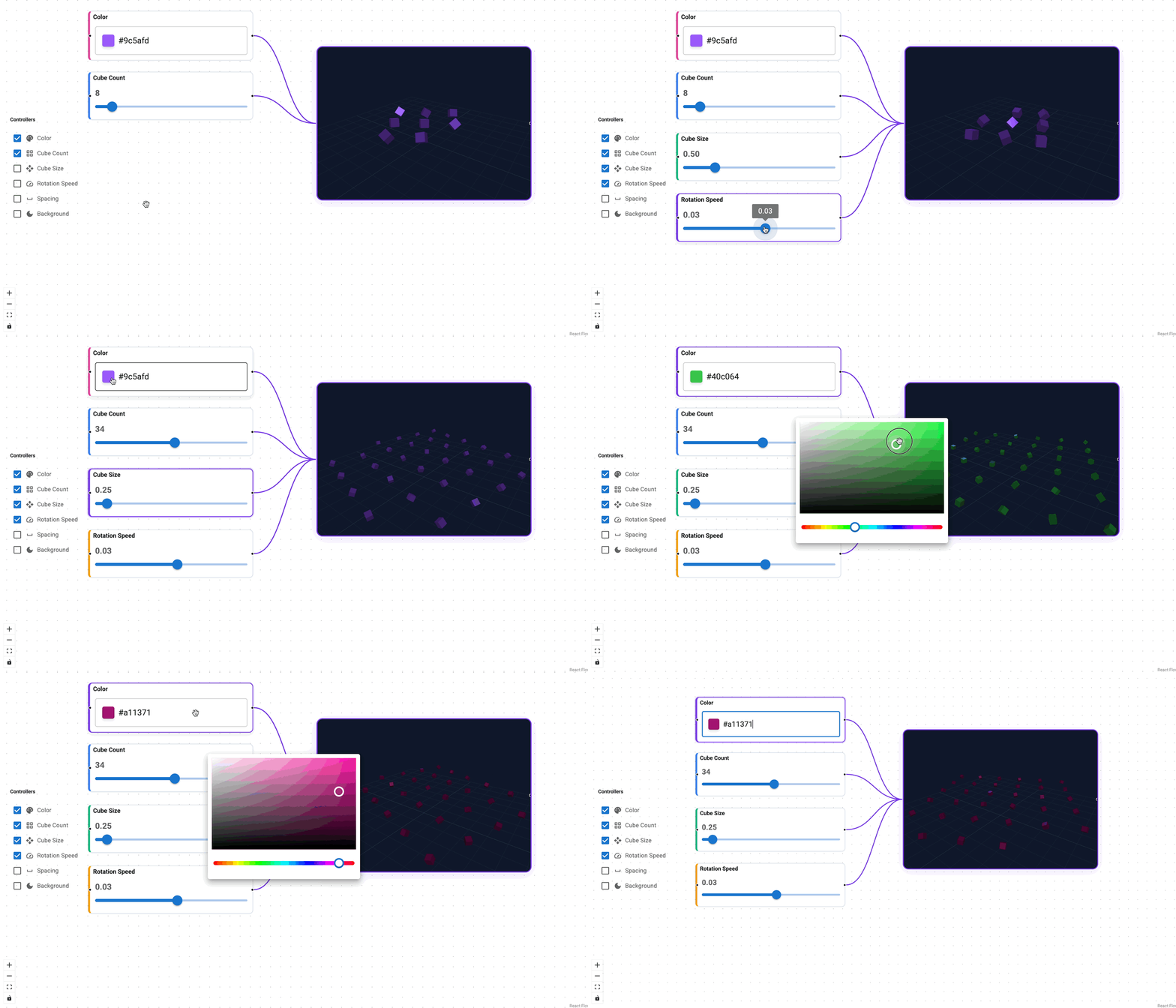
|
|
55
|
+
|
|
54
56
|
## Features
|
|
55
57
|
|
|
56
58
|
- Python-first, JSON-serializable graph state
|
|
@@ -85,14 +87,16 @@ nodes = [
|
|
|
85
87
|
"id": "n1",
|
|
86
88
|
"position": {"x": 0, "y": 0},
|
|
87
89
|
"type": "panel",
|
|
88
|
-
"
|
|
90
|
+
"label": "Start",
|
|
91
|
+
"data": {},
|
|
89
92
|
"view": pn.pane.Markdown("Node 1 content"),
|
|
90
93
|
},
|
|
91
94
|
{
|
|
92
95
|
"id": "n2",
|
|
93
96
|
"position": {"x": 260, "y": 60},
|
|
94
97
|
"type": "panel",
|
|
95
|
-
"
|
|
98
|
+
"label": "End",
|
|
99
|
+
"data": {},
|
|
96
100
|
"view": pn.pane.Markdown("Node 2 content"),
|
|
97
101
|
},
|
|
98
102
|
]
|
|
@@ -8,6 +8,8 @@
|
|
|
8
8
|
|
|
9
9
|
A Panel wrapper for the React Flow JS library.
|
|
10
10
|
|
|
11
|
+

|
|
12
|
+
|
|
11
13
|
## Features
|
|
12
14
|
|
|
13
15
|
- Python-first, JSON-serializable graph state
|
|
@@ -42,14 +44,16 @@ nodes = [
|
|
|
42
44
|
"id": "n1",
|
|
43
45
|
"position": {"x": 0, "y": 0},
|
|
44
46
|
"type": "panel",
|
|
45
|
-
"
|
|
47
|
+
"label": "Start",
|
|
48
|
+
"data": {},
|
|
46
49
|
"view": pn.pane.Markdown("Node 1 content"),
|
|
47
50
|
},
|
|
48
51
|
{
|
|
49
52
|
"id": "n2",
|
|
50
53
|
"position": {"x": 260, "y": 60},
|
|
51
54
|
"type": "panel",
|
|
52
|
-
"
|
|
55
|
+
"label": "End",
|
|
56
|
+
"data": {},
|
|
53
57
|
"view": pn.pane.Markdown("Node 2 content"),
|
|
54
58
|
},
|
|
55
59
|
]
|
|
Binary file
|
|
Binary file
|
|
Binary file
|
|
Binary file
|
|
Binary file
|
|
Binary file
|
|
Binary file
|
|
Binary file
|
|
@@ -0,0 +1,125 @@
|
|
|
1
|
+
# Declare Node & Edge Types
|
|
2
|
+
|
|
3
|
+
Node and edge types are lightweight descriptors that tell Panel-ReactFlow
|
|
4
|
+
**what kind of data a node or edge carries**. A type defines a name, an
|
|
5
|
+
optional display label, optional input/output ports (for nodes), and an
|
|
6
|
+
optional JSON Schema for its `data` payload.
|
|
7
|
+
|
|
8
|
+
Types are separate from editors. A type says "a *task* node has a
|
|
9
|
+
*status* string and a *priority* integer"; an editor says "render a
|
|
10
|
+
dropdown and a number input for those fields." This separation lets you
|
|
11
|
+
reuse the same type with different editors, or rely on the auto-generated
|
|
12
|
+
form.
|
|
13
|
+
|
|
14
|
+

|
|
15
|
+
|
|
16
|
+
---
|
|
17
|
+
|
|
18
|
+
## Node types
|
|
19
|
+
|
|
20
|
+
Use `NodeType` to describe a node type. Provide `inputs` and `outputs` to
|
|
21
|
+
control the handles (ports) shown on each side of the node.
|
|
22
|
+
|
|
23
|
+
```python
|
|
24
|
+
from panel_reactflow import NodeType
|
|
25
|
+
|
|
26
|
+
task_schema = {
|
|
27
|
+
"type": "object",
|
|
28
|
+
"properties": {
|
|
29
|
+
"status": {"type": "string", "enum": ["idle", "running", "done"]},
|
|
30
|
+
"priority": {"type": "integer"},
|
|
31
|
+
},
|
|
32
|
+
}
|
|
33
|
+
|
|
34
|
+
node_types = {
|
|
35
|
+
"task": NodeType(
|
|
36
|
+
type="task",
|
|
37
|
+
label="Task",
|
|
38
|
+
schema=task_schema,
|
|
39
|
+
inputs=["in"],
|
|
40
|
+
outputs=["out"],
|
|
41
|
+
),
|
|
42
|
+
}
|
|
43
|
+
```
|
|
44
|
+
|
|
45
|
+
---
|
|
46
|
+
|
|
47
|
+
## Edge types
|
|
48
|
+
|
|
49
|
+
Use `EdgeType` to describe an edge type. Edges with a schema get the same
|
|
50
|
+
auto-generated editor support as nodes.
|
|
51
|
+
|
|
52
|
+
```python
|
|
53
|
+
from panel_reactflow import EdgeType
|
|
54
|
+
|
|
55
|
+
edge_types = {
|
|
56
|
+
"pipe": EdgeType(
|
|
57
|
+
type="pipe",
|
|
58
|
+
label="Pipe",
|
|
59
|
+
schema={
|
|
60
|
+
"type": "object",
|
|
61
|
+
"properties": {
|
|
62
|
+
"throughput": {"type": "number"},
|
|
63
|
+
"protocol": {"type": "string", "enum": ["tcp", "udp", "http"]},
|
|
64
|
+
},
|
|
65
|
+
},
|
|
66
|
+
),
|
|
67
|
+
}
|
|
68
|
+
```
|
|
69
|
+
|
|
70
|
+
---
|
|
71
|
+
|
|
72
|
+
## Schema sources
|
|
73
|
+
|
|
74
|
+
The `schema` field accepts multiple formats. All are normalized to
|
|
75
|
+
JSON Schema before being sent to the frontend or used by editors.
|
|
76
|
+
|
|
77
|
+
| Source | Example |
|
|
78
|
+
|--------|---------|
|
|
79
|
+
| **JSON Schema dict** | `{"type": "object", "properties": {...}}` |
|
|
80
|
+
| **Param class** | A `param.Parameterized` subclass |
|
|
81
|
+
| **Pydantic model** | A `pydantic.BaseModel` subclass |
|
|
82
|
+
|
|
83
|
+
### Param class shorthand
|
|
84
|
+
|
|
85
|
+
```python
|
|
86
|
+
import param
|
|
87
|
+
from panel_reactflow import NodeType
|
|
88
|
+
|
|
89
|
+
class Job(param.Parameterized):
|
|
90
|
+
status = param.Selector(objects=["idle", "running", "done"])
|
|
91
|
+
retries = param.Integer(default=0)
|
|
92
|
+
|
|
93
|
+
node_types = {"job": NodeType(type="job", label="Job", schema=Job)}
|
|
94
|
+
```
|
|
95
|
+
|
|
96
|
+
### Pydantic model shorthand
|
|
97
|
+
|
|
98
|
+
```python
|
|
99
|
+
from pydantic import BaseModel
|
|
100
|
+
from panel_reactflow import NodeType
|
|
101
|
+
|
|
102
|
+
class Config(BaseModel):
|
|
103
|
+
host: str = "localhost"
|
|
104
|
+
port: int = 8080
|
|
105
|
+
|
|
106
|
+
node_types = {"config": NodeType(type="config", label="Config", schema=Config)}
|
|
107
|
+
```
|
|
108
|
+
|
|
109
|
+
---
|
|
110
|
+
|
|
111
|
+
## Register on ReactFlow
|
|
112
|
+
|
|
113
|
+
Pass types as dictionaries keyed by type name.
|
|
114
|
+
|
|
115
|
+
```python
|
|
116
|
+
flow = ReactFlow(
|
|
117
|
+
nodes=nodes,
|
|
118
|
+
edges=edges,
|
|
119
|
+
node_types=node_types,
|
|
120
|
+
edge_types=edge_types,
|
|
121
|
+
)
|
|
122
|
+
```
|
|
123
|
+
|
|
124
|
+
Types without a schema still work — the node or edge simply has no
|
|
125
|
+
schema-driven validation or auto-generated form.
|
|
@@ -0,0 +1,239 @@
|
|
|
1
|
+
# Define Editors
|
|
2
|
+
|
|
3
|
+
Editors give users a way to view and modify the `data` payload of a node or
|
|
4
|
+
edge at runtime. Panel-ReactFlow **decouples editors from types**: you
|
|
5
|
+
register editors separately, so you can swap editing UI without touching
|
|
6
|
+
your type definitions.
|
|
7
|
+
|
|
8
|
+
Both node editors and edge editors share the exact same interface. If you
|
|
9
|
+
can build a node editor, you already know how to build an edge editor.
|
|
10
|
+
|
|
11
|
+
When a user selects a node (or an edge), Panel-ReactFlow looks up the
|
|
12
|
+
matching editor, creates the view, and displays it in the configured panel.
|
|
13
|
+
If no editor is registered for a type, the built-in `SchemaEditor` is
|
|
14
|
+
used: it auto-generates a form from the JSON Schema if one is present,
|
|
15
|
+
or falls back to a raw JSON editor.
|
|
16
|
+
|
|
17
|
+

|
|
18
|
+
|
|
19
|
+
---
|
|
20
|
+
|
|
21
|
+
## Editor signature
|
|
22
|
+
|
|
23
|
+
Every editor — whether a simple function, a lambda, or a class — receives
|
|
24
|
+
the same arguments:
|
|
25
|
+
|
|
26
|
+
```
|
|
27
|
+
editor(data, schema, *, id, type, on_patch) -> Viewable
|
|
28
|
+
```
|
|
29
|
+
|
|
30
|
+
| Argument | Description |
|
|
31
|
+
|------------|-------------|
|
|
32
|
+
| `data` | The current `data` dict of the node or edge. |
|
|
33
|
+
| `schema` | The normalized JSON Schema (or `None`). |
|
|
34
|
+
| `id` | The node or edge ID. |
|
|
35
|
+
| `type` | The node or edge type name. |
|
|
36
|
+
| `on_patch` | Callback: call `on_patch({"key": value})` to push a partial update. |
|
|
37
|
+
|
|
38
|
+
---
|
|
39
|
+
|
|
40
|
+
## Built-in editors
|
|
41
|
+
|
|
42
|
+
Panel-ReactFlow ships two built-in editor classes:
|
|
43
|
+
|
|
44
|
+
| Class | Behavior |
|
|
45
|
+
|--------------------|----------|
|
|
46
|
+
| `SchemaEditor` | Renders a form generated from the JSON Schema. Falls back to a raw JSON editor when no schema is available. **This is the default.** |
|
|
47
|
+
| `JsonEditor` | Always renders a raw JSON editor (powered by `panel.pane.JSON`). |
|
|
48
|
+
|
|
49
|
+
```python
|
|
50
|
+
from panel_reactflow import JsonEditor, ReactFlow, SchemaEditor
|
|
51
|
+
|
|
52
|
+
flow = ReactFlow(
|
|
53
|
+
nodes=nodes,
|
|
54
|
+
edges=edges,
|
|
55
|
+
default_node_editor=SchemaEditor, # already the default
|
|
56
|
+
default_edge_editor=JsonEditor, # override for edges
|
|
57
|
+
)
|
|
58
|
+
```
|
|
59
|
+
|
|
60
|
+
---
|
|
61
|
+
|
|
62
|
+
## Node editors
|
|
63
|
+
|
|
64
|
+
### Register a callable editor for a node type
|
|
65
|
+
|
|
66
|
+
The simplest way to provide a custom node editor is a plain function that
|
|
67
|
+
returns a Panel viewable.
|
|
68
|
+
|
|
69
|
+
```python
|
|
70
|
+
import panel_material_ui as pmui
|
|
71
|
+
from panel_reactflow import ReactFlow
|
|
72
|
+
|
|
73
|
+
def metric_editor(data, schema, *, id, type, on_patch):
|
|
74
|
+
value = pmui.FloatSlider(value=data.get("value", 0), start=0, end=100)
|
|
75
|
+
unit = pmui.Select(value=data.get("unit", "ms"), options=["ms", "s", "%"])
|
|
76
|
+
value.param.watch(lambda e: on_patch({"value": e.new}), "value")
|
|
77
|
+
unit.param.watch(lambda e: on_patch({"unit": e.new}), "value")
|
|
78
|
+
return pmui.Column(value, unit)
|
|
79
|
+
|
|
80
|
+
flow = ReactFlow(
|
|
81
|
+
nodes=nodes,
|
|
82
|
+
edges=edges,
|
|
83
|
+
node_editors={"metric": metric_editor},
|
|
84
|
+
)
|
|
85
|
+
```
|
|
86
|
+
|
|
87
|
+
### Set a default node editor
|
|
88
|
+
|
|
89
|
+
If you want *all* node types to use the same custom editor, set
|
|
90
|
+
`default_node_editor` instead of mapping each type individually.
|
|
91
|
+
|
|
92
|
+
```python
|
|
93
|
+
flow = ReactFlow(
|
|
94
|
+
nodes=nodes,
|
|
95
|
+
edges=edges,
|
|
96
|
+
default_node_editor=metric_editor,
|
|
97
|
+
)
|
|
98
|
+
```
|
|
99
|
+
|
|
100
|
+
---
|
|
101
|
+
|
|
102
|
+
## Edge editors
|
|
103
|
+
|
|
104
|
+
Edge editors work identically. Register them via `edge_editors` (keyed by
|
|
105
|
+
edge type) or `default_edge_editor` for a blanket default.
|
|
106
|
+
|
|
107
|
+

|
|
108
|
+
|
|
109
|
+
### Schema-driven edge editor
|
|
110
|
+
|
|
111
|
+
If you declare an `EdgeType` with a schema and do not provide an explicit
|
|
112
|
+
editor, the default `SchemaEditor` auto-generates a form — the same
|
|
113
|
+
as for nodes.
|
|
114
|
+
|
|
115
|
+
```python
|
|
116
|
+
from panel_reactflow import EdgeType, ReactFlow
|
|
117
|
+
|
|
118
|
+
edge_types = {
|
|
119
|
+
"pipe": EdgeType(
|
|
120
|
+
type="pipe",
|
|
121
|
+
label="Pipe",
|
|
122
|
+
schema={
|
|
123
|
+
"type": "object",
|
|
124
|
+
"properties": {
|
|
125
|
+
"throughput": {"type": "number", "title": "Throughput"},
|
|
126
|
+
"protocol": {
|
|
127
|
+
"type": "string",
|
|
128
|
+
"enum": ["tcp", "udp", "http"],
|
|
129
|
+
"title": "Protocol",
|
|
130
|
+
},
|
|
131
|
+
},
|
|
132
|
+
},
|
|
133
|
+
),
|
|
134
|
+
}
|
|
135
|
+
|
|
136
|
+
flow = ReactFlow(
|
|
137
|
+
nodes=nodes,
|
|
138
|
+
edges=edges,
|
|
139
|
+
edge_types=edge_types,
|
|
140
|
+
# No edge_editors needed — SchemaEditor handles "pipe" automatically.
|
|
141
|
+
)
|
|
142
|
+
```
|
|
143
|
+
|
|
144
|
+
### Custom callable edge editor
|
|
145
|
+
|
|
146
|
+
```python
|
|
147
|
+
import panel_material_ui as pmui
|
|
148
|
+
from panel_reactflow import EdgeType, ReactFlow
|
|
149
|
+
|
|
150
|
+
def signal_editor(data, schema, *, id, type, on_patch):
|
|
151
|
+
freq = pmui.FloatSlider(
|
|
152
|
+
value=data.get("frequency", 1.0), start=0.1, end=100, step=0.1,
|
|
153
|
+
label="Frequency (Hz)",
|
|
154
|
+
)
|
|
155
|
+
active = pmui.Checkbox(value=data.get("active", True), label="Active")
|
|
156
|
+
freq.param.watch(lambda e: on_patch({"frequency": e.new}), "value")
|
|
157
|
+
active.param.watch(lambda e: on_patch({"active": e.new}), "value")
|
|
158
|
+
return pmui.Paper(pmui.Column(freq, active, margin=5), margin=0)
|
|
159
|
+
|
|
160
|
+
flow = ReactFlow(
|
|
161
|
+
nodes=nodes,
|
|
162
|
+
edges=edges,
|
|
163
|
+
edge_types={"signal": EdgeType(type="signal", label="Signal")},
|
|
164
|
+
edge_editors={"signal": signal_editor},
|
|
165
|
+
)
|
|
166
|
+
```
|
|
167
|
+
|
|
168
|
+
---
|
|
169
|
+
|
|
170
|
+
## Class-based editors
|
|
171
|
+
|
|
172
|
+
For editors with complex state or lifecycle needs, subclass `Editor`.
|
|
173
|
+
The base class stores `data`, `schema`, `id`, `type`, and `on_patch` for
|
|
174
|
+
you. Implement `__panel__()` to return the view.
|
|
175
|
+
|
|
176
|
+
Class-based editors work for both nodes and edges.
|
|
177
|
+
|
|
178
|
+
```python
|
|
179
|
+
import panel as pn
|
|
180
|
+
from panel_reactflow import Editor
|
|
181
|
+
|
|
182
|
+
class TitleEditor(Editor):
|
|
183
|
+
def __init__(self, data, schema, **kwargs):
|
|
184
|
+
super().__init__(data, schema, **kwargs)
|
|
185
|
+
self._input = pn.widgets.TextInput(value=data.get("title", ""))
|
|
186
|
+
self._input.param.watch(self._on_title_change, "value")
|
|
187
|
+
|
|
188
|
+
def _on_title_change(self, event):
|
|
189
|
+
if self._on_patch is not None:
|
|
190
|
+
self._on_patch({"title": event.new})
|
|
191
|
+
|
|
192
|
+
def __panel__(self):
|
|
193
|
+
return self._input
|
|
194
|
+
```
|
|
195
|
+
|
|
196
|
+
Register it like any callable:
|
|
197
|
+
|
|
198
|
+
```python
|
|
199
|
+
flow = ReactFlow(
|
|
200
|
+
nodes=nodes, edges=edges,
|
|
201
|
+
node_editors={"article": TitleEditor},
|
|
202
|
+
edge_editors={"comment": TitleEditor}, # reuse the same class
|
|
203
|
+
)
|
|
204
|
+
```
|
|
205
|
+
|
|
206
|
+
---
|
|
207
|
+
|
|
208
|
+
## Editor display modes
|
|
209
|
+
|
|
210
|
+
Control where node editors appear with `editor_mode`:
|
|
211
|
+
|
|
212
|
+
| Mode | Description |
|
|
213
|
+
|-----------|-------------|
|
|
214
|
+
| `"side"` | Side panel to the right of the canvas. |
|
|
215
|
+
| `"node"` | Inline, directly inside the selected node. |
|
|
216
|
+
| `"toolbar"` | In the top toolbar area. |
|
|
217
|
+
|
|
218
|
+
Edge editors always appear in the **side panel** (right side of the
|
|
219
|
+
canvas).
|
|
220
|
+
|
|
221
|
+
```python
|
|
222
|
+
flow = ReactFlow(
|
|
223
|
+
nodes=nodes,
|
|
224
|
+
edges=edges,
|
|
225
|
+
editor_mode="side",
|
|
226
|
+
)
|
|
227
|
+
```
|
|
228
|
+
|
|
229
|
+
---
|
|
230
|
+
|
|
231
|
+
## Tips
|
|
232
|
+
|
|
233
|
+
- Call `on_patch({"key": value})` for data changes. Labels are top-level
|
|
234
|
+
and should be updated by replacing the node/edge in `flow.nodes` or
|
|
235
|
+
`flow.edges`.
|
|
236
|
+
- You can mix strategies: use schema-driven editors for most types and
|
|
237
|
+
custom editors only where you need full control.
|
|
238
|
+
- The same editor class or function can be registered for both node and
|
|
239
|
+
edge types.
|
|
@@ -0,0 +1,133 @@
|
|
|
1
|
+
# Define Nodes & Edges
|
|
2
|
+
|
|
3
|
+
Every graph in Panel-ReactFlow is built from two lists: **nodes** and
|
|
4
|
+
**edges**. Nodes represent entities on the canvas; edges represent
|
|
5
|
+
connections between them. Both are plain Python dictionaries, so you can
|
|
6
|
+
construct them from any data source — a database, a config file, or user
|
|
7
|
+
input at runtime.
|
|
8
|
+
|
|
9
|
+
This guide covers how to create nodes and edges, use the helper dataclasses,
|
|
10
|
+
and update data after the graph is live.
|
|
11
|
+
|
|
12
|
+

|
|
13
|
+
|
|
14
|
+
---
|
|
15
|
+
|
|
16
|
+
## Define nodes
|
|
17
|
+
|
|
18
|
+
A node dict requires `id`, `position`, and `data`. The display label is a
|
|
19
|
+
**top-level** field — keep it out of `data` so the frontend can render it
|
|
20
|
+
without parsing the payload.
|
|
21
|
+
|
|
22
|
+
```python
|
|
23
|
+
import panel as pn
|
|
24
|
+
|
|
25
|
+
nodes = [
|
|
26
|
+
{
|
|
27
|
+
"id": "n1",
|
|
28
|
+
"type": "panel",
|
|
29
|
+
"label": "Start",
|
|
30
|
+
"position": {"x": 0, "y": 0},
|
|
31
|
+
"data": {"status": "idle"},
|
|
32
|
+
},
|
|
33
|
+
{
|
|
34
|
+
"id": "n2",
|
|
35
|
+
"type": "panel",
|
|
36
|
+
"label": "End",
|
|
37
|
+
"position": {"x": 260, "y": 60},
|
|
38
|
+
"data": {"status": "done"},
|
|
39
|
+
"view": pn.pane.Markdown("Optional node body"),
|
|
40
|
+
},
|
|
41
|
+
]
|
|
42
|
+
```
|
|
43
|
+
|
|
44
|
+
| Key | Required | Description |
|
|
45
|
+
|------------|----------|-------------|
|
|
46
|
+
| `id` | yes | Unique string identifier. |
|
|
47
|
+
| `position` | yes | `{"x": float, "y": float}` canvas coordinates. |
|
|
48
|
+
| `data` | yes | Arbitrary dict of payload data. |
|
|
49
|
+
| `label` | no | Display text shown in the node header. |
|
|
50
|
+
| `type` | no | Node type name (default `"panel"`). |
|
|
51
|
+
| `view` | no | A Panel viewable rendered inside the node. |
|
|
52
|
+
|
|
53
|
+
---
|
|
54
|
+
|
|
55
|
+
## Define edges
|
|
56
|
+
|
|
57
|
+
Edges link two nodes by their `id`. Use the top-level `label` for the
|
|
58
|
+
text shown on the edge.
|
|
59
|
+
|
|
60
|
+
```python
|
|
61
|
+
edges = [
|
|
62
|
+
{"id": "e1", "source": "n1", "target": "n2", "label": "next"},
|
|
63
|
+
]
|
|
64
|
+
```
|
|
65
|
+
|
|
66
|
+
| Key | Required | Description |
|
|
67
|
+
|----------|----------|-------------|
|
|
68
|
+
| `id` | yes | Unique string identifier. |
|
|
69
|
+
| `source` | yes | ID of the source node. |
|
|
70
|
+
| `target` | yes | ID of the target node. |
|
|
71
|
+
| `label` | no | Text rendered on the edge. |
|
|
72
|
+
| `type` | no | Edge type name (for styling / editors). |
|
|
73
|
+
| `data` | no | Arbitrary dict of payload data. |
|
|
74
|
+
|
|
75
|
+
---
|
|
76
|
+
|
|
77
|
+
## Use the NodeSpec / EdgeSpec helpers
|
|
78
|
+
|
|
79
|
+
If you prefer a typed API, use the dataclass helpers. They validate fields
|
|
80
|
+
at construction time and convert to plain dicts via `.to_dict()`.
|
|
81
|
+
|
|
82
|
+
```python
|
|
83
|
+
from panel_reactflow import NodeSpec, EdgeSpec
|
|
84
|
+
|
|
85
|
+
n1 = NodeSpec(
|
|
86
|
+
id="n1",
|
|
87
|
+
type="panel",
|
|
88
|
+
label="Start",
|
|
89
|
+
position={"x": 0, "y": 0},
|
|
90
|
+
data={"status": "idle"},
|
|
91
|
+
).to_dict()
|
|
92
|
+
|
|
93
|
+
e1 = EdgeSpec(
|
|
94
|
+
id="e1",
|
|
95
|
+
source="n1",
|
|
96
|
+
target="n2",
|
|
97
|
+
label="next",
|
|
98
|
+
).to_dict()
|
|
99
|
+
```
|
|
100
|
+
|
|
101
|
+
---
|
|
102
|
+
|
|
103
|
+
## Update data vs. label
|
|
104
|
+
|
|
105
|
+
`data` and `label` live in different places and are updated differently:
|
|
106
|
+
|
|
107
|
+
- **Data** — use `patch_node_data()` or `patch_edge_data()`. This sends
|
|
108
|
+
an incremental patch to the frontend without replacing the full list.
|
|
109
|
+
- **Label** — replace the node/edge in `flow.nodes` or `flow.edges`.
|
|
110
|
+
|
|
111
|
+
```python
|
|
112
|
+
# Patch a data field
|
|
113
|
+
flow.patch_node_data("n1", {"status": "running"})
|
|
114
|
+
flow.patch_edge_data("e1", {"weight": 0.75})
|
|
115
|
+
|
|
116
|
+
# Update a label
|
|
117
|
+
flow.nodes = [
|
|
118
|
+
{**node, "label": "Start (running)"} if node["id"] == "n1" else node
|
|
119
|
+
for node in flow.nodes
|
|
120
|
+
]
|
|
121
|
+
```
|
|
122
|
+
|
|
123
|
+
---
|
|
124
|
+
|
|
125
|
+
## Add and remove at runtime
|
|
126
|
+
|
|
127
|
+
```python
|
|
128
|
+
flow.add_node({"id": "n3", "position": {"x": 520, "y": 0}, "label": "New", "data": {}})
|
|
129
|
+
flow.add_edge({"source": "n2", "target": "n3", "data": {}})
|
|
130
|
+
|
|
131
|
+
flow.remove_node("n3") # also removes connected edges
|
|
132
|
+
flow.remove_edge("e1")
|
|
133
|
+
```
|