panda3d-complexpbr 0.5.3__tar.gz
This diff represents the content of publicly available package versions that have been released to one of the supported registries. The information contained in this diff is provided for informational purposes only and reflects changes between package versions as they appear in their respective public registries.
- panda3d-complexpbr-0.5.3/LICENSE +29 -0
- panda3d-complexpbr-0.5.3/PKG-INFO +195 -0
- panda3d-complexpbr-0.5.3/README.md +178 -0
- panda3d-complexpbr-0.5.3/complexpbr/__init__.py +186 -0
- panda3d-complexpbr-0.5.3/complexpbr/brdf_lut_calculator.py +236 -0
- panda3d-complexpbr-0.5.3/complexpbr/ibl_f.frag +240 -0
- panda3d-complexpbr-0.5.3/complexpbr/ibl_v.vert +118 -0
- panda3d-complexpbr-0.5.3/complexpbr/min_f.frag +289 -0
- panda3d-complexpbr-0.5.3/complexpbr/min_v.vert +34 -0
- panda3d-complexpbr-0.5.3/complexpbr/output_brdf_lut.png +0 -0
- panda3d-complexpbr-0.5.3/complexpbr/sample_output_brdf_lut.png +0 -0
- panda3d-complexpbr-0.5.3/complexpbr/simplepbr_license.txt +29 -0
- panda3d-complexpbr-0.5.3/panda3d_complexpbr.egg-info/PKG-INFO +195 -0
- panda3d-complexpbr-0.5.3/panda3d_complexpbr.egg-info/SOURCES.txt +18 -0
- panda3d-complexpbr-0.5.3/panda3d_complexpbr.egg-info/dependency_links.txt +1 -0
- panda3d-complexpbr-0.5.3/panda3d_complexpbr.egg-info/requires.txt +2 -0
- panda3d-complexpbr-0.5.3/panda3d_complexpbr.egg-info/top_level.txt +1 -0
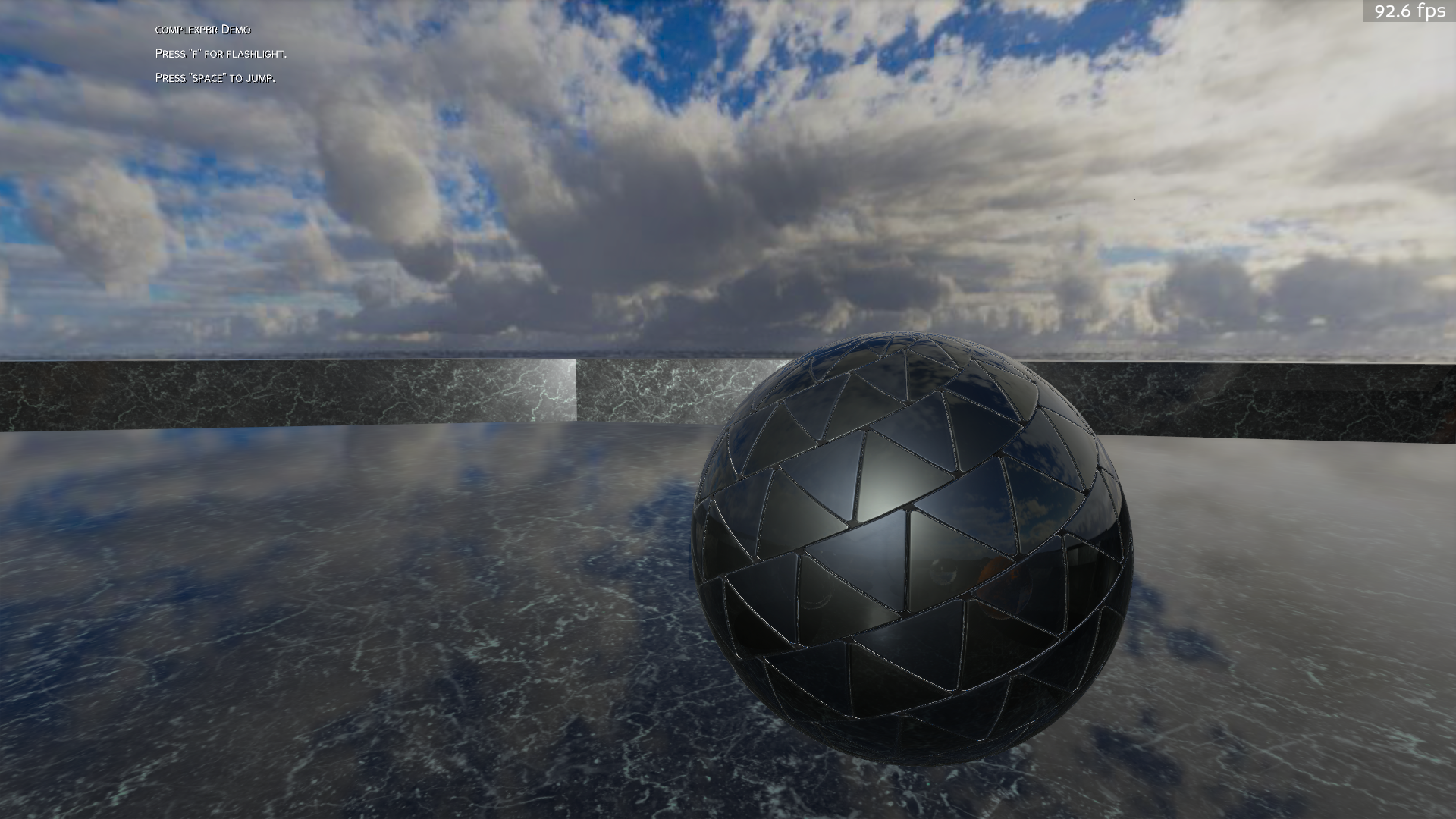
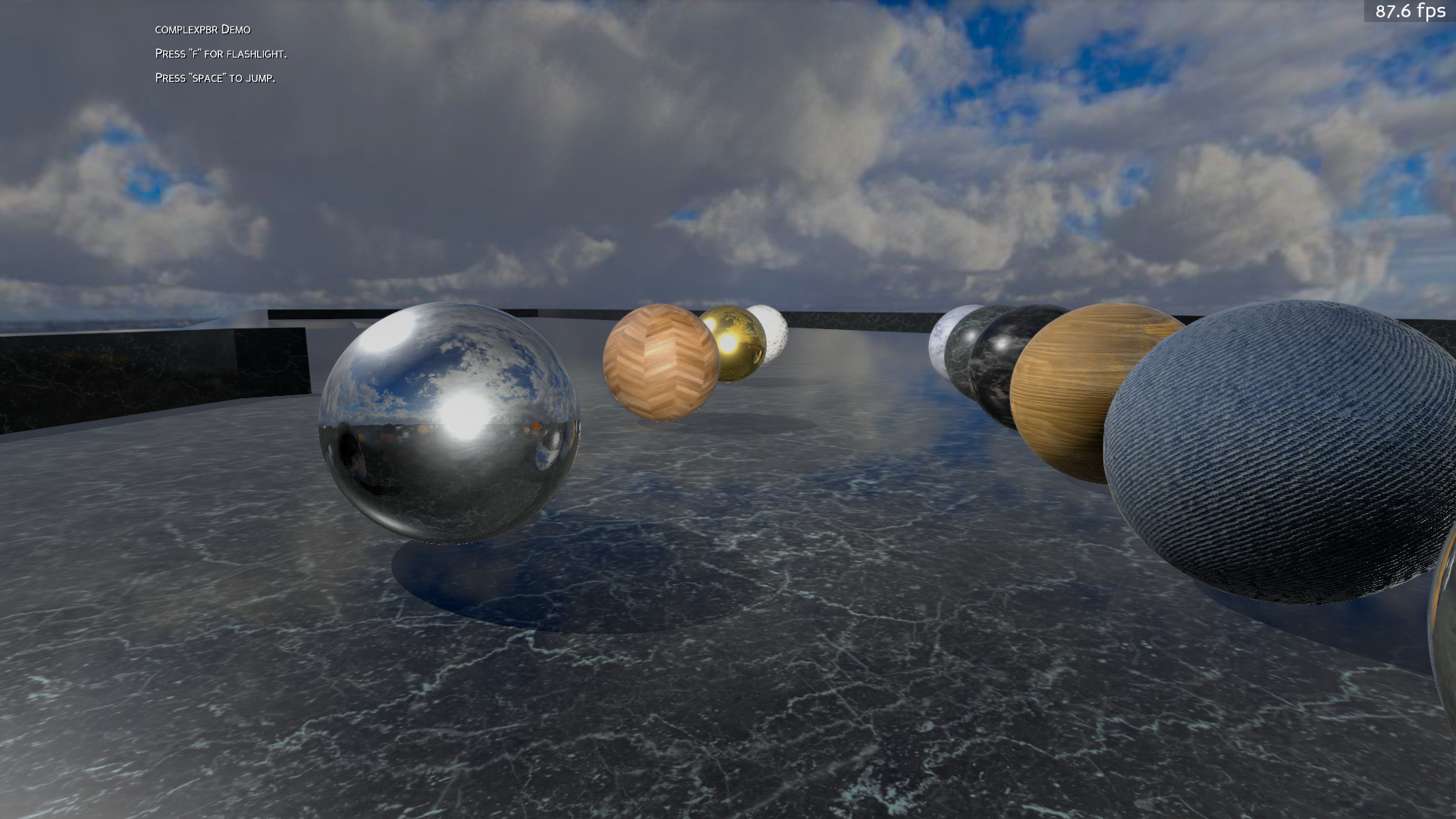
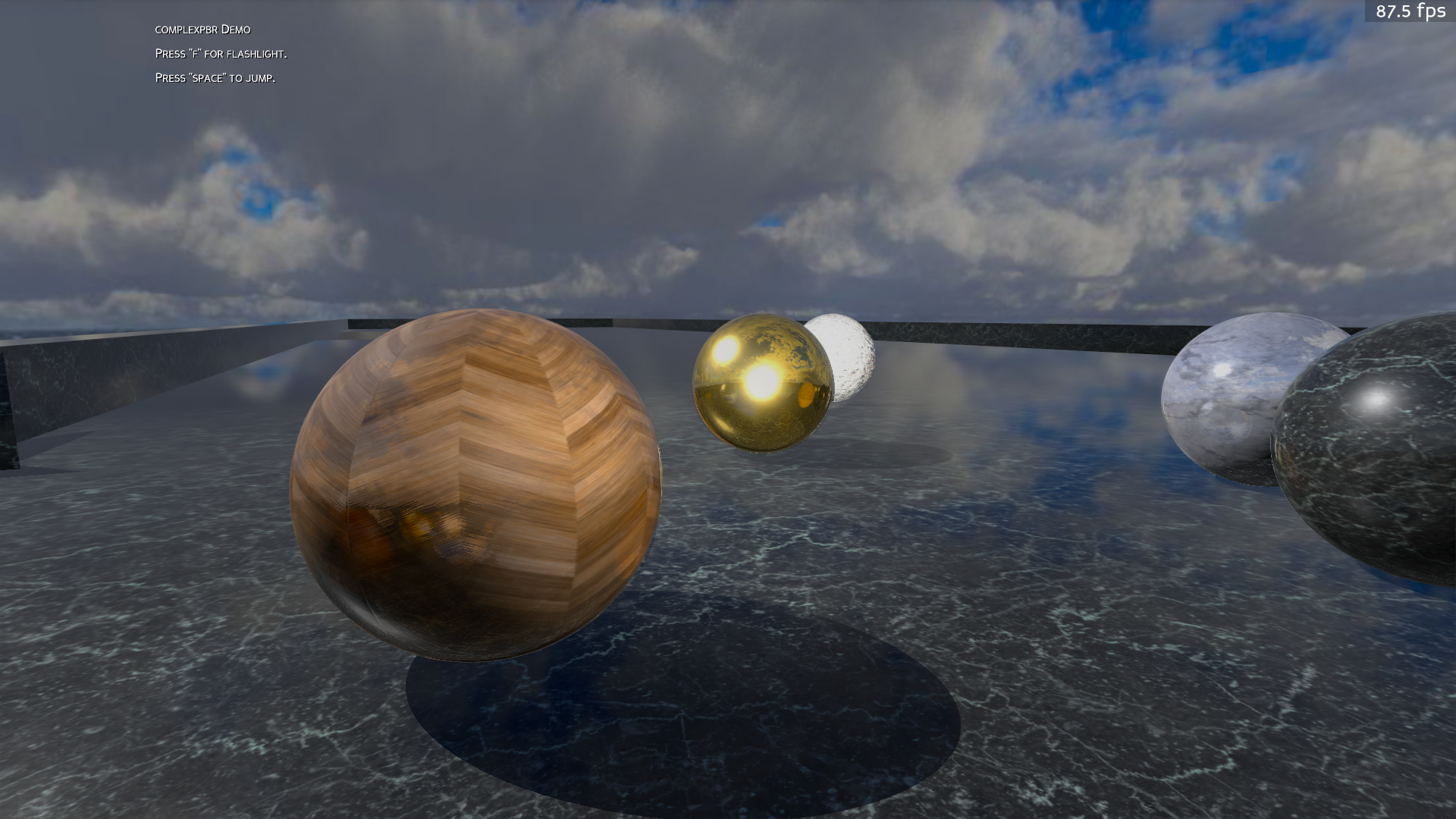
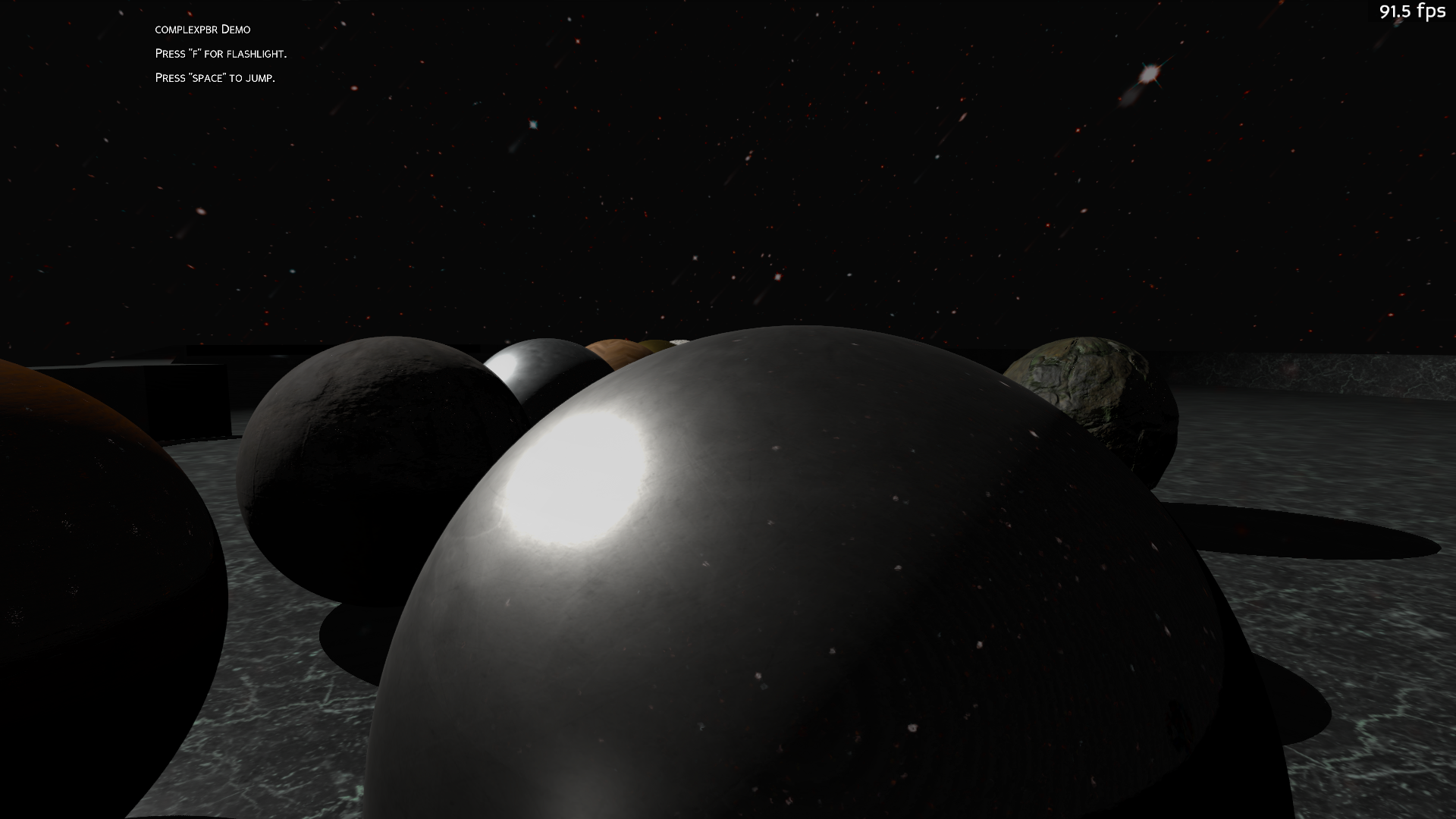
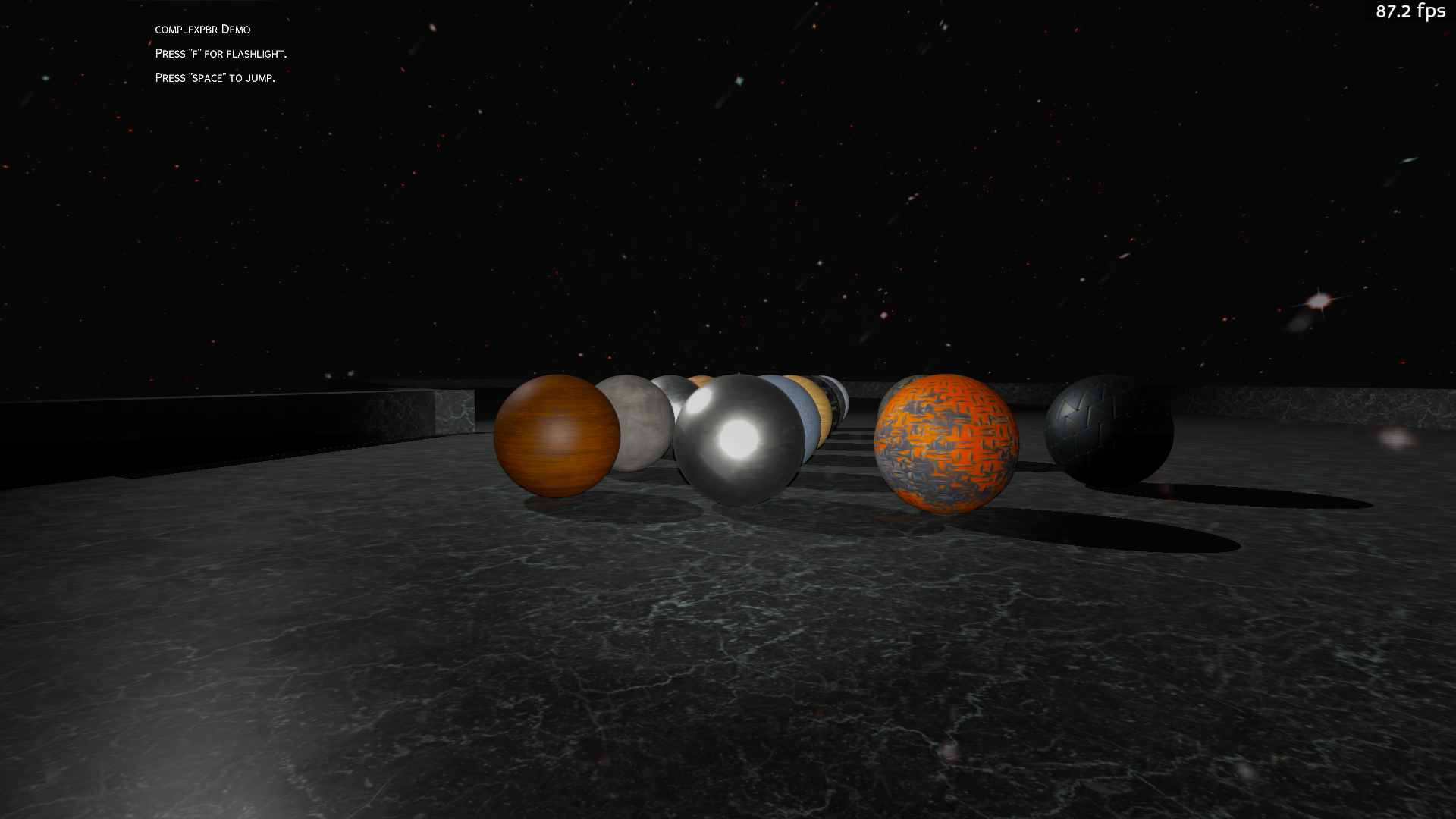
- panda3d-complexpbr-0.5.3/pyproject.toml +33 -0
- panda3d-complexpbr-0.5.3/setup.cfg +4 -0
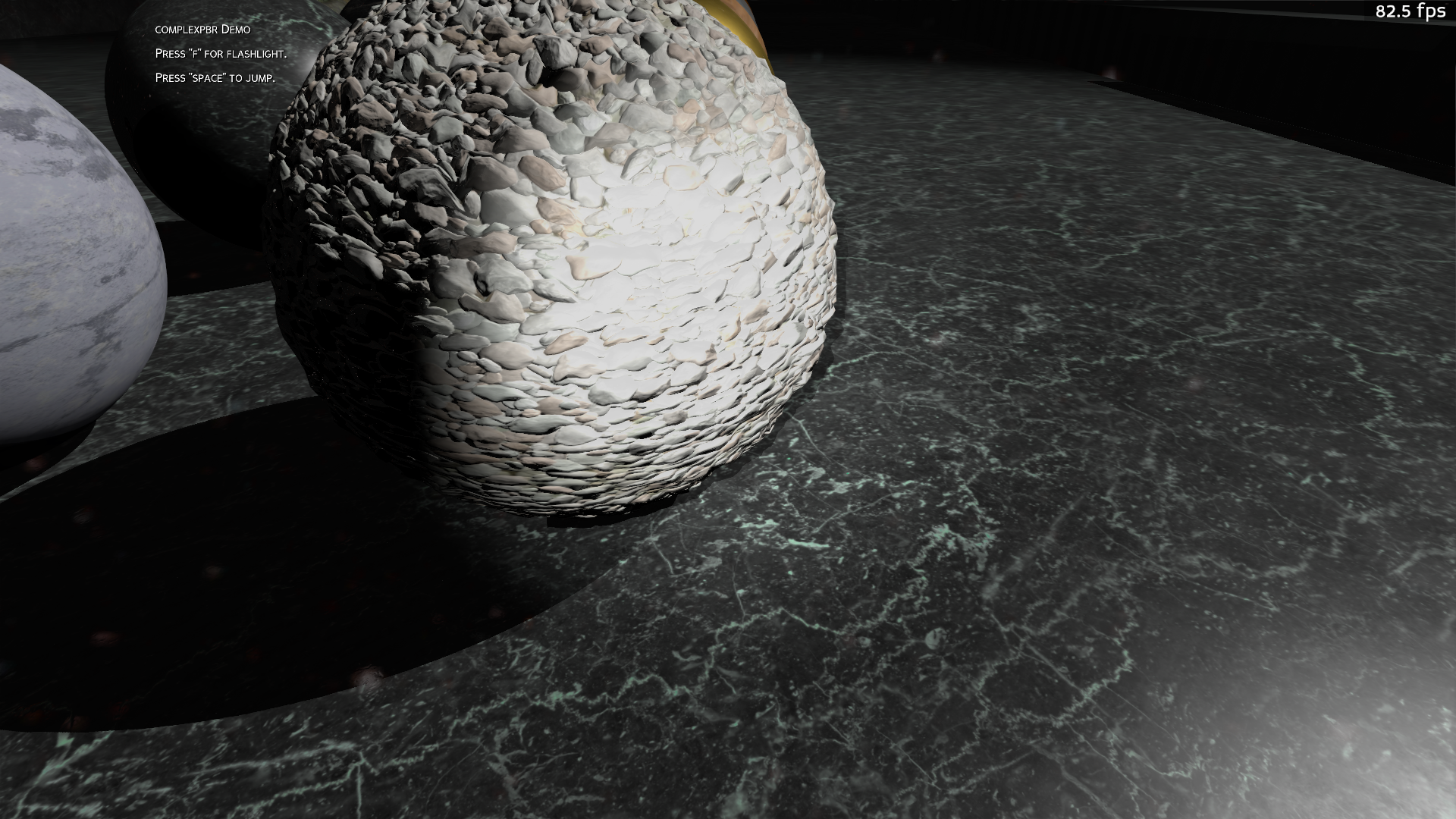
- panda3d-complexpbr-0.5.3/setup.py +10 -0
|
@@ -0,0 +1,29 @@
|
|
|
1
|
+
BSD 3-Clause License
|
|
2
|
+
|
|
3
|
+
Copyright (c) 2021, Logan Bier.
|
|
4
|
+
All rights reserved.
|
|
5
|
+
|
|
6
|
+
Redistribution and use in source and binary forms, with or without
|
|
7
|
+
modification, are permitted provided that the following conditions are met:
|
|
8
|
+
|
|
9
|
+
1. Redistributions of source code must retain the above copyright notice, this
|
|
10
|
+
list of conditions and the following disclaimer.
|
|
11
|
+
|
|
12
|
+
2. Redistributions in binary form must reproduce the above copyright notice,
|
|
13
|
+
this list of conditions and the following disclaimer in the documentation
|
|
14
|
+
and/or other materials provided with the distribution.
|
|
15
|
+
|
|
16
|
+
3. Neither the name of the copyright holder nor the names of its
|
|
17
|
+
contributors may be used to endorse or promote products derived from
|
|
18
|
+
this software without specific prior written permission.
|
|
19
|
+
|
|
20
|
+
THIS SOFTWARE IS PROVIDED BY THE COPYRIGHT HOLDERS AND CONTRIBUTORS "AS IS"
|
|
21
|
+
AND ANY EXPRESS OR IMPLIED WARRANTIES, INCLUDING, BUT NOT LIMITED TO, THE
|
|
22
|
+
IMPLIED WARRANTIES OF MERCHANTABILITY AND FITNESS FOR A PARTICULAR PURPOSE ARE
|
|
23
|
+
DISCLAIMED. IN NO EVENT SHALL THE COPYRIGHT HOLDER OR CONTRIBUTORS BE LIABLE
|
|
24
|
+
FOR ANY DIRECT, INDIRECT, INCIDENTAL, SPECIAL, EXEMPLARY, OR CONSEQUENTIAL
|
|
25
|
+
DAMAGES (INCLUDING, BUT NOT LIMITED TO, PROCUREMENT OF SUBSTITUTE GOODS OR
|
|
26
|
+
SERVICES; LOSS OF USE, DATA, OR PROFITS; OR BUSINESS INTERRUPTION) HOWEVER
|
|
27
|
+
CAUSED AND ON ANY THEORY OF LIABILITY, WHETHER IN CONTRACT, STRICT LIABILITY,
|
|
28
|
+
OR TORT (INCLUDING NEGLIGENCE OR OTHERWISE) ARISING IN ANY WAY OUT OF THE USE
|
|
29
|
+
OF THIS SOFTWARE, EVEN IF ADVISED OF THE POSSIBILITY OF SUCH DAMAGE.
|
|
@@ -0,0 +1,195 @@
|
|
|
1
|
+
Metadata-Version: 2.1
|
|
2
|
+
Name: panda3d-complexpbr
|
|
3
|
+
Version: 0.5.3
|
|
4
|
+
Summary: Functional node level shader application for Panda3D
|
|
5
|
+
Author: Logan Bier
|
|
6
|
+
License: BSD-3-Clause
|
|
7
|
+
Project-URL: homepage, https://github.com/rayanalysis/panda3d-complexpbr
|
|
8
|
+
Keywords: panda3d,gamedev,pbr
|
|
9
|
+
Classifier: Development Status :: 4 - Beta
|
|
10
|
+
Classifier: License :: OSI Approved :: BSD License
|
|
11
|
+
Classifier: Programming Language :: Python :: 3
|
|
12
|
+
Requires-Python: >=3.10
|
|
13
|
+
Description-Content-Type: text/markdown
|
|
14
|
+
License-File: LICENSE
|
|
15
|
+
Requires-Dist: panda3d>=1.10.8
|
|
16
|
+
Requires-Dist: typing_extensions~=4.7
|
|
17
|
+
|
|
18
|
+
# panda3d-complexpbr
|
|
19
|
+
Functional node level scene shader application for Panda3D. complexpbr supports realtime environment reflections for BSDF materials. These reflections are implemented with IBL (Image-based lighting) and PBR (Physically Based Rendering) forward shading constructs. Your machine must support GLSL version 430 or higher. Sample screenshots below.
|
|
20
|
+
|
|
21
|
+
Featuring support for vertex displacement mapping, SSAO (Screen Space Ambient Occlusion), SSR (Screen Space Reflections), HSV color correction, Bloom, and Sobel based antialiasing in a screenspace kernel shader, which approximates temporal antialiasing. complexpbr.screenspace_init() automatically enables the AA, SSAO, SSR, and HSV color correction. To use the vertex displacement mapping, provide your displacement map as a shader input to your respective model node -- example below in the Usage section.
|
|
22
|
+
|
|
23
|
+
By default, the environment reflections dynamically track the camera view. You may set a custom position with the 'env_cam_pos' apply_shader() input variable to IE fix the view to a skybox somewhere on the scene graph. This env_cam_pos variable can be updated live afterwards by setting base.env_cam_pos = Vec3(some_pos). The option to disable or re-enable dynamic reflections is available.
|
|
24
|
+
|
|
25
|
+
As of version 0.5.2, complexpbr will default to a dummy BRDF LUT which it creates on the fly. complexpbr will remind you that you may create a custom BRDF LUT with the provided 'brdf_lut_calculator.py' script or copy the sample one provided. This feature is automatic, so if you provide the output_brdf_lut.png file in your program directory, it will default to that .png image ignoring the lut_fill input. The sample 'output_brdf_lut.png' and the creation script can be found in the panda3d-complexpbr git repo. For advanced users there is an option to set the LUT image RGB fill values via apply_shader(lut_fill=[r,g,b]) . See Usage section for an example of lut_fill.
|
|
26
|
+
|
|
27
|
+
As of version 0.5.3, hardware skinning support is provided via complexpbr.skin(your_actor) for models with skeletal animations. See Usage section for an example of hardware skinning.
|
|
28
|
+
|
|
29
|
+
The goal of this project is to provide extremely easy to use scene shaders to expose the full functionality of Panda3D rendering, including interoperation with CommonFilters and setting shaders on a per-node basis.
|
|
30
|
+
|
|
31
|
+

|
|
32
|
+
|
|
33
|
+

|
|
34
|
+
|
|
35
|
+
7/6/23 Lumberyard Bistro ([Amazon Lumberyard Bistro | NVIDIA Developer](https://developer.nvidia.com/orca/amazon-lumberyard-bistro))
|
|
36
|
+
|
|
37
|
+

|
|
38
|
+
|
|
39
|
+

|
|
40
|
+
|
|
41
|
+

|
|
42
|
+
|
|
43
|
+
6/1/23 Sponza ([Intel GPU Research Samples](https://www.intel.com/content/www/us/en/developer/topic-technology/graphics-research/samples.html))
|
|
44
|
+
|
|
45
|
+

|
|
46
|
+
|
|
47
|
+

|
|
48
|
+
|
|
49
|
+

|
|
50
|
+
|
|
51
|
+

|
|
52
|
+
|
|
53
|
+

|
|
54
|
+
|
|
55
|
+
## Usage:
|
|
56
|
+
```python
|
|
57
|
+
from direct.showbase.ShowBase import ShowBase
|
|
58
|
+
import complexpbr
|
|
59
|
+
|
|
60
|
+
class main(ShowBase):
|
|
61
|
+
def __init__(self):
|
|
62
|
+
super().__init__()
|
|
63
|
+
|
|
64
|
+
# apply a scene shader with PBR IBL
|
|
65
|
+
# node can be base.render or any model node, intensity is the desired AO
|
|
66
|
+
# (ambient occlusion reflection) intensity (float, 0.0 to 1.0)
|
|
67
|
+
# you may wish to define a specific position in your scene where the
|
|
68
|
+
# cube map is rendered from, to IE have multiple skyboxes preloaded
|
|
69
|
+
# somewhere on the scene graph and have their reflections map to your
|
|
70
|
+
# models -- to achieve this, set env_cam_pos=Vec3(your_pos)
|
|
71
|
+
# you may set base.env_cam_pos after this, and it will update in realtime
|
|
72
|
+
# env_res is the cube map resolution, can only be set once upon first call
|
|
73
|
+
|
|
74
|
+
complexpbr.apply_shader(self.render)
|
|
75
|
+
# complexpbr.screenspace_init() # optional, starts the screenspace effects
|
|
76
|
+
|
|
77
|
+
# apply_shader() with optional inputs
|
|
78
|
+
# complexpbr.apply_shader(self.render, intensity=0.9, env_cam_pos=None, env_res=256, lut_fill=[1.0,0.0,0.0])
|
|
79
|
+
|
|
80
|
+
# initialize complexpbr's screenspace effects (SSAO, SSR, AA, HSV color correction)
|
|
81
|
+
# this replaces CommonFilters functionality
|
|
82
|
+
complexpbr.screenspace_init()
|
|
83
|
+
|
|
84
|
+
# make the cubemap rendering static (performance boost)
|
|
85
|
+
complexpbr.set_cubebuff_inactive()
|
|
86
|
+
|
|
87
|
+
# make the cubemap rendering dynamic (this is the default state)
|
|
88
|
+
complexpbr.set_cubebuff_active()
|
|
89
|
+
|
|
90
|
+
# example of how to apply hardware skinning
|
|
91
|
+
fp_character = actor_data.player_character # this is an Actor() model
|
|
92
|
+
fp_character.reparent_to(self.render)
|
|
93
|
+
fp_character.set_scale(1)
|
|
94
|
+
# set hardware skinning for the Actor()
|
|
95
|
+
complexpbr.skin(fp_character)
|
|
96
|
+
|
|
97
|
+
# example of how to use the vertex displacement mapping
|
|
98
|
+
wood_sphere_3 = loader.load_model('assets/models/wood_sphere_3.gltf')
|
|
99
|
+
wood_sphere_3.reparent_to(base.render)
|
|
100
|
+
wood_sphere_3.set_pos(0,0,1)
|
|
101
|
+
dis_tex = Texture()
|
|
102
|
+
dis_tex.read('assets/textures/WoodFloor057_2K-PNG/WoodFloor057_2K_Displacement.png')
|
|
103
|
+
wood_sphere_3.set_shader_input('displacement_map', dis_tex)
|
|
104
|
+
wood_sphere_3.set_shader_input('displacement_scale', 0.1)
|
|
105
|
+
|
|
106
|
+
# example of how to set up bloom -- complexpbr.screenspace_init() must have been called first
|
|
107
|
+
screen_quad = base.screen_quad
|
|
108
|
+
|
|
109
|
+
bloom_intensity = 5.0 # bloom defaults to 0.0 / off
|
|
110
|
+
bloom_blur_width = 10
|
|
111
|
+
bloom_samples = 6
|
|
112
|
+
bloom_threshold = 0.7
|
|
113
|
+
|
|
114
|
+
screen_quad.set_shader_input("bloom_intensity", bloom_intensity)
|
|
115
|
+
screen_quad.set_shader_input("bloom_threshold", bloom_threshold)
|
|
116
|
+
screen_quad.set_shader_input("bloom_blur_width", bloom_blur_width)
|
|
117
|
+
screen_quad.set_shader_input("bloom_samples", bloom_samples)
|
|
118
|
+
|
|
119
|
+
# example of how to customize SSR
|
|
120
|
+
ssr_intensity = 0.5
|
|
121
|
+
ssr_step = 4.0
|
|
122
|
+
ssr_fresnel_pow = 3.0
|
|
123
|
+
ssr_samples = 128 # ssr_samples defaults to 0 / off
|
|
124
|
+
|
|
125
|
+
screen_quad.set_shader_input("ssr_intensity", ssr_intensity)
|
|
126
|
+
screen_quad.set_shader_input("ssr_step", ssr_step)
|
|
127
|
+
screen_quad.set_shader_input("ssr_fresnel_pow", ssr_fresnel_pow)
|
|
128
|
+
screen_quad.set_shader_input("ssr_samples", ssr_samples)
|
|
129
|
+
|
|
130
|
+
# example of how to customize SSAO
|
|
131
|
+
ssao_samples = 32 # ssao_samples defaults to 8
|
|
132
|
+
|
|
133
|
+
screen_quad.set_shader_input("ssao_samples", ssao_samples)
|
|
134
|
+
|
|
135
|
+
# example of how to HSV adjust the final image
|
|
136
|
+
screen_quad.set_shader_input("hsv_g", 1.3) # hsv_g (saturation factor) defaults to 1.0
|
|
137
|
+
|
|
138
|
+
# example of how to modify the specular contribution
|
|
139
|
+
self.render.set_shader_input("specular_factor", 10.0) # the specular_factor defaults to 1.0
|
|
140
|
+
|
|
141
|
+
# example of how to directly fill your BRDF LUT texture instead of providing one in your game folder
|
|
142
|
+
complexpbr.apply_shader(base.render, 1.0, env_res=1024, lut_fill=[1.0,0.0,0.0]) # lut_fill=[red, green, blue]
|
|
143
|
+
|
|
144
|
+
# if complexpbr.screenspace_init() has not been called, you may use CommonFilters
|
|
145
|
+
# scene_filters = CommonFilters(base.win, base.cam)
|
|
146
|
+
# scene_filters.set_bloom(size='medium')
|
|
147
|
+
# scene_filters.set_exposure_adjust(1.1)
|
|
148
|
+
# scene_filters.set_gamma_adjust(1.1)
|
|
149
|
+
# scene_filters.set_blur_sharpen(0.9)
|
|
150
|
+
```
|
|
151
|
+
## Building:
|
|
152
|
+
|
|
153
|
+
The module may be built using setuptools.
|
|
154
|
+
```bash
|
|
155
|
+
python3 setup.py bdist_wheel
|
|
156
|
+
```
|
|
157
|
+
```bash
|
|
158
|
+
pip3 install 'path/to/panda3d-complexpbr.whl'
|
|
159
|
+
```
|
|
160
|
+
## Installing with PyPI:
|
|
161
|
+
|
|
162
|
+
To-do.
|
|
163
|
+
|
|
164
|
+
## Future Project Goals:
|
|
165
|
+
- Function triggers for building new BRDF LUT samplers in realtime
|
|
166
|
+
- Installation over pip
|
|
167
|
+
|
|
168
|
+
## Requirements:
|
|
169
|
+
|
|
170
|
+
- panda3d
|
|
171
|
+
|
|
172
|
+

|
|
173
|
+
|
|
174
|
+

|
|
175
|
+
|
|
176
|
+

|
|
177
|
+
|
|
178
|
+

|
|
179
|
+
|
|
180
|
+

|
|
181
|
+
|
|
182
|
+
|
|
183
|
+
|
|
184
|
+
|
|
185
|
+
|
|
186
|
+
|
|
187
|
+
|
|
188
|
+
|
|
189
|
+
|
|
190
|
+
|
|
191
|
+
|
|
192
|
+
Vertex Displacement Mapping:
|
|
193
|
+
|
|
194
|
+
|
|
195
|
+
|
|
@@ -0,0 +1,178 @@
|
|
|
1
|
+
# panda3d-complexpbr
|
|
2
|
+
Functional node level scene shader application for Panda3D. complexpbr supports realtime environment reflections for BSDF materials. These reflections are implemented with IBL (Image-based lighting) and PBR (Physically Based Rendering) forward shading constructs. Your machine must support GLSL version 430 or higher. Sample screenshots below.
|
|
3
|
+
|
|
4
|
+
Featuring support for vertex displacement mapping, SSAO (Screen Space Ambient Occlusion), SSR (Screen Space Reflections), HSV color correction, Bloom, and Sobel based antialiasing in a screenspace kernel shader, which approximates temporal antialiasing. complexpbr.screenspace_init() automatically enables the AA, SSAO, SSR, and HSV color correction. To use the vertex displacement mapping, provide your displacement map as a shader input to your respective model node -- example below in the Usage section.
|
|
5
|
+
|
|
6
|
+
By default, the environment reflections dynamically track the camera view. You may set a custom position with the 'env_cam_pos' apply_shader() input variable to IE fix the view to a skybox somewhere on the scene graph. This env_cam_pos variable can be updated live afterwards by setting base.env_cam_pos = Vec3(some_pos). The option to disable or re-enable dynamic reflections is available.
|
|
7
|
+
|
|
8
|
+
As of version 0.5.2, complexpbr will default to a dummy BRDF LUT which it creates on the fly. complexpbr will remind you that you may create a custom BRDF LUT with the provided 'brdf_lut_calculator.py' script or copy the sample one provided. This feature is automatic, so if you provide the output_brdf_lut.png file in your program directory, it will default to that .png image ignoring the lut_fill input. The sample 'output_brdf_lut.png' and the creation script can be found in the panda3d-complexpbr git repo. For advanced users there is an option to set the LUT image RGB fill values via apply_shader(lut_fill=[r,g,b]) . See Usage section for an example of lut_fill.
|
|
9
|
+
|
|
10
|
+
As of version 0.5.3, hardware skinning support is provided via complexpbr.skin(your_actor) for models with skeletal animations. See Usage section for an example of hardware skinning.
|
|
11
|
+
|
|
12
|
+
The goal of this project is to provide extremely easy to use scene shaders to expose the full functionality of Panda3D rendering, including interoperation with CommonFilters and setting shaders on a per-node basis.
|
|
13
|
+
|
|
14
|
+

|
|
15
|
+
|
|
16
|
+

|
|
17
|
+
|
|
18
|
+
7/6/23 Lumberyard Bistro ([Amazon Lumberyard Bistro | NVIDIA Developer](https://developer.nvidia.com/orca/amazon-lumberyard-bistro))
|
|
19
|
+
|
|
20
|
+

|
|
21
|
+
|
|
22
|
+

|
|
23
|
+
|
|
24
|
+

|
|
25
|
+
|
|
26
|
+
6/1/23 Sponza ([Intel GPU Research Samples](https://www.intel.com/content/www/us/en/developer/topic-technology/graphics-research/samples.html))
|
|
27
|
+
|
|
28
|
+

|
|
29
|
+
|
|
30
|
+

|
|
31
|
+
|
|
32
|
+

|
|
33
|
+
|
|
34
|
+

|
|
35
|
+
|
|
36
|
+

|
|
37
|
+
|
|
38
|
+
## Usage:
|
|
39
|
+
```python
|
|
40
|
+
from direct.showbase.ShowBase import ShowBase
|
|
41
|
+
import complexpbr
|
|
42
|
+
|
|
43
|
+
class main(ShowBase):
|
|
44
|
+
def __init__(self):
|
|
45
|
+
super().__init__()
|
|
46
|
+
|
|
47
|
+
# apply a scene shader with PBR IBL
|
|
48
|
+
# node can be base.render or any model node, intensity is the desired AO
|
|
49
|
+
# (ambient occlusion reflection) intensity (float, 0.0 to 1.0)
|
|
50
|
+
# you may wish to define a specific position in your scene where the
|
|
51
|
+
# cube map is rendered from, to IE have multiple skyboxes preloaded
|
|
52
|
+
# somewhere on the scene graph and have their reflections map to your
|
|
53
|
+
# models -- to achieve this, set env_cam_pos=Vec3(your_pos)
|
|
54
|
+
# you may set base.env_cam_pos after this, and it will update in realtime
|
|
55
|
+
# env_res is the cube map resolution, can only be set once upon first call
|
|
56
|
+
|
|
57
|
+
complexpbr.apply_shader(self.render)
|
|
58
|
+
# complexpbr.screenspace_init() # optional, starts the screenspace effects
|
|
59
|
+
|
|
60
|
+
# apply_shader() with optional inputs
|
|
61
|
+
# complexpbr.apply_shader(self.render, intensity=0.9, env_cam_pos=None, env_res=256, lut_fill=[1.0,0.0,0.0])
|
|
62
|
+
|
|
63
|
+
# initialize complexpbr's screenspace effects (SSAO, SSR, AA, HSV color correction)
|
|
64
|
+
# this replaces CommonFilters functionality
|
|
65
|
+
complexpbr.screenspace_init()
|
|
66
|
+
|
|
67
|
+
# make the cubemap rendering static (performance boost)
|
|
68
|
+
complexpbr.set_cubebuff_inactive()
|
|
69
|
+
|
|
70
|
+
# make the cubemap rendering dynamic (this is the default state)
|
|
71
|
+
complexpbr.set_cubebuff_active()
|
|
72
|
+
|
|
73
|
+
# example of how to apply hardware skinning
|
|
74
|
+
fp_character = actor_data.player_character # this is an Actor() model
|
|
75
|
+
fp_character.reparent_to(self.render)
|
|
76
|
+
fp_character.set_scale(1)
|
|
77
|
+
# set hardware skinning for the Actor()
|
|
78
|
+
complexpbr.skin(fp_character)
|
|
79
|
+
|
|
80
|
+
# example of how to use the vertex displacement mapping
|
|
81
|
+
wood_sphere_3 = loader.load_model('assets/models/wood_sphere_3.gltf')
|
|
82
|
+
wood_sphere_3.reparent_to(base.render)
|
|
83
|
+
wood_sphere_3.set_pos(0,0,1)
|
|
84
|
+
dis_tex = Texture()
|
|
85
|
+
dis_tex.read('assets/textures/WoodFloor057_2K-PNG/WoodFloor057_2K_Displacement.png')
|
|
86
|
+
wood_sphere_3.set_shader_input('displacement_map', dis_tex)
|
|
87
|
+
wood_sphere_3.set_shader_input('displacement_scale', 0.1)
|
|
88
|
+
|
|
89
|
+
# example of how to set up bloom -- complexpbr.screenspace_init() must have been called first
|
|
90
|
+
screen_quad = base.screen_quad
|
|
91
|
+
|
|
92
|
+
bloom_intensity = 5.0 # bloom defaults to 0.0 / off
|
|
93
|
+
bloom_blur_width = 10
|
|
94
|
+
bloom_samples = 6
|
|
95
|
+
bloom_threshold = 0.7
|
|
96
|
+
|
|
97
|
+
screen_quad.set_shader_input("bloom_intensity", bloom_intensity)
|
|
98
|
+
screen_quad.set_shader_input("bloom_threshold", bloom_threshold)
|
|
99
|
+
screen_quad.set_shader_input("bloom_blur_width", bloom_blur_width)
|
|
100
|
+
screen_quad.set_shader_input("bloom_samples", bloom_samples)
|
|
101
|
+
|
|
102
|
+
# example of how to customize SSR
|
|
103
|
+
ssr_intensity = 0.5
|
|
104
|
+
ssr_step = 4.0
|
|
105
|
+
ssr_fresnel_pow = 3.0
|
|
106
|
+
ssr_samples = 128 # ssr_samples defaults to 0 / off
|
|
107
|
+
|
|
108
|
+
screen_quad.set_shader_input("ssr_intensity", ssr_intensity)
|
|
109
|
+
screen_quad.set_shader_input("ssr_step", ssr_step)
|
|
110
|
+
screen_quad.set_shader_input("ssr_fresnel_pow", ssr_fresnel_pow)
|
|
111
|
+
screen_quad.set_shader_input("ssr_samples", ssr_samples)
|
|
112
|
+
|
|
113
|
+
# example of how to customize SSAO
|
|
114
|
+
ssao_samples = 32 # ssao_samples defaults to 8
|
|
115
|
+
|
|
116
|
+
screen_quad.set_shader_input("ssao_samples", ssao_samples)
|
|
117
|
+
|
|
118
|
+
# example of how to HSV adjust the final image
|
|
119
|
+
screen_quad.set_shader_input("hsv_g", 1.3) # hsv_g (saturation factor) defaults to 1.0
|
|
120
|
+
|
|
121
|
+
# example of how to modify the specular contribution
|
|
122
|
+
self.render.set_shader_input("specular_factor", 10.0) # the specular_factor defaults to 1.0
|
|
123
|
+
|
|
124
|
+
# example of how to directly fill your BRDF LUT texture instead of providing one in your game folder
|
|
125
|
+
complexpbr.apply_shader(base.render, 1.0, env_res=1024, lut_fill=[1.0,0.0,0.0]) # lut_fill=[red, green, blue]
|
|
126
|
+
|
|
127
|
+
# if complexpbr.screenspace_init() has not been called, you may use CommonFilters
|
|
128
|
+
# scene_filters = CommonFilters(base.win, base.cam)
|
|
129
|
+
# scene_filters.set_bloom(size='medium')
|
|
130
|
+
# scene_filters.set_exposure_adjust(1.1)
|
|
131
|
+
# scene_filters.set_gamma_adjust(1.1)
|
|
132
|
+
# scene_filters.set_blur_sharpen(0.9)
|
|
133
|
+
```
|
|
134
|
+
## Building:
|
|
135
|
+
|
|
136
|
+
The module may be built using setuptools.
|
|
137
|
+
```bash
|
|
138
|
+
python3 setup.py bdist_wheel
|
|
139
|
+
```
|
|
140
|
+
```bash
|
|
141
|
+
pip3 install 'path/to/panda3d-complexpbr.whl'
|
|
142
|
+
```
|
|
143
|
+
## Installing with PyPI:
|
|
144
|
+
|
|
145
|
+
To-do.
|
|
146
|
+
|
|
147
|
+
## Future Project Goals:
|
|
148
|
+
- Function triggers for building new BRDF LUT samplers in realtime
|
|
149
|
+
- Installation over pip
|
|
150
|
+
|
|
151
|
+
## Requirements:
|
|
152
|
+
|
|
153
|
+
- panda3d
|
|
154
|
+
|
|
155
|
+

|
|
156
|
+
|
|
157
|
+

|
|
158
|
+
|
|
159
|
+

|
|
160
|
+
|
|
161
|
+

|
|
162
|
+
|
|
163
|
+

|
|
164
|
+
|
|
165
|
+

|
|
166
|
+
|
|
167
|
+

|
|
168
|
+
|
|
169
|
+

|
|
170
|
+
|
|
171
|
+

|
|
172
|
+
|
|
173
|
+

|
|
174
|
+
|
|
175
|
+
Vertex Displacement Mapping:
|
|
176
|
+
|
|
177
|
+

|
|
178
|
+
|
|
@@ -0,0 +1,186 @@
|
|
|
1
|
+
import os, time
|
|
2
|
+
from panda3d.core import Shader, ShaderAttrib, TextureStage, TexGenAttrib, NodePath
|
|
3
|
+
from panda3d.core import Texture, ATS_none, Vec3, AuxBitplaneAttrib, PNMImage, AntialiasAttrib
|
|
4
|
+
from panda3d.core import load_prc_file_data
|
|
5
|
+
from direct.stdpy import threading2
|
|
6
|
+
from direct.filter.FilterManager import FilterManager
|
|
7
|
+
|
|
8
|
+
|
|
9
|
+
cpbr_shader_init = True
|
|
10
|
+
shader_dir = os.path.join(os.path.dirname(__file__), '')
|
|
11
|
+
|
|
12
|
+
with open(os.path.join(shader_dir, 'ibl_v.vert')) as shaderfile:
|
|
13
|
+
shaderstr = shaderfile.read()
|
|
14
|
+
out_v = open('ibl_v.vert','w')
|
|
15
|
+
out_v.write(shaderstr)
|
|
16
|
+
out_v.close()
|
|
17
|
+
|
|
18
|
+
with open(os.path.join(shader_dir, 'ibl_f.frag')) as shaderfile:
|
|
19
|
+
shaderstr = shaderfile.read()
|
|
20
|
+
out_v = open('ibl_f.frag','w')
|
|
21
|
+
out_v.write(shaderstr)
|
|
22
|
+
out_v.close()
|
|
23
|
+
|
|
24
|
+
with open(os.path.join(shader_dir, 'min_v.vert')) as shaderfile:
|
|
25
|
+
shaderstr = shaderfile.read()
|
|
26
|
+
out_v = open('min_v.vert','w')
|
|
27
|
+
out_v.write(shaderstr)
|
|
28
|
+
out_v.close()
|
|
29
|
+
|
|
30
|
+
with open(os.path.join(shader_dir, 'min_f.frag')) as shaderfile:
|
|
31
|
+
shaderstr = shaderfile.read()
|
|
32
|
+
out_v = open('min_f.frag','w')
|
|
33
|
+
out_v.write(shaderstr)
|
|
34
|
+
out_v.close()
|
|
35
|
+
|
|
36
|
+
def set_cubebuff_inactive():
|
|
37
|
+
def set_thread():
|
|
38
|
+
time.sleep(.5)
|
|
39
|
+
base.cube_buffer.set_active(0)
|
|
40
|
+
return threading2._start_new_thread(set_thread,())
|
|
41
|
+
|
|
42
|
+
def set_cubebuff_active():
|
|
43
|
+
def set_thread():
|
|
44
|
+
time.sleep(.5)
|
|
45
|
+
base.cube_buffer.set_active(1)
|
|
46
|
+
return threading2._start_new_thread(set_thread,())
|
|
47
|
+
|
|
48
|
+
def rotate_cubemap(task):
|
|
49
|
+
c_map = base.render.find('cuberig')
|
|
50
|
+
c_map.set_h(base.render,base.cam.get_h(base.render))
|
|
51
|
+
c_map.set_p(base.render,base.cam.get_p(base.render) + 90)
|
|
52
|
+
if base.env_cam_pos is None:
|
|
53
|
+
c_map.set_pos(base.cam.get_pos(base.render))
|
|
54
|
+
else:
|
|
55
|
+
c_map.set_pos(base.env_cam_pos)
|
|
56
|
+
|
|
57
|
+
return task.cont
|
|
58
|
+
|
|
59
|
+
def screenspace_init():
|
|
60
|
+
auxbits = 0
|
|
61
|
+
auxbits |= AuxBitplaneAttrib.ABOAuxNormal
|
|
62
|
+
|
|
63
|
+
filter_manager = FilterManager(base.win, base.cam)
|
|
64
|
+
scene_tex = Texture("scene_tex")
|
|
65
|
+
depth_tex = Texture("depth_tex")
|
|
66
|
+
normal_tex = Texture("normal_tex")
|
|
67
|
+
all_tex = {}
|
|
68
|
+
screen_quad = filter_manager.render_scene_into(colortex=scene_tex,
|
|
69
|
+
auxbits=auxbits,
|
|
70
|
+
depthtex=depth_tex,
|
|
71
|
+
auxtex=normal_tex,
|
|
72
|
+
textures=all_tex)
|
|
73
|
+
Texture.set_textures_power_2(ATS_none)
|
|
74
|
+
window_size = [base.win.get_x_size(),base.win.get_y_size()]
|
|
75
|
+
camera_near = base.camLens.get_near()
|
|
76
|
+
camera_far = base.camLens.get_far()
|
|
77
|
+
|
|
78
|
+
bloom_intensity = 0.0 # default Bloom to 0.0 / off
|
|
79
|
+
bloom_blur_width = 10
|
|
80
|
+
bloom_samples = 6
|
|
81
|
+
bloom_threshold = 0.7
|
|
82
|
+
ssr_intensity = 0.5
|
|
83
|
+
ssr_step = 4.0
|
|
84
|
+
ssr_fresnel_pow = 3.0
|
|
85
|
+
ssr_samples = 0 # default SSR to 0.0 / off
|
|
86
|
+
ssao_samples = 8
|
|
87
|
+
reflection_threshold = 1.0
|
|
88
|
+
hsv_r = 1.0
|
|
89
|
+
hsv_g = 1.0
|
|
90
|
+
hsv_b = 1.0
|
|
91
|
+
|
|
92
|
+
vert = "min_v.vert"
|
|
93
|
+
frag = "min_f.frag"
|
|
94
|
+
shader = Shader.load(Shader.SL_GLSL, vert, frag)
|
|
95
|
+
screen_quad.set_shader(shader)
|
|
96
|
+
screen_quad.set_shader_input("window_size", window_size)
|
|
97
|
+
screen_quad.set_shader_input("scene_tex", scene_tex)
|
|
98
|
+
screen_quad.set_shader_input("depth_tex", depth_tex)
|
|
99
|
+
screen_quad.set_shader_input("normal_tex", normal_tex)
|
|
100
|
+
screen_quad.set_shader_input("cameraNear", camera_near)
|
|
101
|
+
screen_quad.set_shader_input("cameraFar", camera_far)
|
|
102
|
+
screen_quad.set_shader_input("bloom_intensity", bloom_intensity)
|
|
103
|
+
screen_quad.set_shader_input("bloom_threshold", bloom_threshold)
|
|
104
|
+
screen_quad.set_shader_input("bloom_blur_width", bloom_blur_width)
|
|
105
|
+
screen_quad.set_shader_input("bloom_samples", bloom_samples)
|
|
106
|
+
screen_quad.set_shader_input("ssr_intensity", ssr_intensity)
|
|
107
|
+
screen_quad.set_shader_input("ssr_step", ssr_step)
|
|
108
|
+
screen_quad.set_shader_input("ssr_fresnel_pow", ssr_fresnel_pow)
|
|
109
|
+
screen_quad.set_shader_input("ssr_samples", ssr_samples)
|
|
110
|
+
screen_quad.set_shader_input("ssao_samples", ssao_samples)
|
|
111
|
+
screen_quad.set_shader_input("reflection_threshold", reflection_threshold)
|
|
112
|
+
screen_quad.set_shader_input("hsv_r", hsv_r)
|
|
113
|
+
screen_quad.set_shader_input("hsv_g", hsv_g) # HSV saturation adjustment
|
|
114
|
+
screen_quad.set_shader_input("hsv_b", hsv_b)
|
|
115
|
+
|
|
116
|
+
base.screen_quad = screen_quad
|
|
117
|
+
base.render.set_antialias(AntialiasAttrib.MMultisample)
|
|
118
|
+
|
|
119
|
+
def complexpbr_rig_init(node, intensity, lut_fill):
|
|
120
|
+
load_prc_file_data('', 'hardware-animated-vertices #t')
|
|
121
|
+
load_prc_file_data('', 'framebuffer-srgb #t')
|
|
122
|
+
load_prc_file_data('', 'framebuffer-depth-32 1')
|
|
123
|
+
load_prc_file_data('', 'gl-depth-zero-to-one #f')
|
|
124
|
+
load_prc_file_data('', 'gl-cube-map-seamless 1')
|
|
125
|
+
load_prc_file_data('', 'framebuffer-multisample 1')
|
|
126
|
+
load_prc_file_data('', 'multisamples 4')
|
|
127
|
+
|
|
128
|
+
brdf_lut_tex = Texture("complexpbr_lut")
|
|
129
|
+
brdf_lut_image = PNMImage()
|
|
130
|
+
brdf_lut_image.clear(x_size=base.win.get_x_size(), y_size=base.win.get_y_size(), num_channels=4)
|
|
131
|
+
brdf_lut_image.fill(red=lut_fill[0],green=lut_fill[1],blue=lut_fill[2])
|
|
132
|
+
# brdf_lut_image.alpha_fill(1.0)
|
|
133
|
+
brdf_lut_tex.load(brdf_lut_image)
|
|
134
|
+
|
|
135
|
+
try:
|
|
136
|
+
brdf_lut_tex = loader.load_texture('output_brdf_lut.png')
|
|
137
|
+
except:
|
|
138
|
+
ex_text = "complexpbr message: Defaulting to dummy LUT."
|
|
139
|
+
print(ex_text)
|
|
140
|
+
|
|
141
|
+
shader_cam_pos = Vec3(base.cam.get_pos(base.render))
|
|
142
|
+
displacement_scale_val = 0.0 # default to 0 to avoid having to check for displacement
|
|
143
|
+
displacement_map = Texture()
|
|
144
|
+
specular_factor = 1.0
|
|
145
|
+
|
|
146
|
+
node.set_shader(base.complexpbr_shader)
|
|
147
|
+
|
|
148
|
+
node.set_tex_gen(TextureStage.get_default(), TexGenAttrib.MWorldCubeMap)
|
|
149
|
+
node.set_shader_input("cubemaptex", base.cube_buffer.get_texture())
|
|
150
|
+
node.set_shader_input("brdfLUT", brdf_lut_tex)
|
|
151
|
+
node.set_shader_input("ao", intensity)
|
|
152
|
+
node.set_shader_input("displacement_scale", displacement_scale_val)
|
|
153
|
+
node.set_shader_input("displacement_map", displacement_map)
|
|
154
|
+
node.set_shader_input("specular_factor", specular_factor)
|
|
155
|
+
|
|
156
|
+
base.task_mgr.add(rotate_cubemap)
|
|
157
|
+
|
|
158
|
+
base.complexpbr_skin_attrib = ShaderAttrib.make(base.complexpbr_shader)
|
|
159
|
+
base.complexpbr_skin_attrib = base.complexpbr_skin_attrib.set_flag(ShaderAttrib.F_hardware_skinning, True)
|
|
160
|
+
|
|
161
|
+
def skin(node):
|
|
162
|
+
node.set_attrib(base.complexpbr_skin_attrib)
|
|
163
|
+
|
|
164
|
+
def apply_shader(node=None, intensity=1.0, env_cam_pos=None, env_res=256, lut_fill=[1.0,0.0,0.0]):
|
|
165
|
+
global cpbr_shader_init
|
|
166
|
+
|
|
167
|
+
if cpbr_shader_init:
|
|
168
|
+
cpbr_shader_init = False
|
|
169
|
+
base.env_cam_pos = env_cam_pos
|
|
170
|
+
|
|
171
|
+
vert = "ibl_v.vert"
|
|
172
|
+
frag = "ibl_f.frag"
|
|
173
|
+
|
|
174
|
+
base.complexpbr_shader = Shader.load(Shader.SL_GLSL, vert, frag)
|
|
175
|
+
|
|
176
|
+
cube_rig = NodePath('cuberig')
|
|
177
|
+
base.cube_buffer = base.win.make_cube_map('cubemap', env_res, cube_rig)
|
|
178
|
+
cube_rig.reparent_to(base.render)
|
|
179
|
+
cube_rig.set_p(90)
|
|
180
|
+
|
|
181
|
+
complexpbr_rig_init(node, intensity=intensity, lut_fill=lut_fill)
|
|
182
|
+
|
|
183
|
+
|
|
184
|
+
class Shaders:
|
|
185
|
+
def __init__(self):
|
|
186
|
+
return
|