npcsh 0.3.30__tar.gz → 0.3.32__tar.gz
This diff represents the content of publicly available package versions that have been released to one of the supported registries. The information contained in this diff is provided for informational purposes only and reflects changes between package versions as they appear in their respective public registries.
- npcsh-0.3.32/PKG-INFO +779 -0
- npcsh-0.3.32/README.md +695 -0
- npcsh-0.3.32/npcsh/audio.py +569 -0
- npcsh-0.3.32/npcsh/audio_gen.py +1 -0
- {npcsh-0.3.30 → npcsh-0.3.32}/npcsh/cli.py +37 -19
- npcsh-0.3.32/npcsh/conversation.py +54 -0
- {npcsh-0.3.30 → npcsh-0.3.32}/npcsh/dataframes.py +13 -5
- {npcsh-0.3.30 → npcsh-0.3.32}/npcsh/helpers.py +5 -0
- {npcsh-0.3.30 → npcsh-0.3.32}/npcsh/image.py +2 -4
- {npcsh-0.3.30 → npcsh-0.3.32}/npcsh/image_gen.py +38 -38
- {npcsh-0.3.30 → npcsh-0.3.32}/npcsh/knowledge_graph.py +4 -4
- {npcsh-0.3.30 → npcsh-0.3.32}/npcsh/llm_funcs.py +517 -349
- {npcsh-0.3.30 → npcsh-0.3.32}/npcsh/npc_compiler.py +44 -23
- {npcsh-0.3.30 → npcsh-0.3.32}/npcsh/npc_sysenv.py +5 -0
- {npcsh-0.3.30 → npcsh-0.3.32}/npcsh/npc_team/npcsh.ctx +8 -2
- {npcsh-0.3.30 → npcsh-0.3.32}/npcsh/npc_team/tools/generic_search.tool +9 -1
- {npcsh-0.3.30 → npcsh-0.3.32}/npcsh/plonk.py +2 -2
- npcsh-0.3.32/npcsh/response.py +272 -0
- {npcsh-0.3.30 → npcsh-0.3.32}/npcsh/search.py +20 -9
- {npcsh-0.3.30 → npcsh-0.3.32}/npcsh/serve.py +210 -203
- {npcsh-0.3.30 → npcsh-0.3.32}/npcsh/shell.py +78 -80
- {npcsh-0.3.30 → npcsh-0.3.32}/npcsh/shell_helpers.py +513 -102
- npcsh-0.3.32/npcsh/stream.py +233 -0
- {npcsh-0.3.30 → npcsh-0.3.32}/npcsh/video.py +5 -2
- npcsh-0.3.32/npcsh/video_gen.py +69 -0
- npcsh-0.3.32/npcsh.egg-info/PKG-INFO +779 -0
- {npcsh-0.3.30 → npcsh-0.3.32}/npcsh.egg-info/SOURCES.txt +3 -0
- {npcsh-0.3.30 → npcsh-0.3.32}/setup.py +1 -1
- npcsh-0.3.32/tests/test_llm_funcs.py +126 -0
- npcsh-0.3.32/tests/test_stream_with_interrupts.py +15 -0
- npcsh-0.3.30/PKG-INFO +0 -1862
- npcsh-0.3.30/README.md +0 -1778
- npcsh-0.3.30/npcsh/audio.py +0 -210
- npcsh-0.3.30/npcsh/conversation.py +0 -291
- npcsh-0.3.30/npcsh/response.py +0 -623
- npcsh-0.3.30/npcsh/stream.py +0 -700
- npcsh-0.3.30/npcsh.egg-info/PKG-INFO +0 -1862
- npcsh-0.3.30/tests/test_llm_funcs.py +0 -477
- {npcsh-0.3.30 → npcsh-0.3.32}/LICENSE +0 -0
- {npcsh-0.3.30 → npcsh-0.3.32}/MANIFEST.in +0 -0
- {npcsh-0.3.30 → npcsh-0.3.32}/npcsh/__init__.py +0 -0
- {npcsh-0.3.30 → npcsh-0.3.32}/npcsh/command_history.py +0 -0
- {npcsh-0.3.30 → npcsh-0.3.32}/npcsh/data_models.py +0 -0
- {npcsh-0.3.30 → npcsh-0.3.32}/npcsh/embeddings.py +0 -0
- {npcsh-0.3.30 → npcsh-0.3.32}/npcsh/load_data.py +0 -0
- {npcsh-0.3.30 → npcsh-0.3.32}/npcsh/main.py +0 -0
- {npcsh-0.3.30 → npcsh-0.3.32}/npcsh/model_runner.py +0 -0
- {npcsh-0.3.30 → npcsh-0.3.32}/npcsh/npc_team/assembly_lines/test_pipeline.py +0 -0
- {npcsh-0.3.30 → npcsh-0.3.32}/npcsh/npc_team/corca.npc +0 -0
- {npcsh-0.3.30 → npcsh-0.3.32}/npcsh/npc_team/foreman.npc +0 -0
- {npcsh-0.3.30 → npcsh-0.3.32}/npcsh/npc_team/sibiji.npc +0 -0
- {npcsh-0.3.30 → npcsh-0.3.32}/npcsh/npc_team/templates/analytics/celona.npc +0 -0
- {npcsh-0.3.30 → npcsh-0.3.32}/npcsh/npc_team/templates/hr_support/raone.npc +0 -0
- {npcsh-0.3.30 → npcsh-0.3.32}/npcsh/npc_team/templates/humanities/eriane.npc +0 -0
- {npcsh-0.3.30 → npcsh-0.3.32}/npcsh/npc_team/templates/it_support/lineru.npc +0 -0
- {npcsh-0.3.30 → npcsh-0.3.32}/npcsh/npc_team/templates/marketing/slean.npc +0 -0
- {npcsh-0.3.30 → npcsh-0.3.32}/npcsh/npc_team/templates/philosophy/maurawa.npc +0 -0
- {npcsh-0.3.30 → npcsh-0.3.32}/npcsh/npc_team/templates/sales/turnic.npc +0 -0
- {npcsh-0.3.30 → npcsh-0.3.32}/npcsh/npc_team/templates/software/welxor.npc +0 -0
- {npcsh-0.3.30 → npcsh-0.3.32}/npcsh/npc_team/tools/bash_executer.tool +0 -0
- {npcsh-0.3.30 → npcsh-0.3.32}/npcsh/npc_team/tools/calculator.tool +0 -0
- {npcsh-0.3.30 → npcsh-0.3.32}/npcsh/npc_team/tools/code_executor.tool +0 -0
- {npcsh-0.3.30 → npcsh-0.3.32}/npcsh/npc_team/tools/image_generation.tool +0 -0
- {npcsh-0.3.30 → npcsh-0.3.32}/npcsh/npc_team/tools/local_search.tool +0 -0
- {npcsh-0.3.30 → npcsh-0.3.32}/npcsh/npc_team/tools/npcsh_executor.tool +0 -0
- {npcsh-0.3.30 → npcsh-0.3.32}/npcsh/npc_team/tools/screen_cap.tool +0 -0
- {npcsh-0.3.30 → npcsh-0.3.32}/npcsh/npc_team/tools/sql_executor.tool +0 -0
- {npcsh-0.3.30 → npcsh-0.3.32}/npcsh.egg-info/dependency_links.txt +0 -0
- {npcsh-0.3.30 → npcsh-0.3.32}/npcsh.egg-info/entry_points.txt +0 -0
- {npcsh-0.3.30 → npcsh-0.3.32}/npcsh.egg-info/requires.txt +0 -0
- {npcsh-0.3.30 → npcsh-0.3.32}/npcsh.egg-info/top_level.txt +0 -0
- {npcsh-0.3.30 → npcsh-0.3.32}/setup.cfg +0 -0
- {npcsh-0.3.30 → npcsh-0.3.32}/tests/test_chromadb.py +0 -0
- {npcsh-0.3.30 → npcsh-0.3.32}/tests/test_embedding_check.py +0 -0
- {npcsh-0.3.30 → npcsh-0.3.32}/tests/test_embedding_methods.py +0 -0
- {npcsh-0.3.30 → npcsh-0.3.32}/tests/test_helpers.py +0 -0
- {npcsh-0.3.30 → npcsh-0.3.32}/tests/test_knowledge_graph_rag.py +0 -0
- {npcsh-0.3.30 → npcsh-0.3.32}/tests/test_networkx_vis.py +0 -0
- {npcsh-0.3.30 → npcsh-0.3.32}/tests/test_npc_compiler.py +0 -0
- {npcsh-0.3.30 → npcsh-0.3.32}/tests/test_npcsh.py +0 -0
- {npcsh-0.3.30 → npcsh-0.3.32}/tests/test_npcteam.py +0 -0
- {npcsh-0.3.30 → npcsh-0.3.32}/tests/test_shell_helpers.py +0 -0
- {npcsh-0.3.30 → npcsh-0.3.32}/tests/test_tars.py +0 -0
- {npcsh-0.3.30 → npcsh-0.3.32}/tests/test_tool_use.py +0 -0
npcsh-0.3.32/PKG-INFO
ADDED
|
@@ -0,0 +1,779 @@
|
|
|
1
|
+
Metadata-Version: 2.4
|
|
2
|
+
Name: npcsh
|
|
3
|
+
Version: 0.3.32
|
|
4
|
+
Summary: npcsh is a command line tool for integrating LLMs into everyday workflows and for orchestrating teams of NPCs.
|
|
5
|
+
Home-page: https://github.com/cagostino/npcsh
|
|
6
|
+
Author: Christopher Agostino
|
|
7
|
+
Author-email: info@npcworldwi.de
|
|
8
|
+
Classifier: Programming Language :: Python :: 3
|
|
9
|
+
Classifier: License :: OSI Approved :: MIT License
|
|
10
|
+
Requires-Python: >=3.10
|
|
11
|
+
Description-Content-Type: text/markdown
|
|
12
|
+
License-File: LICENSE
|
|
13
|
+
Requires-Dist: jinja2
|
|
14
|
+
Requires-Dist: scipy
|
|
15
|
+
Requires-Dist: numpy
|
|
16
|
+
Requires-Dist: requests
|
|
17
|
+
Requires-Dist: matplotlib
|
|
18
|
+
Requires-Dist: markdown
|
|
19
|
+
Requires-Dist: PyYAML
|
|
20
|
+
Requires-Dist: PyMuPDF
|
|
21
|
+
Requires-Dist: pyautogui
|
|
22
|
+
Requires-Dist: pygments
|
|
23
|
+
Requires-Dist: sqlalchemy
|
|
24
|
+
Requires-Dist: termcolor
|
|
25
|
+
Requires-Dist: rich
|
|
26
|
+
Requires-Dist: colorama
|
|
27
|
+
Requires-Dist: Pillow
|
|
28
|
+
Requires-Dist: python-dotenv
|
|
29
|
+
Requires-Dist: pandas
|
|
30
|
+
Requires-Dist: beautifulsoup4
|
|
31
|
+
Requires-Dist: duckduckgo-search
|
|
32
|
+
Requires-Dist: flask
|
|
33
|
+
Requires-Dist: flask_cors
|
|
34
|
+
Requires-Dist: redis
|
|
35
|
+
Requires-Dist: psycopg2-binary
|
|
36
|
+
Requires-Dist: flask_sse
|
|
37
|
+
Provides-Extra: lite
|
|
38
|
+
Requires-Dist: anthropic; extra == "lite"
|
|
39
|
+
Requires-Dist: openai; extra == "lite"
|
|
40
|
+
Requires-Dist: google-generativeai; extra == "lite"
|
|
41
|
+
Requires-Dist: google-genai; extra == "lite"
|
|
42
|
+
Provides-Extra: local
|
|
43
|
+
Requires-Dist: sentence_transformers; extra == "local"
|
|
44
|
+
Requires-Dist: opencv-python; extra == "local"
|
|
45
|
+
Requires-Dist: ollama; extra == "local"
|
|
46
|
+
Requires-Dist: kuzu; extra == "local"
|
|
47
|
+
Requires-Dist: chromadb; extra == "local"
|
|
48
|
+
Requires-Dist: diffusers; extra == "local"
|
|
49
|
+
Requires-Dist: nltk; extra == "local"
|
|
50
|
+
Provides-Extra: whisper
|
|
51
|
+
Requires-Dist: openai-whisper; extra == "whisper"
|
|
52
|
+
Requires-Dist: pyaudio; extra == "whisper"
|
|
53
|
+
Requires-Dist: gtts; extra == "whisper"
|
|
54
|
+
Requires-Dist: playsound==1.2.2; extra == "whisper"
|
|
55
|
+
Requires-Dist: pyttsx3; extra == "whisper"
|
|
56
|
+
Provides-Extra: all
|
|
57
|
+
Requires-Dist: anthropic; extra == "all"
|
|
58
|
+
Requires-Dist: openai; extra == "all"
|
|
59
|
+
Requires-Dist: google-generativeai; extra == "all"
|
|
60
|
+
Requires-Dist: google-genai; extra == "all"
|
|
61
|
+
Requires-Dist: sentence_transformers; extra == "all"
|
|
62
|
+
Requires-Dist: opencv-python; extra == "all"
|
|
63
|
+
Requires-Dist: ollama; extra == "all"
|
|
64
|
+
Requires-Dist: kuzu; extra == "all"
|
|
65
|
+
Requires-Dist: chromadb; extra == "all"
|
|
66
|
+
Requires-Dist: diffusers; extra == "all"
|
|
67
|
+
Requires-Dist: nltk; extra == "all"
|
|
68
|
+
Requires-Dist: openai-whisper; extra == "all"
|
|
69
|
+
Requires-Dist: pyaudio; extra == "all"
|
|
70
|
+
Requires-Dist: gtts; extra == "all"
|
|
71
|
+
Requires-Dist: playsound==1.2.2; extra == "all"
|
|
72
|
+
Requires-Dist: pyttsx3; extra == "all"
|
|
73
|
+
Dynamic: author
|
|
74
|
+
Dynamic: author-email
|
|
75
|
+
Dynamic: classifier
|
|
76
|
+
Dynamic: description
|
|
77
|
+
Dynamic: description-content-type
|
|
78
|
+
Dynamic: home-page
|
|
79
|
+
Dynamic: license-file
|
|
80
|
+
Dynamic: provides-extra
|
|
81
|
+
Dynamic: requires-dist
|
|
82
|
+
Dynamic: requires-python
|
|
83
|
+
Dynamic: summary
|
|
84
|
+
|
|
85
|
+
<p align="center">
|
|
86
|
+
<img src="https://raw.githubusercontent.com/cagostino/npcsh/main/npcsh/npcsh.png" alt="npcsh logo with sibiji the spider">
|
|
87
|
+
</p>
|
|
88
|
+
|
|
89
|
+
|
|
90
|
+
# npcsh
|
|
91
|
+
|
|
92
|
+
|
|
93
|
+
- `npcsh` is a python-based AI Agent framework designed to integrate Large Language Models (LLMs) and Agents into one's daily workflow by making them available and easily configurable through a command line shell as well as an extensible python library.
|
|
94
|
+
|
|
95
|
+
- `npcsh` stores your executed commands, conversations, generated images, captured screenshots, and more in a central database
|
|
96
|
+
|
|
97
|
+
- The NPC shell understands natural language commands and provides a suite of built-in tools (macros) for tasks like voice control, image generation, and web searching, while allowing users to create custom NPCs (AI agents) with specific personalities and capabilities for complex workflows.
|
|
98
|
+
|
|
99
|
+
- `npcsh` is extensible through its python library implementation and offers a simple CLI interface with the `npc` cli.
|
|
100
|
+
|
|
101
|
+
- `npcsh` integrates with local and enterprise LLM providers like Ollama, LMStudio, OpenAI, Anthropic, Gemini, and Deepseek, making it a versatile tool for both simple commands and sophisticated AI-driven tasks.
|
|
102
|
+
|
|
103
|
+
Read the docs at [npcsh.readthedocs.io](https://npcsh.readthedocs.io/en/latest/)
|
|
104
|
+
|
|
105
|
+
`npcsh` can be used in a graphical user interface through the NPC Studio.
|
|
106
|
+
See the open source code for NPC Studio [here](https://github.com/). Download the executables (soon) at [our website](https://www.npcworldwi.de/npc-studio).
|
|
107
|
+
|
|
108
|
+
|
|
109
|
+
|
|
110
|
+
Interested to stay in the loop and to hear the latest and greatest about `npcsh` ? Be sure to sign up for the [npcsh newsletter](https://forms.gle/n1NzQmwjsV4xv1B2A)!
|
|
111
|
+
|
|
112
|
+
|
|
113
|
+
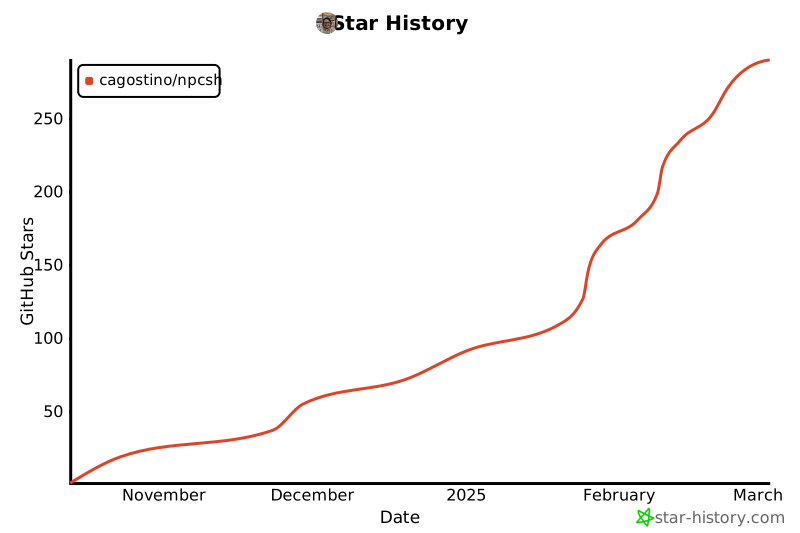
## Star History
|
|
114
|
+
|
|
115
|
+
[](https://star-history.com/#cagostino/npcsh&Date)
|
|
116
|
+
|
|
117
|
+
## TLDR Cheat Sheet for NPC shell and cli
|
|
118
|
+
Users can take advantage of `npcsh` through its custom shell or through a command-line interface (CLI) tool. Below is a cheat sheet that shows how to use `npcsh` commands in both the shell and the CLI. For the npcsh commands to work, one must activate `npcsh` by typing it in a shell.
|
|
119
|
+
|
|
120
|
+
|
|
121
|
+
|
|
122
|
+
|
|
123
|
+
| Task | npc CLI | npcsh |
|
|
124
|
+
|----------|----------|----------|
|
|
125
|
+
| Ask a generic question | npc 'prompt' | 'prompt' |
|
|
126
|
+
| Compile an NPC | npc compile /path/to/npc.npc | /compile /path/to/npc.npc |
|
|
127
|
+
| Computer use | npc plonk -n 'npc_name' -sp 'task for plonk to carry out '| /plonk -n 'npc_name' -sp 'task for plonk to carry out ' |
|
|
128
|
+
| Conjure an NPC team from context and templates | npc init -t 'template1, template2' -ctx 'context' | /conjure -t 'template1, 'template2' -ctx 'context' |
|
|
129
|
+
| Enter a chat with an NPC (NPC needs to be compiled first) | npc chat -n npc_name | /spool npc=<npc_name> |
|
|
130
|
+
| Generate image | npc vixynt 'prompt' | /vixynt prompt |
|
|
131
|
+
| Get a sample LLM response | npc sample 'prompt' | /sample prompt for llm |
|
|
132
|
+
| Search for a term in the npcsh_db only in conversations with a specific npc | npc rag -n 'npc_name' -f 'filename' -q 'query' | /rag -n 'npc_name' -f 'filename' -q 'query' |
|
|
133
|
+
| Search the web | npc search -q "cal golden bears football schedule" -sp perplexity | /search -p perplexity 'cal bears football schedule' |
|
|
134
|
+
| Serve an NPC team | npc serve --port 5337 --cors='http://localhost:5137/' | /serve --port 5337 --cors='http://localhost:5137/' |
|
|
135
|
+
| Screenshot analysis | npc ots | /ots |
|
|
136
|
+
| Voice Chat | npc whisper -n 'npc_name' | /whisper |
|
|
137
|
+
|
|
138
|
+
|
|
139
|
+
## Python Examples
|
|
140
|
+
Integrate npcsh into your Python projects for additional flexibility. Below are a few examples of how to use the library programmatically.
|
|
141
|
+
|
|
142
|
+
|
|
143
|
+
### Example 1: usisng npcsh's get_llm_response and get_stream
|
|
144
|
+
|
|
145
|
+
```python
|
|
146
|
+
from npcsh.llm_funcs import get_llm_response
|
|
147
|
+
|
|
148
|
+
# ollama's llama3.2
|
|
149
|
+
response = get_llm_response("What is the capital of France? Respond with a json object containing 'capital' as the key and the capital as the value.",
|
|
150
|
+
model='llama3.2',
|
|
151
|
+
provider='ollama',
|
|
152
|
+
format='json')
|
|
153
|
+
print(response)
|
|
154
|
+
# assistant's response is contained in the 'response' key for easier access
|
|
155
|
+
assistant_response = response['response']
|
|
156
|
+
print(assistant_response)
|
|
157
|
+
# access messages too
|
|
158
|
+
messages = response['messages']
|
|
159
|
+
print(messages)
|
|
160
|
+
|
|
161
|
+
|
|
162
|
+
#openai's gpt-4o-mini
|
|
163
|
+
from npcsh.llm_funcs import get_llm_response
|
|
164
|
+
|
|
165
|
+
response = get_llm_response("What is the capital of France? Respond with a json object containing 'capital' as the key and the capital as the value.",
|
|
166
|
+
model='gpt-4o-mini',
|
|
167
|
+
provider='openai',
|
|
168
|
+
format='json')
|
|
169
|
+
print(response)
|
|
170
|
+
# anthropic's claude haikue 3.5 latest
|
|
171
|
+
from npcsh.llm_funcs import get_llm_response
|
|
172
|
+
|
|
173
|
+
response = get_llm_response("What is the capital of France? Respond with a json object containing 'capital' as the key and the capital as the value.",
|
|
174
|
+
model='claude-3-5-haiku-latest',
|
|
175
|
+
provider='anthropic',
|
|
176
|
+
format='json')
|
|
177
|
+
|
|
178
|
+
|
|
179
|
+
|
|
180
|
+
# alternatively, if you have NPCSH_CHAT_MODEL / NPCSH_CHAT_PROVIDER set in your ~/.npcshrc, it will use those values
|
|
181
|
+
response = get_llm_response("What is the capital of France? Respond with a json object containing 'capital' as the key and the capital as the value.",
|
|
182
|
+
format='json')
|
|
183
|
+
|
|
184
|
+
|
|
185
|
+
|
|
186
|
+
|
|
187
|
+
#stream responses
|
|
188
|
+
|
|
189
|
+
response = get_stream("What is the capital of France? Respond with a json object containing 'capital' as the key and the capital as the value.", )
|
|
190
|
+
|
|
191
|
+
|
|
192
|
+
```
|
|
193
|
+
|
|
194
|
+
### Example 3: Building a flow with check_llm_command
|
|
195
|
+
|
|
196
|
+
```python
|
|
197
|
+
#first let's demonstrate the capabilities of npcsh's check_llm_command
|
|
198
|
+
from npcsh.llm_funcs import check_llm_command
|
|
199
|
+
|
|
200
|
+
command = 'can you write a description of the idea of semantic degeneracy?'
|
|
201
|
+
|
|
202
|
+
response = check_llm_command(command,
|
|
203
|
+
model='gpt-4o-mini',
|
|
204
|
+
provider='openai')
|
|
205
|
+
|
|
206
|
+
|
|
207
|
+
|
|
208
|
+
# now to make the most of check_llm_command, let's add an NPC with a generic code execution tool
|
|
209
|
+
|
|
210
|
+
|
|
211
|
+
from npcsh.npc_compiler import NPC, Tool
|
|
212
|
+
from npcsh.llm_funcs import check_llm_command
|
|
213
|
+
|
|
214
|
+
code_execution_tool = Tool(
|
|
215
|
+
{
|
|
216
|
+
"tool_name": "execute_python",
|
|
217
|
+
"description": """Executes a code block in python.
|
|
218
|
+
Final output from script MUST be stored in a variable called `output`.
|
|
219
|
+
""",
|
|
220
|
+
"inputs": ["script"],
|
|
221
|
+
"steps": [
|
|
222
|
+
{
|
|
223
|
+
"engine": " python",
|
|
224
|
+
"code": """{{ script }}""",
|
|
225
|
+
}
|
|
226
|
+
],
|
|
227
|
+
}
|
|
228
|
+
)
|
|
229
|
+
|
|
230
|
+
|
|
231
|
+
command = """can you write a description of the idea of semantic degeneracy and save it to a file?
|
|
232
|
+
After, can you take that and make various versions of it from the points of
|
|
233
|
+
views of different sub-disciplines of natural lanaguage processing?
|
|
234
|
+
Finally produce a synthesis of the resultant various versions and save it."
|
|
235
|
+
"""
|
|
236
|
+
npc = NPC(
|
|
237
|
+
name="NLP_Master",
|
|
238
|
+
primary_directive="Provide astute anlayses on topics related to NLP. Carry out relevant tasks for users to aid them in their NLP-based analyses",
|
|
239
|
+
model="gpt-4o-mini",
|
|
240
|
+
provider="openai",
|
|
241
|
+
tools=[code_execution_tool],
|
|
242
|
+
)
|
|
243
|
+
response = check_llm_command(
|
|
244
|
+
command, model="gpt-4o-mini", provider="openai", npc=npc, stream=False
|
|
245
|
+
)
|
|
246
|
+
|
|
247
|
+
|
|
248
|
+
# or by attaching an NPC Team
|
|
249
|
+
from npcsh.npc_compiler import NPC
|
|
250
|
+
|
|
251
|
+
response = check_llm_command(command,
|
|
252
|
+
model='gpt-4o-mini',
|
|
253
|
+
provider='openai',)
|
|
254
|
+
```
|
|
255
|
+
|
|
256
|
+
|
|
257
|
+
|
|
258
|
+
### Example 2: Creating and Using an NPC
|
|
259
|
+
This example shows how to create and initialize an NPC and use it to answer a question.
|
|
260
|
+
```python
|
|
261
|
+
import sqlite3
|
|
262
|
+
from npcsh.npc_compiler import NPC
|
|
263
|
+
|
|
264
|
+
# Set up database connection
|
|
265
|
+
db_path = '~/npcsh_history.db'
|
|
266
|
+
conn = sqlite3.connect(db_path)
|
|
267
|
+
|
|
268
|
+
# Load NPC from a file
|
|
269
|
+
npc = NPC(
|
|
270
|
+
name='Simon Bolivar',
|
|
271
|
+
db_conn=conn,
|
|
272
|
+
primary_directive='Liberate South America from the Spanish Royalists.',
|
|
273
|
+
model='gpt-4o-mini',
|
|
274
|
+
provider='openai',
|
|
275
|
+
)
|
|
276
|
+
|
|
277
|
+
response = npc.get_llm_response("What is the most important territory to retain in the Andes mountains?")
|
|
278
|
+
print(response['response'])
|
|
279
|
+
```
|
|
280
|
+
```bash
|
|
281
|
+
'The most important territory to retain in the Andes mountains for the cause of liberation in South America would be the region of Quito in present-day Ecuador. This area is strategically significant due to its location and access to key trade routes. It also acts as a vital link between the northern and southern parts of the continent, influencing both military movements and the morale of the independence struggle. Retaining control over Quito would bolster efforts to unite various factions in the fight against Spanish colonial rule across the Andean states.'
|
|
282
|
+
```
|
|
283
|
+
### Example 3: Using an NPC to Analyze Data
|
|
284
|
+
This example shows how to use an NPC to perform data analysis on a DataFrame using LLM commands.
|
|
285
|
+
```python
|
|
286
|
+
from npcsh.npc_compiler import NPC
|
|
287
|
+
import sqlite3
|
|
288
|
+
import os
|
|
289
|
+
# Set up database connection
|
|
290
|
+
db_path = '~/npcsh_history.db'
|
|
291
|
+
conn = sqlite3.connect(os.path.expanduser(db_path))
|
|
292
|
+
|
|
293
|
+
# make a table to put into npcsh_history.db or change this example to use an existing table in a database you have
|
|
294
|
+
import pandas as pd
|
|
295
|
+
data = {
|
|
296
|
+
'customer_feedback': ['The product is great!', 'The service was terrible.', 'I love the new feature.'],
|
|
297
|
+
'customer_id': [1, 2, 3],
|
|
298
|
+
'customer_rating': [5, 1, 3],
|
|
299
|
+
'timestamp': ['2022-01-01', '2022-01-02', '2022-01-03']
|
|
300
|
+
}
|
|
301
|
+
|
|
302
|
+
|
|
303
|
+
df = pd.DataFrame(data)
|
|
304
|
+
df.to_sql('customer_feedback', conn, if_exists='replace', index=False)
|
|
305
|
+
|
|
306
|
+
|
|
307
|
+
npc = NPC(
|
|
308
|
+
name='Felix',
|
|
309
|
+
db_conn=conn,
|
|
310
|
+
primary_directive='Analyze customer feedback for sentiment.',
|
|
311
|
+
model='gpt-4o-mini',
|
|
312
|
+
provider='openai',
|
|
313
|
+
)
|
|
314
|
+
response = npc.analyze_db_data('Provide a detailed report on the data contained in the `customer_feedback` table?')
|
|
315
|
+
|
|
316
|
+
|
|
317
|
+
```
|
|
318
|
+
|
|
319
|
+
|
|
320
|
+
### Example 4: Creating and Using a Tool
|
|
321
|
+
You can define a tool and execute it from within your Python script.
|
|
322
|
+
Here we'll create a tool that will take in a pdf file, extract the text, and then answer a user request about the text.
|
|
323
|
+
|
|
324
|
+
```python
|
|
325
|
+
from npcsh.npc_compiler import Tool, NPC
|
|
326
|
+
import sqlite3
|
|
327
|
+
import os
|
|
328
|
+
|
|
329
|
+
from jinja2 import Environment, FileSystemLoader
|
|
330
|
+
|
|
331
|
+
# Create a proper Jinja environment
|
|
332
|
+
jinja_env = Environment(loader=FileSystemLoader('.'))
|
|
333
|
+
|
|
334
|
+
|
|
335
|
+
tool_data = {
|
|
336
|
+
"tool_name": "pdf_analyzer",
|
|
337
|
+
"inputs": ["request", "file"],
|
|
338
|
+
"steps": [{ # Make this a list with one dict inside
|
|
339
|
+
"engine": "python",
|
|
340
|
+
"code": """
|
|
341
|
+
try:
|
|
342
|
+
import fitz # PyMuPDF
|
|
343
|
+
|
|
344
|
+
shared_context = {}
|
|
345
|
+
shared_context['inputs'] = '{{request}}'
|
|
346
|
+
|
|
347
|
+
pdf_path = '{{file}}'
|
|
348
|
+
|
|
349
|
+
|
|
350
|
+
|
|
351
|
+
# Open the PDF
|
|
352
|
+
doc = fitz.open(pdf_path)
|
|
353
|
+
text = ""
|
|
354
|
+
|
|
355
|
+
# Extract text from each page
|
|
356
|
+
for page_num in range(len(doc)):
|
|
357
|
+
page = doc[page_num]
|
|
358
|
+
text += page.get_text()
|
|
359
|
+
|
|
360
|
+
# Close the document
|
|
361
|
+
doc.close()
|
|
362
|
+
|
|
363
|
+
print(f"Extracted text length: {len(text)}")
|
|
364
|
+
if len(text) > 100:
|
|
365
|
+
print(f"First 100 characters: {text[:100]}...")
|
|
366
|
+
|
|
367
|
+
shared_context['extracted_text'] = text
|
|
368
|
+
print("Text extraction completed successfully")
|
|
369
|
+
|
|
370
|
+
except Exception as e:
|
|
371
|
+
error_msg = f"Error processing PDF: {str(e)}"
|
|
372
|
+
print(error_msg)
|
|
373
|
+
shared_context['extracted_text'] = f"Error: {error_msg}"
|
|
374
|
+
"""
|
|
375
|
+
},
|
|
376
|
+
{
|
|
377
|
+
"engine": "natural",
|
|
378
|
+
"code": """
|
|
379
|
+
{% if shared_context and shared_context.extracted_text %}
|
|
380
|
+
{% if shared_context.extracted_text.startswith('Error:') %}
|
|
381
|
+
{{ shared_context.extracted_text }}
|
|
382
|
+
{% else %}
|
|
383
|
+
Here is the text extracted from the PDF:
|
|
384
|
+
|
|
385
|
+
{{ shared_context.extracted_text }}
|
|
386
|
+
|
|
387
|
+
Please provide a response to user request: {{ request }} using the information extracted above.
|
|
388
|
+
{% endif %}
|
|
389
|
+
{% else %}
|
|
390
|
+
Error: No text was extracted from the PDF.
|
|
391
|
+
{% endif %}
|
|
392
|
+
"""
|
|
393
|
+
},]
|
|
394
|
+
}
|
|
395
|
+
|
|
396
|
+
# Instantiate the tool
|
|
397
|
+
tool = Tool(tool_data)
|
|
398
|
+
|
|
399
|
+
# Create an NPC instance
|
|
400
|
+
npc = NPC(
|
|
401
|
+
name='starlana',
|
|
402
|
+
primary_directive='Analyze text from Astrophysics papers with a keen attention to theoretical machinations and mechanisms.',
|
|
403
|
+
model = 'llama3.2',
|
|
404
|
+
provider='ollama',
|
|
405
|
+
db_conn=sqlite3.connect(os.path.expanduser('~/npcsh_database.db'))
|
|
406
|
+
)
|
|
407
|
+
|
|
408
|
+
# Define input values dictionary
|
|
409
|
+
input_values = {
|
|
410
|
+
"request": "what is the point of the yuan and narayanan work?",
|
|
411
|
+
"file": os.path.abspath("test_data/yuan2004.pdf")
|
|
412
|
+
}
|
|
413
|
+
|
|
414
|
+
print(f"Attempting to read file: {input_values['file']}")
|
|
415
|
+
print(f"File exists: {os.path.exists(input_values['file'])}")
|
|
416
|
+
|
|
417
|
+
# Execute the tool
|
|
418
|
+
output = tool.execute(input_values, npc.tools_dict, jinja_env, 'Sample Command',model=npc.model, provider=npc.provider, npc=npc)
|
|
419
|
+
|
|
420
|
+
print('Tool Output:', output)
|
|
421
|
+
```
|
|
422
|
+
|
|
423
|
+
### Example 5: Orchestrating a team
|
|
424
|
+
|
|
425
|
+
|
|
426
|
+
|
|
427
|
+
```python
|
|
428
|
+
import pandas as pd
|
|
429
|
+
import numpy as np
|
|
430
|
+
import os
|
|
431
|
+
from npcsh.npc_compiler import NPC, NPCTeam, Tool
|
|
432
|
+
|
|
433
|
+
|
|
434
|
+
# Create test data and save to CSV
|
|
435
|
+
def create_test_data(filepath="sales_data.csv"):
|
|
436
|
+
sales_data = pd.DataFrame(
|
|
437
|
+
{
|
|
438
|
+
"date": pd.date_range(start="2024-01-01", periods=90),
|
|
439
|
+
"revenue": np.random.normal(10000, 2000, 90),
|
|
440
|
+
"customer_count": np.random.poisson(100, 90),
|
|
441
|
+
"avg_ticket": np.random.normal(100, 20, 90),
|
|
442
|
+
"region": np.random.choice(["North", "South", "East", "West"], 90),
|
|
443
|
+
"channel": np.random.choice(["Online", "Store", "Mobile"], 90),
|
|
444
|
+
}
|
|
445
|
+
)
|
|
446
|
+
|
|
447
|
+
# Add patterns to make data more realistic
|
|
448
|
+
sales_data["revenue"] *= 1 + 0.3 * np.sin(
|
|
449
|
+
np.pi * np.arange(90) / 30
|
|
450
|
+
) # Seasonal pattern
|
|
451
|
+
sales_data.loc[sales_data["channel"] == "Mobile", "revenue"] *= 1.1 # Mobile growth
|
|
452
|
+
sales_data.loc[
|
|
453
|
+
sales_data["channel"] == "Online", "customer_count"
|
|
454
|
+
] *= 1.2 # Online customer growth
|
|
455
|
+
|
|
456
|
+
sales_data.to_csv(filepath, index=False)
|
|
457
|
+
return filepath, sales_data
|
|
458
|
+
|
|
459
|
+
|
|
460
|
+
code_execution_tool = Tool(
|
|
461
|
+
{
|
|
462
|
+
"tool_name": "execute_code",
|
|
463
|
+
"description": """Executes a Python code block with access to pandas,
|
|
464
|
+
numpy, and matplotlib.
|
|
465
|
+
Results should be stored in the 'results' dict to be returned.
|
|
466
|
+
The only input should be a single code block with \n characters included.
|
|
467
|
+
The code block must use only the libraries or methods contained withen the
|
|
468
|
+
pandas, numpy, and matplotlib libraries or using builtin methods.
|
|
469
|
+
do not include any json formatting or markdown formatting.
|
|
470
|
+
|
|
471
|
+
When generating your script, the final output must be encoded in a variable
|
|
472
|
+
named "output". e.g.
|
|
473
|
+
|
|
474
|
+
output = some_analysis_function(inputs, derived_data_from_inputs)
|
|
475
|
+
Adapt accordingly based on the scope of the analysis
|
|
476
|
+
|
|
477
|
+
""",
|
|
478
|
+
"inputs": ["script"],
|
|
479
|
+
"steps": [
|
|
480
|
+
{
|
|
481
|
+
"engine": "python",
|
|
482
|
+
"code": """{{script}}""",
|
|
483
|
+
}
|
|
484
|
+
],
|
|
485
|
+
}
|
|
486
|
+
)
|
|
487
|
+
|
|
488
|
+
# Analytics team definition
|
|
489
|
+
analytics_team = [
|
|
490
|
+
{
|
|
491
|
+
"name": "analyst",
|
|
492
|
+
"primary_directive": "You analyze sales performance data, focusing on revenue trends, customer behavior metrics, and market indicators. Your expertise is in extracting actionable insights from complex datasets.",
|
|
493
|
+
"model": "gpt-4o-mini",
|
|
494
|
+
"provider": "openai",
|
|
495
|
+
"tools": [code_execution_tool], # Only the code execution tool
|
|
496
|
+
},
|
|
497
|
+
{
|
|
498
|
+
"name": "researcher",
|
|
499
|
+
"primary_directive": "You specialize in causal analysis and experimental design. Given data insights, you determine what factors drive observed patterns and design tests to validate hypotheses.",
|
|
500
|
+
"model": "gpt-4o-mini",
|
|
501
|
+
"provider": "openai",
|
|
502
|
+
"tools": [code_execution_tool], # Only the code execution tool
|
|
503
|
+
},
|
|
504
|
+
{
|
|
505
|
+
"name": "engineer",
|
|
506
|
+
"primary_directive": "You implement data pipelines and optimize data processing. When given analysis requirements, you create efficient workflows to automate insights generation.",
|
|
507
|
+
"model": "gpt-4o-mini",
|
|
508
|
+
"provider": "openai",
|
|
509
|
+
"tools": [code_execution_tool], # Only the code execution tool
|
|
510
|
+
},
|
|
511
|
+
]
|
|
512
|
+
|
|
513
|
+
|
|
514
|
+
def create_analytics_team():
|
|
515
|
+
# Initialize NPCs with just the code execution tool
|
|
516
|
+
npcs = []
|
|
517
|
+
for npc_data in analytics_team:
|
|
518
|
+
npc = NPC(
|
|
519
|
+
name=npc_data["name"],
|
|
520
|
+
primary_directive=npc_data["primary_directive"],
|
|
521
|
+
model=npc_data["model"],
|
|
522
|
+
provider=npc_data["provider"],
|
|
523
|
+
tools=[code_execution_tool], # Only code execution tool
|
|
524
|
+
)
|
|
525
|
+
npcs.append(npc)
|
|
526
|
+
|
|
527
|
+
# Create coordinator with just code execution tool
|
|
528
|
+
coordinator = NPC(
|
|
529
|
+
name="coordinator",
|
|
530
|
+
primary_directive="You coordinate the analytics team, ensuring each specialist contributes their expertise effectively. You synthesize insights and manage the workflow.",
|
|
531
|
+
model="gpt-4o-mini",
|
|
532
|
+
provider="openai",
|
|
533
|
+
tools=[code_execution_tool], # Only code execution tool
|
|
534
|
+
)
|
|
535
|
+
|
|
536
|
+
# Create team
|
|
537
|
+
team = NPCTeam(npcs=npcs, foreman=coordinator)
|
|
538
|
+
return team
|
|
539
|
+
|
|
540
|
+
|
|
541
|
+
def main():
|
|
542
|
+
# Create and save test data
|
|
543
|
+
data_path, sales_data = create_test_data()
|
|
544
|
+
|
|
545
|
+
# Initialize team
|
|
546
|
+
team = create_analytics_team()
|
|
547
|
+
|
|
548
|
+
# Run analysis - updated prompt to reflect code execution approach
|
|
549
|
+
results = team.orchestrate(
|
|
550
|
+
f"""
|
|
551
|
+
Analyze the sales data at {data_path} to:
|
|
552
|
+
1. Identify key performance drivers
|
|
553
|
+
2. Determine if mobile channel growth is significant
|
|
554
|
+
3. Recommend tests to validate growth hypotheses
|
|
555
|
+
|
|
556
|
+
Here is a header for the data file at {data_path}:
|
|
557
|
+
{sales_data.head()}
|
|
558
|
+
|
|
559
|
+
When working with dates, ensure that date columns are converted from raw strings. e.g. use the pd.to_datetime function.
|
|
560
|
+
|
|
561
|
+
|
|
562
|
+
When working with potentially messy data, handle null values by using nan versions of numpy functions or
|
|
563
|
+
by filtering them with a mask .
|
|
564
|
+
|
|
565
|
+
Use Python code execution to perform the analysis - load the data and perform statistical analysis directly.
|
|
566
|
+
"""
|
|
567
|
+
)
|
|
568
|
+
|
|
569
|
+
print(results)
|
|
570
|
+
|
|
571
|
+
# Cleanup
|
|
572
|
+
os.remove(data_path)
|
|
573
|
+
|
|
574
|
+
|
|
575
|
+
if __name__ == "__main__":
|
|
576
|
+
main()
|
|
577
|
+
|
|
578
|
+
```
|
|
579
|
+
|
|
580
|
+
|
|
581
|
+
|
|
582
|
+
## Installation
|
|
583
|
+
`npcsh` is available on PyPI and can be installed using pip. Before installing, make sure you have the necessary dependencies installed on your system. Below are the instructions for installing such dependencies on Linux, Mac, and Windows. If you find any other dependencies that are needed, please let us know so we can update the installation instructions to be more accommodating.
|
|
584
|
+
|
|
585
|
+
### Linux install
|
|
586
|
+
```bash
|
|
587
|
+
|
|
588
|
+
# for audio primarily
|
|
589
|
+
sudo apt-get install espeak
|
|
590
|
+
sudo apt-get install portaudio19-dev python3-pyaudio
|
|
591
|
+
sudo apt-get install alsa-base alsa-utils
|
|
592
|
+
sudo apt-get install libcairo2-dev
|
|
593
|
+
sudo apt-get install libgirepository1.0-dev
|
|
594
|
+
sudo apt-get install ffmpeg
|
|
595
|
+
|
|
596
|
+
# for triggers
|
|
597
|
+
sudo apt install inotify-tools
|
|
598
|
+
|
|
599
|
+
|
|
600
|
+
#And if you don't have ollama installed, use this:
|
|
601
|
+
curl -fsSL https://ollama.com/install.sh | sh
|
|
602
|
+
|
|
603
|
+
ollama pull llama3.2
|
|
604
|
+
ollama pull llava:7b
|
|
605
|
+
ollama pull nomic-embed-text
|
|
606
|
+
pip install npcsh
|
|
607
|
+
# if you want to install with the API libraries
|
|
608
|
+
pip install npcsh[lite]
|
|
609
|
+
# if you want the full local package set up (ollama, diffusers, transformers, cuda etc.)
|
|
610
|
+
pip install npcsh[local]
|
|
611
|
+
# if you want to use tts/stt
|
|
612
|
+
pip install npcsh[whisper]
|
|
613
|
+
|
|
614
|
+
# if you want everything:
|
|
615
|
+
pip install npcsh[all]
|
|
616
|
+
|
|
617
|
+
|
|
618
|
+
|
|
619
|
+
|
|
620
|
+
### Mac install
|
|
621
|
+
```bash
|
|
622
|
+
#mainly for audio
|
|
623
|
+
brew install portaudio
|
|
624
|
+
brew install ffmpeg
|
|
625
|
+
brew install pygobject3
|
|
626
|
+
|
|
627
|
+
# for triggers
|
|
628
|
+
brew install ...
|
|
629
|
+
|
|
630
|
+
|
|
631
|
+
brew install ollama
|
|
632
|
+
brew services start ollama
|
|
633
|
+
ollama pull llama3.2
|
|
634
|
+
ollama pull llava:7b
|
|
635
|
+
ollama pull nomic-embed-text
|
|
636
|
+
pip install npcsh
|
|
637
|
+
# if you want to install with the API libraries
|
|
638
|
+
pip install npcsh[lite]
|
|
639
|
+
# if you want the full local package set up (ollama, diffusers, transformers, cuda etc.)
|
|
640
|
+
pip install npcsh[local]
|
|
641
|
+
# if you want to use tts/stt
|
|
642
|
+
pip install npcsh[whisper]
|
|
643
|
+
|
|
644
|
+
# if you want everything:
|
|
645
|
+
pip install npcsh[all]
|
|
646
|
+
|
|
647
|
+
```
|
|
648
|
+
### Windows Install
|
|
649
|
+
|
|
650
|
+
Download and install ollama exe.
|
|
651
|
+
|
|
652
|
+
Then, in a powershell. Download and install ffmpeg.
|
|
653
|
+
|
|
654
|
+
```
|
|
655
|
+
ollama pull llama3.2
|
|
656
|
+
ollama pull llava:7b
|
|
657
|
+
ollama pull nomic-embed-text
|
|
658
|
+
pip install npcsh
|
|
659
|
+
# if you want to install with the API libraries
|
|
660
|
+
pip install npcsh[lite]
|
|
661
|
+
# if you want the full local package set up (ollama, diffusers, transformers, cuda etc.)
|
|
662
|
+
pip install npcsh[local]
|
|
663
|
+
# if you want to use tts/stt
|
|
664
|
+
pip install npcsh[whisper]
|
|
665
|
+
|
|
666
|
+
# if you want everything:
|
|
667
|
+
pip install npcsh[all]
|
|
668
|
+
|
|
669
|
+
```
|
|
670
|
+
As of now, npcsh appears to work well with some of the core functionalities like /ots and /whisper.
|
|
671
|
+
|
|
672
|
+
|
|
673
|
+
### Fedora Install (under construction)
|
|
674
|
+
|
|
675
|
+
python3-dev (fixes hnswlib issues with chroma db)
|
|
676
|
+
xhost + (pyautogui)
|
|
677
|
+
python-tkinter (pyautogui)
|
|
678
|
+
|
|
679
|
+
## Startup Configuration and Project Structure
|
|
680
|
+
After it has been pip installed, `npcsh` can be used as a command line tool. Start it by typing:
|
|
681
|
+
```bash
|
|
682
|
+
npcsh
|
|
683
|
+
```
|
|
684
|
+
When initialized, `npcsh` will generate a .npcshrc file in your home directory that stores your npcsh settings.
|
|
685
|
+
Here is an example of what the .npcshrc file might look like after this has been run.
|
|
686
|
+
```bash
|
|
687
|
+
# NPCSH Configuration File
|
|
688
|
+
export NPCSH_INITIALIZED=1
|
|
689
|
+
export NPCSH_CHAT_PROVIDER='ollama'
|
|
690
|
+
export NPCSH_CHAT_MODEL='llama3.2'
|
|
691
|
+
export NPCSH_DB_PATH='~/npcsh_history.db'
|
|
692
|
+
```
|
|
693
|
+
`npcsh` also comes with a set of tools and NPCs that are used in processing. It will generate a folder at ~/.npcsh/ that contains the tools and NPCs that are used in the shell and these will be used in the absence of other project-specific ones. Additionally, `npcsh` records interactions and compiled information about npcs within a local SQLite database at the path specified in the .npcshrc file. This will default to ~/npcsh_history.db if not specified. When the data mode is used to load or analyze data in CSVs or PDFs, these data will be stored in the same database for future reference.
|
|
694
|
+
|
|
695
|
+
The installer will automatically add this file to your shell config, but if it does not do so successfully for whatever reason you can add the following to your .bashrc or .zshrc:
|
|
696
|
+
|
|
697
|
+
```bash
|
|
698
|
+
# Source NPCSH configuration
|
|
699
|
+
if [ -f ~/.npcshrc ]; then
|
|
700
|
+
. ~/.npcshrc
|
|
701
|
+
fi
|
|
702
|
+
```
|
|
703
|
+
|
|
704
|
+
We support inference via `openai`, `anthropic`, `ollama`,`gemini`, `deepseek`, and `openai-like` APIs. The default provider must be one of `['openai','anthropic','ollama', 'gemini', 'deepseek', 'openai-like']` and the model must be one available from those providers.
|
|
705
|
+
|
|
706
|
+
To use tools that require API keys, create an `.env` file up in the folder where you are working or place relevant API keys as env variables in your ~/.npcshrc. If you already have these API keys set in a ~/.bashrc or a ~/.zshrc or similar files, you need not additionally add them to ~/.npcshrc or to an `.env` file. Here is an example of what an `.env` file might look like:
|
|
707
|
+
|
|
708
|
+
```bash
|
|
709
|
+
export OPENAI_API_KEY="your_openai_key"
|
|
710
|
+
export ANTHROPIC_API_KEY="your_anthropic_key"
|
|
711
|
+
export DEEPSEEK_API_KEY='your_deepseek_key'
|
|
712
|
+
export GEMINI_API_KEY='your_gemini_key'
|
|
713
|
+
export PERPLEXITY_API_KEY='your_perplexity_key'
|
|
714
|
+
```
|
|
715
|
+
|
|
716
|
+
|
|
717
|
+
Individual npcs can also be set to use different models and providers by setting the `model` and `provider` keys in the npc files.
|
|
718
|
+
Once initialized and set up, you will find the following in your ~/.npcsh directory:
|
|
719
|
+
```bash
|
|
720
|
+
~/.npcsh/
|
|
721
|
+
├── npc_team/ # Global NPCs
|
|
722
|
+
│ ├── tools/ # Global tools
|
|
723
|
+
│ └── assembly_lines/ # Workflow pipelines
|
|
724
|
+
|
|
725
|
+
```
|
|
726
|
+
For cases where you wish to set up a project specific set of NPCs, tools, and assembly lines, add a `npc_team` directory to your project and `npcsh` should be able to pick up on its presence, like so:
|
|
727
|
+
```bash
|
|
728
|
+
./npc_team/ # Project-specific NPCs
|
|
729
|
+
├── tools/ # Project tools #example tool next
|
|
730
|
+
│ └── example.tool
|
|
731
|
+
└── assembly_lines/ # Project workflows
|
|
732
|
+
└── example.pipe
|
|
733
|
+
└── models/ # Project workflows
|
|
734
|
+
└── example.model
|
|
735
|
+
└── example1.npc # Example NPC
|
|
736
|
+
└── example2.npc # Example NPC
|
|
737
|
+
└── example1.ctx # Example NPC
|
|
738
|
+
└── example2.ctx # Example NPC
|
|
739
|
+
|
|
740
|
+
```
|
|
741
|
+
|
|
742
|
+
## IMPORTANT: migrations and deprecations
|
|
743
|
+
|
|
744
|
+
### v0.3.4
|
|
745
|
+
-In v0.3.4, the structure for tools was adjusted. If you have made custom tools please refer to the structure within npc_compiler to ensure that they are in the correct format. Otherwise, do the following
|
|
746
|
+
```bash
|
|
747
|
+
rm ~/.npcsh/npc_team/tools/*.tool
|
|
748
|
+
```
|
|
749
|
+
and then
|
|
750
|
+
```bash
|
|
751
|
+
npcsh
|
|
752
|
+
```
|
|
753
|
+
and the updated tools will be copied over into the correct location.
|
|
754
|
+
|
|
755
|
+
### v0.3.5
|
|
756
|
+
-Version 0.3.5 included a complete overhaul and refactoring of the llm_funcs module. This was done to make it not as horribly long and to make it easier to add new models and providers
|
|
757
|
+
|
|
758
|
+
|
|
759
|
+
-in version 0.3.5, a change was introduced to the database schema for messages to add npcs, models, providers, and associated attachments to data. If you have used `npcsh` before this version, you will need to run this migration script to update your database schema: [migrate_conversation_history_v0.3.5.py](https://github.com/cagostino/npcsh/blob/cfb9dc226e227b3e888f3abab53585693e77f43d/npcsh/migrations/migrate_conversation_history_%3Cv0.3.4-%3Ev0.3.5.py)
|
|
760
|
+
|
|
761
|
+
-additionally, NPCSH_MODEL and NPCSH_PROVIDER have been renamed to NPCSH_CHAT_MODEL and NPCSH_CHAT_PROVIDER
|
|
762
|
+
to provide a more consistent naming scheme now that we have additionally introduced `NPCSH_VISION_MODEL` and `NPCSH_VISION_PROVIDER`, `NPCSH_EMBEDDING_MODEL`, `NPCSH_EMBEDDING_PROVIDER`, `NPCSH_REASONING_MODEL`, `NPCSH_REASONING_PROVIDER`, `NPCSH_IMAGE_GEN_MODEL`, and `NPCSH_IMAGE_GEN_PROVIDER`.
|
|
763
|
+
- In addition, we have added NPCSH_API_URL to better accommodate openai-like apis that require a specific url to be set as well as `NPCSH_STREAM_OUTPUT` to indicate whether or not to use streaming in one's responses. It will be set to 0 (false) by default as it has only been tested and verified for a small subset of the models and providers we have available (openai, anthropic, and ollama). If you try it and run into issues, please post them here so we can correct them as soon as possible !
|
|
764
|
+
|
|
765
|
+
|
|
766
|
+
|
|
767
|
+
## Contributing
|
|
768
|
+
Contributions are welcome! Please submit issues and pull requests on the GitHub repository.
|
|
769
|
+
|
|
770
|
+
## Support
|
|
771
|
+
If you appreciate the work here, [consider supporting NPC Worldwide](https://buymeacoffee.com/npcworldwide). If you'd like to explore how to use `npcsh` to help your business, please reach out to info@npcworldwi.de .
|
|
772
|
+
|
|
773
|
+
|
|
774
|
+
## NPC Studio
|
|
775
|
+
Coming soon! NPC Studio will be a desktop application for managing chats and agents on your own machine.
|
|
776
|
+
Be sure to sign up for the [npcsh newsletter](https://forms.gle/n1NzQmwjsV4xv1B2A) to hear updates!
|
|
777
|
+
|
|
778
|
+
## License
|
|
779
|
+
This project is licensed under the MIT License.
|