nexus-windows 0.9.1__tar.gz
This diff represents the content of publicly available package versions that have been released to one of the supported registries. The information contained in this diff is provided for informational purposes only and reflects changes between package versions as they appear in their respective public registries.
- nexus_windows-0.9.1/PKG-INFO +386 -0
- nexus_windows-0.9.1/README.md +362 -0
- nexus_windows-0.9.1/pyproject.toml +96 -0
- nexus_windows-0.9.1/pyproject.toml.orig +67 -0
- nexus_windows-0.9.1/src/nexus_windows/__init__.py +3 -0
- nexus_windows-0.9.1/src/nexus_windows/__main__.py +3 -0
- nexus_windows-0.9.1/src/nexus_windows/act_base.py +674 -0
- nexus_windows-0.9.1/src/nexus_windows/act_chromium.py +438 -0
- nexus_windows-0.9.1/src/nexus_windows/act_confirm.py +249 -0
- nexus_windows-0.9.1/src/nexus_windows/act_pointer.py +344 -0
- nexus_windows-0.9.1/src/nexus_windows/act_uia.py +727 -0
- nexus_windows-0.9.1/src/nexus_windows/act_wait.py +72 -0
- nexus_windows-0.9.1/src/nexus_windows/act_win32.py +258 -0
- nexus_windows-0.9.1/src/nexus_windows/actions.py +73 -0
- nexus_windows-0.9.1/src/nexus_windows/agentlock.py +186 -0
- nexus_windows-0.9.1/src/nexus_windows/capture.py +171 -0
- nexus_windows-0.9.1/src/nexus_windows/cdp.py +225 -0
- nexus_windows-0.9.1/src/nexus_windows/codeprint.py +52 -0
- nexus_windows-0.9.1/src/nexus_windows/foreground.py +620 -0
- nexus_windows-0.9.1/src/nexus_windows/freshness.py +61 -0
- nexus_windows-0.9.1/src/nexus_windows/keys.py +153 -0
- nexus_windows-0.9.1/src/nexus_windows/launch.py +1104 -0
- nexus_windows-0.9.1/src/nexus_windows/log.py +143 -0
- nexus_windows-0.9.1/src/nexus_windows/methods.py +1016 -0
- nexus_windows-0.9.1/src/nexus_windows/offwindows.py +94 -0
- nexus_windows-0.9.1/src/nexus_windows/packages.py +118 -0
- nexus_windows-0.9.1/src/nexus_windows/physical.py +161 -0
- nexus_windows-0.9.1/src/nexus_windows/policy.py +189 -0
- nexus_windows-0.9.1/src/nexus_windows/postcond.py +168 -0
- nexus_windows-0.9.1/src/nexus_windows/py.typed +0 -0
- nexus_windows-0.9.1/src/nexus_windows/realinput.py +316 -0
- nexus_windows-0.9.1/src/nexus_windows/reloader.py +409 -0
- nexus_windows-0.9.1/src/nexus_windows/routines.py +447 -0
- nexus_windows-0.9.1/src/nexus_windows/server.py +1073 -0
- nexus_windows-0.9.1/src/nexus_windows/session.py +287 -0
- nexus_windows-0.9.1/src/nexus_windows/shared/garde-fous.json +109 -0
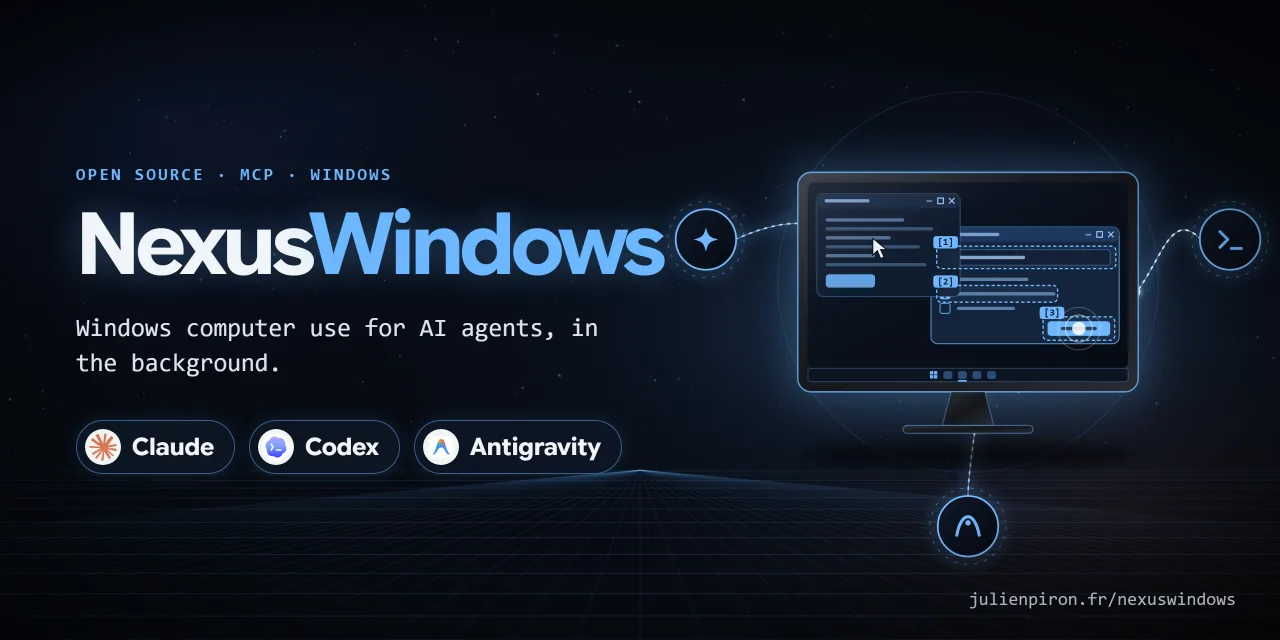
- nexus_windows-0.9.1/src/nexus_windows/shared/garde_fous.py +184 -0
- nexus_windows-0.9.1/src/nexus_windows/snapshot.py +919 -0
- nexus_windows-0.9.1/src/nexus_windows/steam.py +168 -0
- nexus_windows-0.9.1/src/nexus_windows/stop.py +248 -0
- nexus_windows-0.9.1/src/nexus_windows/uia.py +388 -0
- nexus_windows-0.9.1/src/nexus_windows/win32.py +709 -0
- nexus_windows-0.9.1/src/nexus_windows/worker.py +107 -0
|
@@ -0,0 +1,386 @@
|
|
|
1
|
+
Metadata-Version: 2.4
|
|
2
|
+
Name: nexus-windows
|
|
3
|
+
Version: 0.9.1
|
|
4
|
+
Summary: Background Windows desktop control for Claude: an MCP server that sees and acts without taking the user's mouse, keyboard or foreground
|
|
5
|
+
Keywords: mcp,mcp-server,windows,computer-use,ui-automation,desktop-automation,claude
|
|
6
|
+
Author: Julien Piron
|
|
7
|
+
License-Expression: MIT
|
|
8
|
+
Classifier: Development Status :: 4 - Beta
|
|
9
|
+
Classifier: License :: OSI Approved :: MIT License
|
|
10
|
+
Classifier: Operating System :: Microsoft :: Windows
|
|
11
|
+
Classifier: Programming Language :: Python :: 3.14
|
|
12
|
+
Classifier: Topic :: Desktop Environment
|
|
13
|
+
Requires-Dist: comtypes>=1.4.17 ; sys_platform == 'win32'
|
|
14
|
+
Requires-Dist: mcp>=2.3.0
|
|
15
|
+
Requires-Dist: pillow>=12.3.0
|
|
16
|
+
Requires-Dist: websockets>=17.2
|
|
17
|
+
Requires-Dist: windows-capture>=2.0.1 ; sys_platform == 'win32'
|
|
18
|
+
Requires-Python: >=3.14
|
|
19
|
+
Project-URL: Homepage, https://julienpiron.fr/nexuswindows/claude/
|
|
20
|
+
Project-URL: Repository, https://github.com/pironjulien/claude-windows-computer-use
|
|
21
|
+
Project-URL: Changelog, https://github.com/pironjulien/claude-windows-computer-use/blob/main/CHANGELOG.md
|
|
22
|
+
Project-URL: Issues, https://github.com/pironjulien/claude-windows-computer-use/issues
|
|
23
|
+
Description-Content-Type: text/markdown
|
|
24
|
+
|
|
25
|
+
# NexusWindows for Claude
|
|
26
|
+
|
|
27
|
+
<!-- mcp-name: io.github.pironjulien/nexus-windows -->
|
|
28
|
+
|
|
29
|
+
[](https://github.com/pironjulien/claude-windows-computer-use/releases)
|
|
30
|
+
[](https://github.com/pironjulien/claude-windows-computer-use/actions/workflows/tests.yml)
|
|
31
|
+
[](https://github.com/pironjulien/claude-windows-computer-use/blob/main/LICENSE)
|
|
32
|
+
[](https://github.com/pironjulien/claude-windows-computer-use/blob/main/pyproject.toml)
|
|
33
|
+
[](https://modelcontextprotocol.io)
|
|
34
|
+
[](#installation)
|
|
35
|
+
|
|
36
|
+
[](https://julienpiron.fr/nexuswindows/)
|
|
37
|
+
|
|
38
|
+
**Windows computer use for Claude, in the background.** An MCP server (`nexus-windows`) that lets Claude Desktop
|
|
39
|
+
and Claude Code see and operate Windows desktop applications while the user keeps their mouse, keyboard and
|
|
40
|
+
foreground window.
|
|
41
|
+
|
|
42
|
+
Version 0.9.1 · Windows 10/11 · Python 3.14 · MIT licence
|
|
43
|
+
|
|
44
|
+
Part of the Nexus family: [NexusWindows](https://julienpiron.fr/nexuswindows/)
|
|
45
|
+
([Claude](https://github.com/pironjulien/claude-windows-computer-use) ·
|
|
46
|
+
[Codex](https://github.com/pironjulien/codex-windows-computer-use) ·
|
|
47
|
+
[Antigravity](https://github.com/pironjulien/antigravity-windows-computer-use)),
|
|
48
|
+
[NexusBrowser](https://julienpiron.fr/nexusbrowser/) ([repo](https://github.com/pironjulien/chrome-computer-use)),
|
|
49
|
+
[NexusAndroid](https://julienpiron.fr/nexusandroid/) ([repo](https://github.com/pironjulien/android-computer-use)).
|
|
50
|
+
Project page: [julienpiron.fr/nexuswindows](https://julienpiron.fr/nexuswindows/).
|
|
51
|
+
|
|
52
|
+
## Why
|
|
53
|
+
|
|
54
|
+
Anthropic's own computer use (in Cowork and Claude Code inside Claude Desktop) is a beta for Pro and Max
|
|
55
|
+
subscribers: "Team and Enterprise plans don't have access to computer use at this time"
|
|
56
|
+
([Claude Help Center](https://support.claude.com/en/articles/14128542-let-claude-use-your-computer-in-cowork)).
|
|
57
|
+
NexusWindows for Claude is a local MCP server, so it works with Claude Desktop and Claude Code on any plan that
|
|
58
|
+
allows local MCP servers, Team and Enterprise included.
|
|
59
|
+
|
|
60
|
+
Screenshot-and-click computer use moves the real cursor and brings windows to the front, so the person at the PC has
|
|
61
|
+
to stop working while the agent acts. Most Windows applications can be driven without that: native controls accept
|
|
62
|
+
window messages, modern frameworks expose UI Automation, and Chromium can be reached through its accessibility tree.
|
|
63
|
+
This server picks, per UI family, a technique that was **measured** not to steal focus, reads the effect back, and
|
|
64
|
+
only falls back to the real mouse or keyboard when the user explicitly allows it.
|
|
65
|
+
|
|
66
|
+
## What it does
|
|
67
|
+
|
|
68
|
+
### Tools
|
|
69
|
+
|
|
70
|
+
| Tool | Purpose |
|
|
71
|
+
|---|---|
|
|
72
|
+
| `windows(filter)` | Application windows, front to back: hwnd, title, process, UI family, size |
|
|
73
|
+
| `look(window, show, query, region, detail, marks)` | Numbered `[N]` elements (role, name, value, state, position) plus an image, without bringing the window forward |
|
|
74
|
+
| `act(steps, window, then, foreground, remember, routine, params)` | Several steps in one call, each read back, then the updated state |
|
|
75
|
+
| `launch(app, args, devtools, restart)` | Start an application (Start menu name, Store app, executable), a folder or a document without giving it focus; the opening is verified |
|
|
76
|
+
| `window(action, ...)` | Restore behind, minimize, maximize, close, move, resize |
|
|
77
|
+
| `logs(count, errors_only)` | Debug log: techniques tried, durations, errors, server state |
|
|
78
|
+
|
|
79
|
+
Step actions: `click`, `double_click`, `right_click`, `type`, `set`, `clear`, `key`, `select`, `check`, `uncheck`,
|
|
80
|
+
`toggle`, `expand`, `collapse`, `scroll`, `focus`, `menu`, `wait`, `drag`, `hover`. A target is an `[N]` from the last
|
|
81
|
+
`look`, a visible name (`"OK"`), a role-qualified name (`"button:OK"`, `"edit:Name"`, `"checkbox:Subscribe"`) or an
|
|
82
|
+
`x,y` point in the last image.
|
|
83
|
+
|
|
84
|
+
### Four outcomes per step
|
|
85
|
+
|
|
86
|
+
Each step is reported as one of:
|
|
87
|
+
|
|
88
|
+
- `✓` the effect was read back (value, state, window, image);
|
|
89
|
+
- `=` the state requested by the step's `check` was already true, so nothing was sent;
|
|
90
|
+
- `~` the input was sent but its effect could not be read (never counted as a success);
|
|
91
|
+
- `✗` failure, refusal, or postcondition not met; the batch stops there.
|
|
92
|
+
|
|
93
|
+
A batch ends with a tally of the four counts.
|
|
94
|
+
|
|
95
|
+
### Postconditions (`check`)
|
|
96
|
+
|
|
97
|
+
A step may carry `check`: one element and the state it must reach (`value`, `contains`, `checked`, `selected`,
|
|
98
|
+
`expanded`, `focused`, `enabled`, `exists`). Already true before the step: the step is skipped (`=`). True after: `✓`.
|
|
99
|
+
False after: `✗` and the batch stops. A state the element does not publish stays unknown, never false.
|
|
100
|
+
|
|
101
|
+
### Routines
|
|
102
|
+
|
|
103
|
+
`act(remember="name")` saves a batch only if every step ended `✓` or `=` and every target is a visible name (never an
|
|
104
|
+
`[N]` or a point). `{{x}}` marks variable text, filled at replay with `params`. `act(routine="name")` finds each
|
|
105
|
+
target again by name and re-verifies every step; an application update is reported and a failed replay marks the
|
|
106
|
+
routine for review. Routines are stored per executable under `%USERPROFILE%\.claude\nexus-claude\routines`. An
|
|
107
|
+
optional mirror folder (`NEXUS_ROUTINES_MIRROR`) can share definitions between PCs; typed text is never mirrored in
|
|
108
|
+
clear (a routine whose text is not a `{{x}}` template stays local).
|
|
109
|
+
|
|
110
|
+
### Verified opening of paths
|
|
111
|
+
|
|
112
|
+
`launch(app=<folder or document>)` opens through the file association (ShellExecuteEx, no activation requested), then
|
|
113
|
+
checks what actually opened: the folder shown in File Explorer (read through Shell.Application) or a window titled
|
|
114
|
+
with the file name. Scripts, shortcuts and installers are refused.
|
|
115
|
+
|
|
116
|
+
### Per UI family
|
|
117
|
+
|
|
118
|
+
- **Native Win32**: direct messages to controls (`BN_CLICKED`, `CB_SETCURSEL`/`LB_SETCURSEL` with their notification,
|
|
119
|
+
`EM_REPLACESEL`, menu `WM_COMMAND`, `TCM_SETCURFOCUS`), read back. UI Automation is avoided where it was measured to
|
|
120
|
+
steal focus (button Invoke) or to fail silently (list Select).
|
|
121
|
+
- **Win32 and WinForms drop-down lists**: opened and closed with `CB_SHOWDROPDOWN`, read back with
|
|
122
|
+
`CB_GETDROPPEDSTATE` (`expand`, `collapse`, or `click` on the list). Choosing in an open list closes it first
|
|
123
|
+
(Windows treats that close as a cancel and would drop a choice made before it), then sends `CB_SETCURSEL`,
|
|
124
|
+
`CBN_SELCHANGE` and `CBN_SELENDOK` to the parent and reads the application back (index and label); an empty or other
|
|
125
|
+
value is `✗`. While a list is open its UI Automation tree is not walked (it chains to every top-level window of the
|
|
126
|
+
desktop): the options are read from the ComboLBox pop-up itself.
|
|
127
|
+
- **WinForms, WPF, UWP, WinUI**: UI Automation with `AutoSetFocus` disabled and bounded timeouts. A WPF drop-down list
|
|
128
|
+
left open by a choice is closed and the choice read back.
|
|
129
|
+
- **Chromium and Electron, without activation**: for an app already open without DevTools, multiline fields, rich
|
|
130
|
+
editors, `<select>`, keys and Ctrl/Alt shortcuts go through a *simulated activation*: `WM_NCACTIVATE` and
|
|
131
|
+
`WM_ACTIVATE` are sent to that window only (Chromium takes its activation state from these messages; Windows does
|
|
132
|
+
not change the foreground), DOM focus is set with MSAA `accSelect(SELFLAG_TAKEFOCUS)` and read back, characters go
|
|
133
|
+
as `WM_CHAR`, and the deactivation is *posted* so it is processed after them. The page receives trusted `keydown`
|
|
134
|
+
and `input` events. One caveat was measured: an app launched a moment ago may use its launch-time foreground right
|
|
135
|
+
once (about 10 ms, handed back by the guard), so the first simulated activation per process is treated like a brief
|
|
136
|
+
activation. Apps started with `launch(devtools=true)` are driven through the DevTools protocol instead.
|
|
137
|
+
- **Steam (CEF in an SDL frame)**: recognised as Chromium; `launch(app="Steam")` adds Steam's own
|
|
138
|
+
`-cef-disable-occlusion -cef-force-accessibility` switches so the UI stays readable while covered.
|
|
139
|
+
- **Tk**: no UI Automation and posted input has no effect; refused unless real input is allowed.
|
|
140
|
+
|
|
141
|
+
### Capture
|
|
142
|
+
|
|
143
|
+
`PrintWindow` (10 to 26 ms, covered windows included), Windows.Graphics.Capture only as a fallback. Images are capped
|
|
144
|
+
at 1568 px and 1.15 MP (2000 px and 3.75 MP with `detail="high"`) so that Claude models do not downscale them, which
|
|
145
|
+
keeps coordinates exact. Coordinates are bound to the window: followed if it moves, refused if it was resized.
|
|
146
|
+
|
|
147
|
+
### Real mouse and keyboard
|
|
148
|
+
|
|
149
|
+
Only with `act(foreground=true)`, which the user must approve. The window then stays in front for the whole batch;
|
|
150
|
+
cursor and foreground are handed back at the end; any physical input from the user during the batch stops it.
|
|
151
|
+
|
|
152
|
+
## Working alongside other agents
|
|
153
|
+
|
|
154
|
+
The server cooperates with other desktop agents on the same PC (it is used next to a Codex layer,
|
|
155
|
+
[NexusWindows for Codex](https://github.com/pironjulien/codex-windows-computer-use), and an Antigravity layer)
|
|
156
|
+
through two small file-based protocols. Any agent can implement them.
|
|
157
|
+
|
|
158
|
+
**Foreground token** (`%USERPROFILE%\.nexus\foreground.lock`): taken only while really holding the mouse or the
|
|
159
|
+
foreground (real input, brief activation, window put in front), never for background actions. Holding it means an
|
|
160
|
+
exclusive `LockFileEx` on 1 byte at offset 2^32, opened with read, write and delete sharing; Windows releases it when
|
|
161
|
+
the handle closes, including when the process dies, so there is no stale token. The holder writes
|
|
162
|
+
`{"owner", "pid", "since", "purpose"}` at the start of the file for diagnostics only. Waiters wait at most a few
|
|
163
|
+
seconds (8 s here), then do nothing and say who holds it. A foreground guard that sees another agent holding the
|
|
164
|
+
token follows that agent's window instead of taking the foreground back.
|
|
165
|
+
|
|
166
|
+
**Emergency stop** (Ctrl+Alt+Shift+Esc, files in `%USERPROFILE%\.nexus\`): every agent tries
|
|
167
|
+
`RegisterHotKey(MOD_NOREPEAT)`; one gets it, the others retry every 3 s. The holder writes a heartbeat to
|
|
168
|
+
`stop.owner` every 3 s. On a press it rewrites `stop` with `{"by", "pid", "at", "hold_s": 120, "nonce"}`. Every agent
|
|
169
|
+
watches `stop` at least every 0.2 s and before each action: a new version younger than 120 s blocks all desktop
|
|
170
|
+
actions for the remaining time (reads stay allowed). The stop is latched in memory on a monotonic clock: deleting the
|
|
171
|
+
file or changing the clock does not lift it, a new press re-arms it.
|
|
172
|
+
|
|
173
|
+
## Architecture
|
|
174
|
+
|
|
175
|
+
```mermaid
|
|
176
|
+
flowchart LR
|
|
177
|
+
Claude["Claude Code or Claude Desktop"] -->|"MCP stdio"| Server["server.py MCP tools"]
|
|
178
|
+
Server --> Worker["COM worker thread with hard timeout"]
|
|
179
|
+
Worker --> Snapshot["snapshot and capture"]
|
|
180
|
+
Worker --> Actions["actions per UI family"]
|
|
181
|
+
Actions --> Win32["Win32 messages"]
|
|
182
|
+
Actions --> UIA["UI Automation"]
|
|
183
|
+
Actions --> Chromium["Chromium simulated activation and DevTools"]
|
|
184
|
+
Actions --> Real["real input only with foreground true"]
|
|
185
|
+
Server --> Safety["policy, emergency stop, foreground guard"]
|
|
186
|
+
Safety --> Shared["shared files in USERPROFILE nexus"]
|
|
187
|
+
Real --> Shared
|
|
188
|
+
```
|
|
189
|
+
|
|
190
|
+
```
|
|
191
|
+
src/nexus_windows/
|
|
192
|
+
reloader.py stdio supervisor: restarts the server on new code and replays the client handshake
|
|
193
|
+
server.py MCP tools, dedicated COM thread, per-call log
|
|
194
|
+
actions.py executor facade, assembled from the act_*.py modules
|
|
195
|
+
act_base.py targets read back live, technique chains, outcomes, shared refusals
|
|
196
|
+
act_win32.py Win32 messages
|
|
197
|
+
act_uia.py UI Automation (WinForms, WPF, UWP/WinUI) and dispatch per family
|
|
198
|
+
act_chromium.py Chromium/Electron/CEF: verified click, DevTools, simulated activation, <select>
|
|
199
|
+
act_pointer.py points, message clicks, scrolling, drag, hover
|
|
200
|
+
act_wait.py text presence and waiting
|
|
201
|
+
snapshot.py window + popups, [N] elements, image, coordinates
|
|
202
|
+
uia.py UI Automation with a single cross-process cache request
|
|
203
|
+
methods.py Win32 message techniques
|
|
204
|
+
cdp.py minimal Chrome DevTools Protocol client
|
|
205
|
+
capture.py PrintWindow / Windows.Graphics.Capture
|
|
206
|
+
foreground.py foreground monitoring and restoration, brief activation
|
|
207
|
+
agentlock.py shared foreground token
|
|
208
|
+
postcond.py step postconditions (check)
|
|
209
|
+
routines.py verified routines per application
|
|
210
|
+
physical.py the user's physical input (Raw Input, no hook), told apart from injected input
|
|
211
|
+
launch.py background launch, DevTools, throwaway browser profiles
|
|
212
|
+
steam.py Steam switches, clean restart, DevTools port
|
|
213
|
+
realinput.py real mouse/keyboard (SendInput), only when authorised
|
|
214
|
+
policy.py where to act and what to launch (hard blocks of the shared policy, launch switches)
|
|
215
|
+
act_confirm.py confirmation of irreversible gestures (confirm: true), whatever key or click triggers them
|
|
216
|
+
shared/ the guard-rail policy shared with NexusWindows for Antigravity (garde-fous.json)
|
|
217
|
+
packages.py resumes Store apps that Windows suspended in the background
|
|
218
|
+
offwindows.py outside Windows: the server starts and lists its tools, every desktop tool says Windows is required
|
|
219
|
+
stop.py shared emergency stop
|
|
220
|
+
freshness.py detects a server whose code changed on disk
|
|
221
|
+
codeprint.py code fingerprint and location of the shared policy (no dependencies)
|
|
222
|
+
worker.py COM thread with a hard timeout
|
|
223
|
+
log.py JSONL log, 14 days
|
|
224
|
+
lab/ test applications (Win32, WinForms, WPF, Tk, a web page for Electron/Edge)
|
|
225
|
+
bench/ technique benchmarks and raw results
|
|
226
|
+
tests/ unit tests (pytest) and end-to-end tests (pytest -m live)
|
|
227
|
+
```
|
|
228
|
+
|
|
229
|
+
## Installation
|
|
230
|
+
|
|
231
|
+
Requirements: Windows 10 or 11, [uv](https://docs.astral.sh/uv/), Python 3.14.
|
|
232
|
+
|
|
233
|
+
```powershell
|
|
234
|
+
git clone https://github.com/pironjulien/claude-windows-computer-use.git
|
|
235
|
+
cd claude-windows-computer-use
|
|
236
|
+
$env:UV_PROJECT_ENVIRONMENT = "$env:LOCALAPPDATA\claude-windows-computer-use\venv" # optional: venv outside the clone
|
|
237
|
+
uv sync --frozen
|
|
238
|
+
```
|
|
239
|
+
|
|
240
|
+
Register it with Claude Code (user scope):
|
|
241
|
+
|
|
242
|
+
```powershell
|
|
243
|
+
claude mcp add --scope user --transport stdio `
|
|
244
|
+
-e "UV_PROJECT_ENVIRONMENT=$env:LOCALAPPDATA\claude-windows-computer-use\venv" -e PYTHONUTF8=1 `
|
|
245
|
+
nexus-windows '--' uv run --project "$PWD" --frozen python -m nexus_windows
|
|
246
|
+
```
|
|
247
|
+
|
|
248
|
+
For Claude Desktop, add the same command to `claude_desktop_config.json`:
|
|
249
|
+
|
|
250
|
+
```json
|
|
251
|
+
{
|
|
252
|
+
"mcpServers": {
|
|
253
|
+
"nexus-windows": {
|
|
254
|
+
"command": "uv",
|
|
255
|
+
"args": ["run", "--project", "C:/path/to/claude-windows-computer-use", "--frozen", "python", "-m", "nexus_windows"],
|
|
256
|
+
"env": { "PYTHONUTF8": "1" }
|
|
257
|
+
}
|
|
258
|
+
}
|
|
259
|
+
}
|
|
260
|
+
```
|
|
261
|
+
|
|
262
|
+
Local state (logs, routines) lives in `%USERPROFILE%\.claude\nexus-claude\`; set
|
|
263
|
+
`NEXUS_WINDOWS_HOME` to use another folder.
|
|
264
|
+
|
|
265
|
+
## Usage
|
|
266
|
+
|
|
267
|
+
Typical flow: `look(window="Notepad")`, then one `act` with all the steps, then read the per-step report.
|
|
268
|
+
|
|
269
|
+
```text
|
|
270
|
+
act(window="Settings form", steps=[
|
|
271
|
+
{"do": "set", "target": "edit:Name", "text": "Ada",
|
|
272
|
+
"check": {"target": "Name", "value": "Ada"}},
|
|
273
|
+
{"do": "check", "target": "Subscribe"},
|
|
274
|
+
{"do": "click", "target": "button:Save", "expect": "Saved"}
|
|
275
|
+
], remember="save-form")
|
|
276
|
+
```
|
|
277
|
+
|
|
278
|
+
Later: `act(window="Settings form", routine="save-form")`.
|
|
279
|
+
|
|
280
|
+
## Measurements
|
|
281
|
+
|
|
282
|
+
All figures come from [`bench/RESULTS.md`](https://github.com/pironjulien/claude-windows-computer-use/blob/main/bench/RESULTS.md) and the raw files in `bench/results/` (measured on one
|
|
283
|
+
PC, October 2026; the notes in `RESULTS.md` are in French).
|
|
284
|
+
|
|
285
|
+
| What | Result |
|
|
286
|
+
|---|---|
|
|
287
|
+
| Capture, PrintWindow | 10 to 26 ms, covered windows included |
|
|
288
|
+
| Real MCP server, 73 actions on the lab apps (0.4.0 to 0.5.0) | 69 succeeded, 5 explicit refusals, 0 false success, 0 cursor move, clipboard never touched; median 78 ms, p90 321 ms |
|
|
289
|
+
| 2,000 characters with 20 line breaks | Win32 38 ms, WinForms 66 ms, WPF 141 ms, Electron/Edge with DevTools 82 to 108 ms |
|
|
290
|
+
| Chromium simulated activation, scenario of 18 steps (0.7.0) | Electron 18/18, 1 foreground take of 9 ms (launch right, first time); Edge 18/18, 0 foreground take |
|
|
291
|
+
| Same, Electron without switches, hidden | 17/18; the failure is a page that rebuilds 1,500 elements per keystroke, reported as ✗ |
|
|
292
|
+
| Typing 700 characters on 6 lines, simulated activation | 0.85 to 1.1 s (Electron, Edge), 1.9 to 2 s when occluded |
|
|
293
|
+
| Final render of an `act` (0.7.0 vs 0.6.1) | Win32 418 → 221 ms, Electron 341 → 205 ms (window-settle detection replaces a fixed 300 ms wait) |
|
|
294
|
+
| Open drop-down list, choose in it (WinForms and WPF forms, real MCP server) | 8/8 scenarios, the application received the choice every time; `select` in an open WinForms list 113 ms (was 22 s and a failure); 0 foreground take sampled every 5 ms, cursor never moved |
|
|
295
|
+
|
|
296
|
+
Offline test suite: see the Tests badge (`test.ps1` on Windows, plus a startup check on Linux).
|
|
297
|
+
|
|
298
|
+
## Cross-agent bench (October 16, 2026)
|
|
299
|
+
|
|
300
|
+
The same task was run by the three Windows desktop agents used on this PC (this server, the Codex layer and the
|
|
301
|
+
Antigravity layer) on WinForms and WPF forms created without activation at the bottom of the z-order, while the
|
|
302
|
+
user kept working: fill three fields, tick a box, open the "Formule" drop-down list, choose "Bravo" in the open
|
|
303
|
+
list, validate. Proof is the result label read back in the application. Physical input was forbidden and counted.
|
|
304
|
+
|
|
305
|
+
| | Morning | After fixes | Measured |
|
|
306
|
+
|---|---|---|---|
|
|
307
|
+
| This server (0.7.0 + drop-down fixes) | 17/20 | **19/20** | open list read back on both families; `select` in an open WinForms list 113 ms instead of 22 s; application received `Formule=Bravo;Envois=1`; 0 foreground take over 1,371 and 773 samples (20 ms), 0 cursor move, 0 physical input |
|
|
308
|
+
| [NexusWindows for Codex](https://github.com/pironjulien/codex-windows-computer-use) 1.4.0 | 16/20 | **19/20** | every step verified on both families; observe + batch 1.2 to 1.4 s |
|
|
309
|
+
| Antigravity layer | 18/20 | **19/20** | open WinForms list read and chosen; batch status is the worst step |
|
|
310
|
+
|
|
311
|
+
What still keeps this server from 20: clicking "Validate" stays `~` without an `expect` (the application did receive
|
|
312
|
+
it), and a `click` on a closed WPF list is `~` where `expand` is `✓`.
|
|
313
|
+
|
|
314
|
+
## Security
|
|
315
|
+
|
|
316
|
+
- **Emergency stop**: Ctrl+Alt+Shift+Esc interrupts the running action at its next checkpoint (typing included) and
|
|
317
|
+
refuses every new action for 2 minutes, across conversations and for the other agents (protocol above).
|
|
318
|
+
- **Hard blocks** (shared policy, `src/nexus_windows/shared/garde-fous.json`, same file as NexusWindows for
|
|
319
|
+
Antigravity): the secure desktop (UAC, lock and sign-in screens), Windows credential prompts and password managers
|
|
320
|
+
are never read nor driven. A missing or unreadable policy refuses every action (fail closed).
|
|
321
|
+
- **Confirmation of irreversible gestures**: paying, buying, ordering, transferring money, sending, publishing,
|
|
322
|
+
posting, deleting permanently, emptying the bin, formatting, uninstalling, resetting, cancelling a subscription,
|
|
323
|
+
deleting an account or making a repository public need `confirm: true` on the step, which the model sets only on the
|
|
324
|
+
user's explicit order or yes. The check covers what the gesture triggers: click by `[N]`, by name or by coordinates,
|
|
325
|
+
double-click, Enter (target, default button, nearby send button), Ctrl+Enter, Space, Alt+letter, a typed line break
|
|
326
|
+
and DevTools pages. A routine never records nor replays `confirm`.
|
|
327
|
+
- **Launch**: a browser never gets a profile chosen by the model, a DevTools port or a loaded extension (`devtools=true`
|
|
328
|
+
opens a fresh throwaway profile). Consoles, File Explorer, the taskbar and other applications are not refused:
|
|
329
|
+
the server is meant for a user who already lets Claude run commands; keep Claude's own permission prompts on if
|
|
330
|
+
you want a gate there.
|
|
331
|
+
- **Password fields**: never typed into. Typed text is never logged (only its length).
|
|
332
|
+
- **Accounts**: a browser started with `devtools=true` gets a throwaway profile without account or sync, checked
|
|
333
|
+
after launch and deleted afterwards.
|
|
334
|
+
- **Screen content is data**: every `look` reminds the model that on-screen text is not an instruction.
|
|
335
|
+
- **Up-to-date code**: the entry point is a small stdio supervisor (`reloader.py`). Before each tool call it compares
|
|
336
|
+
the code on disk with the running server's; if it changed, it waits for calls in progress, starts a fresh server
|
|
337
|
+
and replays the client's handshake, so an update needs no reconnection (`/mcp`). A server whose code changed
|
|
338
|
+
between two checks refuses `act`, `launch` and `window`, and the call is replayed on the fresh one.
|
|
339
|
+
- **Timeouts**: an abandoned call is cancelled at its next checkpoint instead of finishing later.
|
|
340
|
+
- **Clipboard**: never used.
|
|
341
|
+
|
|
342
|
+
## Limits
|
|
343
|
+
|
|
344
|
+
- Tool descriptions, step reports, refusal messages and code comments are in French; the API itself (tool names,
|
|
345
|
+
parameters, step actions) is in English.
|
|
346
|
+
- Windows only. Tested on Windows 11 with the lab apps and a handful of real applications; not every application has
|
|
347
|
+
been checked.
|
|
348
|
+
- Applications without UI Automation that ignore posted input (Tk, some games, canvases) need real input, so the user's
|
|
349
|
+
approval and the foreground.
|
|
350
|
+
- Store apps that Windows suspends in the background are resumed (`IPackageDebugSettings.Resume`, no foreground);
|
|
351
|
+
one that Windows still does not render can only be shown by taking the foreground; this is reported.
|
|
352
|
+
- In Chromium, a page that reacts very slowly to each keystroke can exceed the read-back time and is reported as ✗.
|
|
353
|
+
- An effect with nothing readable (a file written by a button, for example) stays `~`; add a `check` that observes it.
|
|
354
|
+
- The end-to-end suite (`pytest -m live`) drives real windows and refuses to start if the PC was used less than
|
|
355
|
+
2 minutes ago.
|
|
356
|
+
|
|
357
|
+
## Privacy
|
|
358
|
+
|
|
359
|
+
NexusWindows for Claude runs entirely on your PC. It has no account, no telemetry, no analytics and makes no network
|
|
360
|
+
requests of its own (DevTools connections stay on `127.0.0.1`).
|
|
361
|
+
|
|
362
|
+
- **What it reads**: window titles, the UI Automation tree and window images of the applications Claude works in,
|
|
363
|
+
only when a tool is called. Password managers, credential prompts and the secure desktop are never inspected
|
|
364
|
+
(`look`) nor driven (`act`); `windows` still lists their window titles, like the taskbar does.
|
|
365
|
+
- **Where it goes**: tool results are returned to Claude Desktop or Claude Code, which send them to Anthropic under
|
|
366
|
+
Anthropic's own privacy policy; this server sends nothing anywhere else.
|
|
367
|
+
- **What it stores**, under `%USERPROFILE%\.claude\nexus-claude\` (or `NEXUS_WINDOWS_HOME`): a JSONL debug log kept
|
|
368
|
+
14 days (tools, techniques, durations, errors; typed text is replaced by its length), the routines you chose to
|
|
369
|
+
remember, and throwaway browser profiles created by `devtools=true` (deleted afterwards). Images are written to the
|
|
370
|
+
log only if you set `NEXUS_WINDOWS_DEBUG_IMAGES=1`. Under `%USERPROFILE%\.nexus\`: the shared foreground token and
|
|
371
|
+
emergency-stop state.
|
|
372
|
+
- **Removing it**: remove the server from Claude (`claude mcp remove nexus-windows`), then delete those folders.
|
|
373
|
+
|
|
374
|
+
Questions or concerns: open an issue on this repository.
|
|
375
|
+
|
|
376
|
+
## Development
|
|
377
|
+
|
|
378
|
+
```powershell
|
|
379
|
+
pwsh -NoProfile -File test.ps1 # unit tests, ruff check and format; venv and caches outside the clone
|
|
380
|
+
pwsh -NoProfile -File test.ps1 -Full # also the end-to-end tests on the lab windows
|
|
381
|
+
uv run python bench/bench.py # technique benchmark (when nobody is using the PC)
|
|
382
|
+
```
|
|
383
|
+
|
|
384
|
+
## Licence
|
|
385
|
+
|
|
386
|
+
MIT, see [LICENSE](https://github.com/pironjulien/claude-windows-computer-use/blob/main/LICENSE). Copyright (c) 2026 Julien Piron.
|